

10 Best Microlearning Software Reviewed in 2026

10 Best Microlearning Software Shortlist


In today's fast-paced work environment, keeping your team engaged and informed can be tough. Traditional training methods often fall short, leaving motivation and knowledge gaps. That's where microlearning software steps in, offering bite-sized, focused learning experiences.
I know the HR challenges you face—balancing effective training with time constraints is no small feat. In my experience, the benefits of microlearning software can help bridge that gap by providing flexible, accessible learning solutions.
In this article, I'll share my unbiased, well-researched picks for the best microlearning software available. You'll get insights into their features, pros and cons, and suitability for different team needs. Let's find the right fit for your team.
Why Trust Our Software Reviews
Our team has been testing and reviewing software since 2012. As HR experts ourselves, we know how difficult—and important—it is to choose the right software.
For this guide, we evaluated tools using hands-on testing and independent research, scoring tools using our selection criteria. We also draw on insights from industry thought leaders and practicing HR experts.
Our reviews reflect our human editorial judgment, not a sales pitch.
Expert reviewers:
Best Microlearning Software Summary
This comparison chart summarizes pricing details for my top microlearning software selections to help you find the best one for your budget and business needs.
| Tool | Best For | Trial Info | Price | ||
|---|---|---|---|---|---|
| 1 | Best for customizable learning paths | Free plan + free demo available | From $119/month (billed annually) | Website | |
| 2 | Best with robust HR and webinar integrations | 14-day free trial | Pricing upon request | Website | |
| 3 | Best for rapid course creation | Free trial available | From $6.91/user/month (billed annually) | Website | |
| 4 | Best for monetizing course content | Free demo available | Pricing upon request | Website | |
| 5 | Best for collaborative learning | 30-day free trial + free demo available | From $8/user/month | Website | |
| 6 | Best for in-app guidance | Free trial available | Pricing upon request | Website | |
| 7 | Best for Salesforce integration | Free demo available | Pricing upon request | Website | |
| 8 | Best for AI-driven learning paths | Free demo available | Pricing upon request | Website | |
| 9 | Best for employee engagement | Not available | Pricing upon request | Website | |
| 10 | Best for enterprise-level solutions | 14-day free trial | Pricing upon request | Website |


Best Microlearning Software Review
Below are my detailed summaries of the best microlearning software that made it onto my shortlist. My reviews offer a detailed look at the key features, pros & cons, integrations, and ideal use cases of each tool to help you find the best one for you.

Best for customizable learning paths
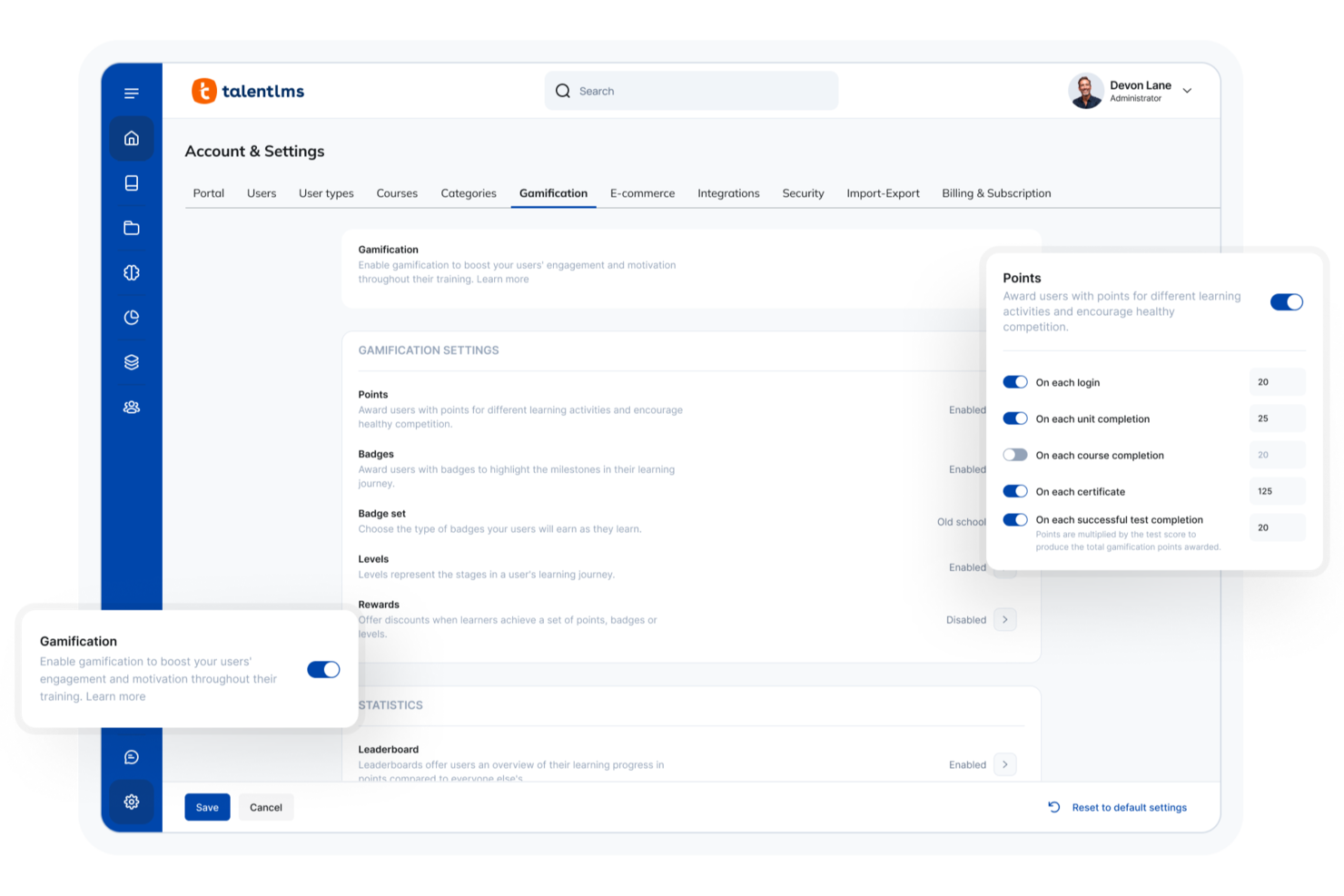
For professionals seeking a PMP microlearning software solution, TalentLMS offers a compelling option by simplifying the complexities of project management training. It provides a flexible, cloud-based platform designed to facilitate learning through short, focused courses, appealing to industries where continuous professional development is key. By addressing challenges such as time constraints and the need for ongoing skill updates, TalentLMS helps project managers and teams stay informed and efficient.
Why I Picked TalentLMS
I picked TalentLMS for its unique ability to cater to the microlearning needs of PMP candidates through its AI-driven course creation and a vast library of over 1,000 short courses. These features are particularly beneficial for those looking to break down complex project management concepts into digestible lessons. Additionally, TalentLMS's seamless integration with communication tools like Zoom and Microsoft Teams supports interactive, live training sessions, making it easier for teams to collaborate and learn in real-time.
TalentLMS Key Features
In addition to its standout microlearning capabilities, TalentLMS offers several features that enhance its usability for PMP training:
- TalentLibrary: Access over 1,000 curated courses on essential skills, ensuring a comprehensive learning experience.
- Mobile App Access: Enable learners to access courses anytime, anywhere, which is ideal for remote or on-the-go professionals.
- Customizable Learning Paths: Create personalized training journeys tailored to individual or team needs, improving engagement and outcomes.
- Reporting and Analytics: Utilize detailed insights into learning progress and effectiveness, essential for tracking PMP preparation.
TalentLMS Integrations
Integrations include Salesforce, BambooHR, Zoom, Microsoft Teams, GoToMeeting, Slack, Shopify, PayPal, Stripe, and Google Calendar.
Pros and Cons
Pros:
- Large ready-made course library
- Mobile-friendly, self-paced access
- Strong microlearning course structure
Cons:
- Interface depth has learning curve
- Advanced reporting can feel limited
New Product Updates from TalentLMS
TalentLMS Adds Learning Paths, AI Video, and Learner Experience Updates
TalentLMS introduced updates across learning management, content creation, and learner experience, including Learning Paths for Groups, AI video generation in TalentCraft, video bookmarking, and expanded administration tools. For more information, visit TalentLMS’s official site.

SkyPrep
Best with robust HR and webinar integrations
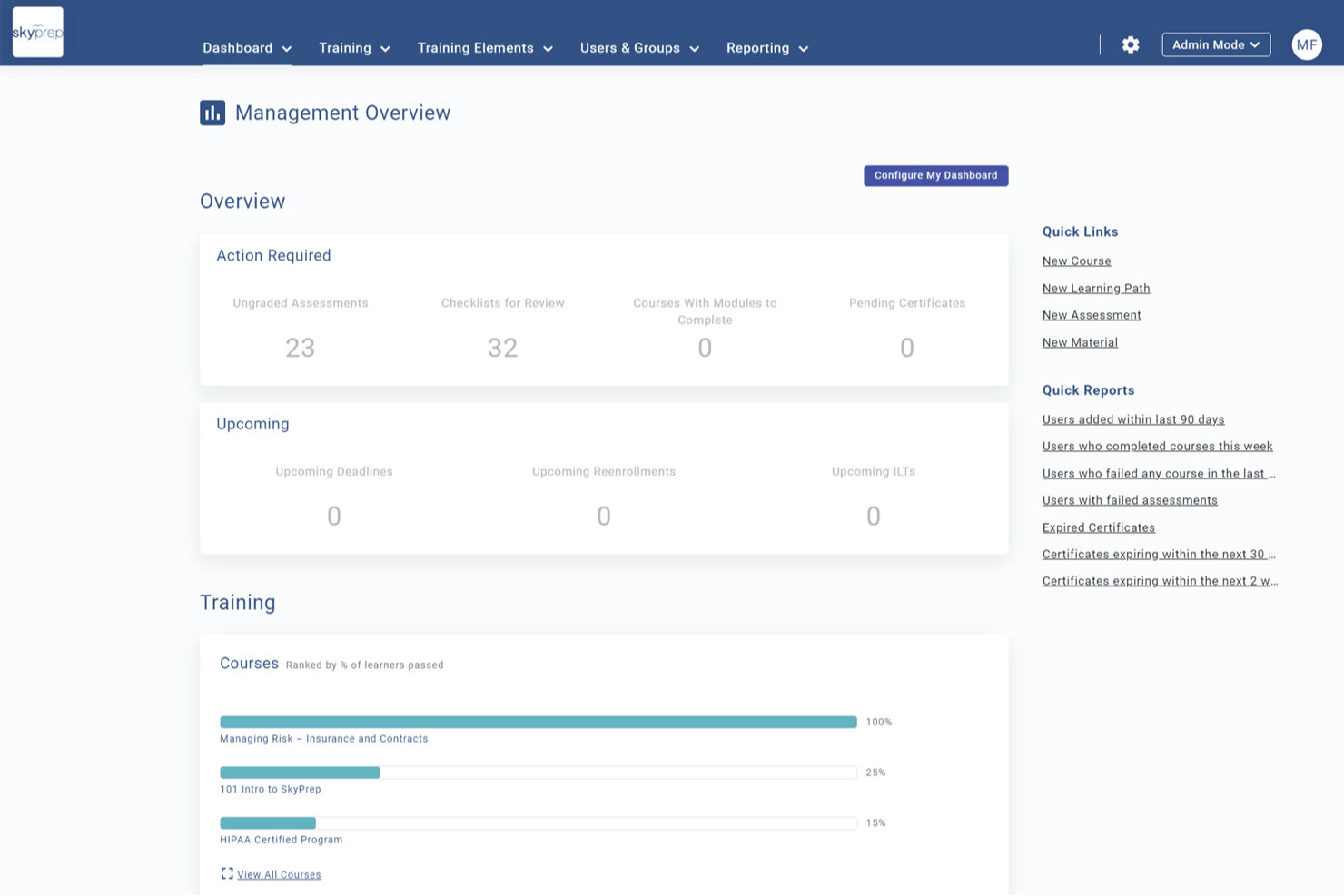
SkyPrep is a corporate LMS that supports microlearning delivery through mobile-friendly course authoring, gamification, compliance training, learning paths, and HR and webinar platform integrations.
Who Is SkyPrep Best For?
SkyPrep is a strong fit for HR and L&D teams at mid-sized organizations that run training across existing HR platforms like ADP Workforce Now or BambooHR.
Why I Picked SkyPrep
SkyPrep earns its spot on my shortlist because of how cleanly it connects microlearning delivery to existing HR systems. I like that learner rosters sync automatically from ADP Workforce Now or BambooHR, so new hires are enrolled in onboarding modules without any manual setup. I also use SkyPrep's Zoom and Microsoft Teams integrations to attach live webinar sessions directly to learning paths, keeping blended training in one trackable place.
SkyPrep Key Features
- SkyPrep Studio authoring: Build interactive microlearning courses using video, text, quizzes, and checklists within the platform.
- Gamification tools: Add points, badges, and leaderboards to increase engagement and motivation.
- Custom branding: White-label portals with your organization’s logo, custom colors, and personalized certificates.
- SOC II security compliance: Protect data and maintain regulatory standards with enterprise-grade security features.
SkyPrep Integrations
SkyPrep offers native integrations with ADP Workforce Now, BambooHR, Google Drive, Dropbox Business, Zoom, Microsoft Teams, Salesforce, Box, Microsoft Office 365, and connects with Zapier. An API is available for custom integrations.
Pros and Cons
Pros:
- White labeling allows custom branding
- Built-in webinar support for blended training
- HRIS sync automates learner enrollment
Cons:
- Analytics and reporting lack advanced filters
- No adaptive spaced repetition engine

Best for rapid course creation
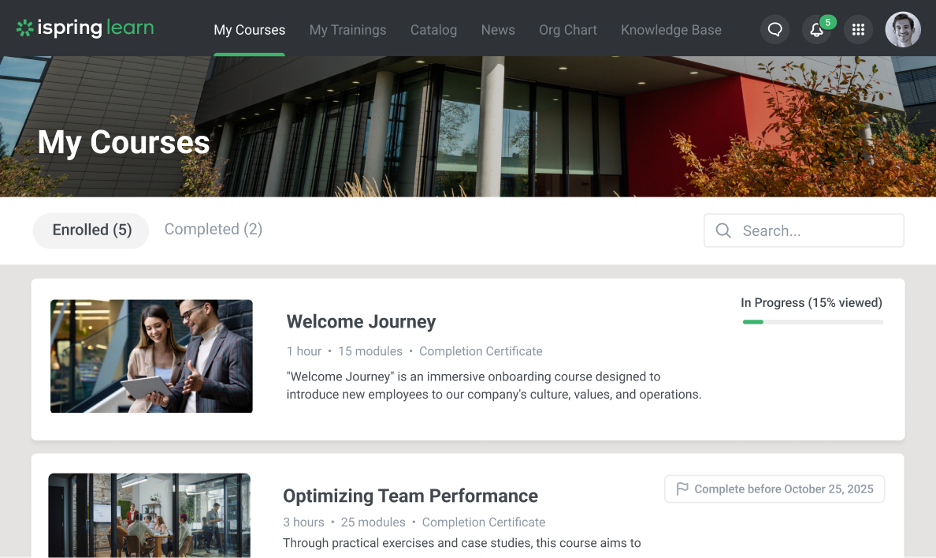
iSpring LMS is a learning management system designed to support the creation and delivery of training content, including short-form and modular learning formats. It provides tools for building courses, managing users, and tracking learner progress within a centralized platform.
Why I picked iSpring LMS: The platform includes tools for creating and delivering structured training content, including smaller learning modules. It supports course creation through built-in authoring tools and allows administrators to organize content into learning paths. Training progress can be monitored through reporting and tracking features.
Standout features & integrations:
Features include a mobile app for accessing training content on the go, customizable learning paths for organizing courses, and assessment tools for evaluating learner progress. The platform also supports multiple content formats and includes course authoring functionality, including AI-assisted content generation where available.
Integrations include Salesforce, Zoom, Microsoft Teams, LinkedIn Learning, Slack, and other third-party platforms.
Pros and Cons
Pros:
- Supports multiple content formats
- Includes PowerPoint-based content integration
- Great rapid course creation tools
Cons:
- Limited AI integration
- Minimal advanced customizations
New Product Updates from iSpring LMS

iSpring LMS Adds Multiple Observations to OJT Sessions
iSpring LMS now lets managers log multiple observations within one OJT session, grouping visits and auto-generating summary stats like averages, criterion results, and comparisons. For more information, visit iSpring LMS's official site.

Absorb
Best for monetizing course content
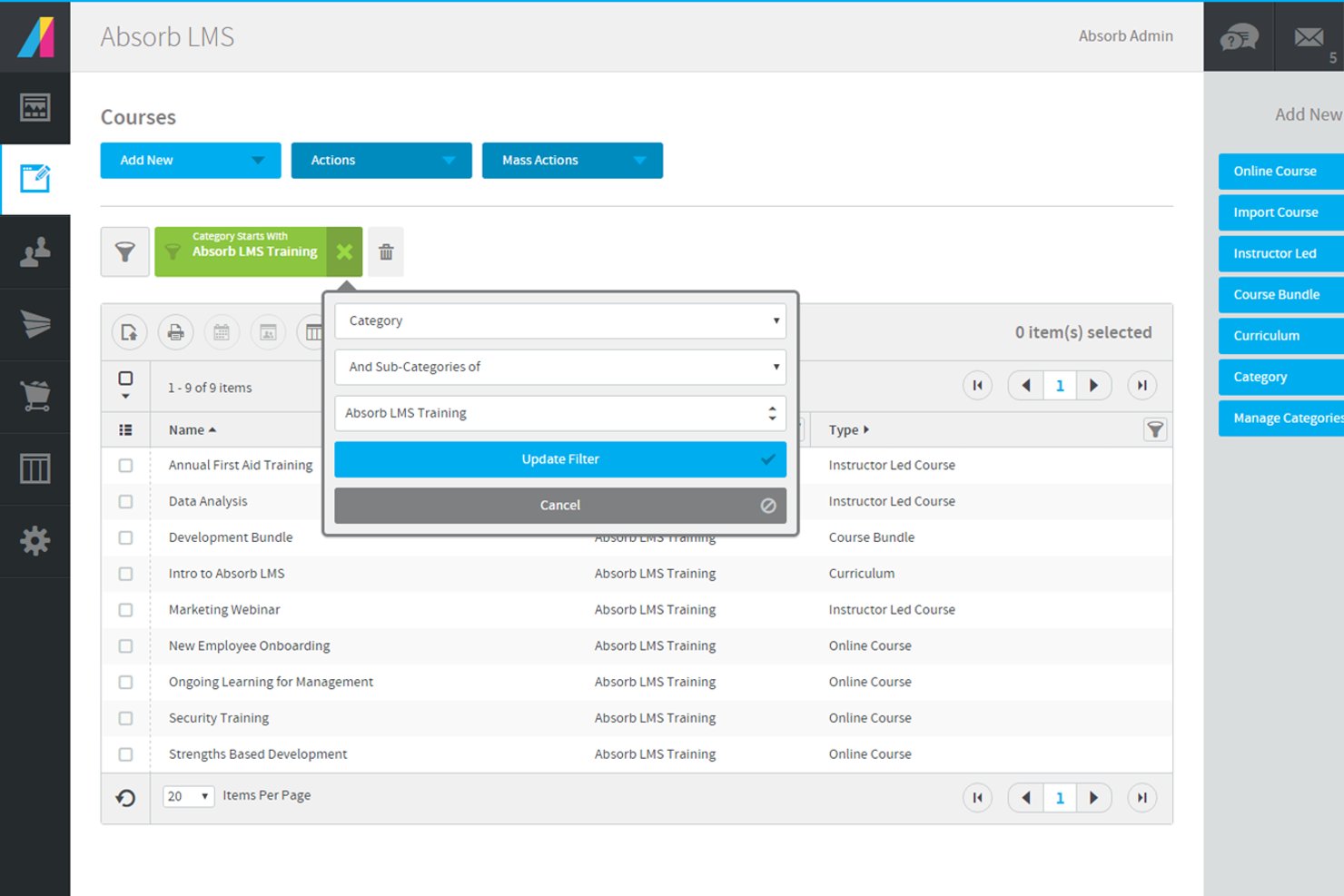
Absorb offers a flexible learning management system designed for organizations that need to deliver targeted, bite-sized training. It’s a strong fit for HR teams, training managers, and professional development leaders who want to support certification, compliance, and ongoing skills growth. The platform helps you create, manage, and track microlearning content that fits the fast-paced needs of project management professionals.
Who Is Absorb Best For?
Absorb is a strong choice for HR teams and training managers in mid-sized to large organizations that need to deliver and track professional microlearning and certification programs.
Why I Picked Absorb
For organizations that want to monetize their microlearning content, Absorb stands out with its built-in ecommerce capabilities. I picked it because you can set up a branded course storefront, manage payments, and offer self-service purchasing for learners. The platform supports multiple payment gateways and lets you bundle courses or offer discounts, which is especially useful for training providers or businesses selling PMP prep modules. This makes it easy to reach a wider audience and generate revenue directly from your microlearning programs.
Absorb Key Features
Some other features that make Absorb a strong option for pmp microlearning include:
- Microlearning module builder: Create and organize short, focused learning units that support just-in-time training for project management professionals.
- Mobile learning support: Learners can access courses and complete modules from any device, making it easy to fit training into busy schedules.
- Automated certification tracking: Monitor learner progress and automatically issue certificates for completed PMP-related courses or compliance requirements.
- Customizable reporting dashboards: Generate detailed reports on learner engagement, course completion, and assessment results to track the effectiveness of your microlearning programs.
Absorb Integrations
Integrations include ADP, BambooHR, Namely, Workday, SAP SuccessFactors, UKG Pro, Dayforce, Salesforce, HubSpot, and Zoom.
Pros and Cons
Pros:
- Built-in ecommerce for selling courses online
- Customizable reporting dashboards for tracking progress
- Automated certification tracking for compliance needs
Cons:
- Course authoring tools lack advanced interactivity
- Limited gamification features for engagement
New Product Updates from Absorb
Absorb Aura Adds Claude and ChatGPT Connections
Absorb Aura now connects to Claude or ChatGPT via MCP, enabling users to ask questions about their learning and the LMS directly inside the AI tool after a simple setup. For more information, visit Absorb's official site.
 .
.
Best for collaborative learning

360Learning is a collaborative learning platform designed to foster teamwork and knowledge sharing in organizations. It serves companies aiming to empower employees through peer learning and collaborative course creation.
Why I picked 360Learning: The platform emphasizes collaborative learning, allowing your team to create and share courses. You can leverage social learning features to engage employees in discussions and feedback. The tool facilitates peer reviews, helping ensure content quality and relevance. 360Learning's intuitive interface makes it easy for your team to contribute and learn from one another.
Standout features & integrations:
Features include customizable learning paths to suit different roles, gamification elements to promote motivation, and analytics to track learner engagement. The platform also offers a variety of interactive elements, including achievements, group challenges, user mentions, reactions, and more.
Integrations include Slack, Salesforce, Microsoft Teams, Google Workspace, Zoom, LinkedIn Learning, BambooHR, Workday, SAP SuccessFactors, and more.
Pros and Cons
Pros:
- Facilitates co-authoring courses
- Supports social learning interactions
- Encourages peer learning and collaboration
Cons:
- Initial setup can be time-consuming
- Requires active user participation
Whatfix
Best for in-app guidance

Whatfix is a digital adoption platform designed to provide in-app guidance and support for enterprise software users. It targets businesses aiming to improve software usage efficiency and employee productivity through contextual training.
Why I picked Whatfix: The platform excels in delivering in-app guidance, helping your team navigate complex software. It offers interactive walkthroughs that simplify user onboarding and training. You can create self-help widgets and task lists to support users in real time. Whatfix's analytics provide insights into how users interact with software, enabling you to optimize training content.
Standout features & integrations:
Features include customizable task lists that help users complete workflows efficiently, self-help widgets for on-demand assistance, and specialized AI agents to help create content, such as quizzes and flashcards, and support end users. These features ensure your team gets the support they need when they need it.
Integrations include Salesforce, SAP SuccessFactors, SurveyMonkey, Workday, Slack, Confluence, Amplitude, Google Analytics, and more.
Pros and Cons
Pros:
- Detailed user interaction analytics
- Customizable guidance features
- Real-time user support options
Cons:
- Requires ongoing content updates
- Initial setup may be complex

Spekit
Best for Salesforce integration

Spekit is a digital adoption platform that provides in-app guidance and training for Salesforce users. It is designed for teams looking to facilitate software adoption and support user efficiency through contextual learning.
Why I picked Spekit: This tool excels in Salesforce integration, offering in-app guidance directly within the platform. You can create bite-sized learning content that appears contextually to help users when they need it. The platform also provides analytics to track content usage and effectiveness, helping you refine your training materials.
Standout features & integrations:
Features include customizable content creation for tailored learning experiences and real-time updates to keep information current. These features help your team stay informed and efficient in their tasks.
Integrations include Salesforce, Slack, Microsoft Teams, Chrome, Outlook, LinkedIn, Zoom, Confluence, Jira, and Google Workspace.
Pros and Cons
Pros:
- Lightweight interface for quick launch
- Real-time content updates
- Strong Salesforce integration
Cons:
- Limited advanced customization
- Pop-up features may be distracting to some users
Docebo
Best for AI-driven learning paths

Docebo is a learning management system (LMS) designed for businesses seeking to augment their training programs with AI-powered solutions. It caters to enterprises looking to improve employee engagement and knowledge retention.
Why I picked Docebo: The platform offers AI-driven learning paths that adapt to your team's unique needs, providing personalized learning experiences. Key features include content curation, which helps in organizing and managing learning materials efficiently. Docebo's AI capabilities allow for personalized course recommendations, ensuring your team gets the most relevant content. Additionally, the platform's analytics provide insights into learner performance and engagement.
Standout features & integrations:
Features include gamified learning experiences that aim to boost engagement, e-commerce capabilities for selling courses, and community features that foster learner interaction. These features ensure a dynamic learning environment for your team.
Integrations include Salesforce, Zoom, Slack, Microsoft Teams, Google Analytics, Shopify, PayPal, Stripe, LinkedIn, Zendesk, and more.
Pros and Cons
Pros:
- Customizable learning experiences
- Flexible learning paths
- AI-driven content recommendations
Cons:
- Limited offline access
- Complex initial setup
eloomi
Best for employee engagement

eloomi is a learning and development platform aimed at supporting employee engagement and performance. It caters to organizations looking to streamline training, performance management, and feedback processes.
Why I picked eloomi: The platform is designed to boost employee engagement with interactive and personalized learning experiences. eloomi also provides tools for goal setting, performance reviews, and continuous feedback, fostering a culture of growth. Its user-friendly interface makes it easy for your team to access and navigate training materials.
Standout features & integrations:
Features include customizable learning paths that adapt to your team's needs, scaffolding for purposeful one-on-one conversations, and comprehensive analytics to track progress and engagement. The platform also supports multilingual content, making it suitable for global teams.
Integrations include Microsoft Teams, Sesame, Proliant, SAP SuccessFactors, BambooHR, Workday, Google Workspace, Okta, and more.
Pros and Cons
Pros:
- Tailored learning paths available
- Comprehensive performance review tools
- Helps develop routines for consistency
Cons:
- Pricing details are not transparent
- Limited offline functionality

Litmos LMS
Best for enterprise-level solutions

Litmos LMS is a cloud-based learning management system designed for large enterprises seeking comprehensive training solutions. It supports a wide range of industries by offering tools to manage and deliver high-quality training programs efficiently.
Why I picked Litmos LMS: The platform is tailored for enterprise use, providing scalability to support large teams and diverse training needs. It offers a wide variety of content formats, allowing your team to learn in ways that suit them best. Litmos LMS includes built-in reporting tools to track training effectiveness and compliance. The platform also supports blended learning, combining independent training with instructor-led sessions for a well-rounded approach.
Standout features & integrations:
Features include customizable branding to align with your organization's identity, gamification elements to support learner engagement, and mobile access for training on the go. The platform also supports automated notifications to keep your team informed of training updates.
Integrations include Salesforce, Zoom, Microsoft Teams, Google Workspace, SAP SuccessFactors, Okta, BambooHR, Dropbox, Shopify, and more.
Pros and Cons
Pros:
- Includes customizable branding options
- Supports blended learning approaches
- Scalable for large enterprises
Cons:
- Requires ongoing management
- Complex initial setup
Other Microlearning Software
Here are some additional microlearning software options that didn’t make it onto my shortlist but are still worth checking out:
- SC Training
For mobile-first training
- HSI
For compliance training
- Axonify
For frontline employee training
- Coursebox AI
For AI content generation
- Tovuti LMS
For customizable dashboards
- Leapsome
For performance management
- 7taps
For quick-to-launch microlearning content
- Qstream
For spaced repetition techniques


How I Evaluate Microlearning Software
I look at microlearning tools across two layers: core requirements like mobile delivery and spaced repetition that every tool must meet, and differentiators like AI authoring or HRIS integrations.
Core Functionality (Table Stakes For This List)
When I'm selecting tools for my list, I rank each one on a scale from 0 (does not offer the functionality) to 5 (excels in this area) for each core functionality listed below. Then, I calculate the tool's total score into a percentage. Each tool needs to achieve a minimum total score of 65% to be considered for inclusion.
- Bite-Sized Content Authoring: I evaluate how well each tool lets you build short, focused lessons using video, quizzes, images, and text—like a 3-minute safety refresher for warehouse staff.
- Mobile-First Delivery: Whether a platform offers native iOS/Android apps with offline access matters, especially for frontline teams who learn on personal devices between shifts.
- Gamification & Engagement Mechanics: I look for points, badges, leaderboards, and streaks that motivate repeat participation—features that keep learners coming back daily.
- Spaced Repetition & Retention Tools: I check whether a platform reinforces knowledge over time, such as automatically resurfacing missed quiz questions to help reps retain product specs.
- Learner Analytics & Reporting: I look at whether admins can track completion rates, quiz scores, and engagement trends at both the individual and team level with exportable data.
- Content Library & Tech Integrations: Pre-built course libraries accelerate launch, so I evaluate catalog depth along with HRIS, LMS, and SSO connectors that fit into your existing stack.
Once I have a list of tools that meet this criteria, I consider what sets each platform apart.
Differentiating Factors (What Sets Vendors Apart)
Here's how I compare and contrast different vendors:
Standout Features
AI-powered authoring is a major differentiator. I evaluate whether a tool can turn an existing policy doc into a quiz-based microlesson without manual rebuilding. Personalized learning paths matter too—platforms that adapt content sequencing based on quiz performance or role help L&D managers avoid one-size-fits-all training. I also look for delivery through Slack or Microsoft Teams, since pushing a two-minute refresher where employees already work drives higher completion than redirecting them to a separate portal.
Beyond Features
Pricing structure matters a lot here. I check whether a vendor charges per-learner or uses tiered plans, since seasonal or frontline-heavy workforces can balloon costs fast. Compliance certifications like SOC 2 and GDPR readiness are worth evaluating, especially for HR teams in regulated industries handling sensitive employee data. I also consider deployment speed—platforms with pre-built course libraries and drag-and-drop authoring let a small HR team launch onboarding content within days rather than months.
How to Choose Microlearning Software
It's easy to get bogged down in long feature lists and complex pricing structures. To help you stay focused as you work through your unique software selection process, here's a checklist of factors to keep in mind:
| Factor | What to Consider |
| Scalability | Can the software grow with your team? Consider if it can handle increased users and content without performance issues. Think about future expansion and whether the software can support larger or more complex operations. |
| Integrations | Does the software connect with your existing tools? Check if it integrates with platforms such as Salesforce, Slack, or your HR system to ensure a smooth workflow. Lack of integration can lead to data silos and inefficiencies. |
| Customizability | Can you tailor the software to your needs? Look for options to adjust branding, workflows, and content presentation. Customization flexibility can make the software fit better with your organization's unique processes and culture. |
| Ease of use | Is the software intuitive? Evaluate the interface and user experience. Complicated systems can lead to low adoption rates. Consider user feedback and look for a platform that offers straightforward navigation and minimal training requirements. |
| Implementation and onboarding | How quickly can you get started? Assess the resources and time required to implement the software. Consider the availability of training materials, support during setup, and how easily your team can transition to using the new tool. |
| Cost | What's the total cost of ownership? Compare pricing plans, including hidden fees or additional costs for upgrades. Ensure the solution fits within your budget while offering the necessary features and support. |
| Security safeguards | How does the software protect your data? Verify security measures such as encryption, user authentication, and compliance with regulations such as GDPR. Strong security features are essential to protect sensitive information and maintain trust. |
| Support availability | What support options are offered? Consider the availability of 24/7 support, response times, and channels such as chat, email, or phone. Reliable support can be crucial when issues arise, ensuring minimal disruption to your operations. |
What Is Microlearning Software?
Microlearning software is a tool designed to deliver bite-sized, focused learning experiences. These tools are often used by HR professionals, trainers, and educators to enhance learning and retention. Features such as mobile access, analytics, and interactive content help with engaging learners, tracking progress, and personalizing learning paths. Overall, these tools make training more efficient and accessible for busy professionals.
Features
When selecting microlearning software, keep an eye out for the following key features:
- Bite-sized content delivery: Provides short, focused learning modules that are easy to digest and fit into busy schedules.
- Mobile access: Allows learners to access training modules on the go, ensuring flexibility and convenience.
- Interactive content: Engages users through quizzes, gamification, and multimedia elements to enhance retention and motivation.
- Analytics and reporting: Track learner progress and performance, providing insights to improve training effectiveness.
- Customizable learning paths: Enable tailoring of content to meet individual learning needs and goals.
- Integration capabilities: Allow connection with existing tools such as CRM or HR systems to ensure seamless data flow and workflow efficiency.
- Real-time updates: Ensure that learners always have access to the most current and relevant information.
- Security safeguards: Protect sensitive data through encryption and compliance with regulations such as GDPR.
- Feedback and communication tools: Facilitate ongoing dialogue between learners and instructors to support continuous improvement.
Benefits
Implementing microlearning software provides several benefits for your team and your business. Here are a few you can look forward to:
- Increased engagement: Interactive content and gamification elements help keep learners motivated and involved.
- Improved retention: Bite-sized content delivery makes it easier for learners to absorb and recall information.
- Flexibility: Mobile access allows your team to learn at their own pace, fitting training into their schedules and accommodating their attention spans.
- Personalized learning: Customizable learning paths tailor training to individual learning styles and goals.
- Efficient tracking: Analytics and reporting provide insights into learner progress and highlight areas for improvement.
- Cost-effectiveness: Reduces training costs by minimizing time away from work and leveraging existing tools through integrations.
- Enhanced compliance: Real-time updates and security safeguards ensure that your team stays informed and compliant with regulations.
Costs and Pricing
Selecting microlearning software requires an understanding of the various pricing models and plans available. Costs vary based on features, team size, add-ons, and more. The table below summarizes common plans, their average prices, and typical features included in microlearning software solutions:
Plan Comparison Table for Microlearning Software
| Plan Type | Average Price | Common Features |
| Free Plan | $0/user/month | Basic content access, limited analytics, and community support. |
| Personal Plan | $5-$25/user/month | Mobile access, interactive content, customizable learning paths, multilingual content, and basic reporting. |
| Business Plan | $25-$50/user/month | Advanced analytics, integration capabilities, personalized learning, and priority support. |
| Enterprise Plan | $50-$100+/user/month | Full customization, dedicated account manager, enhanced security safeguards, and expanded AI tools. |
Microlearning Software FAQs
Here are some answers to common questions about microlearning software:
How is microlearning software different from traditional LMS?
Microlearning software focuses on delivering short, targeted learning experiences, whereas traditional LMS platforms often provide comprehensive course management. Microlearning tools are designed to fit into busy schedules by offering quick, engaging lessons that enhance retention. This approach is ideal for teams needing flexible learning options without the commitment of lengthy courses.
Can microlearning software be used for onboarding new employees?
Yes, microlearning software is an excellent tool for onboarding new employees. This type of e-learning breaks down essential information into digestible modules, making it easier for new hires to absorb and retain. You can create tailored onboarding paths that introduce company culture, policies, and job-specific training gradually, helping new employees feel more comfortable and informed from day one.
Is microlearning software suitable for all industries?
Yes, microlearning software can be adapted to suit various industries. Whether you’re in healthcare, finance, retail, or education, you can tailor content to meet industry-specific needs. This flexibility allows organizations to address compliance requirements, skill development, and ongoing training in a way that aligns with their unique operational goals.
How do I measure the effectiveness of microlearning software?
You can measure the effectiveness of your organization’s microlearning experiences by using analytics tools to track learner progress and engagement. Look for metrics such as completion rates, quiz scores, and feedback to evaluate understanding and retention. Regularly reviewing these insights helps you adjust training materials to better meet your team’s learning objectives and improve outcomes.
What's Next:
If you're in the process of researching microlearning software, connect with a SoftwareSelect advisor for free recommendations.
You fill out a form and have a quick chat where they get into the specifics of your needs. Then you'll get a shortlist of software to review. They'll even support you through the entire buying process, including price negotiations.