

Los 10 mejores programas de manuales del empleado de 2026

10 Lista del mejor software para manuales del empleado


Crear y gestionar un manual del empleado puede ser una tarea estresante y que requiere mucho tiempo, especialmente si dependes de métodos obsoletos o tienes dificultades para garantizar el cumplimiento normativo en un equipo en crecimiento. Sin embargo, encontrar el software adecuado para manuales del empleado puede resultar abrumador, ya que muchos sistemas afirman ofrecer la solución perfecta.
Ahí es donde entra en juego esta guía. He seleccionado este listado del mejor software para manuales del empleado para ayudarte a ahorrar tiempo, mejorar la comunicación de las políticas y garantizar que tu organización siga cumpliendo la normativa, todo ello sin el dolor de cabeza de probar soluciones al azar. Estas herramientas están diseñadas para simplificar la creación de políticas, automatizar las actualizaciones y asegurarse de que tus empleados tengan la información que necesitan al alcance de la mano.
Basándome en mis años de experiencia gestionando y distribuyendo documentos de políticas corporativas, también compartiré consejos prácticos para ayudarte a aprovechar al máximo este software. Tanto si gestionas actualizaciones manuales de políticas como si tienes dificultades con el control de versiones, esta guía te proporcionará los conocimientos necesarios para superar estos desafíos.
Ahora, exploremos las mejores opciones para abordar tus necesidades de políticas de RR. HH.
Por qué confiar en nuestras reseñas de software
Nuestro equipo lleva probando y evaluando software desde 2012. Como expertos en RR. HH., sabemos lo difícil —y lo importante— que es elegir el software adecuado.
Para esta guía, evaluamos las herramientas mediante pruebas prácticas e investigación independiente, puntuando las herramientas según nuestros criterios de selección. También nos basamos en la experiencia de líderes de opinión del sector y de profesionales de RR. HH. en activo.
Nuestras reseñas reflejan nuestro criterio editorial humano, no un discurso de ventas.
Revisores expertos:
El mejor software para manuales del empleado: tabla comparativa
Esta tabla comparativa resume los precios básicos de cada una de mis principales selecciones de software para manuales del empleado. Consulta lado a lado los detalles de precios y la disponibilidad de pruebas gratuitas o demostraciones para encontrar el mejor software según tu presupuesto y las necesidades de tu empresa.
| Tool | Best For | Trial Info | Price | ||
|---|---|---|---|---|---|
| 1 | Mejor software de manuales para fuerzas laborales sin escritorio o en el campo | Prueba gratuita de 14 días + demo gratis disponible | Desde $29/mes (facturado anualmente) | Website | |
| 2 | Ideal para mantener los manuales del empleado en cumplimiento | Demo gratuita disponible | Precios a consultar | Website | |
| 3 | Ideal para la creación de políticas y cumplimiento | No hay prueba gratuita disponible | Desde $161.93/mes (facturado anualmente) | Website | |
| 4 | Mejor para organizaciones de EE. UU. en industrias con alta carga de cumplimiento | Demostración gratuita disponible | Desde $100/mes (usuarios ilimitados) | Website | |
| 5 | El mejor software de manuales del empleado para la colaboración de equipos remotos | Prueba gratuita de 14 días | Desde $10/usuario/mes (facturado anualmente) | Website | |
| 6 | El mejor software para manuales de empleados con funciones de diseño de alta calidad | Prueba gratuita de 30 días + plan gratuito disponible | Desde $9.99/mes | Website | |
| 7 | El mejor software para manuales de empleado con funciones profesionales de presentación | Prueba gratuita de 14 días + plan gratuito disponible | Desde $12.25/usuario/mes (facturación anual) | Website | |
| 8 | Mejor software de manual para empleados para importar tus políticas existentes | Prueba gratuita de 7 días | Desde $149/usuario/mes | Website | |
| 9 | Ideal para crear manuales del empleado digitales y descargables | Prueba gratuita de 14 días | Desde $1,300/año para 50 usuarios | Website | |
| 10 | Mejor software de manual para empleados por su acceso en movimiento | Plan gratuito disponible | Desde $23.88/usuario/mes (facturado anualmente) | Website |
Reseñas del mejor software para manuales del empleado
Estos son mis resúmenes detallados del mejor software para manuales del empleado que llegó a mi lista de los 10 mejores, incluidos comentarios sobre por qué los elegí. Cada reseña ofrece un análisis detallado de las funciones clave, ventajas y desventajas, integraciones y casos de uso ideales de cada sistema para ayudarte a encontrar la mejor opción para ti.

Mejor software de manuales para fuerzas laborales sin escritorio o en el campo

Connecteam es una aplicación integral de gestión de empleados diseñada específicamente para gestionar las operaciones diarias, comunicaciones y tareas de recursos humanos de equipos que no trabajan en escritorio.
Gracias a su enfoque remoto, su aplicación también funciona eficazmente como un manual digital para empleados y una base de conocimientos portátil, proporcionando a tus empleados acceso a toda la información crítica de la empresa que necesitan desde cualquier lugar.
Por qué elegí Connecteam: Su estructura de base de conocimientos digital es fácil de usar, con carpetas y subcarpetas ilimitadas para organizar tu información a tu gusto. Connecteam también cuenta con una función de búsqueda robusta para ayudar a los empleados a encontrar rápidamente la información que buscan, y también puedes adjuntar archivos o enlaces a documentos específicos dentro de los chats de la aplicación o en las asignaciones de tareas.
Desde la perspectiva del administrador de RR.HH., Connecteam tiene controles de permisos de gestión de archivos simples, así como análisis específicos de documentos. Eso significa que tu equipo de RR.HH. puede monitorear fácilmente qué empleados han leído cada documento específico y enviar recordatorios desde la aplicación a quienes no lo hayan leído, para cumplir con las normativas.
Por esta razón, también creo que su software es una excelente opción para empleados de campo en industrias con muchas necesidades relacionadas con salud, seguridad y cumplimiento normativo.
Características destacadas e integraciones de Connecteam:
Las características destacadas dentro del módulo de gestión del conocimiento incluyen una fácil organización de archivos, edición mediante arrastrar y soltar, accesos directos a documentos en la aplicación, función de búsqueda de documentos, análisis por archivo, funciones de monitoreo de cumplimiento, limitaciones de descarga de datos para evitar filtraciones de información y controles de acceso sencillos.
Connecteam también ofrece control de tiempo, programación, gestión de tareas, formularios y listas de verificación, e integraciones de nómina, que son esenciales para la gestión de operaciones. Además, su aplicación cumple con GDPR, ISO 27001, certificaciones SOC 2 y HIPAA, convirtiéndola en una opción confiable y segura para empresas de diversos sectores.
Integraciones incluyen Paychex, Xero, Gusto, QuickBooks Payroll (en línea + escritorio), Zapier, Google Calendar, acceso por API, y otras.
Pros and Cons
Pros:
- Muy fácil de usar, incluso para usuarios sin conocimientos técnicos
- Ofrece numerosas otras funciones para una gestión completa de empleados
- Herramientas de comunicación integradas que mejoran la participación y cohesión de los empleados
Cons:
- Podría tener más integraciones de software
- No dispone de funciones de nómina integradas
New Product Updates from Connecteam

Connecteam Expands Break and Timesheet Controls
Connecteam adds flexible break thresholds, personalized policies, auto-end options, a centralized exceptions report, and improved timesheet issue visibility to help teams manage breaks and timesheets more effectively. For more information, visit Connecteam’s official site.
 .
.
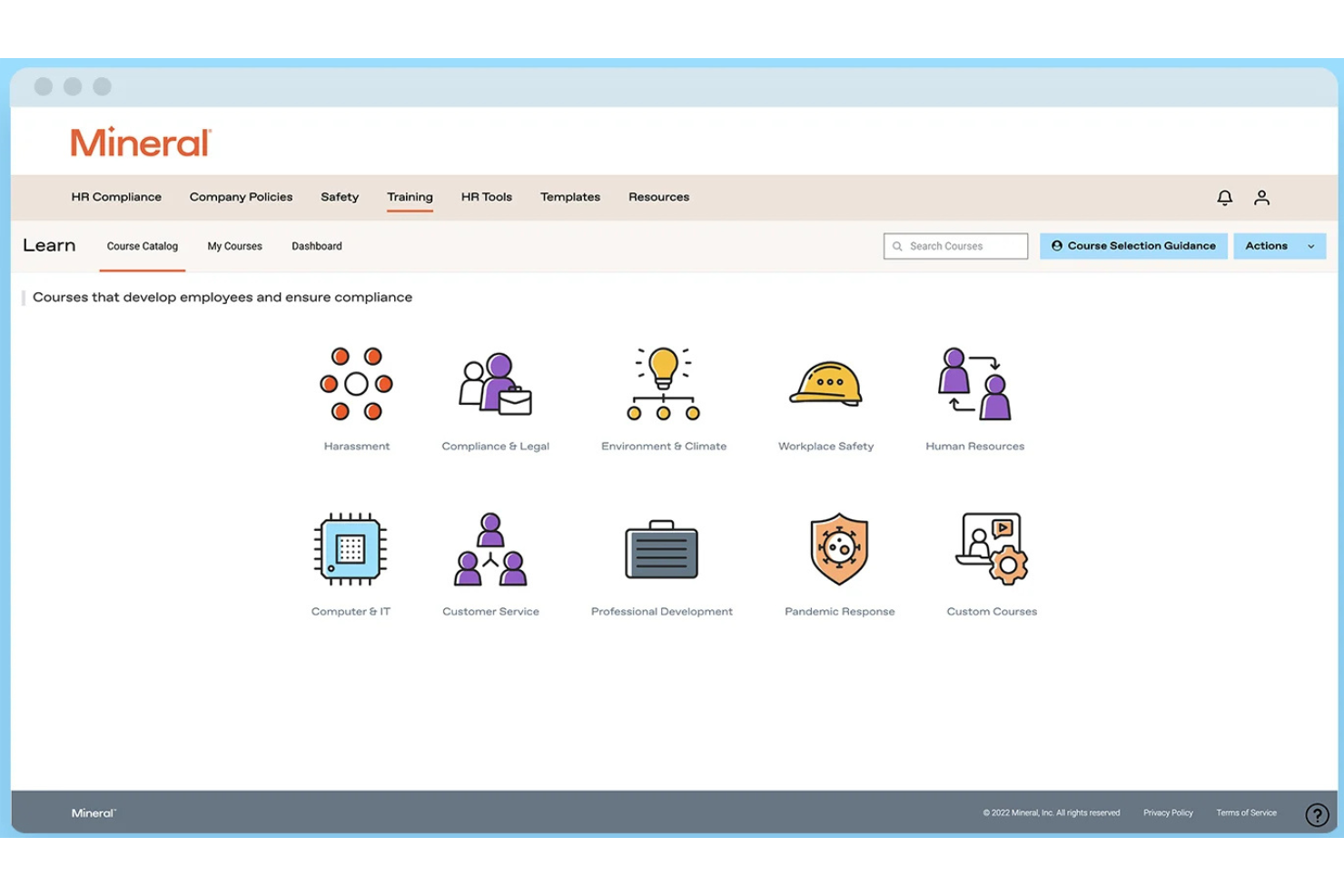
Mitratech Mineral es una plataforma de cumplimiento de RRHH que ayuda a las organizaciones a crear, mantener y actualizar manuales del empleado mediante un generador guiado de manuales, actualizaciones automáticas de políticas, alertas de cumplimiento y acceso a expertos en recursos humanos.
¿Para quién es ideal Mitratech Mineral?
Mitratech Mineral es una excelente opción para pequeñas y medianas empresas que necesitan construir manuales del empleado conformes a la normativa sin mantener un equipo interno de RRHH o cumplimiento legal.
Por qué elegí Mitratech Mineral
Elegí Mitratech Mineral porque simplifica el trabajo continuo de mantener los manuales del empleado en cumplimiento. En lugar de realizar un seguimiento manual de los cambios en las leyes laborales, la plataforma alerta a los usuarios cuando las políticas necesitan actualizaciones y ofrece lenguaje revisado por abogados que puede agregarse directamente al manual. También me gusta que expertos en RRHH estén disponibles para responder preguntas de cumplimiento más complejas, brindando confianza adicional a los equipos al actualizar las políticas laborales.
Características clave de Mitratech Mineral
- Generador guiado de manuales: Crea manuales del empleado conformes mediante una configuración basada en cuestionarios.
- Gestión de políticas multiestatales: Genera manuales que respaldan requisitos laborales federales y de varios estados.
- Biblioteca de políticas: Accede a plantillas de políticas preescritas sobre beneficios, licencias, seguridad laboral y otros temas de RRHH.
- Biblioteca de cumplimiento de RRHH: Busca guías de legislación laboral, recursos de cumplimiento y mejores prácticas de RRHH para apoyar actualizaciones del manual.
Integraciones de Mitratech Mineral
Mitratech Mineral opera principalmente a través de asociaciones con proveedores de nómina, corredores de seguros, PEO y plataformas HCM en lugar de un mercado tradicional de integraciones. Las asociaciones documentadas incluyen QuickBooks Payroll y ContinuumCloud. Actualmente no se documenta compatibilidad con API pública ni con Zapier.
Pros and Cons
Pros:
- Acceso a expertos en RRHH
- Actualizaciones automáticas de políticas
- Fuerte cumplimiento multiestatal
Cons:
- Las herramientas para manuales pueden tener un coste adicional
- Integraciones de software limitadas

Ideal para la creación de políticas y cumplimiento

Citation Canada ayuda a los equipos de RR. HH. y a los líderes empresariales en Canadá a crear, actualizar y gestionar manuales de empleados que cumplen con las regulaciones en evolución, ofreciendo una plataforma centralizada para la gestión y distribución de políticas.
¿Para quién es mejor Citation Canada?
Citation Canada es ideal para profesionales de RR. HH. en Canadá y pequeñas y medianas empresas que necesitan mantenerse al día con el cumplimiento laboral provincial y federal.
Por qué elegí Citation Canada
Elegí Citation Canada como uno de los mejores porque elimina gran parte de la incertidumbre en la creación de políticas para los equipos de RR. HH. canadienses. La plataforma te da acceso a más de 3,000 políticas de RR. HH. personalizables, plantillas y documentos para manuales, todos diseñados para reflejar la legislación laboral canadiense en las 14 jurisdicciones. Me gusta que puedas seleccionar una política, agregar la imagen de tu empresa en unos clics y trasladarla directamente a tu biblioteca de documentos Atlas. El Centro de Cumplimiento rastrea actualizaciones legislativas, señala cambios próximos con fechas de vigencia y te permite agregar esas fechas directamente a tu calendario para que no se te escape nada.
Características clave de Citation Canada
- Herramienta de comparación de jurisdicciones: Compara estándares laborales uno al lado del otro en las 14 jurisdicciones federales y provinciales de Canadá para asegurar que las políticas de tu manual sean precisas para cada región.
- Línea de asesoría de RR. HH. en vivo: Comunícate con asesores certificados en RR. HH. por teléfono, mediante citas programadas o a través de devolución de llamada durante el horario laboral para orientación sobre la implementación de políticas y preguntas sobre relaciones laborales.
- Alertas legislativas automáticas: Recibe notificaciones cuando la legislación laboral cambie para que puedas actualizar las políticas del manual afectadas antes de que entren en vigor las nuevas reglas.
- Biblioteca de documentos de RR. HH.: Acceso a miles de documentos de RR. HH. descargables, listas de verificación y plantillas que puedes incorporar directamente en la elaboración de tu manual.
Integraciones de Citation Canada
No se indican actualmente integraciones nativas.
Pros and Cons
Pros:
- Creación sólida de políticas con manuales personalizables
- Ayuda a alinear el contenido de cumplimiento de RR. HH. y seguridad
- Fácil acceso a recursos de cumplimiento y políticas
Cons:
- Contenido de cumplimiento global limitado fuera de Canadá
- Algunos clientes encuentran limitada la personalización

Mejor para organizaciones de EE. UU. en industrias con alta carga de cumplimiento
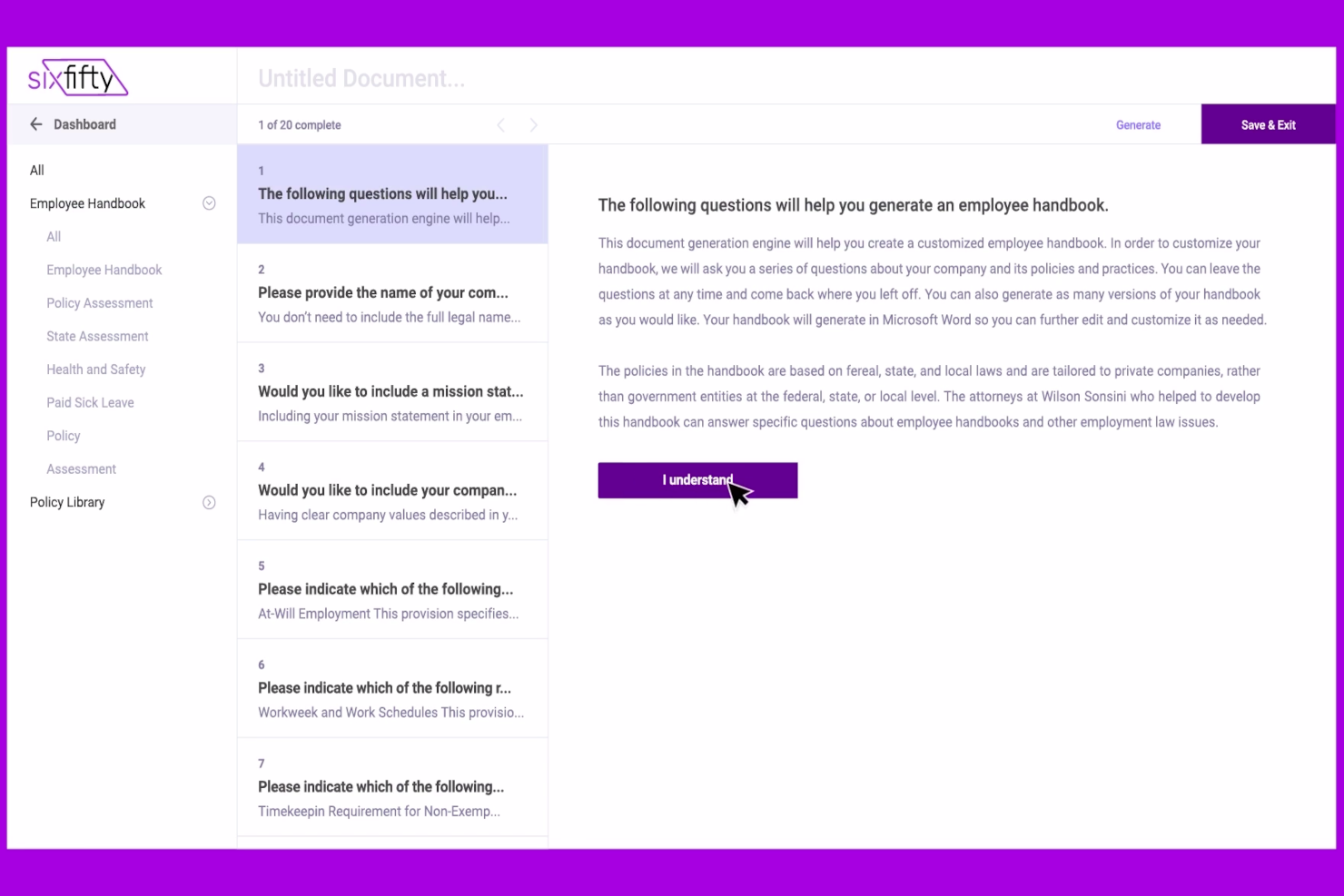
El manual para empleados de SixFifty ayuda a los equipos de RR.HH. y a los profesionales legales a crear, actualizar y gestionar manuales para empleados que cumplen con la ley, adaptados a las leyes laborales de Estados Unidos y a las regulaciones estatales en constante cambio.
¿Para quién es mejor el Manual de Empleados de SixFifty?
El manual de empleados de SixFifty es ideal para empresas con sede en EE. UU. que operan en industrias reguladas, donde mantenerse al día con la ley laboral estatal es un requisito clave de cumplimiento.
Por qué elegí el Manual de Empleados de SixFifty
El manual de empleados de SixFifty se gana su lugar en mi lista porque está diseñado específicamente para el cumplimiento en EE. UU., lo que marca la diferencia para organizaciones en industrias altamente reguladas como salud, finanzas o contratos gubernamentales. Me gusta que la plataforma utiliza un lenguaje de políticas redactado por abogados y específico para cada estado, de modo que cuando mi equipo crea un manual para empleados de varios estados, cada versión refleja los requisitos legales reales de esa jurisdicción. Las alertas automáticas de actualización de políticas también son una característica destacada: cuando las leyes laborales estatales cambian, me notifican y puedo implementar actualizaciones directamente desde la plataforma en lugar de rastrear cambios legislativos manualmente.
Características clave del Manual de Empleados de SixFifty
- Biblioteca de políticas: Elige entre más de 100 políticas opcionales para añadir a tu manual, además de las requeridas por cada estado.
- Portal para empleados: Los miembros del equipo inician sesión, revisan y firman el manual digitalmente, con las firmas registradas para mayor responsabilidad.
- Generación de adendas estatales: Crea adendas específicas por estado para complementar un manual existente en vez de reconstruirlo desde cero.
- Guardado de perfil empresarial: Almacena los detalles de tu empresa y ubicaciones de empleados para agilizar la generación de documentos en el futuro.
Integraciones del Manual de Empleados de SixFifty
Actualmente no se mencionan integraciones nativas.
Pros and Cons
Pros:
- Gran volumen de plantillas de RR.HH., incluyendo acuerdos de empleados y otros documentos legales
- La herramienta de adendas estatales genera una lista de requisitos de políticas si expandes tu negocio a un nuevo estado
- La tabla comparativa de políticas destaca diferencias clave entre políticas
Cons:
- Los detalles sobre integración de software no son transparentes
- Diseñado solo para organizaciones con sede en EE. UU.

Slite
El mejor software de manuales del empleado para la colaboración de equipos remotos
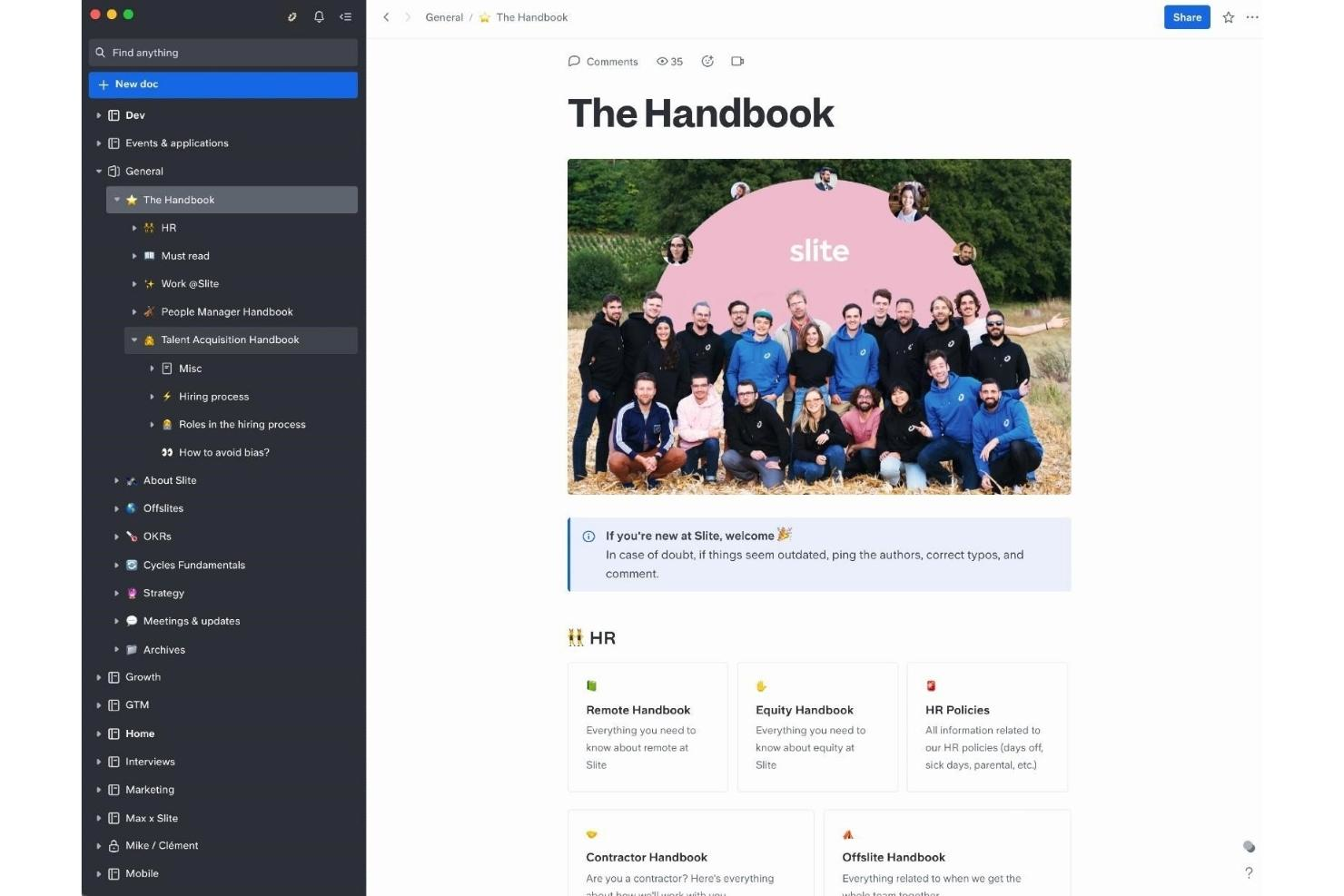
Slite es una plataforma colaborativa de documentación diseñada para equipos y organizaciones de RR. HH. que necesitan crear, gestionar y actualizar manuales y políticas de empleados en un espacio de trabajo centralizado y fácil de navegar.
¿Para quién es mejor Slite?
Slite es una opción ideal para equipos distribuidos y que priorizan el trabajo remoto, ya que necesitan un espacio compartido para crear y mantener la documentación interna sin depender de archivos dispersos o cadenas de correo electrónico.
Por qué elegí Slite
Elegí Slite como una de las mejores opciones porque ayuda a los equipos distribuidos de RR. HH. a mantener el contenido del manual actualizado y accesible. Me gusta la función de verificación de documentos: RR. HH. puede marcar las políticas como verificadas para que los empleados remotos siempre sepan que están leyendo la versión actual, y no algo obsoleto de hace dos años. También uso la integración con Slack con frecuencia, lo que permite a los compañeros consultar el manual directamente desde Slack sin abrir otra pestaña. Además, la función Ask de Slite permite a los empleados escribir una pregunta en lenguaje natural y obtener una respuesta extraída del contenido verificado del manual, lo que reduce los mensajes repetitivos de «¿dónde encuentro la política de PTO?» que reciben los equipos de RR. HH.
Características principales de Slite
- Edición colaborativa: Varios miembros del equipo pueden redactar y editar documentos del manual simultáneamente y en tiempo real.
- Plantillas personalizables: Las plantillas prediseñadas para RR. HH. y políticas ofrecen un punto de partida estructurado para crear el contenido del manual.
- Permisos detallados: Establece permisos de visualización o edición a nivel de documento o canal para controlar quién puede modificar el contenido confidencial de las políticas.
- Búsqueda en todos los documentos: Una función de búsqueda de texto completo permite a los empleados encontrar secciones específicas del manual o términos de las políticas sin tener que explorar manualmente.
Integraciones de Slite
Entre las integraciones se incluyen Slack, Google Drive, Jira, Asana, Figma, Notion, Trello, Monday.com, Miro y GitHub.
Pros and Cons
Pros:
- Tomar notas es fluido y sencillo
- Gran cantidad de integraciones
- Bien organizado e intuitivo
Cons:
- Fallos ocasionales del software
- Gama limitada de funciones
El mejor software para manuales de empleados con funciones de diseño de alta calidad

Adobe Express ofrece a los equipos de RRHH y líderes empresariales una manera fácil de crear manuales para empleados visualmente atractivos, ayudando a las organizaciones a presentar políticas y cultura en un formato profesional y accesible.
¿Para quién es mejor Adobe Express?
Adobe Express es ideal para pequeñas y medianas empresas y equipos de RRHH que desean producir manuales para empleados pulidos y alineados con la marca sin depender de un diseñador dedicado.
Por qué elegí Adobe Express
Adobe Express se gana su lugar en mi lista de los mejores por la gran calidad de diseño que pone en tus manos sin necesidad de un diseñador gráfico. Me encanta la biblioteca de plantillas de manuales profesionales, que puedes personalizar con los colores, logotipo y tipografías de tu empresa con solo unos clics. La función de kit de marca es especialmente útil: aplica automáticamente los elementos de marca en todo el documento, así que cada página mantiene coherencia. También uso la herramienta de cambio de tamaño para crear tanto una versión lista para imprimir en tamaño carta como un manual de bolsillo compacto a partir del mismo diseño.
Características clave de Adobe Express
- Editor de arrastrar y soltar: Crea y reorganiza las páginas del manual utilizando un editor visual que no requiere habilidades de diseño ni programación.
- Bibliotecas de fotos e iconos: Acceso a una biblioteca integrada de fotos de stock, iconos y gráficos para apoyar visualmente el contenido del manual.
- Herramientas de colaboración: Invita a miembros del equipo a revisar y editar borradores del manual en tiempo real dentro de la plataforma.
- Exportación en PDF y enlaces para compartir: Exporta tu manual finalizado como PDF o compártelo mediante un enlace directo para facilitar su distribución.
Integraciones de Adobe Express
Las integraciones incluyen Adobe Creative Cloud, Adobe Experience Manager Assets, Adobe Acrobat, Marketo Engage, Salesforce, Google Drive, Microsoft OneDrive, Dropbox, TikTok, Instagram y Facebook.
Pros and Cons
Pros:
- Muy personalizable
- Gran variedad de plantillas
- Diseños de nivel profesional
Cons:
- La aplicación móvil es lenta
- Menos intuitivo que otras herramientas
Visme
El mejor software para manuales de empleado con funciones profesionales de presentación
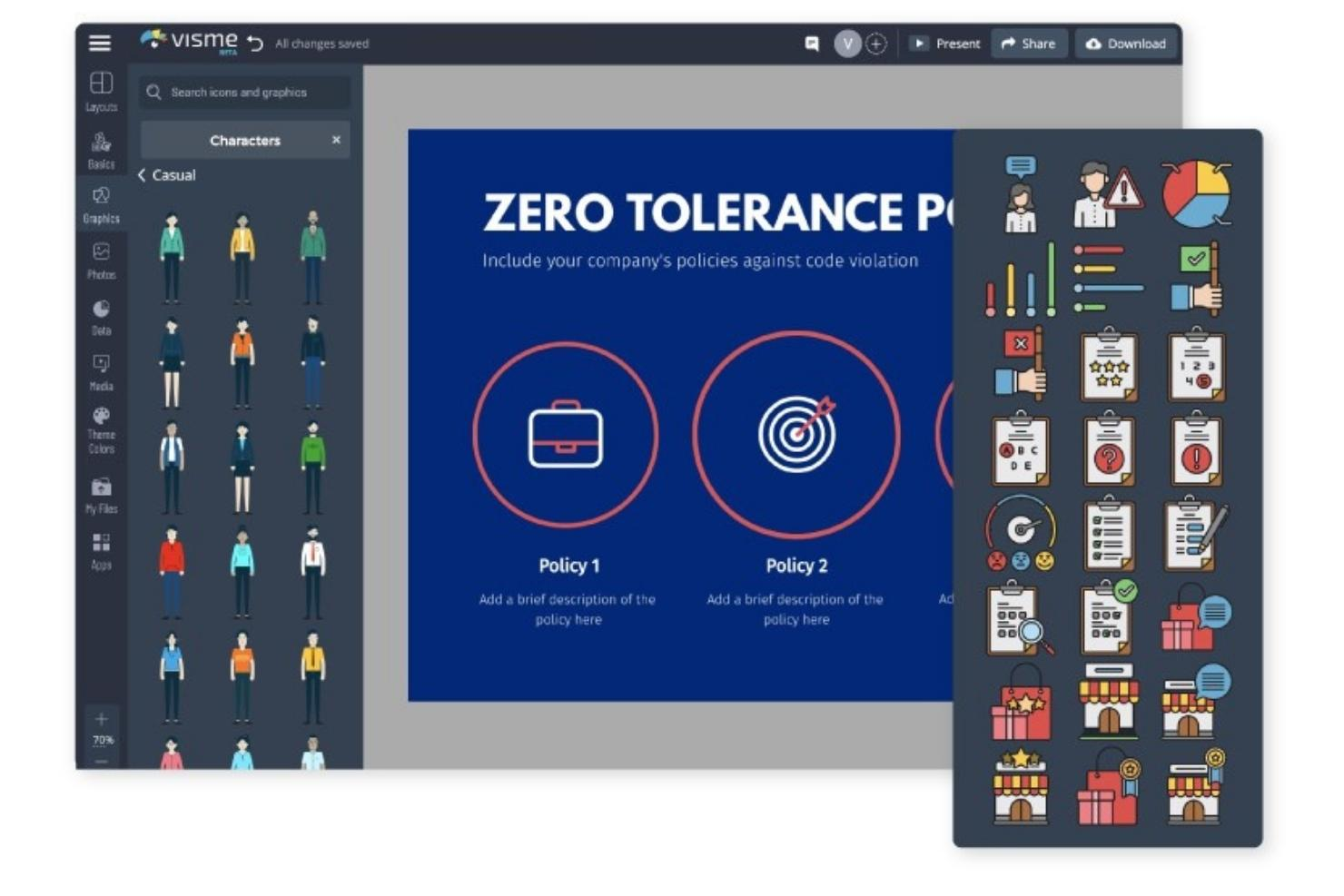
Visme tiene como misión ayudar a personas sin experiencia en diseño a crear manuales para empleados de calidad y con impacto visual. Utilizando el creador de Visme, cualquiera puede diseñar un documento atractivo y convincente de forma rápida y sencilla.
Por qué elegí Visme: Comenzando con una plantilla de presentación diseñada profesionalmente, los creadores pueden seleccionar los elementos principales y ajustarlos según sus necesidades. Todos los componentes pueden personalizarse para adecuarse a la organización correspondiente. Es fácil cargar y añadir fuentes de marca, colores, imágenes y logotipos.
El creador incluye una selección de personajes animados e iconos que enriquecen la información y dan vida al manual. Los creadores pueden visualizar la cultura de su empresa personalizando los personajes en diferentes poses junto a cuadros de texto y visualizaciones de datos.
Características destacadas e integraciones de Visme
Características incluyen diagramas de flujo, un programador de publicaciones en redes sociales, interactividad y un estudio profesional para presentadores.
Integraciones disponibles de manera nativa incluyen Dropbox, GIPHY, Google Drive, HubSpot, JotForm, Salesforce, Typeform, Unsplash, Vimeo y YouTube.
Pros and Cons
Pros:
- Videos tutoriales útiles
- Amplia biblioteca multimedia
- Gráficos excelentes
Cons:
- Más caro en comparación con alternativas
- Edición de imágenes limitada
AirMason
Mejor software de manual para empleados para importar tus políticas existentes
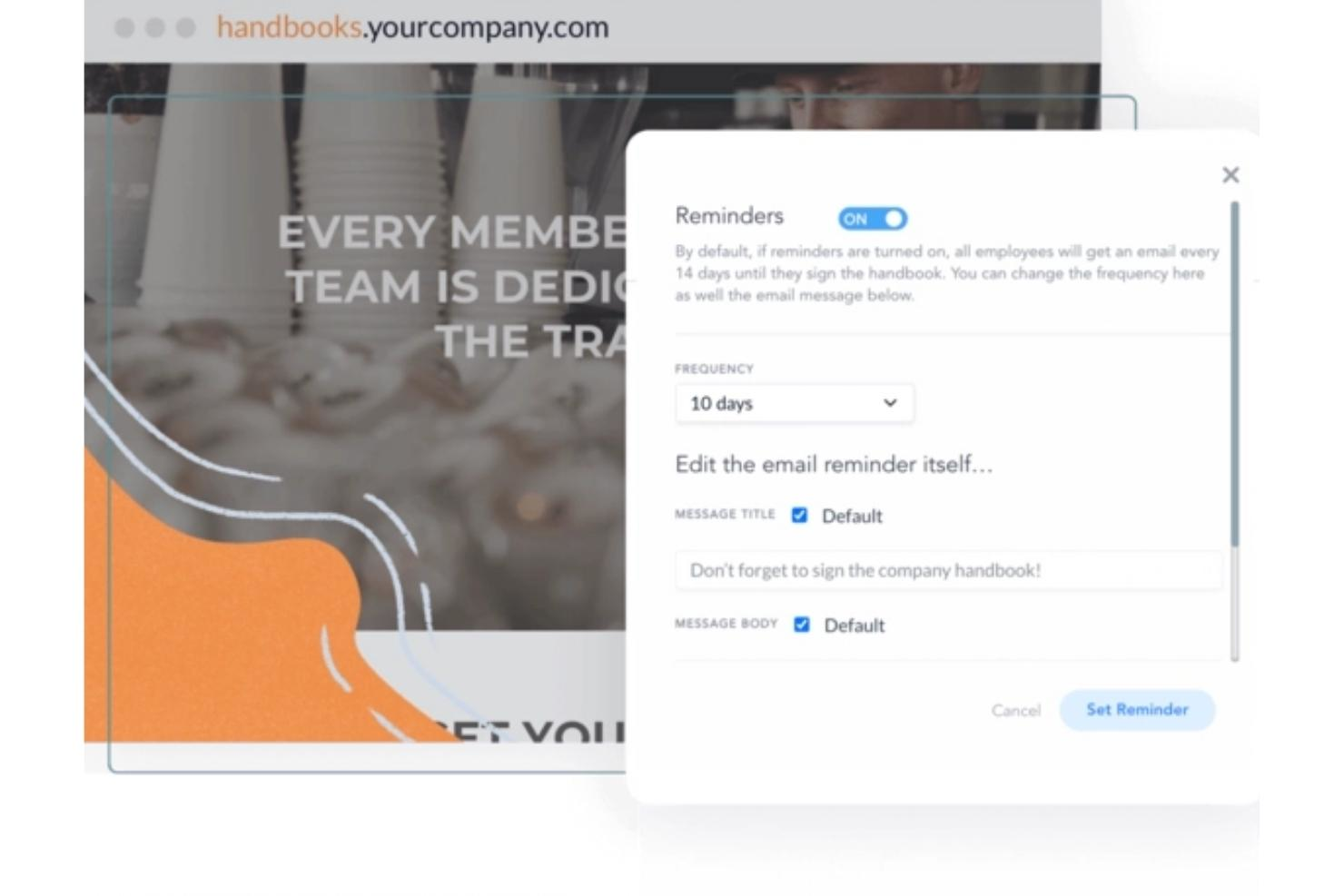
AirMason es una plataforma digital de manuales para empleados diseñada para equipos de RRHH y líderes empresariales que desean crear, actualizar y distribuir manuales atractivos y que cumplan normativas, a los que los empleados puedan acceder y aprobar en línea.
¿Para quién es mejor AirMason?
AirMason es ideal para equipos de RRHH en empresas pequeñas y medianas que necesitan una herramienta especializada para crear y gestionar manuales para empleados pulidos y con su propia marca.
Por qué elegí AirMason
Elegí AirMason como uno de los mejores por su excelente manejo de la transición de antiguos documentos de Word y PDFs a un manual digital profesional. Puedes cargar tu manual actual directamente en la plataforma, y el equipo de diseño interno de AirMason puede reformatearlo en un documento interactivo y con identidad corporativa, sin tener que empezar de cero. También me gusta que, una vez importadas tus políticas, el control de versiones y la edición en tiempo real garantizan que siempre publiques la información más actualizada: se acabó enviar PDFs modificados por correo o preguntarse qué versión han leído los empleados. El monitoreo automático de leyes laborales complementa esto, identificando cambios estatales y federales relevantes para que tus políticas sigan actualizadas después de la publicación.
Características clave de AirMason
- Recopilación de firmas electrónicas: Los empleados firman electrónicamente dentro del manual digital, con una opción para exigir que lleguen al final antes de firmar.
- Permisos y distribución automática: Asigna documentos a grupos específicos de empleados según criterios como ubicación o departamento, para que cada persona solo vea lo relevante para ella.
- AirAssist, asistente de RRHH con IA: Un chatbot de inteligencia artificial entrenado con las políticas de tu empresa que responde en tiempo real las preguntas de los empleados y deriva las consultas a RRHH cuando sea necesario.
- Inserción de contenido multimedia: Añade videos, GIFs e imágenes de la marca directamente en las páginas del manual para hacerlo más atractivo para los empleados.
Integraciones de AirMason
Las integraciones incluyen BambooHR, ADP, Workday, UKG, Gusto, Rippling, Okta, Google Workspace y Microsoft Azure Active Directory.
Pros and Cons
Pros:
- Totalmente personalizable
- Visualmente impactante
- Genera gran compromiso de los empleados
Cons:
- Sin opción de exportar a PDF
- Opciones limitadas de diseño de marcos
MyHub
Ideal para crear manuales del empleado digitales y descargables
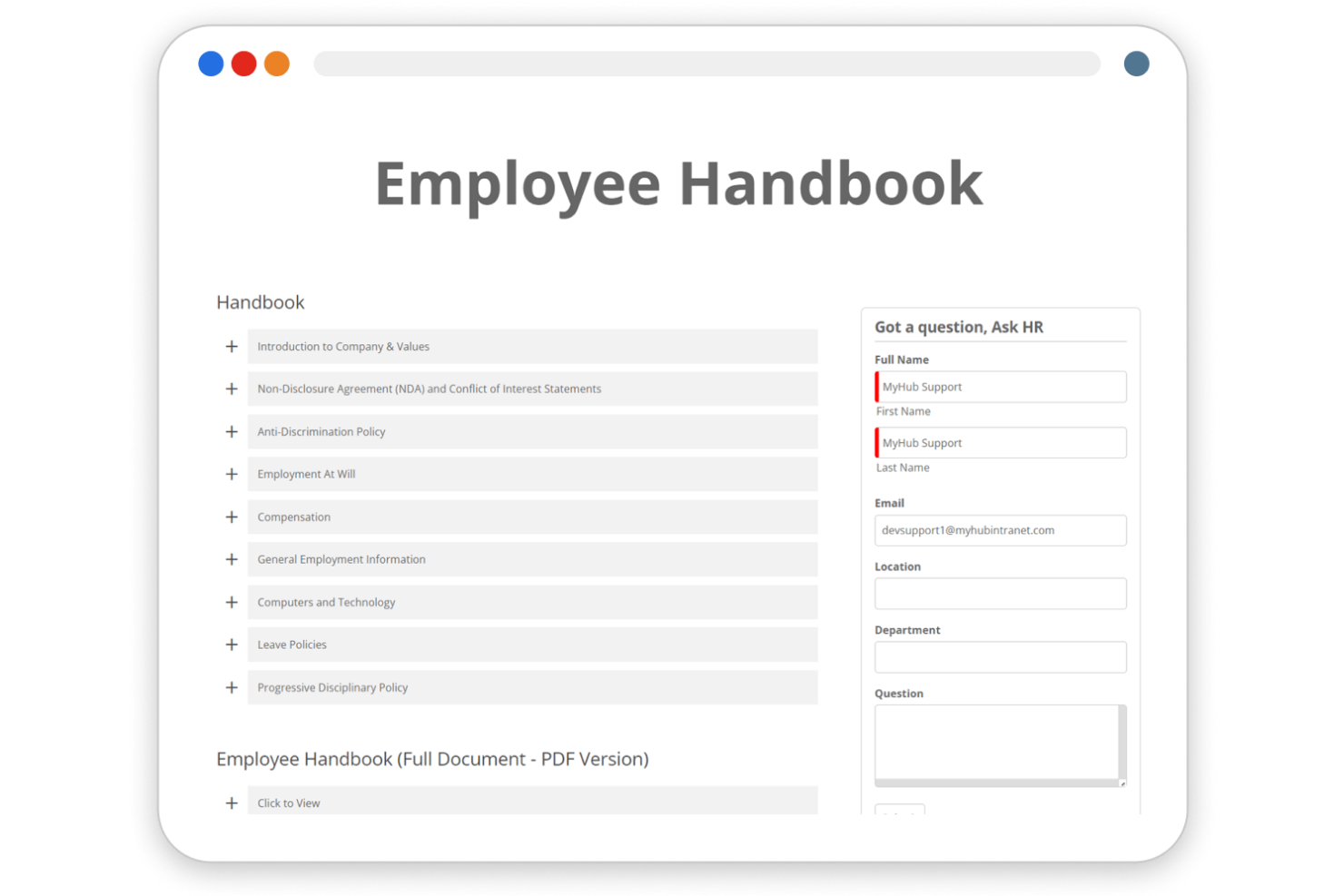
MyHub es una plataforma de intranet basada en la nube para equipos de RRHH y líderes empresariales que necesitan una solución centralizada para crear, gestionar y compartir manuales del empleado y documentos laborales esenciales.
¿Para quién es mejor MyHub?
MyHub es una excelente opción para pequeñas y medianas empresas que necesitan una manera sencilla de construir y distribuir documentación interna sin requerir un equipo de TI dedicado.
Por qué elegí MyHub
Elegí MyHub como uno de los mejores por lo bien que gestiona el ciclo completo de vida de un manual del empleado—desde su creación hasta mantenerlo actualizado. Me gusta que el editor de páginas de arrastrar y soltar permite a los equipos de RRHH estructurar el contenido del manual en secciones claramente definidas y fáciles de buscar, para que los empleados puedan ir directamente a la política que necesitan sin tener que desplazarse por un solo documento extenso. Esto permite a mi equipo actualizar una sección específica—por ejemplo, una política de PTO revisada—sin afectar el resto del manual. El módulo de compartición de archivos también permite almacenar versiones descargables directamente en la intranet, para que los empleados puedan obtener una copia en PDF siempre que la necesiten.
Funciones clave de MyHub
- Lecturas obligatorias y alertas: Marca páginas específicas del manual o actualizaciones de políticas como lecturas obligatorias para que los empleados deban reconocerlas antes de continuar.
- Formularios automatizados: Crea formularios digitales directamente en la intranet para recopilar firmas o reconocimientos de empleados vinculados al contenido del manual.
- Biblioteca de plantillas: Accede a más de 60 plantillas prediseñadas para estructurar secciones del manual rápidamente sin empezar desde cero.
- Métricas de uso: Haz seguimiento de qué páginas del manual visitan los empleados y con qué frecuencia, para poder identificar posibles lagunas en la interacción con políticas clave.
Integraciones de MyHub
Las integraciones incluyen Microsoft 365, Google Workspace, Canva y proveedores populares de inicio de sesión único como Okta y Azure Active Directory.
Pros and Cons
Pros:
- Ofrece plantillas personalizables para adaptarse a diferentes necesidades empresariales
- Permite personalización de la identidad corporativa
- La plataforma es escalable para organizaciones pequeñas y grandes
Cons:
- El mínimo de 50 usuarios puede no ser adecuado para equipos pequeños
- Integraciones limitadas con software de terceros
ProProfs
Mejor software de manual para empleados por su acceso en movimiento
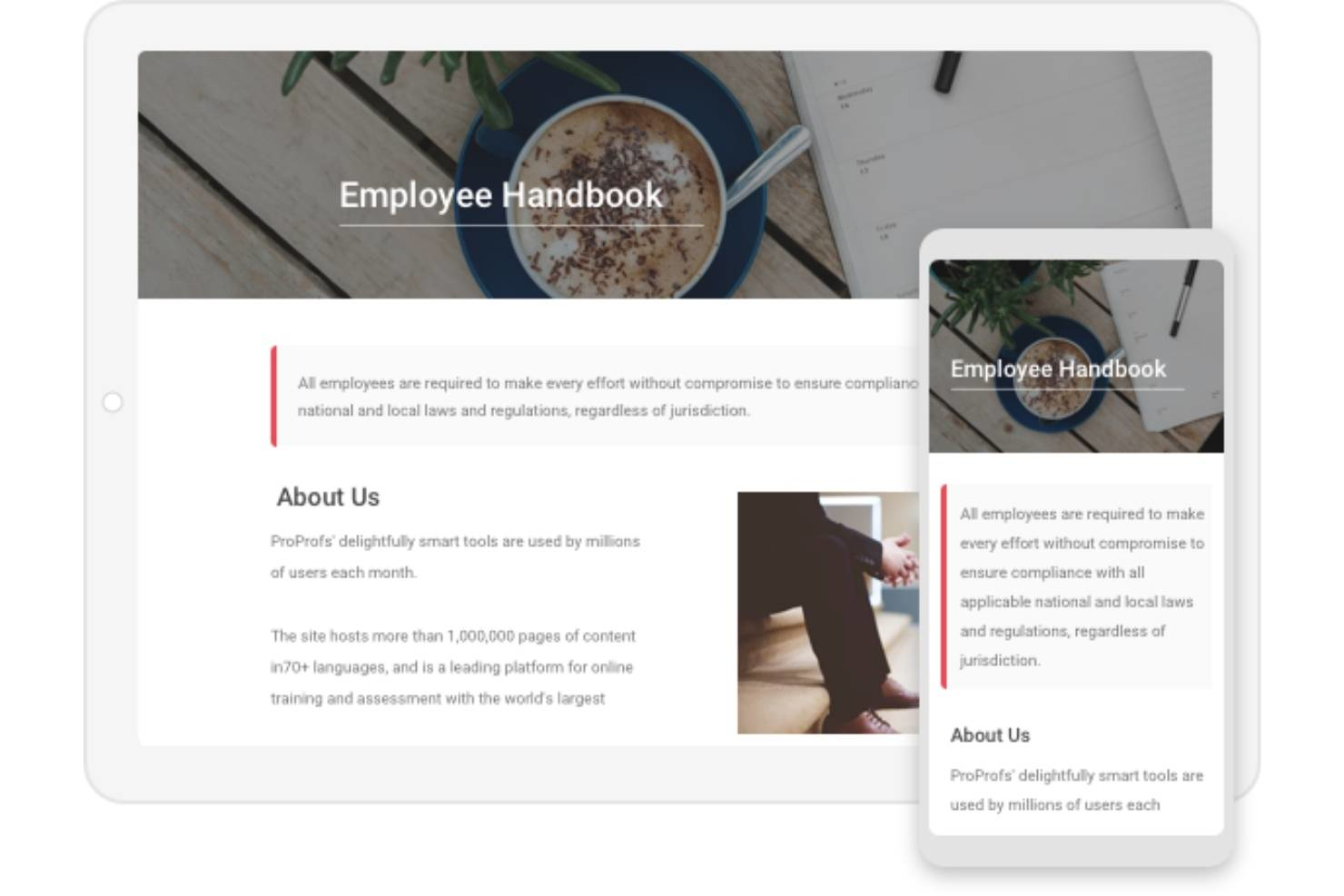
ProProfs ayuda a los equipos de RR. HH. y a los líderes empresariales a crear, gestionar y compartir manuales digitales para empleados que pueden actualizarse sin experiencia técnica y son accesibles desde cualquier dispositivo, lo que ayuda a mantener las políticas actualizadas y a los empleados informados.
¿Para quién es mejor ProProfs?
ProProfs es adecuado para pequeñas y medianas empresas que necesitan una forma sencilla de crear y distribuir manuales para empleados sin una curva de aprendizaje pronunciada.
Por qué elegí ProProfs
ProProfs merece su lugar entre los mejores de mi lista por la forma en que facilita el acceso sobre la marcha para fuerzas de trabajo distribuidas o sin escritorio. Me gusta que los empleados puedan consultar el manual desde cualquier dispositivo—teléfono, tableta o escritorio—sin necesidad de descargar nada ni iniciar sesión en una aplicación separada. El formato basado en la web significa que un nuevo empleado en el almacén o un contratista remoto viajando entre diferentes lugares puede consultar una política en segundos. También valoro las reglas de acceso condicional, que me permiten controlar exactamente quién ve qué, de modo que las secciones sensibles permanezcan protegidas aunque el manual sea accesible desde cualquier lugar.
Funciones clave de ProProfs
- Control de versiones: rastrea los cambios en el contenido, compara versiones de artículos y restaura versiones anteriores para mantener la precisión del manual a lo largo del tiempo.
- Plantillas personalizables: elige entre más de 25 plantillas de página prediseñadas y aplica el logotipo, las tipografías y la imagen de marca de tu empresa al manual.
- Permisos basados en roles: asigna roles de administrador, colaborador, redactor o editor para controlar quién puede crear, editar o publicar contenido del manual.
- Flujo de trabajo y aprobaciones de artículos: define estados personalizados de flujo de trabajo y canaliza el contenido del manual a través de revisiones y etapas de aprobación antes de su publicación.
Integraciones de ProProfs
Actualmente no se listan integraciones nativas.
Pros and Cons
Pros:
- Privado y seguro
- Diseñado para uso fuera de la oficina
- Soporte multidispositivo
Cons:
- Funciones de diseño limitadas
- Solo ofrece una plantilla
Otras herramientas para manuales del empleado
Aquí tienes algunas opciones más que no llegaron a la lista del mejor software para manuales del empleado:
- Confluence
Mejor software de manual para empleados para usuarios existentes de Atlassian
- Guru
Mejor software de manual de empleados para crear manuales digitales tipo wiki
- SHRM Employee Handbook Builder
El mejor software de manual del empleado con una herramienta de creación de políticas por arrastrar y soltar
- Waybook
Ideal para gestionar políticas, formación y procesos de incorporación en un solo lugar
- Compass
Ideal para la gestión centralizada de documentos
- Employee Manual Builder
El mejor software de manuales para incorporar políticas específicas de cada estado
- Blissbook
El mejor software de manual de empleado con gestión de proyectos integrada
- Handbooks.io
El mejor software de manuales para políticas pre-cargadas con lenguaje aprobado por Recursos Humanos
- Trupeer
Mejor para documentación en doble formato


Reseñas relacionadas de software de RR. HH.
Si todavía no has encontrado lo que buscas, consulta estas otras herramientas relacionadas que hemos probado y evaluado:
- Software de RR. HH.
- Software de nóminas
- Software de contratación
- Servicios de empleador registrado
- Sistemas de seguimiento de candidatos
- Software de gestión de la plantilla
Cómo evalúo el software para manuales de empleados
Evalúo estas herramientas en dos capas: las capacidades básicas que deben tener—como bibliotecas de políticas con respaldo legal y seguimiento de firmas electrónicas—y los diferenciadores que hacen que una opción se ajuste mejor que otra.
Funcionalidades principales (Requisitos básicos para esta lista)
Al seleccionar herramientas para mi lista, califico cada una en una escala del 0 (no ofrece la funcionalidad) al 5 (destaca en esta área) para cada funcionalidad principal que aparece a continuación. Después, calculo la puntuación total de la herramienta en porcentaje. Cada herramienta necesita lograr una puntuación total mínima del 65% para ser considerada en la inclusión.
- Plantillas y creador de manuales: Busco creadores guiados y plantillas preconfiguradas que te permitan armar un manual adaptado al tamaño, industria y estructura de tu empresa.
- Biblioteca de cumplimiento de políticas: La biblioteca de políticas de cada herramienta debe incluir contenido revisado legalmente que cubra temas de derecho laboral como PTO, políticas antiacoso y licencias.
- Seguimiento de firmas electrónicas y reconocimientos: Verifico si la herramienta captura las firmas de los empleados con marcas de tiempo y rastreo de auditoría que puedas consultar durante una revisión de cumplimiento.
- Control de versiones y actualizaciones: Cuando cambian las políticas, evalúo cómo cada herramienta gestiona las revisiones, rastrea qué cambió y activa flujos de trabajo para el nuevo reconocimiento.
- Distribución digital y acceso: Los empleados deben poder acceder al manual desde la web o el móvil sin complicaciones ni tener que pedir un PDF a RRHH.
- Personalización para múltiples jurisdicciones: Para equipos distribuidos, reviso si la plataforma permite variaciones de políticas por ubicación dentro de diferentes estados o regiones.
Una vez que tengo una lista de herramientas que cumplen con los criterios, considero lo que distingue a cada plataforma.
Factores diferenciadores (Lo que distingue a los proveedores)
Así es como comparo y contrasto los diferentes proveedores:
Características destacadas
Pongo especial atención en si una plataforma ofrece redacción de políticas asistida por IA, lo cual puede ahorrar horas en la creación inicial del manual. El acceso a revisión por abogados también es un gran diferenciador: algunas herramientas te conectan con abogados laborales que revisan tus políticas antes de publicarlas. Las integraciones nativas con HRIS y nómina también son importantes, ya que distribuir automáticamente los manuales a nuevas incorporaciones durante la bienvenida elimina el seguimiento manual. Los paneles de cumplimiento que muestran brechas en los reconocimientos completan lo que busco.
Más allá de las características
El respaldo legal es importante: evalúo si la biblioteca de políticas de un proveedor está mantenida por abogados laborales y con qué frecuencia se actualizan para reflejar nuevas legislaciones. También vale la pena analizar el ajuste según el tamaño e industria de tu empresa, ya que una startup de 20 empleados y una empresa hotelera de 500 tienen necesidades muy diferentes de manual. El soporte para la implementación es otro factor que considero. Algunas plataformas ofrecen creación de manuales totalmente realizada por ellos, mientras que otras son completamente autogestionadas, y el enfoque correcto depende de la disponibilidad de tu equipo.
¿Qué es el software para manuales del empleado?
El software para manuales del empleado es una herramienta digital para crear, actualizar y distribuir manuales de la empresa y documentos de políticas a todos los empleados. Sustituye los procesos manuales obsoletos y garantiza una comunicación eficiente y coherente de las políticas, los procedimientos y las actualizaciones de la empresa, con funciones integradas de seguimiento del cumplimiento para supervisar cuándo el personal lee la información.
El software para manuales del empleado hace que el proceso de crear nuevas políticas o actualizar las existentes sea mucho más rápido, lo que aumenta la eficiencia de su departamento de RR. HH. También proporciona un medio más coherente y accesible para transmitir la información corporativa a los empleados, creando una mejor experiencia.
Dependiendo de su sector, otro gran beneficio son las capacidades integradas de seguimiento del cumplimiento y mantenimiento de registros, que demuestran que sus empleados han leído y firmado la información obligatoria: una función muy importante para los sectores sensibles a la seguridad.
Funciones del software para manuales del empleado
Crear, gestionar y distribuir manuales del empleado no tiene por qué ser complicado. El software adecuado puede agilizar todo el proceso y garantizar el cumplimiento, la accesibilidad y la coherencia. Estas son las funciones más importantes que debe buscar al evaluar un software para manuales del empleado:
- Gestión centralizada de documentos: Un centro centralizado almacena todas las versiones del manual en un solo lugar, para que los empleados y el personal de RR. HH. puedan acceder fácilmente a las políticas más recientes.
- Un creador de manuales: Los usuarios deberían poder crear fácilmente un manual del empleado desde cero mediante un asistente integrado.
- Plantillas personalizables: Para ahorrar tiempo al crear un manual desde cero, la herramienta debería ofrecer plantillas que pueda personalizar con la imagen de marca de su empresa y otros datos esenciales.
- Edición: Cualquier herramienta de software para manuales del empleado debería permitir actualizar la información de forma rápida y sencilla.
- Control de versiones de las políticas: El control de versiones le ayuda a realizar un seguimiento de los cambios a lo largo del tiempo, garantizando la precisión y la coherencia de las actualizaciones de sus políticas.
- Herramientas de colaboración: Estas herramientas permiten que los equipos de RR. HH. y las partes interesadas trabajen juntos sin problemas, facilitando la revisión, edición y aprobación de las actualizaciones del manual.
- Compartición: Debe haber varias formas de compartir el manual con los empleados, incluso a través de las redes sociales.
- Notificaciones: Todos los empleados deben recibir notificaciones cuando se actualice el manual.
- Actualizaciones de cumplimiento: El seguimiento integrado del cumplimiento garantiza que su manual se mantenga actualizado con las leyes y normativas laborales, reduciendo el riesgo de problemas legales.
- Contenido con función de búsqueda: La función de búsqueda permite a los empleados encontrar rápidamente información específica, mejorando la utilidad del manual y reduciendo las preguntas repetitivas al departamento de RR. HH.
Encontrar un software con estas funciones facilitará la gestión eficiente de su manual del empleado, al tiempo que garantizará que siga siendo accesible, preciso y conforme a la normativa. La herramienta adecuada puede transformar una tarea abrumadora en un proceso ágil, manteniendo a su equipo informado y alineado.
Preguntas frecuentes
A continuación, encontrará respuestas a algunas preguntas frecuentes sobre el software para manuales del empleado y su funcionamiento:
¿Por qué es importante el software para manuales del empleado?
Elegir el software adecuado para manuales del empleado es una decisión importante para cualquier organización. Es esencial que todos los trabajadores estén alineados, comprendan los valores fundamentales de su empresa y trabajen para alcanzar los mismos objetivos.
Un manual del empleado es una herramienta fundamental para lograrlo, ya que recopila toda la información necesaria en un único documento que puede compartirse con todas las partes interesadas. Sin embargo, los manuales tradicionales tienen limitaciones. Ya sean impresos o estén en formato PDF, quedan obsoletos rápidamente y a menudo se olvidan y pasan por alto.
El software para manuales del empleado resuelve ese problema al facilitar mucho la creación, actualización y compartición de los manuales de la empresa.
¿Cuáles son los principales beneficios de un manual del empleado?
Un manual del empleado bien mantenido ofrece muchas ventajas, entre ellas:
- Mejora de la incorporación: incorporación y orientación más rápidas y eficientes de todas las nuevas contrataciones
- Una única fuente de información fiable: una fuente compartida de información de la empresa que elimina la confusión
- Referencia: todos los empleados deben tener acceso rápido a la información crítica cuando la necesiten
- Cumplimiento: confirmación de los detalles precisos sobre asuntos esenciales, como las políticas y los procedimientos operativos estándar
- Protección: un manual del empleado bien elaborado reduce el riesgo de litigios debido a empleados mal informados
¿Qué secciones o temas clave debe incluir un manual del empleado?
Un buen manual del empleado incluirá secciones que aborden:
- Aspectos básicos del empleo
- Expectativas en el lugar de trabajo
- Código de conducta
- Igualdad de oportunidades laborales
- Compensación y desarrollo
- Beneficios y ventajas
- Seguro médico y licencia médica
- Código de vestimenta
- Políticas de trabajo remoto
- Renuncia y terminación del empleo
- Horario laboral, permisos remunerados y vacaciones
Para ayudarte a comenzar, consulta nuestros artículos que presentan una Lista de políticas y procedimientos esenciales de RR. HH. y otros ejemplos de políticas de RR. HH.
Otros recursos
Si este artículo te resultó útil, quizá también te interese leer artículos similares en nuestro sitio web, como El argumento a favor de un nuevo manual del empleado (y qué incluir) y La guía definitiva de manuales del empleado (+ una plantilla gratuita).
Además, también te recomiendo familiarizarte con estas mejores prácticas para los manuales del empleado.
Si necesitas ayuda para gestionar algo más que las políticas de RR. HH. (como políticas de salud y seguridad o procedimientos de trabajo seguro, por ejemplo), es posible que el software de gestión de políticas se adapte mejor a tus necesidades, ya que puede utilizarse de forma más amplia.
¿Qué sigue?
Si estás investigando software para manuales del empleado, contacta gratuitamente con un asesor de SoftwareSelect para recibir recomendaciones.
Rellenas un formulario y mantienes una breve conversación en la que analizan los detalles específicos de tus necesidades. Después, recibirás una lista breve de programas que puedes revisar. Incluso te apoyarán durante todo el proceso de compra, incluidas las negociaciones de precios.