Avis sur Time Doctor : avantages, inconvénients, fonctionnalités et tarification expliqués



Time Doctor is an employee monitoring software for teams that need to track time, monitor activity, and measure productivity across remote or distributed workforces. It's worth a close look if you need more detailed productivity analytics than Hubstaff provides—especially if you're managing large outsourced teams or want distraction alerts and work-session breakdowns alongside time tracking.
Time Doctor Evaluation Summary
- Pricing upon request
- 14-day free trial
Pourquoi faire confiance à nos avis sur les logiciels
Notre équipe teste et évalue des logiciels depuis 2012. En tant qu’experts RH nous-mêmes, nous savons à quel point il est difficile — et important — de choisir le bon logiciel.
Pour ce guide, nous avons évalué les outils grâce à des tests pratiques et une recherche indépendante, en notant les outils selon nos critères de sélection. Nous nous appuyons également sur les enseignements de leaders d’opinion du secteur et de professionnels des RH en activité.
Nos avis reflètent notre jugement éditorial humain, et non un argumentaire de vente.
Réviseurs experts:
Time Doctor Overview
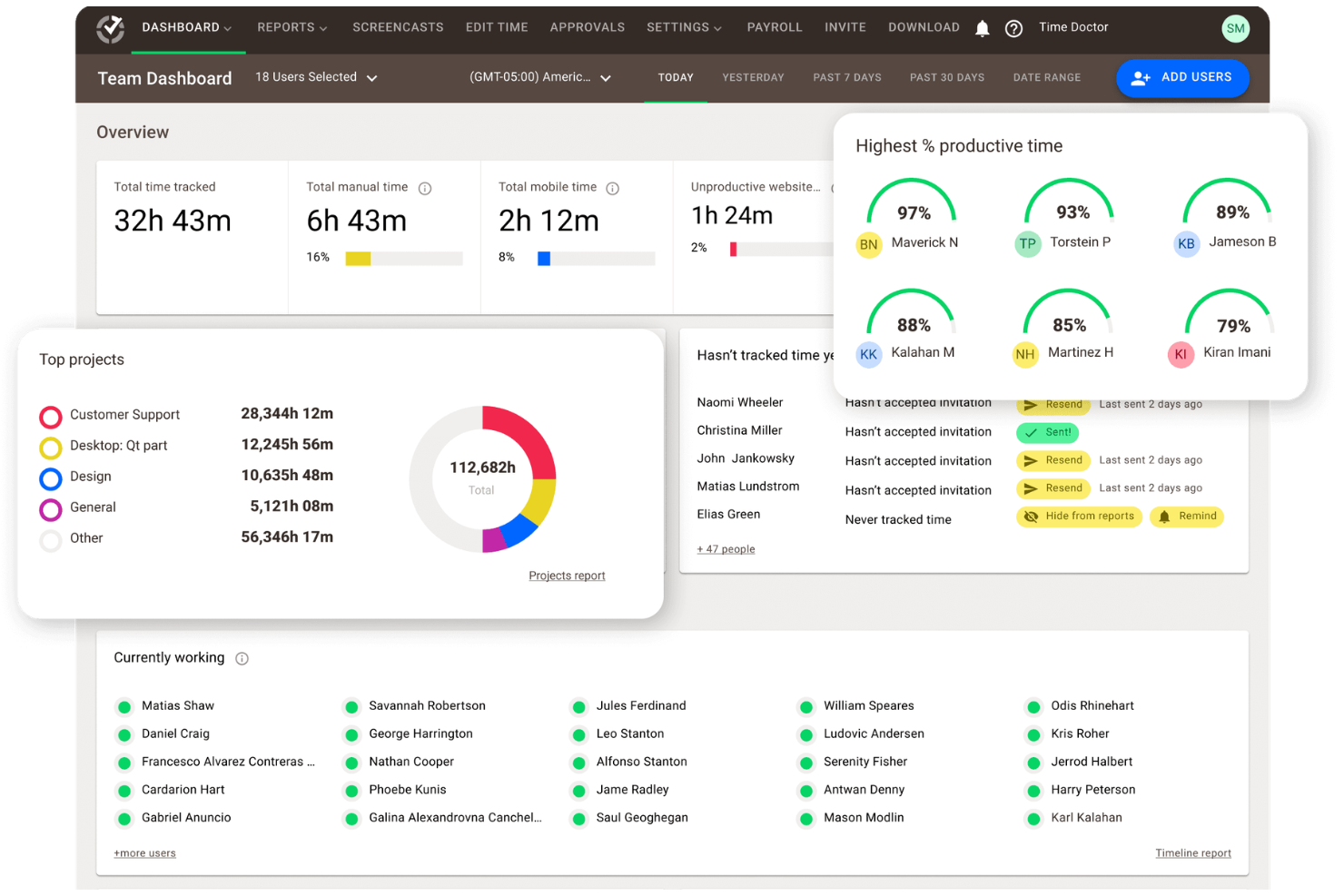
If you're judging employee monitoring software by depth of tracking, reporting, and integration options, Time Doctor is a top contender. Its user interface is straightforward, onboarding is quick, and support is responsive. Time Doctor pricing is competitive for the feature set, especially for teams needing detailed productivity analytics and payroll integrations. However, some team members may find the monitoring features too granular or the interface less modern than others. I'd suggest Time Doctor for organizations prioritizing accountability and data-driven project management, especially in remote or distributed environments where visibility and trust are key.
pros
-
Detailed productivity analytics and time tracking for teams.
-
Payroll export and automated timesheets save admin time.
-
Privacy controls like screenshot blurring and manual time entry.
cons
-
Monitoring features can feel invasive to some employees.
-
Occasional bugs and glitches reported in user reviews.
-
Interface may come across as overwhelming and cluttered.
-

Justworks
Visit WebsiteThis rating combines scores from multiple user review sites to reflect overall customer sentiment about the product.4.6 -
Prevue Assessments
Visit WebsiteThis rating combines scores from multiple user review sites to reflect overall customer sentiment about the product.4.6 -
Small Improvements
Visit WebsiteThis rating combines scores from multiple user review sites to reflect overall customer sentiment about the product.4.3





Comment nous testons et évaluons nos outils
Nous avons passé des années à construire, affiner et améliorer notre système de test et d’évaluation des logiciels. La grille d’évaluation est conçue pour saisir les nuances de la sélection des logiciels et ce qui rend un outil efficace, en se concentrant sur les aspects critiques du processus décisionnel. Ci-dessous, vous pouvez voir exactement comment fonctionne notre test et notre système d’évaluation à travers sept critères. Cela nous permet de fournir une évaluation impartiale des logiciels basée sur les fonctionnalités principales, les caractéristiques remarquables, la facilité d’utilisation, l’intégration, le support client, les intégrations, les avis clients et le rapport qualité-prix.
Fonctionnalités principales (25 % de la note finale)
Le point de départ de notre évaluation est toujours la fonctionnalité principale de l’outil. Dispose-t-il des fonctionnalités de base qu’un utilisateur s’attend à voir ? Certaines de ces fonctionnalités principales sont-elles réservées à des forfaits plus élevés ? En substance, nous nous attendons à ce qu’un outil soit à la hauteur des capacités de base de ses concurrents.
Fonctionnalités remarquables (25 % de la note finale)
Ensuite, nous évaluons les fonctionnalités remarquables, peu courantes, qui vont au-delà de la fonction principale habituellement présente dans les outils de ce type. Un score élevé reflète des fonctionnalités spéciales ou uniques qui rendent le produit plus rapide, plus efficace, ou offrent une valeur ajoutée à l’utilisateur. Nous évaluons également la facilité d’intégration avec d’autres outils généralement présents dans la pile technologique pour étendre la fonctionnalité et l’utilité du logiciel. Les outils qui proposent de nombreuses intégrations natives, des connexions tierces et un accès API pour développer des intégrations personnalisées obtiennent les meilleurs résultats.
Facilité d’utilisation (10 % de la note finale)
Nous prenons en compte la rapidité et la simplicité d’exécution des tâches définies par la fonctionnalité principale à l’aide de l’outil. Un logiciel bien noté est bien conçu, intuitif à utiliser, offre des applications mobiles, propose des modèles, et permet de simplifier des tâches relativement complexes.
Mise en route (10 % de la note finale)
Nous savons à quel point une adoption rapide par l’équipe est cruciale pour une nouvelle plateforme, c’est pourquoi nous évaluons la facilité d’apprentissage et d’utilisation d’un outil avec un minimum de formation. Nous évaluons la rapidité avec laquelle un membre de l’équipe peut s’installer et commencer à utiliser l’outil sans expérience préalable. Les solutions bien notées impliquent qu’aucune ou très peu d’assistance soit requise.
Support client (10 % de la note finale)
Nous examinons la rapidité et la simplicité d’obtention d’aide par téléphone, chat en direct ou base de connaissances. Les outils et sociétés qui proposent une assistance en temps réel obtiennent les meilleurs scores, tandis que les chatbots sont moins bien notés.
Avis clients (10 % de la note finale)
En plus de nos propres tests et évaluations, nous prenons en compte le score net de recommandation (NPS) des clients actuels et passés. Nous évaluons leur propension, s’ils en avaient l’option, à choisir à nouveau l’outil pour la fonctionnalité principale. Un logiciel obtenant un score élevé reflète un NPS élevé de clients actuels ou passés.
Rapport qualité-prix (10 % de la note finale)
Enfin, en tenant compte de tous les autres critères, nous comparons le prix moyen des forfaits d’entrée de gamme aux principales fonctionnalités et considérons la valeur des autres critères d’évaluation. Un logiciel qui en offre plus, pour moins, sera mieux noté.
Core Features
Time Tracking
Track work hours automatically or manually, with options to assign time to specific projects or tasks. Managers can review daily, weekly, or custom reports for accurate payroll and billing.
Activity Monitoring
Monitor keyboard and mouse activity levels. as well as task tracking, to gauge productivity without recording sensitive data. This helps identify idle time and optimize workflows across team members.
Screenshot Capture
Take periodic screenshots of user screens, with options to blur images for privacy. This supports accountability and transparency for remote teams.
Website and App Usage
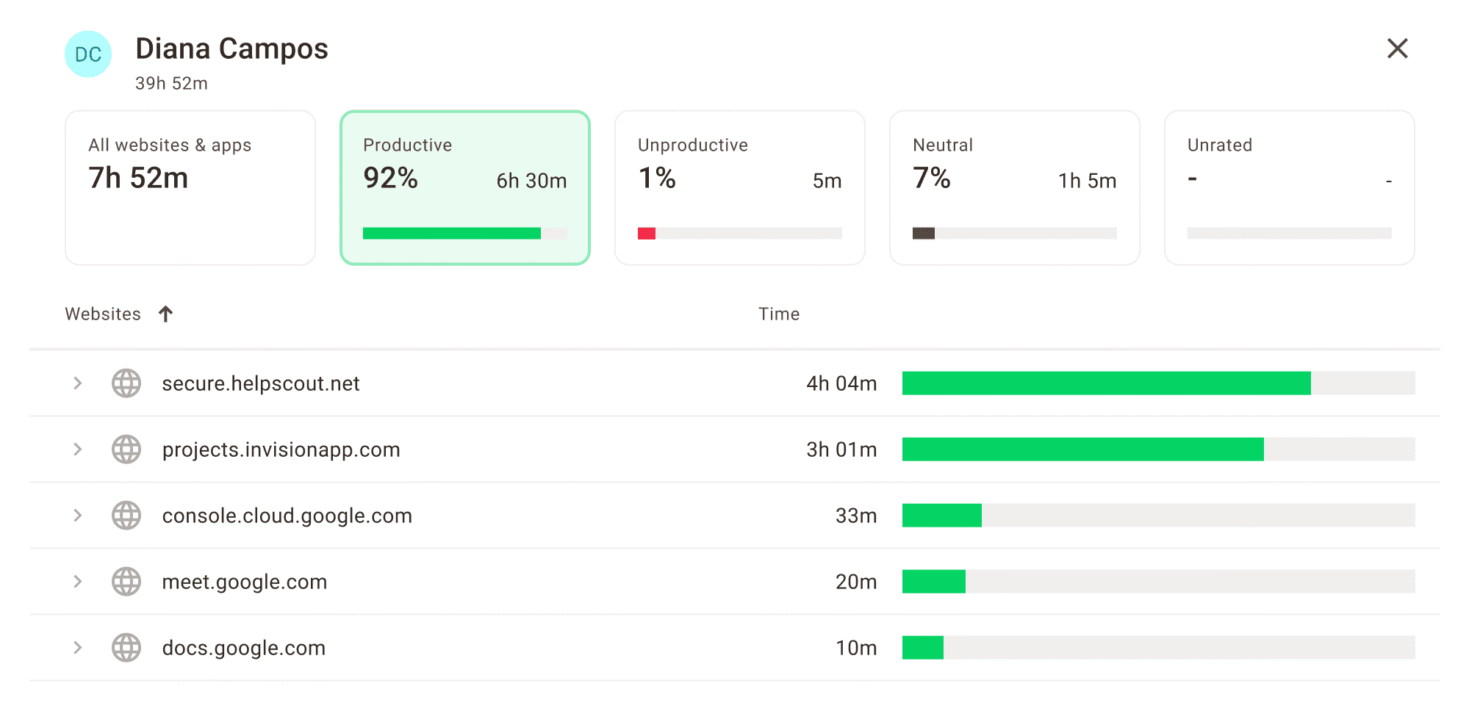
Log which websites and applications employees use during work hours. Managers can spot distractions and keep time focused on work-related tasks.
Payroll Management
Automate payroll calculations based on tracked hours and export data for payment processing. This reduces manual admin work and errors for hourly teams.
Customizable Reports
Generate detailed reports with detailed insights on attendance, productivity, and project hours. Filter and export data to share insights with stakeholders or clients.
Ease of Use
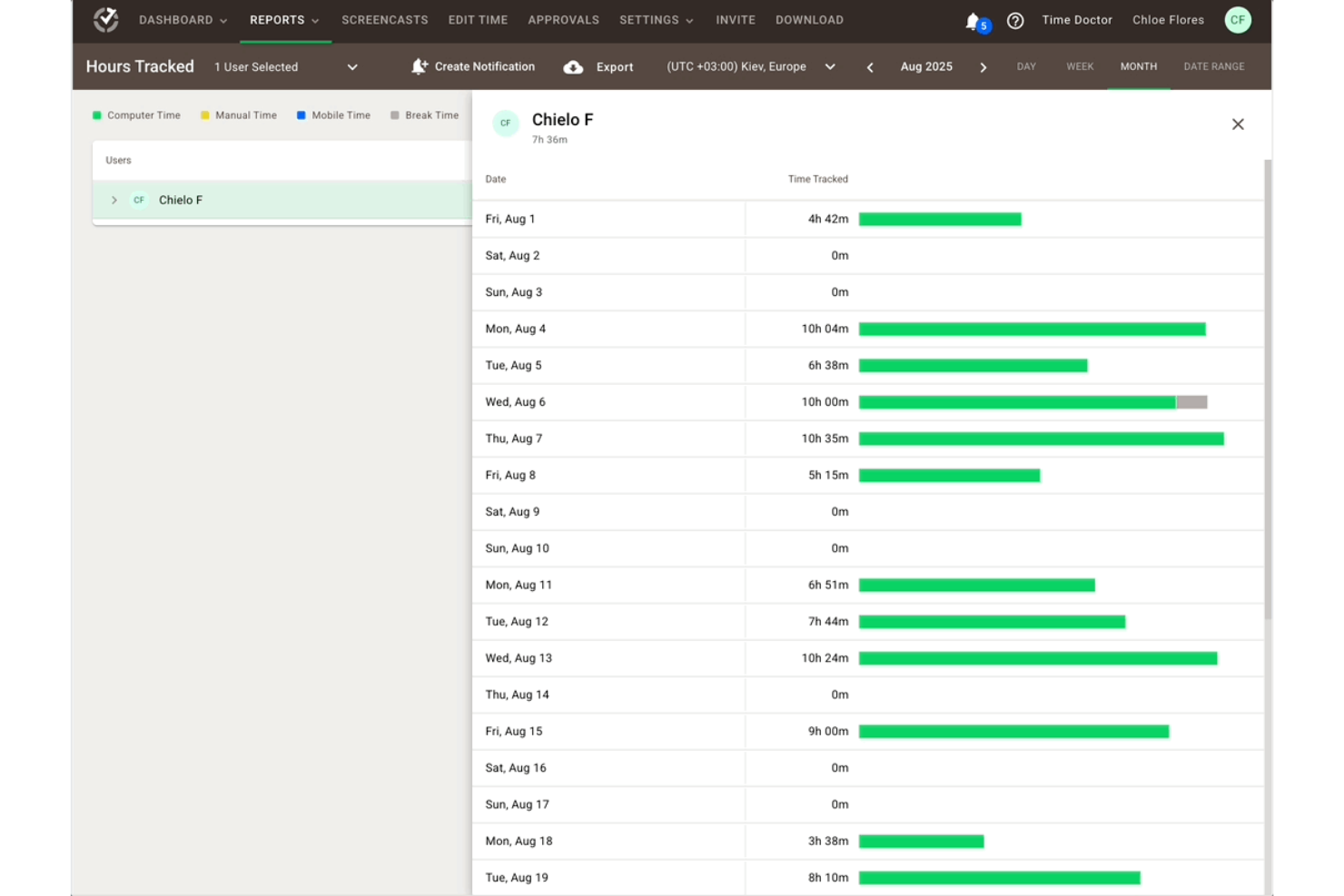
Time Doctor is straightforward to set up and navigate, with a clean dashboard and clear reporting tools. Most team members find onboarding quick, and the desktop app is lightweight. The mobile app—available on both iOS and Android—extends that simplicity to on-the-go tracking, making it easy for distributed teams to log time from any device. However, some reviewers mention the user interface feels dated, and occasional bugs can disrupt workflows. The learning curve is minimal for most teams, but those expecting a more modern and highly polished experience may find the design less appealing than newer options.
Integrations
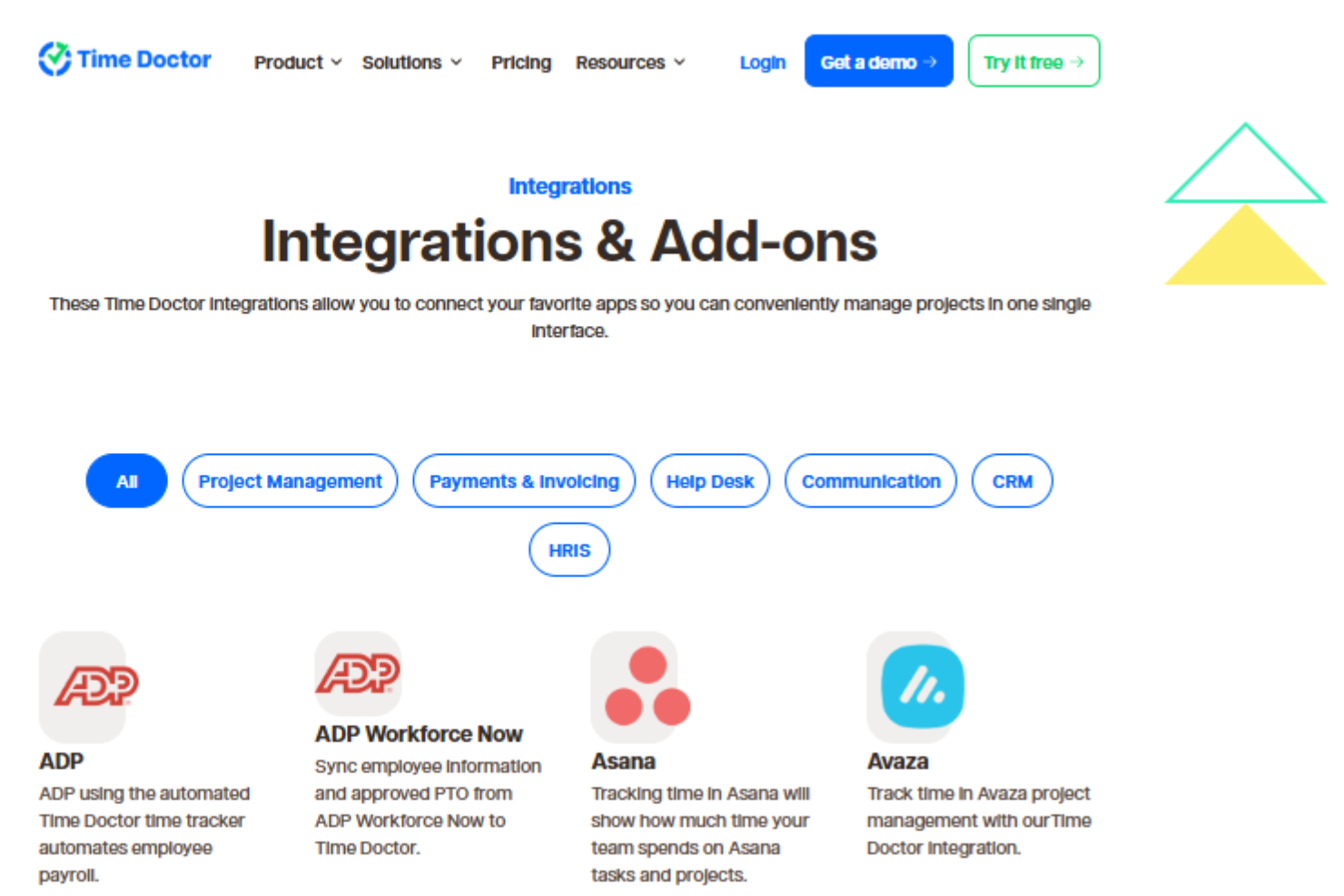
Time Doctor integrates with Asana, ADP, Jira, Trello, monday.com, Salesforce, HubSpot, BambooHR, Zendesk, and ClickUp, among others.
Time Doctor also offers an API and connects with third-party integration tools.
Time Doctor Specs
- Analytics
- API
- Approval Workflows
- Attendance Tracking
- Batch Permissions & Access
- Billing/Invoicing
- Budgeting
- Calendar Management
- Dashboard
- Data Export
- Data Import
- Data Visualization
- Expense Tracking
- External Integrations
- Forecasting
- Multi-User
- Notifications
- Project Management
- Resource Management
- Scheduling
- Task Scheduling/Tracking
- Time Management
- Timesheets
- Vacation & Absence Calendar