

Le 10 migliori soluzioni software per timbratura dipendenti recensite nel 2026

Migliori Software di Rilevazione Presenze per Dipendenti


I software di rilevazione presenze per dipendenti offrono una soluzione semplice per monitorare le ore di lavoro, gestire i turni e garantire l'elaborazione accurata delle buste paga. Tuttavia, trovare il software giusto per gestire le ore del tuo team può sembrare complicato, soprattutto considerando le numerose opzioni disponibili sul mercato.
Grazie alla mia esperienza nel settore dei software HR, ho testato e recensito molti dei migliori software di rilevazione presenze per aiutare i team a trovare la soluzione più adatta. Le recensioni approfondite che seguono analizzano queste soluzioni, mettendo in evidenza le caratteristiche principali, la facilità d'uso e la convenienza. Che tu gestisca una piccola azienda o una grande impresa, sono sicuro che troverai il software di controllo presenze che fa per te.
Perché fidarsi delle nostre recensioni sui software
Il nostro team testa e recensisce software dal 2012. In quanto esperti HR noi stessi, sappiamo quanto sia difficile — e importante — scegliere il software giusto.
Per questa guida, abbiamo valutato gli strumenti attraverso test pratici e ricerche indipendenti, assegnando un punteggio agli strumenti in base ai nostri criteri di selezione. Ci basiamo inoltre sulle competenze di leader di pensiero del settore e di professionisti HR attivi.
Le nostre recensioni riflettono il nostro giudizio editoriale umano, non un discorso di vendita.
Riepilogo dei Migliori Software di Rilevazione Presenze per Dipendenti
| Tool | Best For | Trial Info | Price | ||
|---|---|---|---|---|---|
| 1 | Ideale per la connessione diretta dei dati alle paghe | Prezzo su richiesta | Website | ||
| 2 | Ideale per il monitoraggio della conformità tramite IA | Demo gratuita disponibile | Prezzi su richiesta | Website | |
| 3 | Ideale con autorizzazioni utente personalizzabili | Demo gratuita disponibile | A partire da $8/utente/mese | Website | |
| 4 | Ideale per la rilevazione precisa delle ore e i timesheet online | Prova gratuita di 10 giorni disponibile | Da $6,49/utente/mese (fatturato annualmente) | Website | |
| 5 | Ideale per il monitoraggio GPS e la delimitazione geografica | Prova gratuita di 14 giorni + piano gratuito + demo gratuita disponibili | A partire da $29/mese (con fatturazione annuale) | Website | |
| 6 | Ideale per monitorare le ore in più paesi | Demo gratuita disponibile | A partire da $5/dipendente/mese | Website | |
| 7 | Ideale per le opzioni di timbratura mobile | Piano gratuito + prova gratuita di 14 giorni disponibile | Da $24/sede/mese (fatturazione annuale) | Website | |
| 8 | Ideale per report personalizzabili | Demo gratuita + prova gratuita di 14 giorni disponibile | Da $4.49/utente/mese | Website | |
| 9 | Ideale per PMI su turni in Canada | Prova gratuita di 21 giorni + demo gratuita disponibile | Da $2,93/utente/mese (fatturazione annuale) | Website | |
| 10 | Ideale per il monitoraggio automatico della produttività | Prova gratuita di 14 giorni + demo gratuita disponibile | Da $6.42/utente/mese (fatturato annualmente) | Website |


Recensioni dei Migliori Software di Rilevazione Presenze per Dipendenti
Ecco la mia analisi approfondita e panoramica di ciascun software di rilevazione presenze per dipendenti. Ti guiderò attraverso i pro e i contro di ogni strumento, le loro funzionalità e i casi d’uso ideali.

Paycom
Ideale per la connessione diretta dei dati alle paghe
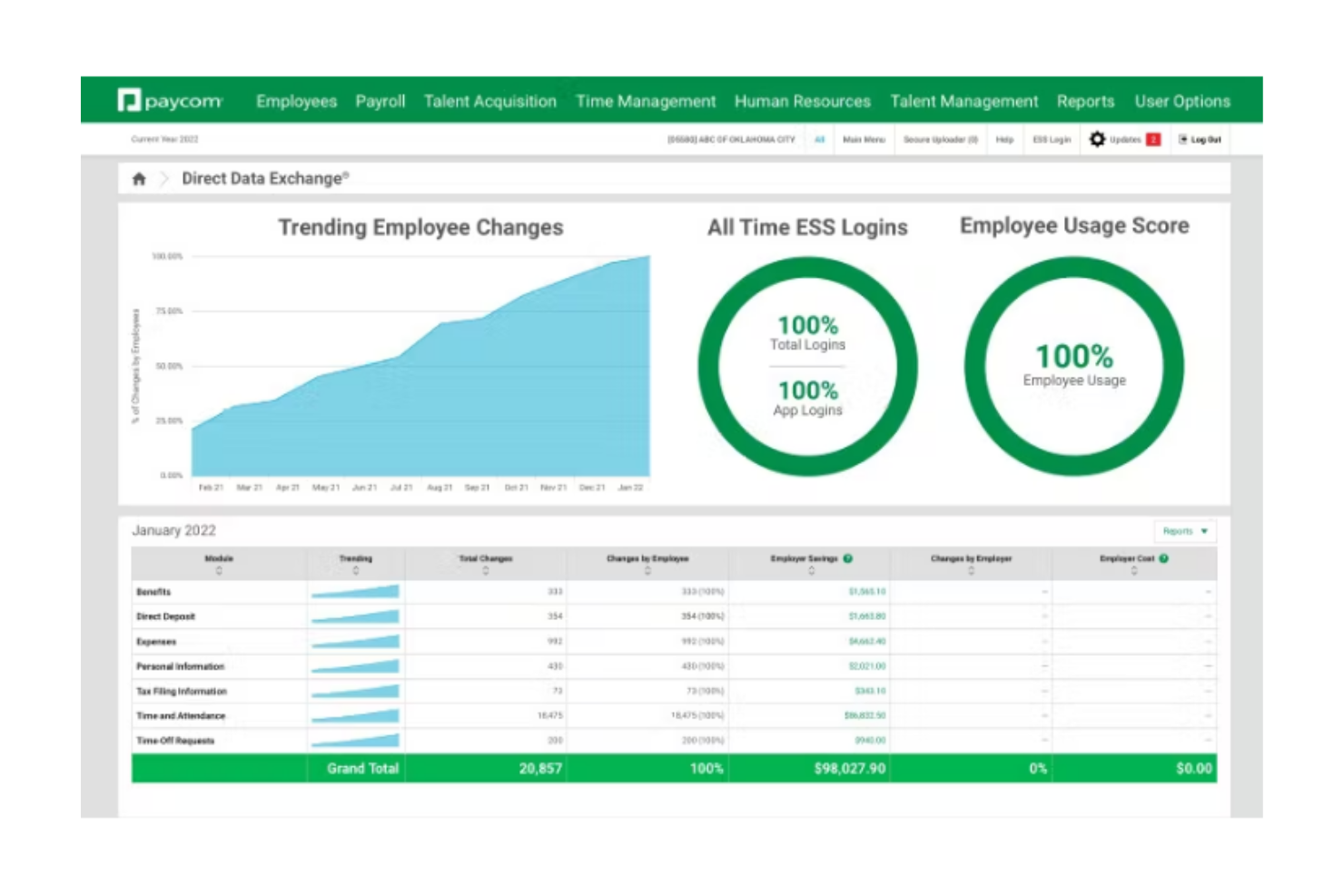
Paycom è una piattaforma HR e paghe basata su un unico database con un modulo integrato di gestione presenze che supporta il rilevamento delle ore, la programmazione, il geofencing, la modifica delle timbrature e il flusso automatico dei dati dalle schede orarie alle paghe.
Per Chi è Ideale Paycom?
Paycom è particolarmente indicato per organizzazioni di media e grande dimensione che desiderano gestire il rilevamento delle presenze, le Risorse Umane e le paghe in un unico sistema unificato invece di sincronizzare diversi strumenti separati.
Perché Ho Scelto Paycom
Ho scelto Paycom perché i dati del rilevatore delle presenze confluiscono direttamente nelle paghe senza bisogno di esportazioni o riconciliazioni manuali. Poiché tutto funziona su un unico database, le timbrature dei dipendenti, i calcoli degli straordinari e l’assegnazione dei costi del lavoro vengono automaticamente riportati nelle paghe. La funzione Beti® aggiunge un ulteriore livello consentendo ai dipendenti di rivedere e verificare la propria busta paga prima dell’elaborazione, aiutando così a rilevare tempestivamente eventuali errori legati alle presenze.
Caratteristiche Principali di Paycom
- Geofencing e tecnologia Microfence: Limita le timbrature a posizioni GPS approvate.
- Metodi di timbratura multipli: Sito web, app mobile, biometria, badge e opzioni chiosco.
- Approvazioni Manager on-the-Go: Approvazione delle schede orarie e delle modifiche alle timbrature tramite mobile.
- Decisioni automatizzate GONE per l’assenteismo programmato: Applica regole preimpostate per il PTO per approvazioni o rifiuti automatici.
Integrazioni di Paycom
Paycom si integra con strumenti come Indeed e con alcune piattaforme contabili selezionate come NetSuite e QuickBooks Online per la mappatura del libro mastro. L’accesso API è disponibile per i clienti autorizzati, anche se la documentazione API pubblica aperta è limitata.
Pros and Cons
Pros:
- Diverse opzioni di timbratura per differenti tipologie di lavoratori
- Controlli geofencing efficaci per timbrature in base alla posizione
- Le timbrature vengono trasferite direttamente alle paghe senza reinserimento
Cons:
- Integrazioni di terze parti limitate rispetto ai rilevatori presenze stand-alone
- Le timbrature basate su GPS possono a volte avere problemi di precisione

UKG
Ideale per il monitoraggio della conformità tramite IA
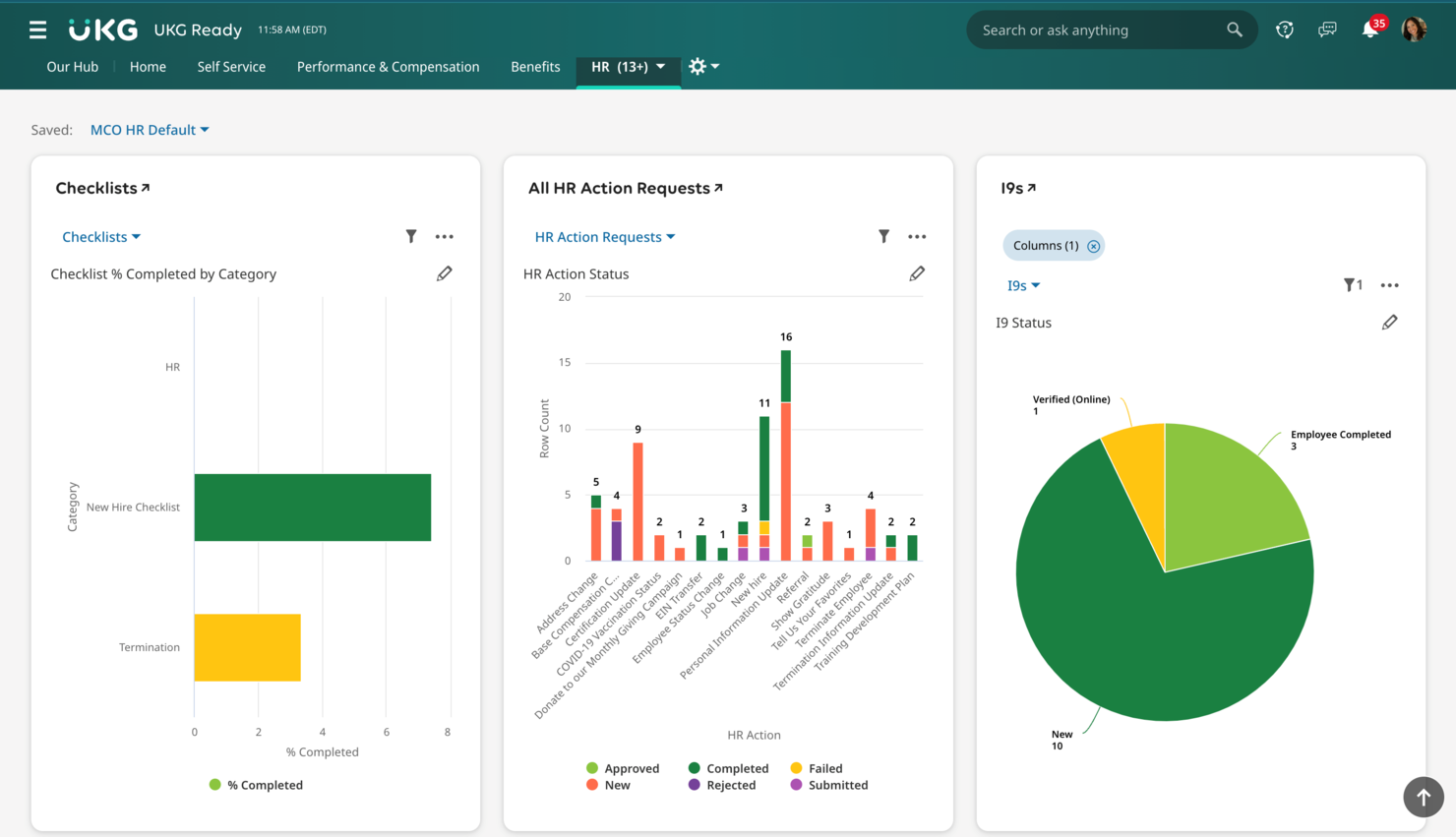
UKG è una piattaforma di gestione della forza lavoro e rilevazione delle presenze che riunisce terminali biometrici, timbratura da mobile, applicazione delle politiche di presenza, previsione del fabbisogno di lavoro e strumenti di conformità potenziati dall'intelligenza artificiale durante tutto il ciclo di vita del dipendente.
Per chi è più indicato UKG?
UKG è particolarmente adatto per aziende di medie e grandi dimensioni con esigenze di forza lavoro complesse, sedi multiple e dipendenti a ore o turnisti in settori come sanità, vendita al dettaglio e produzione industriale.
Perché ho scelto UKG
Ho incluso UKG tra le mie scelte principali perché il monitoraggio della conformità basato sull'intelligenza artificiale lo distingue dalla maggior parte delle piattaforme di rilevazione presenza. UKG Bryte AI utilizza l'AI agentica per gestire automaticamente il rischio di conformità su orario, retribuzione e fiscalità, in modo che il tuo team non debba monitorare manualmente i cambiamenti normativi tra le varie sedi. Mi piace particolarmente come questa funzione si integri con l'elaborazione continua della prontezza dei timesheet di UKG, che segnala i problemi prima dell'elaborazione delle paghe invece che dopo, così da individuare timbrature mancanti o straordinari non approvati prima che possano trasformarsi in rischi legali.
Funzionalità principali di UKG
- Terminali biometrici: Il terminale UKG InTouch DX supporta il riconoscimento facciale, la scansione delle impronte digitali e il badge contactless per la registrazione fisica delle presenze.
- Geofencing per timbratura da mobile: I confini geografici basati su GPS impediscono ai dipendenti di timbrare fuori dai siti autorizzati direttamente tramite l'app mobile.
- Avvisi per eccezioni ai manager: Notifiche automatiche segnalano eccezioni di presenza come arrivi in ritardo, uscite anticipate o timbrature mancanti per la revisione e l'approvazione da parte del responsabile.
- Monitoraggio assenze e permessi: I dipendenti possono inviare richieste di assenza e i manager possono monitorare maturazione, saldi e storici dei permessi direttamente insieme alle presenze giornaliere.
Integrazioni UKG
UKG offre oltre 400 integrazioni tramite lo UKG Marketplace, tra cui connessioni con Slack, Oracle NetSuite, SAP, Microsoft Active Directory e G-P (Globalization Partners). UKG Flow per Slack consente ai dipendenti un accesso rapido a funzionalità di rilevazione presenze e pianificazione direttamente da Slack. UKG mette inoltre a disposizione un’API open tramite il Developer Hub per integrazioni personalizzate, oltre a UKG Flow per connettori precostituiti e basati su eventi verso sistemi di terze parti.
Pros and Cons
Pros:
- Opzioni di timbratura biometrica e senza contatto
- Rilevazione presenze offline per località remote
- Avvisi di errore sul payroll durante l'elaborazione dei cartellini
Cons:
- L'implementazione può richiedere oltre un anno
- I report personalizzati hanno spesso costi aggiuntivi

Ideale con autorizzazioni utente personalizzabili
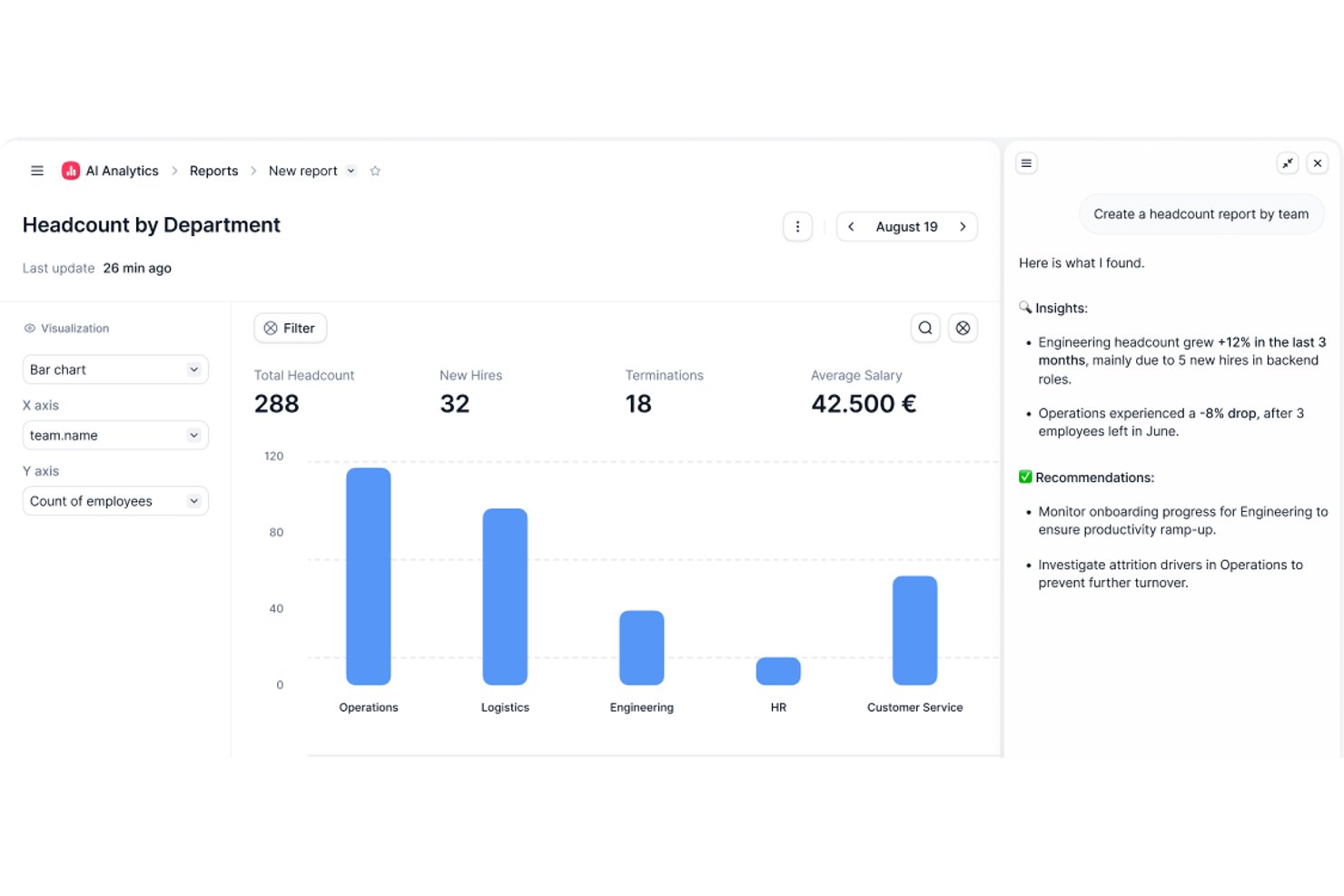
Factorial è una piattaforma HR progettata per le aziende che devono monitorare le ore dei dipendenti, gestire le presenze e occuparsi delle richieste di ferie e permessi in un unico luogo.
Per chi è più adatto Factorial?
Factorial è una soluzione ideale per le piccole e medie imprese che hanno bisogno di una soluzione centralizzata per la gestione delle risorse umane e il monitoraggio del tempo, così da amministrare una forza lavoro in crescita.
Perché ho scelto Factorial
Factorial è entrato nella mia rosa di finalisti grazie al livello di dettaglio dei suoi controlli sulle autorizzazioni, in particolare per il monitoraggio del tempo. Mi consente di creare gruppi di autorizzazioni personalizzati che vanno oltre i ruoli predefiniti di amministratore/responsabile/dipendente: ad esempio, posso permettere a un responsabile di squadra di esaminare e approvare i fogli presenze senza concedergli l'accesso completo da amministratore. Posso anche limitare i dipendenti autorizzati a modificare i turni inviati, una protezione utile per mantenere i registri delle ore precisi e a prova di manomissione. La possibilità di attivare o disattivare singole autorizzazioni e di reimpostarle ai valori predefiniti mantiene la configurazione gestibile quando cambia la struttura organizzativa.
Funzionalità principali di Factorial
- Recinzione geografica: Limita le attività di entrata e uscita a luoghi specifici utilizzando confini basati sul GPS nell'app mobile.
- Entrata tramite codice QR: Consente ai dipendenti di registrare le ore scansionando un codice QR specifico per il luogo dall'app mobile Factorial.
- Pianificazione dei turni: Offre ai dipendenti una panoramica sintetica del programma dei turni e invia notifiche in caso di modifiche dell'ultimo minuto.
- Gestione delle assenze: Automatizza le richieste di ferie e permessi, imposta criteri di assenza personalizzabili e sincronizza le assenze approvate con un calendario centralizzato della squadra.
Integrazioni di Factorial
Le integrazioni includono Sage, Gmail, Dynamics 365, LinkedIn, TravelPerk, PowerBI, Indeed, Recruitee, Slack e Payflow.
Pros and Cons
Pros:
- L'app mobile supporta le entrate basate sul GPS
- Autorizzazioni utente personalizzabili per l'accesso ai dati temporali
- Pannello di controllo delle presenze in tempo reale per i responsabili
Cons:
- Meno integrazioni con dispositivi hardware di rilevazione del tempo di terze parti
- Alcuni report richiedono un'esportazione manuale per l'analisi
Monitask
Ideale per la rilevazione precisa delle ore e i timesheet online
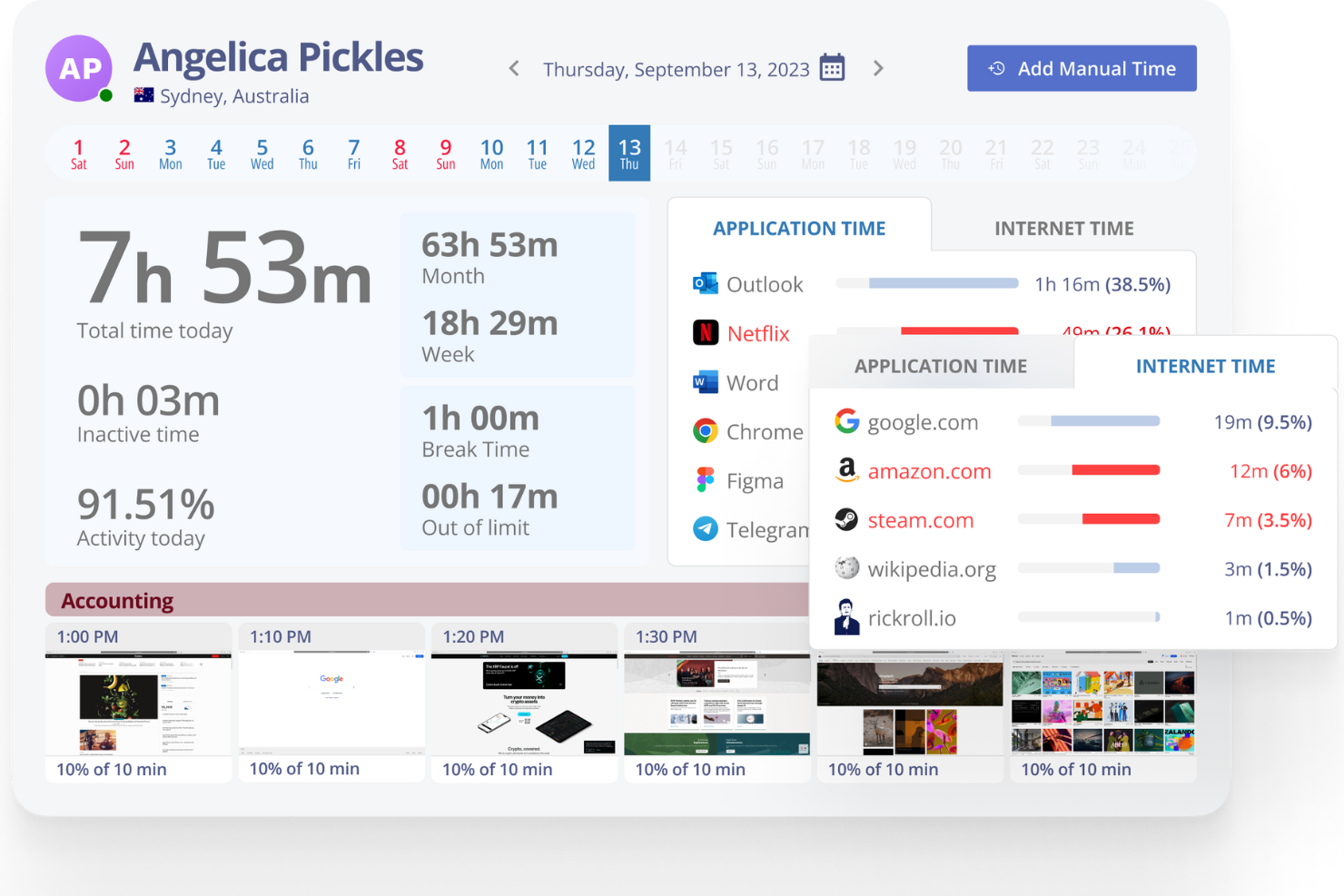
Monitask offre a manager e titolari d'azienda uno strumento per tracciare le ore dei dipendenti, monitorare la presenza e gestire la produttività con approfondimenti in tempo reale, rappresentando una scelta solida per i team che necessitano di una rilevazione accurata delle ore lavorative e responsabilità.
Per chi è Monitask?
Monitask è indicato per piccole e medie imprese che gestiscono team da remoto o ibridi e cercano un modo semplice per registrare le ore e monitorare l'attività dei dipendenti.
Perché ho scelto Monitask
Ho inserito Monitask nella mia lista perché gestisce con grande precisione la rilevazione delle ore e i timesheet online per i team distribuiti. Mi piace che i dipendenti possano timbrare l'entrata e l'uscita con un solo clic, e che le ore vengano riversate direttamente in timesheet dettagliati che suddividono il tempo per progetto, attività o membro del team. Il mio team può estrarre i report sui timesheet all'istante, rendendo la preparazione delle buste paga e la fatturazione ai clienti molto più veloce. Le funzionalità di screenshot automatici e monitoraggio dell'attività mi offrono anche una visione chiara di come viene realmente impiegato il tempo tracciato.
Caratteristiche principali di Monitask
- Monitoraggio della presenza: Controlla gli orari di entrata e uscita dei dipendenti con un registro presenze in tempo reale per tutto il team.
- Report di produttività: Genera report dettagliati che mostrano l'utilizzo di app, l'attività sui siti web e il tempo attivo vs. inattivo per ogni dipendente.
- Budget di tempo per progetto: Imposta budget di tempo per singoli progetti e monitora l'avanzamento rispetto a tali limiti man mano che il lavoro viene registrato.
- Pianificazione dei turni: Crea e gestisci gli orari di lavoro affinché le ore tracciate possano essere confrontate con i turni programmati.
Integrazioni Monitask
Le integrazioni includono ClickUp, Basecamp 3, Jira e RemoteTeam.
Pros and Cons
Pros:
- Opzioni dettagliate di reportistica
- Facile onboarding del team
- Monitoraggio in tempo reale disponibile
Cons:
- Manca la rilevazione offline
- Funzionalità mobile limitata

Ideale per il monitoraggio GPS e la delimitazione geografica

Connecteam è una piattaforma di rilevazione delle ore dei dipendenti progettata prima di tutto per dispositivi mobili, pensata per aziende con team senza postazione fissa, sul campo o mobili che devono monitorare le ore, gestire i turni e semplificare le buste paga con controlli basati sulla posizione.
Per chi è più adatto Connecteam?
Connecteam è ideale per piccole e medie imprese di settori come edilizia, commercio al dettaglio, ospitalità e assistenza sanitaria, che si affidano a lavoratori retribuiti a ore o che operano sul campo.
Perché ho scelto Connecteam
Ho scelto Connecteam come una delle migliori soluzioni per il modo in cui le sue funzionalità GPS e di delimitazione geografica lavorano insieme per i team sul campo. Lo strumento di delimitazione geografica consente di tracciare un raggio intorno a un luogo di lavoro, e i dipendenti possono timbrare l'ingresso solo quando si trovano fisicamente all'interno di quell'area; inoltre, la timbratura dell'uscita viene registrata automaticamente quando la lasciano. Mi piace anche la funzionalità di tracciamento del percorso, che registra gli spostamenti di un dipendente durante l'intero turno, così puoi vedere esattamente dove si trovava una persona in qualsiasi momento mentre risultava registrata al lavoro. Questo livello di visibilità sulla posizione è davvero utile quando gestisci squadre distribuite su più luoghi di lavoro e devi verificare le ore senza essere presente sul posto.
Funzionalità principali di Connecteam
- Modalità chiosco: Configura un dispositivo condiviso come stazione per la timbratura, così i dipendenti possono registrare entrata e uscita da un unico tablet in una posizione fissa.
- Gestione dei fogli presenze: Controlla, modifica e approva i fogli presenze dei dipendenti direttamente nell'app prima di esportarli per l'elaborazione delle buste paga.
- Pianificazione dei turni: Crea e pubblica i turni dei dipendenti, assegna i turni in base al ruolo o alla posizione e invia notifiche quando i turni vengono aggiornati.
- Monitoraggio degli straordinari e delle pause: Configura detrazioni automatiche per le pause e regole per gli straordinari, mantenendo i registri delle ore accurati e conformi alle normative.
Integrazioni di Connecteam
Le integrazioni includono QuickBooks, Gusto, Xero, ADP, Zapier, Wix, Lightspeed, PrismHR, Square e BambooHR.
Pros and Cons
Pros:
- App mobile facile da usare per l'accesso in mobilità
- Il monitoraggio GPS e la delimitazione geografica migliorano la responsabilizzazione
- Funzionalità altamente personalizzabili per diversi settori
Cons:
- Curva di apprendimento per i nuovi amministratori a causa delle numerose funzionalità
- Gli strumenti di geolocalizzazione possono avere difficoltà nelle aree remote
New Product Updates from Connecteam

Connecteam Onboarding Notifications and Default Rules Control
Connecteam updates onboarding pack notifications and customizable default rules with more targeted controls. This helps admins reduce unnecessary alerts and apply policies more precisely. For more information, visit Connecteam’s official site.
 .
.
Deel HR
Ideale per monitorare le ore in più paesi
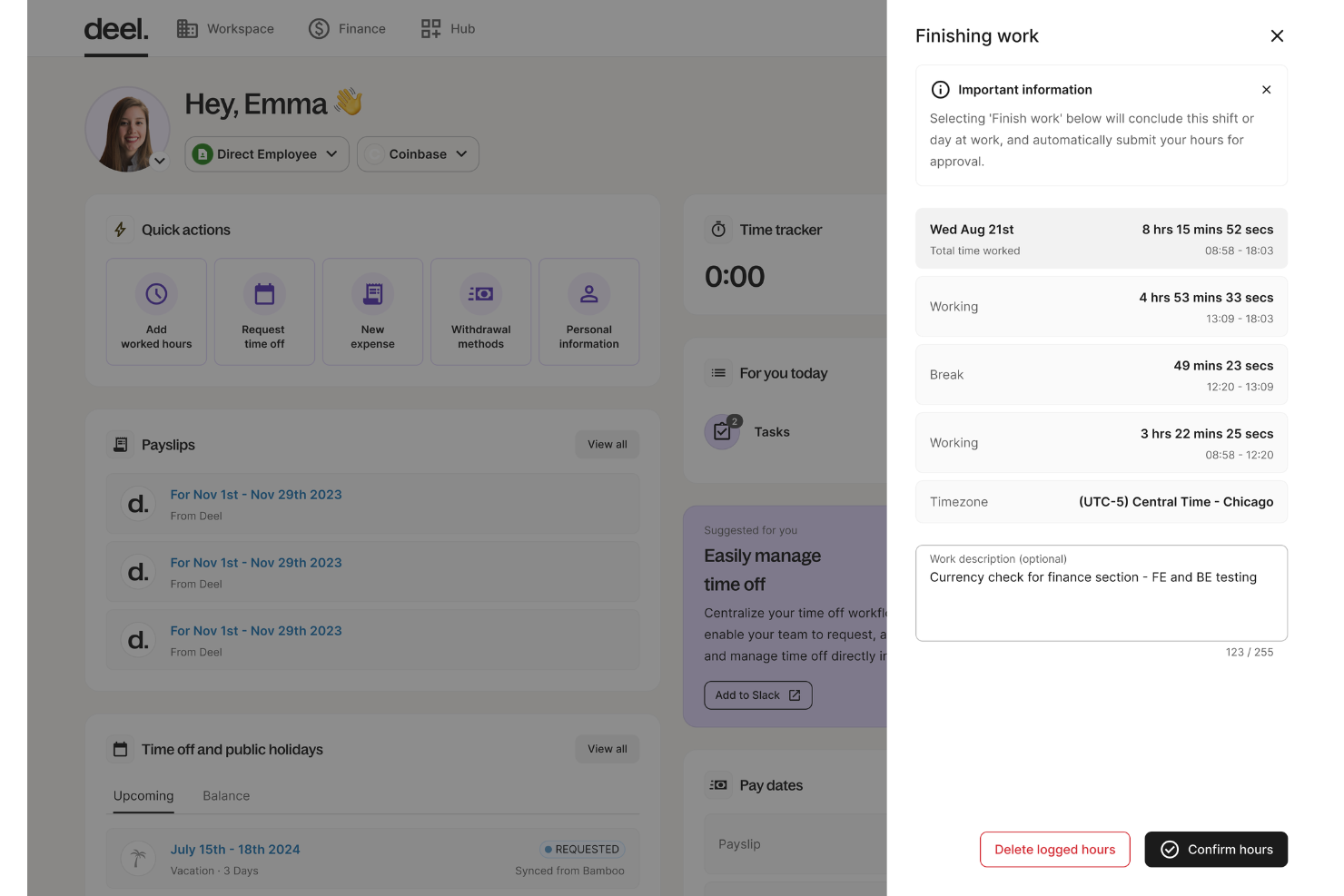
Deel HR offre alle aziende un modo per monitorare le ore lavorate, la presenza e le assenze dei dipendenti in diversi paesi, aiutando i team HR a gestire la conformità e le paghe per una forza lavoro distribuita a livello globale.
Per chi è ideale Deel HR?
Deel HR è particolarmente adatto ai team HR che gestiscono dipendenti remoti o distribuiti a livello globale in più paesi e fusi orari diversi.
Perché ho scelto Deel HR
Ho scelto Deel HR come uno dei migliori strumenti perché è uno dei pochi sistemi per la rilevazione delle presenze e la gestione del tempo costruito appositamente per team distribuiti in più paesi. Mi piace che l’HRIS includa regole specifiche per le assenze e politiche di presenza per oltre 150 paesi, così quando il mio team ha dipendenti in Germania, Brasile e Filippine, i dati sull’orario di ciascuno vengono gestiti automaticamente secondo le normative locali corrette. La piattaforma consente anche ai dipendenti di inviare le richieste di ferie e ai manager di approvarle direttamente su Slack o Microsoft Teams: questo significa che il mio team non deve inseguire autorizzazioni tra diversi fusi orari. Uso anche l’app mobile per accedere in mobilità, cosa davvero utile quando si gestisce una forza lavoro che non condivide un unico ufficio (e spesso nemmeno un unico continente).
Funzionalità chiave di Deel HR
- Timesheet automatici: Deel HR genera automaticamente i fogli ore in base alle ore tracciate, riducendo l’inserimento manuale dei dati per i team HR.
- Monitoraggio degli straordinari: La piattaforma controlla e segnala le ore di straordinario secondo la normativa del lavoro locale per ogni dipendente.
- Portale self-service per i dipendenti: I dipendenti possono visualizzare in un unico luogo le proprie presenze, ore lavorate e saldo ferie.
- Integrazione con le paghe: I dati sulle ore tracciate passano direttamente al motore paghe di Deel, supportando pagamenti accurati e puntuali.
Integrazioni di Deel HR
Le integrazioni includono FaceUp, Snowflake, DefensX, Microsoft Finance, Kintsugi, ReFresh OS, Revo.ai, Keeper, Human Interest e Everyminute.
Pros and Cons
Pros:
- Grande attenzione alla conformità globale
- Ottime funzionalità di automazione paghe
- App mobile disponibile
Cons:
- I report potrebbero essere più personalizzabili
- Potrebbe offrire la possibilità di inserire note più dettagliate per i diversi periodi di lavoro
New Product Updates from Deel HR

Deel Expands Stablecoin Wallet to 80+ Countries
Deel expands its Stablecoin Wallet to 80+ countries with dollar-backed balances and optional rewards. This gives eligible contractors more ways to hold and manage earnings inside Deel. For more information, visit Deel’s official site.
 .
.
Homebase
Ideale per le opzioni di timbratura mobile

Homebase offre alle piccole imprese e ai team a ore un modo per registrare le presenze, gestire i turni e occuparsi della conformità delle buste paga tutto su un'unica piattaforma, aiutando proprietari e manager a semplificare la gestione della forza lavoro e a ridurre il lavoro amministrativo manuale.
Per chi è ideale Homebase?
Homebase è particolarmente adatto per piccole imprese del settore retail, dell’ospitalità e della ristorazione che si affidano a lavoratori a ore e necessitano di strumenti semplici e accessibili per la pianificazione dei turni e la rilevazione delle presenze.
Perché ho scelto Homebase
Ho incluso Homebase nella mia selezione perché gestisce molto bene la timbratura mobile per i team in movimento. I dipendenti possono timbrare direttamente dal proprio telefono utilizzando l'app Homebase e il tracciamento GPS conferma che si trovano nel luogo corretto al momento della timbratura. La funzione di acquisizione foto segnala possibili timbrature per conto di colleghi senza l’ausilio di costosi dispositivi. L’app funziona anche offline, quindi una connessione Wi-Fi instabile sul luogo di lavoro non comprometterà il rilevamento delle presenze.
Caratteristiche principali di Homebase
- Generazione automatica dei timesheet: Homebase converte i dati di entrata e uscita, inclusi intervalli e straordinari, direttamente in timesheet pronti per l’elaborazione delle buste paga.
- Monitoraggio delle pause e conformità: L'app registra pause pasto e di riposo pagate, non pagate, mancate e rinunciate per aiutarti a rispettare la normativa sul lavoro locale.
- Avvisi per timbrature in ritardo: I manager ricevono notifiche in tempo reale se un dipendente non ha timbrato l’inizio turno, così da poter intervenire prima che il problema si aggravi.
- Gestione ferie e permessi: I dipendenti possono inviare richieste di ferie tramite l’app, mentre i manager possono impostare giorni di blocco, limiti alle richieste e requisiti di preavviso.
Integrazioni Homebase
Le integrazioni includono Square, Toast, Clover, Shopify, QuickBooks, Gusto, ADP, Paychex, Heartland e Revel.
Pros and Cons
Pros:
- facile da configurare e utilizzare, rendendolo accessibile agli utenti
- sistema di timbratura efficiente con tracciamento della posizione
- Reportistica integrata per costi del lavoro, ore dei dipendenti e produttività
Cons:
- Manca la notifica per l'ingresso in aree geolocalizzate
- Visualizza solo le posizioni di entrata/uscita, ma non la posizione in tempo reale dei dipendenti

Ideale per report personalizzabili
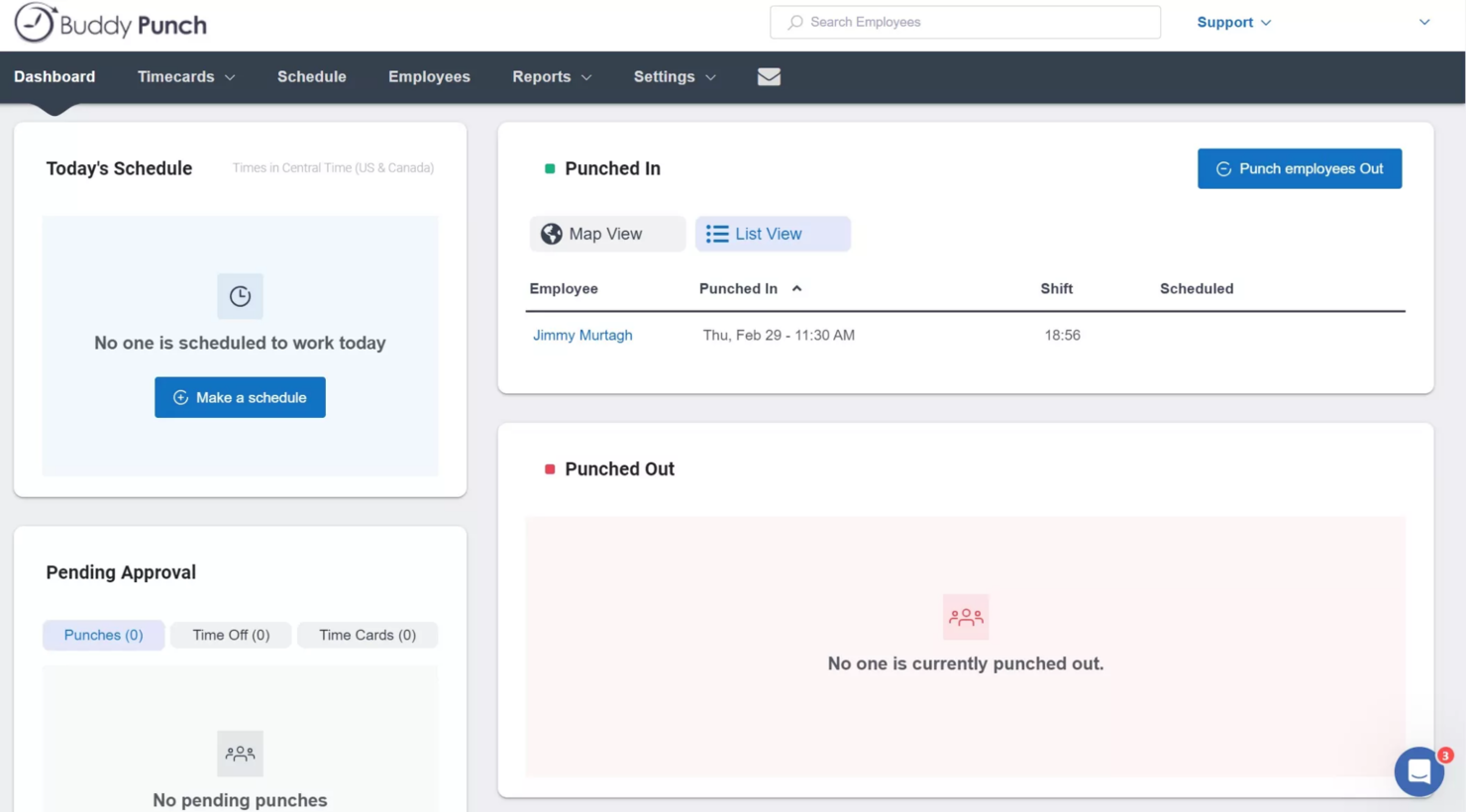
Buddy Punch è una piattaforma di rilevazione presenze online progettata per le aziende che cercano modi semplici e flessibili per tracciare le ore dei dipendenti, gestire la programmazione e gestire le richieste di permessi da diverse sedi o team remoti.
Per chi è ideale Buddy Punch?
Buddy Punch è adatto a piccole e medie imprese che necessitano di una soluzione accessibile e senza complicazioni per la rilevazione delle ore, senza una curva di apprendimento ripida.
Perché ho scelto Buddy Punch
Buddy Punch si guadagna un posto nella mia lista grazie al notevole controllo che offre sui report. Mi piace il fatto che sia possibile costruire report personalizzati filtrando su specifici intervalli di date, reparti o singoli dipendenti, per poi esportarli direttamente per l'elaborazione delle paghe. Il report riepilogativo delle paghe è particolarmente utile: include ore regolari, straordinari e permessi in una visualizzazione pulita senza bisogno di ordinamento manuale. Ho trovato anche il registro di controllo delle timbrature molto utile per individuare discrepanze prima che diventino errori in busta paga.
Caratteristiche principali di Buddy Punch
- Tracciamento GPS: Verifica la posizione dei dipendenti al momento di ogni timbratura utilizzando le coordinate GPS rilevate all'entrata e all'uscita.
- Strumenti di programmazione: Crea e pubblica i turni dei dipendenti, assegna i turni e consenti ai dipendenti di visualizzare i prossimi turni dall'app mobile.
- Gestione PTO: Tieni traccia di ferie, malattie e altri tipi di permessi con regole di maturazione configurabili e un flusso di approvazione.
- Cattura foto tramite webcam: Scatta automaticamente una foto del dipendente al momento della timbratura per verificare l'identità e ridurre il fenomeno del buddy punching.
Integrazioni di Buddy Punch
Le integrazioni includono QuickBooks Online, QuickBooks Desktop, ADP Workforce Now, Gusto, Paychex, Paylocity, Paycor, Rippling, Workday e Justworks.
Pros and Cons
Pros:
- Report personalizzabili
- Tracciamento GPS
- Monitoraggio in tempo reale
Cons:
- Nessuna modalità offline
- App mobile basilare

Agendrix
Ideale per PMI su turni in Canada

Agendrix è una piattaforma per la rilevazione delle presenze e la pianificazione dei turni creata per team organizzati a turni, che aiuta le piccole e medie imprese a gestire la presenza, tracciare le ore e semplificare le paghe con strumenti digitali pensati per personale orario.
Per chi è ideale Agendrix?
Agendrix è particolarmente indicato per le PMI canadesi nei settori retail, hospitality e sanitario che si affidano a personale turnista o orario e necessitano di una gestione delle presenze semplice e conforme.
Perché ho scelto Agendrix
Ho scelto Agendrix tra i migliori perché è progettato appositamente per il modello di PMI su turni più diffuso in Canada—come ristoranti indipendenti, catene di negozi e cliniche sanitarie che gestiscono personale orario in una o più sedi. Le funzioni di rilevazione delle presenze e pianificazione dei turni sono completamente integrate: quando un dipendente timbra da un chiosco tablet o tramite app mobile, il suo cartellino si aggiorna automaticamente e ogni divergenza rispetto al turno programmato è immediatamente visibile. Apprezzo anche l'opzione di timbratura con geolocalizzazione, utile per aziende con dipendenti remoti o in più sedi che non possono timbrare tutti dallo stesso dispositivo. Inoltre, Agendrix si integra direttamente con provider canadesi di gestione paghe come Ceridian Powerpay, Nethris e Payworks, così che i cartellini approvati confluiscano direttamente nei flussi paghe senza dover inserire manualmente i dati.
Funzionalità principali di Agendrix
- Generazione automatica dei cartellini: I cartellini si compilano automaticamente partendo dalle timbrature di entrata e uscita dei dipendenti, con straordinari, maggiorazioni e ferie calcolati secondo le regole configurate.
- Assegnazione di compiti per turno: Collega una lista di attività giornaliere e istruzioni direttamente ai singoli turni, così i dipendenti sanno esattamente cosa ci si aspetta quando timbrano.
- Gestione turni liberi: Pubblica i turni vacanti così che i dipendenti idonei possano candidarsi, secondo l'ordine di arrivo o l'anzianità, con notifiche automatiche a chi ha i requisiti.
- Tracciamento banca ore: Registra gli straordinari come ore a banca oppure usa le banche ore per completare i cartellini, fornendo ai responsabili una visione chiara del saldo ore di ogni dipendente.
Integrazioni Agendrix
Le integrazioni includono Sage, Ceridian, ADP Workforce Now, Nethris, Desjardins, Employer D, DLGL e un'API è disponibile per integrazioni personalizzate.
Pros and Cons
Pros:
- Messaggistica e notifiche integrate
- Supporta la condivisione dei turni stampabile, via email e mobile
- Si integra con i principali sistemi paghe canadesi
Cons:
- Opzioni limitate di personalizzazione per report e analisi
- Alcune integrazioni possono richiedere configurazione manuale

DeskTime
Ideale per il monitoraggio automatico della produttività
DeskTime è un'applicazione automatica di rilevamento delle ore lavorative dei dipendenti che monitora l'utilizzo di app e URL, calcola la produttività, traccia le attività offline, registra gli orari di entrata/uscita e include la programmazione dei turni e un calendario delle assenze.
Per chi è DeskTime?
DeskTime è particolarmente adatto a team piccoli o medi con lavoratori da ufficio o da remoto, dove i manager hanno bisogno di visibilità su come vengono effettivamente spese le ore di lavoro.
Perché ho scelto DeskTime
DeskTime è una delle mie scelte preferite perché mi piace il modo in cui gestisce il monitoraggio della produttività senza che nessuno del team debba fare nulla manualmente. Dal momento in cui qualcuno accende il computer, DeskTime inizia a tracciare, registrando ogni app e URL utilizzato durante la giornata. Trovo particolarmente utile la funzione di calcolo della produttività, che permette di categorizzare app e URL come produttivi, improduttivi o neutri per ogni team, affinché, ad esempio, il tempo passato sui social media dal team marketing venga conteggiato diversamente rispetto agli altri.
Caratteristiche principali di DeskTime
- Programmazione turni: Crea e assegna i turni dei dipendenti direttamente su DeskTime, con visibilità su chi sta lavorando e quando.
- Calendario delle assenze: Registra e traccia le assenze dei dipendenti, i giorni di malattia e altre tipologie di assenze in un calendario condiviso dal team.
- Tracciamento del tempo per progetto: Assegna il tempo tracciato a specifici progetti e attività così da vedere esattamente dove vengono impiegate le ore fatturabili o allocate a budget.
- Screenshot automatici: Acquisisci screenshot opzionali e programmati degli schermi dei dipendenti durante le ore di lavoro per offrire un ulteriore livello di verifica del tempo.
Integrazioni DeskTime
DeskTime offre un piccolo set di integrazioni native, tra cui Google Calendar, Outlook Calendar, Trello, GitLab, Asana e Jira, e si collega con Zapier. È anche disponibile un'API per integrazioni personalizzate.
Pros and Cons
Pros:
- Il rilevamento automatico del tempo non richiede input manuale
- Gli amministratori possono personalizzare le categorie di produttività delle app
- Registra i titoli specifici dei documenti per attività
Cons:
- Monitoraggio mobile e delle assenze da migliorare
- L'avvio automatico all'accensione a volte è inaffidabile
Altri Software di Rilevazione Presenze per Dipendenti
Di seguito trovi un elenco aggiuntivo di software di rilevazione presenze per dipendenti che ho selezionato. Anche se non sono entrati nella top 10, restano comunque validi e vale la pena approfondirli.
- Toggl
Ideale per il monitoraggio intuitivo del tempo su più dispositivi
- Sloneek
Ideale per la gestione del tempo e delle assenze HR
- When I Work
Ideale per accuratezza tramite geofencing nella rilevazione delle presenze
- Clockify
Ideale per il monitoraggio del tempo tramite estensione del browser
- Jibble
Ideale per la rilevazione presenze gratuita con riconoscimento facciale
- OnTheClock
Ideale per la rilevazione delle presenze nelle piccole imprese
- edays
Ideale per tracciare le timbrature di ingresso/uscita dei dipendenti
- Bonsai Agency Software
Ideale per agenzie orientate ai progetti
- ClockInEasy
Ideale per il riconoscimento facciale
- WebHR
Ideale per l’automazione completa delle risorse umane
- Open Time Clock
Ideale per molteplici metodi di timbratura
- Time Clock Wizard
Ideale per monitoraggio orario a prezzi accessibili
- Rhumbix
Ideale per la rilevazione delle presenze e la gestione delle paghe nel settore edile
- Lathem
Ideale per la gestione dei team remoti
- Vericlock
Ideale per il monitoraggio in tempo reale dei costi del lavoro


Recensioni Correlate di Software HR
Se non hai ancora trovato quello che cerchi qui, dai un'occhiata a questi altri strumenti correlati che abbiamo testato e valutato:
- Software HR
- Software Paghe
- Software di Reclutamento
- Servizi Employer of Record
- Sistemi di Gestione delle Candidature
- Software di Gestione della Forza Lavoro
Come Valuto i Software per la Rilevazione delle Presenze dei Dipendenti
Divido la mia valutazione in due livelli: la base che qualsiasi strumento deve garantire—come la registrazione accurata delle timbrature e la sincronizzazione con il sistema paghe—e gli elementi distintivi che fanno emergere le soluzioni migliori.
Funzionalità Core (Requisiti Fondamentali per Questa Lista)
Quando seleziono gli strumenti per la mia lista, valuto ciascuno su una scala da 0 (non offre la funzionalità) a 5 (eccelle in quest'area) per ogni funzionalità core elencata di seguito. Successivamente, calcolo il punteggio totale dello strumento trasformandolo in percentuale. Ogni soluzione deve raggiungere un punteggio totale minimo del 65% per essere presa in considerazione.
- Modalità di Timbratura Ingresso/Uscita: Cerco diverse opzioni di timbratura—web, app mobile, chiosco e biometrico—così i team in ufficio, in cantiere o da remoto hanno sempre un modo affidabile per registrare il tempo.
- Generazione e Approvazione dei Timesheet: Ogni strumento dovrebbe generare automaticamente i timesheet dai dati di timbratura e supportare un flusso di approvazione, così i responsabili possono revisionare, modificare e approvare prima del caricamento paghe.
- Integrazione con il Sistema Paghe: Verifico se la piattaforma si sincronizza con provider paghe come ADP, QuickBooks o Paychex, poiché esportare manualmente aumenta gli errori e fa perdere tempo alla scadenza delle buste paga.
- Tracciamento di Straordinari e Pausa: Lo strumento deve permettere la configurazione delle regole sugli straordinari e il rispetto delle pause, soprattutto per organizzazioni con dipendenti in diverse regioni e regolamenti sul lavoro differenti.
- Reportistica sulle Presenze: Valuto la profondità dei report—visualizzazioni preimpostate per ritardi, assenze e ore lavorate sono indispensabili, ma la possibilità di filtrare per reparto, sede o intervallo di date è vitale per team numerosi.
- Controlli Antifrode: Funzioni come la geolocalizzazione GPS, la cattura foto o la verifica biometrica aiutano a evitare la timbratura per conto terzi (buddy punching), aspetto critico per le squadre in movimento o distribuite.
Una volta individuati gli strumenti che soddisfano questi requisiti, considero gli aspetti distintivi di ciascuna piattaforma.
Fattori Differenzianti (Ciò che Distingue i Fornitori)
Ecco come confronto e distingo le varie offerte:
Funzionalità Distintive
La pianificazione dei turni integrata è un elemento che fa la differenza—piattaforme come When I Work e Homebase permettono ai responsabili di organizzare i turni e gestire le timbrature in un unico luogo, riducendo la necessità di utilizzare strumenti separati. La funzione di job costing è importante per i team che allocano le ore su specifici progetti o clienti, come avviene comunemente in edilizia e nei servizi professionali. Cerco anche un'integrazione della gestione delle ferie, dove maturazione e richieste di permesso confluiscono automaticamente nei timesheet senza dover aggiornare manualmente i dati.
Oltre le Funzionalità
La conformità alle normative sul lavoro è un aspetto che prendo molto sul serio. Gli strumenti che permettono la configurazione di regole su straordinari e pause per più giurisdizioni aiutano l'HR a essere sempre pronto per eventuali audit, senza necessità di controlli manuali. Esamino anche l'ecosistema delle integrazioni, perché una soluzione che non si collega al gestionale HR o al sistema paghe esistente crea più problemi di quanti ne risolva. Trasparenza dei prezzi è altrettanto fondamentale—verifico che i fornitori dichiarino chiaramente il costo per dipendente e qualsiasi possibile sovrapprezzo per hardware o livelli di supporto avanzato.
Come Scegliere un Software di Rilevazione Presenze per Dipendenti
Mentre segui il tuo personale percorso di selezione del software, tieni a mente i seguenti punti:
- Facilità d'uso: Il software dovrebbe essere intuitivo e facile da usare sia per gli amministratori che per i dipendenti. Un'interfaccia complessa può portare a errori e frustrazione, riducendo l'efficienza complessiva del sistema.
- Capacità di integrazione: Assicurati che il software possa integrarsi facilmente con i tuoi sistemi esistenti come paghe, risorse umane e strumenti di gestione dei progetti. Questo è importante per mantenere un flusso di lavoro snello ed evitare silos di dati.
- Accessibilità mobile: Nel mondo odierno orientato al mobile, disporre di un software per la timbratura che offra accesso da dispositivi mobili è essenziale. Questo è particolarmente importante per le aziende con dipendenti remoti o sul campo che devono timbrare l'entrata e l'uscita da varie località.
- Reportistica e analisi: La possibilità di generare report dettagliati su ore lavorate, straordinari e presenze è fondamentale per prendere decisioni aziendali informate. Cerca un software che offra opzioni di reportistica personalizzabili per soddisfare le tue esigenze specifiche.
- Funzionalità di sicurezza: Proteggere i dati dei dipendenti è fondamentale. Scegli un software per la timbratura che offra forti misure di sicurezza come crittografia dei dati, accesso sicuro e conformità alle normative sulla protezione dei dati.
Tendenze per i software di rilevazione orario per i dipendenti
Ecco alcune tendenze che ho notato nei software per la rilevazione degli orari dei dipendenti e cosa potrebbero significare per il futuro. Ho esaminato numerosi aggiornamenti di prodotto, comunicati stampa e registri di rilascio per individuare le informazioni più importanti.
- Autenticazione biometrica: L'autenticazione biometrica sta prendendo piede, in quanto aumenta la sicurezza sfruttando tratti biologici unici. Questo riduce il rischio di frodi sugli orari.
- Integrazione mobile: L'integrazione mobile consente ai dipendenti di timbrare l'entrata e l'uscita tramite smartphone. Questa tendenza favorisce il lavoro da remoto e orari flessibili e semplifica anche la gestione delle presenze dei lavoratori sul campo.
- Analisi potenziata dall'IA: Le analisi supportate dall'intelligenza artificiale offrono informazioni sui pattern della forza lavoro. Questo aiuta a ottimizzare i turni e migliorare la produttività, oltre a individuare potenziali problemi prima che peggiorino.
- Soluzioni basate sul cloud: Le soluzioni cloud offrono accesso ai dati in tempo reale da qualsiasi luogo. Questo è vitale per le aziende con più sedi. Inoltre, garantisce che i dati siano archiviati in modo sicuro e facilmente recuperabili.
- Geofencing: La tecnologia di geofencing garantisce che i dipendenti possano timbrare solo quando si trovano nella posizione designata. Questo previene le timbrature fraudolente e risulta particolarmente utile per le aziende con più sedi operative.
Con il progresso tecnologico, i software di gestione degli orari dei dipendenti continuano ad evolversi offrendo funzionalità sempre più sofisticate. Queste tendenze non solo migliorano precisione e sicurezza, ma semplificano anche la gestione della forza lavoro, rendendo più facile per le aziende adattarsi alle modalità di lavoro flessibile e da remoto.
Che cos'è un software di rilevazione orario per dipendenti?
Un software di rilevazione orario per dipendenti è uno strumento che aiuta le aziende a tracciare e gestire le ore lavorative dei dipendenti. È comunemente utilizzato dai reparti HR, dai manager e dai dipendenti stessi per garantire un rilevamento accurato degli orari, l'elaborazione delle paghe e la conformità alle normative sul lavoro.
Questo tipo di software include solitamente componenti come la rilevazione degli orari, il monitoraggio delle presenze e funzionalità di reportistica. Può anche integrarsi con i sistemi paghe, consentendo un trasferimento fluido dei dati e riducendo gli errori di inserimento manuale.
Funzionalità del software di rilevazione orario per dipendenti
Scegliere la giusta app per la timbratura dei dipendenti può avere un impatto significativo sulla precisione delle buste paga, la conformità alle leggi sul lavoro e sull'efficienza operativa generale. Ecco alcune delle funzioni più importanti da considerare quando si cerca un software per la rilevazione orario dei dipendenti:
- Rilevamento Orario Accurato: Un rilevamento orario accurato garantisce che le ore di lavoro dei dipendenti siano registrate con precisione, riducendo gli errori nelle buste paga e prevenendo le frodi orarie.
- Autenticazione Biometrica: I sistemi biometrici, come la scansione delle impronte digitali o il riconoscimento facciale, forniscono un metodo sicuro e preciso per timbrare l'entrata e l'uscita, eliminando il fenomeno del buddy punching e le frodi orarie.
- Accessibilità da Dispositivo Mobile: La compatibilità con i dispositivi mobili consente ai dipendenti di timbrare tramite smartphone, semplificando la rilevazione delle ore per lavoratori remoti o sul campo.
- Integrazione con il Sistema Paghe: L'integrazione con i programmi di elaborazione paghe automatizza il trasferimento delle ore lavorate, riducendo gli errori di inserimento manuale e velocizzando il processo di pagamento.
- Interfaccia Intuitiva: Un'interfaccia intuitiva e facile da navigare permette ai dipendenti di apprendere rapidamente il sistema, riducendo i tempi di formazione e aumentando il tasso di adozione.
- Reportistica e Analisi: Funzionalità avanzate di reportistica e analisi offrono informazioni su presenza, straordinari e produttività dei dipendenti, aiutando i manager a prendere decisioni consapevoli.
- Impostazioni Personalizzabili: Le opzioni di personalizzazione permettono alle aziende di adattare il software alle proprie esigenze, incluse regole per straordinari, pause e richieste di assenza.
- Geofencing e Localizzazione GPS: Il geofencing e la tracciatura GPS assicurano che i dipendenti timbrino in luoghi autorizzati, caratteristica particolarmente utile per chi lavora in mobilità o da remoto.
- Gestione della Conformità: Le funzionalità per la conformità aiutano le aziende a rispettare le normative sul lavoro, calcolando automaticamente straordinari, pause e altre regole correlate al lavoro.
- Notifiche in Tempo Reale: Le notifiche in tempo reale avvisano i responsabili su eventuali problemi come timbrature mancanti, arrivi in ritardo o straordinari, permettendo azioni tempestive per eventuali discrepanze.
Scegliere il giusto software per la rilevazione oraria dei dipendenti significa valutare le funzionalità che migliorano precisione, sicurezza e facilità d’uso. Concentrandosi su questi aspetti chiave, le aziende possono ottimizzare i processi di rilevazione, garantire la conformità e aumentare la produttività generale.
Vantaggi dei Software di Rilevazione Oraria per Dipendenti
I software di rilevazione oraria per dipendenti offrono numerosi vantaggi sia per gli utenti sia per le organizzazioni, semplificando la gestione dei tempi di lavoro e migliorando la produttività. Di seguito alcuni dei principali benefici aggiuntivi riscontrabili utilizzando questo tipo di software.
- Rilevamento Orario Accurato: Il software assicura la registrazione precisa delle ore di lavoro dei dipendenti, riducendo errori e discrepanze nell’elaborazione delle buste paga.
- Aumento della Produttività: Automatizzando il rilevamento delle ore, i dipendenti possono concentrarsi maggiormente sui loro compiti, aumentando efficienza e risultati.
- Migliore Conformità: Il software aiuta le organizzazioni a rispettare leggi e regolamenti sul lavoro, mantenendo registrazioni accurate delle ore lavorate e degli straordinari.
- Risparmio sui Costi: L’automazione della rilevazione delle ore riduce la necessità di inserimenti manuali e di mansioni amministrative, permettendo di risparmiare tempo e abbattere i costi del lavoro.
- Maggiore Responsabilizzazione dei Dipendenti: Il software garantisce trasparenza sulle ore lavorate, incentivando i dipendenti a rispettare i propri orari e migliorando la responsabilità generale.
Investire in un software di rilevazione oraria per dipendenti può apportare benefici significativi alle organizzazioni, migliorando precisione, produttività, conformità, efficienza dei costi e responsabilizzazione. Questi vantaggi ne fanno uno strumento prezioso per le aziende che vogliono ottimizzare la gestione della forza lavoro.
Costi e Prezzi dei Software di Rilevazione Oraria per Dipendenti
Scegliere il software di rilevazione oraria più adatto può essere fondamentale per una gestione efficace delle risorse umane. Esistono diversi piani, ciascuno pensato per esigenze aziendali e budget differenti.
Ecco una panoramica delle tipologie di piano e dei relativi costi per aiutarti a fare una scelta consapevole.
Tabella di Confronto dei Piani per Software di Rilevazione Oraria per Dipendenti
| Tipo di Piano | Prezzo Medio | Funzionalità Comuni |
| Piano Gratuito | $0 | Rilevazione oraria base, utenti limitati e app mobile |
| Piano Base | $10/user/month | Rilevazione oraria, pianificazione turni e report |
| Piano Standard | $20/user/month | Tutte le funzionalità Base, pianificazione avanzata, tracking GPS e integrazioni |
| Piano Premium | $30/user/month | Tutte le funzionalità Standard, gestione ferie/PTO e verifica biometrica |
| Piano Enterprise | Prezzo personalizzato | Tutte le funzionalità Premium, integrazioni personalizzate e supporto dedicato |
Quando scegli un piano, considera la dimensione del tuo team e le funzionalità specifiche di cui hai bisogno. Confrontando diverse opzioni, le aziende possono trovare un software per la rilevazione delle presenze che rispetta i vincoli di budget migliorando al tempo stesso la gestione della forza lavoro e la produttività.
FAQ sul Software di Rilevazione Presenze dei Dipendenti
Ecco le risposte alle domande più frequenti che ho ricevuto sul software di rilevazione presenze dei dipendenti.
Come può il software di rilevazione presenze integrarsi con i sistemi di gestione paghe?
Il software di rilevazione presenze dei dipendenti può integrarsi con i sistemi di gestione paghe tramite API o connettori integrati. Questa integrazione consente il trasferimento automatico dei dati su orari e presenze al sistema di gestione paghe, riducendo gli errori di inserimento manuale e garantendo elaborazioni paghe accurate. Alcune soluzioni software offrono integrazioni predefinite con i sistemi di gestione paghe più diffusi, mentre altre possono richiedere sviluppo personalizzato.
Quali sono le considerazioni sulla conformità quando si utilizza un software di rilevazione presenze?
Le considerazioni sulla conformità includono il rispetto delle leggi e dei regolamenti sul lavoro riguardanti la rilevazione delle ore, gli straordinari e le pause. Il software dovrebbe supportare una registrazione e una reportistica accurate per soddisfare i requisiti legali. Inoltre, dovrebbe offrire funzionalità come la tracciabilità dei dati e l’archiviazione sicura delle informazioni per proteggere i dati dei dipendenti e garantire la conformità alle normative sulla privacy dei dati.
Il software di rilevazione presenze può gestire più sedi e lavoratori da remoto?
Sì, molte soluzioni di software per la rilevazione presenze sono progettate per gestire più sedi e lavoratori da remoto. Spesso forniscono app mobili o portali web che consentono ai dipendenti di timbrare l’ingresso e l’uscita da qualsiasi luogo. Funzionalità come il GPS e il geofencing possono garantire che i dipendenti timbrino solo da posizioni autorizzate.
Come gestisce il software di rilevazione presenze la programmazione dei turni e i cambiamenti?
Il software di rilevazione presenze dei dipendenti di solito include funzionalità di programmazione dei turni che permettono ai responsabili di creare, modificare e assegnare turni con facilità. I dipendenti possono visualizzare i propri turni, richiedere cambiamenti e scambiare turni tramite il software. Notifiche e avvisi possono essere impostati per informare i dipendenti in tempo reale su eventuali cambi di orario.
Quali sono le misure di sicurezza dei dati nei software di rilevazione presenze?
Le misure di sicurezza dei dati in un software di rilevazione presenze includono la cifratura dei dati sia in transito che a riposo, autenticazione sicura degli utenti e controlli di accesso basati sui ruoli. Sono importanti anche gli audit di sicurezza regolari e la conformità agli standard di settore come GDPR o CCPA per assicurare la protezione delle informazioni sensibili dei dipendenti.
Quali opzioni di supporto e formazione sono disponibili per il software di rilevazione presenze?
Le opzioni di supporto e formazione variano in base al fornitore, ma spesso includono risorse online come guide utente, tutorial video e FAQ. Molti fornitori offrono anche supporto diretto tramite telefono, email o chat. Alcuni possono fornire formazione in presenza o webinar per aiutare le organizzazioni a sfruttare al meglio il software.
Come può essere personalizzato il software di rilevazione presenze per soddisfare le esigenze specifiche di un'azienda?
Le opzioni di personalizzazione nel software di rilevazione presenze includono impostazioni configurabili per le regole di rilevazione, il calcolo degli straordinari e i formati dei report. Alcune soluzioni software offrono servizi di sviluppo personalizzato per creare funzionalità su misura per esigenze aziendali specifiche. Inoltre, molte piattaforme consentono l’integrazione con strumenti e applicazioni di terze parti per estendere le funzionalità.
Cosa c'è dopo?
Per restare aggiornato su tutte le novità nella gestione delle risorse umane, iscriviti alla nostra newsletter dedicata a leader e manager.