Recensione Robin: Pro, Contro, Caratteristiche e Prezzi Spiegati



Robin is a workforce management software built for hybrid teams that need to coordinate desk reservations, meeting room booking, and office capacity from a single platform. I'd mainly consider it if your organization is managing flexible work schedules and needs a clear picture of who's in the office and when. Compared to Envoy, Robin gives you deeper workplace analytics and space utilization reporting, and overall better if you need to make data-backed decisions about your office footprint vs managing day-to-day check-ins.
Robin Evaluation Summary
- Pricing upon request
- Free demo available
Perché fidarsi delle nostre recensioni sui software
Il nostro team testa e recensisce software dal 2012. In quanto esperti HR noi stessi, sappiamo quanto sia difficile — e importante — scegliere il software giusto.
Per questa guida, abbiamo valutato gli strumenti attraverso test pratici e ricerche indipendenti, assegnando un punteggio agli strumenti in base ai nostri criteri di selezione. Ci basiamo inoltre sulle competenze di leader di pensiero del settore e di professionisti HR attivi.
Le nostre recensioni riflettono il nostro giudizio editoriale umano, non un discorso di vendita.
Revisori esperti:
Robin Overview
I judge Robin as a top pick if you’re choosing a modern, workplace-focused solution—it stands out for its intuitive office booking, clean interface, and solid integrations. Pricing feels fair for the range of workspace management features you get, though onboarding larger teams can be time-consuming. Compared to other options, Robin underperforms if you need advanced labor forecasting, but excels in hybrid scheduling and visitor management. I think Robin is best for organizations adapting to flexible work and wanting a clear, user-friendly way to manage people and spaces.
pros
-
Desk and room booking makes hybrid scheduling stress-free
-
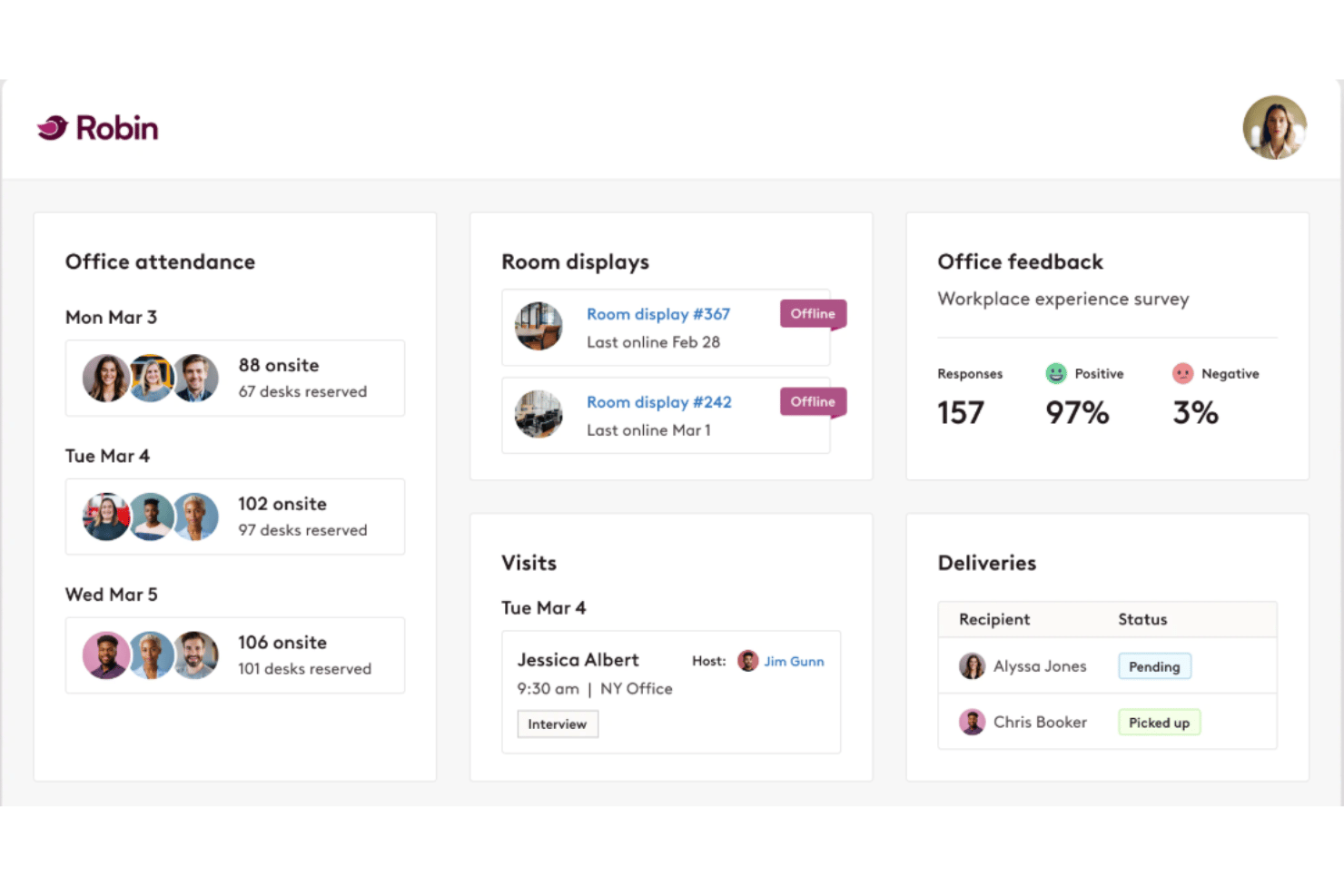
Analytics dashboard highlights real office utilization patterns
-
Visitor management feature improves workplace security
cons
-
No automated labor forecasting or shift management tools
-
Mobile app features lag behind web version updates
-
Some users report slow customer support response times
-

Justworks
Visit WebsiteThis rating combines scores from multiple user review sites to reflect overall customer sentiment about the product.4.6 -
Prevue Assessments
Visit WebsiteThis rating combines scores from multiple user review sites to reflect overall customer sentiment about the product.4.6 -
Small Improvements
Visit WebsiteThis rating combines scores from multiple user review sites to reflect overall customer sentiment about the product.4.3





Come Testiamo e Valutiamo i Nostri Strumenti
Abbiamo impiegato anni per costruire, perfezionare e migliorare il nostro sistema di test e valutazione dei software. Il modello è progettato per cogliere le sfumature della scelta del software e per evidenziare cosa rende uno strumento efficace, concentrandosi sugli aspetti più critici del processo decisionale. Di seguito puoi vedere esattamente come funziona la nostra valutazione e attribuzione dei punteggi secondo sette criteri. Questo ci consente di fornire una valutazione imparziale del software basandoci su funzionalità principali, caratteristiche distintive, facilità d’uso, onboarding, assistenza clienti, integrazioni, recensioni dei clienti e rapporto qualità/prezzo.
Funzionalità Principali (25% del punteggio finale)
Il punto di partenza della nostra valutazione sono sempre le funzionalità principali dello strumento. Possiede le funzioni di base che l’utente si aspetta? Alcune di queste funzioni sono disponibili solo in piani a prezzi più alti? In sostanza, ci aspettiamo che uno strumento rispecchi almeno le capacità base dei concorrenti.
Caratteristiche Distintive (25% del punteggio finale)
Successivamente valutiamo le funzionalità particolari che superano le funzionalità di base tipiche degli strumenti della sua categoria. Un punteggio alto riflette caratteristiche specializzate o uniche che rendono il prodotto più veloce, efficiente, o che offrono ulteriore valore all’utente. Valutiamo inoltre quanto sia semplice integrare il software con altri strumenti tradizionalmente presenti nel tech stack per espanderne funzionalità e utilizzo. Gli strumenti che offrono numerose integrazioni native, collegamenti di terze parti e accesso API per creare integrazioni personalizzate ricevono i punteggi migliori.
Facilità d’Uso (10% del punteggio finale)
Consideriamo quanto sia veloce e semplice svolgere i compiti definiti dalle funzionalità principali utilizzando lo strumento. I software con punteggi alti sono ben progettati, intuitivi, dispongono di app mobili, offrono modelli preimpostati e rendono semplici anche i compiti più complessi.
Onboarding (10% del punteggio finale)
Sappiamo quanto sia importante una rapida adozione di una nuova piattaforma all’interno di un team, quindi valutiamo quanto sia facile imparare e utilizzare uno strumento con una formazione minima. Valutiamo quanto rapidamente un membro del team possa iniziare a utilizzare lo strumento senza esperienza. Le soluzioni con punteggio alto richiedono poco o nessun supporto.
Assistenza Clienti (10% del punteggio finale)
Esaminiamo quanto sia facile e veloce ricevere supporto o trovare aiuto tramite telefono, chat dal vivo o knowledge base. Gli strumenti e le aziende che forniscono un’assistenza in tempo reale ottengono i punteggi migliori, mentre i chatbot ottengono i risultati peggiori.
Recensioni dei Clienti (10% del punteggio finale)
Oltre ai nostri test e valutazioni, consideriamo il punteggio net promoter dei clienti attuali e passati. Analizziamo la loro propensione, se potessero scegliere, a selezionare di nuovo lo strumento per le sue funzionalità principali. Un software con un punteggio alto riflette un elevato net promoter score da parte dei clienti attuali o passati.
Rapporto Qualità/Prezzo (10% del punteggio finale)
Infine, considerando tutti gli altri criteri, esaminiamo il prezzo medio dei piani base rispetto alle funzionalità principali e teniamo conto del valore degli altri criteri di valutazione. I software che offrono di più, a meno, ottengono un punteggio più alto.
Core Features
Desk Booking
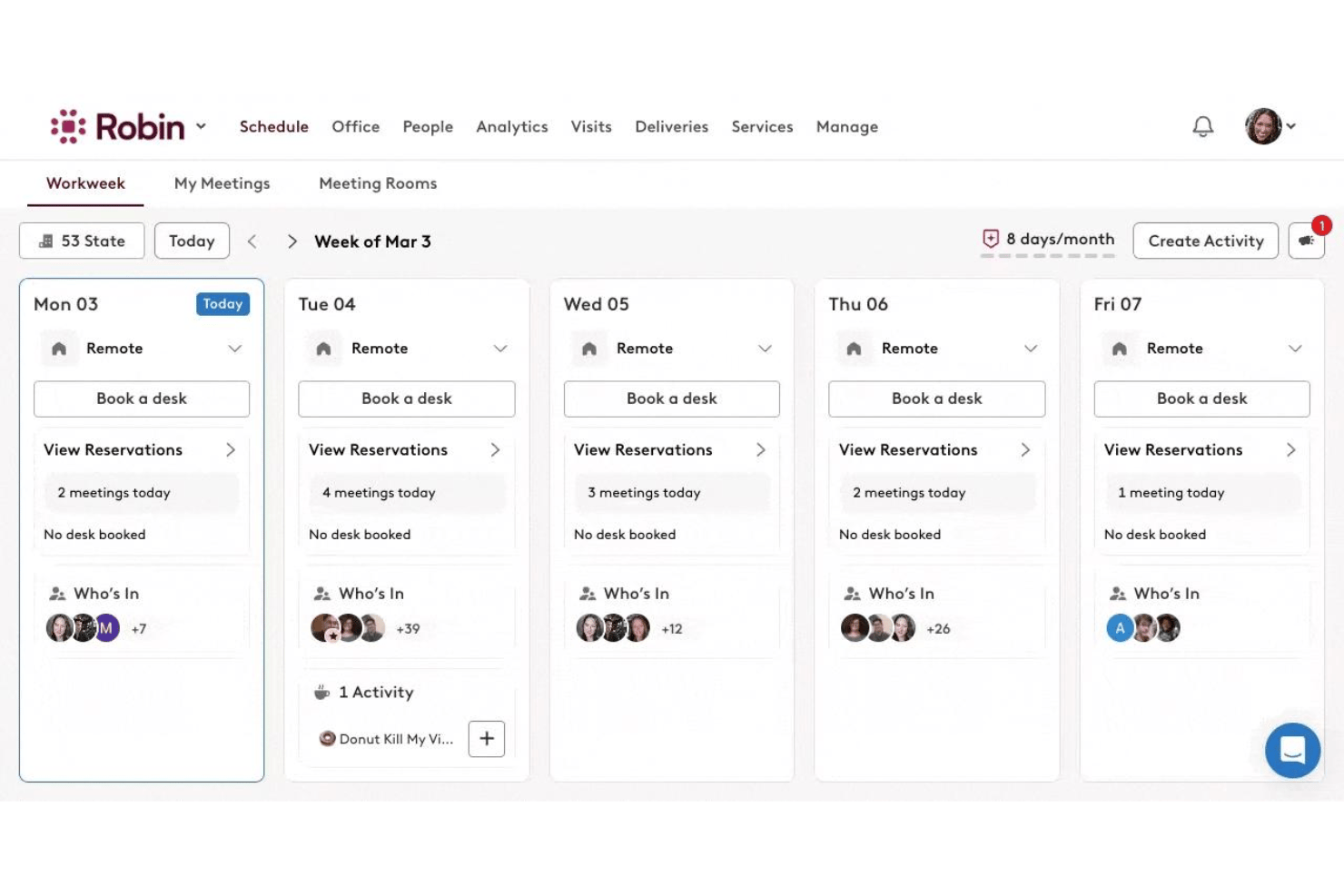
Reserve desks in advance or on the spot, with interactive floor plans. This simplifies hybrid work arrangements and reduces workplace confusion.
Room Scheduling
Easily book meeting rooms that fit group size and tech needs. Robin shows real-time availability and prevents double-booking.
Workplace Analytics
Track space utilization, attendance patterns, and trends across locations. Leaders can use these insights to optimize resources and inform office policies.
Visitor Management
Register guests, send check-in instructions, and issue badges automatically. This tightens workplace security and streamlines front-desk operations.
Interactive Office Maps
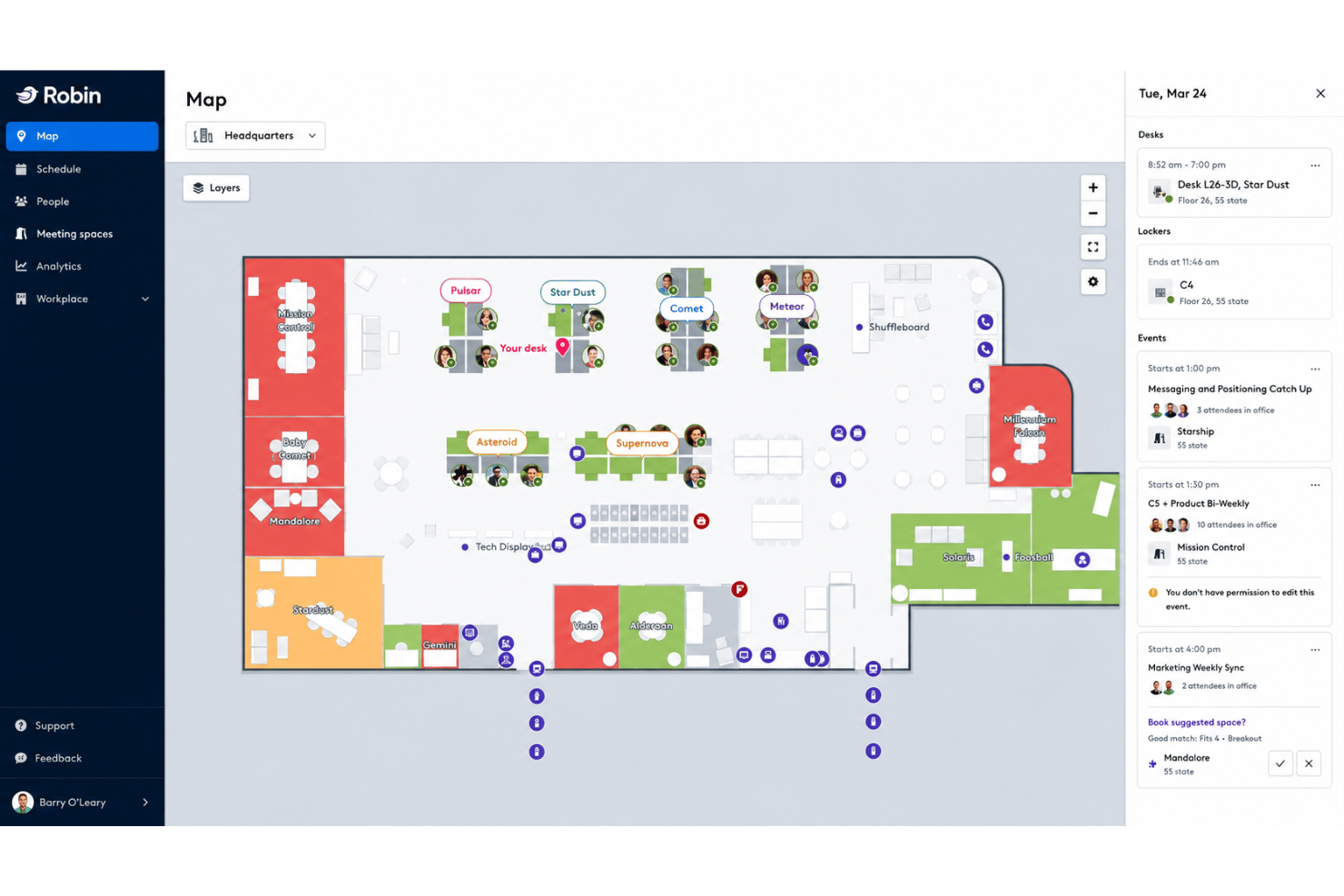
View seating charts, amenities, and live desk occupancy on a digital map. Employees can find colleagues and resources quickly using visual cues.
Employee Health and Safety Tools
Set capacity limits, self-screening surveys, and contact tracing protocols. These controls help you create a safer environment for staff and visitors.
Ease of Use
Robin’s visual interface makes desk and room booking feel intuitive for everyone, even occasional users. I think its drag-and-drop floor plans, clear occupancy info, and consolidated admin dashboard set it apart in terms of ease of use. User reviews consistently highlight how quickly employees adapt, with minimal training required.
Integrations
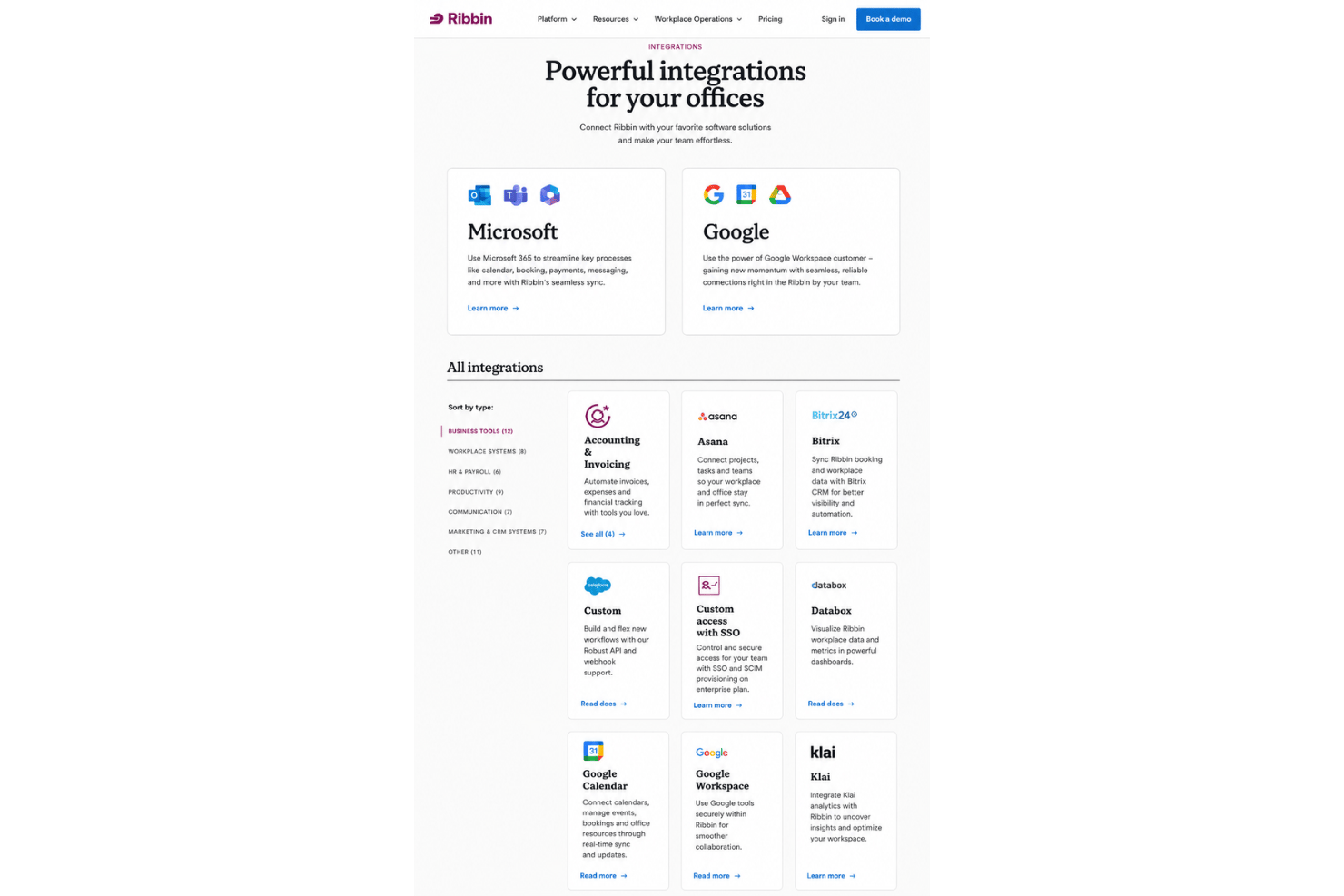
Robin integrates with Google Workspace, Google Calendar, Microsoft 365, Microsoft Outlook, Microsoft Teams, Slack, and Okta, among others.
Robin also offers an open API and supports connections with third-party integration tools.
Robin Specs
- API
- Appointment Scheduling
- Batch Permissions & Access
- BitCoin
- Calendar Management
- Chat
- Click-to-Dial
- Contact Management
- Custom Data Forms
- Customer Management
- Dashboard
- Data Export
- Data Import
- Data Visualization
- Email Integration
- External Integrations
- Forecasting
- Google Apps Integration
- Lead Management
- Marketing Automation
- Mobile App
- Multi-User
- Notifications
- PayPal
- Scheduling
- Self-service Portal
- SMS
- Stripe
- Workflow Management