

10 beste lønnsprogramvarer for hotell- og restaurantbransjen i 2026

Beste lønnssystemer for hotell- og serveringsbransjen – utvalg


Lønnssystemer for hotell- og serveringsbransjen hjelper hoteller, restauranter og andre tjenestebedrifter med å håndtere lønn, driks og overholdelse av regler for timelønte ansatte og ansatte som mottar driks. Hvis du ser etter verktøy for å håndtere skiftendringer, komplekse lønnsregler og bransjespesifikke utfordringer, har du kommet til rett sted. Denne veiledningen fremhever hva du bør se etter når du velger det som passer best for teamet ditt, slik at du kan forenkle lønnsarbeidet og fokusere på å yte god service til gjestene dine.
Why Trust Our Software Recommendations
Our team has been testing and reviewing software since 2012. As HR experts ourselves, we know how difficult—and important—it is to choose the right software.
For this guide, we evaluated tools using hands-on testing and independent research, scoring tools using our selection criteria. We also draw on insights from industry thought leaders and practicing HR experts.
Our reviews reflect our human editorial judgment, not a sales pitch.
Expert reviewers:
Sammenligningstabell for lønnssystemer til hotell- og serveringsbransjen
Tabellen nedenfor sammenligner prisdetaljer for mine beste utvalgte lønnssystemer til hotell- og serveringsbransjen.
| Tool | Best For | Trial Info | Price | ||
|---|---|---|---|---|---|
| 1 | Best for fast new hire payroll onboarding | Free demo available | From $49/month + $6/month/user | Website | |
| 2 | Best for complex shift and overtime pay rules | 30-day free trial + free demo available | From $50/user/month | Website | |
| 3 | Best for custom labor cost reporting | Free demo available | Pricing upon request | Website | |
| 4 | Best for restaurant scheduling and payroll sync | 14-day free trial + free plan available | From $39.99/month | Website | |
| 5 | Best for hospitality compliance tracking | Free demo available | Pricing upon request | Website | |
| 6 | Best for enterprise multi-property payroll at scale | Free demo available | Pricing upon request | Website | |
| 7 | Best for all-in-one restaurant management | Free demo available | Pricing upon request | Website | |
| 8 | Best for multi-role overtime pay in restaurants | Free demo available | Pricing upon request | Website | |
| 9 | Best for workforce analytics in hospitality | Free demo available | Pricing upon request | Website | |
| 10 | Best for tip calculation and POS integration | Free plan + free demo available | From $69/month | Website |

Anmeldelser av lønnssystemer for hotell- og serveringsbransjen
Nedenfor finner du mine detaljerte sammendrag av de beste lønnssystemene for hotell- og serveringsbransjen som kom med på utvalgslisten min. Anmeldelsene mine gir et detaljert innblikk i funksjonene, de beste bruksområdene og integrasjonene til hvert system, slik at du kan finne det som passer best for deg.

Gusto
Best for fast new hire payroll onboarding
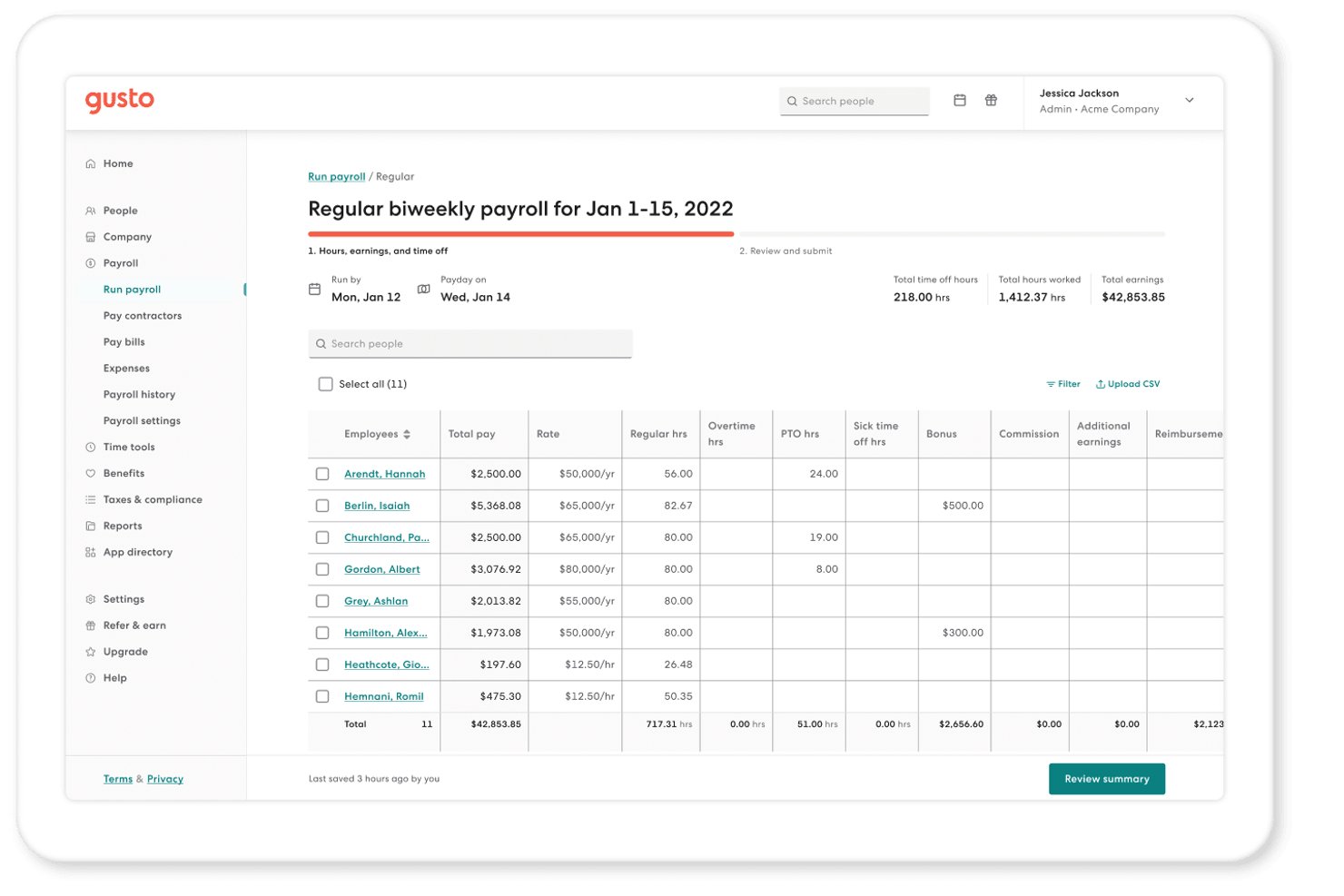
Gusto is a payroll platform that handles full-service tax filing, multi-rate pay, tip wage management, time tracking, and employee self-service onboarding for hourly and salaried workforces.
Who Is Gusto Best For?
Gusto is a strong fit for small, single-location restaurants or boutique hotels that prioritize fast, self-service onboarding and clear pricing over deep hospitality-specific POS integrations.
Why I Picked Gusto
I've included Gusto in my top picks because its self-service onboarding genuinely solves one of hospitality's biggest payroll headaches: getting new hires paid fast during a rush hire. New employees enter their own W-4, direct deposit, and I-9 details, and Gusto generates the I-9 automatically on acceptance. I also like its weighted-average overtime calculation, which handles a server-bartender split week without manual math.
Gusto Key Features
- Seasonal employee deactivation: Inactive employees aren't billed, and a built-in rehire workflow lets you reactivate seasonal staff each season without re-entering their details.
- Tip credit top-up automation: When tipped employees earn less than minimum wage, Gusto automatically adjusts their gross pay and flags the correction during the payroll run.
- State daily overtime rules: Gusto applies California, Alaska, Colorado, Nevada, and Kentucky daily and 7th-day overtime rules automatically when hours are recorded by workweek.
- Earned wage access via Clair: Employees can access up to 50% of their earned pay between pay periods, with free standard transfers and no interest charged.
Gusto Integrations
Gusto lists 152 integrations, including 7shifts, Homebase, Deputy, When I Work, Clover, Lightspeed/Upserve, talech, and SpotOn Teamwork. It lacks listed Toast, Square, Oracle Micros, or hotel PMS integrations.
Pros and Cons
Pros:
- Seasonal rehire workflows preserve employee details
- Weighted overtime handles multiple hospitality roles
- Self-service onboarding gets new hires paid faster
Cons:
- Multi-EIN payroll requires separate company profiles
- Tip pooling still requires manual calculations
New Product Updates from Gusto
Gusto Adds Solo Advisory Tools and Mobile Money Features
Gusto adds Solo S-Corp Advisory Tools and Gusto Money on Mobile for tax guidance, invoicing, and bill payments. These updates help accountants advise solopreneurs and let users manage business finances from their phones. For more information, visit Gusto’s official site.

TimeTrex
Best for complex shift and overtime pay rules
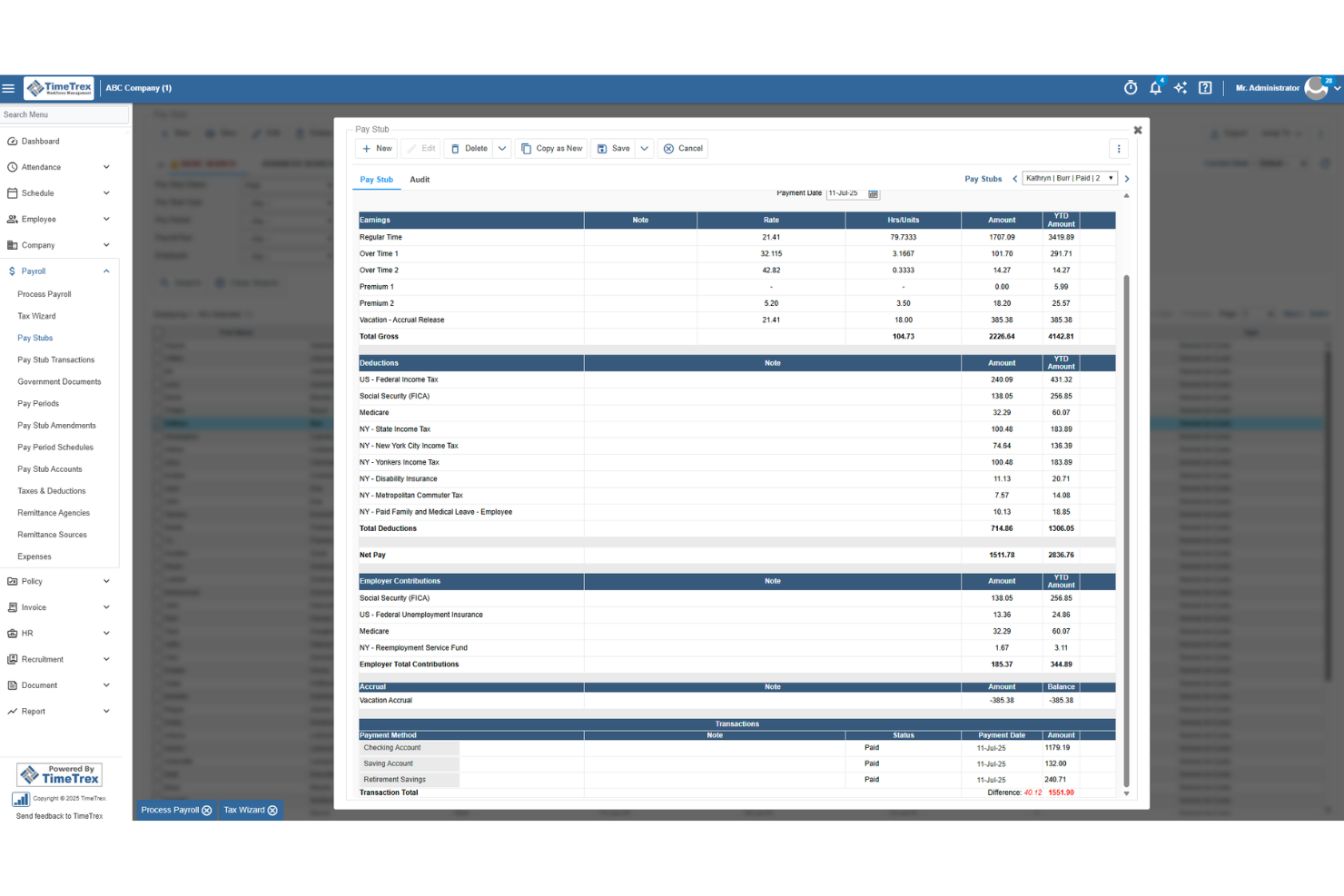
TimeTrex is a workforce management platform that combines payroll, time and attendance, scheduling, and HR tools, with a rules engine built to handle complex pay structures across multiple roles, rates, and locations.
Who Is TimeTrex Best For?
TimeTrex suits hospitality operators managing employees across multiple roles and locations who need a flexible rules engine to handle complex overtime and shift differential pay.
Why I Picked TimeTrex
I picked TimeTrex as one of the best because its rules engine handles the kind of pay complexity hospitality operators deal with daily. I'm particularly impressed by Secondary Wage Groups and Pay Formula Policies, which let a single employee earn different rates across roles automatically, say $30/hr in the kitchen and $25/hr in events. It also calculates blended overtime across those multiple roles and applies jurisdiction-specific rules like California daily overtime without manual workarounds.
TimeTrex Key Features
- Multi-jurisdiction overtime engine: Automatically applies daily, weekly, and consecutive-day overtime rules based on the employee's work location, including California and Fair Workweek jurisdictions.
- Geofenced and biometric time punching: Employees clock in via GPS-geofenced mobile punches or facial-recognition terminals, keeping location-based attendance accurate across properties.
- Drag-and-drop shift scheduling: Build and adjust schedules visually, with open-shift bidding and automatic blocking of bids that would trigger overtime.
- Job costing across cost centers: Tracks labor costs across up to four cost-center levels, letting multi-property operators see spending broken down by department, location, or role.
TimeTrex Integrations
TimeTrex documents integrations with ADP, QuickBooks, Sage, Paychex, Ceridian, CompuPay, Surepay, Vensure, and Chris21. Its RESTful API supports custom connections, but no native hospitality POS integrations are documented.
Pros and Cons
Pros:
- Tracks labor with biometric and geofenced punches
- Applies location-specific overtime rules automatically
- Handles blended overtime across multiple roles
Cons:
- Tax filing coverage varies by jurisdiction
- Requires manual handling for tip pooling
New Product Updates from TimeTrex
TimeTrex Adds Quick Punch App With Offline and QR Support
TimeTrex adds a new Quick Punch app, offline punching, QR code scanning, punch images, configurable messages, and punch warnings or lockouts to improve employee clock-ins across browsers and local computers. For more information, visit TimeTrex’s official site.
 .
.
Best for custom labor cost reporting
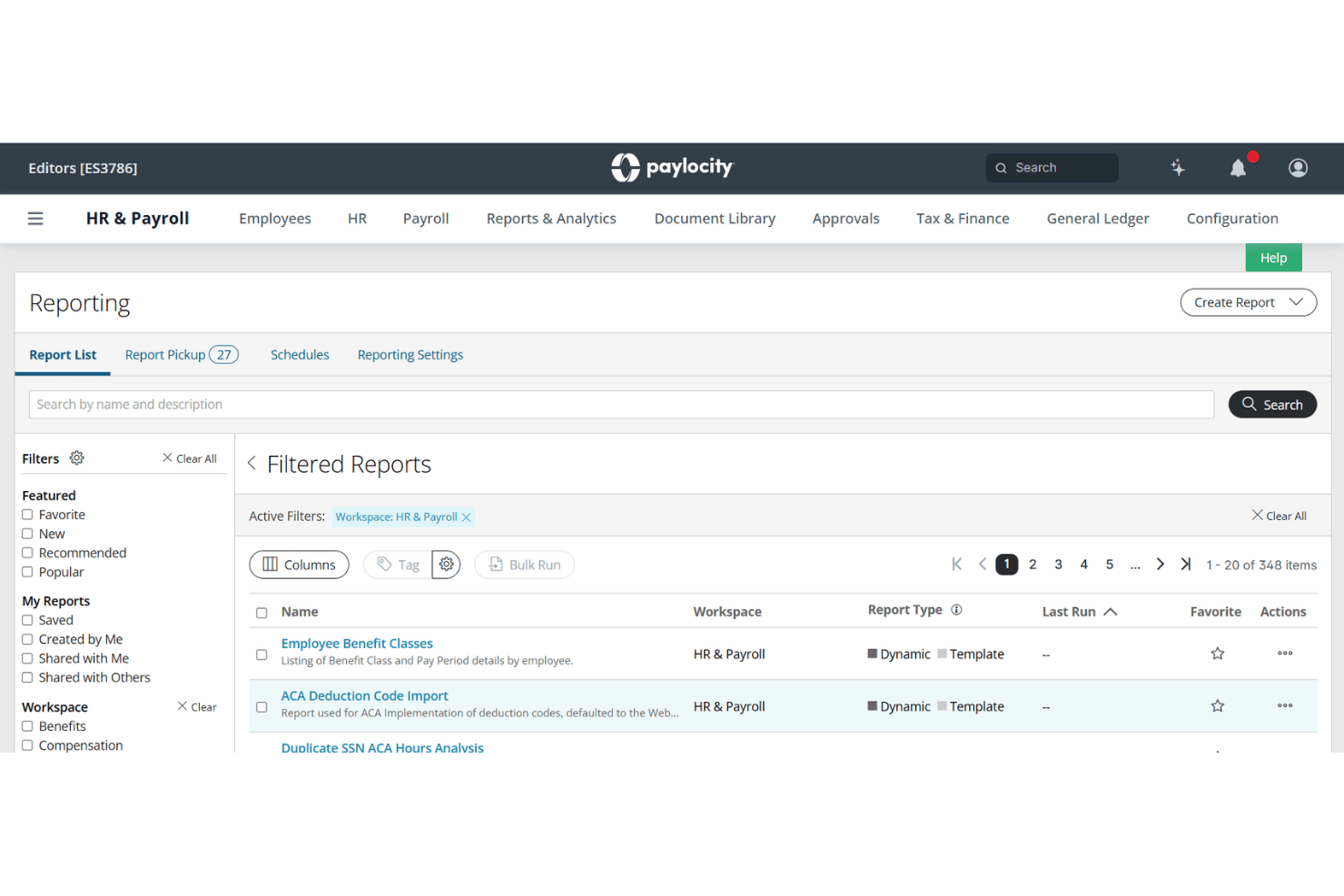
Paylocity is a payroll and HR platform that covers payroll processing, time and attendance, scheduling, hiring, and workforce analytics, with multi-location labor cost tracking built for large hourly and variable-pay workforces.
Who Is Paylocity Best For?
Paylocity is a strong fit for hotel groups and multi-location restaurant operators that need detailed labor cost reporting across properties, roles, and cost centers.
Why I Picked Paylocity
Paylocity earns its spot on my shortlist because of how far its labor cost reporting goes. I love that GL mapping flows directly from time data into payroll, so hours logged across roles and locations land in the right cost centers without manual cleanup. Workforce Analytics layers on top with custom dashboards, position-level data, and peer benchmarks pulled from 35,000+ companies, giving multi-property operators a real picture of where labor spend sits.
Paylocity Key Features
- On Demand Pay: Employees can request same-day access to earned wages, with requests made by 2 PM CT funded the same day.
- AI scheduling: Automatically recommends shifts based on staff history, skills, certifications, budgets, and sales forecasts.
- Biometric and geofenced time collection: Supports fingerprint, face recognition, and location-based clock-in for distributed hourly workforces.
- TipHaus integration: Syncs POS and tip data directly into payroll to automate tip pooling, allocation, and wage compliance.
Paylocity Integrations
Paylocity lists 400+ enterprise integrations, including marketplace connections with TipHaus, Toast, Square, 7shifts, and Sage Intacct. Custom connections are available through open APIs, EDI, and SFTP.
Pros and Cons
Pros:
- Biometric clocks support distributed hourly teams
- Same-day earned wage access aids retention
- Custom labor reporting by role and location
Cons:
- Support availability misses hospitality weekends
- Tip pooling requires separate workflow
New Product Updates from Paylocity

Paylocity Expands Expense and Purchase Request Tools
Paylocity adds connected personal cards, smarter expense categorization, and a streamlined purchase request experience. This reduces manual entry and helps finance teams manage expenses and approvals more efficiently. For more information, visit Paylocity’s official site.
 .
.
7shifts
Best for restaurant scheduling and payroll sync
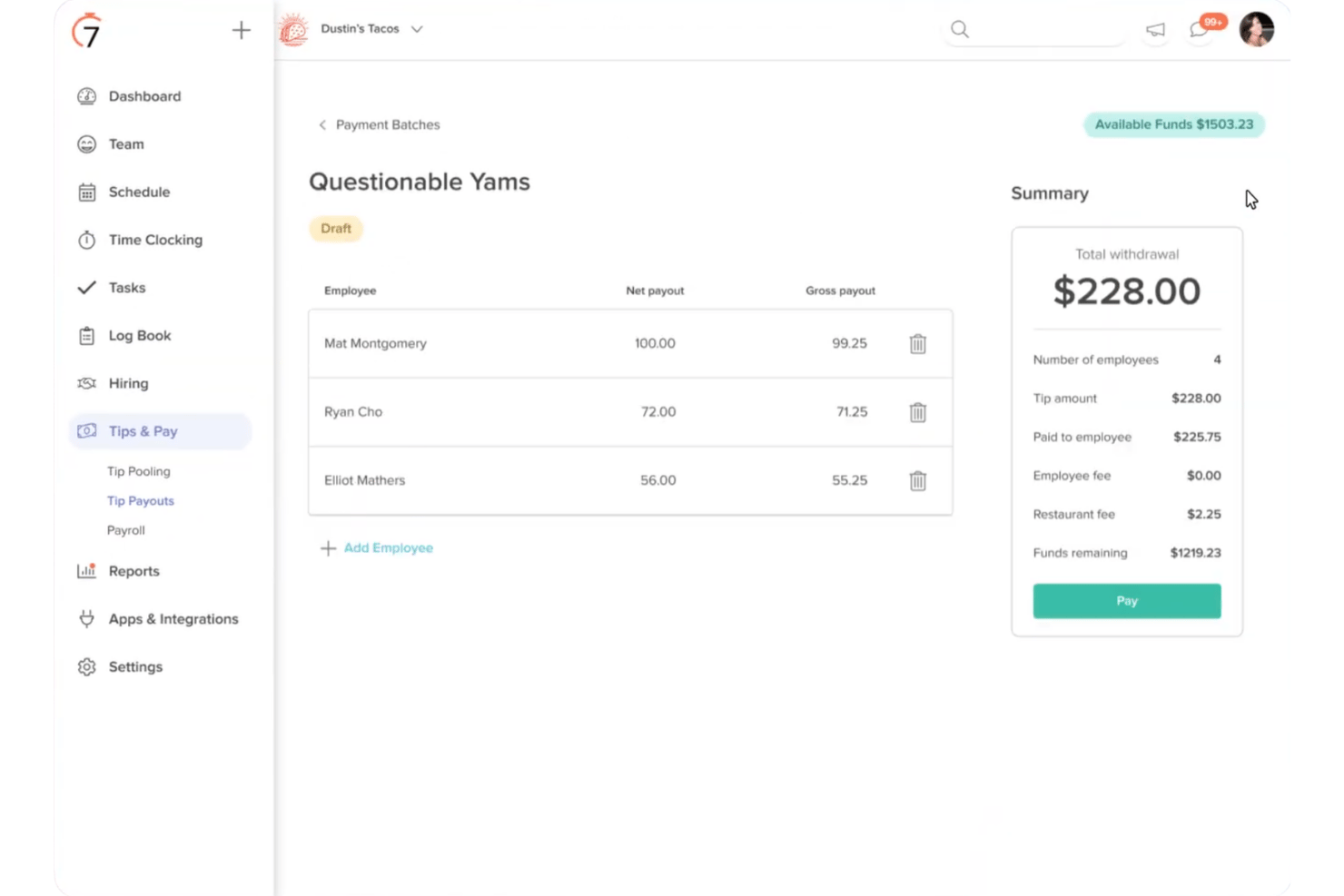
7shifts is a restaurant-focused payroll and workforce management platform that combines scheduling, time tracking, tip pooling, and full-service payroll processing in a single system built specifically for food service operations.
Who Is 7shifts Best For?
7shifts suits independent restaurants and small multi-location restaurant groups that already use its scheduling tools and want payroll to run from the same system.
Why I Picked 7shifts
I picked 7shifts as one of the best because the scheduling-to-payroll sync is genuinely tight: timesheets and tips flow from the floor into a payroll run in one step, cutting out the manual export-import cycle most restaurant operators deal with. I particularly like how tip pooling calculates splits by hours worked across roles automatically, and how blended overtime pulls from an employee's total pay across all their positions. Both features do real work during a busy week with mixed hourly and tipped staff.
7shifts Key Features
- Digital employee onboarding: New hires complete I-9 and E-Verify paperwork digitally, with the whole process taking around 10 minutes per employee.
- Multi-position pay rates: Employees can hold multiple roles with different pay rates, which carry through automatically from timesheets into payroll.
- On-demand pay via Clair: Employees can access earned wages and tips before payday at no cost to the employer.
- Location-level overtime rules: Daily, weekly, and consecutive-day overtime thresholds can be configured separately per location to match local labor law requirements.
7shifts Integrations
7shifts offers native integrations with Toast, Square, Clover, Lightspeed, TouchBistro, Revel, Aloha, Qu, Cake, and GoTab, plus QuickBooks for accounting. It also provides an API and partner marketplace for custom connectivity.
Pros and Cons
Pros:
- Digital onboarding supports fast seasonal hiring
- Blended overtime covers multiple employee positions
- Tip pooling calculates by hours and roles
Cons:
- Doesn't support broader hotel operations
- No confirmed Form 8027 filing

Netchex
Best for hospitality compliance tracking
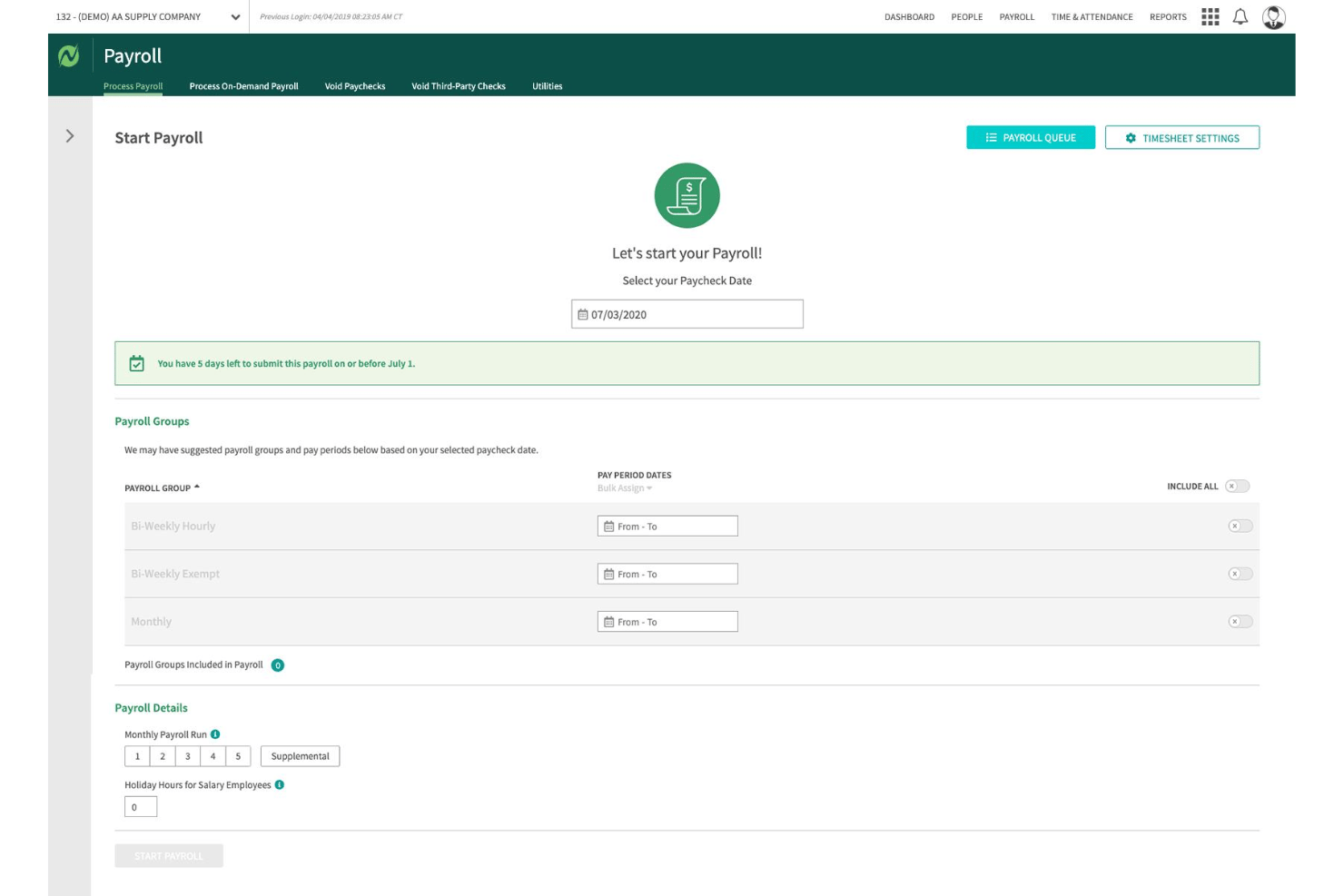
Netchex is a hospitality payroll and HR platform that handles multi-location payroll, tip tracking, wage compliance, hourly workforce onboarding, and POS integrations across restaurant and hotel operations.
Who Is Netchex Best For?
Netchex is a strong fit for multi-location hospitality operators—from hotel groups to restaurant franchises—that need to manage tip compliance, blended overtime, and hourly workforce onboarding across properties.
Why I Picked Netchex
I've included Netchex in my top picks because it handles hospitality compliance tracking in a way that's genuinely built for the industry's complexity. I particularly like how it automates state-by-state tip credit configurations and calculates minimum wage shortfalls by pay period, so if a tipped employee's base pay plus tips falls short, the system catches it automatically. Blended overtime across multiple roles within a single pay run is another feature I find compelling for operators running staff across departments.
Netchex Key Features
- Multi-location payroll management: Run payroll across multiple properties and EINs from a single login, with per-location and combined totals available in one view.
- POS integration: Connects with 14–23 restaurant POS platforms—including Toast, Oracle MICROS, and Aloha—to import employee hours and tips directly into payroll.
- Digital onboarding: New hires complete I-9, W-4, and direct deposit setup before their first shift, with e-signatures and E-Verify built in.
- ACA tracking: Automatically tracks ACA hours for variable-schedule and seasonal staff to support eligibility determinations across pay periods.
Netchex Integrations
Netchex offers 14–23 documented restaurant POS and back-office integrations, including Toast, Aloha, Oracle MICROS, Restaurant365, 7shifts, and Oracle OPERA PMS. It also connects with QuickBooks Online and supports GL exports to Sage and NetSuite.
Pros and Cons
Pros:
- Responsive implementation and support teams
- Supports multi-property payroll from one login
- Handles blended overtime across roles
Cons:
- Reporting feels dated and clunky
- Tip pooling capabilities remain unclear
UKG Pro
Best for enterprise multi-property payroll at scale
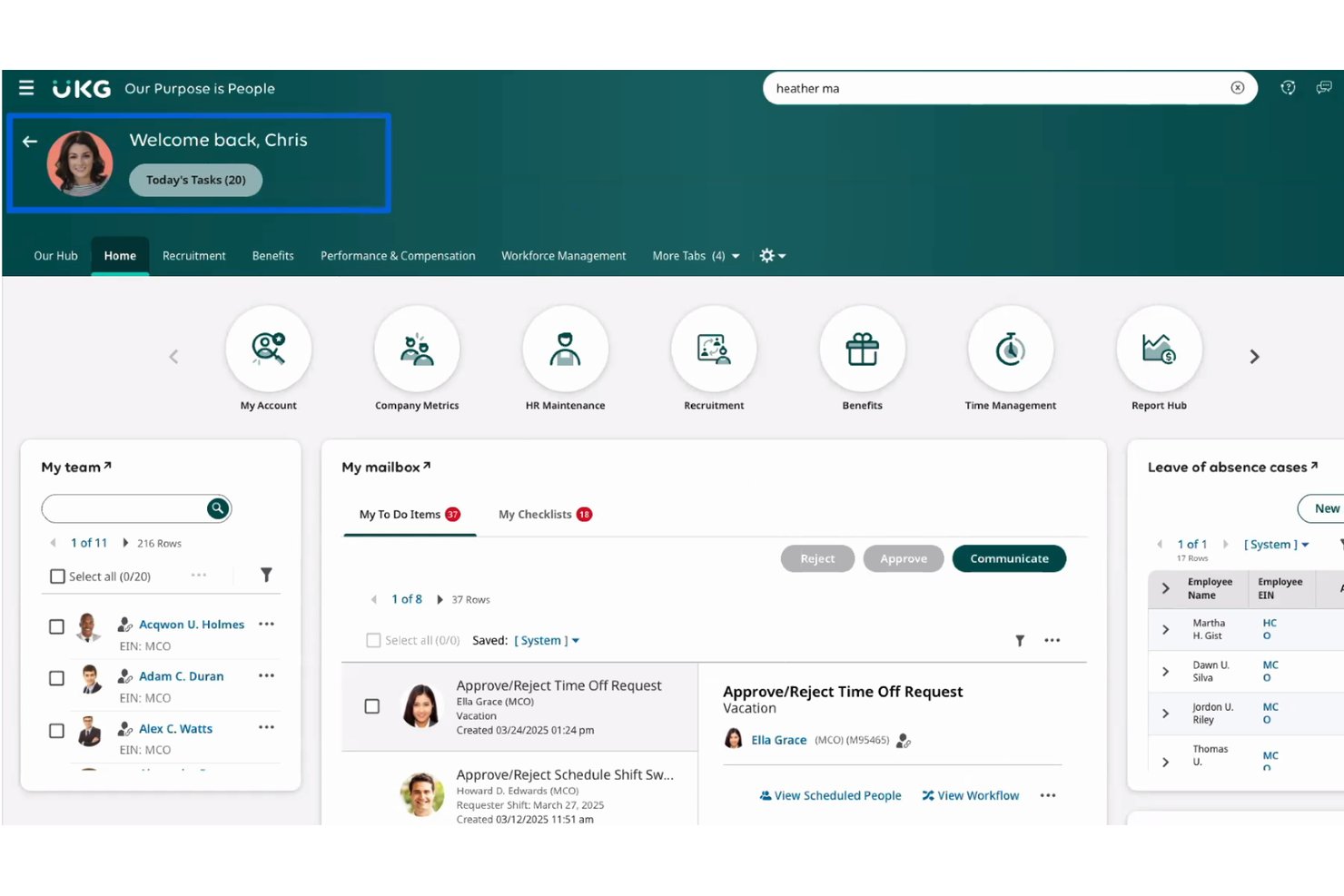
UKG Pro is an enterprise HCM suite that covers payroll, HR, time and attendance, and workforce scheduling, with built-in support for multi-rate pay, weighted-average overtime, and multi-entity payroll runs across large, multi-property operations.
Who Is UKG Pro Best For?
UKG Pro is built for enterprise hotel groups and large multi-property operators that need to run payroll across thousands of hourly workers, multiple EINs, and dozens of locations in a single pass.
Why I Picked UKG Pro
I picked UKG Pro as one of the best because it's the only tool on my list that can run payroll across thousands of hourly workers, dozens of properties, and multiple EINs in a single pass. I love how it handles weighted-average overtime natively, so when a housekeeper at an Aimbridge property works across two roles in one week, the blended rate calculates automatically. Its managed tax filing and multi-jurisdiction wage rule enforcement mean a finance director at a 50-property hotel group isn't manually reconciling state tax tables each pay period.
UKG Pro Key Features
- Rapid Hire: A high-volume hiring tool that automates up to 90% of sourcing, screening, scheduling, and onboarding via a mobile, text-based candidate flow.
- UKG Wallet: An earned wage access feature that gives hourly employees on-demand access to earned pay, including a fee-free prepaid card for unbanked workers.
- Bryte AI alerts: AI-driven monitoring that flags overtime risk, understaffing, and fatigue issues before they affect your payroll or scheduling.
- Managed tax filing: Fully managed federal and state tax filing, including W-2 and 1099 distribution, amended returns, and new-hire reporting across all your locations.
UKG Pro Integrations
UKG Pro offers marketplace integrations via Flexspring for NCR Aloha, Oracle MICROS, Toast, Lightspeed, TouchBistro, Revel, e-Restaurant, and POS Nation, plus a Toast partnership. 7shifts connects through a manual CSV time-and-attendance export rather than live sync.
Pros and Cons
Pros:
- Reviewers praise consolidated reporting and payroll processing
- Supports multi-property payroll and multi-EIN structures
- Handles weighted-average overtime across multiple roles
Cons:
- Reviewers report slow tax and ticket support
- Native tip pooling remains unconfirmed

Best for all-in-one restaurant management
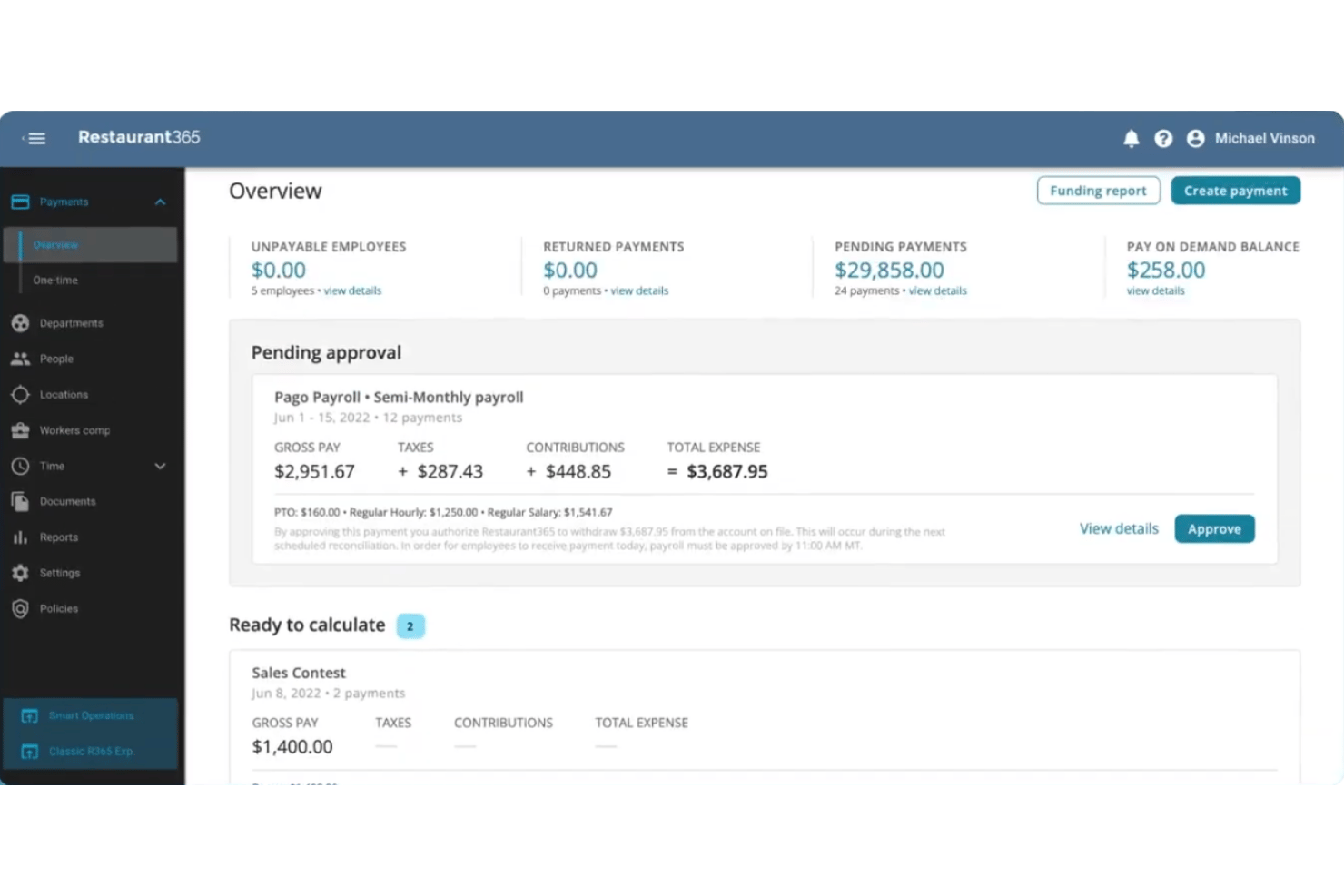
Restaurant365 is a restaurant-specific back-office platform with built-in payroll that connects POS labor data, tip automation, scheduling, time and attendance, HR, and accounting in one system.
Who Is Restaurant365 Best For?
Restaurant365 is a strong fit for multi-location restaurant groups that want payroll, tip management, scheduling, and accounting all running in one connected system.
Why I Picked Restaurant365
I picked Restaurant365 as one of the best because it's the only platform I've seen where tip automation, payroll, and accounting all run inside the same system built exclusively for restaurants. When a tipped employee's punch is edited, tip distributions recalculate automatically and lock once approved, with everything posting directly to the GL. I also love that it handles FICA tip credit tracking and Form 8027 reporting natively, which saves multi-location groups real time at year-end.
Restaurant365 Key Features
- Blended overtime calculation: Computes weighted average overtime rates for employees working multiple jobs in a single workweek, including a dedicated California calculation method.
- Bilingual employee self-service app: Lets employees view schedules, swap shifts, access paystubs, and update W-4s in both English and Spanish on iOS and Android.
- Multi-entity payroll setup: Supports separate payroll companies, funding accounts, and tax profiles per legal entity, with multi-state and multi-EIN configurations.
- Form 8027 reporting: Builds IRS Form 8027 reports by location using POS sales data and GL categories, with support for combining multiple reports into one electronic filing.
Restaurant365 Integrations
Restaurant365 documents 100+ POS integrations, including Toast, Square, NCR Aloha, Oracle MICROS, and PAR Brink, plus labor-only connections to 7shifts, Deputy, UKG/Kronos, and Paycom. It also supports custom integrations through an open API.
Pros and Cons
Pros:
- Payroll journals post directly to accounting
- Handles complex hospitality overtime rules
- Tip distributions recalculate after punch edits
Cons:
- After-hours support can be difficult
- Rehires require payroll onboarding again
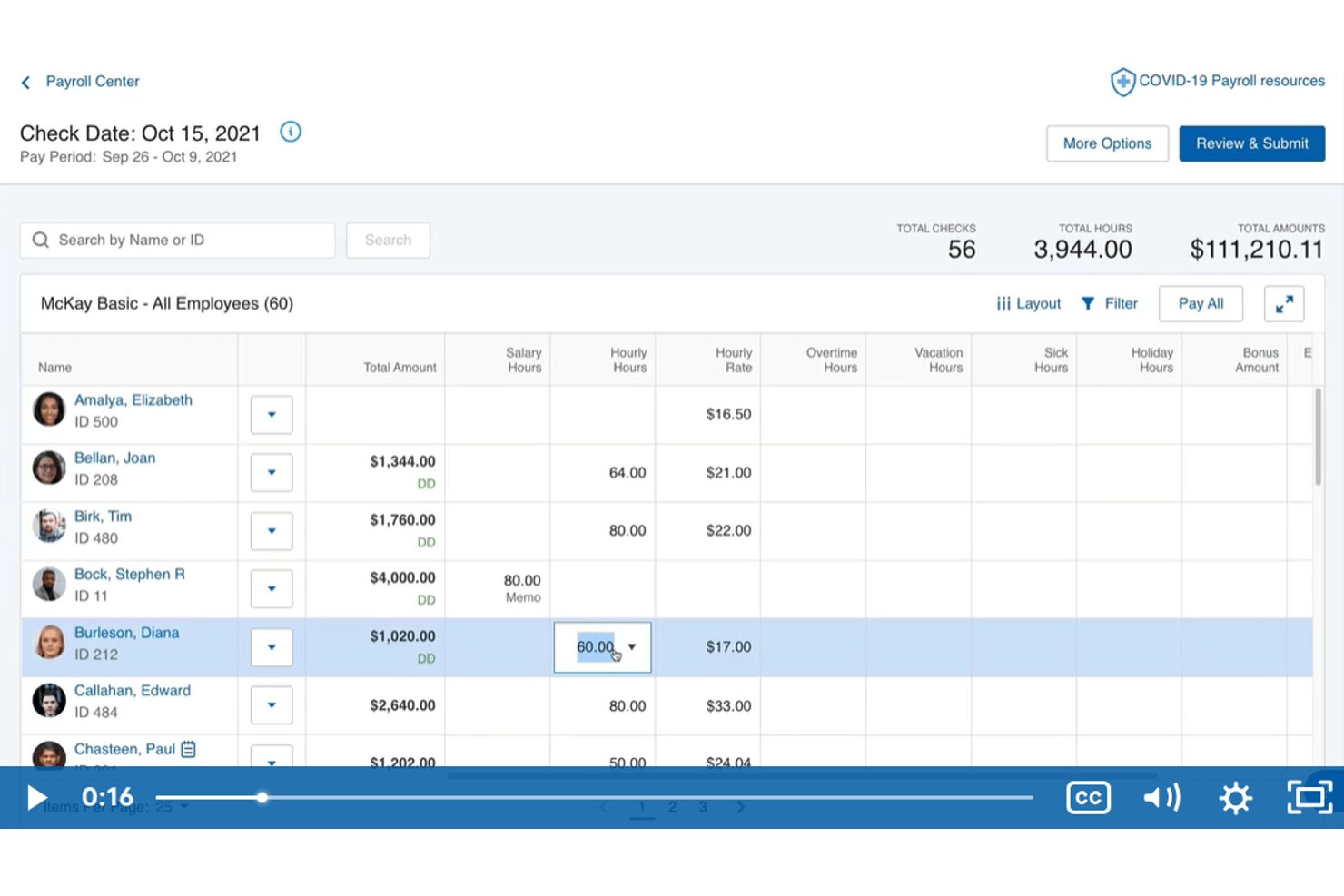
Paychex is a payroll and HR platform that handles multi-location time tracking, weighted overtime, shift differentials, wage compliance, and tax filing for hourly and variable-schedule workforces in hospitality.
Who Is Paychex Best For?
Paychex is a strong fit for multi-unit restaurant operators who need to manage weighted overtime, shift differentials, and variable pay rates across multiple locations.
Why I Picked Paychex
I picked Paychex as one of the best because it handles weighted overtime across multiple roles natively, which is exactly what restaurant operators need when one employee works prep cook hours one week and line cook hours the next. Paychex Flex Time calculates blended overtime rates automatically and tracks shift differentials per labor level. The Hunger Thirst Group runs seven restaurants through Paychex and cut payroll processing from three days to eight hours per pay period.
Paychex Key Features
- Bilingual mobile app: Employees can clock in and out, view pay stubs, request time off, and update direct deposit in English or Spanish.
- FICA tip credit calculator: A built-in calculator helps restaurant operators identify and claim the FICA tip tax credit on qualifying tipped wages.
- California meal-penalty tracking: Paychex Flex Time automatically tracks missed meal and rest breaks to support California labor law compliance.
- Same-day ACH direct deposit: Paychex supports same-day ACH payroll payments so hourly staff get paid faster without waiting for a standard processing window.
Paychex Integrations
Paychex has documented integrations with 7shifts, When I Work, Connecteam, SwyftOps, and Mindbody, plus marketplace integrations for Altametrics/eRestaurant and Delaget. It also offers an open API for custom integrations.
Pros and Cons
Pros:
- Bilingual apps support frontline self-service
- Restaurant case study reports faster processing
- Weighted overtime supports multiple restaurant roles
Cons:
- Reviewers report inconsistent support follow-up
- Tip pooling depends on partner solutions

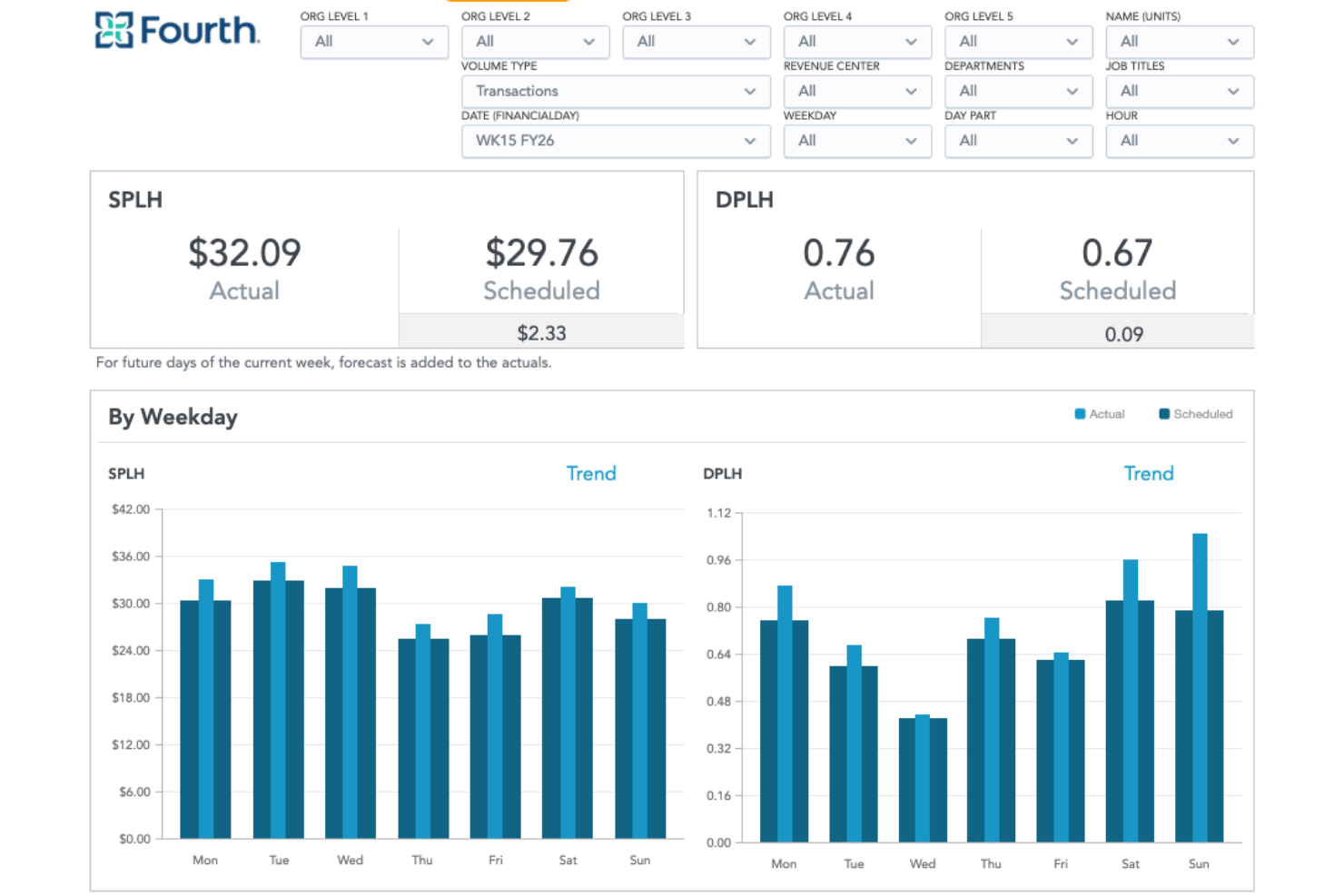
Fourth is a hospitality-focused workforce management and payroll platform that combines payroll processing, tip management, scheduling, time and attendance, earned wage access, and workforce analytics.
Who Is Fourth Best For?
Fourth fits multi-location restaurant operators who need scheduling, tip management, and payroll to work together without stitching separate tools together.
Why I Picked Fourth
Fourth earns its spot on my shortlist because of how deeply its workforce analytics are built for hospitality operations. I particularly like Fourth iQ, which pulls 7+ years of historical data to forecast labor demand by department, letting operators like hotel finance teams track daily and weekly labor KPIs without building reports from scratch. Paired with 50+ KPI dashboards that roll up across locations, it's the kind of labor visibility I'd want if I were managing a multi-unit restaurant group or a property like the Four Seasons Park Lane.
Fourth Key Features
- Tip pooling rules engine: Calculates tip pools and tip-outs daily by role, day part, and location using rules you set, with manager approval before payout.
- Earned wage access: Employees can draw up to 50% of earned wages after each shift at no cost to you as the employer.
- PeopleMatter onboarding: Tracks applicants and processes new hires with connections to Indeed, Snagajob, and other job boards.
- Multi-jurisdiction tax filing: Fourth calculates, files, and pays federal, state, and local payroll taxes across multiple jurisdictions on your behalf.
Fourth Integrations
Fourth offers 15+ documented POS integrations, including Toast, Aloha, Lightspeed U Series, PAR Brink, Simphony, and Revel, plus native HotSchedules and WebClock scheduling and time tracking. An API supports custom integrations.
Pros and Cons
Pros:
- Workforce analytics forecasts labor demand
- Payroll handles multi-jurisdiction tax filing
- Tip pooling supports role-based payout rules
Cons:
- Blended overtime calculations aren't documented
- Hotel-specific payroll details remain limited
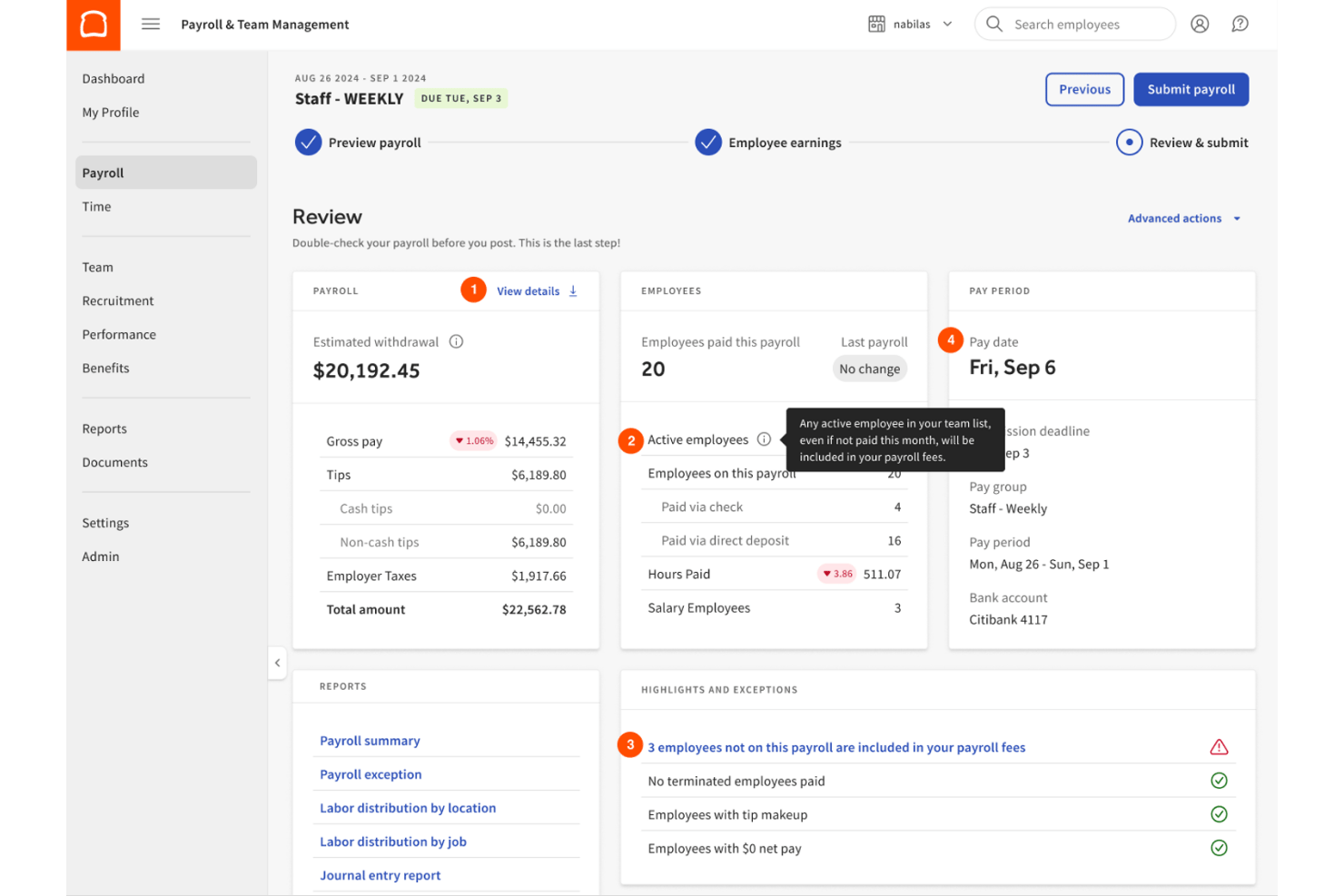
Toast Payroll is a restaurant-focused payroll platform that handles tip pooling, tip credit calculations, multi-location overtime, tax filing, and employee payments through native integration with Toast POS.
Who Is Toast Payroll Best For?
Toast Payroll is built for multi-location restaurant operators who already run Toast POS and need tip pooling, automated payroll, and real-time POS data to flow together without manual entry.
Why I Picked Toast Payroll
Toast Payroll earns its spot on my shortlist because no other payroll tool I've used pulls tip and hour data directly from the POS in real time, cutting out manual entry entirely. I love how Tips Manager lets you set unlimited pool rules by job or role, then automatically calculates each employee's share as shifts close. If tips plus direct wages ever fall short of minimum wage, Toast adds a tip makeup line without any manual intervention on your end.
Toast Payroll Key Features
- Multi-location overtime aggregation: Automatically totals hours across locations and FEINs before calculating overtime, so employees who work multiple sites are paid correctly.
- Auto Payroll: Flags auto clock-outs and unapproved tips before each run, then processes payroll automatically once issues are cleared.
- MyToast mobile app: Lets employees view hours, tips, shifts, and pay stubs directly from their phones.
- Digital onboarding checklist: New hires complete registration, I-9, W-4, and payment setup online, with an I-9 alert dashboard for managers.
Toast Payroll Integrations
Toast Payroll offers native integrations with Toast POS, Toast Tips Manager, Toast Scheduling, and QuickBooks Online. Its partner ecosystem also includes Restaurant365, 7shifts, ERGO NEXT, and Vestwell 401(k).
Pros and Cons
Pros:
- Digital onboarding suits high-turnover restaurant teams
- Multi-location overtime aggregation supports restaurant groups
- Automated tip makeup supports wage checks
Cons:
- Nevada daily overtime requires manual review
- No Form 8027 or 8846 filing
Andre lønnssystemer for hotell- og serveringsbransjen
Her er noen flere alternativer for lønnssystemer til hotell- og serveringsbransjen som ikke kom med på utvalgslisten min, men som likevel er verdt å se nærmere på:
- Workforce.com
For shift-based wage rule enforcement
- Homebase
For hourly staff onboarding in hospitality
- Paycor
For restaurant-focused labor law compliance
- ADP Workforce Now
For multi-location operator payroll and pay cards
- Square Payroll
For hourly teams on Square's ecosystem
- ADP TotalSource
For PEO-backed multi-state hospitality payroll
- Workstream
For QSR multi-location hourly payroll
- Hybrid Payroll
For multi-property pay rate management


How I Evaluate Payroll Software for Hospitality
I split my evaluation into core requirements—like tip pooling, POS integration, and wage compliance—and the differentiators that separate a hospitality-ready platform from a generic payroll tool.
Core Functionality (Table Stakes for This List)
When I'm selecting tools for my list, I rank each one on a scale from 0 (does not offer the functionality) to 5 (excels in this area) for each core functionality listed below. I then calculate the tool's total score as a percentage, using 65% as a benchmark to help assess its overall fit for the list.
- Tip Management: I look for automated tip pooling, tip-out calculations, and tip credit tracking that flow directly into payroll runs without manual spreadsheet work.
- POS & Scheduling Integrations: The platform should connect natively with hospitality POS and scheduling tools so hours and tip data sync without CSV exports.
- Multi-Rate & Multi-Location Pay: I evaluate whether a server working as a host at a second location can be paid both rates in a single payroll run.
- Hospitality Wage Compliance: Automated tipped minimum wage rules, FLSA tip credit calculations, and overtime tracking across jurisdictions are what I check for here.
- Hourly & Variable Workforce Payroll: High-turnover teams need fast onboarding, variable schedule support, and the ability to process seasonal hires in bulk.
- Tax Filing & Direct Deposit: I look for automated multi-jurisdiction tax filings alongside flexible pay options like same-day or on-demand pay for hourly workers.
Once I have a list of tools that meet the criteria, I consider what sets each platform apart.
Differentiating Factors (What Sets Vendors Apart)
Here's how I compare and contrast different vendors:
Standout Features
Blended overtime calculation is a big differentiator. When a bartender also works host shifts at a different rate, the platform should automatically calculate the correct weighted overtime. I also evaluate same-day and on-demand pay options, which help reduce turnover among hourly staff who value flexible access to earned wages. Multi-location wage rules matter too—I look for a single dashboard that manages varying pay rates and overtime thresholds across properties.
Beyond Features
Pricing structure matters a lot in hospitality because headcount swings seasonally. I look for per-employee pricing that adjusts month to month, plus transparent fees for off-cycle runs and year-end filings. High-turnover support is equally important—bulk onboarding, rehire workflows, and multilingual self-service apps make a real difference when you're staffing up for peak season. I also evaluate compliance depth, especially around tipped wage reporting and ACA tracking for variable-hour employees.
Slik velger du lønnssystem for hotell- og serveringsbransjen
Hvordan kan du være sikker på at lønnssystemet du velger, faktisk håndterer drikshåndtering, overholdelse av lønnsregler og bemanningsplanlegging i hotell- og serveringsbransjen slik virksomheten din trenger?
| Hvis prioriteten din er ... | Prioriter programvare med ... |
|---|---|
| Integrert driksfordeling og utbetaling av driks | Automatiserte verktøy for drikshåndtering |
| Flere lokasjoner eller eiendommer | Lønnsregler og oversikter for flere lokasjoner |
| Variable arbeidstider eller sesongansettelser | Støtte for rask masseonboarding |
| Omfattende integrasjon med POS og bemanningsplanlegging | Integrert synkronisering med ditt nåværende POS-system |
| Overholdelse av arbeidslivsregler for hotell- og serveringsbransjen | Innebygd rapportering for overholdelse av lønnsregler |
Slik vurderer du utvalgslisten
- Be om en eksempelrapport for driksfordeling: Be om en eksportert fil som viser hvordan samlet driks og kreditter beregnes for en nylig lønnsperiode.
- Gjennomfør en direkte lønnskjøring: Behandle minst én lønnskjøring som omfatter flere roller, satser og eiendommer, ved hjelp av reelle eller anonymiserte data.
- Be om dokumentasjon på overholdelse av regler i hotell- og serveringsbransjen: Be om et nylig dokument eller en artikkel i hjelpesenteret som beskriver hvordan overholdelse av regler for lønn og ansatte som mottar driks, opprettholdes og oppdateres.
- Test POS-integrasjonen: Koble det faktiske POS- eller bemanningsplanleggingssystemet ditt til programvaren i et sandkassemiljø, og kontroller at synkroniseringen er korrekt innen to virkedager.
- Vurder støtte for alt-i-ett-løsninger opp mot nisjefordeler: Finn ut om du trenger en komplett HR- og lønnsløsning eller en spesialisert løsning med dypere ekspertise innen hotell- og serveringsbransjen.
Hva er lønnssystemer for hotell- og serveringsbransjen?
Lønnsprogramvare for hotell- og serveringsbransjen er en spesialisert plattform som automatiserer lønnsutbetalinger, tipsadministrasjon og regelverksetterlevelse for hoteller, restauranter og virksomheter innen hotell- og serveringsbransjen. Den håndterer lønn for timelønte, tipsberettigede og sesongansatte, administrerer komplekse lønnssatser, integreres med kassasystemer og planleggingssystemer og bidrar til at du overholder bransjespesifikke arbeidslivsregler – slik at du kan betale team som arbeider varierte skift og roller på flere lokasjoner, korrekt.
Funksjoner i lønnsprogramvare for hotell- og serveringsbransjen
Når du velger lønnsprogramvare for hotell- og serveringsbransjen, bør du se etter følgende viktige funksjoner:
- Tipsadministrasjon: Beregner, fordeler og rapporterer samlede eller individuelle tips, inkludert tipskreditter, automatisering av tipspooler og overholdelse av IRS-skjema 8027.
- Lønn på flere lokasjoner: Behandler lønn for ansatte som arbeider på tvers av flere eiendommer eller enheter, med støtte for lokasjonsspesifikke lønnssatser og regler for regelverksetterlevelse.
- Variable lønnssatser: Håndterer flere jobbroller for samme ansatt og bruker automatisk riktige satser og beregninger av blandet overtidsarbeid i hver lønnskjøring.
- Integrasjoner med kassasystemer og planlegging: Kobler seg til kassasystemer og planleggingssystemer for hotell- og serveringsbransjen for automatisk synkronisering av timer, salg og skiftdetaljer, slik at lønnen blir korrekt.
- Sesongansettelser og masseonboarding: Gjør det enkelt å legge til sesongansatte, midlertidig ansatte eller et stort antall nyansatte, med utvidet dokumentinnsamling og selvbetjent oppsett for ansatte.
- Overholdelse av lønnsregler i hotell- og serveringsbransjen: Ivaretar overholdelse av regler for minstelønn for tipsberettigede, FLSA-tipskreditter, overtid og lokale arbeidslivsregler som er unike for hotell- og serveringsbransjen.
- Automatisk skatteinnrapportering: Håndterer føderale, statlige og lokale arbeidsgiveravgifter og lønnsskatter, inkludert automatiserte innrapporteringer, W-2-skjemaer og årsrapportering.
- Direkte innskudd og lønnsalternativer: Tilbyr lønnsutbetaling samme dag, neste dag eller tilgang til opptjent lønn for å møte behovet for raskere lønnssykluser som er vanlig blant ansatte i hotell- og serveringsbransjen.
- Selvbetjeningsportal for ansatte: Lar ansatte se lønnsslipper, administrere personopplysninger og kontrollere tipsfordelinger uten støtte fra HR.
- Rollebasert tilgangskontroll: Begrenser eller gir innsyn i lønnsopplysninger basert på lokasjon, avdeling eller jobbrolle, beskytter sensitive data og støtter komplekse organisasjonsstrukturer.
Fordeler med lønnsprogramvare for hotell- og serveringsbransjen
Implementering av lønnsprogramvare for hotell- og serveringsbransjen gir flere fordeler for teamet og virksomheten din. Her er noen av fordelene du kan se frem til:
- Nøyaktig tipsadministrasjon: Automatiserte beregninger, fordelinger og rapporter reduserer feil og støtter full overholdelse av regler for tipspooler og tipskreditter.
- Forenklet overholdelse av lønnsregler: Innebygde verktøy hjelper deg med å holde oversikt over komplekse arbeidslivsregler, minstelønn for tipsberettigede og krav til blandet overtidsberegning på tvers av flere lokasjoner.
- Raskere lønnssykluser: Sanntidsintegrasjoner med kassasystemene og planleggingssystemene dine gjør at lønnen kan kjøres nøyaktig og raskt, selv med varierende arbeidstid og høy turnover.
- Enklere onboarding i stor skala: Selvbetjeningsportaler og arbeidsflyter for masseonboarding gjør det mulig å ta inn sesongansatte eller midlertidig ansatte uten å overbelaste HR-teamet.
- Sentralisert rapportering: Dashbord for flere lokasjoner og automatiserte rapporter for regelverksetterlevelse gir deg en samlet oversikt over arbeidskraftkostnader, overtid og skatteforpliktelser på tvers av virksomhetene dine.
- Fleksible lønnsalternativer: Funksjoner som lønn samme dag eller tilgang til opptjent lønn gir ansatte større kontroll over når de får utbetalt lønn, noe som forbedrer både medarbeiderbevaring og arbeidsmoral.
- Mindre manuelt arbeid: Automatisk datasynkronisering, skatteinnrapportering og selvbetjening for ansatte frigjør tid for HR og ledere, slik at de kan fokusere på service i stedet for papirarbeid.
Kostnader og priser for lønnsprogramvare for hotell- og serveringsbransjen
Valg av lønnsprogramvare for hotell- og serveringsbransjen krever en forståelse av de ulike prismodellene og abonnementene som er tilgjengelige. Kostnadene varierer basert på funksjoner, teamstørrelse, tilleggstjenester og mer. Tabellen nedenfor oppsummerer vanlige abonnementer, gjennomsnittsprisene deres og typiske funksjoner som er inkludert i løsninger for lønnsprogramvare for hotell- og serveringsbransjen:
Sammenligningstabell for abonnementer for lønnsprogramvare for hotell- og serveringsbransjen
| Plantype | Gjennomsnittspris | Vanlige funksjoner |
|---|---|---|
| Gratisabonnement | $0 | Grunnleggende lønnsbehandling, begrenset antall ansatte og enkel rapportering av tips. |
| Personlig abonnement | $5–$15 per bruker/måned | Lønn for små team, viktige verktøy for regelverksetterlevelse og manuell registrering av tips. |
| Bedriftsabonnement | $15–$30 per bruker/måned | Lønn på flere lokasjoner, automatisk tipspooling, POS-integrasjoner og grunnleggende skatteinnrapportering. |
| Virksomhetsabonnement | $30–$50+/per bruker/måned | Avansert rapportering for regelverksetterlevelse, tilpasset introduksjon, dedikert brukerstøtte og omfattende integrasjoner på tvers av teknologistakken. |
Vanlige spørsmål om lønnsprogramvare for hotell- og serveringsbransjen
Her er noen svar på vanlige spørsmål om lønnsprogramvare for hotell- og serveringsbransjen:
Kan lønnsprogramvare for hotell- og serveringsbransjen håndtere tipspooling og tipsfradrag?
Ja, de fleste løsninger automatiserer tipspooling, beregning av tip-outs og sporing av tips, samt overvåker terskler for tipsfradrag for å sikre overholdelse av IRS-regler og arbeidslover. Dette bidrar til å sikre at alle ansatte mottar riktig beløp, og at nøyaktige lønns- og skatteregistre er tilgjengelige ved revisjoner.
Hvordan støtter disse plattformene flere lokasjoner og eiendommer?
Lønnsprogramvare for hoteller lar deg vanligvis angi flere lønnssatser, regler for overtidsbetaling og rapportering av arbeidskostnader per lokasjon. Det betyr at du kan håndtere overholdelse av skatteregler og lønn fra ett enkelt kontrollpanel, selv når du driver på tvers av jurisdiksjoner sammen med eiendomsstyringssystemet ditt.
Må jeg synkronisere POS- eller vaktplandata manuelt med lønnssystemet?
Nei, ledende lønnsprogramvare for hotell- og serveringsbransjen kobler seg direkte til populære POS-systemer og plattformer for vaktplanlegging, slik at timer, salg og tips synkroniseres automatisk uten manuell registrering eller opplasting. Dette reduserer tidstyveri samtidig som streng datasikkerhet opprettholdes.
Hva om de ansatte våre har flere jobber eller roller?
Disse plattformene støtter vanligvis blandet overtidsberegning og variable satser. De bruker riktig lønn for hver rolle en ansatt har i løpet av lønnsperioden, og beregner overtidsbetaling nøyaktig.
Hvordan velger man den beste lønnsprogramvaren for restauranter?
Se etter innebygd automatisering av tipspooling og beregning av lønn med to satser for å håndtere blandede roller. Du bør velge en plattform som synkroniseres direkte med POS-systemet og verktøyene for tidsregistrering, slik at feil ved manuell dataregistrering unngås. Sørg for at programvaren automatiserer skatteinnrapportering, beregner FICA-tipsfradrag og sporer endringer i lokale arbeidslover. Velg til slutt et system med en mobilapp, slik at teammedlemmene kan sjekke lønnsslippene sine og se inntektene sine.