

10 beste lønnssystemer for helsesektoren i 2026

Kortliste over beste lønnssystemer for helsesektoren


Lønnssystemer for helsesektoren er utviklet for å håndtere de unike lønnsreglene, kravene til etterlevelse og bemanningsmessige kompleksitetene som finnes i medisinske organisasjoner og omsorgsinstitusjoner. Hvis du jobber med personaladministrasjon og trenger verktøy som automatiserer oppfølging av autorisasjoner, støtter variable lønnssatser og gjør lønnskjøringen enkel for både klinikere og administratorer, har du kommet til rett sted. Denne veiledningen gjennomgår de beste alternativene – slik at du kan sammenligne, finne det som passer best, og bruke mindre tid på å bekymre deg for lønnsrelaterte problemer.
Hvorfor du kan stole på våre programvareanbefalinger
Teamet vårt har testet og anmeldt programvare siden 2012. Vi er selv HR-eksperter, så vi vet hvor vanskelig og hvor viktig det er å velge riktig programvare.
I denne guiden har vi vurdert verktøyene gjennom praktisk testing og uavhengig research og gitt dem poeng ut fra våre utvelgelseskriterier. Vi bygger også på innsikt fra ledende eksperter i bransjen og erfarne HR-eksperter.
Anmeldelsene våre bygger på vår egen redaksjonelle vurdering. De er ikke et salgsargument.
Ekspertanmeldere:
Sammenligningstabell for lønnssystemer i helsesektoren
Denne sammenligningstabellen oppsummerer prisdetaljene for mine beste utvalgte lønnssystemer for helsesektoren:
| Tool | Best For | Trial Info | Price | ||
|---|---|---|---|---|---|
| 1 | Best for small practice compliance automation | Free demo available | From $49/month + $6/person/month | Website | |
| 2 | Best for open-source to full payroll migration | 30-day free trial | From $50/month | Website | |
| 3 | Best for integrated scheduling and payroll | Free demo available | Pricing upon request | Website | |
| 4 | Best for built-in wage parity and PBJ calculations | Free demo available | Pricing upon request | Website | |
| 5 | Best for automating complex healthcare pay rates | Free demo available | Pricing upon request | Website | |
| 6 | Best for deskless hourly workers | Not available | From $79/month | Website | |
| 7 | Best for automated credential tracking alerts | Free demo available | Pricing upon request | Website | |
| 8 | Best for in-house tax management | Free demo available | Pricing upon request | Website | |
| 9 | Best for senior care pay rule automation | Free demo available | Pricing upon request | Website | |
| 10 | Best for dental and medical clinics | Free demo available | From $348/month | Website |

Anmeldelser av lønnssystemer for helsesektoren
Nedenfor finner du mine detaljerte sammendrag av de beste lønnssystemene for helsesektoren som kom med på kortlisten min. Anmeldelsene mine gir et detaljert innblikk i funksjonene, funksjonene for etterlevelse og de beste bruksområdene for hver programvare, slik at du kan finne det beste alternativet for deg.

Gusto
Best for small practice compliance automation
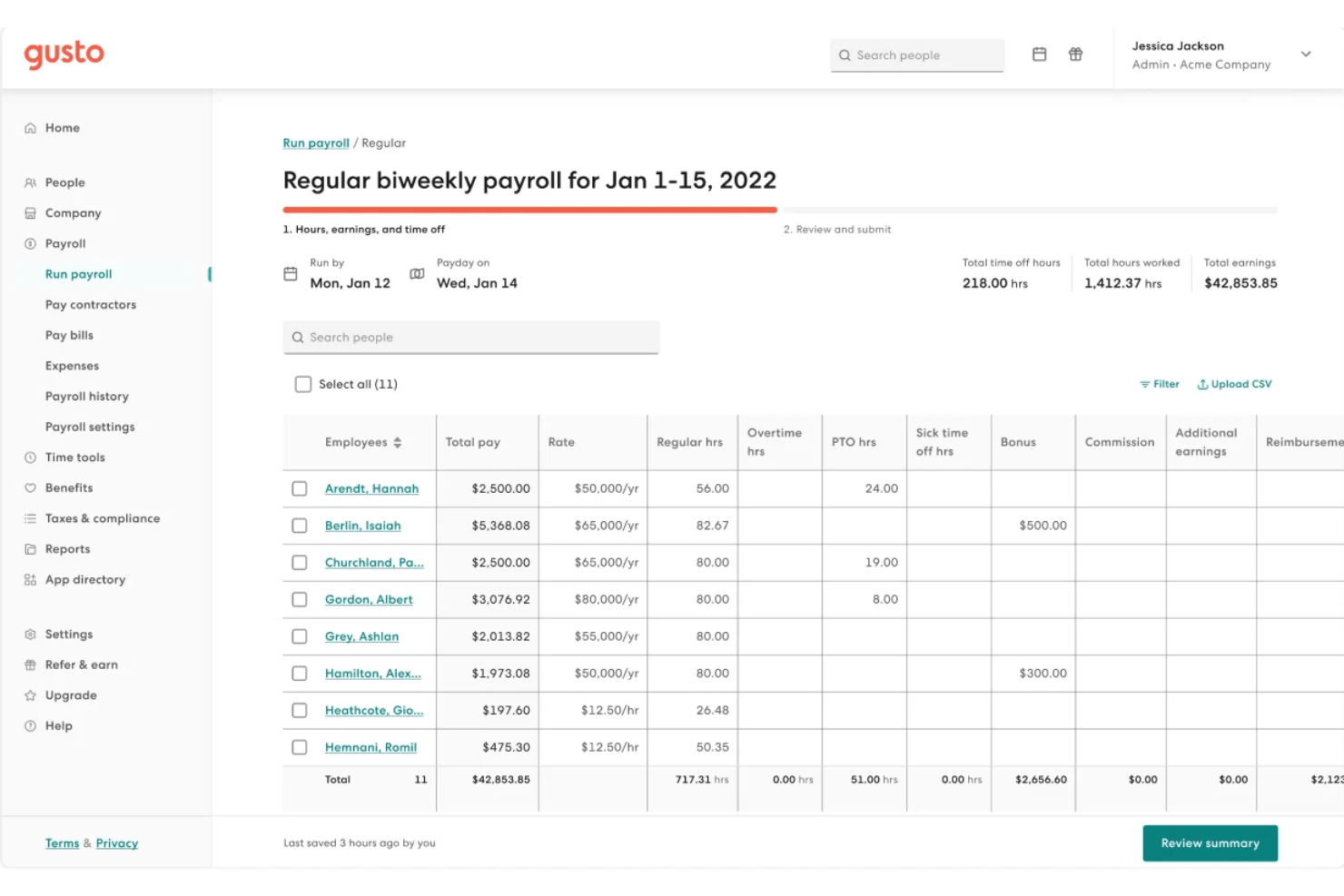
Gusto is a payroll and HR platform built for small healthcare practices, combining automated payroll runs, shift scheduling, time tracking, benefits administration, and compliance tools for clinical staff.
Who Is Gusto Best For?
Gusto suits practice administrators at small-to-mid-sized clinics managing teams of salaried, hourly, and per-diem clinical staff under one roof.
Why I Picked Gusto
I've included Gusto in my top picks because it handles the compliance heavy-lifting that trips up small practices most often. Built-in ACA and EEO-1 reporting run automatically alongside payroll, and HIPAA compliance training is folded directly into the onboarding flow. Gusto also files federal, state, and local taxes automatically every payroll cycle, so there's no manual filing or missed deadlines.
Gusto Key Features
- Flexible shift scheduling: Build and assign clinical shifts up to six months in advance, with coverage safeguards by role or location.
- Integrated time tracking: Employees can clock in using the Gusto Wallet app or a secure tablet kiosk with PIN and geofencing.
- Automated pay for contractors: Run payroll for hourly, salaried, per diem, and 1099 contractors in the same payroll cycle.
- Custom PTO policies: Set and track paid time off, sick leave, and holiday policies specific to your healthcare practice.
Gusto Integrations
Gusto offers native integrations with QuickBooks, Xero, 7shifts, Homebase, Deputy, When I Work, and Zapier. An API is available for custom integrations.
Pros and Cons
Pros:
- Supports per diem and 1099 contractor payroll
- Built-in ACA and EEO-1 compliance reporting
- Automated tax filing across all jurisdictions
Cons:
- No native EHR or credentialing system integrations
- Limited scheduling depth for large clinical teams
New Product Updates from Gusto
Gusto Adds Solo Advisory Tools and Mobile Money Features
Gusto adds Solo S-Corp Advisory Tools and Gusto Money on Mobile for tax guidance, invoicing, and bill payments. These updates help accountants advise solopreneurs and let users manage business finances from their phones. For more information, visit Gusto’s official site.

TimeTrex
Best for open-source to full payroll migration
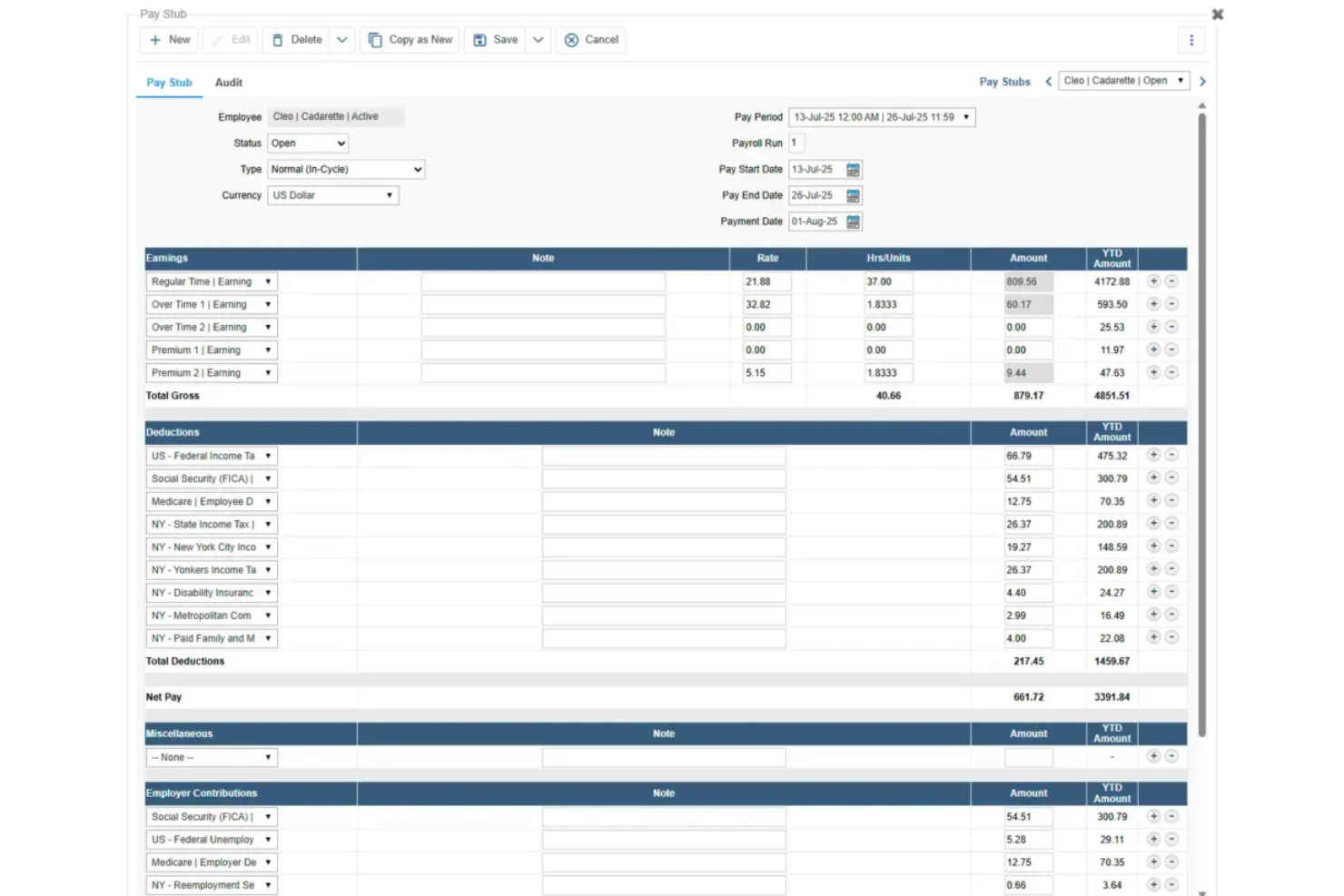
TimeTrex is a workforce management and payroll platform that combines time and attendance, shift scheduling, multi-rate wage calculation, tax filing, and HR tools, with built-in support for healthcare-specific needs like 8/80 overtime, shift differentials, and CMS Payroll-Based Journal exports.
Who Is TimeTrex Best For?
TimeTrex is a strong fit for long-term care facilities and hospitals that need configurable overtime, shift differential rules, and CMS PBJ compliance in one system.
Why I Picked TimeTrex
I've included TimeTrex in my top picks because it's the clearest path for healthcare organizations still running on the open-source Community Edition who need to migrate into a fully managed payroll environment without rebuilding their entire workflow. I particularly like its native 8/80 overtime engine and stackable shift differential policies, which let you layer evening, weekend, and callback premiums on the same hours without manual workarounds. The built-in CMS Payroll-Based Journal XML export is another feature I find genuinely useful for long-term care facilities that need to meet federal staffing submission requirements directly from their payroll system.
TimeTrex Key Features
- Secondary wage groups: Assign different pay rates to the same employee based on branch, department, job, or task, with those rates feeding automatically into overtime and premium calculations.
- Geofenced mobile clock-in: Let field-based and home health workers punch in and out via GPS-verified locations, supporting EVV-style verification for home health and hospice care.
- License and qualification tracking: Store license type, number, issue date, and expiry date for each employee, with a Qualification Summary Report to monitor upcoming expirations across your workforce.
- On-site deployment option: Host TimeTrex on your own infrastructure to keep employee and payroll data behind your firewall, a useful option for healthcare organizations with strict data control requirements.
TimeTrex Integrations
Documented integrations and payroll exports include Meditech, ADP, Paychex, Ceridian Insync, Millennium/Qqest, and QuickBooks. TimeTrex also offers a REST API for custom connections, but no certified connectors for UKG, Workday, Symplr, or QGenda are documented.
Pros and Cons
Pros:
- Responsive support helps complicated payroll setups
- Native PBJ exports support long-term care
- Configurable 8/80 and stacked differentials
Cons:
- No credential-linked pay or expiry blocks
- Dated interface complicates daily payroll work
New Product Updates from TimeTrex
TimeTrex Redesigns Workforce Management With New Payroll, Scheduling, and AI Tools
TimeTrex redesigns its workforce management experience with new dashboards, scheduling and timesheet tools, a rebuilt payroll workflow, and expanded AI assistance. These updates give teams more flexible ways to manage schedules, payroll, reporting, and employee data. For more information, visit TimeTrex’s official site.
 .
.
Best for integrated scheduling and payroll
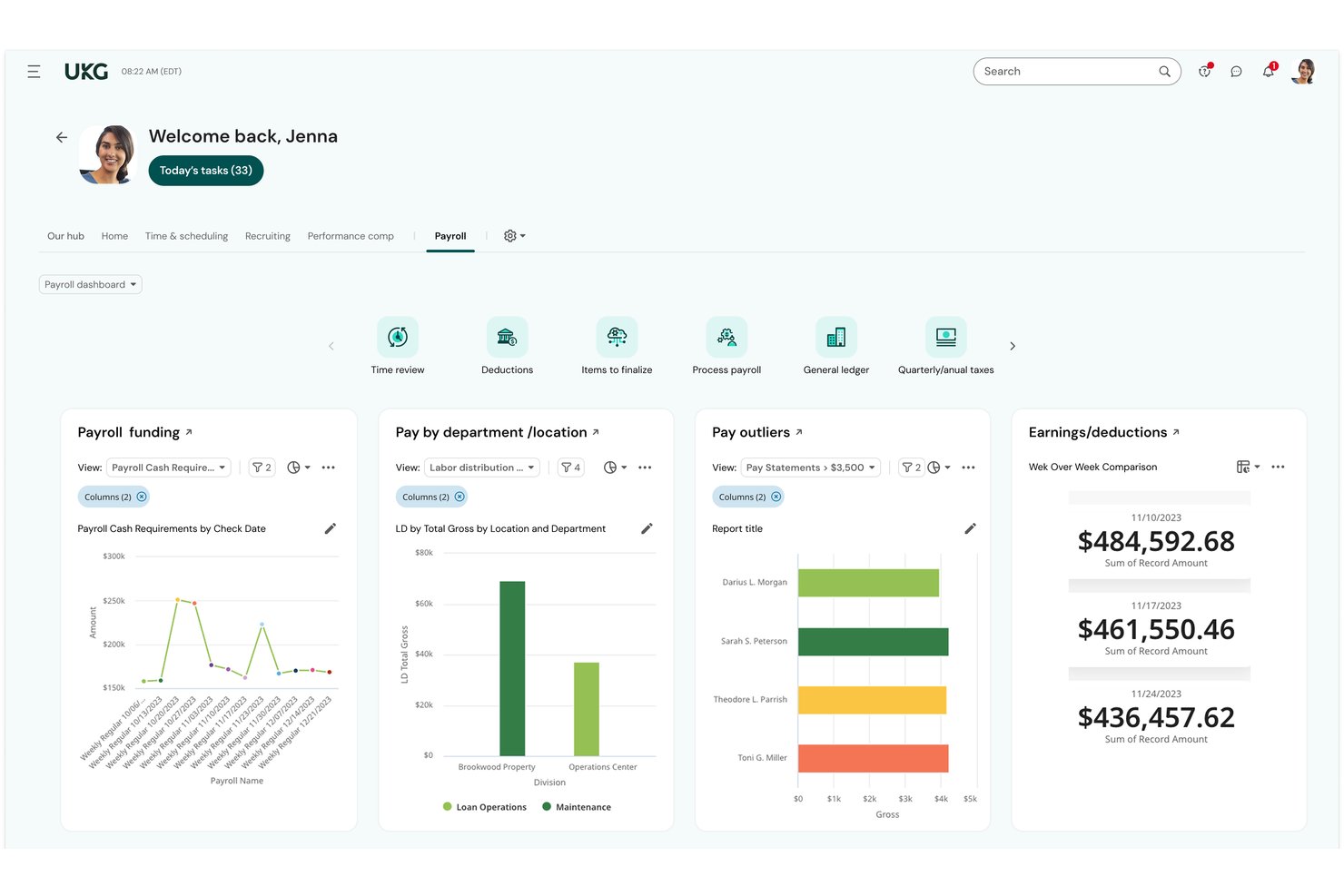
UKG Ready is an all-in-one HR, payroll, time, and scheduling platform built for small-to-midsize organizations, with native support for shift differentials, multi-rate pay, and workforce management across healthcare settings.
Who Is UKG Ready Best For?
UKG Ready is a strong fit for small-to-midsize healthcare organizations, including post-acute care facilities, clinics, and medical practices with lean HR and payroll teams.
Why I Picked UKG Ready
UKG Ready earns its spot on my shortlist because of how tightly its scheduling and payroll tools connect. They share a single employee record, so when a nurse picks up a weekend on-call shift, the correct differential rate applies automatically. I also like the continuous background payroll calculation, which recalculates totals in real time as schedules change. The automated Payroll-Based Journal (PBJ) reporting handles CMS compliance for post-acute care without a separate process.
UKG Ready Key Features
- Credential and license tracking: Store and manage employee certifications, credentials, and license-based pay rules in a centralized system.
- Automated ACA and FLSA compliance: Instantly update pay calculations and reporting to comply with ACA, FLSA, and state healthcare labor laws.
- Payroll-Based Journal (PBJ) reporting: Generate and submit required PBJ files for CMS compliance in long-term and post-acute care settings.
- Real-time labor analytics: Access department-level labor cost reports and overtime tracking for workforce budget oversight.
UKG Ready Integrations
UKG Ready offers native integrations with Employee Navigator, Equifax, and Fast Healthcare Interoperability Resources (FHIR) systems. Additional connectors are available through the UKG Marketplace, and an API is available for custom integrations.
Pros and Cons
Pros:
- Single system for scheduling, time, and payroll
- Automated shift differential calculations across all shifts
- Native PBJ reporting for CMS compliance
Cons:
- Mobile app limitations for frontline clinical staff
- Configuration complexity for multi-facility orgs

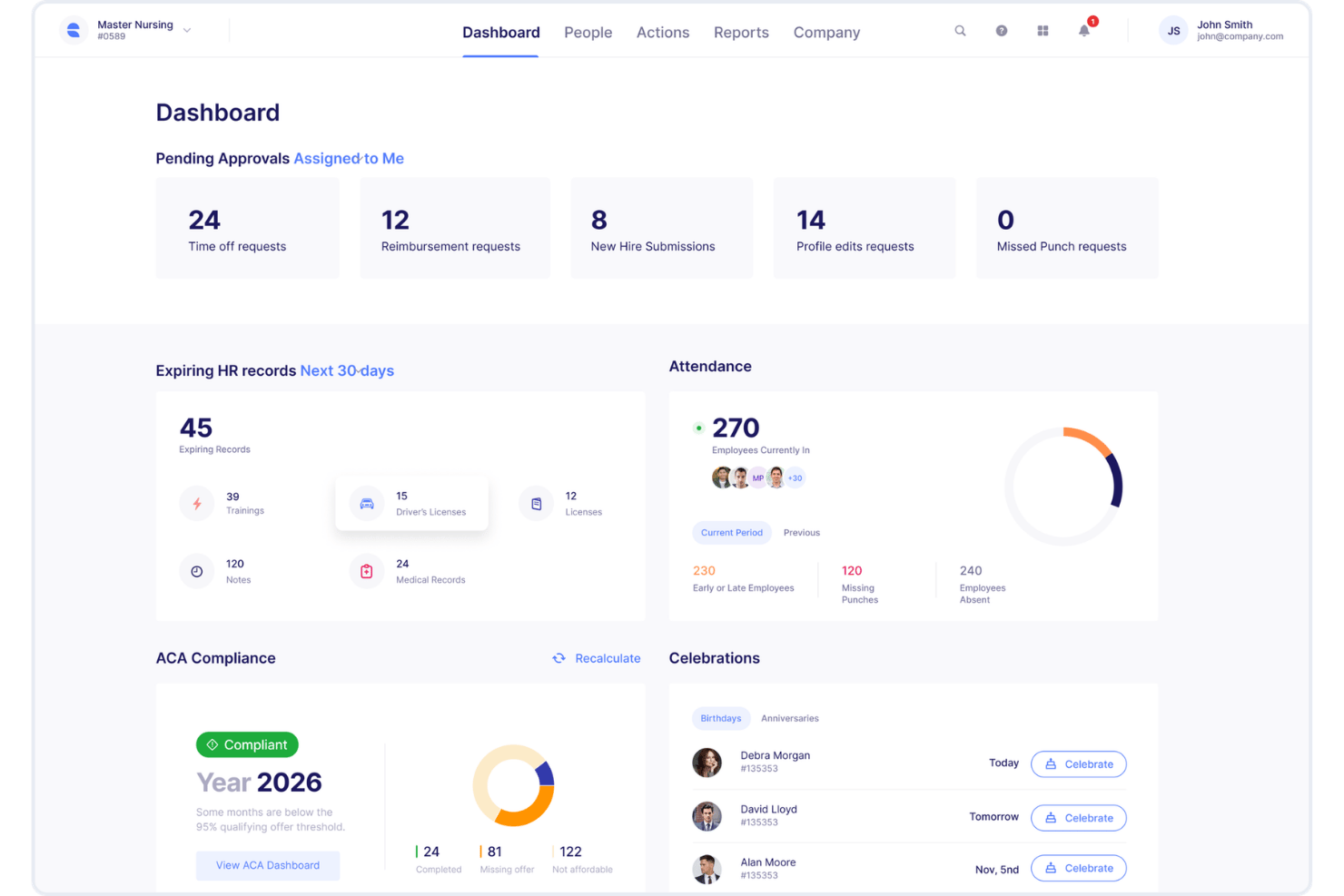
Empeon is a healthcare-specific payroll and HR platform that handles shift differentials, multi-rate pay, PBJ reporting, HPPD calculations, wage parity, and caregiver scheduling across multi-facility healthcare organizations.
Who Is Empeon Best For?
Empeon is a strong fit for payroll managers and HR leaders in long-term care, skilled nursing, home health, and hospice organizations navigating complex compliance requirements.
Why I Picked Empeon
I picked Empeon as one of the best because its wage parity and PBJ calculations are built directly into the payroll engine, not added as an afterthought. When I run payroll, Empeon automatically applies home care wage parity rules and pulls HPPD data from the same time and attendance records, eliminating manual reconciliation between systems. It also calculates Spread of Hours, a compliance requirement most general payroll platforms overlook entirely.
Empeon Key Features
- HR premium module: Includes recruiting, onboarding, task management, and live in-platform chat for HR teams.
- Caregiver scheduling view: Lets you assign shifts across multiple floors, units, and facilities from a master calendar.
- Direct general ledger integration: Syncs payroll data directly to your accounting system for financial reconciliation.
- Earned wage access integration: Integrates with providers like Tapcheck and ZayZoon to offer employees early access to earned wages.
Empeon Integrations
Empeon offers native integrations with PointClickCare, OnShift, Apploi, Dropstat, Streamline Verify, Showd.me, Tapcheck, ZayZoon, and Keeper. An API is available for custom integrations.
Pros and Cons
Pros:
- Built-in credential-based pay rule automation
- Handles multi-facility payroll from one platform
- Native PBJ and wage parity calculations
Cons:
- Smaller vendor with fewer self-serve support resources
- Limited public documentation on advanced reporting

Best for automating complex healthcare pay rates
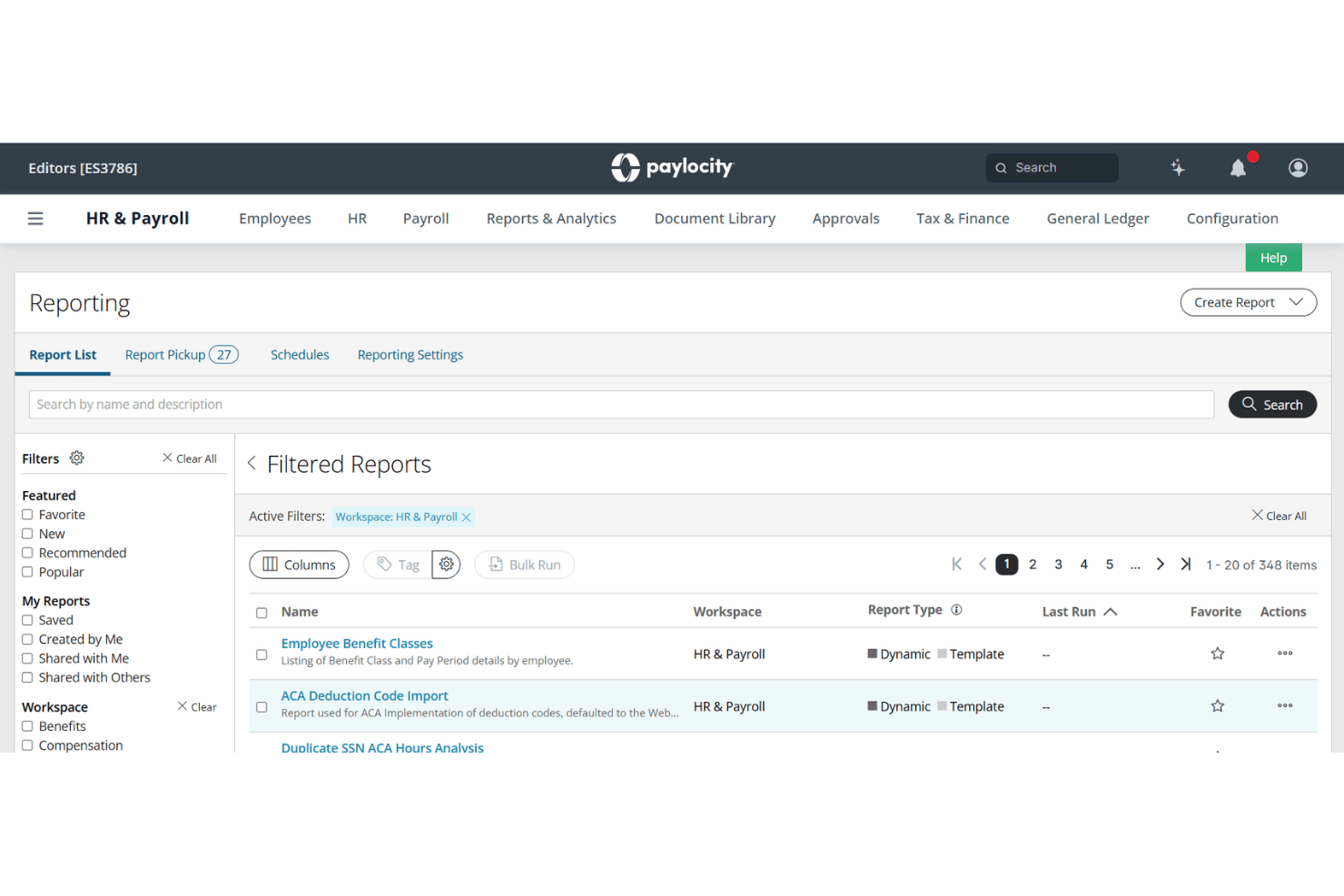
Paylocity is an HCM platform that handles payroll, time and labor, scheduling, and compliance for healthcare organizations managing clinical staff across multiple facilities, roles, and pay rates.
Who Is Paylocity Best For?
Paylocity fits mid-sized hospitals, medical groups, and long-term care networks with complex, multi-facility payroll needs and small-to-mid HR teams managing it.
Why I Picked Paylocity
I picked Paylocity as one of the best because it handles shift differentials, hazard pay, and credential-based scheduling inside a single payroll engine. In practice, that means I can configure automated pay rules for nights, weekends, and on-call shifts without manual rate adjustments each pay period. I also like that PBJ compliance reporting is built directly into the platform, which is a CMS requirement in long-term care settings that many general payroll tools simply don't address.
Paylocity Key Features
- PBJ compliance dashboard: Tracks and generates required Payroll-Based Journal reports for skilled nursing and long-term care facilities.
- Mobile time collection: Lets clinical staff clock in and out using mobile apps, kiosks, or smart geofencing.
- Multi-state payroll tax engine: Automates compliance with varying state and local tax regulations for dispersed healthcare teams.
- Credential expiration tracking: Monitors employee license statuses and blocks scheduling or payroll if credentials expire.
Paylocity Integrations
Paylocity offers over 350 native integrations, including United Healthcare, Equifax, BlueCross BlueShield, DocuSign, benefitexpress, Indeed, State of California EDD, and supports custom integrations through its API.
Pros and Cons
Pros:
- Tracks credential expirations and blocks payroll automatically
- FLSA 8/80 overtime rule is built in
- Automates shift differential pay without manual overrides
Cons:
- Reporting customization requires IT support to configure
- Implementation takes longer for multi-facility organizations
New Product Updates from Paylocity

Paylocity Adds Candidate Engagement and Talent Rediscovery Agents
Paylocity adds Candidate Engagement and Talent Rediscovery Agents to automate candidate outreach, scheduling, and re-engagement. This helps recruiting teams move candidates through hiring faster. For more information, visit Paylocity’s official site.
 .
.
Best for deskless hourly workers
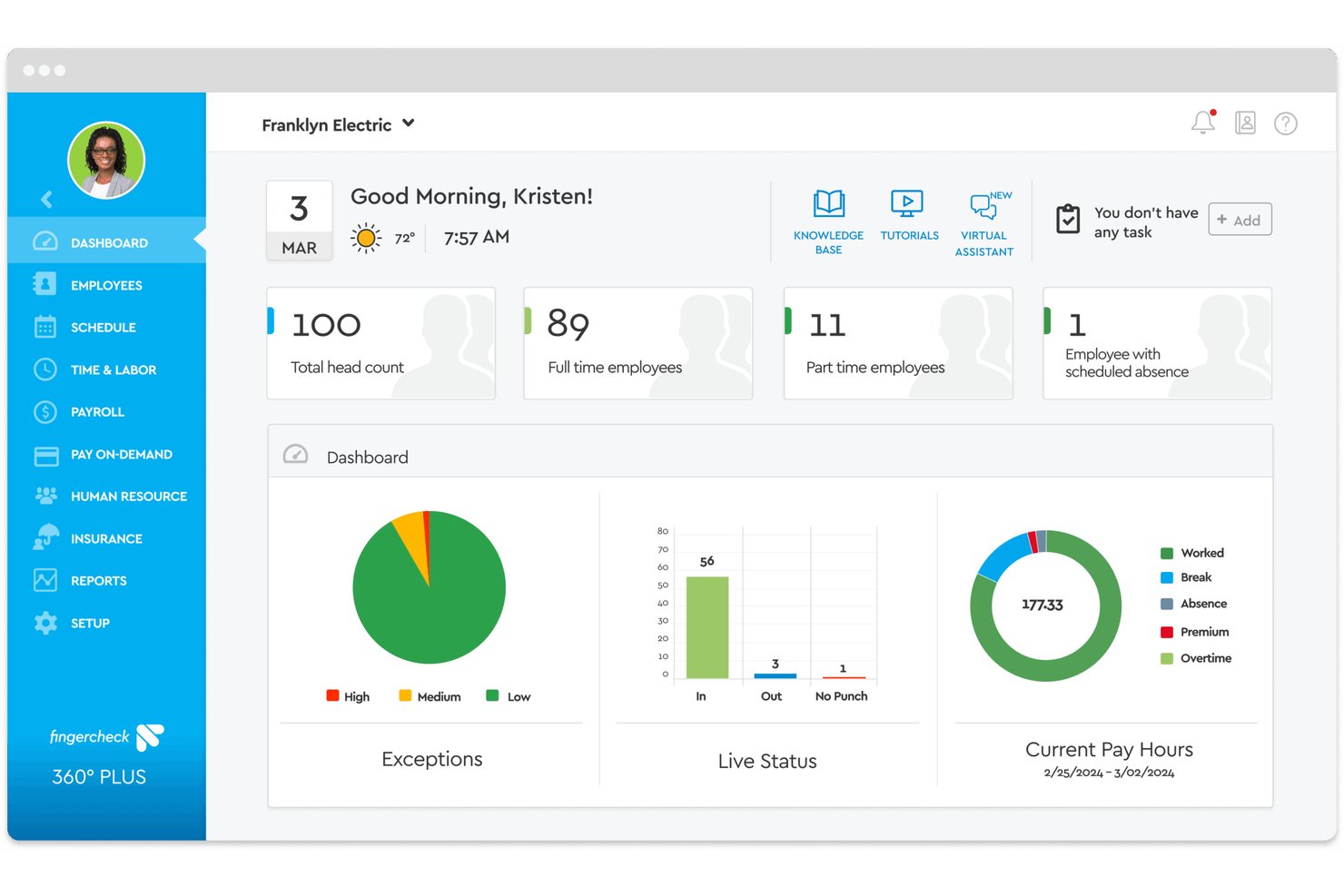
Fingercheck is a payroll and workforce management platform built for hourly, shift-based healthcare teams, with native time tracking, credential management, multi-rate payroll, and PBJ reporting built in.
Who Is Fingercheck Best For?
Fingercheck is a strong fit for small to mid-sized operators running skilled nursing facilities, ABA centers, urgent care clinics, or outpatient practices with hourly, shift-based staff.
Why I Picked Fingercheck
I picked Fingercheck as one of the best because it's one of the few payroll platforms that builds schedules against daily census and HPPD targets, recalculating automatically as patient loads shift. I also like the Credential Management module, which tracks RN, LPN, and CNA license expirations and sends automated renewal reminders from the same system running payroll. GPS-verified clock-ins flow directly into payroll calculations, so deskless staff working across multiple sites are always accounted for without manual timesheet chasing.
Fingercheck Key Features
- PBJ reporting automation: Generate CMS-ready Payroll-Based Journal (PBJ) files directly from verified time and payroll data.
- Real-time GPS and biometric time clocks: Enable location-verified and biometric employee punches through mobile or on-site devices.
- Multi-site and multi-rate payroll: Pay staff across multiple locations and roles in a single cycle, with support for different job rates.
- Document and license storage: Store and track nurse credentials, certifications, and renewal documents electronically in one system.
Fingercheck Integrations
Fingercheck offers native integrations with ADP, Gusto, QuickBooks, Excel, Rent Manager, Sapphire, and CentralReach. An API is available for custom integrations.
Pros and Cons
Pros:
- Credential expiration alerts block payroll processing
- GPS clock-in supports deskless shift workers
- Built-in PBJ reporting for CMS compliance
Cons:
- Union CBA management not fully automated
- Reporting depth limited for large hospital systems

Netchex
Best for automated credential tracking alerts
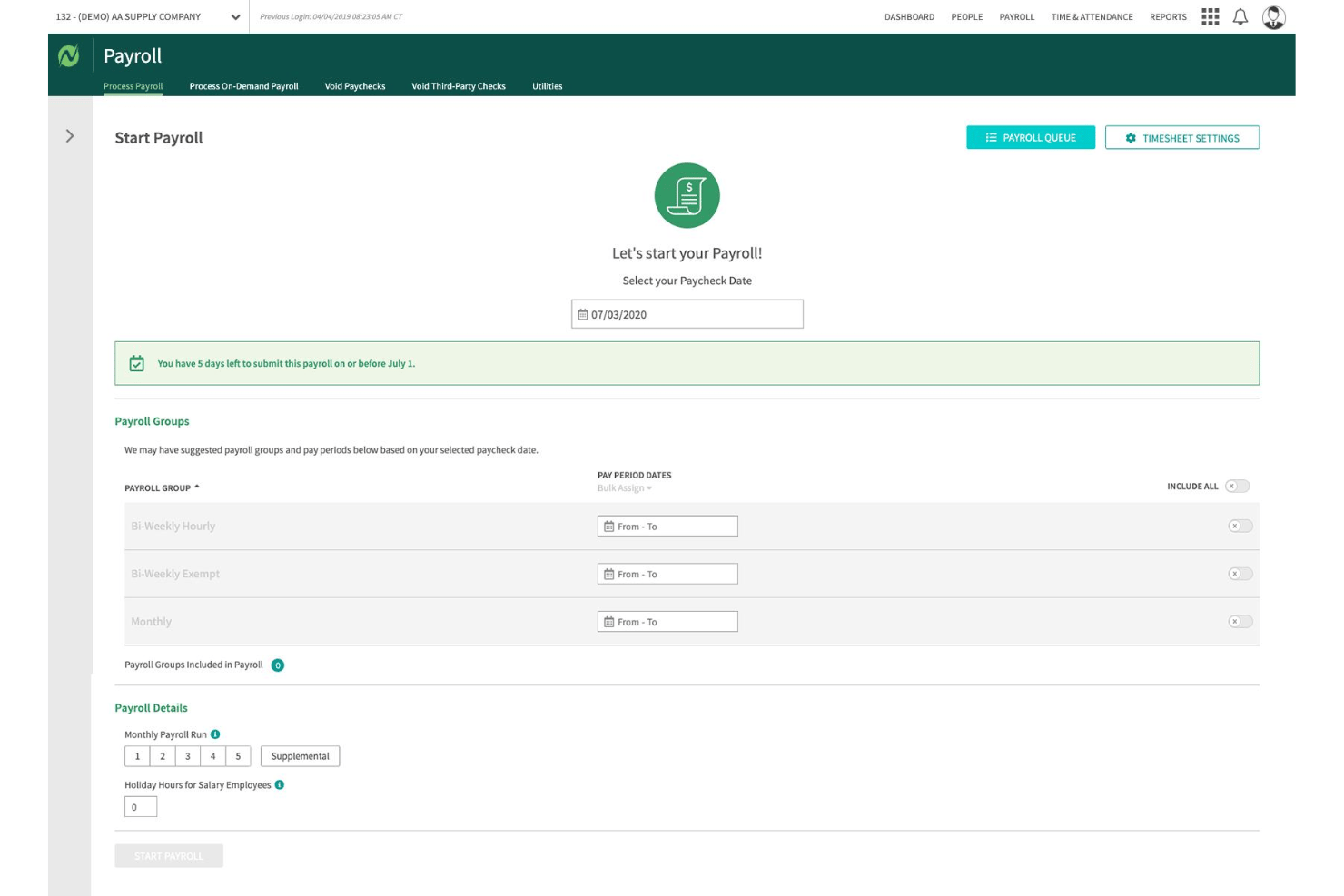
Netchex is a healthcare-focused payroll and HCM platform that handles shift differentials, multi-rate pay, credential tracking, ACA compliance, and time and attendance for hospitals, clinics, and long-term care facilities.
Who Is Netchex Best For?
Netchex is a strong fit for payroll managers and HR teams in hospitals, health systems, and long-term care facilities managing mixed workforces of 50 to 5,000 employees.
Why I Picked Netchex
Netchex earns its spot on my shortlist because the License & Certifications Dashboard is one of the most structured credential management tools I've seen built into a payroll platform. It tracks nursing licenses, CNAs, CPR/BLS, and DEA registrations, then fires automated alerts at 30, 60, and 90 days before expiration. I also like that certification-based pay rates tie directly into payroll, so a nurse's credential status and compensation stay in sync without any manual adjustments.
Netchex Key Features
- Shift differential payroll automation: Automatically applies variable pay rates for nights, weekends, on-call, and holiday shifts.
- OneScreen payroll dashboard: Gives payroll managers a single view to track payroll readiness, approvals, and outstanding tasks.
- Epic EHR integration: Syncs employee data and hours between payroll and electronic health record systems without double entry.
- PBJ reporting support: Generates Payroll-Based Journal files required for long-term care regulatory compliance.
Netchex Integrations
Netchex offers native integrations with Epic EHR, Employee Navigator, and Indeed. An API is available for custom integrations.
Pros and Cons
Pros:
- Built-in PBJ reporting for long-term care
- Handles per diem and PRN pay in-house
- Automated credential expiration alerts at multiple intervals
Cons:
- Support response times can be inconsistent
- Reporting customization options are somewhat limited

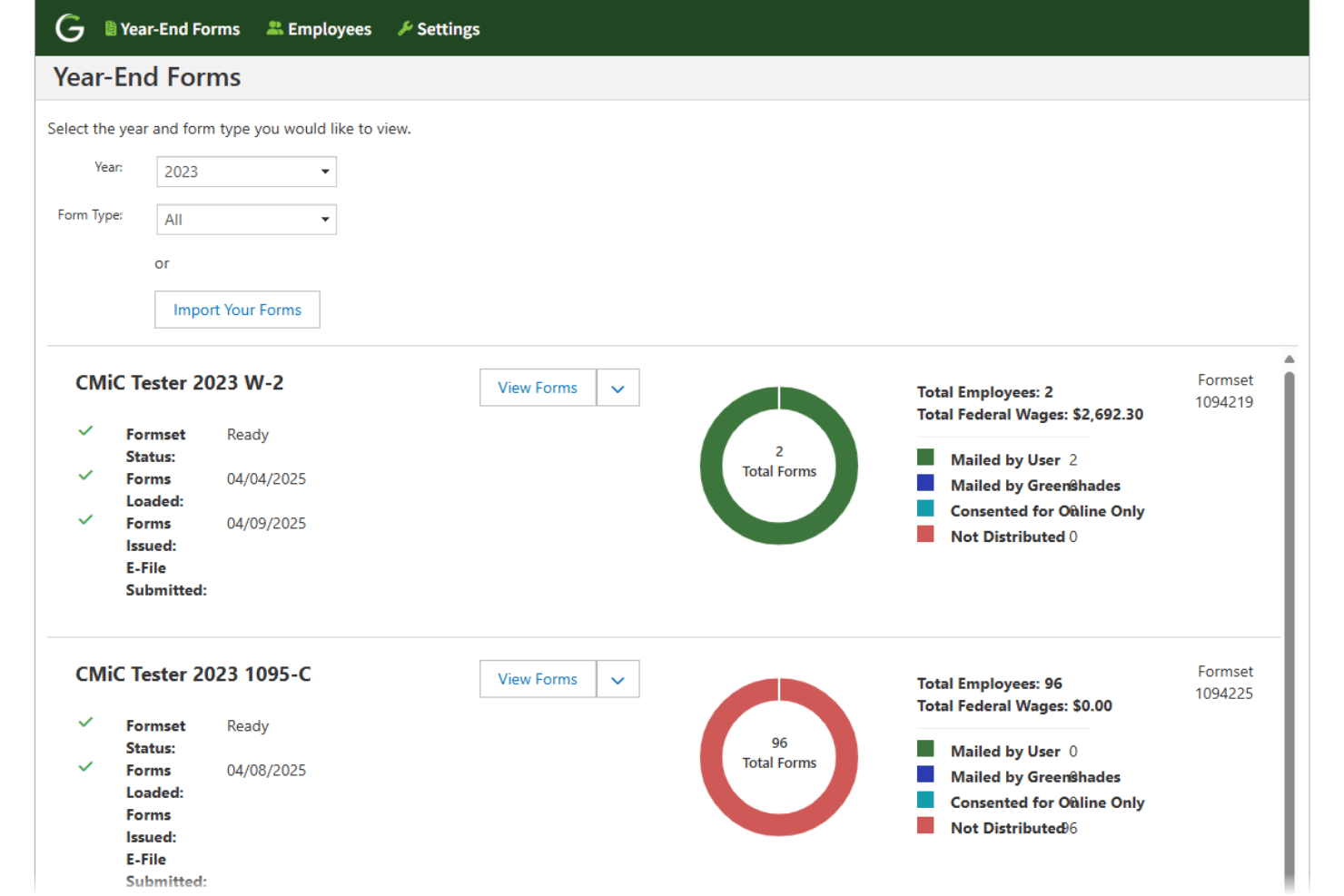
Greenshades is a payroll and HR platform built for mid-market healthcare organizations, offering in-house payroll processing, multi-jurisdiction tax management, shift differential calculations, and license and certification tracking across multiple facilities and pay structures.
Who Is Greenshades Best For?
Greenshades is a strong fit for mid-market healthcare organizations running Microsoft Dynamics or Sage ERP systems that want to keep payroll and tax processing fully in-house.
Why I Picked Greenshades
Greenshades earns its spot on my shortlist because of how it handles tax remittance directly from your organization's bank account, with no third-party float or pre-funded accounts required. I like that automated multi-jurisdiction tax assignments, including state and local reciprocity agreements, are built directly into the payroll workflow. That's especially relevant in healthcare, where traveling nurses and home health aides routinely cross tax jurisdictions within a single pay period.
Greenshades Key Features
- 8/80 overtime rules: Supports FLSA 8/80 overtime calculations built for hospital and long-term care settings.
- Shift-based credential tracking: Tracks certifications and licenses required for clinical staff, automatically flagging expirations.
- Integrated time validation: Validates timesheet data during payroll processing to catch missed shifts and irregular work patterns.
- ERP and financial system integration: Connects natively to Microsoft Dynamics, Sage Intacct, and Acumatica for bi-directional payroll and finance workflows.
Greenshades Integrations
Greenshades offers native integrations with Microsoft Dynamics GP, Business Central, Dynamics 365 Finance & Operations, Sage Intacct, Acumatica, Bullhorn, and QuickBooks. An API is available for custom integrations.
Pros and Cons
Pros:
- Strong credential-based pay rule enforcement
- Handles complex healthcare pay structures well
- Excellent tax filing automation built in
Cons:
- Interface feels dated compared to competitors
- Support response times can be slow
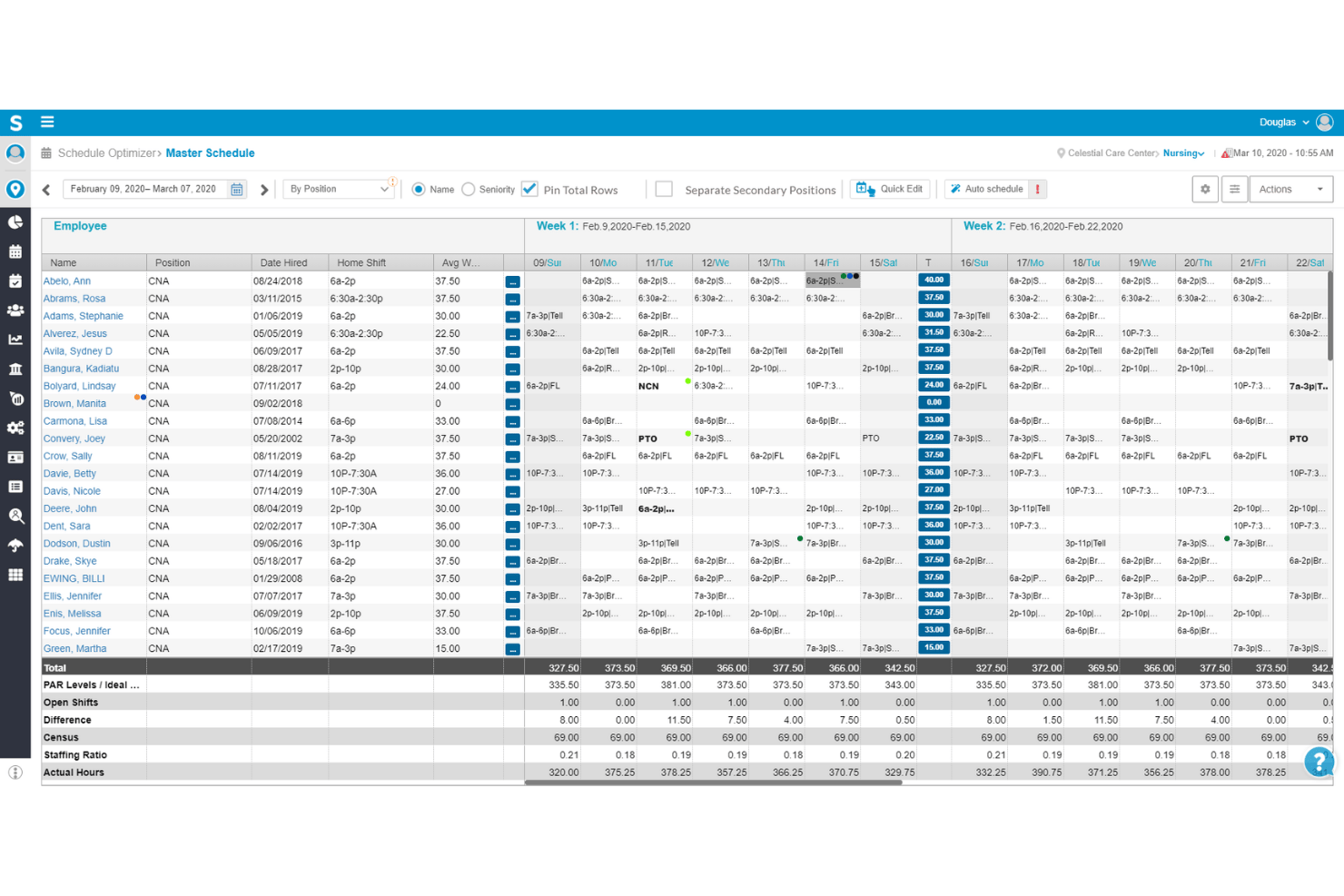
Smartlinx is a healthcare workforce management platform built specifically for skilled nursing, senior care, and post-acute settings, combining payroll processing, time & attendance, scheduling, HR, and compliance tools in one system.
Who Is Smartlinx Best For?
Smartlinx is a strong fit for HR and payroll leaders managing large hourly workforces across skilled nursing facilities, assisted living communities, and post-acute care organizations.
Why I Picked Smartlinx
Smartlinx earns its spot on my shortlist because of how deeply its payroll rules engine is built around senior care workforce realities. I picked it specifically for its automated shift differential calculations, which handle complex, role-based rate variation across nights, weekends, holidays, and on-call shifts. Its AutoRun feature and flexible pay cycle configuration mean payroll runs don't require manual oversight, even across multiple facilities running different pay rules.
Smartlinx Key Features
- CMS PBJ reporting: Automatically generates Payroll-Based Journal reports for CMS staffing compliance.
- HR document management: Centralizes storage and tracking of employee HR and credential documentation.
- Mobile self-service portal: Lets employees view pay statements, manage profiles, and clock in/out from any device.
- Full-service tax filing: Calculates and files federal, state, and local payroll taxes, including ACA and workers’ comp.
Smartlinx Integrations
Native integrations are not clearly documented. Smartlinx provides an API for custom integrations.
Pros and Cons
Pros:
- Includes built-in CMS PBJ compliance reporting
- Automates shift differentials across multiple clinical roles
- Built specifically for post-acute care payroll
Cons:
- Custom reporting requires help from support team
- Less suited for large acute hospital payroll

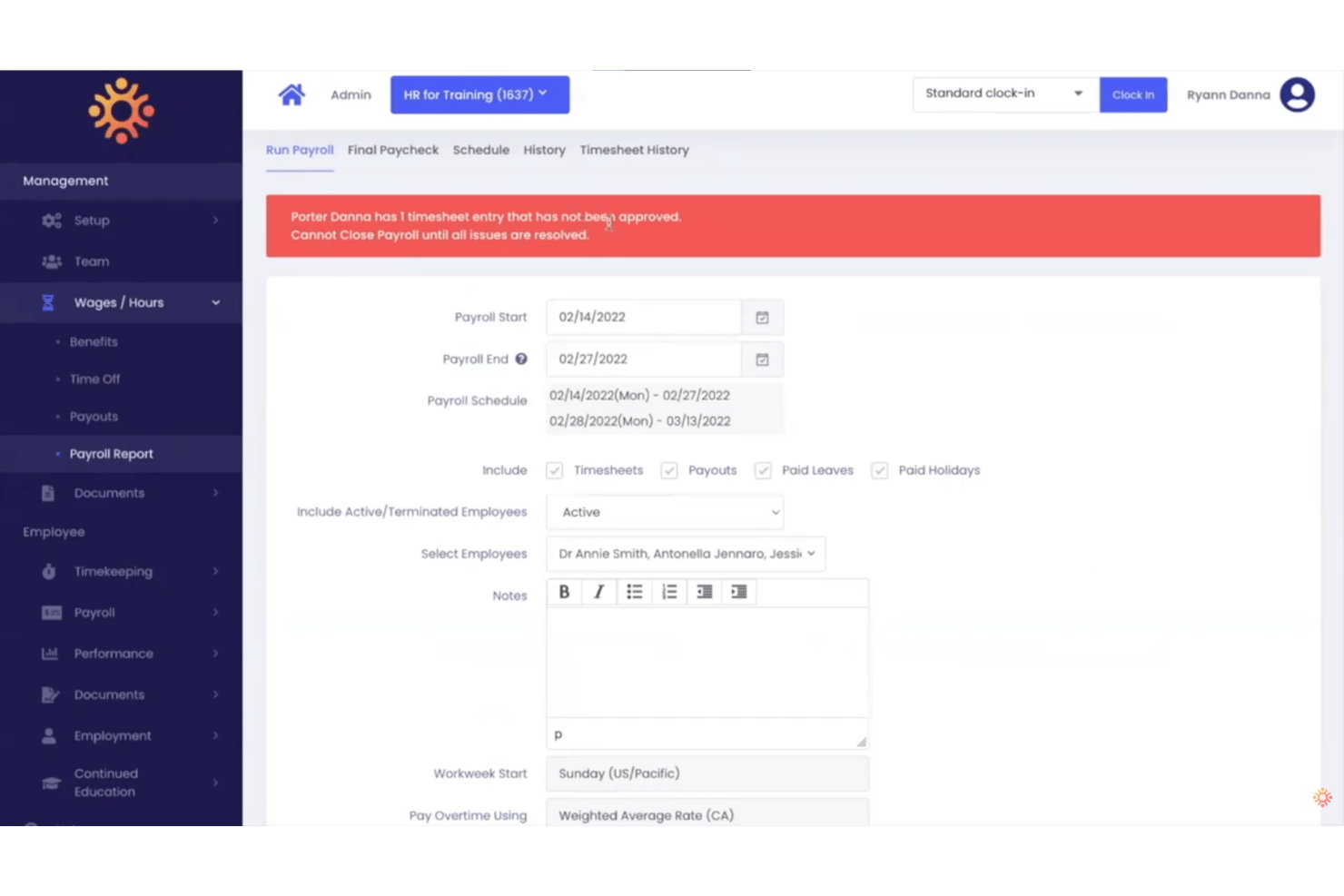
HR for Health is an all-in-one HR and payroll platform built exclusively for healthcare practices, handling payroll runs, time tracking, PTO, multi-rate pay structures, and compliance — all within a single system designed around clinical and administrative workflows.
Who Is HR for Health Best For?
HR for Health is a strong fit for practice administrators at small to mid-sized dental, medical, optometry, chiropractic, and veterinary offices managing payroll in-house.
Why I Picked HR for Health
I picked HR for Health because it's the only payroll platform I've found built specifically for outpatient clinical practices, not adapted from a generic small business tool. It handles pay structures like percent collection and per diem, which are common in dental and medical settings, without manual workarounds. I also like that the time clock syncs directly to payroll, so commission splits and multi-rate calculations are already resolved before I run payroll.
HR for Health Key Features
- Integrated time clock: Employees clock in and out from a digital time clock that syncs directly with payroll and scheduling.
- Automatic overtime calculations: Overtime is tracked and calculated according to jurisdiction-specific labor requirements for healthcare staff.
- License and CE tracking: Monitor certification expiration dates and healthcare credentials with built-in reminders and recordkeeping.
- Customizable PTO management: Configure vacation, sick leave, and other time off buckets to comply with healthcare-specific policies.
HR for Health Integrations
Native integrations are not clearly documented. The tool offers an API for custom integrations.
Pros and Cons
Pros:
- Handles per diem and multi-rate pay natively
- Tracks staff credentials and license expiration dates
- Built around dental and medical practice workflows
Cons:
- Fewer third-party scheduling integrations than competitors
- Limited fit for large hospital or health system payroll
Andre lønnssystemer for helsesektoren
Her er noen flere alternativer for lønnssystemer i helsesektoren som ikke kom med på kortlisten min, men som likevel er verdt å undersøke:
- Paychex Flex
For on-demand pay access for clinical staff
- ADP Workforce Now
For enterprise compliance
- OnPay
For micro practice payroll
- BambooHR
For onboarding clinical staff across roles
- Workday
For large healthcare systems
- Paycor
For frontline workforce management
- Paycom
For self-service pay management tools
- Workforce.com
For dynamic labor cost tracking
- Dayforce
For managing complex shift differentials
- OnShift
For eldercare labor management


How I Evaluate Healthcare Payroll Software
I split my evaluation into baseline requirements—shift differential logic, multi-rate pay—and the differentiators, like credential-linked rules and FLSA 8/80 depth, that set a tool apart.
Core Functionality (Table Stakes For This List)
When I'm selecting tools for my list, I rank each one on a scale from 0 (does not offer the functionality) to 5 (excels in this area) for each core functionality listed below. I then calculate the tool's total score into a percentage, using 65% as a benchmark to help assess its overall fit for the list.
- Shift Differential Pay: I look for automated pay rules that account for nights, weekends, holidays, on-call, and hazard shifts without requiring manual adjustments each pay cycle.
- Healthcare Time & Attendance: The tool should support 24/7 rotating schedules with clock-ins tied to specific departments or clinical units, not just basic in/out tracking.
- Multi-Rate & Multi-Role Pay: I evaluate whether a nurse picking up shifts across two units at different rates gets accurate blended overtime calculated automatically.
- Labor Law Compliance: Coverage should extend beyond basic FLSA to include ACA reporting, state-specific healthcare labor rules, union CBA enforcement, and meal break penalties.
- Union & Certification Tracking: I check for credential-linked pay adjustments, license expiration alerts, union dues deductions, and retro pay processing tied to contract changes.
- Healthcare HRIS Integrations: Strong tools connect with scheduling and workforce management platforms like Kronos, UKG, Workday, and Symplr rather than relying on manual file imports.
Once I have a list of tools that meet the criteria, I consider what sets each platform apart.
Differentiating Factors (What Sets Vendors Apart)
Here's how I compare and contrast different vendors:
Standout Features
Credential-based pay rules are a major differentiator. I look for tools that adjust rates automatically when a clinician earns a new certification and block payroll if a license lapses. Per diem and PRN pay handling also matters—processing travel nurses, 1099 contractors, and W-2 staff in a single payroll run saves real administrative effort. Retro pay for union contract changes is another area I evaluate closely, since hospitals often need to apply step increases or CBA adjustments retroactively across large groups.
Beyond Features
Scalability across facility types is a big one. I look for platforms that handle multi-EIN structures and cost-center allocation across hospitals, clinics, long-term care, and home health under one roof. Healthcare-specific compliance depth also varies widely—some vendors support the FLSA 8/80 overtime rule and HIPAA-compliant payroll records, while others only cover the basics. Real-time labor cost reporting rounds out my evaluation, especially tools that tie overtime visibility to department-level budgets.
Slik velger du et lønnssystem for helsesektoren
Å velge riktig lønnssystem for helsesektoren handler om å tilpasse organisasjonens unike lønnsregler, risikoer knyttet til etterlevelse og integrasjonsbehov til verktøy som er utviklet for de praktiske realitetene innen HR i helsesektoren.
| Hvis prioriteten din er … | Se etter … |
|---|---|
| Pålitelig håndtering av skifttillegg | Detaljert konfigurasjon av lønnsregler for netter, helger og vakter |
| Håndtering av lønn på flere lokasjoner og overføringer | Oppsett for flere institusjoner og fordeling av kostnadssteder etter avdeling eller enhet |
| Kontroll over arbeidskraftkostnader i sanntid | Oppfølging av overtid og tillegg etter institusjon eller klinisk enhet |
| Dataflyt mellom EHR og HRIS | Toveisintegrasjoner med systemer for bemanningsplanlegging og autorisasjonsstyring |
Slik vurderer du kortlisten din
- Test håndteringen av autorisasjoner: Last opp utløpte lisenser og kontroller om systemet blokkerer lønnskjøringen innen 24 timer.
- Be om dokumentasjon av lønnsregler: Be om et eksempel på konfigurasjon for kompleks logikk for skifttillegg som dekker tre eller flere skifttyper.
- Test integrasjonene: Gjennomfør en prøveperiode på 7 dager med synkronisering mot bemanningsplanleggings- eller HRIS-plattformen din for å bekrefte datanøyaktighet og toveis synkronisering.
- Be om dokumentasjon på overtidsetterlevelse: Få en skriftlig klausul som bekrefter at verktøyet støtter FLSA 8/80-overtidsberegning.
- Velg mellom enkel oppstart og dyp tilpasning for helsesektoren: Raskt oppsett er attraktivt for mindre team, men komplekse institusjoner med tariffavtaler og skiftregler kan trenge fleksible konfigurasjonsmuligheter.
Hva er et lønnssystem for helsesektoren?
Lønnssystemer for helsesektoren er spesialiserte systemer som er utviklet for å automatisere lønnsberegninger, skifttillegg, kompetansebaserte satser og overholdelse av arbeidslovgivningen for sykehus, klinikker og pleieteam på flere steder. Disse plattformene hjelper HR- og lønnsansvarlige med å håndtere komplekse lønnsregler, tariffavtaler, flere stillingskoder og integrasjon med planleggings- eller kompetansesystemer – samtidig som de sikrer at regelverket som gjelder spesifikt for helseorganisasjoner, overholdes.
Lønn i helsesektoren kontra standardlønn: Viktige forskjeller
Lønn i helsesektoren følger den samme grunnleggende prosessen som standardlønn, men har vanligvis mer komplekse krav til arbeidsplaner, lønnssatser og overtid.
| Lønnsområde | Standardlønn | Lønn i helsesektoren |
|---|---|---|
| Arbeidsplaner | Er ofte basert på faste eller forutsigbare arbeidsplaner. | Inkluderer ofte netter, helger, roterende skift, beredskapstimer og variable arbeidsplaner. |
| Lønnssatser | Ansatte har vanligvis én hovedlønnssats. | Én ansatt kan ha ulike satser basert på rolle, skift, avdeling eller arbeidssted. |
| Skifttillegg | Mindre vanlig. | Vanlig for netter, helger, helligdager eller skift som er vanskelige å bemanne. |
| Overtid | Beregnes vanligvis etter 40 timer for ansatte som ikke er unntatt fra overtidsreglene. | Kan omfatte flere satser, skifttillegg og, for kvalifiserte helsearbeidsgivere, FLSAs 8-og-80-overtidssystem. |
| Typer arbeidstakere | Er ofte sentrert rundt heltids- og deltidsansatte. | Kan omfatte heltidsansatte, deltidsansatte, PRN-ansatte, dagarbeidere, midlertidig ansatte og kontraktsarbeidere. |
| Tidsregistrering | Standarddata for inn- og utstempling kan være tilstrekkelig. | Kan måtte ta hensyn til beredskapstid, timer ved innkalling, opplæring, reise mellom arbeidssteder og arbeid utenfor planlagte skift. |
| Arbeidssteder | Håndteres ofte innenfor én arbeidsplass eller jurisdiksjon. | Ansatte kan arbeide på flere arbeidssteder, avdelinger eller i flere delstater. |
| Integrasjon med arbeidsplanlegging | Nyttig, men ikke alltid nødvendig. | Ofte avgjørende fordi arbeidsplaner, timer og lønnskoder direkte påvirker lønnsberegningene. |
Vanlige utfordringer med lønn i helsesektoren
Lønn i helsesektoren blir komplisert fordi ansatte arbeider etter skiftende arbeidsplaner, tjener ulike satser eller beveger seg mellom roller og arbeidssteder. En sykepleier, tekniker eller annen ansatt kan arbeide ulike skift, tjene flere satser, ta på seg overtid eller arbeide på flere steder i samme lønnsperiode.
- Flere lønnssatser: Sykepleiere, teknikere og annet personale kan tjene ulike satser basert på rolle, skift, avdeling eller arbeidssted.
- Betaling for skift, beredskap og innkalling: Netter, helger, helligdager, beredskapsperioder og innkallinger kan alle kreve ulike lønnsregler.
- Kompleks overtid: Skifttillegg, ikke-skjønnsmessige bonuser og flere timelønnssatser kan påvirke hvordan ordinær lønnssats for overtid beregnes.
- Variable arbeidsplaner: PRN-ansatte, dagarbeidere, deltidsansatte og ansatte med roterende skift kan arbeide svært ulike antall timer i hver lønnsperiode, noe som gjør nøyaktig tidsregistrering avgjørende.
- Flere roller og arbeidssteder: Ansatte kan arbeide i ulike jobber eller på ulike steder i løpet av samme uke, og disse timene må kanskje kombineres ved beregning av overtid.
- Blandede arbeidstakertyper: Helseorganisasjoner bruker ofte ansatte sammen med kontraktører, noe som gjør korrekt klassifisering av arbeidstakere viktig for lønnsskatt og rapportering.
Se etter lønnsprogramvare som kan koble arbeidsplanlegging og tidsregistrering til lønn, og som automatisk kan bruke riktige satser, tillegg og overtidsregler.
Funksjoner
Her er de viktigste funksjonene all god lønnsprogramvare for helsesektoren bør ha:
- Skifttillegg: Beregner automatisk lønn for netter, helger, helligdager og vakter med beredskap basert på forhåndsdefinerte regler for å sikre riktig kompensasjon.
- Støtte for flere satser og roller: Lar deg betale ansatte som arbeider i flere roller eller avdelinger i løpet av en lønnsperiode, med ulike satser og inkludering av overtid etter behov.
- Integrasjon med tidsregistrering og oppmøte: Synkroniserer med systemer for inn- og utstempling eller planleggingsverktøy for å registrere timer for fastlønnede, timelønnede, dagarbeidere eller kontraktansatte i døgnkontinuerlig drift i helsetjenesten.
- Overholdelse av arbeidslovgivning og tariffavtaler: Håndhever FLSA, ACA, delstatsregler og tariffavtaler, samtidig som det automatiserer beregning av trekk for manglende pauser og pålagt overtid.
- Oppfølging av kvalifikasjoner og lisenser: Overvåker utløpsdatoer og knytter kompensasjon eller adgang til vakter til sertifiseringer, slik at du blir varslet om problemer før lønnskjøringen behandles.
- Automatiserte etterbetalinger: Behandler etterbetaling for tariff-forhandlinger, lønnstrinn eller korrigering av manglende tillegg fra tidligere lønnsperioder.
- Integrasjon med HRIS- og EHR-systemer for helsetjenesten: Kobler lønn sammen med HR-, planleggings- og kliniske systemer, forenkler dataflyten og reduserer behovet for dobbeltregistrering.
- Fordeling på kostnadssteder og virksomheter: Fordeler arbeidskostnader etter avdeling, enhet eller virksomhet for åpenhet i budsjettering og lovpålagt rapportering.
- Selvbetjeningsportaler for ansatte: Lar ansatte se lønnsslipper, oppdatere kvalifikasjoner, be om fri og administrere direkte innbetaling fra én tilgjengelig plattform.
- Tilpassbar rapportering og analyse: Genererer innsikt på avdelings- og enhetsnivå samt kostnadsrapporter for revisjoner, overholdelse av tilskuddskrav, refusjon eller produktivitetsanalyse.
Krav til overholdelse av regelverk for lønn i helsetjenesten
Organisasjoner i helsetjenesten følger de samme grunnleggende føderale lønnslovene som andre amerikanske arbeidsgivere, men uregelmessige arbeidstider, flere lønnssatser og ulike typer arbeidstakere kan gjøre det vanskeligere å anvende kravene riktig.
Viktige områder å følge med på:
- Minstelønn og overtid: I henhold til Fair Labor Standards Act (FLSA) får dekningsberettigede ansatte som ikke er unntatt, vanligvis overtidsbetaling på 1,5 ganger ordinær lønn etter 40 timer i en arbeidsuke.
- 8-og-80-regelen for overtid: Visse sykehus og institusjoner for døgnbasert omsorg kan bruke en fast periode på 14 dager og betale overtid for timer over åtte per dag eller 80 timer i løpet av 14-dagersperioden. Særlige FLSA-krav gjelder, blant annet at det må foreligge en avtale eller forståelse med de berørte ansatte før arbeidet utføres.
- Nøyaktig registrering av arbeidede timer: Lønnssystemet må registrere arbeidstid som skal kompenseres utover planlagte vakter når det er påkrevd, inkludert visse oppgaver før eller etter vakten, møter, opplæring og arbeidsrelatert reisetid mellom lokasjoner.
- Klassifisering av arbeidstakere: Ikke anta at PRN-, midlertidig- eller kontraktstatus automatisk gjør noen til en selvstendig oppdragstaker. IRS vurderer faktorer som atferdsmessig kontroll, økonomisk kontroll og arten av arbeidsforholdet. Feilklassifisering kan føre til at arbeidsgiveren blir ansvarlig for arbeidsgiveravgifter og andre arbeidsrelaterte skatter.
- Lønnsskatter: Arbeidsgivere må vanligvis holde tilbake føderal inntektsskatt samt de ansattes trygde- og Medicare-skatt, betale arbeidsgiverandelen av trygde- og Medicare-skatt og ta hensyn til føderal arbeidsledighetsskatt. Det kan også gjelde delstatsbaserte og lokale krav til lønnsskatt.
- Delstatenes regler for lønn og arbeidstid: Føderal lovgivning er bare minimumskravet. Delstater kan fastsette høyere minstelønn eller ytterligere overtidskrav, så organisasjoner i helsetjenesten som opererer i flere delstater, trenger lønnssystemer som kan anvende krav basert på den ansattes arbeidssted.
- Oppbevaring av lønnsopplysninger: I henhold til FLSA må arbeidsgivere vanligvis oppbevare lønnsopplysninger i minst tre år og opplysninger som brukes til å beregne lønn, for eksempel timelister og arbeidsplaner, i minst to år.
- ACA-rapportering: Organisasjoner i helsetjenesten er ikke automatisk underlagt særlige ACA-regler for lønn bare fordi de leverer helsetjenester. Arbeidsgivere som i gjennomsnitt hadde minst 50 heltidsansatte, inkludert heltidsårsverk, i foregående år, regnes imidlertid vanligvis som store arbeidsgivere som omfattes av reglene, og har krav knyttet til arbeidsgiveransvar og informasjonsrapportering.
- OSHA-krav: Arbeidsgivere i helsetjenesten må følge gjeldende OSHA-regler for sikkerhet på arbeidsplassen og oppbevaring av dokumentasjon. Dette er ikke lønnskrav, men de kan overlappe med systemer for arbeidsstyrken når lønnssystemet omfatter funksjoner for HR, opplæring, hendelsesregistrering eller yrkesskadeforsikring.
For programvarekjøpere er de viktigste funksjonene konfigurerbare lønnsregler, støtte for flere delstater, nøyaktig tidsregistrering og tydelige lønnsopplysninger.
Fordeler
Implementering av lønnssystemer for helsetjenesten gir flere fordeler for teamet og virksomheten din. Her er noen av fordelene du kan se frem til:
- Nøyaktige beregninger av komplekse lønninger: Automatiserer skifttillegg, blandet overtidsbetaling og satser basert på kvalifikasjoner, og reduserer manuelle feil og lønnstvister.
- Oppfølging av regelverk og overholdelse av fagforeningsavtaler: Holder deg i samsvar med reglene i FLSA, ACA og fagforeningsavtaler, og reduserer juridisk risiko ved å håndheve statlige og føderale krav automatisk.
- Tidsbesparelser for HR-team: Fjerner dobbeltregistrering med integrert planlegging, tidsregistrering og selvbetjeningsfunksjoner, slik at teamet får mer kapasitet til oppgaver med høyere verdi.
- Skalerbar administrasjon av flere lokasjoner: Støtter lønn og kostnadsfordeling for flere virksomheter og flere EIN-er, slik at du kan vokse eller omorganisere uten lønnsrelaterte problemer.
- Raskere oppdateringer av kvalifikasjoner og lisenser: Gjenspeiler umiddelbart nye sertifiseringer eller endringer i lisensstatus i lønn og terskelverdier for kvalifisering, slik at du lettere kan oppfylle bemanningskravene.
- Bedre oversikt over arbeidskostnader: Gir detaljerte analyser i sanntid for oppfølging av overtid, enhetskostnader og produktivitet, og støtter bedre beslutninger om bemanning og budsjettering.
- Bedre medarbeideropplevelse: Gir ansatte selvbetjent tilgang til lønnsinformasjon og kvalifikasjoner, noe som øker tilfredsheten og reduserer henvendelser til HR.
Kostnader og priser
Ved valg av lønnssystem for helsesektoren er det nødvendig å forstå de ulike prismodellene og abonnementene som er tilgjengelige. Kostnadene varierer basert på funksjoner, teamstørrelse, tillegg og mer. Tabellen nedenfor oppsummerer vanlige abonnementer, gjennomsnittsprisene deres og typiske funksjoner som er inkludert i lønnsløsninger for helsesektoren:
Sammenligningstabell for lønnssystemer for helsesektoren
| Abonnementstype | Gjennomsnittspris | Vanlige funksjoner |
|---|---|---|
| Gratisabonnement | $0 | Grunnleggende lønnsbehandling, begrenset antall ansatte, enkle skifttillegg og grunnleggende brukerstøtte. |
| Personlig abonnement | $8–$18/bruker/måned | Standard lønn, tidsregistrering, skifttillegg, selvbetjeningsportal og brukerstøtte via e-post. |
| Bedriftsabonnement | $18–$35/bruker/måned | Avansert skiftbetaling, roller med flere satser, HRIS-integrasjoner, oppfølging av kvalifikasjoner og automatisert regelverksetterlevelse. |
| Storbedriftsabonnement | $36–$60/bruker/måned | Tilpassede integrasjoner, fagforenings- og etterbetaling, rapportering, oppsett for flere lokasjoner og dedikert brukerstøtte. |