

10 Best Applicant Tracking Systems for Education in 2026

Best Applicant Tracking Systems for Education Shortlist


An applicant tracking system for education is specialized software that helps schools, districts, and universities organize, track, and improve their hiring process. If you’re looking for a way to stay on top of faculty applications, navigate complex compliance issues, or keep your hiring managers and teams organized, the right platform can make a real difference. With digital hiring becoming standard in education, choosing the best applicant tracking system isn’t just about saving time; it’s about attracting talent who’ll shape student outcomes. In this list, you’ll find platforms suited to the real challenges HR teams face in education, so you can compare options and choose what fits your needs this 2026.
Why Trust Our Software Recommendations
Our team has been testing and reviewing software since 2012. As HR experts ourselves, we know how difficult—and important—it is to choose the right software.
For this guide, we evaluated tools using hands-on testing and independent research, scoring tools using our selection criteria. We also draw on insights from industry thought leaders and practicing HR experts.
Our reviews reflect our human editorial judgment, not a sales pitch.
Expert reviewers:
Applicant Tracking Systems for Education Comparison Table
This comparison table summarizes pricing details for my top applicant tracking systems for education selections:
| Tool | Best For | Trial Info | Price | ||
|---|---|---|---|---|---|
| 1 | Best for education HR system integrations | Free demo available | Pricing upon request | Website | |
| 2 | Best for real-time applicant progress tracking | 7-day free trial + free demo available | From $99/month (billed annually) | Website | |
| 3 | Best for accessible, anonymous applications | Free demo available | From £579/month | Website | |
| 4 | Best for configurable enterprise-scale workflows | Free demo available | Pricing upon request | Website | |
| 5 | Best for hiring team collaboration dashboards | Free demo available | Pricing upon request | Website | |
| 6 | Best for mobile-first candidate engagement | Free demo available | Pricing upon request | Website | |
| 7 | Best for multi-school district hiring oversight | Free demo available | Pricing upon request | Website | |
| 8 | Best for higher ed departmental workflows | Free demo available | Pricing upon request | Website | |
| 9 | Best for complex multi-campus institution needs | Free demo available | Pricing upon request | Website | |
| 10 | Best for university blind shortlisting | Free demo available | Pricing upon request | Website |
Best Applicant Tracking System for Education Reviews
Below are my detailed summaries of the best applicant tracking systems for education that made it onto my shortlist. My reviews offer a detailed look at the features, best use cases, and integrations of each platform to help you find the best one for you.

Eploy
Best for education HR system integrations
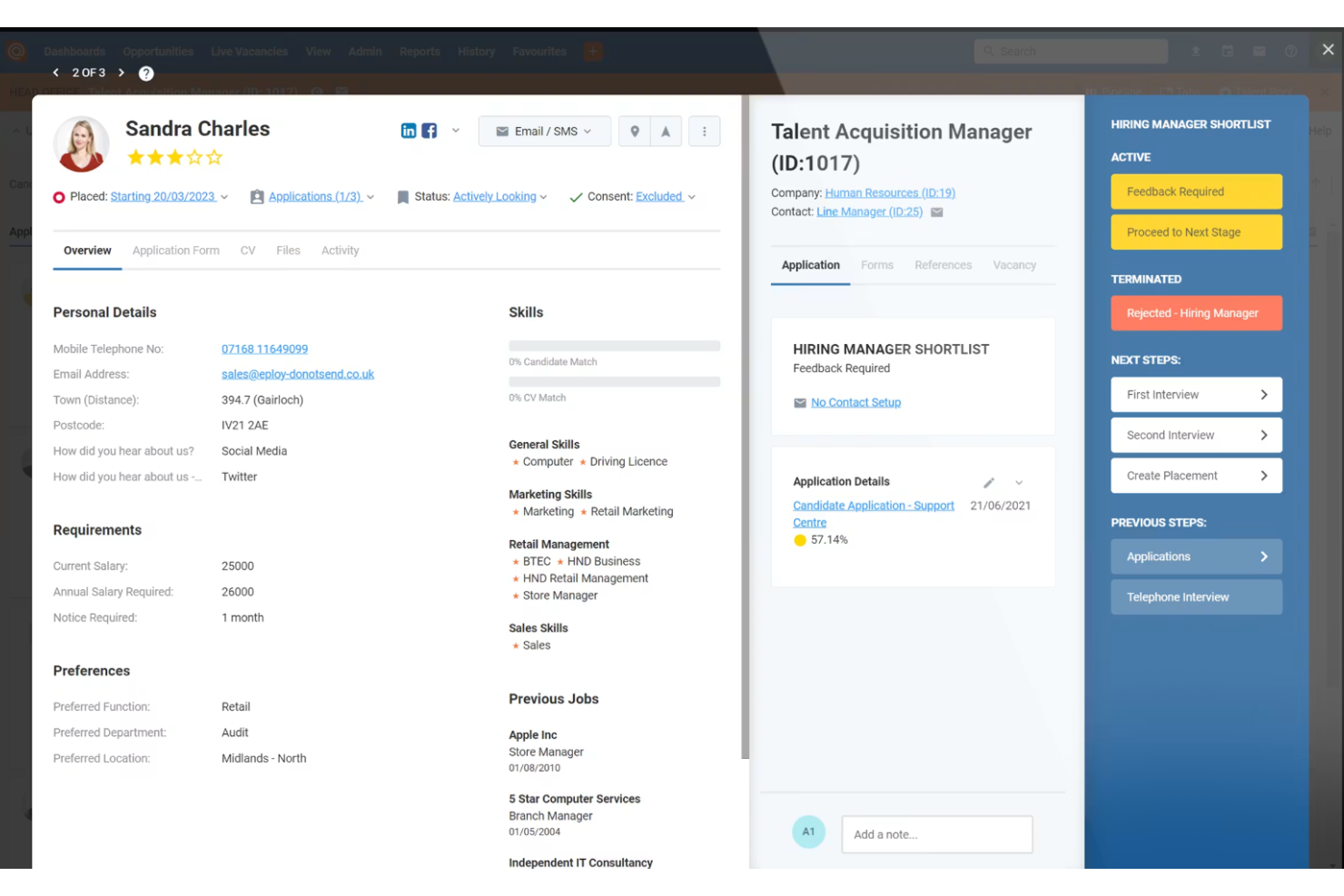
Eploy is an applicant tracking and recruitment management system for education that provides vacancy advertising, candidate screening, interview scheduling, onboarding workflow tools, and configurable reporting dashboards.
Who Is Eploy Best For?
Education sector HR teams who need an applicant tracking system that connects with wider HR or payroll platforms.
Why I Picked Eploy
I picked Eploy as one of the best because my team can synchronize applicant data with our HR and payroll platforms, automate approvals for recruitment activities, and configure hiring workflows that match our institution’s structure.
Eploy Key Features
- Multi-channel vacancy advertising: Publish openings to your website, job boards, and social media.
- Configurable application forms: Tailor forms to collect role-specific candidate information.
- Recruitment campaign management: Run bulk recruitment drives for multiple roles or departments.
- Automated candidate screening: Evaluate applicant submissions automatically using custom scoring, knockout questions, and skills assessments.
Eploy Integrations
Eploy offers more than 80 integrations, including Zoom, Thrive, Litmus, Dropbox, Google Workspace, Outmatch, Oracle PeopleSoft, Okta, Indeed, Zellis, and the Microsoft ecosystem, including Microsoft 365. An API is available for custom integrations.
Pros and Cons
Pros:
- Reports tailored to education HR metrics
- Automated references and onboarding steps
- Customizable workflows for education recruitment
Cons:
- Advanced custom reporting is complex to build
- High initial implementation complexity requires a background in software setup

AvaHR
Best for real-time applicant progress tracking

AvaHR is a hiring platform for small and growing businesses that distributes jobs to over 100 boards, manages candidate pipelines, scores applicants with AI, supports team collaboration, and creates offer letters.
Who Is AvaHR Best For?
AvaHR works well for small to mid-sized businesses that need a structured hiring process without the complexity of enterprise-level ATS platforms.
Why I Picked AvaHR
I've included AvaHR in my top picks because its custom hiring pipelines give you a clear, drag-and-drop view of exactly where every candidate stands at any moment. In a school or district hiring process, where multiple roles are open simultaneously, that visibility matters. You can build separate pipelines per role, and AvaHR's automated pipeline stage actions trigger status updates, candidate communications, and team feedback requests as applicants move forward. Pair that with the built-in analytics dashboard, and you can see progress trends across all open positions without digging through email threads.
AvaHR Key Features
- Job board distribution: Post open roles to 100+ job boards at once from a single interface, including niche boards relevant to education hiring.
- AI applicant scoring: Ranks incoming candidates based on how well their profile matches the job requirements you've set.
- Offer letter creation: Build and send branded offer letters directly within the platform without switching to a separate document tool.
- Candidate scorecards: Collect structured ratings from each team member involved in the interview process to compare evaluations side by side.
AvaHR Integrations
AvaHR connects with a range of apps through Zapier, including Gusto, BambooHR, Checkr, Slack, Google Calendar, Calendly, Salesforce, HubSpot, Microsoft Teams, and ADP Workforce Now.
Pros and Cons
Pros:
- Post to 50+ job boards with one click
- Pipeline triggers automate actions by stage
- Pre-built job templates for education roles
Cons:
- eSignatures and referrals require an extra fee
- Lacks built-in interview scheduling

Tribepad
Best for accessible, anonymous applications
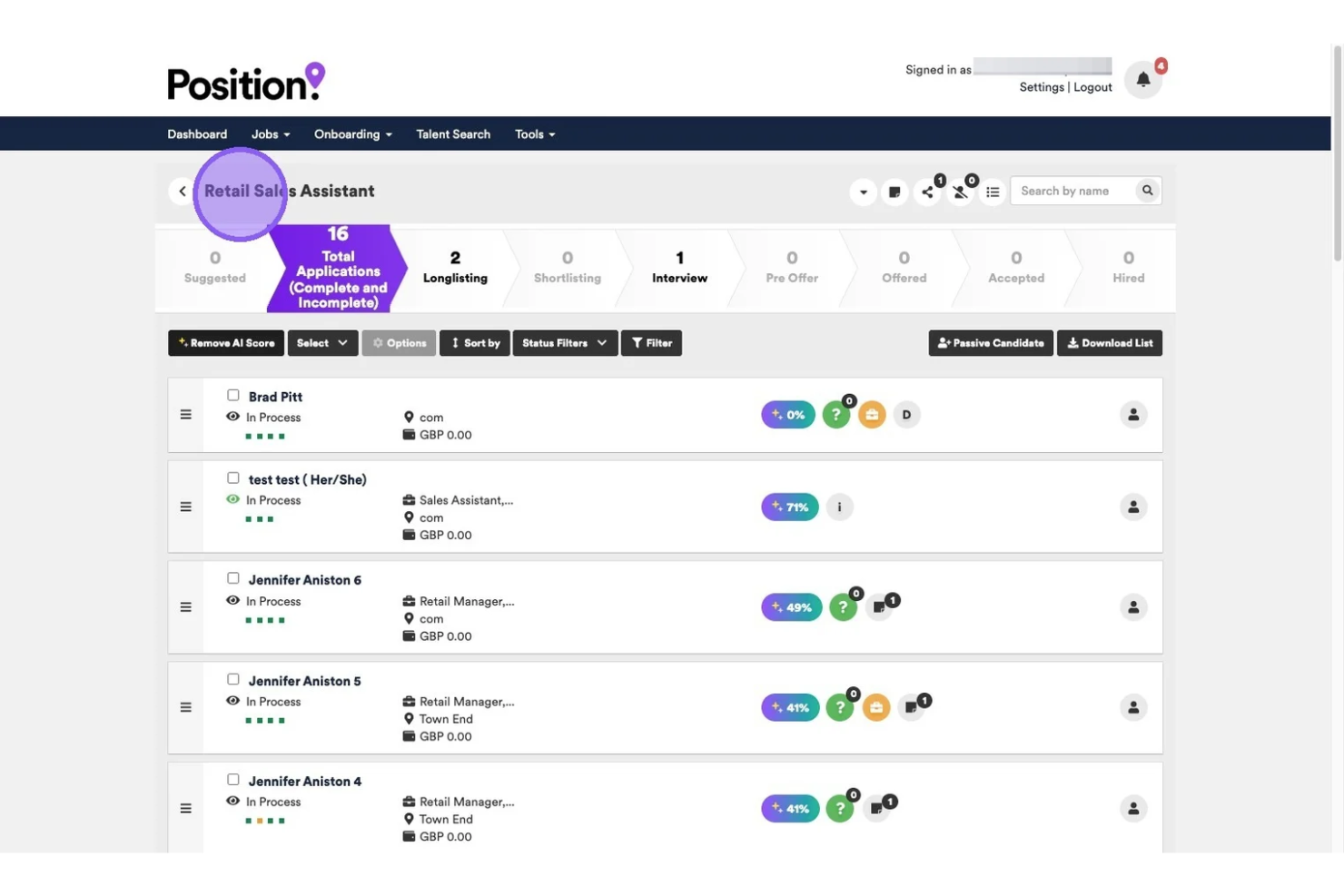
Tribepad is an applicant tracking system designed for education organizations, providing configurable applications, diversity and accessibility features, onboarding tools, and secure document management all in one platform.
Who Is Tribepad Best For?
Universities and colleges that prioritize inclusive, accessible, and anonymized recruitment.
Why I Picked Tribepad
I picked Tribepad as one of the best because my team can build accessible application forms, enable anonymous screening, and audit diversity data for compliance; three requirements central to accessible, anonymous applications in education hiring.
Tribepad Key Features
- Reference and background checks: Manage reference requests and background screening from the dashboard.
- Branded career site builder: Build custom career sites that match university branding.
- Configurable notifications: Send targeted updates to candidates and hiring teams throughout the process.
- Anonymous screening and EDI tools: Remove candidate identifying details from applications to minimize hiring bias and audit diversity data for compliance.
Tribepad Integrations
Tribepad offers native integrations with Hibob, Oracle PeopleSoft, SAP, Workday, Indeed, totaljobs, HireVue, Willo, ServiceNow, DocuSign, Jobtrain, and more. An API is available for custom integrations.
Pros and Cons
Pros:
- Clearly organized diversity monitoring tools
- Anonymous candidate screening functionality
- Customizable application and review workflows
Cons:
- Implementation phase for enterprise clients requires extensive configuration
- Reporting exports require manual formatting
iCIMS
Best for configurable enterprise-scale workflows
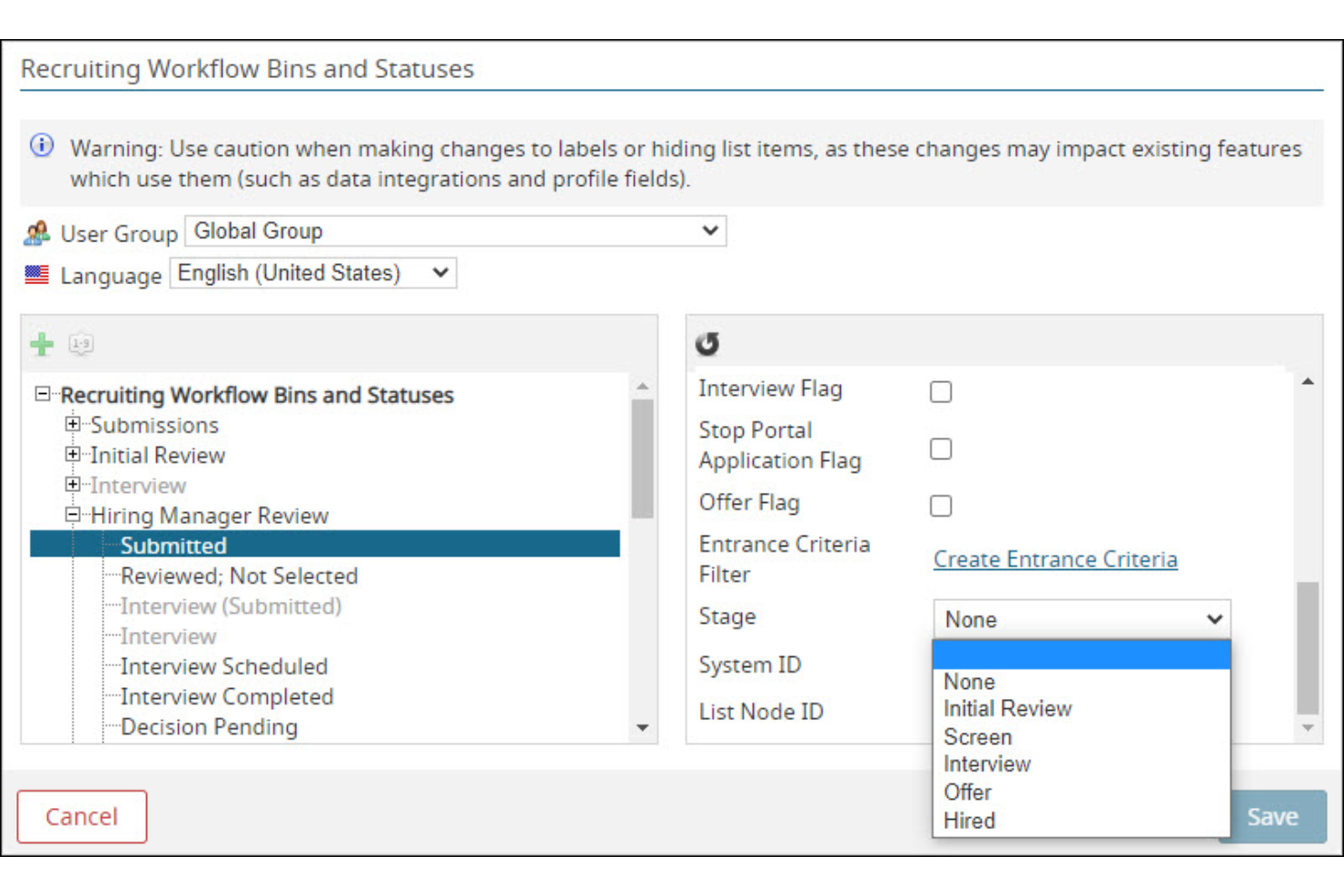
iCIMS is an applicant tracking system designed for educational institutions that need tailored recruiting workflows, centralized applicant management, and scalable roles and permissions for large organizations.
Who Is iCIMS Best For?
Recruitment teams at large universities or college systems that require advanced workflow customization and centralized oversight across multiple departments.
Why I Picked iCIMS
I picked iCIMS as one of the best because I can tailor every stage of recruitment with granular workflow controls, set department-specific permissions, and automate approval chains for large-scale academic hiring.
iCIMS Key Features
- Mobile-responsive candidate portals: Applicants can access and complete job applications from any device.
- Candidate relationship management tools: Build talent pipelines and communicate directly with education-focused candidates.
- Automated interview scheduling: Syncs interviews with staff calendars and invites selected candidates.
- Customizable recruitment workflows: Design tailored approval chains and hiring stages to accommodate complex academic hiring structures.
iCIMS Integrations
iCIMS offers native integrations with Workday, Oracle PeopleSoft, SAP SuccessFactors, UKG, ADP, DocuSign, HireVue, LinkedIn, Korn Ferry, Microsoft 365, Google Workspace, and more. An API is available for custom integrations.
Pros and Cons
Pros:
- Automated interview scheduling for hiring committees
- Custom fields for education-focused data tracking
- Batch applicant actions for handling large volumes
Cons:
- Non-technical users face a steep learning curve when building custom, ad-hoc reports
- Workflow modification can be time-consuming
Jobvite
Best for hiring team collaboration dashboards
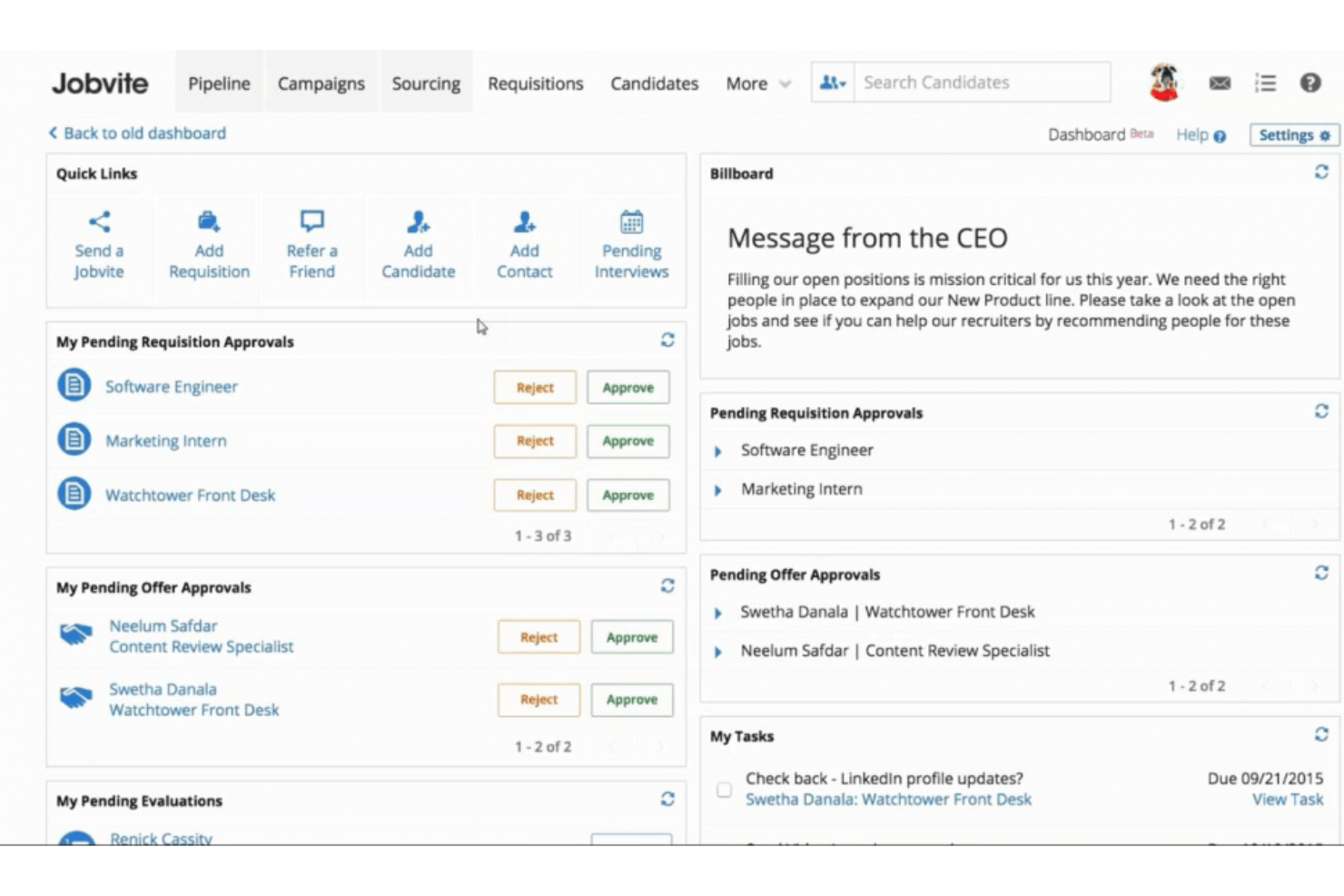
Jobvite is an applicant tracking platform for education-focused hiring teams that supports job posting, automated candidate management, configurable workflows, and collaborative dashboard features.
Who Is Jobvite Best For?
Colleges and universities with decentralized hiring teams that need shared dashboards to coordinate faculty, staff, and student recruitment.
Why I Picked Jobvite
I picked Jobvite as one of the best because I rely on its customizable hiring dashboards, commenting for committee input, and stage-driven candidate workflows to coordinate recruitment efficiently across academic departments.
Jobvite Key Features
- Automated job posting distribution: Push open positions to multiple education job boards at once.
- Branded career sites: Build mobile-friendly, school-branded career pages to attract faculty and staff.
- Referral management tools: Track and manage employee referrals for open positions.
- Collaborative hiring tools: Share candidate profiles, collect feedback, and enable committee evaluation across academic departments.
Jobvite Integrations
Jobvite offers native integrations such as LinkedIn, Indeed, UKG, bambooHR, ADP, ZipRecruiter, DocuSign, Paychex, Criteria Microsoft 365, Google Workspace, and Zoom. An API is available for custom integrations.
Pros and Cons
Pros:
- Support for multi-step academic hiring processes
- Automated job posting to education job boards
- Custom dashboards for hiring team visibility
Cons:
- Limited candidate data reporting flexibility
- Rebuilding workflows is time-intensive
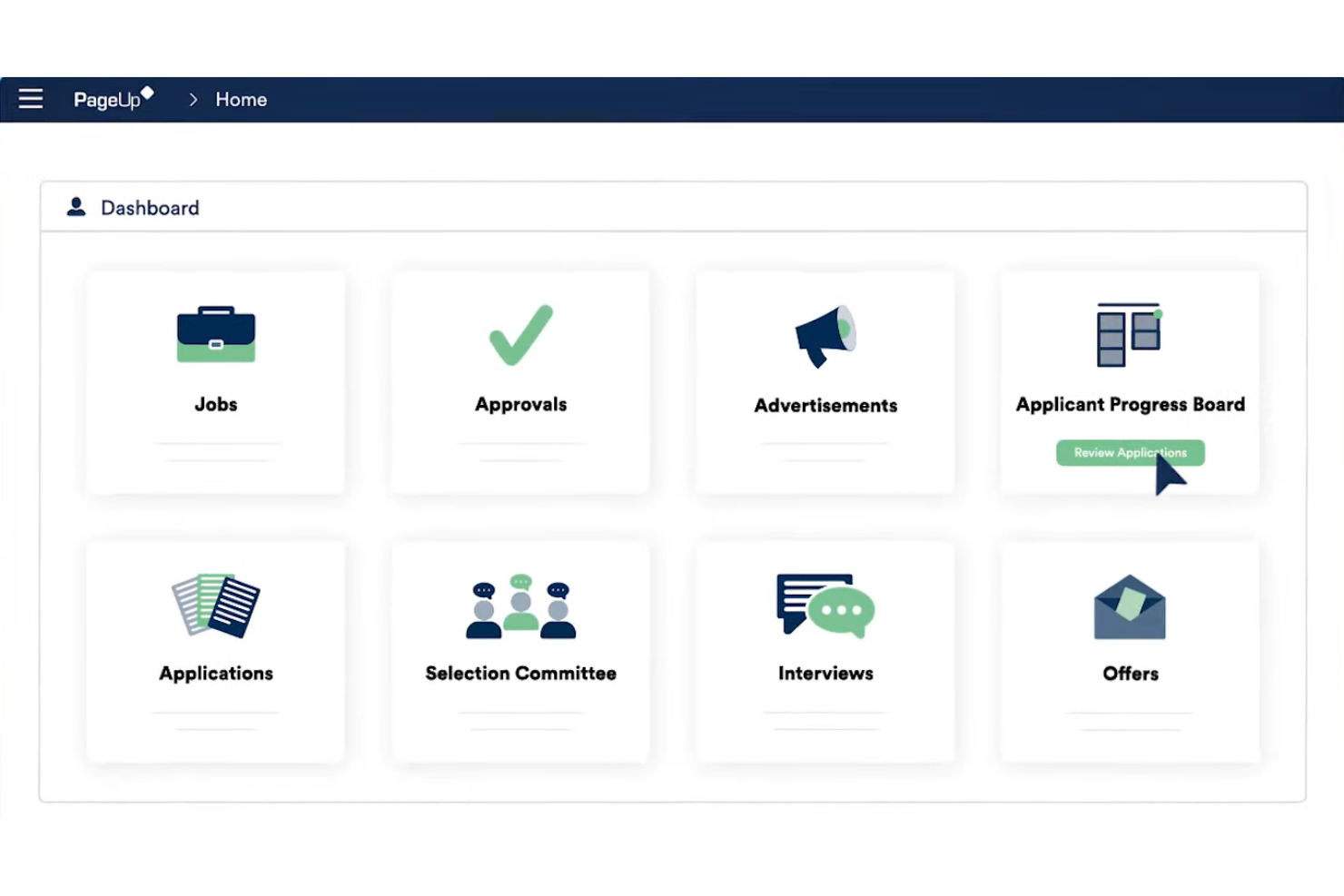
PageUp is an applicant tracking system for education that brings together mobile-friendly job postings, customizable recruitment workflows, automated candidate communications, and analytics tools in a single platform.
Who Is PageUp Best For?
Recruiters and HR teams at universities and colleges seeking to deliver consistent candidate experiences on mobile devices.
Why I Picked PageUp
I picked PageUp as one of the best because I can create mobile-optimized job listings, send SMS interview reminders, and manage candidate applications on the go, making mobile-first candidate engagement simple for university hiring teams.
PageUp Key Features
- Automated reference checking: Gather candidate references through automated online processes.
- Candidate assessment tools: Integrate and manage structured assessments directly within the platform.
- Recruitment analytics dashboard: Track and report on key hiring metrics in real time.
- Mobile-first candidate engagement: Send SMS interview reminders, publish mobile-optimized job listings, and manage candidate applications on the go.
PageUp Integrations
PageUp offers native integrations with LinkedIn, Indeed, Accurate, HireRight, Oracle PeopleSoft, SAP SuccessFactors, Workday, Microsoft Outlook, Seek, and more. An API is available for custom integrations.
Pros and Cons
Pros:
- Bulk communication options for student applicants
- Custom workflow builder for the education sector needs
- Mobile application process supports on-the-go candidates
Cons:
- Some workflows require multiple manual configuration steps
- Reporting tools lack advanced export customization
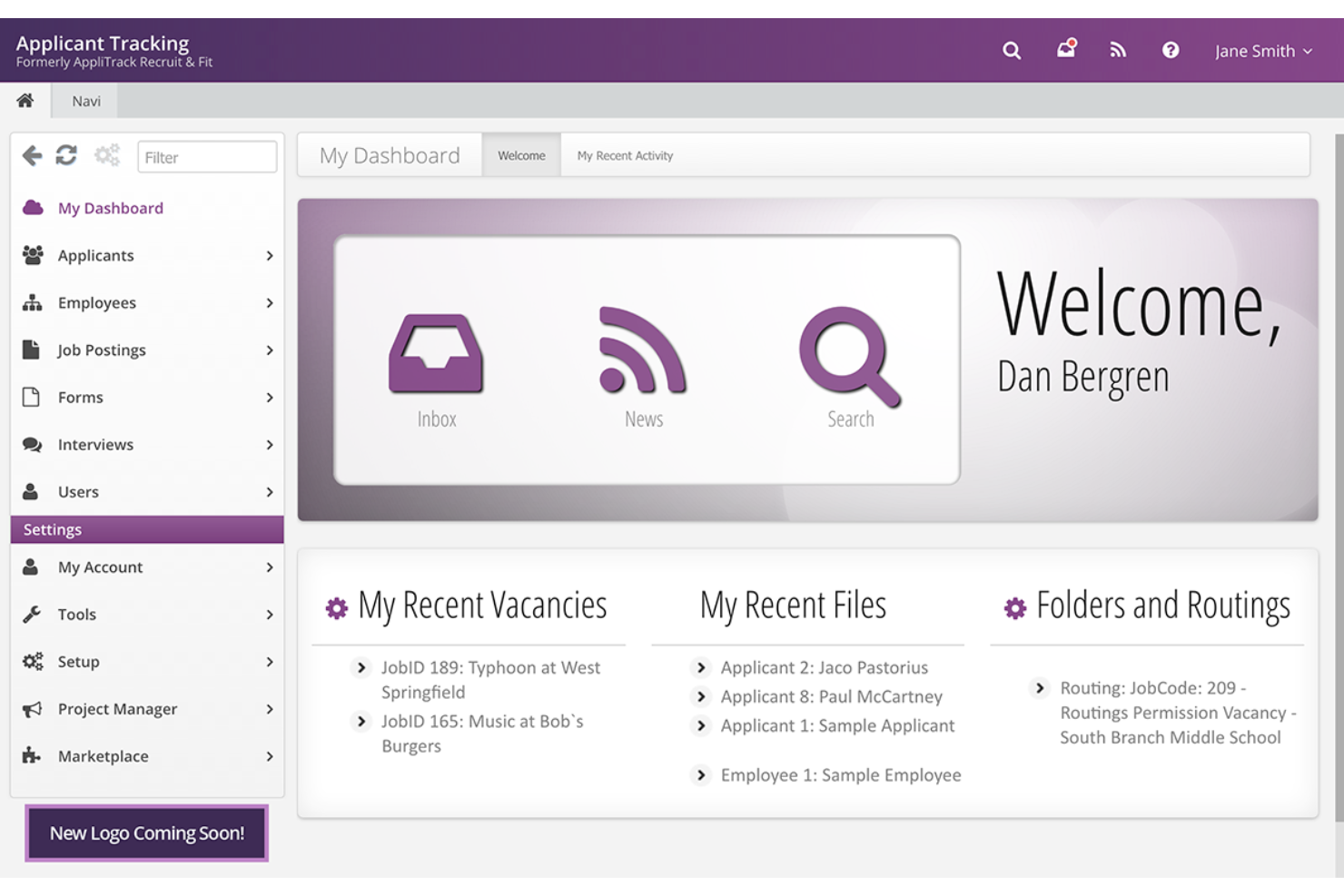
Frontline Education is an applicant tracking system for education that offers centralized candidate management, workflow automation, and recruiting analytics designed for schools and districts.
Who Is Frontline Education Best For?
District HR teams and school administrators managing talent acquisition across multiple school sites or locations.
Why I Picked Frontline Education
I picked Frontline Education as one of the best because I can track all candidate activity districtwide, manage permissions across locations, and customize workflows to oversee hiring for several schools at once.
Frontline Education Key Features
- Job posting distribution: Post open positions to multiple job boards directly from the ATS software platform.
- Custom screening forms: Build pre-hire forms and screening questionnaires tailored to district requirements.
- Interview scheduling tools: Coordinate interview calendars and send automated reminders to interview participants.
- Automated reference checking: Send digital surveys to candidate references to gather feedback faster and streamline background verifications.
Frontline Education Integrations
Frontline Education is natively integrated with ADP, PeopleSoft, Lumen, Focus SIS, Edupoint, PeopleAdmin, ExponentHR, and more education-related integrations. It supports integrations via API for custom connections.
Pros and Cons
Pros:
- Customizable recruitment workflows for schools
- Automated reference and background checks
- Centralized districtwide candidate tracking
Cons:
- Application forms are complex and lengthy
- Third-party integrations lack open API capabilities

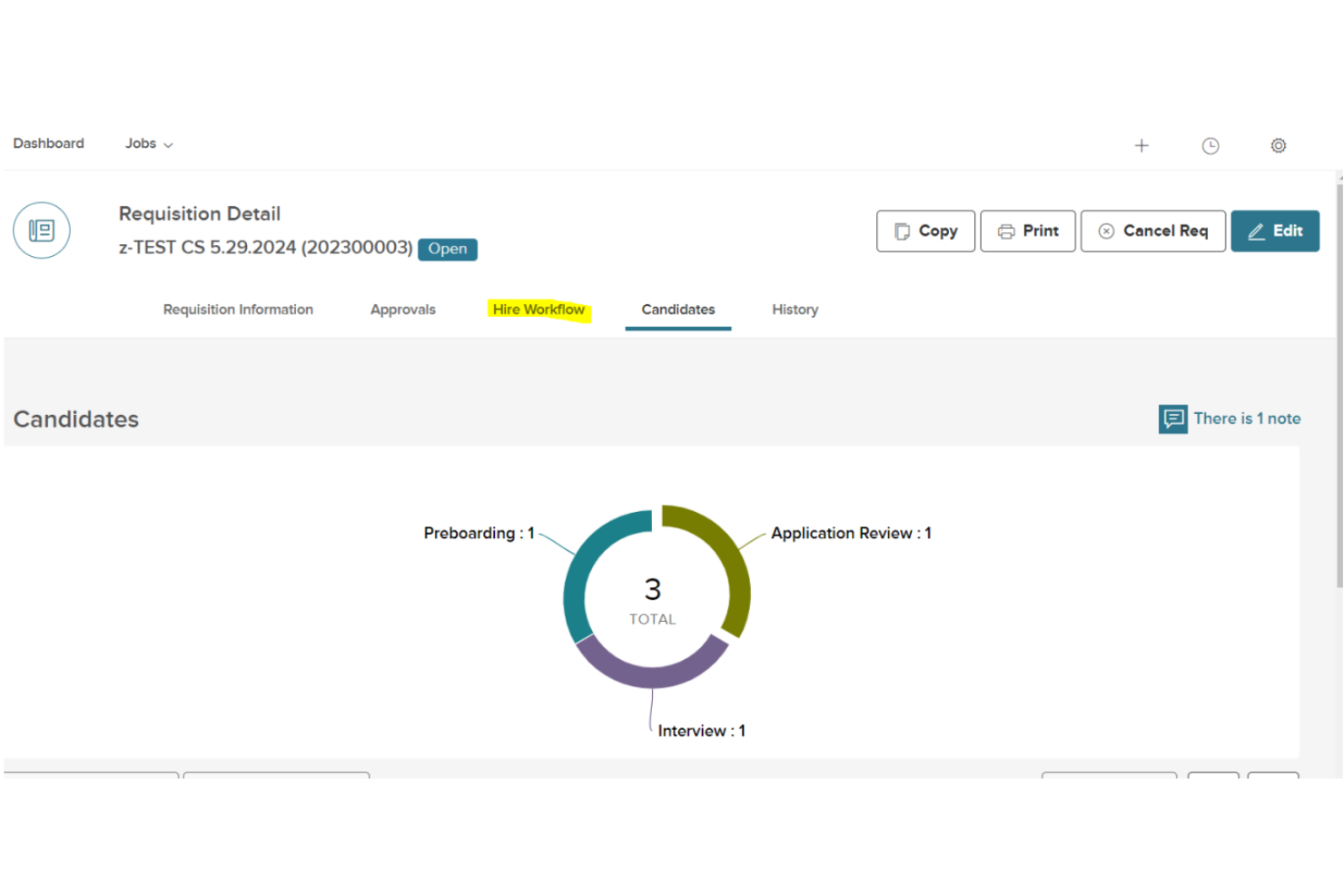
NEOED Insight is an applicant tracking system for education that supports custom workflows, department-level hiring processes, and position management tailored for higher education institutions.
Who Is NEOED Best For?
HR teams at colleges and universities managing multi-department recruiting and faculty hiring needs.
Why I Picked NEOED
I picked NEOED because I can configure hiring workflows for each department and manage search committees directly within the platform. I like that my team can track faculty and staff positions separately and set up approval chains tailored for higher education.
NEOED Key Features
- Position control management: Map, track, and locate the best candidates for job positions across the institution.
- Automated job board posting: Distribute openings to major education job boards from within the system to avoid communication bottlenecks.
- Custom reporting tools: Generate reports on candidates, postings, and process stages.
- Applicant tracking dashboard: Monitor candidate pipelines and track application status across all departments in real time.
NEOED Integrations
NEOED offers native integrations such as UKG, Spark Hire, eSkill, Accenture, AccuSource, Ellucian, SkillCheck, and more. An API is available for custom integrations.
Pros and Cons
Pros:
- Offers campus-wide position control management
- Supports committee-based hiring workflows
- Tracks faculty and classified positions separately
Cons:
- Formatting can feel glitchy and restrictive
- Approval chains can require a complex setup
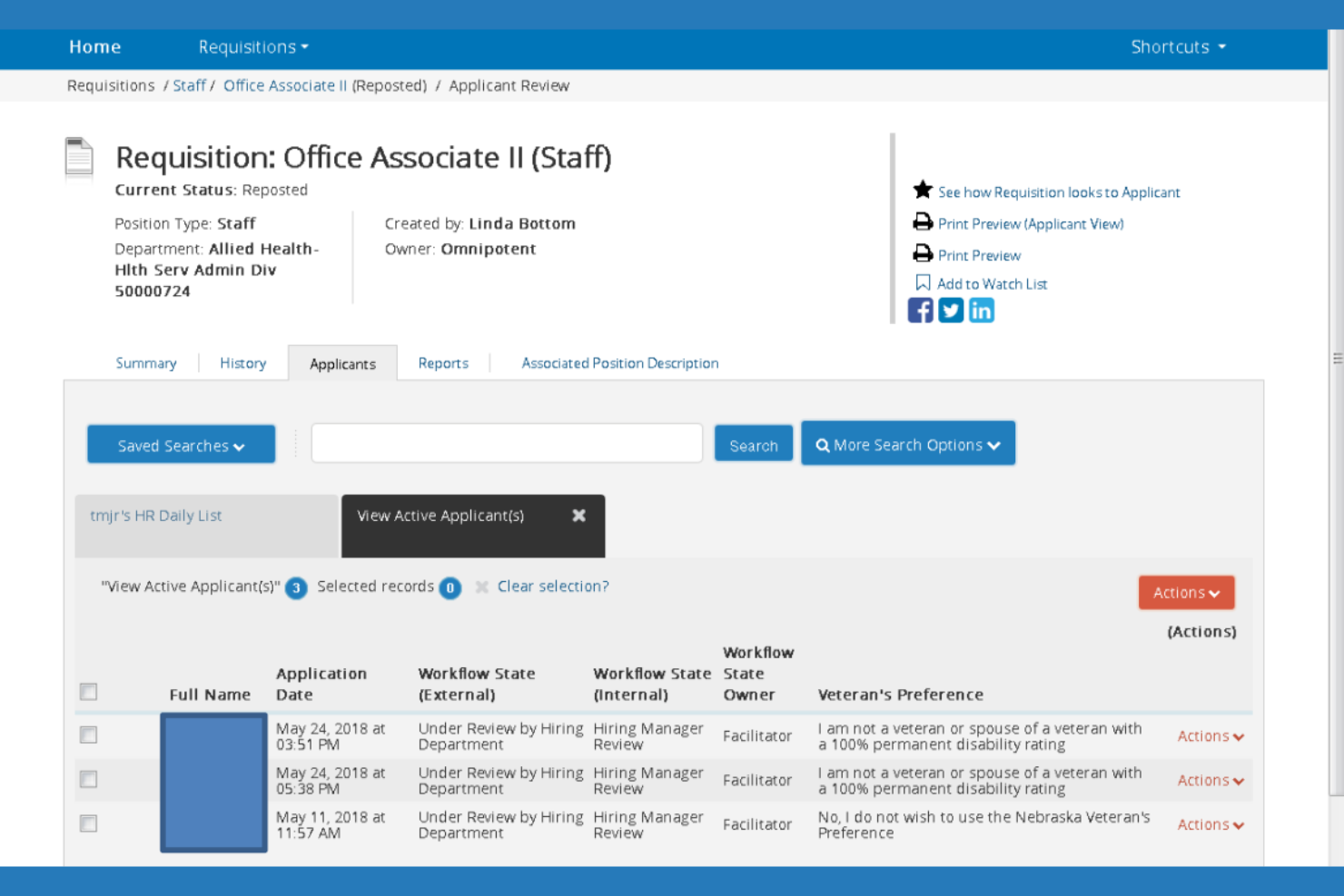
PeopleAdmin is an applicant tracking system for colleges and universities that handles multi-campus hiring, position management, and faculty or staff search processes.
Who Is PeopleAdmin Best For?
Large universities and college systems needing centralized but customizable hiring workflows across multiple campuses and departments.
Why I Picked PeopleAdmin
I picked PeopleAdmin because I can customize hiring workflows for different departments and campuses, manage faculty, staff, and student positions in separate tracks, and handle position control at the institution level for large multi-campus systems.
PeopleAdmin Key Features
- Automated posting to job boards: Easily distribute open positions to higher ed job boards from within the system.
- Workflow approvals: Route job requisitions and candidate offers for approval through configurable steps rather than slow manual processes.
- Custom reporting and analytics: Generate detailed reports on recruitment, compliance, and diversity data.
- Faculty search tracking: Manage specialized academic hiring, tenure-track applications, and committee evaluation processes in dedicated workflows.
PeopleAdmin Integrations
PoepleAdmin offers native integrations with Applya, BibTex, Enflux, Ellucian, JobElephant, Oracle PeopleSoft, Workday, Spark Hire, Skillsurvey, and many other higher education HCM platforms. It offers an API for custom integrations.
Pros and Cons
Pros:
- Committee management for academic hiring processes
- Handles position control across campuses
- Tracks faculty, staff, and student workflows
Cons:
- Reporting setup requires technical expertise
- System navigation can feel unintuitive

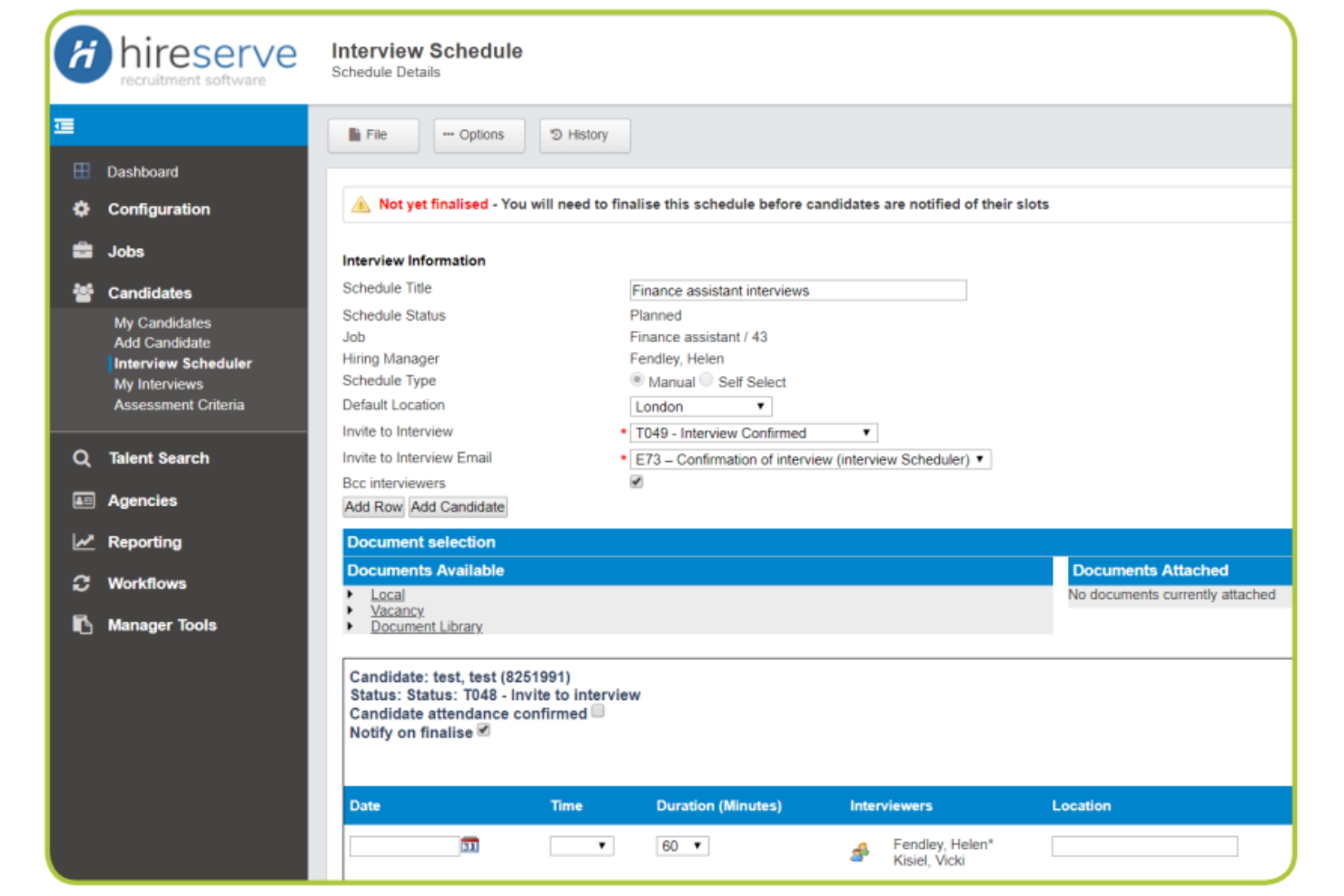
Hireserve is an applicant tracking system for educational institutions that enables vacancy management, digital shortlisting, interview coordination, reporting, and candidate communication all within a single platform.
Who Is Hireserve Best For?
Universities and higher education HR teams that need a platform that enables anonymous candidate shortlisting and audit-ready recruitment workflows.
Why I Picked Hireserve
I picked Hireserve as one of the best because my team can anonymize candidate data for compliant blind shortlisting, configure education-specific selection criteria, and administer panel scoring aligned with university hiring standards.
Hireserve Key Features
- Automated interview scheduling: Arrange candidate interviews directly within the platform.
- Custom vacancy workflows: Design tailored recruitment steps for different academic roles.
- Candidate application portal: Build a robust talent pool by enabling applicants to manage their submissions and track progress.
- Blind shortlisting tools: Anonymize candidate application data to reduce hiring bias and maintain audit-ready, compliant selection standards.
Hireserve Integrations
Native integrations include Veritone Hire, Unit 4, Spotlite, Secured Signing, Indeed, Google Jobs, and more. An API is available for custom integrations.
Pros and Cons
Pros:
- Blind selection to reduce unconscious bias
- Centralizes academic hiring documentation
- Highly configurable shortlisting workflows
Cons:
- Initial candidate portal setup takes time
- External data integrations are complex to establish
Other Applicant Tracking Systems for Education
Here are some additional applicant tracking systems for education options that didn’t make it onto my shortlist, but are still worth checking out:


How I Evaluate Applicant Tracking Systems for Education
I split my evaluation into two layers: baseline criteria—like credential tracking and multi-campus job posting—and differentiators that separate the best options from the rest.
Core Functionality (Table Stakes For This List)
When I'm selecting tools for my list, I rank each one on a scale from 0 (does not offer the functionality) to 5 (excels in this area) for each core functionality listed below. Then, I calculate the tool's total score into a percentage. Each tool needs to achieve a minimum total score of 65% to be considered for inclusion.
- Education-Specific Application Forms: I look for customizable application templates that capture teaching credentials, licensure details, and endorsements rather than forcing districts to retrofit generic hiring forms.
- Credential & Compliance Tracking: Each tool should track certification expirations, background check status, and reference completions so HR teams can flag gaps before extending offers.
- Multi-School Job Posting: I evaluate whether platforms let you post and manage requisitions across multiple campuses or schools and distribute them to education job boards like SchoolSpring or HigherEdJobs.
- Candidate Pipeline Management: Configurable hiring stages matter here—I check for workflows that reflect real education hiring, such as demo lesson review, panel interview, and board approval stages.
- HRIS & SIS Integrations: The platform should connect with education HRIS and payroll systems like Frontline, PowerSchool, or Skyward to sync new hire data without manual re-entry.
- EEO & Reporting Analytics: I look for built-in EEO and diversity reporting alongside hiring metrics like time-to-fill by role type, which public districts and universities typically need for compliance.
Once I have a list of tools that meet the criteria, I consider what sets each platform apart.
Differentiating Factors (What Sets Vendors Apart)
Here's how I compare and contrast different vendors:
Standout Features
Reference automation saves hiring committees real time—I look for tools that send structured reference requests tied to educator competencies rather than generic questionnaires. Offer letter workflows matter too, especially when contracts require board approval routing before they go out. I also evaluate internal mobility features, since large districts frequently need to facilitate transfers between schools without reposting roles externally.
Beyond Features
Pricing and procurement models vary widely in this space—I check whether vendors offer cooperative purchasing agreements, since many districts rely on these to simplify budget approval. Implementation timelines also matter because a rollout that misses the spring hiring window can cost a district an entire recruitment cycle. I evaluate compliance readiness too, looking at whether the platform meets education data privacy standards like FERPA and supports secure handling of background check records.
How to Choose an Applicant Tracking System for Education
It’s easy to get bogged down in long feature lists and complex pricing structures. To help you stay focused as you work through your unique software selection process, here’s a checklist of factors to keep in mind:
| Factor | What to Consider |
|---|---|
| Scalability | Can the platform support growth if your institution expands, adds campuses, or hires for more roles in the future? Watch for seat limits or tiered pricing. |
| Integrations | Does the system sync with your student information, HRIS, or learning management systems? Missing connections can create duplicate work and data silos. |
| Customizability | Can you adjust workflows to fit your academic hiring processes, such as faculty search committees or multi-phase approvals? |
| Ease of use | Is the interface clear for less tech-savvy staff and faculty? Try user demos to see if navigation is intuitive and processes are simple to follow. |
| Implementation and onboarding | How long will it take to get your team set up, including training and legacy data migration? Look for onboarding support tailored to education clients. |
| Cost | Is the total cost of ownership justified by automation and compliance improvements? Compare not just licensing but also necessary services or add-on modules. |
| Security safeguards | Does the software offer FERPA-compliant data handling and quick permission controls? Ask about audit trails and access management for sensitive applicant data. |
| Support availability | Is timely, knowledgeable support available during academic calendar peaks? Confirm support hours, access channels, and team familiarity with education needs. |
What is an Applicant Tracking System for Education?
An applicant tracking system for education is software that manages recruitment, candidate evaluation, and hiring workflows for schools, colleges, and universities. It centralizes job postings, applicant data, and hiring committee collaboration to optimize academic and staff recruitment. These platforms help ensure compliance, support multi-step approvals, and provide transparency throughout institutional hiring processes.
Features
When selecting an applicant tracking system for education, keep an eye out for the following key features:
- Custom hiring workflows: Adapt hiring steps to fit academic searches, including department reviews, committee feedback, and multi-level approvals.
- Centralized job postings: Publish positions across internal and external job boards from one dashboard, ensuring wide visibility to job seekers for faculty and staff roles.
- Candidate data management: Store, track, and organize applicant information, CVs, and supporting documents in one secure location for easy team access.
- Automated communication tools: Schedule interviews, send status updates, and manage candidate correspondence without manual entry or missed deadlines.
- Multi-user collaboration: Allow hiring committees, HR, and department heads to comment, rate, and participate in real-time decision-making.
- Compliance tracking: Record and monitor hiring steps to meet institutional, state, and federal compliance standards, with detailed audit trails.
- Reporting and analytics: Generate reports on pipeline status, candidate demographics, and hiring timelines for leadership review and process improvement.
- Role-based access controls: Assign permissions by user type to keep sensitive candidate data private while enabling wider committee collaboration.
- Document management: Collect, organize, and review items like transcripts, certifications, and letters of recommendation within the system.
- Integration capabilities: Connect with HRIS, payroll, and campus systems to keep hiring data synced and minimize redundant data entry.
Benefits
Implementing an applicant tracking system for education provides several benefits for your team and your business. Here are a few you can look forward to:
- Optimized recruitment processes: Automate and organize academic and staff hiring workflows from posting to final offer, reducing manual tasks and saving time.
- Improved collaboration: Give hiring committees, HR staff, and department leads shared access for coordinated reviews and feedback on candidates.
- Enhanced compliance oversight: Track steps, permissions, and documentation to meet federal, state, and institutional hiring requirements and audits.
- Centralized candidate management: Keep applicant data, resumes, and committee feedback in one secure place, reducing lost information and duplicated efforts.
- Better reporting and transparency: Generate and share real-time analytics on recruitment activity for leadership insight and process improvement.
- Consistent candidate experience: Standardize communications and interview scheduling to provide a professional and responsive process for all applicants.
- Scalable for institutional growth: Support growing campuses and new academic programs without needing to overhaul your hiring infrastructure.
Costs and Pricing
Selecting an applicant tracking system for education requires an understanding of the various pricing models and plans available. Costs vary based on features, team size, add-ons, and more. The table below summarizes common plans, their average prices, and typical features included in an applicant tracking system for education solutions:
Plan Comparison Table for Applicant Tracking System For Education
| Plan Type | Average Price | Common Features |
|---|---|---|
| Free Plan | $0 | Basic job posting, simple applicant tracking, limited users, and basic email notifications. |
| Personal Plan | $20-$50/user/month | Unlimited job postings, candidate management, custom workflows, email templates, and basic reports. |
| Business Plan | $60-$120/user/month | Team collaboration tools, committee reviews, compliance tracking, document storage, and analytics. |
| Enterprise Plan | $150-$300/user/month | Advanced security, custom integrations, dedicated support, complex workflow automation, and API access. |
Applicant Tracking System for Education FAQs
Here are some answers to common questions about an applicant tracking system for education:
How does an applicant tracking system for education handle faculty committee reviews?
Most systems let you add multiple committee members to each hiring workflow. Members can review candidate materials, leave comments, and participate in scoring or ranking candidates directly within the platform. This keeps feedback organized and helps ensure transparency in academic searches.
Can applicant tracking systems for education help with compliance tracking?
Yes, these platforms typically include audit trails, document storage, and automated reminders for required steps. They also provide reporting tools to track EEO, OFCCP, or other compliance requirements for educational hiring processes, making it easier to pass audits or reviews.
Are applicant tracking systems for education suitable for decentralized campuses?
Yes, they’re designed to support multi-campus or multi-department hiring. You can set up permissions, workflows, and job postings tailored to each campus or division while still keeping all data centralized for reporting and oversight.
What integrations should I look for in an education-focused ATS?
Look for integrations with your HRIS, student information systems, background check services, and communication platforms. These connections help automate onboarding and reduce manual data entry between systems.
How easy is it to migrate data into an applicant tracking system for education?
Most platforms offer import tools, onboarding support, or data migration services to help bring in legacy applicant and job data. Check if there are additional costs or limits on importing historical information before committing.