

Employee engagement software for healthcare helps HR teams hear from staff, share updates across shifts, and act on feedback. When nurses and other employees work across departments, locations, and schedules, tools need to make participation accessible and feedback safe to share. This list compares options for listening, recognition, and communication so you can choose software that fits your workforce and supports engagement and retention.
Why Trust Our Software Recommendations
6,700+
Reviews
20
Industry experts
16+
Evaluation factors
14
Years
Our team has been testing and reviewing software since 2012. As HR experts ourselves, we know how difficult—and important—it is to choose the right software.
For this guide, we evaluated tools using hands-on testing and independent research, scoring tools using our selection criteria. We also draw on insights from industry thought leaders and practicing HR experts.
Our reviews reflect our human editorial judgment, not a sales pitch.
Expert reviewers:
- Phil GrayCOO
 Kim BehnkeHR Tech Editor & Analyst
 Josh BarkerPeople Ops Manager

Comparison Table: Employee Engagement Software for Healthcare
Compare pricing and specs side by side for the employee engagement software for healthcare on my shortlist.
Score legend (out of 5)
- Excellent4.5–5
- Good4–4.4
- Average3–3.9
- Below average2–2.9
- Poor1–1.9
Sorted by: Default
| Tool | Starting Price | Website | |||||||
|---|---|---|---|---|---|---|---|---|---|
Best for linking staff across hospital sites | 3.3 out of 5 | 2 | 3 | 4 | 4 | 4 | 3 | Pricing upon request Free demo available | Website |
Best for tracking policy acknowledgments | Not rated | Not rated | 3 | 4 | 4 | 4 | 4 | $3.75/user/month 14-day free trial + free demo available | Website |
Best for nurse and safety-culture listening | Not rated | 4 | Not rated | 5 | 4 | 4 | 4 | Pricing upon request Not available | Website |
Best for benchmarking healthcare teams | Not rated | 3 | 3 | 4 | 5 | Not rated | 4 | Pricing upon request Free demo available | Website |
Best for anonymous input with private replies | 3.3 out of 5 | 3 | 3 | 4 | 3 | 4 | 3 | Pricing upon request Free demo available | Website |
Best for spotting recognition gaps by shift | 2.5 out of 5 | 1 | 5 | 1 | 2 | 4 | 2 | Pricing upon request Free demo available | Book Demo |
Best for healthcare benchmarks | Not rated | 4 | Not rated | 4 | 4 | 2 | 3 | Pricing upon request Not available | Book Demo |
Best for healthcare safety incentive campaigns | Not rated | Not rated | 5 | 1 | 2 | 4 | 3 | Pricing upon request Free demo available | Book Demo |
Best for acting on staff stress feedback | 4.0 out of 5 | 4 | 3 | 5 | 4 | 4 | 4 | $4,999/year + $32/manager/month Free demo available | Website |
Best for nurse feedback and attrition insights | 3.0 out of 5 | 4 | 1 | 4 | 4 | 3 | 2 | Pricing upon request Free demo available | Website |


Employee Engagement Software for Healthcare Reviews
Below are my summaries of the best employee engagement software for healthcare on my shortlist. My reviews cover each platform’s features, healthcare use cases, and pricing to help you find the right fit.
 Best for linking staff across hospital sites
- Free demo available
- Pricing upon request
Visit WebsiteCustomer Rating:4.8/5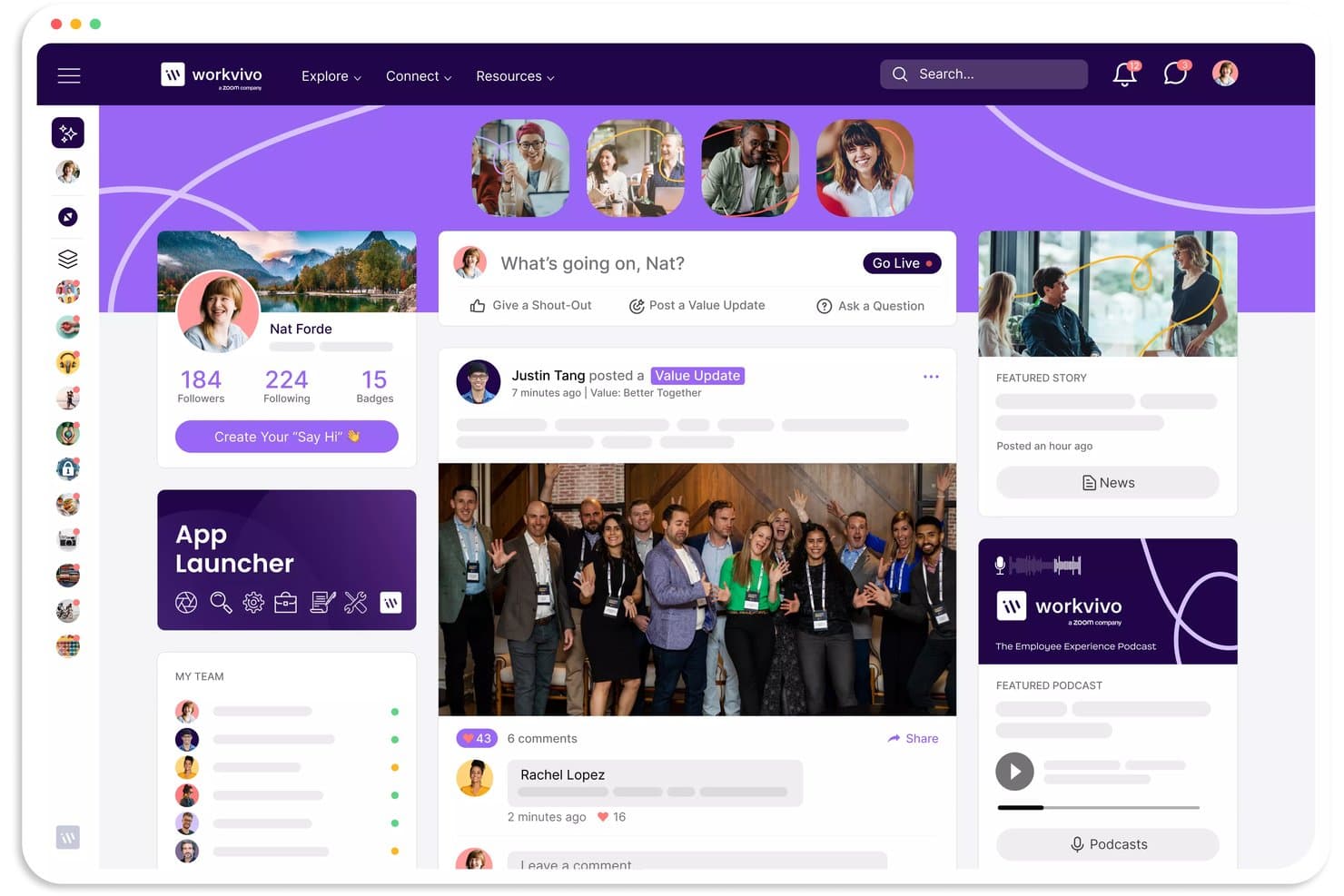
Workvivo's activity feed keeps healthcare staff connected and engaged. Workvivo is an AI-powered employee experience platform that brings together internal communications, recognition, surveys, and engagement analytics for healthcare organizations spread across multiple sites and shifts.
Who Is Workvivo Best For?
Workvivo HQ is a strong fit for hospital groups and multi-site healthcare organizations that need to connect desk-based staff and frontline caregivers across departments, shifts, and locations.
Why I Picked Workvivo
I picked Workvivo as one of the best because it's purpose-built for the kind of multi-site, multi-shift healthcare workforce. Spaces let you organize content and conversations by department, location, or team, so a nurse at one hospital site sees what's relevant to them without being buried in updates meant for another. Auto-Translate helps make communications accessible across language barriers, while mobile push notifications allow managers to share important updates with frontline employees who don't regularly work at a desk.
Workvivo Key Features
- Surveys & forms: Create targeted surveys with multiple question types, anonymous responses, and audience filters based on teams, Spaces, and tenure.
- Auto-Translate: Automatically translates content into employees' preferred languages across web and mobile.
- Badges & awards: Recognize individual and team achievements with peer nominations, award voting, and links to company values.
- Offline mode: Lets mobile users access pages, articles, and documents downloaded in advance on iOS and Android.
Workvivo Integrations
Workvivo offers 40+ out-of-box integrations, including Workday, UKG, BambooHR, Microsoft 365, Google Workspace, Zoom, Slack, and Microsoft Azure Active Directory. It also supports Jira, Confluence, ServiceNow, and custom integrations through REST APIs and webhooks.
Pros and Cons
Pros:
- Downloaded mobile documents remain accessible without internet
- Shoutouts and badges recognize individual and team achievements
- Department Spaces connect hospital teams
Cons:
- Advanced sentiment analytics require a paid add-on
- Survey analytics are accessible only on desktop
 Best for tracking policy acknowledgments
- 14-day free trial + free demo available
- From $3.75/user/month (billed annually)
Visit WebsiteCustomer Rating:4.7/5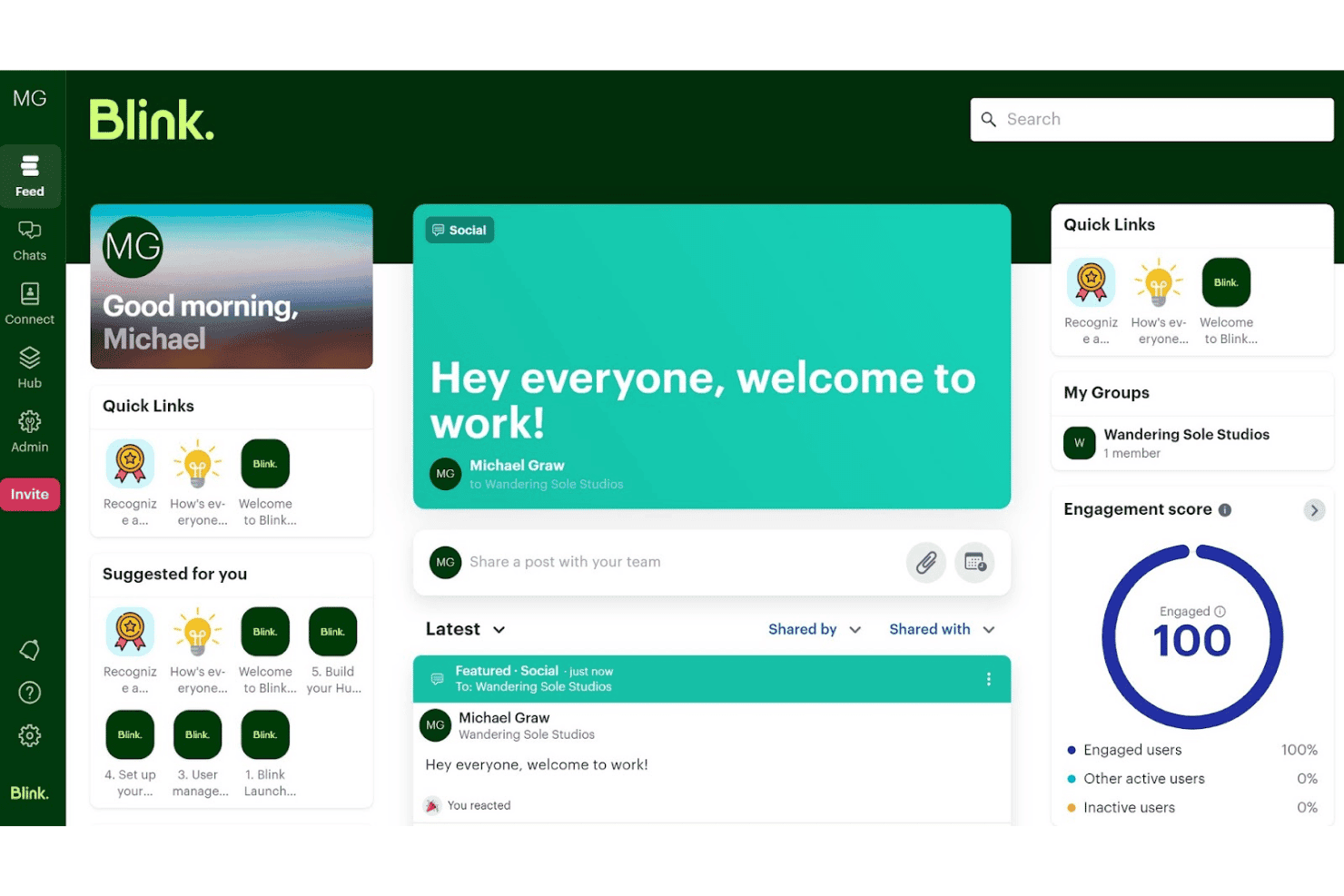
Blink centralizes team updates, quick links, and engagement scores in one feed. Blink is a frontline employee communication platform that brings together a social-style news feed, pulse surveys, peer recognition, mandatory reads with acknowledgment tracking, and segmented targeting by role, shift, site, and department.
Who Is Blink Best For?
Blink is a strong fit for internal communications leads at multi-site healthcare organizations who need to reach deskless and shift-based staff without relying on company email.
Why I Picked Blink
I picked Blink as one of the best for its Mandatory Reads feature, which helps healthcare organizations document employee acknowledgment of important policy updates. I particularly like that administrators can track individual confirmations, export timestamped records, and send targeted reminders to employees who haven't responded. Because Blink works on personal mobile devices without requiring company email, it's useful for reaching distributed healthcare staff. Communications can also be targeted by site, role, or department to keep updates relevant.
Blink Key Features
- Pulse surveys: Send single-question surveys to targeted employee groups and view real-time results as responses come in.
- Employee Intelligence dashboard: Track engagement, activation, participation, and sentiment trends with breakdowns by team, department, manager, or location.
- Kudos recognition: Enable peer-to-peer, manager, and milestone recognition posts that can be targeted by team, role, or location and shared to the Feed.
- Employee Journeys: Build automated, milestone-triggered communication sequences for preboarding, onboarding, or other lifecycle moments.
Blink Integrations
Blink lists 50+ integrations, including ServiceNow, Salesforce, Zoom, Microsoft 365, Microsoft Teams, Workday, and SharePoint. It also supports Okta, Microsoft Entra ID, and Google Workspace for single sign-on, plus additional connections through Zapier and custom APIs.
Pros and Cons
Pros:
- Engagement dashboards segment teams and locations
- Mobile access reaches deskless shift workers
- Policy acknowledgments create an audit trail
Cons:
- Advanced workforce analytics require an additional charge
- Pulse surveys require Pro or Enterprise subscriptions
Learn more about Blink: Best for nurse and safety-culture listening
- Not available
- Pricing upon request
Visit WebsiteCustomer Rating:4.5/5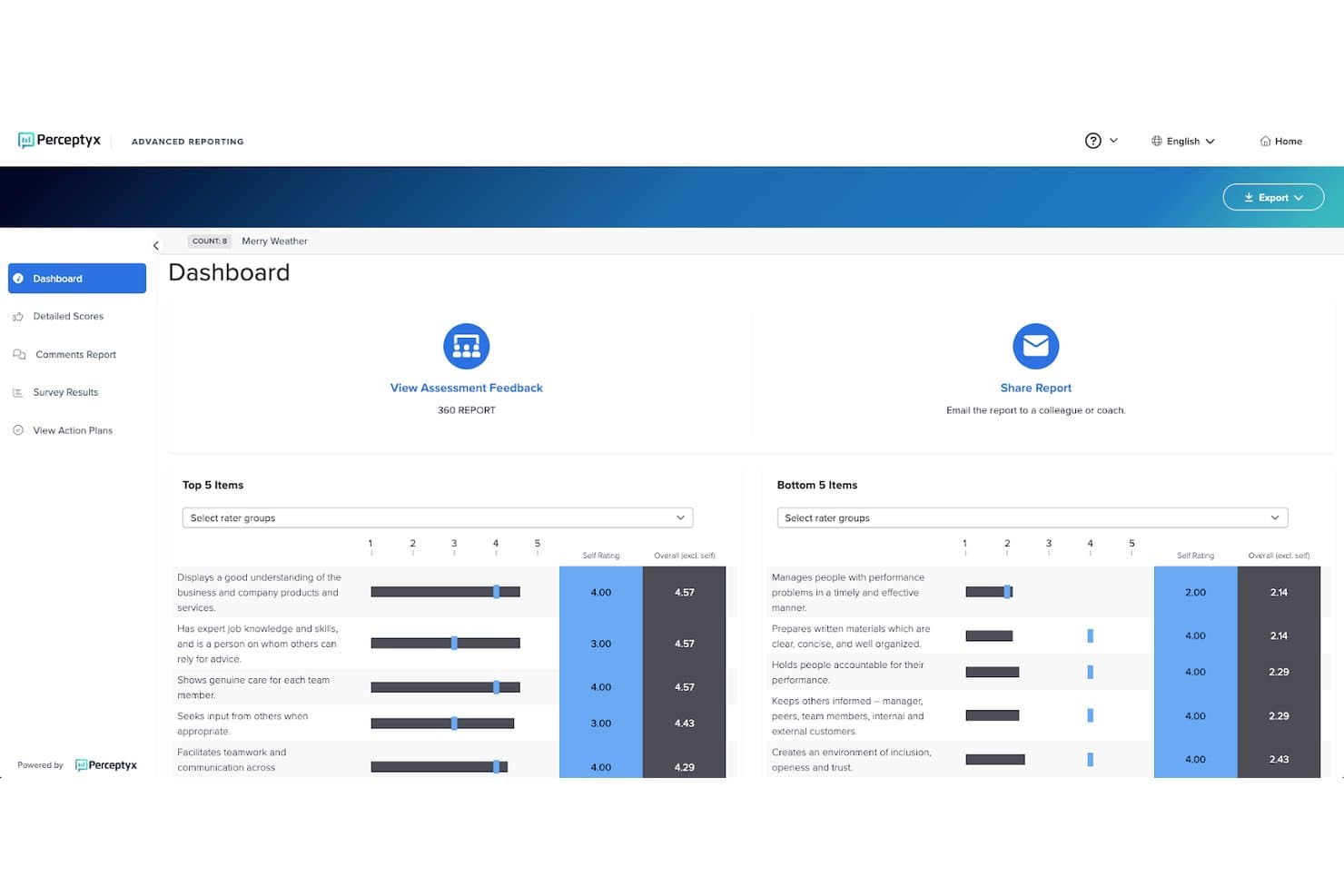
Perceptyx displays 360 feedback scores across top and bottom items. Perceptyx is an employee listening and people activation platform with dedicated healthcare solutions, combining pulse surveys, lifecycle feedback, AI-assisted action planning, and behavioral nudges for clinical and non-clinical employees.
Who Is Perceptyx Best For?
Perceptyx is a strong fit for health systems and hospital networks that need purpose-built listening tools for clinical workforces, including role-specific nurse surveys and safety-culture measurement.
Why I Picked Perceptyx
Perceptyx earns its spot on my shortlist for its healthcare-specific employee listening tools, particularly its ANCC-approved RN satisfaction surveys and support for Leapfrog-approved safety-culture surveys. I also like how Activate for Healthcare connects survey feedback to AI-assisted action plans and over 450 healthcare-specific behavioral nudges, helping managers address concerns around safety, teamwork, and staff well-being. Its role-specific benchmarks for nurses, physicians, and support staff add useful context when evaluating engagement across clinical teams.
Perceptyx Key Features
- Lifecycle listening: Captures employee feedback at key milestones including onboarding, 90-day checkpoints, manager changes, and exit interviews.
- Multi-channel survey delivery: Distributes surveys via SMS, QR codes, kiosks, email, Slack, and Microsoft Teams to reach shift-based and deskless clinical staff.
- AI-driven signal prioritization: Analyze feedback across listening channels and rank experience gaps by predicted business impact to help leaders prioritize action.
- Multilingual survey support: Offers 34 built-in languages and more than 140 available language options for diverse healthcare workforces.
Perceptyx Integrations
Perceptyx offers native integrations with Workday, SAP SuccessFactors, and Oracle HCM. It also supports integrations with Microsoft Teams and Slack, plus an API and webhooks for custom connections.
Pros and Cons
Pros:
- AI creates action plans from healthcare survey findings
- Multi-channel surveys reach staff across shifts
- ANCC-approved nurse and safety-culture surveys
Cons:
- Complex analytics can require expert guidance
- No employee recognition or rewards tools
Learn more about Perceptyx: Best for benchmarking healthcare teams
- Free demo available
- Pricing upon request
Visit WebsiteCustomer Rating:4/5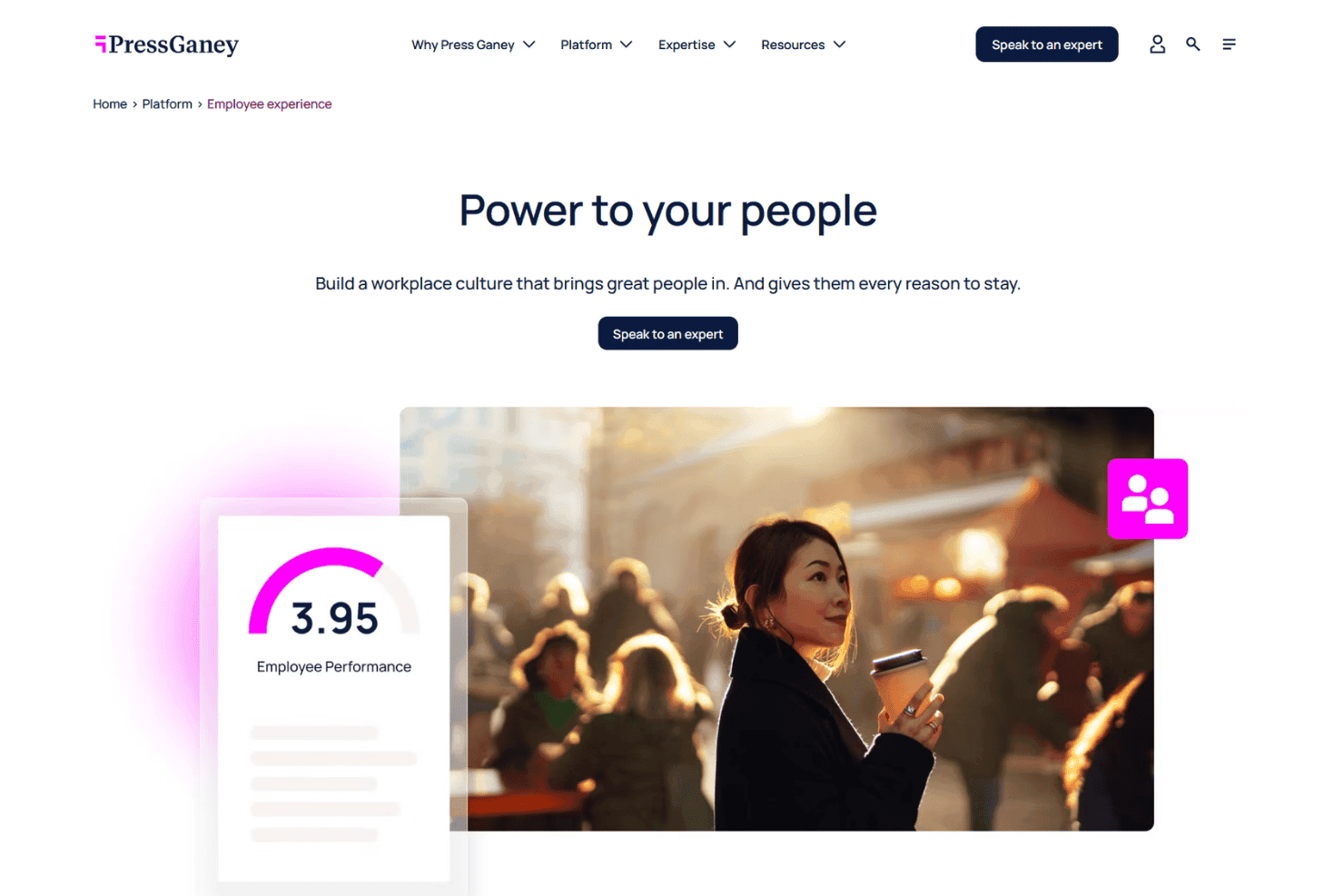
Press Ganey helps build workplace culture through employee experience tools. Press Ganey is a healthcare-specific employee engagement platform built around workforce census surveys, pulse surveys, predictive analytics, and benchmarking tools designed for clinical and non-clinical teams.
Who Is Press Ganey Best For?
Press Ganey is a strong fit for healthcare HR teams and nurse managers who need validated, healthcare-specific survey tools and benchmarking data to measure and act on workforce engagement.
Why I Picked Press Ganey
I picked Press Ganey for its healthcare-specific benchmarking, which draws on a dataset of 3.4 million healthcare employees to help HR teams compare engagement results across roles and specialties. I especially like its nursing-focused surveys aligned with the Magnet® 7 Domains of Nursing Practice Environment, giving nurse managers a structured way to assess engagement and work environments. Its predictive analytics also help identify at-risk employee groups and recommend actions to address engagement and retention concerns.
Press Ganey Key Features
- Validated survey items: Choose from a library of psychometrically tested questions measuring workforce engagement, resilience, and culture, or write your own.
- Role-based branching: Tailor survey questions by employee role or demographic using built-in branching and customization logic.
- AI comment summaries: Automatically surface themes and sentiment from open-ended responses using AI-powered text analysis.
- Charge Health peer recognition: A separate mobile app lets staff nominate coworkers for real-time recognition notes through daily "Sparks" prompts.
Press Ganey Integrations
Press Ganey publishes integrations for its broader HX platform, including Adobe Analytics, Microsoft Dynamics 365, and Epic. However, it does not publicly confirm which third-party integrations are available specifically for its Employee Experience solution.
Pros and Cons
Pros:
- Magnet®-aligned nursing surveys support workforce measurement
- Predictive analytics flag burnout and turnover factors
- Benchmarks draw on 3.4 million healthcare voices
Cons:
- Some nurses question employee survey anonymity
- No documented mobile or SMS survey access
Learn more about Press Ganey: Best for anonymous input with private replies
- Free demo available
- Pricing upon request
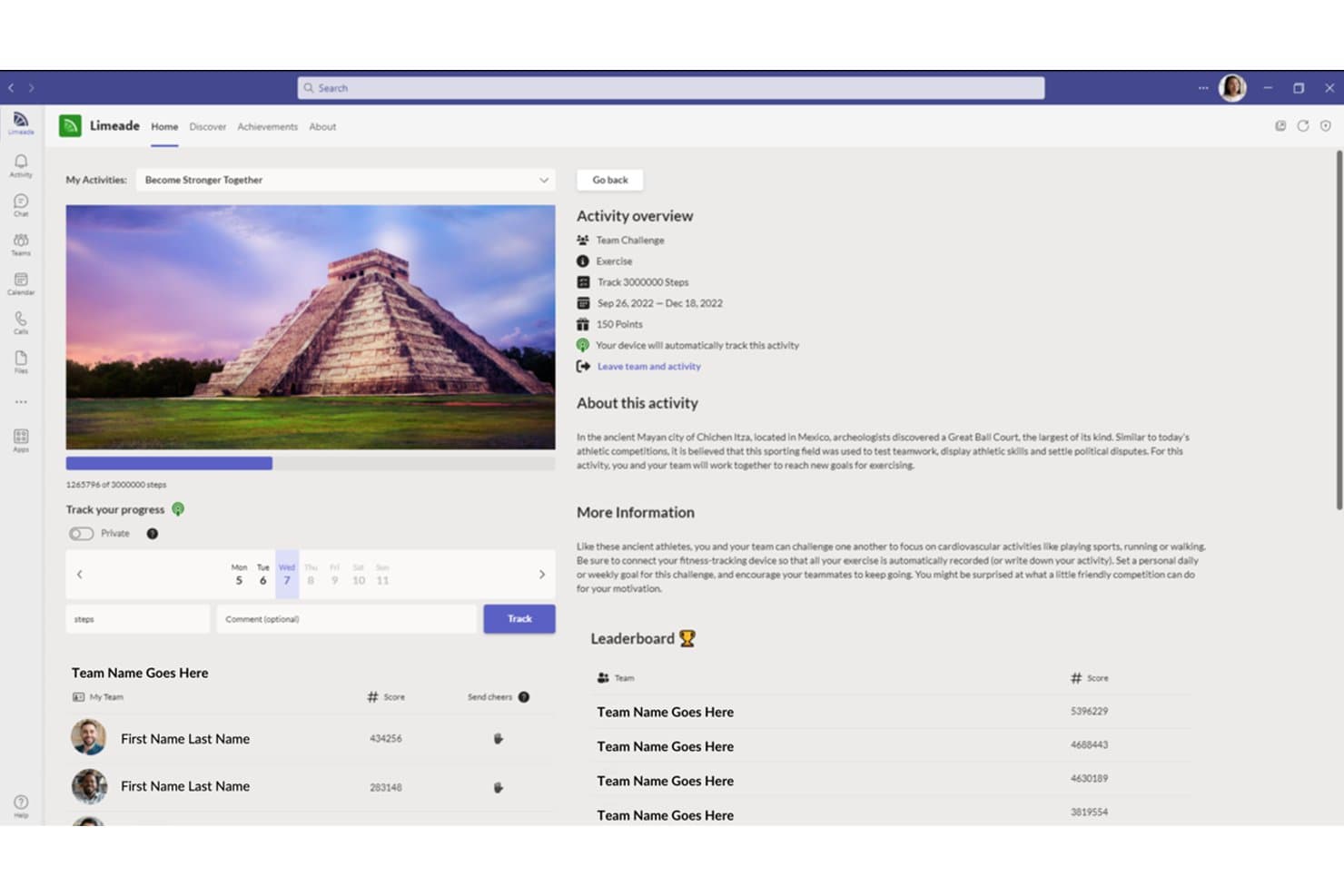
Limeade tracks team step challenges with leaderboards and progress. Limeade was acquired by WebMD Health Services, and its employee listening solution is now known as TINYpulse. It is an employee feedback and engagement platform that combines pulse surveys, anonymous suggestions, peer recognition, and action planning tools to help organizations measure and act on workforce sentiment.
Who Is Limeade Best For?
Limeade works well for mid-sized organizations that want to build a culture of ongoing, anonymous feedback and need a straightforward way to act on what employees share.
Why I Picked Limeade
I picked Limeade because it connects employee engagement feedback with practical well-being activities, making it relevant for healthcare organizations managing staff stress and burnout concerns. I especially like how its engagement tools recommend activities to managers based on their teams' survey results, while well-being assessments help personalize resources for employees. Its healthcare reporting also covers engagement, program participation, and burnout and turnover risks, giving HR teams additional context for workforce well-being initiatives.
Limeade Key Features
- Pulse survey scheduling: Set surveys to repeat at a chosen frequency and target specific employee groups by department, geography, or other attributes.
- Progress Plans: Group related surveys around an improvement objective and trend results across repeated survey cycles over time.
- Multilingual survey support: Automatically translates content-library survey questions into 15+ languages, including Spanish, French, Arabic, and Japanese.
- Gmail integration: Employees can respond to surveys, view Cheers, and submit anonymous suggestions directly from their Gmail inbox.
Limeade Integrations
Limeade has a Google Workspace Marketplace integration for Gmail; Microsoft Teams, Slack, HRIS software, Azure Active Directory, Wunderlist, and Microsoft Outlook are listed, but their behavior isn't documented. It also offers a versioned v1 HTTP API for custom integrations.
Pros and Cons
Pros:
- Mobile access gives deskless staff another response channel
- Survey question variety supports focused feedback
- Anonymous suggestions allow private leader follow-up
Cons:
- Not intended for HIPAA-protected health information
- Reporting offers limited advanced filtering and exports
Learn more about Limeade: Best for spotting recognition gaps by shift
- Free demo available
- Pricing upon request
Visit WebsiteCustomer Rating:4.7/5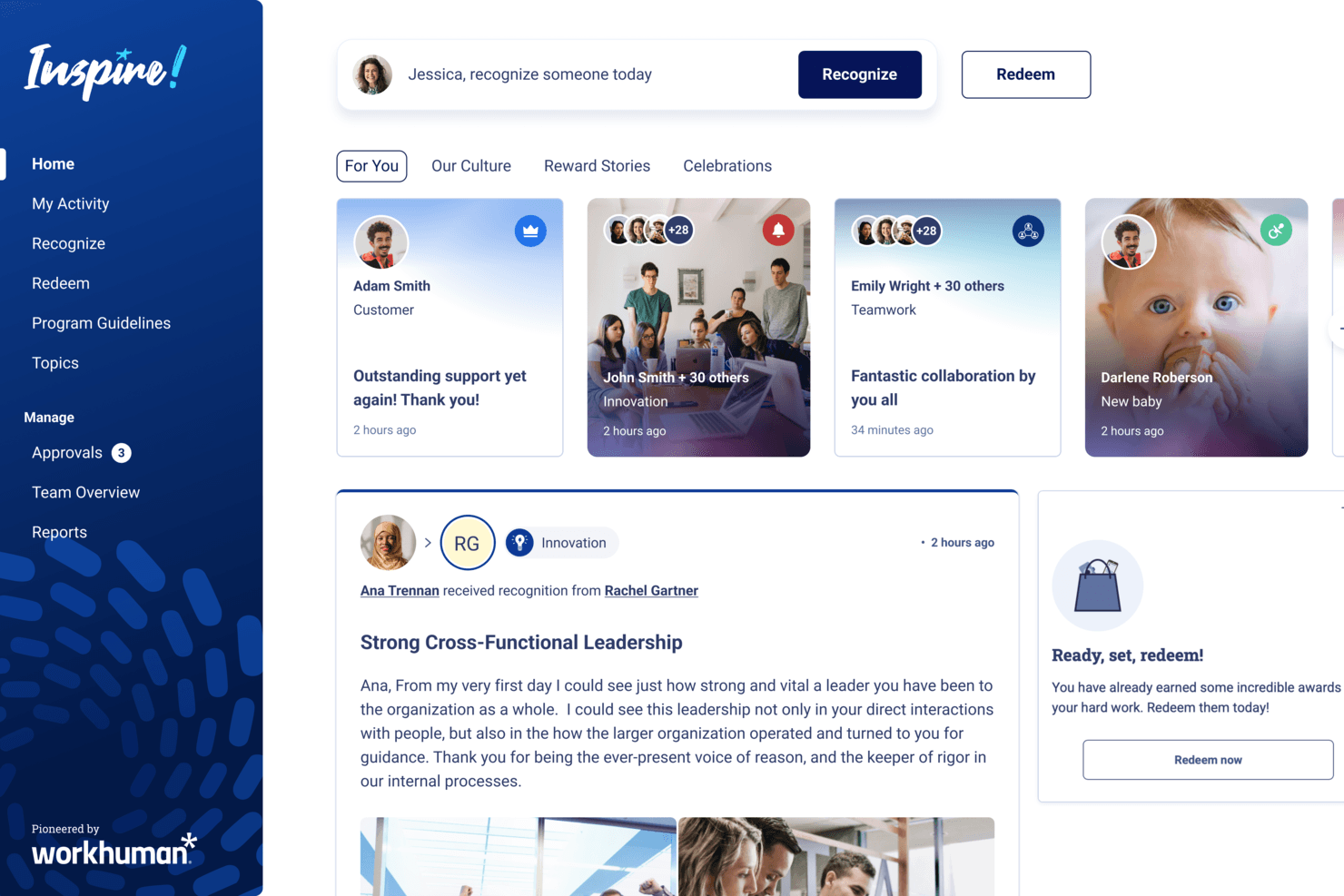
Workhuman lets employees recognize colleagues and redeem rewards easily. Workhuman is an employee recognition platform that combines peer-to-peer and manager recognition, a global rewards store, continuous feedback tools, and AI-powered analytics to support engagement across large, distributed workforces.
Who Is Workhuman Best For?
Workhuman is a strong fit for large health systems that need to surface recognition gaps across shifts, facilities, and employee segments.
Why I Picked Workhuman
I picked Workhuman as one of the best because of its recognition analytics and AI-powered tools that help large healthcare organizations identify gaps in employee appreciation. Workhuman iQ tracks recognition patterns, award distribution, and potential bias, giving HR teams a clearer view of which groups may be receiving less recognition. I also like its Inclusion Advisor, which flags potentially biased language in recognition messages and suggests more inclusive wording before they're sent.
Workhuman Key Features
- Global rewards store: Redeem recognition awards from a catalog of 1M+ reward choices across 150+ localized catalogs in 180+ countries.
- Continuous feedback and check-ins: Use Conversations to collect ongoing feedback, set priorities, and document check-in agendas and progress updates.
- Multi-channel frontline access: Recognize deskless employees through email, SMS, QR codes, physical cards, and kiosks.
- Recognition program configuration: Set up separate programs with distinct branding, eligibility rules, approval paths, budgets, and language settings for different facilities or business units.
Workhuman Integrations
Workhuman offers native integrations with Workday, Microsoft Teams, Microsoft Outlook, Slack, and Yammer, supporting HR data, recognition, and check-ins across workplace tools. An API is available for custom integrations.
Pros and Cons
Pros:
- Peer recognition supports morale across clinical teams
- SMS, QR, and kiosks reach deskless care teams
- Recognition gaps visible across shifts and locations
Cons:
- Healthcare reviewers report limited mobile editing
- No pulse surveys or satisfaction scoring
Learn more about Workhuman:
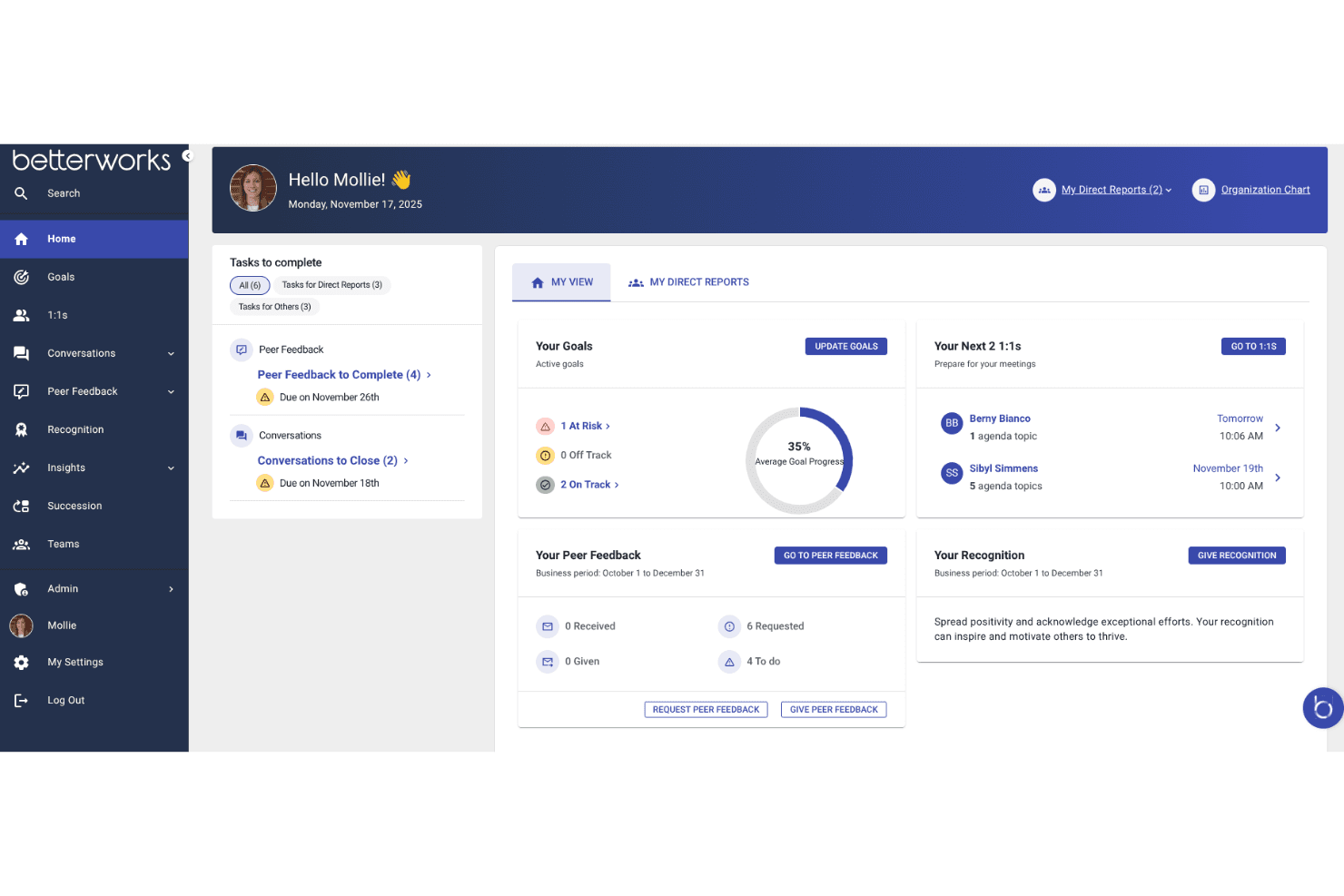
Betterworks centralizes goals, feedback, and 1:1s on one dashboard. Betterworks Engage is an employee engagement survey platform that combines pulse surveys, lifecycle surveys, AI-driven comment analysis, engagement driver dashboards, and research-backed action planning tools.
Who Is Betterworks Best For?
Betterworks Engage is a strong fit for HR teams in mid-to-large healthcare organizations that need structured engagement measurement with industry-specific benchmarking.
Why I Picked Betterworks
I picked Betterworks as one of the best because its built-in benchmark data includes a Health Care & Hospitals category, so HR teams can compare engagement scores against real industry peers rather than a generic workforce average. I also like that its AI-driven comment analysis surfaces trending topics and sentiment across employee responses. Combined with engagement driver reporting, these insights help healthcare HR teams identify areas of dissatisfaction and prioritize improvements.
Betterworks Key Features
- Private survey follow-ups: Send private messages to employees about their survey comments, with anonymous reporting controls to protect respondent identities.
- Custom dimensions: Create employee attributes such as shift or facility to target surveys and filter reports beyond standard organizational fields.
- SMS survey invitations: Send survey links through text messages to reach employees who don't regularly access work email, once SMS is enabled.
- Research-backed action plans: Choose from approximately 150 action-plan templates to address improvement areas identified in survey reports and dashboards.
Betterworks Integrations
Betterworks integrates with Workday, BambooHR, UKG Pro, SAP SuccessFactors, Microsoft Teams, Slack, Gmail, Outlook, Jira, Asana, Salesforce, and LinkedIn Learning. It also supports custom integrations through its API.
Pros and Cons
Pros:
- AI groups comments by sentiment and topic
- SMS and kiosk surveys reach staff without regular email access
- Healthcare benchmarks include Health Care & Hospitals
Cons:
- Goal-linked action plans require two product subscriptions
- Shift and facility reporting require custom dimensions
Learn more about Betterworks: Best for healthcare safety incentive campaigns
- Free demo available
- Pricing upon request
Visit WebsiteCustomer Rating:3.5/5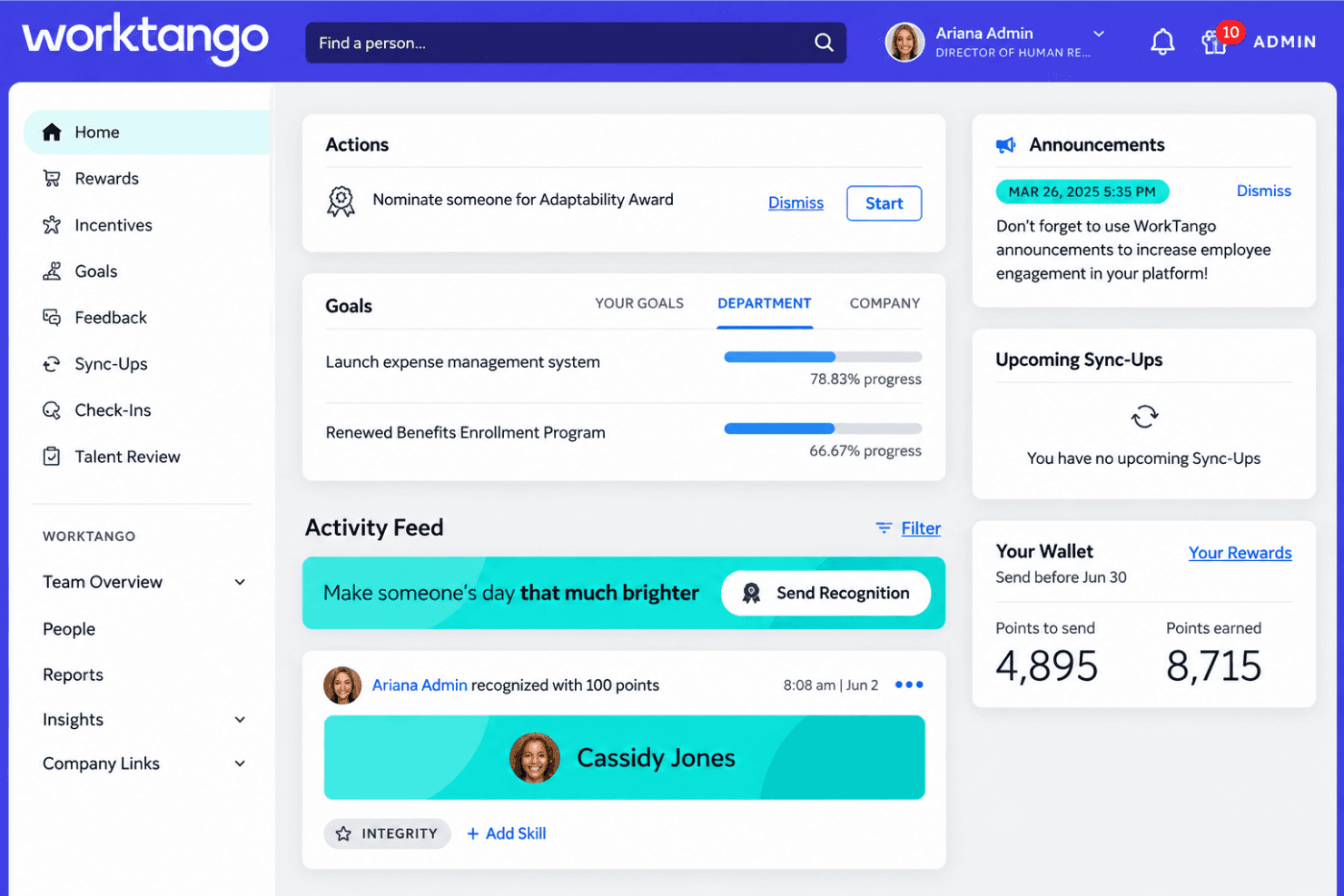
WorkTango connects employee recognition, rewards, and feedback in one platform. WorkTango is an employee recognition and rewards platform that lets healthcare organizations run peer-to-peer recognition, incentive campaigns, automated milestone celebrations, and nominations programs across clinical and non-clinical teams.
Who Is WorkTango Best For?
WorkTango suits healthcare HR teams that want to run structured safety and compliance incentive campaigns alongside peer-to-peer recognition for both clinical and non-clinical staff.
Why I Picked WorkTango
I picked WorkTango as one of the best because it's the only tool on my list built specifically around structured incentive campaigns for healthcare safety and compliance goals. Healthcare organizations can create targeted campaigns from more than 50 incentive templates, rewarding staff with points for completing safety protocols, communications activities, or compliance programs. One Emmaus Homes case summary showed over 1,800 bonuses earned across those program types, with $25,000 in rewards-budget savings.
WorkTango Key Features
- Values-based recognition: Tag each recognition to a specific company value, reinforcing the behaviors your healthcare organization wants to reward.
- Automated milestone celebrations: Connect your HRIS to trigger automatic recognitions for work anniversaries, new-hire start dates, and birthdays.
- Peer-to-peer feedback templates: Employees can request and exchange structured feedback using built-in templates like "Start, Stop, Continue" and "Strengths and Opportunities."
- Leader recognition dashboards: View employee recognition activity, monitor team participation, and track upcoming milestones through manager dashboards.
WorkTango Integrations
WorkTango integrates with Workday, BambooHR, HiBob, ADP Workforce Now, UKG Pro, Personio, Microsoft Teams, Slack, and Microsoft Outlook. It also supports SSO connections with Okta and Microsoft Entra ID, plus Apple HealthKit and Google Fit.
Pros and Cons
Pros:
- Reward marketplace offers products, experiences, and charitable donations
- Recognition access without work email
- Incentive campaigns reward safety and compliance training completion
Cons:
- Platform implementation typically takes four to six weeks
- Minimum contract commitment is 12 months
Learn more about WorkTango: Best for acting on staff stress feedback
- Free demo available
- From $4,999/year + $32/manager/month (billed annually)
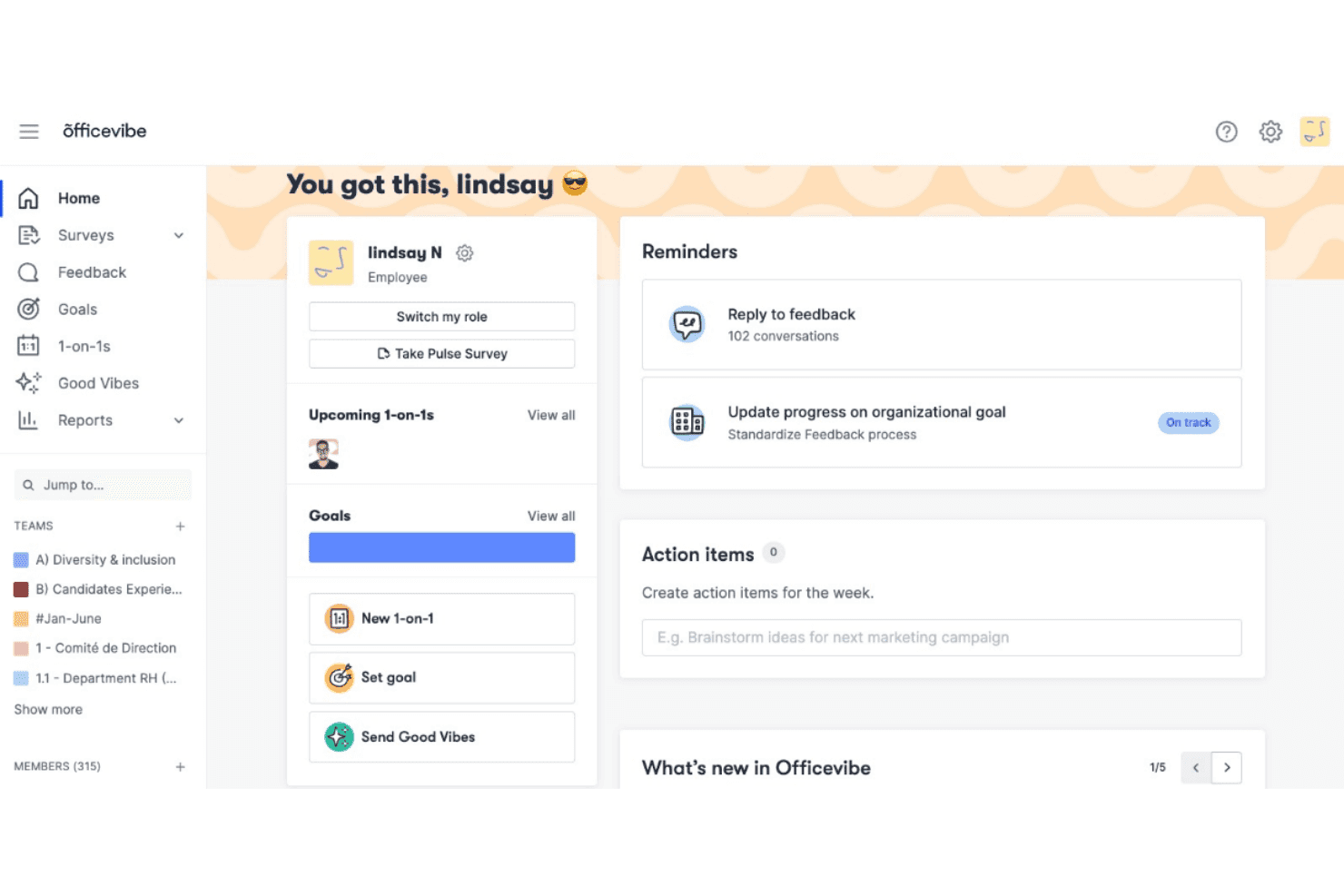
Officevibe centralizes goals, 1-on-1s, and feedback in one dashboard. Workleap is an employee engagement platform that covers pulse surveys, anonymous feedback, recognition, 1:1 meeting tools, and AI-driven analytics, with dedicated features for healthcare organizations managing clinical and non-clinical teams across multiple sites and roles.
Who Is Workleap Best For?
Workleap is a strong fit for healthcare HR teams and nurse managers who need to turn recurring staff feedback into concrete action plans.
Why I Picked Workleap
I picked Workleap as one of the best because it connects ongoing staff feedback with practical manager actions, which can help healthcare teams identify engagement and wellness concerns early. I especially like how its pulse surveys personalize questions based on past participation and engagement trends, reducing repetition for nurses and clinical staff. Workleap AI also summarizes feedback, identifies recurring themes, and suggests actions managers can use to address concerns, while 1:1 meeting tools help track follow-up tasks and deadlines.
Workleap Key Features
- Good Vibes recognition: Send peer-to-peer appreciation cards tied to company values, with public sharing and a manager dashboard for tracking recognition activity.
- 1:1 meeting tools: Create shared meeting agendas, document discussion points, and track follow-up action items between managers and employees.
- eNPS tracking: Monitor employee Net Promoter Score over time, including promoter, passive, and detractor breakdowns.
- Multilingual survey delivery: Run pulse, onboarding, and DEIB surveys in eight languages, including English, French, Spanish, Portuguese, German, Italian, Dutch, and Korean.
Officevibe Integrations
Officevibe integrates with BambooHR, Slack, and Microsoft Teams. Workleap also lists HRIS connections including HiBob, Workday, Personio, ADP Workforce Now, and SAP SuccessFactors, and provides an Officevibe API for custom integrations.
Pros and Cons
Pros:
- Personal email and mobile support frontline access
- AI summarizes survey feedback and recommends actions
- Short pulse surveys support frequent staff check-ins
Cons:
- Advanced filters exclude focused metrics and team highlights
- Anonymous feedback requires teams of at least five members
Learn more about Officevibe: Best for nurse feedback and attrition insights
- Free demo available
- Pricing upon request
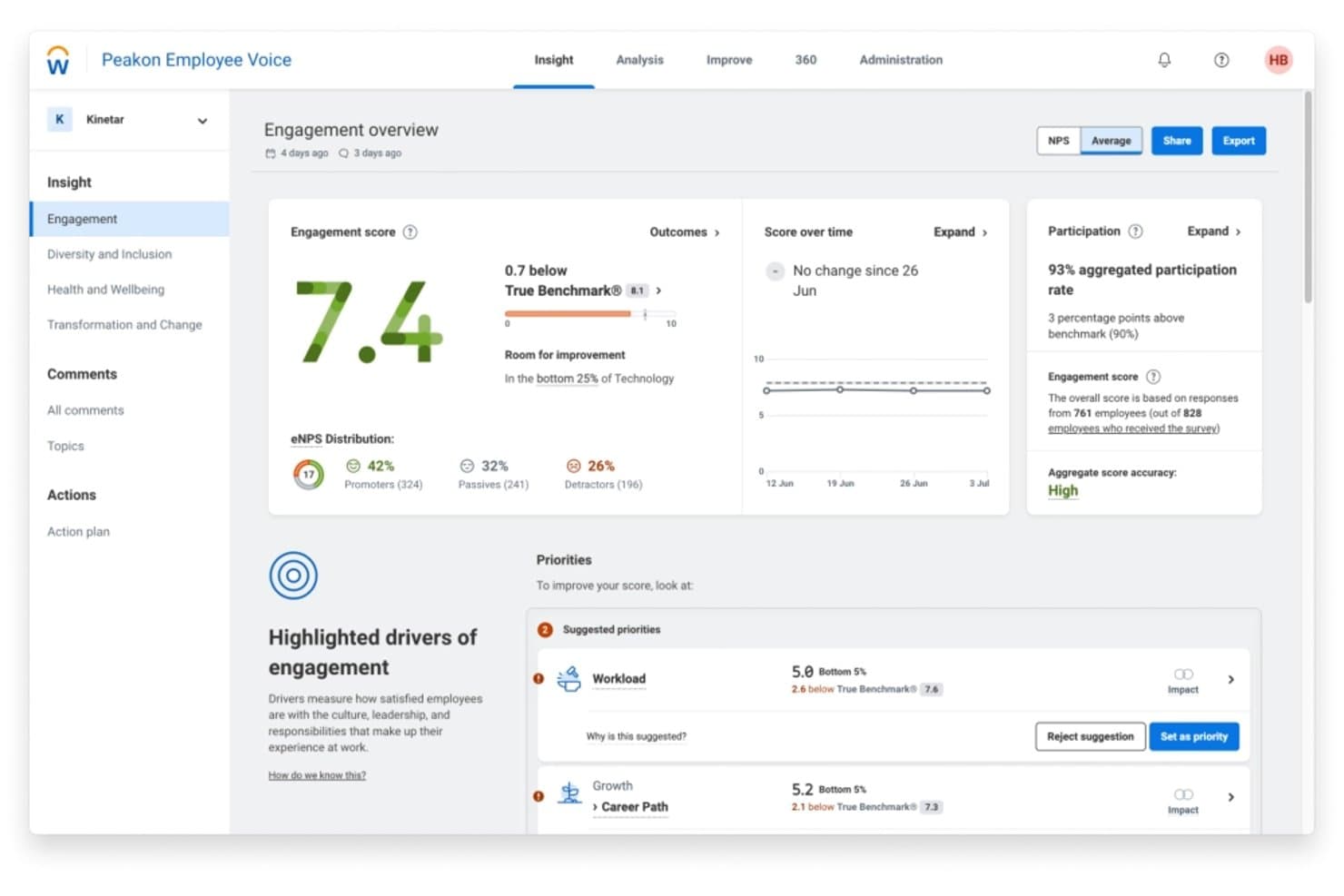
Workday Peakon Employee Voice displays engagement scores and improvement priorities. Workday Peakon Employee Voice is an AI-powered employee listening platform that runs recurring pulse surveys, surfaces engagement and attrition-risk analytics, and delivers manager action planning tools across distributed workforces.
Who Is Workday Peakon Employee Voice Best For?
Workday Peakon Employee Voice is a strong fit for large healthcare organizations that need recurring nurse feedback surveys and AI-driven attrition-risk analytics across distributed care sites.
Why I Picked Workday Peakon Employee Voice
I picked Workday Peakon Employee Voice for its documented use in large healthcare organizations, including Rochester Regional Health, which uses the platform to survey nurses across a health system with more than 500 locations. I particularly like its attrition-risk heat maps, which compare turnover risk across employee groups using engagement, participation, and tenure data. Its AI-generated comment summaries also highlight recurring themes and sentiment in employee feedback, helping nurse managers identify concerns without reviewing every response individually.
Workday Peakon Employee Voice Key Features
- Intelligent survey scheduling: Set surveys to run weekly, monthly, quarterly, or yearly, with separate schedules for different business units or workforce groups.
- Confidential conversations: Hold two-way conversations with survey respondents while protecting their identities through configurable access controls.
- Sana Coach: Surface employee sentiment and engagement trends through AI-powered insights to help managers identify retention and burnout concerns.
- Multilingual survey delivery: Reach employees without business email through multilingual surveys delivered via SMS or kiosk access.
Workday Peakon Employee Voice Integrations
Workday Peakon Employee Voice integrates with Microsoft Teams, Slack, Workday HCM, BambooHR, HiBob, and Personio. It also supports employee provisioning through Okta and Microsoft Entra ID, plus custom integrations and data exports through its REST API.
Pros and Cons
Pros:
- Tenure-based attrition insights help target retention efforts
- Demographic-adjusted benchmarks compare engagement across employee groups
- Recurring pulse surveys adapt questions to employee feedback
Cons:
- Surveys do not support multiple-choice questions
- One-off surveys are not supported
Learn more about Workday Peakon Employee Voice:
Other Employee Engagement Software for Healthcare
Here are a few additional options that didn’t make my shortlist but are still worth checking out:
- 11AchieversBest for routing patient praise to staff
- 12LeapsomeBest for comparing feedback with people data
- 13StaffbaseBest for healthcare teams without work email
- 1415FiveBest for feedback across multi-site clinics
- 15Qualtrics Employee ExperienceBest for nurse and physician experience
- 16Gallup AccessBest for Gallup's global Q12 benchmarks
- 17Culture AmpBest for linking engagement to patient safety
- 18AssemblyBest for global recognition and rewards
- 19BeekeeperBest for linking shift updates to daily tasks
- 20GlintBest for Leapfrog-approved safety surveys
How I Evaluate Employee Engagement Software for Healthcare
I split my evaluation into three parts. Core functionality carries the most weight: tools must run recurring pulse surveys and surface engagement trends by shift, role, or facility. I then look for standout features like burnout risk detection. Beyond features, I consider onboarding support and whether the vendor has a track record in regulated healthcare settings.
Core Functionality (Table Stakes for This List)
When I'm selecting tools for my list, I score each one on a scale from 0 (does not offer the functionality) to 5 (excels in this area) for each core functionality listed below. I then convert the total into a percentage to help assess each tool's overall fit, with extra weight on any functionalities I've deemed essential.
- Pulse Surveys & Feedback (Essential): I check whether tools support recurring pulse surveys with anonymous options and custom question libraries, so nurses finishing a night shift can respond in under two minutes.
- Engagement Analytics & Reporting (Essential): Dashboards need to segment trends by shift, role, and facility. I look for benchmarking against healthcare peers and automated flags for units showing declining scores.
- Recognition & Rewards: I evaluate whether peer-to-peer and manager recognition is trackable in-platform, including the ability to route patient compliments directly to the staff member involved.
- Frontline & Deskless Access: Healthcare staff often lack a work email or desktop. I look for dedicated mobile apps plus alternative channels like SMS, kiosk mode, or QR codes to reach every employee.
- Action Planning Tools: Survey data matters only if managers can act on it. I check for in-platform action items with assignments, reminders, and links back to subsequent survey cycles to measure progress.
- Role or Shift Segmentation: I evaluate how granularly a platform can slice data across departments, shifts, facilities, and tenure so HR can compare engagement between, say, ICU day-shift and ER night-shift teams.
Once I have a list of tools that meet the criteria, I consider what sets each platform apart.
Differentiating Factors (What Sets Vendors Apart)
Here's how I compare and contrast different vendors:
Standout Features
I look for burnout risk detection that uses sentiment analysis to flag early warning signs before a unit's turnover spikes. A night-shift ICU team showing declining scores over three survey cycles is a pattern HR needs to catch early, not after resignations start. I also evaluate crisis communication modes that let HR push rapid pulse checks during staffing surges or emergencies. Multilingual survey support matters too, since frontline teams are often diverse and participation drops when questions aren't in a worker's primary language.
Beyond Features
Healthcare employee data sits close to patient information, so I check whether vendors follow HIPAA-aligned data handling practices and offer role-based permissions that limit who sees sentiment results. Trust in anonymity drives honest feedback, especially in hierarchical clinical settings where staff may fear retaliation. I also evaluate how well a platform scales across multi-site hospital networks, since a system that can't onboard a newly acquired facility under one console creates fragmented data. Finally, vendor-provided rollout playbooks matter because time-strapped nurse managers won't adopt a tool without clear, ready-made guidance.
How to Choose Employee Engagement Software for Healthcare
Choose a platform by testing whether staff can participate safely across shifts and whether HR can act on the results.
| If your priority is… | Look for… |
|---|---|
| If your priority is…Reaching staff without work email | Look for…An accessible response route that works on a shared or personal device |
| If your priority is…Protecting candid feedback | Look for…Written rules for anonymity, access to comments, and small-group reporting |
| If your priority is…Comparing teams fairly | Look for…Reports that separate results by facility, role, and shift |
| If your priority is…Following through on feedback | Look for…A way to assign actions and connect them to later survey results |
How to Vet Your Shortlist
- Review privacy documents: Request the data-handling and access-control documents; ask who can see raw comments and how the vendor handles small groups.
- Test access: In a 10-minute trial, ask three staff members across different shifts, including one without work email, to complete the same short pulse.
- Inspect a sample report: Request a report split by facility, role, and shift, then ask how it handles a group with few responses.
- Test follow-through: In a trial, enter a workload concern and ask a manager to assign an action, set a due date, and link it to a later survey.
- Choose your tradeoff: Favor healthcare-specific benchmarks when peer comparison matters more; favor broad access options when reaching every shift is the priority.
What Is Employee Engagement Software for Healthcare?
Employee engagement software for healthcare helps organizations collect staff feedback, share workplace updates, and track follow-up actions. It can support participation across shifts, roles, and locations while giving HR teams a clearer view of employee experience.
Features
Here are the main features I look for in employee engagement software for healthcare:
- Pulse surveys and feedback: Schedule short surveys and collect staff input on workload, morale, and workplace concerns. Anonymous response options can help employees share candid feedback.
- Engagement analytics and reporting: View survey results over time and identify changes in engagement. Reports help HR spot areas that need attention and track whether scores improve.
- Role and shift segmentation: Filter results by factors such as facility, department, role, or shift. This helps HR compare teams without treating a hospital’s workforce as one group.
- Mobile and deskless access: Let employees respond through a mobile app, shared kiosk, QR code, or other supported channels. These options reach staff who don’t regularly use a work email or desktop.
- Recognition and rewards: Give employees a way to recognize peers or receive manager acknowledgment. Trackable recognition can help teams make appreciation visible across departments and shifts.
- Action planning: Turn survey findings into assigned tasks with owners and due dates. Managers can follow up on concerns and check later survey results for signs of progress.
- Internal communications: Share announcements and workplace updates with staff across locations and schedules. Targeted messages help employees find information relevant to their facility or team.
- Privacy and access controls: Set permissions for survey data and define who can view individual comments or group results. Clear anonymity rules help employees understand how their feedback will be handled.
Benefits
Here are a few common benefits you can expect from healthcare employee engagement software:
- Broader staff participation: Mobile, kiosk, QR code, or SMS access can help staff without work email share feedback across shifts.
- Clearer workforce trends: Survey reports segmented by facility, role, or shift help HR spot differences between teams and track engagement over time.
- Earlier burnout signals: Sentiment analysis and recurring pulse surveys can flag declining scores before staffing concerns become harder to address.
- More consistent follow-through: Action planning tools let managers assign tasks, set due dates, and review later survey results for signs of progress.
- Visible employee appreciation: Peer and manager recognition features give teams a way to acknowledge contributions across departments and shifts.
- More candid feedback: Anonymous survey options and access controls can help staff understand who can view their responses and comments.
Pricing
Pricing varies by features, team size, and support needs. These typical ranges can help you compare employee engagement software for healthcare.
Plan Comparison Table for Employee Engagement Software for Healthcare
| Plan Type | Average Price | Common Features |
|---|---|---|
| Plan TypeFree trial/demo | Average Price$0 | Common FeaturesLimited access to surveys, reporting, and engagement tools; check trial duration and feature restrictions. |
| Plan TypePer-user subscription | Average Price$3–$8/user/month | Common FeaturesPricing based on employee count; check minimum seats, billing frequency, and frontline staff access. |
| Plan TypeModular pricing | Average PriceVaries by module | Common FeaturesChoose features such as pulse surveys, recognition, and analytics; check module fees and integration costs. |
| Plan TypeCustom enterprise pricing | Average PriceCustom quote | Common FeaturesTailored packages with advanced analytics, multi-facility reporting, and support; check implementation fees and contract minimums. |
FAQs
Some answers to common questions about employee engagement software for healthcare:
How often should healthcare teams run employee pulse surveys?
There’s no single ideal cadence, but monthly or quarterly pulses can show trends without asking staff to answer constantly. Use shorter checks after a major change, such as a staffing-model shift, and avoid launching several surveys at once. Keep routine surveys brief and repeat core questions so you can compare results over time. Share what changed after prior feedback; otherwise, frequent requests can feel performative. Let teams know when results will be reviewed and who owns follow-up.
Does employee engagement software for healthcare need to be HIPAA compliant?
No, employee engagement software doesn’t automatically need to be HIPAA compliant just because a healthcare organization uses it. HIPAA applies to protected health information handled by covered entities and business associates; ordinary staff sentiment data isn’t automatically PHI. Still, survey comments can include identifiable or health-related details. Ask vendors how they store, restrict, retain, and delete data, and whether a business associate agreement is needed for your use case. Have privacy or legal teams review the data flow before launch.
How should you measure whether an engagement program is working?
Measure whether the program produces trustworthy participation and follow-through, rather than treating a higher engagement score as proof of success. Track response rates by shift and role, recurring themes, action completion, and score changes across comparable survey cycles. Pair those measures with workforce indicators, such as absence or turnover, only when you can interpret them fairly and protect privacy. A survey platform can show patterns, but it can’t establish that a specific intervention caused a staffing or patient-care outcome.