
Healthcare performance management software is HR software for managing employee reviews, feedback, goals, and performance records across healthcare teams. It can support different review schedules for clinical and nonclinical staff, surface role-based retention risks, and organize records for accreditation needs.
This guide compares 20 options by features and fit so you can choose a platform for your workforce, rather than a tool for measuring patient-care quality.
Why Trust Our Software Recommendations
6,700+
Reviews
20
Industry experts
16+
Evaluation factors
14
Years
Our team has been testing and reviewing software since 2012. As HR experts ourselves, we know how difficult—and important—it is to choose the right software.
For this guide, we evaluated tools using hands-on testing and independent research, scoring tools using our selection criteria. We also draw on insights from industry thought leaders and practicing HR experts.
Our reviews reflect our human editorial judgment, not a sales pitch.
Expert reviewers:
- Phil GrayCOO
 Kim BehnkeHR Tech Editor & Analyst
 Josh BarkerPeople Ops Manager

Comparison Table: Healthcare Performance Management Software
Compare pricing and specs side by side for the healthcare performance management software that made it onto my shortlist.
Score legend (out of 5)
- Excellent4.5–5
- Good4–4.4
- Average3–3.9
- Below average2–2.9
- Poor1–1.9
Sorted by: Default
| Tool | Starting Price | Website | |||||||
|---|---|---|---|---|---|---|---|---|---|
Best for global health system review cycles | 3.8 out of 5 | 4 | 4 | 4 | 3 | 4 | 4 | Pricing upon request Free demo available | Website |
Best for accreditation-aligned review records | 3.2 out of 5 | 1 | 3 | 4 | 4 | 4 | 3 | Pricing upon request Free demo available | Website |
Best for EU-hosted talent data | 3.7 out of 5 | 5 | 4 | 5 | 2 | 2 | 4 | $7/employee/month 14-day trial + free demo available | Website |
Best for distinct review cycles by staff group | 3.2 out of 5 | 4 | 3 | 4 | 3 | 2 | 3 | $5/person/month Free demo available | Website |
Best for reviews grounded in your policies | 3.7 out of 5 | 4 | 4 | 4 | 3 | 3 | 4 | Pricing upon request Free demo available | Website |
Best for clinical and nonclinical reviews | 3.5 out of 5 | 4 | 3 | 4 | 3 | 3 | 4 | Pricing upon request 30-day free trial + free demo available | Website |
Best for feedback across mixed workforces | 3.2 out of 5 | 5 | 4 | 4 | 2 | 2 | 2 | $5/user/month Free demo available | Website |
Best for spotting retention risks by role | 3.5 out of 5 | 4 | 4 | 4 | 2 | 3 | 4 | Pricing upon request Free demo available | Book Demo |
Best for large, distributed team calibration | 3.0 out of 5 | 4 | 4 | 4 | 1 | 2 | 3 | $8/user/month Not available | Book Demo |
Best for 360-degree feedback alongside core HR | 3.3 out of 5 | 4 | 3 | 4 | 2 | 3 | 4 | $10/employee/month Free trial + free demo available | Website |


Healthcare Performance Management Software Reviews
Below are my summaries of the best healthcare performance management software on my shortlist. Each review covers features, reporting, and fit to help you find the right platform for your team.
 Best for global health system review cycles
- Free demo available
- Pricing upon request
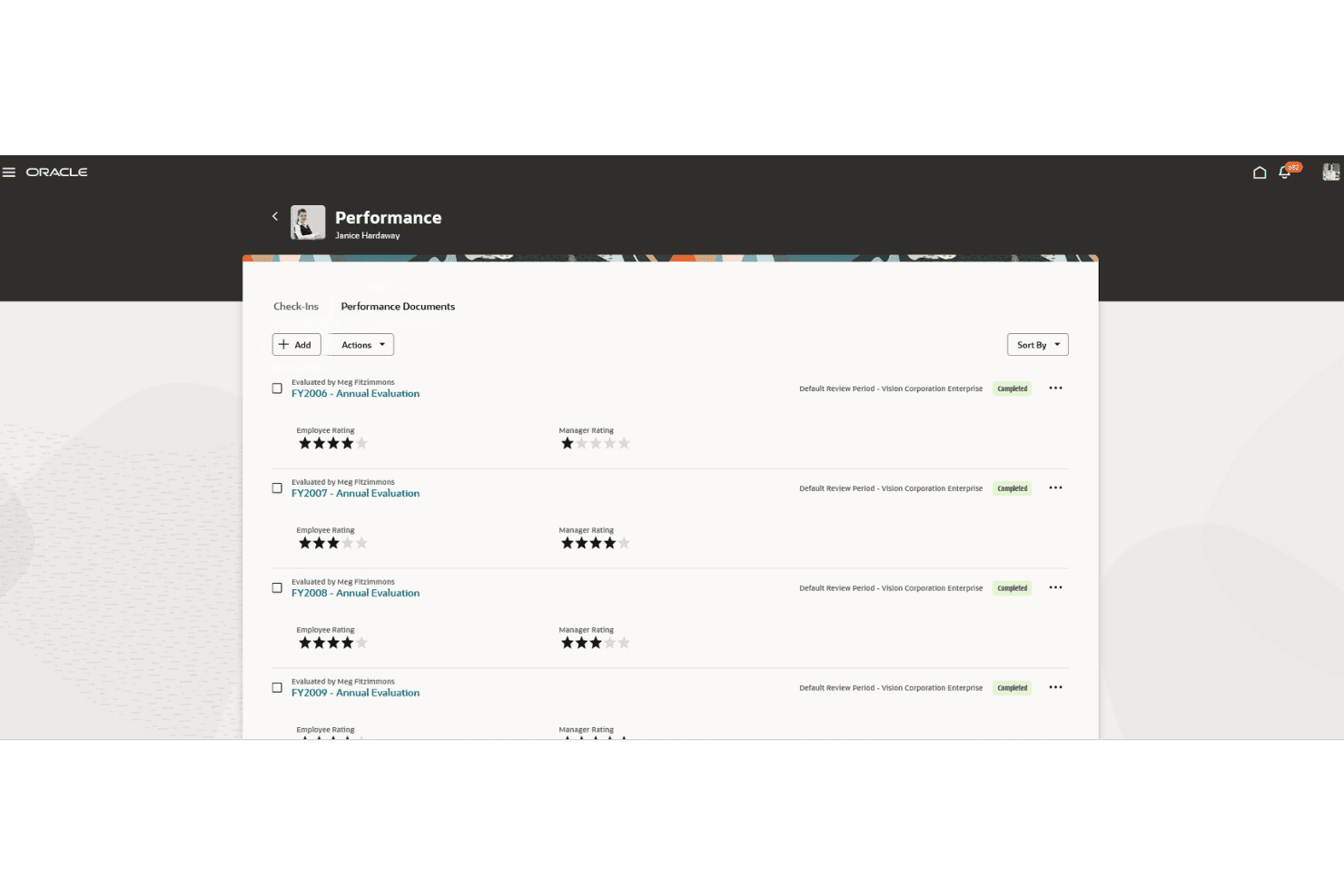
Oracle Cloud HCM tracks employee performance history across annual cycles. Oracle Cloud HCM is an enterprise human capital management platform that connects core HR, performance management, talent development, workforce scheduling, and compliance training across global and shift-based workforces.
Who Is Oracle Cloud HCM Best For?
Oracle Cloud HCM is a strong fit for large healthcare organizations that need to manage employee performance reviews, talent development, workforce scheduling, and compliance training across multiple facilities.
Why I Picked Oracle Cloud HCM
I've included Oracle Cloud HCM in my top picks because it combines performance management with talent development and workforce management capabilities suited to large healthcare organizations. The Performance Management module supports goal setting, check-ins, and AI-generated review summaries, while the Team Talent Calibration and Review Workspace helps managers identify rating inconsistencies and make evidence-based adjustments. Oracle Learning also supports compliance training, certification tracking, and recertification, with learning activities integrated into performance and development processes.
Oracle Cloud HCM Key Features
- Dynamic Skills: Uses AI to match employee skills data to hiring, learning, mobility, and workforce planning decisions across your organization.
- Touchpoints: Captures continuous employee signals to help managers coach and support direct reports between formal review cycles.
- Workforce Scheduling: Forecasts labor demand and builds shift assignments based on skills, availability, policies, and staffing constraints.
- Advanced HCM Controls: Monitors HCM security, user access, and transactions through configurable rules, automated auditing, and exception dashboards.
Oracle Cloud HCM Integrations
Oracle Cloud HCM documents connections to Slack, Microsoft Teams, Skillsoft, LinkedIn Learning, Coursera, and LinkedIn recruiting tools. It also supports integrations with external systems through REST APIs, integration platforms, and file-based data exchange.
Pros and Cons
Pros:
- Unifies performance, skills, and development data in talent profiles
- Applies license and certification requirements to workforce scheduling
- Automates mandatory training and certification tracking
Cons:
- AI workforce labor optimization requires an optional add-on
- Requires HCM Base before performance setup
Learn more about Oracle Cloud HCM: Best for accreditation-aligned review records
- Free demo available
- Pricing upon request
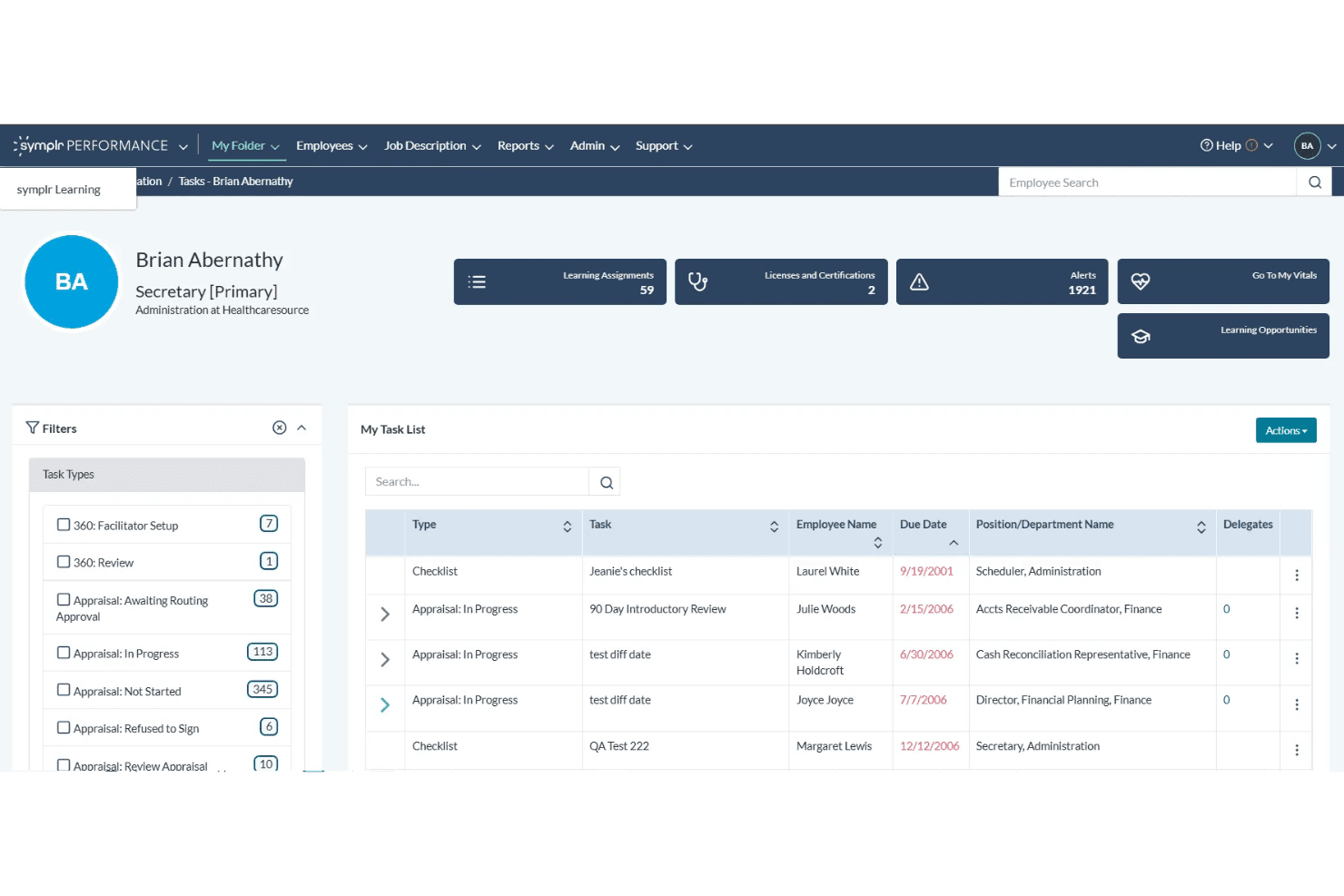
symplr Performance dashboard showing employee appraisals, task lists, and deadlines. symplr Performance is a healthcare-specific performance management platform that supports structured employee evaluations through role-based templates, automated review workflows, goal tracking, and documentation aligned with Joint Commission, CMS, and Magnet expectations.
Who Is symplr Best For?
symplr Performance is a strong fit for healthcare HR teams that need structured employee evaluations and consistent documentation to support Joint Commission, CMS, and Magnet-related requirements.
Why I Picked symplr Performance
I picked symplr Performance because it's built specifically for healthcare organizations that need structured evaluations and documentation aligned with accreditation expectations. I particularly like that its role-based templates support clinical and nonclinical staff, while standardized records help HR teams prepare for documentation requests related to Joint Commission, CMS, and Magnet requirements. Automated review workflows and reminders also help managers complete evaluations on time without relying on manual follow-up.
symplr Performance Key Features
- Goal setting and tracking: Set individual goals aligned with departmental and organizational priorities, and track progress throughout evaluations.
- Performance dashboards and reporting: Monitor evaluation status and performance trends across teams through real-time dashboards.
- Integrated development planning: Connect evaluations to training, competencies, and development plans through integrations with symplr Learning and Assessments.
- HIPAA and NIST 800-53 alignment: symplr states that its products comply with HIPAA Security and Privacy regulations and its SaaS solutions align with NIST SP 800-53.
symplr Performance Integrations
symplr Performance integrates with symplr Learning, Assessments, and Recruiting to support employee development, competency tracking, and talent management workflows. It also has a documented integration with Visier for embedded performance analytics.
Pros and Cons
Pros:
- Automated reminders track review completion
- Templates cover clinical and nonclinical roles
- Structured evaluations support Joint Commission, CMS, and Magnet documentation
Cons:
- Development integrations require symplr Learning and Assessments
- No documented continuous feedback between reviews
Learn more about Symplr: Best for EU-hosted talent data
- 14-day trial + free demo available
- From $7/employee/month
Visit WebsiteCustomer Rating:4.8/5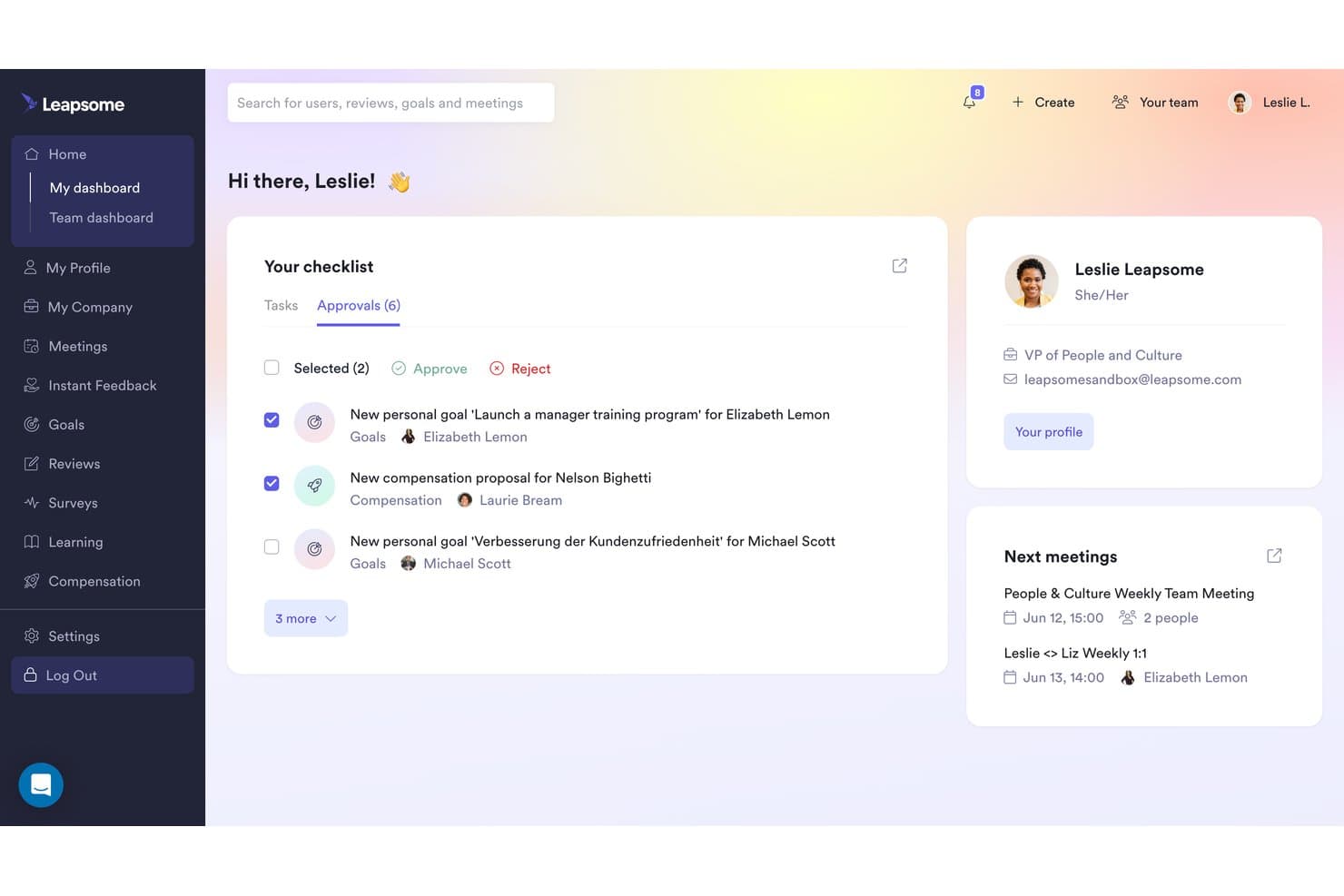
Leapsome lets managers approve goals and compensation proposals in one dashboard. Leapsome is a talent management platform that covers performance reviews, goals and OKRs, engagement surveys, learning, and compensation in a connected employee record.
Who Is Leapsome Best For?
Leapsome is a strong fit for HR teams at EU-based healthcare organizations that need connected performance reviews, goals, and engagement surveys, with core platform data hosted in Germany.
Why I Picked Leapsome
I've included Leapsome in my top picks because its German-hosted platform data and integrated talent management tools make it worth considering for EU-based healthcare organizations with data residency requirements. I particularly like how performance reviews connect directly to goals, competency frameworks, and continuous feedback, giving HR teams access to related performance information across review cycles. The AI Review Assistant drafts evidence-based feedback, while AI-powered calibration tools flag rating inconsistencies for managers to review before finalizing evaluations.
Leapsome Key Features
- 360-degree review formats: Run self, peer, manager, leadership, and external reviews within a single configurable review cycle.
- Competency framework builder: Define role-specific competency levels and link them to development goals and review criteria.
- Engagement surveys with benchmarking: Deploy science-backed surveys and compare results against industry benchmarks to identify workforce trends.
- Compensation review cycles: Manage structured compensation and promotion reviews with budget management tools and pay-gap reporting.
Leapsome Integrations
Leapsome offers 100+ native integrations, including BambooHR, Personio, HiBob, Workday, SAP SuccessFactors, Rippling, Deel, ADP, Slack, Microsoft Teams, Google Workspace, Okta, Jira, and Asana. It also supports custom API and SFTP integrations.
Pros and Cons
Pros:
- Competency frameworks link review scores to development goals
- Calibration supports consistent cross-team evaluations
- Review context connects goals, feedback, and history
Cons:
- Template question edits also affect historical review cycles
- Goal-linked reviews require the Goals module
 Best for distinct review cycles by staff group
- Free demo available
- From $5/person/month (billed annually)
Visit WebsiteCustomer Rating:4.8/5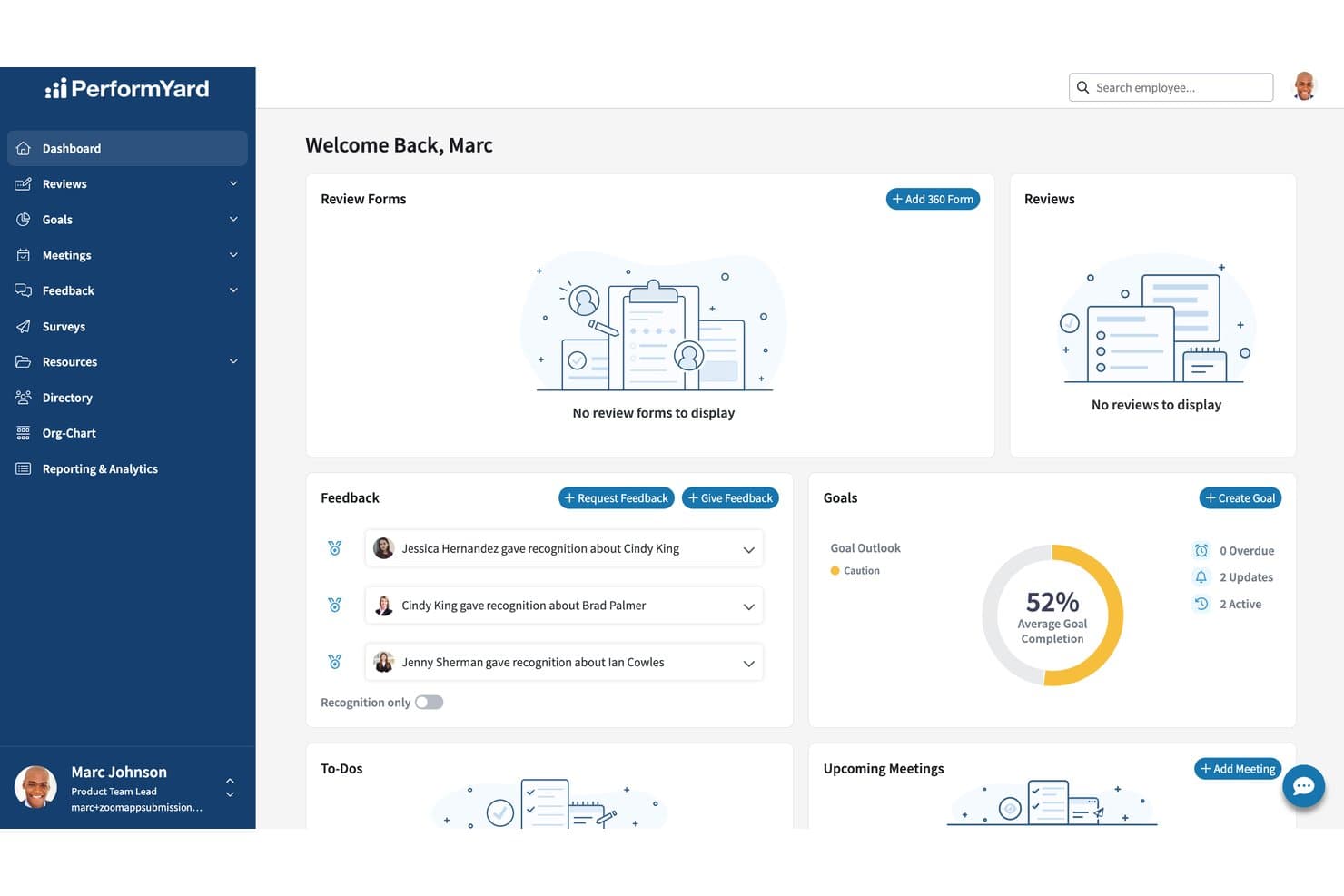
PerformYard centralizes feedback, goals, and reviews in one dashboard. PerformYard is a performance management platform that runs structured review cycles, goal tracking, continuous feedback, and engagement surveys across clinical, administrative, and support staff groups.
Who Is PerformYard Best For?
PerformYard is a good fit for healthcare HR teams that need to manage separate, concurrent performance review cycles for clinical, administrative, and support staff within one platform.
Why I Picked PerformYard
I picked PerformYard as one of the best because it lets healthcare HR teams run concurrent review cycles with different forms, timelines, and participant groups for clinical, administrative, and support staff. I particularly like that each group can follow its own review structure without requiring separate systems. PerformYard also stores completed reviews and goal check-ins as structured records, with reporting tools that let HR teams retrieve performance history by review cycle, employee group, or date when documentation requests arise.
PerformYard Key Features
- Continuous feedback and recognition: Share real-time individual or team feedback and public recognition, with feedback history available during performance reviews.
- Engagement surveys: Run anonymous surveys with built-in reporting, eNPS tracking, and trend analysis by department, tenure, or location.
- 1:1 meeting agendas and notes: Create collaborative agendas, record shared and private notes, and review or update employee goals during meetings.
- Goal cascading and progress tracking: Set individual, team, and company goals, record check-ins, and link goals directly to review forms.
PerformYard Integrations
PerformYard offers native integrations with ADP, BambooHR, Gusto, Rippling, UKG, Workday, and Paylocity for employee data syncing. It also supports custom integrations through its REST API and SFTP connections.
Pros and Cons
Pros:
- Structured records support credentialing documentation
- Goal check-ins and feedback feed into reviews
- Separate review cycles by healthcare staff group
Cons:
- Automated review cycles restrict form editing during setup
- Subscriptions are billed annually
Learn more about PerformYard: Best for reviews grounded in your policies
- Free demo available
- Pricing upon request
Visit WebsiteCustomer Rating:4.5/5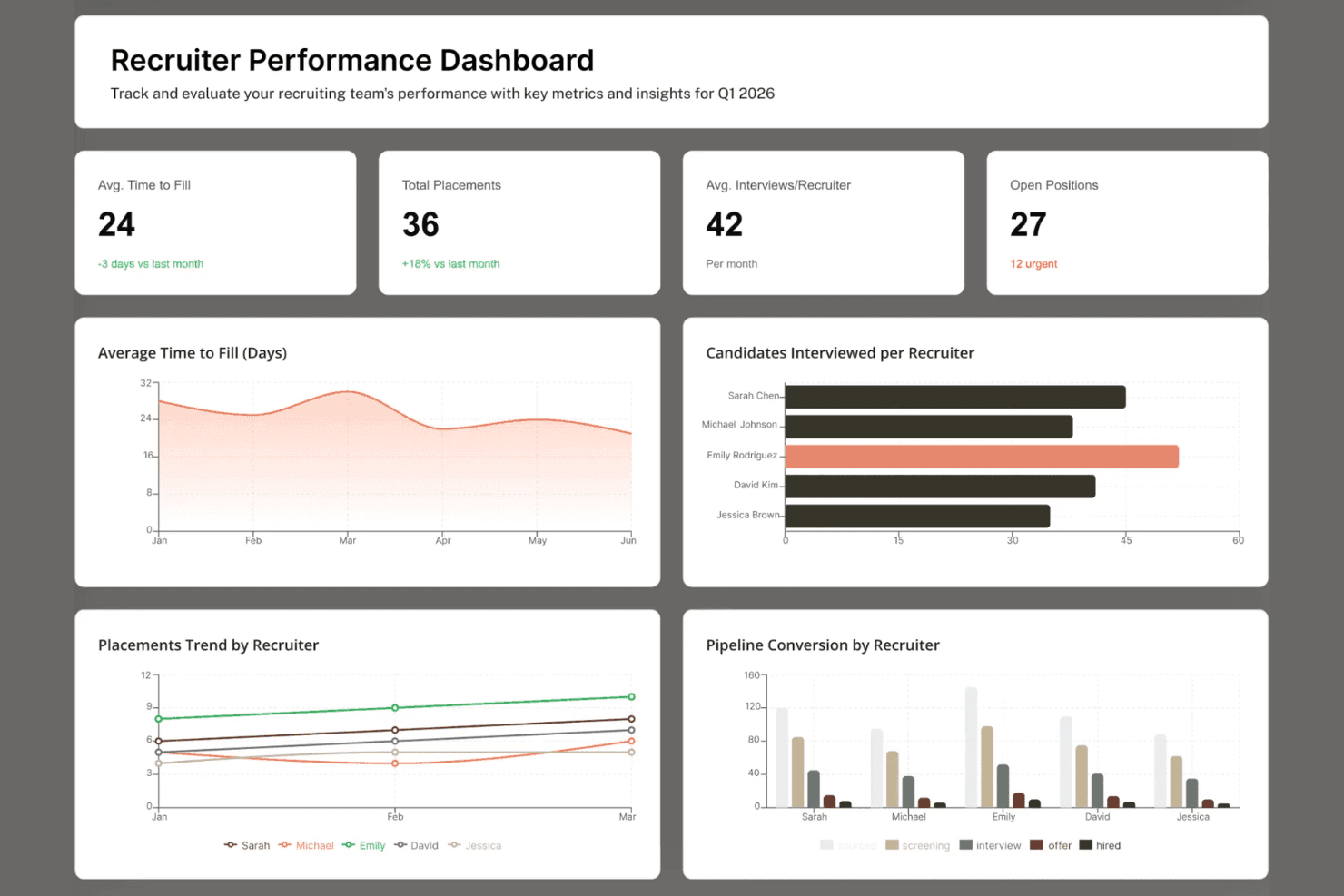
ClearCo delivers recruiting insights with workforce metrics and trends. ClearCo is a talent management platform that covers performance reviews, goal alignment, continuous feedback, employee engagement, and people analytics for healthcare and other organizations.
Who Is ClearCo Best For?
ClearCo is a good fit for healthcare HR teams that need configurable performance reviews, confidential manager feedback, and flexible review schedules for clinical and non-clinical employees.
Why I Picked ClearCo
I've included ClearCo in my top picks because its Custom Agent Studio lets you configure AI agents using your organization's handbooks, policies, and SOPs as knowledge sources. I also like its Manager-Only review sections, which let managers document confidential feedback that remains hidden from employees but accessible to authorized HR and leadership users. Review cycles can run on date-based or anniversary-based schedules, giving healthcare HR teams flexibility to manage evaluations across different departments and employee groups.
ClearCo Key Features
- 360-degree review format: Collects feedback from peers, managers, and direct reports within a structured performance review cycle.
- Pulse surveys: Runs pre-built engagement, culture, and DEI surveys, plus custom surveys, to track employee sentiment over time.
- Compliance and certification tracking: Monitors required training and certifications with automated reminders and status indicators.
- People Analytics liveboards: Displays workforce metrics across roles and departments in interactive, real-time dashboards.
ClearCo Integrations
ClearCo lists integrations with UKG, ADP, BambooHR, LinkedIn, and Bongo. Its performance management tools also support sharing recognition through Slack. ClearCo offers API-based integration capabilities for connecting external HR and business systems.
Pros and Cons
Pros:
- Custom learning agents provide source-attributed answers from internal SOPs
- Combines self, manager, and peer feedback in 360 reviews
- Connects goal tracking, feedback, and performance reviews
Cons:
- ClearTalent package excludes formal Performance Management reviews
- Healthcare-specific clinical templates aren't documented
Learn more about ClearCo: Best for clinical and nonclinical reviews
- 30-day free trial + free demo available
- Pricing upon request
Visit WebsiteCustomer Rating:4.5/5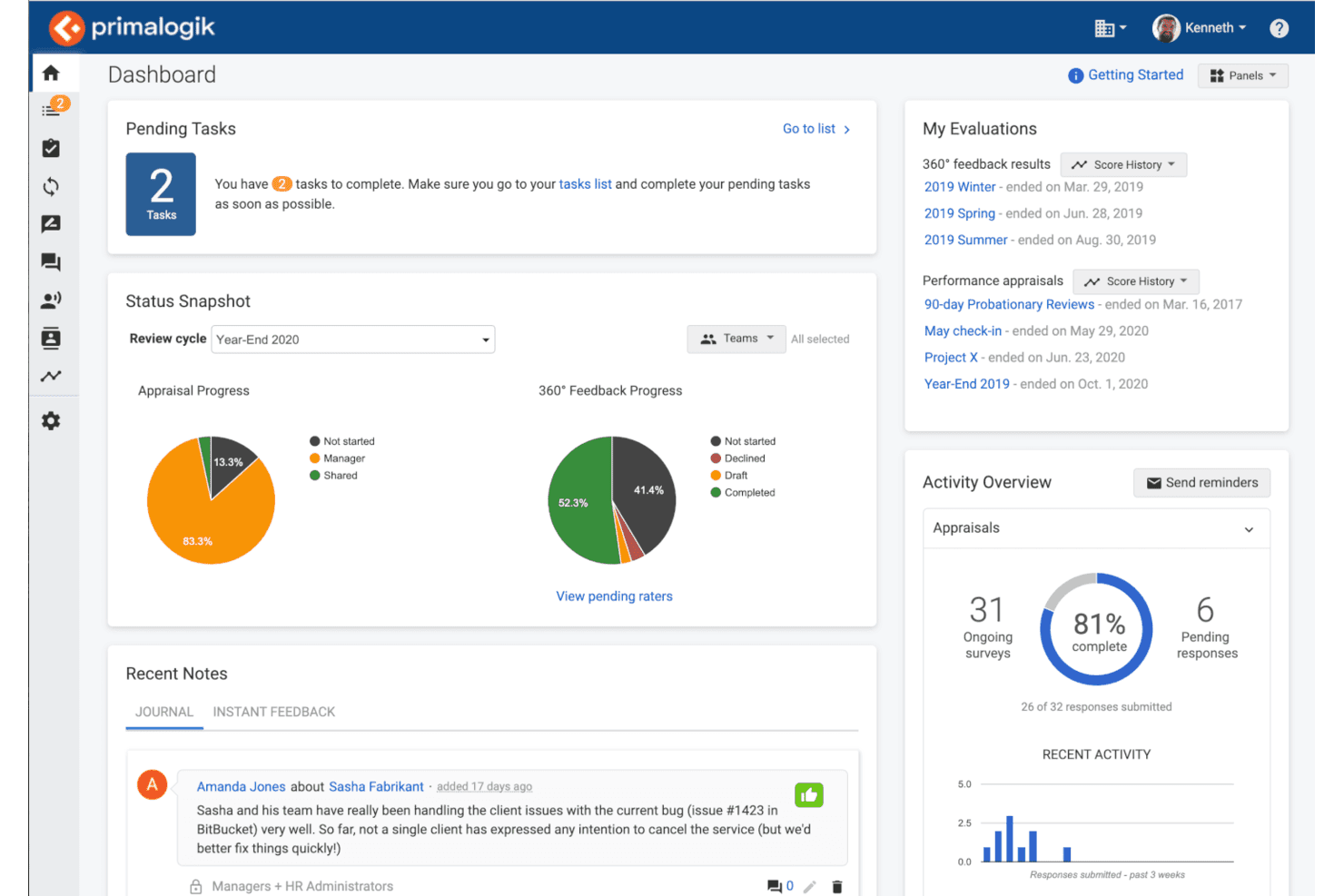
Primalogik centralizes performance reviews and 360° feedback progress. Primalogik is a performance management platform that combines 360-degree feedback, customizable performance appraisals, goal tracking, continuous feedback, and employee surveys in one system.
Who Is Primalogik Best For?
Primalogik is a good fit for small-to-midsize healthcare organizations that need customizable appraisal, goal tracking, and ongoing feedback for different employee roles without adopting a broader HCM suite.
Why I Picked Primalogik
I picked Primalogik as one of the best because its customizable appraisal questionnaires let HR teams evaluate employees against role-specific goals, competencies, and responsibilities. I really like that you can set goals tied directly to quality metrics and patient experience scores, allowing managers to assess progress alongside other appraisal criteria. Its Employee Journal also lets managers maintain chronological notes about employee performance and access those observations during review cycles, providing useful context for evaluations across different healthcare roles.
Primalogik Key Features
- 360-degree feedback surveys: Collect multi-source feedback from managers, peers, and direct reports using configurable questionnaires with custom rating scales and N/A options.
- Assessment bias reporting: Compare managers' scoring patterns across the team to surface inconsistencies that could affect fair staff evaluations.
- Opinion surveys with anonymous response options: Launch organization-wide or targeted surveys and choose whether respondents are identifiable or anonymous.
- Cascading goals and OKRs: Link organizational, team, and individual goals through parent-child relationships to track progress toward broader objectives.
Primalogik Integrations
Primalogik documents six integrations, including BambooHR, Google Workspace, Microsoft Entra ID, Okta, and Slack. These connections support employee-data synchronization, single sign-on, user provisioning, and performance review notifications.
Pros and Cons
Pros:
- Configurable questionnaires support weighted ratings
- Customizable appraisals support clinical and administrative healthcare roles
- Links performance goals to patient experience
Cons:
- Monthly subscriptions require a three-month minimum commitment
- Paid subscriptions require a minimum of 25 users
Learn more about Primalogik: Best for feedback across mixed workforces
- Free demo available
- From $5/user/month (billed annually)
Visit WebsiteCustomer Rating:4.3/5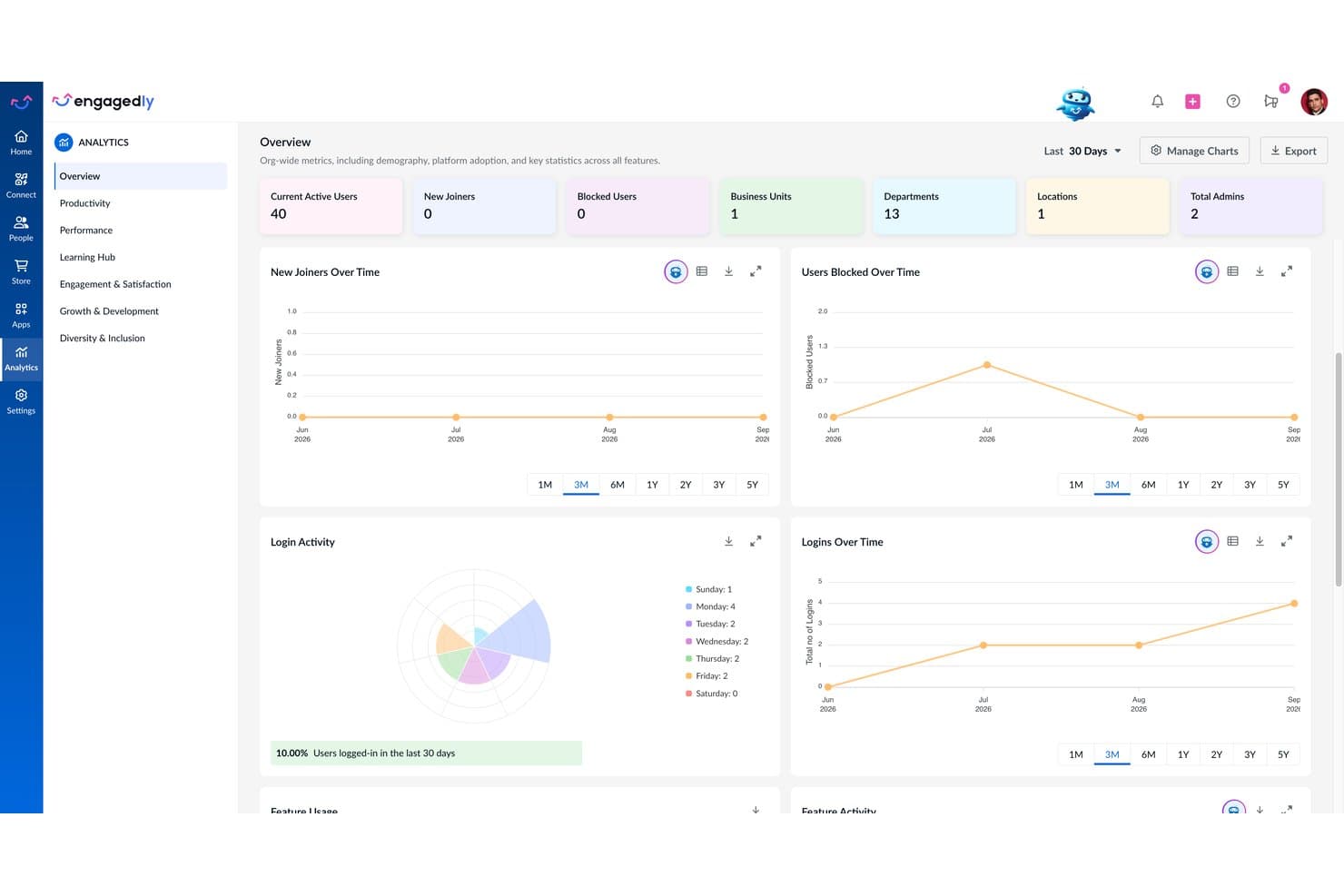
Engagedly's analytics dashboard displays org-wide user and login metrics. Engagedly is a performance management platform that covers customizable review cycles, goals and OKRs, 360° feedback, real-time feedback, and competency and skill tracking to support evaluations across different employee roles.
Who Is Engagedly Best For?
Engagedly suits HR teams managing both clinical and non-clinical staff who need customizable performance reviews, role-specific competency assessments, and continuous feedback tools in one platform.
Why I Picked Engagedly
I've included Engagedly in my top picks because its configurable 360° feedback cycles let healthcare HR teams collect input from managers, peers, direct reports, and external reviewers without managing separate feedback systems. I particularly like that administrators can customize questionnaires and role-specific competency models for different departments, allowing clinical and administrative teams to be evaluated against relevant expectations. Engagedly also supports real-time feedback and public praise between formal review cycles.
Engagedly Key Features
- Configurable review cycles: Set up annual, focal, anniversary, promotion, and 30–60–90-day reviews with customizable templates, rating scales, and approval workflows.
- 9-Box leadership potential assessment: Compare employee performance and leadership-potential ratings in a 9-Box grid to identify future leaders and inform succession planning.
- Skill gap analysis: Map skills to job roles, assign skills to employees, and identify gaps to guide development planning.
- Review sign-off and rollback controls: Enable employee and manager sign-offs, with configurable resolution requests and HR-controlled review rollbacks.
Engagedly Integrations
Engagedly lists integrations with ADP Workforce Now, BambooHR, HiBob, Namely, Paychex, Paylocity, Personio, Deel, Gusto, ZenHR, Slack, Microsoft Teams, Google Workspace, Okta, Jira, Salesforce, and Google Sheets.
Pros and Cons
Pros:
- Collects 360° feedback from employees and external reviewers
- Goals and feedback connect across reviews
- Configurable reviews support varied staff cycles
Cons:
- Focal performance reviews require manual cycle creation
- Subscriptions require a $7,500 annual minimum
Learn more about Engagedly: Best for spotting retention risks by role
- Free demo available
- Pricing upon request
Visit WebsiteCustomer Rating:4.3/5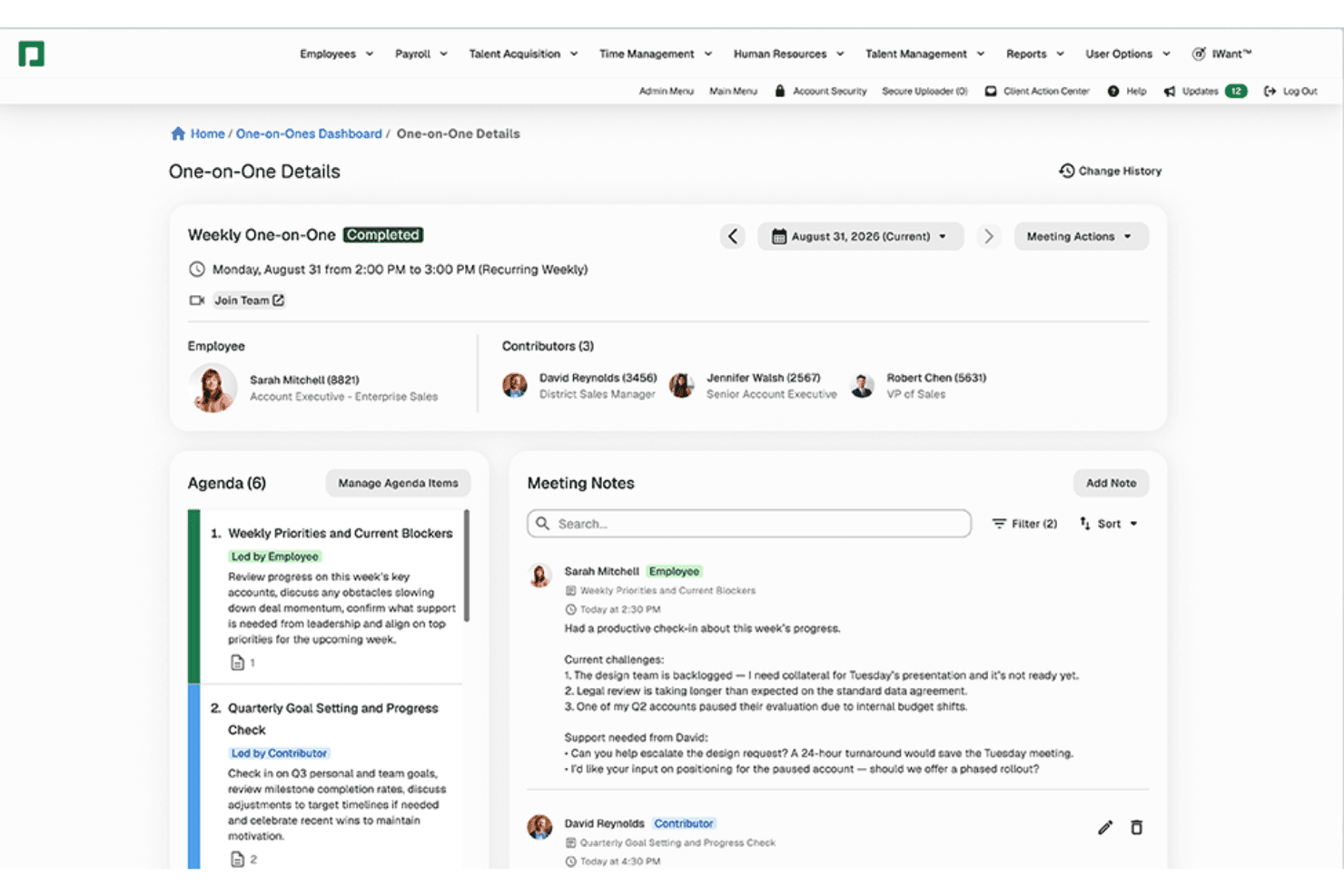
Paycom structures one-on-one meetings with agendas and shared notes. Paycom is an HCM platform that covers performance reviews, goal tracking, continuous feedback, succession planning, and certification management in a single HR and payroll system.
Who Is Paycom Best For?
Paycom is a good fit for HR teams at mid-to-large healthcare organizations that need a single platform connecting performance reviews, goal tracking, and retention analytics.
Why I Picked Paycom
I picked Paycom as one of the best because its Retention Dashboard analyzes over 30 employee data points to identify employees at higher risk of leaving, with drill-down reporting by department and role. In healthcare, where turnover by unit or job type carries real operational weight, that level of visibility is genuinely useful. I also like how performance review data connects directly to succession planning and compensation budgeting, helping HR teams connect employee evaluations with development and compensation decisions.
Paycom Key Features
- Certification management: Employees can upload credential documents for approver review, with automatic reminders triggered at least 30 days before a credential expires.
- Career and succession planning: Identify key positions, designate successors, track readiness timelines, and visualize talent using an interactive 9-box grid populated with performance data.
- One-on-Ones module: Managers and employees share agendas, notes, and discussion templates, with conversations linked directly to goals, certifications, and competencies.
- Paycom Learning: Assign and track compliance training by role or location, with built-in courses covering HIPAA basics, workplace ethics, and harassment prevention.
Paycom Integrations
Paycom's native integrations are not publicly documented.
Pros and Cons
Pros:
- Reviews support self, manager, and 360-degree input
- Shared agendas connect reviews to development
- Retention dashboard surfaces role-level flight risk
Cons:
- Review setup can require careful competency configuration
- Retention scoring is documented for W-2 employees
 Best for large, distributed team calibration
- Not available
- From $8/user/month
Visit WebsiteCustomer Rating:4.3/5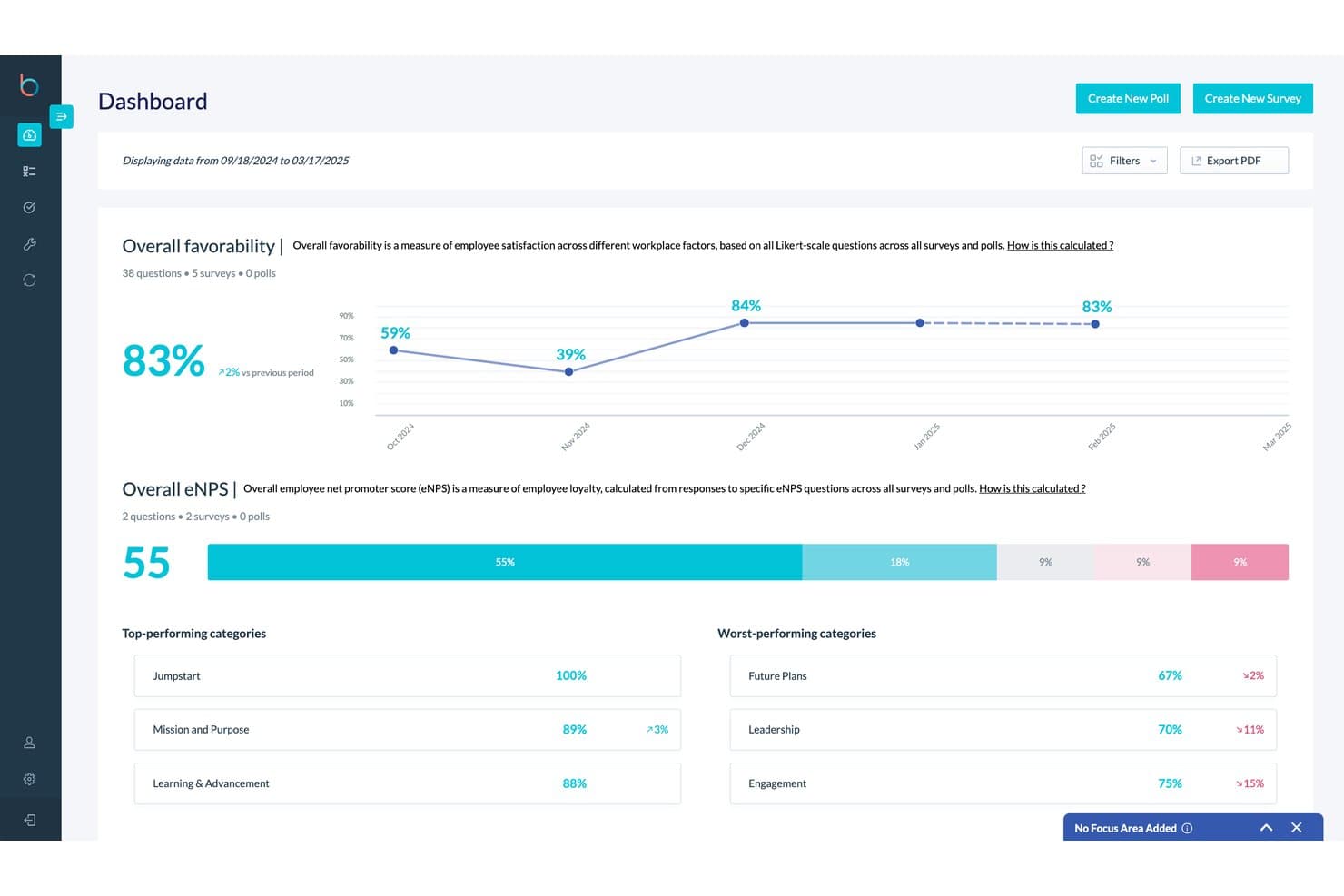
Betterworks tracks employee favorability and eNPS scores over time. Betterworks is an AI-powered performance management platform that connects goal tracking, continuous feedback, structured review cycles, 1:1 meetings, and skills intelligence to support performance and talent decisions across large workforces.
Who Is Betterworks Best For?
Betterworks is a strong fit for large healthcare organizations that need structured performance reviews, flexible calibration sessions, and consistent talent assessments across distributed, nonclinical teams.
Why I Picked Betterworks
I picked Betterworks as one of the best because its anytime calibration feature lets HR teams run structured calibration sessions outside traditional year-end review cycles. I particularly like that its AI-generated performance summaries bring together goals, feedback, conversations, and other performance data, giving reviewers additional context for talent discussions. Betterworks also has a relevant healthcare customer example: according to its case study, Abarca Health calibrated 570 employees across approximately 40 sessions in just three weeks using the platform.
Betterworks Key Features
- Continuous feedback: Lets managers and employees exchange feedback tied to specific goals outside of formal review cycles.
- Goal alignment engine: Cascades company-level priorities into team and individual goals with real-time progress tracking.
- Coaching insights: Use AI to analyze 1:1 meeting transcripts and generate action items, goal recommendations, and coaching guidance.
- Skills intelligence: Infer employee skills from goals, feedback, and 1:1s to identify workforce skill gaps and development opportunities.
Betterworks Integrations
Betterworks offers native integrations with ADP, Workday, UKG Pro, SAP SuccessFactors, BambooHR, Microsoft Teams, Slack, and Zoom for employee data, goal updates, and performance conversations. It also provides an API for custom integrations.
Pros and Cons
Pros:
- Department-filtered calibration cycles support consistent employee evaluations
- AI-driven reminders support ongoing performance review follow-ups
- Connects employee goals, feedback, and check-ins
Cons:
- Classic calibration talent keys require manual migration to NextGen
- Calibration requires a higher-tier subscription
Learn more about Betterworks: 10Best for 360-degree feedback alongside core HR
BambooHR
- Free trial + free demo available
- From $10/employee/month
Visit WebsiteCustomer Rating:3.9/5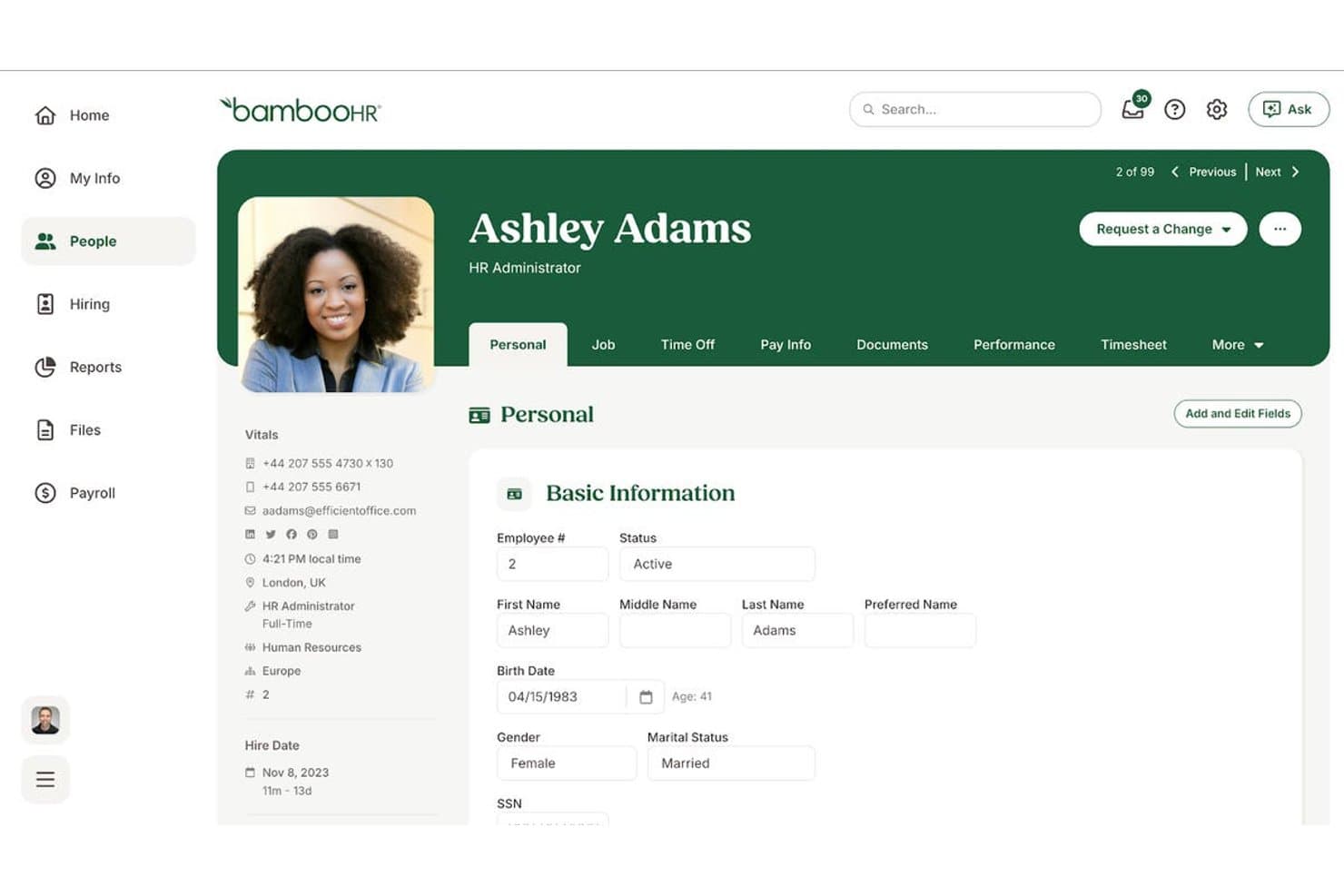
BambooHR centralizes employee personal info in one profile view. BambooHR is an HR platform with performance management tools for customizable review cycles, 360° feedback, goal tracking, and one-on-ones, supporting employee development across clinical and non-clinical healthcare teams.
Who Is BambooHR Best For?
BambooHR is a strong fit for healthcare HR teams that need customizable performance reviews, 360° feedback, and goal tracking within a broader HR management platform.
Why I Picked BambooHR
I've included BambooHR in my top picks because its configurable review cycles let HR teams tailor performance evaluations to different employee groups. I particularly like that you can create separate review cycles with custom questions and schedules, so clinical and administrative teams don't have to follow the same assessment format. BambooHR also supports 360° feedback from managers, peers, and direct reports, along with goal tracking and regular one-on-ones, giving healthcare HR teams several ways to manage employee development within the same platform.
BambooHR Key Features
- Custom review cycles: Configure separate review schedules for different employee groups, with options to filter by department, location, job title, or team.
- Healthcare credential tracking: Track medical licenses, CNA certifications, continuing education requirements, and safety training records with configurable renewal reminders.
- Goal tracking: Create, track, and share individual and team goals, with goal reporting available alongside performance reports.
- HIPAA training tracking: Monitor employee HIPAA training completion through customizable employee records.
BambooHR Integrations
BambooHR offers marketplace integrations, including 15Five, Culture Amp, Leapsome, Lattice, Small Improvements, PerformYard, and Primalogik. Its broader marketplace also includes Gifted, Slack, and Google Single Sign-On. It also provides a documented API for custom integrations.
Pros and Cons
Pros:
- Goals and one-on-ones support ongoing development
- Review cycles segment departments and locations
- Collects self, manager, peer, and upward feedback
Cons:
- Credential records remain separate from evaluations
- Core plan excludes Performance Management features
Other Healthcare Performance Management Software
Here are a few additional options that didn’t make my shortlist but are still worth checking out:
- 11RipplingBest for linking reviews to HR and payroll
- 1215FiveBest for HITRUST-certified HR data security
- 13ADP Workforce NowBest for benchmarking workforce metrics
- 14DayforceBest for linking reviews to shift work
- 15HealthStreamBest for linking learning completions to reviews
- 16LatticeBest for turning feedback into review drafts
- 17SAP SuccessFactorsBest for healthcare workforce goals via DXC
- 18CornerstoneBest for linking reviews to career growth
- 19Workday HCMBest for connecting staffing and clinical data
- 20Trakstar PerformBest for pairing reviews with engagement data
How I Evaluate Healthcare Performance Management Software
I split my evaluation into three parts: core functionality (running structured review cycles and tracking role-specific goals) carries the most weight; standout features like manager calibration tools separate the best from the rest; and beyond features, I look at onboarding support and data security practices.
Core Functionality (Table Stakes For This List)
When I'm selecting tools for my list, I score each one on a scale from 0 (does not offer the functionality) to 5 (excels in this area) for each core functionality listed below. I then convert the total into a percentage to help assess each tool's overall fit, with extra weight on any functionalities I've deemed essential.
- Structured Performance Reviews (Essential): I check whether review cycles can be configured by staff type, with automated routing and reminders that keep multi-site rollouts on track.
- Goal and Competency Tracking: I look for the ability to tie individual goals to department or org-level objectives and track competency progress over time.
- Role-Based Evaluation Templates: Healthcare orgs need distinct forms for nurses, admin staff, and technicians. I evaluate how far template customization goes per role.
- Continuous Feedback Tools: Real-time check-ins and peer recognition matter between formal cycles. I look at whether feedback flows into the review record automatically.
- Compliance and Audit Documentation: I evaluate whether the platform maintains searchable, auditable records of completed reviews and competency verifications for accreditation prep.
- Performance Analytics and Reporting: Dashboards should let you filter by department, role, or location. I check for trend visibility that helps HR spot patterns like turnover risk.
Once I have a list of tools that meet the criteria, I consider what sets each platform apart.
Differentiating Factors (What Sets Vendors Apart)
Here's how I compare and contrast different vendors:
Standout Features
Manager calibration tools matter a lot here. Scoring consistency between a nursing unit and an admin department rarely happens on its own, so I check whether a platform lets you run cross-department calibration sessions. License and credential alerts are another separator—when a nurse's certification is expiring, that flag should surface inside their performance profile, not in a separate system. I also look at how well succession and career pathing features identify high-potential staff for leadership or advanced certification tracks, since healthcare turnover makes internal mobility a real retention lever.
Beyond Features
I check whether a platform connects to your existing HRIS—syncing employee records between systems like Workday or UKG saves HR teams from duplicate data entry across facilities. Data security matters too, especially SOC 2 compliance and role-based access controls that match healthcare audit expectations. I also evaluate onboarding support, since clinical managers rarely have time for a steep learning curve during rollout.
How to Choose Healthcare Performance Management Software
Choose a platform by testing whether its review workflows, records, and reporting match how your healthcare workforce is managed.
| If Your Priority Is | Look For |
|---|---|
| If Your Priority IsDifferent review schedules by staff group | Look ForSeparate cycles for clinical and nonclinical roles |
| If Your Priority IsRole-specific assessments | Look ForTemplates that reflect distinct job competencies |
| If Your Priority IsAccreditation preparation | Look ForSearchable records of completed reviews and competency checks |
| If Your Priority IsIdentifying workforce patterns | Look ForReports filterable by role, department, and location |
How to Vet Your Shortlist
- Map a review cycle: Ask each vendor for a workflow diagram showing how a nurse and an administrative employee move through separate review schedules, including routing and reminders.
- Run a trial task: Use de-identified sample profiles to create two role-specific evaluations, then record where managers enter feedback and how it reaches the review record.
- Request an audit artifact: Ask for a sample review-record export and confirm it includes completion dates, reviewer details, and competency documentation your accreditation process requires.
- Test a report: In a trial or demonstration, request a report grouped by role and location; verify that the filters surface the workforce patterns your team needs to examine.
- Choose your tradeoff: Favor a broader HR platform if shared employee records across systems matter most; choose a focused review tool if distinct cycles and evaluation templates matter more.
What Is Healthcare Performance Management Software?
Healthcare performance management software is HR software for organizing employee reviews, feedback, goals, and performance records across healthcare teams. It can support role-specific evaluation templates, different review schedules for clinical and nonclinical staff, and searchable documentation for accreditation preparation. It tracks workforce performance, not the quality of patient care.
Features
Here are the main features I look for in healthcare performance management software:
- Structured review cycles: Set review schedules for different staff groups, then use routing and reminders to guide employees and managers through each step. This helps HR coordinate reviews across roles and locations.
- Role-based evaluation templates: Create assessment forms with questions and competencies suited to roles such as nursing, administration, and technical work. Managers can evaluate employees against expectations relevant to their jobs.
- Goal and competency tracking: Set individual goals linked to department or organizational objectives, and record progress on role-specific competencies. Managers can use this information during check-ins and formal reviews.
- Continuous feedback: Record check-ins, peer feedback, and recognition between formal review cycles. When the platform connects this input to employee records, managers can refer to it during evaluations.
- Performance analytics: Filter dashboards and reports by role, department, or location to examine review completion and workforce trends. HR can use these views to identify patterns that need further attention.
- Audit-ready performance records: Store completed reviews, dates, reviewer details, and competency documentation in searchable employee records. These records can help HR prepare documentation for accreditation processes.
- HRIS integration: Sync employee information with an existing HRIS to keep records consistent across systems. This can reduce duplicate data entry when staff, roles, or reporting lines change.
- Role-based access controls: Limit access to performance information according to user responsibilities. This helps keep sensitive employee records available to authorized people.
Benefits
Here are a few common benefits you can expect from healthcare performance management software:
- Consistent review cycles: Separate schedules, automated routing, and reminders help coordinate reviews across clinical and nonclinical teams.
- Role-specific evaluations: Custom templates let managers assess nurses, administrative staff, and technicians against relevant competencies.
- Clearer performance records: Searchable reviews and competency documentation give HR a central record to consult during accreditation preparation.
- More informed reviews: Check-ins, peer feedback, and recognition recorded between cycles give managers additional context for formal evaluations.
- Better visibility into workforce patterns: Reports filtered by role, department, or location help HR examine review completion and workforce trends.
- Fewer duplicate employee updates: HRIS integrations can sync employee records when roles or reporting lines change.
Pricing
Pricing for healthcare performance management software varies by employee count, selected modules, implementation requirements, and contract terms. Healthcare-focused vendors often provide custom quotes, but these ranges offer a general guide to what you might expect.
Plan Comparison Table for Healthcare Performance Management Software
| Plan Type | Price | Common Features |
|---|---|---|
| Plan TypeFree Trial or Demo | Price$0 | Common FeaturesTemporary access to performance reviews, feedback tools, goal tracking, and reporting; features and trial limits vary by vendor. |
| Plan TypePer-User Subscription | Price$5–$17/user/month | Common FeaturesPerformance reviews, goal tracking, continuous feedback, customizable review cycles, and reporting, depending on the plan. |
| Plan TypeModular Pricing | PriceVaries by module and employee count | Common FeaturesChoose performance reviews, goals and OKRs, engagement surveys, learning, or skills management as separate modules or bundles. |
| Plan TypeCustom Enterprise Pricing | PriceCustom quote | Common FeaturesAdvanced calibration, role-based evaluations, integrations, security controls, implementation services, and enterprise support, depending on the contract. |
FAQs
Some answers to common questions about healthcare performance management software:
How often should healthcare employee reviews happen?
There’s no single review schedule that fits every healthcare team. Set a cadence that matches your organization’s policies, role requirements, and operational needs. For example, you might schedule formal reviews annually and add regular check-ins between cycles. Keep clinical and nonclinical schedules separate when their responsibilities or evaluation criteria differ. Before setting dates, confirm who owns each step, how managers will receive reminders, and what records HR needs to retain.
How can HR make performance reviews fair across clinical and nonclinical roles?
Use role-specific competencies and consistent rating guidance, then calibrate evaluations across teams. A nurse and an administrative employee shouldn’t be assessed against identical job expectations. However, managers should understand what each rating means and apply the same standards within comparable roles. Review rating patterns by department and location to spot differences that need discussion. Calibration meetings can help managers compare how they interpret criteria before finalizing reviews.
What should an organization test before rolling out software across multiple locations?
Pilot the software with different staff groups and at least a few locations before a broad rollout. Test review schedules, routing, reminders, role-based templates, access permissions, and reports. Include realistic cases, such as an employee changing departments during a review cycle. Confirm how the platform handles existing records and employee data updates from your HRIS. Ask managers and HR staff to complete a sample cycle, then document gaps and resolve them before expanding access.
Can healthcare performance management software track license expirations?
Some platforms offer credential alerts, but you should verify this feature with each vendor. Ask which credentials the system can record, who receives expiration notices, and whether alerts appear in employee profiles or reports. Also check whether credential data can sync with your existing system of record. Keep authoritative license records in the appropriate system, and confirm how updates and access permissions work before relying on performance software for reminders.