

10 Best Home Care Payroll Software in 2026

Best Home Care Payroll Software Shortlist


Home care payroll software is purpose-built to help agencies manage caregiver pay, scheduling, and compliance with industry regulations. If you’re looking for the best home care payroll software, you’re probably balancing complex requirements—like tracking credentials, blending rates, and keeping up with Medicaid or EVV rules—all while supporting caregivers across multiple locations. This guide draws on real experience with sector-specific payroll and HR tools that tackle those daily challenges. You’ll find focused recommendations for platforms that help HR professionals ensure accurate pay, stay ahead of compliance, and keep operations running smoothly across the entire agency.
Why Trust Our Software Recommendations
Our team has been testing and reviewing software since 2012. As HR experts ourselves, we know how difficult—and important—it is to choose the right software.
For this guide, we evaluated tools using hands-on testing and independent research, scoring tools using our selection criteria. We also draw on insights from industry thought leaders and practicing HR experts.
Our reviews reflect our human editorial judgment, not a sales pitch.
Expert reviewers:
Home Care Payroll Software Comparison Table
This comparison table summarizes pricing details for my top home care payroll software selections:
| Tool | Best For | Trial Info | Price | ||
|---|---|---|---|---|---|
| 1 | Best for global workforce compliance at scale | Free demo available | Pricing upon request | Website | |
| 2 | Best for Sandata-integrated compensation workflows | Not available | Pricing upon request | Website | |
| 3 | Best for automated localized tax compliance | Free demo available | Pricing upon request | Website | |
| 4 | Best for HCM consolidation in home care agencies | Free demo available | Pricing upon request | Website | |
| 5 | Best for caregiver wallet and on-demand pay | Free demo available | Pricing upon request | Website | |
| 6 | Best for automated agency shift reconciliation | Free demo available | Pricing upon request | Website | |
| 7 | Best for multi-state caregiver credential tracking | Free demo available | Pricing upon request | Website | |
| 8 | Best for Medicaid-compliant billing and pay | Free demo available | Pricing upon request | Website | |
| 9 | Best for EVV-to-payroll with wage parity rules | Free demo available | From $195/month | Website | |
| 10 | Best for blended-rate OT and wage parity payroll | Free demo available | Pricing upon request | Website |

Home Care Payroll Software Reviews
Below are my detailed summaries of the best home care payroll software that made it onto my shortlist. My reviews offer a detailed look at the features, best use cases, and integrations of each software to help you find the best one for you.
Dayforce
Best for global workforce compliance at scale
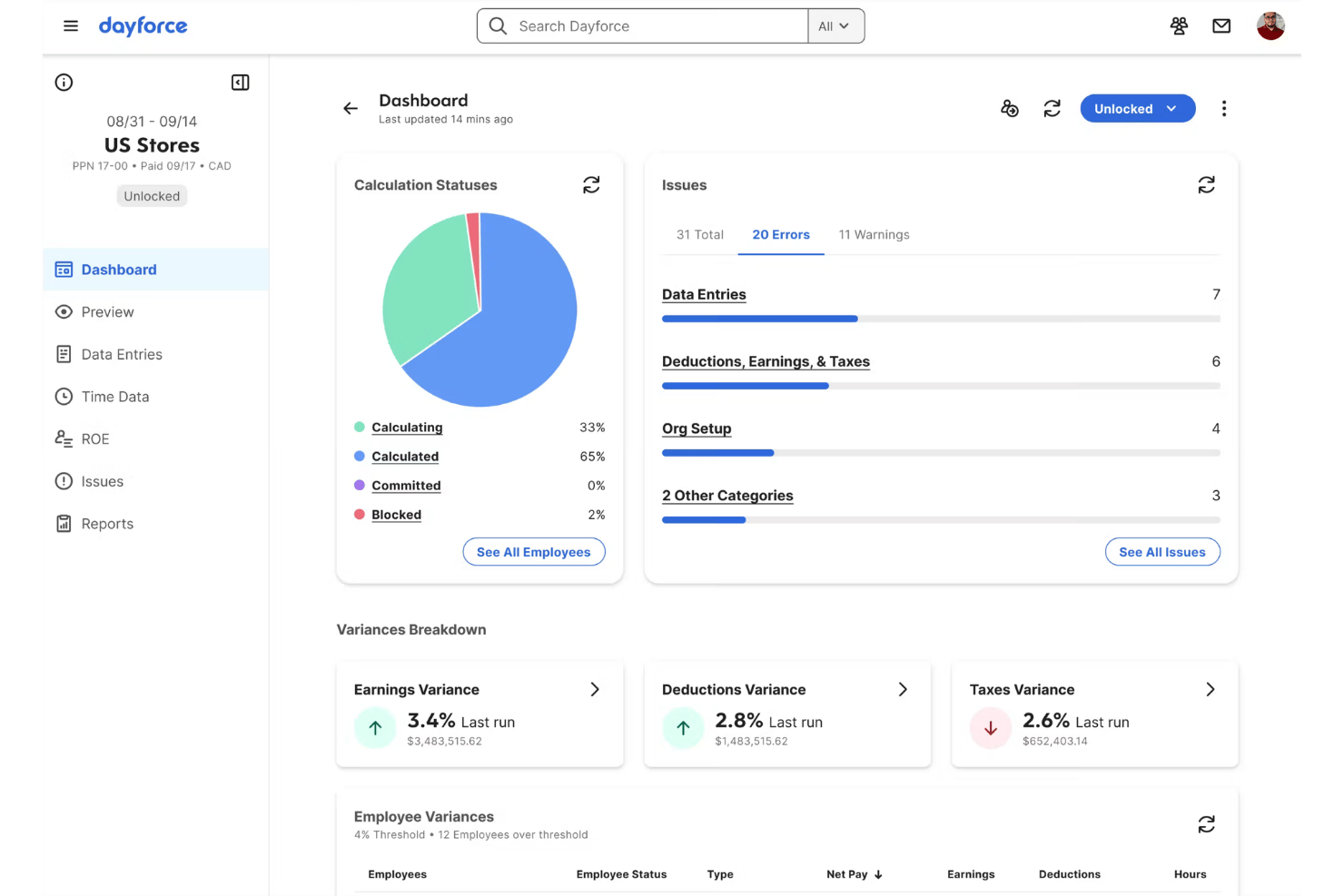
Dayforce is an enterprise HCM platform that unifies payroll processing, tax filing, time and attendance, workforce scheduling, and caregiver self-service in a single system.
Who Is Dayforce Best For?
Dayforce is a strong fit for large, multi-state home care agencies that need enterprise-grade payroll and tax compliance across dozens of jurisdictions and hundreds of caregivers.
Why I Picked Dayforce
Dayforce earns its spot on my shortlist because no other platform on this list handles multi-state payroll compliance at the scale it does. Its continuous payroll calculation engine processes pay as time is captured, which matters when you're running payroll across dozens of state tax jurisdictions with different withholding rules. I also like that Dayforce Wallet gives caregivers on-demand access to earned wages at no added employer cost, a real differentiator for agencies competing for hourly workers in tight labour markets.
Dayforce Key Features
- Configurable pay rules engine: Set up blended-rate overtime, shift differentials, and multiple pay rates per employee without manual payroll overrides.
- ACA and garnishment automation: Automatically generates 1095-C forms, manages wage garnishments, and submits new hire reporting to meet federal requirements.
- Caregiver certification tracking: The learning module maintains a certification library with employee-facing expiry date visibility and automated expiration alerts.
- Managed Payroll Services: Fully or partially outsource payroll processing and tax filing to Dayforce compliance professionals across federal, state, and local jurisdictions.
Dayforce Integrations
Native integrations with home care EVV platforms are not clearly documented. Dayforce supports custom connections through Integration Studio’s open API, SFTP, the Dayforce Exchange marketplace, and Zapier.
Pros and Cons
Pros:
- Forecasts labour demands using algorithms
- Offers real-time payroll calculation and reporting
- Handles multi-state payroll compliance at scale
Cons:
- Lacks wage parity and CDPAP pay templates
- No built-in home care EVV integration

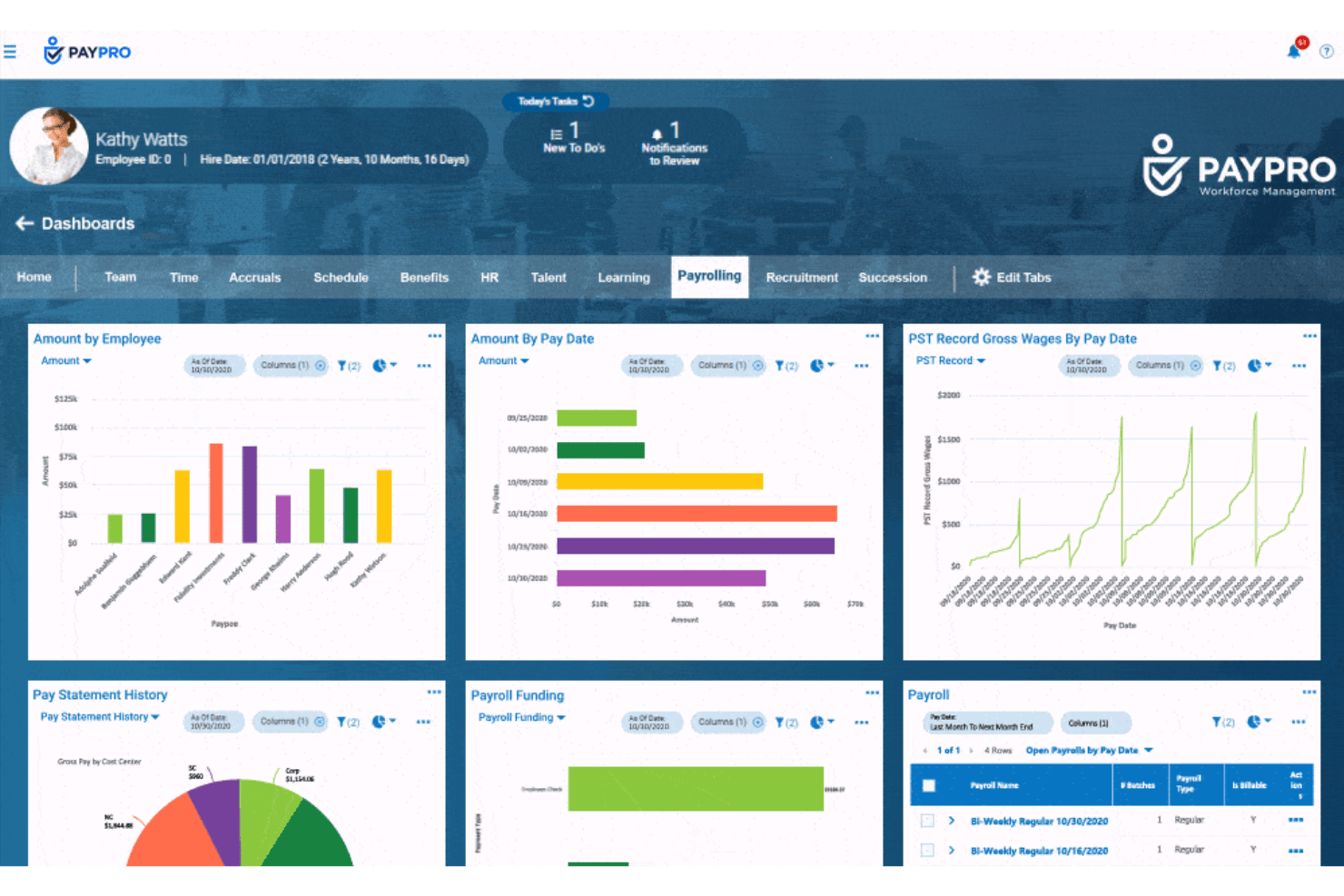
Paypro is a full-service HR and payroll platform built for home care agencies, combining EVV-integrated payroll processing, caregiver certification tracking, multi-state tax filing, and earned wage access tools.
Who Is Paypro Best For?
Paypro is a strong fit for home care agencies already using Sandata Santrax for EVV that need payroll processing to run directly off verified visit data.
Why I Picked Paypro
Paypro earns its spot on my shortlist because of its long-standing, operational integration with Sandata Santrax EVV, which has been powering Sandata's embedded payroll module since 2014. I like that visit-verified data flows directly into payroll processing, so caregivers can see the exact visits tied to each paycheck. Paypro's Command Center monitors every payroll run in real time, catching discrepancies before they become errors, which matters a lot when your pay data originates from EVV records across hundreds of caregivers.
Paypro Key Features
- Multi-state tax e-filing: Automates federal, state, and local tax filings—including 941, 940, W-2, 1099-NEC, and 1099-MISC—across multiple jurisdictions.
- Caregiver certification tracking: Monitors caregiver credentials and training expirations across all agency locations in a centralized HR record.
- Earned wage access via DailyPay: Gives caregivers the ability to access earned wages before payday through a live DailyPay integration.
- HCMtoGo mobile app: Lets caregivers view pay stubs, manage schedules, and clock in/out from iOS or Android devices.
Paypro Integrations
Paypro lists integrations with Sandata Technologies, HHAeXchange, Relias, DailyPay, Rapid Pay Card, HireCredit, QuickBooks, NetSuite, and Sage. These connections cover EVV, caregiver training, earned wage access, screening, and accounting workflows.
Pros and Cons
Pros:
- Manages local union contract rules
- Dedicated support by certified payroll professionals
- Operational EVV-to-payroll integration with Sandata
Cons:
- Mobile app functionality weaker than desktop
- No published documentation on wage parity rules

Rippling
Best for automated localized tax compliance
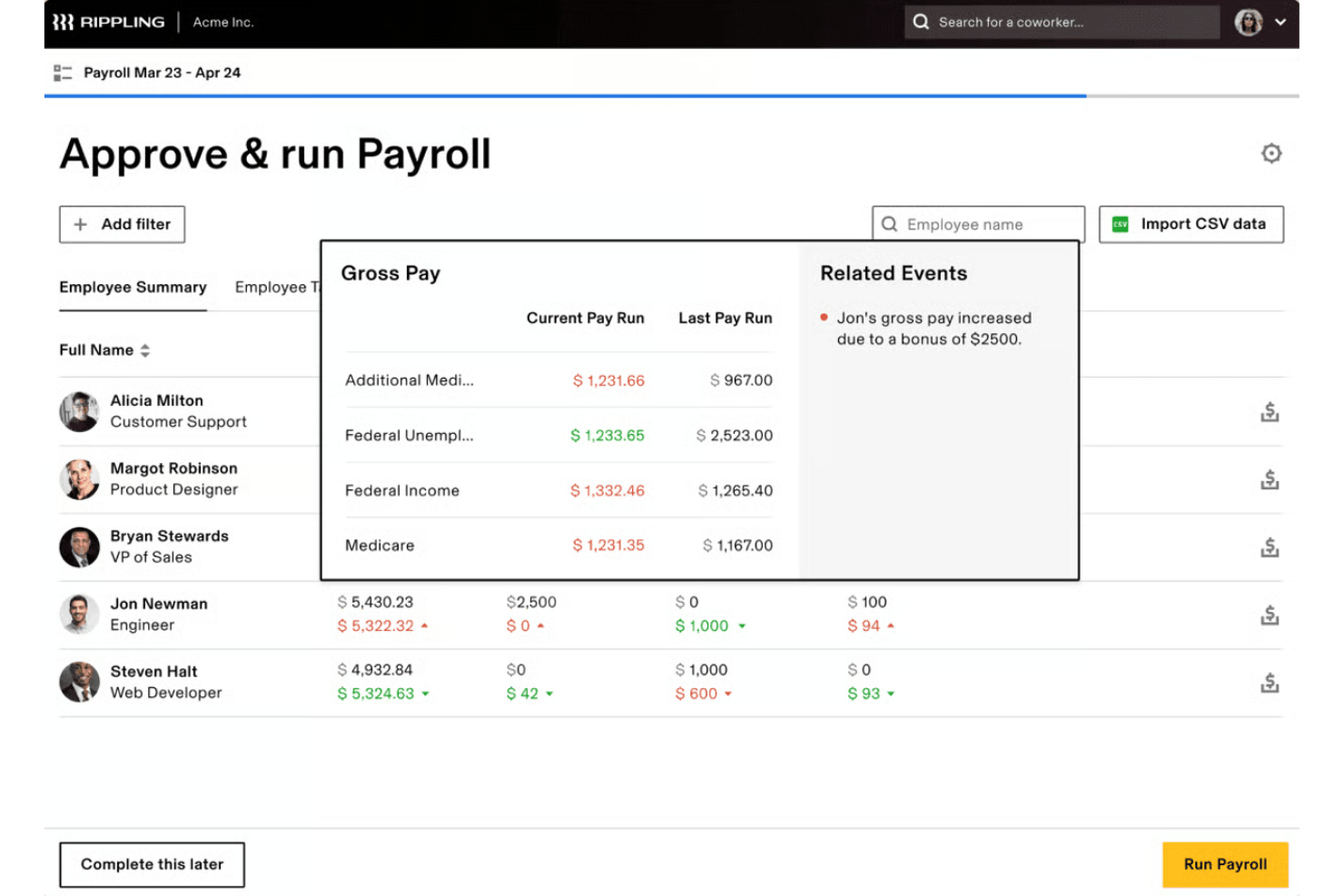
Rippling is a modular HR and payroll platform that handles multi-state payroll processing, tax filing, time and attendance, credential tracking, and employee onboarding across distributed workforces.
Who Is Rippling Best For?
Rippling is a strong fit for multi-state home care agencies that manage EVV and billing in a separate system and need a unified HR and payroll platform to handle tax filing, onboarding, and credential tracking across distributed locations.
Why I Picked Rippling
I picked Rippling as one of the best because of how well it handles automated tax compliance across multiple states in a single payroll run. When your caregivers work across state lines, Rippling automatically applies jurisdiction-specific withholding, SUTA rates, and reciprocity agreements without manual configuration. I also like its credential tracking module, which ties license expiration alerts directly to payroll and scheduling eligibility, keeping HHA and CNA compliance visible without a separate system.
Rippling Key Features
- FLSA 8-and-80 overtime calculation: Rippling applies the 8-and-80 overtime method automatically, which is designed for healthcare workers on extended or rotating shift schedules.
- AI-powered timesheet anomaly detection: Rippling flags duplicate punches, missed clock-outs, and shift mismatches before payroll runs, reducing errors across a distributed caregiver workforce.
- Digital onboarding with background check integration: New caregiver onboarding—including I-9, W-4, direct deposit, and Checkr background checks—can be completed via a self-service portal in minutes.
- Earned wage access via Tapcheck: Caregivers can access earned wages before payday through Rippling's integration with Tapcheck, at no direct cost to the employer.
Rippling Integrations
Rippling advertises 650+ native integrations, including QuickBooks Online, NetSuite, Sage Intacct, Checkr, Tapcheck, WellSky, and eClinicalWorks. It offers an API and custom connector framework, but no confirmed native integrations with HHAeXchange, Sandata, AlayaCare, Axxess, or MatrixCare.
Pros and Cons
Pros:
- Mobile app enables caregiver self-service
- Credential expiration alerts linked to scheduling
- Provisions global hardware devices automatically
Cons:
- No support for wage parity or CDPAP
- Limited granular custom security roles
New Product Updates from Rippling

Rippling Expands Automated Compliance With AI Workflows
Rippling expands Automated Compliance with multi-framework support, AI workflows, an audit portal, and trust centers. These updates help GRC teams manage compliance work and audits. For more information, visit Rippling’s official site.

Best for HCM consolidation in home care agencies
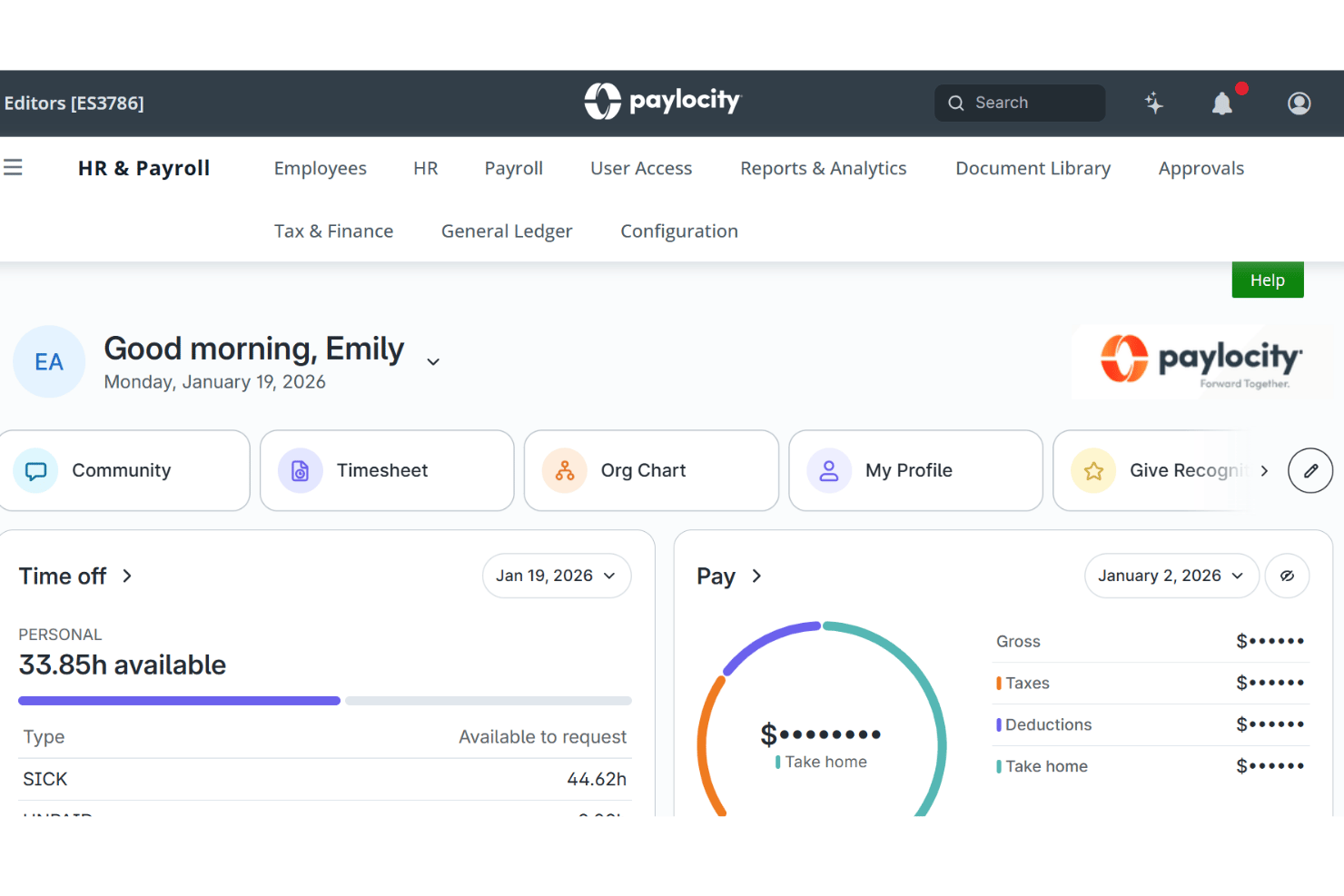
Paylocity is a full-suite HCM platform covering payroll, tax filing, time and labour, benefits, and onboarding—built for multi-location, multi-state workforces including home care agencies managing distributed caregiver teams.
Who Is Paylocity Best For?
Paylocity is a strong fit for mid-to-large home care agencies that want to replace a patchwork of HR tools with one platform covering payroll, onboarding, time tracking, and benefits.
Why I Picked Paylocity
I've included Paylocity in my top picks because it's the strongest option I've seen for home care agencies that want to replace a scattered mix of HR tools with one platform. What I particularly like is its multi-state payroll engine, which handles tax filings across all 50 states in a single run, and its credential-based scheduling, which matches caregivers to shifts based on certifications. Its built-in On Demand Payment gives caregivers same-day access to earned wages without any added complexity for payroll teams.
Paylocity Key Features
- Digital onboarding: Collects I-9 verifications, W-4s, direct deposit details, and background checks through a mobile-friendly pre-boarding workflow.
- Compliance dashboard: Displays jurisdiction-specific alerts and compliance status across multiple states in a single centralized view.
- GPS-based mileage tracking: Logs caregiver travel between client visits directly in the mobile app for DOL-compliant reimbursement.
- AxisCare integration: Syncs employee data between Paylocity and AxisCare's home care management platform to support time tracking and payroll initiation.
Paylocity Integrations
Paylocity offers marketplace integrations with AxisCare, MedTrainer, Relias, and DailyPay, connecting home care operations, training, credentialing, and earned wage access. Its 400+ marketplace integrations and open API support additional custom connections.
Pros and Cons
Pros:
- Built-in earned wage access for caregivers
- Mobile app supports caregiver onboarding and pay
- Broadcasts video announcements to staff
Cons:
- Limited EVV integration maturity and coverage
- No home care-specific pay rule automation
New Product Updates from Paylocity

Paylocity Expands Expense and Purchase Request Tools
Paylocity adds connected personal cards, smarter expense categorization, and a streamlined purchase request experience. This reduces manual entry and helps finance teams manage expenses and approvals more efficiently. For more information, visit Paylocity’s official site.
 .
.
Paycor
Best for caregiver wallet and on-demand pay
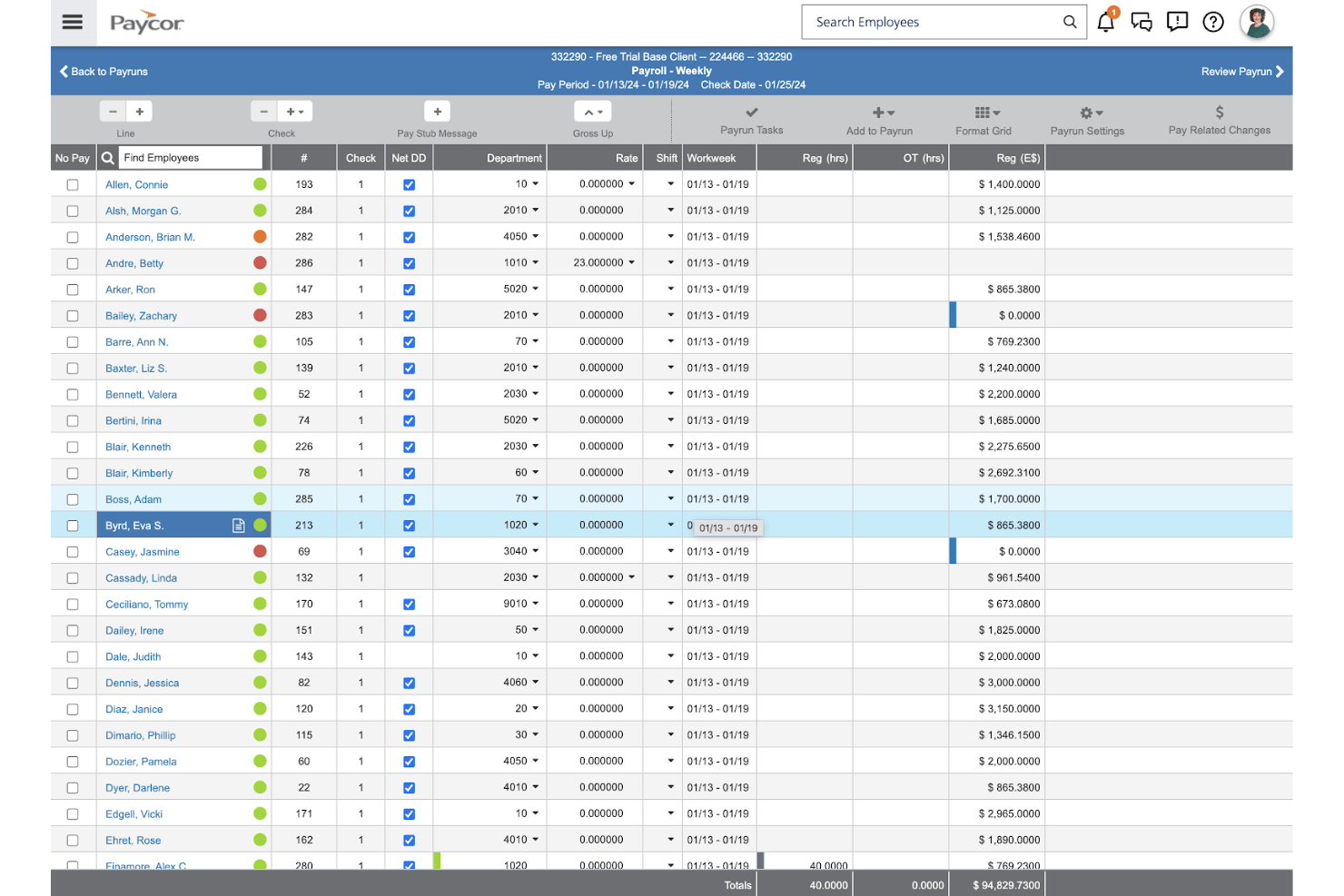
Paycor is a full-service HCM platform that covers payroll, tax filing, time and attendance, onboarding, and caregiver self-service pay access—built for healthcare organizations managing complex, multi-state workforces.
Who Is Paycor Best For?
Paycor is a strong fit for healthcare organizations that prioritize caregiver retention tools like earned wage access and mobile self-service over home care-specific compliance features.
Why I Picked Paycor
I've included Paycor in my top picks because of how well its caregiver wallet tools address one of home care's most persistent challenges: keeping caregivers on staff. The Paycor Wallet gives employees native OnDemand Pay access to up to 50% of earned wages before payday, and the Paycor Visa Card lets them receive pay up to two days early without activation fees. That kind of flexible pay access, built directly into payroll rather than bolted on, is genuinely rare at this tier.
Paycor Key Features
- Multi-state tax filing: Paycor automatically calculates, files, and reconciles payroll taxes across all 50 states, handling reciprocity agreements and jurisdiction-specific deadlines.
- Shift differential and blended-rate overtime: Configure multiple pay rates per employee, shift differentials, and blended overtime calculations directly within the payroll engine.
- Expense management with mileage tracking: Employees log mileage and submit reimbursements via the mobile app, with IRS rate-based calculations that feed directly into payroll.
- ACA compliance and reporting: Paycor tracks ACA eligibility year-round and automates the generation and e-filing of Forms 1094-C and 1095-C at the federal and applicable state levels.
Paycor Integrations
Paycor offers 320+ marketplace integrations, including Relias, SmartLinx, Timeero, Expiration Reminder, eRSP by Kaleida Systems, DailyPay, and Tapcheck. Its 140+ APIs support custom connections, but native HHAeXchange, Sandata, AlayaCare, Axxess, and MatrixCare integrations aren't documented.
Pros and Cons
Pros:
- Tracks specialized employee certifications natively
- Configures custom general ledger mapping
- Facilitates internal peer recognition awards
Cons:
- Lacks wage parity and CDPAP pay rules
- No built-in patient scheduling
Best for automated agency shift reconciliation
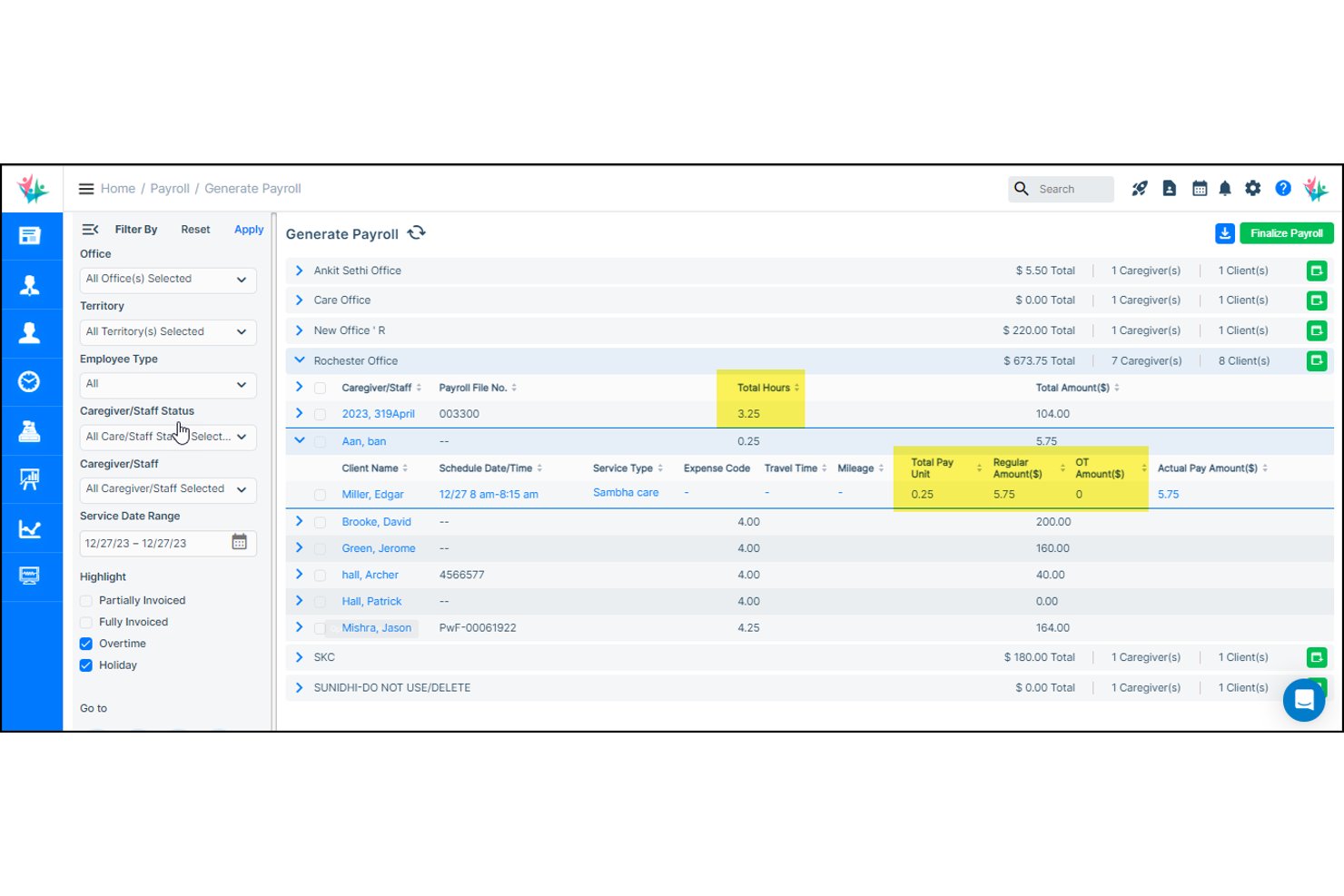
CareSmartz360 is a home care agency management platform with a built-in payroll module that connects scheduling, EVV-verified timesheets, and caregiver pay rule automation—including overtime, holiday rates, mileage, and wage parity—with exports to payroll processors like Paychex, Viventium, and ADP.
Who Is CareSmartz360 Best For?
CareSmartz360 is a strong fit for home care agencies that need to connect EVV-verified visit data directly to caregiver payroll without manual reconciliation between systems.
Why I Picked CareSmartz360
I picked CareSmartz360 as one of the best because it closes the gap between EVV-verified visit data and caregiver pay without any manual handoff between systems. When a visit record is edited, payroll recalculates automatically, which means shift reconciliation happens inside the platform rather than across spreadsheets. I also love that overtime, holiday rates, mileage, and NY wage parity add-ons are all calculated from the same verified visit data, so there's no separate calculation layer to manage.
CareSmartz360 Key Features
- Multilingual caregiver mobile app: CareSmartz360+ supports 7+ languages on iOS and Android, with GPS clock-in/out, voice-to-text care notes, and mileage logging built in.
- Tapcheck earned wage access: Caregivers can request on-demand pay advances for hours already worked, at no cost to the agency.
- Caregiver credential tracking: The platform sends automated alerts for expiring licenses and certifications, and caregivers can upload compliance documents directly through the portal.
- Multi-office payroll processing: Run and filter payroll across multiple agency locations from a single platform, with role-based data controls at larger tiers.
CareSmartz360 Integrations
CareSmartz360 supports 45+ EVV integrations, including Sandata, HHAeXchange, CareBridge, AuthentiCare, and eMedNY, plus Paychex Flex, Viventium, ADP Workforce Now, QuickBooks, Gusto, and Tapcheck. Enterprise plans include an open API ecosystem for custom integrations.
Pros and Cons
Pros:
- Wage parity tracking for New York agencies
- Multilingual caregiver mobile app supports diverse staff
- Automated shift reconciliation with EVV integration
Cons:
- Limited offline mobile data entry
- Requires third-party service for tax filing

Netchex
Best for multi-state caregiver credential tracking
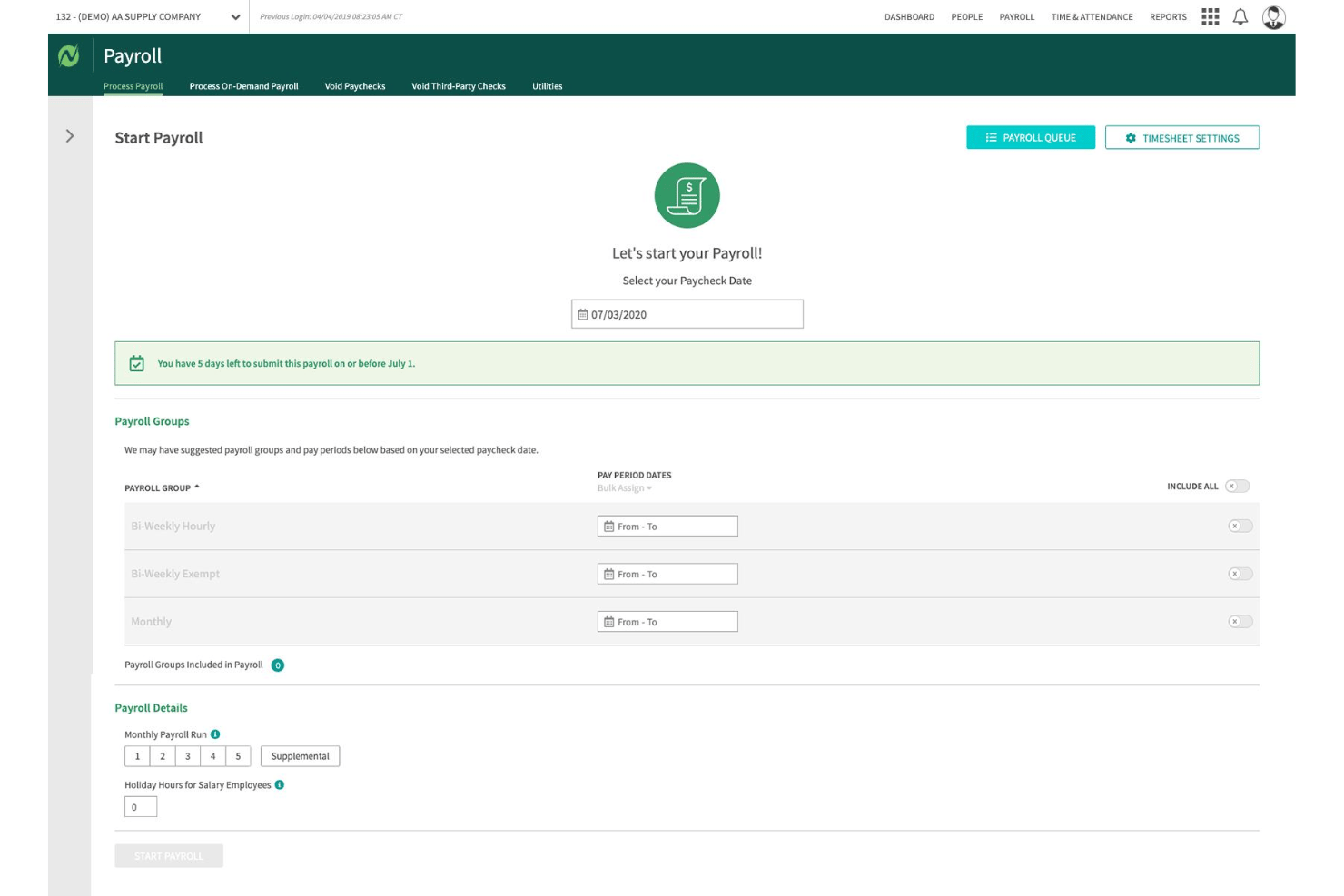
Netchex is a cloud-based payroll and HR platform built for home health agencies, covering full-service multi-state payroll, caregiver credential tracking, mobile time capture, and earned wage access in a single system.
Who Is Netchex Best For?
Netchex is a strong fit for multi-state home health agencies that need credential tracking, caregiver self-service, and full-service payroll in one platform—particularly those already using WellSky for scheduling.
Why I Picked Netchex
I picked Netchex as one of the best because its native credential dashboard genuinely sets it apart for agencies managing caregivers across multiple states. It tracks CNA, HHA, CPR, and BLS certifications with automated 30/60/90-day expiration alerts, and ties those credentials directly to shift eligibility so uncertified caregivers can't be assigned to visits they're not cleared for. Add in WellSky file import to cut down on manual hour re-entry, and it's a solid pick for multi-state agencies prioritizing Medicaid billing compliance.
Netchex Key Features
- FlexPay earned wage access: Caregivers can draw up to 50% of wages earned mid-pay period via the Netchex mobile app, with no added cost to the employer.
- OneScreen Payroll™ error dashboard: A pre-run payroll review screen flags exceptions and discrepancies before you process pay, reducing costly corrections.
- AskHR multilingual chatbot: A 24/7 AI-powered HR assistant embedded in the mobile app lets caregivers ask payroll and benefits questions in their preferred language.
- Built-in LMS with 2,000+ courses: Pre-built training courses covering HIPAA, CPR/BLS, and OSHA support caregiver certification maintenance directly within the platform.
Netchex Integrations
Netchex offers a documented one-way file import from WellSky and integrations with 100+ retirement and benefits providers, including Fidelity, Vanguard, and Empower. Its open API and webhooks support custom connections with EVV and scheduling platforms.
Pros and Cons
Pros:
- Administers employee benefits enrollment natively
- Mobile app supports credential-aware scheduling
- Automates standard COBRA administration tasks
Cons:
- Wage parity allocation tool not available
- Requires
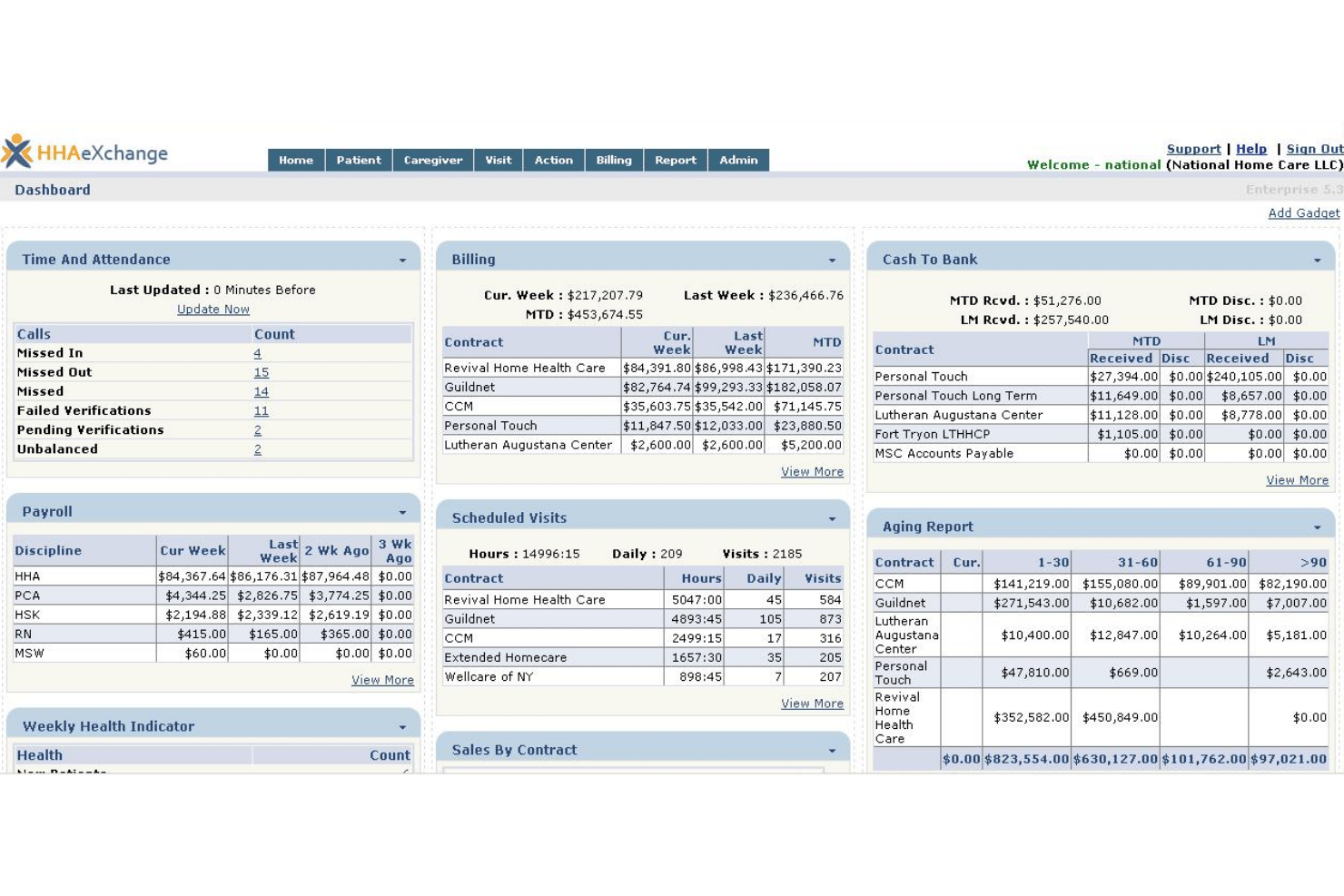
HHAeXchange is a home care management platform built exclusively for Medicaid LTSS and HCBS agencies, combining native EVV, caregiver scheduling, Medicaid billing, and full-cycle payroll through its CarePay engine.
Who Is HHAeXchange Best For?
HHAeXchange is built for Medicaid LTSS and HCBS home care agencies that need EVV, billing, and payroll in one purpose-built system.
Why I Picked HHAeXchange
HHAeXchange earns its spot on my shortlist because it's the only platform I know of where Medicaid billing and caregiver payroll live in the same native system. CarePay is built specifically around home care pay rules, automatically handling wage parity calculations, blended-rate overtime, and CDPAP personal assistant pay without manual overrides. The native EVV-to-payroll data flow is what really sets it apart: approved visit data flows directly into payroll, so there's no re-entering hours from a separate EVV system.
HHAeXchange Key Features
- Caregiver compliance module: Tracks HHA and CNA credential expiration dates, training deadlines, and OIG exclusion list checks directly within the platform.
- HHAeXchange+ mobile app: A multilingual caregiver app available in 23 languages with offline mode for clock-in/out, pay stub access, and direct deposit management.
- Multi-state tax filing: CarePay calculates, files, and remits federal, state, and local payroll taxes across all 50 states with jurisdiction-specific wage-and-hour rules applied automatically.
- Visit Maintenance module: A single-screen interface for filtering, reprocessing, and resolving EVV exceptions, correction requests, and timesheet status issues before they affect payroll.
HHAeXchange Integrations
HHAeXchange offers marketplace integrations through Partner Connect, including ADP, DailyPay, CareAcademy, Bolt Healthcare, and Sapphire Background Check. It also provides a Provider EDI API for custom connections.
Pros and Cons
Pros:
- Broadcasts open shifts to caregivers
- Pre-billing scrubbing reduces payroll claim errors
- Native EVV-to-payroll automation eliminates manual entry
Cons:
- ACA compliance features require third-party integration
- Payroll product is newly launched as of 2026

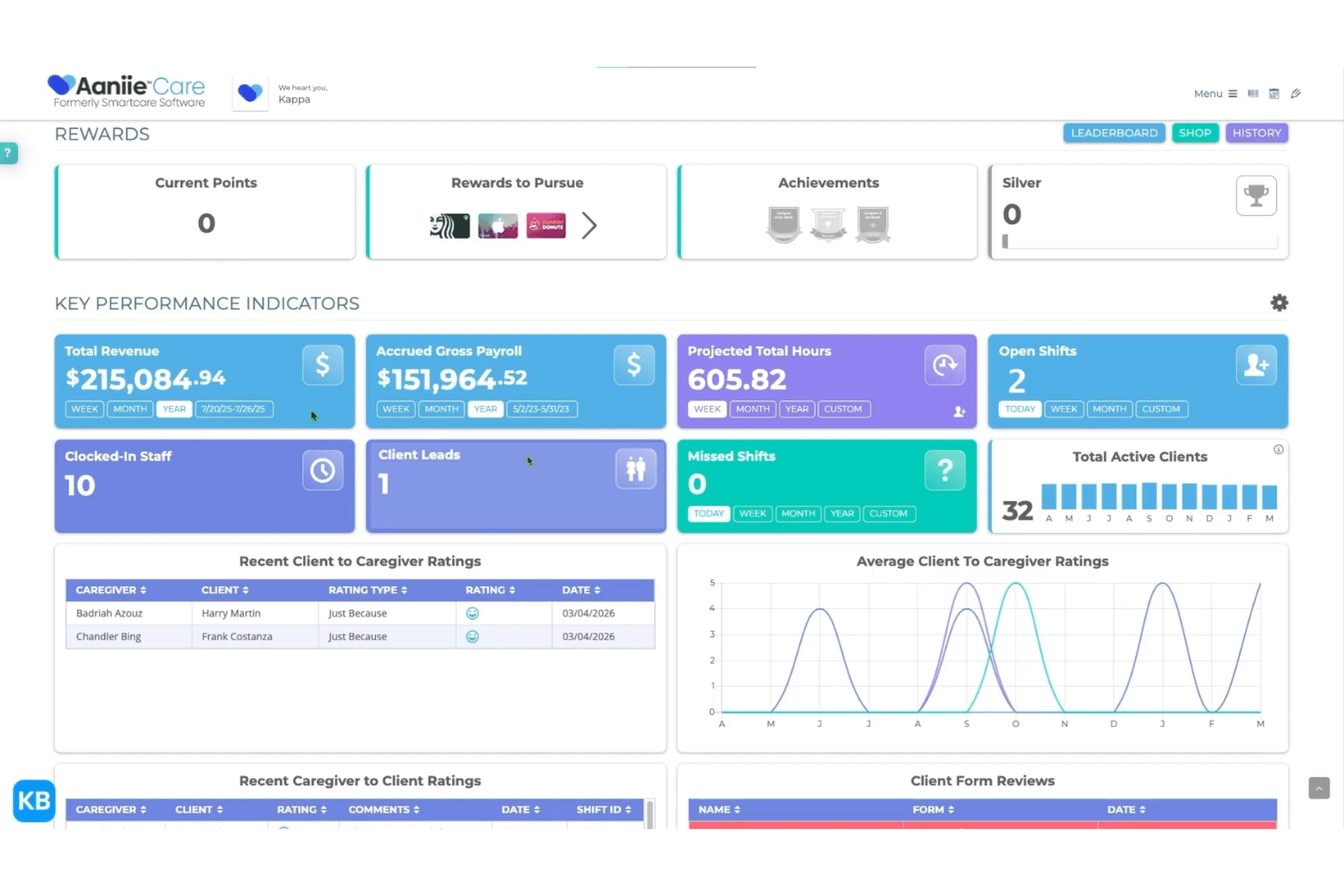
Aaniie is a home care–specific platform that combines scheduling, EVV, caregiver onboarding, multi-payer billing, and embedded payroll processing with support for complex pay rules like split shifts, spread-of-hours, and wage parity.
Who Is Aaniie Best For?
Aaniie is a strong fit for Medicaid-funded personal care agencies that need EVV compliance, wage parity rules, and payroll all running from a single platform.
Why I Picked Aaniie
Aaniie earns its spot on my shortlist because it's the only platform I've seen that takes EVV data and runs it straight through to payroll without any manual hand-off. I love how the Salsa-powered payroll engine handles wage parity rules, split shifts, and spread-of-hours calculations natively, so Medicaid-funded agencies don't have to jury-rig a generic payroll tool to meet those requirements. When a caregiver clocks out via GPS, that visit data flows directly into payable hours, with payer-specific rates already applied.
Aaniie Key Features
- Multi-payer eBilling: Submit electronic claims directly to Medicaid, VA, and MCOs from within the platform, with automated billing edit checks to reduce claim errors.
- Caregiver Rewards program: A built-in gamification system that awards caregivers points for engagement milestones to support retention.
- Digital onboarding and ATS: Manage caregiver recruiting, background checks, and credential tracking through an integrated applicant tracking system and onboarding workflow.
- AI-powered operational insights: Aaniie Ally surfaces real-time KPI trends across staffing, billing, and payroll to support operational decision-making.
Aaniie Integrations
Aaniie has documented integrations with HHAeXchange, Sandata, Netsmart, AuthentiCare, Tellus, QuickBooks Desktop, QuickBooks Online, and PointClickCare. It also supports API and SFTP connectivity for custom data exchanges.
Pros and Cons
Pros:
- Embedded caregiver onboarding and credential tracking
- Supports wage parity and split shift rules
- Native EVV data flows directly to payroll
Cons:
- Only SOC 2 Type 1 certification offered
- No earned wage access functionality documented

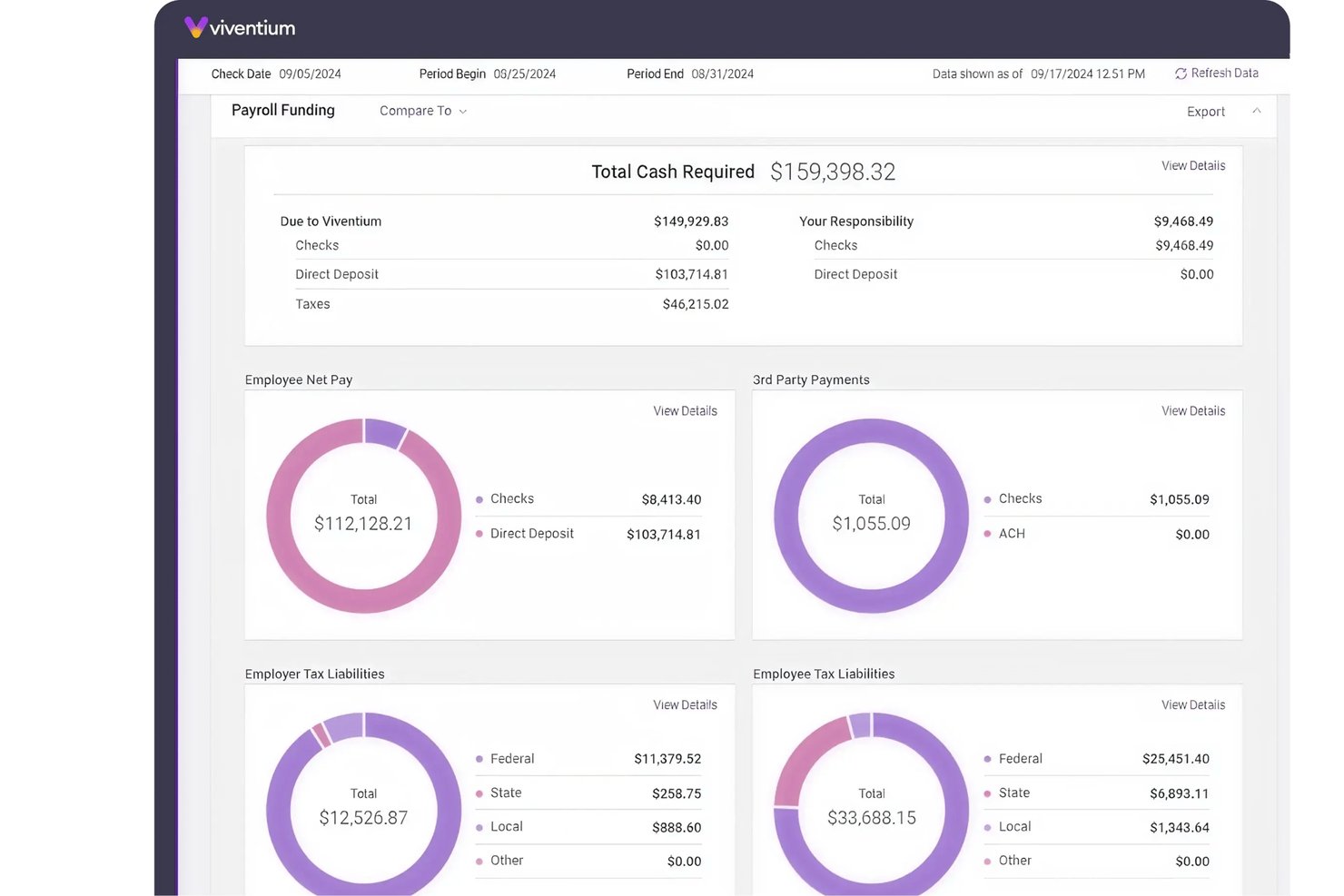
Viventium is a home care payroll and HCM platform built specifically for post-acute and home-based care agencies, covering payroll processing, caregiver time and attendance, onboarding, benefits administration, and ACA compliance.
Who Is Viventium Best For?
Viventium is a strong fit for post-acute and home-based care agencies that need to manage complex caregiver pay structures like blended-rate OT, wage parity, and CDPAP across multiple locations or states.
Why I Picked Viventium
Viventium earns its spot on my shortlist because of how it handles blended-rate overtime and wage parity, two pay structures that break most generic payroll tools. I specifically like that it automates FLSA Method 7 weighted-average OT calculations for caregivers working multiple cases at different rates, and retroactively recalculates when late timesheets come in. It also manages New York wage parity benefit allocations across health, PTO, 401(k), and supplemental cash, with published compliance guidance to back it up.
Viventium Key Features
- Digital caregiver onboarding: New hires complete I-9, W-4, direct deposit setup, and background checks digitally before their first day, with credentials tracked and expiration alerts built into the employee profile.
- Earned wage access: Viventium Pay, powered by Tapcheck, lets caregivers access earned wages on demand 24/7 at no cost to the employer, with payroll data syncing automatically.
- Multi-payroll dashboard: Process multiple payrolls simultaneously with live previews, supporting multi-EIN and multi-location agencies across all 50 states.
- ACA compliance module: Tracks employee eligibility, generates 1095-C filings, and flags potential penalties—managed within the same platform as payroll.
Viventium Integrations
Viventium integrates with HHAeXchange, AlayaCare, AxisCare, KanTime, and Tapcheck. It also offers an Open API and custom imports for connecting other systems.
Pros and Cons
Pros:
- Built-in compliance tools for home care payroll
- Handles retroactive overtime for late timesheets
- Automates blended-rate overtime and wage parity
Cons:
- Multilingual caregiver self-service not confirmed
- Customer support response times can be slow
Other Home Care Payroll Software
Here are some additional home care payroll software options that didn’t make it onto my shortlist, but are still worth checking out:
- Paycom
For complex cross-state tax compliance
- ADP Workforce Now
For HHAeXchange-connected agency payroll
- Paychex Flex
For agencies with an existing EVV platform
- AlayaCare
For home care ops-to-payroll data handoff
- Gusto
For small agency caregiver onboarding and pay
- UKG Pro
For enterprise home care payroll at scale
- OnPay
For small-agency payroll with no hidden fees
- AxisCare
For home care ops with a payroll partner path
- CareVoyant
For cross-care line shift reconciliation
- isolved
For private-pay agency HR and payroll


How I Evaluate Home Care Payroll Software
When an agency needs to reconcile EVV data, apply wage parity allocations, and file taxes across a dozen states, I split my evaluation into baseline criteria every tool must meet and the differentiators that separate a specialist from a generic solution.
Core Functionality (Table Stakes for This List)
When I'm selecting tools for my list, I rank each one on a scale from 0 (does not offer the functionality) to 5 (excels in this area) for each core functionality listed below. I then calculate the tool's total score as a percentage, using 55% as a benchmark to help assess its overall fit for the list.
- Payroll processing and tax filing: I evaluate whether a tool runs full-cycle payroll with automated tax calculations, filings, and year-end documents like W-2s and 1099s across all relevant jurisdictions.
- EVV and timesheet integration: The ability to ingest Electronic Visit Verification data and convert visits into payable hours matters here—I check for native connections to state aggregators and common EVV platforms.
- Caregiver pay rule automation: I look for tools that handle shift differentials, blended-rate overtime, travel time, and per-visit pay rates without requiring manual overrides each pay cycle.
- Home care compliance support: Wage parity calculations, Medicaid waiver program rules, live-in pay structures, and CDPAP requirements all come into play—I evaluate how deeply a tool covers these industry-specific mandates.
- Multi-state and multi-location payroll: Agencies often have caregivers crossing state lines, so I check whether the platform manages jurisdiction-specific tax, overtime, and leave rules across multiple locations and EINs.
- Caregiver self-service and pay access: A distributed, mobile workforce needs more than a desktop portal. I look for mobile-friendly pay stubs, tax document access, and features like earned wage access that support caregiver retention.
Once I have a list of tools that meet the criteria, I consider what sets each platform apart.
Differentiating Factors (What Sets Vendors Apart)
Here's how I compare and contrast different vendors:
Standout Features
Wage parity benefit allocation is where I spend the most time. I check whether a tool can split the supplemental portion across health, PTO, and cash options—and whether it recalculates automatically when an agency adjusts its benefits mix. Earned wage access also matters in a market where caregiver retention hinges on pay flexibility. I evaluate how daily or on-demand pay is funded and whether it introduces hidden per-transaction fees. Finally, I look at credential tracking tied to payroll eligibility, since a lapsed CNA certification should block a caregiver from appearing on a billable schedule.
Beyond Features
I evaluate whether a vendor has a dedicated home care book of business with published expertise on topics like CDPAP and wage parity—not just a generic payroll tool with an industry landing page. Native integrations with platforms like HHAeXchange, Sandata, and state Medicaid aggregators matter because they let you reconcile billed vs. paid hours without manual exports. I also check pricing transparency, since high-turnover agencies can see costs spike from off-cycle runs, garnishment fees, and year-end filings that aren't included in the base rate.
How to Choose a Home Care Payroll Software
Choosing home care payroll software comes down to matching features with your agency’s operational demands and compliance risks: what matters most is how well a solution handles your real-life pay cycles, credential tracking, and specialized pay rules.
| If your priority is… | Look for… |
|---|---|
| Automating wage parity compliance | Automated wage allocation tools |
| Medicaid and EVV reconciliation | Native Medicaid, EVV integrations |
| Managing cross-state caregivers | Dynamic, multi-jurisdiction payroll |
| Preventing pay for lapsed credentials | Payroll-linked credential blocking |
| Supporting caregiver retention | Earned wage access, self-service |
How to Vet Your Shortlist
- Request a wage parity report: Ask for a sample multi-benefit wage parity allocation worksheet with anonymized data.
- Test EVV integration: Run an EVV data import and confirm visit-to-payroll reconciliation completes with no manual intervention.
- Verify compliance depth: Ask the vendor for a written breakdown showing how they manage Medicaid-specific and cross-state payroll rules.
- Check credential enforcement: Request documentation confirming the system blocks ineligible caregivers from pay cycles due to expired credentials.
- Decide on specialization vs. flexibility: Choose between a home care-specific platform with native compliance tools or a flexible general payroll system with bolt-on modules—whichever fits your agency’s long-term growth and risk profile.
What Is Home Care Payroll Software?
Home care payroll software is a specialized tool agencies use to manage payroll, scheduling, and compliance for caregivers working in home-based settings. You can use it to automate pay calculations, process electronic visit verification data, and support wage parity and credential rules. This software is vital for tracking caregiver hours, handling complex pay structures, and ensuring your agency meets regulatory requirements in home care services.
Features
Here are the core features any great home care payroll software should have:
- Payroll processing and tax filing: Handles all aspects of caregiver payroll, including calculating earnings, managing deductions, and filing taxes in every relevant jurisdiction. This ensures timely, accurate paychecks and compliance with government requirements.
- EVV and timesheet integration: Connects directly with electronic visit verification systems and digital timesheets to capture caregiver work hours. This links visits to payroll cycles and eliminates manual data entry or reconciliation.
- Caregiver pay rule automation: Applies complex pay structures, such as shift differentials, overtime, travel time, and blended rates automatically. This prevents errors and reduces administrative work tied to unique home care pay policies.
- Home care compliance support: Includes built-in rules for wage parity, Medicaid waiver programs, live-in pay, and other sector-specific mandates. This feature reduces the risk of violations and keeps payroll aligned with ever-changing industry regulations.
- Multi-state and multi-location payroll: Supports agencies with caregivers working across multiple states, cities, or franchise locations. The software manages different tax laws, overtime rules, and employer identification numbers (EINs) in one place.
- Caregiver self-service and pay access: Offers mobile-friendly portals where caregivers can view pay stubs, access tax forms, and sometimes even use earned wage access features. This supports retention by making pay details transparent and easy to manage.
- Credential and license tracking: Monitors caregiver certifications and licenses, blocking or flagging those with expired or missing credentials from receiving pay. This ensures only eligible workers are paid and helps agencies avoid compliance penalties.
- Wage parity allocation tools: Calculates and splits wage parity benefits across multiple categories, such as cash, health benefits, and paid time off. The system recalculates allocations automatically when benefits change or when rules are updated.
- Native integrations with care platforms: Connects with common home care platforms and state Medicaid aggregators (like HHAeXchange or Sandata), streamlining the reconciliation of billed versus paid hours.
- Transparent pricing and reporting: Provides detailed, easy-to-understand reports on payroll activity and clear breakdowns of costs, including off-cycle payrolls, garnishments, and year-end filings. This helps agencies budget and plan without surprises.
Benefits
Implementing home care payroll software provides several benefits for your team and your business. Here are a few you can look forward to:
- Automated compliance with industry regulations: The software tracks and applies complex wage parity rules, Medicaid requirements, and credential checks to reduce compliance risk in every pay cycle.
- Integrated EVV and timesheet management: Direct connections to EVV platforms and digital timesheets ensure every caregiver’s hours flow accurately into payroll without manual data entry.
- Flexible management of multi-state payroll: Built-in multi-jurisdiction support allows you to pay caregivers across various states or franchise locations while applying the correct tax and overtime rules.
- Accurate caregiver pay rule automation: The platform calculates blended rates, shift differentials, overtime, and travel time automatically, supporting the unique pay structures found in home care.
- Credential-based pay eligibility enforcement: Payroll-linked license tracking prevents payment to caregivers with expired or missing credentials, helping maintain regulatory compliance.
- Caregiver self-service and earned wage access: Mobile-friendly portals give caregivers instant access to pay stubs, tax documents, and sometimes even on-demand pay, which supports retention and pay transparency.
- Clear, transparent reporting and pricing: Detailed payroll reports and upfront pricing help agencies avoid hidden fees and budget confidently throughout the year.
Costs and Pricing
Selecting home care payroll software requires an understanding of the various pricing models and plans available. Costs vary based on features, team size, add-ons, and more. The table below summarizes common plans, their average prices, and typical features included in home care payroll software solutions:
Plan Comparison Table for Home Care Payroll Software
| Plan Type | Average Price | Common Features |
|---|---|---|
| Free Plan | $0 | Basic payroll runs, limited timesheet processing, simple reporting, and standard support. |
| Personal Plan | $25-$50/user/month | Automated payroll, basic tax filings, limited EVV and timesheet integration, payroll reports, and email support. |
| Business Plan | $75-$150/user/month | Full-cycle payroll, multi-state compliance, advanced EVV integration, caregiver pay rule automation, and phone support. |
| Enterprise Plan | $200+/user/month | Custom integrations, wage parity allocation tools, credential tracking, dedicated account management, and premium support. |
FAQs
Here are some answers to common questions about home care payroll software:
How does home care payroll software handle EVV data?
Home care payroll software connects to electronic visit verification (EVV) systems to pull caregiver hours. This avoids manual matching of visits with timesheets and prevents payroll errors. As a core piece of home care management software, it automatically routes data into payroll cycles. Confirm it supports payroll integrations with your state’s EVV aggregator or major platforms like HHAeXchange and Sandata.
What payroll rules are specific to home care that I should watch for?
Home care payroll has unique rules like wage parity, blended overtime, live-in exemptions, and travel pay for private duty nursing or personal care services. Your home health care software must calculate these automatically to ensure compliance with local labour laws. Ask vendors how they handle wage parity allocations, credential-based pay eligibility, and other complex caregiver management scenarios.
Can home care payroll software block payment for expired credentials?
Yes, many home care payroll systems can block or flag payroll for caregivers with lapsed certifications or licenses. This feature helps you avoid costly mistakes such as paying ineligible workers, which can lead to compliance violations. Look for credential tracking that actively ties into your payroll approval workflow.
What reporting options should I expect from home care payroll software?
Expect detailed payroll reports that break down pay by caregiver, location, pay type, and benefit allocations. You should also get access to compliance-focused reports such as wage parity worksheets and Medicaid audit support. Transparent cost reports highlighting any off-cycle runs or extra fees are also valuable for budgeting and oversight.
Does home care payroll software support multi-state agencies?
Yes, most leading home care payroll platforms offer features for multi-state payroll processing. They’ll calculate state- and city-specific taxes, overtime, and leave requirements across all locations. Make sure the platform you choose can manage your EIN structure and reconcile caregiver pay for cross-state work arrangements.
How do I know if a payroll system is truly built for home care?
Check for native integrations with industry tools (like HHAeXchange or Sandata), built-in support for wage parity and Medicaid programs, and practical credential enforcement tied to payroll. Also, ask for documentation or references showing the vendor’s experience with agencies similar to yours—not just a generic payroll offering with a healthcare landing page.