

10 Best HR Compliance Systems for Small Business for 2026

HR Compliance System for Small Business Shortlist


An HR compliance system for small businesses is HR software that helps you manage employment laws, regulations, and company policies so your team stays compliant and avoids costly mistakes.
If you’re searching for the right solution, you know how quickly regulations can change—and how easy it is for small teams to miss critical updates or documentation.
This list will help you compare the top HR compliance systems for small businesses in 2026, so you can find a platform that fits your needs, supports your people, and keeps your business protected.
Why Trust Our Software Recommendations
Our team has been testing and reviewing software since 2012. As HR experts ourselves, we know how difficult—and important—it is to choose the right software.
For this guide, we evaluated tools using hands-on testing and independent research, scoring tools using our selection criteria. We also draw on insights from industry thought leaders and practicing HR experts.
Our reviews reflect our human editorial judgment, not a sales pitch.
Expert reviewers:
HR Compliance System for Small Business Comparison Table
This comparison table summarizes pricing details for my top HR compliance system for small businesses
| Tool | Best For | Trial Info | Price | ||
|---|---|---|---|---|---|
| 1 | Best for small business HR compliance support | Free demo available | Pricing upon request | Website | |
| 2 | Best for centralized global workforce records | Free demo available | From $5/user/month | Website | |
| 3 | Best for global workforce compliance | Free demo available | From $29/user/month | Website | |
| 4 | Best for scalable compliance solutions | Free demo available | Pricing upon request | Website | |
| 5 | Best for automated compliance alerts | Free demo available | Pricing upon request | Website | |
| 6 | Best for international employment compliance | Free demo available | From $599/employee/month | Website | |
| 7 | Best for unified compliance across systems | Free demo available | Pricing upon request | Website | |
| 8 | Best for industry-specific compliance guidance | Free demo available | Pricing upon request | Website | |
| 9 | Best for integrated payroll and benefits | Free demo available | From $49/month + $6/month/user | Website | |
| 10 | Best for intuitive policy management | Free plan + free demo available | From $2/user/month (billed annually) | Website |


HR Compliance System for Small Business Reviews
Below are my detailed summaries of the HR compliance systems for small businesses that made it onto my shortlist. My reviews offer a detailed look at the features, best use cases, and pricing of each system to help you find the best one for you.
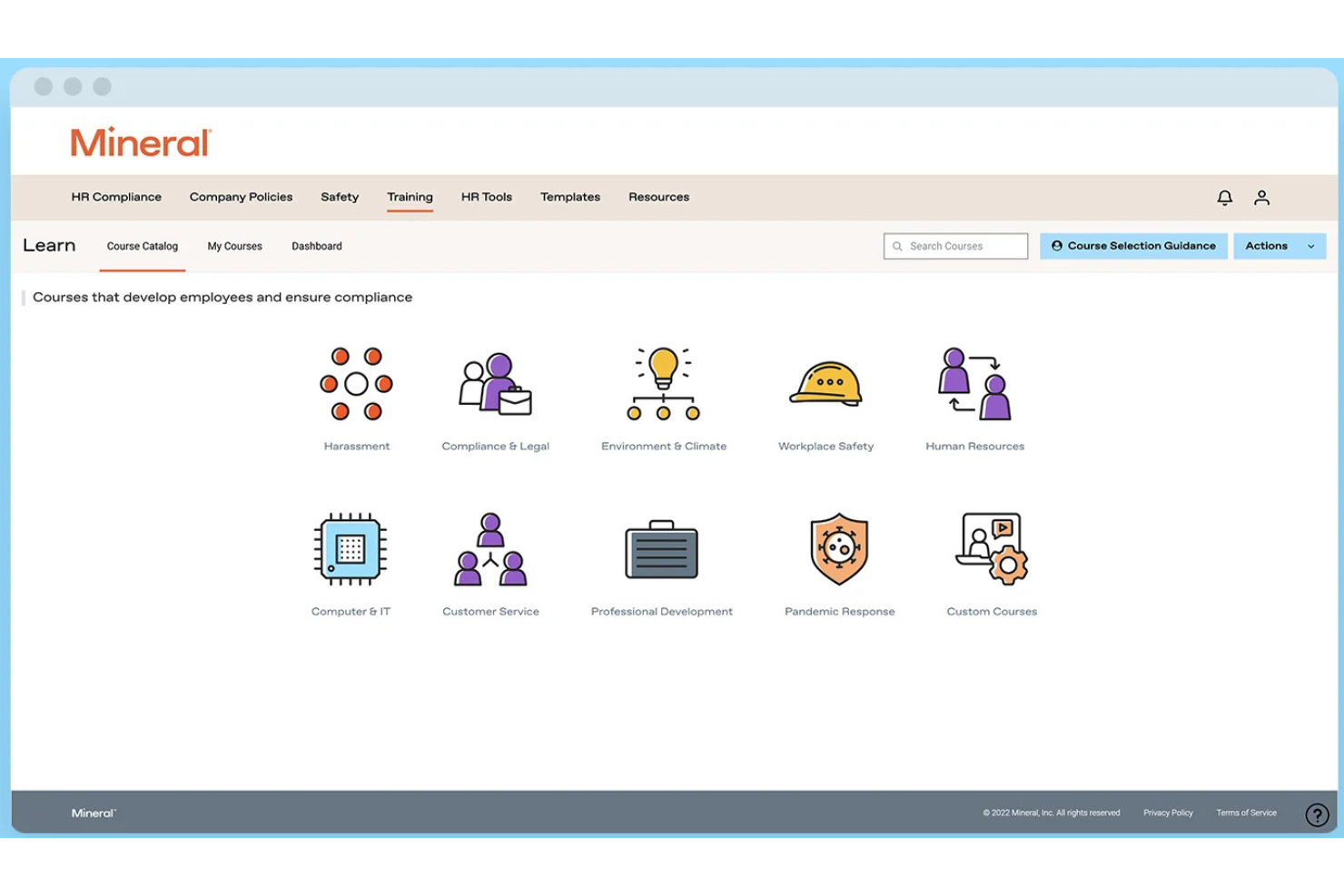
Mitratech Mineral is an HR compliance platform that helps small and mid-sized businesses manage employment law requirements through compliance monitoring, employee handbook tools, HR guidance, policy resources, and employee training.
Who Is Mitratech Mineral Best For?
Mitratech Mineral is a strong fit for small business owners and HR generalists who need practical compliance support without maintaining an in-house legal or compliance team.
Why I Picked Mitratech Mineral
I picked Mitratech Mineral because it gives small businesses access to both compliance tools and experienced HR professionals in one platform. Instead of researching employment laws independently or hiring outside consultants, users receive personalized compliance alerts, attorney-reviewed resources, and expert guidance when complex workplace situations arise. I also like that the platform combines handbook management, employee training, and compliance planning, making it easier for lean HR teams to stay organized as regulations evolve.
Mitratech Mineral Key Features
- Mineral Intelligence™: Monitor changing employment laws and receive personalized compliance recommendations based on your business.
- Smart Employee Handbook Plus: Create and maintain compliant employee handbooks with automatic policy updates and multi-state support.
- Employee training library: Deliver workplace compliance and employee development training through built-in online courses.
- Compliance calendar: Track important federal and state compliance deadlines from one centralized dashboard.
Mitratech Mineral Integrations
Mitratech Mineral primarily operates through partnerships with payroll providers, insurance brokers, PEOs, and HCM platforms. It is also available through the PrismHR Marketplace. Public documentation of native integrations remains limited, and Zapier support is not currently documented.
Pros and Cons
Pros:
- Expert HR support
- Built-in HR training
- Personalized compliance guidance
Cons:
- Limited native integrations
- Handbook tools may cost extra

Deel HR
Best for centralized global workforce records
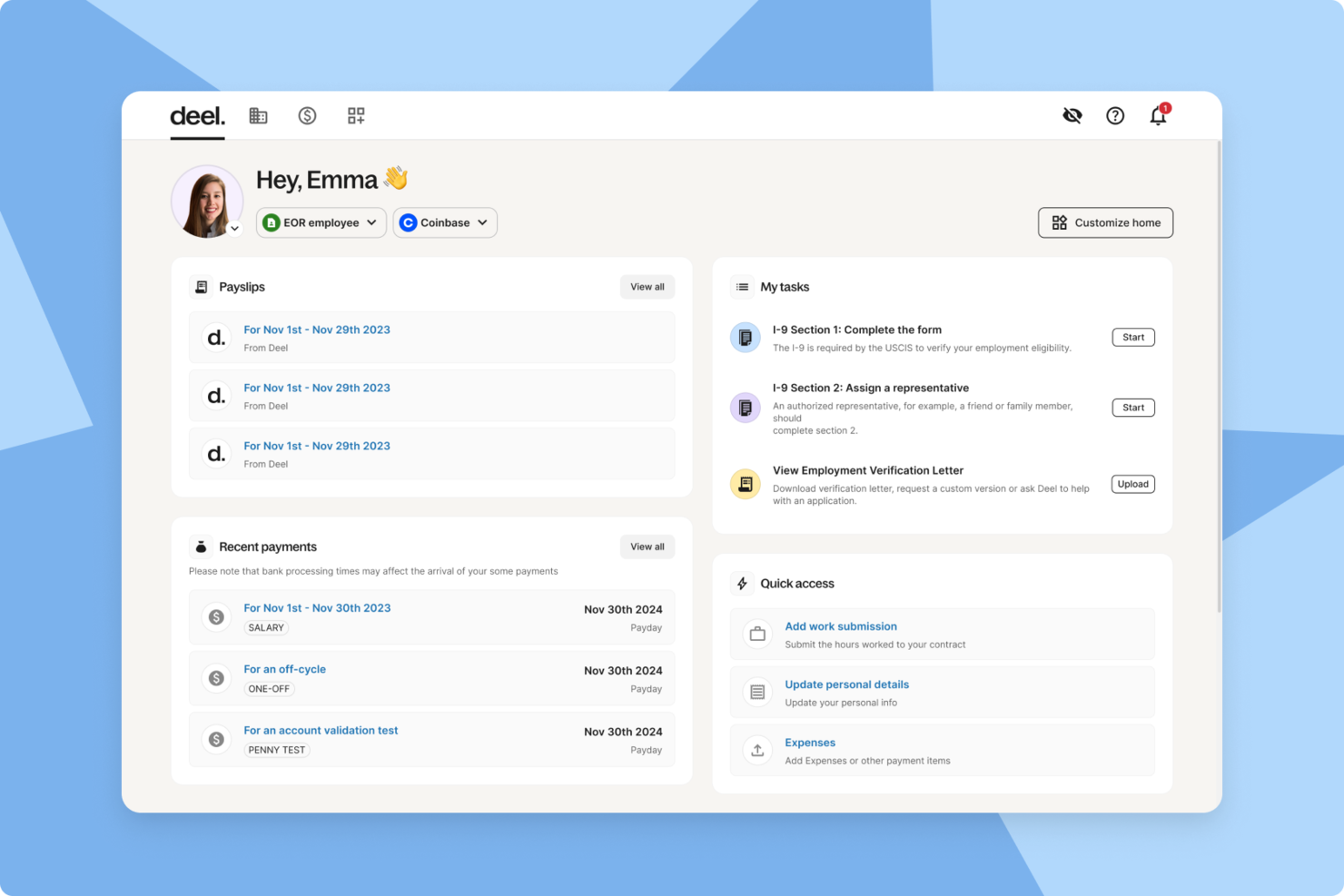
Deel HR is an HR compliance platform for small businesses that brings together global employee records, automated compliance tools, onboarding workflows, and document management in one system.
Who Is Deel HR Best For?
Deel HR suits small businesses and HR teams managing global employees, contractors, and compliance across multiple countries.
Why I Picked Deel HR
I picked Deel HR as one of the best because I can keep all global workforce records in one place, no matter where my team members are based. I use Deel HR to store contracts, compliance documents, and personal data for employees and contractors across multiple countries. The platform lets me quickly access and update records, which helps my team stay organized and audit-ready.
Deel HR Key Features
- Automated worker classification: Instantly determines contractor or employee status based on local laws.
- Global onboarding workflows: Guides new hires through country-specific onboarding steps and document collection.
- E-signature support: Lets you send, sign, and store contracts and compliance documents digitally.
- Custom document templates: Allows you to create and manage templates for contracts, NDAs, and HR policies.
Deel HR Integrations
Deel HR offers native integrations with BambooHR, Workday, Greenhouse, HiBob, QuickBooks, Xero, NetSuite, Expensify, Okta, and Slack. An API is available for custom integrations.
Pros and Cons
Pros:
- Native integrations with major HR and payroll tools
- Country-specific onboarding workflows for new hires
- Built-in contract and document management tools
Cons:
- Some integrations require higher-tier plans
- Limited customization of onboarding workflows
New Product Updates from Deel HR

Deel Expands Stablecoin Wallet to 80+ Countries
Deel expands its Stablecoin Wallet to 80+ countries with dollar-backed balances and optional rewards. This gives eligible contractors more ways to hold and manage earnings inside Deel. For more information, visit Deel’s official site.
 .
.
Best for global workforce compliance
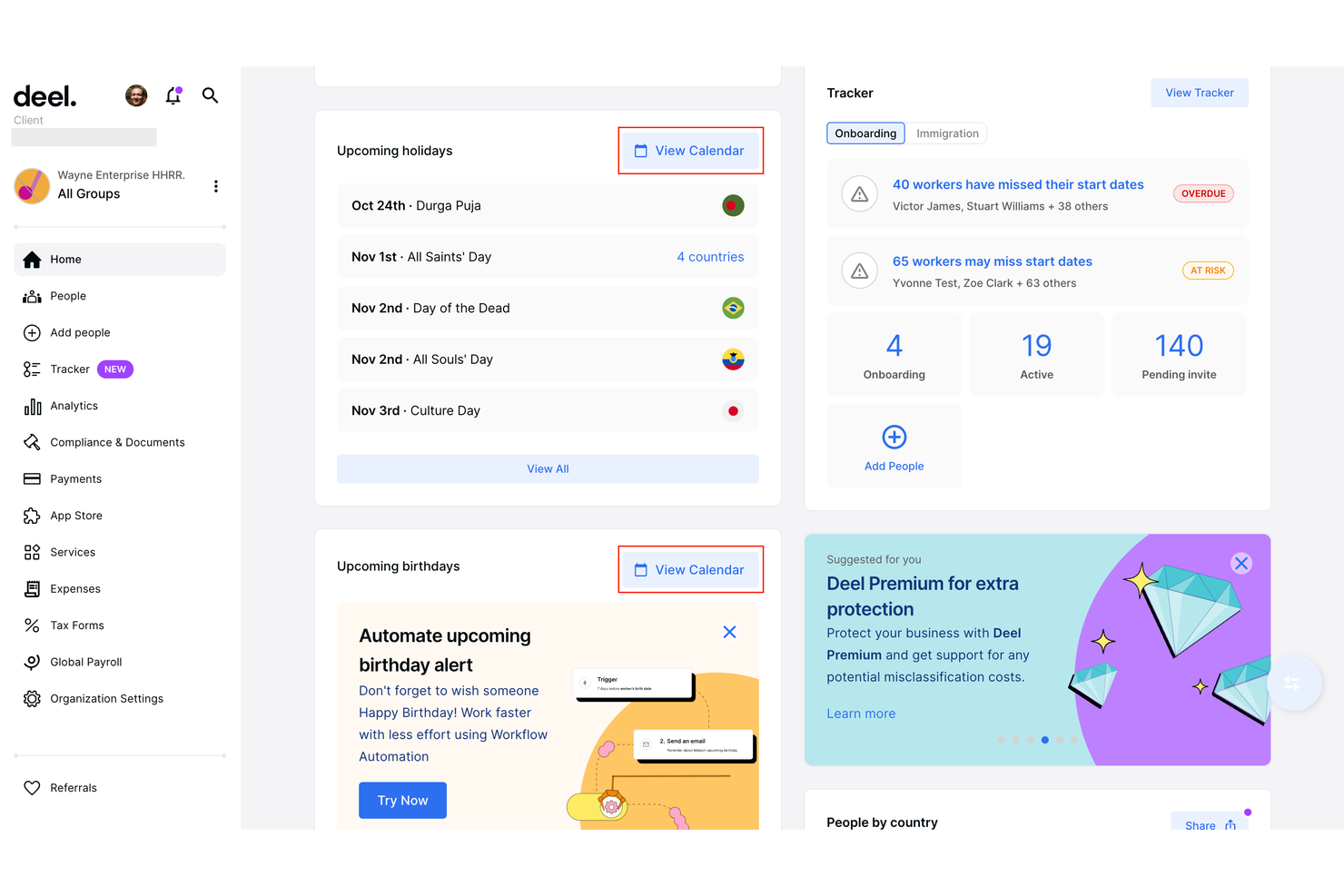
Deel is designed for small businesses that need to manage HR compliance across multiple countries. If you’re hiring international employees or contractors, Deel helps you navigate local labor laws, contracts, and payroll requirements in over 150 countries. This platform is especially useful for teams expanding globally who want to reduce compliance risks and administrative overhead.
Why I Picked Deel
For small businesses hiring internationally, Deel stands out for its focus on global workforce compliance. Deel offers localized contract templates and automated compliance checks, helping you stay aligned with labor laws in each country where you operate.
I picked Deel because it also manages international payroll and tax filings, reducing the risk of costly compliance errors. These features make Deel a strong choice for small businesses that want to confidently expand their teams across borders without getting bogged down in legal complexity.
Deel Key Features
Some other features that make Deel useful for small business HR compliance include:
- Document Management Portal: Store, organize, and access compliance documents for all employees and contractors.
- Automated Onboarding Workflows: Guide new hires through country-specific onboarding steps and required documentation.
- Expense Management Tools: Submit, approve, and track expenses for global team members within the platform.
- Customizable Permissions: Set user roles and access levels to control who can view or edit sensitive HR and compliance information.
Deel Integrations
Integrations include SAP SuccessFactors, NetSuite, Slack, Google Workspace, Rydoo, Humaans, OpenSesame, Ramp, Thatch, and more.
Pros and Cons
Pros:
- Contractor misclassification risk assessment tools
- Real-time support for international HR questions
- Built-in compliance document storage
Cons:
- Some integrations require enterprise plan
- No built-in time tracking feature
Paychex
Best for scalable compliance solutions
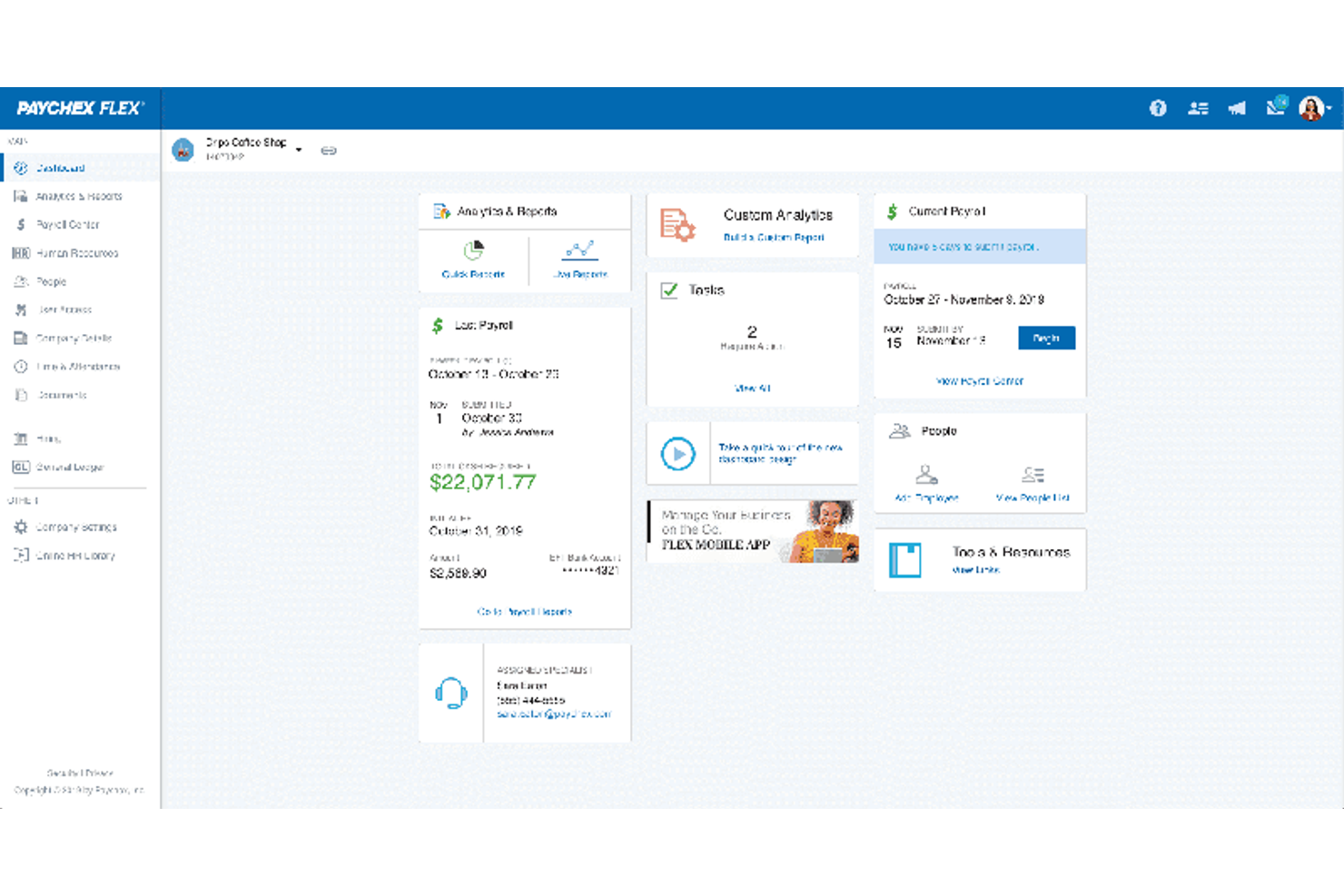
Paychex gives small businesses access to compliance tools that can scale as their needs change. If you’re looking for a solution that combines payroll, HR, and risk management with built-in compliance support, this platform is designed to adapt as your business grows. Paychex stands out for its ability to handle complex regulatory requirements across multiple states and industries.
Why I Picked Paychex
What drew me to Paychex is its ability to scale compliance support as your business grows or regulations change. Paychex offers automated tax filing and reporting, which helps small businesses stay current with federal, state, and local requirements.
I also appreciate its built-in HR compliance library, which provides up-to-date resources and templates for policies and documentation. These features make Paychex a strong fit for small businesses that need a compliance system capable of adapting to new locations, headcounts, or industry rules.
Paychex Key Features
Some other features that make Paychex useful for small business HR compliance include:
- Employee Handbook Builder: Create and update custom employee handbooks with compliance guidelines.
- Onboarding Tools: Digitally collect new hire forms and manage onboarding checklists.
- Time and Attendance Tracking: Monitor employee hours and attendance with automated tools.
- ACA Compliance Management: Track and report Affordable Care Act requirements directly within the platform.
Paychex Integrations
Integrations include QuickBooks, Sage Intacct, Xero, Jirav, 7shifts, Clover, BambooHR, goHappy, and more.
Pros and Cons
Pros:
- Employee handbook builder with legal updates
- Dedicated compliance support specialists available
- Automated state and federal tax filing
Cons:
- No built-in learning management system
- Limited customization for compliance reports

ADP
Best for automated compliance alerts
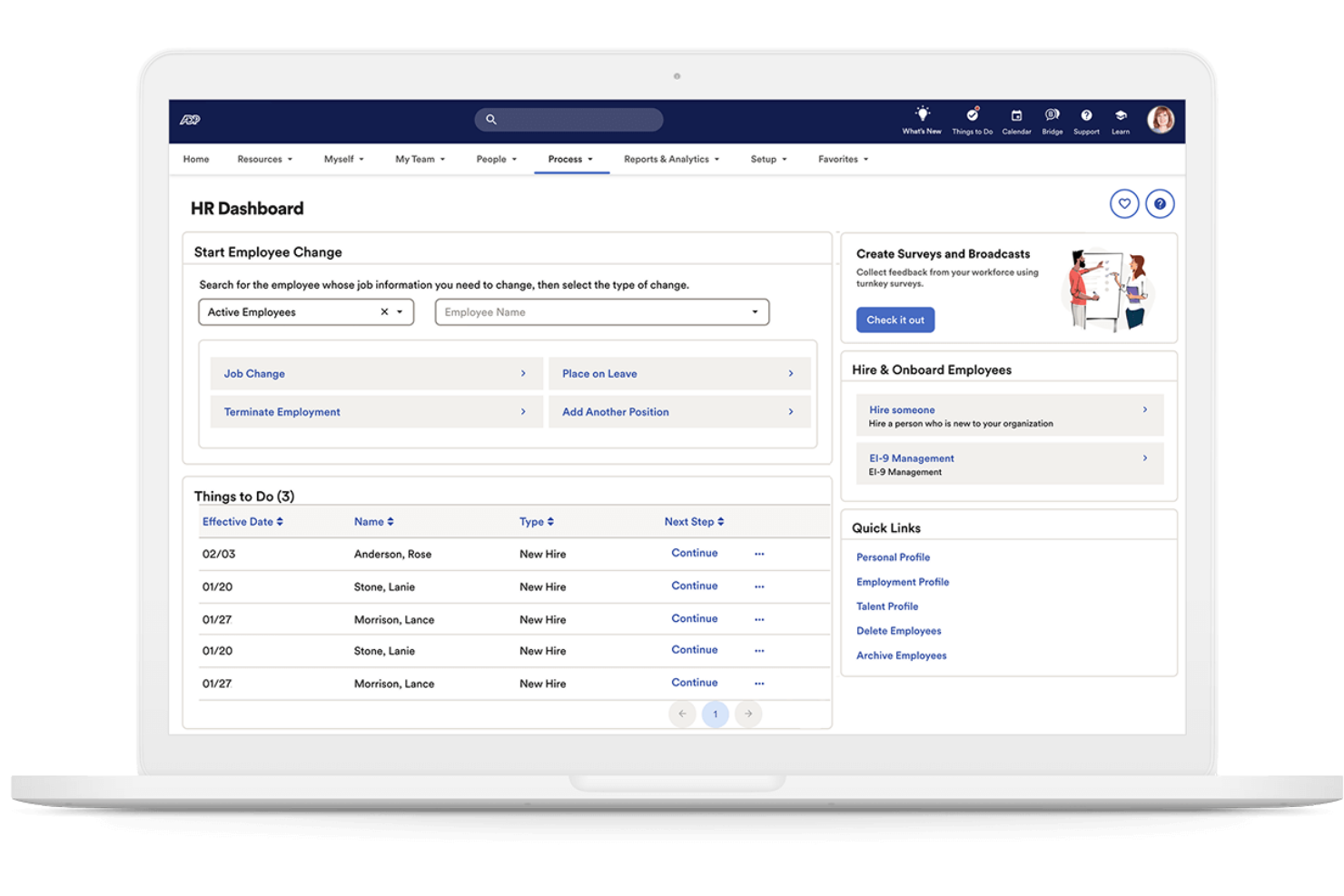
If you need a system that keeps your business updated on changing employment laws, ADP offers automated compliance alerts designed for small teams. This platform suits businesses that want proactive notifications and built-in guidance to help avoid compliance mistakes. ADP can help you manage complex regulations without needing a dedicated compliance expert on staff.
Why I Picked ADP
I chose ADP because its automated compliance alerts help small businesses stay ahead of regulatory changes without extra manual effort. The system monitors federal, state, and local employment laws, then sends real-time notifications when something changes that could affect your business.
I also like that ADP includes built-in compliance checklists and document management, so you can track what needs attention and keep records organized. These features make it easier for small teams to avoid compliance gaps and reduce risk.
ADP Key Features
Some other features in ADP that small businesses may find useful include:
- Employee Handbook Wizard: Create and update a compliant employee handbook tailored to your business and location.
- HR Policy Library: Access a library of pre-built HR policies that you can customize for your organization.
- Onboarding Tools: Digitally onboard new hires with compliance-focused forms and checklists.
- Workforce Analytics: Generate reports on workforce trends, turnover, and compliance-related metrics.
ADP Integrations
Integrations include QuickBooks, Xero, Sage, Workday, HealthEquity, ZipRecruiter, ClockShark, JazzHR, OrgChart, and more.
Pros and Cons
Pros:
- Employee handbook creation and updates included
- Built-in compliance checklists for HR tasks
- Automated alerts for federal and state changes
Cons:
- Integration setup can be time-consuming
- Limited customization for compliance workflows
Remote
Best for international employment compliance
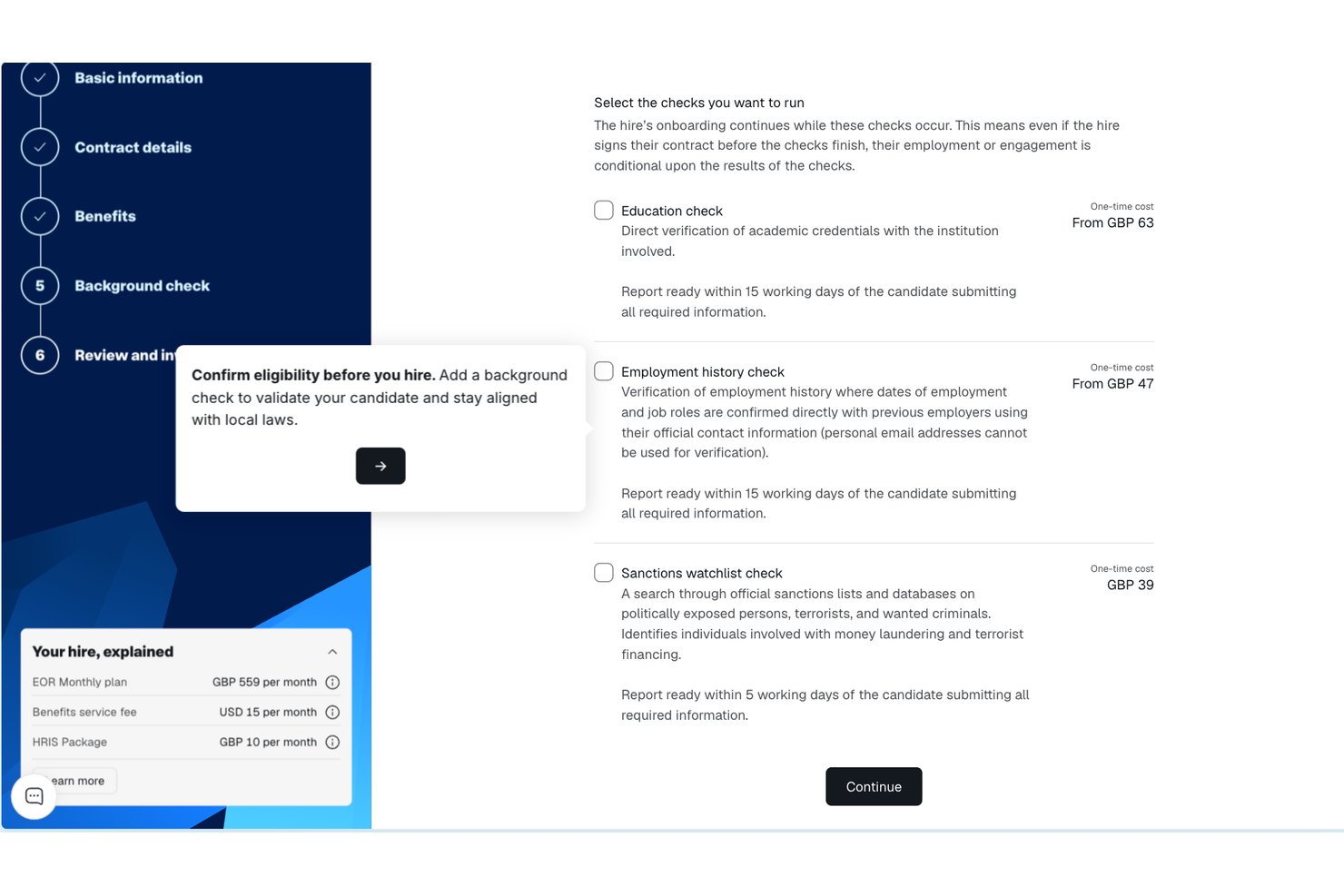
Remote gives small businesses a way to compliantly hire and manage employees in other countries without setting up local entities. If you’re expanding your team internationally, Remote handles employment contracts, payroll, and benefits in line with local laws. This platform is especially useful for HR teams that want to reduce legal risk and simplify cross-border employment.
Why I Picked Remote
Unlike many HR platforms, Remote is purpose-built to help small businesses manage international employment compliance without needing to set up their own legal entities abroad. I picked Remote because it acts as the legal employer of record, handling employment contracts, payroll, and statutory benefits in each country where you hire.
The platform also manages local tax withholdings and ensures your employment practices align with local labor laws. For small businesses looking to expand globally while minimizing compliance risks, Remote offers a focused solution that addresses the complexities of cross-border employment.
Remote Key Features
Some other features that make Remote valuable for small business HR compliance include:
- Self-Service Employee Portal: Employees can access payslips, contracts, and personal information directly.
- Automated Time Off Tracking: Track and manage leave requests and approvals in one place.
- IP Protection Agreements: Generate and manage intellectual property agreements for international hires.
- Localized Benefits Administration: Offer and administer country-specific benefits packages through the platform.
Remote Integrations
Integrations include QuickBooks, Zapier, HiBob, BambooHR, NetSuite, Xero, Zelt, Carta, Workday, Google Workspace, and more.
Pros and Cons
Pros:
- Localized benefits management for each country
- Automated onboarding for international employees
- Built-in IP and invention rights protection
Cons:
- Payroll processing limited to employees, not contractors
- No built-in performance management tools
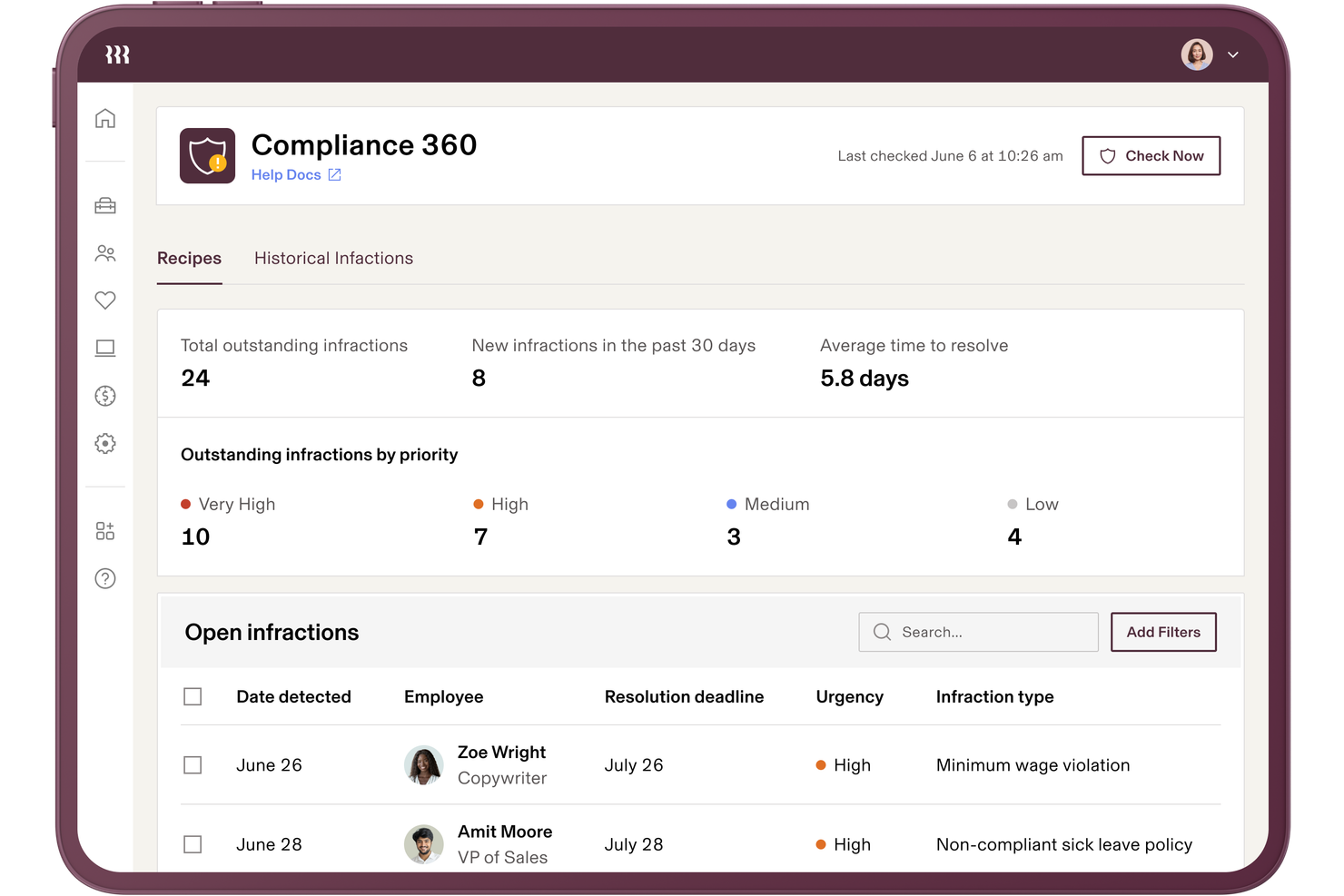
Rippling brings HR, payroll, and IT compliance together in one platform, making it easier for small businesses to manage requirements across multiple systems. If you’re juggling employee data, device security, and payroll compliance, Rippling’s unified approach helps you keep everything in sync. It’s a strong fit for teams that want to automate compliance tasks, support accurate recordkeeping, and even outsource certain administrative functions while reducing the risk of gaps between disconnected tools within the HR department.
Why I Picked Rippling
Unlike many HR tools that focus on a single area, Rippling connects HR, payroll, and IT compliance in one place, which is especially useful for small businesses managing multiple systems. I picked Rippling because it automatically syncs employee data across HR and IT, so compliance updates happen everywhere at once.
The platform also lets you set up automated workflows for onboarding, offboarding, and policy management, reducing the risk of compliance gaps. For teams that want to avoid juggling separate tools and manual updates, Rippling’s unified compliance approach stands out.
Rippling Key Features
Some other features that make Rippling useful for small business HR compliance include:
- Custom Policy Builder: Create and manage company policies tailored to your organization’s needs.
- Automated Document Collection: Request, collect, and store compliance documents from employees in one place.
- Time Off Tracking: Monitor and manage employee leave balances and requests with built-in compliance checks.
- E-signature Collection: Gather legally binding signatures on compliance documents directly within the platform.
Rippling Integrations
Integrations include Slack, Google Workspace, Microsoft 365, Salesforce, Asana, Zoom, Jira, QuickBooks Online, Xero, and more.
Pros and Cons
Pros:
- Centralized dashboard for tracking compliance tasks
- Automated compliance alerts for multiple jurisdictions
- Syncs HR, payroll, and IT compliance data
Cons:
- Reporting exports can be slow during peak times
- Limited in-app guidance for complex compliance issues

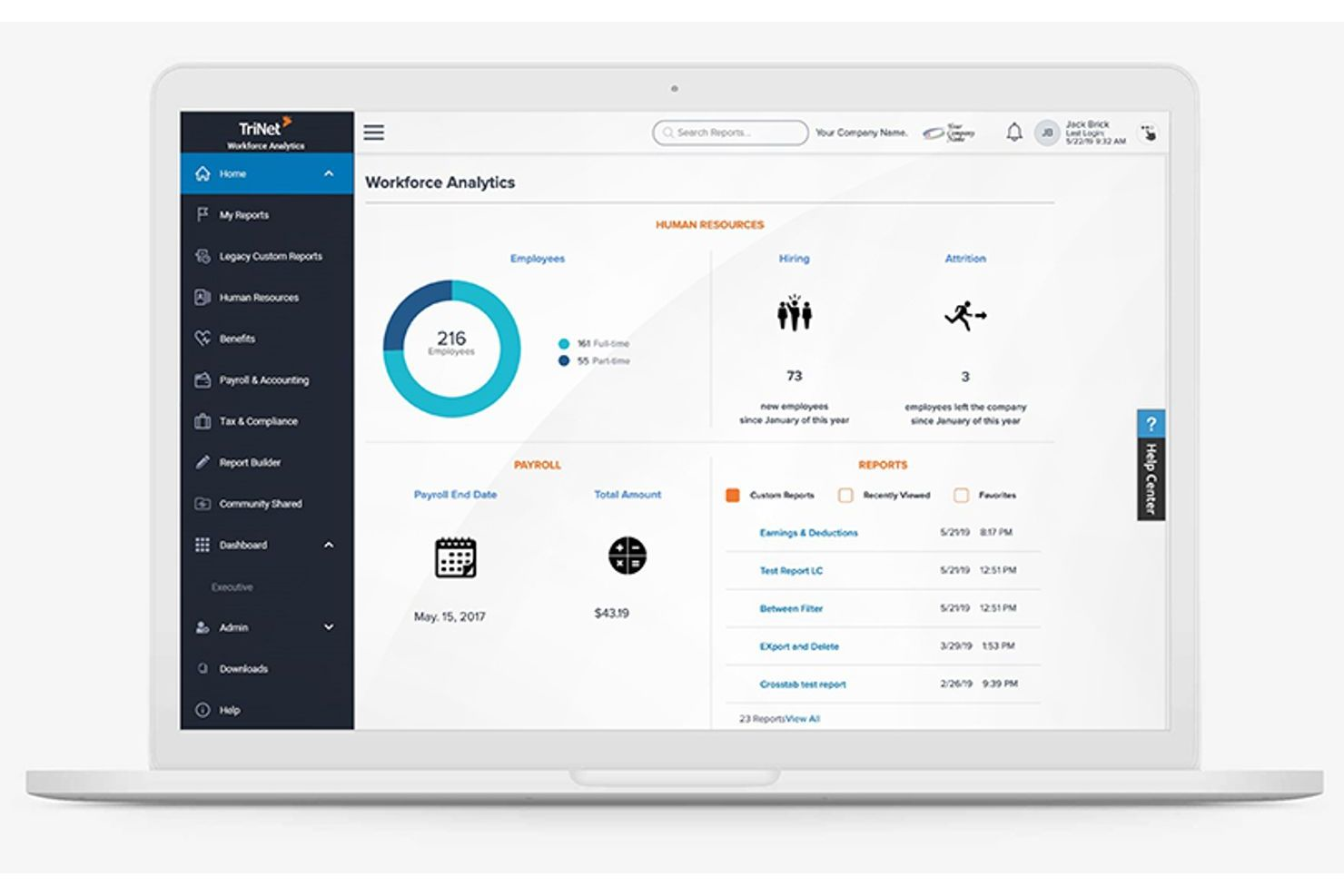
TriNet specializes in HR compliance solutions tailored to the unique needs of different industries, making it a strong choice for small businesses with specific regulatory requirements. If your team operates in healthcare, technology, retail, or another highly regulated field, TriNet offers guidance and tools designed for your environment. This platform helps you manage risk and stay compliant with industry-specific laws and standards that generic HR systems may overlook.
Why I Picked TriNet
Unlike many HR platforms that take a one-size-fits-all approach, TriNet stands out for its focus on industry-specific compliance guidance. This is especially important for small businesses in fields like healthcare, finance, or manufacturing, where regulations can be complex and constantly changing.
I picked TriNet because it offers tailored compliance resources, including industry-focused policy templates and access to HR experts who understand your sector’s requirements. With these features, your business can address compliance risks that generic HR systems might miss.
TriNet Key Features
Some other features that TriNet offers for small business HR compliance include:
- Payroll Processing: Manage payroll, tax filings, and wage calculations directly within the platform.
- Employee Benefits Administration: Offer and administer health, dental, vision, and retirement plans for your team.
- Time and Attendance Tracking: Track employee hours, manage PTO, and monitor attendance trends.
- HR Analytics Dashboard: Access real-time reports on workforce metrics, compliance status, and HR activities.
TriNet Integrations
Native integrations are not currently listed.
Pros and Cons
Pros:
- Employee handbook templates tailored by industry
- Automated tax filing and reporting features
- Industry-specific compliance resources for multiple sectors
Cons:
- Some features require contacting support to enable
- Platform updates may disrupt ongoing workflows

Gusto
Best for integrated payroll and benefits
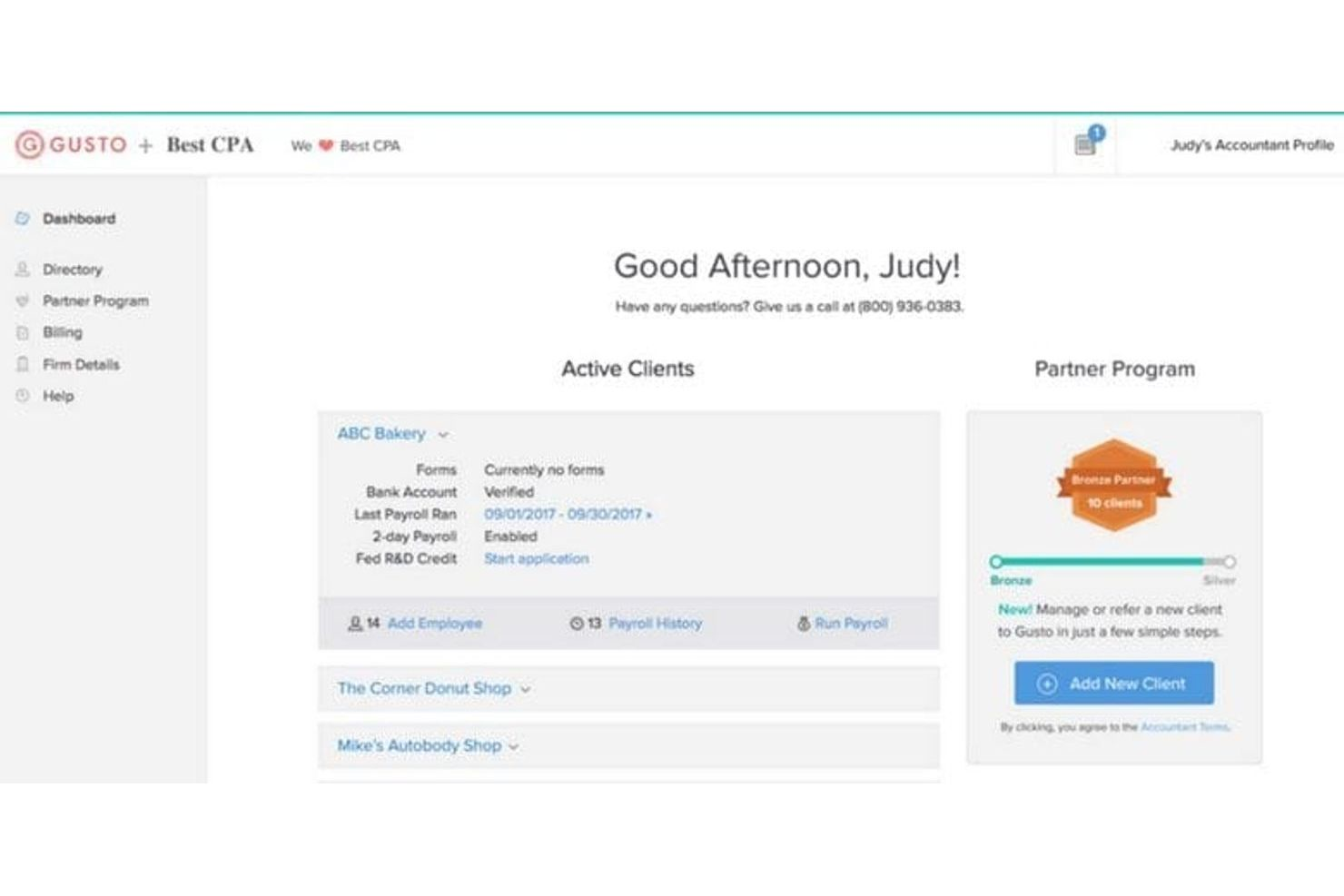
Gusto brings payroll, benefits administration, and HR compliance together in one platform, making it a strong fit for small businesses that want to manage everything in one place. If you’re looking for a system that automates tax filings, benefits enrollment, and compliance tasks,
Gusto is designed to reduce manual work and help you avoid errors. It’s especially useful for teams that want integrated payroll and benefits without juggling multiple vendors.
Why I Picked Gusto
What sets Gusto apart is how it combines payroll processing and benefits management in a single platform, which is especially valuable for small businesses that want to simplify compliance. The system automatically calculates and files payroll taxes, manages benefits enrollment, and keeps you updated on changing regulations.
I appreciate that Gusto also includes compliance support for things like new hire reporting and year-end tax forms. These features help small teams stay compliant without having to manage separate systems or worry about missing key deadlines.
Gusto Key Features
Some other features in Gusto that small businesses may find helpful include:
- Document Management: Store and organize employee documents securely within the platform.
- Time Tracking: Track employee hours and sync them directly with payroll.
- Customizable Offer Letters: Generate and send offer letters tailored to your company’s needs.
- Org Chart Builder: Visualize your team structure and reporting lines with a built-in org chart tool.
Gusto Integrations
Integrations include QuickBooks, Xero, FreshBooks, 15Five, 7Shifts, Asana, Bench, Box, ClickUp, Clover, Connecteam, and more.
Pros and Cons
Pros:
- Digital document storage for HR records
- Built-in new hire reporting for compliance
- Automatic state and federal tax filings
Cons:
- PTO policies lack advanced rule options
- Limited international payroll capabilities
New Product Updates from Gusto
Gusto Adds Solo Advisory Tools and Mobile Money Features
Gusto adds Solo S-Corp Advisory Tools and Gusto Money on Mobile for tax guidance, invoicing, and bill payments. These updates help accountants advise solopreneurs and let users manage business finances from their phones. For more information, visit Gusto’s official site.
TalentHR
Best for intuitive policy management
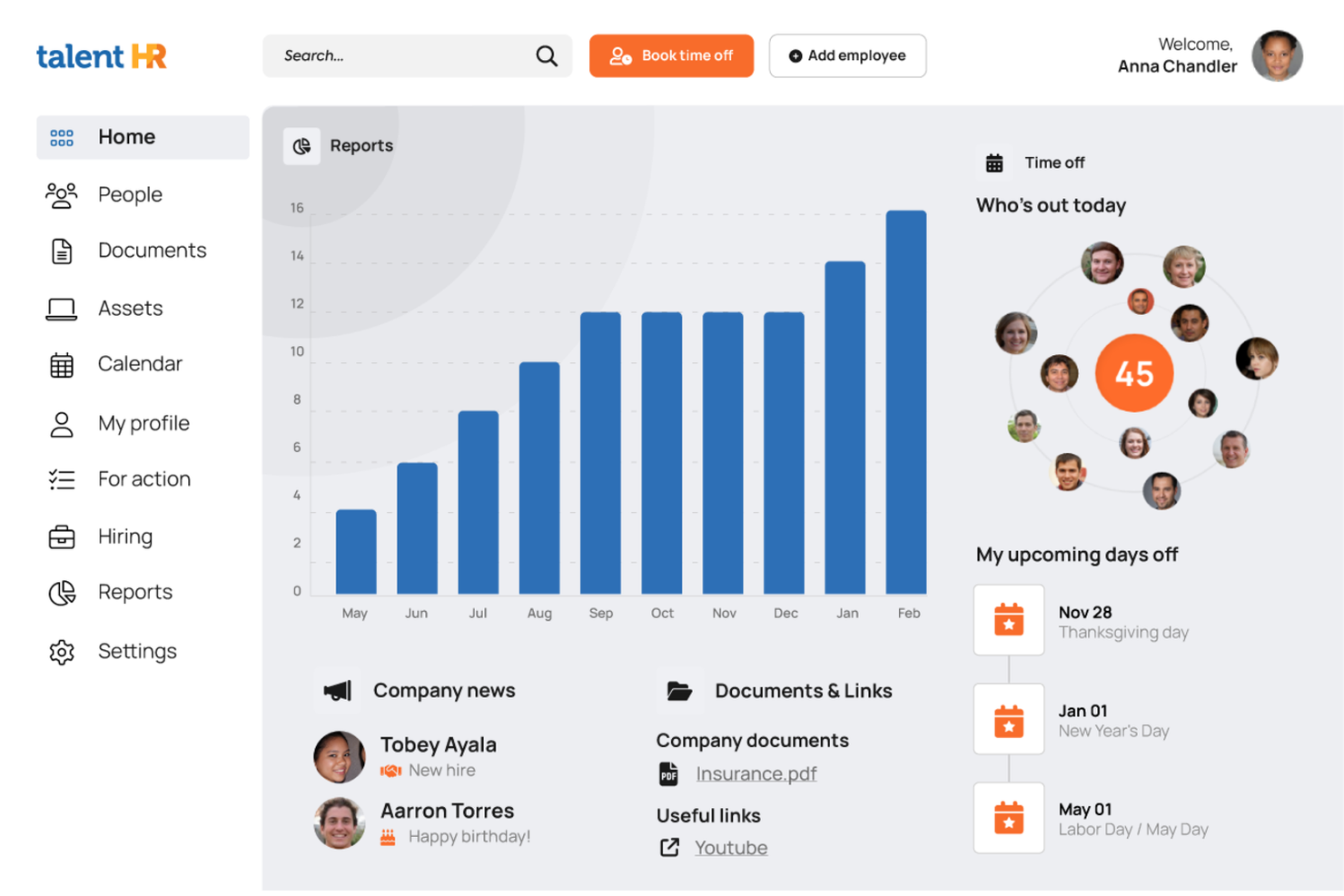
TalentHR offers small businesses a straightforward way to create, update, and share HR policies without the usual complexity. If you need a system that makes policy management accessible for non-specialists and keeps your team aligned, this platform is designed for you. Its focus on intuitive workflows helps you maintain compliance and clarity as your business grows.
Why I Picked TalentHR
What sets TalentHR apart is its focus on making policy management simple and accessible for small businesses. I picked TalentHR because it lets you build, edit, and distribute HR policies directly within the platform, so you can keep everyone on the same page without extra steps.
The policy library feature helps you organize documents and updates, while built-in acknowledgment tracking ensures employees review and accept new policies. These tools make it easier for small teams to stay compliant and maintain clear communication around workplace rules.
TalentHR Key Features
In addition to its policy management tools, TalentHR offers several other features for small business HR compliance:
- Employee Records Management: Store and update employee information, documents, and contracts in a centralized location.
- Time Off Tracking: Monitor leave balances, approve requests, and generate reports on absences.
- Customizable Workflows: Set up approval processes and notifications tailored to your organization’s needs.
- Role-Based Access Controls: Assign permissions to users based on their role to protect sensitive HR data.
TalentHR Integrations
Integrations include Slack, Google Calendar, Zapier, TalentLMS, WordPress, Google Workspace, and more. An API is also available for custom integrations.
Pros and Cons
Pros:
- Role-based permissions for sensitive HR data
- Built-in document templates for HR policies
- Policy acknowledgment tracking for compliance audits
Cons:
- Limited analytics for compliance reporting
- No built-in payroll processing features
Other HR Compliance Systems For Small Business
Here are some additional hr compliance systems for small business options that didn’t make it onto my shortlist, but are still worth checking out:
- Keka HR
For implementation and onboarding support
- Homebase
For hourly team compliance
- Paycom
For customizable compliance checklists
- HiBob
For real-time compliance tracking
- Bambee
For dedicated HR manager support
- Paycor
For compliance training resources
- Lattice
For compliance-focused performance reviews
- Namely
For mid-sized business compliance needs
- BLR HR Hero
For expert-authored compliance templates
- SixFifty
For automated legal document generation


How I Evaluate HR Compliance Systems for Small Business
I split my evaluation into baseline requirements—like multi-jurisdiction law tracking and I-9 management—and differentiators that separate the best tools for lean HR teams.
Core Functionality (Table Stakes For This List)
When I'm selecting tools for my list, I rank each one on a scale from 0 (does not offer the functionality) to 5 (excels in this area) for each core functionality listed below. Then, I calculate the tool's total score into a percentage. Each tool needs to achieve a minimum total score of 65% to be considered for inclusion.
- Labor Law Compliance Tracking: I check whether the platform monitors federal, state, and local law changes and sends alerts—for example, when a new paid leave mandate takes effect in a jurisdiction where you have employees.
- Employee Records Management: Secure, organized personnel files matter, so I evaluate how each tool handles document storage, retention schedules, and access permissions for sensitive items like offer letters and disciplinary records.
- Policy & Handbook Management: I look for tools that let you build and distribute employee handbooks with e-signature acknowledgment tracking, especially those offering state-specific policy templates you can customize.
- Mandatory Reporting & Filings: Each tool should support key government forms and filings like I-9s, W-4s, EEO-1 reports, and ACA submissions, with built-in error checks to reduce rejected or late filings.
- Compliance Training Tracking: I evaluate whether the platform assigns, delivers, or tracks required training—like anti-harassment or workplace safety courses—and sends reminders before certifications expire.
- Audit Trails & Reporting: Clear, timestamped logs of every administrative and employee action are what I look for here, along with the ability to generate export-ready compliance reports ahead of an audit.
Once I have a list of tools that meet the criteria, I consider what sets each platform apart.
Differentiating Factors (What Sets Vendors Apart)
Here's how I compare and contrast different vendors:
Standout Features
Access to certified HR advisors is a major differentiator, especially when a small team needs guidance on a tricky termination or leave request. I also look for multi-state compliance automation, which matters as soon as you hire your first remote employee in a new jurisdiction. Built-in compliance risk assessments round things out—tools that score your current posture and flag gaps give you a clear action plan before issues escalate.
Beyond Features
Pricing and plan structure matter here—I evaluate whether a vendor's per-employee pricing stays realistic as a small team grows from 10 to 50 people. Integrations are equally important; a compliance system that connects with your existing payroll provider and benefits carriers keeps data consistent without manual re-entry. I also consider onboarding support, since an office manager juggling HR duties needs guided setup and ready-made compliance checklists, not a self-serve knowledge base alone.
How to Choose HR Compliance System for Small Business
It’s easy to get bogged down in long feature lists and complex pricing structures. To help you stay focused as you work through your unique software selection process, here’s a checklist of factors to keep in mind:
| Factor | What to Consider |
|---|---|
| Scalability | Will the system support your business as you grow, add locations, or increase headcount? Check for user limits and upgrade paths. |
| Integrations | Does the tool connect with your payroll, HRIS, or document management systems? Confirm native integrations to avoid manual work. |
| Customizability | Can you tailor workflows, training assignments, and reporting to your policies and regulatory needs? Avoid rigid, one-size-fits-all setups. |
| Ease of use | Will your HR team and employees find the interface intuitive? Test for clear navigation and minimal training requirements. |
| Implementation and onboarding | How long will it take to get up and running? Ask about migration support, onboarding resources, and typical time-to-value. |
| Cost | Are pricing tiers transparent and predictable? Watch for hidden fees, per-user charges, or extra costs for compliance modules. |
| Security safeguards | Does the system offer encryption, access controls, and audit logs? Ensure it meets your data privacy and compliance standards. |
| Support availability | What support channels are offered, and during what hours? Consider if you need 24/7 help or access to compliance specialists. |
What is HR Compliance System for Small Businesses?
An HR compliance system for small businesses is HR software that helps organizations manage, track, and document compliance across human resources functions. These platforms support HR operations, core HR, and broader HCM processes throughout the employee lifecycle.
They are used by HR professionals and small business owners to handle tasks like applicant tracking, talent management, and compliance with requirements such as COBRA and health insurance regulations.
Many tools also integrate with payroll software to streamline workflows and improve employee engagement and retention. With a user-friendly approach, these systems centralize compliance activities, reduce risk, and help teams stay organized and audit-ready.
Features
When selecting hr compliance system for a small business, keep an eye out for the following key features:
- Compliance training management: Assign, schedule, and track completion of required training courses for employees to meet regulatory and company standards.
- Document storage and management: Securely store, organize, and retrieve compliance-related documents such as policies, certifications, and audit records.
- Policy acknowledgment tracking: Distribute policies to employees and monitor digital acknowledgments to ensure everyone has reviewed and accepted key documents.
- Automated reminders and alerts: Set up notifications for upcoming training deadlines, policy updates, or expiring certifications to keep compliance tasks on track.
- Incident and investigation tracking: Log workplace incidents, document follow-up actions, and maintain records for audits or legal reviews.
- Customizable compliance reporting: Generate and export reports on training completion, policy acknowledgments, and other compliance metrics for audits or internal reviews.
- Role-based access controls: Limit access to sensitive compliance data based on user roles, ensuring only authorized personnel can view or edit certain information.
- Regulatory update notifications: Receive alerts about changes in relevant employment laws or regulations that may impact your compliance requirements.
- Workflow automation: Automate repetitive compliance processes, such as onboarding checklists or recurring training assignments, to reduce manual work.
- Audit trail logging: Maintain a detailed record of all compliance-related actions and changes within the system to support transparency and accountability.
Benefits
Implementing hr compliance system for a small business provides several benefits for your team and your business. Here are a few you can look forward to:
- Reduced compliance risk: Centralized tracking and automated reminders help ensure your business meets regulatory requirements and avoids costly penalties.
- Faster audit preparation: Organized document storage and audit trail logging make it easy to gather and present compliance records during audits.
- Improved employee accountability: Policy acknowledgment tracking and training management ensure employees understand and complete required compliance tasks.
- Time savings for HR: Workflow automation and customizable reporting reduce manual work and free up HR staff for higher-value activities.
- Better visibility into compliance status: Real-time dashboards and reporting provide a clear view of training completion, policy acknowledgments, and outstanding tasks.
- Improved data security: Role-based access controls and secure document management protect sensitive compliance information from unauthorized access.
- Adaptability to regulatory changes: Regulatory update notifications and customizable workflows help your business stay current as laws and requirements evolve.
Costs and Pricing
Selecting hr compliance system for a small business requires an understanding of the various pricing models and plans available. Costs vary based on features, team size, add-ons, and more. The table below summarizes common plans, their average prices, and typical features included in hr compliance systems for small business solutions:
Plan Comparison Table for hr compliance system for small business
| Plan Type | Average Price | Common Features |
|---|---|---|
| Free Plan | $0 | Basic compliance document storage, limited training assignments, and simple reporting. |
| Personal Plan | $5-$15/user/month | Compliance training management, document storage, automated reminders, and basic policy tracking. |
| Business Plan | $15-$30/user/month | Customizable compliance workflows, advanced reporting, incident tracking, and role-based access controls. |
| Enterprise Plan | $30-$50/user/month | Regulatory update notifications, audit trail logging, dedicated support, and advanced security safeguards. |
HR Compliance System for Small Businesses FAQs
Here are some answers to common questions about hr compliance systems for small businesses:
How do I know if my small business needs an hr compliance system?
If you manage employee training, policy acknowledgments, or regulatory documentation manually, you likely need an hr compliance system. These tools help reduce errors, save time, and ensure you meet legal requirements as your business grows.
Can hr compliance systems help with multi-state or remote teams?
Yes, most hr compliance systems support multi-state and remote teams by tracking location-specific requirements and enabling digital policy distribution and training. This helps you stay compliant across different jurisdictions and work arrangements.
What should I look for in a compliance system if my business is growing?
Look for scalability, flexible user management, and customizable workflows. As your business grows, you’ll need a system that can handle more users, adapt to new regulations, and integrate with other HR tools.
How long does it take to implement an hr compliance system?
Implementation time varies, but most small businesses can get started within a few days to a few weeks. Factors include data migration, user training, and the complexity of your compliance needs.
Are HR Compliance Systems secure enough for sensitive employee data?
Yes, reputable hr compliance systems use encryption, access controls, and audit logs to protect sensitive data. Always verify that the system meets your industry’s data privacy and security standards before purchasing.