
17 Best Onboarding Software for Small Businesses Reviewed in 2026

Best Onboarding Software for Small Businesses Shortlist
Here’s my shortlist of the best onboarding software for a small business:


Onboarding new employees can be a daunting task, especially for small businesses like yours. With limited resources and time, ensuring a smooth start for new hires is challenging. In my experience, the right onboarding software can make all the difference.
I've tested and reviewed various solutions to help you find the best fit for your team. These tools can simplify the onboarding process, save time, and improve the overall experience for everyone involved.
In this article, I'll share my top picks for onboarding software tailored to small businesses. You'll get an unbiased, well-researched look at each option, helping you make the best decision for your needs.
Why Trust Our Software Reviews
Best Onboarding Software for Small Businesses Summary
This comparison chart summarizes pricing details for my top onboarding software for small business selections to help you find the best one for your budget and business needs.
| Tool | Best For | Trial Info | Price | ||
|---|---|---|---|---|---|
| 1 | Best for automated workflow management | Free 14-day trial + free demo available | Pricing upon request | Website | |
| 2 | Best for document management | Free demo available | Pricing upon request | Website | |
| 3 | Best for documenting repeatable onboarding workflows | Free demo available | Pricing upon request | Website | |
| 4 | Best for global HR practices | 7-day free trial + free demo available | From $2/user/month | Website | |
| 5 | Best for integration with the Zoho suite | 30-day free trial + free demo available | From $1.25/user/month (billed annually) | Website | |
| 6 | Best for automation and scalability | Free demo available | Pricing upon request | Website | |
| 7 | Best for payroll integration | Free demo available | Pricing upon request | Website | |
| 8 | Best for talent management | 14-day free trial + free plan available | From $2/user/month (billed annually) | Website | |
| 9 | Best for customizable learning paths | Free demo available | From GBP £135/month (billed annually) | Website | |
| 10 | Best for international compliance | Free demo available | From $5/employee/month | Website |
-

Checkr
Visit WebsiteThis is an aggregated rating for this tool including ratings from Crozdesk users and ratings from other sites.4.5 -
Kudoboard
Visit WebsiteThis is an aggregated rating for this tool including ratings from Crozdesk users and ratings from other sites.4.8 -
Native Teams
Visit WebsiteThis is an aggregated rating for this tool including ratings from Crozdesk users and ratings from other sites.4.9





Best Onboarding Software for Small Businesses Reviews
Below are my detailed summaries of the best onboarding software that made it onto my shortlist for small businesses. My reviews offer a detailed look at the key features, pros and cons, integrations, and ideal use cases of each tool to help you find the best one for you.

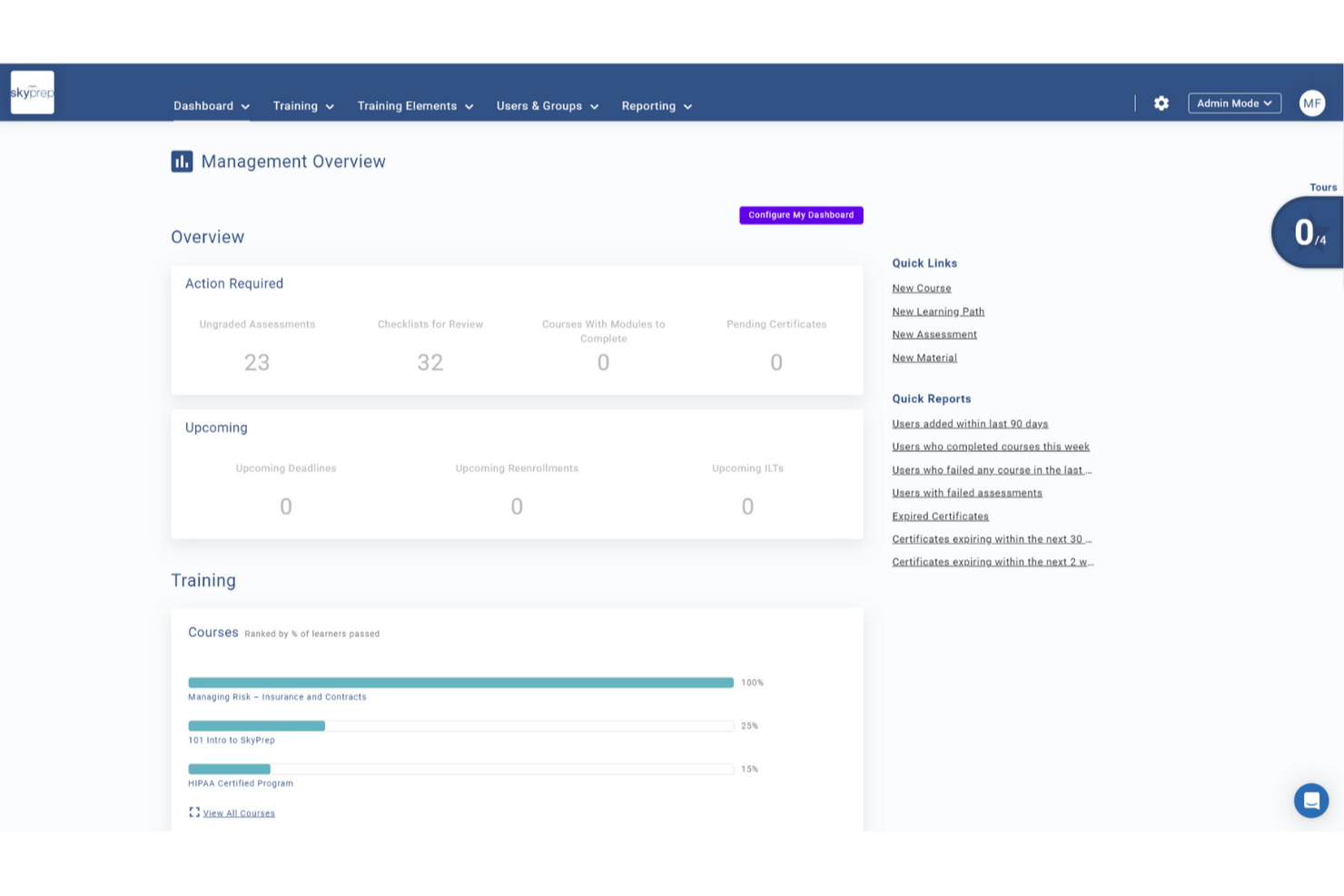
SkyPrep is an online training platform tailored for small businesses, offering a comprehensive suite of tools to enhance your team's onboarding experience. It appeals to businesses across various industries looking to simplify their onboarding process with features designed to engage new hires and streamline training. By addressing challenges like knowledge retention and training consistency, SkyPrep ensures that your team is well-prepared and aligned with company objectives from day one.
Why I Picked SkyPrep
I picked SkyPrep because it offers a user-friendly platform that significantly reduces training time by utilizing advanced learning methods. With features like automated workflow management and detailed reporting, you can efficiently track onboarding progress and ensure compliance with company standards. Additionally, its integration with popular HR systems like ADP and Workday simplifies user record management, making it an ideal choice for small businesses aiming to enhance their onboarding processes.
SkyPrep Key Features
In addition to its core functionalities, SkyPrep offers several features that enhance its value as an onboarding tool:
- Single Sign-On (SSO): Allows your team to log in using existing cloud account credentials, simplifying the access process.
- E-commerce Integration: Connects with payment platforms like Stripe and PayPal, enabling secure content purchases.
- Content Management: Facilitates importing content from Office365 and G Suite, providing flexibility in training material usage.
- Webinar Tools: Supports platforms like Zoom and Microsoft Teams, making it easier to conduct live training sessions.
SkyPrep Integrations
Integrations include Zoom, GoToMeeting, Cisco Webex, Microsoft Teams, ClickMeeting, BigBlueButton, ADP, Workday, Salesforce, and HubSpot.
Pros and Cons
Pros:
- Built-in e-signatures
- Real-time dashboards
- Automated role-based enrollments
Cons:
- Reporting customization may be limited
- Pricing not publicly available
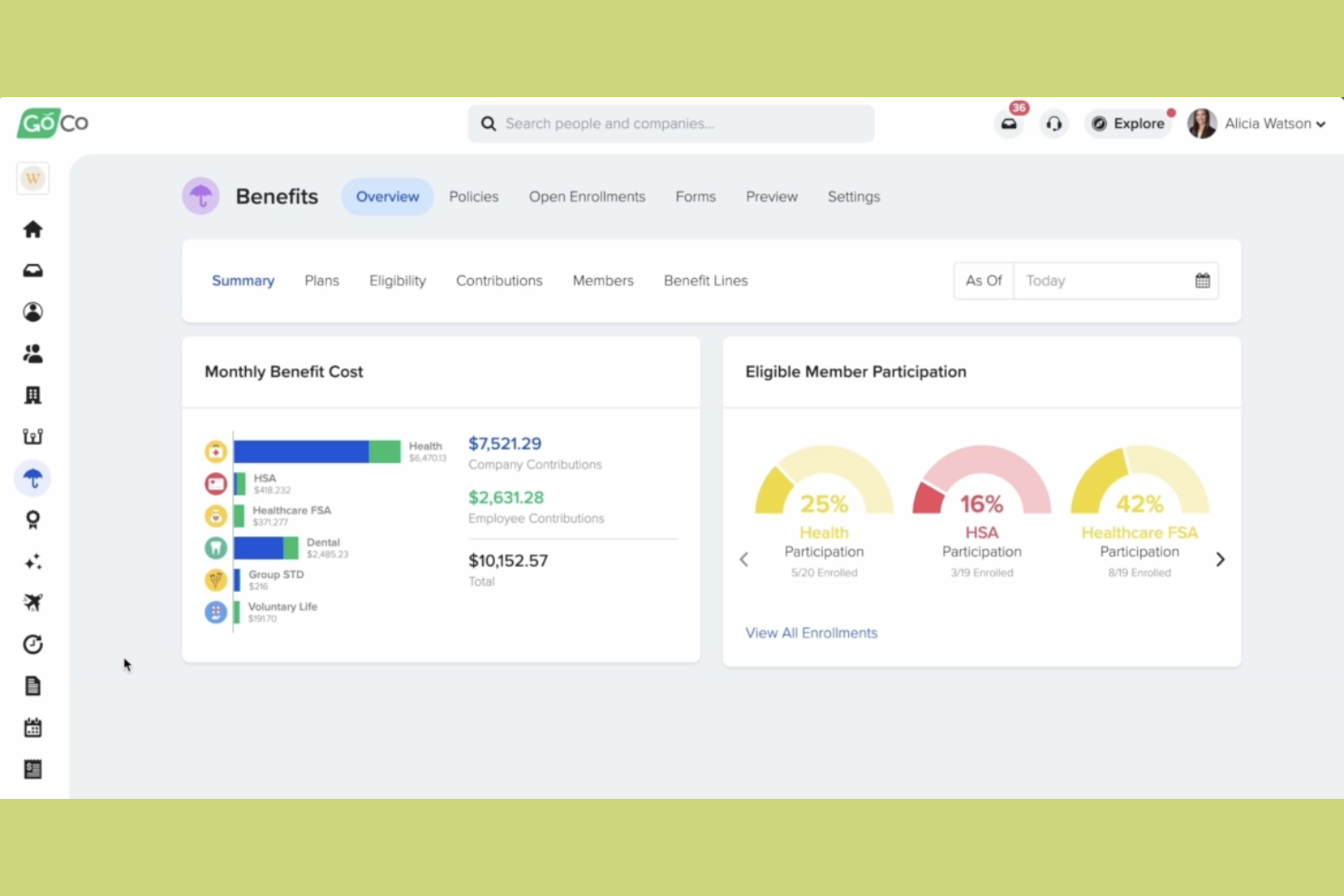
GoCo is an HR and benefits management platform that caters to small businesses looking to simplify their HR processes. It offers tools for onboarding, benefits administration, and document management, making it easier for you to manage your workforce.
Why I picked GoCo: It excels in document management, providing features like digital signatures and secure document storage. You can easily upload and organize employee files, ensuring everything is accessible and compliant. This focus on document management ensures your HR operations run smoothly and efficiently.
Standout features and integrations:
Features include digital signatures, which make it easy for you to handle contracts and agreements. Secure document storage ensures that all your files are organized and protected. Automated reminders help you keep track of important tasks and deadlines, reducing the risk of oversight.
Integrations include QuickBooks, Slack, JazzHR, Greenhouse, Checkr, Workable, and more.
Pros and Cons
Pros:
- Automated task reminders
- Secure file storage
- Digital signature support
Cons:
- May not be ideal for large enterprises
- Limited advanced features

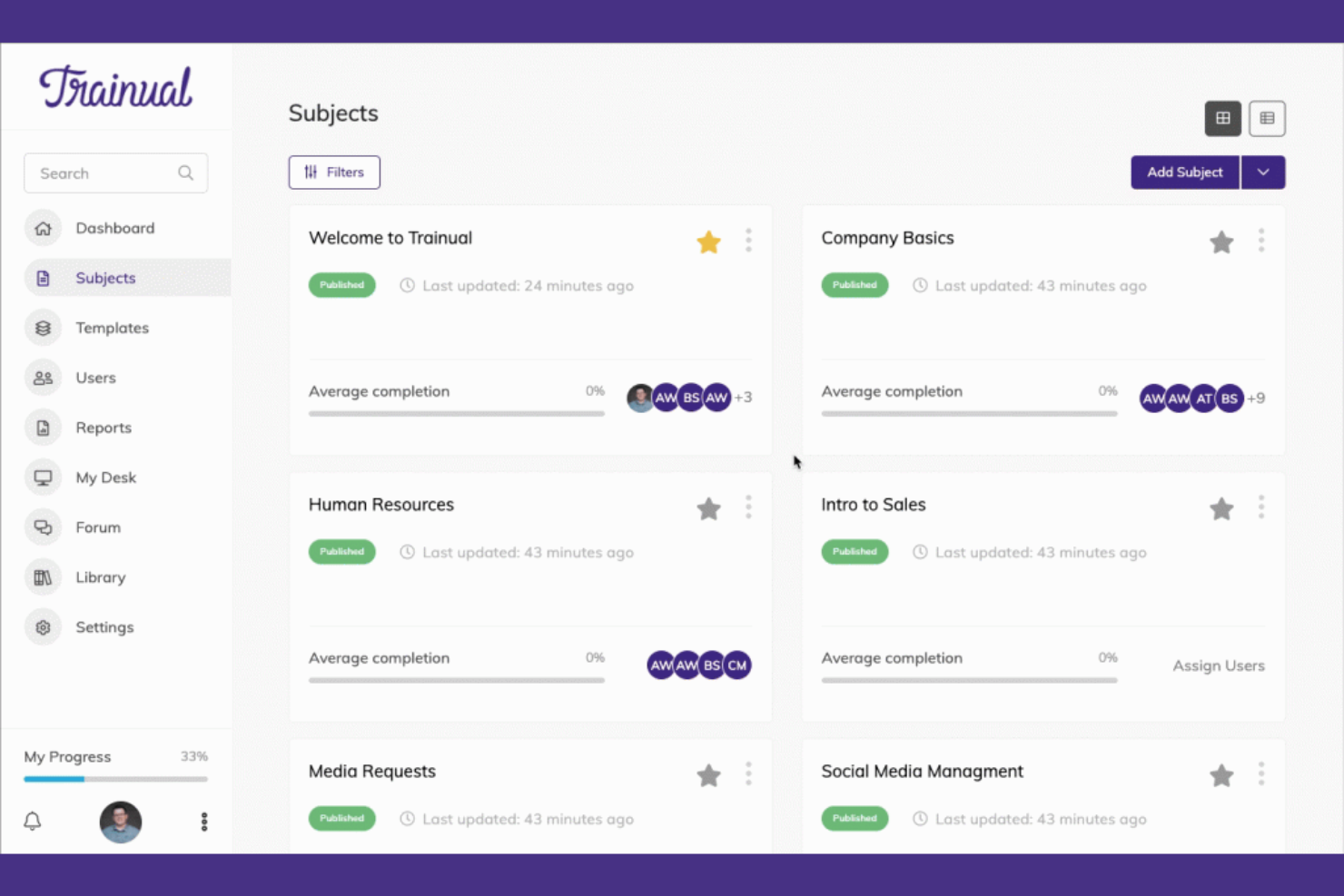
Trainual is a training and onboarding platform aimed at small businesses. It allows users to document processes, policies, and procedures, ensuring consistency and clarity for new hires.
Why I picked Trainual: It excels in training with its easy-to-use templates and customization options. You can quickly set up training modules tailored to your team's needs. The platform offers quizzes and tests to ensure understanding and retention. This focus on structured training helps you maintain high standards as your business grows.
Standout features and integrations:
Features include customizable templates for creating training manuals and onboarding guides. The platform allows you to incorporate multimedia elements such as videos and images into your training materials. Quizzes and tests help ensure that your team understands the content and retains the information.
Integrations include Zapier, Slack, Google Data Studio, Microsoft Entra, QuickBooks, BambooHR, and more.
Pros and Cons
Pros:
- Quick setup process
- Multimedia support
- Customizable training templates
Cons:
- Manual upkeep required as processes change
- Not a full HRIS — lacks payroll and compliance automation

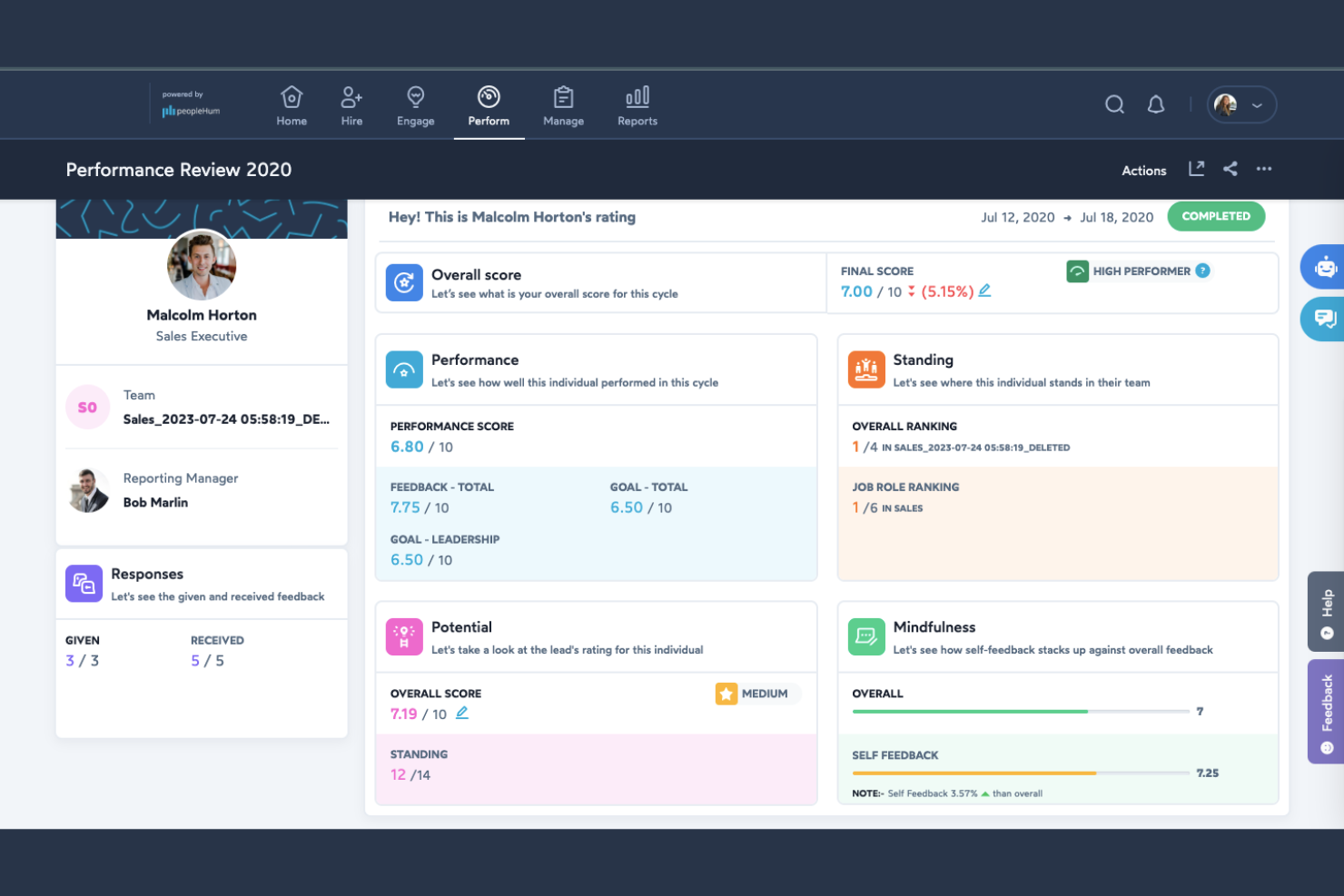
peopleHum is a dedicated HR platform designed for businesses looking to manage their workforce globally. It offers features for recruitment, employee engagement, and performance management, providing a holistic approach to human resources.
Why I picked peopleHum: It’s ideal for global HR practices, offering tools that support multi-country operations and compliance. Features such as automated workflows and detailed analytics help you manage complex HR tasks. The platform’s focus on global reach ensures you can effectively manage a diverse workforce.
Standout features and integrations:
Features include automated workflows to simplify HR processes and reduce manual tasks. The platform provides detailed analytics to help you make informed decisions about your workforce. Employee engagement tools are also available to help you maintain a motivated and productive team.
Integrations include Microsoft Teams, Slack, Google Workspace, and more.
Pros and Cons
Pros:
- Detailed analytics available
- Automated HR workflows
- Supports global operations
Cons:
- Advanced modules often require higher-tier plans
- Broader HR suite may feel oversized for small teams

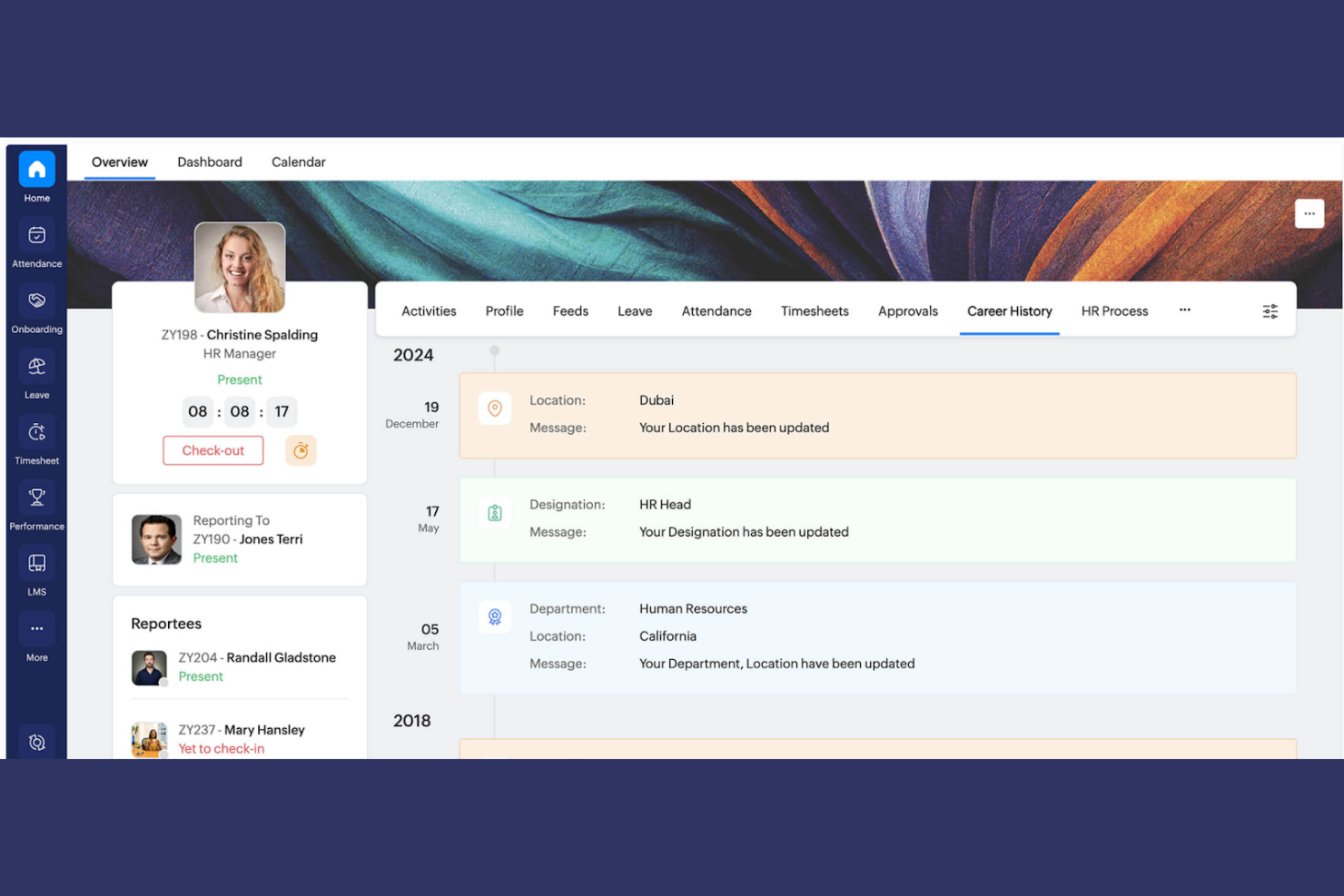
Zoho People is an HR management platform that serves businesses looking to simplify their HR processes and integrate them with other business functions. It provides tools for employee onboarding management, time tracking, and performance evaluation, making it easier for your team to manage HR tasks.
Why I picked Zoho People: Its integration with the Zoho suite is a key differentiator, allowing you to connect HR functions with tools such as CRM and finance. This integration capability enhances overall business productivity.
Standout features and integrations:
Features include time off management, which helps you track employee leave and approvals efficiently. Performance appraisal tools allow you to evaluate and manage employee performance regularly. The platform also offers automation for routine HR tasks, reducing manual effort and errors.
Integrations include Zoho CRM, Zoho Books, Zoho Payroll, QuickBooks, Microsoft Teams, Slack, Zapier, Xero, and more.
Pros and Cons
Pros:
- Supports HR task automation
- Time off management
- Native integration with Zoho products
Cons:
- Strongest value comes when using the full Zoho ecosystem
- The interface can feel dense for first-time HR users
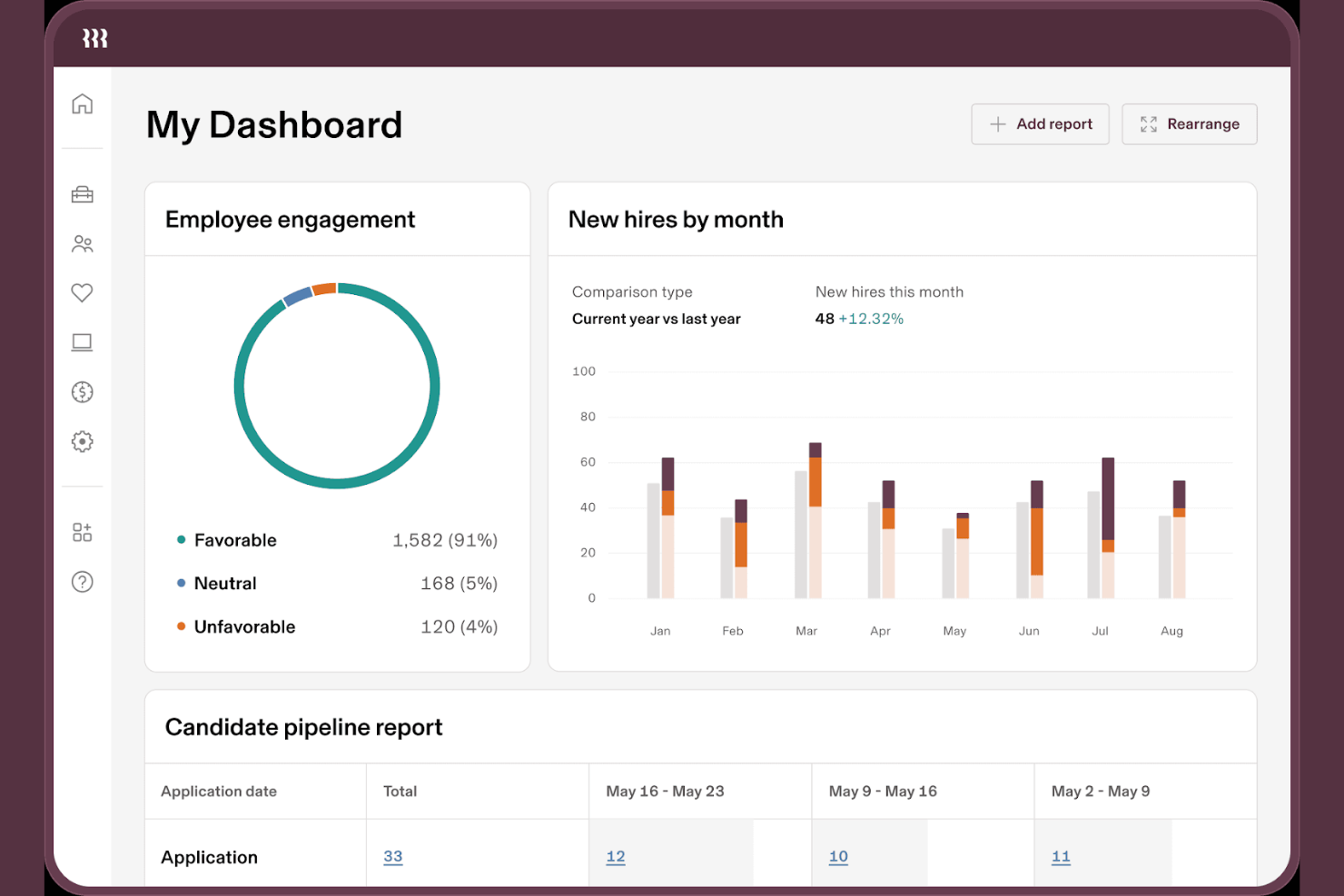
Rippling is a workforce management platform designed for businesses of various sizes, with products that allow users to integrate HR, IT, and finance functions. It provides HRIS solutions for onboarding documents, making it a versatile tool for managing diverse business operations.
Why I picked Rippling: It excels in automation and scalability, offering features such as global compliance management. The platform's ability to automate complex HR tasks and integrate with over 600 third-party applications sets it apart. You can manage everything in one place, which is particularly useful if you're looking to scale your operations efficiently.
Standout features and integrations:
Features include global hiring capabilities and compliance management across 185+ countries. The platform also offers IT access control, allowing your team to manage devices and applications.
Integrations include Slack, QuickBooks, Google Workspace, Microsoft Office 365, Salesforce, Dropbox, Zoom, Okta, GitHub, and more.
Pros and Cons
Pros:
- Extensive integration options
- Global compliance support
- Automation capabilities
Cons:
- May be overwhelming for small teams
- Limited pricing transparency
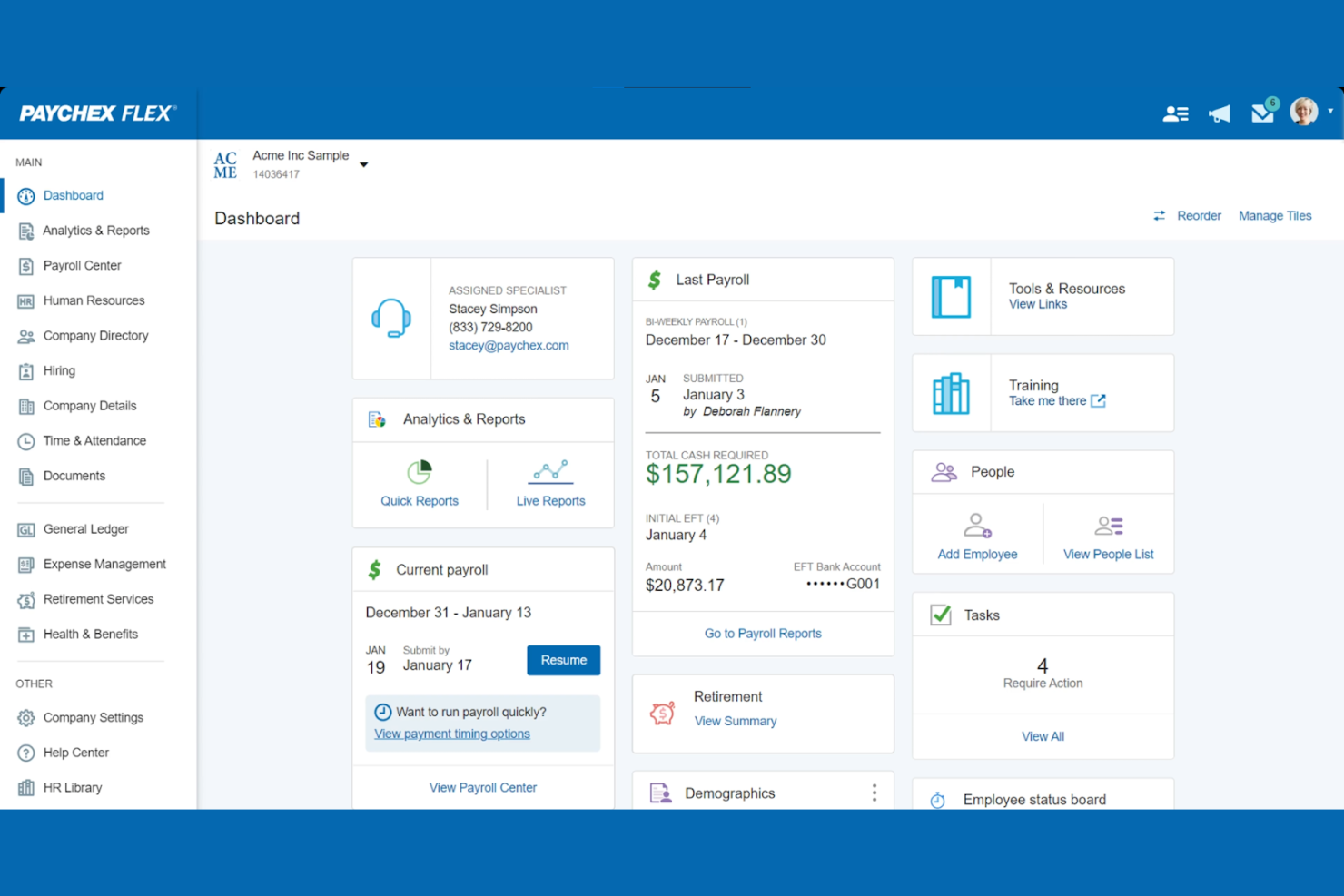
Paychex is an employee onboarding software tailored for small to medium-sized businesses. It supports payroll processing, benefits administration, and compliance management, supporting your business's operational needs.
Why I picked Paychex: It excels in payroll integration, offering features such as automatic payroll tax calculation and direct deposit. You can manage employee benefits alongside payroll, simplifying administrative tasks. The platform's compliance tools help you stay up to date with regulations, reducing risks. This integration of payroll and HR functions makes managing your team more efficient.
Standout features and integrations:
Features include automated onboarding with task assignment and completion. The platform also has a centralized communication hub for new hires. Paychex also provides employees with self-service options, allowing your team to access their information easily.
Integrations include QuickBooks, Xero, Sage, Microsoft Dynamics, Oracle, SAP, Salesforce, BambooHR, ADP, and Kronos.
Pros and Cons
Pros:
- Compliance management tools
- Employee self-service portal
- Strong payroll integration
Cons:
- Limited customization options
- Requires training for new users
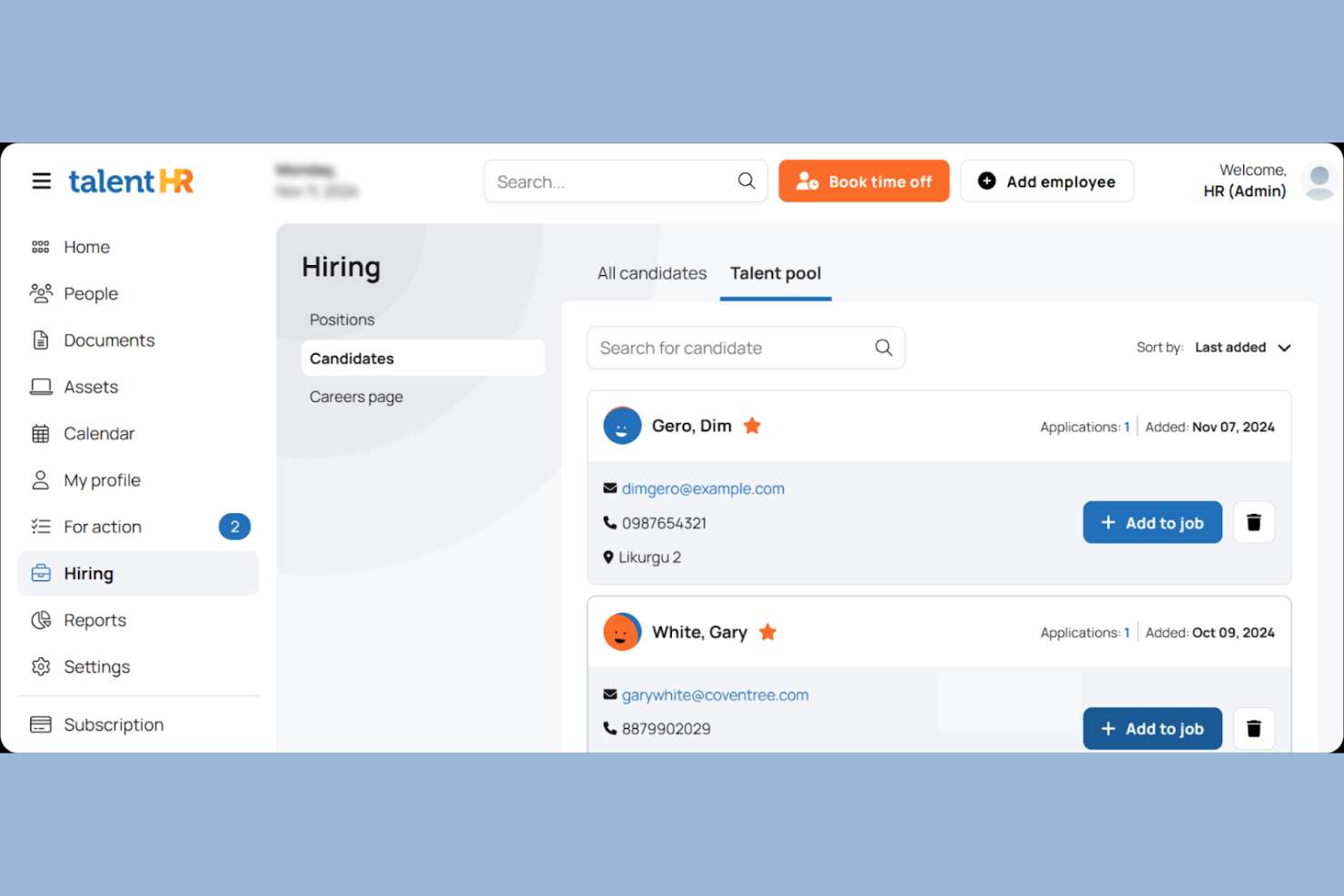
TalentHR is an all-in-one HR management tool aimed at startups, small businesses, and non-profits. Users can integrate the training portal for effective employee management, onboarding, and performance tracking.
Why I picked TalentHR: The platform offers an applicant tracking system and tools for onboarding, facilitating smooth transitions for new hires. This focus on talent management helps your team reach its full potential.
Standout features and integrations:
Features include time off tracking, which simplifies approvals and monitors requests. The platform offers people analytics to provide insights into workforce trends. The platform also has performance management tools that help assess employee development and set objectives.
Integrations include Slack, Microsoft Teams, Google Workspace, Zapier, WordPress, and more.
Pros and Cons
Pros:
- Mobile app access
- Reports and analytics
- Strong talent management features
Cons:
- May require tech support
- Limited advanced functionalities
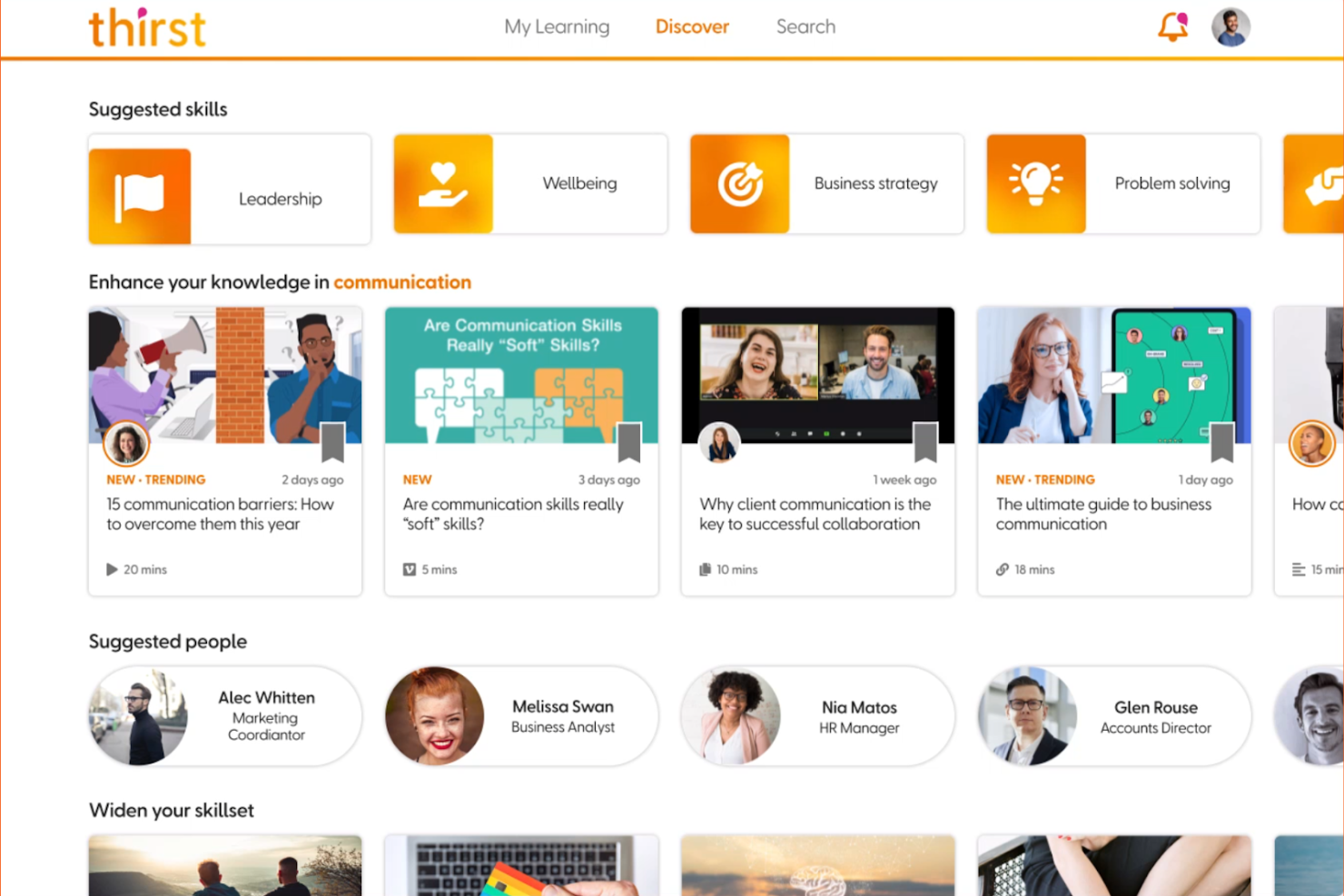
Thirst is an employee onboarding solution designed to enhance learning and development through personalized learning experiences. Its main user base includes organizations looking to improve onboarding, upskilling, and compliance training.
Why I picked Thirst: It offers customizable learning paths, allowing you to tailor experiences to the needs of new team members. The platform also focuses on skills development and social learning, making it a versatile tool. Thirst's emphasis on personalized learning paths helps improve retention and integration.
Standout features and integrations:
Features include AI-guided personalized learning, which adapts to each employee's needs. The platform offers courses covering various topics, ensuring a thorough onboarding experience. Social learning tools help foster a sense of community among new hires starting on day one.
Integrations include Workday, SAP SuccessFactors, LinkedIn Learning, Udemy, Microsoft Teams, Zoom, Slack, and more.
Pros and Cons
Pros:
- Extensive course library
- AI-driven learning experiences
- Customizable learning paths
Cons:
- Initial setup time may be lengthy
- Requires tech-savvy users

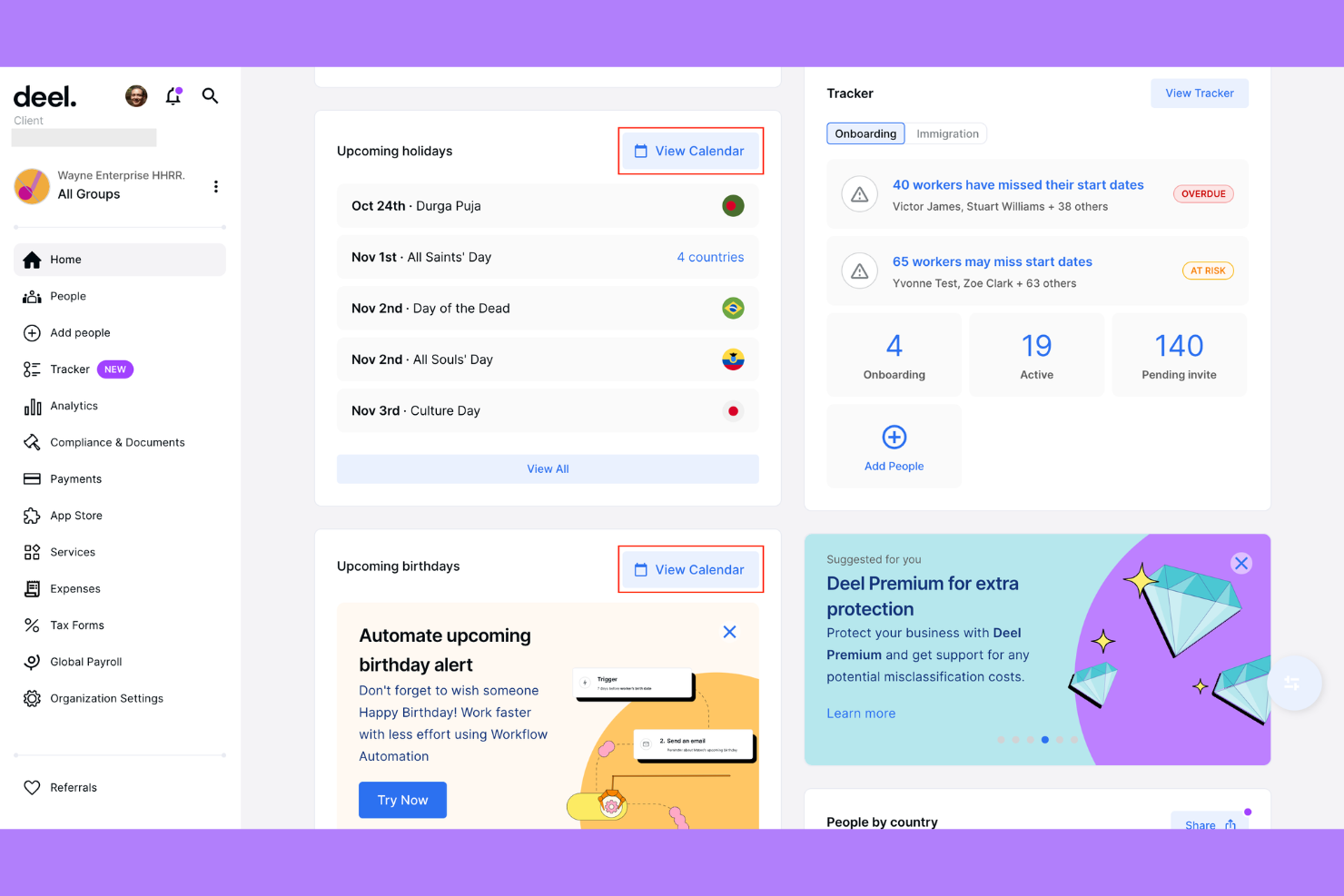
Deel HRIS is a global HR software designed for businesses hiring across borders. It simplifies international hiring and compliance, making it easier for your team to work with global talent.
Why I picked Deel HRIS: It excels in international compliance, so users can manage HR tasks for international teams without worrying about local regulations. This focus on international compliance makes global hiring straightforward and risk-free.
Standout features and integrations:
Features include onboarding, time tracking, workflow automation, and people analytics. The platform also offers a dashboard for monitoring global compensation.
Integrations include QuickBooks, Xero, BambooHR, Greenhouse, Lever, Workday GPC, NetSuite, Slack, Zapier, and more.
Pros and Cons
Pros:
- Simplifies international hiring
- Compliance monitoring tools
- Supports time tracking
Cons:
- Can become expensive if you scale international headcount quickly
- Designed primarily for global hiring, not general onboarding
Other Onboarding Software for Small Businesses
Here are some additional options for onboarding software that didn’t make it onto my shortlist but are still worth checking out:


Onboarding Software for Small Businesses Selection Criteria
When selecting the best onboarding software for small businesses, I considered common buyer needs and pain points like ease of use and efficient task automation. I also used the following framework to keep my evaluation structured and fair:
Core Functionality (25% of total score)
To be considered for inclusion in this list, each solution had to fulfill these common use cases:
- Employee onboarding
- Task automation
- Document management
- Compliance tracking
- Training and development
Additional Standout Features (25% of total score)
To help further narrow down the competition, I also looked for unique features, such as:
- Customizable onboarding workflows
- Mobile app access
- Multi-language support
- Advanced analytics and reporting
- Integration with third-party tools
Usability (10% of total score)
To get a sense of the usability of each system, I considered the following:
- Intuitive user interface
- Easy navigation
- Minimal learning curve
- Clear instructions and guidance
- Customizable dashboards
Onboarding (10% of total score)
To evaluate the onboarding experience for each platform, I considered the following:
- Availability of training videos
- Interactive product tours
- Pre-built templates
- Live webinars
- Chatbot assistance
Customer Support (10% of total score)
To assess each software provider’s customer support services, I considered the following:
- 24/7 support availability
- Response time
- Knowledgeable support staff
- Multiple support channels
- Comprehensive help center
Value For Money (10% of total score)
To evaluate the value for money of each platform, I considered the following:
- Competitive pricing
- Flexible pricing plans
- Features included in base plan
- Cost relative to features offered
- Discounts for annual billing
Customer Reviews (10% of total score)
To get a sense of overall customer satisfaction, I considered the following when reading customer reviews:
- Overall satisfaction rating
- Feedback on ease of use
- Comments on customer support
- Opinions on feature set
- Recommendations from other users
How To Choose Onboarding Software for Small Businesses
It’s easy to get bogged down in long feature lists and complex pricing structures. To help you stay focused as you work through your unique software selection process, here’s a checklist of factors to keep in mind:
| Factor | What to Consider |
|---|---|
| Scalability | Will the software grow with your business? Consider if it can handle more users or data without a hitch. Look for solutions that support scaling up or down as needed. |
| Integrations | Does it connect with your existing tools? Check for compatibility with HR platforms or communication tools you already use, like Slack or Google Workspace. |
| Customizability | Can you tailor it to fit your processes? Look for software that allows you to customize workflows and forms to match your business needs. |
| Ease of use | Is it user-friendly for everyone on your team? Ensure the interface is intuitive and doesn’t require extensive training to navigate. |
| Implementation and onboarding | How quick is the setup? Assess the time and resources needed to implement the software and get your team up to speed. Look for tools with a smooth onboarding process. |
| Cost | Does it fit your budget? Compare pricing plans and determine if the cost aligns with the value provided, including any hidden fees. |
| Security safeguards | How secure is your data? Ensure the software offers strong encryption, regular security updates, and data protection compliance. |
| Support availability | What support options are offered? Look for accessible support channels like chat or phone and consider the availability of 24/7 assistance if needed. |
What Is Onboarding Software for Small Businesses?
Onboarding software for small businesses is a digital solution that helps manage and organize the process of integrating new hires into a company. Typically used by HR professionals and managers, these tools save time and improve the onboarding experience by automating tasks and organizing information. Task automation, document management, and training modules help with efficient onboarding, compliance, and employee satisfaction. Overall, these tools enhance the onboarding process, making it more organized and efficient for both employers and employees.
Features
When selecting onboarding software for a small business, keep an eye out for the following key features:
- Task automation: Automates repetitive tasks, saving time and reducing manual errors for HR teams.
- Document management: Organizes and stores employee documents securely, ensuring easy access and compliance.
- Training modules: Provides structured learning paths to help new hires understand company policies and procedures.
- Customizable workflows: Allows businesses to tailor onboarding processes to fit their unique needs and requirements.
- Digital signatures: Enables secure and paperless signing of contracts and agreements, speeding up the onboarding process.
- Performance appraisal tools: Helps track and evaluate new hire progress and integration into the team.
- Time off management: Manages employee leave requests and approvals efficiently, keeping records organized.
- Integration capabilities: Connects with existing HR and communication tools, ensuring a smooth flow of information.
- Mobile access: Offers flexibility for HR teams and new hires to access onboarding materials on the go.
- Compliance tracking: Ensures adherence to legal requirements and regulations, minimizing risks for the business.
Benefits
Implementing onboarding software for small businesses provides several benefits for your team and your business. Here are a few you can look forward to:
- Time savings: Automates repetitive tasks, freeing up HR teams to focus on more strategic activities.
- Improved organization: Keeps employee documents and onboarding materials organized and easily accessible.
- Enhanced compliance: Tracks legal requirements and regulations, reducing the risk of non-compliance.
- Better employee experience: Provides structured training and clear guidance, helping new hires feel supported and integrated.
- Increased efficiency: Offers digital solutions like e-signatures and mobile access, speeding up the onboarding process.
- Customization: Allows tailoring of onboarding workflows to match your specific business needs and culture.
- Data-driven insights: Provides analytics on onboarding progress and performance, helping refine processes for future hires.
Costs and Pricing
Selecting onboarding software for a small business requires an understanding of the various pricing models and plans available. Costs vary based on features, team size, add-ons, and more. The table below summarizes common plans, their average prices, and typical features included in onboarding software for small business solutions:
Plan Comparison Table for Onboarding Software for Small Businesses
| Plan Type | Average Price | Common Features |
|---|---|---|
| Free Plan | $0 | Basic onboarding features, limited document storage, and minimal support. |
| Personal Plan | $5-$25/user/month | Task automation, document management, and basic analytics. |
| Business Plan | $30-$60/user/month | Customizable workflows, digital signatures, integration capabilities, and enhanced compliance tools. |
| Enterprise Plan | $70+/user/month | Advanced analytics, dedicated support, unlimited document storage, and full customization options. |
Onboarding Software for Small Businesses FAQs
Here are some answers to common questions about onboarding software for small businesses:
What types of businesses benefit most from onboarding software?
Small to medium-sized businesses benefit the most from onboarding software. These tools help optimize the process of integrating new hires, which is essential when resources are limited. If you’re a startup or a growing company, onboarding software can save time and ensure consistency. It also helps manage compliance and documentation, reducing the administrative burden on your HR team. Businesses with remote or distributed teams will find these tools particularly useful, as they allow for a consistent onboarding experience regardless of location.
How can onboarding software help my team save time during new hire onboarding?
Onboarding software organizes tasks like document management, training tracking, and collecting electronic signatures. This saves your team hours compared to manual onboarding. You can automate reminders, assign tasks, and share resources all in one place.
Can onboarding software integrate with existing HR systems?
Yes, most onboarding software can integrate with existing HR systems. This capability allows you to connect your onboarding process with tools you already use, such as payroll or performance management systems. Before purchasing, check if the software supports integration with your current tools. This will help ensure a seamless flow of information and reduce data entry errors. Look for platforms that offer API access or pre-built integrations with popular HR systems to make the transition smoother.
How secure is onboarding software for storing employee data?
Onboarding software is generally secure for storing employee data. Most providers offer encryption and follow industry standards to protect sensitive information. When evaluating options, ask about their security measures, such as data encryption, access controls, and compliance with regulations like GDPR. It’s important to ensure that the software provider regularly updates their security protocols and offers support in case of data breaches. Choosing a reputable provider with strong security credentials will give you peace of mind.
How hard is it to implement onboarding software for a small team?
Most options for small businesses are designed for quick setup, often needing little to no IT support. Many solutions offer templates and step-by-step guides so you can roll out your onboarding process within days.
Is it possible to customize onboarding workflows?
Yes, many onboarding software solutions offer customizable workflows. This feature allows you to tailor the onboarding process to fit your company’s specific needs and culture. You can create different workflows for various roles or departments, ensuring a personalized experience for each new hire. Customization options often include setting up automated tasks, designing unique training modules, and adjusting communication templates. Before making a decision, check the level of customization available and if it’s user-friendly for your HR team.
What’s Next:
If you're in the process of researching onboarding software for a small business, connect with a SoftwareSelect advisor for free recommendations.
You fill out a form and have a quick chat where they get into the specifics of your needs. Then you'll get a shortlist of software to review. They'll even support you through the entire buying process, including price negotiations.