

10 mejores programas & aplicaciones de comunicación de 2026

10 Lista de los mejores programas de comunicación


Con tantos programas de comunicación diferentes disponibles, es difícil determinar cuál es el adecuado para tu empresa. Sabes que quieres una herramienta que reduzca la brecha entre los equipos y facilite la comunicación grupal, pero necesitas descubrir cuál es la mejor. En esta publicación, te ayudaré a tomar una decisión sencilla compartiendo mis conocimientos sobre los mejores programas y aplicaciones de comunicación para enviar mensajes, compartir archivos y realizar reuniones virtuales con colegas remotos desde cualquier lugar.
Por qué confiar en nuestras reseñas de software
Nuestro equipo lleva probando y evaluando software desde 2012. Como expertos en RR. HH., sabemos lo difícil —y lo importante— que es elegir el software adecuado.
Para esta guía, evaluamos las herramientas mediante pruebas prácticas e investigación independiente, puntuando las herramientas según nuestros criterios de selección. También nos basamos en la experiencia de líderes de opinión del sector y de profesionales de RR. HH. en activo.
Nuestras reseñas reflejan nuestro criterio editorial humano, no un discurso de ventas.
Revisores expertos:
Tabla comparativa de los mejores programas de comunicación
Esta tabla comparativa resume los detalles básicos de cada una de mis principales selecciones de programas de comunicación. Puedes consultar los detalles de precios y la disponibilidad de pruebas gratuitas o demostraciones una al lado de la otra para ayudarte a encontrar el mejor programa para tu presupuesto y las necesidades de tu empresa.
| Tool | Best For | Trial Info | Price | ||
|---|---|---|---|---|---|
| 1 | La mejor opción para supervisar operaciones en campo | Prueba gratuita de 14 días + demo gratuita disponible | Desde $29/mes (facturado anualmente) | Website | |
| 2 | Ideal para comunicaciones internas centradas en el reconocimiento | Demostración gratuita disponible | Precio bajo solicitud | Website | |
| 3 | Ideal para conectar equipos en crecimiento y pymes | Demostración gratuita disponible | Precio bajo petición | Website | |
| 4 | El mejor software de comunicación para videoconferencias | Plan gratuito disponible | Desde $14.16/usuario/mes (facturado anualmente) | Website | |
| 5 | Mejor para fomentar la participación de los empleados | Demostración gratuita disponible | Precios a consultar | Website | |
| 6 | Mejor para mensajería instantánea | Prueba gratuita de 30 días + demo gratis disponible | Desde $2.50/usuario/mes | Website | |
| 7 | Mejor software de comunicación de emergencias | Demostración gratuita disponible | Precio bajo solicitud | Website | |
| 8 | Ideal para evaluar el sentimiento de los empleados | Demo gratuita disponible | Precio disponible bajo solicitud | Website | |
| 9 | Ideal para comunicarte con clientes | Prueba gratuita de 30 días + plan gratuito disponible | Desde $4.50/usuario/mes (facturado anualmente) | Website | |
| 10 | Mejor sistema de comunicación telefónica virtual | Prueba gratuita disponible | Precio a consultar | Website |
Resumen de los 10 mejores programas de comunicación
En esta sección, ofreceré un resumen detallado de las 10 principales soluciones de programas de comunicación. Destacaré sus características y ventajas clave, y explicaré cómo pueden mejorar la comunicación interna y el compromiso de los empleados.

La mejor opción para supervisar operaciones en campo
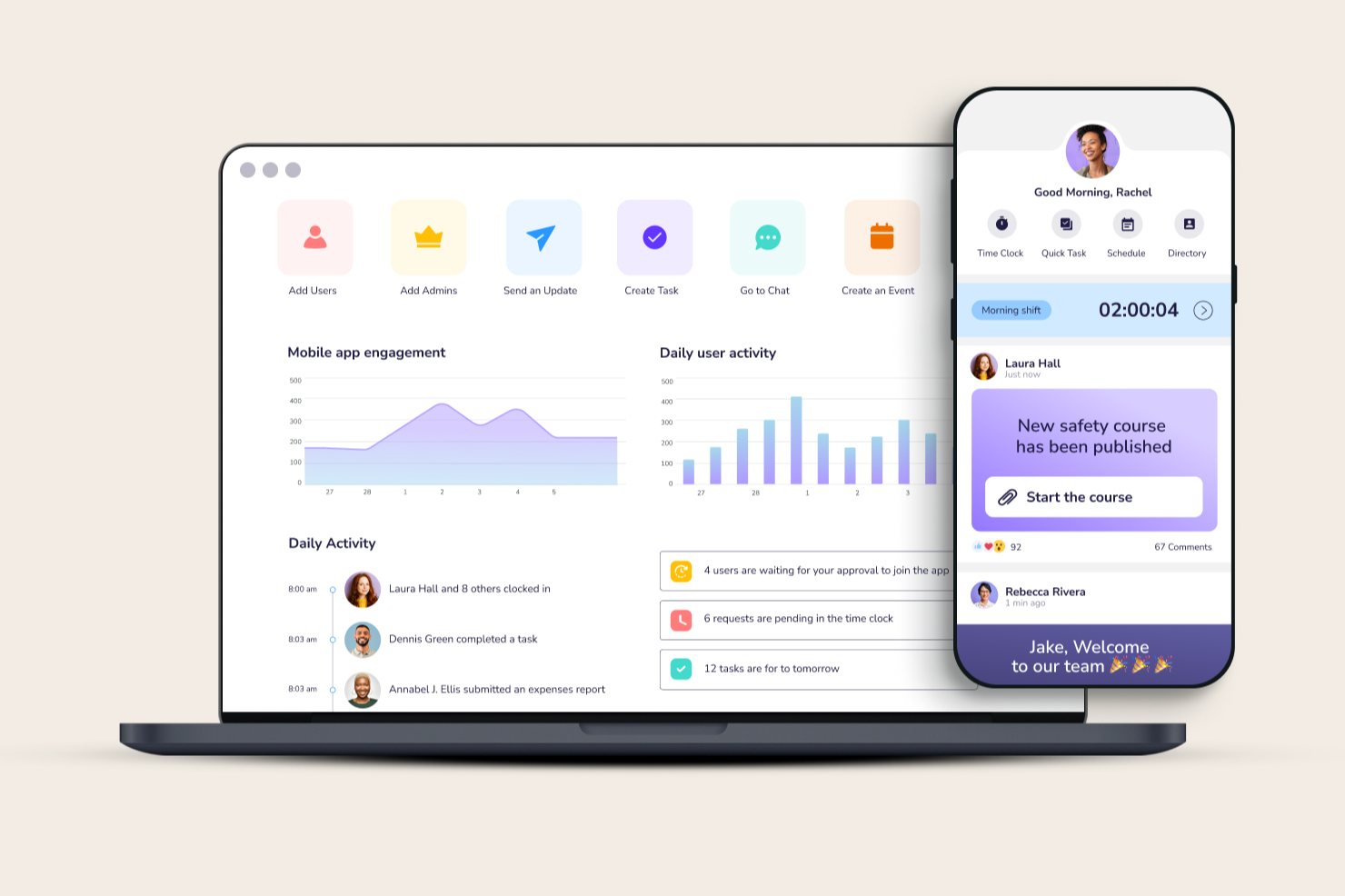
Connecteam es una aplicación integral de gestión de empleados diseñada para optimizar las operaciones, mejorar la comunicación y abordar las necesidades de recursos humanos en empresas con enfoque móvil. Incluye un feed de noticias personalizado de la empresa, mensajería instantánea segura, encuestas para empleados y una base de conocimientos orientada a los empleados.
Por qué elegí Connecteam: Seleccioné Connecteam debido a sus completas funcionalidades que permiten una supervisión en tiempo real de las operaciones, una característica que la diferencia de otras herramientas del mercado. Connecteam ofrece una combinación única de herramientas de comunicación, operación y capacitación en un solo lugar, algo poco común en otros software.
Además de comunicarte directamente con tus empleados o equipos, también puedes usar Connecteam para el control de asistencia, gestión de turnos y seguimiento de tareas, lo que la convierte en una solución ideal para empresas que buscan mayor supervisión sobre las operaciones móviles o en campo.
Características destacadas e integraciones de Connecteam
Características destacadas de Connecteam incluyen sus herramientas de comunicación y gestión de tareas. Los gerentes pueden comunicarse directamente con los empleados a través de su mensajería instantánea segura y luego asignarles tareas de seguimiento directamente desde la aplicación, incluyendo comentarios adicionales y archivos adjuntos. Los empleados pueden marcarlas como completadas mientras trabajan, proporcionando a sus supervisores un informe actualizado del progreso a medida que realizan sus tareas.
Otras funciones útiles incluyen un canal de comunicación dedicado para empleados con actualizaciones dirigidas, funciones de compromiso de equipo, un buzón de sugerencias digital para recopilar comentarios de los empleados, un directorio de empresa con opción de búsqueda y un organigrama.
Las integraciones incluyen Paychex, Xero, Gusto, QuickBooks Payroll (en línea + escritorio), Google Calendar y otros.
Pros and Cons
Pros:
- Interfaz intuitiva y fácil de usar
- Todas las funciones son accesibles desde dispositivos móviles
- Las funciones de gestión de tareas ayudan a mejorar la productividad y la responsabilidad
Cons:
- Funcionalidades offline limitadas
- Principalmente diseñado para dispositivos móviles, lo que puede ser una limitación para usuarios que prefieren soluciones de escritorio
New Product Updates from Connecteam

Connecteam Expands Break and Timesheet Controls
Connecteam adds flexible break thresholds, personalized policies, auto-end options, a centralized exceptions report, and improved timesheet issue visibility to help teams manage breaks and timesheets more effectively. For more information, visit Connecteam’s official site.
 .
.
Nectar
Ideal para comunicaciones internas centradas en el reconocimiento
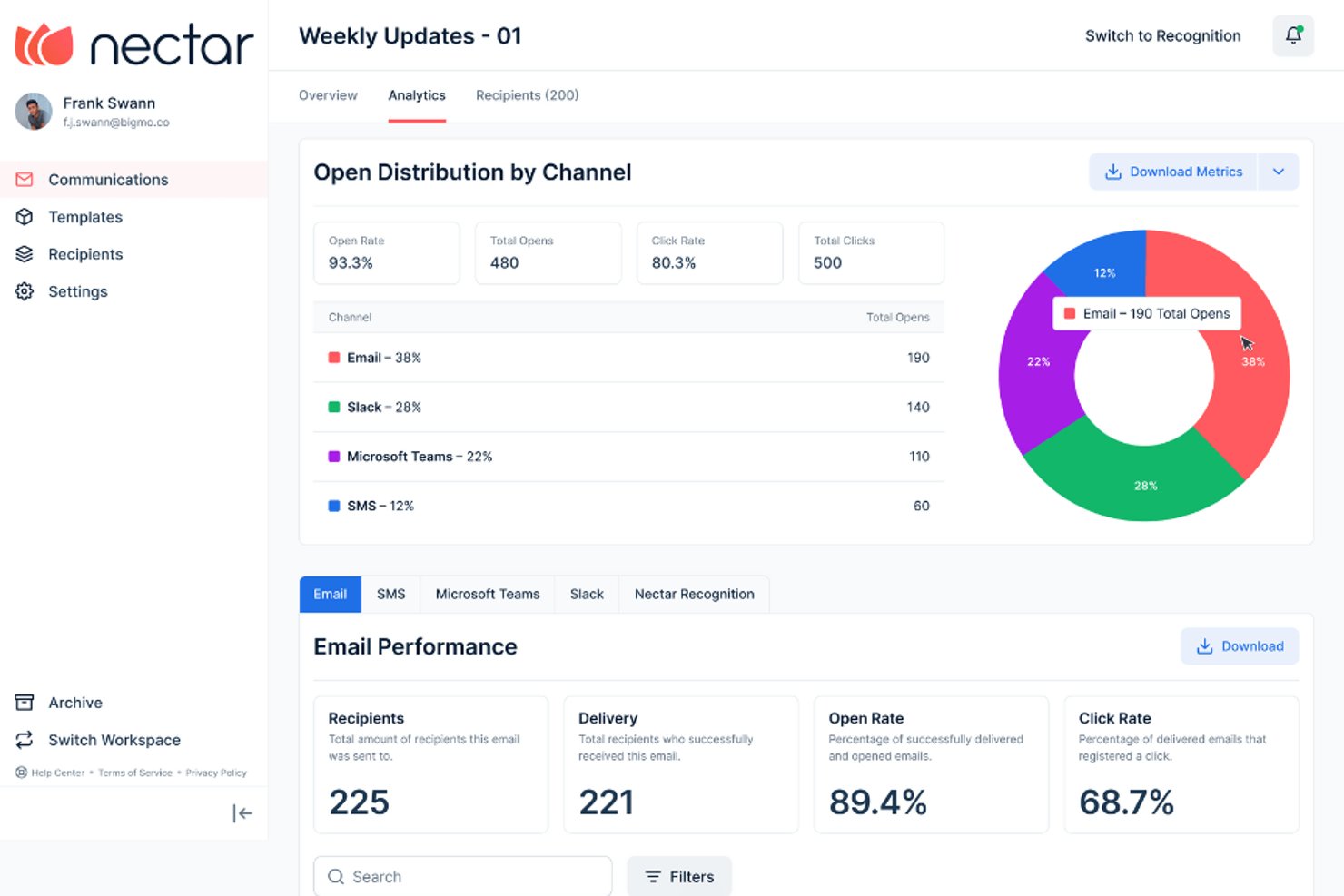
Nectar es una plataforma de comunicaciones internas que combina mensajería multicanal, reconocimiento de empleados, encuestas y análisis de participación en un único espacio de trabajo.
¿Para quién es más adecuado Nectar?
Nectar es ideal para responsables de la experiencia del empleado y equipos de comunicaciones internas que desean gestionar el reconocimiento y los mensajes dirigidos a toda la empresa en una sola plataforma.
Por qué elegí Nectar
Elegí Nectar como una de las mejores opciones porque el reconocimiento y las comunicaciones internas están en la misma plataforma, lo que significa que un reconocimiento público de un gerente y un anuncio para toda la empresa comparten el mismo registro del empleado. Me encanta que Comunicaciones permita enviar mensajes por correo electrónico, SMS, WhatsApp, Slack y Teams desde un único flujo de trabajo, con cambio automático de SMS a WhatsApp para los trabajadores internacionales. Después, Nectar Signals evalúa la salud de la participación de cada equipo en función de esa actividad de mensajería y reconocimiento, para que puedas ver dónde están llegando realmente las comunicaciones.
Características principales de Nectar
- Listas dinámicas de audiencia: Las listas sincronizadas con el HRIS se actualizan automáticamente cuando los empleados se incorporan, cambian de puesto o se marchan, por lo que tus segmentos siguen siendo precisos sin mantenimiento manual.
- Creador de señalización digital: Un editor de arrastrar y soltar te permite crear diapositivas en formato 16:9, agruparlas en colecciones basadas en la ubicación y mostrarlas en reproductores de señalización existentes sin coste adicional.
- Automatización de flujos: Las secuencias automatizadas prediseñadas, con retrasos y ramificaciones, se activan a partir de eventos del HRIS, fechas de contratación o herramientas de terceros como HubSpot, Salesforce y Zapier.
- Chat anónimo SafeTalk: Un canal confidencial de mensajería bidireccional permite a RR. HH. hacer seguimiento privado con los participantes de las encuestas sin revelar su identidad.
Integraciones de Nectar
Nectar ofrece integraciones con ADP, BambooHR, Workday, UKG, Slack, Microsoft Teams, HubSpot, Salesforce, Google Sheets y Zapier. También admite conexiones SFTP, Merge y Open API para datos del HRIS e integraciones personalizadas.
Pros and Cons
Pros:
- Llega a los trabajadores sin escritorio más allá del correo electrónico
- Segmenta a los empleados con actualización automática
- Combina los anuncios con información sobre el reconocimiento
Cons:
- Las respuestas a los anuncios no tienen conversaciones organizadas por hilos
- Los análisis siguen siendo limitados para las empresas grandes
New Product Updates from Nectar

Nectar Enhances Clara AI With Live Platform Data
Nectar introduces live platform data access and expanded knowledge coverage for Clara AI. The updates improve response accuracy and speed while enabling Clara AI to answer questions across more recognition and rewards features. For more information, visit Nectar's official site.
 .
.
Hub
Ideal para conectar equipos en crecimiento y pymes

Hub es un avanzado software de comunicación para empleados diseñado para equipos en crecimiento y pymes, con el objetivo de mejorar la conectividad, la comunicación interna y el compromiso de los empleados.
Por qué elegí Hub: Hub permite la comunicación bidireccional y la colaboración mediante retroalimentación y foros grupales. Puedes dirigir tu comunicación a diferentes audiencias a través de etiquetas inteligentes y correos electrónicos personalizados. También me gusta que incluye herramientas para la comunicación y el análisis del bienestar de los empleados a través de formularios, encuestas y sondeos. Además, Hub facilita el intercambio de recursos y la colaboración entre varias ubicaciones en un espacio de trabajo seguro, e incluye funciones como 'me gusta', comentarios e informes de uso.
Hub es completamente responsivo para dispositivos móviles, permitiendo el acceso remoto a todas las funciones, y ofrece actualizaciones continuas basadas en la retroalimentación del cliente para garantizar que siga siendo una solución de vanguardia para las comunicaciones internas corporativas.
Otra cosa que me llama la atención es el hecho de que Hub promueve la sostenibilidad y plantará 50 árboles por cada nuevo HUB vendido, con un enfoque en proyectos de reforestación comunitarios que apoyan a las comunidades afectadas por el cambio climático. También ofrecen descuentos para pymes y organizaciones sin fines de lucro y no cobran tarifas de instalación, lo que lo convierte en una buena solución para empresas pequeñas y medianas.
Características destacadas e integraciones de Hub
Las características destacadas incluyen acceso a todas las áreas sin costes ocultos ni complementos, actualizaciones gratuitas que garantizan que los usuarios siempre cuenten con la versión más reciente y una interfaz fácil de usar, diseñada para la simplicidad y la facilidad de navegación.
Hub se puede configurar rápidamente, a menudo en menos de 48 horas, ofreciendo una experiencia de intranet totalmente personalizada con la marca de la empresa.
Integraciones incluyen inicio de sesión único, cuentas de correo electrónico y calendario Gmail y Microsoft Outlook, Google Drive, Microsoft OneDrive, SharePoint, fuentes de terceros y widgets HTML, y el software de email marketing Enabler.
Pros and Cons
Pros:
- Completa suite de comunicación
- Microaplicaciones personalizables
- Analítica avanzada con IA
Cons:
- Ligera curva de aprendizaje
- Puede que no sea rentable para pequeños negocios

Zoom
El mejor software de comunicación para videoconferencias

Zoom es una plataforma de videoconferencias para reuniones en línea, seminarios web y chats en vivo a través de su aplicación para escritorio o dispositivos móviles.
Por qué elegí Zoom: Elegí Zoom por sus funciones que me ayudan durante una reunión. El fondo virtual que me permite colocar una imagen o video detrás de mí ayuda a mantener oculta mi ubicación real mientras sigo pareciendo profesional. Otra característica interesante de Zoom es su función de subtítulos traducidos, que facilita que empleados que hablan diferentes idiomas se comuniquen sin necesidad de un intérprete o servicios de traducción.
Características destacadas e integraciones de Zoom:
Zoom destaca por su alta calidad en llamadas de video y audio, asegurando una comunicación clara en cada interacción. Los usuarios pueden interactuar más con funciones como compartir pantalla y reacciones de levantar la mano. Las salas de grupos divididos facilitan discusiones enfocadas en pequeños equipos, mientras que la función de votaciones y preguntas y respuestas mejora la participación de los asistentes. Además, sus capacidades para llamadas telefónicas, con buzón de voz, desvío de llamadas y grabación, lo convierten en una herramienta de comunicación integral.
Las integraciones incluyen Salesforce, HubSpot, Slack, Microsoft Teams, Google Drive, Dropbox Box, Trello, Asana y Fireflies.ai.
Pros and Cons
Pros:
- Video de alta calidad
- Interfaz fácil de usar
- Amplia gama de integraciones
Cons:
- El tiempo de reunión es limitado en la versión gratuita
- A veces la calidad de la llamada es baja

Workvivo
Mejor para fomentar la participación de los empleados
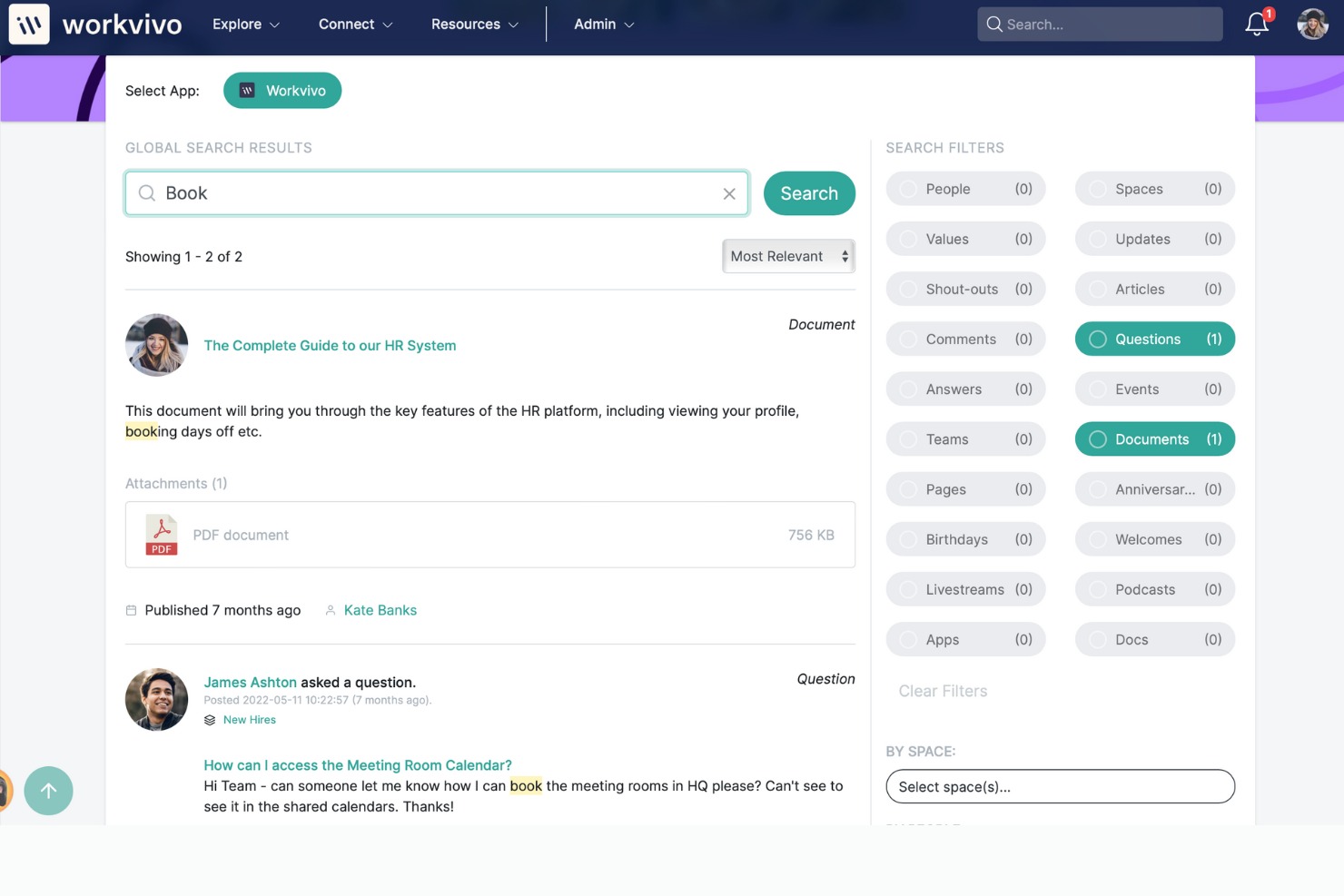
Workvivo es una plataforma de experiencia del empleado que combina funciones de comunicación y herramientas de participación dentro de una intranet social. La plataforma ofrece características que apoyan el intercambio de información, la colaboración y el reconocimiento para dar voz a cada empleado.
Por qué elegí Workvivo: Incluí Workvivo porque destaca la comunicación y el compromiso de los empleados a través de sus capacidades de intranet social. Lo que hace que Workvivo me llame la atención es su habilidad para recopilar y monitorear información del lugar de trabajo en paneles de control y su versatilidad para unir e involucrar a empleados en diversas industrias. La plataforma fomenta la participación de los empleados gracias a su enfoque integral en la comunicación, la amplificación de la cultura y el apoyo al trabajo remoto, elementos fundamentales para promover una plantilla conectada y comprometida.
Funciones y integraciones destacadas de Workvivo:
Algunas de las funciones más destacadas de Workvivo incluyen grupos comunitarios para la colaboración y el intercambio de conocimientos, una intranet social para centralizar la mensajería, un portal de documentos y canales de comunicación inclusivos para interacciones entre líderes y miembros del equipo.
Además, la plataforma proporciona información del lugar de trabajo a través de analíticas y garantiza la seguridad de los datos y la comunicación, mientras permite a los usuarios personalizar su experiencia mediante preferencias y gestión de consentimiento de cookies.
Las integraciones incluyen Google Drive, Microsoft Teams, Salesforce, Slack, Workday, Zoom y otros.
Pros and Cons
Pros:
- Admite múltiples espacios para departamentos y temas
- Recursos de soporte al cliente útiles
- La plataforma ofrece múltiples características para apoyar la participación de los empleados
Cons:
- La aplicación móvil tiene funcionalidad limitada
- Tiene cierta curva de aprendizaje para dominarla
Mejor para mensajería instantánea
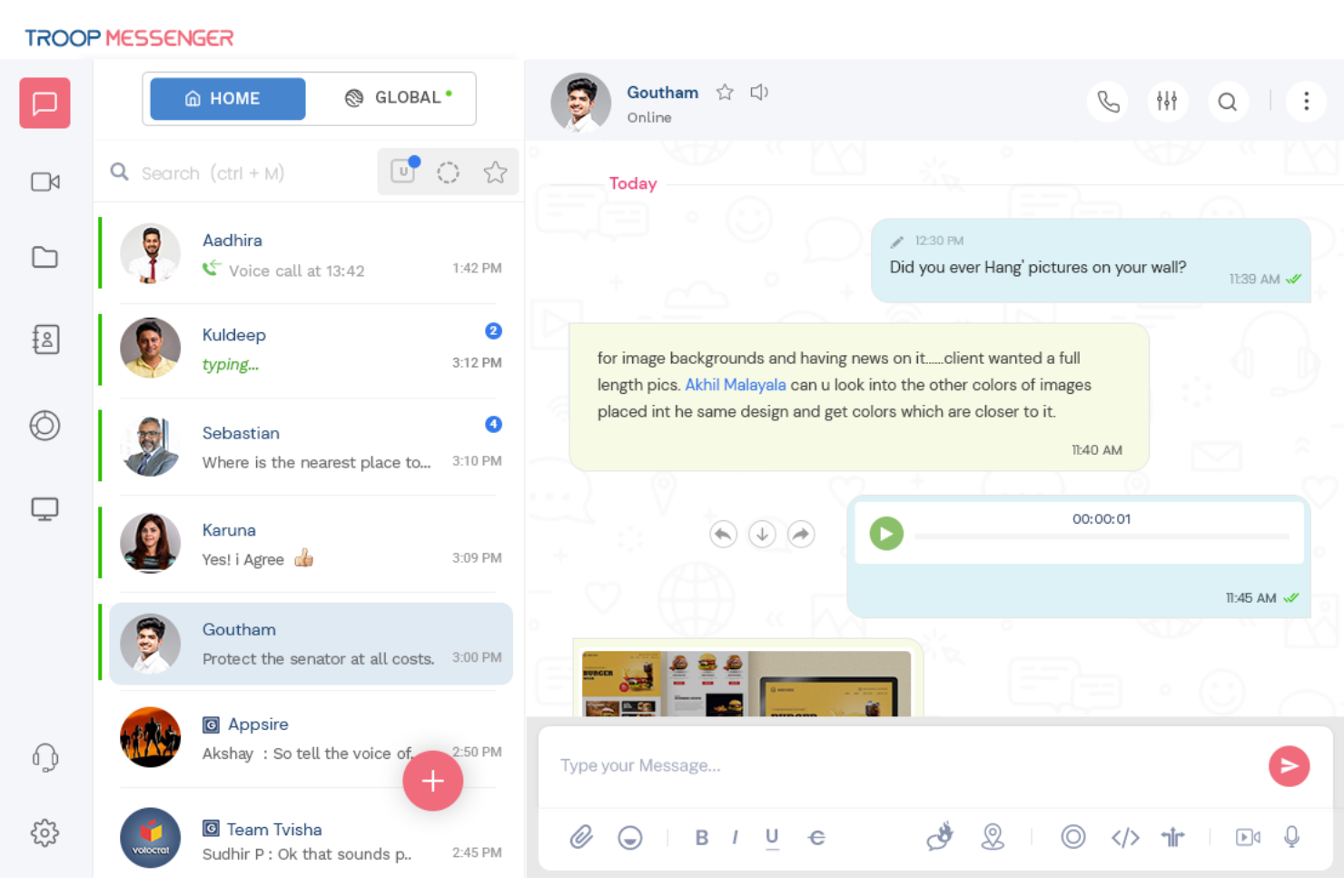
Troop Messenger es una aplicación de mensajería en tiempo real que ayuda a las empresas a gestionar la colaboración y la comunicación en equipo.
Por qué elegí Troop Messenger: Seleccioné Troop Messenger por su función de 'burnout', que ofrece un método exclusivo para chatear de forma privada. Puedes establecer un temporizador y, una vez transcurrido el tiempo, el mensaje desaparece. Es una manera inteligente de mantener una conversación sin dejar evidencia. Otra característica excepcional es 'forkout', que te permite enviar un único mensaje o archivo adjunto a numerosas personas sin crear un grupo.
Funciones destacadas e integraciones de Troop Messenger:
Una función destacada de Troop Messenger es la función 'info', que proporciona información sobre cada mensaje enviado y recibido, como la hora de lectura y entrega. La función 'recall' permite a los usuarios eliminar un mensaje tanto en el lado del remitente como del receptor, pero solo dentro de los diez minutos posteriores al envío.
Además, los mensajes pueden marcarse como importantes y la opción 'Responder más tarde' permite a los usuarios establecer un recordatorio para responder cuando tengan más tiempo disponible.
Las integraciones a través de Zapier incluyen Asana, GitHub, Gmail, Zoom, Google Calendar, Freshdesk, HubSpot, ClickUp, y Microsoft Outlook.
Pros and Cons
Pros:
- Seguro
- Incluye auto-mensajes
- Soporta múltiples idiomas
Cons:
- No cuenta con grabación de reuniones integrada
- Los filtros de chat están ocultos

Mejor software de comunicación de emergencias

AlertMedia es un software de comunicación de emergencias y notificación masiva que ayuda a las empresas a notificar a los empleados sobre emergencias y garantiza que las personas adecuadas reciban información crítica cuando la necesiten.
Por qué elegí AlertMedia: Elegí AlertMedia por su inquebrantable dedicación a mantener a salvo a los empleados. Esta solución integral ofrece notificaciones masivas y un equipo de monitoreo 24/7 para mayor tranquilidad. La aplicación de Monitoreo de Seguridad para Empleados distingue a AlertMedia porque convierte un teléfono móvil estándar en un potente dispositivo de seguridad con acceso directo a la policía. Otro factor importante para mí fue la capacidad de la aplicación para leer y responder a mensajes urgentes de la organización.
Características destacadas e integraciones de AlertMedia:
AlertMedia ofrece características destacadas que mejoran la comunicación en ambos sentidos, permitiendo a las personas confirmar su bienestar o compartir información sobre eventos en curso. Los usuarios pueden enviar notificaciones fácilmente a través de varios canales. AlertMedia también ofrece plantillas de mensajes prediseñadas que garantizan respuestas consistentes durante emergencias, ahorrando un tiempo valioso.
Integraciones disponibles con Fusion Framework System.
Pros and Cons
Pros:
- Notificaciones en tiempo real
- Sistema compatible con GDPR y CCPA
- Soporte al cliente receptivo
Cons:
- Sin prueba gratuita
- El precio no es transparente

Simpplr
Ideal para evaluar el sentimiento de los empleados

Simpplr es una plataforma de comunicación y compromiso para empleados diseñada para simplificar las comunicaciones internas dentro de las organizaciones.
Por qué elegí Simpplr: Elegí Simpplr por su función de análisis prescriptivo, que utiliza datos impulsados por IA para proporcionar información útil sobre el compromiso de los empleados. Combina datos de uso, análisis de sentimiento, señales de comportamiento y retroalimentación para ofrecer recomendaciones personalizadas a las organizaciones sobre acciones futuras. Además, Simpplr incluye una herramienta de gestión del cambio que ayuda a los líderes a comprender el sentimiento de los empleados hacia los cambios organizacionales.
Características destacadas e integraciones de Simpplr:
Simpplr cuenta con una función de búsqueda inteligente potenciada por IA que ayuda a los usuarios a encontrar los resultados más adecuados. La plataforma posee una interfaz sencilla e intuitiva que incluso las personas no técnicas pueden manejar fácilmente, permitiéndoles organizar propiedades en toda la organización. Con la personalización en la entrega de contenido, cada empleado puede recibir información relevante para sus necesidades.
Las integraciones incluyen BambooHR, Dropbox, Google Drive, Microsoft 365, Microsoft Teams, Okta, Salesforce, SharePoint/OneDrive, Slack y Confluence.
Pros and Cons
Pros:
- Interfaz intuitiva
- Equipo de implementación que brinda soporte
- Aplicación móvil
Cons:
- Es necesaria una cotización personalizada para conocer el costo exacto
- No se pueden crear páginas ocultas

Flock
Ideal para comunicarte con clientes
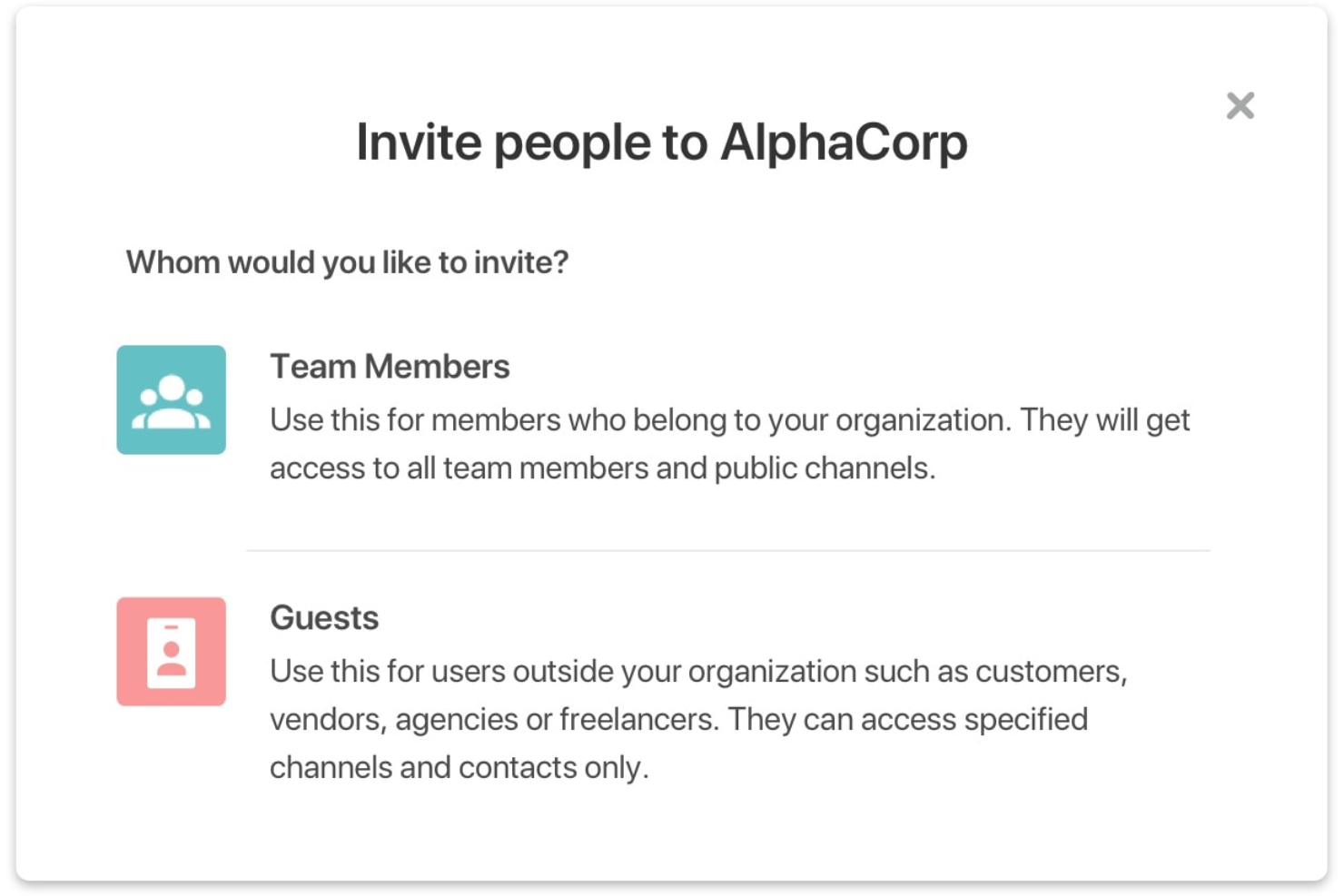
Flock es una herramienta de comunicación y colaboración diseñada para agilizar la comunicación en equipo y aumentar la productividad.
Por qué elegí Flock: Elegí Flock por su impresionante capacidad para ampliar el círculo de colaboración. Invitar a usuarios invitados asegura que las decisiones no se basen solo en opiniones internas, sino que también se tomen en cuenta los valiosos comentarios de partes interesadas externas.
Otra característica distintiva es la opción de notas de voz. Hay momentos en que escribir no logra captar los matices de un mensaje, así que enviar notas de voz ayuda a comparar y juzgar los tonos, lo que facilita determinar el contexto o énfasis de una conversación.
Características e integraciones destacadas de Flock:
Una de las características más destacadas de Flock es su sistema de mensajería por canales, que permite a los usuarios organizar sus conversaciones. Con esta función, los usuarios pueden crear canales para proyectos y prioridades específicas, facilitando la realización de reuniones estratégicas, sesiones de lluvia de ideas y obtener retroalimentación instantánea. Flock también ofrece videoconferencias y llamadas de voz dentro de la aplicación, lo que permite a los equipos reunirse incluso estando en diferentes lugares. Además, la función de búsqueda integrada en Flock ayuda a los usuarios a encontrar la información necesaria rápidamente.
Las integraciones incluyen Asana, Dropbox Business, GitHub, Google Analytics 360, Google Drive, Google Workspace, Jira, Mailchimp, Trello y Twitter.
Pros and Cons
Pros:
- Fácil de usar
- Aplicación móvil
- Precios especiales para organizaciones sin fines de lucro
Cons:
- Personalización limitada
- Interfaz recargada

GoToConnect
Mejor sistema de comunicación telefónica virtual

GoToConnect es un software todo-en-uno de teléfono, reuniones y mensajería diseñado para pequeñas empresas.
Por qué elegí GoToConnect: Elegí GoToConnect por sus funciones avanzadas y fáciles de usar para llamadas VOIP, que permiten a los equipos ofrecer un excelente servicio al cliente desde cualquier lugar. Con funciones como recepcionistas virtuales y buzón de voz, siempre es posible conectarse con clientes y compañeros de trabajo. El buzón de voz virtual te permite escuchar mensajes desde cualquier lugar, lo que hace más fácil priorizar los importantes.
Funciones destacadas e integraciones de GoToConnect:
GoToConnect permite a las empresas configurar rápidamente nuevos números de teléfono o usar los que ya tienen. Ofrecen conferencias de audio empresariales, admitiendo llamadas con hasta 250 personas. Sus videoconferencias son seguras y pueden realizarse desde cualquier lugar y en cualquier dispositivo.
Integraciones incluyen Zendesk, Salesforce, Miro, Microsoft Teams, Google Calendar, Salesforce Lightning, Prezi, Docebo y CirQlive.
Pros and Cons
Pros:
- Fácil de usar
- Atención al cliente 24/7
- Excelente calidad de sonido
Cons:
- Depende de la conexión a internet
- No hay aplicación móvil para el portal de administración
Otras opciones
Estas son otras herramientas de comunicación que no llegaron a estar entre mis 10 principales, pero que aún vale la pena considerar:
- MyHub
La mejor opción para acceso móvil a la intranet
- Microsoft Teams - Frontline Workforce
Mejor para trabajadores de primera línea
- Atlas
Ideal para una comunicación de proyectos cohesionada
- Mattermost
Mejor software de comunicación segura
- HubEngage
El mejor software para comunicaciones multicanal
- Slack
Ideal para equipos remotos


Cómo evalúo el software de comunicación
Divido mi evaluación en capacidades básicas—como el alcance multicanal y la sincronización con sistemas HRIS—y diferenciadores que importan cuando te comunicas con una fuerza laboral global y sin escritorio.
Funcionalidad Principal (Requisitos Básicos para esta Lista)
Cuando selecciono herramientas para mi lista, califico cada una en una escala del 0 (no ofrece la funcionalidad) al 5 (destaca en esta área) para cada funcionalidad principal que se indica a continuación. Luego, calculo la puntuación total de la herramienta en porcentaje. Cada herramienta debe alcanzar una puntuación total mínima del 65% para ser considerada en la inclusión.
- Mensajería Multicanal: Reviso cuántos canales de entrega soporta una plataforma—correo electrónico, SMS, notificaciones push, mensajes dentro de la app y en escritorio—y si se gestionan desde un mismo flujo de envío.
- Segmentación de Audiencia: La capacidad de dirigir mensajes por departamento, ubicación o puesto es importante, especialmente cuando Recursos Humanos necesita llegar a personal de almacén por separado de los equipos de oficina.
- Comunicación Bidireccional: Evalúo si los empleados pueden responder a través de comentarios, encuestas o sondeos, ya que las transmisiones unidireccionales no dan al equipo de RRHH el ciclo de retroalimentación necesario.
- Analíticas de Participación: Tableros que muestran tasas de apertura, confirmaciones de lectura y clics a nivel de segmento me ayudan a determinar si una herramienta proporciona a los comunicadores una verdadera visibilidad de su alcance.
- Integración con HRIS: Conectar con sistemas como Workday, BambooHR o ADP para sincronizar automáticamente datos de empleados y estructuras organizativas ahorra a los equipos de RRHH el mantenimiento manual de listas de distribución.
- Accesibilidad Móvil: Verifico la existencia de una app móvil dedicada con notificaciones push, ya que llegar a trabajadores de primera línea y sin escritorio, que no tienen correo corporativo, depende completamente del acceso móvil.
Una vez que tengo una lista de herramientas que cumplen con los criterios, considero qué distingue a cada plataforma.
Factores Diferenciadores (Lo que Distingue a los Proveedores)
Así es como comparo y contrasto a los diferentes proveedores:
Características Destacadas
El soporte multilingüe es clave para organizaciones con fuerza laboral global—busco plataformas que traduzcan mensajes automáticamente para que RRHH no tenga que crear versiones manualmente por región. El modo de comunicación de crisis es otra característica que evalúo cuidadosamente, ya que situaciones urgentes como incidentes de seguridad requieren acuse de recibo obligatorio y entrega rápida. La programación de campañas con envíos conscientes de zona horaria también importa cuando se coordina una campaña de inscripción abierta en varias oficinas.
Más Allá de las Características
El cumplimiento y la seguridad cobran mucha importancia cuando los datos de los empleados circulan entre sistemas—verifico certificación SOC 2 Tipo II, soporte para SSO/SAML, y controles de acceso por roles, especialmente para organizaciones en industrias reguladas como salud. El soporte en implementación es otro factor que evalúo, ya que desplegar una nueva plataforma de comunicaciones a miles de empleados requiere manuales de adopción y orientación en gestión del cambio. La transparencia en precios también cuenta—observo si los costos por empleado son claros y si los canales premium como SMS están incluidos o se facturan aparte.
Cómo elegir el mejor programa de comunicación
Es fácil perderse entre largas listas de características y estructuras de precios complejas. Para ayudarte a mantener la concentración mientras avanzas en tu proceso único de selección de programas, aquí tienes una lista de factores que debes tener en cuenta:
| Factor | Qué debes considerar |
|---|---|
| Escalabilidad | ¿Puede la herramienta crecer junto con tu plantilla y estructura? Busca niveles de usuarios y funciones administrativas flexibles. Evita límites rígidos de puestos que obliguen a realizar actualizaciones anticipadas. |
| Integraciones | ¿Se conecta con tu HRIS, calendario o herramientas de proyectos? Las integraciones deficientes generan trabajo duplicado y mensajes perdidos. Comprueba si dispone de API nativas o personalizadas. |
| Personalización | ¿Puedes adaptar la marca, las notificaciones y los flujos de trabajo? Los equipos de RR. HH. a menudo necesitan flujos de aprobación específicos o plantillas de mensajes. Evita las herramientas con limitaciones que intentan adaptarse a todos por igual. |
| Facilidad de uso | ¿El personal no técnico la adoptará rápidamente? Comprueba que las interfaces sean intuitivas y que las necesidades de capacitación sean mínimas. Los paneles poco prácticos suelen frenar la implementación. |
| Implementación e incorporación | ¿Cuánto tiempo y esfuerzo interno requerirá la configuración? Pregunta por la asistencia durante la incorporación, las estimaciones de plazos y la ayuda para migrar datos. Planifica al menos entre 2 y 6 semanas para la implementación. |
| Coste | ¿Hay tarifas por usuario, contratos anuales o costes administrativos ocultos? Compara el precio con el uso previsto y las necesidades de asistencia. Reserva aproximadamente entre un 10 % y un 20 % por encima del precio base. |
| Medidas de seguridad | ¿Admite SSO, acceso basado en roles y cifrado de datos? Las comunicaciones de RR. HH. suelen contener información confidencial; confirma que cumpla las normas informáticas de tu organización. |
| Disponibilidad de asistencia | Cuando algo falla, ¿con qué rapidez puedes obtener ayuda? Busca chat en directo o representantes dedicados. Las largas colas de tickets pueden interrumpir los flujos de trabajo urgentes de RR. HH. |
¿Qué es un programa de comunicación?
Un programa de comunicación es un conjunto de herramientas y aplicaciones que ayudan a facilitar y hacer más eficiente la comunicación interna dentro de una organización. Estas herramientas permiten que los líderes, gerentes y el personal de RR. HH. se conecten al instante con sus empleados mediante mensajes directos o llamadas de voz y vídeo, lo que les ayuda a compartir información y colaborar en tareas con mayor facilidad. Los programas de comunicación también son compatibles con dispositivos móviles, lo que mantiene conectados a los equipos sin importar desde dónde inicien sesión.
Invertir en un software de comunicaciones sólido puede mejorar la productividad de su organización y aumentar la participación al mejorar la colaboración y la conectividad entre los miembros del equipo. Estas soluciones también ayudan a las organizaciones a comunicarse a gran escala, incluida la posibilidad de segmentar fácilmente los mensajes por equipos, departamentos o ubicaciones de trabajo para difundir información más relevante.
Características de las herramientas de comunicación en línea
Al seleccionar un software de comunicaciones, preste atención a las siguientes características clave:
- Mensajería instantánea: Permite que los miembros del equipo se comuniquen internamente en tiempo real, lo cual es importante para tomar decisiones rápidas.
- Confirmaciones de lectura: Muestra quién ha visto sus mensajes para que pueda hacer un seguimiento del alcance de la comunicación.
- Segmentación de la audiencia: Permite enviar actualizaciones a grupos o departamentos específicos para mantener la comunicación relevante.
- Mensajería bidireccional: Permite que los empleados respondan o hagan preguntas directamente en la plataforma.
- Acceso móvil: Garantiza que los miembros del equipo puedan recibir y enviar mensajes desde cualquier lugar mediante aplicaciones móviles.
- Compatibilidad con contenido multimedia: Permite incluir imágenes, archivos, vídeos o documentos para hacer que los mensajes sean más atractivos.
- Videoconferencias: Permite la comunicación cara a cara en tiempo real para ayudar a construir relaciones más sólidas.
- Fijación de anuncios: Mantiene los mensajes importantes visibles en la parte superior de una fuente o canal.
- Compatibilidad con idiomas: Proporciona traducciones o localización para que los equipos globales comprendan los mensajes.
- Archivos con búsqueda: Permite encontrar rápidamente comunicaciones anteriores cuando sea necesario.
- Notificaciones y alertas: Permite personalizar las notificaciones para garantizar que los miembros del equipo estén al tanto de las actualizaciones importantes.
- Controles de administración: Ofrece a los responsables de RR. HH. y de comunicaciones la posibilidad de gestionar permisos y supervisar el uso.
- Seguridad y cumplimiento: Funciones de seguridad sólidas y cumplimiento de los estándares del sector para proteger la información confidencial y garantizar que se cumplan los requisitos normativos.
Elegir las herramientas adecuadas para la comunicación en línea con estas características puede ayudar a mejorar la productividad general y la colaboración de su equipo. Al centrarse en los aspectos clave que tienen más sentido para su empresa, puede garantizar que su equipo tome decisiones de manera más eficaz.
Beneficios del software de comunicaciones
La implementación de herramientas de comunicación, ya sea para la gestión de proyectos, la gestión de RR. HH. o las operaciones generales de la empresa, proporciona varios beneficios para su equipo y su negocio. Estos son algunos de los que puede esperar:
- Mejores hábitos de comunicación: Los recordatorios y análisis integrados ayudan a los equipos a enviar mensajes con mayor claridad y coherencia.
- Actualizaciones más rápidas: Puede enviar mensajes rápidamente para que todos reciban la información que necesitan sin demora.
- Menos mensajes ignorados: Las herramientas que llegan a las personas a través de varios canales ayudan a garantizar que su equipo no pase por alto nada importante.
- Menos tiempo persiguiendo respuestas: Las herramientas de comentarios, como las encuestas y el seguimiento de lecturas, ayudan a saber quién participa sin tener que enviar recordatorios constantes.
- Mejor alineación del equipo: Cuando todos ven las mismas actualizaciones en un solo lugar, es más fácil estar al tanto de todo.
- Planificación más sencilla de los mensajes: La programación y las plantillas simplifican la preparación y el envío anticipado de anuncios.
- Información más accesible: Con el acceso móvil y las funciones de búsqueda, las personas pueden encontrar mensajes anteriores cuando los necesitan.
Invertir en plataformas de comunicación puede mejorar la forma en que su equipo interactúa y colabora, lo que conduce a mejores resultados organizativos y a un entorno de trabajo más coordinado.
Costos & precios del software de comunicaciones
Seleccionar un software de comunicación interna requiere comprender los diversos modelos y planes de precios disponibles. Los costos varían según las características, el tamaño del equipo, los complementos y otros factores. La siguiente tabla resume los planes habituales, sus precios medios y las características típicas incluidas en las soluciones de software de comunicación interna:
Tabla comparativa de planes para herramientas de comunicación
| Tipo de plan | Precio medio | Características comunes |
|---|---|---|
| Plan gratuito | $0 | Mensajería básica, usuarios limitados, almacenamiento mínimo y asistencia de la comunidad. |
| Plan personal | $5–$10/usuario/mes | Mensajería individual, historial de mensajes, plantillas básicas y análisis sencillos. |
| Plan empresarial | $12–$25/usuario/mes | Canales de grupo, programación, integraciones, seguimiento de mensajes y permisos de usuario. |
| Plan para empresas | $30–$60/usuario/mes | Marca personalizada, seguridad avanzada, controles de administración, asistencia dedicada y auditorías. |
Preguntas frecuentes sobre el software de comunicaciones
Aquí encontrarás respuestas a algunas preguntas frecuentes relacionadas con el software de comunicaciones y sus beneficios:
¿Cuáles son los beneficios de utilizar un software de comunicaciones?
El software de comunicaciones ayuda a las organizaciones a agilizar la comunicación interna, mejorar el compromiso de los empleados, aumentar la productividad y garantizar que la información importante se difunda de forma rápida y eficiente.
¿Cuáles son algunas buenas prácticas para la comunicación interna?
Entre las buenas prácticas para la comunicación interna se incluyen establecer metas y objetivos claros, fomentar una comunicación abierta y transparente, utilizar los canales adecuados para cada tipo de mensaje y evaluar periódicamente la eficacia de las estrategias de comunicación. Para los responsables de RR. HH., mantenerse al día con las últimas buenas prácticas de comunicación puede marcar una verdadera diferencia.
¿Cómo puede el software de comunicación mejorar las operaciones empresariales?
El software de comunicación puede mejorar las operaciones empresariales al facilitar la colaboración en tiempo real, reducir las barreras de comunicación, mejorar el compromiso de los empleados y agilizar los flujos de trabajo, lo que en última instancia se traduce en una mayor productividad y eficiencia.
¿Cómo puedo integrar las herramientas de comunicación con otro software de mi conjunto tecnológico?
Para integrar las herramientas de comunicación con otro software de tu conjunto tecnológico, empieza por hacer un inventario de las plataformas que tu equipo ya utiliza, como sistemas de RR. HH., calendarios o herramientas de gestión de proyectos, y elige soluciones que se conecten fácilmente con ellas. Por ejemplo, los responsables de RR. HH. necesitarán herramientas de comunicación que se integren con plataformas HRIS para coordinar las actualizaciones de los empleados y la incorporación, mientras que quienes gestionan proyectos necesitarán herramientas de comunicación para proyectos que se sincronicen con herramientas como Asana o Jira, con el fin de mantener las tareas, las actualizaciones y los debates en un solo lugar. El mejor software de comunicación admite integraciones nativas o plataformas de automatización, de modo que todo funcione conjuntamente sin esfuerzo manual adicional.
Otras reseñas de software de comunicaciones
También he realizado reseñas exhaustivas de otros programas de comunicaciones. No dudes en consultarlas si te interesa:
- Software de comunicaciones para empleados para la comunicación interna
- Aplicaciones de comunicación de equipos para equipos híbridos
- Soluciones de software de intranet para conectar equipos
- Software de trabajo remoto para equipos distribuidos
- Software de colaboración remota para equipos híbridos
Reflexiones finales
Elegir el software de comunicación adecuado para tu organización depende de tus necesidades específicas y de tu presupuesto. Cada herramienta de esta lista tiene sus propios beneficios y puede ayudarte a gestionar diversos aspectos de la comunicación. Recuerda que el software ideal se integra sin dificultades con tus flujos de trabajo existentes.
Antes de irte, suscríbete al boletín de People Managing People para mantenerte al día sobre las últimas novedades en software de comunicación.