

Los 10 mejores programas de RR. HH. todo en uno analizados en 2026

10 Lista de las mejores soluciones de software de RR. HH. todo en uno


Gestionar los RR. HH. mediante herramientas desconectadas ralentiza todo. Las nóminas están en un sistema. La selección de personal, en otro. Las evaluaciones del rendimiento se realizan en un lugar completamente distinto.
El software de RR. HH. todo en uno resuelve este problema al centralizar las funciones principales de RR. HH., desde los datos de los empleados y la incorporación hasta las nóminas, los beneficios, el cumplimiento normativo y la gestión del rendimiento, en una única plataforma.
Pero aquí está el desafío: no todas las soluciones «todo en uno» son realmente completas. Algunas se centran especialmente en las nóminas. Otras priorizan la selección de personal o el cumplimiento normativo internacional. La elección adecuada depende del tamaño de tu empresa, tus planes de crecimiento y la complejidad de tus operaciones.
He probado y analizado de forma independiente las principales plataformas de RR. HH. todo en uno disponibles actualmente para identificar cuáles ofrecen realmente una funcionalidad unificada.
A continuación, encontrarás un análisis detallado de las mejores opciones, incluidos sus puntos fuertes, sus desventajas y para quién son más adecuadas. Tanto si estás consolidando herramientas como si vas a implementar tu primer sistema de RR. HH., esta guía te ayudará a elegir con claridad.
Por qué confiar en nuestras reseñas de software
Nuestro equipo lleva probando y evaluando software desde 2012. Como expertos en RR. HH., sabemos lo difícil —y lo importante— que es elegir el software adecuado.
Para esta guía, evaluamos las herramientas mediante pruebas prácticas e investigación independiente, puntuando las herramientas según nuestros criterios de selección. También nos basamos en la experiencia de líderes de opinión del sector y de profesionales de RR. HH. en activo.
Nuestras reseñas reflejan nuestro criterio editorial humano, no un discurso de ventas.
Revisores expertos:
Tabla comparativa de software de RR. HH. todo en uno
Esta tabla comparativa resume los detalles de precios de mi selección de los mejores programas de RR. HH. todo en uno.
| Tool | Best For | Trial Info | Price | ||
|---|---|---|---|---|---|
| 1 | La mejor opción como IA para empresas | Demostración gratuita disponible | Desde $8/usuario/mes | Website | |
| 2 | Mejor con automatización avanzada de RRHH impulsada por IA | Demostración gratuita disponible | Precio a consultar | Website | |
| 3 | Ideal para funciones de adquisición de talento | Demo gratuita disponible | Precio a consultar | Website | |
| 4 | Ideal para empresas de rápido crecimiento | Demo gratuita disponible | Desde $2.50/empleado/mes | Website | |
| 5 | Ideal para la gestión de equipos remotos | Demo gratuita disponible | Precio a consultar | Website | |
| 6 | Ideal para flujos de trabajo personalizables | Demostración gratuita disponible | Desde $5/empleado/mes | Website | |
| 7 | Ideal para las necesidades de recursos humanos de pequeñas empresas | Demostración gratuita disponible | Desde $4/usuario/mes + $50/mes | Website | |
| 8 | Ideal para la satisfacción del empleado | Prueba gratuita disponible | Desde $10/empleado/mes | Website | |
| 9 | Ideal para integraciones con una amplia variedad de aplicaciones empresariales | Demostración gratuita disponible | Desde $8/empleado/mes + cuota base mensual | Website | |
| 10 | Ideal para nómina y cumplimiento unificados en un HRIS | Demo gratuita disponible | Desde $5/empleado/mes | Website |

Análisis del mejor software de RR. HH. todo en uno
A continuación se incluyen mis resúmenes detallados de los mejores programas de RR. HH. todo en uno que han entrado en mi lista de preseleccionados. Mis análisis ofrecen una visión detallada de las funciones principales, las ventajas y desventajas, las integraciones y los casos de uso ideales de cada herramienta para ayudarte a encontrar la más adecuada para ti.

La mejor opción como IA para empresas
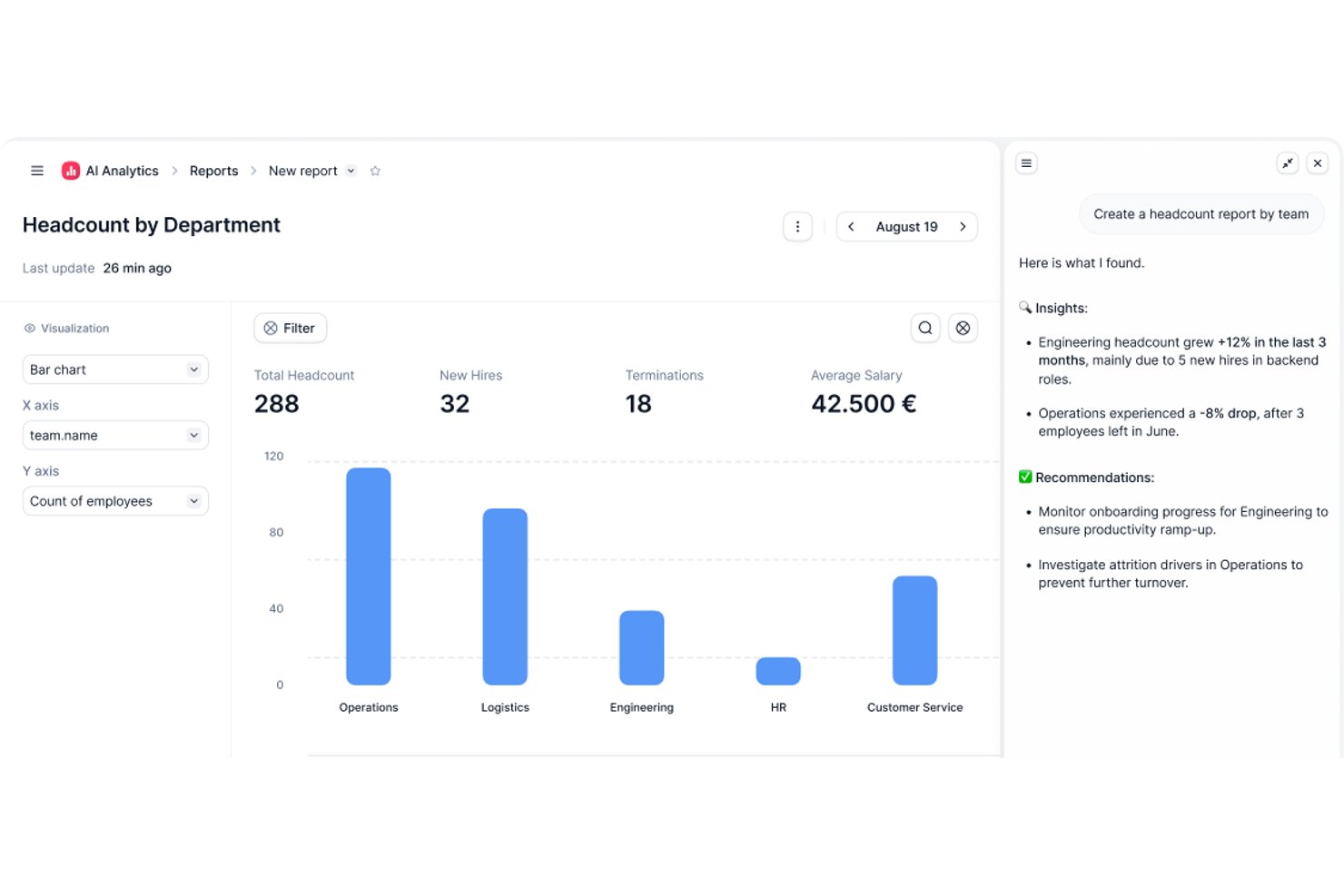
Factorial es una plataforma de RR. HH. impulsada por IA que abarca el registro de horas, la gestión de ausencias, la incorporación, el desempeño, los beneficios y la preparación de nóminas en un solo sistema.
¿Para quién es más adecuado Factorial?
Factorial es adecuado para empresas en crecimiento que quieren integrar la IA en las operaciones diarias, desde la programación y la elaboración de informes hasta la respuesta a preguntas de los empleados sobre las políticas de la empresa, sin tener que gestionar herramientas independientes para cada tarea.
Por qué elegí Factorial
Elegí Factorial como una de las mejores opciones porque su IA se encuentra en el centro de las operaciones diarias, en lugar de funcionar como una característica añadida. He visto cómo responde al instante a preguntas de los empleados sobre las políticas de la empresa, crea horarios y genera informes automáticamente, tareas que normalmente consumen una parte considerable de la semana del equipo de RR. HH. Lo que me parece especialmente convincente es cómo esa capa de IA se conecta entre módulos como el registro de horas, la programación y el desempeño, para que tu equipo no tenga que cambiar de contexto para obtener respuestas.
Características principales de Factorial
- Evaluaciones del desempeño de 360 grados: Los empleados, compañeros y gerentes pueden aportar comentarios mediante ciclos de evaluación estructurados integrados en la plataforma.
- Registro de horas mediante geolocalización y códigos QR: El personal registra su entrada y salida mediante su ubicación o un código QR escaneable, desde un ordenador o un dispositivo móvil.
- Programación automatizada de turnos: Los gerentes pueden crear, rotar y asignar turnos en bloque sin tener que elaborar manualmente cada horario.
- Firma electrónica de documentos de RR. HH.: Los empleados pueden firmar contratos, formularios de incorporación y otros documentos digitalmente sin salir de la plataforma.
Integraciones de Factorial
Factorial ofrece 72 integraciones del mercado, entre ellas Silae, DATEV LODAS, Microsoft Power BI, Okta, Slack, Recruitee y Zapier. También proporciona una API REST pública y webhooks para integraciones personalizadas.
Pros and Cons
Pros:
- La IA responde a las preguntas de los empleados sobre las políticas de la empresa
- Registro de entrada desde el móvil y calendarios de ausencias compartidos
- La documentación y las tareas de incorporación permanecen centralizadas
Cons:
- Las ejecuciones de nómina requieren proveedores externos
- Los informes personalizados sobre la plantilla pueden requerir trabajo manual

HiBob
Mejor con automatización avanzada de RRHH impulsada por IA
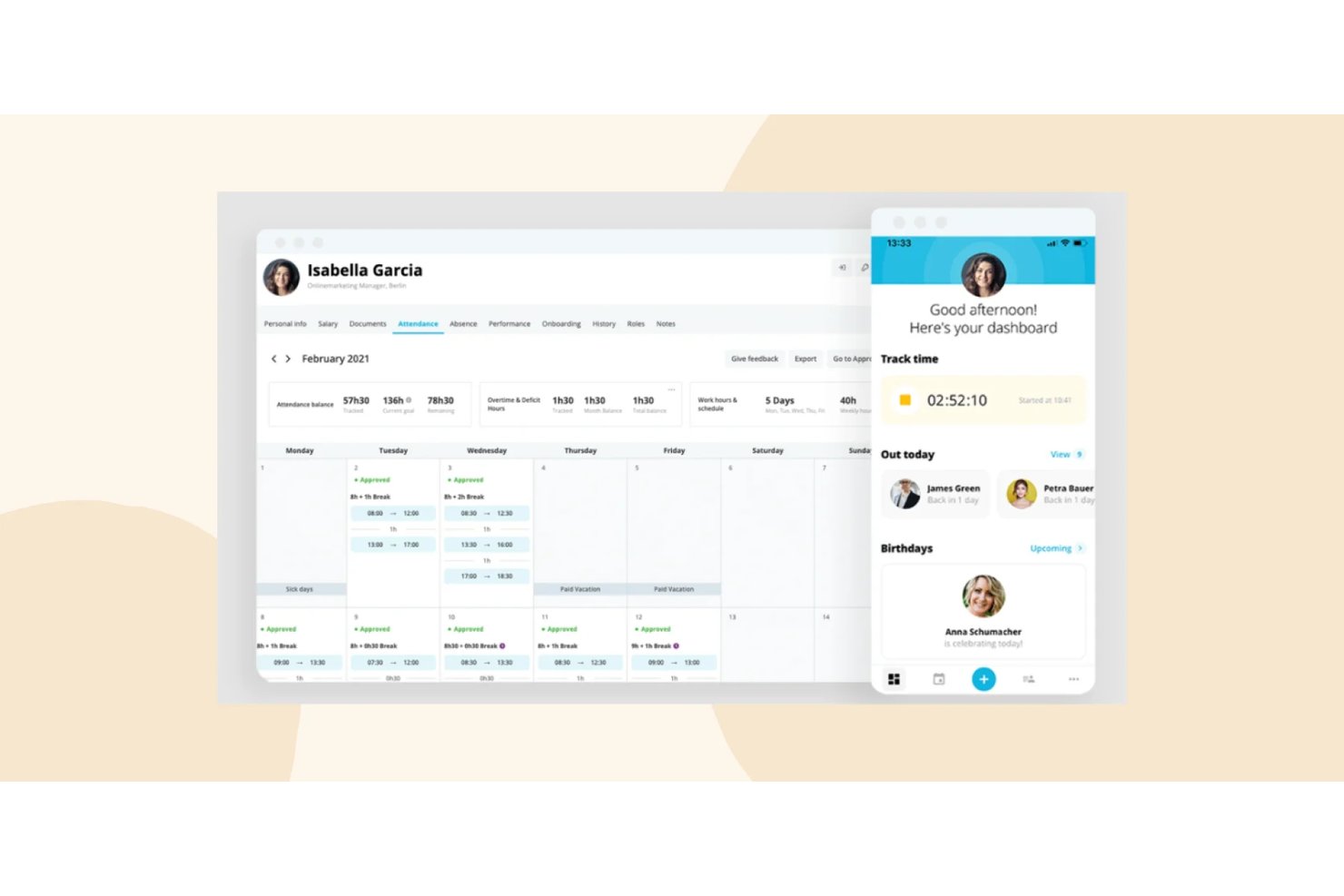
HiBob (Bob) es una plataforma modular e integral de recursos humanos que abarca el núcleo HRIS, nómina, control de tiempo y asistencia, beneficios, incorporación, gestión del desempeño, compensación y planificación de la fuerza laboral en un solo sistema.
¿Para quién es mejor HiBob?
HiBob es ideal para empresas de mercado medio, distribuidas globalmente, que necesitan una plataforma de RRHH escalable en múltiples regiones y para diversas poblaciones de empleados.
Por qué elegí HiBob
HiBob se gana su lugar como una de las mejores en mi lista porque la IA está realmente integrada en toda la plataforma, no añadida superficialmente. Me gusta que el AI Companion de Bob me permita consultar datos de personas en lenguaje natural y generar automáticamente evaluaciones de desempeño y descripciones de puestos al instante. Además, HiBob cuenta con la certificación ISO 42001, el estándar de gestión de IA, logrado por muy pocas plataformas de RRHH, lo que me inspira verdadera confianza en la gobernanza de la inteligencia artificial.
Características clave de HiBob
- Portal de autoservicio para empleados: Permite a los empleados gestionar sus propios datos personales, ausencias, documentos y beneficios.
- Flujos de trabajo de incorporación configurables: Automatiza tareas para nuevos empleados, firma de documentos y pasos de cumplimiento para cada rol o ubicación.
- Analítica de personas e informes: Ofrece paneles personalizables para recuento de personal, métricas DEI, rotación y análisis de compensación.
- Mercado de integraciones: Ofrece conectores predefinidos para herramientas como Slack, Microsoft 365 y sistemas de RRHH para sincronizar datos entre plataformas.
Integraciones de HiBob
HiBob ofrece integraciones nativas con Slack, Microsoft 365, Google Workspace, Greenhouse, Jira, Okta y Workable. Hay una API disponible para integraciones personalizadas.
Pros and Cons
Pros:
- Funciones impulsadas por IA integradas de forma nativa en toda la plataforma
- Paneles sólidos de analítica de personas e informes DEI
- Flujos de trabajo de incorporación y salida altamente configurables
Cons:
- La nómina no es nativa en la mayoría de las regiones
- La personalización de informes requiere un tiempo de configuración considerable

Ideal para funciones de adquisición de talento

Si formas parte de una empresa que gestiona nóminas, adquisición de talento y administración de beneficios, Paylocity puede ser justo lo que necesitas. Esta plataforma atiende a diversas industrias, incluidas la educación, la atención médica y la tecnología, y tiene como objetivo simplificar tus procesos de RR.HH. mientras mejora la experiencia de los empleados.
Por qué elegí Paylocity
Elegí Paylocity porque su capacidad única para integrar funciones de RR.HH., finanzas y TI en una sola plataforma destaca como una ventaja significativa para las empresas que buscan una solución integral de recursos humanos. La gestión integral de nóminas de Paylocity garantiza que puedas manejar el procesamiento de pagos con facilidad y precisión. Además, sus funciones de adquisición de talento están diseñadas para agilizar los esfuerzos de reclutamiento, haciendo que el proceso de contratación sea más eficiente. La plataforma también ofrece herramientas para la experiencia del empleado que potencian a tu fuerza laboral y mejoran el compromiso, lo cual es crucial para retener a los mejores talentos.
Características clave de Paylocity
Además de sus capacidades destacadas, también encontré varias otras funciones que mejoran su funcionalidad todo en uno para RR.HH.:
- Gestión de gastos: Esta función te permite automatizar y agilizar la gestión de los gastos de los empleados, reduciendo errores manuales y ahorrando tiempo.
- Tarjetas corporativas: La integración de tarjetas corporativas de Paylocity simplifica el proceso de emisión y gestión de tarjetas de crédito empresariales, brindando información en tiempo real sobre los gastos.
- Automatización contable: Con esta función, puedes automatizar tareas contables rutinarias, mejorando la precisión y liberando a tu equipo financiero para que se centre en iniciativas más estratégicas.
- Análisis de gastos: Esta herramienta proporciona información detallada sobre los patrones de gasto de tu empresa, ayudándote a tomar decisiones financieras informadas.
Integraciones de Paylocity
Las integraciones incluyen Bank of America, Indeed, Fidelity, QuickBooks Online, NetSuite, Salesforce, ADP, BambooHR, Microsoft Dynamics y Workday.
Pros and Cons
Pros:
- Flujos de trabajo personalizables para programación en organizaciones complejas
- La aplicación móvil permite intercambios y aprobaciones de turnos
- Seguimiento de cumplimiento normativo para leyes laborales incluido
Cons:
- Hay menos plantillas de programación específicas por industria disponibles
- No dispone de un plan gratuito para uso continuo
New Product Updates from Paylocity

Paylocity Adds Candidate Engagement and Talent Rediscovery Agents
Paylocity adds Candidate Engagement and Talent Rediscovery Agents to automate candidate outreach, scheduling, and re-engagement. This helps recruiting teams move candidates through hiring faster. For more information, visit Paylocity’s official site.
 .
.
Ideal para empresas de rápido crecimiento
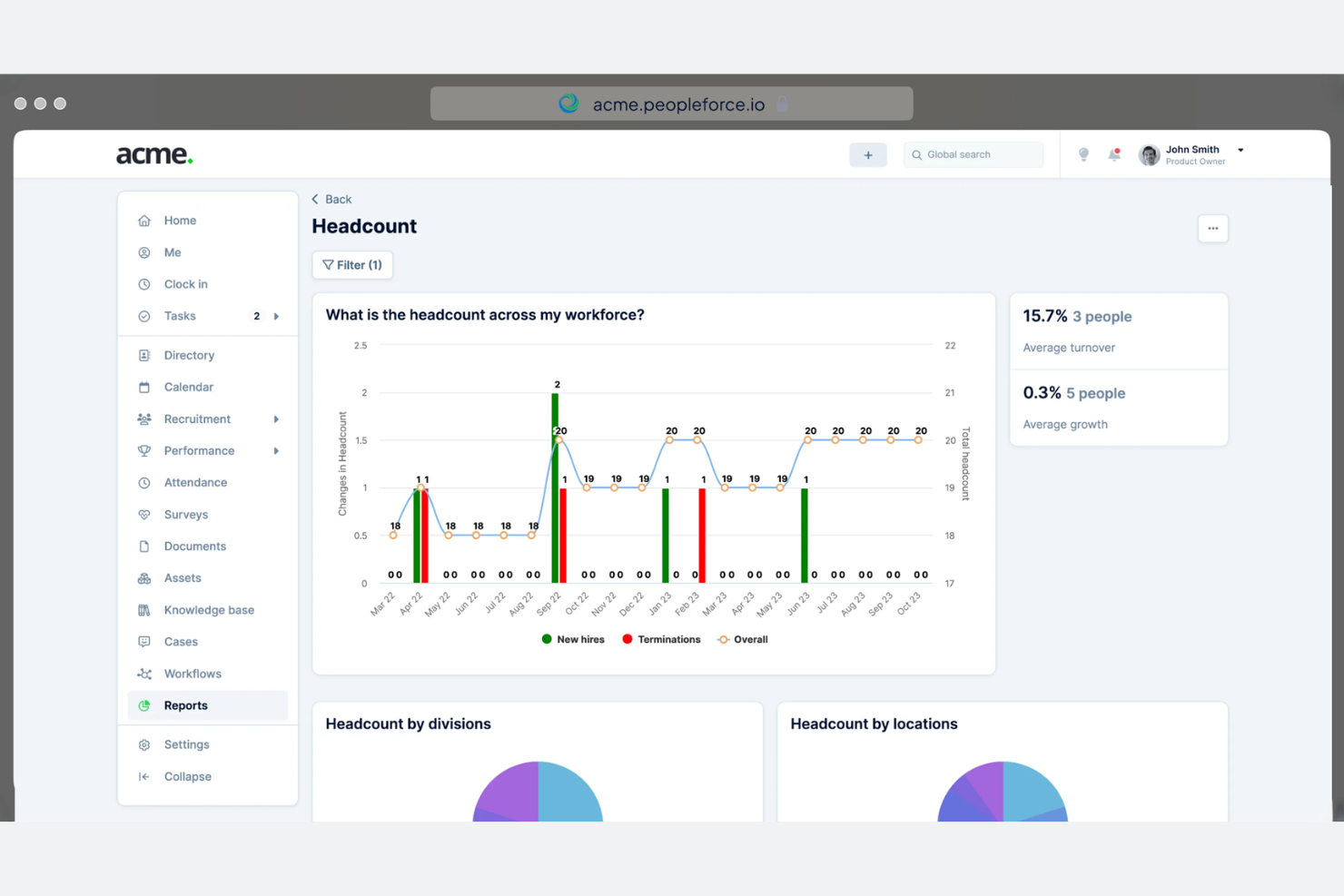
PeopleForce está diseñado para empresas de rápido crecimiento que necesitan una gestión de RR. HH. escalable y eficiente. Se centra en el compromiso de los empleados, el seguimiento del rendimiento y la contratación, ayudando a las empresas a gestionar eficazmente sus equipos en expansión.
Por qué elegí PeopleForce: PeopleForce es ideal para empresas que experimentan un crecimiento rápido, ya que ofrece funciones como flujos de trabajo de contratación automatizados y análisis del rendimiento en tiempo real. Estas capacidades ayudan a tu equipo a mantenerse al día con las necesidades de contratación y a supervisar el progreso de los empleados.
Las herramientas de compromiso de los empleados de la plataforma garantizan que tu equipo en crecimiento siga motivado y alineado con los objetivos de la empresa. Además, la plataforma escalable de PeopleForce se adapta a las necesidades cambiantes de tu negocio.
Funciones e integraciones destacadas:
Las funciones incluyen evaluaciones de rendimiento personalizables, que te permiten adaptar las evaluaciones a las necesidades de tu equipo. La plataforma también ofrece un sistema de reconocimiento de empleados para elevar la moral y fomentar la productividad. Además, PeopleForce proporciona análisis e informes detallados para ofrecerte información sobre tus operaciones de RR. HH.
Las integraciones incluyen Slack, Google, Microsoft, Zoom, LinkedIn y más.
Pros and Cons
Pros:
- Análisis del rendimiento en tiempo real
- Herramientas de compromiso de los empleados
- Evaluaciones de rendimiento personalizables
Cons:
- Algunas funciones requieren tiempo para configurarse correctamente
- La interfaz puede resultar abrumadora al principio

HR Cloud
Ideal para la gestión de equipos remotos

HR Cloud es un sistema integral de gestión de recursos humanos (HRIS) diseñado para empresas que buscan gestionar equipos remotos de manera eficaz. Atiende a empresas y startups de diversos sectores, centrándose en la gestión de equipos virtuales, automatización de recursos humanos y el compromiso del empleado.
Por qué elegí HR Cloud: HR Cloud destaca en la gestión de equipos remotos al ofrecer funciones como la incorporación automatizada y la gestión centralizada de datos de RRHH. Incluye herramientas para seguimiento de ausencias y evaluaciones de desempeño, facilitando la gestión de una plantilla distribuida en menos tiempo.
Las opciones de autoservicio para empleados permiten que tu equipo gestione sus tareas de RRHH de forma independiente. Además, el acceso móvil asegura que los empleados remotos se mantengan conectados y comprometidos.
Funciones destacadas e integraciones:
Funciones incluyen incorporación automatizada, gestión centralizada de datos de RRHH y seguimiento de ausencias. La plataforma también admite evaluaciones de desempeño y opciones de autoservicio para empleados, ayudando a tu equipo a gestionar sus tareas de RRHH de manera independiente. Además, el acceso móvil asegura que los empleados remotos se mantengan conectados y comprometidos.
Integraciones incluyen QuickBooks, ADP, Paylocity, Workday y más.
Pros and Cons
Pros:
- Flujos de trabajo de RRHH personalizables
- Proceso de incorporación automatizado
- Gestión centralizada de datos de RRHH
Cons:
- Ocasionales fallos técnicos
- Requiere internet para funcionalidad completa

GoCo
Ideal para flujos de trabajo personalizables
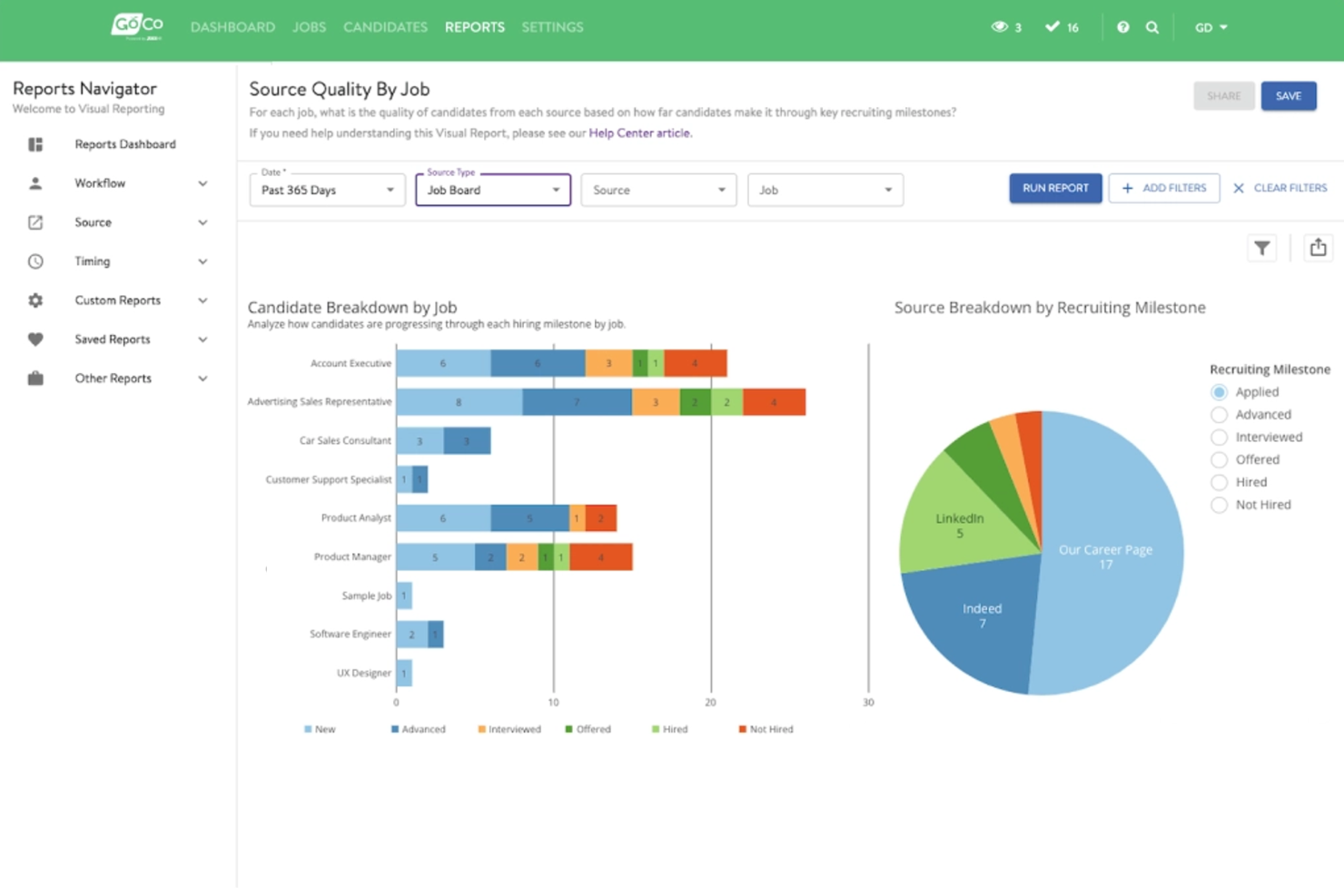
GoCo es un software integral de recursos humanos diseñado para pequeñas y medianas empresas que desean automatizar sus procesos de RR. HH. Se centra en la gestión de recursos humanos, la administración de beneficios y el procesamiento de nómina, brindando flexibilidad y eficiencia a sus usuarios.
Por qué elegí GoCo: GoCo ofrece flujos de trabajo personalizables que son ideales para empresas que necesitan soluciones de RR. HH. adaptadas. Con funciones como la incorporación automatizada y la gestión de beneficios, permite a tu equipo simplificar las tareas de recursos humanos según tus necesidades específicas.
El portal de autoservicio para empleados del software empodera a tu equipo para gestionar su propia información de recursos humanos, reduciendo la carga administrativa. El enfoque flexible de GoCo asegura que puedes adaptar el software a los procesos de tu empresa.
Funciones destacadas e integraciones:
Funciones incluyen la gestión automatizada del cumplimiento normativo, que te ayuda a mantenerte actualizado con las regulaciones. La plataforma también dispone de almacenamiento digital de documentos, asegurando que todos tus documentos de RR. HH. estén almacenados de forma segura en línea. Además, GoCo ofrece seguimiento del desempeño para ayudarte a monitorear el progreso y desarrollo de los empleados.
Integraciones incluyen QuickBooks, ADP, Paychex y más.
Pros and Cons
Pros:
- Almacenamiento digital de documentos
- Gestión automatizada del cumplimiento normativo
- Portal de autoservicio para empleados
Cons:
- Puede requerir asistencia para integraciones
- Los nuevos usuarios pueden necesitar ayuda con los flujos de trabajo

Eddy
Ideal para las necesidades de recursos humanos de pequeñas empresas
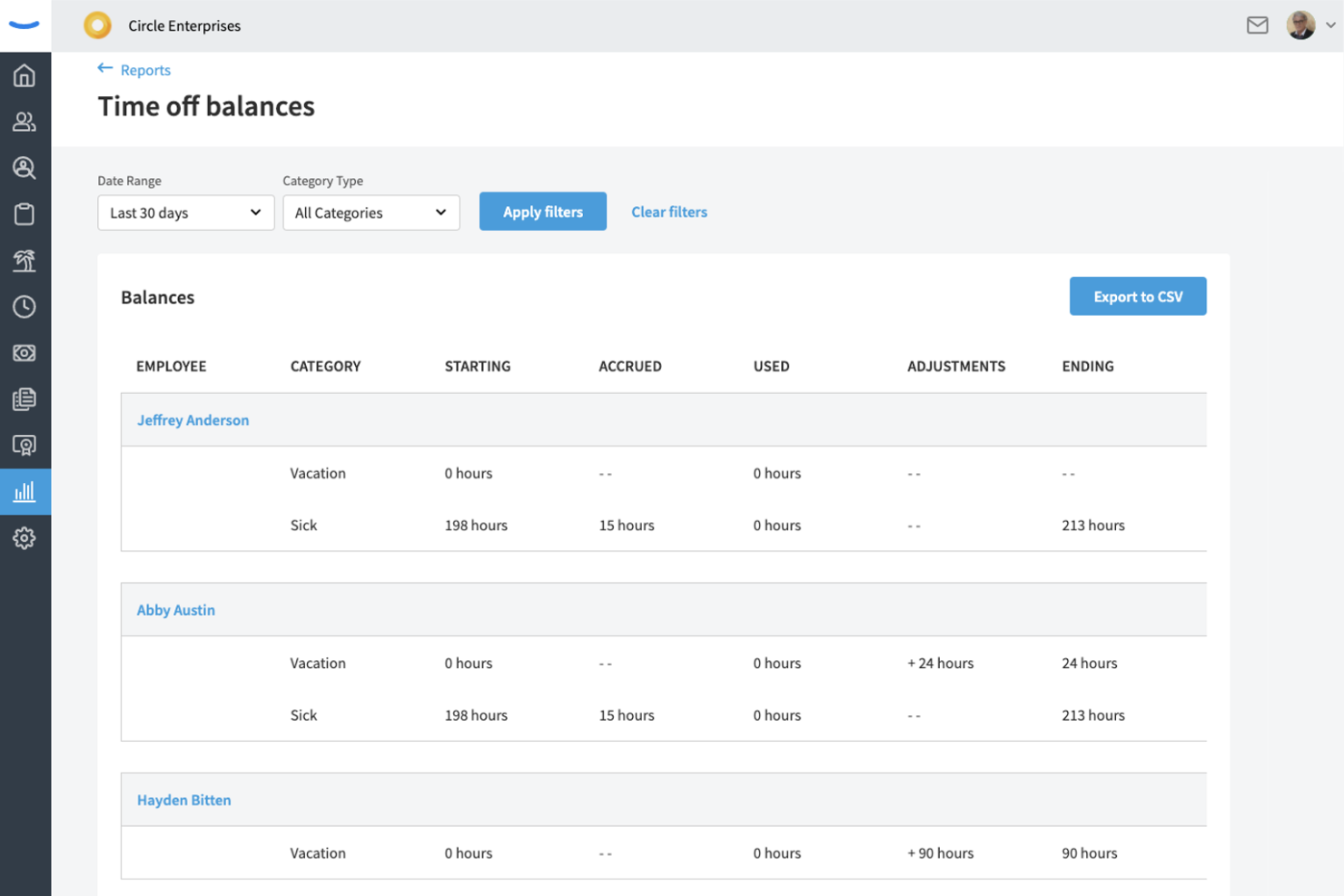
Eddy es una plataforma integral de recursos humanos diseñada para pequeñas y medianas empresas. Se centra en la nómina, contratación, incorporación y gestión de tiempo y asistencia. Admite la gestión de empleados y los procesos de recursos humanos.
Por qué elegí Eddy: Eddy está adaptada para pequeñas empresas que necesitan soluciones de recursos humanos eficientes y sencillas. Ofrece procesamiento de nómina y almacenamiento seguro de datos de empleados, aspectos importantes para equipos pequeños que gestionan tareas de recursos humanos.
Las herramientas de reclutamiento de la plataforma permiten publicar ofertas de empleo en múltiples canales, simplificando el proceso de contratación. La interfaz fácil de usar de Eddy lo hace accesible para equipos sin un departamento de recursos humanos dedicado.
Características destacadas e integraciones:
Características incluyen seguimiento de candidatos, lo que facilita la gestión de postulantes de empleo, y plantillas personalizables para adaptar las ofertas laborales a los posibles contratados. El software también proporciona geolocalización para el seguimiento del tiempo, asegurando registros precisos para empleados remotos o móviles.
Integraciones incluyen QuickBooks, SmartPay, Indeed, Employee Navigator, Express Evaluations y más.
Pros and Cons
Pros:
- Herramientas efectivas para publicar vacantes
- Almacenamiento seguro de datos de empleados
- Seguimiento preciso del tiempo
Cons:
- Puede carecer de escalabilidad
- Capacidades de informes básicas

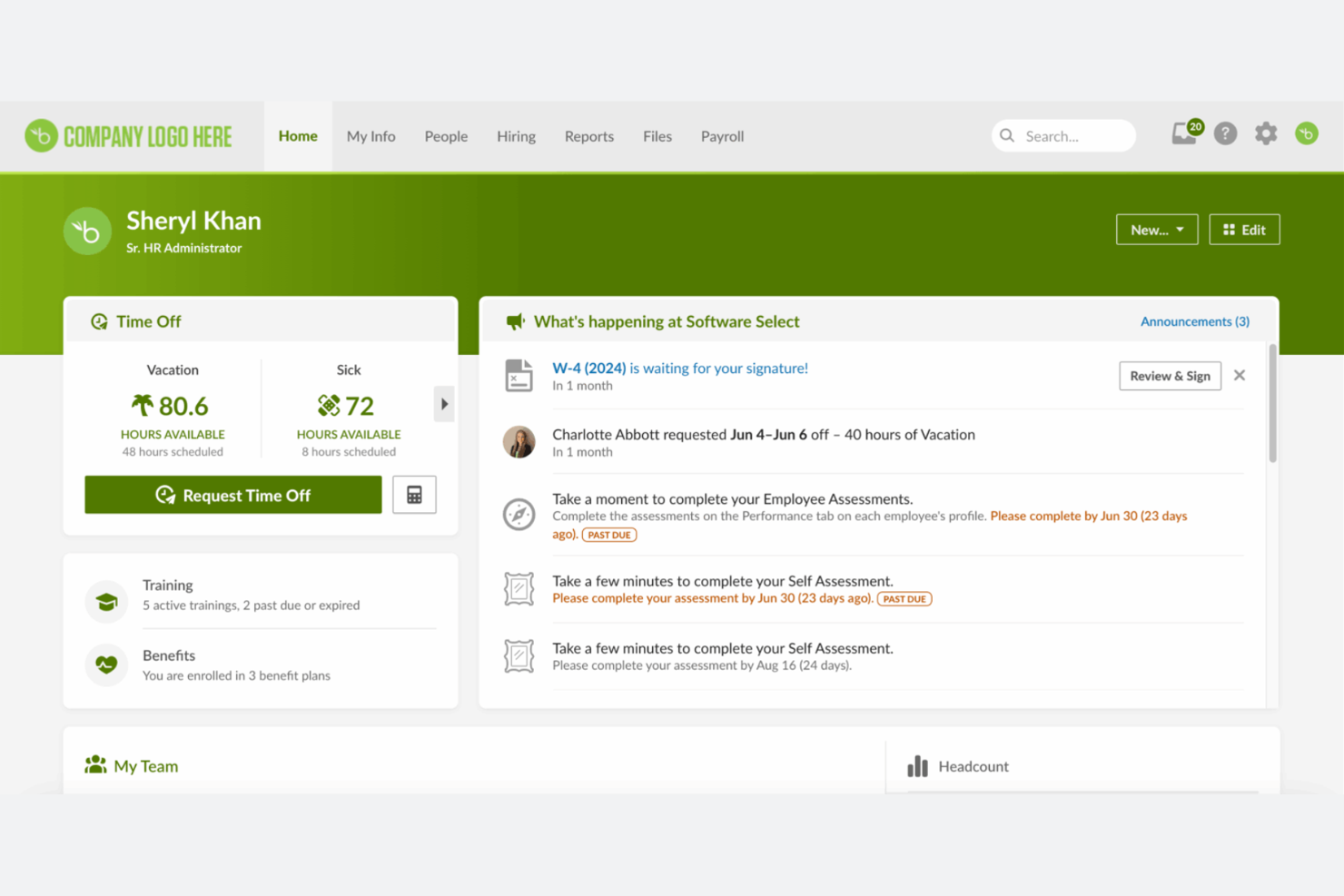
BambooHR es una plataforma integral de RR. HH. que apoya la gestión y satisfacción de los empleados. Gestiona funciones clave de recursos humanos como la coordinación de datos de empleados, seguimiento del desempeño y administración de beneficios.
Por qué elegí BambooHR: BambooHR ayuda a los usuarios a comprender la satisfacción de los empleados, lo que lo hace ideal para empresas que priorizan la cultura laboral. Incluye herramientas como autoevaluaciones y retroalimentación de empleados, que ayudan a medir la moral del equipo.
La herramienta de gestión del desempeño del software permite que tu equipo establezca y haga seguimiento de metas. Además, el diseño intuitivo de BambooHR garantiza que tanto los profesionales de RR. HH. como los empleados puedan navegar fácilmente por la plataforma.
Características y conexiones destacadas:
Características incluyen gestión de ausencias, que simplifica las solicitudes y aprobaciones de días libres. La plataforma también ofrece flujos de trabajo personalizables para adaptarse a tus procesos de RR. HH. Además, BambooHR proporciona informes y análisis para brindarte información sobre tus datos de recursos humanos.
Conexiones incluyen QuickBooks, Slack, Deel, NetSuite, Google y más.
Pros and Cons
Pros:
- Herramientas efectivas de retroalimentación para empleados
- Seguimiento de objetivos sencillo
- Flujos de trabajo de RR. HH. flexibles
Cons:
- Capacidades básicas de análisis
- La configuración puede tomar tiempo

Rippling
Ideal para integraciones con una amplia variedad de aplicaciones empresariales
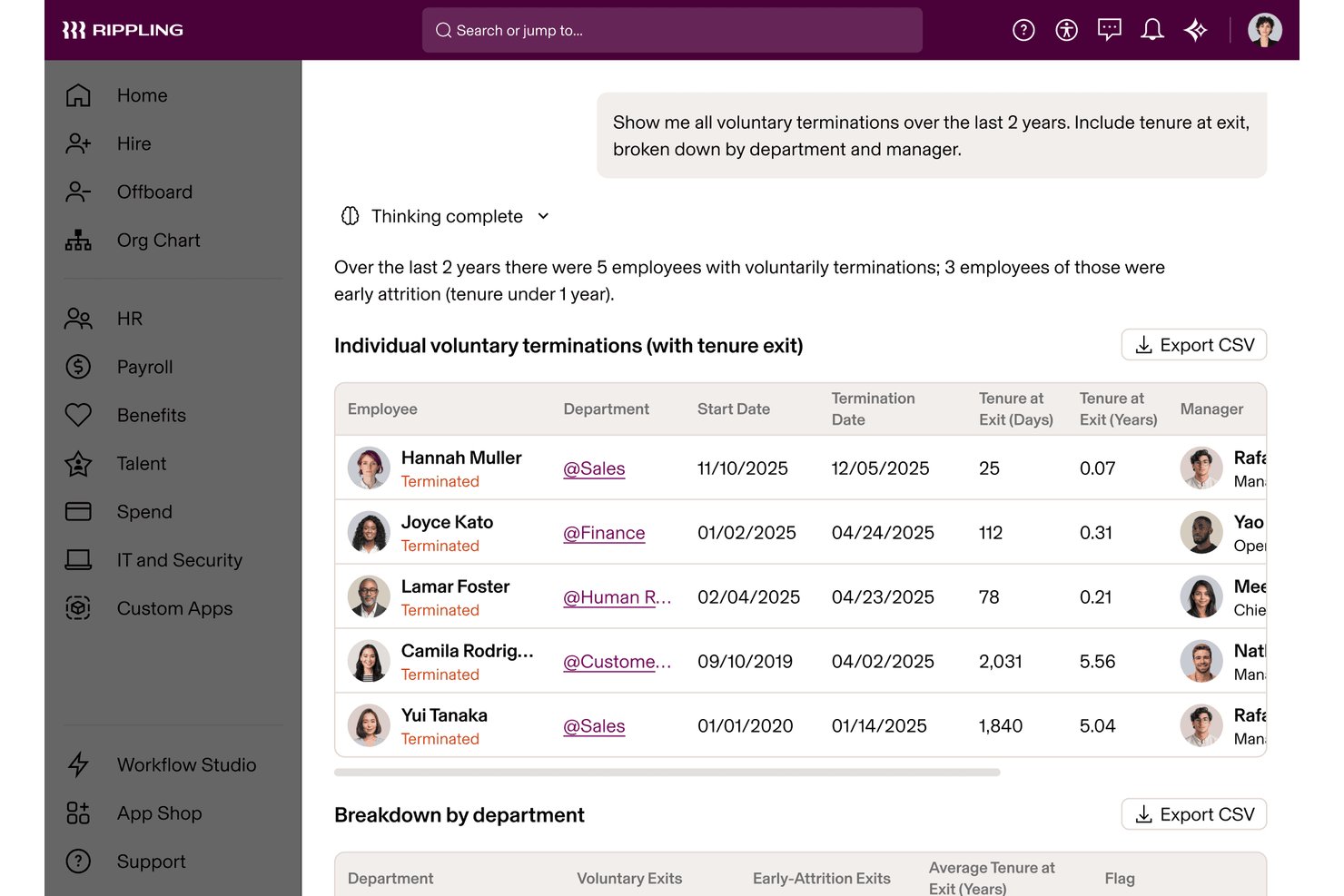
Rippling es una plataforma de RR. HH. todo en uno que unifica la gestión de RR. HH., TI y Finanzas, y abarca la nómina, la administración de beneficios, el registro del tiempo, la incorporación, el rendimiento y la gestión de dispositivos mediante una única capa conectada de datos de empleados.
¿Para quién es más adecuado Rippling?
Rippling es adecuado para empresas de rápido crecimiento que necesitan que las operaciones de RR. HH., TI y Finanzas crezcan conjuntamente sin tener que gestionar plataformas independientes.
Por qué elegí Rippling
Rippling ocupa un lugar en mi lista de favoritos porque sus más de 650 integraciones están incorporadas directamente en su capa de automatización, en lugar de añadirse como conectores pasivos. Cuando incorporo a una persona nueva, Rippling configura simultáneamente su acceso a Slack, Google Workspace y sus dispositivos sin un solo paso manual. También utilizo la plataforma API de Rippling para crear flujos de trabajo personalizados que reúnen datos de RR. HH., TI y Finanzas de formas que, de otro modo, requerirían tres sistemas independientes.
Características principales de Rippling
- Gráfico global de empleados: Centraliza los datos de los empleados, los documentos, los organigramas y los cambios del ciclo de vida en todos los módulos dentro de un único sistema.
- Sistema de gestión del aprendizaje: Asigna cursos de cumplimiento y realiza un seguimiento de su finalización para el desarrollo de los empleados y los requisitos normativos.
- Herramientas de automatización del cumplimiento: Automatiza las declaraciones de impuestos y la recopilación de documentos, y realiza un seguimiento de los cambios en las normativas de RR. HH. federales, estatales e internacionales.
- Permisos basados en roles: Permite especificar exactamente quién puede acceder a datos confidenciales de RR. HH., nóminas o beneficios mediante controles detallados.
Integraciones de Rippling
Rippling ofrece una amplia variedad de integraciones nativas, entre ellas Google Workspace, Microsoft 365, Slack, QuickBooks, NetSuite, Zoom, Okta, DocuSign, Greenhouse, Lever y Xero. También hay una API disponible para integraciones personalizadas.
Pros and Cons
Pros:
- Unifica RR. HH., TI y Finanzas de forma nativa
- Automatiza la configuración de dispositivos durante la incorporación de nuevas personas empleadas
- Admite nóminas internacionales en más de 185 países
Cons:
- La calidad del soporte varía según el nivel de la cuenta
- La configuración inicial requiere un tiempo considerable
New Product Updates from Rippling

Rippling Expands Automated Compliance With AI Workflows
Rippling expands Automated Compliance with multi-framework support, AI workflows, an audit portal, and trust centers. These updates help GRC teams manage compliance work and audits. For more information, visit Rippling’s official site.

Deel HR
Ideal para nómina y cumplimiento unificados en un HRIS
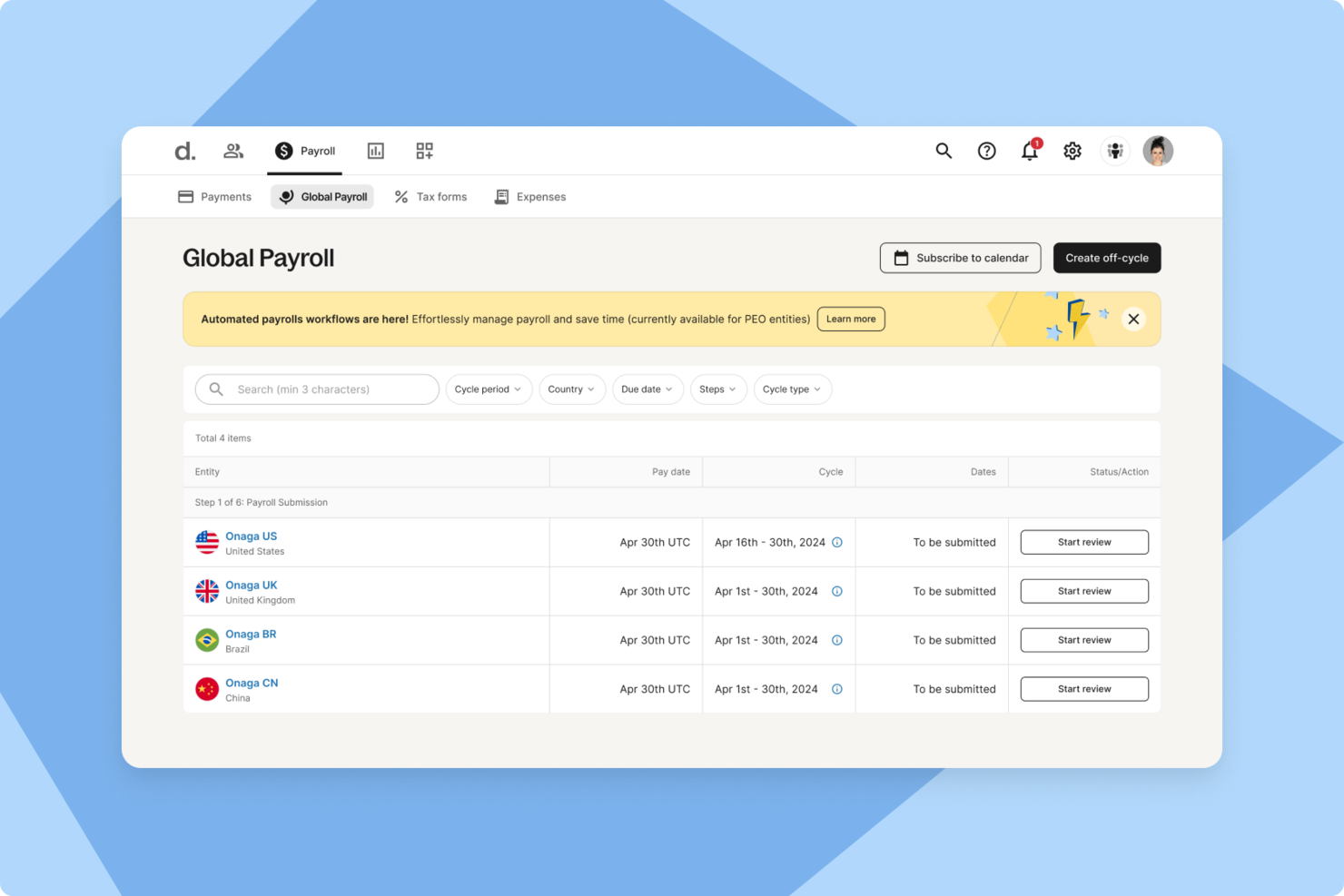
Para las empresas que gestionan equipos internacionales, Deel ofrece una plataforma centralizada para manejar operaciones globales de recursos humanos. Admite nómina, contratación y cumplimiento en más de 150 países, ayudando a las empresas a navegar por diferentes leyes laborales y requisitos de pago. Como solución global de recursos humanos, Deel está diseñada para reducir la complejidad administrativa que normalmente acompaña a la gestión de una plantilla transfronteriza.
Por qué elegí Deel
Elegí Deel porque reúne la contratación global, la nómina y el cumplimiento en un solo sistema, lo que puede facilitar la gestión de equipos distribuidos. Sus herramientas centralizadas de gestión de empleados te ayudan a mantener los registros organizados y a garantizar el cumplimiento con las regulaciones laborales locales. También me gusta que su nómina automatizada en varios países pueda garantizar que los empleados y contratistas sean pagados de forma precisa y puntual, con impuestos y deducciones calculados según los requisitos locales. Para las empresas que operan internacionalmente, estas capacidades pueden ayudar a abordar desafíos administrativos y de cumplimiento comunes.
Principales características de Deel
Además de sus funcionalidades principales, Deel ofrece varias características que mejoran su utilidad como un software integral de recursos humanos:
- Reclutamiento y Onboarding: Procesos simplificados para la contratación, incluyendo cartas de oferta automatizadas y flujos de incorporación estructurados.
- Gestión de ausencias y asistencia: Seguimiento automático de varios tipos de permisos con solicitudes y aprobaciones de autoservicio.
- Gestión del desempeño: Herramientas para establecer objetivos, ciclos de retroalimentación y seguimientos en tiempo real para potenciar el desarrollo de los empleados.
- Análisis e informes: Paneles unificados para obtener información en tiempo real sobre métricas de RR. HH., mejorando la toma de decisiones y la eficiencia operativa.
Integraciones de Deel
Las integraciones incluyen QuickBooks, Xero, Workday, SAP, NetSuite, Greenhouse, BambooHR, Lever, Rippling y Zenefits.
Pros and Cons
Pros:
- Nómina global en 150 países
- Cumplimiento y gestión contractual integrados
- Se integra con los principales sistemas de RR. HH.
Cons:
- Las funciones de informes carecen de filtros avanzados
- Opciones limitadas de personalización del directorio
New Product Updates from Deel HR

Deel Expands Stablecoin Wallet to 80+ Countries
Deel expands its Stablecoin Wallet to 80+ countries with dollar-backed balances and optional rewards. This gives eligible contractors more ways to hold and manage earnings inside Deel. For more information, visit Deel’s official site.
 .
.Otros programas de RR. HH. todo en uno
Estas son algunas opciones adicionales de software de RR. HH. todo en uno que no han entrado en mi lista de preseleccionados, pero que merece la pena consultar:


Cómo evalúo el software todo en uno de RR.HH.
Analizo estas plataformas en dos niveles: si cubren el paquete central de RR.HH.—nómina, expedientes de empleados, beneficios y gestión del tiempo—de extremo a extremo, y qué es lo que diferencia a las mejores opciones del resto.
Funcionalidad principal (Requisitos básicos para esta lista)
Cuando selecciono herramientas para mi lista, califico cada una en una escala del 0 (no ofrece la funcionalidad) al 5 (destaca en esta área) para cada funcionalidad principal que aparece a continuación. Luego, calculo el puntaje total de la herramienta en un porcentaje. Cada herramienta debe alcanzar una puntuación total mínima del 75% para ser considerada en la lista.
- HRIS básico y expedientes de empleados: Verifico si la plataforma sirve como un verdadero sistema de registro: organigramas, campos personalizados, almacenamiento de documentos y trazabilidad de auditoría, no solo una lista de contactos.
- Procesamiento de nómina: Si la nómina se ejecuta de forma nativa o mediante una integración profunda es importante. Analizo la automatización de declaraciones fiscales, depósito directo y soporte para múltiples jurisdicciones.
- Administración de beneficios: Evalúo cómo funcionan conjuntamente el registro, la conexión con las aseguradoras y la sincronización de deducciones; esto es crucial durante la temporada de inscripción abierta cuando el volumen aumenta.
- Gestión del tiempo, asistencia y PTO: El módulo de tiempo debe estar directamente vinculado con la nómina. Analizo los flujos de aprobación, el seguimiento de acumulaciones y las opciones de fichaje móvil para los equipos de campo.
- Gestión del talento: Desde la publicación de ofertas y el seguimiento de candidatos hasta la incorporación y las evaluaciones de desempeño, valoro cómo se conecta cada etapa dentro de una sola plataforma.
- Cumplimiento normativo e informes: Busco soporte automático para los trámites comunes y tableros configurables que permitan al área de RR.HH. extraer datos de la plantilla sin ayuda de IT.
Una vez que tengo una lista de herramientas que cumplen con este criterio, considero qué distingue a cada plataforma.
Factores diferenciadores (Qué distingue a los proveedores)
Así es como comparo y contrasto diferentes proveedores:
Características destacadas
Los portales de autoservicio para empleados marcan una gran diferencia en la carga de trabajo diaria de RR.HH. Busco plataformas en las que los empleados puedan descargar sus recibos de pago, actualizar direcciones y solicitar PTO desde una app móvil, liberando a RR.HH. de tareas rutinarias. Para equipos que contratan en varios países, el soporte para fuerza laboral global es otro diferenciador clave. Algunas plataformas gestionan nóminas multinacionales y cumplimiento localizado de forma nativa, mientras que otras dependen de alianzas EOR. También evalúo cuán flexible es el generador de flujos de trabajo de cada herramienta, ya que cada empresa tiene sus propios circuitos de aprobación, pasos de onboarding y procesos de salida.
Más allá de las características
El ecosistema de integraciones es fundamental aquí. Verifico si una plataforma se conecta de forma nativa con tu software contable, suite de productividad y proveedor SSO, o si será necesario un desarrollo API a medida para mantener el flujo de datos. La transparencia en los precios es otro aspecto que evalúo cuidadosamente, ya que algunos proveedores incluyen nómina y beneficios en el precio base, mientras que otros cobran por módulo o por cada proceso de nómina. También considero el soporte en la implementación, especialmente cómo el proveedor gestiona la migración de nómina histórica y si la ayuda dedicada de onboarding está incluida o se vende como un extra.
Cómo elegir un software de RR. HH. todo en uno
Es fácil perderse entre largas listas de funciones y complejas estructuras de precios. Para ayudarte a mantener la concentración mientras avanzas en tu proceso de selección de software, aquí tienes una lista de factores que debes tener en cuenta:
| Factor | Qué debes tener en cuenta |
|---|---|
| Escalabilidad | ¿Puede el software crecer con tu empresa? Busca herramientas capaces de gestionar un número creciente de empleados sin requerir una renovación completa del sistema. |
| Integraciones | ¿Funciona con tus herramientas actuales? Comprueba que ofrece integraciones nativas con el software que ya utilizas para evitar costes y complejidad adicionales. |
| Personalización | ¿Puedes adaptar el software a tus flujos de trabajo? Asegúrate de que la plataforma permite flexibilidad para crear procesos que se ajusten a las necesidades específicas de tu equipo. |
| Facilidad de uso | ¿Es intuitivo el software? Evita las interfaces excesivamente complejas que ralentizan la adopción por parte de tu equipo y reducen su productividad. |
| Implementación e incorporación | ¿Cuánto tiempo llevará la configuración? Ten en cuenta el tiempo y los recursos necesarios para una implementación correcta, incluida la formación y la asistencia del proveedor. |
| Coste | ¿Cuál es tu presupuesto? Compara las estructuras de precios y presta atención a las tarifas ocultas, como los costes por usuarios adicionales o funciones prémium. |
| Medidas de seguridad | ¿Están protegidos tus datos? Asegúrate de que el software cumple las normas del sector en materia de seguridad de datos y ofrece funciones como cifrado y auditorías periódicas. |
| Requisitos de cumplimiento | ¿Cumple las normas legales? Verifica que el software facilite el cumplimiento de las leyes y normativas laborales pertinentes en las regiones donde operas. |
¿Qué es el software de RR. HH. todo en uno?
El software de RR. HH. todo en uno combina diversas funciones de recursos humanos en una sola plataforma. Los profesionales de RR. HH., los responsables y los propietarios de empresas utilizan estas herramientas para gestionar los datos de los empleados, las nóminas, los beneficios y mucho más. Funciones como el procesamiento de nóminas y la administración de beneficios ayudan a reducir la carga de trabajo administrativa y a mejorar la organización. En general, estas herramientas simplifican las tareas de RR. HH., lo que facilita que los equipos se concentren en iniciativas estratégicas.
Funciones
Al seleccionar un software de RR. HH. todo en uno, presta atención a las siguientes funciones clave:
- Gestión de datos de los empleados: Centraliza toda la información de los empleados en un solo lugar, lo que facilita el acceso y la actualización de los registros.
- Procesamiento de nóminas: Automatiza los cálculos y los pagos de las nóminas, garantiza la precisión y ahorra tiempo en las tareas manuales.
- Administración de beneficios: Gestiona los programas de beneficios para empleados de forma eficiente y ayuda a realizar un seguimiento de las inscripciones y la elegibilidad.
- Seguimiento del tiempo y la asistencia: Supervisa las horas y la asistencia de los empleados, lo que contribuye a una nómina precisa y al cumplimiento de la normativa.
- Contratación e incorporación: Optimiza el proceso de contratación, desde la publicación de ofertas de empleo hasta la integración de las nuevas incorporaciones, y mejora la experiencia de los candidatos.
- Gestión del rendimiento: Realiza un seguimiento del rendimiento y los objetivos de los empleados y proporciona información útil para el desarrollo y las evaluaciones.
- Gestión del cumplimiento: Garantiza el cumplimiento de las leyes y normativas laborales, reduciendo el riesgo de problemas legales.
- Informes personalizables: Permite crear informes adaptados a necesidades empresariales específicas y ofrece información valiosa sobre las métricas de RR. HH.
- Portal de autoservicio para empleados: Permite a los empleados acceder a su propia información de RR. HH. y gestionarla, reduciendo la carga administrativa.
- Accesibilidad mediante aplicación móvil: Proporciona acceso a las funciones de RR. HH. desde cualquier lugar, aumentando la flexibilidad y la comodidad para los usuarios.
Beneficios
La implementación de un software de RR. HH. todo en uno ofrece varios beneficios para tu equipo y tu empresa. Estos son algunos de los que puedes esperar:
- Mayor eficiencia: Automatiza tareas repetitivas, como la gestión de nóminas y beneficios, y libera tiempo para actividades estratégicas.
- Mayor precisión: Reduce los errores en la introducción de datos y los cálculos mediante la gestión centralizada de los datos de los empleados y los procesos automatizados.
- Mejor cumplimiento: Ayuda a garantizar el cumplimiento de las leyes laborales mediante funciones de gestión del cumplimiento, minimizando los riesgos legales.
- Mayor compromiso de los empleados: Proporciona herramientas como la gestión del rendimiento y los portales de autoservicio, lo que permite a los empleados tener más autonomía y mejora su satisfacción.
- Contratación optimizada: Simplifica la contratación con funciones de selección e incorporación, mejora la experiencia de los candidatos y reduce el tiempo necesario para contratar.
- Información basada en datos: Ofrece informes y análisis personalizables que ayudan a tomar decisiones fundamentadas sobre RR. HH. basadas en datos en tiempo real.
- Flexibilidad y accesibilidad: La accesibilidad mediante una aplicación móvil permite gestionar las tareas de RR. HH. desde cualquier lugar, lo que resulta práctico tanto para los responsables como para los empleados.
Costes y precios
Seleccionar un software de RR. HH. todo en uno requiere comprender los distintos modelos de precios y planes disponibles. Los costes varían en función de las funciones, el tamaño del equipo, los complementos y otros factores. La siguiente tabla resume los planes habituales, sus precios medios y las funciones que suelen incluir las soluciones de software de RR. HH. todo en uno:
Tabla comparativa de planes de software de RR. HH. todo en uno
| Tipo de plan | Precio medio | Funciones habituales |
|---|---|---|
| Plan gratuito | $0 | Gestión básica de datos de los empleados, informes limitados y portal de autoservicio. |
| Plan personal | $5-$25/usuario/mes | Gestión de datos de los empleados, procesamiento de nóminas, seguimiento del tiempo y la asistencia, y asistencia básica. |
| Plan empresarial | $30-$50/usuario/mes | Informes avanzados, administración de beneficios, contratación e incorporación, y gestión del cumplimiento. |
| Plan para empresas | $60+/usuario/mes | Paneles personalizables, asistencia especializada, análisis avanzados y capacidades de integración completas. |
Preguntas frecuentes sobre el software de RR. HH. todo en uno
Estas son algunas respuestas a preguntas frecuentes sobre el software de RR. HH. todo en uno:
¿Cómo elijo el software de RR. HH. todo en uno adecuado para mi empresa?
Empieza por evaluar las necesidades de tu empresa e identificar las funciones que mejor pueden respaldar los flujos de trabajo de tu equipo. Considera factores como la escalabilidad, la facilidad de uso y la integración con los sistemas existentes. Consulta las opiniones de los usuarios y solicita demostraciones para ver el software en acción. Esto te ayudará a comprender cómo se adapta a tus operaciones diarias. También debes comparar el coste con tu presupuesto y el valor que aporta a tu equipo.
¿Puede el software de RR. HH. todo en uno gestionar equipos remotos?
Sí, casi todas las soluciones de software de RR. HH. todo en uno ofrecen funciones que permiten gestionar equipos remotos. Busca herramientas con acceso mediante aplicaciones móviles, control horario y plataformas de comunicación que mantengan conectados a los empleados remotos. Estas funciones te permiten gestionar las tareas independientemente de dónde se encuentre tu equipo. El software de RR. HH. adaptado al trabajo remoto ayuda a mantener la productividad y la participación de los empleados en equipos distribuidos.
¿Es la seguridad de los datos una preocupación con el software de RR. HH. todo en uno?
Sí, la seguridad de los datos es una preocupación fundamental. Al seleccionar un software, asegúrate de que cumpla con normas del sector como el RGPD o la CCPA. Busca funciones como el cifrado, auditorías de seguridad periódicas y controles de acceso de los usuarios. Estas medidas de protección salvaguardan la información confidencial de los empleados y reducen el riesgo de filtraciones de datos. Verifica siempre que el proveedor dé prioridad a la seguridad en su plataforma.
¿Cuánto tiempo se tarda en implementar el software de RR. HH. todo en uno?
El tiempo de implementación varía en función de la complejidad del software y del tamaño de tu empresa. Puede oscilar entre unas semanas y varios meses. Para acelerar el proceso, prepara a tu equipo organizando los datos de los empleados y definiendo de antemano tus procesos de RR. HH. Trabaja estrechamente con el equipo de soporte del proveedor durante la configuración y la formación para garantizar una transición fluida. Esta preparación ayuda a minimizar las interrupciones.