

I 10 migliori software per la gestione della forza lavoro sanitaria nel 2026

Selezione dei migliori software per la gestione della forza lavoro sanitaria


Il software per la gestione della forza lavoro sanitaria ti aiuta a programmare il personale, monitorare le ore e gestire la conformità in ospedali, cliniche e strutture assistenziali. Se stai cercando modi per migliorare la gestione del personale, controllare i costi del lavoro e ridurre le difficoltà legate alla programmazione dei turni, la piattaforma giusta per la gestione della forza lavoro può fare la differenza. Di seguito troverai la mia selezione dei migliori software per la gestione della forza lavoro sanitaria, così potrai confrontare le principali opzioni, individuare i punti di forza distintivi e decidere quale strumento si adatta meglio alle tue esigenze di pianificazione del personale per ottimizzare l'assistenza ai pazienti.
Perché fidarsi delle nostre recensioni sui software
Il nostro team testa e recensisce software dal 2012. In quanto esperti HR noi stessi, sappiamo quanto sia difficile — e importante — scegliere il software giusto.
Per questa guida, abbiamo valutato gli strumenti attraverso test pratici e ricerche indipendenti, assegnando un punteggio agli strumenti in base ai nostri criteri di selezione. Ci basiamo inoltre sulle competenze di leader di pensiero del settore e di professionisti HR attivi.
Le nostre recensioni riflettono il nostro giudizio editoriale umano, non un discorso di vendita.
Revisori esperti:
Tabella di confronto dei software per la gestione della forza lavoro sanitaria
Questa tabella di confronto riassume i dettagli sui prezzi delle mie migliori selezioni di software per la gestione della forza lavoro sanitaria:
| Tool | Best For | Trial Info | Price | ||
|---|---|---|---|---|---|
| 1 | Ideale per gestire team mobili e senza postazione fissa | Prova gratuita di 14 giorni + demo gratuita disponibile | A partire da $29/mese (fatturazione annuale) | Website | |
| 2 | Ideale per unificare i dati su risorse umane, buste paga e turni | Demo gratuita disponibile | Prezzi su richiesta | Website | |
| 3 | Ideale per la pianificazione HR personalizzata e la sincronizzazione delle paghe | Demo gratuita disponibile | A partire da $8/utente/mese | Website | |
| 4 | La soluzione migliore per l'approvvigionamento del personale, dal pool interno alle agenzie, su più livelli | Demo gratuita disponibile | Prezzi su richiesta | Website | |
| 5 | Ideale per la programmazione rapida dei turni in ambito sanitario | Prova gratuita + demo gratuita disponibili | Da $5/utente/mese (fatturato annualmente) | Website | |
| 6 | Ideale per flussi di lavoro HR e paghe integrati | Demo gratuita disponibile | Prezzo su richiesta | Website | |
| 7 | Ideale per la verifica delle credenziali e la formazione del personale | Demo gratuita disponibile | Prezzi su richiesta. | Website | |
| 8 | Ideale per il supporto alle agenzie di staffing sanitario | Demo gratuita disponibile | Da $99/utente/mese | Website | |
| 9 | Ideale per la massima flessibilità nella pianificazione di un'ampia forza lavoro | Demo gratuita disponibile | Prezzo su richiesta | Website | |
| 10 | Ideale per l'ottimizzazione delle risorse a livello di sistema | Demo gratuita disponibile | Prezzo su richiesta | Website |

Recensioni dei migliori software per la gestione della forza lavoro sanitaria
Di seguito sono riportati i miei riepiloghi dettagliati dei migliori software per la gestione della forza lavoro sanitaria inclusi nella mia selezione. Le mie recensioni offrono uno sguardo approfondito alle funzionalità, ai casi d’uso più indicati e alle integrazioni di ciascuna piattaforma, per aiutarti a trovare quella più adatta alle tue esigenze.

Ideale per gestire team mobili e senza postazione fissa
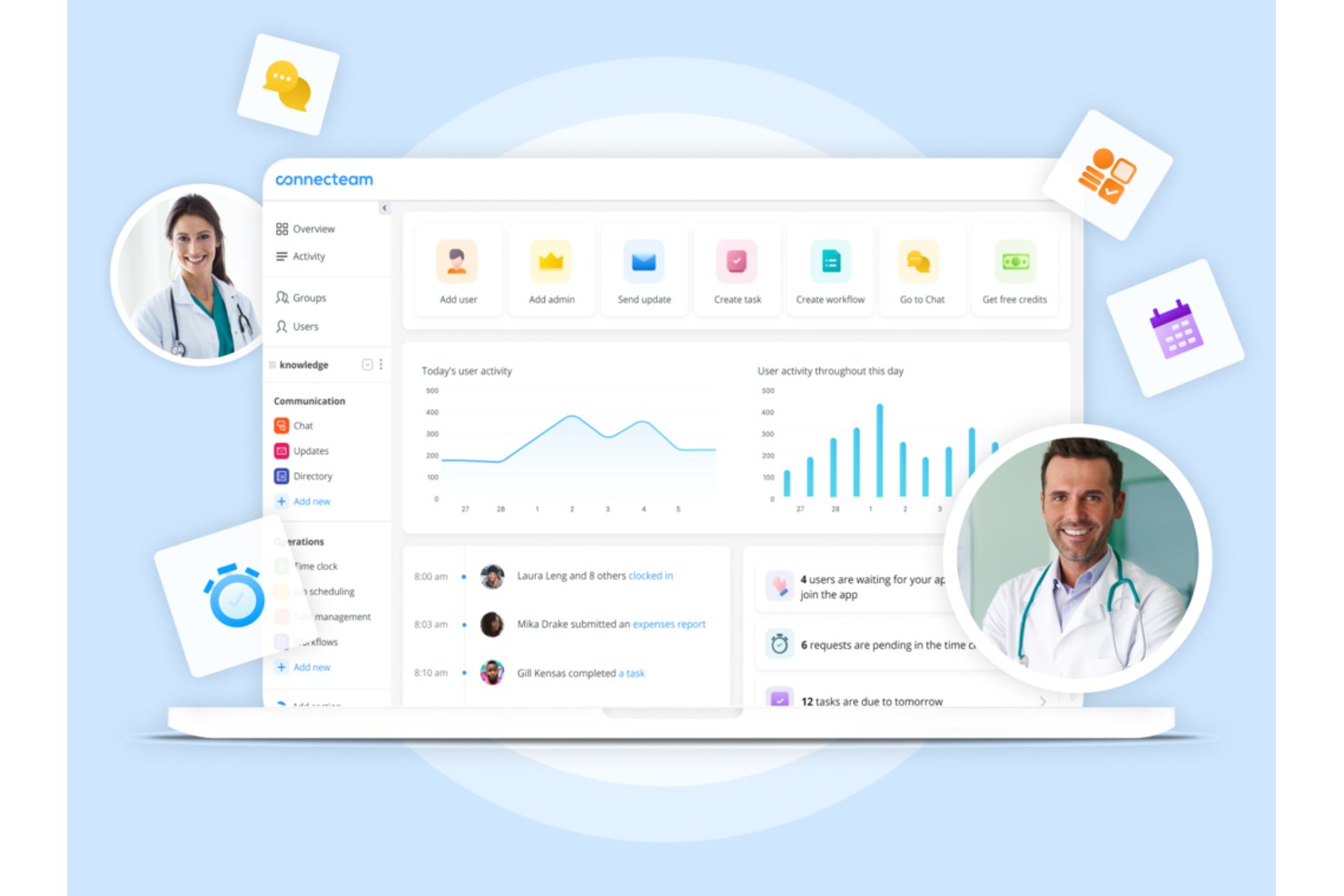
Connecteam è una piattaforma di gestione della forza lavoro pensata prima di tutto per il mobile, che combina pianificazione dei turni, rilevazione presenze, comunicazione tra team e strumenti HR per personale sanitario sul campo e senza postazione fissa.
Per chi è ideale Connecteam?
È particolarmente adatta a realtà sanitarie piccole e medie, come agenzie di assistenza domiciliare e poliambulatori, che necessitano di un'app mobile semplice per la gestione dello staff non clinico.
Perché ho scelto Connecteam
Ho scelto Connecteam perché il suo design mobile-first risolve davvero il problema di coordinamento che le agenzie di assistenza domiciliare e le piccole cliniche affrontano ogni giorno. Programmare un operatore domiciliare, confermare l'orario di entrata tramite GPS all'indirizzo del paziente e inviare un messaggio conforme HIPAA riguardo a un cambio turno: tutto avviene all'interno di un'unica app. Apprezzo in particolare la funzione di auto-pianificazione, che crea i turni completi in base alle disponibilità e ai ruoli dello staff senza il bisogno di continui scambi manuali di informazioni.
Funzionalità principali di Connecteam
- Moduli e checklist personalizzate: Crea moduli digitali e checklist da completare tramite mobile per il personale.
- Messaggistica conforme HIPAA: Scambia informazioni sensibili relative al team o ai turni in modo sicuro direttamente nell'app.
- Gestione documentale: Conserva, condividi e aggiorna policy, certificati e file di onboarding in un unico luogo.
- Gestione dei task: Assegna incarichi a singoli o team con tracciamento dello stato in tempo reale per un migliore coordinamento.
Integrazioni di Connecteam
Connecteam offre integrazioni native con Gusto, QuickBooks, Paychex, ADP e Xero per le paghe e dispone di un'API per integrazioni personalizzate.
Pros and Cons
Pros:
- Pianificazione mobile-first ideale per staff clinico senza postazione fissa
- Le timbrature con verifica GPS confermano la posizione del personale remoto
- Messaggistica di team conforme HIPAA inclusa
Cons:
- Non prevede programmazione in base all’intensità assistenziale o previsioni di censimento
- Manca il tracciamento delle scadenze di credenziali e licenze
New Product Updates from Connecteam

Connecteam Expands Break and Timesheet Controls
Connecteam adds flexible break thresholds, personalized policies, auto-end options, a centralized exceptions report, and improved timesheet issue visibility to help teams manage breaks and timesheets more effectively. For more information, visit Connecteam’s official site.
 .
.
Rippling
Ideale per unificare i dati su risorse umane, buste paga e turni
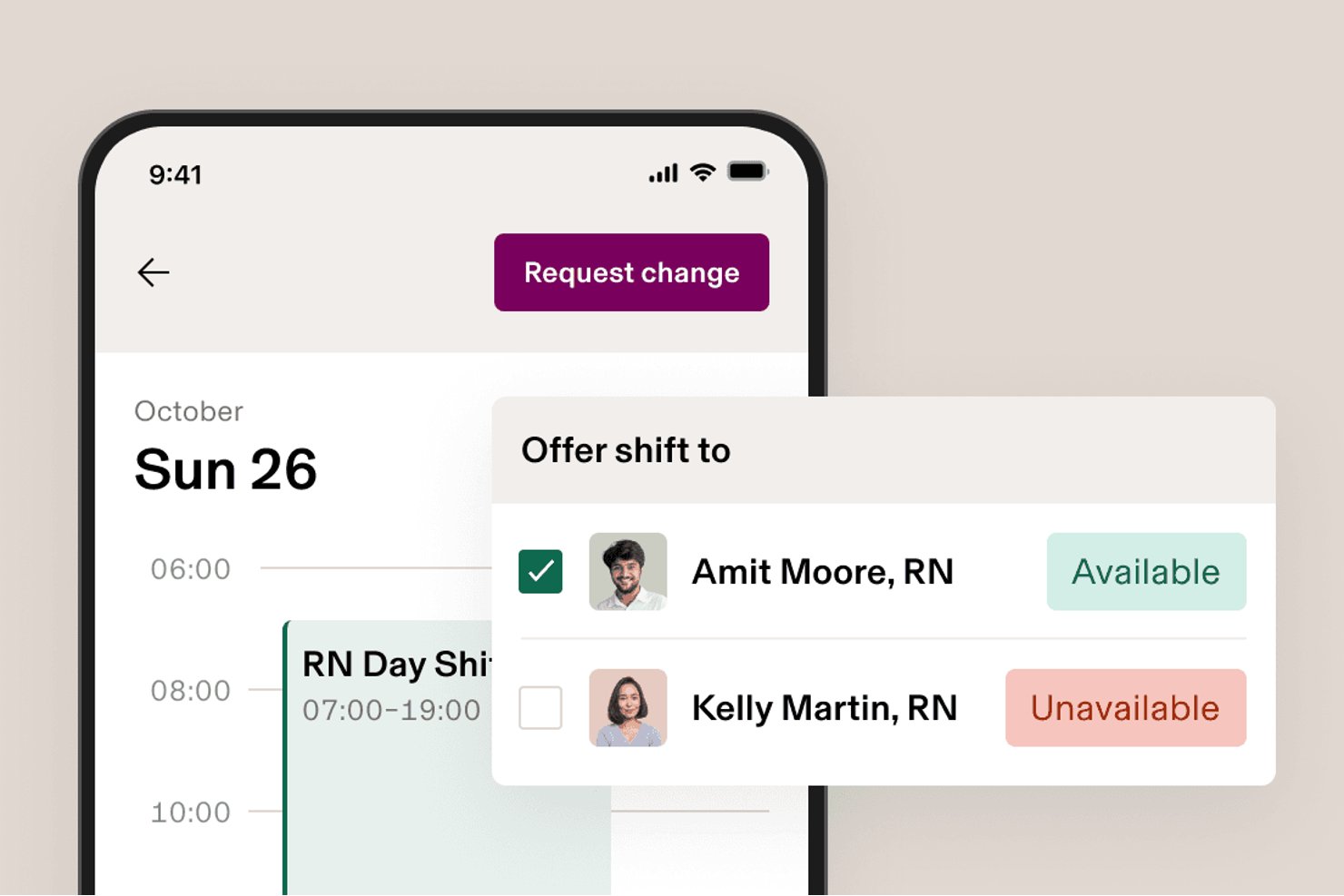
Rippling è una piattaforma modulare per le risorse umane, le buste paga e la gestione della forza lavoro che combina strumenti per la pianificazione, la rilevazione delle presenze, i benefit e la conformità in un unico sistema integrato.
Per chi è più adatto Rippling?
Rippling è particolarmente adatto alle organizzazioni operanti in ambiti adiacenti alla sanità o con una forza lavoro mista che desiderano gestire risorse umane, buste paga e pianificazione dei turni in un unico sistema senza dover amministrare più piattaforme.
Perché ho scelto Rippling
Ho incluso Rippling tra le mie scelte principali perché è una delle poche piattaforme che conserva i dati relativi a risorse umane, buste paga e pianificazione in un unico sistema, evitando così di riconciliare i record tra strumenti separati. Apprezzo in particolare il modo in cui la pianificazione dei turni redatta dall'IA utilizza i dati aggiornati su certificazioni e disponibilità per creare le assegnazioni dei turni, un aspetto importante quando si gestisce personale con requisiti specifici di abilitazione. Le regole sul diritto del lavoro basate sulla sede si applicano automaticamente in base al luogo di lavoro, riducendo i controlli manuali di conformità tra forze lavoro miste.
Funzionalità principali di Rippling
- Timbratura mobile in entrata e in uscita: I dipendenti possono timbrare l'entrata e l'uscita da dispositivi iOS o Android, con controlli automatici che rilevano le mancate timbrature in uscita e le timbrature duplicate.
- Calcolo dei costi per attività o progetto: Il personale può registrare le ore su attività o progetti specifici, offrendo ai responsabili una visione più chiara dei costi del lavoro per i diversi tipi di attività.
- Pannelli di controllo personalizzati: Crea pannelli di controllo che mostrano le tendenze dei costi del lavoro, i modelli di straordinari e i dati sulla fidelizzazione della forza lavoro.
- Chat di Rippling: Uno strumento di messaggistica integrato che consente ai responsabili di condividere i turni e comunicare con il personale senza uscire dalla piattaforma.
Integrazioni di Rippling
Rippling supporta più di 650 integrazioni, tra cui Slack, Microsoft Teams e Salesforce, oltre a un'API pubblica per connessioni personalizzate.
Pros and Cons
Pros:
- Dati unificati su buste paga, pianificazione e rilevazione delle presenze
- I controlli sulle certificazioni guidano le assegnazioni dei turni
- Le regole basate sulla sede segnalano i problemi di conformità delle buste paga
Cons:
- Nessuna previsione del fabbisogno di personale basata sull'acutezza
- Nessun flusso di lavoro per la verifica delle abilitazioni sanitarie
New Product Updates from Rippling

Rippling AI Adds Plugins, Skills, and Automations
Rippling AI now supports plugins, skills, and automations so employees can connect approved third-party tools, package repeatable work into reusable AI instructions, and run recurring workflows under existing Rippling policies and permissions. For more information, visit Rippling's official site.

Ideale per la pianificazione HR personalizzata e la sincronizzazione delle paghe
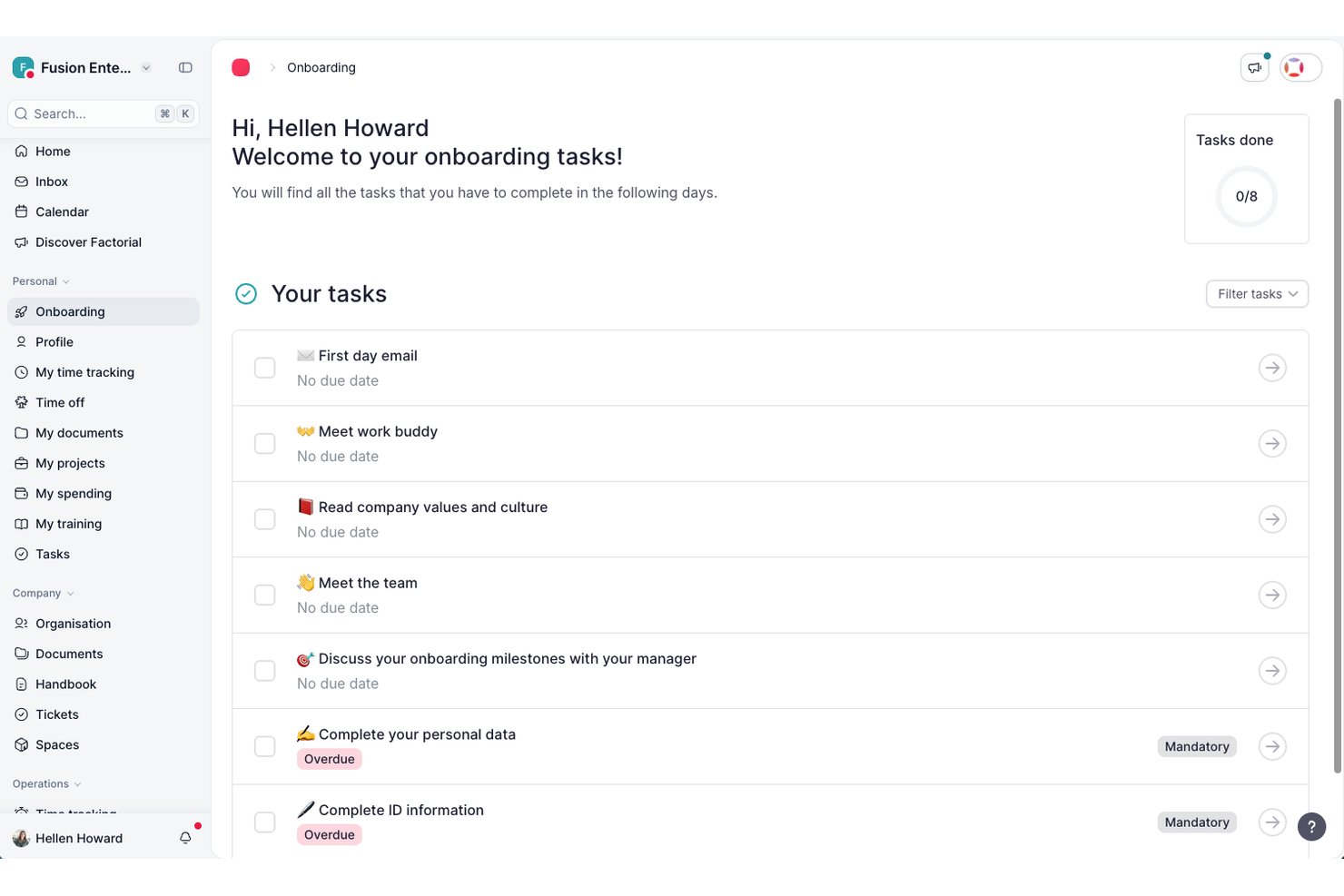
Factorial è un software completo per la gestione delle risorse umane e delle paghe, progettato per consentire alle organizzazioni sanitarie di gestire pianificazione, rilevazione delle ore, paghe e dati dei dipendenti da un'unica piattaforma.
Per chi è più adatto Factorial?
Ai team HR di organizzazioni sanitarie piccole e medie che desiderano unificare registri dei dipendenti, conformità, pianificazione e paghe in un'unica piattaforma.
Perché ho scelto Factorial
Ho scelto Factorial come una delle soluzioni migliori perché il mio team può configurare integrazioni personalizzate per le risorse umane e le paghe, sincronizzare i dati di pianificazione e delle paghe con gli altri sistemi e automatizzare la conformità dei turni utilizzando la rilevazione delle ore e i flussi di lavoro documentali specifici per il settore sanitario.
Funzionalità principali di Factorial
- Portale self-service per i dipendenti: Il personale può aggiornare i dati personali, richiedere permessi e accedere direttamente online alle buste paga.
- Gestione digitale dei documenti: Archivia, organizza e condividi in modo sicuro i registri dei dipendenti, i contratti e la documentazione relativa alla conformità.
- Flussi di lavoro personalizzati: Crea catene di approvazione per richieste come ferie, certificazioni e attività di inserimento dei nuovi dipendenti.
- Assistente HR basato sull'IA: Utilizza l'IA integrata per rispondere alle domande sulle risorse umane, mettere in evidenza informazioni importanti e automatizzare le attività amministrative.
Integrazioni di Factorial
Factorial offre integrazioni native con Slack, Google Calendar, Microsoft Outlook, Sage HR, Teamtailor e QuickBooks. È disponibile un'API per le integrazioni personalizzate.
Pros and Cons
Pros:
- La pianificazione automatizzata si adatta ai cambiamenti dei turni
- L'app mobile supporta la rilevazione delle ore da remoto
- Flussi di approvazione personalizzati per la conformità sanitaria
Cons:
- Le funzionalità di reportistica offrono poche possibilità di personalizzazione avanzata
- Rallentamenti occasionali del sistema nei periodi di utilizzo intenso

La soluzione migliore per l'approvvigionamento del personale, dal pool interno alle agenzie, su più livelli
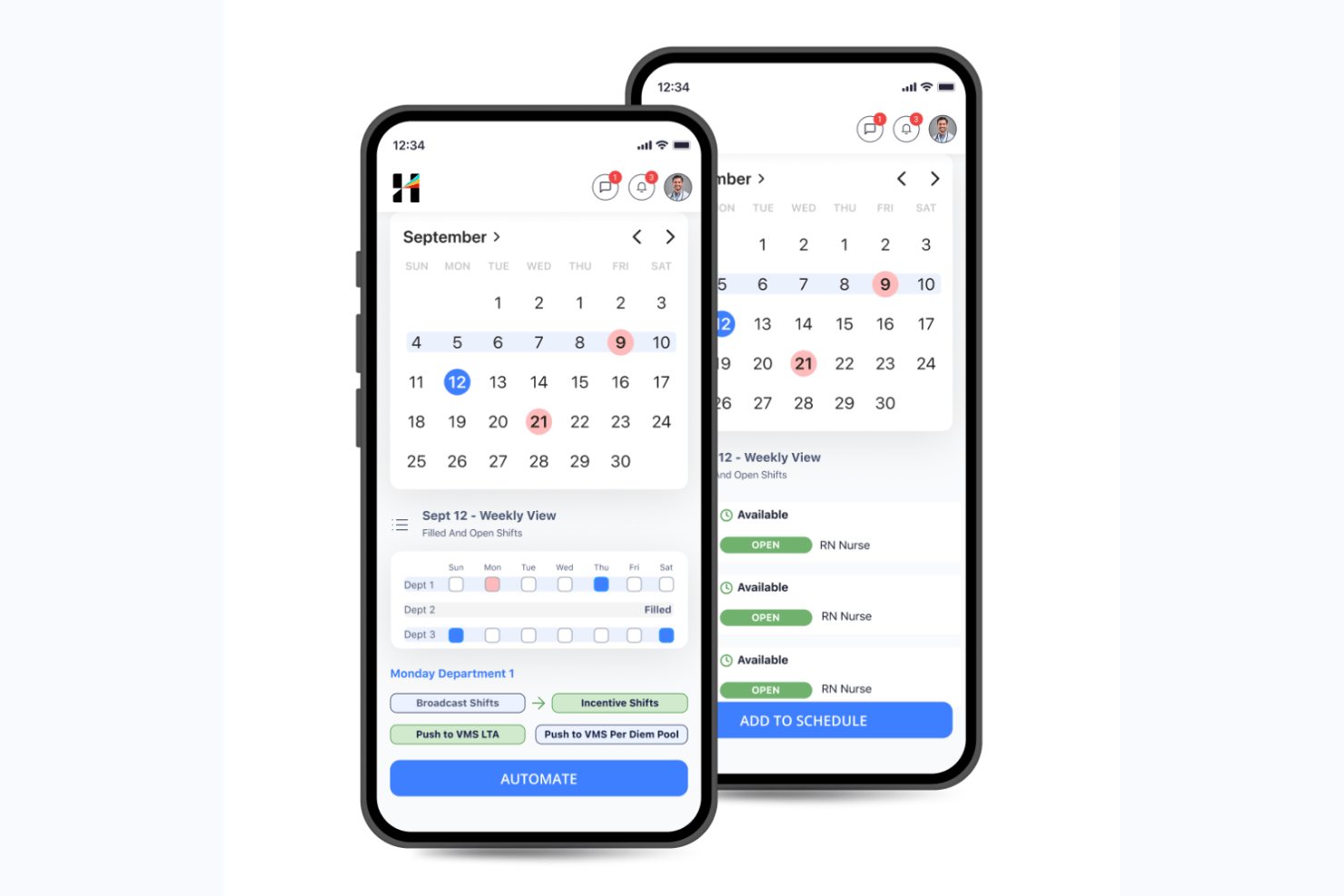
Hallmark Health Care Solutions è una piattaforma nativa dell'intelligenza artificiale per la gestione della forza lavoro sanitaria che combina la pianificazione del personale clinico, la previsione della domanda, la gestione del personale di riserva, un sistema integrato di gestione dei fornitori e il monitoraggio delle credenziali in un'unica suite.
Per chi è più adatta Hallmark Health Care Solutions?
Hallmark Health Care Solutions è particolarmente adatta ai grandi sistemi ospedalieri e alle reti sanitarie che devono gestire flussi di lavoro complessi e multilivello per il personale, tra pool interni di riserva, fornitori di agenzie e canali di manodopera su richiesta.
Perché ho scelto Hallmark Health Care Solutions
Ho scelto Hallmark Health Care Solutions perché il suo flusso di lavoro per l'approvvigionamento del personale su più livelli è diverso da qualsiasi altra soluzione che abbia visto in questa categoria. Il modulo Pool interno di risorse (IRP) dà la priorità al proprio personale di riserva, poi passa al sistema integrato di gestione dei fornitori (VMS), collegato a oltre 750 agenzie, e infine indirizza le richieste al marketplace su richiesta per infermieri di CareRev. Un cliente ha portato il proprio IRP a oltre 110 infermieri ed evitato 2,3 milioni di dollari di spesa per le agenzie utilizzando esattamente questa struttura.
Caratteristiche principali di Hallmark Health Care Solutions
- Abbinamento dei turni basato sull'IA: assegna automaticamente i turni aperti al personale qualificato in base a credenziali, disponibilità, costi e regole di conformità.
- Previsione della domanda: proietta le esigenze di personale a livello di unità e linea di servizio utilizzando dati relativi a censimento, durata della degenza, assenze improvvise e tendenze stagionali.
- Analisi intelligente delle tariffe basata sull'IA: prevede e confronta le tariffe di fatturazione del personale a contratto tra fornitori, unità e regioni per supportare la negoziazione delle tariffe e il controllo dei costi.
- Pannello di controllo con informazioni per i dirigenti: traduce i dati sulla forza lavoro in una visibilità a livello dirigenziale, collegando le decisioni retributive al margine, al rischio di abbandono e agli esiti per i pazienti.
Integrazioni di Hallmark Health Care Solutions
Hallmark Health Care Solutions si integra con Epic, Workday, UKG, Oracle PeopleSoft, Paycom, OnBase, Imprivata OneSign, symplr Payer e CareRev. Software Advice elenca complessivamente 24 fornitori di integrazione.
Pros and Cons
Pros:
- Flusso di lavoro per l'approvvigionamento del personale, dal pool interno alle agenzie, su più livelli
- Previsione della domanda e controllo dei costi basati sull'IA
- Supporto dedicato per la gestione delle credenziali necessarie alla conformità sanitaria
Cons:
- I prezzi personalizzati richiedono il contatto diretto con il reparto vendite
- Sono disponibili poche recensioni pubbliche degli utenti

Deputy
Ideale per la programmazione rapida dei turni in ambito sanitario

Deputy è un software per la gestione della forza lavoro sanitaria che offre strumenti per la programmazione dei turni dei dipendenti, l'assegnazione dei turni, i timesheet, la gestione delle assenze e l'accesso tramite app mobile, pensato per ambienti sanitari frenetici.
Per chi è ideale Deputy?
I coordinatori infermieristici e i responsabili delle strutture sanitarie che necessitano di un sistema intuitivo per gestire grandi team organizzati su turni, distribuiti su più sedi.
Perché ho scelto Deputy
Ho scelto Deputy tra i migliori perché posso creare e pubblicare i turni per il mio ospedale in pochi minuti, avvisare istantaneamente il personale con notifiche mobile e utilizzare i controlli di gestione della conformità integrati che segnalano potenziali violazioni allo schema degli orari mentre pianifico.
Funzionalità principali di Deputy
- Gestione dei compiti: Assegna e monitora le responsabilità quotidiane dello staff durante i turni.
- Pianificazione delle pause e gestione della fatica: Pianifica le pause obbligatorie e monitora la conformità alle regole lavorative sanitarie.
- Rilevazione delle presenze con verifica biometrica: Presenze sicure del personale tramite riconoscimento facciale o PIN su dispositivi chiosco.
- Gestione delle assenze: Invia, approva e monitora digitalmente le richieste di ferie o assenze per malattia.
Integrazioni di Deputy
Le integrazioni includono Square, ADP, Gusto, BambooHR, QuickBooks, Clover, Dropbox, EdApp, Epos Now e HiBob.
Pros and Cons
Pros:
- Supporto alla sostituzione dei turni tramite app mobile
- Compilazione automatica dei turni grazie alla previsione della domanda tramite AI
- Timesheet integrati con verifica biometrica
Cons:
- Supporto limitato per gerarchie ospedaliere complesse
- Nessun strumento integrato per la pianificazione delle risorse aziendali

Oracle
Ideale per flussi di lavoro HR e paghe integrati

Oracle è un software di gestione della forza lavoro sanitaria basato su cloud che offre HR, gestione paghe, rilevazione presenze, pianificazione e analisi della forza lavoro in un'unica piattaforma unificata.
Per chi è Oracle?
Le grandi organizzazioni sanitarie che necessitano di una gestione centralizzata di HR, paghe e forza lavoro su scala aziendale.
Perché ho scelto Oracle
Ho scelto Oracle perché posso collegare HR, gestione paghe e pianificazione della forza lavoro in un'unica piattaforma, eseguire flussi di lavoro unificati per i ruoli sanitari e utilizzare funzionalità predefinite di conformità e gestione paghe per ospedali e cliniche.
Caratteristiche principali di Oracle
- Accesso mobile: Il personale e i responsabili possono gestire la pianificazione e le approvazioni da dispositivi mobili.
- Analisi avanzate: Accesso a dashboard e report sulle tendenze della forza lavoro e sulla produttività.
- Aste per i turni: I dipendenti possono visualizzare e fare offerte per i turni disponibili direttamente sulla piattaforma.
- Gestione delle assenze: Traccia ferie, malattia e conformità FMLA in un unico sistema.
Integrazioni Oracle
Le integrazioni includono Accu-Time Systems, dormakaba Workforce Solutions, Grosvenor Technology e TCP Software.
Pros and Cons
Pros:
- Controllo centralizzato di HR, paghe e pianificazione
- Strumenti di analisi e reportistica della forza lavoro flessibili
- Consolidamento globale dei dati finanziari e delle paghe
Cons:
- L'interfaccia utente non utilizza terminologia specifica del settore sanitario
- Richiede manutenzione continua del sistema
Ideale per la verifica delle credenziali e la formazione del personale

HealthStream è una piattaforma di gestione della forza lavoro sanitaria che offre strumenti per la verifica delle credenziali, la gestione della conformità normativa, la gestione dell'apprendimento, il monitoraggio delle policy e la gestione delle competenze dei dipendenti.
Per chi è ideale HealthStream?
Ospedali, sistemi sanitari e cliniche che devono centralizzare la formazione del personale, le certificazioni e la conformità continua per la loro forza lavoro sanitaria.
Perché ho scelto HealthStream
Ho scelto HealthStream tra i migliori perché mi affido ai suoi moduli dedicati per la verifica delle credenziali dello staff, la gestione della formazione obbligatoria in ambito sanitario e il monitoraggio in tempo reale di licenze e certificazioni.
Caratteristiche principali di HealthStream
- Strumento di creazione corsi: Crea e personalizza moduli di formazione online per il personale sanitario.
- Piattaforma di valutazione delle competenze: Misura e documenta le competenze della forza lavoro in ruoli clinici e non clinici.
- Modulo per la gestione delle policy: Distribuisci, monitora e attesta le policy e le procedure critiche del luogo di lavoro.
- App mobile per l'apprendimento: Consenti ai dipendenti di accedere a corsi e compiti tramite smartphone e tablet.
Integrazioni di HealthStream
Le integrazioni includono ADP, Cornerstone OnDemand, HireRight, AvoMD, EBSCO DynaMed, Workday, Adobe Sign, DocuSign, Zoom e Instamed.
Pros and Cons
Pros:
- Libreria di corsi clinici per il personale sanitario
- Monitoraggio automatico della formazione continua dello staff
- Valutazioni personalizzabili delle competenze sanitarie
Cons:
- Opzioni di self-service limitate
- Nessun ambiente di test per le configurazioni di formazione

Bullhorn
Ideale per il supporto alle agenzie di staffing sanitario

Bullhorn è una piattaforma per la gestione del personale e del reclutamento sanitario che consente alle agenzie di gestire sourcing dei candidati, monitoraggio delle credenziali, turni, rilevazione delle presenze e coinvolgimento dei clienti in un unico sistema.
Per chi è ideale Bullhorn?
Le agenzie di reclutamento sanitario che gestiscono l’inserimento temporaneo di personale clinico e alleato presso più organizzazioni.
Perché ho scelto Bullhorn
Ho scelto Bullhorn tra i migliori perché posso tracciare le credenziali, gestire le assegnazioni e automatizzare il coinvolgimento dei candidati—tutto studiato appositamente per le agenzie di staffing sanitario che si occupano di numerosi incarichi temporanei e coordinazione presso i siti dei clienti.
Caratteristiche principali di Bullhorn
- Dashboard per la programmazione dei turni: permette di visualizzare, assegnare e aggiornare i turni in tempo reale.
- Accesso tramite app mobile: Team di reclutamento e candidati possono gestire gli incarichi da qualsiasi dispositivo.
- Strumenti personalizzati di reportistica: Crea report sulle attività del personale e sugli indicatori KPI dell’agenzia.
- Rilevazione integrata delle presenze: Il personale utilizza strumenti digitali per registrare e verificare le ore di lavoro.
Integrazioni Bullhorn
Le integrazioni includono Xero, LinkedIn, 1218 Global, 3B for Salesforce, Actonomy e ADP WOTC.
Pros and Cons
Pros:
- Gestione unificata di reclutamento e processo di assegnazione
- Gestione integrata di copertura turni e vacancy
- Supporto per la gestione della forza lavoro a giornata
Cons:
- Nessuna modalità di inserimento dati offline
- Onboarding complesso per gli amministratori

Ideale per la massima flessibilità nella pianificazione di un'ampia forza lavoro

Shiftboard è un software cloud per la gestione del personale sanitario che offre pianificazione flessibile dei turni, gestione delle presenze, strumenti di comunicazione e supervisione in tempo reale della forza lavoro per organizzazioni con grandi team dinamici.
A chi è più adatto Shiftboard?
Grandi organizzazioni sanitarie e agenzie di staffing che necessitano di una gestione complessa dei turni e pianificazione mobile-friendly per personale numeroso e variabile.
Perché ho scelto Shiftboard
Ho scelto Shiftboard perché posso impostare regole complesse per i turni liberi, i cambi dell’ultimo minuto e le restrizioni sugli straordinari, tutto in un’unica interfaccia. Secondo la mia esperienza, le sue capacità di gestione ad alto volume rispondono efficacemente a una domanda variabile e a cambi di turni dinamici.
Caratteristiche principali di Shiftboard
- Monitoraggio delle credenziali: Tieni traccia di certificazioni, credenziali e date di rinnovo del personale direttamente sulla piattaforma.
- Notifiche di turno mobile: Notifica ai dipendenti i nuovi turni, le modifiche e le approvazioni tramite avvisi su dispositivi mobili.
- Assegnazione automatica dei turni: Copertura automatica dei turni liberi in base a qualifiche, preferenze e disponibilità.
- Gestione delle assenze: Permetti ai dipendenti di richiedere, visualizzare e gestire le assenze attraverso il portale self-service.
Integrazioni Shiftboard
Le integrazioni includono UKG, Workday, ADP, Oracle PeopleSoft, SAP, Infor, Microsoft Dynamics, Salesforce, Workato e PlanetTogether.
Pros and Cons
Pros:
- Modelli di turni flessibili per esigenze di personale variabili
- Offerta self-service dei turni per i lavoratori orari
- Notifiche mobili in tempo reale per aggiornamenti sui turni
Cons:
- L'interfaccia non è ottimizzata per dispositivi mobili
- Opzioni limitate di reportistica automatica

Infor è una piattaforma integrata per la gestione della forza lavoro in ambito sanitario, progettata per aiutare le organizzazioni a gestire la previsione della forza lavoro, la programmazione dei turni, il rilevamento delle presenze, l'allocazione delle risorse e l'analisi nei sistemi sanitari complessi.
Per chi è ideale Infor?
Reti sanitarie di medie e grandi dimensioni che desiderano gestire le risorse del personale, ottimizzare la pianificazione dei turni e coordinare il personale tra diversi siti di cura.
Perché ho scelto Infor
Ho scelto Infor come uno dei migliori perché posso coordinare i professionisti sanitari e i bacini di personale flottante tra vari reparti ospedalieri, utilizzare analisi guidate dai dati per la pianificazione della forza lavoro e gestire i costi del lavoro e l'allocazione delle risorse a livello di sistema da un'unica interfaccia completa.
Funzionalità principali di Infor
- Strumenti di mobilità clinica: Strumenti mobili che consentono al personale di visualizzare i turni e gestire le attività da remoto.
- Rilevazione delle presenze e del tempo: Rilevamento automatico delle ore lavorate e dei dati di presenza dei dipendenti.
- Gestione della conformità: Monitora la scadenza delle licenze e i requisiti normativi per il personale.
- Portale self-service per i dipendenti: Permette al personale di richiedere permessi, aggiornare la propria disponibilità e visualizzare le buste paga.
Integrazioni di Infor
Le integrazioni includono Shopify, DocuSign, Salesforce, Marketo, ServiceNow, Zoom, ShipEngine, Twilio, Microsoft Dynamics 365 e ADP.
Pros and Cons
Pros:
- Funzionalità avanzate di previsione e analisi del lavoro
- Integra la gestione del personale e delle forniture
- Supporta la conformità e il monitoraggio delle credenziali
Cons:
- La configurazione del sistema può richiedere molto tempo
- Elevati requisiti hardware
Altri software per la gestione della forza lavoro sanitaria
Ecco alcune ulteriori opzioni di software per la gestione della forza lavoro sanitaria che non sono state incluse nella mia selezione, ma che vale comunque la pena valutare:
- Symplr
Ideale per la supervisione dei talenti sanitari flessibili
- Workforce Software
Ideale per la visualizzazione dei dati in tempo reale
- PerfectServe
Ideale per la collaborazione tra team clinici
- Qgenda
Ideale per l'automazione della pianificazione dei medici
- Amion
Ideale per una pianificazione trasparente dei turni di reperibilità
- ShiftMed
Ideale per assumere infermieri locali su chiamata
- CareRev
Ideale per l'assunzione interna di clinici W-2


Come Valuto i Software di Gestione del Personale Sanitario
Valuto queste piattaforme su due livelli: i requisiti di base che uno strumento deve soddisfare—come la programmazione clinica 24/7 e il monitoraggio delle credenziali—e i fattori differenzianti che rendono una soluzione la scelta giusta.
Funzionalità di Base (Requisiti Essenziali per Questa Lista)
Quando seleziono gli strumenti per la mia lista, valuto ciascuno su una scala da 0 (non offre la funzionalità) a 5 (eccelle in quest’area) per ogni funzionalità di base elencata di seguito. Poi, calcolo il punteggio totale dello strumento e lo converto in percentuale. Ogni strumento deve ottenere un punteggio totale minimo del 65% per essere preso in considerazione.
- Pianificazione dei Turni Clinici: Cerco strumenti di pianificazione costruiti attorno ad operazioni sanitarie 24/7, inclusa l’auto-programmazione, lo scambio di turni e regole basate sul ruolo che assegnano infermieri a specifiche unità o reparti.
- Monitoraggio di Credenziali e Licenze: Ogni strumento dovrebbe monitorare licenze cliniche, certificazioni e scadenze di formazione così che i responsabili possano individuare eventuali lacune prima che un infermiere con un BLS scaduto venga programmato.
- Gestione di Presenze & Orari: Valuto quanto bene una piattaforma gestisce scenari di retribuzione complessi come differenziale di turno, maggiorazioni per il fine settimana e calcoli degli straordinari su turni di diversa durata.
- Previsioni di Organico Basate sulla Domanda: Gli strumenti di previsione dovrebbero collegare le raccomandazioni di organico a segnali reali di domanda dei pazienti, come conteggi del censimento o livelli di complessità, piuttosto che basarsi solo su modelli statici.
- Regole di Conformità Sanitaria: Verifico se la piattaforma può applicare specifiche regole lavorative, come un rapporto infermiere-paziente obbligatorio, requisiti di riposo tra i turni e disposizioni contrattuali sindacali.
- Gestione di Turni Scoperti & Pool Interni: Lo strumento dovrebbe supportare la gestione di pool interni e l’assegnazione di turni scoperti, così i responsabili possono coprire i vuoti dall’interno prima di rivolgersi ad agenzie esterne.
Una volta stilata la lista di strumenti che soddisfano i criteri, considero ciò che distingue ciascuna piattaforma dalle altre.
Fattori Differenzianti (Cosa Distingue i Fornitori)
Ecco come confronto i diversi fornitori:
Caratteristiche Distintive
L’integrazione con EMR/EHR è un differenziatore importante. Le piattaforme che importano dati su censimento e complessità dei pazienti da sistemi come Epic o Cerner forniscono agli organizzatori veri segnali di domanda in tempo reale, evitando tentativi e approssimazioni. Cerco anche sistemi di gestione fornitori integrati, che permettano di gestire contratti con agenzie e personale esterno insieme allo staff interno in un unico posto. Le dashboard di analisi predittiva offrono un ulteriore valore, evidenziando tendenze di straordinari e rischi di turnover prima che diventino problemi costosi.
Oltre le Caratteristiche
Il rispetto della normativa HIPAA e la certificazione HITRUST sono fondamentali, poiché queste piattaforme gestiscono spesso dati sensibili sui dipendenti insieme alle informazioni di pianificazione collegate ai pazienti. Valuto anche quanto bene uno strumento si adatta a diversi tipi di strutture—una piattaforma adatta a un singolo ospedale può trovarsi in difficoltà in un sistema sanitario multi-sito con esigenze di programmazione sia centralizzate che a livello di unità. Il supporto all’implementazione è un altro elemento chiave. La migrazione da sistemi ereditati come Kronos o fogli di calcolo interni richiede consulenti specializzati nella sanità che conoscano i flussi di lavoro clinici.
Come scegliere un software per la gestione della forza lavoro sanitaria
È facile perdersi in lunghi elenchi di funzionalità e strutture tariffarie complesse. Per aiutarti a rimanere concentrato mentre affronti il tuo specifico processo di selezione del software, ecco una lista di controllo dei fattori da tenere presenti:
| Fattore | Cosa considerare |
|---|---|
| Scalabilità | Il software può crescere insieme alla tua struttura o al tuo sistema, gestendo un numero maggiore di dipendenti, sedi o ruoli senza interrompere i flussi di lavoro o diventare troppo costoso? |
| Integrazioni | Si collega senza problemi ai tuoi sistemi di gestione delle paghe, HRIS, EHR o di rilevazione delle presenze? Alcuni strumenti sanitari fondamentali non sono supportati o richiedono procedure manuali alternative? |
| Personalizzazione | Con quanta facilità puoi modificare i flussi di lavoro, le regole di programmazione dei turni e i report per adattarli ai tuoi protocolli interni e ai requisiti sindacali o legali? |
| Facilità d'uso | I responsabili e il personale possono imparare rapidamente a usare il sistema in modo affidabile senza una formazione eccessiva o un numero elevato di richieste di assistenza? Prova le demo o i periodi di prova per verificarlo. |
| Implementazione e configurazione iniziale | Qual è la tempistica tipica per la configurazione iniziale? La migrazione, la formazione del personale e la configurazione delle policy sono incluse oppure devi occupartene autonomamente? |
| Costi | Oltre al prezzo di listino, quali sono i costi per dipendente o per i componenti aggiuntivi? Sono previsti minimi di spesa, costi di assistenza o vincoli contrattuali che potrebbero modificare il calcolo del ritorno sull'investimento? |
| Misure di sicurezza | In che modo lo strumento protegge le PHI, tutela la privacy dei dati e applica i controlli degli accessi? Cerca certificazioni HIPAA o altre certificazioni pertinenti. |
| Requisiti di conformità | La piattaforma ti aiuta a rispettare le leggi statali e federali sul lavoro, gli obblighi sindacali, le normative sulla programmazione dei turni e le esigenze di audit interno? |
Che cos'è un software per la gestione della forza lavoro sanitaria?
Il software per la gestione della forza lavoro sanitaria è uno strumento digitale che aiuta le organizzazioni sanitarie a programmare il personale, monitorare le presenze, gestire le assenze e garantire la conformità alle leggi sul lavoro e agli standard del settore. Questi sistemi centralizzano i dati relativi alla forza lavoro e utilizzano l'automazione per gestire le attività amministrative di routine. Utilizzando una piattaforma per la gestione della forza lavoro, diventa più semplice assegnare le persone giuste al momento giusto, aiutando gli operatori sanitari a mantenere elevati standard di assistenza ai pazienti.
Funzionalità
Quando scegli un software per la gestione della forza lavoro sanitaria, presta attenzione alle seguenti funzionalità chiave:
- Programmazione e pianificazione dei turni: Crea, automatizza e gestisci calendari complessi del personale tenendo conto della copertura, delle qualifiche e delle preferenze relative ai turni.
- Monitoraggio di orari e presenze: Registra gli orari esatti di entrata e uscita, monitora il rispetto dei turni e sincronizza i fogli presenze con le paghe per garantire retribuzioni accurate.
- Gestione di ferie e assenze: Automatizza le richieste, le approvazioni e la maturazione di ferie, congedi per malattia e altre assenze, garantendo una copertura sufficiente e una migliore pianificazione della forza lavoro.
- Gestione della conformità: Fai rispettare le leggi sul lavoro, i controlli delle qualifiche e le regole sindacali segnalando le violazioni e fornendo avvisi in tempo reale durante la programmazione.
- Accesso mobile: Fornisci al personale sanitario l'accesso ai turni, la possibilità di scambiare i turni e utilizzare la messaggistica tramite un'app mobile, migliorando la comunicazione e il coinvolgimento dei dipendenti.
- Integrazione con le paghe: Collega i dati della forza lavoro ai sistemi paghe per calcolare gli stipendi, monitorare gli straordinari e velocizzare l'elaborazione delle paghe.
- Monitoraggio di qualifiche e certificazioni: Registra, monitora e invia avvisi quando licenze, qualifiche o corsi di formazione stanno per scadere, per mantenere il personale conforme ai requisiti.
- Analisi e report: Utilizza cruscotti basati sui dati per monitorare metriche come i costi del lavoro, il ricambio del personale e le tendenze delle previsioni.
- Messaggistica sicura: Consenti comunicazioni dirette e conformi all'HIPAA tra responsabili e personale in prima linea all'interno del software.
- Gestione delle attività: Assegna e verifica il completamento delle attività cliniche quotidiane o dei flussi di lavoro amministrativi all'interno di ogni turno.
Vantaggi
L'implementazione di un software per la gestione della forza lavoro sanitaria offre diversi vantaggi al tuo team e alla tua azienda. Ecco alcuni dei vantaggi che puoi aspettarti:
- Maggiore accuratezza nella programmazione: La pianificazione automatizzata dei turni garantisce la programmazione dei professionisti sanitari giusti, riducendo al contempo gli errori manuali e le lacune nella copertura.
- Conformità più solida: Regole e avvisi integrati aiutano a rispettare le leggi sul lavoro, i regolamenti sindacali e i requisiti relativi alle qualifiche senza controlli manuali di routine.
- Elaborazione delle paghe più rapida: Il monitoraggio integrato degli orari e i collegamenti con i sistemi paghe riducono il lavoro amministrativo e accelerano i cicli di pagamento.
- Migliore allocazione delle risorse: Analisi e report in tempo reale aiutano i responsabili a prendere decisioni sul personale basate sui dati e a controllare i costi del lavoro.
- Maggiore soddisfazione dei dipendenti: Le funzionalità autonome consentono agli operatori sanitari di richiedere turni disponibili o visualizzare i propri turni su richiesta.
- Riduzione degli straordinari e della stanchezza: Gli strumenti di programmazione intelligente distribuiscono equamente i turni, monitorano le ore e aiutano a prevenire l'esaurimento professionale del personale.
- Monitoraggio centralizzato delle qualifiche: Gli avvisi e il monitoraggio automatizzati riducono il rischio di scadenza delle licenze o delle certificazioni dei membri del team.
Costi e prezzi
La scelta di un software per la gestione della forza lavoro sanitaria richiede la comprensione dei diversi modelli e piani tariffari disponibili. I costi variano in base alle funzionalità, alle dimensioni del team, agli elementi aggiuntivi e ad altri fattori. La tabella seguente riassume i piani più comuni, i relativi prezzi medi e le funzionalità tipicamente incluse nelle soluzioni software per la gestione della forza lavoro sanitaria:
Tabella di confronto dei piani per il software di gestione della forza lavoro sanitaria
| Tipo di piano | Prezzo medio | Funzionalità comuni |
|---|---|---|
| Piano gratuito | $0 | Programmazione di base, accesso limitato del personale e sola visualizzazione da dispositivi mobili. |
| Piano personale | $5-$10/utente/mese | Programmazione avanzata, timbratura mobile, gestione delle assenze e report di base. |
| Piano aziendale | $10-$25/utente/mese | Gestione della conformità, integrazioni, esportazioni per le paghe, monitoraggio delle qualifiche, analisi e messaggistica sicura. |
| Piano aziendale avanzato | $25+/utente/mese | Flussi di lavoro personalizzati, accesso API, assistenza illimitata, sicurezza avanzata e inserimento e implementazione personalizzati. |
Domande frequenti sul software di gestione della forza lavoro sanitaria
Ecco alcune risposte alle domande comuni sul software di gestione della forza lavoro sanitaria:
Quali tipi di organizzazioni sanitarie utilizzano software di gestione della forza lavoro?
Ospedali, cliniche, strutture di assistenza a lungo termine, agenzie di assistenza sanitaria domiciliare e centri ambulatoriali utilizzano tutti una soluzione di gestione della forza lavoro per gestire la pianificazione del personale, le buste paga e la conformità. Questi strumenti aiutano le organizzazioni sanitarie a mantenere elevati standard di qualità dell’assistenza, garantendo che siano sempre presenti i professionisti sanitari adeguati.
Il software di gestione della forza lavoro sanitaria può integrarsi con altri sistemi HR o per le buste paga?
Sì, la maggior parte delle soluzioni è progettata per offrire integrazioni con strumenti HRIS, EHR e per la gestione delle buste paga. Ciò consente alle strutture sanitarie di sincronizzare informazioni basate sui dati e ridurre l’inserimento manuale dei dati o gli errori nei report, migliorando l’efficienza operativa complessiva.
In che modo il software di gestione della forza lavoro aiuta a garantire la conformità?
Questi sistemi segnalano i conflitti nella pianificazione del personale, monitorano gli straordinari per controllare i costi del lavoro e tengono traccia delle certificazioni e delle qualifiche. Mantenendo registri pronti per gli audit, gli operatori possono rispettare le leggi sul lavoro e gli accordi sindacali, concentrandosi al contempo sull’assistenza ai pazienti.
Sono disponibili app mobile per manager e personale?
Sì, quasi tutte le piattaforme offrono un’app mobile intuitiva. Questi strumenti forniscono funzionalità self-service ai membri del team, permettendo agli operatori sanitari di visualizzare i turni, scambiarsi i turni e aggiornare la propria disponibilità in tempo reale. Questa flessibilità migliora l’esperienza dei dipendenti e favorisce una migliore fidelizzazione del personale sanitario.
Quanto tempo serve a una nuova organizzazione per configurare una piattaforma di gestione della forza lavoro?
La configurazione richiede solitamente da una settimana per i team più piccoli a diversi mesi per i grandi sistemi sanitari. Le tempistiche dipendono dalle esigenze di onboarding, dalla migrazione dei dati e dalla complessità dei flussi di lavoro esistenti.
Quali standard di sicurezza dovrei cercare in un software per la gestione della forza lavoro sanitaria?
Dovresti cercare una piattaforma completa per il settore sanitario che utilizzi una crittografia avanzata, offra controlli degli accessi basati sui ruoli e sia conforme all’HIPAA o ad altre normative pertinenti sulla protezione dei dati, per tutelare le informazioni sensibili degli operatori sanitari.