

I 10 migliori software per la gestione delle ferie del 2026 per monitorare le ferie retribuite

10 Elenco dei migliori software per la gestione delle ferie


Il miglior software per la gestione delle ferie elimina la difficoltà di monitorare ferie, congedi per malattia e richieste di assenza, automatizzando l'intero processo dall'inizio alla fine. Molti professionisti delle risorse umane si affidano ancora a processi manuali o strumenti obsoleti, con conseguenti errori, rischi di non conformità e ore sprecate nella gestione dei fogli di calcolo. Se questa situazione ti è familiare, non sei il solo.
Questi strumenti sono progettati per aiutarti ad approvare più rapidamente le richieste, mantenere aggiornati i saldi delle ferie, prevedere le carenze di personale e offrire ai dipendenti una visione chiara delle loro spettanze di ferie e permessi.
Avendo trascorso anni a ricercare tecnologie per le risorse umane e a valutare soluzioni software, ho raccolto i migliori sistemi per la gestione delle ferie per aiutarti a risparmiare tempo, ridurre le attività amministrative manuali e creare un processo di gestione delle assenze più equo e trasparente.
Perché fidarsi delle nostre recensioni sui software
Il nostro team testa e recensisce software dal 2012. In quanto esperti HR noi stessi, sappiamo quanto sia difficile — e importante — scegliere il software giusto.
Per questa guida, abbiamo valutato gli strumenti attraverso test pratici e ricerche indipendenti, assegnando un punteggio agli strumenti in base ai nostri criteri di selezione. Ci basiamo inoltre sulle competenze di leader di pensiero del settore e di professionisti HR attivi.
Le nostre recensioni riflettono il nostro giudizio editoriale umano, non un discorso di vendita.
Revisori esperti:
Tabella comparativa dei software per la gestione delle ferie
Questa tabella comparativa riassume i dettagli relativi a prezzi, periodi di prova e demo delle mie migliori selezioni di software per la gestione delle ferie.
| Tool | Best For | Trial Info | Price | ||
|---|---|---|---|---|---|
| 1 | Il migliore con assistenza clienti 24/7 per attività HR | Demo gratuita disponibile | Da $8/utente/mese + $50/mese di quota base | Website | |
| 2 | Migliore gestione delle assenze all’interno di un HRMS completo | Demo gratuita disponibile | Da $10/utente/mese | Website | |
| 3 | Ideale per gestire le assenze in più paesi | Demo gratuita disponibile | A partire da $5/dipendente/mese | Website | |
| 4 | La soluzione migliore come IA per le aziende | Demo gratuita disponibile | A partire da $8/utente/mese | Website | |
| 5 | Ideale per l'integrazione con MS Teams e Slack | Piano gratuito disponibile | Da $2/utente/mese (fatturazione annuale) | Website | |
| 6 | Il migliore da dispositivo mobile | Prova gratuita di 14 giorni + demo gratuita disponibile | Da $29/mese (fatturazione annuale) | Website | |
| 7 | La soluzione ideale per il tracciamento PTO e la gestione delle assenze nelle PMI | Demo gratuita + prova gratuita di 14 giorni disponibile | Da $4.49/utente/mese | Website | |
| 8 | Ideale per aziende che cercano una gestione delle assenze semplice e senza stress | Piano gratuito disponibile | Da $1.50/utente/mese (fatturazione annuale) | Website | |
| 9 | Ideale per esigenze aziendali personalizzate | Prova gratuita + piano gratuito disponibile | Da $1/dipendente/mese | Website | |
| 10 | Ideale per processi di approvazione multilivello | Prova gratuita di 14 giorni | Da $2/dipendente/mese | Website |


Recensioni dei migliori software per la gestione delle ferie
Di seguito troverai brevi descrizioni di ciascun software per la gestione delle ferie, che evidenziano il caso d’uso ideale di ogni sistema, le funzionalità distintive e i relativi vantaggi & svantaggi, oltre ad altre scelte aggiuntive in fondo all’elenco.

Il migliore con assistenza clienti 24/7 per attività HR
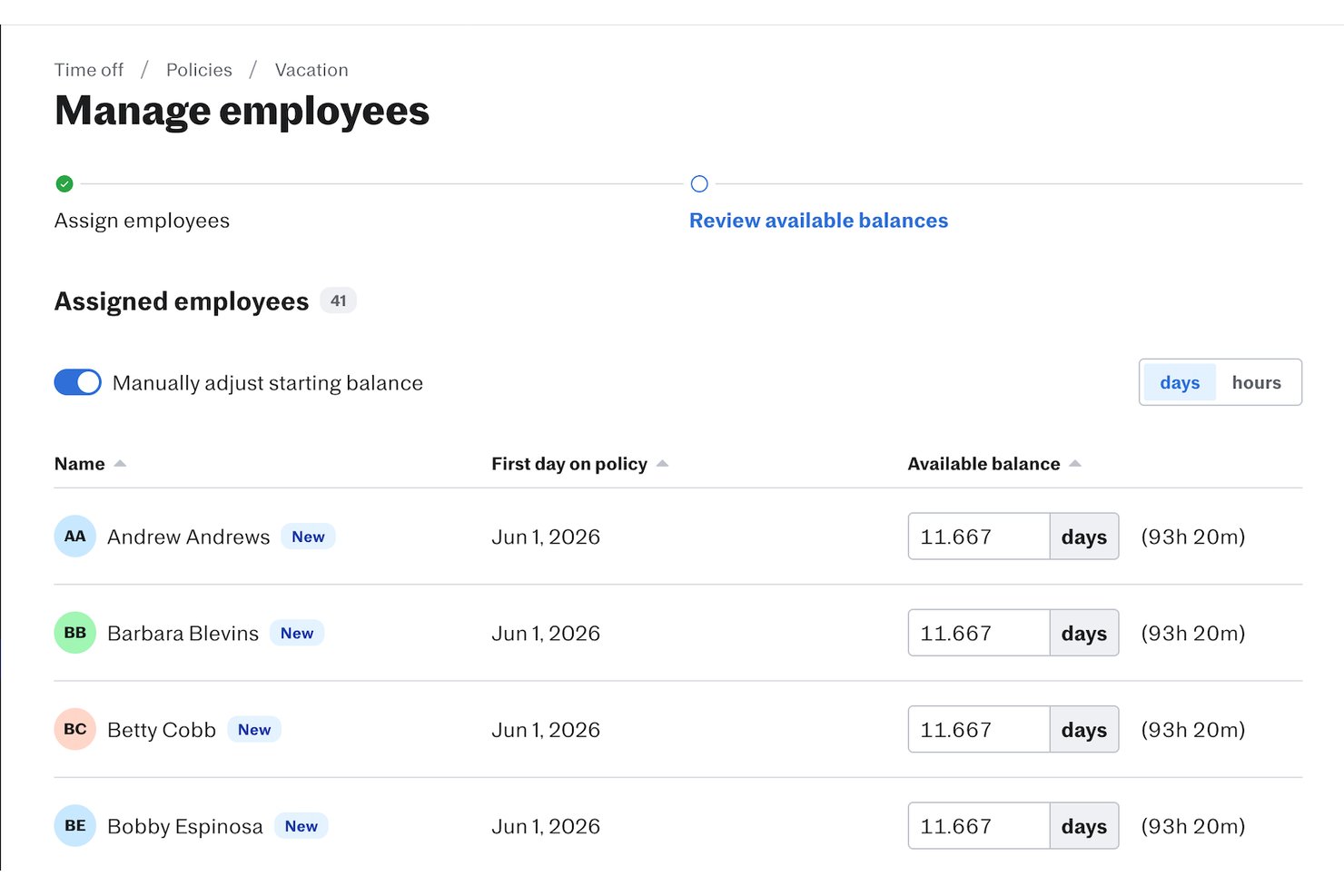
Justworks è una piattaforma HR e payroll che offre monitoraggio delle ferie, gestione delle assenze, amministrazione dei benefit e rilevamento presenze progettata per i team che cercano una soluzione tutto-in-uno.
Per chi è ideale Justworks?
Per piccole e medie aziende che desiderano una piattaforma HR centralizzata con gestione ferie e assenze integrata a buste paga e benefit.
Perché ho scelto Justworks
Ho scelto Justworks tra i migliori perché ottengo risposte ai dubbi riguardo ferie o assenze in qualsiasi momento grazie all'assistenza 24/7, posso impostare policy di assenza personalizzate e approvare richieste direttamente dalla piattaforma. Questo livello di supporto diretto è raro nella gestione delle ferie.
Funzionalità principali di Justworks
- Componente aggiuntivo per rilevazione presenze: Monitora ore di lavoro e presenze dei dipendenti in un unico sistema.
- Elaborazione paghe integrata: Sincronizza le ferie approvate direttamente con i cicli paga.
- Accesso tramite app mobile: I dipendenti possono richiedere e visualizzare le ferie da qualsiasi dispositivo.
- Policy di assenza personalizzabili: Configura maturazioni, trasferimenti e tipi di assenza multipli per diversi team.
Integrazioni Justworks
Justworks offre integrazioni native con QuickBooks Online e Xero per paghe e contabilità. È disponibile un'API per integrazioni personalizzate.
Pros and Cons
Pros:
- Assistenza chat e telefonica 24/7
- Flusso di richiesta e approvazione ferie semplice
- Saldi ferie visibili ai dipendenti in ogni momento
Cons:
- Regole personalizzate di maturazione ferie limitate
- I report non offrono opzioni di filtro avanzato

Migliore gestione delle assenze all’interno di un HRMS completo
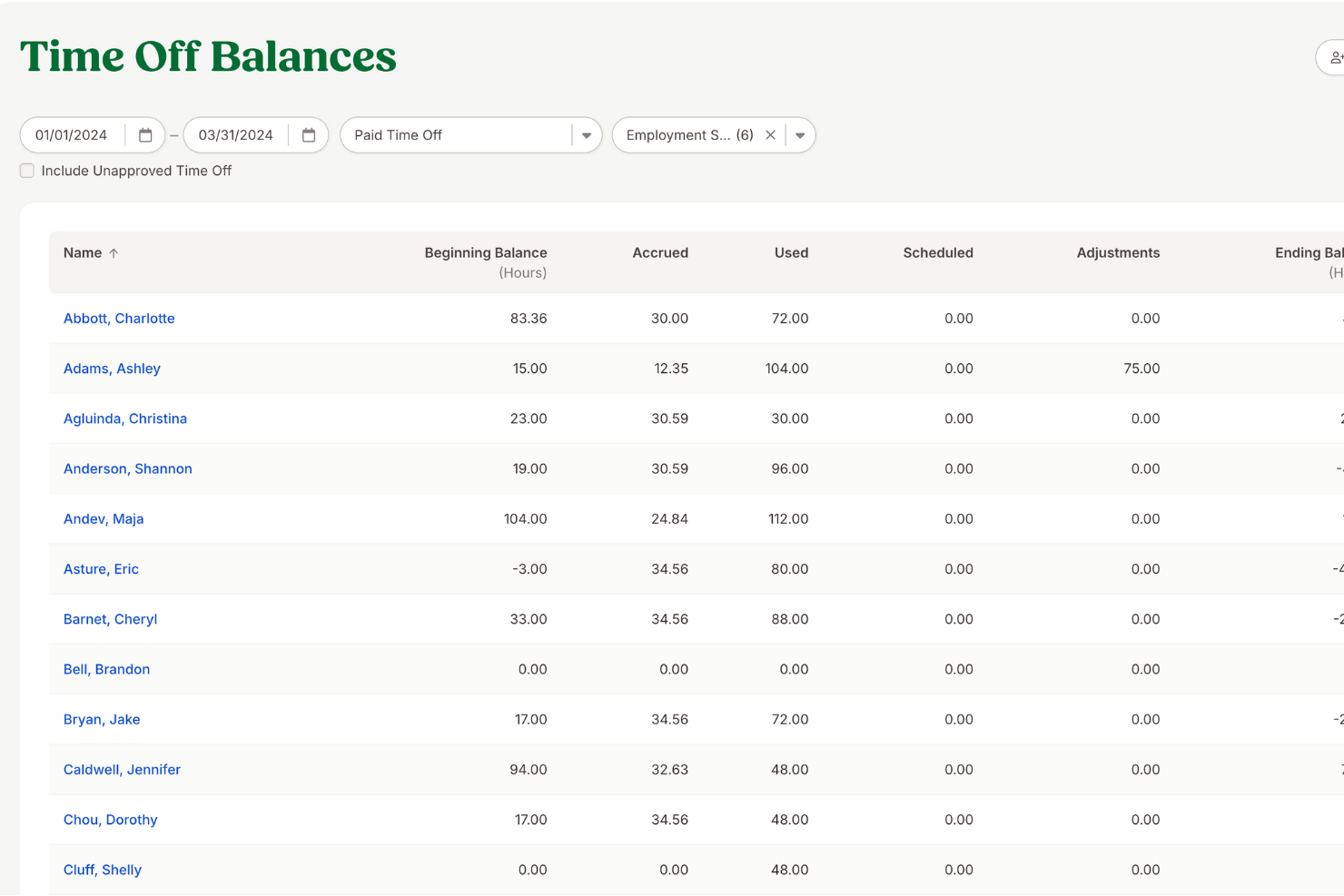
BambooHR offre ai team HR e alle aziende in crescita una piattaforma centralizzata per gestire le richieste di permessi, monitorare i saldi dei giorni di assenza e automatizzare le approvazioni, al fine di amministrare le politiche di ferie e garantire registrazioni accurate in tutta l’organizzazione.
Per chi è più indicato BambooHR?
BambooHR è perfetto per piccole e medie imprese che desiderano gestire il monitoraggio delle assenze come parte di un sistema HR più ampio, invece che come uno strumento a sé stante.
Perché ho scelto BambooHR
BambooHR si è guadagnato un posto nella mia selezione perché gestisce l’amministrazione delle assenze come parte nativa di un sistema HRMS completo, e non come una funzione aggiuntiva. Apprezzo che il monitoraggio delle ferie sia collegato direttamente alle schede dei dipendenti: quando cambia il saldo dei giorni di permesso di una persona, tutte le altre informazioni si aggiornano automaticamente. Il mio team può impostare tipologie di permessi personalizzate, configurare regole di maturazione e consentire ai dipendenti di inviare richieste di assenza tramite un portale self-service—il tutto senza dover cambiare strumento. I flussi di approvazione integrati significano inoltre che i responsabili vengono notificati in automatico e posso visualizzare la disponibilità del team in qualsiasi momento su un calendario condiviso.
Funzionalità principali di BambooHR
- Calendario 'Chi è assente': Un calendario condiviso che mostra quali dipendenti sono assenti in ogni giornata, offrendo a responsabili e HR una visibilità immediata sulla disponibilità del team.
- Sincronizzazione ferie con payroll: Ferie, malattie e giorni festivi sono sincronizzati con BambooHR Payroll, eliminando la necessità di inserimenti manuali dei dati.
- Monitoraggio automatico della conformità: BambooHR tiene traccia automaticamente di straordinari e permessi retribuiti per aiutare a mantenere la conformità alle normative sul lavoro in tutti i 50 stati USA.
- Accesso tramite app mobile: Dipendenti e responsabili possono inoltrare, esaminare e approvare richieste di assenza direttamente dall’app mobile di BambooHR, senza dover essere alla scrivania.
Integrazioni BambooHR
Le integrazioni includono Slack, Checkr, Remote, Evolia e sono possibili integrazioni personalizzate tramite l’API BambooHR.
Pros and Cons
Pros:
- Portali self-service utili per i dipendenti
- Hub di comunicazione integrato
- Numerose integrazioni disponibili
Cons:
- Alcune funzionalità sono disponibili solo come componenti aggiuntivi a pagamento
- Il prezzo non è trasparente
New Product Updates from BambooHR®

BambooHR Expands Compensation Benchmarking Data
BambooHR adds monthly-refreshed compensation benchmarks, additional data sources, and clearer job match indicators. This gives teams more context when comparing pay data and selecting relevant benchmarks. For more information, visit BambooHR’s official site.
 .
.
Deel HR
Ideale per gestire le assenze in più paesi
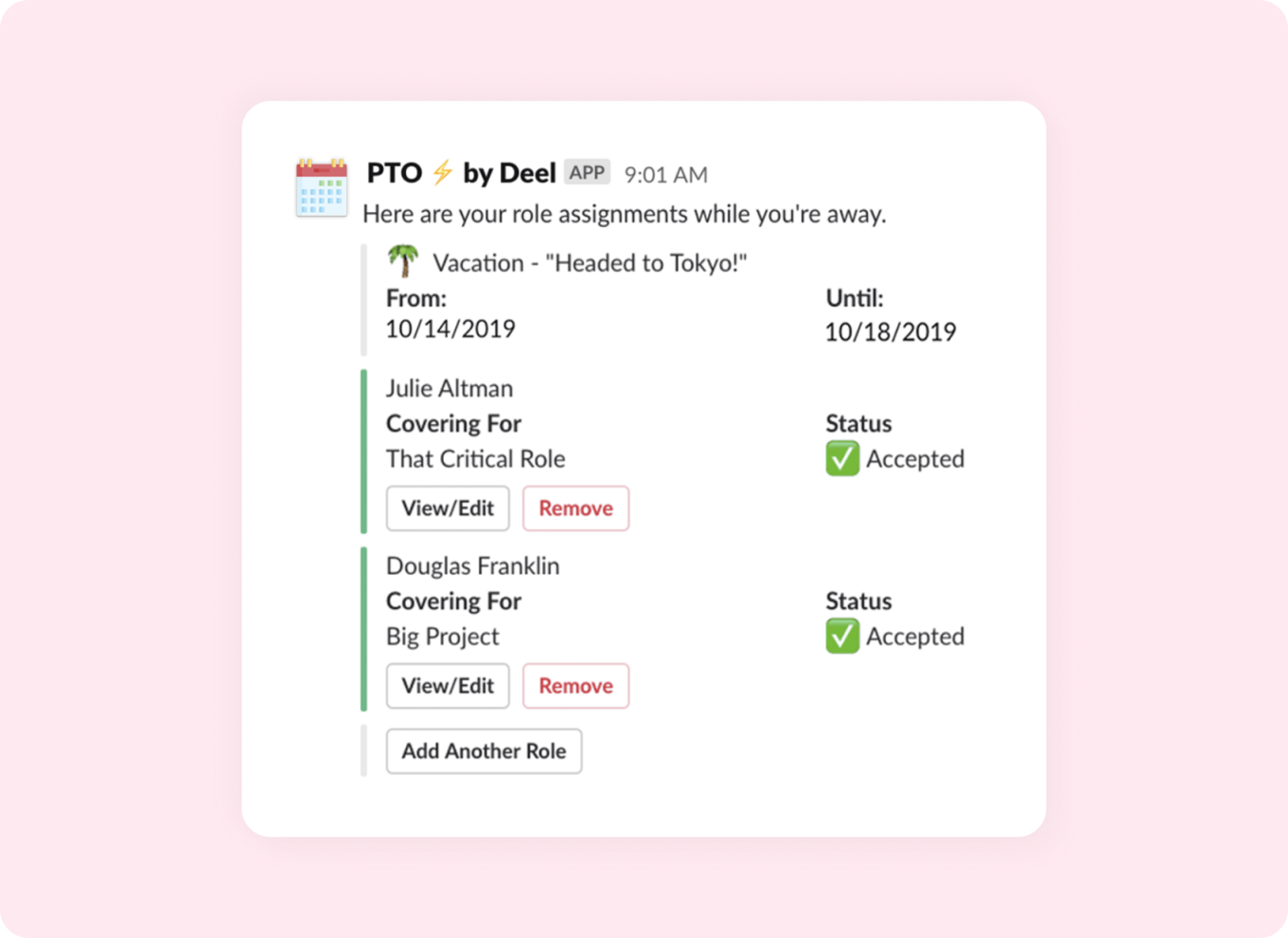
Deel HR consente ai team HR e ai responsabili aziendali di gestire PTO e monitoraggio delle assenze in un unico posto, con flussi di lavoro automatizzati e integrazioni che aiutano i team distribuiti e globali a rimanere organizzati e conformi.
Per chi è ideale Deel HR?
Deel HR si adatta perfettamente ai team HR di aziende di medie e grandi dimensioni che gestiscono una forza lavoro distribuita o globale e necessitano di un monitoraggio centralizzato delle assenze su più regioni.
Perché ho scelto Deel HR
Deel HR ha guadagnato il suo posto nella mia shortlist grazie all’integrazione con Slack, che si adatta perfettamente al ritmo quotidiano della gestione delle assenze. I dipendenti possono inviare richieste di ferie direttamente da Slack senza dover accedere a un portale HR separato, e i manager ricevono notifiche immediate per approvare o rifiutare le richieste nello stesso canale. Utilizzo anche il monitoraggio automatico del saldo delle assenze di Deel HR, che si aggiorna in tempo reale così la mia squadra sa sempre quante ferie sono ancora disponibili senza contattare l’HR.
Caratteristiche principali di Deel HR
- Politiche di assenza personalizzabili: Configura e gestisci diversi tipi di assenza, regole di maturazione e politiche regionali in base alle esigenze della tua organizzazione.
- Portale self-service per i dipendenti: I dipendenti possono vedere il saldo delle assenze, inviare richieste e monitorare lo stato di approvazione senza coinvolgere direttamente l’HR.
- Report e analisi delle assenze: Genera report sull’utilizzo delle ferie, tendenze di assenza e disponibilità del team in tutta la forza lavoro.
- Flussi di approvazione automatizzati: Instrada automaticamente le richieste di assenza ai manager corretti in base alla struttura del team o alla posizione.
Integrazioni Deel HR
Le integrazioni includono FaceUp, Snowflake, DefensX, Microsoft Finance, Kintsugi, ReFresh OS, Revo.ai, Keeper, Human Interest e Everyminute.
Pros and Cons
Pros:
- Le richieste PTO via Slack riducono il passaggio tra app per i team
- Le notifiche automatiche al team migliorano la visibilità
- L’indicatore di burnout aiuta i manager a monitorare i trend di benessere
Cons:
- Potrebbe non essere adatto a chi non usa Slack
- Personalizzazione delle politiche PTO limitata in alcuni paesi
New Product Updates from Deel HR

Deel Expands Stablecoin Wallet to 80+ Countries
Deel expands its Stablecoin Wallet to 80+ countries with dollar-backed balances and optional rewards. This gives eligible contractors more ways to hold and manage earnings inside Deel. For more information, visit Deel’s official site.
 .
.
La soluzione migliore come IA per le aziende
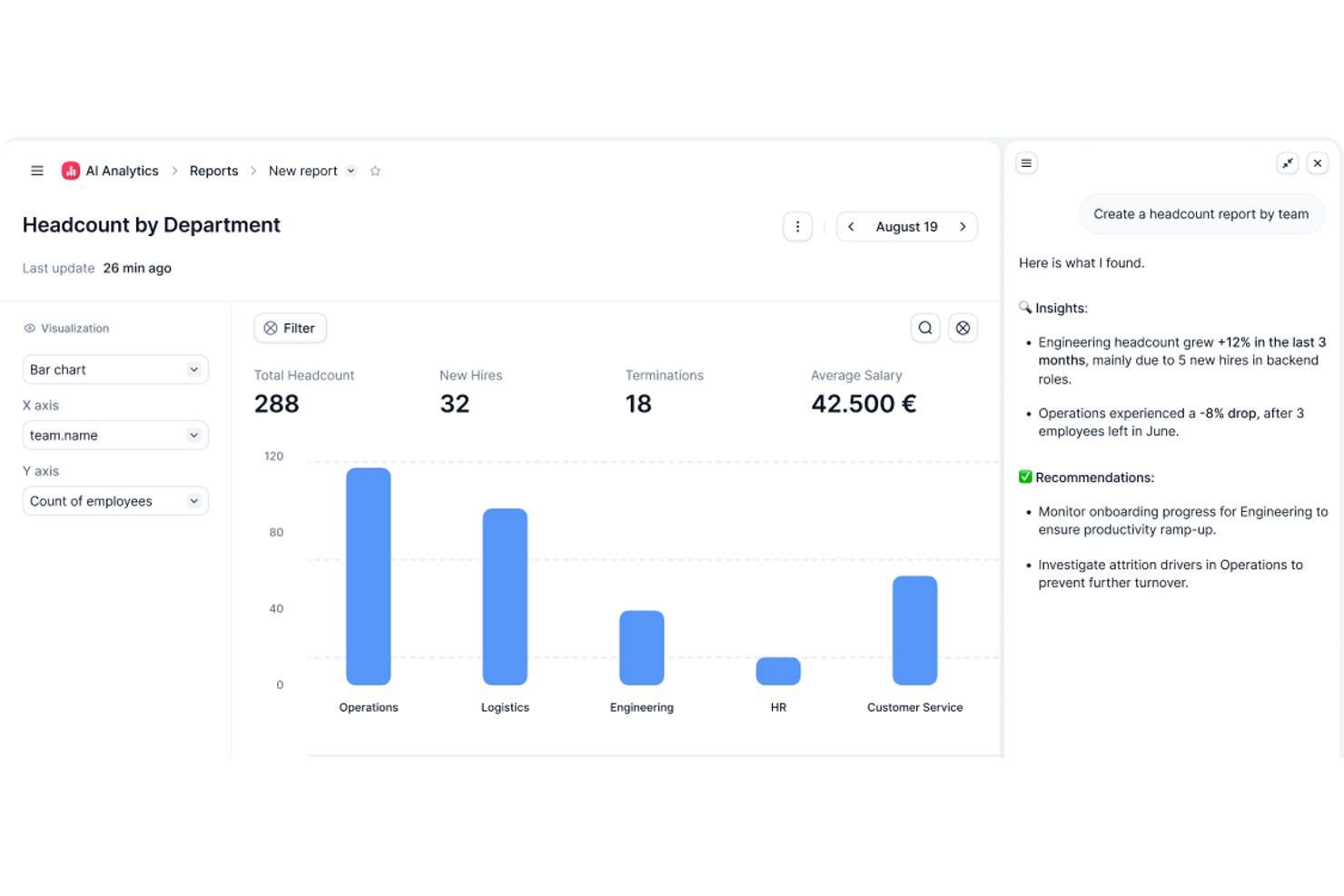
Factorial è una piattaforma HR basata sull'intelligenza artificiale che centralizza le richieste di permesso, il monitoraggio delle assenze, le approvazioni dei permessi e la gestione autonoma da parte dei dipendenti in tutta l'organizzazione.
Per chi è più adatto Factorial?
Factorial è particolarmente adatto ai titolari di piccole imprese che desiderano operazioni HR assistite dall'IA, inclusi il monitoraggio dei permessi, la pianificazione degli orari e le domande e risposte sulle regole, senza dover gestire più strumenti.
Perché ho scelto Factorial
Ho scelto Factorial come una delle migliori soluzioni perché il suo posizionamento nell'ambito dell'IA per le aziende va oltre il semplice software HR: l'agente IA di Factorial, One, può rispondere alle domande dei dipendenti sulle regole relative ai permessi, generare rapporti sulle assenze a partire dai dati aziendali aggiornati e contribuire alla pianificazione degli orari, senza coinvolgere il team HR in ogni richiesta. Apprezzo in particolare il fatto che i dipendenti possano inviare richieste di permesso e che i responsabili possano approvarle o rifiutarle da dispositivi mobili, mentre le regole di maturazione, i limiti di riporto e le date di blocco vengono applicati automaticamente tramite regole configurabili.
Funzionalità principali di Factorial
- Tipi di assenza configurabili: Gli amministratori possono creare categorie di assenza distinte, ciascuna con il proprio nome e le proprie regole, così la squadra può monitorare separatamente ferie, congedi per malattia e altri permessi.
- Calendario delle assenze della squadra: Un calendario condiviso mostra le assenze attuali e future, facilitando l'individuazione delle sovrapposizioni e la pianificazione della copertura prima di approvare le richieste.
- Regole basate su sede e contratto: Le regole relative ai permessi possono essere personalizzate in base alla sede o al tipo di contratto, in modo che regole diverse si applichino automaticamente a gruppi diversi di dipendenti.
- Esportazione dei dati sui permessi dei dipendenti: I responsabili possono esportare i dati relativi ai permessi dei dipendenti direttamente dalla piattaforma per la riconciliazione delle buste paga o per la reportistica esterna.
Integrazioni di Factorial
Factorial offre integrazioni nel catalogo con Silae, DATEV LODAS, Sage 200, Sage 100, Microsoft Power BI, Slack e Google Workspace. Fornisce inoltre un'API pubblica con OAuth 2.0, webhook, SDK e connettività Zapier.
Pros and Cons
Pros:
- Richieste di permesso, approvazioni e saldi centralizzati
- Il calendario condiviso aiuta le squadre a pianificare la copertura
- L'IA risponde alle domande dei dipendenti sulle regole
Cons:
- Funzionalità limitate per la reportistica e l'analisi personalizzate dei permessi
- I flussi di lavoro delle regole presentano limiti di configurazione

Ideale per l'integrazione con MS Teams e Slack
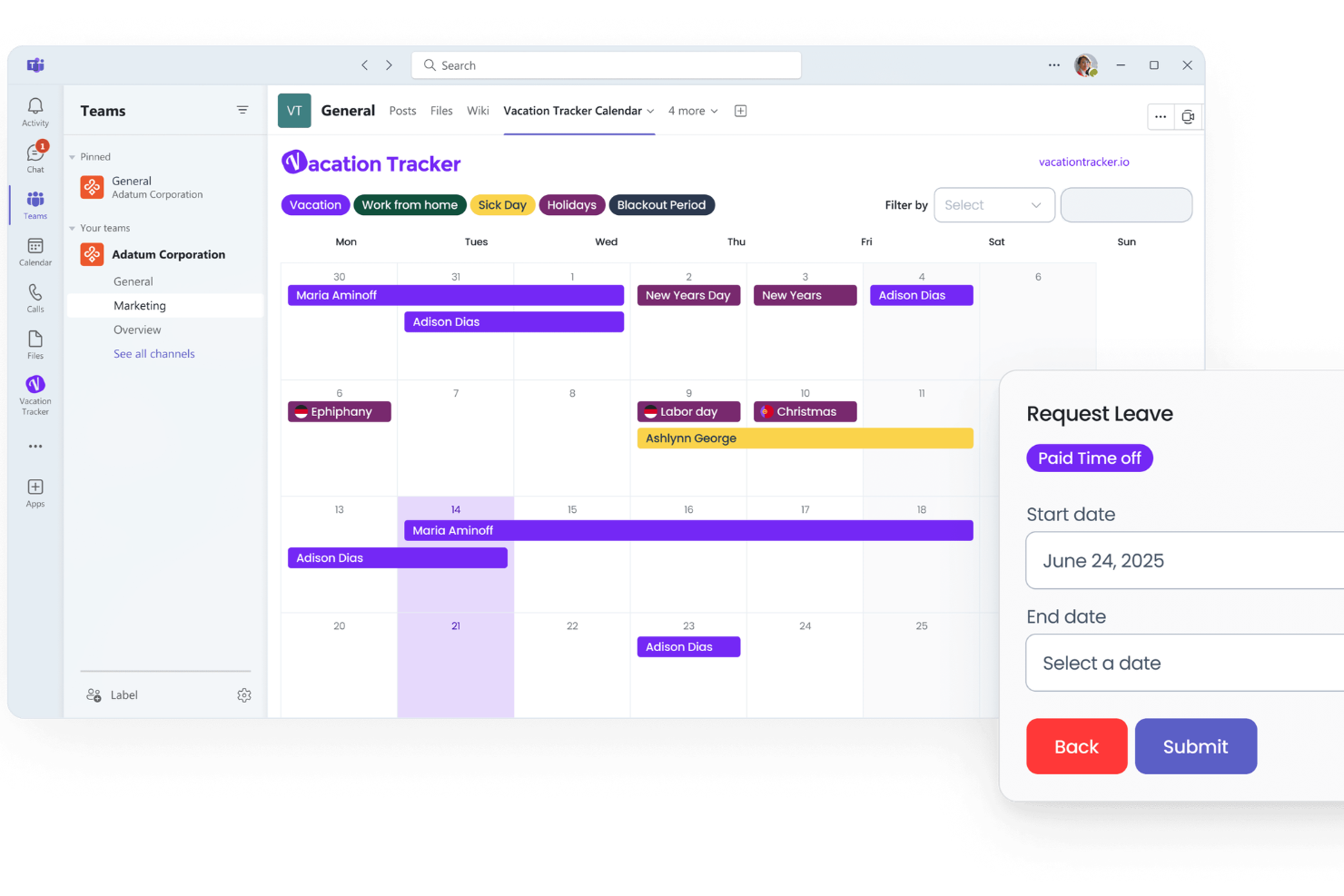
Vacation Tracker è una piattaforma di gestione delle assenze che consente ai team di gestire ferie, giorni di malattia e altre assenze direttamente all'interno degli strumenti di collaborazione già in uso, permettendo così a professionisti HR e manager di monitorare i permessi e automatizzare i flussi di approvazione.
Per chi è pensato Vacation Tracker?
Vacation Tracker è particolarmente adatto a team di piccole e medie dimensioni che svolgono le loro attività quotidiane su Microsoft Teams o Slack e desiderano integrare la gestione delle assenze direttamente in questi strumenti.
Perché ho scelto Vacation Tracker
Vacation Tracker si è guadagnato un posto nella mia lista perché porta la gestione delle assenze direttamente in Microsoft Teams e Slack, così il mio team non deve mai abbandonare gli strumenti che già utilizziamo. Mi piace che i dipendenti possano inviare richieste di ferie e i manager possano approvarle o rifiutarle direttamente in un canale Teams o in uno spazio di lavoro Slack, senza dover accedere a una piattaforma separata. Il calendario delle assenze integrato mi offre inoltre una visione in tempo reale di chi è assente e quando, facilitando la pianificazione e la gestione delle coperture. Ho trovato anche le notifiche automatiche davvero utili: il mio team riceve promemoria sulle assenze imminenti senza che debba rincorrere nessuno.
Caratteristiche principali di Vacation Tracker
- Tipologie di assenze personalizzate: Crea e configura le tue categorie di assenza oltre al classico PTO, come congedo parentale, giornate di volontariato o sabbatici.
- Maturazione delle ferie: Imposta regole di maturazione automatica affinché i saldi ferie dei dipendenti si aggiornino in base all'anzianità, alle ore lavorate o secondo programmazioni personalizzate.
- Reportistica a livello di reparto: Genera report sulle assenze filtrati per team o reparto per monitorare i modelli di assenza nell'organizzazione.
- Supporto multi-sede: Assegna diversi calendari di festività e politiche di permesso ai dipendenti in vari uffici o regioni.
Integrazioni di Vacation Tracker
Le integrazioni includono Slack, Microsoft Teams e Google Workspace.
Pros and Cons
Pros:
- Il piano gratuito copre richieste di PTO, approvazioni e notifiche base
- Tipologie e quote di assenze personalizzate
- Sincronizzazione calendario per visualizzare la disponibilità del team
Cons:
- Integrazioni native HRIS limitate
- I flussi di approvazione multilivello sono meno configurabili rispetto ai concorrenti

Il migliore da dispositivo mobile
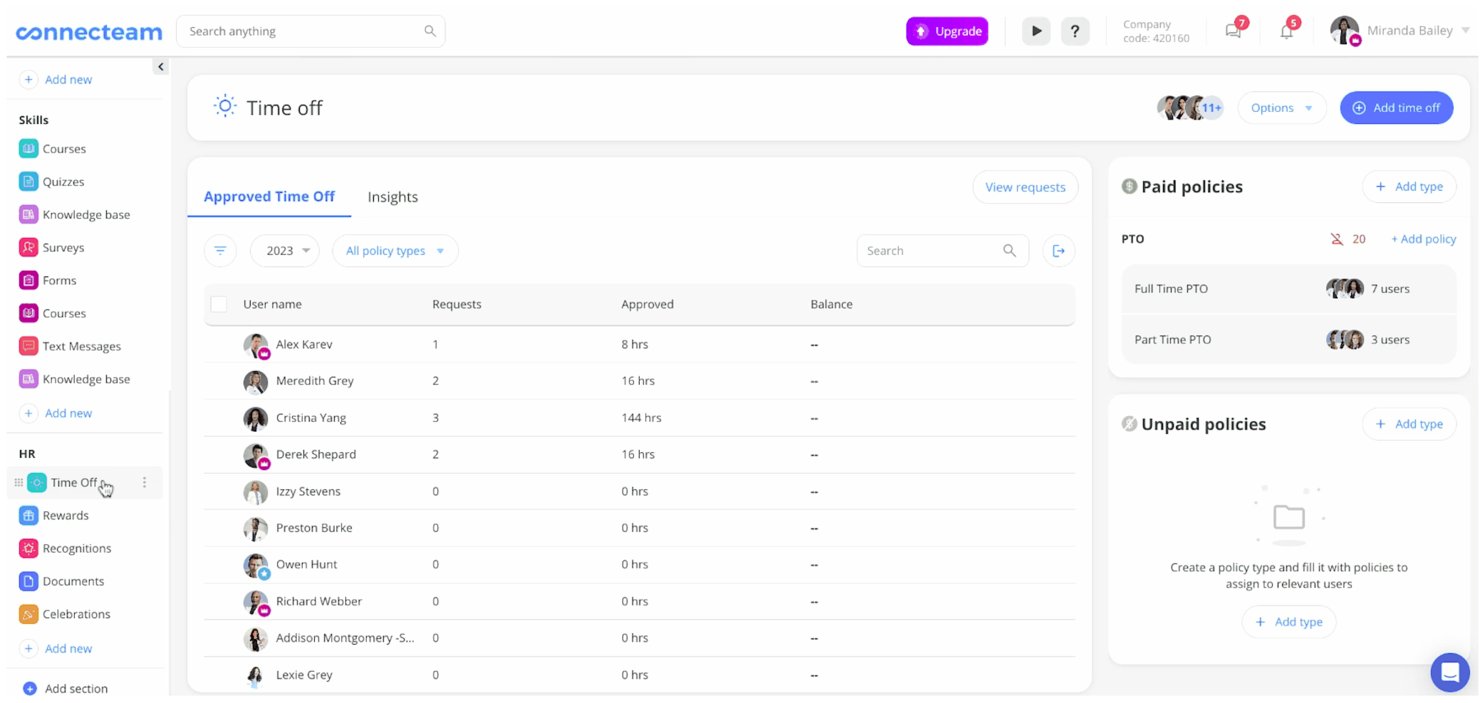
Connecteam è una piattaforma di gestione della forza lavoro pensata per aziende con team senza scrivania o mobili che necessitano di un modo semplice per tenere traccia delle ferie, gestire le richieste di permessi e mantenere tutti connessi anche in movimento.
Per Chi è Connecteam?
Connecteam è particolarmente adatto a piccole e medie imprese nei settori del commercio al dettaglio, dell'ospitalità e dell'edilizia, dove la maggior parte dei dipendenti lavora senza una scrivania o un computer.
Perché Ho Scelto Connecteam
Connecteam si guadagna un posto nella mia lista grazie all’efficacia con cui gestisce il monitoraggio delle ferie direttamente da un dispositivo mobile. Mi piace che i dipendenti possano inviare richieste di permesso direttamente dall’app e che i manager ricevano una notifica immediata per approvarle o rifiutarle—senza bisogno del computer. Il mio team può vedere in tempo reale chi è assente e quando, tramite il calendario delle assenze condiviso, particolarmente utile quando si coordinano i turni di lavoro sul campo o per gli orari. Il design mobile-first assicura che niente vada perso tra email o post-it.
Funzionalità Principali di Connecteam
- Approvazione personalizzabile dei permessi: Crea e configura diverse categorie di permessi—come malattia, vacanza o assenza non retribuita—per adattarle alla policy specifica della tua azienda.
- Monitoraggio degli accrual: Imposta regole automatiche di maturazione delle ferie così che i saldi dei dipendenti si aggiornino in base alle ore lavorate o all’anzianità.
- Timbratura con GPS: I dipendenti possono timbrare entrata e uscita dal loro dispositivo mobile, con tracciamento della posizione per verificare dove si trovavano all’orario di registrazione.
- Pianificazione dei turni: Crea e pubblica orari che riflettono automaticamente i permessi approvati per evitare sovrapposizioni.
Integrazioni di Connecteam
Le integrazioni includono QuickBooks, Gusto, Xero, ADP, Zapier, Wix, Lightspeed, PrismHR, Square, BambooHR, Accu-Time Systems, Synel e Clover.
Pros and Cons
Pros:
- Supporta policy di ferie sia per maturazione che per ore lavorate per diversi tipi di utenti
- L’app mobile consente ai dipendenti senza scrivania di richiedere permessi
- Le richieste di ferie sono sincronizzate con la pianificazione così da evitare doppie prenotazioni
Cons:
- Alcune funzionalità avanzate (azioni di gruppo, configurazione policy) possono richiedere formazione
- La profondità della personalizzazione può essere inferiore rispetto a strumenti più specializzati
New Product Updates from Connecteam

Connecteam Expands Break and Timesheet Controls
Connecteam adds flexible break thresholds, personalized policies, auto-end options, a centralized exceptions report, and improved timesheet issue visibility to help teams manage breaks and timesheets more effectively. For more information, visit Connecteam’s official site.
 .
.
La soluzione ideale per il tracciamento PTO e la gestione delle assenze nelle PMI
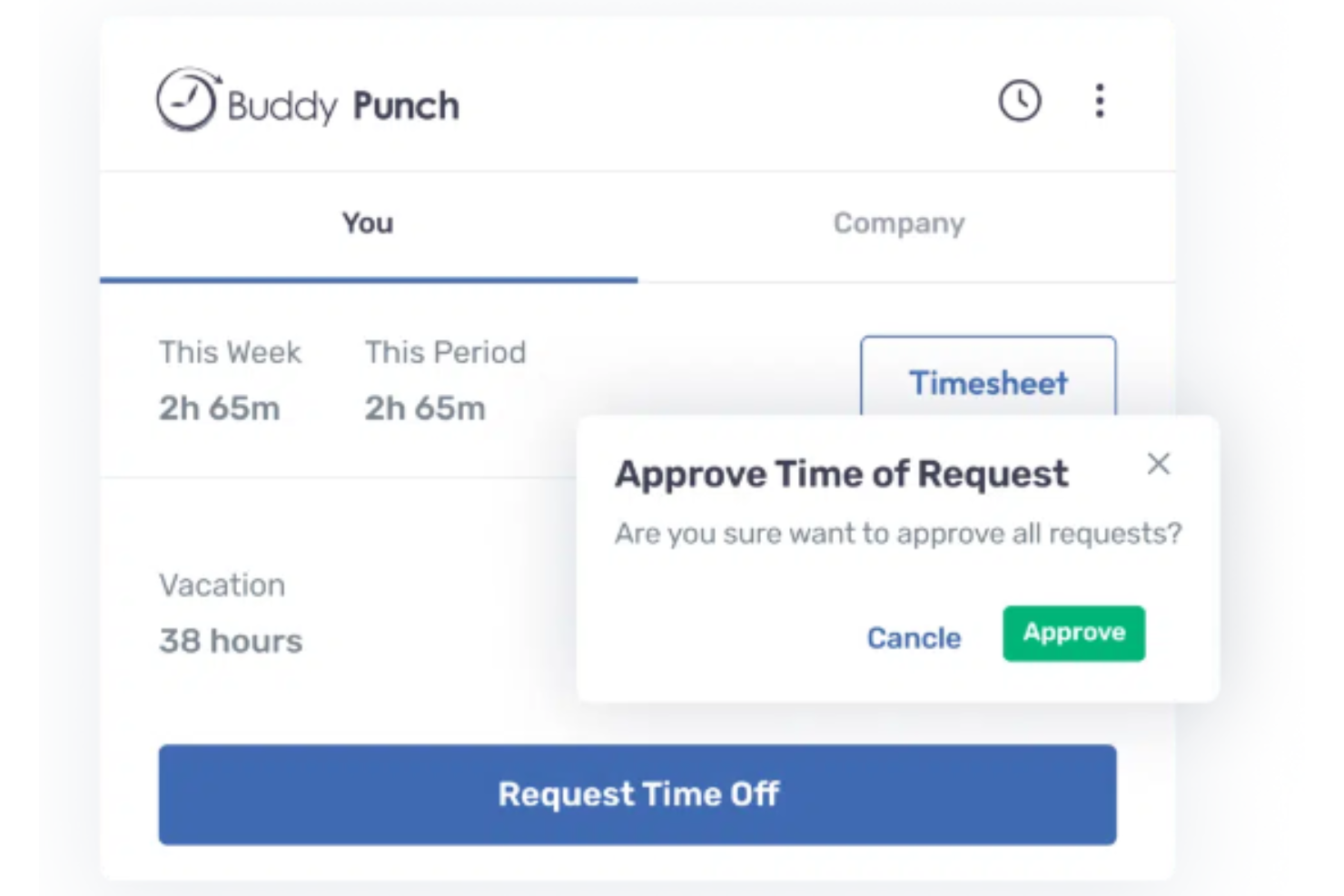
Buddy Punch è una piattaforma cloud per la gestione delle assenze creata per piccole e medie imprese che necessitano di un sistema semplice per tracciare le ferie retribuite (PTO), automatizzare la maturazione delle ferie e offrire flussi di richiesta assenza intuitivi sia per i dipendenti che per i manager.
Per chi è ideale Buddy Punch?
Buddy Punch è particolarmente adatto a piccole e medie aziende che desiderano gestire facilmente le assenze dei dipendenti senza un team delle risorse umane dedicato.
Perché ho scelto Buddy Punch
Ho scelto Buddy Punch perché gestisce l'intero ciclo di PTO senza bisogno di un team HR dedicato. Le regole di maturazione possono funzionare in modo automatico, così i saldi delle ferie si aggiornano senza aggiustamenti manuali a ogni periodo di paga. Quando una richiesta di assenza viene approvata, Buddy Punch aggiunge automaticamente le ore alla timesheet e aggiorna il calendario delle presenze. L'automazione end-to-end aiuta le PMI in cui spesso una sola persona si occupa di paghe, pianificazione e tracciamento delle assenze.
Funzionalità principali di Buddy Punch
- Personalizzazione dei tipi di assenza: Crea e configura diverse categorie di assenza — come malattia, ferie e permessi personali — con regole e limiti personalizzati.
- Flussi di approvazione manageriali: I manager ricevono notifiche per le richieste di assenza in sospeso e possono approvarle o respingerle direttamente dalla dashboard.
- Portale self-service per i dipendenti: I dipendenti possono inviare richieste di ferie, visualizzare il saldo PTO e controllare lo stato delle richieste senza contattare l'HR.
- Reportistica payroll: Genera report che riepilogano l'utilizzo e il saldo delle ferie per supportare l'elaborazione delle paghe.
Integrazioni di Buddy Punch
Le integrazioni includono QuickBooks Online, QuickBooks Desktop, ADP Workforce Now, Gusto, Paychex, Paylocity, Paycor, Justworks, Rippling e Workday.
Pros and Cons
Pros:
- Ampia gamma di integrazioni
- Interfaccia intuitiva
- Tecnologia di riconoscimento facciale
Cons:
- Modulo payroll disponibile solo per gli Stati Uniti.
- Costoso

Ideale per aziende che cercano una gestione delle assenze semplice e senza stress
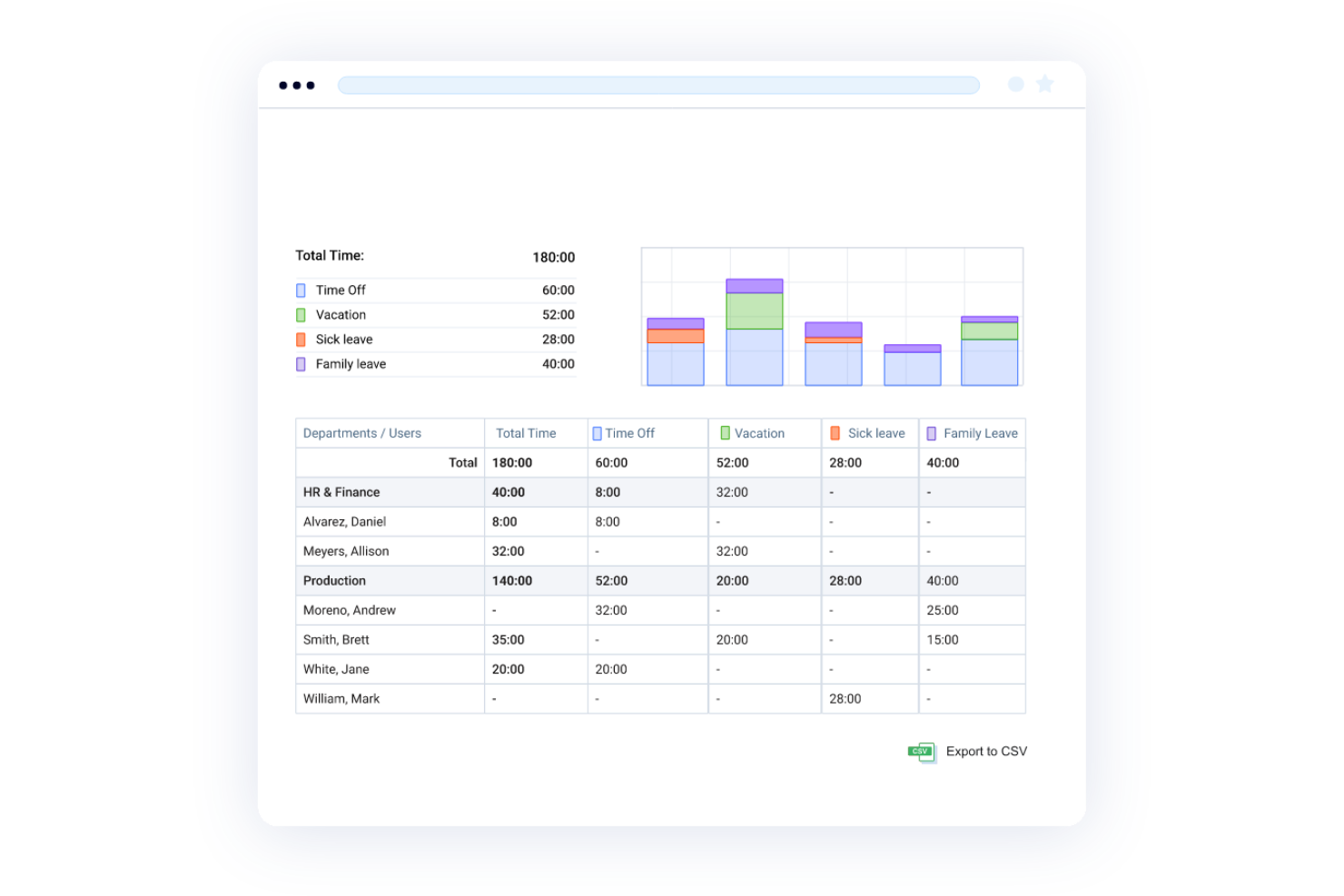
actiPLANS offre ai team HR e ai responsabili un modo semplice per monitorare il PTO, gestire le richieste di permessi e tenere tutti aggiornati con calendari delle assenze chiari e calcoli automatici dei saldi.
Per chi è più indicato actiPLANS?
actiPLANS è la soluzione ideale per piccole e medie imprese che desiderano uno strumento di gestione delle assenze senza le complessità di una suite HR completa.
Perché ho scelto actiPLANS
actiPLANS si è guadagnato un posto nella mia shortlist perché semplifica la gestione delle assenze concentrandosi su ciò di cui la maggior parte delle aziende ha bisogno. Mi piace il flusso di richiesta e approvazione delle assenze, pensato per essere rapido: i dipendenti inviano le richieste, i responsabili ricevono notifiche e i saldi si aggiornano automaticamente senza dover inseguire file Excel. Trovo inoltre utile il calendario delle assenze visivo per individuare facilmente eventuali buchi nella copertura, specialmente durante periodi intensi come l’estate o le festività. Le regole automatiche di maturazione del PTO sono un’altra funzione che apprezzo molto, perché puoi impostarle una sola volta e lasciare che il sistema faccia i calcoli al posto tuo.
Funzionalità principali di actiPLANS
- Tipi di assenza personalizzabili: Crea categorie di assenza illimitate per monitorare ogni tipo di permesso, dai giorni di malattia ai congedi parentali, con flussi di approvazione separati per ciascuno.
- Giorni di blackout PTO: Blocca date specifiche in cui non è consentito assentarsi, così i dipendenti possono vedere i periodi con restrizioni direttamente nel calendario delle assenze.
- Permessi basati sul ruolo: Controlla quali dipendenti possono visualizzare o gestire i dati delle assenze grazie a impostazioni personalizzabili di accesso utente.
- Report sulle assenze: Genera ed esporta report sulle assenze del personale in formato CSV o PDF, con opzioni di filtro per analizzare le tendenze per team o periodo.
Integrazioni actiPLANS
Al momento non sono elencate integrazioni native.
Pros and Cons
Pros:
- Interfaccia intuitiva
- Reportistica completa
- Regole di maturazione PTO personalizzabili
Cons:
- Impossibile modificare le richieste
- Integrazioni limitate

Ideale per esigenze aziendali personalizzate
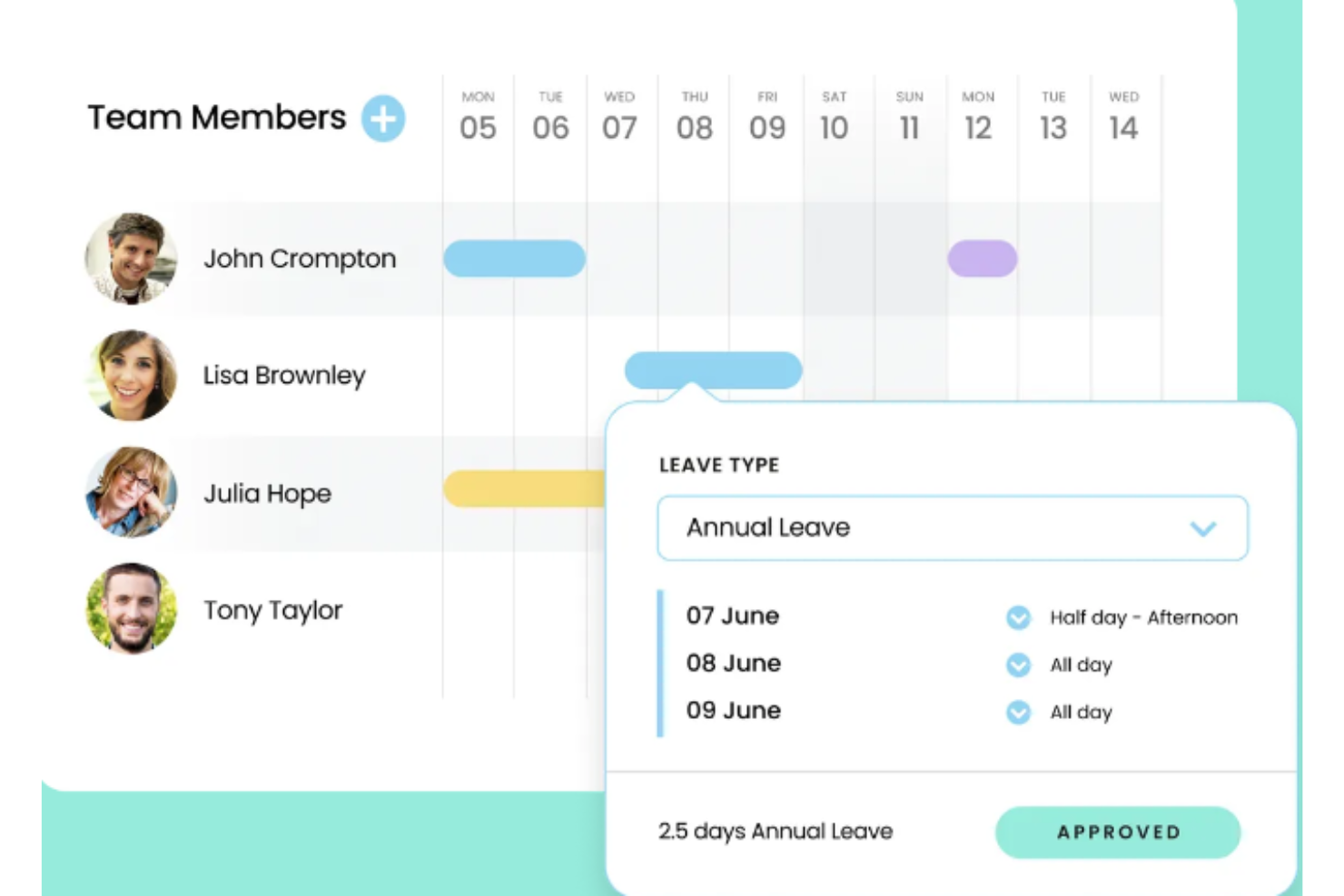
Leave Dates offre ai team HR e ai manager un modo chiaro per tenere traccia delle presenze, gestire le richieste di permesso e visualizzare la disponibilità del team, facilitando la gestione anche delle politiche di assenza più complesse e riducendo i conflitti di programmazione per aziende di ogni dimensione.
Per chi è ideale Leave Dates?
Leave Dates è adatto a piccole e medie imprese che necessitano di uno strumento semplice e flessibile per il monitoraggio delle assenze, senza la complessità di una suite HR completa.
Perché ho scelto Leave Dates
Ho incluso Leave Dates nella mia selezione per l’elevata flessibilità nella configurazione delle politiche di assenza. Apprezzo la possibilità di creare tipologie di permesso personalizzate oltre alle classiche ferie e malattia—come giornate di volontariato, permessi studio o aspettative—e di impostare regole di maturazione uniche per ciascuna. Il mio team può anche definire politiche diverse per dipartimenti o sedi differenti, una funzione davvero utile per chi deve gestire personale in più regioni con regole di diritto variabili. Un livello di personalizzazione difficile da trovare in strumenti di questa fascia di prezzo.
Funzionalità principali di Leave Dates
- Calendario condiviso: Un calendario visivo e in tempo reale che mostra la disponibilità e le assenze approvate di tutto il team a colpo d’occhio.
- Monitoraggio dei saldi permessi: Dipendenti e manager possono verificare in qualsiasi momento il saldo residuo e la cronologia delle assenze.
- Monitoraggio del recupero ore (TOIL): I membri del team possono registrare le ore di straordinario tramite app mobile o desktop per accumulare e utilizzare il proprio saldo TOIL.
- Supporto per festività pubbliche: Considera automaticamente le festività di oltre 150 Paesi per team distribuiti a livello globale.
Integrazioni di Leave Dates
Le integrazioni includono Google Calendar, Outlook e Slack. È inoltre disponibile un’API per integrazioni personalizzate.
Pros and Cons
Pros:
- Integrazione calendario
- Versione gratuita
- Interfaccia intuitiva
Cons:
- Impossibilità di ripristinare permessi
- Funzionalità limitate

Calamari
Ideale per processi di approvazione multilivello
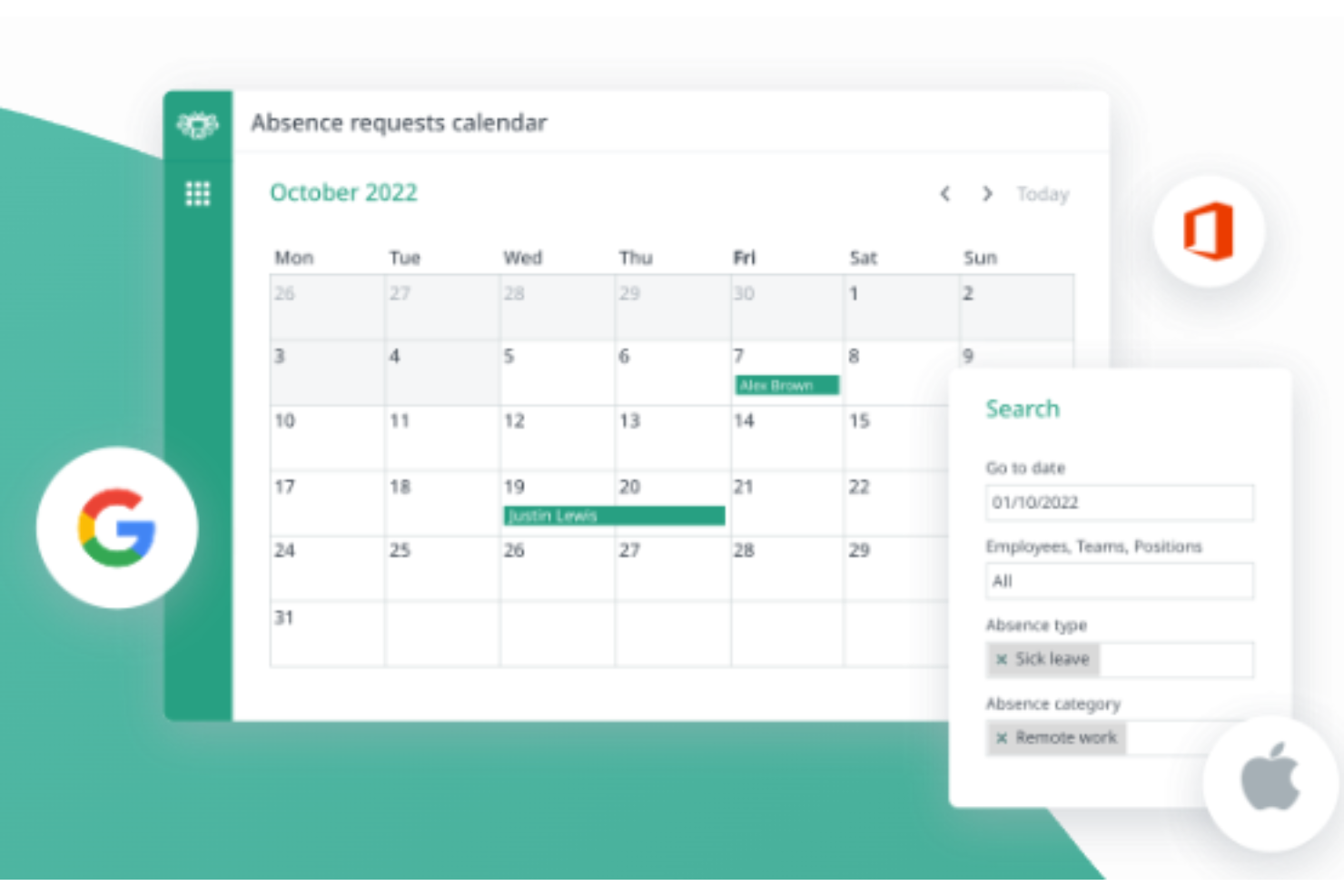
Calamari è una piattaforma di gestione delle assenze progettata per i team HR e i manager che hanno bisogno di monitorare le ferie retribuite (PTO), automatizzare le politiche di assenza e semplificare le richieste dei dipendenti all'interno di organizzazioni in crescita.
Per chi è ideale Calamari?
Calamari è adatto a piccole e medie imprese che necessitano di uno strumento dedicato per la gestione delle assenze, senza la complessità di una suite HR completa.
Perché ho scelto Calamari
Calamari si è guadagnato un posto nella mia lista grazie alla sua gestione efficace dei flussi di lavoro di approvazione multilivello per le richieste di assenza. Mi piace il fatto che sia possibile configurare catene di approvazione con più manager o responsabili HR in sequenza, il che è particolarmente utile quando una sola approvazione non è sufficiente—ad esempio, quando sia il responsabile diretto che il capo dipartimento devono approvare un congedo prolungato. Il mio team può impostare regole di approvazione diverse a seconda del tipo di assenza o del team, mantenendo così il processo flessibile senza perdere il controllo. Il calendario delle assenze di Calamari offre a tutti la visibilità su chi è assente e quando, evitando che le approvazioni avvengano in isolamento.
Funzionalità principali di Calamari
- Tipi di assenza personalizzabili: Definisci e configura le tue categorie di assenza, incluse regole di maturazione, limiti e condizioni di idoneità.
- Portale self-service per i dipendenti: I dipendenti possono inviare richieste di assenza, controllare i propri saldi e visualizzare la cronologia delle assenze senza intervento dell'HR.
- Maturazione automatica: Imposta programmi di maturazione PTO automatici basati sull’anzianità, sull’orario di lavoro o su regole personalizzate.
- Report sulle assenze: Genera report sull'utilizzo delle assenze, sulle tendenze dell'assenteismo e sulla disponibilità dei team in tutta l'organizzazione.
Integrazioni di Calamari
Le integrazioni includono Slack, Microsoft Teams, Asana, Jira, Google Workspace, Office 365, Basecamp, Toggl, QuickBooks e Okta.
Pros and Cons
Pros:
- Team di supporto disponibile
- Conveniente
- Facile da navigare
Cons:
- Impossibile modificare richieste di assenza già inserite
- Difficile monitorare le ferie sull’app mobile
Altri software per la gestione delle ferie
Ecco alcune altre opzioni che non sono entrate nell’elenco dei migliori software per la gestione delle ferie. Non avevo spazio per una recensione completa di ciascuna di queste soluzioni, ma meritano comunque di essere prese in considerazione:
- edays
Ideale per il monitoraggio globale delle assenze
- Day Off
Ideale per notifiche in tempo reale
- Absence.io
Ideale per semplificare la gestione delle assenze a livello internazionale per aziende di tutte le dimensioni
- Deltek Replicon Time
Ideale per la gestione di politiche globali per i permessi
- FoxHire
Ideale per PTO e permessi di malattia
- LeaveBoard
Ideale per team in crescita
- ADP Total Absence Management
Ideale per la gestione delle assenze dei dipendenti nelle grandi aziende
- PurelyHR Time Off
Miglior gestione delle assenze per processi automatizzati e policy personalizzate
- Pause
Ideale per la gestione delle richieste di permesso e la pianificazione della capacità nei team di startup
- EasyTimeOff
La migliore gestione efficiente delle assenze con politiche personalizzabili
- Planleave
Ideale per il monitoraggio e l'automazione semplificati delle ferie
- Insightful
Miglior gestione delle assenze in una piattaforma di produttività
- TalentHR
Il migliore con flussi di lavoro assistiti dall’IA per le richieste di permesso
- Homebase
La migliore app per la comunicazione del team per piccole imprese


Recensioni correlate dei software per le risorse umane
Se non hai ancora trovato quello che cerchi, dai un'occhiata a questi altri strumenti correlati che abbiamo testato e valutato:
- Software per le risorse umane
- Software per le buste paga
- Software per il reclutamento
- Servizi di datore di lavoro di riferimento
- Sistemi di tracciamento dei candidati
- Software per la gestione della forza lavoro
Come valuto il software di gestione delle assenze
Divido la mia valutazione in due livelli: le funzionalità di base, come il monitoraggio delle maturazioni e i flussi di approvazione, che qualsiasi strumento deve offrire, e i fattori differenzianti che rendono una soluzione superiore rispetto a un'altra.
Funzionalità di base (Requisiti minimi per questa lista)
Queste capacità fondamentali rappresentano i criteri di accettazione per l'inclusione nella mia lista di software di gestione delle assenze:
- Flussi di richiesta di assenza: Valuto come le richieste passano dal dipendente al responsabile e se lo strumento supporta approvazioni multi-livello, invio da dispositivi mobili e notifiche in tempo reale tramite email o chat.
- Monitoraggio maturazione & saldo ferie: La logica di maturazione è importante, quindi verifico se la piattaforma gestisce regole basate sull’anzianità, limiti di riporto, calcolo pro-rata e visibilità del saldo aggiornato per i dipendenti.
- Configurazione delle politiche di assenza: Cerco la flessibilità necessaria per creare politiche distinte per sede, ruolo o tipologia di contratto. Questo è essenziale per i team che gestiscono personale orario e stipendiato con regole differenti.
- Calendario assenze di team: Un calendario condiviso che mostra chi è assente e quando aiuta i manager a evitare conflitti di approvazione; quindi valuto opzioni di filtro, viste per reparto e sincronizzazione con altri calendari.
- Integrazione con Payroll & HRIS: Le assenze approvate devono fluire verso il software payroll senza reinserimenti manuali, perciò verifico la presenza di connettori nativi con piattaforme come ADP, Gusto, BambooHR e Workday.
- Reportistica & analisi delle assenze: Cerco report che vadano oltre il semplice riepilogo e dashboard che mostrino tendenze di assenza, previsioni di costi e dati filtrabili per team o periodo.
Attribuisco a ciascun fornitore un punteggio da 0 (funzionalità assente) a 5 (eccellenza in quell’area) per ogni criterio.
I fornitori devono ottenere un punteggio medio minimo per essere presi in considerazione per la mia lista. Da lì considero cosa distingue ogni piattaforma.
Fattori differenzianti (Cosa distingue i fornitori)
Dopo aver creato la mia lista, ecco come confronto i diversi fornitori nello spazio del software di gestione delle assenze:
Funzionalità distintive
Un'app mobile che permette ai dipendenti di controllare il saldo e richiedere permessi in qualsiasi momento è fondamentale per i team con personale sul campo o per il lavoro ibrido. Le integrazioni con Slack e Teams velocizzano le approvazioni direttamente nel flusso di lavoro, quindi verifico se le richieste e le notifiche funzionano nativamente in questi strumenti. Per le organizzazioni globali, cerco piattaforme che offrano supporto multi-paese, perché la gestione di politiche, festività e lingue localizzate riduce le attività manuali per gli HR distribuiti. Anche gli strumenti di pianificazione delle coperture fanno la differenza, permettendo ai manager di individuare rapidamente conflitti prima di approvare richieste.
Oltre le funzionalità
La compliance è importante. Valuto se i fornitori dispongono di certificazioni SOC 2 Tipo II o ISO 27001 e offrono controlli di accesso basati sul ruolo, soprattutto quando nei dati di assenza sono presenti informazioni sanitarie sensibili. Anche la velocità di implementazione è un fattore che considero. Alcune piattaforme sono operative in pochi giorni con la migrazione guidata delle policy, mentre altre richiedono mesi di configurazione. Prendo inoltre in esame il costo totale di proprietà, verificando se il prezzo per utente resta prevedibile man mano che il personale aumenta e se i piani gratuiti permettono ai team più piccoli di valutare la soluzione prima dell’acquisto.
Che cos'è il software per la gestione delle ferie?
Il software per la gestione delle ferie è un sistema che automatizza le richieste, le approvazioni e il monitoraggio delle assenze dei dipendenti, sostituendo fogli di calcolo ed e-mail soggetti a errori. I professionisti delle risorse umane e i manager lo utilizzano per gestire ferie, congedi per malattia e altre assenze, garantendo al contempo la conformità alle politiche aziendali e alle leggi sul lavoro.
Centralizzando i dati relativi alle ferie, riduce il lavoro amministrativo, previene i conflitti di programmazione e offre una visibilità in tempo reale sulla disponibilità del personale, rendendo la pianificazione della forza lavoro più semplice e accurata.
Funzionalità del software per la gestione delle ferie
Gestire le richieste e le approvazioni delle assenze dei dipendenti è una parte fondamentale per mantenere i team organizzati e garantire l'efficienza sul posto di lavoro. Il software per la gestione delle ferie contribuisce a semplificare questo processo, riducendo errori e confusione e garantendo al contempo la conformità alle politiche aziendali.
Ecco le funzionalità più importanti da cercare quando si seleziona un software per la gestione delle ferie, così da gestire efficacemente richieste e approvazioni:
- Pannello di controllo centralizzato: un pannello di controllo unificato offre una visione chiara delle richieste di ferie, dei saldi e delle approvazioni, aiutando i responsabili a prendere rapidamente decisioni informate.
- Portale autonomo: un portale autonomo consente ai dipendenti di inviare richieste di ferie, controllare i saldi e visualizzare le approvazioni, riducendo il carico amministrativo per i gruppi delle risorse umane.
- Flussi di lavoro di approvazione automatizzati: i flussi di lavoro automatizzati assicurano che le richieste vengano indirizzate agli approvatori corretti, facendo risparmiare tempo ed eliminando i colli di bottiglia nel processo di approvazione.
- Personalizzazione delle politiche sulle ferie: le politiche personalizzabili consentono alle aziende di adattare il software alle proprie regole specifiche sulle ferie, garantendo coerenza e conformità.
- Notifiche in tempo reale: le notifiche istantanee tengono informati dipendenti e responsabili sullo stato delle richieste di ferie, assicurando che nulla venga trascurato.
- Accessibilità da dispositivi mobili: un software ottimizzato per i dispositivi mobili consente a dipendenti e responsabili di gestire le richieste di ferie ovunque si trovino, aumentando la reattività e la flessibilità.
- Integrazione con i calendari: l'integrazione con i calendari condivisi aiuta i gruppi a monitorare le assenze, garantendo una copertura adeguata e riducendo i conflitti di pianificazione.
- Rapporti e analisi: rapporti dettagliati forniscono informazioni sulle tendenze relative alle ferie, aiutando le aziende a identificare gli schemi ricorrenti e a prendere decisioni migliori per la pianificazione della forza lavoro.
- Supporto multilingue e multivaluta: il supporto per più lingue e valute è essenziale per i gruppi internazionali, poiché garantisce accessibilità e precisione nelle diverse regioni.
- Gestione della conformità: le funzionalità di conformità integrate aiutano le aziende a rispettare le leggi e le normative sul lavoro, riducendo al minimo il rischio di problemi legali.
La scelta di un software per la gestione delle ferie dotato di queste funzionalità garantisce un processo più fluido ed efficiente per la gestione delle assenze dei dipendenti. Semplifica la vita di dipendenti, responsabili e gruppi delle risorse umane, mantenendo al contempo tutto in linea con le politiche e gli obiettivi aziendali.
Costi e prezzi dei software per la gestione delle ferie
I software per la gestione delle ferie offrono diversi livelli di prezzo per soddisfare una vasta gamma di esigenze e budget organizzativi. I piani vanno generalmente dalle versioni gratuite con funzionalità di base alle opzioni premium che offrono strumenti avanzati per gruppi più grandi o complessi. Comprendere cosa include ciascun piano e i relativi costi può aiutarti a scegliere l'opzione più adatta alla tua organizzazione.
Tabella comparativa dei piani per i software di gestione delle ferie
| Piano | Prezzo medio | Ideale per | Funzionalità |
|---|---|---|---|
| Gratuito | $0 per utente/mese | Piccoli gruppi o aziende emergenti | Flussi di lavoro di base per le richieste e le approvazioni delle ferie, monitoraggio semplice delle PTO, rendicontazione limitata, accesso per un singolo amministratore. |
| Base | $2-5 per utente/mese | Piccole e medie imprese | Personalizzazione dei tipi di ferie, accesso da dispositivi mobili, integrazioni con i calendari, maturazione automatizzata delle ferie. |
| Standard | $6-10 per utente/mese | Gruppi in crescita con esigenze complesse | Rendicontazione avanzata, strumenti per la conformità, politiche sulle ferie per più sedi, integrazione con software per paghe e risorse umane. |
| Avanzato | $11-20 per utente/mese | Grandi gruppi o organizzazioni multinazionali | Analisi basate sull'AI, avvisi sulla conformità regionale, accesso API, autorizzazioni basate sui ruoli, flussi di lavoro personalizzati. |
| Aziendale | Prezzi personalizzati | Organizzazioni di grandi dimensioni | Referente dedicato, integrazioni illimitate, garanzie SLA, inserimento iniziale personalizzato, politiche sulle ferie personalizzate. |
Quando scegli un piano, considera le dimensioni del tuo gruppo, la complessità delle tue politiche sulle ferie e qualsiasi esigenza specifica di conformità o integrazione, per assicurarti di investire in una soluzione in linea con i tuoi obiettivi.
Domande frequenti
Ecco alcune risposte alle domande più frequenti sul software per la gestione delle ferie e su come funziona:
Come scelgo il software per la gestione delle ferie più adatto al mio team?
Inizia elencando le funzionalità indispensabili, come le approvazioni automatizzate, l’accesso da dispositivi mobili o la personalizzazione delle regole. Leggi le recensioni degli utenti e richiedi dimostrazioni ai principali fornitori per verificare se i loro flussi di lavoro si adattano ai tuoi processi. Dai la priorità agli strumenti che offrono un semplice processo di inserimento, un’assistenza clienti efficace e una reportistica completa, così da far risparmiare tempo sia a te sia al tuo team.
Il software per la gestione delle ferie può integrarsi con i miei sistemi paghe e risorse umane?
Sì, la maggior parte delle soluzioni per la gestione delle ferie offre integrazioni con le piattaforme paghe più diffuse e i sistemi HRIS. Controlla l’elenco delle integrazioni di ciascun fornitore per verificare che supporti gli strumenti che già utilizzi, come ADP, BambooHR o Gusto. In questo modo la sincronizzazione dei dati sulle ferie è semplice e i principali calcoli delle paghe vengono automatizzati, riducendo il lavoro manuale e gli errori.
In che modo il software per la gestione delle ferie contribuisce a garantire la conformità alle leggi sul lavoro?
Il software per la gestione delle ferie utilizza regole di conformità integrate per adeguarsi automaticamente alle leggi sul lavoro e alle regole aziendali. Aggiorna la maturazione delle ferie, calcola i saldi e segnala potenziali violazioni delle regole. Questo ti aiuta a evitare errori costosi e garantisce che i dipendenti ricevano i diritti previsti dalla legge senza controlli manuali.
Quanto è facile configurare e iniziare a utilizzare il software per la gestione delle ferie?
La maggior parte degli strumenti per la gestione delle ferie è basata sul cloud e offre guide per l’inserimento o assistenza clienti per aiutarti a iniziare rapidamente. In genere puoi importare i dati dei dipendenti, configurare le regole e invitare il tuo team in poche ore. Se desideri un avvio senza intoppi, cerca piattaforme apprezzate per i pannelli di controllo intuitivi e l’assistenza rapida.
Quali funzionalità di reportistica e analisi offrono gli strumenti per la gestione delle ferie?
Gli strumenti per la gestione delle ferie forniscono pannelli di controllo e report scaricabili sui saldi delle ferie, sulle tendenze dell’assenteismo e sui tempi di approvazione. Questi report consentono di individuare schemi ricorrenti, come i periodi di maggiore utilizzo o le assenze frequenti. Puoi utilizzare questi dati per elaborare migliori piani di assegnazione del personale o individuare problemi emergenti prima che influiscano sulla produttività.
Quali sono i tipi di ferie più comuni richiesti dai dipendenti?
I tipi di ferie più comuni richiesti dai dipendenti includono ferie annuali, congedo per malattia, congedo di maternità/paternità, festività nazionali, permessi personali, congedo per lutto e congedo non retribuito, come un anno sabbatico o un’assenza dal lavoro per motivi personali o professionali.
Altri tipi legittimi, ma meno comuni, di assenza dei dipendenti includono i permessi per osservanze religiose, il servizio come giurato, il congedo militare o il tempo libero per votare il giorno delle elezioni.