

Le 10 migliori app per la gestione delle paghe recensite nel 2026

Elenco delle migliori app per paghe


Le paghe sono uno dei pochi processi aziendali in cui piccoli errori possono avere conseguenze immediate sia per i dipendenti sia per la conformità normativa. Con l’aumento della complessità dei requisiti relativi alle paghe, affidarsi a processi manuali o a sistemi non integrati rende più difficile mantenere precisione ed efficienza. L’app per paghe giusta aiuta a centralizzare le attività relative alle paghe, ridurre il lavoro amministrativo e mantenere il team nei tempi previsti. In questa guida confronterò le opzioni migliori e spiegherò quali sono più adatte alle diverse esigenze aziendali.
Perché fidarsi delle nostre recensioni sui software
Il nostro team testa e recensisce software dal 2012. In quanto esperti HR noi stessi, sappiamo quanto sia difficile — e importante — scegliere il software giusto.
Per questa guida, abbiamo valutato gli strumenti attraverso test pratici e ricerche indipendenti, assegnando un punteggio agli strumenti in base ai nostri criteri di selezione. Ci basiamo inoltre sulle competenze di leader di pensiero del settore e di professionisti HR attivi.
Le nostre recensioni riflettono il nostro giudizio editoriale umano, non un discorso di vendita.
Revisori esperti:
Riepilogo delle migliori app per paghe
Questa tabella comparativa riassume i dettagli sui prezzi delle mie migliori app per paghe selezionate, per aiutarti a trovare quella più adatta al tuo budget e alle esigenze della tua azienda.
| Tool | Best For | Trial Info | Price | ||
|---|---|---|---|---|---|
| 1 | Ideale per il self-service dei dipendenti | Non disponibile | Prezzo su richiesta | Website | |
| 2 | Ideale per paghe multi-statali e internazionali | Demo gratuita disponibile | Da $8/utente/mese + $50/mese di quota base | Website | |
| 3 | Ideale per l'integrazione della pianificazione | Prova gratuita di 14 giorni + demo gratuita disponibile | A partire da $24/sede/mese | Website | |
| 4 | Ideale con collaboratori illimitati | Piano gratuito disponibile | A partire da $19/mese | Website | |
| 5 | Ideale per una gestione unificata delle presenze | Prova gratuita di 14 giorni + demo gratuita disponibile | A partire da $29/mese (fatturazione annuale) | Website | |
| 6 | Ideale per elaborazioni payroll illimitate | Promozione gratuita di 6 mesi disponibile | Da $29/mese | Website | |
| 7 | La migliore gestione dipendenti gratuita e illimitata | Piano gratuito disponibile | Gratuito | Website | |
| 8 | Ideale per l'elaborazione delle paghe basata su chat | Prova gratuita di 3 mesi | Da $39/mese + $5/utente/mese | Website | |
| 9 | Ideale per la gestione paghe gratuita | Piano gratuito disponibile | Prezzo su richiesta | Website | |
| 10 | Ideale per la gestione stipendi di collaboratori e dipendenti | Piano gratuito + demo gratuita disponibile | Da $49/mese + $6/mese/persona | Website |


Recensione delle migliori app per paghe
Di seguito trovi i miei riepiloghi dettagliati delle migliori app per paghe incluse nella mia selezione. Le mie recensioni offrono una panoramica approfondita delle funzionalità principali, dei pro e dei contro, delle integrazioni e dei casi d’uso ideali di ogni strumento, per aiutarti a trovare quello più adatto a te.

Paycom
Ideale per il self-service dei dipendenti
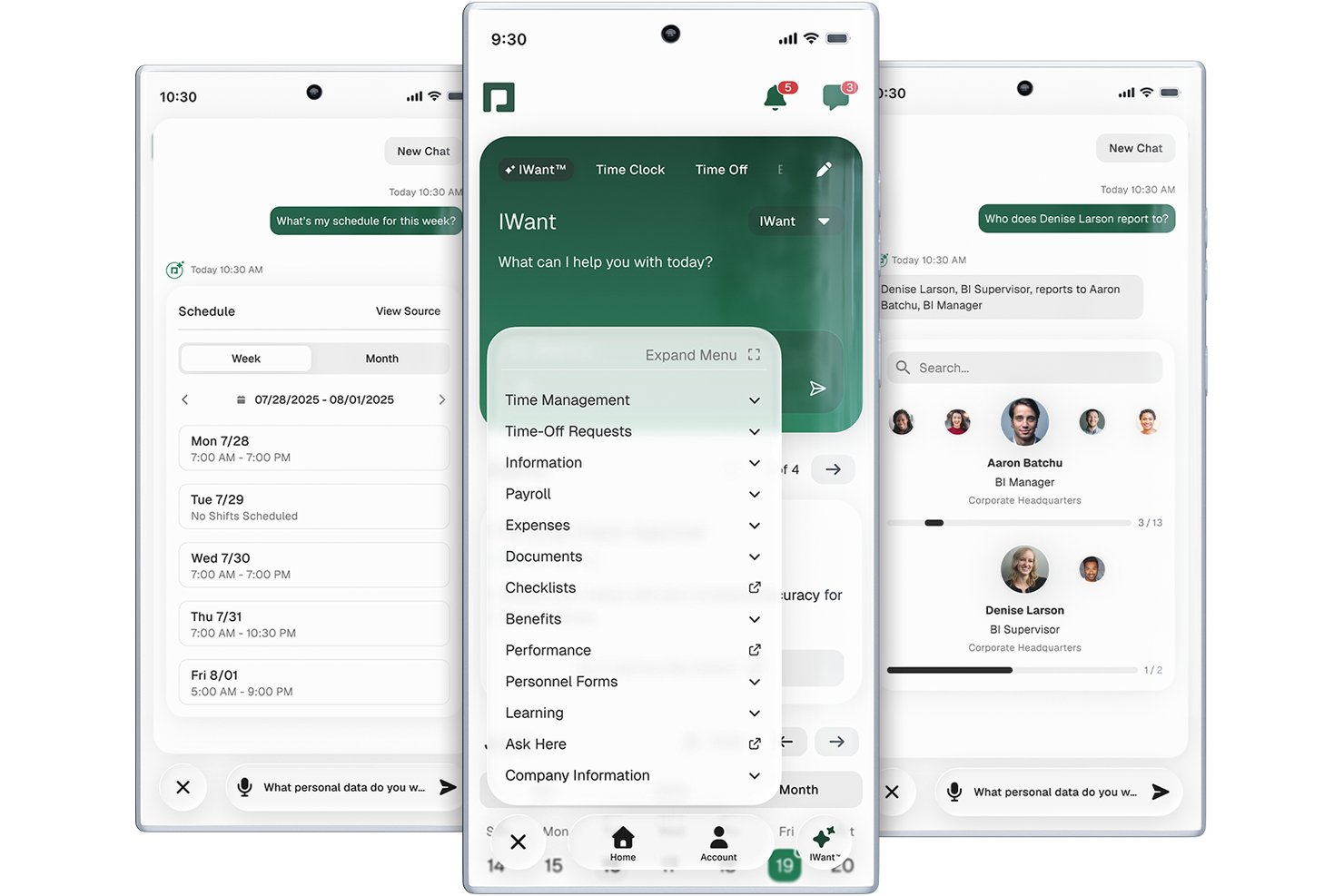
Paycom è una piattaforma di gestione delle paghe (payroll) e HCM basata su un unico database che copre processi di payroll automatizzati, dichiarazione delle tasse, gestione di presenze e assenze, amministrazione dei benefit e self-service dei dipendenti in un sistema unificato.
Per chi è più adatto Paycom?
Paycom è particolarmente adatto per aziende statunitensi di medie dimensioni con 50 o più dipendenti che desiderano gestire buste paga e risorse umane su un'unica piattaforma.
Perché ho scelto Paycom
Paycom si guadagna un posto nella mia selezione perché il suo self-service per i dipendenti è più completo rispetto alla maggior parte delle app payroll. Apprezzo in particolare Beti, che ribalta il modello tradizionale della busta paga facendo verificare ai dipendenti i propri dati prima dell'elaborazione, individuando errori prima che si trasformino in correzioni costose. Il portale self-service offre inoltre ai lavoratori accesso diretto a cedolini, moduli fiscali e richieste di permessi tramite GONE, che approva o rifiuta automaticamente le richieste in base alle regole preimpostate definite dal tuo team.
Caratteristiche principali di Paycom
- Dashboard Direct Data Exchange: Fornisce visibilità in tempo reale su ROI e uso del software per gli amministratori.
- Modulo nativo di gestione presenze: Traccia le ore lavorate dai dipendenti, gestisce le ferie e si sincronizza automaticamente con la busta paga.
- Specialista dedicato all'implementazione: Assegna un esperto di riferimento per guidare configurazione e supporto, evitando ticket di supporto generici.
- Gestione benefits integrata: Automatizza iscrizione ai benefit, sincronizzazione delle trattenute e conformità con piani di salute, visione e pensione.
Integrazioni Paycom
Le integrazioni native al momento non sono elencate. Tuttavia, Paycom offre un'API per integrazioni personalizzate.
Pros and Cons
Pros:
- Beti consente ai dipendenti di auto-verificare i dati payroll
- Database unico collega HR e payroll
- La rilevazione ore integrata si sincronizza direttamente con la busta paga
Cons:
- Integrazioni native limitate con strumenti di terze parti
- Solo per gli Stati Uniti, nessun supporto payroll internazionale

Ideale per paghe multi-statali e internazionali
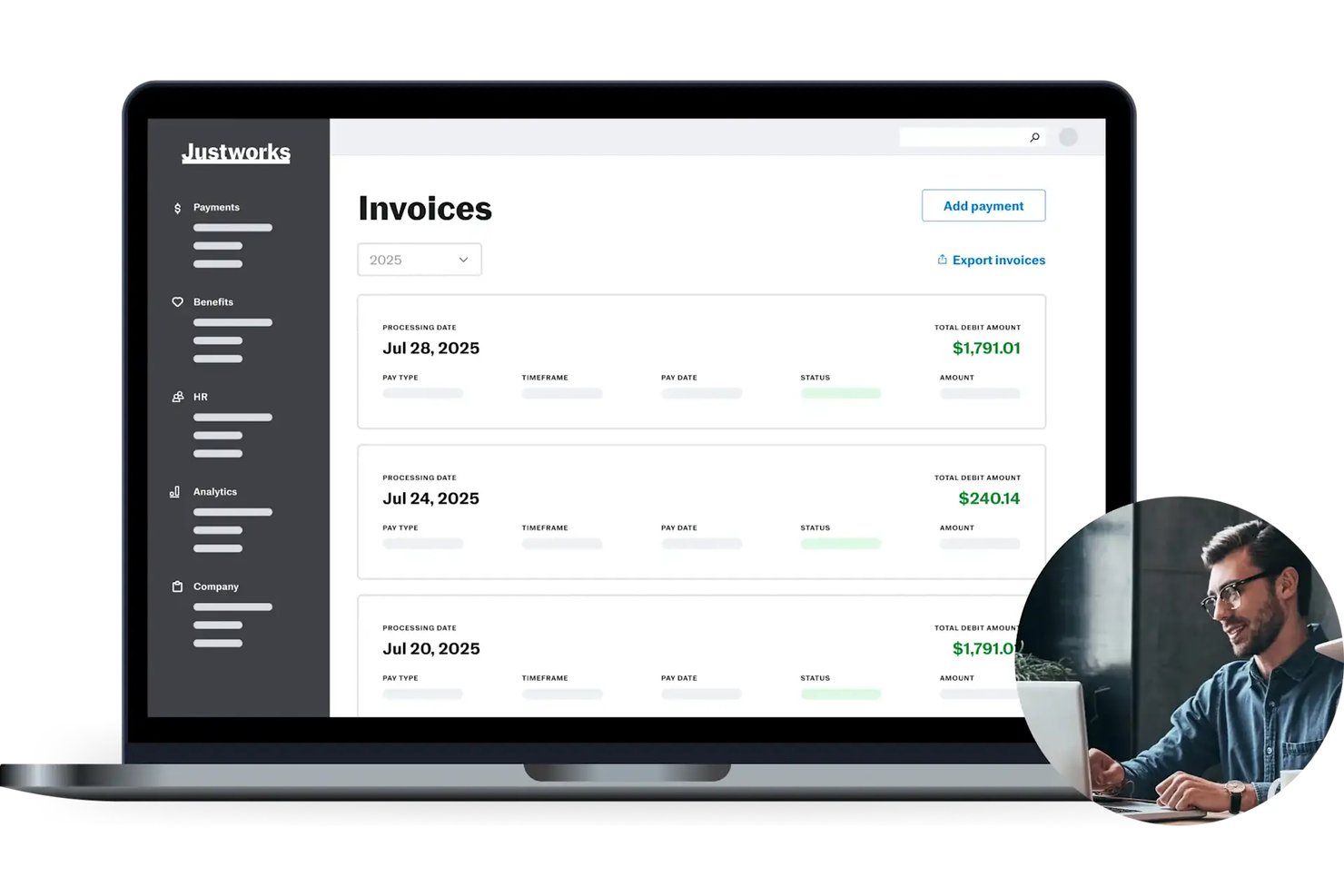
Justworks è una piattaforma PEO e di gestione delle buste paga che combina elaborazione automatica delle paghe, dichiarazione delle tasse, gestione dei benefit e strumenti HR in un unico sistema.
Per chi è ideale Justworks?
Justworks è particolarmente adatto a piccole e medie imprese con team distribuiti in più stati che necessitano della gestione centralizzata di paghe, conformità e benefit.
Perché ho scelto Justworks
Ho scelto Justworks tra i migliori perché gestisce la complessità delle paghe multi-statali, una sfida per molte aziende in crescita. Gestisce automaticamente il versamento delle tasse sui salari in oltre 2.000 entità fiscali, coprendo ogni stato senza che io debba gestire singole registrazioni statali. Inoltre posso pagare collaboratori internazionali in oltre 60 paesi e assumere dipendenti globali a tempo pieno tramite il servizio Employer of Record integrato, tutto all'interno della stessa piattaforma.
Caratteristiche principali di Justworks
- Portale self-service per i dipendenti: consente ai dipendenti di aggiornare informazioni personali, accedere ai cedolini e visualizzare documenti fiscali online.
- Gestione integrata dei benefit: gestisce assicurazione sanitaria, 401(k), HSA/FSA e altro direttamente tramite la piattaforma.
- Componente aggiuntivo per la rilevazione delle presenze: offre rilevazione tempo tramite mobile, geofencing e sincronizzazione automatica dei turni per garantire l'accuratezza delle paghe.
- Integrazioni contabili: sincronizza i dati delle paghe con QuickBooks, Xero, NetSuite e Sage Intacct.
Integrazioni di Justworks
Justworks offre integrazioni native con QuickBooks Online, Xero, NetSuite, Sage Intacct, Greenhouse, JazzHR, Lever, 15Five e Culture Amp.
Pros and Cons
Pros:
- Gestisce la complessità delle paghe multi-statali per gli amministratori
- Paga collaboratori internazionali in oltre 60 paesi
- Comprende la gestione integrata dei benefit
Cons:
- Capacità limitate di creazione report personalizzati
- Meno integrazioni di terze parti rispetto ad alcuni concorrenti

Homebase
Ideale per l'integrazione della pianificazione
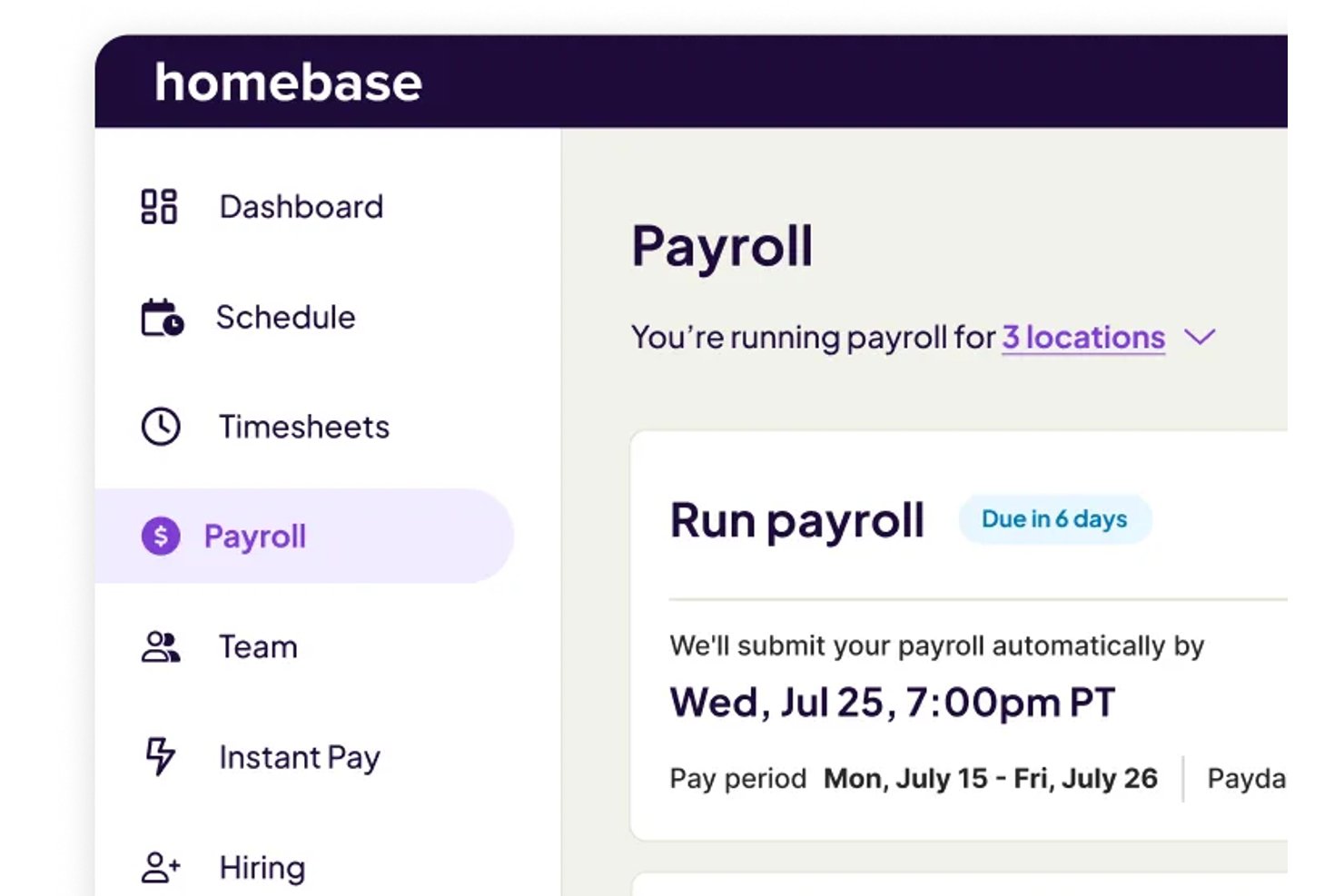
Homebase è una piattaforma di gestione della forza lavoro e delle buste paga pensata per i team orari che combina pianificazione dei turni, rilevazione presenze ed elaborazione dei salari con inoltro automatico delle dichiarazioni fiscali e bonifici diretti.
Per chi è più adatto Homebase?
Homebase è particolarmente indicato per i proprietari di piccole imprese nei settori della ristorazione, del retail e dei servizi che gestiscono lavoratori orari in una o poche sedi.
Perché ho scelto Homebase
Ho inserito Homebase tra le mie migliori scelte perché gli strumenti di pianificazione dei turni e delle buste paga condividono lo stesso livello di dati. Quando il mio team crea un programma di turni, quelle ore confluiscono direttamente nei fogli presenze e poi nelle buste paga senza necessità di reinserimento o riconciliazione tra i passaggi. L'Assistente Buste Paga AI individua inoltre lacune o conflitti nei cartellini prima dell'elaborazione, riducendo le correzioni a ciclo in corso e mantenendo puntuali i pagamenti.
Caratteristiche principali di Homebase
- App mobile nativa: Permette agli amministratori di gestire le buste paga e ai dipendenti di accedere da smartphone a cedolini e moduli fiscali.
- Portale self-service per i dipendenti: Consente al personale di aggiornare i propri dati e scaricare i documenti di pagamento online.
- Gestione delle imposte federali e statali: Gestisce automaticamente il calcolo delle imposte, la trattenuta e l'inoltro per dipendenti e collaboratori.
- Integrazione con QuickBooks Online: Sincronizza direttamente i dati delle retribuzioni con QuickBooks per una contabilità senza interruzioni.
Integrazioni di Homebase
Homebase offre oltre 25 integrazioni native tra cui QuickBooks Online, Gusto, ADP, Paychex, Square, Shopify, Toast, Heartland e altre. È disponibile un'API per integrazioni personalizzate.
Pros and Cons
Pros:
- Flusso diretto da pianificazione a buste paga per team orari
- Timbratura integrata con geolocalizzazione GPS
- I dipendenti possono accedere ai cedolini tramite app
Cons:
- Alcune recensioni segnalano errori nell'invio delle dichiarazioni fiscali
- Non supporta il pagamento di collaboratori internazionali

Wave
Ideale con collaboratori illimitati
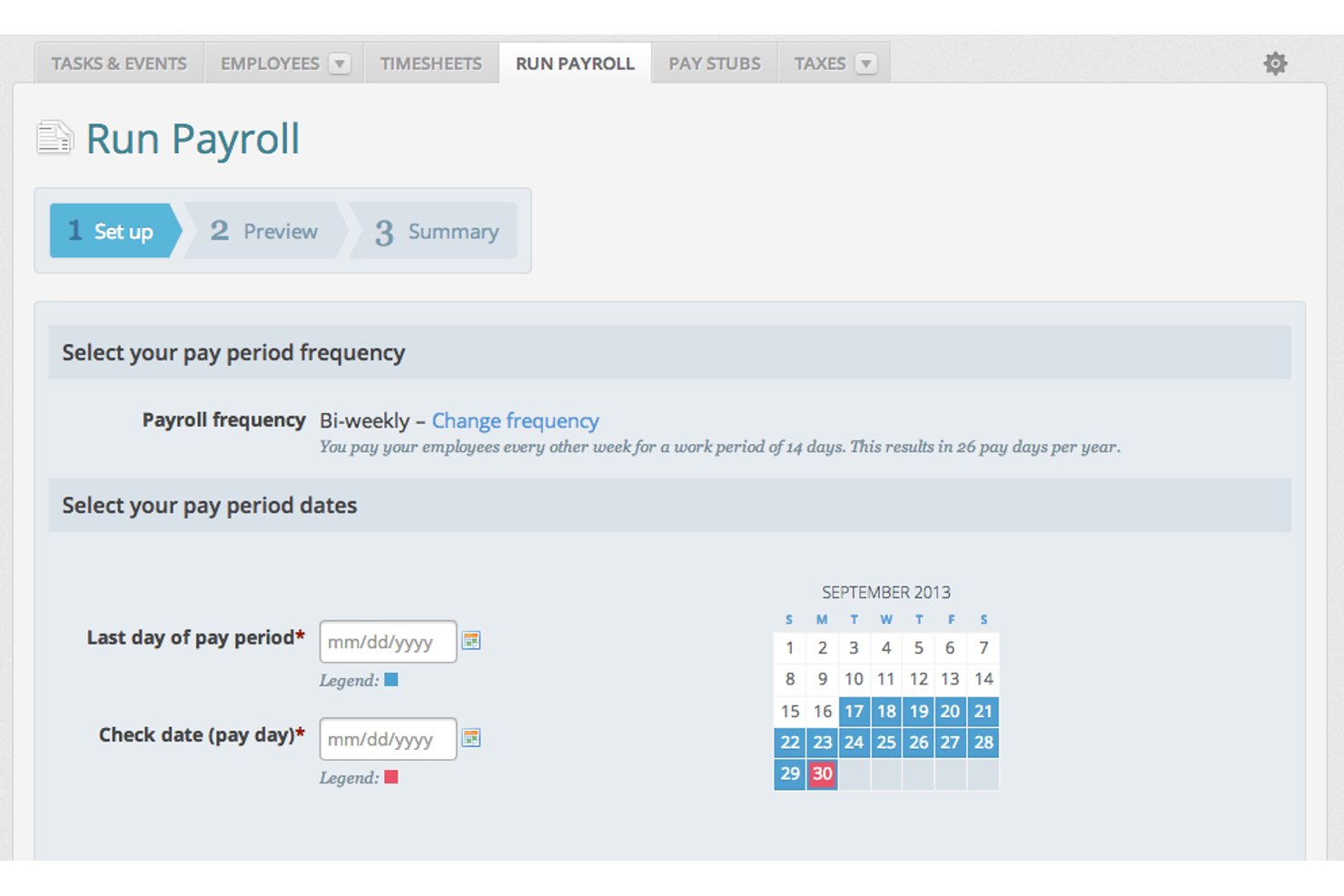
Wave è un'app per la gestione delle paghe e della contabilità pensata per le piccole imprese e i liberi professionisti, che copre esecuzione automatica delle paghe, deposito diretto, dichiarazione delle tasse e pagamenti ai collaboratori su un'unica piattaforma integrata.
Per chi è ideale Wave?
Wave è adatta a lavoratori autonomi e titolari di microimprese che gestiscono la propria busta paga senza un team HR o finanziario dedicato.
Perché ho scelto Wave
Ho incluso Wave tra le mie scelte migliori perché nessun'altra app per la gestione paghe in questo elenco consente di aggiungere collaboratori illimitati senza costi aggiuntivi per ogni utente. Puoi assegnare ruoli specifici (responsabile paghe, amministratore, editor o spettatore), il che è davvero utile quando il titolare di un'attività condivide l'accesso al libro paga con un contabile esterno ma ha bisogno di limitare chi può approvare i cicli di pagamento. La sincronizzazione nativa tra Wave Payroll e Wave Accounting garantisce che ogni collaboratore lavori sempre con dati finanziari aggiornati.
Funzionalità chiave di Wave
- Generazione automatica dei moduli fiscali: Wave crea e archivia i moduli W-2, W-3 e 1099-NEC per le dichiarazioni delle paghe.
- Portale self-service per i dipendenti: I dipendenti possono accedere per visualizzare le buste paga, aggiornare le informazioni e accedere ai documenti fiscali in qualsiasi momento.
- Pagamenti tramite deposito diretto: I fondi delle paghe possono essere inviati direttamente ai conti bancari di dipendenti e collaboratori.
- Sincronizzazione contabile integrata: Le spese e le transazioni relative alle paghe sono collegate automaticamente alla piattaforma di contabilità Wave.
Integrazioni di Wave
Wave offre integrazioni native all'interno del proprio ecosistema, inclusi Wave Accounting, Wave Invoicing e Wave Payments. Altre integrazioni native includono Amazon, eBay, Etsy e altro ancora.
Pros and Cons
Pros:
- Utenti illimitati senza costi aggiuntivi
- I dati delle paghe sono collegati direttamente alla contabilità
- Supporta la gestione di W-2 e 1099
Cons:
- Nessuna funzionalità nativa di rilevamento orari
- Integrazioni limitate con terze parti al di fuori di Wave

Ideale per una gestione unificata delle presenze
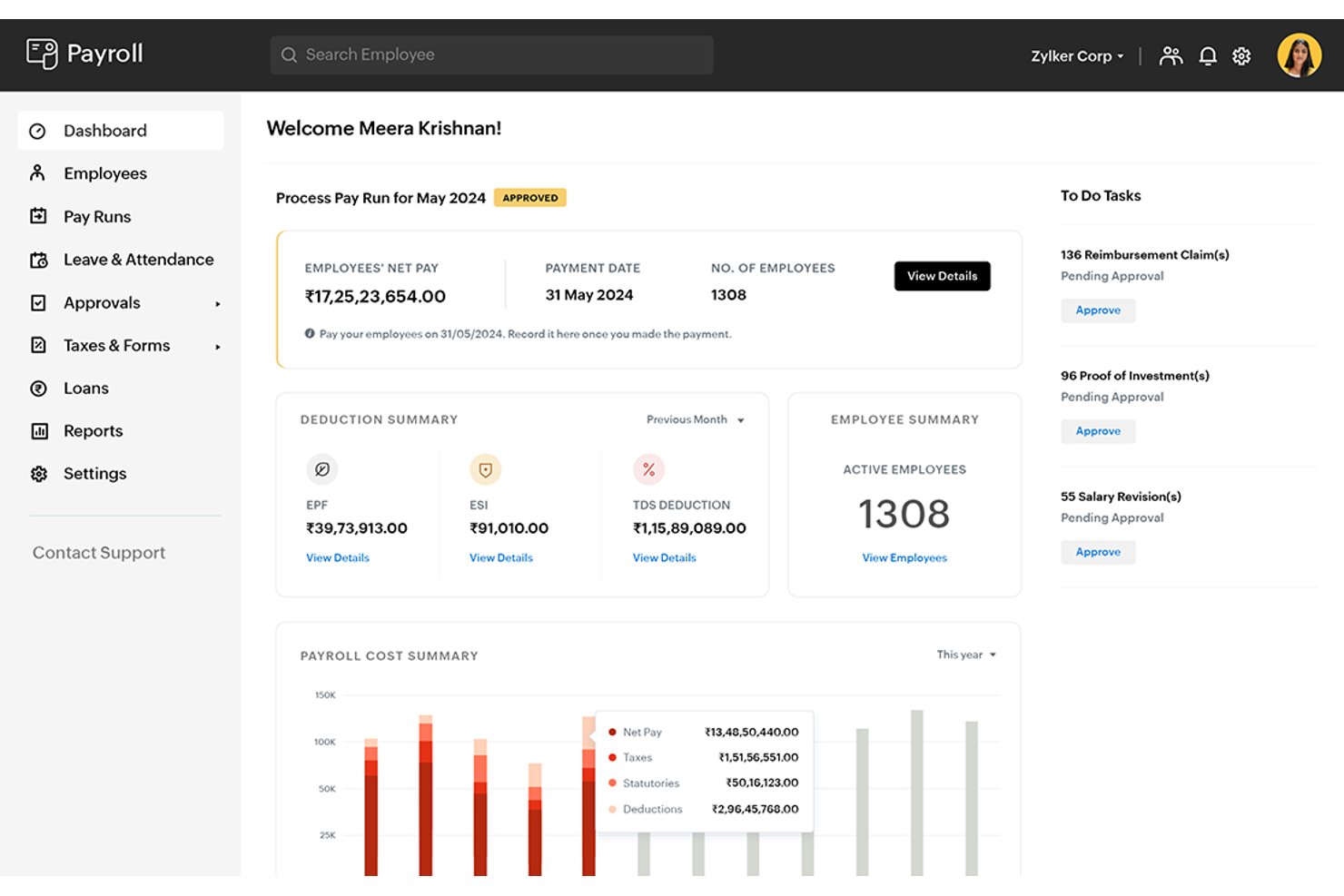
Zoho Payroll è un'applicazione per le paghe basata su cloud che gestisce elaborazioni automatiche degli stipendi, conformità fiscale statutaria, pagamenti ai collaboratori, self-service per i dipendenti e tracciamento di assenze e presenze su un'unica piattaforma.
Per chi è più indicato Zoho Payroll?
Piccole e medie imprese che già utilizzano strumenti Zoho troveranno qui il massimo valore, in particolare quelle che gestiscono team tra India, GCC o Stati Uniti.
Perché ho scelto Zoho Payroll
Zoho Payroll si è guadagnato un posto nella mia selezione perché è una delle poche app per le paghe che integra la gestione di assenze e presenze direttamente nel motore paghe, invece di aggiungerla come prodotto HR separato. Mi piace che tipi di permessi personalizzati, flussi di approvazione da parte dei responsabili e registri delle presenze siano tutti collegati direttamente ai calcoli degli stipendi. Quando un dipendente prende un giorno di assenza non programmato, la rettifica LOP confluisce automaticamente nel successivo ciclo degli stipendi senza alcun intervento manuale.
Funzionalità principali di Zoho Payroll
- Approvazioni degli stipendi a più livelli: Esegui i cicli di stipendio attraverso approvazioni designate prima della finalizzazione dei pagamenti in ogni ciclo.
- Conformità automatica alla normativa: Genera e presenta automaticamente moduli fiscali come TDS, PF, ESI, Modulo 16 e 24Q per le buste paga indiane.
- Gestione paghe per collaboratori: Supporta l'onboarding di collaboratori, la gestione automatizzata del TDS e la generazione di cedolini insieme alle paghe dei dipendenti.
- Portale self-service per i dipendenti: I dipendenti possono accedere a cedolini digitali, prospetti fiscali e inviare note spese dal web o dall'app mobile.
Integrazioni di Zoho Payroll
Zoho Payroll offre integrazioni native con Zoho Books, Zoho People, Zoho Expense, HSBC e WhatsApp Business.
Pros and Cons
Pros:
- Monitoraggio integrato di assenze e presenze
- Conformità fiscale automatica multi-stato (India, USA)
- Modulo paghe dedicato per collaboratori
Cons:
- Integrazioni limitate all'ecosistema Zoho
- Alcune dichiarazioni statali e locali ancora manuali

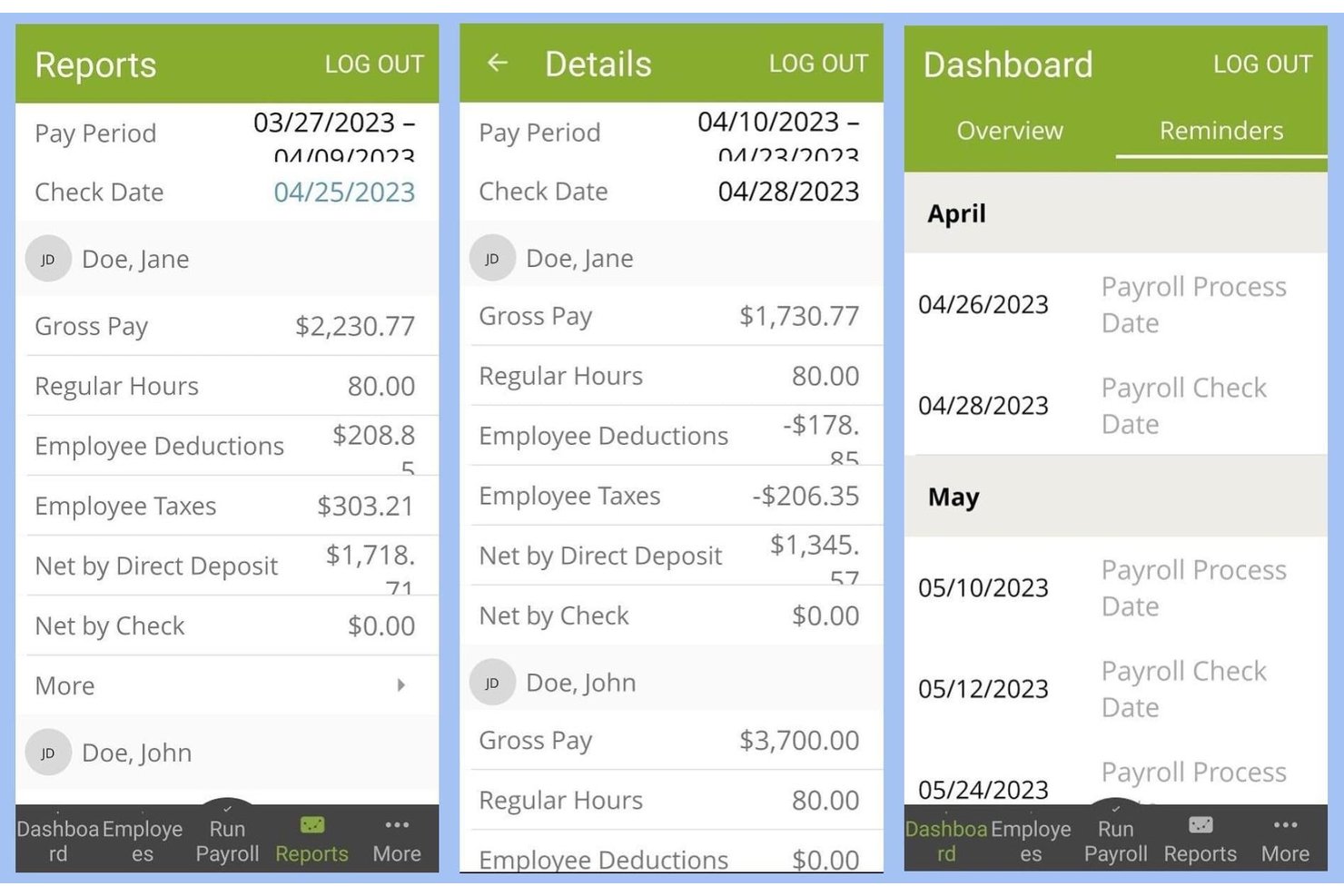
SurePayroll è una piattaforma payroll basata su cloud pensata per piccole imprese e datori di lavoro domestici, che gestisce l'elaborazione automatica delle buste paga, la dichiarazione delle tasse, il deposito diretto e la gestione di W-2/1099 sia per dipendenti che per collaboratori.
Per chi è più adatto SurePayroll?
SurePayroll è particolarmente indicato per i titolari di piccole imprese che vogliono una soluzione payroll a bassa manutenzione, senza la complessità o i costi delle piattaforme di livello enterprise.
Perché ho scelto SurePayroll
SurePayroll si guadagna un posto nella mia shortlist perché la funzione di pianificazione automatica elimina veramente il payroll dalla mia lista di cose da fare settimanali. Imposto una sola volta il calendario dei pagamenti e SurePayroll lo esegue automaticamente, compresi i pagamenti fuori ciclo per bonus o licenziamenti senza costi aggiuntivi. Un altro aspetto che apprezzo è la garanzia sulle penali fiscali: se SurePayroll commette un errore nella dichiarazione, si fa carico di eventuali sanzioni.
Caratteristiche principali di SurePayroll
- Portale self-service per dipendenti: I dipendenti possono accedere alle buste paga, ai documenti fiscali e aggiornare online i propri dati personali o bancari.
- App payroll mobile: App dedicate per iOS e Android consentono ad amministratori e dipendenti di gestire il payroll e controllare i dettagli dei pagamenti ovunque.
- Integrazione con software di contabilità: Sincronizza i dati payroll con QuickBooks, Xero, Zoho Books e FreshBooks per una contabilità più facile.
- Modulo aggiuntivo di conformità HR: Modulo opzionale che offre risorse in materia di HR e diritto del lavoro, modelli di documenti e supporto telefonico per domande di compliance.
Integrazioni di SurePayroll
SurePayroll offre integrazioni native con QuickBooks e Zoho Books e supporta sistemi di rilevazione presenze di terze parti.
Pros and Cons
Pros:
- Elaborazioni payroll illimitate senza costi aggiuntivi
- Pianificazione automatica dei pagamenti ricorrenti
- Garanzia sulle penali fiscali per le dichiarazioni payroll
Cons:
- Opzioni di personalizzazione dei report limitate
- Nessun pagamento a collaboratori internazionali

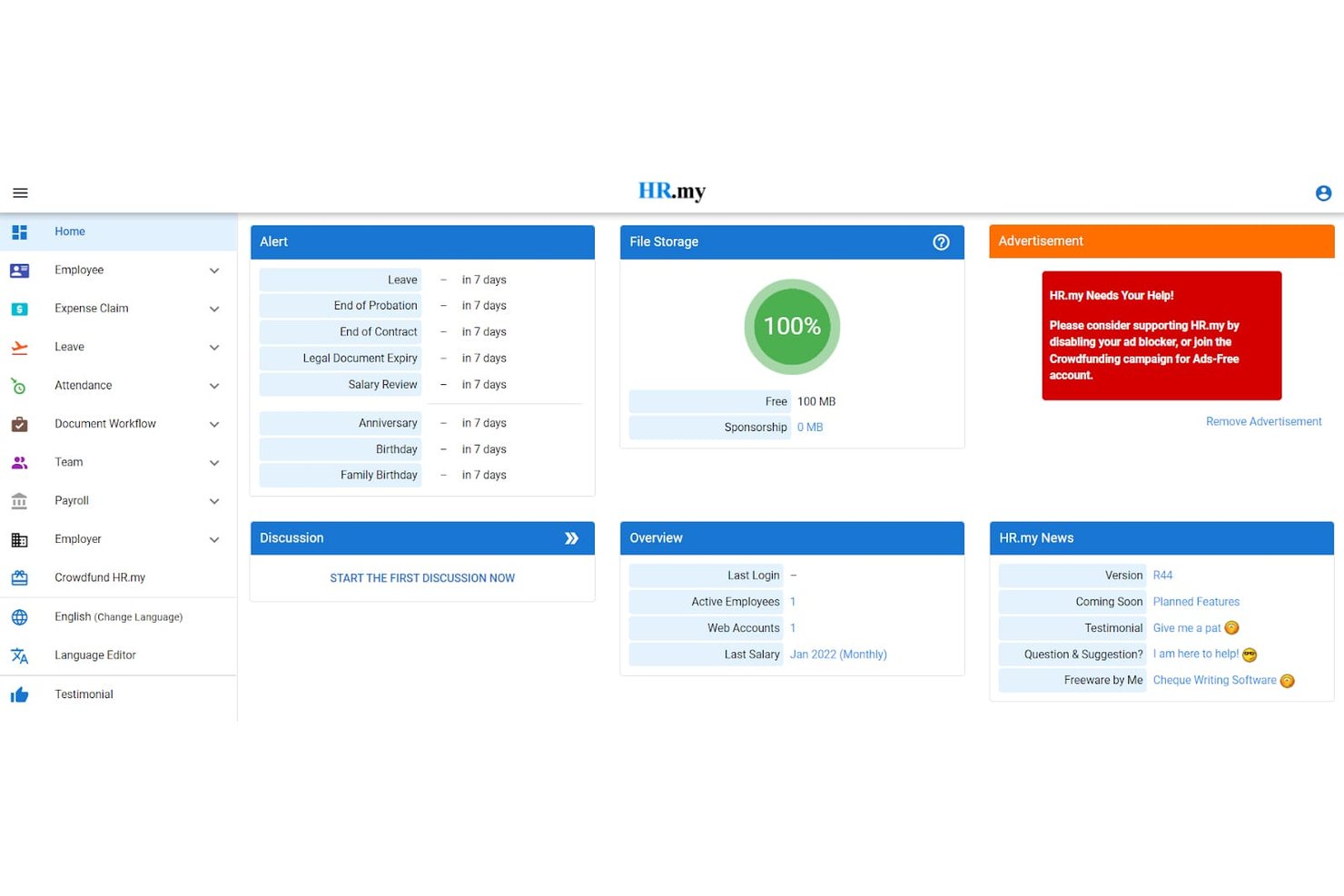
HR.my è una piattaforma HR e di gestione paghe gratuita, basata su cloud, che copre la generazione delle buste paga, la gestione delle ferie, il monitoraggio delle presenze e le richieste di rimborso spese per un numero illimitato di dipendenti.
Per chi è meglio HR.my?
HR.my è particolarmente adatto a piccole imprese e startup che devono gestire le attività di payroll e HR per un organico in crescita senza avere un budget per il software.
Perché ho scelto HR.my
HR.my si è guadagnato un posto nella mia shortlist perché è una delle uniche piattaforme di payroll e HR che non impone limiti all’organico senza costi. Apprezzo in particolare il batch payroll e il supporto multi-programmazione (mensile, settimanale, bisettimanale), che permettono ai team in crescita di gestire paghe per diversi gruppi di dipendenti in un unico sistema. La timbratura con selfie e geolocalizzazione integrata per i lavoratori sul campo è una funzione davvero utile che raramente trovo inclusa negli strumenti gratuiti.
Funzionalità principali di HR.my
- Portale self-service per i dipendenti: I dipendenti possono visualizzare le buste paga, aggiornare i dati e inviare online richieste di rimborso o ferie.
- Monitoraggio delle richieste di rimborso spese: Invio, revisione e gestione dei rimborsi spese direttamente dalla piattaforma.
- Supporto multilingua: Più di 60 lingue disponibili per interfaccia amministrativa e staff.
- Controllo accessi basato sui ruoli: Permessi personalizzati per manager o amministratori a seconda dei flussi di lavoro.
Integrazioni HR.my
Non sono attualmente elencate integrazioni native. La piattaforma consente l’esportazione dei dati in Excel, ma non offre integrazioni con software di contabilità o HR di terze parti.
Pros and Cons
Pros:
- Dipendenti illimitati su piattaforma web gratuita
- Rilevazione presenze e gestione ferie integrata
- Supporto multilingua per team globali
Cons:
- Assenza della funzionalità di pagamento diretto delle paghe
- Non gestisce la dichiarazione dei redditi per le paghe negli USA

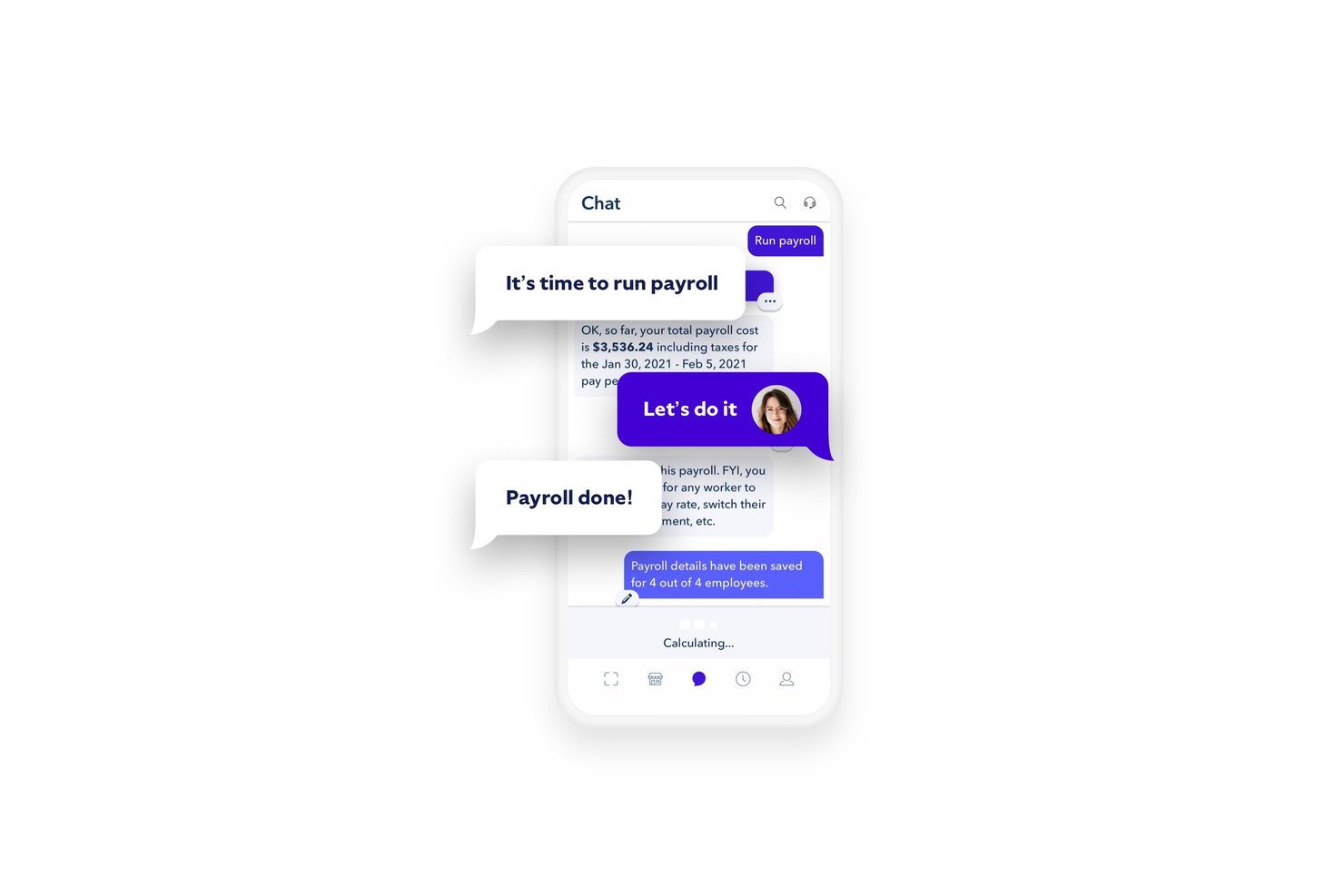
Roll by ADP è un'app per le paghe progettata per dispositivi mobili che consente di elaborare le buste paga, pagare dipendenti W-2 e collaboratori 1099, gestire le dichiarazioni fiscali in tutti i 50 stati e amministrare i bonifici diretti tramite un'interfaccia conversazionale di chat.
Per chi è ideale Roll by ADP?
Roll by ADP è particolarmente adatta ai titolari di piccole imprese che gestiscono le paghe autonomamente e desiderano una soluzione semplice e a basso costo, senza un team dedicato alle risorse umane o alle paghe.
Perché ho scelto Roll by ADP
Roll by ADP merita un posto tra le mie preferenze perché nessun'altra app per le paghe gestisce le buste paga come fa lei, tramite una finestra di chat dove basta davvero digitare 'Esegui busta paga'. Apprezzo anche i controlli automatici sugli errori in tempo reale gestiti dall'intelligenza artificiale integrati nella chat, che segnalano i problemi prima dell'invio della busta paga anziché dopo. Inoltre, posso occuparmi di modifiche ai pagamenti, configurazione di bonifici diretti e inserimento di nuovi dipendenti tutto tramite semplici comandi in chat, senza dover navigare tra i menu.
Funzionalità principali di Roll by ADP
- Corse busta paga illimitate: Elabora le buste paga tutte le volte che vuoi, sia per dipendenti che per collaboratori.
- Pagamenti e dichiarazioni fiscali delle paghe automatici: Calcola, trattiene e dichiara imposte federali, statali e locali dell'intero ciclo buste paga in automatico.
- Accesso tramite Google e Apple: Accedi velocemente e in modo sicuro utilizzando le credenziali già in uso con Google o Apple.
- Integrazione QuickBooks Online: Sincronizza direttamente i dati buste paga con il tuo libro mastro per una contabilità precisa.
Integrazioni di Roll by ADP
Roll by ADP offre un'integrazione nativa con QuickBooks Online. Non sono attualmente elencate altre integrazioni native.
Pros and Cons
Pros:
- Gestione buste paga tramite un'interfaccia chat conversazionale
- Calcolo e dichiarazione delle tasse gestiti in automatico
- Supporta dipendenti W-2 e collaboratori 1099
Cons:
- Nessun modulo di rilevamento presenze integrato
- Si integra nativamente solo con QuickBooks Online

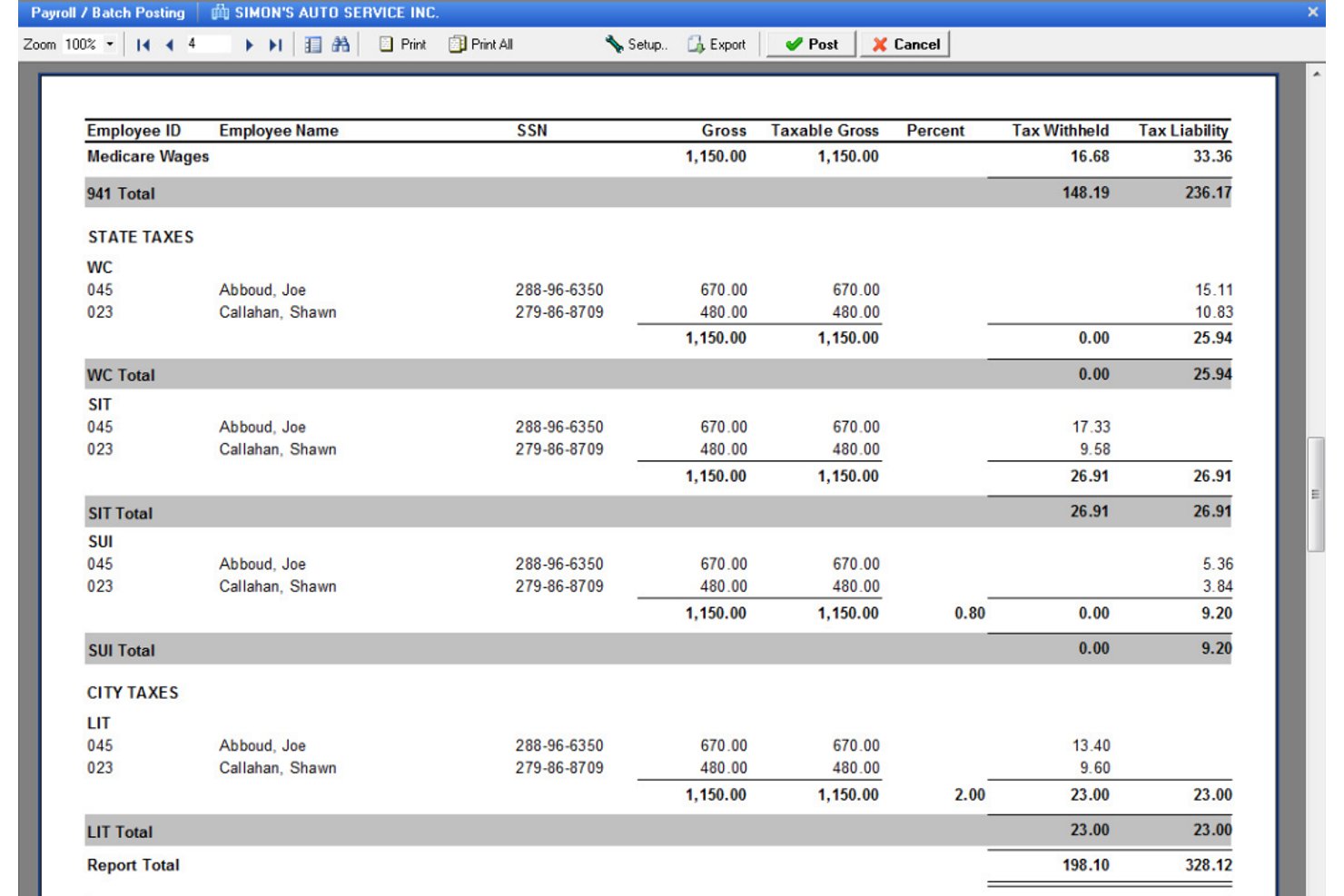
Payroll4Free è un'applicazione per la gestione delle paghe rivolta alle piccole imprese, che si occupa del calcolo delle retribuzioni, dei bonifici diretti, del calcolo delle imposte, dei pagamenti a collaboratori e dipendenti, oltre a fornire reportistica di base sulle paghe.
Per chi è ideale Payroll4Free?
Payroll4Free è una soluzione naturale per microimprese e lavoratori autonomi con meno di 10 dipendenti, che hanno bisogno di una gestione paghe essenziale senza costi mensili di software.
Perché ho scelto Payroll4Free
Ho incluso Payroll4Free tra le mie scelte migliori perché mantiene davvero la promessa di essere gratuito per team composti da nove persone o meno, cosa rara nel settore dei software per la gestione delle paghe. Apprezzo che gestisca nello stesso sistema sia i dipendenti W-2 che i collaboratori 1099, includendo la generazione di W-2 e 1099 di fine anno. Il portale dipendenti consente al tuo team di scaricare buste paga e documenti fiscali in autonomia, e i bonifici diretti vengono effettuati tramite la tua banca senza costi aggiuntivi.
Funzionalità chiave di Payroll4Free
- Integrazione con QuickBooks: Sincronizza direttamente i dati delle paghe con il software di contabilità QuickBooks per una gestione finanziaria semplificata.
- Monitoraggio ferie e permessi: Configura e gestisci le regole di maturazione per ferie, malattie e altri permessi retribuiti direttamente nel sistema paga.
- Calcolo delle imposte sulle paghe: Calcola automaticamente le imposte federali, statali e locali a ogni ciclo di paga.
- Portale self-service per i dipendenti: Permette ai dipendenti di accedere da qualsiasi dispositivo a buste paga, modelli W-2, dati personali e saldo ferie.
Integrazioni Payroll4Free
Payroll4Free si integra con QuickBooks per la sincronizzazione contabile e con Checkr per controlli dei precedenti. Non sono elencate attualmente altre integrazioni native.
Pros and Cons
Pros:
- Nessun costo software mensile per team piccoli
- Supporta insieme dipendenti e collaboratori
- Genera automaticamente W-2 e 1099
Cons:
- Nessuna funzione nativa di rilevazione presenze
- Applicazione solo per Windows, nessuna vera versione web o mobile

Gusto
Ideale per la gestione stipendi di collaboratori e dipendenti
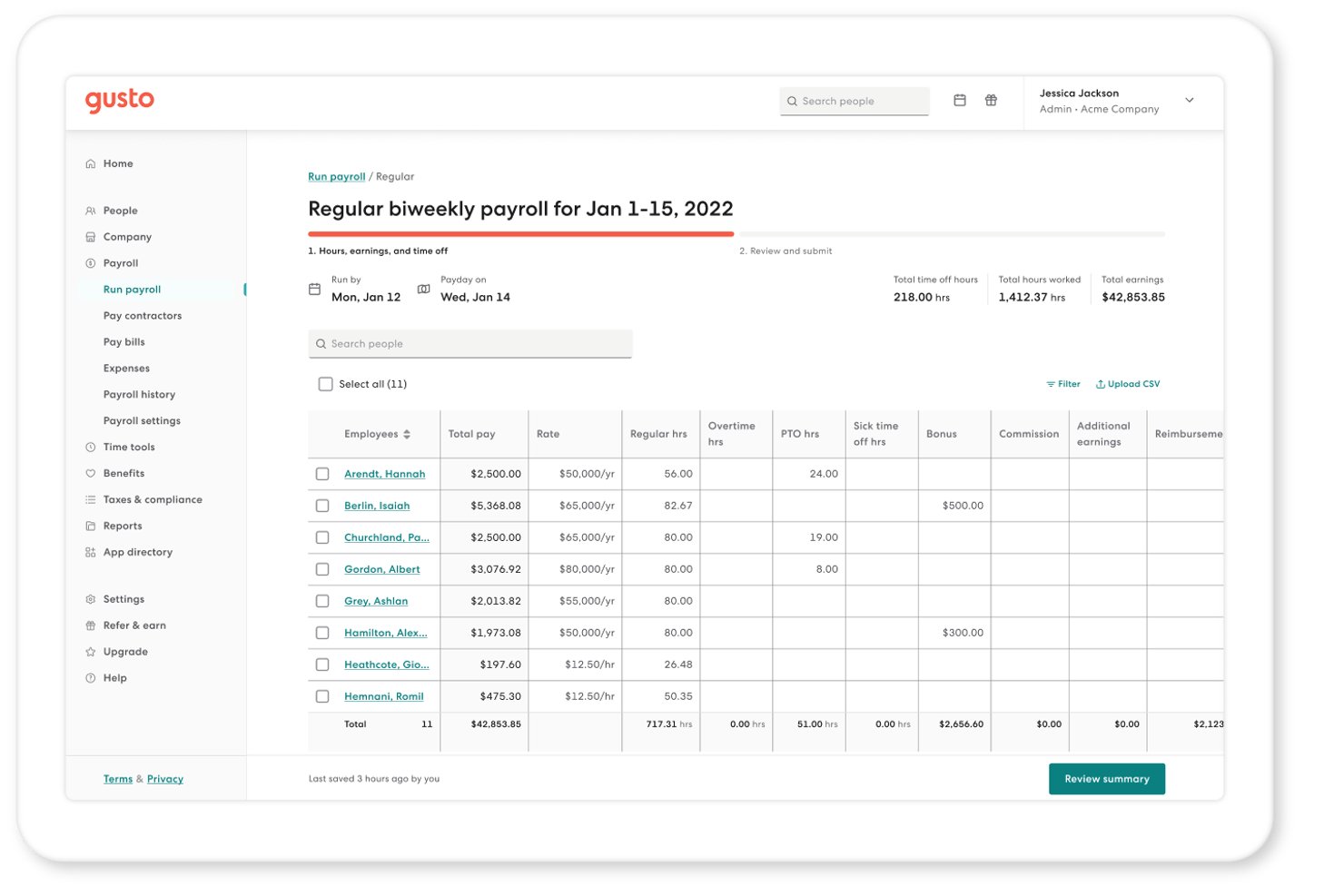
Gusto è una piattaforma di gestione delle paghe e delle risorse umane che si occupa di elaborazione automatizzata degli stipendi, dichiarazione delle tasse, amministrazione dei benefit e pagamenti ai collaboratori per piccole e medie imprese.
Per chi è più indicato Gusto?
Gusto è particolarmente adatto a proprietari di piccole imprese e amministratori del personale che gestiscono sia dipendenti W-2 che collaboratori 1099, senza disporre di un team HR dedicato.
Perché ho scelto Gusto
Gusto merita un posto nella mia shortlist perché nessun'altra app per le paghe gestisce corse illimitate in modo così efficiente. Posso elaborare paghe fuori ciclo per bonus o correzioni senza costi aggiuntivi e AutoPilot™ mi consente di programmare paghe in autonomia così da non perdere nulla tra un ciclo di pagamento e l'altro. Quando i tempi sono stretti, Instant Pay deposita i fondi nei conti dei dipendenti entro pochi minuti dall'approvazione, soluzione che ho trovato davvero utile per assunzioni o correzioni dell'ultimo minuto.
Caratteristiche principali di Gusto
- App mobile per le paghe: Elabora gli stipendi e accedi a cedolini, moduli fiscali e saldo delle ferie da un'app dedicata per iOS o Android.
- Portale self-service per i dipendenti: I dipendenti aggiornano direttamente i propri dati personali, bancari e le ritenute dal loro account.
- Amministrazione dei benefit: Gestisci assicurazione sanitaria, indennità per gli infortuni sul lavoro e piani 401(k) con sincronizzazione automatica delle trattenute.
- Pagamenti globali ai collaboratori: Invia pagamenti a collaboratori in oltre 120 paesi, tutto gestito dalla stessa dashboard.
Integrazioni di Gusto
Gusto offre integrazioni native con QuickBooks, Xero, FreshBooks, Homebase, 7shifts, 15Five ed Expensify. È disponibile un'API per integrazioni personalizzate.
Pros and Cons
Pros:
- Corse delle paghe illimitate ogni mese
- Dichiarazione automatica delle tasse salariali multi-stato
- Pagamenti internazionali ai collaboratori gestiti nativamente
Cons:
- Reportistica personalizzata sulle paghe limitata
- Il rilevamento delle presenze richiede un piano di livello superiore
New Product Updates from Gusto
Gusto Adds Solo Advisory Tools and Mobile Money Features
Gusto adds Solo S-Corp Advisory Tools and Gusto Money on Mobile for tax guidance, invoicing, and bill payments. These updates help accountants advise solopreneurs and let users manage business finances from their phones. For more information, visit Gusto’s official site.
Altre app per paghe
Ecco alcune altre opzioni di app per paghe che non sono entrate nella mia selezione, ma che vale comunque la pena considerare:
- Paylocity
Ideale per automazione integrata della conformità
- Keka HR
Ideale per le integrazioni con oltre 100 app preinstallate
- QuickBooks Payroll
Il migliore con deposito diretto nello stesso giorno
- OnPay
Ideale per le dichiarazioni fiscali
- Remote
Ideale per la gestione globale delle buste paga e della conformità
- Sage Payroll
Ideale per l'accesso collaborativo del commercialista


Come valuto le app per le buste paga
Divido la mia valutazione in due livelli: la base che ogni app per le buste paga deve garantire—presentazione automatica delle tasse, deposito diretto, supporto per W-2/1099—e i fattori che distinguono le migliori dalle semplici buone.
Funzionalità core (requisiti minimi per questa lista)
Quando seleziono gli strumenti per la mia lista, ne valuto ciascuno su una scala da 0 (non offre la funzionalità) a 5 (eccelle in quest'area) per ciascuna delle funzionalità principali elencate di seguito. Poi calcolo il punteggio totale dello strumento in percentuale. Ogni strumento deve raggiungere un punteggio totale minimo del 75% per essere preso in considerazione per l'inclusione.
- Elaborazione automatica delle buste paga: Verifico se uno strumento può gestire elaborazioni programmate con detrazioni calcolate automaticamente e deposito diretto, inclusi pagamenti fuori ciclo per bonus o cessazioni.
- Gestione tasse & conformità: Ogni app dovrebbe calcolare, trattenere e presentare le tasse sulle buste paga a vari livelli giurisdizionali, oltre a generare automaticamente i moduli di fine anno come W-2 e 1099.
- Pagamenti a dipendenti & collaboratori: Cerco un supporto fluido sia per dipendenti W-2 che per collaboratori 1099 in un unico sistema, così i team non devono gestire workflow o piattaforme separate.
- Cedolini & report delle buste paga: Cedolini digitali accessibili e una solida libreria di report sono essenziali—come registri delle buste paga, riepiloghi delle imposte dovute e suddivisioni degli stipendi utili per revisioni o pianificazione di budget.
- Integrazione con presenze & orari: Che si tratti di rilevamento delle ore integrato o connessione a strumenti come QuickBooks Time o Deputy, le ore lavorate devono confluire nelle buste paga senza reinserimenti manuali.
- Integrazioni contabili & HR: Valuto quanto bene i dati delle buste paga si sincronizzano con le piattaforme contabili e con i sistemi HR più ampi, poiché dati disconnessi causano problemi di riconciliazione ad ogni chiusura periodo.
Dopo aver individuato gli strumenti che rispettano questi criteri, considero cosa rende ciascuna piattaforma unica.
Fattori differenzianti (cosa distingue i fornitori)
Ecco come confronto e metto a confronto i diversi fornitori:
Funzionalità distintive
La gestione integrata dei benefit aziendali è un elemento di grande distinzione. Quando le trattenute per assicurazione sanitaria, pensione e infortuni sono sincronizzate direttamente con le buste paga, si elimina uno strato di riconciliazione manuale che crea problemi a molti team. Valuto anche la capacità di gestione delle paghe multi-stato e internazionali, soprattutto per le aziende con dipendenti da remoto distribuiti in diverse giurisdizioni. Anche il pagamento on-demand è una funzionalità da considerare, dato che l’anticipo stipendio sta diventando un vero vantaggio per chi lavora a ore o su turni.
Oltre le funzionalità
La struttura dei prezzi conta molto. I modelli a costo fisso per dipendente al mese possono crescere rapidamente per team in espansione, quindi valuto quanto i costi aumentano e se collaboratori o elaborazioni multi-stato comportano extra. Anche la velocità di implementazione è fondamentale—cambiare fornitore di buste paga a metà anno significa migrare dati retributivi e fiscali YTD, e valuto quanto supporto fornisca ciascun fornitore durante questa transizione. Verifico inoltre se un fornitore garantisce i calcoli fiscali con una copertura per errori o sanzioni, poiché una presentazione mancata può esporre a rischi finanziari concreti.
Come scegliere un’app per paghe
È facile perdersi in lunghi elenchi di funzionalità e strutture di prezzo complesse. Per aiutarti a rimanere concentrato mentre affronti il tuo processo di selezione del software, unico per le tue esigenze, ecco un elenco di fattori da tenere a mente:
| Fattore | Cosa considerare |
|---|---|
| Scalabilità | Il software crescerà insieme alla tua azienda? Valuta se è in grado di gestire un aumento dei dipendenti senza costi o complicazioni aggiuntive. |
| Integrazioni | Funziona con gli strumenti che già utilizzi? Cerca la compatibilità con i sistemi di contabilità, HR e rilevazione delle ore per evitare l’inserimento manuale dei dati. |
| Personalizzazione | Puoi adattarlo alle tue esigenze? Verifica se l’app consente modifiche per adattarsi ai tuoi processi di gestione delle paghe, come tipi di pagamento o formati di report esclusivi. |
| Facilità d’uso | È intuitivo per il tuo team? Valuta l’interfaccia e l’usabilità, assicurandoti che sia necessaria una formazione minima e che le attività siano semplici da svolgere. |
| Implementazione e avviamento | Quanto velocemente puoi iniziare a utilizzarlo? Considera il tempo e le risorse necessari per la configurazione e verifica se sono disponibili opzioni di avviamento guidato o di assistenza. |
| Costo | Rientra nel tuo budget? Esamina i piani tariffari per individuare eventuali costi nascosti e confronta il costo con le funzionalità e i vantaggi offerti. |
| Misure di sicurezza | Come protegge i tuoi dati? Assicurati che l’app disponga di solide misure di sicurezza, come la crittografia e i controlli degli accessi, per proteggere le informazioni sensibili sulle paghe. |
| Requisiti di conformità | Rispetta gli standard legali? Verifica che il software sia conforme alle leggi fiscali locali e alle normative sulle paghe per evitare problemi di conformità. |
Passare a un’altra app per paghe: lista di controllo per la migrazione
Passare a un’altra app per paghe è più semplice quando ti prepari prima della prima elaborazione delle paghe. Un po’ di pianificazione può aiutare a ridurre le interruzioni, evitare problemi con i dati e dare al team la certezza che tutto sia pronto per il lancio.
| ✓ | Prima di cambiare app per la gestione delle paghe… |
|---|---|
| ☐ | Scarica i dati storici delle paghe e i documenti fiscali dal tuo attuale fornitore. |
| ☐ | Verifica le informazioni sui dipendenti, i dati fiscali e le informazioni sui depositi diretti prima di importare i dati. |
| ☐ | Conferma che i calendari delle paghe, i gruppi retributivi e le impostazioni delle detrazioni corrispondano al processo esistente. |
| ☐ | Verifica che le integrazioni con contabilità, risorse umane, monitoraggio delle ore e benefit siano configurate correttamente. |
| ☐ | Comunica ai dipendenti quando il nuovo sistema paghe entrerà in funzione e se dovranno intraprendere qualche azione. |
| ☐ | Esegui la prima elaborazione delle paghe in anticipo, se possibile, lasciando il tempo di esaminare i report e risolvere eventuali problemi prima del giorno di paga. |
Quale app per la gestione delle paghe è più adatta a te?
L'app per la gestione delle paghe più adatta dipende meno dalle dimensioni della tua azienda e più dal modo in cui retribuisci il personale. Un libero professionista che si paga una volta al mese ha esigenze di gestione delle paghe molto diverse da quelle di un'azienda in crescita che gestisce dipendenti retribuiti a ore in più stati.
Utilizza la guida seguente per individuare il tipo di soluzione per la gestione delle paghe più adatto alla tua azienda.
| Se… | Dai priorità a… | Esempi |
| Gestisci un'attività da libero professionista o individuale | Gestione delle paghe semplice, compenso del titolare e prezzi convenienti. | Wave, Patriot Software, Roll by ADP, Payroll4Free |
| Possiedi una piccola azienda (1–20 dipendenti) | Presentazione automatizzata delle dichiarazioni fiscali, deposito diretto e servizi self-service per i dipendenti. | Gusto, RUN Powered by ADP, QuickBooks Payroll |
| Gestisci dipendenti retribuiti a ore | Integrazioni per il monitoraggio delle ore, calcolo degli straordinari e calendari retributivi flessibili. | Homebase |
| Paghi dipendenti e collaboratori | Più tipologie di lavoratori e rendicontazione fiscale. | Xero |
| Operi in più stati | Gestione delle paghe multi-stato e conformità fiscale automatizzata. | Paycom, Paylocity, Proliant |
| Hai bisogno di gestire insieme paghe e risorse umane | Gestione delle paghe, inserimento dei nuovi dipendenti, benefit e permessi retribuiti. | Justworks, Paychex Flex, HR.my |
| Assumi a livello internazionale | Gestione globale delle paghe e conformità alle normative locali. | Remote, Reckon One |
| Gestisci le paghe in mobilità | Un'app mobile completa. | Gusto, Paychex Flex |
Quando il software gratuito per la gestione delle paghe non basta
Molte delle migliori app gratuite per la gestione delle paghe sono adatte alle aziende con esigenze retributive semplici. Tuttavia, con la crescita dell'azienda, i processi manuali, i requisiti di conformità e le funzionalità limitate possono iniziare a creare più lavoro di quanto il software ne faccia risparmiare.
Se riconosci una delle situazioni riportate di seguito, potrebbe essere il momento di passare a una soluzione per la gestione delle paghe a pagamento.
| Se stai… | Probabilmente è il momento di passare a una soluzione a pagamento perché… |
| Assumendo i tuoi primi dipendenti | Le imposte sulle retribuzioni, le detrazioni previste dalla legge e la rendicontazione diventano più complesse di quanto la maggior parte degli strumenti gratuiti possa gestire. |
| Gestendo dipendenti e collaboratori | Le diverse classificazioni dei lavoratori richiedono spesso flussi di pagamento e rendicontazioni fiscali separati. |
| Espandendoti in più stati | Le registrazioni fiscali statali, i requisiti di ritenuta e gli obblighi di conformità diventano più difficili da gestire manualmente. |
| Trascorrendo ore a correggere problemi nelle paghe | I calcoli manuali e l'inserimento ripetitivo dei dati possono aumentare il rischio di errori nelle paghe. |
| Avendo bisogno di report sulle paghe per la contabilità | I team finanziari hanno spesso bisogno di report più dettagliati per le riconciliazioni, la pianificazione del budget e la preparazione fiscale. |
| Facendo crescere rapidamente il team | Le piattaforme a pagamento per la gestione delle paghe offrono in genere maggiore automazione, più integrazioni e un'assistenza migliore con l'aumento del numero di dipendenti. |
Che cos'è un'app per la gestione delle paghe?
Un'app per la gestione delle paghe è una soluzione software progettata per automatizzare e gestire i processi retributivi delle aziende. I professionisti delle risorse umane, i contabili e i titolari di piccole aziende utilizzano generalmente questi strumenti per garantire pagamenti ai dipendenti accurati e puntuali. Il calcolo automatico delle imposte, il deposito diretto e il monitoraggio della conformità aiutano a ridurre al minimo gli errori, risparmiare tempo e diminuire gli oneri amministrativi. Nel complesso, questi strumenti sono utili perché semplificano le attività relative alle paghe e migliorano l'efficienza.
Funzionalità delle app per la gestione delle paghe
Quando scegli un'app per la gestione delle paghe, cerca le seguenti funzionalità fondamentali:
- Calcoli fiscali automatizzati: supportano detrazioni e dichiarazioni fiscali statali accurate, riducendo il rischio di errori e sanzioni.
- Deposito diretto: consente ai dipendenti di ricevere i propri guadagni direttamente sui conti bancari, velocizzando il processo di pagamento.
- Portale self-service per i dipendenti: permette ai dipendenti di accedere alle proprie buste paga, ai moduli fiscali e alle informazioni personali, riducendo il carico di lavoro amministrativo.
- Monitoraggio della conformità: aiuta a mantenere l'azienda in linea con le normative locali e federali sui salari, riducendo al minimo i rischi di non conformità.
- Report personalizzabili: forniscono report personalizzati sui dati delle retribuzioni, offrendo informazioni utili su spese e tendenze e favorendo una migliore pianificazione finanziaria.
- Funzionalità di integrazione: garantiscono il flusso di dati tra il sistema paghe e altri sistemi, come quelli di contabilità o delle risorse umane, riducendo l'inserimento manuale dei dati, dispendioso in termini di tempo.
- Accesso da dispositivi mobili: consente di gestire le attività relative al periodo di paga in mobilità, offrendo flessibilità ai responsabili che lavorano da remoto o hanno agende impegnative.
- Integrazione con il monitoraggio delle ore: si collega ai sistemi di gestione dei fogli presenze per garantire calcoli accurati delle tariffe retributive basati sulle ore effettivamente lavorate.
- Gestione dei benefit: semplifica la gestione dei benefit per i dipendenti, aiutando a ottimizzare le iscrizioni e le detrazioni.
- Scalabilità: supporta la crescita aziendale adattando facilmente il software paghe a un numero crescente di dipendenti senza apportare modifiche sostanziali.
Vantaggi delle app per le buste paga
L'implementazione di un'app per le buste paga offre diversi vantaggi al team e all'azienda. Eccone alcuni:
- Risparmio di tempo: l'elaborazione automatizzata delle paghe riduce il tempo dedicato ai calcoli manuali e alla burocrazia, lasciando al team più tempo per altre attività.
- Maggiore accuratezza: le funzionalità online per le buste paga, come i calcoli fiscali automatizzati e il deposito diretto, aiutano a ridurre al minimo gli errori nelle paghe e nelle dichiarazioni fiscali.
- Conformità migliorata: il monitoraggio completo garantisce che l'azienda rispetti le normative sulle paghe, riducendo il rischio di multe e sanzioni.
- Maggiore autonomia dei dipendenti: una dashboard self-service consente ai dipendenti di accedere alle proprie informazioni, riducendo la necessità dell'intervento delle risorse umane.
- Migliori informazioni finanziarie: i report personalizzabili forniscono informazioni preziose sulle spese per le retribuzioni, aiutando a prendere decisioni consapevoli.
- Flessibilità: l'accesso da dispositivi mobili consente ai responsabili di gestire le attività relative al giorno di paga ovunque si trovino, adattandosi al lavoro da remoto e agli impegni più intensi.
- Scalabilità: la possibilità di crescere insieme all'azienda garantisce che i sistemi paghe possano gestire un numero maggiore di dipendenti senza interruzioni.
Costi e prezzi delle app per le buste paga
La scelta di un'app per le buste paga richiede la comprensione dei vari modelli e piani tariffari disponibili. I costi variano in base alle funzionalità, alle dimensioni del team, ai componenti aggiuntivi e ad altri fattori. La tabella seguente riassume i piani più comuni, i relativi prezzi medi e le funzionalità normalmente incluse nelle soluzioni per le buste paga:
Tabella comparativa dei piani per le app per le buste paga
| Tipo di piano | Prezzo medio | Funzionalità comuni |
|---|---|---|
| Piano gratuito | $0 | Elaborazione di base delle paghe, supporto limitato e semplici calcoli fiscali. |
| Piano personale | $5-$25/user/month | Elaborazione delle paghe, deposito diretto, self-service per i dipendenti e report di base. |
| Piano aziendale | $30-$75/user/month | Report avanzati, dichiarazioni fiscali automatizzate, gestione dei benefit e funzionalità di integrazione. |
| Piano enterprise | $100-$150/user/ month | Soluzioni personalizzabili, gestione dedicata dell'account, monitoraggio avanzato della conformità e analisi approfondite. |
Domande frequenti sulle app per le paghe
Ecco alcune risposte alle domande comuni sulle app per le paghe:
Gli strumenti di IA come ChatGPT possono occuparsi delle paghe?
Gli strumenti di IA come ChatGPT possono aiutare a spiegare i concetti relativi alle paghe, riepilogare i report delle paghe, redigere comunicazioni per i dipendenti e rispondere a domande generali sulle paghe. Possono anche aiutare a individuare potenziali problemi o spiegare le normative sulle paghe in un linguaggio semplice.
Tuttavia, l’IA non può sostituire il software per le paghe. Non calcola le imposte sulle retribuzioni, non elabora i pagamenti tramite deposito diretto, non presenta i moduli fiscali e non conserva i registri ufficiali delle paghe. Se utilizzi l’IA, considerala uno strumento di ricerca e produttività che integra la tua app per le paghe, anziché un suo sostituto.
Le app per le paghe gestiscono il deposito diretto e altri metodi di pagamento?
Sì. La maggior parte delle app per le paghe supporta il deposito diretto, che è il metodo più comune per pagare i dipendenti. Molte piattaforme supportano anche assegni cartacei, pagamenti manuali e carte paga, mentre alcuni fornitori offrono opzioni di pagamento internazionali per i team globali.
I metodi di pagamento e i tempi di elaborazione variano a seconda del fornitore. Se per la tua azienda è importante elaborare rapidamente le paghe, cerca fornitori che offrano il deposito diretto in giornata o il giorno successivo, insieme alle opzioni di pagamento necessarie alla tua forza lavoro.
Posso elaborare le paghe interamente dal mio telefono?
Molte app per le paghe consentono di esaminare, approvare ed elaborare le paghe da un’app mobile. A seconda del fornitore, potresti anche poter approvare i fogli presenze, accedere ai report delle paghe, gestire le informazioni sui dipendenti e consentire ai dipendenti di visualizzare i cedolini o i documenti fiscali.
Detto questo, le versioni desktop offrono spesso funzionalità più avanzate. La configurazione iniziale delle paghe, la configurazione fiscale e la reportistica dettagliata sono generalmente più semplici da completare tramite un browser web. Se l’elaborazione mobile delle paghe è una priorità, verifica che il fornitore supporti l’elaborazione completa delle paghe e non solo le attività amministrative di base.
Quale app per le paghe mi permette di pagarmi tramite un prelievo del titolare?
La maggior parte delle app per le paghe non gestisce i prelievi del titolare, perché si tratta di operazioni contabili e non di paghe. I titolari di ditte individuali e molti titolari di LLC generalmente si pagano tramite prelievi del titolare, mentre i titolari di società S e società C generalmente ricevono uno stipendio tramite le paghe.
Se effettui regolarmente prelievi del titolare, scegli un software per le paghe che si integri con la tua piattaforma contabile. In questo modo puoi gestire le paghe dei dipendenti registrando accuratamente le distribuzioni al titolare nei tuoi documenti finanziari.
Cosa devo considerare quando cambio app per le paghe?
Oltre alle funzionalità e ai prezzi, considera l’impatto della transizione sul calendario delle paghe. Verifica se il fornitore offre assistenza per la migrazione dei dati dei dipendenti, delle informazioni fiscali e dei dati storici delle paghe. Dovrai inoltre verificare che l’app si integri con i sistemi contabili, HR e di rilevazione delle ore e comprendere quanto tempo richiederà l’implementazione prima della prima elaborazione effettiva delle paghe.
Quanto sono sicuri i dati delle paghe in un'app per le paghe?
#criteri-di-selezioneI sistemi per le paghe archiviano informazioni altamente sensibili sui dipendenti, quindi la sicurezza dovrebbe essere una priorità. Cerca funzionalità come la crittografia dei dati, l’autenticazione a più fattori, i controlli di accesso basati sui ruoli e verifiche di sicurezza regolari. Se la tua organizzazione opera in un settore regolamentato, verifica che il fornitore soddisfi tutti i requisiti di conformità applicabili nella tua area geografica.
Le app per le paghe possono gestire dipendenti in più Paesi?
Alcune app per le paghe supportano le paghe globali, mentre altre sono progettate per un singolo Paese. Se impieghi persone a livello internazionale, verifica quali Paesi supporta il fornitore, se gestisce le dichiarazioni fiscali locali e le trattenute previste dalla legge e se può elaborare pagamenti in più valute. In alcuni casi, avrai invece bisogno di una piattaforma dedicata alle paghe globali o di un servizio di datore di lavoro ufficiale (EOR).
Quale livello di assistenza clienti dovrei aspettarmi da un fornitore di servizi per le paghe?
I problemi relativi alle paghe spesso richiedono un’attenzione immediata, soprattutto nei giorni di paga. Non limitarti a valutare la disponibilità della chat o dell’e-mail: considera i tempi di risposta, gli orari di assistenza, il supporto durante l’avvio e l’accesso a specialisti delle paghe. I fornitori che offrono indicazioni per l’implementazione, basi di conoscenza e assistenza dedicata per l’account possono fare una differenza significativa quando devi risolvere problemi relativi alle paghe o adeguarti ai cambiamenti normativi.