

10 beste alt-i-ett HR-programvarer gjennomgått i 2026

10 Beste alt-i-ett HR-programvare på kortlisten


Å administrere HR på tvers av frakoblede verktøy gjør alt tregere. Lønn ligger i ett system. Rekruttering ligger i et annet. Medarbeidersamtaler skjer et helt annet sted.
Alt-i-ett HR-programvare løser dette ved å samle de viktigste HR-funksjonene dine – fra medarbeiderdata og onboarding til lønn, fordeler, samsvar og prestasjonsstyring – på én enkelt plattform.
Men her er utfordringen: Ikke alle «alt-i-ett»-løsninger er virkelig omfattende. Noen fokuserer sterkt på lønn. Andre prioriterer rekruttering eller globalt samsvar. Det riktige valget avhenger av størrelsen på virksomheten din, vekstplanene dine og hvor kompleks driften er.
Jeg har testet og vurdert dagens ledende alt-i-ett HR-plattformer uavhengig for å finne ut hvilke som faktisk leverer samlet funksjonalitet.
Nedenfor finner du en detaljert gjennomgang av de beste alternativene, inkludert styrker, avveininger og hvem de passer best for. Enten du samler verktøyene dine eller innfører ditt første HR-system, vil denne veiledningen hjelpe deg med å ta et tydelig valg.
Why Trust Our Software Recommendations
Our team has been testing and reviewing software since 2012. As HR experts ourselves, we know how difficult—and important—it is to choose the right software.
For this guide, we evaluated tools using hands-on testing and independent research, scoring tools using our selection criteria. We also draw on insights from industry thought leaders and practicing HR experts.
Our reviews reflect our human editorial judgment, not a sales pitch.
Expert reviewers:
Sammenligningstabell for alt-i-ett HR-programvare
Denne sammenligningstabellen oppsummerer prisopplysningene for mine beste valg av alt-i-ett HR-programvare.
| Tool | Best For | Trial Info | Price | ||
|---|---|---|---|---|---|
| 1 | Best for unified payroll HRIS and compliance | Free demo available | From $5/user/month | Website | |
| 2 | Best as AI for business | Free demo available | From $8/user/month | Website | |
| 3 | Best with advanced AI-powered HR automation | Free demo available | Pricing upon request | Website | |
| 4 | Best for talent acquisition features | Free demo available | Pricing upon request | Website | |
| 5 | Best for fast-growing companies | Free demo available | From $2.50/employee/month | Website | |
| 6 | Best for remote team management | Free demo available | Pricing upon request | Website | |
| 7 | Best for customizable workflows | Free demo available | From $5/employee/month | Website | |
| 8 | Best for small business HR needs | Free demo available | From $4/user/month + $50/month | Website | |
| 9 | Best for employee satisfaction | Free trial + free demo available | Pricing upon request | Website | |
| 10 | Best for broad business apps integrations | Free demo available | Upon request | Website |

Vurdering av den beste alt-i-ett HR-programvaren
Nedenfor finner du mine detaljerte sammendrag av den beste alt-i-ett HR-programvaren som kom med på kortlisten min. Vurderingene mine gir et detaljert innblikk i de viktigste funksjonene, fordelene og ulempene, integrasjonene og ideelle bruksområdene for hvert verktøy, slik at du kan finne det som passer best for deg.

Deel HR
Best for unified payroll HRIS and compliance
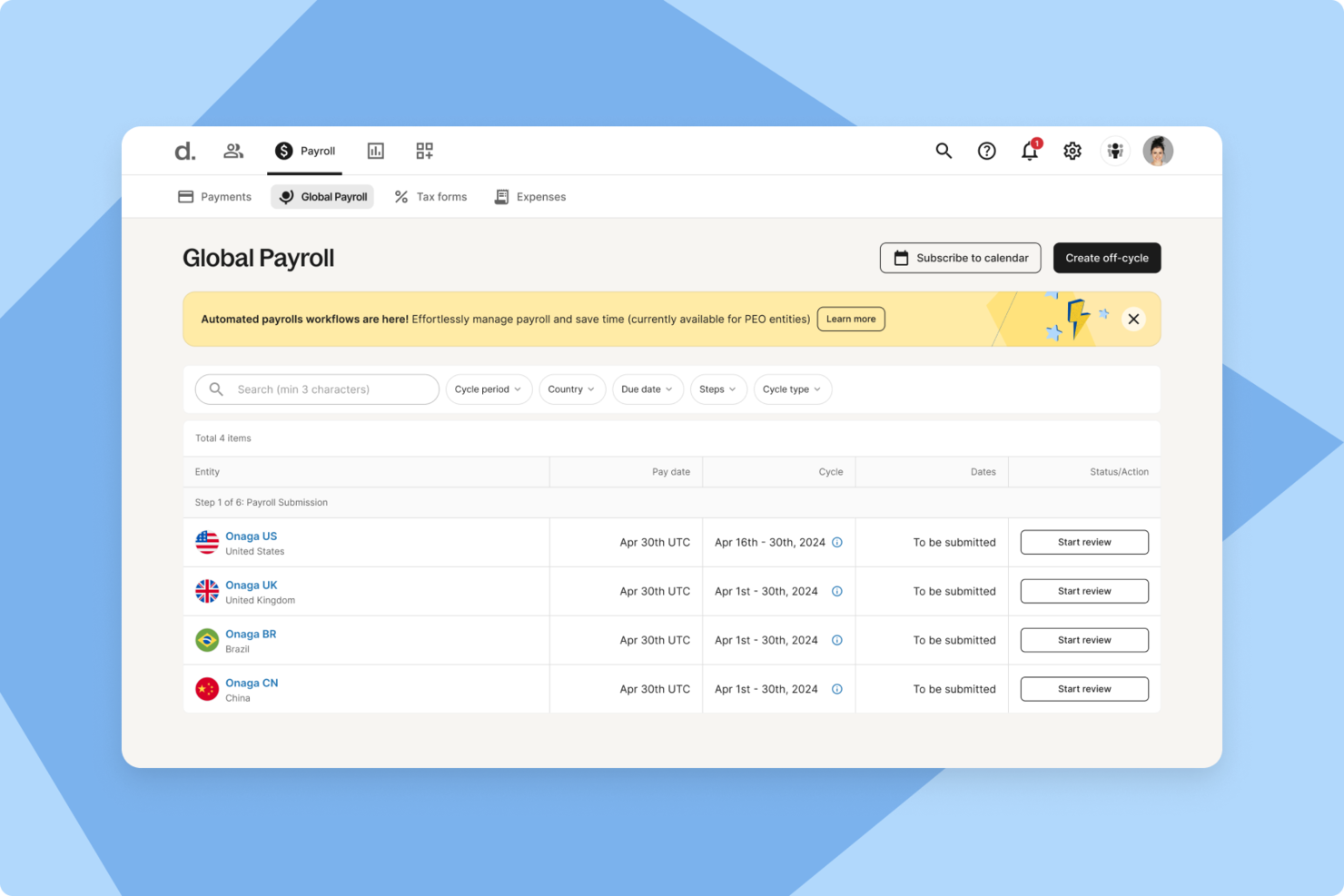
For companies managing international teams, Deel provides a centralized platform for handling global HR operations. It supports payroll, hiring, and compliance in more than 150 countries, helping businesses navigate varying labor laws and payment requirements. As a global HR solution, Deel is designed to reduce the administrative complexity that often comes with cross-border workforce management.
Why I Picked Deel
I picked Deel because it brings global hiring, payroll, and compliance into one system, which can make it easier for you to manage distributed teams. Its centralized employee management tools help you keep records organized while supporting compliance with local labor regulations. I also like that its automated multi-country payroll can help ensure employees and contractors are paid accurately and on time, with taxes and deductions calculated according to local requirements. For companies operating internationally, these capabilities can help address common administrative and compliance challenges.
Deel Key Features
In addition to its core functionalities, Deel provides several features that enhance its utility as an all-in-one HR software:
- Recruiting and Onboarding: Streamlined processes for hiring, including automated offer letters and structured onboarding workflows.
- Time Off and Attendance: Automated tracking of various leave types with self-service requests and approvals.
- Performance Management: Tools for goal setting, feedback cycles, and real-time check-ins to enhance employee development.
- Analytics and Reporting: Unified dashboards for real-time insights into HR metrics, improving decision-making and operational efficiency.
Deel Integrations
Integrations include QuickBooks, Xero, Workday, SAP, NetSuite, Greenhouse, BambooHR, Lever, Rippling, and Zenefits.
Pros and Cons
Pros:
- Integrates with major HR systems
- Built-in compliance and contract management
- Global payroll across 150 countries
Cons:
- Limited directory customization options
- Reporting features lack advanced filtering
New Product Updates from Deel HR

Deel Expands Stablecoin Wallet to 80+ Countries
Deel expands its Stablecoin Wallet to 80+ countries with dollar-backed balances and optional rewards. This gives eligible contractors more ways to hold and manage earnings inside Deel. For more information, visit Deel’s official site.
 .
.
Best as AI for business
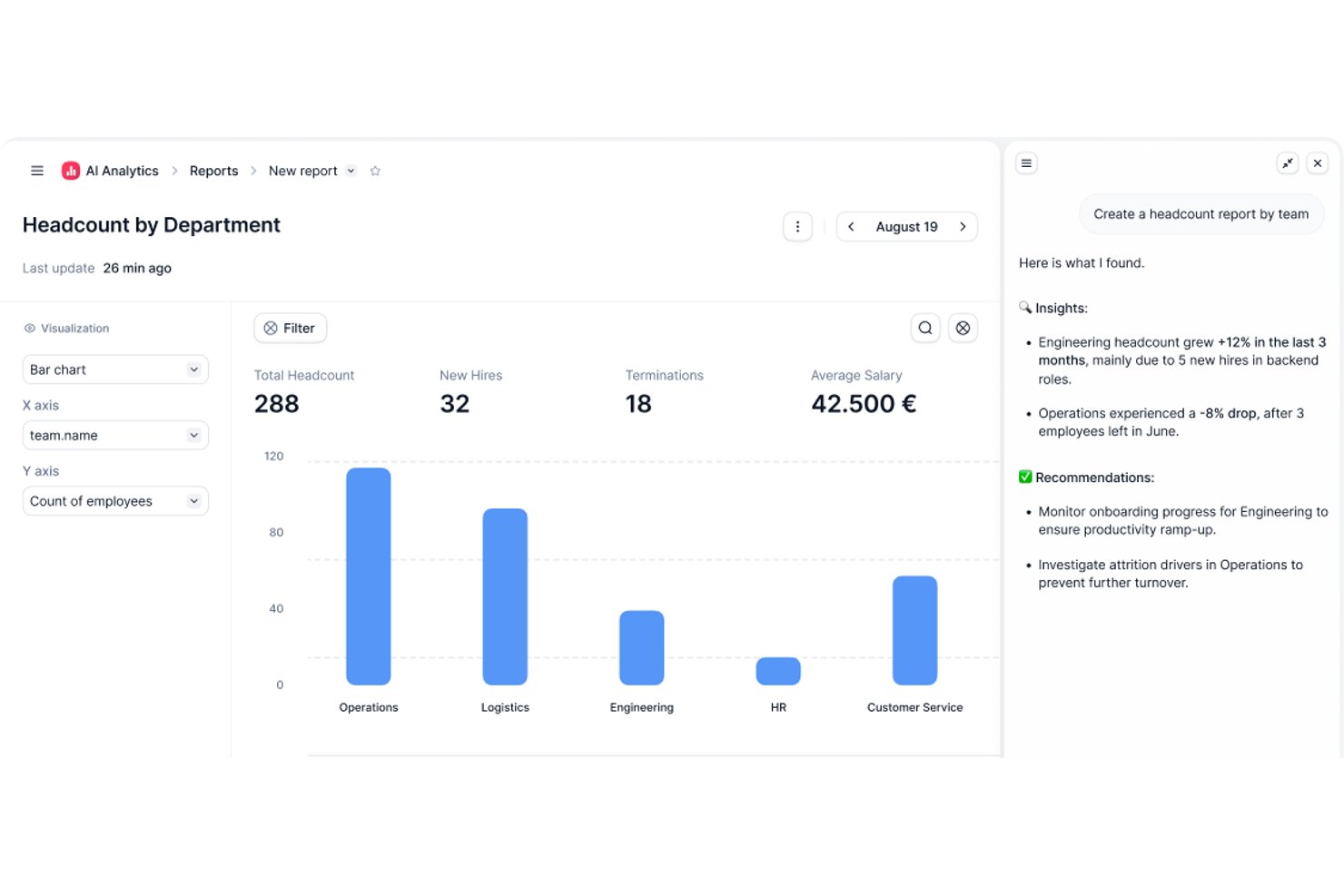
Factorial is an AI-driven HR platform that covers time tracking, absence management, onboarding, performance, benefits, and payroll preparation across a single system.
Who Is Factorial Best For?
Factorial suits growing businesses that want AI woven into everyday operations—from scheduling and reporting to answering employee policy questions—without juggling separate tools for each task.
Why I Picked Factorial
I picked Factorial as one of the best because its AI sits at the center of daily operations rather than acting as a bolt-on feature. I've seen it answer employee policy questions on the spot, build out timetables, and generate reports automatically—tasks that typically eat up a chunk of an HR team's week. What I find especially compelling is how that AI layer connects across modules like time tracking, scheduling, and performance, so your team isn't switching context to get answers.
Factorial Key Features
- 360-degree performance reviews: Employees, peers, and managers can all contribute feedback through structured review cycles built into the platform.
- Geolocation and QR-based time tracking: Staff clock in and out using their location or a scannable QR code, from desktop or mobile.
- Automated shift scheduling: Managers can create, rotate, and assign shifts in bulk without manually building each schedule.
- E-signature for HR documents: Employees can sign contracts, onboarding forms, and other documents digitally without leaving the platform.
Factorial Integrations
Factorial offers 72 marketplace integrations, including Silae, DATEV LODAS, Microsoft Power BI, Okta, Slack, Recruitee, and Zapier. It also provides a public REST API and webhooks for custom integrations.
Pros and Cons
Pros:
- Onboarding paperwork and tasks stay centralized
- Mobile clock-ins and shared absence calendars
- AI answers employee policy questions
Cons:
- Tailored workforce reports can require manual work
- Payroll runs require external providers

HiBob
Best with advanced AI-powered HR automation
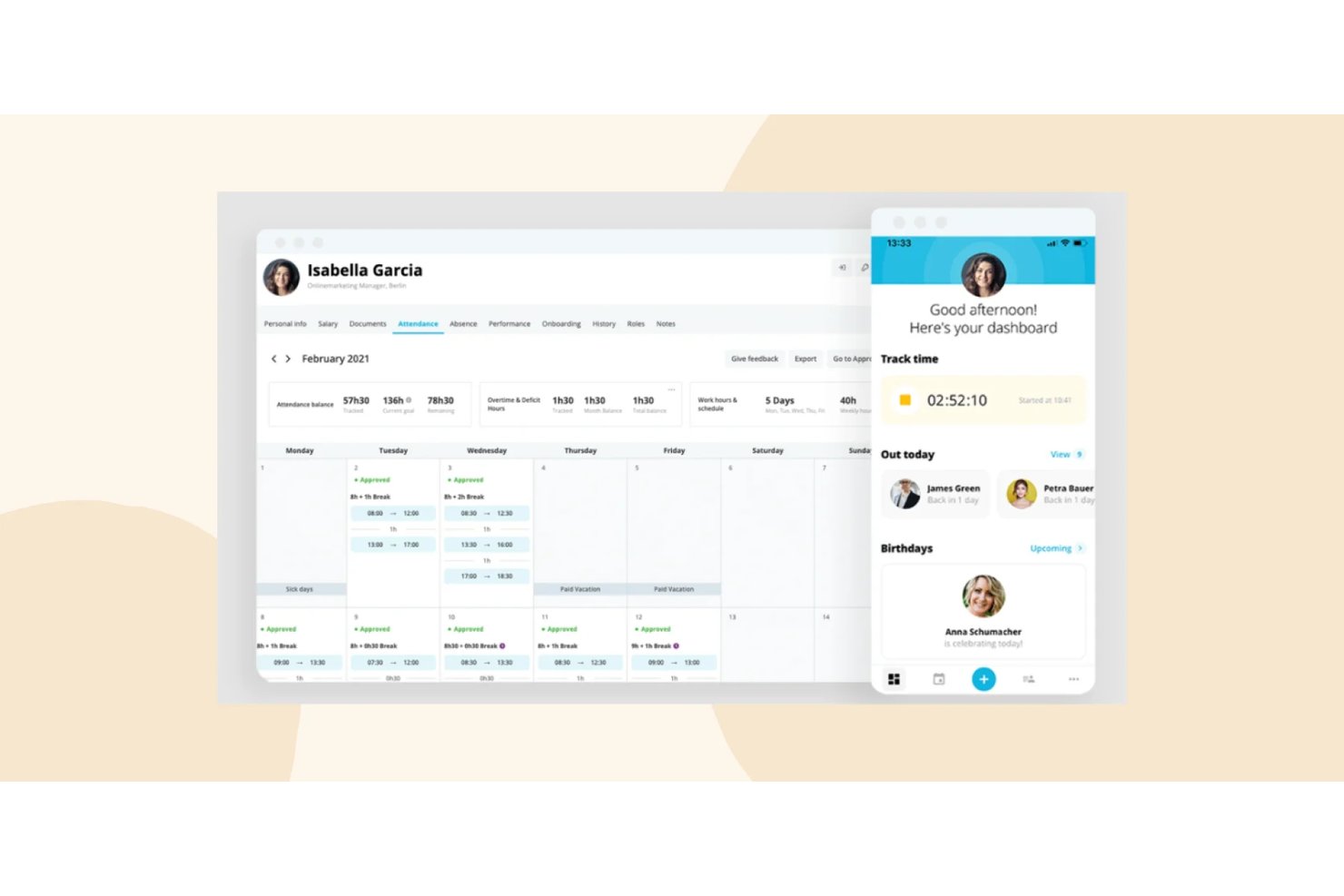
HiBob (Bob) is a modular, all-in-one HR platform covering core HRIS, payroll, time and attendance, benefits, onboarding, performance management, compensation, and workforce planning in a single system.
Who Is HiBob Best For?
HiBob is a strong fit for mid-market, globally distributed companies that need a scalable HR platform across multiple regions and employee populations.
Why I Picked HiBob
HiBob earns its spot as one of the best on my shortlist because AI is genuinely embedded across the platform, not bolted on. I like that the Bob AI Companion lets me query people data in plain language and auto-generate performance reviews and job descriptions on the spot. HiBob also holds ISO 42001 certification, the AI management standard, which very few HR platforms have achieved, and that gives me real confidence in how the AI is governed.
HiBob Key Features
- Employee self-service portal: Empowers employees to manage their own personal data, time off, documents, and benefits.
- Configurable onboarding workflows: Automates new hire onboarding tasks, document signing, and compliance steps for each role or location.
- People analytics and reporting: Provides customizable dashboards for headcount, DEI metrics, turnover, and compensation analysis.
- Integration marketplace: Offers pre-built connectors for tools like Slack, Microsoft 365, and HR systems to sync data across platforms.
HiBob Integrations
HiBob offers native integrations with Slack, Microsoft 365, Google Workspace, Greenhouse, Jira, Okta, and Workable. An API is available for custom integrations.
Pros and Cons
Pros:
- Highly configurable onboarding and offboarding workflows
- Strong people analytics and DEI reporting dashboards
- AI-powered features embedded natively across the platform
Cons:
- Reporting customization requires significant setup time
- Payroll not native in most regions

Best for talent acquisition features
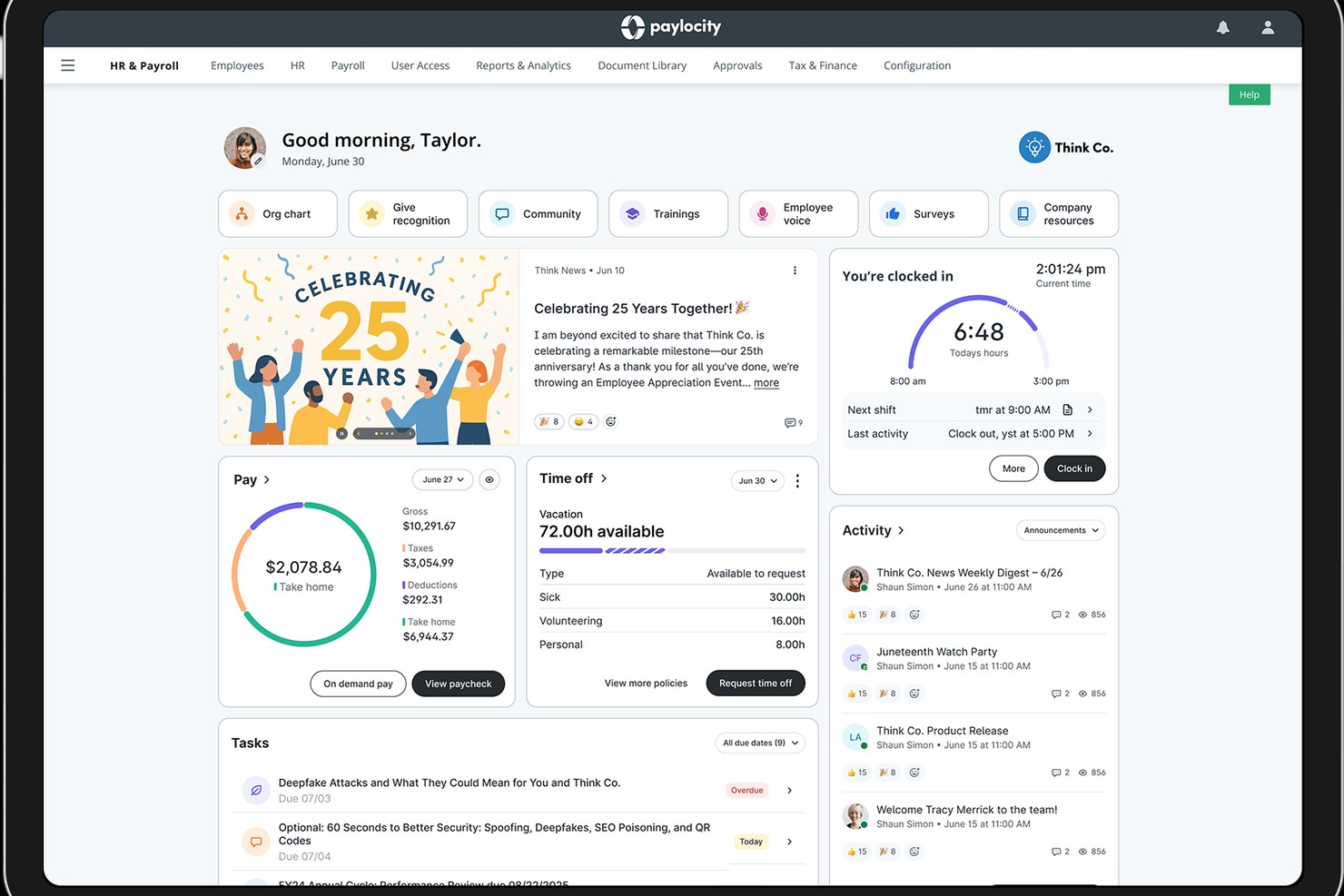
If you're part of a company that juggles payroll, talent acquisition, and benefits administration, Paylocity might just be what you need. This platform caters to diverse industries, including education, healthcare, and technology, and aims to simplify your HR processes while enhancing the employee experience.
Why I Picked Paylocity
I picked Paylocity because its unique ability to integrate HR, finance, and IT functions under one platform stands out as a significant advantage for businesses looking for an all-in-one HR solution. Paylocity's comprehensive payroll management ensures that you can handle payroll processing with ease and accuracy. Additionally, its talent acquisition features are designed to streamline recruiting efforts, making the hiring process more efficient. The platform also offers employee experience tools that empower your workforce and improve engagement, which is crucial for retaining top talent.
Paylocity Key Features
In addition to its standout capabilities, I also found several other features that enhance its all-in-one HR functionality:
- Expense Management: This feature allows you to automate and streamline the management of employee expenses, reducing manual errors and saving time.
- Corporate Cards: Paylocity's corporate card integration simplifies the process of issuing and managing company credit cards, providing real-time spending insights.
- Accounting Automation: With this feature, you can automate routine accounting tasks, improving accuracy and freeing up your finance team to focus on more strategic initiatives.
- Spend Analytics: This tool provides detailed insights into your company's spending patterns, helping you make informed financial decisions.
Paylocity Integrations
Integrations include Bank of America, Indeed, Fidelity, QuickBooks Online, NetSuite, Salesforce, ADP, BambooHR, Microsoft Dynamics, and Workday.
Pros and Cons
Pros:
- Built-in compliance tracking for labor laws
- Mobile app allows shift swaps and approvals
- Customizable scheduling workflows for complex organizations
Cons:
- No free plan for ongoing use
- Fewer industry-specific scheduling templates available
New Product Updates from Paylocity

Paylocity Expands Expense and Purchase Request Tools
Paylocity adds connected personal cards, smarter expense categorization, and a streamlined purchase request experience. This reduces manual entry and helps finance teams manage expenses and approvals more efficiently. For more information, visit Paylocity’s official site.
 .
.
Best for fast-growing companies
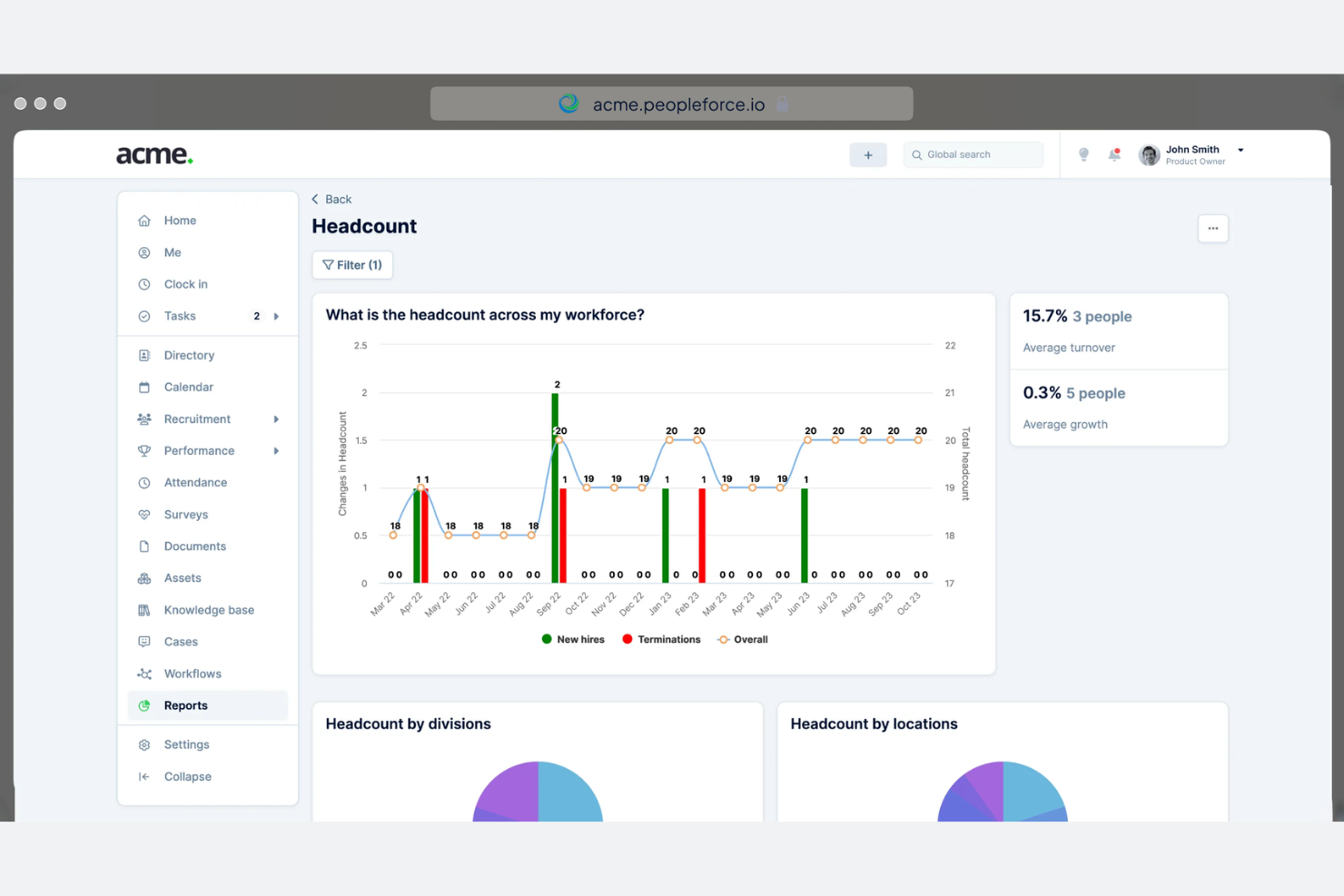
PeopleForce is tailored for fast-growing companies that need scalable and efficient HR management. It focuses on employee engagement, performance tracking, and recruitment, helping businesses manage their expanding teams effectively.
Why I picked PeopleForce: PeopleForce is ideal for companies experiencing rapid growth, as it offers features such as automated recruitment workflows and real-time performance analytics. These capabilities help your team keep up with hiring demands and monitor employee progress.
The tool's employee engagement tools ensure that your growing team remains motivated and aligned with company goals. Additionally, PeopleForce's scalable platform adapts to the changing needs of your business.
Standout features and integrations:
Features include customizable performance reviews, which allow you to tailor evaluations to your team's needs. The platform also offers an employee recognition system to boost morale and encourage productivity. Additionally, PeopleForce provides detailed analytics and reporting to give you insights into your HR operations.
Integrations include Slack, Google, Microsoft, Zoom, LinkedIn, and more.
Pros and Cons
Pros:
- Customizable performance reviews
- Employee engagement tools
- Real-time performance analytics
Cons:
- Interface can feel overwhelming at first
- Some features take time to configure properly
HR Cloud
Best for remote team management
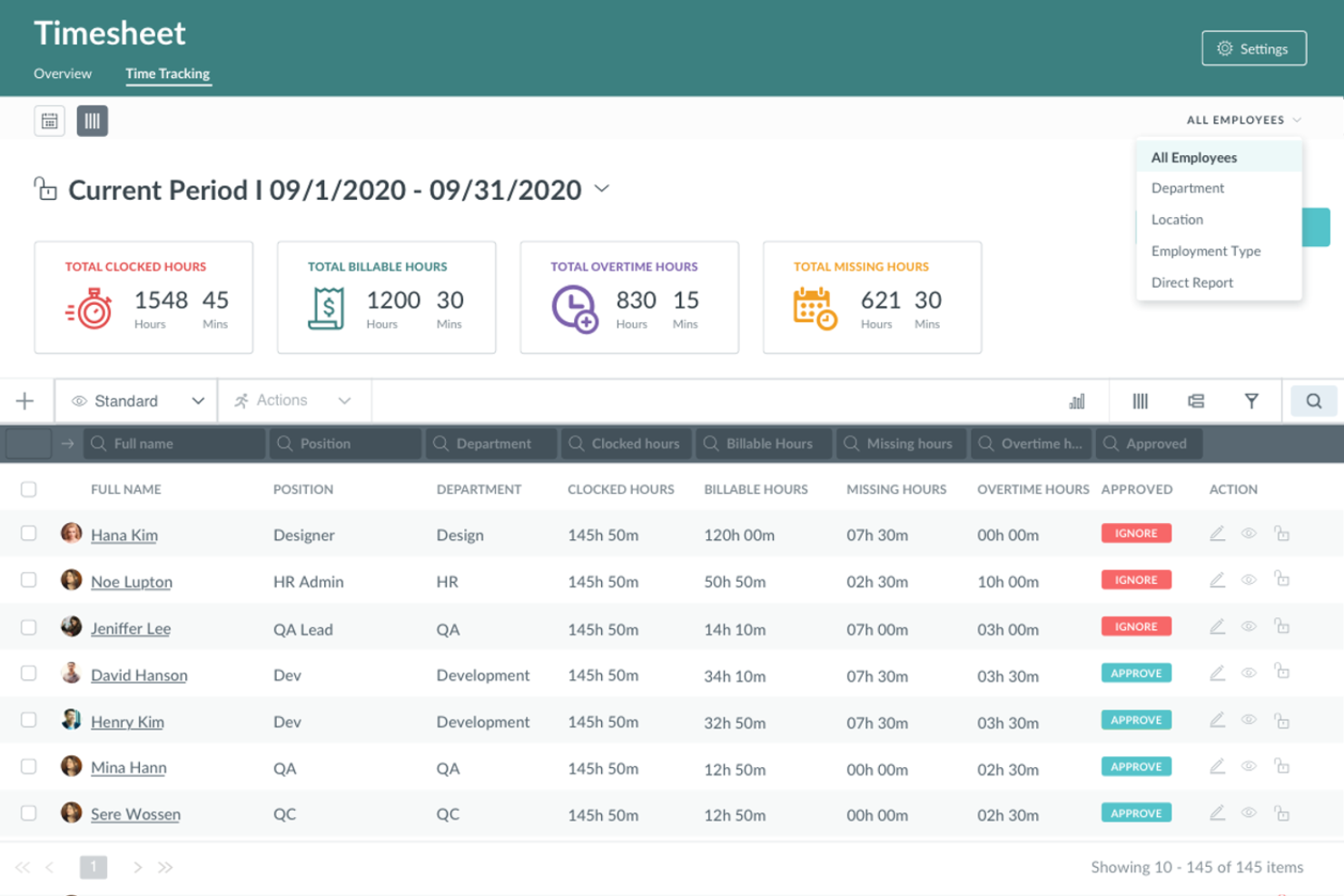
HR Cloud is an all-in-one HRIS designed for businesses looking to manage remote teams effectively. It serves enterprises and startups across various industries, focusing on virtual team management, HR automation, and employee engagement.
Why I picked HR Cloud: HR Cloud excels in remote team management by offering features such as automated onboarding and centralized HR data management. It includes tools for time-off tracking and performance reviews, making it easier to manage a distributed workforce in less time.
The tool's employee self-service options empower your team to handle their HR tasks independently. Additionally, mobile access ensures that your remote employees stay connected and engaged.
Standout features and integrations:
Features include automated onboarding, centralized HR data management, and time-off tracking. The platform also supports performance reviews and employee self-service options, which help your team manage their HR tasks independently. Additionally, mobile access ensures that remote employees stay connected and engaged.
Integrations include QuickBooks, ADP, Paylocity, Workday, and more.
Pros and Cons
Pros:
- Centralized HR data management
- Automated onboarding process
- Customizable HR workflows
Cons:
- Requires internet for full functionality
- Occasional technical glitches
GoCo
Best for customizable workflows
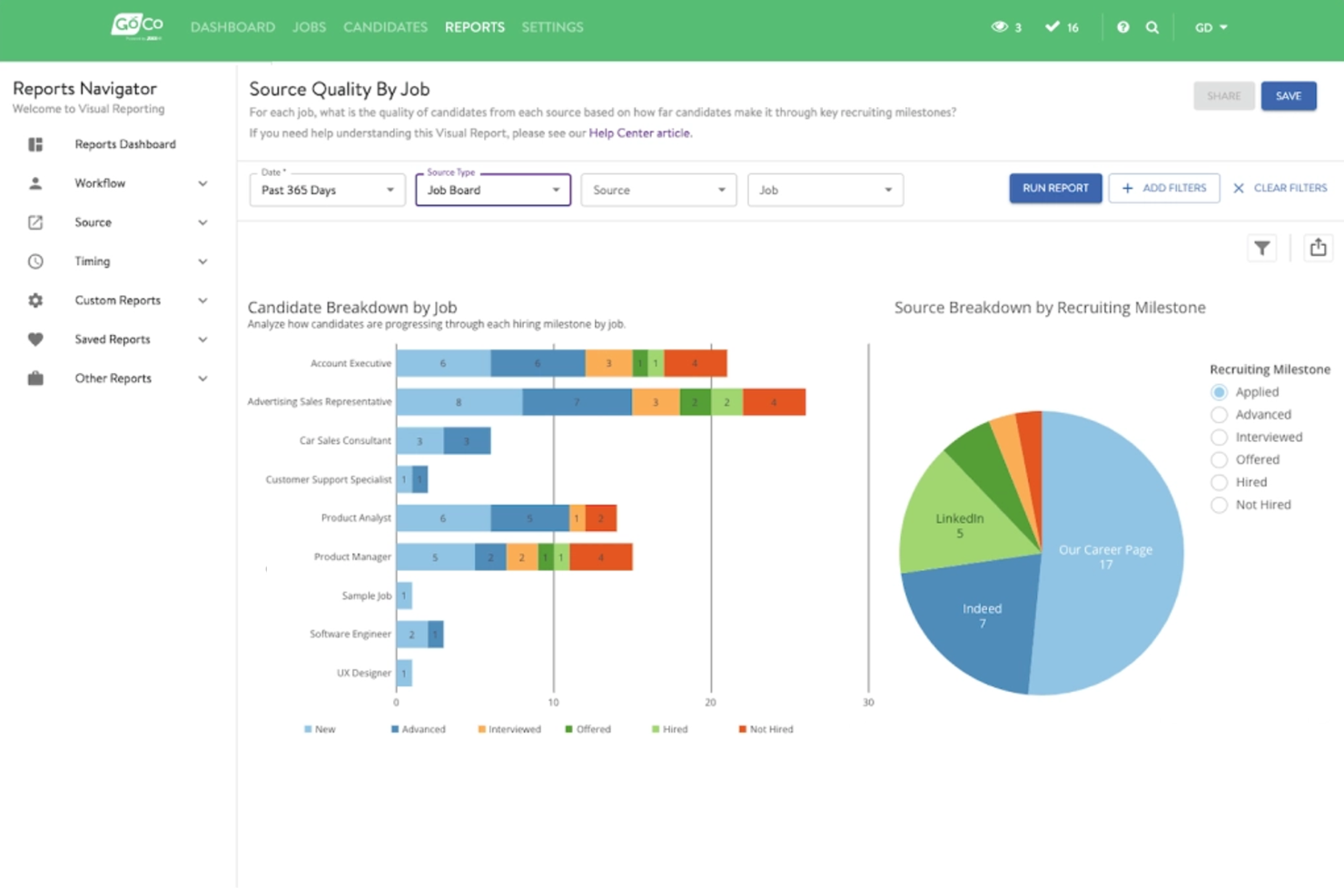
GoCo is an all-in-one HR software designed for small and medium-sized businesses seeking to automate their HR processes. It focuses on HR management, benefits administration, and payroll processing, providing flexibility and efficiency to its users.
Why I picked GoCo: GoCo offers customizable workflows that are ideal for businesses needing tailored HR solutions. With features such as automated onboarding and benefits management, it allows your team to simplify HR tasks according to your specific needs.
The software’s employee self-service portal empowers your team to manage their own HR information, reducing administrative burdens. GoCo's flexible approach ensures that you can adapt the software to fit your company's processes.
Standout features and integrations:
Features include automated compliance management, which helps you stay up-to-date with regulations. The platform also has digital document storage, ensuring all your HR documents are securely stored online. Additionally, GoCo offers performance tracking to help you monitor employee progress and development.
Integrations include QuickBooks, ADP, Paychex, and more.
Pros and Cons
Pros:
- Employee self-service portal
- Automated compliance management
- Digital document storage
Cons:
- New users may need help with workflows
- May need integration assistance

Eddy
Best for small business HR needs
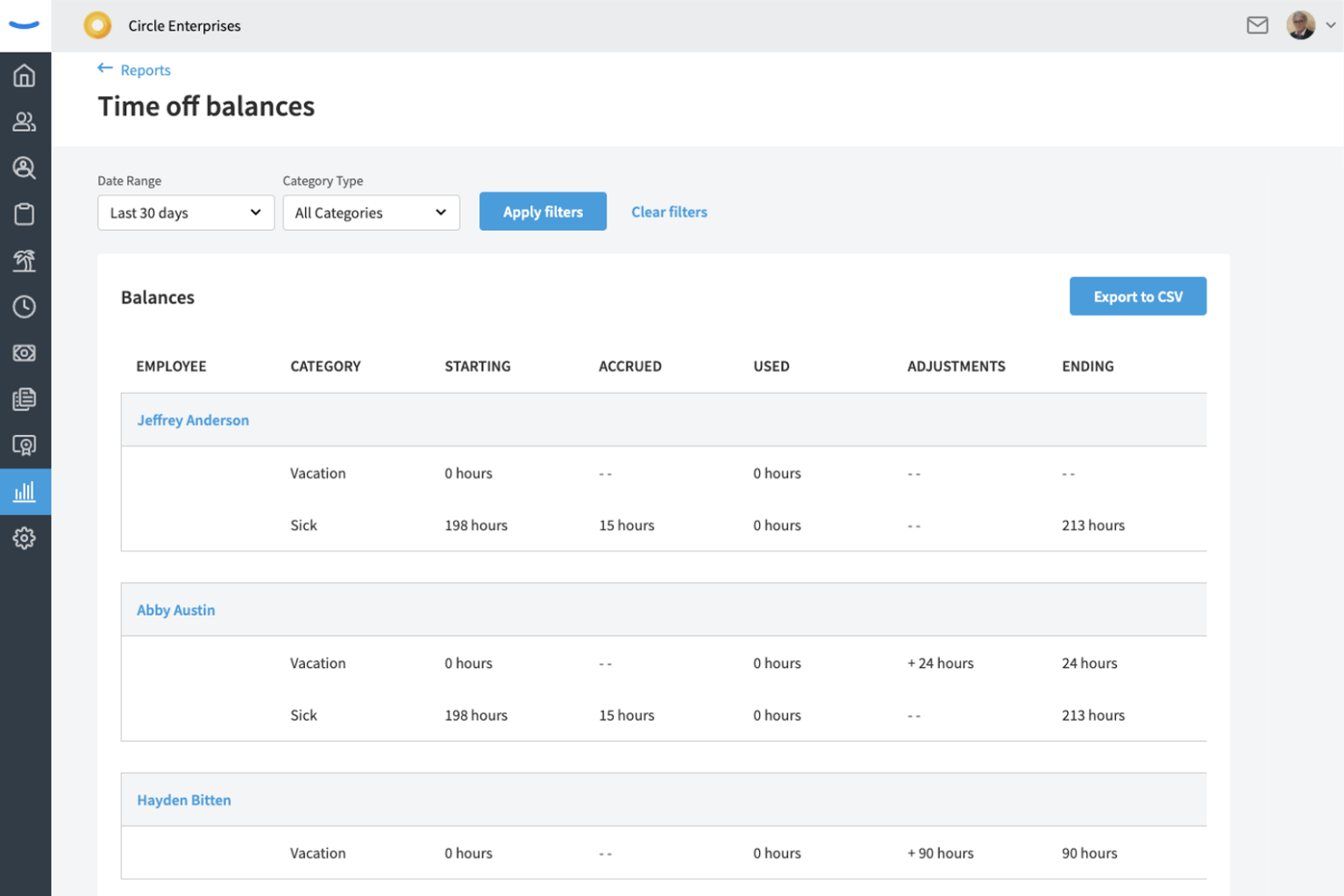
Eddy is an all-in-one HR platform designed for small and midsize businesses. It focuses on payroll, hiring, onboarding, and time and attendance management. It supports employee management and HR processes.
Why I picked Eddy: Eddy is tailored for small businesses that need efficient and straightforward HR solutions. It offers payroll processing and secure employee data storage, which are important for small teams managing HR tasks.
The platform’s recruitment tools allow you to post job openings across multiple channels, simplifying the hiring process. Eddy's user-friendly interface makes it accessible for teams without a dedicated HR department.
Standout features and integrations:
Features include candidate tracking, which makes managing job applicants easier, and customizable templates to tailor job offers to potential hires. The software also has geotagging for time tracking, ensuring accurate records for remote or mobile employees.
Integrations include QuickBooks, SmartPay, Indeed, Employee Navigator, Express Evaluations, and more.
Pros and Cons
Pros:
- Accurate time tracking
- Secure employee data storage
- Effective job posting tools
Cons:
- Basic reporting capabilities
- May lack scalability

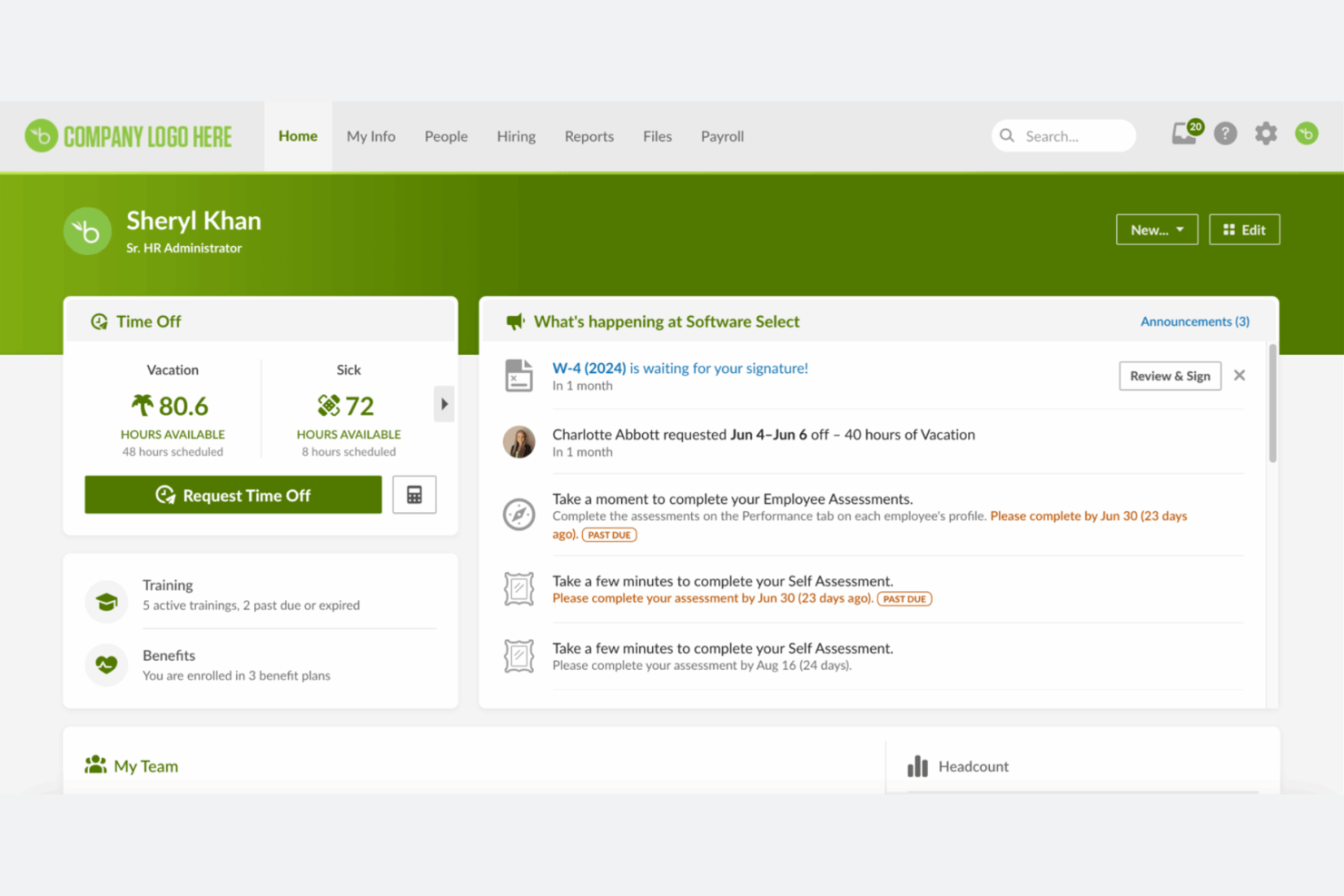
BambooHR is an all-in-one HR platform that supports employee management and satisfaction. It handles core HR functions such as employee data coordination, performance tracking, and benefits administration.
Why I picked BambooHR: BambooHR helps users understand employee satisfaction, making it ideal for companies that prioritize workplace culture. It includes tools such as employee self-assessments and feedback, which help gauge team morale.
The software’s performance management tool allows your team to set and track goals. Additionally, BambooHR's intuitive design ensures that both HR professionals and employees can navigate the platform easily.
Standout features and integrations:
Features include leave management, which simplifies time-off requests and approvals. The platform also offers customizable workflows to fit your HR processes. Additionally, BambooHR provides reporting and analytics to give you insights into your HR data.
Integrations include QuickBooks, Slack, Deel, NetSuite, Google, and more.
Pros and Cons
Pros:
- Flexible HR workflows
- Easy goal tracking
- Effective employee feedback tools
Cons:
- Setup can take time
- Basic analytics capabilities

Rippling
Best for broad business apps integrations
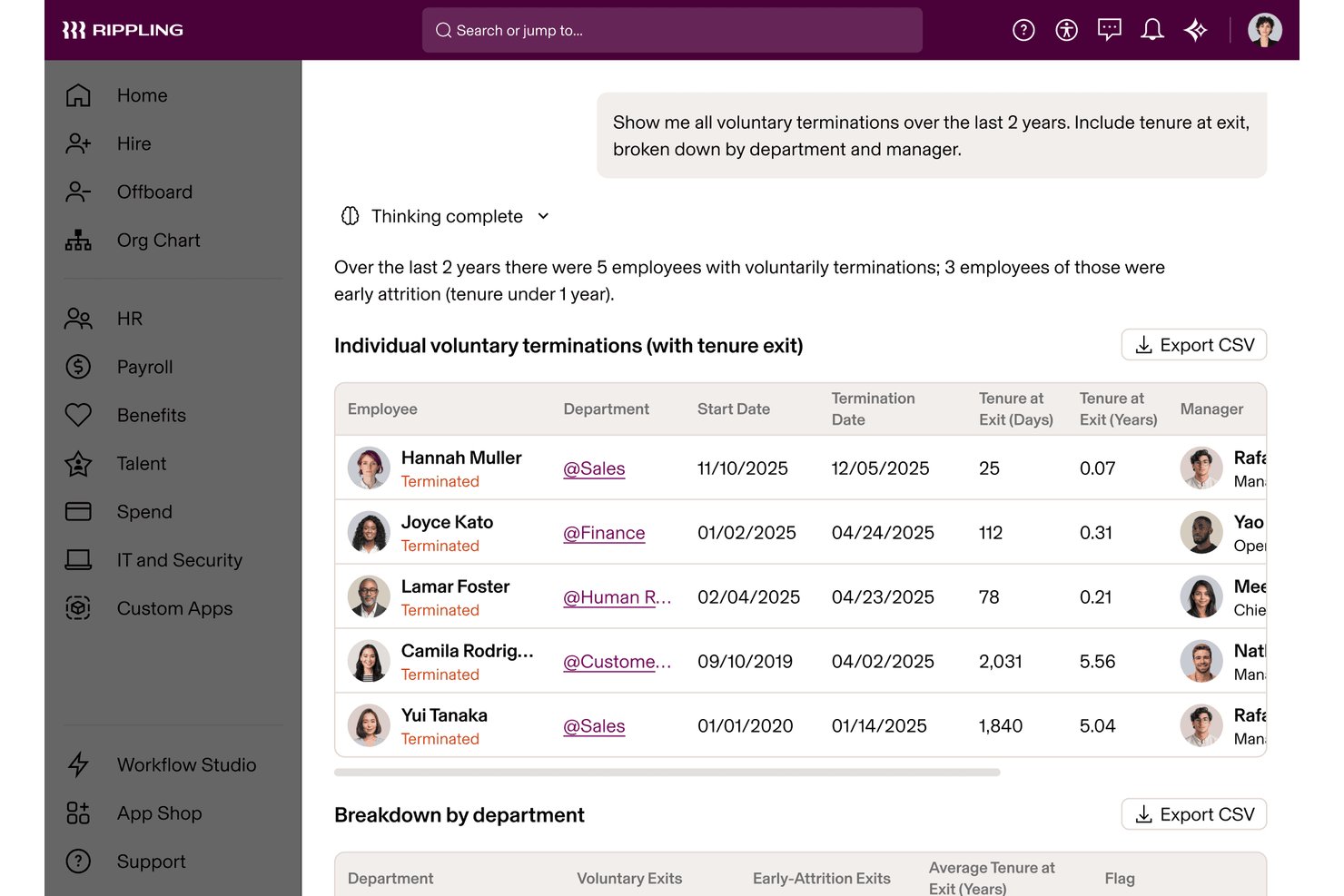
Rippling is an all-in-one HR platform that unifies HR, IT, and Finance management—covering payroll, benefits administration, time tracking, onboarding, performance, and device management through a single connected employee data layer.
Who Is Rippling Best For?
Rippling suits fast-growing businesses that need HR, IT, and Finance operations to scale together without managing separate platforms.
Why I Picked Rippling
Rippling earns its spot on my shortlist because its 650+ integrations are woven directly into its automation layer, not bolted on as passive connectors. When I onboard a new hire, Rippling simultaneously provisions their Slack, Google Workspace, and device access without a single manual step. I also use the Rippling API Platform to build custom workflows that pull HR, IT, and Finance data together in ways I'd otherwise need three separate systems to achieve.
Rippling Key Features
- Global Employee Graph: Centralizes employee data, documents, org charts, and lifecycle changes across all modules in one system.
- Learning management system: Assigns compliance courses and tracks completion for employee development and regulatory requirements.
- Compliance automation tools: Performs automated tax filings, document collection, and tracks changing federal, state, and international HR regulations.
- Role-based permissions: Lets you specify exactly who can access sensitive HR, payroll, or benefit details with fine-grained controls.
Rippling Integrations
Rippling offers a wide range of native integrations including Google Workspace, Microsoft 365, Slack, QuickBooks, NetSuite, Zoom, Okta, DocuSign, Greenhouse, Lever, and Xero. An API is also available for custom integrations.
Pros and Cons
Pros:
- Supports global payroll across 185+ countries
- Automates device provisioning during new hire onboarding
- Unifies HR, IT, and Finance natively
Cons:
- Initial setup demands significant configuration time
- Support quality varies by account tier
New Product Updates from Rippling

Rippling Expands Automated Compliance With AI Workflows
Rippling expands Automated Compliance with multi-framework support, AI workflows, an audit portal, and trust centers. These updates help GRC teams manage compliance work and audits. For more information, visit Rippling’s official site.
Annen alt-i-ett HR-programvare
Her er noen flere alternativer for alt-i-ett HR-programvare som ikke kom med på kortlisten min, men som likevel er verdt å undersøke:
- TalentHR
For startups and SMEs
- Keka HR
For integrated project & resource management
- Paycor
For payroll and analytics
- Rise
For Canadian businesses
- Sage HR
For shift scheduling
- Zoho People
For integrated HR services
- OrangeHRM
For open-source HR solutions
- BrightHR
For absence management
- Lattice
For performance reviews
- Remote
For managing global teams
- Employment Hero
For employee benefits
- Paycom
For payroll processing
- Deel Payroll
For global payroll management
- Breathe HR
For small businesses
- One Model
For data-driven HR insights


How I Evaluate All in One HR Software
I look at these platforms in two layers: whether they cover the core HR stack—payroll, employee records, benefits, and time—end to end, and then what separates the strongest options from the rest.
Core Functionality (Table Stakes For This List)
When I'm selecting tools for my list, I rank each one on a scale from 0 (does not offer the functionality) to 5 (excels in this area) for each core functionality listed below. Then, I calculate the tool's total score into a percentage. Each tool needs to achieve a minimum total score of 75% to be considered for inclusion.
- Core HRIS & Employee Records: I check whether the platform serves as a true system of record—org charts, custom fields, document storage, and audit trails, not just a contact list.
- Payroll Processing: Whether payroll runs natively or through a deep integration matters. I look at tax filing automation, direct deposit, and multi-jurisdiction support.
- Benefits Administration: I evaluate how enrollment, carrier connections, and deduction syncing work together—especially during open enrollment season when volume spikes.
- Time, Attendance & PTO: The time module should tie directly into payroll. I look at approval workflows, accrual tracking, and mobile clock-in options for frontline teams.
- Talent Management: From job postings and applicant tracking through onboarding and performance reviews, I evaluate how well each stage connects within one platform.
- Compliance & Reporting: I look for automated compliance support for common filings and configurable dashboards that let HR leaders pull workforce data without IT help.
Once I have a list of tools that meet this criteria, I consider what sets each platform apart.
Differentiating Factors (What Sets Vendors Apart)
Here's how I compare and contrast different vendors:
Standout Features
Employee self-service portals make a big difference in daily HR workload. I look for platforms where employees can pull their own pay stubs, update addresses, and submit PTO requests from a mobile app—freeing HR from routine back-and-forth. For teams hiring across borders, global workforce support is another major separator. Some platforms handle multi-country payroll and localized compliance natively, while others rely on EOR partnerships. I also evaluate how flexible each tool's workflow builder is, since every company has its own approval chains, onboarding steps, and offboarding sequences.
Beyond Features
Integration ecosystems matter a lot here. I check whether a platform connects natively with your accounting software, productivity suite, and SSO provider—or if you'll need custom API work to keep data flowing. Pricing transparency is another factor I weigh carefully, since some vendors bundle payroll and benefits into base pricing while others charge per module or per payroll run. I also evaluate implementation support, especially how the vendor handles historical payroll migration and whether dedicated onboarding help is included or sold as an add-on.
Slik velger du alt-i-ett HR-programvare
Det er lett å gå seg vill i lange funksjonslister og kompliserte prismodeller. For å hjelpe deg med å holde fokus mens du går gjennom den unike prosessen din for valg av programvare, får du her en sjekkliste over faktorer du bør ha i mente:
| Faktor | Hva bør vurderes |
|---|---|
| Skalerbarhet | Kan programvaren vokse med virksomheten din? Se etter verktøy som kan håndtere et økende antall medarbeidere uten at det kreves en fullstendig overhaling av systemet. |
| Integrasjoner | Fungerer den med de eksisterende verktøyene dine? Se etter innebygde integrasjoner med programvaren du allerede bruker, slik at du unngår ekstra kostnader og kompleksitet. |
| Tilpasningsmuligheter | Kan du tilpasse programvaren til arbeidsflytene dine? Sørg for at plattformen gir fleksibilitet til å opprette prosesser som dekker teamets spesifikke behov. |
| Brukervennlighet | Er programvaren intuitiv? Vær oppmerksom på grensesnitt som er unødvendig kompliserte, og som bremser teamets bruk og produktivitet. |
| Implementering og introduksjon | Hvor lang tid vil oppsettet ta? Ta hensyn til tiden og ressursene som kreves for en vellykket utrulling, inkludert opplæring og støtte fra leverandøren. |
| Kostnad | Hva er budsjettet ditt? Sammenlign prismodeller og se etter skjulte gebyrer, for eksempel kostnader for flere brukere eller premiumfunksjoner. |
| Sikkerhetstiltak | Er dataene dine beskyttet? Sørg for at programvaren følger bransjestandarder for datasikkerhet og tilbyr funksjoner som kryptering og regelmessige revisjoner. |
| Krav til samsvar | Oppfyller den lovpålagte standarder? Kontroller at programvaren støtter samsvar med relevante arbeidslover og forskrifter i områdene der du driver virksomhet. |
Hva er alt-i-ett HR-programvare?
Alt-i-ett-HR-programvare kombinerer ulike personalfunksjoner i én plattform. HR-medarbeidere, ledere og bedriftseiere bruker disse verktøyene til å administrere medarbeiderdata, lønn, personalgoder og mer. Funksjoner som lønnskjøring og administrasjon av personalgoder bidrar til å redusere administrasjonsarbeidet og forbedre organiseringen. Samlet sett forenkler disse verktøyene HR-oppgaver og gjør det enklere for team å fokusere på strategiske initiativer.
Funksjoner
Ved valg av alt-i-ett-HR-programvare bør du se etter følgende viktige funksjoner:
- Administrasjon av medarbeiderdata: Samler all medarbeiderinformasjon på ett sted, slik at det blir enkelt å få tilgang til og oppdatere opplysninger.
- Lønnskjøring: Automatiserer lønnsberegninger og utbetalinger, sikrer nøyaktighet og sparer tid på manuelle oppgaver.
- Administrasjon av personalgoder: Administrerer programmer for personalgoder effektivt og gjør det enklere å følge med på påmeldinger og kvalifisering.
- Registrering av arbeidstid og oppmøte: Overvåker arbeidstid og oppmøte, noe som bidrar til nøyaktig lønnsbehandling og etterlevelse av regelverk.
- Rekruttering og introduksjon: Effektiviserer ansettelsesprosessen fra stillingsannonser til integrering av nyansatte, og forbedrer kandidatens opplevelse.
- Resultatstyring: Følger opp medarbeidernes prestasjoner og mål, og gir innsikt til utvikling og evalueringer.
- Etterlevelsesstyring: Sikrer overholdelse av arbeidslover og forskrifter, og reduserer risikoen for juridiske problemer.
- Tilpassbar rapportering: Gjør det mulig å lage rapporter tilpasset virksomhetens spesifikke behov, og gir verdifull innsikt i HR-måleverdier.
- Selvbetjeningsportal for medarbeidere: Gir medarbeiderne mulighet til å få tilgang til og administrere egne HR-opplysninger, og reduserer den administrative belastningen.
- Tilgang via mobilapp: Gir tilgang til HR-funksjoner på farten og øker fleksibiliteten og brukervennligheten.
Fordeler
Implementering av alt-i-ett-HR-programvare gir flere fordeler for teamet og virksomheten din. Her er noen av fordelene du kan se frem til:
- Økt effektivitet: Automatiserer gjentakende oppgaver som lønn og administrasjon av personalgoder, slik at det frigjøres tid til strategiske aktiviteter.
- Bedre nøyaktighet: Reduserer feil i registrering og beregninger gjennom sentralisert administrasjon av medarbeiderdata og automatiserte prosesser.
- Bedre etterlevelse: Bidrar til å sikre overholdelse av arbeidslover gjennom funksjoner for etterlevelsesstyring, og minimerer juridisk risiko.
- Økt medarbeiderengasjement: Tilbyr verktøy som resultatstyring og selvbetjeningsportaler, som gir medarbeiderne større innflytelse og øker tilfredsheten.
- Effektivisert rekruttering: Forenkler ansettelser med funksjoner for rekruttering og introduksjon, forbedrer kandidatens opplevelse og reduserer tiden det tar å ansette.
- Datadrevet innsikt: Tilbyr tilpassbar rapportering og analyse, slik at du kan ta velinformerte HR-beslutninger basert på sanntidsdata.
- Fleksibilitet og tilgjengelighet: Tilgang via mobilapp gjør det mulig å håndtere HR-oppgaver på farten og gir både ledere og medarbeidere økt brukervennlighet.
Kostnader og priser
Valg av alt-i-ett-HR-programvare krever en forståelse av de ulike prismodellene og abonnementene som er tilgjengelige. Kostnadene varierer basert på funksjoner, teamstørrelse, tillegg og mer. Tabellen nedenfor oppsummerer vanlige abonnementer, gjennomsnittsprisene deres og typiske funksjoner som er inkludert i alt-i-ett-HR-løsninger:
Sammenligningstabell for abonnementer for alt-i-ett-HR-programvare
| Abonnementstype | Gjennomsnittspris | Vanlige funksjoner |
|---|---|---|
| Gratisabonnement | $0 | Grunnleggende administrasjon av medarbeiderdata, begrenset rapportering og selvbetjeningsportal. |
| Personlig abonnement | $5-$25/bruker/måned | Administrasjon av medarbeiderdata, lønnskjøring, registrering av arbeidstid og oppmøte samt grunnleggende brukerstøtte. |
| Forretningsabonnement | $30-$50/bruker/måned | Avansert rapportering, administrasjon av personalgoder, rekruttering og introduksjon samt etterlevelsesstyring. |
| Virksomhetsabonnement | $60+/bruker/måned | Tilpassbare oversikter, dedikert brukerstøtte, avansert analyse og full integrasjonsstøtte. |
Vanlige spørsmål om alt-i-ett-programvare for HR
Her er noen svar på vanlige spørsmål om alt-i-ett-programvare for HR:
Hvordan velger jeg riktig alt-i-ett-programvare for HR for virksomheten min?
Begynn med å vurdere virksomhetens behov og identifisere funksjonene som best kan støtte arbeidsflytene til teamet ditt. Ta hensyn til faktorer som skalerbarhet, brukervennlighet og integrasjon med eksisterende systemer. Se på brukeranmeldelser og be om demonstrasjoner for å se programvaren i praksis. Dette hjelper deg med å forstå hvordan den passer inn i den daglige driften. Vurder også kostnaden opp mot budsjettet ditt og verdien den tilfører teamet ditt.
Kan alt-i-ett-programvare for HR håndtere fjernarbeidende team?
Ja, nesten alle alt-i-ett-løsninger for HR-programvare tilbyr funksjoner som støtter administrasjon av fjernarbeidende team. Se etter verktøy med tilgang via mobilapp, tidsregistrering og kommunikasjonsplattformer som holder fjernarbeidende ansatte tilkoblet. Disse funksjonene lar deg administrere oppgaver uansett hvor teamet ditt befinner seg. HR-programvare som støtter fjernarbeid, bidrar til å opprettholde produktivitet og engasjement i distribuerte arbeidsstyrker.
Er datasikkerhet en bekymring med alt-i-ett-programvare for HR?
Ja, datasikkerhet er en viktig bekymring. Når du velger programvare, må du forsikre deg om at den følger bransjestandarder som GDPR eller CCPA. Se etter funksjoner som kryptering, regelmessige sikkerhetsrevisjoner og tilgangskontroller for brukere. Disse sikkerhetstiltakene beskytter sensitiv informasjon om ansatte og reduserer risikoen for datainnbrudd. Kontroller alltid at leverandøren prioriterer sikkerhet i plattformen sin.
Hvor lang tid tar det å implementere alt-i-ett-programvare for HR?
Implementeringstiden varierer avhengig av programvarens kompleksitet og størrelsen på virksomheten din. Det kan ta alt fra noen uker til flere måneder. For å fremskynde prosessen bør du forberede teamet ditt ved å organisere ansattdata og definere HR-prosessene på forhånd. Samarbeid tett med leverandørens kundestøtteteam under oppsett og opplæring for å sikre en smidig overgang. Denne forberedelsen bidrar til å minimere forstyrrelser.