

10 beste programvarer for planlegging av jobbintervjuer ved ansettelser i 2026

10 Beste programvare for planlegging av jobbintervjuer – kortliste


Det kan være en hodepine for ethvert HR-team å holde oversikt over flere intervjutidspunkter. Du må sannsynligvis håndtere en mengde e-poster frem og tilbake, forvirring rundt tidssoner og avlysninger i siste liten. Det er mye å holde styr på, og det er her programvare for planlegging av jobbintervjuer kommer inn.
Etter min erfaring kan disse verktøyene spare deg for tid og redusere stress ved å automatisere planleggingsprosessen. De hjelper deg med å koordinere kandidater og intervjuere effektivt, slik at alle er samkjørte.
Jeg har testet og vurdert ulike alternativer for å gi deg en objektiv liste over de beste tilgjengelige løsningene. Du finner innsikt i funksjoner, brukervennlighet og hva hvert verktøy tilbyr teamet ditt. La oss gjøre planlegging av jobbintervjuer til én ting mindre å bekymre seg for.
Why Trust Our Software Recommendations
Our team has been testing and reviewing software since 2012. As HR experts ourselves, we know how difficult—and important—it is to choose the right software.
For this guide, we evaluated tools using hands-on testing and independent research, scoring tools using our selection criteria. We also draw on insights from industry thought leaders and practicing HR experts.
Our reviews reflect our human editorial judgment, not a sales pitch.
Expert reviewers:
Sammenligningstabell: Programvare for planlegging av jobbintervjuer
Denne sammenligningstabellen oppsummerer prisdetaljene for mine beste utvalgte programmer for planlegging av jobbintervjuer.
| Tool | Best For | Trial Info | Price | ||
|---|---|---|---|---|---|
| 1 | Best for AI-powered capabilities for enterprises | Free demo available | Pricing upon request | Website | |
| 2 | Best for candidate self-scheduling | Free demo available | Pricing upon request | Website | |
| 3 | Best for AI-powered interview coordination | Free demo available | Pricing upon request | Website | |
| 4 | Best for flexibility in interview types | Free demo available | Price upon request | Website | |
| 5 | Best for conversational AI scheduling | Free demo available | Pricing upon request | Website | |
| 6 | Best for custom recruitment pipelines | Free plan available; 14-day free trial | From $9/user/month (billed annually) | Website | |
| 7 | Best for easy website embedding | Free plan available | From $5/user/month (billed annually) | Website | |
| 8 | Best for a hands-off, automated approach | Free demo available | Pricing upon request | Website | |
| 9 | Best for conducting video interviews | Free demo available | Pricing upon request | Website | |
| 10 | Best for technical & IT recruiters | Free demo available | Pricing upon request | Website |

De beste systemene for planlegging av jobbintervjuer
Her er en kort beskrivelse av de ti beste programmene for planlegging av jobbintervjuer. Sammendragene mine fremhever også unike bruksområder, viktige funksjoner og sentrale fordeler & ulemper. Les videre for å finne flere bonusvalg nederst på listen.

GoodTime
Best for AI-powered capabilities for enterprises
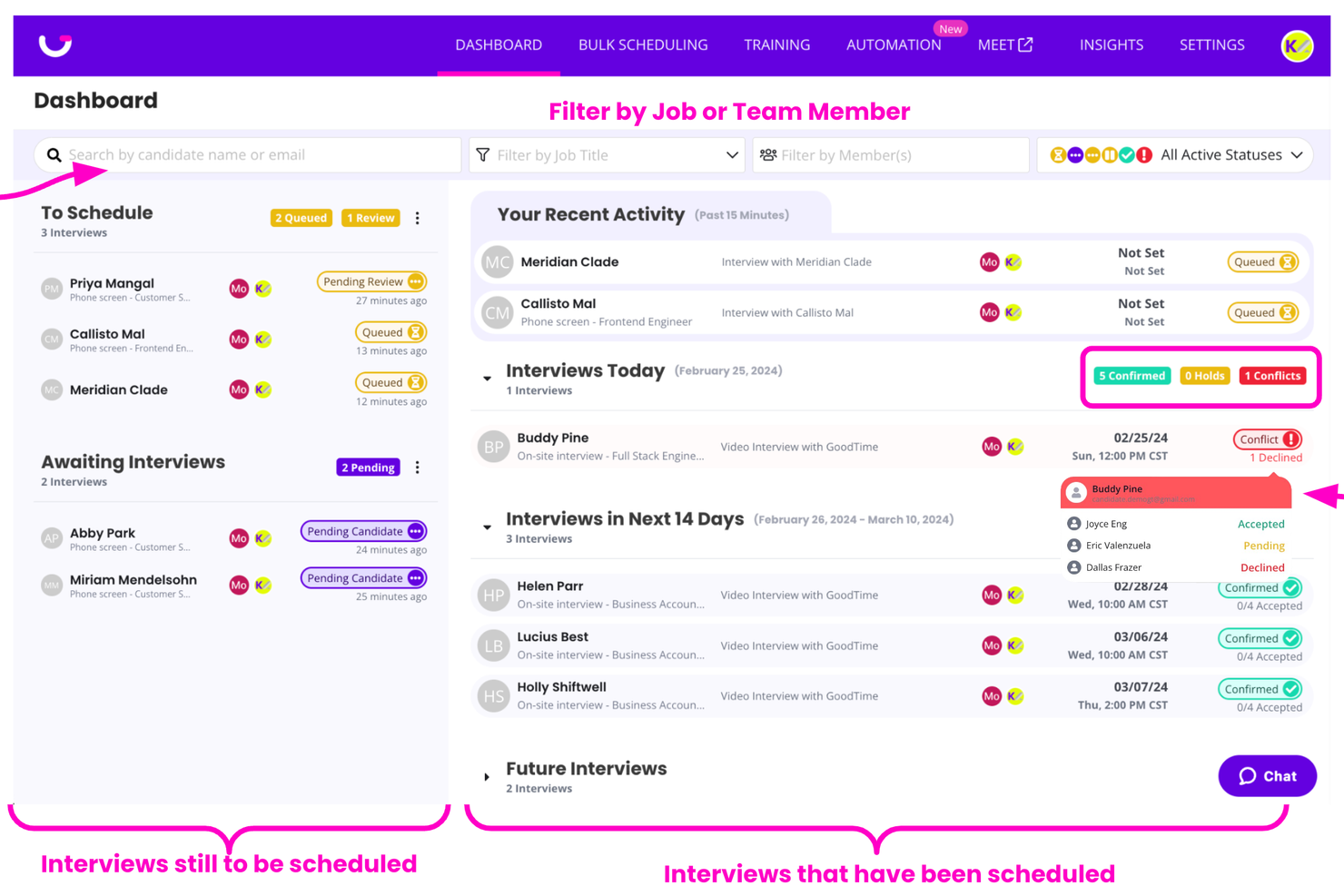
GoodTime Hire is an AI-powered interview scheduling platform built for enterprise talent acquisition teams, combining automated interview coordination, candidate self-scheduling, multi-channel communication workflows, and hiring analytics to manage complex, high-volume hiring across teams, locations, and time zones.
Who Is GoodTime Best For?
GoodTime is built for enterprise talent acquisition teams that manage high-volume, complex hiring across multiple departments, locations, and time zones.
Why I Picked GoodTime
GoodTime earns its spot as one of the best on my shortlist because it's purpose-built for the kind of scheduling complexity that large enterprise hiring teams actually deal with. At the center of the platform is Cori, GoodTime's AI agent, which selects interviewers, resolves conflicts, replaces anyone who cancels, and flags bottlenecks before they stall a hire. I also like that every action Cori takes stays visible and configurable, so teams can automate coordination without losing control over the process.
GoodTime Key Features
- Candidate self-scheduling portal: Candidates select and reschedule interview times through a branded scheduling portal.
- Applicant screening with bias reporting: AI screens candidates against role-specific criteria and generates color-coded bias reports, including NYC Local Law 144 certification.
- Interviewer training automation: Automatically schedules shadow and reverse-shadow interviews, tracks trainee progress, and adds graduates to the interview rotation.
- Candidate Pulse feedback: Collects double-blind, post-interview candidate ratings to surface experience scores and benchmarks by job and stage.
GoodTime Integrations
GoodTime integrates with Workday, Greenhouse, Ashby, Lever, iCIMS, SmartRecruiters, SAP SuccessFactors, Google Calendar, Microsoft 365, and Zoom. It also offers Tag Management and Interview Data APIs for custom integrations.
Pros and Cons
Pros:
- Branded self-scheduling gives candidates greater flexibility
- Visible, configurable AI actions retain recruiter control
- Automates complex enterprise interview scheduling
Cons:
- Complex regional panels can require manual coordination
- Initial configuration can be time-consuming

Best for candidate self-scheduling
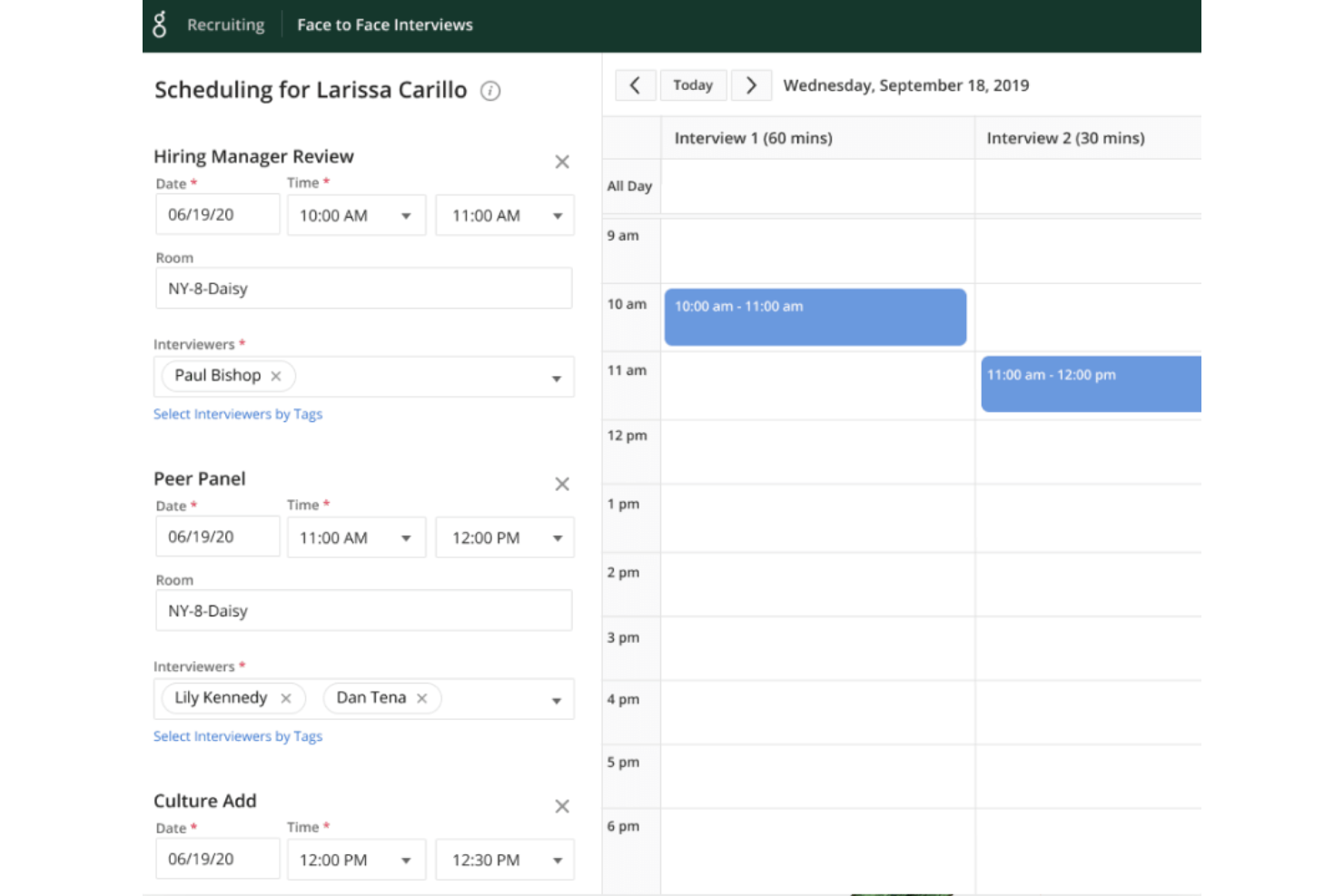
Greenhouse is an interview scheduling platform built for hiring teams who need to coordinate interviews, automate workflows, and improve candidate experience across fast-growing organizations.
Who Is Greenhouse Best For?
Greenhouse is a strong fit for mid-size to enterprise companies with dedicated recruiting teams managing high volumes of interviews across multiple departments.
Why I Picked Greenhouse
I picked Greenhouse as one of the best because of how well it handles candidate self-scheduling within a fully structured hiring workflow. Candidates receive a link to book their own interview slot based on real-time interviewer availability, which cuts out the back-and-forth that slows down high-volume hiring. I also like that self-scheduling ties directly into Greenhouse's interview kits, so once a candidate books their slot, interviewers already have their prep materials, scorecards, and role-specific questions ready to go. Automated reminders then go out to both sides, so no one shows up unprepared or misses the meeting entirely.
Greenhouse Key Features
- Structured interview kits: Build role-specific prep kits with scorecards and interview questions that interviewers receive before each scheduled interview.
- Anonymized take-home tests: Send candidates standardized assessments with anonymized results to support consistent, bias-reduced evaluation.
- Automated candidate communication: Set up custom email rules to notify candidates of next steps, decisions, and status updates at defined points in the hiring process.
- 40+ pre-built reports: Access a library of pre-built and custom reports to track hiring performance, pipeline health, and interviewer activity.
Greenhouse Integrations
Integrations include Checkr, Criteria Corp, Findem, HireRight, BrightHire, Pave, Grayscale, Aboard, Accurate ACE, and Adway Social Recruiting Technology.
Pros and Cons
Pros:
- Scalable for handling large application volumes
- Comprehensive reports and analytics
- Good candidate experience
Cons:
- Setup can be complex
- Customization can be limited for certain features
New Product Updates from Greenhouse

Greenhouse Opens Candidate Insights and Talent Matching Assistants to Beta
Greenhouse opens Candidate Insights and Talent Matching assistants to beta for candidate questions and natural-language search. This helps recruiters review candidates and build searches faster. For more information, visit Greenhouse’s official site.
 .
.
Best for AI-powered interview coordination
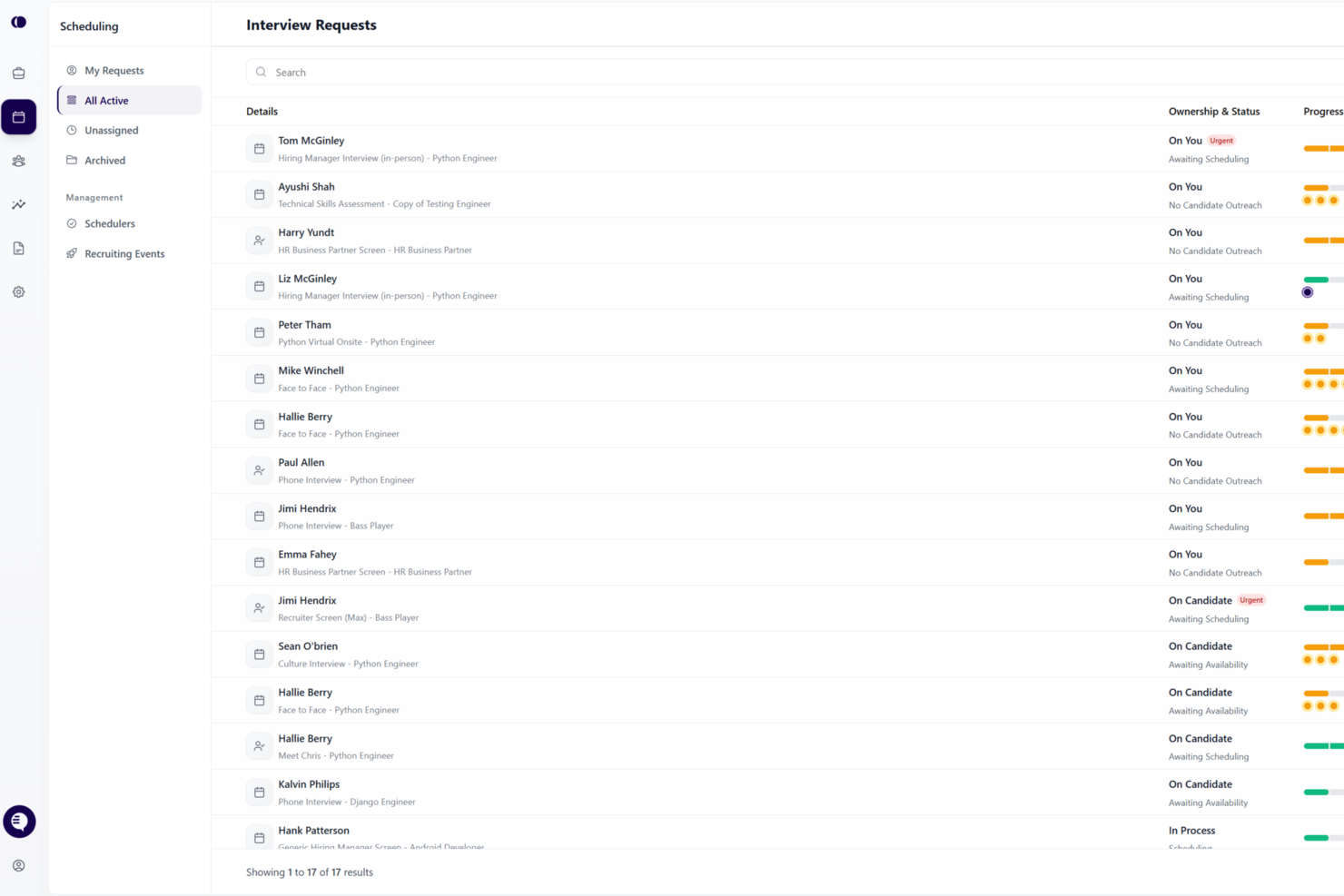
candidate.fyi is an interview scheduling platform designed for talent teams that need automated scheduling, custom workflows, and integrations with ATS and calendar systems.
Who Is candidate.fyi Best For?
Talent acquisition teams at mid-sized to large organizations that need to coordinate high volumes of interviews across multiple departments and locations.
Why I Picked candidate.fyi
I picked candidate.fyi as one of the best because its AI-powered escalation helps handle complex scheduling conflicts that manual tools often miss. When interviewers change last-minute or time zones overlap, the system can suggest alternative interviewers and times automatically. I also like how it flags bottlenecks and escalates unresolved cases to recruiters, helping ensure scheduling issues are addressed promptly.
candidate.fyi Key Features
- AI-powered coordination agent: Automatically schedules, reschedules, and resolves conflicts.
- Dynamic interviewer selection: Matches the right interviewers based on availability, skills, and preferences.
- Real-time issue detection & escalation: Flags and resolves bottlenecks before they impact candidates.
- End-to-end coordination automation: Handles multi-stage, panel, and global scheduling without manual intervention.
candidate.fyi Integrations
candidate.fyi offers native integrations with Greenhouse, Lever, Workday, iCIMS, UKG, Google Calendar, and Microsoft Outlook. An API is available for custom integrations.
Pros and Cons
Pros:
- Supports recruiting teams at scale
- Handles panel and multi-stage scheduling
- AI agent automates interviewer coordination workflows
Cons:
- Requires setup for workflow automation
- May exceed needs of smaller teams
Best for flexibility in interview types
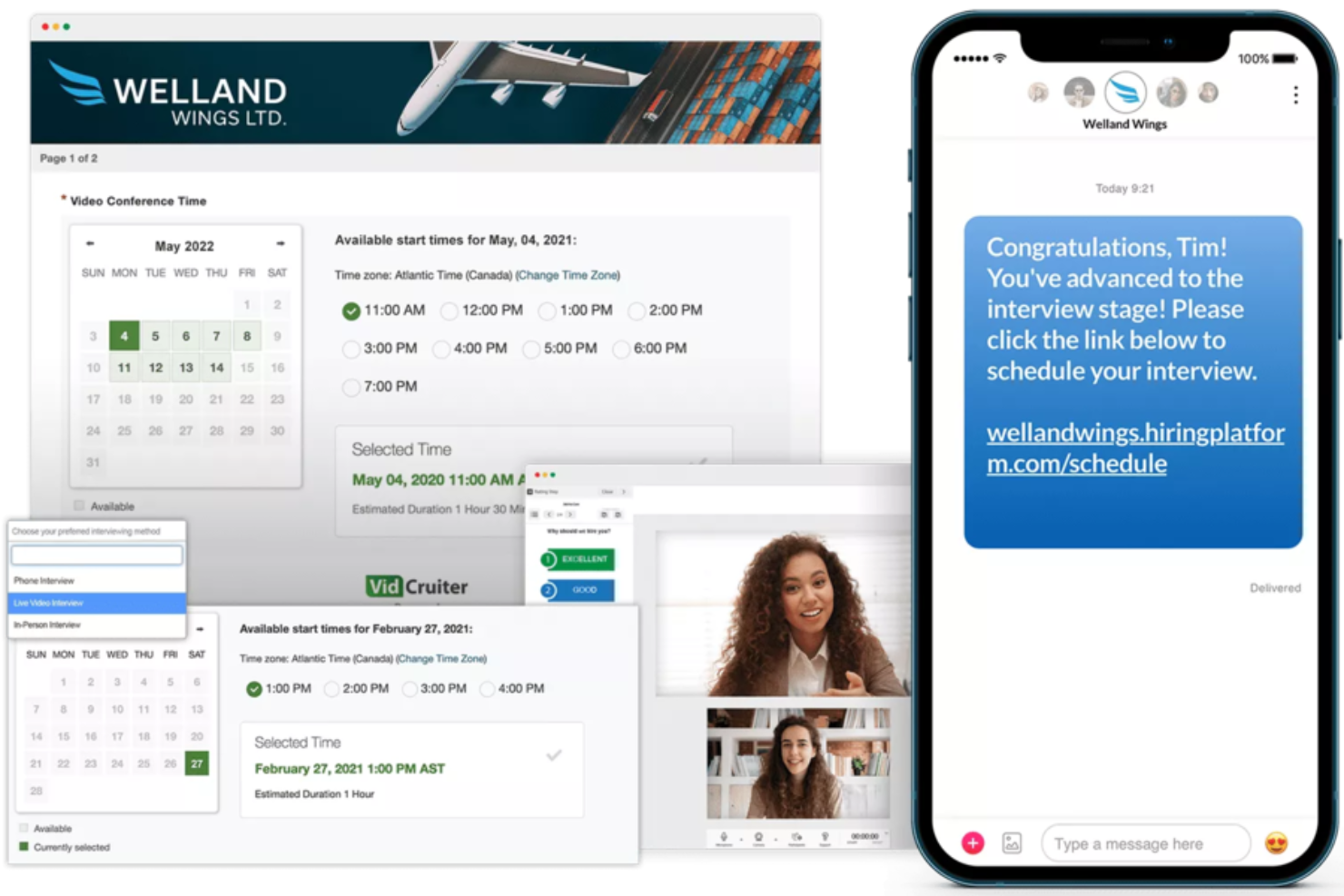
VidCruiter is an interview scheduling platform designed for hiring teams in organizations that need to coordinate complex interview processes and streamline candidate communications.
Who Is VidCruiter Best For?
VidCruiter suits mid-to-large organizations with high-volume hiring needs that require structured, multi-format interview workflows.
Why I Picked VidCruiter
I picked VidCruiter as one of the best because of how much flexibility it gives candidates and hiring teams in interview format. A useful feature is that candidates can choose their interview type at the point of scheduling—selecting between video or in-person—rather than having that decision made for them. That kind of format flexibility is rare in scheduling tools. I also like that VidCruiter supports a wide range of interview structures out of the box, from one-on-one and panel interviews to round-robin, group, MMI, and hybrid formats, all managed through the same scheduling workflow. For teams running multi-stage hiring processes where different roles or departments require different interview setups, that coverage makes a real operational difference.
VidCruiter Key Features
- Candidate self-scheduling: Candidates pick their own interview time slot from pre-set availability windows, removing back-and-forth coordination between recruiters and candidates.
- Automated SMS and email notifications: VidCruiter sends interview confirmations, reminders, and follow-ups to both candidates and interviewers automatically, including attachments like interview guides or directions.
- Configurable rescheduling rules: Recruiters can set exactly how many times a candidate can reschedule and how close to the interview date, with automatic notifications sent to all parties when changes are made.
- Timezone automation: The platform detects and adjusts for time zone differences automatically, so candidates and interviewers always see the correct local time for their scheduled interview.
VidCruiter Integrations
Integrations include Workday, Dayforce, ADP, Oracle, UKG, SAP SuccessFactors, SmartRecruiters, Icims, PageUp, and Lever.
Pros and Cons
Pros:
- Customized templates for video interviews
- Great customer support
- Clickable links without login
Cons:
- Complicated to master various tool commands
- Note-taking during interviews is a hassle
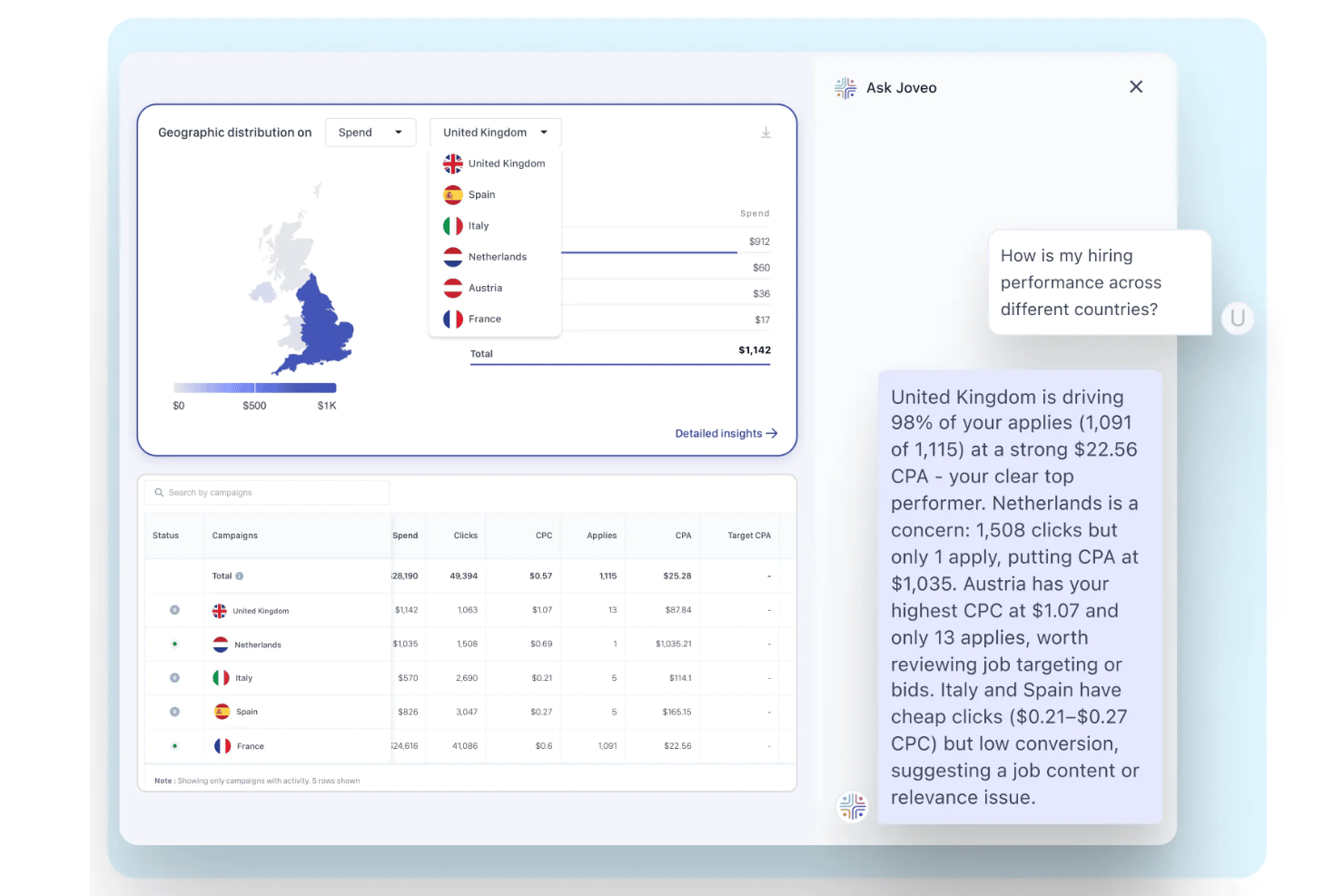
Joveo is a recruitment marketing platform with a built-in AI interview scheduling module that automates candidate self-scheduling, multi-round coordination, and calendar sync across email, SMS, WhatsApp, and web.
Who Is Joveo Best For?
Joveo is a strong fit for enterprise talent acquisition teams, staffing agencies, and RPOs managing high volumes of interviews across multiple roles and locations simultaneously.
Why I Picked Joveo
I picked Joveo as one of the best because its conversational AI guides candidates through self-scheduling across SMS, WhatsApp, email, and web without recruiter involvement. What I find especially impressive is how it handles sequential and parallel multi-round interviews automatically, resolving conflicts and distributing load across interviewers by availability and workload. In practice, my team can move a candidate from application to scheduled interview in under a minute, even for panel roles.
Joveo Key Features
- ATS ecosystem integrations: Connects natively with over 100 ATS platforms to sync candidate data and interview stages.
- Automated notifications and reminders: Sends branded confirmations, updates, and reminders to candidates and interviewers by email, SMS, or WhatsApp.
- Load-balanced interviewer assignment: Distributes interviews based on interviewer availability and workload to avoid calendar conflicts.
- Scheduling analytics dashboard: Offers reports on interview scheduling efficiency, decline rates, and candidate progression across your funnel.
Joveo Integrations
Joveo offers native integrations with over 100 ATS platforms, including iCIMS, Greenhouse, Workday, Bullhorn, SuccessFactors, Oracle, and Cornerstone. It also provides native calendar integrations with Google, Outlook, iCloud, Office 365, and Exchange, and has an API for custom integrations.
Pros and Cons
Pros:
- Supports sequential and parallel multi-round scheduling
- Handles high-volume hiring across channels
- Schedules interviews without recruiter involvement
Cons:
- Reporting tools may lack depth for SMBs
- Built primarily for enterprise-scale hiring teams

Best for custom recruitment pipelines
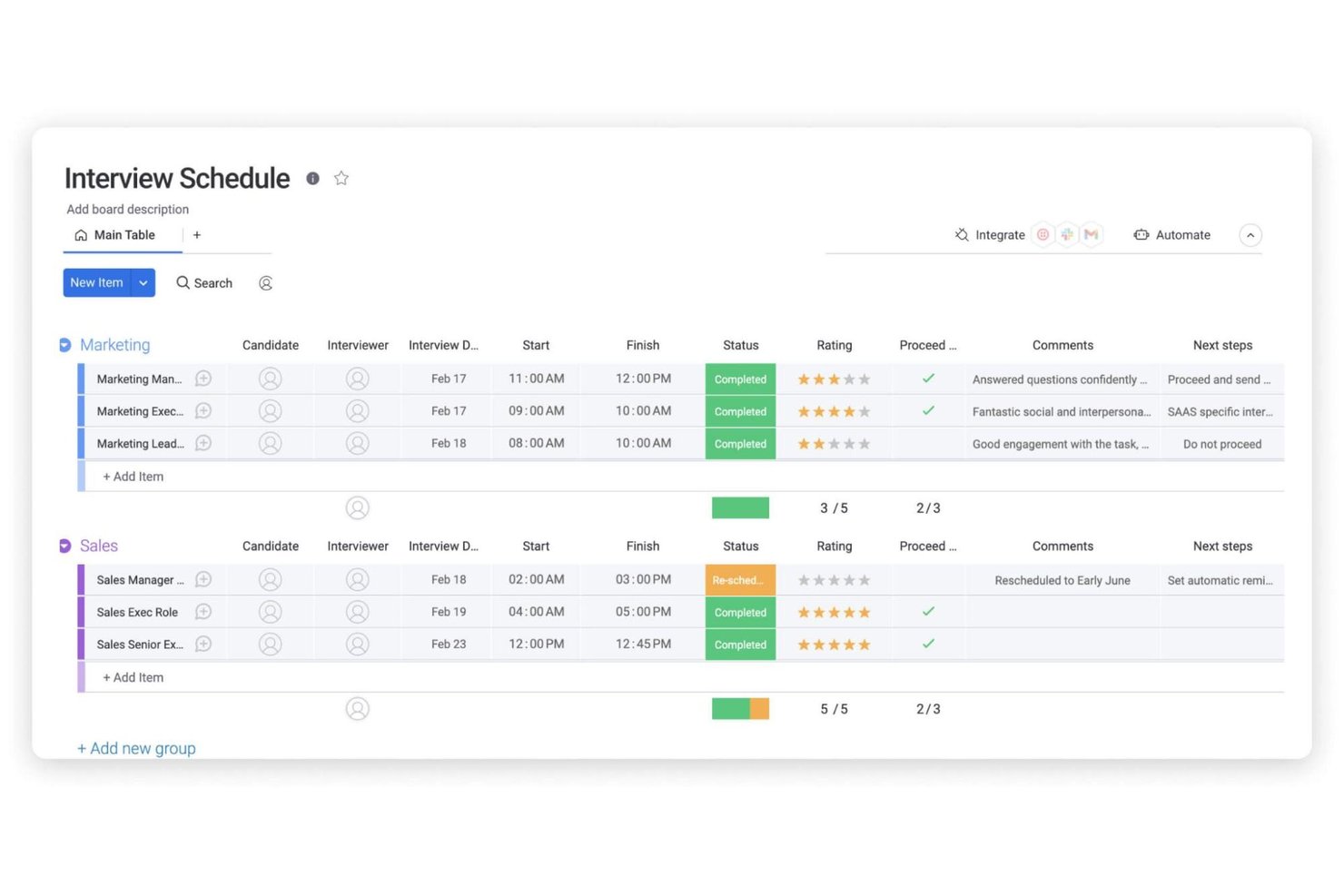
monday AI Workspace is a work management platform with built-in AI agents that handle recruitment workflows, including interview scheduling, candidate pipeline tracking, calendar sync, and hiring team coordination.
Who Is monday AI Workspace Best For?
It's a strong fit for mid-sized to large recruiting teams that want to manage their entire hiring pipeline in one customizable workspace.
Why I Picked monday AI Workspace
I've included monday AI Workspace in my top picks because its boards can be shaped around any hiring process you run, not a generic template that forces you to adapt. I particularly like the AI Scheduling Agent, which syncs with your team's calendar in real time and autonomously handles reschedules and no-shows. The Coordinator Agent adds another layer by pinging hiring managers who haven't submitted feedback, keeping every open role moving without manual follow-up.
monday AI Workspace Key Features
- Panel interview templates: Set up structured interview panels with pre-assigned roles and custom workflows for each stage.
- Bi-directional calendar sync: Connect Google Calendar, Outlook, or Microsoft Teams for live scheduling and conflict prevention.
- Integrated workflow automations: Trigger follow-up tasks, status changes, and notifications automatically as candidates move through stages.
- Workflow analytics dashboards: Visualize hiring funnel metrics, bottlenecks, and interview scheduling activity in real time.
monday AI Workspace Integrations
monday AI Workspace offers hundreds of native integrations, including Google Calendar, Outlook, Microsoft Teams, Slack, HubSpot, Salesforce, and Zoom. It also supports Zapier and provides an API for custom integrations.
Pros and Cons
Pros:
- Real-time calendar sync across teams
- Customizable interview pipeline templates
- AI agents automate team communication
Cons:
- Limited ATS integration support
- No candidate self-scheduling option
New Product Updates from monday AI Workspace
monday AI Workspace Adds Human Approval Routing
monday AI Workspace adds a human-in-the-loop approval block to AI Workflows, sending approval requests and routing workflow paths based on responses. For more information, visit monday AI Workspace's official site.

Setmore
Best for easy website embedding

Setmore gives hiring teams and recruiters a simple way to manage interview scheduling, automate reminders, and coordinate calendars, helping reduce no-shows and streamline candidate communications.
Who Is Setmore Best For?
Setmore is a good fit for small to mid-sized businesses and independent recruiters who need a straightforward scheduling tool without a steep learning curve.
Why I Picked Setmore
Setmore earns its spot as one of the best on my shortlist because of how easy it is to embed a booking form directly into your careers site or company website. I like that the website plugin works across WordPress, Wix, Squarespace, and several other builders—you drop in a "Book Now" button and candidates can self-schedule interviews without any back-and-forth. The booking page itself is customizable, so I can list specific interview types, set availability by staff member, and display it in multiple languages for global hiring. Automatic email confirmations and reminders are sent to both the interviewer and the candidate as soon as a slot is booked.
Setmore Key Features
- Two-way calendar sync: Connect Google or Microsoft Outlook calendars to keep interviewer availability accurate in real time.
- Video meeting links: Automatically generate and attach Zoom or Teleport video links to confirmed interview bookings.
- Class and group booking: Schedule panel or group interviews by opening a single time slot to multiple candidates simultaneously.
- Staff management: Add individual team members with separate availability, profiles, and booking pages for different interviewers.
Setmore Integrations
Integrations include Google Calendar, Zoom, Slack, Salesforce, HubSpot, WordPress, Mailchimp, QuickBooks, PayPal, and Stripe.
Pros and Cons
Pros:
- Supports website builders
- Easy integration with social media
- Completely free for up to 4 users
Cons:
- No integrations with ATS systems
- Occasional crashes
Best for a hands-off, automated approach
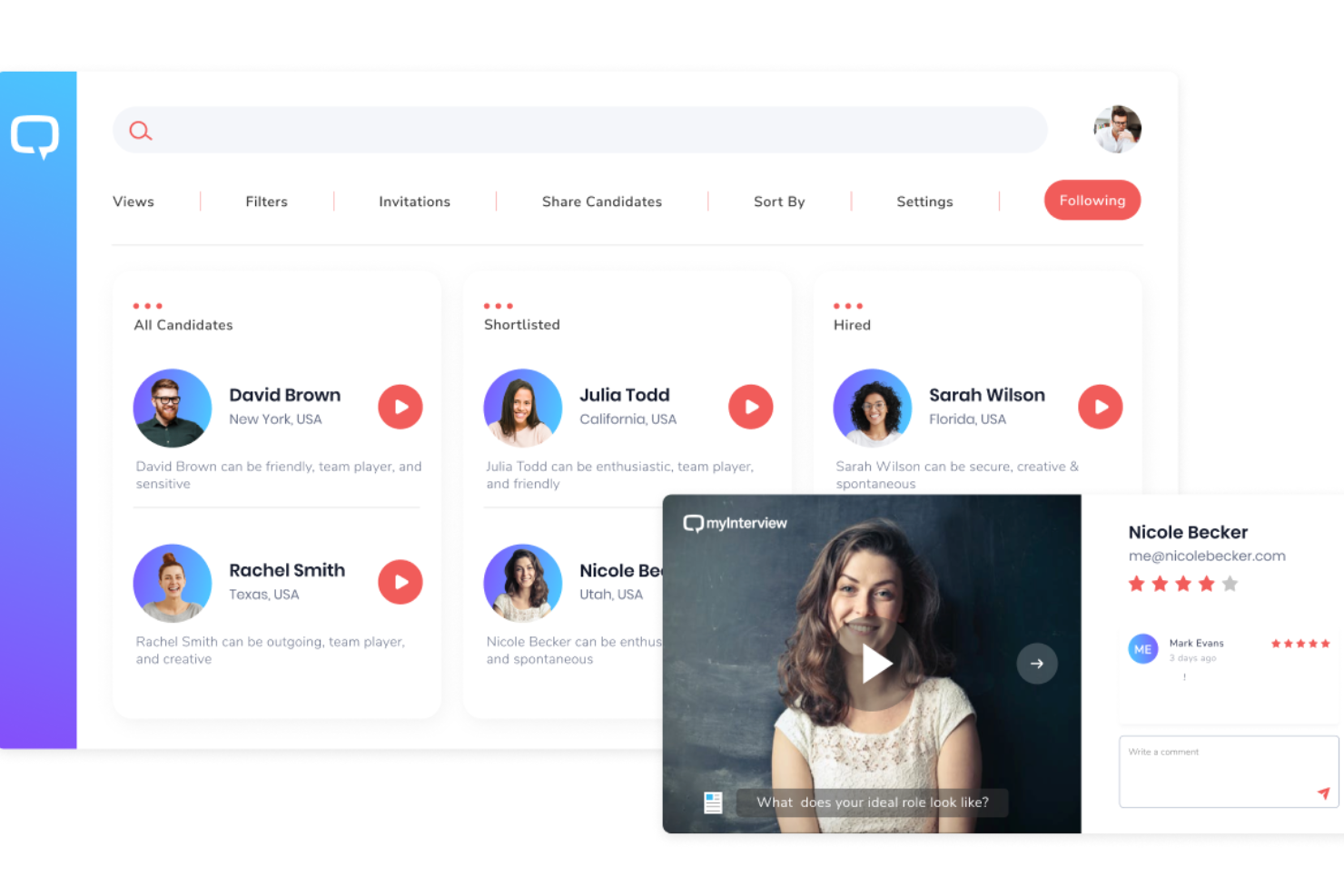
myInterview is a unique platform that uses innovative tools to refine the recruitment process. This platform not only simplifies interview scheduling but also enhances the evaluation of candidates through its integrated video interviewing capabilities, making it a holistic tool for modern hiring needs.
Why I picked myInterview: One of the key features that makes myInterview stand out is its AI virtual TA specialist, Taira. This AI assistant can analyze resumes and other information, pre-screen them with an automated chat, and shortlist them based on how they align with the job posting. This assistant also has features to evaluate the candidate's soft skills, personality, language, and other qualities.
Taira then handles the scheduling of interviews through a conversational chat. myInterview recognizes the tedious nature of the back-and-forth between candidates and recruiters and seeks to make this process easier. This automated feature can also handle re-scheduling and following up with no-shows.
myInterview Standout Features and Integrations
Features include collaborative review and annotation of candidate profiles, video interviewing, live interviewing, multi-language candidate experience, text responses, multiple choice responses, Kanban boards for candidate management, customized workflows, and automated shortlisting.
Integrations include SmartRecruiters, SAP, monday.com, Worday, JazzHR, Greenhouse, PageUp, Pinpoint, Zapier, and more. An API is also available for custom integrations.
Pros and Cons
Pros:
- Candidate management workflows
- AI-driven pre-screening capabilities
- Automated scheduling and re-scheduling
Cons:
- Limited customization options
- No mobile app

Jobma
Best for conducting video interviews
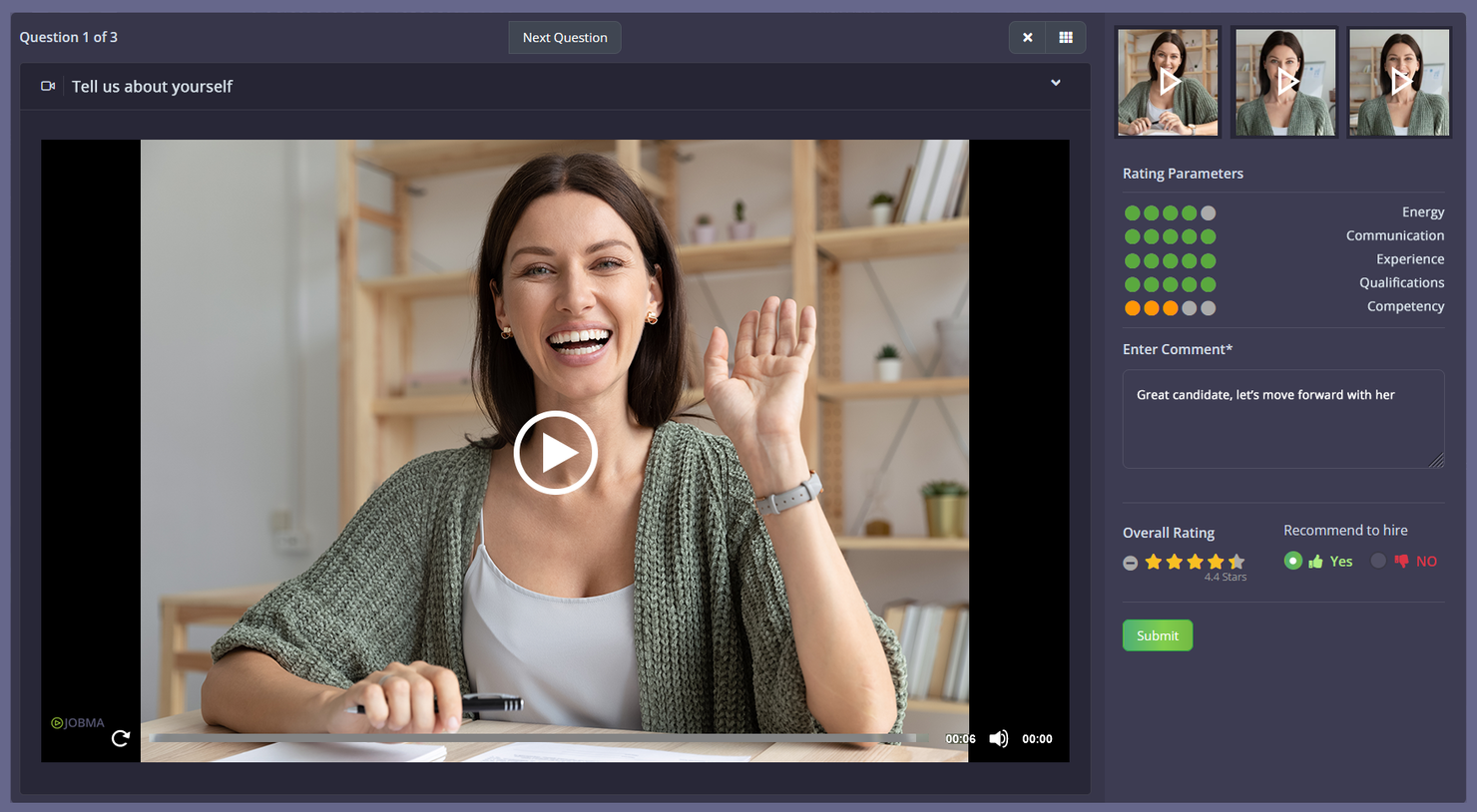
Jobma is a digital interviewing platform designed for hiring teams and recruiters who want to simplify interview scheduling and connect with candidates through video, helping businesses streamline their hiring process and improve candidate engagement.
Who Is Jobma Best For?
Jobma is a good fit for recruiters and talent acquisition teams at mid-sized to enterprise companies that rely heavily on video interviewing to screen and evaluate candidates at scale.
Why I Picked Jobma
I picked Jobma because it puts video interviewing at the center of the hiring workflow. My team uses Jobma to send one-way video interview invitations to candidates, who record their responses on their own time—no scheduling back-and-forth required. When it's time for live interviews, Jobma's dedicated live video interviewing tool keeps everything in one place, so we're not jumping between a scheduling tool and a separate video platform. I also like the AI scoring feature, which evaluates candidate responses and generates objective scores, making it much faster to compare candidates after a high-volume screening round.
Jobma Key Features
- Written, multiple choice, and audio assessments: Build interview kits that include open-ended, multiple choice, and audio questions to evaluate candidates beyond video responses.
- Collaborative hiring tools: Share candidate interview responses with colleagues and collect structured feedback from multiple team members before making a hiring decision.
- AI interview kit generation: Automatically generate tailored interview questions based on a job role and description to create structured, consistent interview kits.
- AI proctoring: Monitor candidate interviews for irregular behavior using automated detection of multiple faces, active window tracking, and copy-paste actions.
Jobma Integrations
Integrations include iCIMS, Workday, Oracle, Greenhouse, Ceipal, Lever, Bullhorn, SAP, Teamtailor, and BambooHR.
Pros and Cons
Pros:
- Suitable for various business applications
- AI-powered features
- 24/7 support included
Cons:
- Limited customization options
- Candidates need to download the app
HireVue
Best for technical & IT recruiters
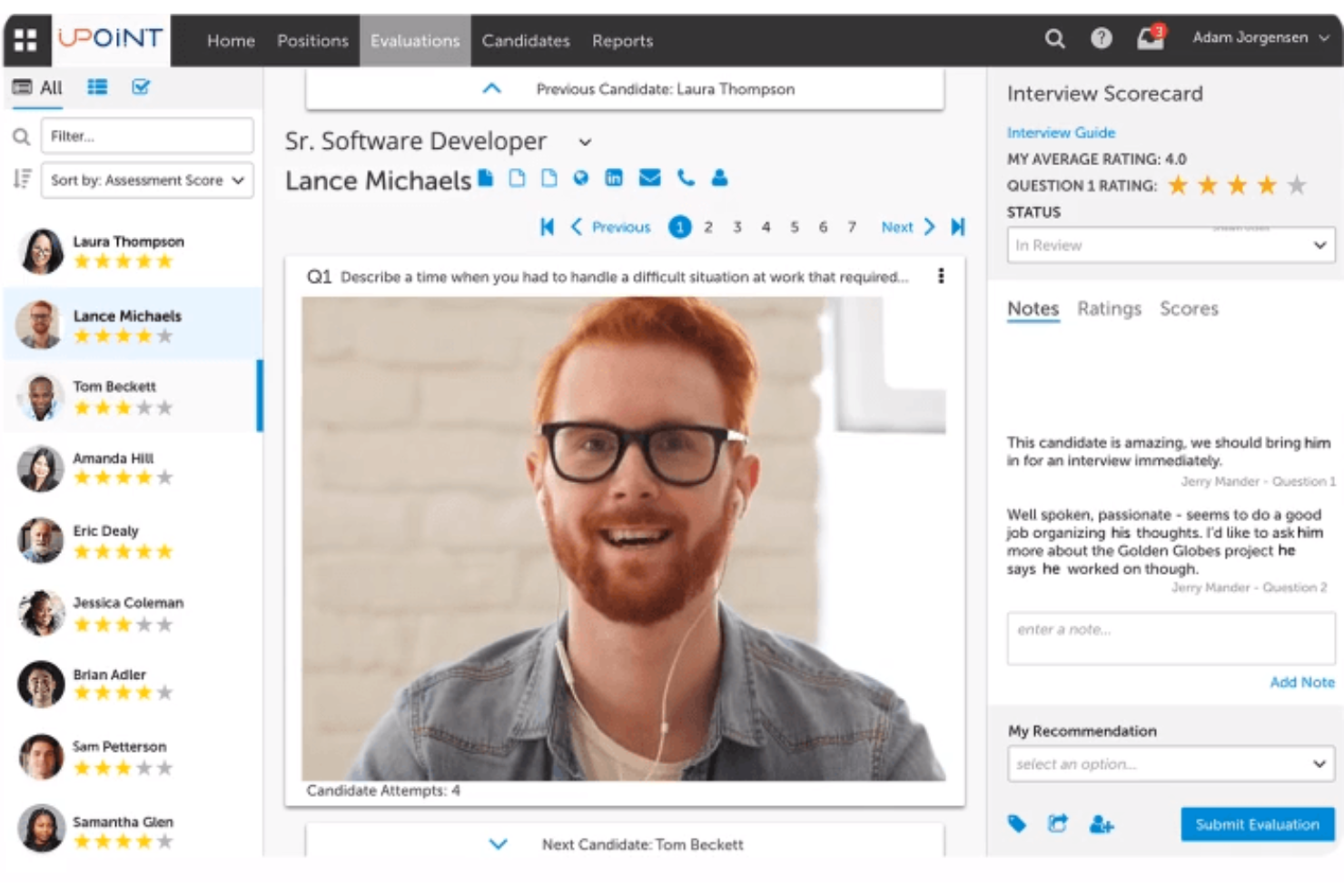
HireVue is a digital hiring platform designed for HR teams and recruiters who need to automate interview scheduling, streamline candidate assessments, and manage high-volume hiring with video interviews and AI-driven tools.
Who Is HireVue Best For?
HireVue is a strong fit for mid-to-large enterprises running high-volume hiring across technical, IT, and corporate functions.
Why I Picked HireVue
I included HireVue on my shortlist because it handles the full technical hiring workflow, not just scheduling. I like that its auto-scored coding assessments let non-technical recruiters confidently screen IT and engineering candidates without needing a developer in the room for every early-stage review. With candidate self-scheduling and automated calendar syncing, my team can move qualified technical candidates through the funnel without the usual back-and-forth. The Assessment Builder turns a job description into a validated, role-specific assessment in minutes, which is useful when you're hiring across multiple technical disciplines.
HireVue Key Features
- On-demand video interviews: Candidates record responses to pre-set questions on their own schedule, letting recruiters review asynchronously.
- Structured interview guides: Pre-built, role-specific question sets help interviewers stay consistent across every candidate conversation.
- Interview intelligence: AI analyzes interview responses to surface patterns and flag areas for follow-up review.
- ATS integration: HireVue connects with major applicant tracking systems to keep candidate data and scheduling activity in sync.
HireVue Integrations
Integrations include Workday, SAP SuccessFactors, Oracle and Taleo, SmartRecruiters, PageUp, iCIMS, Eightfold, Avature, Greenhouse, and Oleeo.
Pros and Cons
Pros:
- Pre-built coding libraries
- AI-powered text automation
- Interview builder with 1000+ role-specific guides
Cons:
- Data (bandwidth) intensive
- Poor phone support
Annen programvare for planlegging av jobbintervjuer
Her er noen flere gode alternativer som ikke kom med på listen over den beste programvaren for planlegging av jobbintervjuer. Jeg hadde ikke plass til en fullstendig vurdering av hver av disse, men de er likevel verdt å vurdere:
- Mitratech TalentReef
For hiring hourly staff & contractors
- Jobvite
For companies without an existing ATS
- Unnanu Hire
With integrated offers and onboarding tools
- Paradox
Interview scheduling software for AI-powered conversational engagements
- Rooster
Interview scheduling software for global recruiting and multi-language support
- Scheduling Bot by Sense
Interview scheduling software for text-focussed interactions
- TurboHire
Interview scheduling software for SMBs with candidate sourcing challenges
- Interviewstream
Interview scheduling software for gathering actionable insights on interviewing routines
- Workable
Interview scheduling software for self-scheduling
- ClearCo
Interview scheduling software for rapid, virtual recruiting


How I Evaluate Interview Scheduling Software
I split my evaluation into two layers—baseline functionality a tool must have, like candidate self-scheduling and ATS sync, and the differentiators that separate a good tool from the right one for your team.
Core Functionality (Table Stakes For This List)
When I'm selecting tools for my list, I rank each one on a scale from 0 (does not offer the functionality) to 5 (excels in this area) for each core functionality listed below. Then, I calculate the tool's total score into a percentage. Each tool needs to achieve a minimum total score of 65% to be considered for inclusion.
- Candidate Self-Scheduling: I check whether candidates can pick their own interview slots from live availability rather than waiting for a recruiter to manually propose times over email.
- Calendar Integration & Sync: Real-time, bi-directional sync with Google Calendar, Outlook, or Office 365 matters here, especially for preventing double-bookings across busy interviewer schedules.
- Panel & Multi-Stage Scheduling: I evaluate how well a tool coordinates multi-interviewer panels and sequential rounds, since manually cross-referencing five calendars for a final-round loop is where scheduling breaks down.
- ATS/HRIS Integration: Native connections with platforms like Greenhouse, Lever, Workday, or iCIMS keep candidate data and interview stages in sync without manual re-entry between systems.
- Automated Notifications & Reminders: I look for configurable confirmations, reminders, and reschedule links sent to both candidates and interviewers, since no-shows and last-minute confusion waste everyone's time.
- Interviewer Load Balancing: Tools that distribute interviews based on availability, skills, or workload help prevent the same handful of interviewers from getting overloaded every hiring sprint.
Once I have a list of tools that meet the criteria, I consider what sets each platform apart.
Differentiating Factors (What Sets Vendors Apart)
Here's how I compare and contrast different vendors:
Standout Features
AI-powered scheduling is a big differentiator. Tools that suggest optimal interview times or auto-resolve conflicts based on historical patterns save recruiters real hours during peak hiring. I also look at scheduling analytics, since dashboards tracking time-to-schedule, interviewer decline rates, and bottlenecks give TA leaders the data they need to improve hiring operations. For teams running campus recruiting events or seasonal hiring pushes, high-volume scheduling with bulk invites and open slot management is worth evaluating closely.
Beyond Features
Integration depth matters. I evaluate whether a tool connects natively with the ATS and HRIS platforms your team already relies on, since a scheduling tool that lives outside your core recruiting workflow creates more manual work than it solves. Security and compliance are equally important—candidate data is sensitive, so I check for SOC 2 certification, GDPR readiness, and role-based access controls. Pricing transparency also shapes my recommendations, particularly whether costs scale predictably as your hiring volume grows rather than spiking at the tier boundary.
Slik velger du programvare for planlegging av jobbintervjuer
Det er lett å gå seg vill i lange funksjonslister og kompliserte prisstrukturer. For å hjelpe deg med å holde fokus mens du arbeider deg gjennom din unike prosess for valg av programvare, har vi laget en sjekkliste over faktorer du bør ha i bakhodet:
| Faktor | Hva du bør vurdere |
|---|---|
| Skalerbarhet | Vokser programvaren i takt med teamet ditt? Tenk på fremtidige behov, og sørg for at verktøyet kan håndtere flere brukere og mer data. |
| Integrasjoner | Kontroller om programvaren kobles til de eksisterende verktøyene dine, for eksempel e-post- eller HR-systemer. Se etter enkle integrasjoner for å unngå manuelt arbeid. |
| Tilpasningsmuligheter | Kan du tilpasse verktøyet til prosessene dine? Vurder om det kan tilpasses den spesifikke arbeidsflyten din, eller om det er lite fleksibelt. |
| Brukervennlighet | Er grensesnittet brukervennlig? Sørg for at teammedlemmene raskt kan ta det i bruk uten omfattende opplæring. |
| Implementering og innføring | Hvor lang tid tar det å komme i gang? Vurder tiden og ressursene som kreves til oppsett og opplæring. |
| Kostnad | Sammenlign prisplanene og hva som er inkludert. Vær oppmerksom på skjulte gebyrer, og sjekk om det finnes en gratis prøveperiode du kan bruke til å teste løsningen først. |
| Sikkerhetstiltak | Hvilke tiltak beskytter dataene dine? Se etter kryptering, tilgangskontroller og samsvar med personvernregler. |
| Tilgjengelig kundestøtte | Hvilken støtte tilbyr leverandøren? Vurder tilgang døgnet rundt, svartider og tilgjengelige støttekanaler, slik at du får hjelp når du trenger det. |
Hva er programvare for planlegging av jobbintervjuer?
Programvare for intervjukoordinering er et verktøy som automatiserer prosessen med å koordinere intervjuer mellom kandidater og intervjuere. HR-medarbeidere og rekrutterere bruker vanligvis disse verktøyene for å spare tid og redusere planleggingskonflikter. Kalendersynkronisering, automatiske påminnelser og koordinering av tidssoner bidrar til effektiv planlegging og kommunikasjon. Alt i alt gjør disse verktøyene intervjuprosessen enklere og mer organisert for alle involverte.
Funksjoner
Når du velger programvare for intervjukoordinering, bør du se etter følgende viktige funksjoner:
- Kalendersynkronisering: Integreres med kalendere for automatisk å oppdatere og administrere intervjutidspunkter.
- Automatiske påminnelser: Sender varsler til kandidater og intervjuere for å redusere uteblivelser og holde alle informert.
- Koordinering av tidssoner: Justerer automatisk planleggingen for ulike tidssoner for å unngå forvirring og sikre nøyaktighet.
- Integrasjon med videointervjuer: Kobles til videokonferanseverktøy for sømløse virtuelle intervjuer.
- Tilpassbare arbeidsflyter: Lar brukerne tilpasse planleggingsprosessen etter sine spesifikke behov og preferanser.
- Selvbetjent kandidatplanlegging: Gjør det mulig for kandidater å velge tilgjengelige tidspunkter, noe som reduserer behovet for gjentatt kommunikasjon.
- Integrasjon med ATS-systemer: Kobles til systemer for kandidatsporing for en mer effektiv rekrutteringsprosess.
- Mobil tilgang: Tilbyr en mobilapp for planlegging mens du er på farten, noe som gir større fleksibilitet og tilgjengelighet.
- Datasikkerhet: Sikrer beskyttelse av sensitiv informasjon gjennom kryptering og overholdelse av personvernregler.
- Brukervennlig grensesnitt: Tilbyr et intuitivt design som forenkler navigeringen og reduserer opplæringsbehovet.
Fordeler
Implementering av programvare for intervjukoordinering gir flere fordeler for teamet og virksomheten din. Her er noen av fordelene du kan se frem til:
- Tidsbesparelser: Automatiserer planleggingsoppgaver, slik at HR-medarbeidere får mer tid til å fokusere på andre ansvarsområder.
- Færre planleggingskonflikter: Kalendersynkronisering og koordinering av tidssoner bidrar til å forhindre dobbeltbookinger og misforståelser.
- Bedre kandidatopplevelse: Automatiske påminnelser og alternativer for selvbetjent planlegging gjør prosessen mer praktisk for kandidatene.
- Bedre organisering: Tilbyr en sentralisert plattform for administrasjon av alle intervjurelaterte aktiviteter, slik at alt holdes samlet på ett sted.
- Økt fleksibilitet: Mobil tilgang gjør det mulig for brukerne å planlegge og administrere intervjuer hvor som helst og når som helst.
- Bedre samarbeid: Integrasjon med ATS-systemer og andre verktøy fremmer samarbeid og sørger for at alle holdes informert.
- Databeskyttelse: Sikrer at sensitiv informasjon er beskyttet gjennom datasikkerhetsfunksjoner, samtidig som tillit og regelverksetterlevelse opprettholdes.
Kostnader og priser
Valg av programvare for intervjukoordinering krever en forståelse av de ulike prismodellene og abonnementene som er tilgjengelige. Kostnadene varierer basert på funksjoner, teamstørrelse, tillegg og mer. Tabellen nedenfor oppsummerer vanlige abonnementer, gjennomsnittsprisene deres og typiske funksjoner som inngår i løsninger for programvare for intervjukoordinering:
Sammenligningstabell for abonnementer for programvare for intervjukoordinering
| Abonnementstype | Gjennomsnittspris | Vanlige funksjoner |
|---|---|---|
| Gratisabonnement | $0 | Grunnleggende planlegging, begrenset kalendersynkronisering og viktige påminnelser. |
| Personlig abonnement | $5-$15/bruker/måned | Avansert planlegging, ubegrenset kalendersynkronisering, automatiske påminnelser og grunnleggende integrasjoner. |
| Bedriftsabonnement | $20-$40/bruker/måned | Teamsamarbeid, tilpassede arbeidsflyter, integrasjon med videointervjuer og detaljert analyse. |
| Virksomhetsabonnement | $50+/bruker/måned | Fullstendige integrasjoner, avansert sikkerhet, dedikert brukerstøtte og tilpassbar rapportering. |
Programvare for planlegging av intervjuer: Vanlige spørsmål
Her er noen vanlige spørsmål og svar om programvare for planlegging av intervjuer: