
10 beste SAP-konkurrenter for HR og lønn i 2026

10 Beste SAP-konkurrenter – kortliste


De beste SAP-konkurrentene tilbyr kraftig HR- og ERP-funksjonalitet uten kompleksiteten, kostnadene eller den omfattende implementeringsbyrden som ofte følger med plattformer som kun er utviklet for store virksomheter.
SAP HCM og SAP SuccessFactors er robuste løsninger, men de passer ikke alltid, særlig ikke for små og mellomstore bedrifter eller selskaper i rask vekst som trenger fleksibilitet. Høye implementeringskostnader, bratte læringskurver og for mange funksjoner kan gjøre SAP unødvendig omfattende hvis du bare trenger grunnleggende HR-funksjoner som onboarding, lønn, fri og medarbeideroppfølging.
For å hjelpe deg med å finne en potensielt bedre løsning har jeg gjennomgått og sammenlignet de beste SAP-alternativene basert på priser, funksjoner og bruksområder, slik at du kan velge en løsning som skalerer med virksomheten din og passer budsjettet ditt.
Hvorfor stole på programvareanmeldelsene våre
Vi har testet og anmeldt HR-programvare siden 2019. Som HR-fagfolk selv vet vi hvor avgjørende og vanskelig det er å ta det riktige valget når man skal velge programvare.
Vi investerer i grundig research for å hjelpe målgruppen vår med å ta bedre kjøpsbeslutninger for programvare. Vi har testet mer enn 2 000 verktøy for ulike HR-bruksområder og skrevet over 1 000 omfattende programvareanmeldelser. Les om hvordan vi er transparente & vår metode for programvareanmeldelser.
Sammenligningstabell for SAP-konkurrenter
Denne sammenligningstabellen oppsummerer prisdetaljer for mine utvalgte SAP-konkurrenter:
| Tool | Best For | Trial Info | Price | ||
|---|---|---|---|---|---|
| 1 | Best for global HR and compliance | Free demo available | From $5/user/month | Website | |
| 2 | Best for small to mid-size manufacturers | 30-day free trial | From $49/user/month | Website | |
| 3 | Best for integrated business solutions | Free demo available | Pricing upon request | Website | |
| 4 | Best for cloud-based ERP solutions | Free demo available | Pricing upon request | Website | |
| 5 | Best for comprehensive HR and workforce management | Free demo available | Pricing upon request | Website | |
| 6 | Best for employee self-service and insights | Free demo available | Pricing upon request | Website | |
| 7 | Best for AI-driven HR processes | Free demo available | Pricing upon request | Website | |
| 8 | Best for pay equity and rewards transparency | Free demo available | Pricing upon request | Website | |
| 9 | Best for AI-powered talent management | Free demo available | Pricing upon request | Website | |
| 10 | Best for unified HR and IT management | Free demo available | From $8/user/month | Website |

Anmeldelser av de beste SAP-konkurrentene
I denne analysen gir jeg en grundig gjennomgang av de 10 beste SAP-konkurrentene. Jeg går gjennom fordeler og ulemper ved hvert verktøy, funksjonene deres og de beste bruksområdene.
Deel HR
Best for global HR and compliance
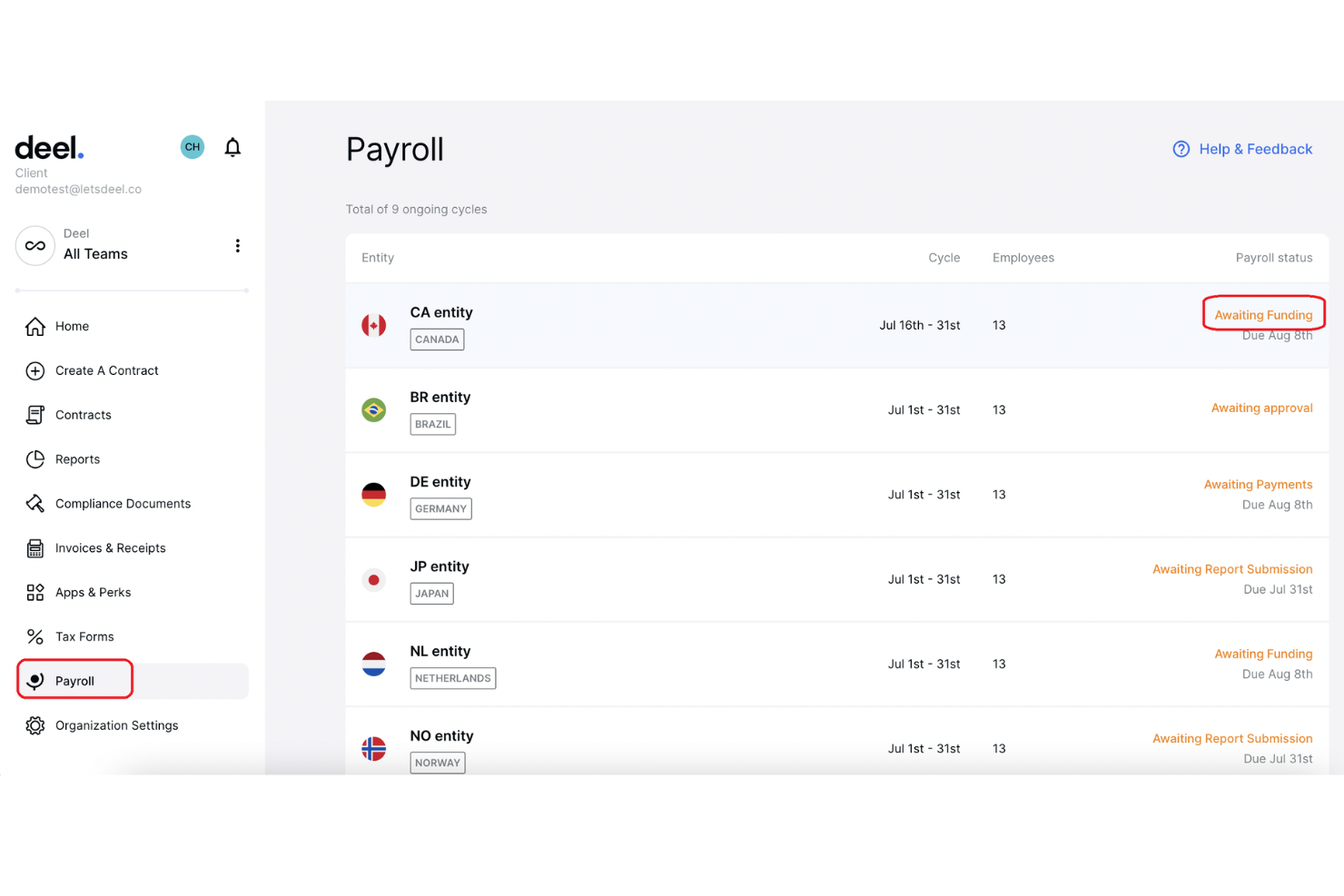
Deel HR is an HR platform for growing organizations that need to bring hiring, employee records, payroll, and everyday people operations into one system.
Who Is Deel HR Best For?
Deel HR is a good fit for HR teams supporting international workforces that need to coordinate employee records and people operations across countries.
Why I Picked Deel HR
I picked Deel HR as a SAP competitor because it’s Best for global HR and compliance, with worker profiles, time-off approvals, and global compliance tools. I like that teams can pair employee records with payroll across 130+ countries and country-specific tax filings.
Deel HR Key Features
- Onboarding workflows: Assign welcome messages, reminders, and tasks to new hires.
- Offboarding workflows: Set up exit surveys, document tasks, and responsibility transfers.
- Org charts: Map your organization’s structure and reporting lines.
- People reporting: View workforce data and headcount reports.
Deel HR Integrations
Deel lists 68+ integrations, including Workday, UKG, SAP, NetSuite, Xero, QuickBooks, Greenhouse, Lever, Ashby, and Slack. It also offers an API for custom integrations.
Pros and Cons
Pros:
- Onboarding workflows handle documents, tasks, and reminders
- Employee and contractor records share one system
- Global payroll pairs with country-specific compliance
Cons:
- Users report slow page loading and glitches
- HRIS performance-management depth draws user cautions
New Product Updates from Deel HR

Deel Expands Stablecoin Wallet to 80+ Countries
Deel expands its Stablecoin Wallet to 80+ countries with dollar-backed balances and optional rewards. This gives eligible contractors more ways to hold and manage earnings inside Deel. For more information, visit Deel’s official site.
 .

MRPeasy
Best for small to mid-size manufacturers
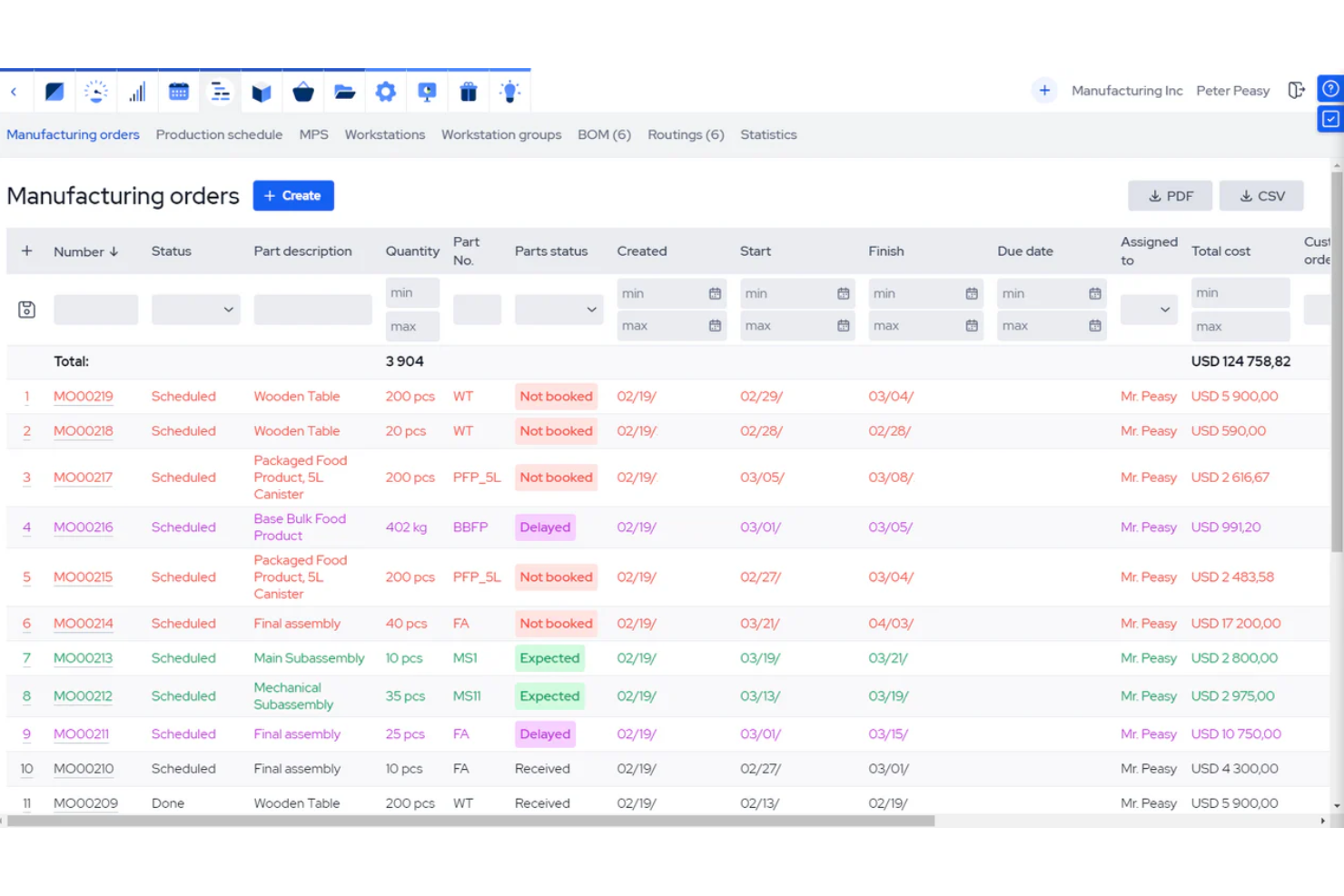
MRPeasy is manufacturing ERP software for small to mid-size manufacturers, bringing production planning, inventory, purchasing, and order management together to help teams coordinate work and track materials.
Who Is MRPeasy Best For?
MRPeasy is a fit for small and midsize manufacturers that need software tailored to their production operations.
Why I Picked MRPeasy
I picked MRPeasy as an SAP competitor for its focus on small to mid-size manufacturers. Its production planning and inventory tools help track materials against shop-floor work, while purchasing and order management connect incoming supplies with customer orders. That makes it a practical option when manufacturing operations matter more than broad enterprise HR capabilities.
MRPeasy Key Features
- Workforce reporting: Shop floor workers can report order progress and material use.
- Labor utilization: Review labor requirements and utilization across production operations.
- Workstation capacity: Group workstations and set capacity for scheduling production operations.
- Quality inspections: Set up inspection workflows to record checks and identify inconsistencies.
MRPeasy Integrations
MRPeasy offers built-in integrations with QuickBooks Online, Xero, Shopify, WooCommerce, BigCommerce, Magento, ShipStation, Microsoft Power BI, and Pipedrive, and it connects with Zapier. An API for custom integrations is available with paid Unlimited accounts.
Pros and Cons
Pros:
- Shop-floor reporting tracks labor and material use
- Lot and serial traceability supports regulated production
- Production scheduling balances materials and capacity
Cons:
- Reporting drill-downs and audit trails need work
- Multi-site and complex accounting support is limited
New Product Updates from MRPeasy
MRPeasy Adds Stocktake for Physical Inventory Counts
MRPeasy adds Stocktake for planning, conducting, and documenting physical inventory counts. This supports both full warehouse counts and cycle counts for selected items. For more information, visit MRPeasy’s official site.
 .
Best for integrated business solutions
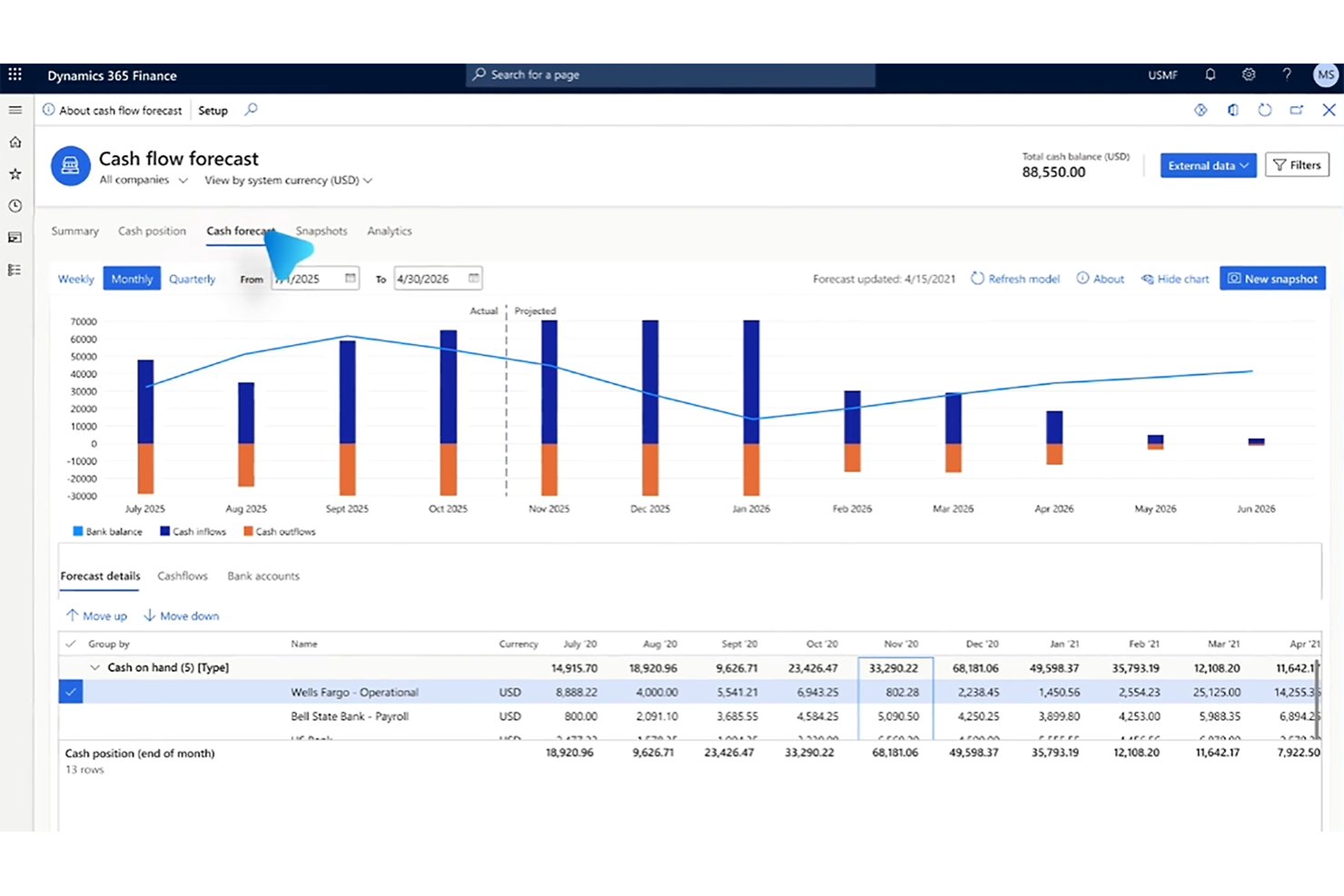
Microsoft Dynamics 365 includes human resources capabilities for organizations that want to manage employee records and workforce processes alongside finance and operations data.
Who Is Microsoft Dynamics 365 Best For?
Microsoft Dynamics 365 suits organizations with complex operations that want HR processes connected to finance and other business functions.
Why I Picked Microsoft Dynamics 365
I picked Microsoft Dynamics 365 as a SAP competitor because it’s Best for integrated business solutions. Its HR tools manage employee and position records alongside finance and operations processes, while employee self-service and leave management let staff update details and request time away. I value that connection when workforce changes need to align with wider business operations.
Microsoft Dynamics 365 Key Features
- Benefits administration: Define benefit plans, manage eligibility, and enroll workers.
- Compensation plans: Set up fixed and variable compensation plans with plan-specific rules.
- Performance reviews: Set employee goals and document performance reviews.
- Training courses: Create courses and learning plans, then assign courses and track progress.
Microsoft Dynamics 365 Integrations
Dynamics 365 Human Resources has a documented Data Integrator template for syncing workforce data with Dynamics 365 Finance. It also supports integrations with payroll and applicant tracking systems through Dataverse and OData APIs, including a documented API-based option for Ceridian Dayforce.
Pros and Cons
Pros:
- Employee self-service supports leave requests
- Includes configurable benefits and compensation plans
- Connects workforce records with finance and operations
Cons:
- May be oversized for smaller HR teams
- Complex interface challenges HR administrators
Best for cloud-based ERP solutions
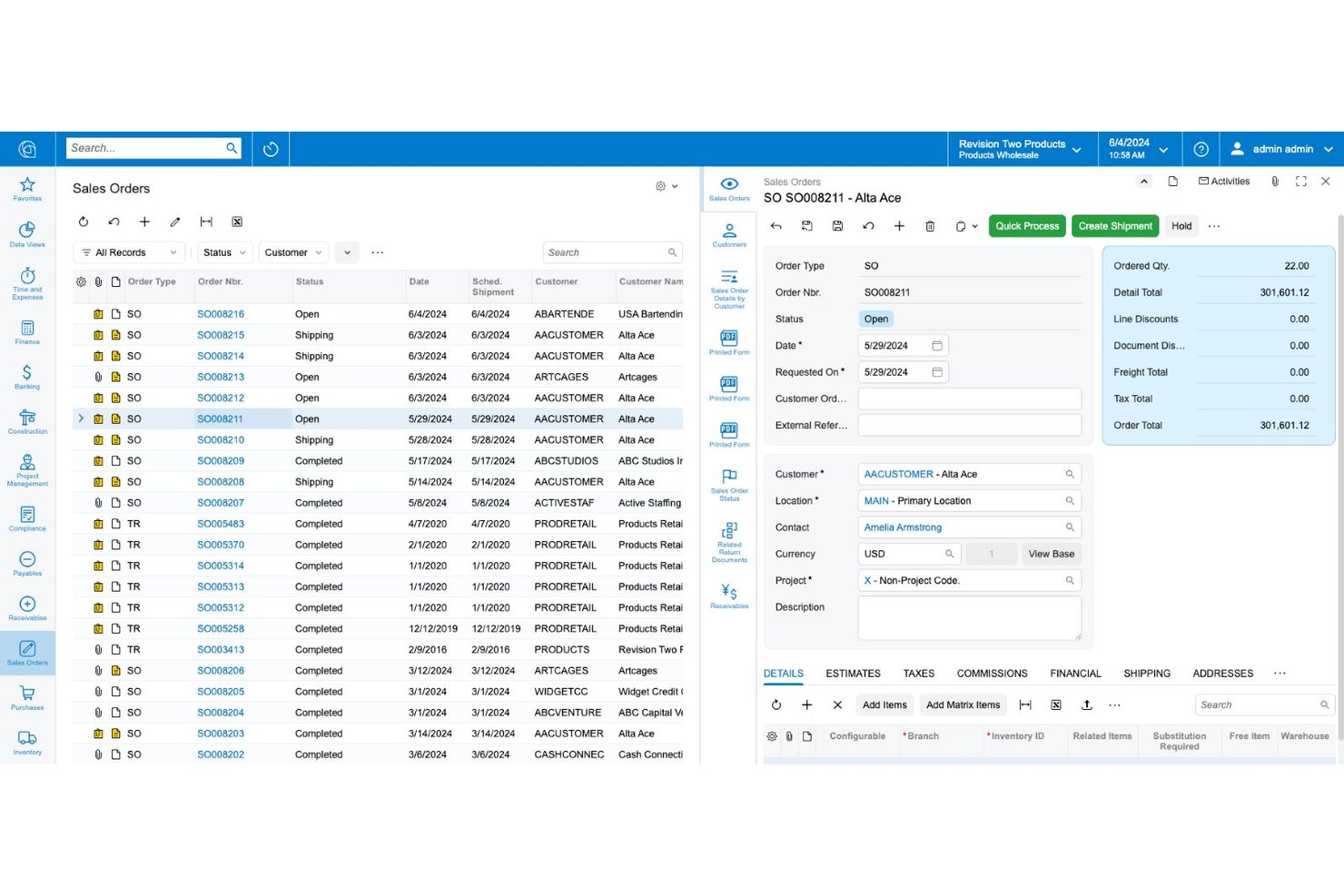
As an alternative to SAP, Acumatica is a cloud ERP platform for growing businesses that need connected financial and operational data to support workforce planning and give HR clearer context for labor-related decisions.
Who Is Acumatica Best For?
Acumatica suits HR teams in growing construction, manufacturing, or distribution businesses that coordinate staffing across operational workflows.
Why I Picked Acumatica
I picked Acumatica as a SAP competitor because it’s Best for cloud-based ERP solutions. Its connected financial and operational data gives HR clearer context for labor decisions, while workforce planning helps teams coordinate staffing across construction, manufacturing, and distribution workflows.
Acumatica Key Features
- Mobile time entry: Employees record task hours and work, break, or travel time through a browser or mobile app.
- Timecard approval workflows: Managers review, edit, approve, or reject entries through configurable, multi-level routing.
- Payroll self-service: Employees update direct deposit details and access tax forms and paystubs on mobile.
- Receipt capture: Employees photograph receipts on mobile to create expense records and submit reimbursement claims.
Acumatica Integrations
Acumatica offers native integrations with Shopify and Amazon for syncing ecommerce orders, inventory, and fulfillment data. Its REST API supports custom integrations, and the Acumatica Marketplace lists third-party solutions such as HubSpot and Workforce Go.
Pros and Cons
Pros:
- Flexible configuration for changing business processes
- Real-time visibility across finance and operations
- Industry-specific workflows for construction and manufacturing
Cons:
- Customizations can complicate upgrades and maintenance
- Reporting often needs custom inquiries or consulting
UKG Pro
Best for comprehensive HR and workforce management
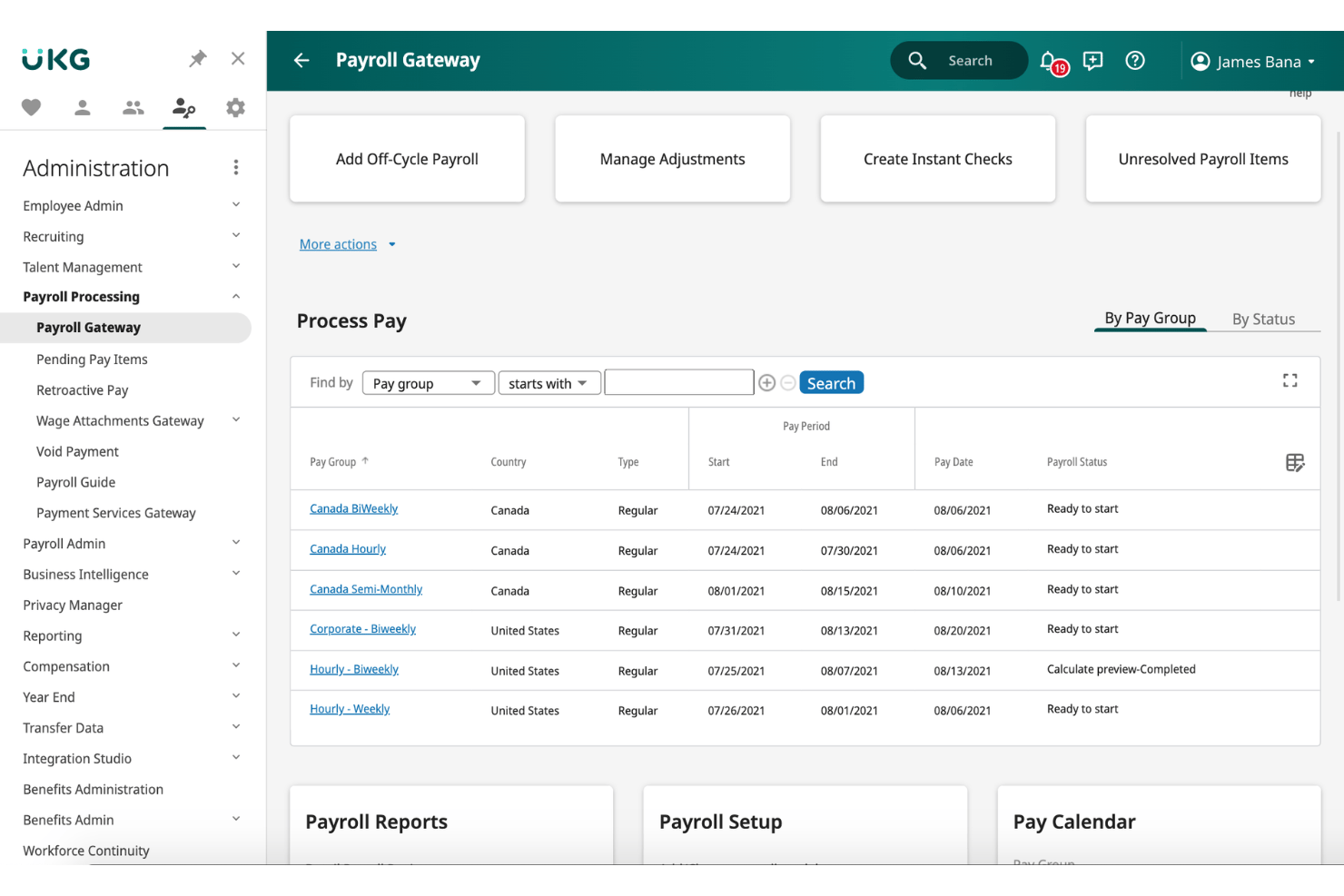
UKG Pro is a human capital management platform for growing and large employers, connecting HR, payroll, and workforce data to help teams manage employee records, pay, and workforce needs.
Who Is UKG Pro Best For?
UKG Pro suits HR leaders at growing and large organizations who need to coordinate payroll, employee records, and workforce management in one platform.
Why I Picked UKG Pro
I picked UKG Pro, “Best for comprehensive HR and workforce management,” as an SAP competitor because it connects HR and payroll records with time, attendance, and scheduling for round-the-clock operations. I like that its workforce tools help HR teams weigh staffing, compliance, and labor costs, while payroll supports operations in 160+ countries.
UKG Pro Key Features
- Talent acquisition: Manage job postings, candidate applications, and recruiting workflows.
- Benefits administration: Configure benefit plans and manage employee enrollment.
- Performance management: Set goals, collect feedback, and document employee reviews.
- People analytics: Build reports on workforce data and HR metrics.
UKG Pro Integrations
UKG Marketplace lists integrations and partner solutions for UKG Pro, including Microsoft Entra ID, Microsoft Teams, LinkedIn Learning, and Ramp. UKG Pro APIs are available for building custom integrations.
Pros and Cons
Pros:
- Payroll handles complex multi-jurisdiction requirements
- Cognos reporting offers report bursting for teams
- Configurable workflows support multi-entity administration
Cons:
- Delayed support and inconsistent case answers
- HR and workforce management can feel disconnected
Dayforce
Best for employee self-service and insights
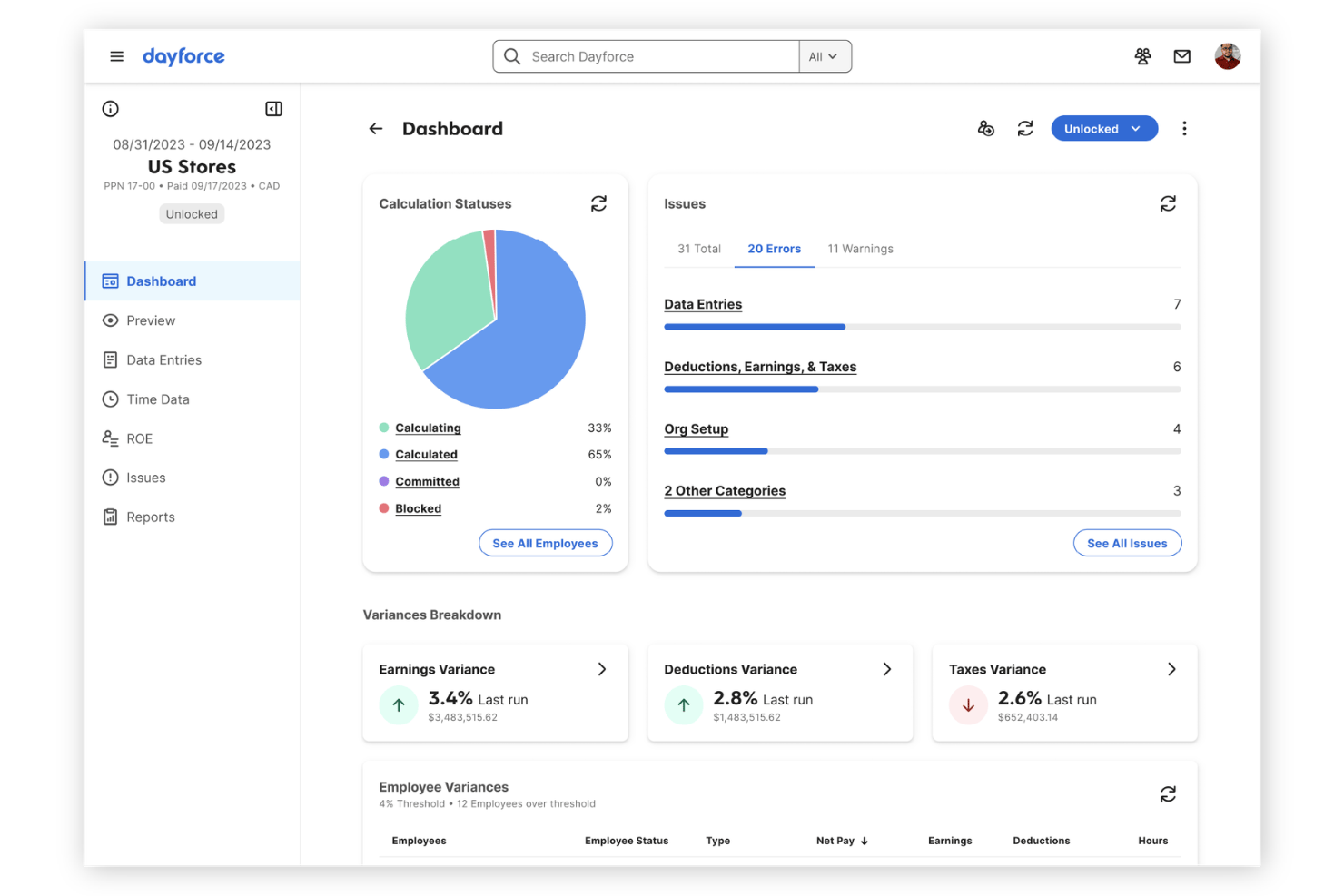
Dayforce is a cloud HCM platform that connects HR, payroll, workforce management, and talent processes for employers looking to reduce disconnected systems and manage the employee lifecycle in one place.
Who Is Dayforce Best For?
Dayforce suits HR teams seeking an HCM platform that gives employees self-service access and helps leaders use workforce insights to guide decisions.
Why I Picked Dayforce
I picked Dayforce as an SAP competitor because it pairs employee self-service with workforce insights. Employees can check schedules, request time away, and preview earnings in the mobile app; HR can use 300+ configurable reports and real-time dashboards across pay, time, and talent. Best for employee self-service and insights.
Dayforce Key Features
- Payroll processing: Calculate, validate, and commit pay runs.
- Benefits administration: Create and manage employee benefit plans and enrollments.
- Recruiting and onboarding: Track candidates and coordinate new-hire onboarding activities.
- Performance management: Set goals, assess performance, and support employee development.
Dayforce Integrations
Dayforce integrates with Microsoft Outlook to link employee time-away requests with calendars. Integration Studio offers prebuilt connectors, APIs, and event-driven services for connecting other systems, while Dayforce’s open APIs support custom integrations.
Pros and Cons
Pros:
- Payroll, benefits, and talent share employee records
- Real-time pay and time dashboards inform decisions
- Employee self-service reduces routine HR queries
Cons:
- Implementation and payroll configuration demand specialist time
- Custom reports can be complex to build

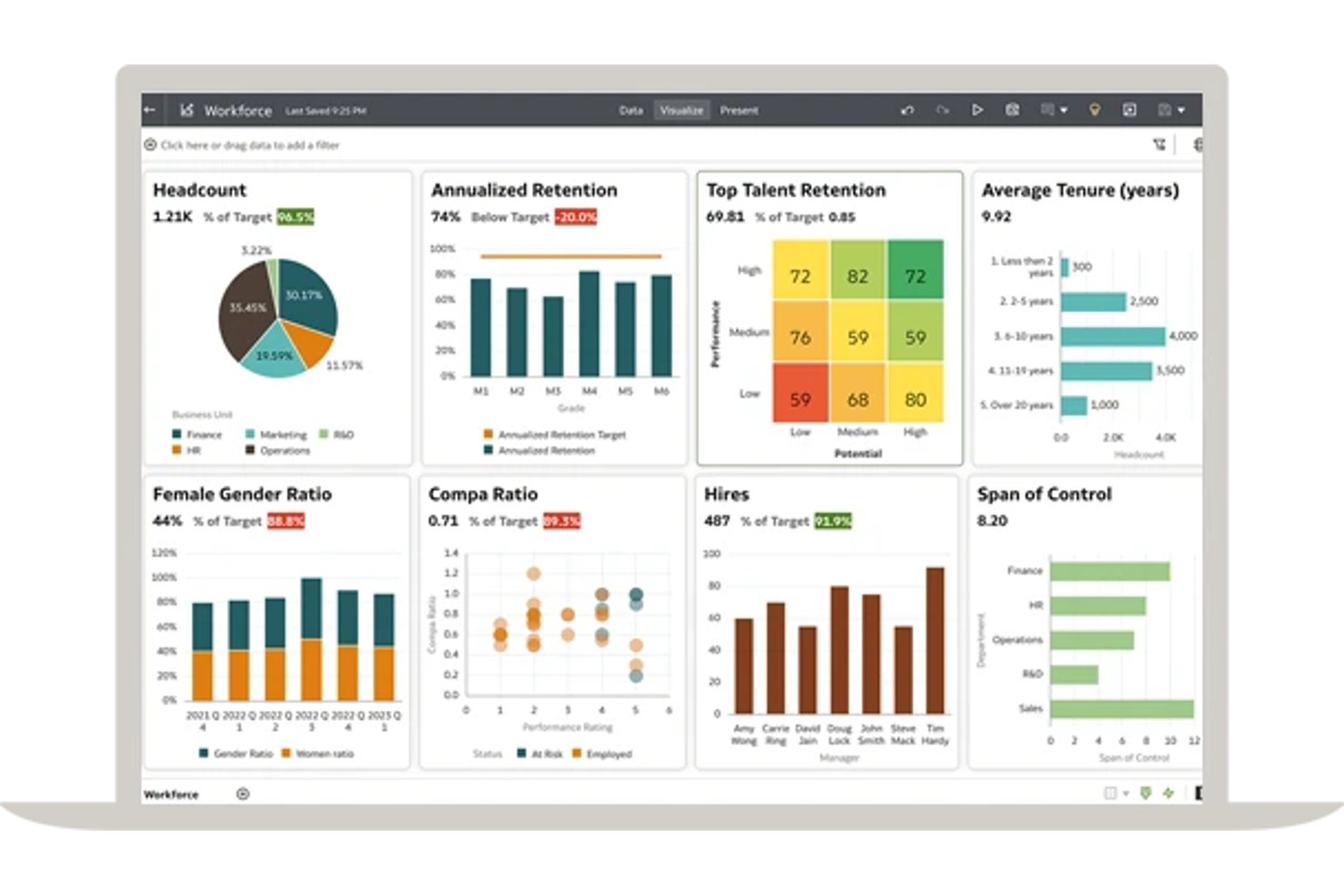
Oracle Fusion Cloud HCM is an enterprise HR platform for organizations that need to connect recruiting, workforce management, and employee services across complex operations in one suite.
Who Is Oracle Fusion Cloud HCM Best For?
Oracle Fusion Cloud HCM suits large, multi-region HR teams seeking AI-assisted support for recruiting, workforce management, and employee services.
Why I Picked Oracle Fusion Cloud HCM
I picked Oracle Fusion Cloud HCM as an SAP competitor because it’s built for AI-driven HR processes. I like its recruiting tools for drafting job descriptions and surfacing relevant candidates, plus AI-assisted answers to routine employee questions. These features can help HR teams handle hiring and everyday employee support across a large organization.
Oracle Fusion Cloud HCM Key Features
- Core HR: Manage global workforce records, organizational structures, and configurable HR workflows.
- Absence management: Set leave plans, accruals, eligibility, and approval rules.
- Time and labor: Capture work hours and track labor against projects, grants, or cost centers.
- Performance management: Set goals, run performance reviews, and support employee development.
Oracle Fusion Cloud HCM Integrations
Oracle Fusion Cloud HCM supports integrations through HCM Data Loader, HCM Extracts, Atom Feeds, and REST APIs for custom connections. Oracle Cloud Marketplace also offers partner solutions for areas such as payroll, recruiting, benefits, and learning.
Pros and Cons
Pros:
- Candidate and employee journeys span careers
- Global HR and workforce management coverage
- AI embedded across HR processes
Cons:
- Reporting and analytics take time to master
- Employee navigation can require extra training
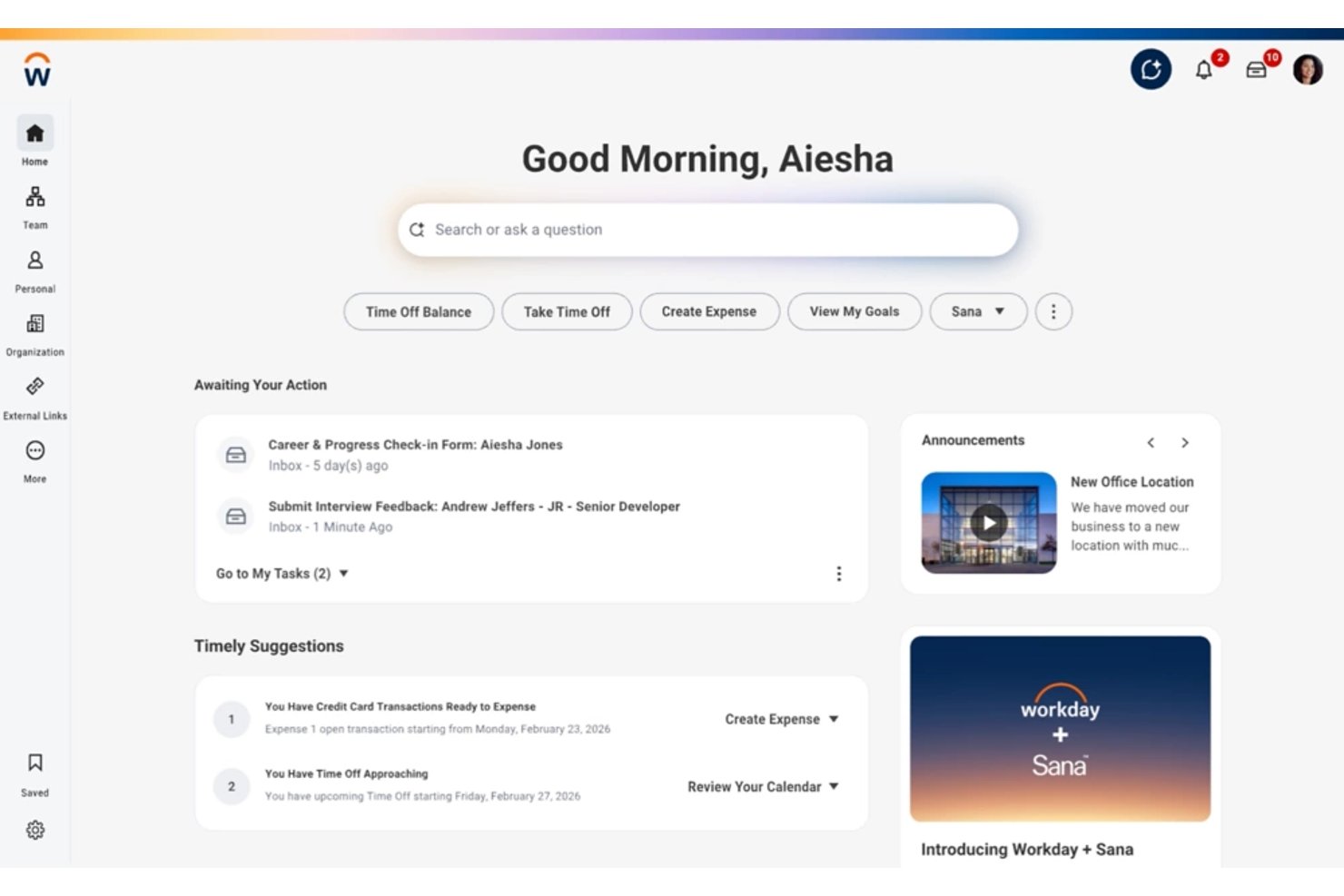
Workday HCM is a cloud-based HR platform for large and growing organizations that need to connect employee data, talent processes, and workforce planning, reducing fragmented systems and giving HR teams a clearer view of their workforce.
Who Is Workday HCM Best For?
HR teams at large organizations with complex structures can use Workday HCM to manage employee records and coordinate people operations across business units.
Why I Picked Workday HCM
I picked Workday HCM as a SAP competitor because its USP is “Best for comprehensive HR management.” I like how its core HR records connect with talent processes and workforce planning, while reporting helps HR teams review workforce data across business units.
Workday HCM Key Features
- Employee self-service: Employees can access personalised HR experiences and complete self-service tasks.
- Time and absence management: Teams can capture time, submit approvals, and manage absences.
- Global payroll: Workday supports payroll operations across global workforces.
- Low-code app development: HR teams can build custom apps and extend Workday with low-code and no-code tools.
Workday HCM Integrations
Workday provides HCM connectors for Cornerstone OnDemand, Kronos Workforce Timekeeper, and Okta. It also supports custom connections through Workday Web Services, REST APIs, and Workday Integration Cloud.
Pros and Cons
Pros:
- Employee self-service supports global workforces
- Role-based workforce analytics within core HR
- Unified employee, talent, and workforce data
Cons:
- Advanced reports can require calculated-field workarounds
- Complex setup demands specialist configuration

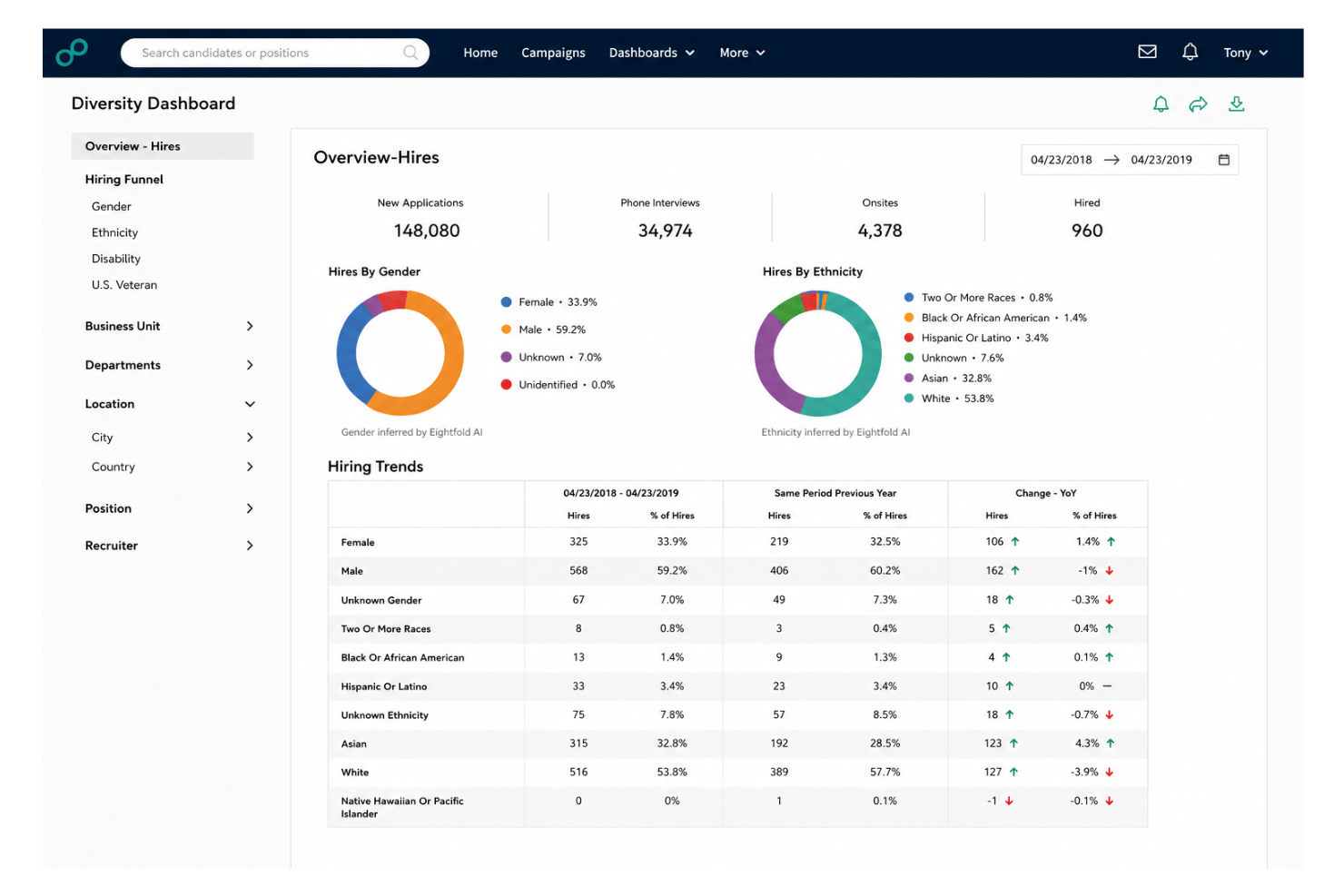
Eightfold.ai is a talent acquisition platform for HR teams that uses skills and career data to help recruiters identify qualified candidates, assess fit, and manage complex hiring needs.
Who Is Eightfold.ai Best For?
Eightfold.ai suits HR teams that want to connect recruiting with skills-based talent development and internal mobility.
Why I Picked Eightfold.ai
I picked Eightfold.ai as an SAP competitor for its Best for AI-powered talent management focus. It uses skills and career data to help recruiters identify qualified candidates and assess fit. I also value its connection between recruiting and internal mobility, such as finding employees whose skills match open roles.
Eightfold.ai Key Features
- Recruiting workflow: Manage hiring from requisition through candidate selection on one platform.
- AI Interviewer: Use an AI interviewer to conduct candidate interviews.
- 360 Interview: Combine multiple interview rounds into a single session.
- Talent rediscovery: Revisit past candidates as a source of talent for open roles.
Eightfold.ai Integrations
Eightfold documents integrations with SAP SuccessFactors, Workday, and Greenhouse, including prebuilt adapters for SAP SuccessFactors and a Greenhouse integration adapter. It also offers APIs for custom connections to ATS, HRIS, and LMS systems.
Pros and Cons
Pros:
- Candidate search speeds up sourcing
- Talent rediscovery taps past applicants
- Skills-based matching surfaces qualified candidates
Cons:
- Slow page loads hinder recruiter workflows
- AI recommendation logic lacks visibility

Rippling
Best for unified HR and IT management
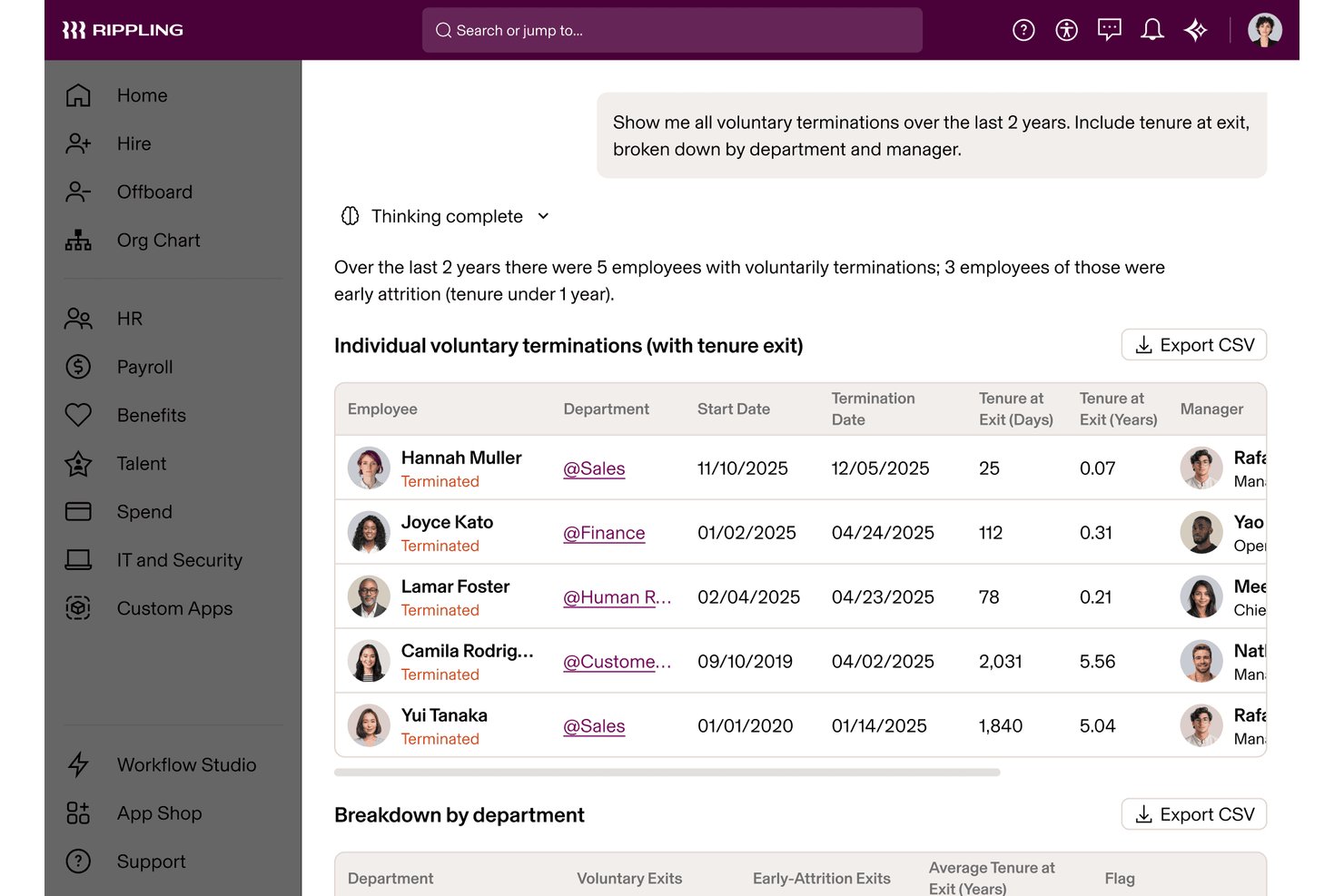
Rippling is an HR platform for growing businesses that connects employee records, hiring, payroll, and benefits workflows, helping HR teams reduce duplicate admin and keep workforce processes organized.
Who Is Rippling Best For?
Rippling suits growing companies that want HR and IT teams to manage employee and workplace technology needs in one platform.
Why I Picked Rippling
I picked Rippling as a SAP competitor because its stated fit is “Best for unified HR and IT management.” I like that it connects employee records, hiring, payroll, and benefits workflows in one HR platform. When a new hire joins, HR can manage their employee processes while IT handles workplace technology needs in the same platform.
Rippling Key Features
- Document management: Store employee documents, collect signatures, and maintain audit trails.
- PTO management: Set custom time-off policies and track employee balances.
- Employee self-service: Let employees access and update their information.
- Reporting and analytics: Create shareable reports and dashboards with role-based access.
Rippling Integrations
Rippling offers 600+ out-of-the-box integrations, including Google Workspace, Slack, and Zendesk. Its REST API supports custom integrations.
Pros and Cons
Pros:
- Localized employee records support global teams
- Onboarding can trigger app and device provisioning
- HR and IT share employee lifecycle data
Cons:
- Reporting setup feels clunky for complex analysis
- Support resolution can lag on complex issues
New Product Updates from Rippling

Rippling Expands Automated Compliance With AI Workflows
Rippling expands Automated Compliance with multi-framework support, AI workflows, an audit portal, and trust centers. These updates help GRC teams manage compliance work and audits. For more information, visit Rippling’s official site.
Andre SAP-konkurrenter
Nedenfor finner du en liste over flere SAP-konkurrenter som vi vurderte, men som ikke kom med på topplisten. Det er absolutt verdt å ta en titt på dem.
- Leapsome
For performance and engagement management
- BambooHR
For user-friendly HR software
- Paylocity
For automated HR processes
- TimeTrex
For handling complex labor cost tracking
- Paycom
For single software HR management
- ADP Workforce Now
For scalable HR and payroll solutions
- Beekeeper
For employee communication and engagement
- Darwinbox
For comprehensive HR management
- DELMIAWorks Manufacturing ERP
For manufacturing industry needs
- Atlas
For global workforce management


Relaterte anmeldelser av HR-programvare
Hvis du fortsatt ikke har funnet det du ser etter her, kan du ta en titt på disse andre relaterte verktøyene som vi har testet og evaluert:
- HR-programvare
- Lønnsprogramvare
- Rekrutteringsprogramvare
- Tjenester for arbeidsgiver på vegne av andre
- Systemer for søkersporing
- Programvare for arbeidsstyringsadministrasjon
How I Evaluate SAP Competitors
I split my evaluation into two layers: the core capabilities—like global payroll and talent management—a platform must have, and the differentiators that separate the strongest SAP alternatives.
Core Functionality (Table Stakes For This List)
When I'm selecting tools for my list, I rank each one on a scale from 0 (does not offer the functionality) to 5 (excels in this area) for each core functionality listed below. Then, I calculate the tool's total score into a percentage. Each tool needs to achieve a minimum total score of 75% to be considered for inclusion.
- Core HR & Employee Records: I evaluate how each platform handles employee data, org structures, and job history—things like managing headcount across multiple entities or tracking position changes over time.
- Payroll & Benefits Administration: Multi-country payroll is where many SAP alternatives diverge, so I check whether a platform runs payroll natively or relies on partners, and how it handles benefits enrollment cycles.
- Talent Management Suite: From requisition-to-hire workflows through performance reviews and succession planning, I look for platforms that connect these stages rather than siloing them into separate modules.
- Learning & Development: A strong LMS matters here—I evaluate whether platforms support structured learning paths, certification tracking, and content integrations beyond just hosting uploaded files.
- Workforce Analytics & Reporting: I look at whether a platform offers configurable dashboards and custom report builders, particularly for use cases like attrition forecasting or headcount planning by department.
- Time, Attendance & Absence Management: Scheduling, leave policies, and time tracking should tie directly into payroll, so I check how tightly these modules are integrated rather than bolted on.
Once I have a list of tools that meet this criteria, I consider what sets each platform apart.
Differentiating Factors (What Sets Vendors Apart)
Here's how I compare and contrast different vendors:
Standout Features
AI-driven skills intelligence is a major differentiator—I look for platforms that infer skills from role history and surface internal mobility recommendations. Compensation management also matters, particularly merit cycle automation and pay equity analysis tied directly to performance data. I check whether a platform offers extensibility through open APIs or no-code workflow builders, since HR teams frequently need custom processes that go beyond out-of-the-box modules.
Beyond Features
Implementation timelines vary widely—some platforms deploy in weeks with preconfigured templates, while others require months of custom configuration and certified partners. I also evaluate ecosystem depth, especially prebuilt connectors to ERP and finance systems, since most SAP migrations involve rearchitecting data flows across the tech stack. Total cost of ownership is another key factor; I look at how vendors bundle modules and whether ongoing costs for integrations or upgrades create hidden expenses.
Funksjoner hos SAP-konkurrenter
Her er noen viktige funksjoner i SAP som konkurrerende programvare bør kunne tilby på tilsvarende eller bedre måte for å passe godt.
- Brukervennlig grensesnitt: Forenkler navigeringen og reduserer opplæringstiden.
- Skalerbarhet: Støtter virksomhetens vekst uten ytelsesproblemer.
- Tilpasning: Gjør det mulig å tilpasse løsningen til spesifikke forretningsbehov.
- Integrasjonsmuligheter: Kobler enkelt til annen forretningsprogramvare og andre systemer.
- Analyse i sanntid: Gir oppdaterte innsikter for beslutningstaking.
- Mobil tilgang: Gjør det mulig å bruke løsningen på smarttelefoner og nettbrett.
- Sikkerhet: Sikrer databeskyttelse og samsvar med regelverket.
- Kundestøtte: Tilbyr pålitelige og lett tilgjengelige hjelpetjenester.
- Kostnadseffektivitet: Gir god verdi for investeringen.
- Automatisering: Reduserer manuelle oppgaver og øker effektiviteten.