

10 beste Workday-konkurrenter for HR & lønn i 2026

Beste alternativer til Workday – kortliste


De beste alternativene til Workday hjelper deg med å administrere HR, lønn og personaladministrasjon, samtidig som de tilbyr ulike styrker innen pris, brukervennlighet eller funksjonsomfang for å passe bedre til organisasjonens behov.
Workday er en velkjent og svært kapabel plattform for HCM og lønn, men den passer ikke nødvendigvis best for teamet ditt. Avhengig av budsjettet ditt, hvor raskt du ønsker å implementere et system, eller hvor mye fleksibilitet og brukervennlighet du trenger, kan en annen leverandør tilby bedre åpenhet, smidighet eller langsiktig skalerbarhet.
Med utgangspunkt i min erfaring med å undersøke HR- og lønnsplattformer for organisasjoner i vekst har jeg testet og sammenlignet de beste konkurrentene til Workday i praksis. I denne veiledningen finner du fremragende alternativer med tydelige priser, viktige funksjoner og praktiske bruksområder, slik at du trygt kan velge den riktige løsningen for HR- og lønnsbehovene dine.
Hva er Workday?
Workday er en skybasert programvareplattform utviklet for styring av menneskelige ressurser (HCM), økonomistyring og virksomhetsressursplanlegging (ERP). Den brukes av organisasjoner i ulike størrelser til å administrere medarbeiderdata, lønn, fordeler og økonomiske prosesser.
Vanlige brukere inkluderer HR-medarbeidere, økonomiteam og bedriftsledere som trenger et samlet system for å håndtere bemanningsplanlegging, talentforvaltning og økonomisk analyse. Brukere kan ta Workday-sertifiseringer og spesialisere seg spesifikt i bruken av Workday-løsninger.
Why Trust Our Software Recommendations
Our team has been testing and reviewing software since 2012. As HR experts ourselves, we know how difficult—and important—it is to choose the right software.
For this guide, we evaluated tools using hands-on testing and independent research, scoring tools using our selection criteria. We also draw on insights from industry thought leaders and practicing HR experts.
Our reviews reflect our human editorial judgment, not a sales pitch.
Expert reviewers:
Sammenligningstabell for Workday-alternativer
Denne sammenligningstabellen oppsummerer prisdetaljer for mine beste Workday-alternativer.
| Tool | Best For | Trial Info | Price | ||
|---|---|---|---|---|---|
| 1 | Best for employee self-service automation | Not available | Pricing upon request | Website | |
| 2 | Best with integrated expense management tools | Not available | From $599/employee/month | Website | |
| 3 | Best with scenario-based workforce planning | Free demo available | Pricing upon request | Website | |
| 4 | Best for core HR with employee engagement | Free demo available | Pricing upon request | Website | |
| 5 | Best as AI for business | Free demo available | From $8/user/month | Website | |
| 6 | Best for complex business compensation planning | Free demo available | Contact for pricing | Website | |
| 7 | Best for small businesses | 3-month free trial | Pricing upon request | Website | |
| 8 | Best for flexible time tracking and payroll | 30-day free trial + free demo available | From $50/user/month | Website | |
| 9 | Best for AI-driven talent management | Free demo available | Pricing upon request | Website | |
| 10 | Best for comprehensive workforce management | Free demo available | Pricing upon request | Website |


Anmeldelser av de beste Workday-alternativene
Her er mine detaljerte vurderinger av hvert Workday-alternativ på denne listen, inkludert hva de gjør bra og de beste bruksområdene for hvert av dem.

Paycom
Best for employee self-service automation
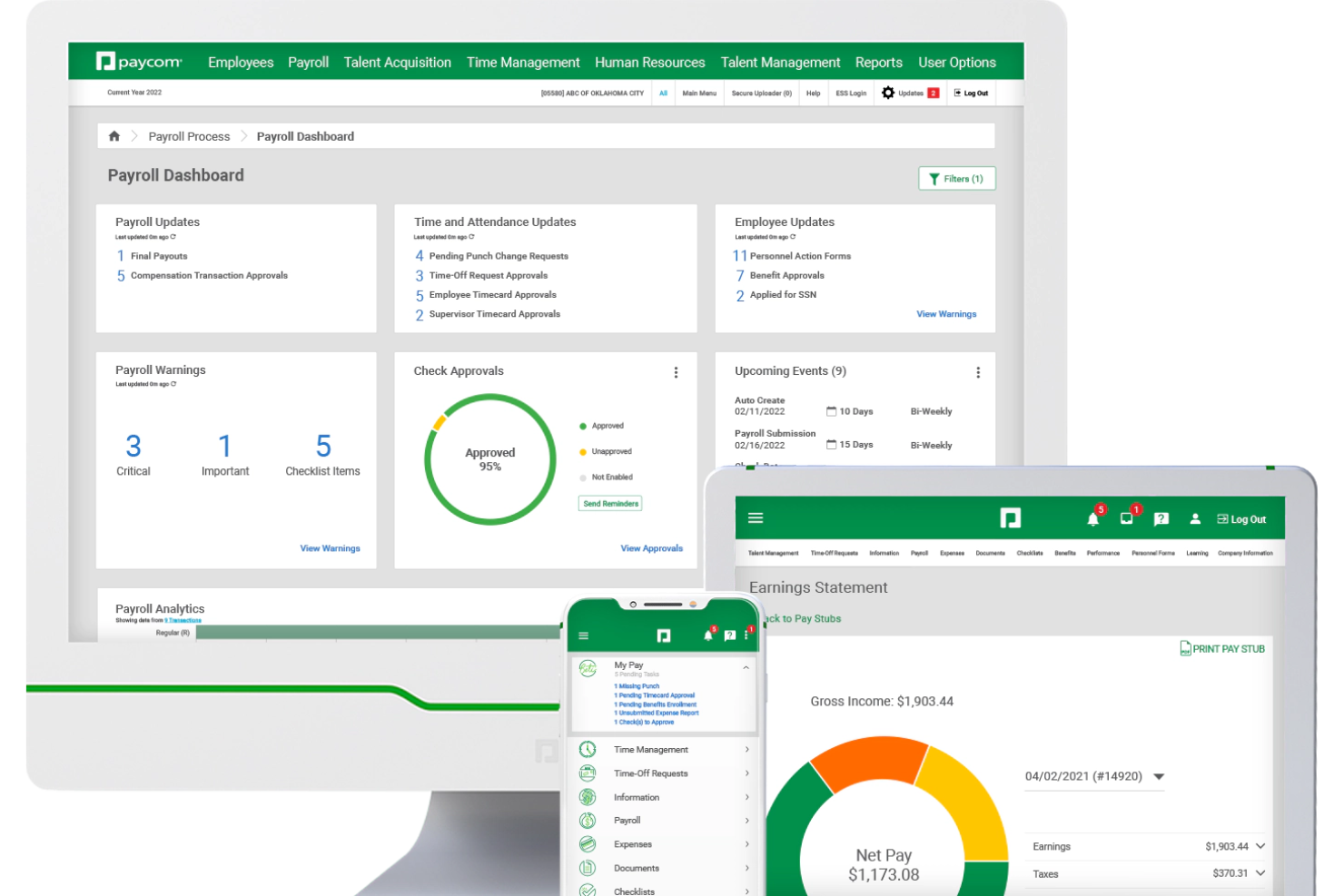
Paycom is a single-database HCM platform that covers payroll, HR management, talent acquisition, performance management, and time and labor tracking in one unified system.
Who Is Paycom Best For?
Paycom is a strong fit for mid-to-large U.S.-based organizations that want a single platform to manage their entire HR and payroll function without stitching together multiple systems.
Why I Picked Paycom
Paycom is one of my top picks because I love how far it takes employee self-service, especially with Beti, its employee-guided payroll tool. Beti self-starts each pay period, pulls live data from timecards and benefits, and then alerts employees to fix errors before payroll runs. Paired with GONE, which automates time-off request decisions entirely, Paycom hands a meaningful portion of HR administration directly to employees without requiring constant manager intervention.
Paycom Key Features
- Applicant tracking: Post jobs, manage candidates, and move applicants through a configurable hiring pipeline from a single interface.
- Benefits administration: Employees enroll in and manage their benefits directly within the platform, with eligibility rules and carrier connections built in.
- Performance management: Set goals, run review cycles, and collect multi-source feedback through structured, configurable review workflows.
- Direct Data Exchange: A reporting dashboard that tracks how actively employees and managers are using self-service features across the platform.
Paycom Integrations
The platform is built as a single-database HCM system, so it relies on its own built-in tools rather than offering a wide library of native integrations.
Pros and Cons
Pros:
- AI engine IWant surfaces data via natural language
- Employees self-manage updates, requests, and pay info
- Single database keeps all HR data unified
Cons:
- Account specialist turnover causes inconsistent support
- Custom reporting requires workarounds to configure

Best with integrated expense management tools
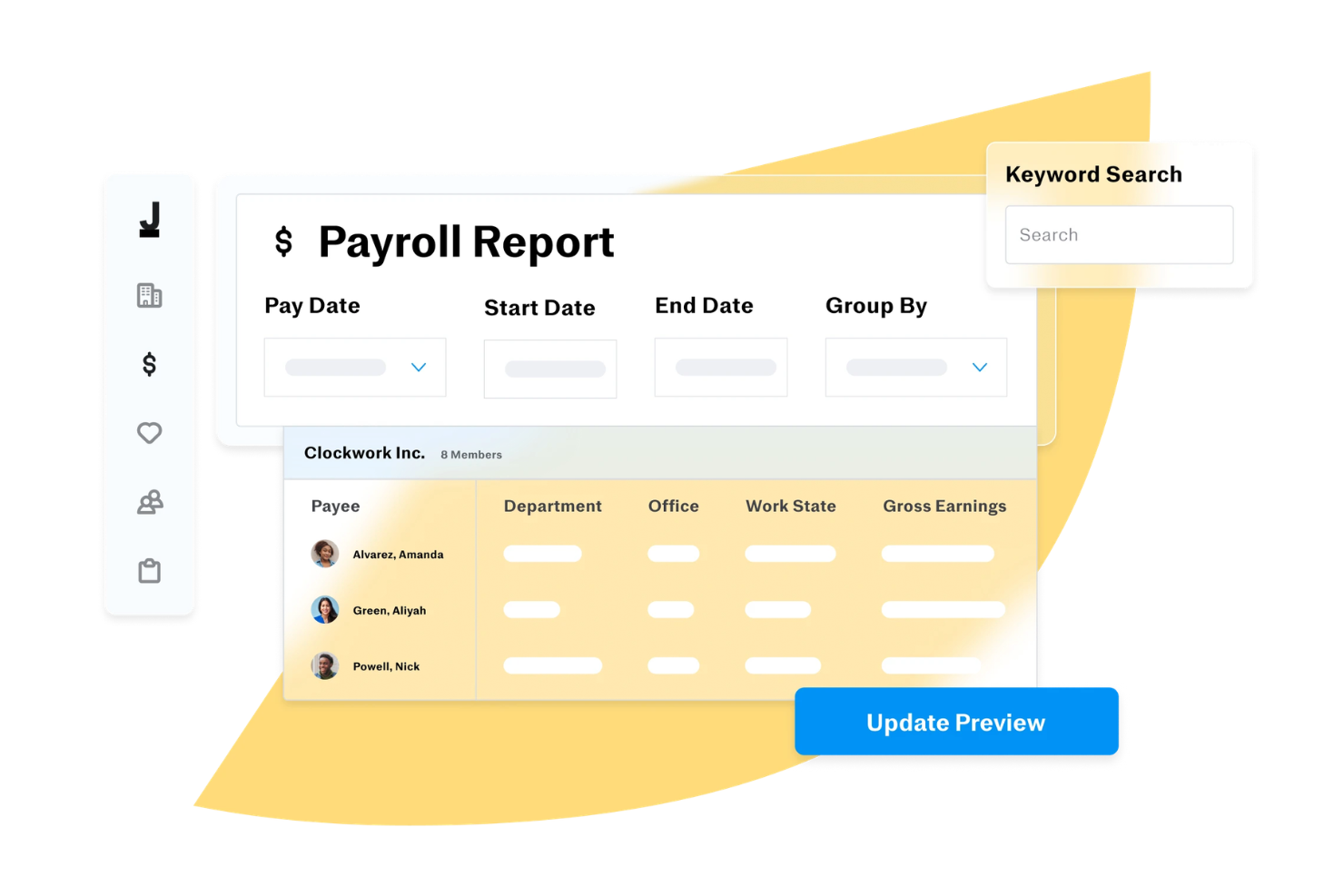
Justworks offers an all-in-one HR, payroll, and benefits platform designed for growing businesses that want to simplify people management. It’s especially useful for organizations looking to centralize payroll, compliance, and benefits administration in one place. If you need a solution that helps reduce manual HR tasks and keeps your business up to date with employment regulations, Justworks is worth considering.
Who Is Justworks Best For?
Justworks is a good fit for small to midsize businesses that want to outsource HR, payroll, and compliance management through a single platform.
Why I Picked Justworks
For businesses that want to manage expenses alongside payroll and HR, I picked Justworks because it offers integrated expense management tools. You can submit, approve, and track employee expenses directly within the platform, which helps keep all financial data in one place. I like that Justworks allows you to set custom approval workflows and attach receipts for better recordkeeping. This makes it a strong alternative to Workday for organizations that want to simplify expense tracking without relying on separate systems.
Justworks Key Services
Some other services that make Justworks a practical option for businesses seeking workday alternatives include:
- Benefits administration: Manage employee health, dental, vision, and retirement plans from a single dashboard.
- Automated payroll processing: Handle payroll runs, tax withholdings, and direct deposits for employees and contractors.
- Time off tracking: Monitor and approve PTO, sick leave, and vacation requests within the platform.
- HR document management: Store, organize, and share important HR documents securely with your team.
Justworks Target Industries
Biotech, Education, Finance, Healthcare, Hospitality, Manufacturing, Non-Profit, Professional Consulting, Professional Services, Restaurants & Food Services, Retail, Startups, Technology, and Travel & Leisure.
Justworks Specialties
Payroll Processing, Benefits Administration, HR Consulting, Compliance Support, Employee Onboarding, PEO (Professional Employer Organization), EOR (Employer of Record), Global Hiring, Risk Management, Time and Attendance Tracking, 401(k) Administration, Workers' Compensation, Tax Filings, People Analytics, andTalent Management.
Pros and Cons
Pros:
- 24/7 customer support on higher-tier plans
- Strong multi-state payroll and compliance support
- IRS-certified and ESAC-accredited for compliance
Cons:
- Integrations are limited compared to competitors
- Mobile app only available for US users

HiBob
Best with scenario-based workforce planning
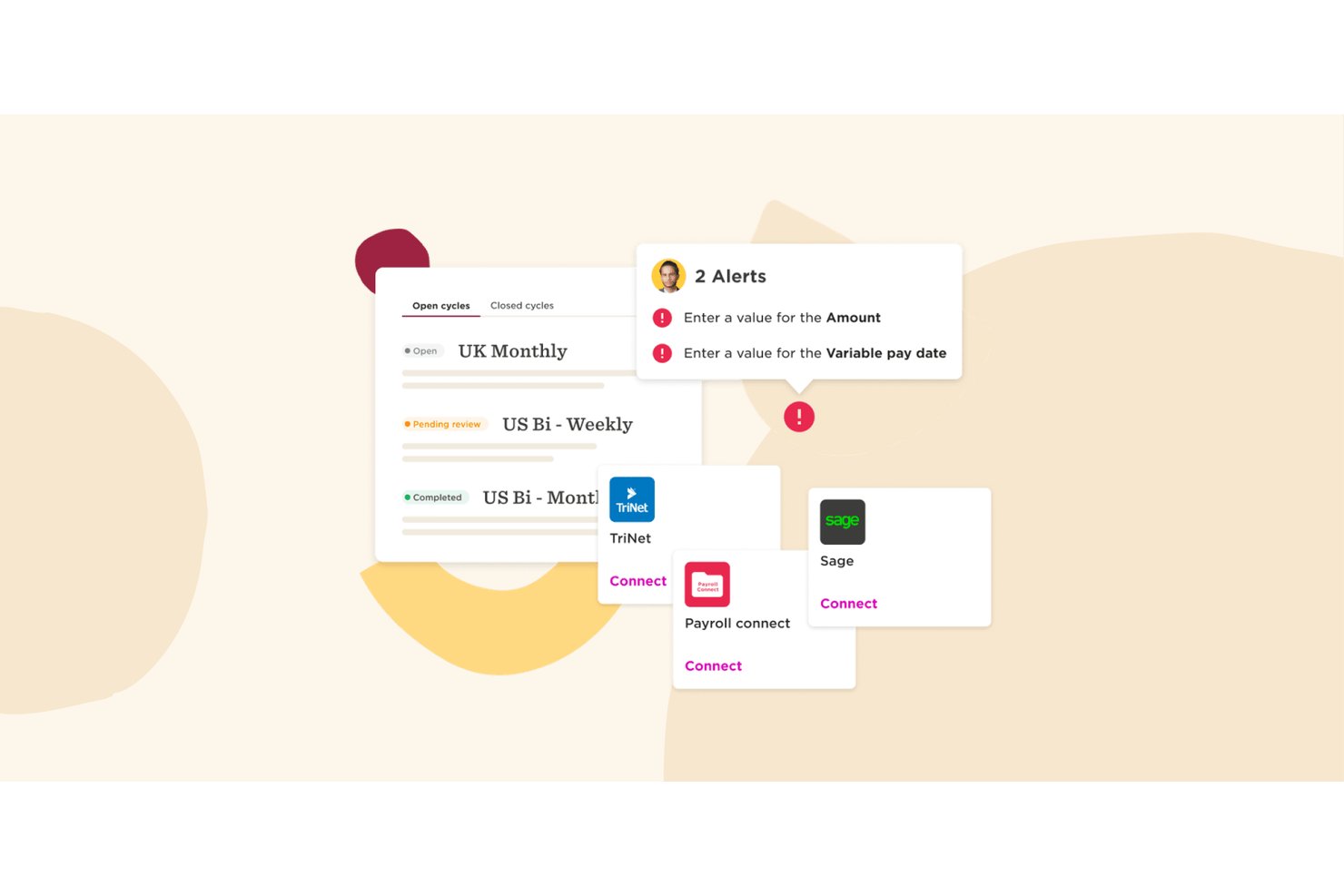
HiBob is a modern HCM platform that brings together core HR, payroll, talent management, workforce planning, and people analytics in a single system of record built for mid-market and scaling organizations.
Who Is HiBob Best For?
HiBob fits mid-market companies—typically between 100 and 5,000 employees—that are scaling fast and need an HRIS that can keep pace without a lengthy implementation.
Why I Picked HiBob
I picked HiBob as one of the best because its workforce planning module does something I haven't seen many mid-market HRISs pull off: a true sandbox for headcount scenario modeling. I can run side-by-side comparisons of org restructures, simulate attrition impact, and see real-time budget estimates before any headcount decision is finalized. The AI planning assistant layers on top, letting me query forecasts conversationally rather than building reports from scratch.
HiBob Key Features
- Configurable workflows: HR teams can tailor approval steps, onboarding, and lifecycle events using no-code tools.
- Embedded people analytics: Real-time dashboards and ad-hoc reporting are available across all modules.
- Mobile employee self-service: Employees can view payslips, request time off, and update profiles from the mobile app.
- Marketplace integrations: HiBob offers a growing library of plug-and-play integrations with ATS, payroll, and IT systems.
HiBob Integrations
HiBob offers native integrations with Slack, Microsoft 365, Google Workspace, Greenhouse, DocuSign, Okta, BambooHR, and ADP. An API is available for custom integrations.
Pros and Cons
Pros:
- Strong self-service tools for employees and managers
- Faster implementation compared to enterprise HCMs
- Scenario-based headcount planning built in natively
Cons:
- Report builder can feel restrictive for complex needs
- Native payroll limited to select countries

Best for core HR with employee engagement
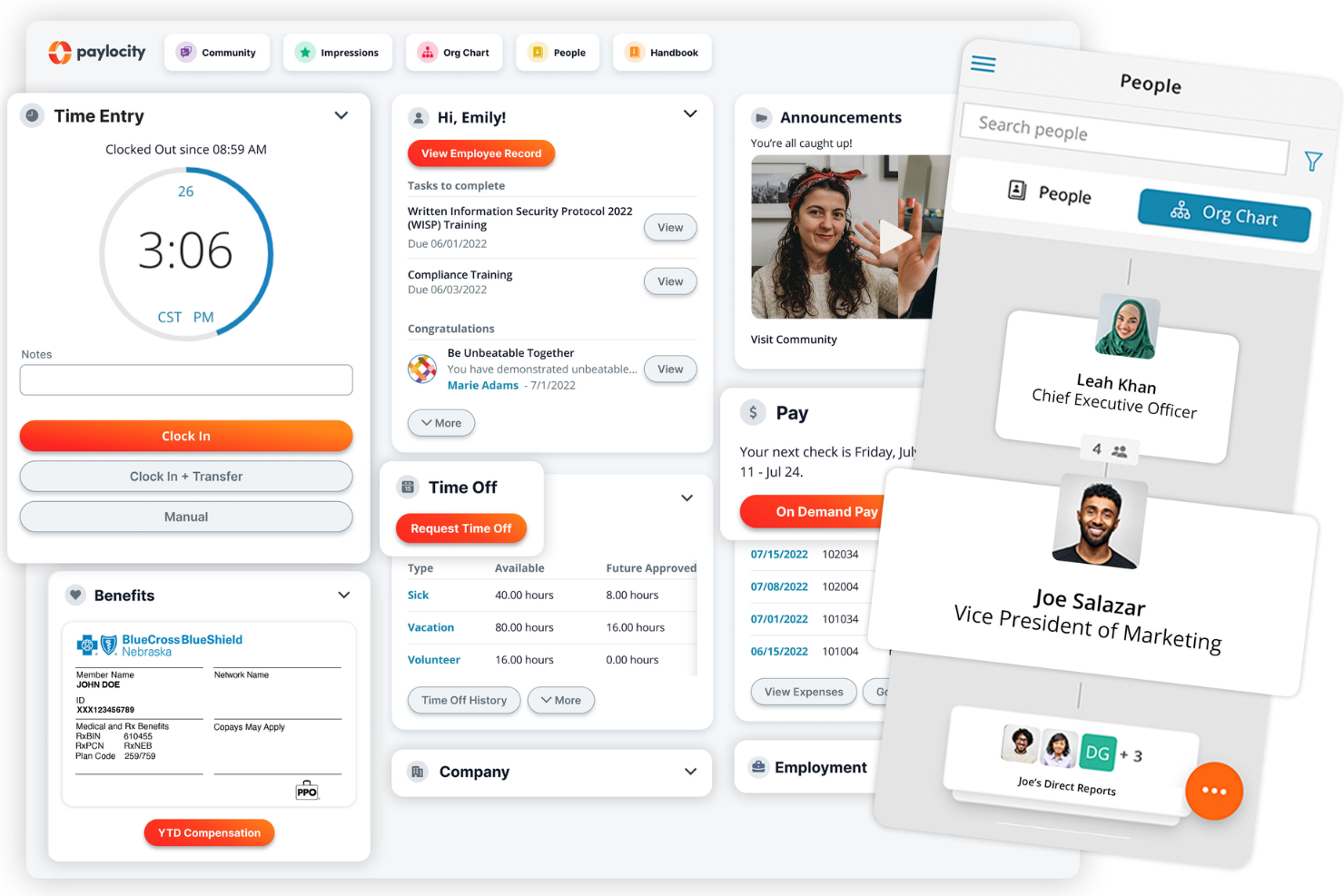
Paylocity is a cloud-based HR and payroll software that helps businesses manage their employee lifecycle. It offers a range of tools designed to simplify core HR processes, including payroll management, benefits administration, and employee self-service.
Why it's a good Workday alternative:
Paylocity stands out as a Workday alternative due to its strong focus on mid-market businesses and employee engagement. Unlike Workday, which has a heavier enterprise focus, Paylocity offers features like a community platform that encourages internal communication, collaboration, and feedback among your team. Paylocity also integrates peer-to-peer recognition and automated surveys to gauge employee sentiment.
Standout features and integrations:
Features include onboarding, workforce management, talent management, learning management, compliance, analytics, employee self-service, benefits administration, compensation management, time tracking, expense management, and performance reviews.
Integrations include QuickBooks, Xero, NetSuite, BambooHR, Greenhouse, Lever, Workable, Slack, Microsoft Teams, and Zapier.
Pros and Cons
Pros:
- Global payroll and on-demand payments
- Benefits and tax services
- Integrated talent and performance management
Cons:
- Setup can be time consuming
- Lacks support for independent contractor management
New Product Updates from Paylocity

Paylocity Expands Expense and Purchase Request Tools
Paylocity adds connected personal cards, smarter expense categorization, and a streamlined purchase request experience. This reduces manual entry and helps finance teams manage expenses and approvals more efficiently. For more information, visit Paylocity’s official site.
 .
.
Best as AI for business
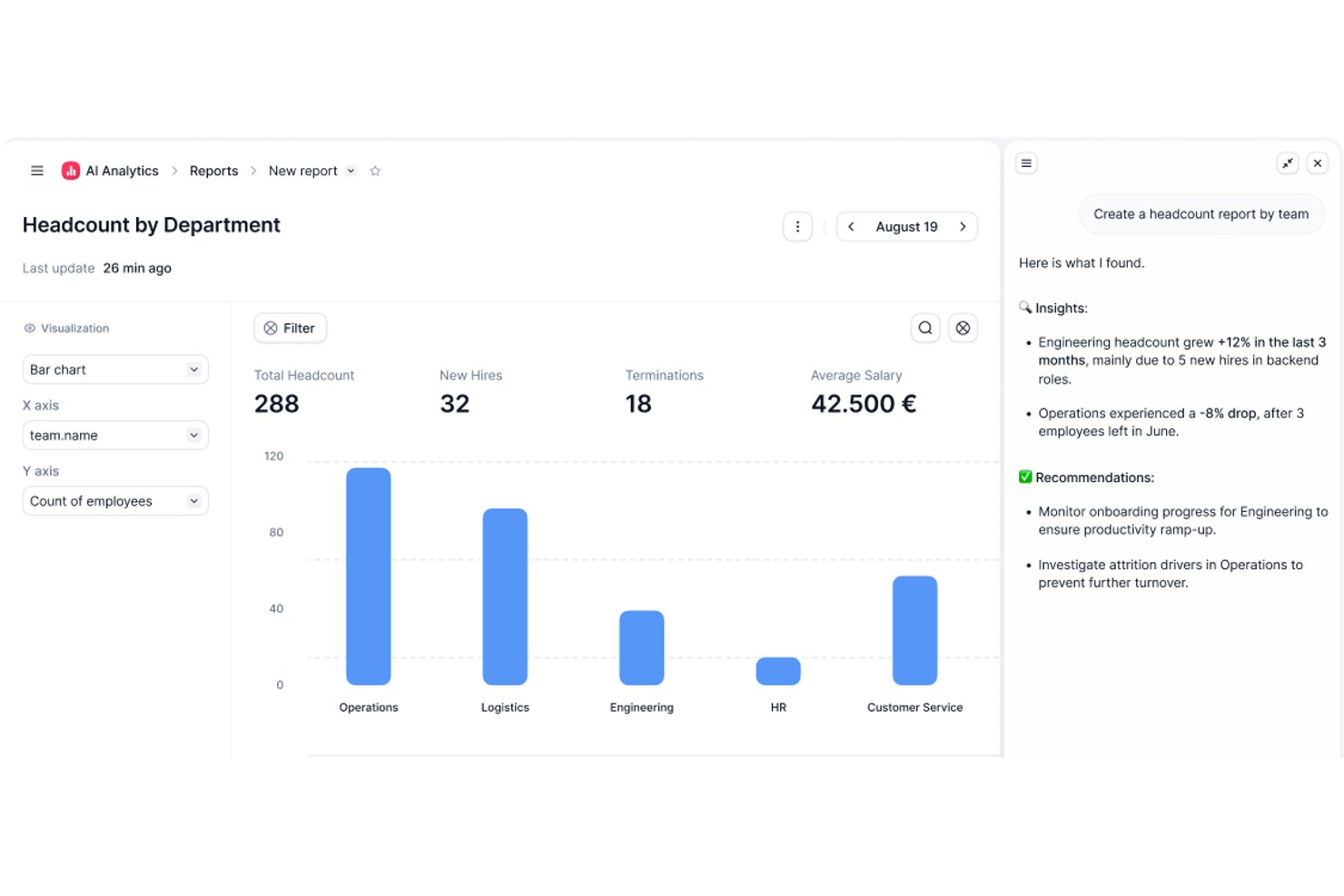
Factorial is an AI-driven HR and business operations platform that covers core HR, time tracking, recruitment, performance management, expense tracking, and workforce reporting across HR, finance, and IT functions.
Who Is Factorial Best For?
Factorial suits SMBs and mid-market teams that want a single AI-driven platform to handle HR, finance, and IT operations without the complexity or cost of an enterprise system like Workday.
Why I Picked Factorial
I picked Factorial as one of the best because its "AI for business" positioning goes well beyond HR. Where Workday requires dedicated admin teams to pull reports or answer policy questions, Factorial's AI agent handles those tasks directly—drafting timetables, generating reports from live company data, and responding to employee policy questions on the spot. I'm especially impressed by the AI payroll anomaly detection, which flags issues before a pay run rather than after.
Factorial Key Features
- 360-degree performance reviews: Run structured review cycles that capture feedback from peers, managers, and direct reports in one place.
- Multi-entity management: Create and manage multiple legal entities within a single Factorial account for centralized workforce oversight.
- Shift scheduling: Build automated, bulk, and rotating shift schedules to cover complex staffing needs across teams.
- SaaS license management: Track software access, identify unused licenses, and deprovision accounts automatically during offboarding.
Factorial Integrations
Factorial offers hundreds of marketplace integrations, including Microsoft Business Central, SAP Business One, Sage, Okta, Microsoft Power BI, and Recruitee. It also provides a public API, webhooks, SDKs, and Zapier.
Pros and Cons
Pros:
- Reviews, competencies, and engagement share one platform
- Employee self-service reduces routine HR requests
- AI drafts reports and answers policy questions
Cons:
- Custom reporting depth trails larger HCM platforms
- Complex payroll still needs external tools or checks

Aeqium
Best for complex business compensation planning
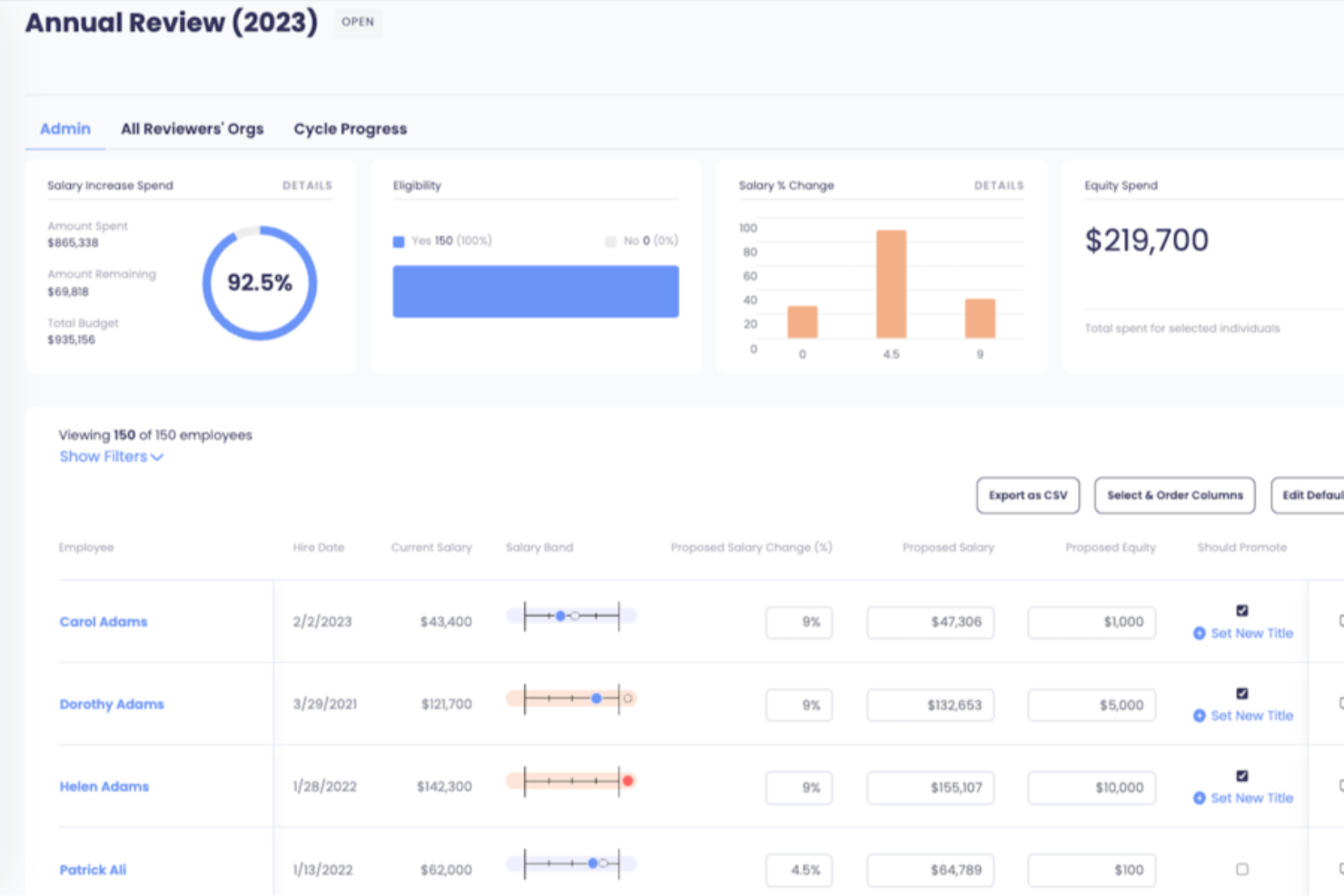
Aeqium is a compensation planning software that helps complex organizations manage and optimize their compensation strategies.
Why it's a good Workday alternative:
I picked Aeqium because it focuses specifically on compensation management with a level of customization and clarity that larger platforms often lack. While Workday offers broad HR functionality and some compensation management features, Aeqium gives your team precise control over compensation cycles, letting you manage raises, bonuses, and long-term incentives through flexible workflows and built-in rules. It also offers compensation bands to support pay transparency and equity. For companies looking to improve compensation planning without overhauling their entire HR stack, Aeqium offers targeted tools that go deeper into this core area.
Standout features and integrations:
Features include compensation history tracking, pay equity analysis, cycle progress monitoring, custom compensation reports, real-time data integration, budget management tools, performance-based pay alignment, compliance tracking, salary benchmarking, equity grant management, total rewards statements, and off-cycle pay adjustments.
Integrations include ADP Workforce Now, BambooHR, Gusto, Justworks, Paylocity, Quickbooks, Run Powered by ADP, and DocuSign.
Pros and Cons
Pros:
- Flexibility in configuring pay bands
- Customizable templates for offer letters
- Pay equity modeling tools
Cons:
- No built-in ATS or recruiting tie-ins
- Limited HR functions beyond compensation
Best for small businesses

RUN by ADP is a payroll and HR solution tailored for small businesses with fewer than 50 employees. It offers features such as payroll processing, tax filing, benefits administration, and HR support to simplify business operations.
Why it's a good Workday alternative:
RUN by ADP is a strong Workday alternative, particularly for small businesses. Unlike Workday, which offers extensive enterprise-level features that can be overwhelming for smaller operations, RUN by ADP focuses on simplicity and ease of use with its intuitive platform. It provides essential tools such as automated payroll processing, tax filing, and compliance support. Additionally, the platform offers integration with other ADP services.
Standout features and integrations
Features include direct deposit, an employee self-service portal, HR compliance support, time and attendance tracking, garnishment payment services, new hire reporting, retirement plan services, workers' compensation management, payroll and tax reports, and mobile app access.
Integrations include Quickbooks, Wave, Xero, ClockShark, Points North, TruSaic, Compy, Wex, Synerion, JazzHR, 7Shifts, Snappy Gifts, Absorb LMS, SmartRecruiters, and hundreds more.
Pros and Cons
Pros:
- Employee self-service portal
- Robust mobile app
- Customizable reporting options
Cons:
- Setup can be complex initially
- Most HR functions are only available on higher-tier plans

TimeTrex
Best for flexible time tracking and payroll

TimeTrex is a powerful workforce management software that caters to businesses of all sizes, offering a comprehensive suite of tools for time tracking, attendance, payroll, and HR management.
Why it's a good Workday alternative:
While both TimeTrex and Workday offer robust workforce management features, TimeTrex excels in providing a more tailored experience, allowing businesses to customize their time tracking and payroll processes extensively. This flexibility, coupled with features like biometric time clocks and GPS tracking, makes TimeTrex a practical choice for organizations that require specific functionalities without the complexity associated with Workday.
Standout features and integrations:
Features include automated scheduling, customizable pay rules, job costing, employee self-service portals, absence management, real-time reporting, overtime tracking, accrual management, leave management, and multi-language support.
Integrations include QuickBooks, Sage, ADP, Paychex, Xero, Microsoft Excel, Google Workspace, Dropbox, and LDAP.
Pros and Cons
Pros:
- Automated payroll and tax calculations
- Robust reporting capabilities
- Advanced time tracking and work scheduling
Cons:
- Can be difficult to find certain features within the platform
- Outdated user interface
New Product Updates from TimeTrex
TimeTrex Adds Quick Punch App With Offline and QR Support
TimeTrex adds a new Quick Punch app, offline punching, QR code scanning, punch images, configurable messages, and punch warnings or lockouts to improve employee clock-ins across browsers and local computers. For more information, visit TimeTrex’s official site.
 .
.
Best for AI-driven talent management
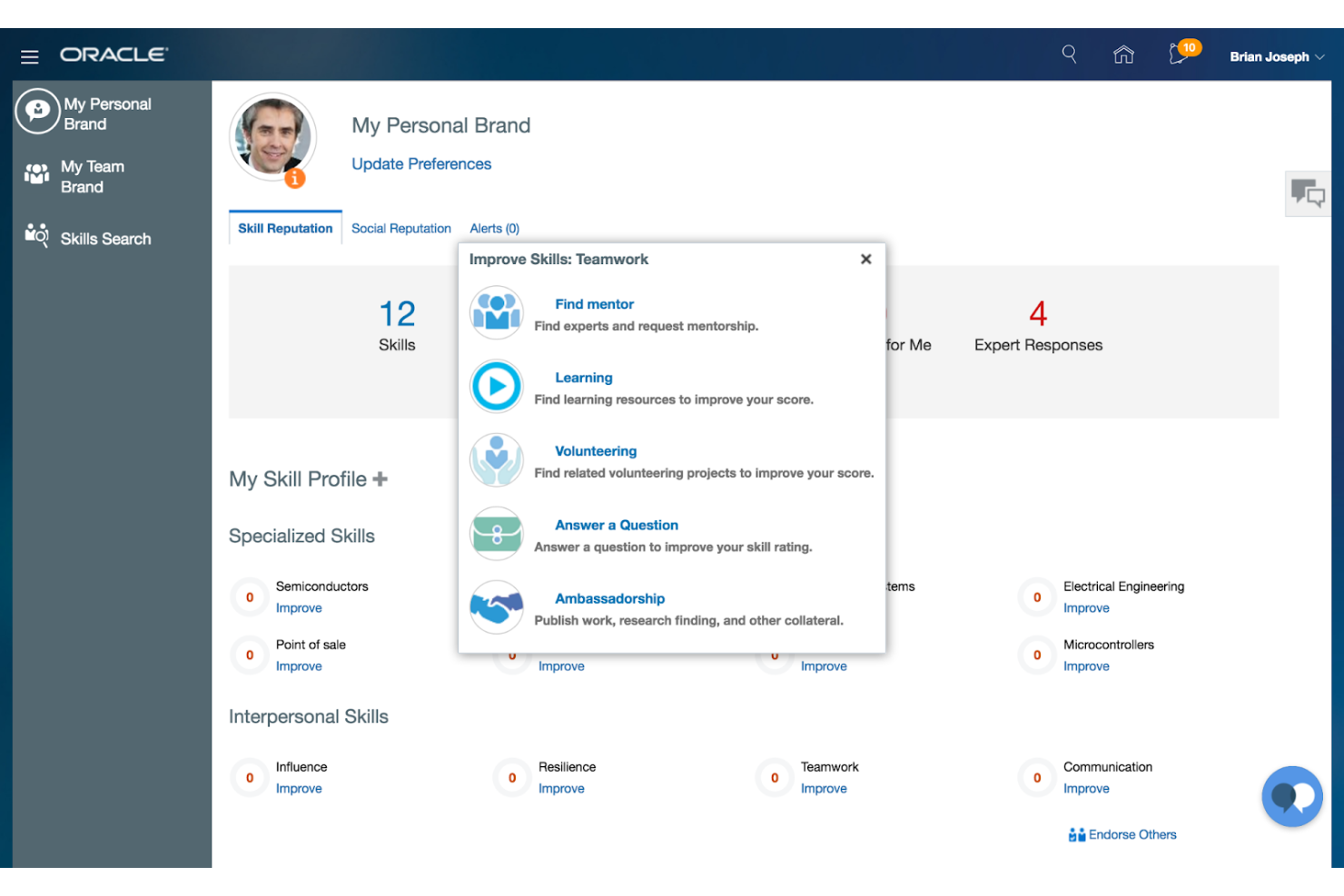
Oracle HCM is a comprehensive cloud-based human capital management solution that leverages AI to enhance HR and talent management processes. It is best for organizations looking to integrate AI-driven insights into their HR operations to improve employee experiences and workforce performance.
Why it's a good Workday alternative:
I chose Oracle HCM for this list because it offers a robust AI-embedded infrastructure that can transform HR processes. Its comprehensive suite of tools and single data model makes it a strong contender against Workday, especially for organizations seeking advanced analytics and AI capabilities to boost employee engagement.
Standout features and integrations:
Features include AI-driven talent management, comprehensive workforce management, and global payroll solutions.
Integrations include Oracle ERP, Oracle SCM, Oracle CX, Oracle Analytics Cloud, Microsoft Office 365, LinkedIn, Slack, Zoom, SAP SuccessFactors, and Workday.
Pros and Cons
Pros:
- Extensive integration options
- Strong global payroll capabilities
- Comprehensive AI-driven HR solutions
Cons:
- Complex pricing structure
- High minimum seat requirement
UKG Ready
Best for comprehensive workforce management
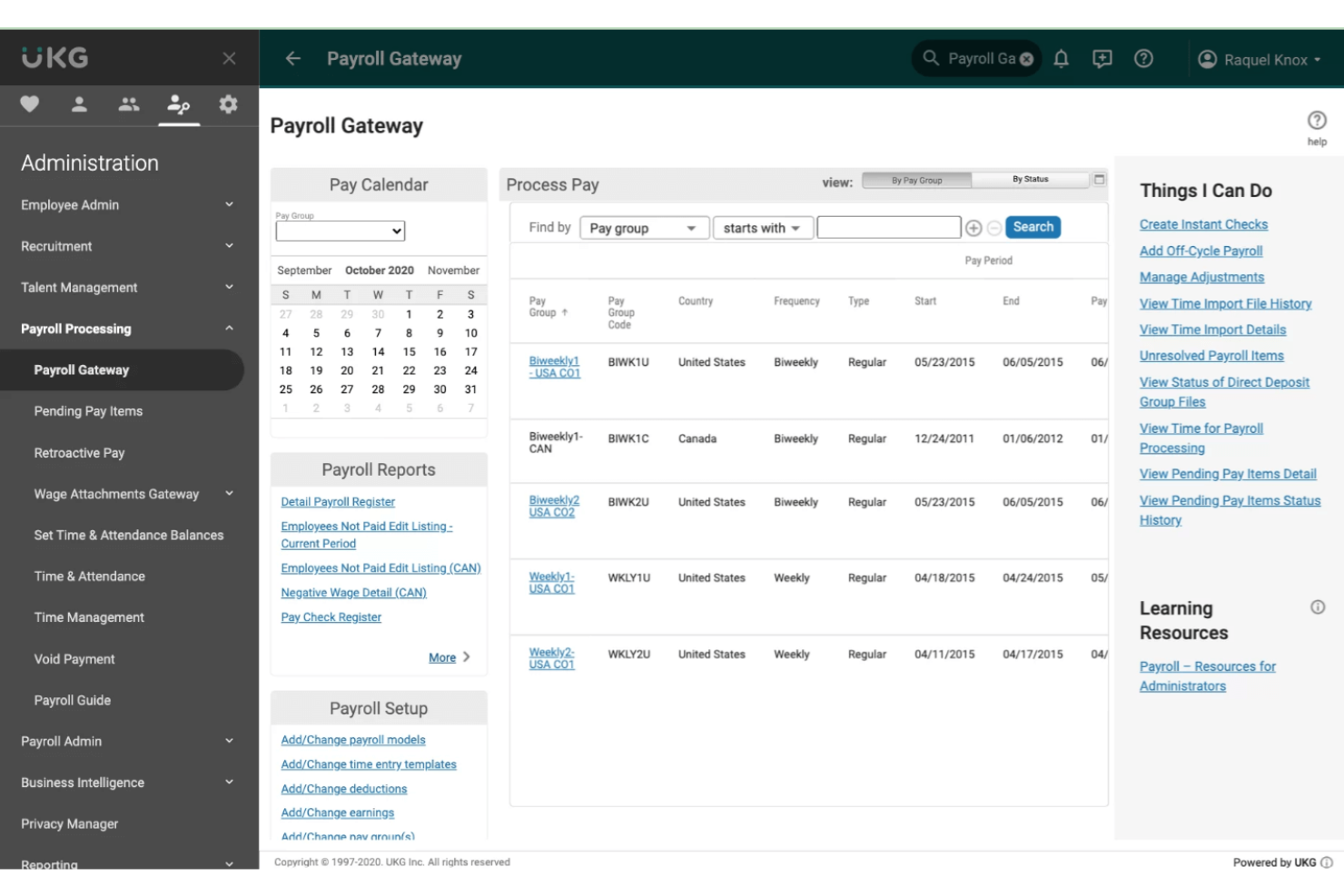
UKG offers HR, payroll, and workforce management solutions designed to help organizations manage their people effectively. It is best for comprehensive HR and workforce management solutions due to its extensive range of features that cater to various HR needs.
Why it's a good Workday alternative:
I chose UKG because it provides a robust suite of HR, payroll, and workforce management tools that can rival Workday's offerings. Its focus on both people systems and systems of work makes it a strong contender for organizations looking for a comprehensive solution.
Standout features and integrations:
Features include AI-powered workforce management tools that streamline time and attendance, optimize scheduling, and enhance overall workforce productivity. Additionally, their solutions are designed to inspire and support employees throughout their journey.
Integrations include ADP, SAP, Oracle, Microsoft Dynamics, Salesforce, Workday, Kronos, Ceridian, Ultimate Software, and Infor.
Pros and Cons
Pros:
- Strong focus on customer support and experience
- AI-powered tools for enhanced productivity
- Comprehensive HR and workforce management features
Cons:
- Limited customization options compared to some competitors
- Pricing information not readily available
Andre Workday-alternativer
Nedenfor finner du en liste over flere Workday-alternativer som vi hadde på kortlisten, men som ikke kom med på topplisten. Det er absolutt verdt å sjekke dem ut.
- ADP
For diverse payroll and HR services
- Rippling HCM
For integrated HR management
- Oyster
For managing global teams
- Collage
For Canadian HR integration
- Rippling
For integrating HR, IT, and finance
- Deel HR
For mid-market global HR operations
- BambooHR®
For intuitive HR data management
- Rise
For employee-focused HR software
- Workable
For streamlined recruitment processes
- Sage HR
For small to medium-sized businesses
- Gusto
For comprehensive small business payroll
- Eddy
For small business HR needs


Relaterte anmeldelser av HR-programvare
Hvis du fortsatt ikke har funnet det du ser etter her, kan du se nærmere på disse andre relaterte verktøyene som vi har testet og evaluert:
- HR-programvare
- Lønnsprogramvare
- Rekrutteringsprogramvare
- Tjenester for arbeidsgiver på vegne av andre
- Systemer for kandidatoppfølging
- Programvare for arbeidsstyrkestyring
How I Evaluate Workday Competitors
I evaluate Workday competitors in two layers: the baseline HCM capabilities—core HR, payroll, and talent—every platform must have, and the differentiators that separate a good fit from a great one.
Core Functionality (Table Stakes For This List)
When I'm selecting tools for my list, I rank each one on a scale from 0 (does not offer the functionality) to 5 (excels in this area) for each core functionality listed below. Then, I calculate the tool's total score into a percentage. Each tool needs to achieve a minimum total score of 75% to be considered for inclusion.
- Core HR System: I look for a true system of record—org charts, position management, and effective-dated changes that track every employee move across entities.
- Payroll Management: Multi-country payroll matters here, so I check whether a platform handles tax calculations natively or relies on third-party connectors.
- Talent Management: Recruiting, onboarding, performance, and learning should live in one suite—I evaluate how tightly these modules share data and workflows.
- Benefits Administration: Enrollment workflows, carrier feed support, and life event handling (like adding a new dependent) all factor into how I evaluate this area.
- Time & Absence Management: Scheduling, time entry, and leave policies need to work together—I check for configurable accrual rules and manager approval workflows.
- Workforce Analytics & Reporting: Beyond canned reports, I look for ad-hoc query builders, cross-module dashboards, and the ability to surface trends like turnover risk.
Once I have a list of tools that meet this criteria, I consider what sets each platform apart.
Differentiating Factors (What Sets Vendors Apart)
Here's how I compare and contrast different vendors:
Standout Features
I pay close attention to configurable workflows—HR teams that can build their own approval chains and lifecycle events without filing IT tickets move faster. A global compliance engine also matters, especially when your org operates across multiple regions and needs localized labor law libraries baked in. I also evaluate each platform's API framework and partner marketplace, since most HR teams need their HCM to connect with existing ERP, finance, or identity management systems.
Beyond Features
Implementation timelines vary widely across HCM platforms—some take months, others over a year—so I check whether a vendor offers phased rollout options and migration tooling that fit your team's capacity. Total cost of ownership is another big factor. Per-employee-per-month pricing looks simple until you add module fees and implementation costs. I also evaluate business size fit, since a platform built for 10,000-employee enterprises often isn't the right choice for a 200-person company, even if it checks every feature box.
Hvorfor se etter et alternativ til Workday?
Det kan være flere grunner til at du ser etter et alternativ til Workday, blant annet:
- Kostnad: Prisene til Workday kan være for høye for budsjettet ditt.
- Kompleksitet: Systemet kan være for komplisert for behovene dine.
- Tilpasning: Du trenger flere tilpasningsmuligheter enn Workday tilbyr.
- Integrasjon: Du trenger integrasjoner med annen programvare som Workday ikke støtter.
- Kundestøtte: Nivået på kundeservicen og støtten fra Workday er ikke tilfredsstillende.
Alternativer til Workday kan tilby rimeligere priser, enklere grensesnitt, større tilpasningsmuligheter, bedre integrasjonsfunksjoner og mer responsiv kundestøtte for å løse noen av begrensningene du kan møte med Workday.
Funksjoner du bør se etter i et alternativ til Workday
Viktige tjenester i alternativer til Workday
Når du velger alternativer til Workday, bør du se etter følgende viktige funksjoner:
- Håndtering av personopplysninger: Alternativer til Workday bør gjøre det enkelt for ansatte å oppdatere personopplysninger som hjemmeadresser, telefonnumre, nødkontakter og andre viktige profildata. Dette bidrar til å holde ansattopplysningene rene og nøyaktige i hele systemet.
- Administrasjon av personalgoder: Gode plattformer tilbyr verktøy for å administrere åpen påmelding, endre valg av personalgoder og oppdatere forsørgede og begunstigede. Dette sikrer at ansatte har full kontroll over personalgodene sine, samtidig som den administrative belastningen reduseres.
- Lønnsslipper og skattedokumenter: Ansatte bør kunne få tilgang til gjeldende og historiske lønnsslipper, trekk, skatteskjemaer og betalingsopplysninger. Pålitelige alternativer lar også brukere oppdatere informasjon om direkte innbetaling og se trekk på en oversiktlig måte.
- Timelister: Alternativer til Workday må støtte standardisert registrering av arbeidstid for timelønnede, ansatte som ikke er unntatt fra overtidsregler, og studentansatte. Dette omfatter registrering av arbeidede timer, sporing av ordinære timer og overtidstimer samt automatisk integrering av arbeidstiden i lønnskjøringen.
- Utgiftsadministrasjon: Se etter plattformer som effektiviserer prosessene for refusjon med digitale kvitteringsopplastinger, godkjenningsflyt og sporing av status i sanntid. Raskere og mer oversiktlige utgiftsprosesser reduserer friksjon for både ansatte og økonomiteam.
- Interaktive organisasjonskart: Alternativer til Workday bør tilby dynamiske organisasjonskart slik at ansatte raskt kan forstå teamstrukturer, rapporteringslinjer og relasjoner på tvers av avdelinger.
- Administrasjon av fravær: Brukere bør kunne be om og administrere ferie, sykefravær og personlige fridager i systemet. Automatiserte godkjenningsflyter hjelper ledere med å holde orden og sikrer nøyaktig sporing av betalt fri.
- Medarbeidersamtaler: Plattformer bør omfatte vurderingssykluser, verktøy for tilbakemeldinger, funksjoner for målsetting og fremdriftssporing. Disse funksjonene hjelper ledere med å vurdere prestasjoner på en konsekvent måte og veilede ansattes utvikling.
- Rekruttering: Et godt søkersporingssystem (ATS) støtter søk etter kandidater, vurdering av søknader, planlegging av intervjuer og veiledning gjennom hele rekrutteringsprosessen. Dette gjør rekrutteringen effektiv og organisert fra start til slutt.
- Analyse og rapportering: Alternativer til Workday bør tilby dashbord og robuste rapporteringsverktøy som gir innsikt i ansattes prestasjoner, trender i arbeidsstyrken, personalutskifting, lønn og mer – slik at ledere kan ta informerte beslutninger.
Vanlige AI-funksjoner i alternativer til Workday
Mange konkurrenter til Workday tar nå i bruk AI for å øke effektiviteten, nøyaktigheten og brukeropplevelsen, for eksempel:
- KI-drevet kandidatmatching: KI gjennomgår CV-er og matcher søkere automatisk med stillingsbeskrivelser, og fremhever kandidater som passer best for å fremskynde ansettelsesprosessen.
- Prediktiv innsikt i prestasjoner: KI analyserer trender i oppmøte, tilbakemeldinger fra kolleger, engasjementsdata og historikk fra medarbeidersamtaler for å forutsi mønstre i ansattes prestasjoner og identifisere personer som står i fare for å få problemer.
- Smarte anbefalinger om personalgoder: KI hjelper ansatte med å velge optimale personalgoder basert på livshendelser, kostnadssammenligninger og bruksmønstre – og reduserer forvirring under årlig påmelding.
- Automatisert kategorisering av utgifter: KI leser opplastede kvitteringer, kategoriserer utgifter, markerer avvik og fremskynder arbeidsflyter for refusjon.
- Profiloppdateringer med naturlig språk: Ansatte kan oppdatere personopplysninger eller be om handlinger fra HR gjennom samtalebasert KI, noe som forenkler selvbetjeningsoppgaver.
- KI-drevet PTO-prognostisering: KI forutsier bemanningsmangler, perioder med høyt ferieuttak og optimale tidsvinduer for planlegging, slik at ledere kan planlegge godkjenning av fravær på en rettferdig og effektiv måte.
- Automatisert verifisering av lønn og timelister: KI oppdager avvik som manglende stemplinger, dobbeltførte timer, feil lønnskoder eller mistenkelige mønstre i overtidsarbeid før lønnskjøringen.
- Sentimentanalyse og sporing av engasjement: KI tolker tilbakemeldinger fra undersøkelser, anerkjennelsesaktivitet og kommunikasjonsmønstre for å avdekke innsikt om arbeidsmoralen og veilede forbedringer av bedriftskulturen.
- Avansert arbeidsstyrkeanalyse: KI avdekker mønstre i personalomsetning, prestasjoner, ansettelsessykluser, lønnslikhet og medarbeiderutvikling for å støtte strategiske HR-beslutninger.