

10 Best AI Recruitment Agents in 2026

Best AI Recruitment Agents Shortlist


An AI recruitment agent is software that assists with sourcing, screening, evaluating, and coordinating candidates across your hiring process. The best AI recruitment agent should fit your ATS, support human review, and make candidate recommendations easier to explain.
I evaluated 12 tools across sourcing, screening, job advertising, scheduling, analytics, and enterprise hiring. This shortlist helps you compare each platform’s strengths, workflow fit, fairness controls, and implementation demands.
Why Trust Our Software Recommendations
Our team has been testing and reviewing software since 2012. As HR experts ourselves, we know how difficult—and important—it is to choose the right software.
For this guide, we evaluated tools using hands-on testing and independent research, scoring tools using our selection criteria. We also draw on insights from industry thought leaders and practicing HR experts.
Our reviews reflect our human editorial judgment, not a sales pitch.
Expert reviewers:
AI Recruitment Agents Comparison Table
This comparison table highlights pricing and key specs for my top AI recruitment agents.
| Tool | Best For | Trial Info | Price | ||
|---|---|---|---|---|---|
| 1 | Best for explainable AI screening at enterprise scale | Free demo available | From $14,995/year (billed annually) | Website | |
| 2 | Best for in-house AI screening with audit trails | Free demo available | Pricing upon request | Website | |
| 3 | Best for high-volume hiring with ranked shortlists | Free demo available | Pricing upon request | Website | |
| 4 | Best for bias-audited AI screening at scale | Free demo available | Pricing upon request | Website | |
| 5 | Best for bias-audited, complex panel scheduling | Not available | From $400/month | Website | |
| 6 | Best for bias-audited AI sourcing at scale | Free demo available | From $270/month (billed annually) | Website | |
| 7 | Best for sourcing across 45-plus platforms at once | 7-day free trial | From $494/month | Website | |
| 8 | Best for enterprise hiring at multi-brand scale | Free demo available | Pricing upon request | Website | |
| 9 | Best for built-in bias auditing across sourcing | Free demo available | From $299/month | Website | |
| 10 | Best for bias-audited hiring at enterprise scale | Free demo available | Pricing upon request | Website |

AI Recruitment Agent Reviews
Below are summaries of the best AI recruitment agents on my shortlist. These reviews cover each platform’s features, use cases, and pricing to help you find the right fit.

Best for explainable AI screening at enterprise scale
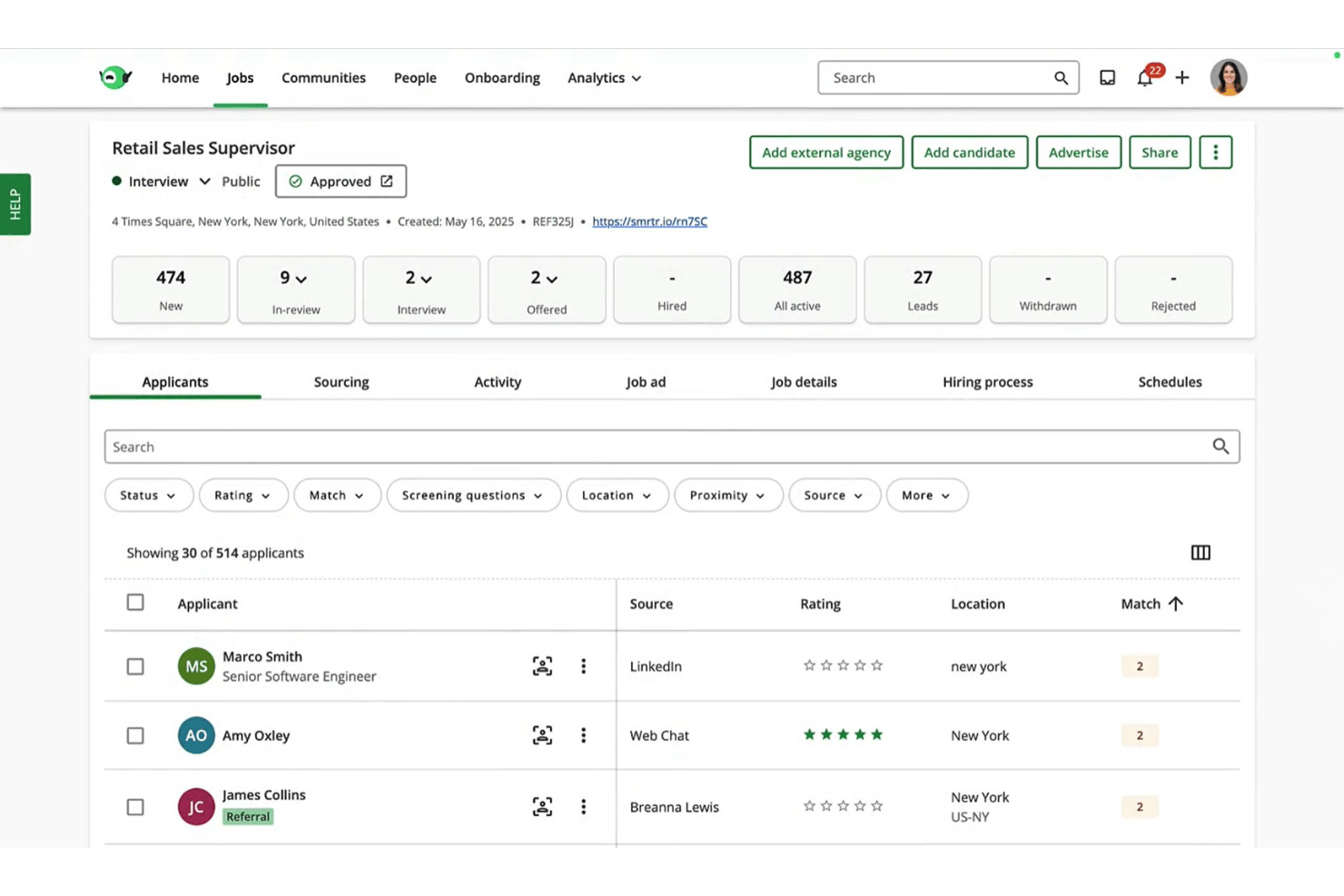
SmartRecruiters is an enterprise AI recruitment platform with ATS, CRM, and AI-driven candidate matching, screening, scheduling, and conversational engagement built into a single system.
Who Is SmartRecruiters Best For?
SmartRecruiters is a strong fit for enterprise talent acquisition teams managing high application volumes across corporate or high-volume hiring environments like retail, healthcare, and hospitality.
Why I Picked SmartRecruiters
SmartRecruiters earns its spot on my shortlist because Winston Match doesn't just rank candidates—it shows you exactly why each person scored the way they did. Every applicant gets a Match Report breaking down their top technical and transferable skills, with each skill traced back to the resume, job description, or AI inference. When hiring at scale across retail or healthcare, that level of transparency is what separates defensible screening decisions from a black box.
SmartRecruiters Key Features
- Winston Chat: A generative-AI chatbot that recommends jobs, screens candidates, and schedules interviews within a single conversation on your career site.
- CRM talent rediscovery: Surfaces past applicants from talent pools and nurture campaigns, so you're not starting from scratch on every new req.
- Dynamic Scheduling: Automates interview booking directly within the platform, reducing the back-and-forth between candidates and hiring teams.
- Role-based analytics reporting: Pulls Winston Match data into a Report Builder with access controls tied to user roles, giving each stakeholder the right level of visibility.
SmartRecruiters Integrations
SmartRecruiters supports Marketplace integrations and open APIs, including SAP SuccessFactors, LinkedIn Recruiter System Connect+, CodeSignal, SHL, TestGorilla, GoodTime, and Skima AI.
Pros and Cons
Pros:
- CRM rediscovery surfaces qualified past applicants
- Generative chat screens and schedules candidates
- Explainable scoring shows each skill source
Cons:
- Resume parsing struggles with complex formatting
- External autonomous sourcing remains limited
Pinpoint
Best for in-house AI screening with audit trails
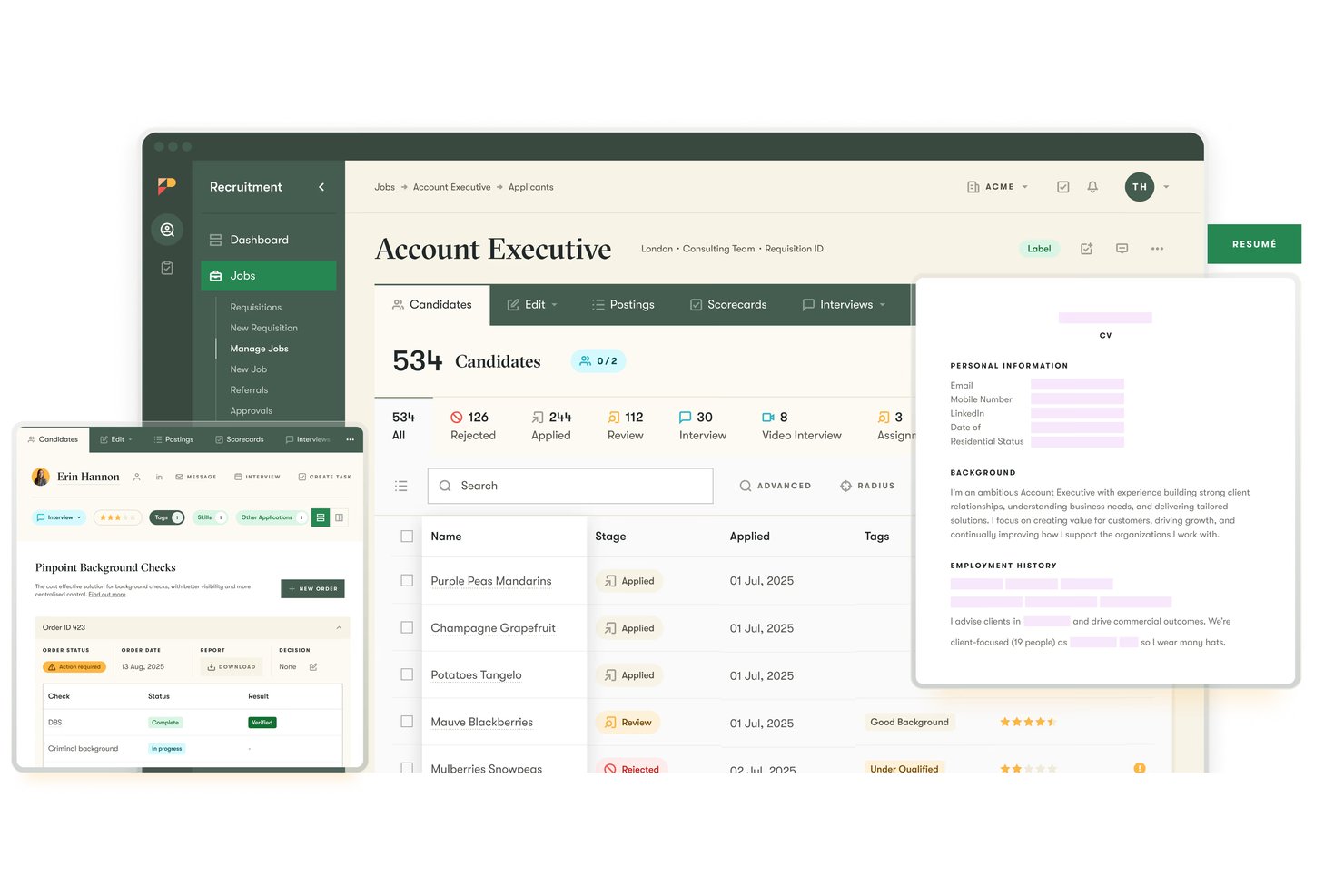
Pinpoint is an in-house ATS with AI-powered screening, automated interview scheduling, and a hiring copilot that surfaces past candidates, drafts outreach, and moves candidates through your pipeline with human approval at every step.
Who Is Pinpoint Best For?
Pinpoint is a strong fit for in-house talent teams that need explainable, auditable AI screening built directly into their ATS workflow.
Why I Picked Pinpoint
Pinpoint earns its spot on my shortlist because its AI Match Score gives every candidate a 1-to-10 score with a full per-criterion breakdown, including strengths, concerns, and suggested interview questions, all viewable in a permanent audit trail. I love that recruiters can define up to 10 weighted criteria directly from the job description and test them on sample candidates before scoring the full pool. That editable, explainable logic is what makes Pinpoint one of the few ATS platforms I'd trust for regulated or high-scrutiny hiring environments.
Pinpoint Key Features
- AI Hiring Copilot: A plain-language assistant that drafts personalized outreach emails, summarizes candidate profiles, and moves candidates between pipeline stages, all pending human approval.
- Automated interview scheduling: Candidates self-book slots in their own time zone, with calendar sync, panel support, automatic rescheduling, and reminder notifications built in.
- Talent pool rediscovery: Copilot searches your existing candidate database by skills or interview progress to surface past applicants for new roles.
- Insight Hub reporting: A built-in analytics dashboard that recruiters can populate using plain-language requests, with Power BI and Fivetran available for deeper data pulls.
Pinpoint Integrations
Pinpoint documents integrations with Workday, SAP SuccessFactors, ADP Workforce Now, Fetcher, SourceWhale, LinkedIn Recruiter & Jobs, Zoom, Microsoft Teams, Slack, and Twilio. It also offers an open API and Zapier.
Pros and Cons
Pros:
- Rediscover past candidates through the talent pool
- Scheduling handles panels, time zones, rescheduling
- Explainable scoring includes criterion-level audit trails
Cons:
- Copilot actions require human approval
- External sourcing depends on partner tools
New Product Updates from Pinpoint

Pinpoint Adds Copilot, Hire Surveys, and LinkedIn Apply Connect
Pinpoint adds Copilot in Teams, Quality of hire surveys, LinkedIn Apply Connect integration, and onboarding updates. These releases expand AI, hiring insights, integrations, and onboarding capabilities. For more information, visit Pinpoint’s official site.

Humanly
Best for high-volume hiring with ranked shortlists
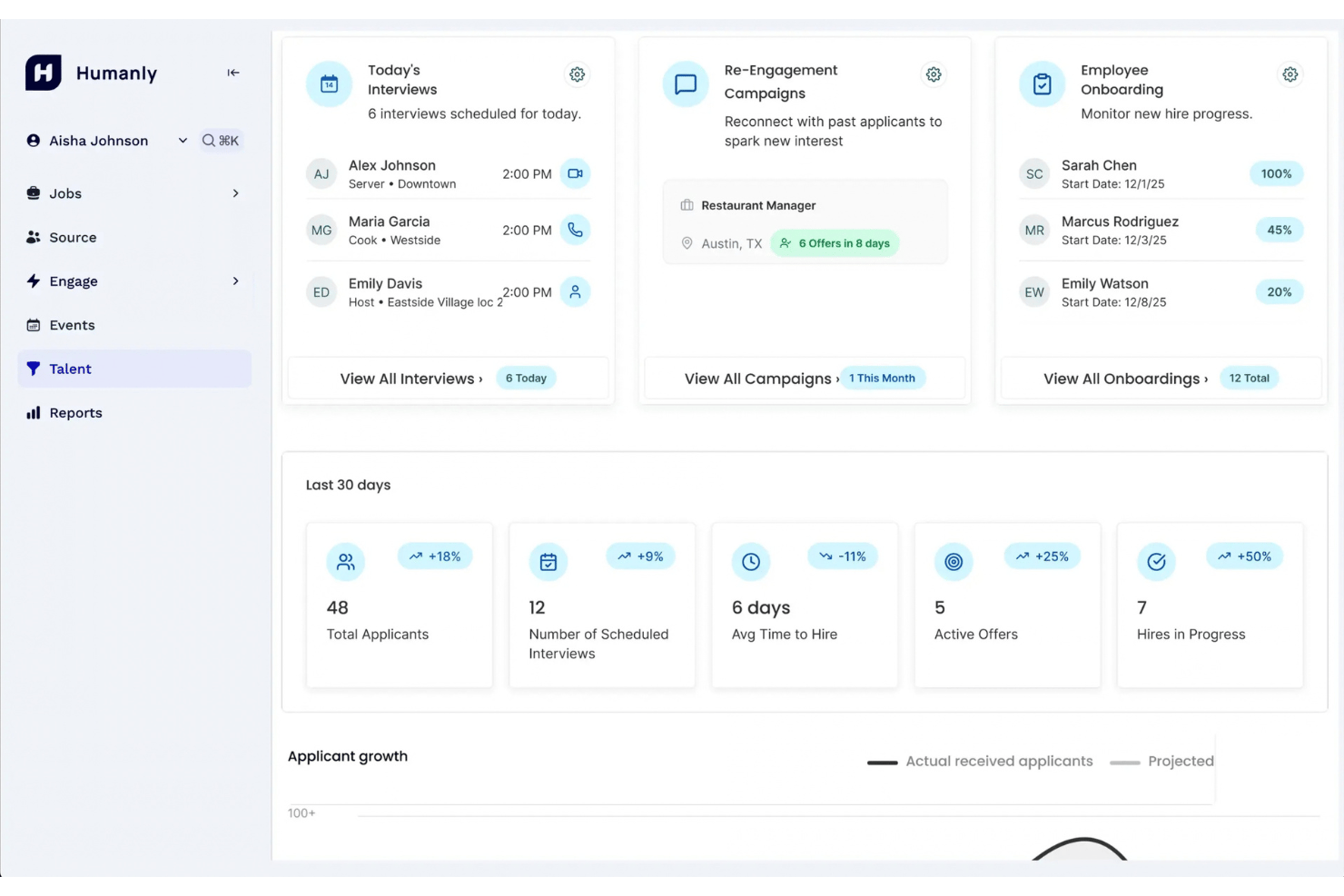
Humanly is an AI recruiting platform built for high-volume hiring that combines conversational candidate screening, AI-driven interviews across chat, SMS, voice, and video, automated scheduling, and a Talent CRM with sourcing from a 600M+ profile database.
Who Is Humanly Best For?
Humanly is a strong fit for in-house recruiting teams handling large applicant volumes across hourly, frontline, or high-volume roles.
Why I Picked Humanly
I've included Humanly in my top picks because it's built specifically for teams dealing with high-volume applicant flow, where ranking candidates quickly is the real challenge. Every applicant goes through a structured AI conversation, and recruiters get a shortlist with transcripts and reasoning behind each name, not just a score. I particularly like the voice AI interview channel, which means candidates can complete a real screening at 9pm and land on your calendar by morning.
Humanly Key Features
- Talent CRM with sourcing database: Search and surface candidates from a 600M+ profile database, with daily prospect suggestions pulled from your ATS, LinkedIn, job boards, and the open web.
- Multi-channel AI interviews: Run structured AI interviews via chat, SMS, voice, or video, with results and transcripts automatically attached to each candidate record.
- ATS integrations with score writeback: Connect to major ATS and HCM platforms—including Workday, Greenhouse, iCIMS, and SAP SuccessFactors—with screening scores and results written directly back to the ATS.
- Chrome extension for profile capture: Grab a candidate's LinkedIn or web profile in one click and pull it straight into your Talent CRM.
Humanly Integrations
Humanly lists integrations with Workday, iCIMS, Greenhouse, SAP SuccessFactors, UKG, Dayforce, Oracle Taleo, Avature, and Employ, with screening results written back to the ATS. It also connects to calendars and offers a LinkedIn Chrome extension.
Pros and Cons
Pros:
- Automated screening handles high applicant volumes
- Voice interviews reach candidates after hours
- Ranked shortlists include transcripts and reasoning
Cons:
- Bias controls lack documented product audits
- Complex panel scheduling remains undocumented

Best for bias-audited AI screening at scale
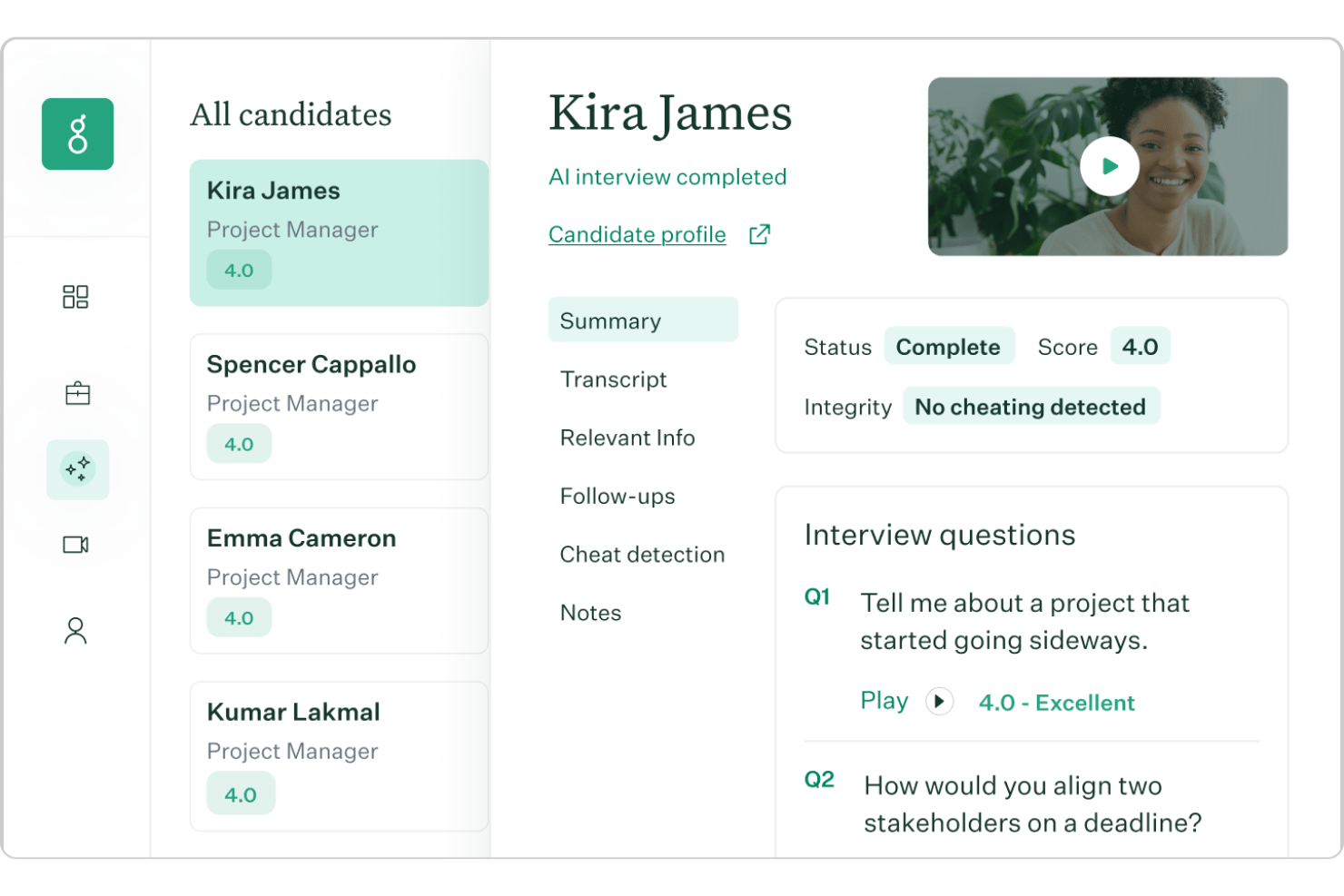
Greenhouse is an ATS with AI built into every hiring stage, covering candidate matching, Voice AI screening, interview scheduling, structured scorecards, and bias-audited decisioning.
Who Is Greenhouse Best For?
Greenhouse is a strong fit for mid-size to enterprise recruiting teams that need auditable, structured hiring workflows across high-volume pipelines.
Why I Picked Greenhouse
Greenhouse earns its spot on my shortlist because of how seriously it takes bias-audited AI screening at scale. Monthly third-party audits from Warden AI, a published bias audit statement, and compliance with the EU AI Act, NYC Local Law 144, and Colorado SB 205 give recruiting teams a defensible paper trail that most ATSs simply don't offer. I also like that Real Talent Talent Matching explains every recommendation it makes, so your team can see exactly why a candidate ranked where they did.
Greenhouse Key Features
- Voice AI interviewing: Conducts two-way voice interviews in 11 languages, asking follow-up questions on the fly and responding in under two seconds.
- AI Notetaker: Records and transcribes interviews, then maps notes directly to structured scorecard questions.
- Offer forecast: Predicts the likelihood a candidate will accept an offer before your team extends it.
- Talent rediscovery: Surfaces qualified candidates from your existing database to reduce duplicate outreach and fill roles from your pipeline.
Greenhouse Integrations
Greenhouse offers 400+ pre-built integrations, including Outlook, Slack, Zoom, Google Sheets, Ashby, iCIMS, Lever, Workday, and Teamtailor. It also provides an open API for custom integrations.
Pros and Cons
Pros:
- Bias audits support defensible screening
- Voice AI handles follow-up questions
- Talent Matching explains candidate rankings
Cons:
- Talent Matching cannot reject candidates
- No autonomous external candidate sourcing
New Product Updates from Greenhouse

Greenhouse Opens Candidate Insights and Talent Matching Assistants to Beta
Greenhouse opens Candidate Insights and Talent Matching assistants to beta for candidate questions and natural-language search. This helps recruiters review candidates and build searches faster. For more information, visit Greenhouse’s official site.
 .
.
Ashby
Best for bias-audited, complex panel scheduling
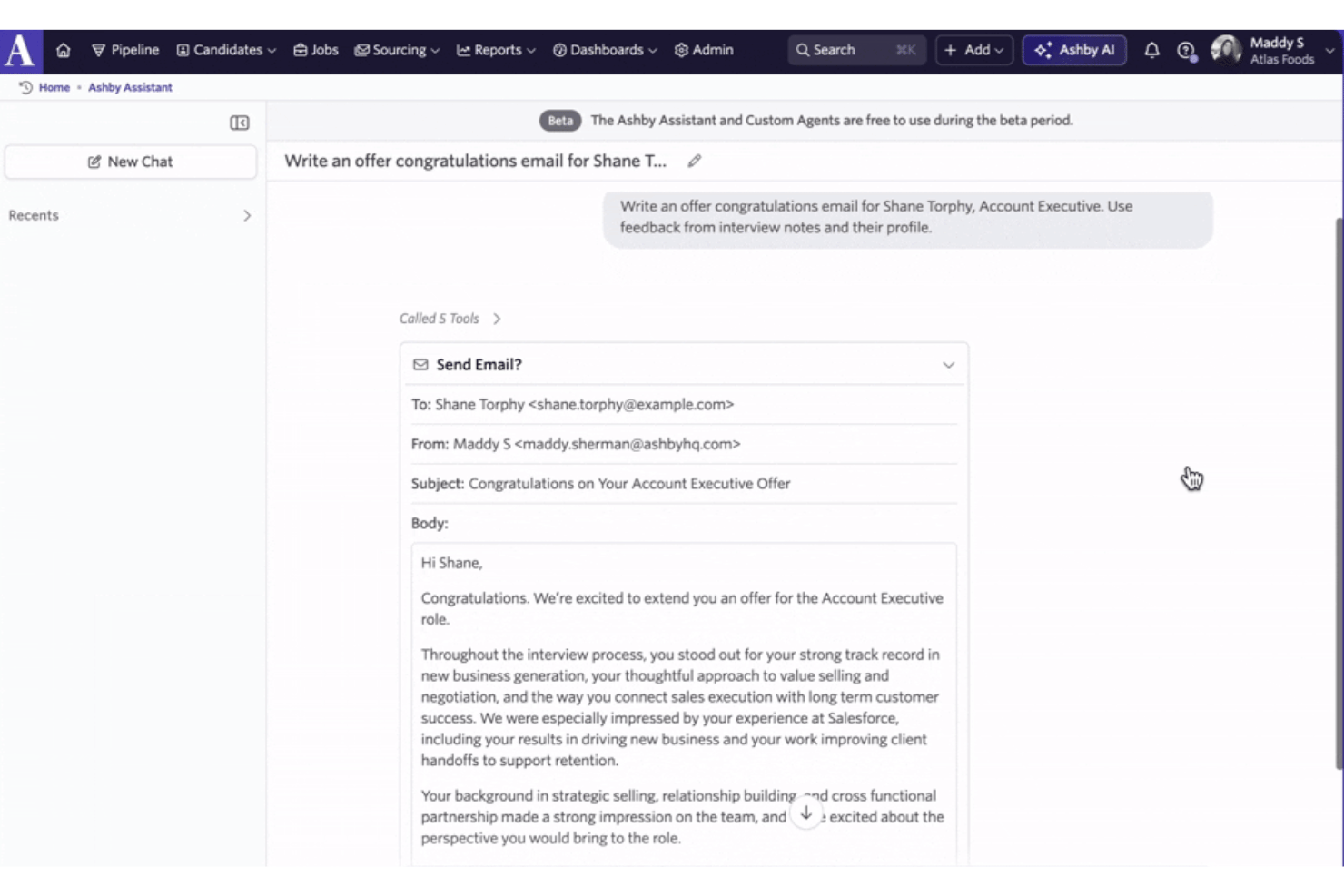
Ashby is an all-in-one ATS and CRM platform with AI built into sourcing, screening, interview scheduling, and analytics.
Who Is Ashby Best For?
Ashby is a strong fit for mid-size to enterprise recruiting teams that run high-volume, multi-stage hiring and need built-in compliance controls alongside scheduling automation.
Why I Picked Ashby
Ashby earns its spot on my shortlist because of how it handles complex panel scheduling with built-in bias controls that most ATS platforms simply don't offer. I'm particularly impressed by the AI Auto-Scheduler, which coordinates multi-interviewer panels across live calendars automatically, including replacing interviewers who decline without manual follow-up. What sets it apart is the FairNow third-party bias audit and in-product safeguards like bias warning prompts and blinded assessments, giving recruiting teams documented, auditable evidence that scheduling decisions hold up to scrutiny.
Ashby Key Features
- AI Candidate Search: Describe your ideal candidate in plain language and Ashby builds the search filters, including Boolean queries, automatically.
- AI Talent Rediscovery: Scans existing ATS and CRM records to surface past candidates who match a current open role.
- Automated outreach sequences: Runs multi-step, multi-channel outreach via email and LinkedIn InMail, with AI-personalized messaging for each candidate.
- AI report builder: Lets you query recruiting data in plain language to generate dashboards, scheduled reports, and funnel analytics.
Ashby Integrations
Ashby offers 250+ ready-made integrations, including Workday and Slack, plus an open API and MCP server for custom AI-tool connectivity. It also supports Zapier.
Pros and Cons
Pros:
- Bias audits support documented hiring governance
- Evidence citations support auditable screening decisions
- Complex panel scheduling replaces calendar back-and-forth
Cons:
- No candidate-facing chatbot or voice interviews
- Screening surfaces candidates without ranking them
Gem
Best for bias-audited AI sourcing at scale
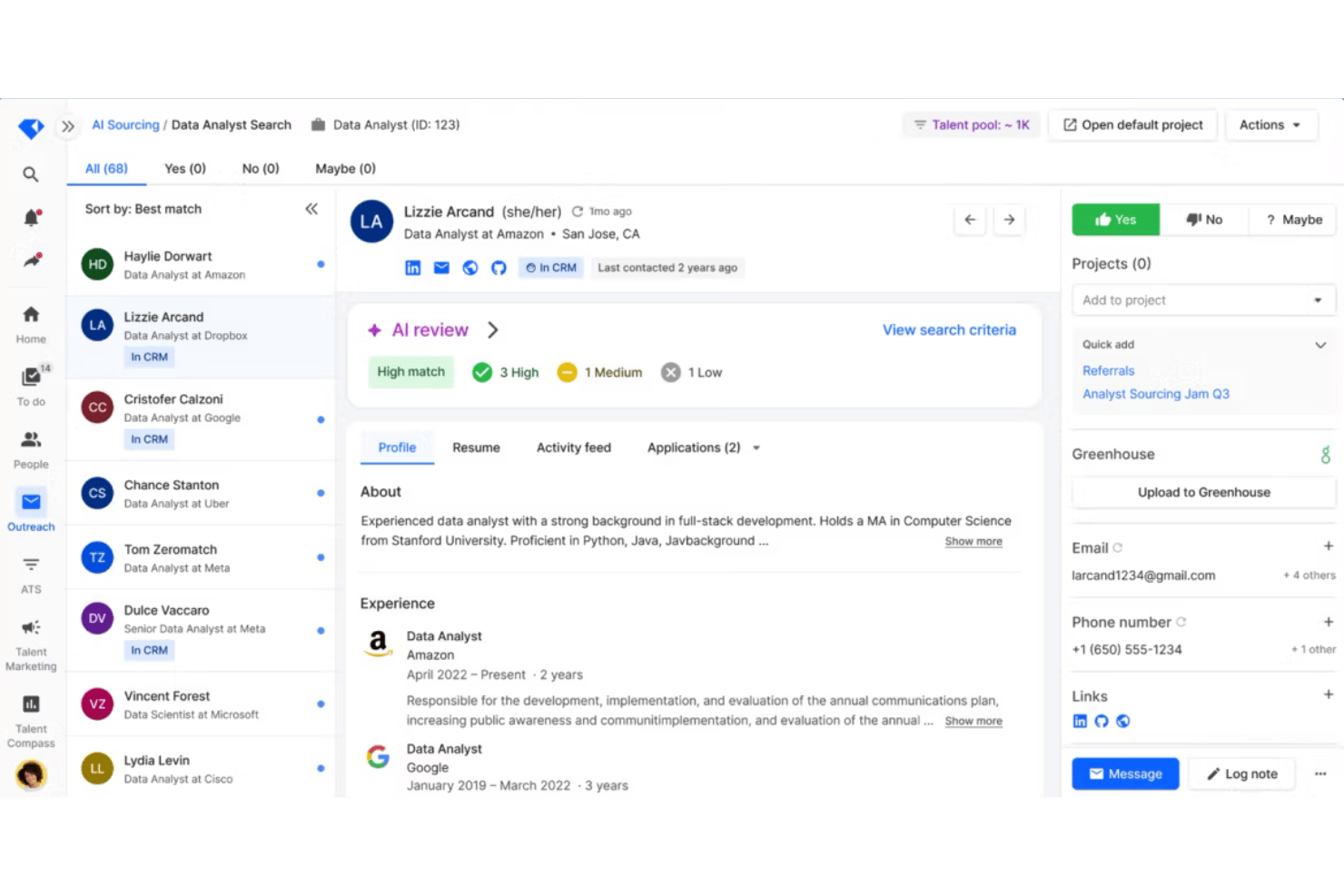
Gem is an AI recruiting platform that combines autonomous candidate sourcing, AI-driven applicant screening, CRM, scheduling, and pipeline analytics in one system—with built-in bias auditing across every AI-assisted decision.
Who Is Gem Best For?
Gem is a strong fit for talent acquisition teams at mid-size to enterprise companies that need to manage high-volume sourcing and screening within a single, auditable platform.
Why I Picked Gem
I've included Gem in my top picks because it's the only AI recruiting platform I know of with annual third-party bias audits built into the product, conducted by BABL. In practice, that means my team can run AI sourcing across 800M+ profiles and let the AI Application Review Agent score and rank inbound applicants, all while knowing that PII is stripped before processing and every match score comes with a plain-language explanation. I also like that the AI flags subjective or EEO-sensitive criteria in real time, keeping human recruiters in the approval seat throughout.
Gem Key Features
- AI Talent Rediscovery Agent: Automatically surfaces past candidates from your CRM and ATS who now match open roles.
- AI Fraud Detection Agent: Checks six signals per applicant and flags suspicious submissions before a recruiter reviews them.
- Multi-channel outreach sequences: Sends AI-personalized emails and follow-ups at scale, with custom tokens that generate a unique sentence for each candidate profile.
- Talent Compass analytics: Tracks full-funnel pipeline data with forecasting, DEI insights, industry benchmarks, and automated report sharing.
Gem Integrations
Gem offers native integrations with Greenhouse, Workday, Lever, and iCIMS, plus two-way ATS sync. It also connects with LinkedIn Recruiter and supports MCP access for Claude and ChatGPT.
Pros and Cons
Pros:
- Explainable applicant match scores
- Unlimited sourcing across 800M+ profiles
- Bias safeguards include annual audits
Cons:
- AI sourcing can feel less granular
- No conversational candidate engagement
hireEZ
Best for sourcing across 45-plus platforms at once
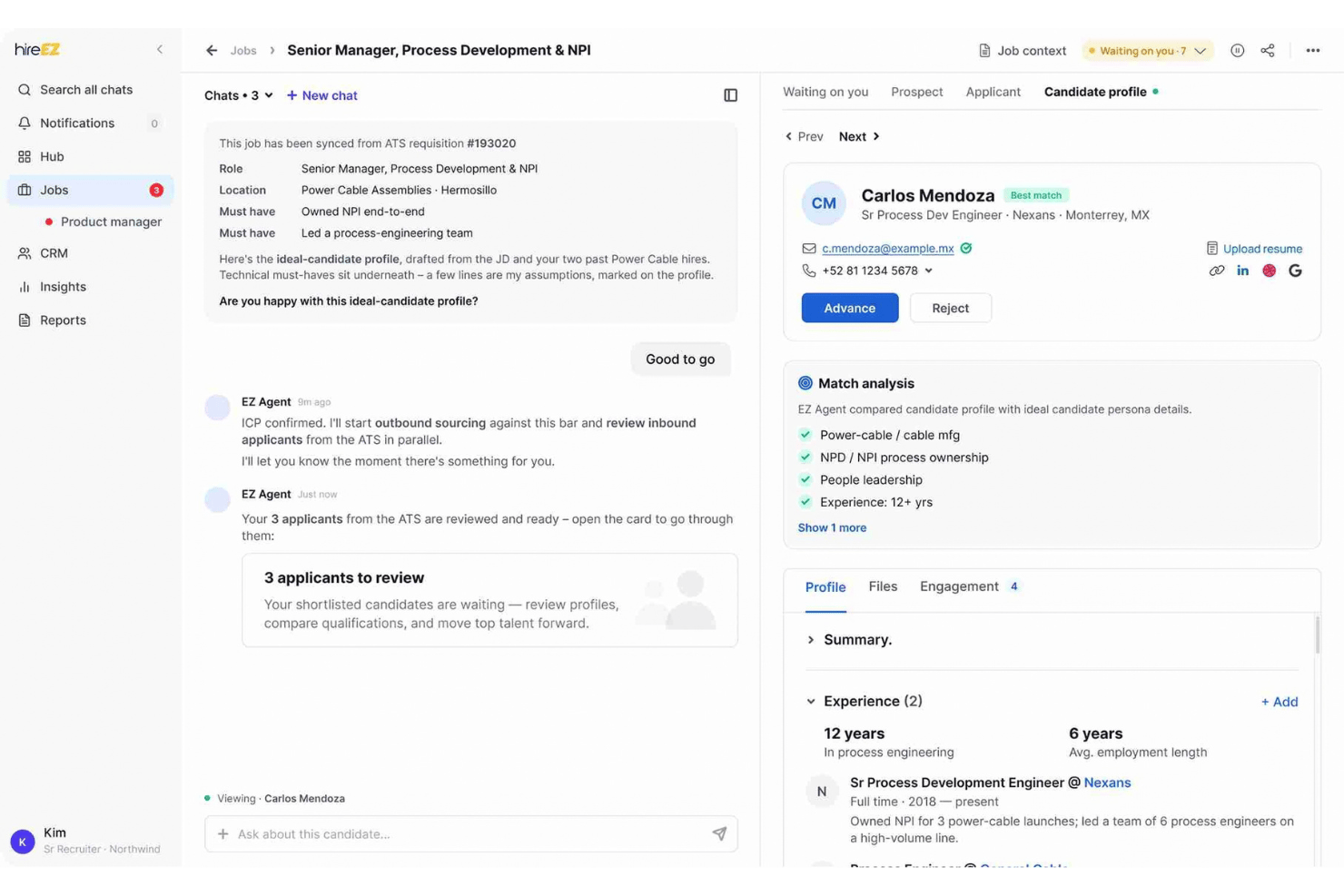
hireEZ is an agentic AI recruiting platform that runs autonomous candidate sourcing, AI-driven screening, conversational engagement, interview scheduling, and full-funnel analytics on top of your existing ATS.
Who Is hireEZ Best For?
hireEZ is a strong fit for talent acquisition teams at mid-size to enterprise companies that need to source high volumes of candidates across multiple platforms from a single workflow.
Why I Picked hireEZ
I picked hireEZ as one of the best because its Sourcing on Command feature searches over a billion profiles across 45-plus platforms in one run, which is a reach I haven't seen matched elsewhere. Each match comes with an explanation of why that candidate fits, so you're not just getting a list. I also like that the agent chains sourcing directly into AI screening calls and automated interview scheduling, cutting out the manual handoffs between those steps.
hireEZ Key Features
- Talent CRM enrichment: Automatically updates existing candidate profiles in your ATS and resurfaces past candidates based on timing cues you set.
- Conversational AI screening: Runs voice or chat screening conversations with every applicant using your questions, then flags who meets your bar for recruiter review.
- Career site builder: Generates a branded job landing page from a single conversation, with applicants flowing directly into your pipeline.
- Hiring Intelligence analytics: Answers full-funnel questions in plain language and produces market reports on skills trends, talent movement, and competitor compensation.
hireEZ Integrations
hireEZ lists 40+ native ATS integrations, including Greenhouse and Workday. It also supports LinkedIn sourcing, email, SMS, InMail, and calendar sync within recruiting workflows.
Pros and Cons
Pros:
- Chains sourcing through screening and scheduling
- Explains why candidates match roles
- Searches over a billion profiles
Cons:
- Bias controls remain poorly documented
- Contact details can be outdated

Phenom
Best for enterprise hiring at multi-brand scale
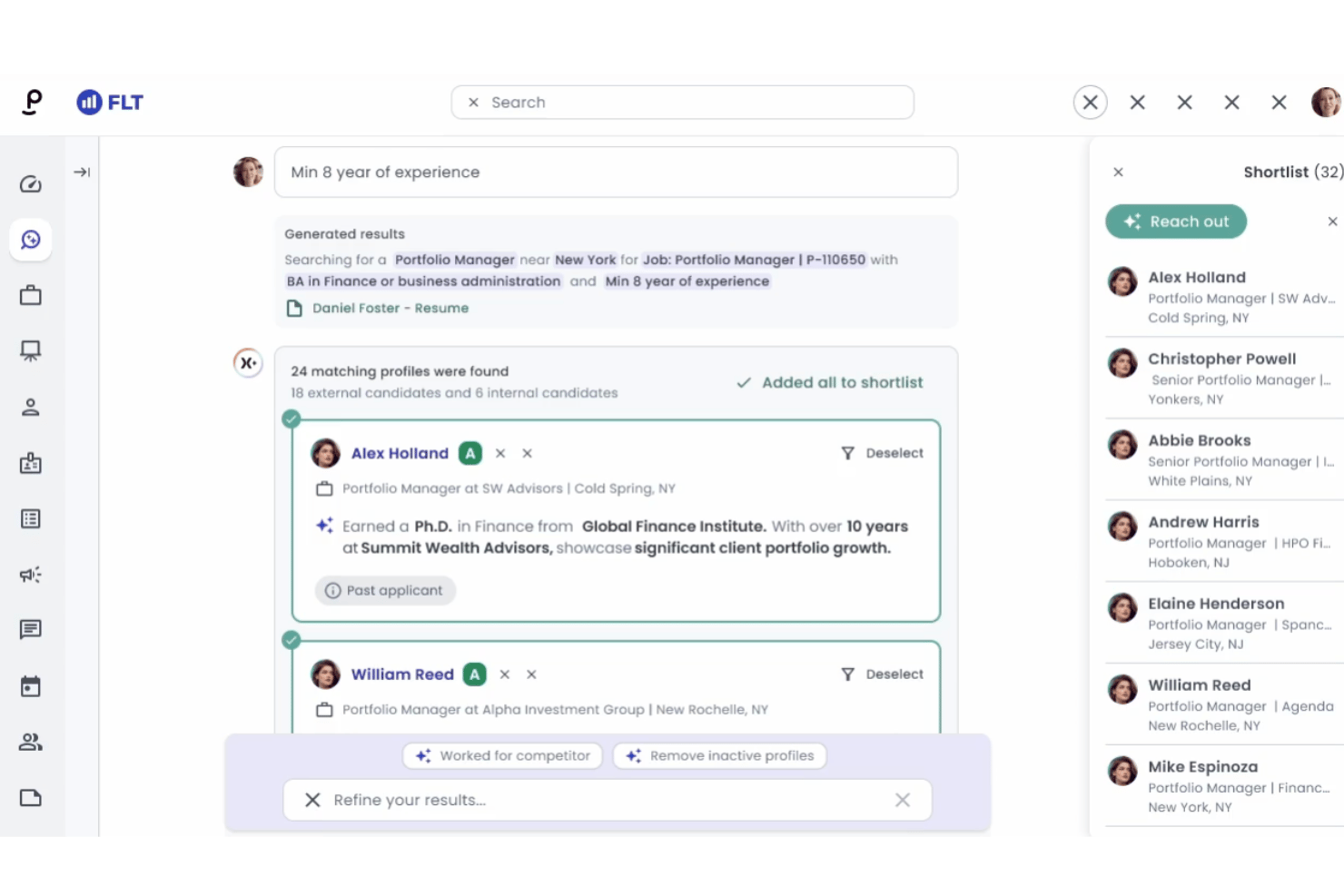
Phenom is an enterprise AI recruitment platform that combines autonomous candidate sourcing, AI-driven screening, conversational engagement, automated interview scheduling, and workflow orchestration across the full hiring funnel.
Who Is Phenom Best For?
Phenom is built for enterprise talent acquisition teams managing high-volume hiring across multiple brands, regions, or business units from a single platform.
Why I Picked Phenom
Phenom earns its spot on my shortlist because no other platform I've evaluated handles multi-brand, multi-region hiring from a single orchestration layer quite like this one. The Unified Orchestration Engine lets enterprise TA teams deploy AI agents under policies scoped by role, market, or business unit, so a retail brand and a financial services brand under the same parent company can run entirely different hiring workflows without separate tools. I also rate the Sourcing Agent and X+ Source combination highly: recruiters can describe a candidate profile in plain language and have the system surface matches across internal pipelines, alumni networks, and external sources simultaneously.
Phenom Key Features
- Candidate fraud detection agent: Flags identity fraud, AI-generated answers, and synthetic candidates automatically during the screening process.
- Voice screening agent: Conducts automated phone screens and reference checks on candidates' schedules without recruiter involvement.
- Fit score: Ranks candidates by skills match using explainable AI, with independent bias audits conducted under NYC Local Law 144.
- Talent analytics: Tracks sourcing performance, career site traffic, candidate engagement, and pipeline health in real time.
Phenom Integrations
Phenom documents integrations with SAP SuccessFactors and Workday, while UKG lists Phenom in its Marketplace. It also supports connections with calendar and video-meeting platforms.
Pros and Cons
Pros:
- Automated panel scheduling and interview coordination
- Explainable screening with published bias audits
- Multi-brand hiring orchestration across regions
Cons:
- Some candidate matches can be irrelevant
- Requires extensive administrator training
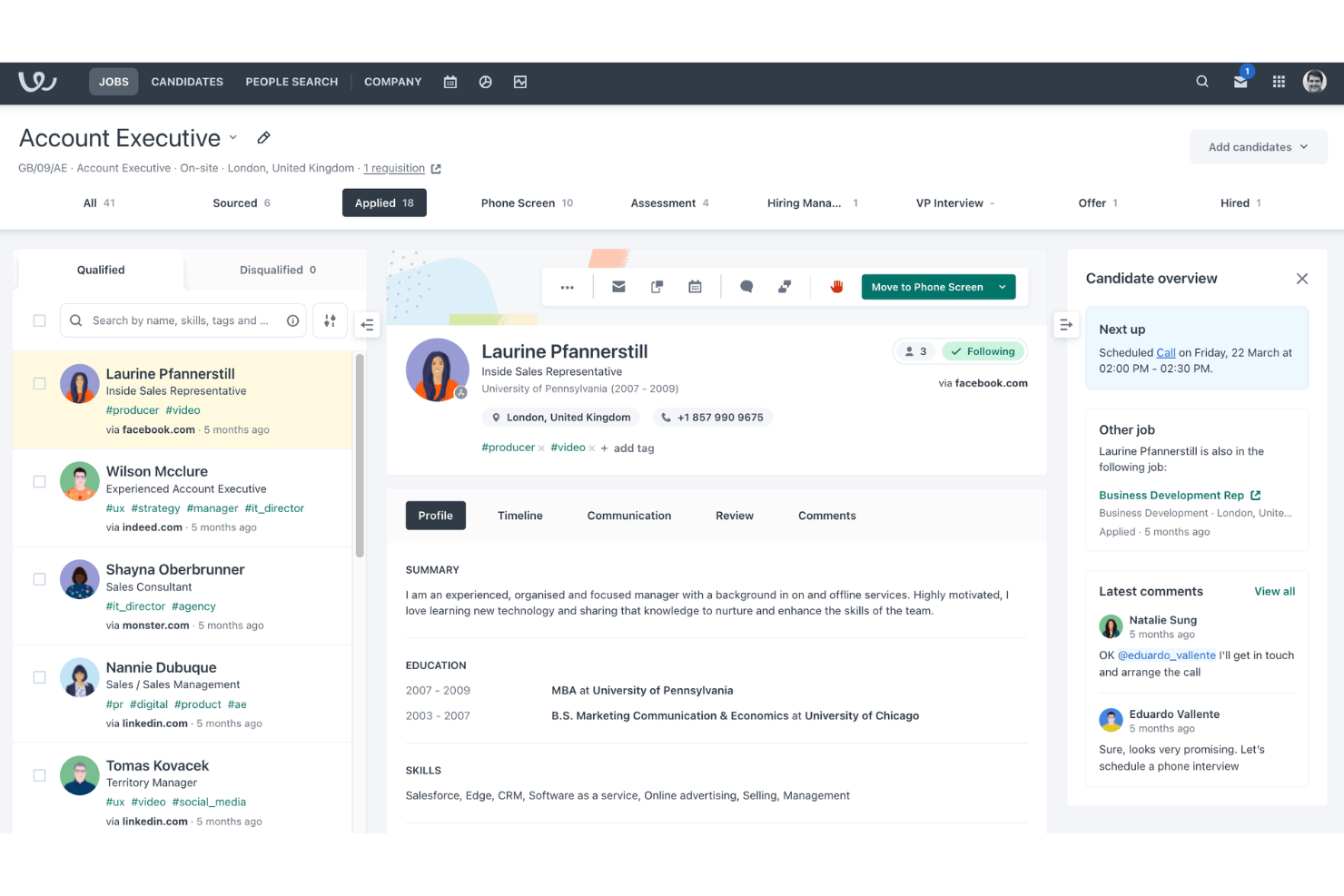
Workable is an AI recruitment agent built into a full ATS and HRIS that automates candidate sourcing, screening, scoring, and engagement across the top of the hiring funnel.
Who Is Workable Best For?
Workable is a strong fit for HR ops managers and in-house recruiting teams that want sourcing, screening, and compliance controls all on one platform.
Why I Picked Workable
I've included Workable in my top picks because its bias auditing controls are built directly into every stage of the sourcing workflow, not bolted on after the fact. Every AI action is logged, reversible, and explainable: protected characteristics are excluded from scoring, and the 0–100 candidate scores are weighted against 14 explicit ICP criteria you configure yourself. Admins also get a kill switch to pause the agent on any role instantly.
Workable Key Features
- 400M+ profile sourcing database: The Sourcing Agent runs continuous, always-on searches across more than 400 million passive candidate profiles and 200+ job boards.
- Candidate self-scheduling: Candidates book their own screening calls with automatic time-zone detection, two-way calendar sync, and Zoom, Teams, and Meet integrations.
- Requisition and offer approval workflows: Configurable approval chains cover headcount requisitions, budgets, and offer letters with built-in e-signature support.
- Pre-built diversity and pipeline reports: Out-of-the-box dashboards track time-to-hire, source effectiveness, and diversity metrics, with a custom report builder and BI data export for deeper analysis.
Workable Integrations
Workable offers integrations with LinkedIn Recruiter System Connect, Indeed Easy Apply, LinkedIn Apply, Zoom, Microsoft Teams, Google Meet, Gmail, and Outlook 365. It supports 70+ recruiting and HR integrations, plus an API for custom integrations.
Pros and Cons
Pros:
- Reversible agent actions preserve recruiter oversight
- Always-on sourcing reaches passive candidates
- Auditable scoring excludes protected characteristics
Cons:
- Agent-sourced candidates bypass assessments and templates
- Candidate chats expire after seven days
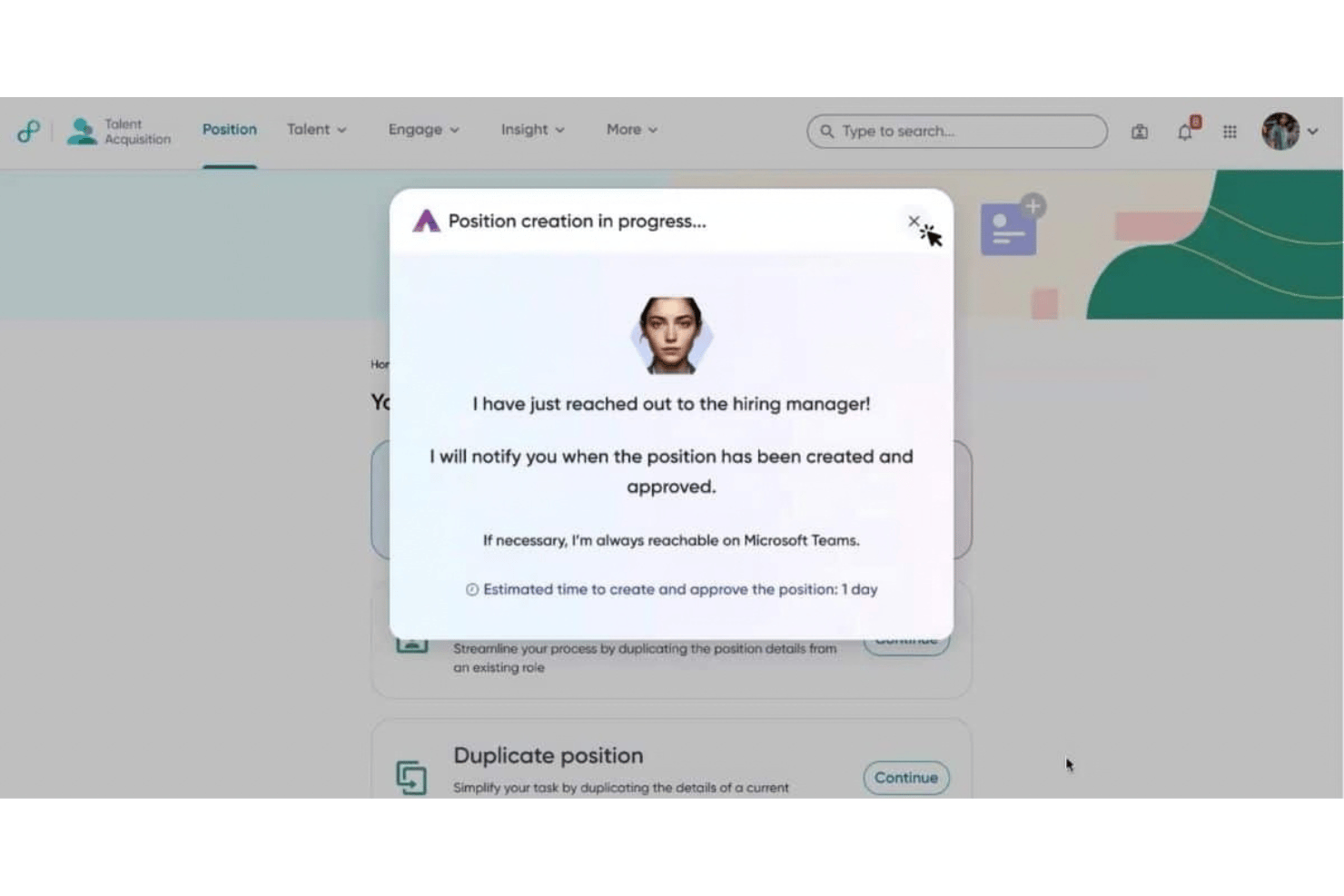
Eightfold is an enterprise AI recruitment platform that combines autonomous candidate sourcing, AI-driven screening, conversational interviewing, and built-in bias auditing tools across the full hiring funnel.
Who Is Eightfold Best For?
Eightfold is built for enterprise talent acquisition teams that need to hire at high volume while maintaining documented, auditable AI fairness standards.
Why I Picked Eightfold
I've included Eightfold in my top picks because its bias-auditing infrastructure is the most thorough I've seen in an enterprise AI recruitment platform. Its T.R.U.S.T. framework tests every model update across eight demographic attributes, including age, race, and disability, and it publishes third-party audits under NYC Local Law 144. I also like that its proprietary matching model, trained on 1.6 billion career paths, scores candidates consistently and links every match score to plain-language skills explanations rather than a black-box output.
Eightfold Key Features
- AI Interviewer: Conducts adaptive, multilingual conversational interviews in 24+ languages, available 24/7 across functional, coding, and skilled trades roles.
- Talent community CRM: Sends targeted email and SMS nurture campaigns to segmented talent pools, with AI-selected audiences based on likelihood to respond.
- 360 Interview: Combines multiple interview rounds into a single AI-run session, reducing the number of separate touchpoints in the hiring process.
- Compliance certifications: Holds ISO 42001, SOC 2 Type II, and FedRAMP Moderate certifications, with readiness for NYC Local Law 144, the EU AI Act, and CCPA.
Eightfold Integrations
Documented integrations include SAP SuccessFactors, Workday, ID.me, and CLEAR, plus corporate calendar and email connectivity for interview scheduling. A full public integration count isn’t available.
Pros and Cons
Pros:
- Unified sourcing-to-scheduling workflows reduce manual work
- Adaptive multilingual AI interviews handle volume
- Published bias audits support accountable hiring
Cons:
- Reviewers report export and support issues
- Match scores need human calibration
Other AI Recruitment Agents
Here are some additional AI recruitment agent options that didn’t make it onto my shortlist, but are still worth checking out:


How I Evaluate AI Recruitment Agents
To make this list, a tool needs to do more than badge its existing features as AI—it has to move the needle on how recruiters source, screen, or coordinate hiring. I split my evaluation into core functionality every tool must cover and differentiating factors that separate the stronger options from the rest.
Core Functionality (Table Stakes for This List)
When I'm selecting tools for my list, I score each one on a scale from 0 (does not offer the functionality) to 5 (excels in this area) for each core functionality listed below. I then convert the total into a percentage to help assess each tool's overall fit, with extra weight on any functionalities I've deemed essential.
- Autonomous Candidate Sourcing (Essential): I check whether the tool surfaces candidates from multiple talent pools on its own, rather than waiting for me to run each search manually.
- AI-Driven Candidate Screening (Essential): I evaluate how the platform ranks applicants against job requirements and whether the scoring logic is transparent enough for a recruiter to explain.
- Conversational Candidate Engagement: I look for chat, email, or voice features that hold natural, context-aware conversations with candidates instead of just firing off static templates.
- Automated Interview Scheduling: Panel interviews across time zones are where scheduling breaks down, so I check how well each tool coordinates multi-participant bookings and rescheduling.
- Adaptive Workflow Automation: I look at whether the tool triggers follow-ups, stage changes, and task handoffs based on candidate actions rather than relying on a fixed sequence.
- Bias-Aware Decisioning Support: I evaluate the transparency of scoring criteria and whether the platform offers configurable fairness controls or audit trails that help defend hiring decisions.
Once I have a list of tools that meet the criteria, I consider what sets each platform apart.
Differentiating Factors (What Sets Vendors Apart)
Here's how I compare and contrast different vendors:
Standout Features
I evaluate how deeply a tool syncs with existing ATS and HRIS platforms, since a one-way import creates duplicate records and stale candidate data. Two-way sync matters most when recruiters move candidates across stages in one system and expect the other to reflect it instantly. I also check for built-in compliance localization, because a platform that auto-adjusts screening rules for region-specific regulations saves teams from manually configuring separate workflows per jurisdiction. Analytics round out the picture: I look for dashboards that surface source quality and pipeline drop-off points, not just counts, so you can act on bottlenecks rather than just report them.
Beyond Features
I check where candidate data is stored, since a platform hosting PII in a single region can create compliance gaps for teams hiring across multiple jurisdictions. AI model transparency matters too—I look for vendors that disclose whether their scoring runs on proprietary models or third-party LLMs and provide audit logs tied to each hiring decision. I also evaluate onboarding support, because a tool that ships without dedicated customer success resources tends to stall adoption with non-technical HR teams.
How to Choose an AI Recruitment Agent
Choose an AI recruitment agent by matching its evidence, controls, and workflow fit to the hiring decisions you need to support.
| If your priority is… | Look for… |
|---|---|
| Explainable candidate recommendations | A written scoring rubric with recruiter-readable decision reasons |
| Fairer screening decisions | Bias-testing results, review dates, and an audit-log sample |
| Accurate candidate data | A documented two-way data-flow map covering your ATS and HRIS |
| High-volume hiring coordination | A trial task using a realistic requisition and defined success criteria |
How to Vet Your Shortlist
- Request the decision records: Ask for three anonymized candidate evaluations showing inputs, scores, recommendations, and human overrides.
- Test a real requisition: Run a 14-day trial with one approved job description, ten sample applications, and your hiring team’s scoring rubric.
- Verify data handling: Request the data-processing agreement, retention schedule, hosting locations, and deletion procedure before sharing candidate information.
- Test support escalation: File one written ticket about an incorrect candidate recommendation and record the response time, owner, and resolution.
- Choose your tradeoff: Decide whether your priority is broad automation with less review or narrower recommendations with stronger explainability and recruiter control.
What Are AI Recruitment Agents?
AI recruitment agents are software tools that help recruiters source, screen, evaluate, and coordinate candidates. They can search talent pools, rank applicants against job requirements, answer candidate questions, and schedule interviews. Recruiters should review recommendations, check decision criteria, and confirm that workflows support fair, explainable hiring decisions.
Features of AI Recruitment Agents
When selecting an AI recruitment agent, keep an eye out for the following key features:
- Autonomous candidate sourcing: Finds potential candidates across talent pools, professional networks, and existing databases based on role requirements. This helps recruiters build targeted pipelines without manually repeating every search.
- AI-driven candidate screening: Compares applications with job requirements, identifies relevant qualifications, and ranks candidates using defined criteria. Recruiters can review recommendations before advancing applicants.
- Candidate engagement: Uses chat, email, or voice conversations to answer questions, collect information, and provide application updates. Context-aware interactions help candidates receive timely responses throughout the hiring process.
- Interview scheduling: Coordinates calendars, time zones, interview panels, and rescheduling requests. This feature reduces back-and-forth communication when several participants need to attend.
- Workflow automation: Triggers follow-ups, status changes, reminders, and recruiter tasks based on candidate actions. Teams can configure rules for different roles, hiring stages, and approval requirements.
- Explainable recommendations: Shows the qualifications, experience, or screening criteria behind each candidate score. Recruiters can use these reasons to review recommendations and explain hiring decisions.
- Fairness controls: Supports configurable evaluation criteria, bias testing, monitoring, and human review checkpoints. These controls help teams identify inconsistent outcomes and maintain documented oversight.
- ATS and HRIS integration: Synchronizes candidate records, requisitions, interview details, and status changes with existing recruiting and HR systems. Two-way data flow helps prevent duplicate records and outdated information.
- Recruitment analytics: Reports on sourcing channels, screening outcomes, pipeline movement, and drop-off points. Recruiters can use these insights to assess hiring workflows and identify stages that need review.
Benefits of AI Recruitment Agents
Implementing AI recruitment agents provides several benefits for your team and your business. Here are a few you can look forward to:
- Broader candidate pipelines: Autonomous sourcing searches multiple talent pools and existing databases using your role requirements.
- More consistent screening: AI-driven screening ranks applications against defined qualifications and gives recruiters criteria for reviewing recommendations.
- Faster candidate communication: Chat, email, and voice features answer questions, collect information, and provide application updates throughout the hiring process.
- Simpler interview coordination: Automated scheduling manages calendars, time zones, panel availability, and rescheduling requests.
- Fewer manual handoffs: Workflow automation triggers follow-ups, status changes, reminders, and recruiter tasks based on candidate actions.
- More accountable hiring decisions: Explainable recommendations, configurable evaluation criteria, bias testing, and audit trails support human review and documented oversight.
- Connected recruiting records: Two-way ATS and HRIS integrations synchronize candidate details, requisitions, interview information, and stage changes.
Costs and Pricing
Selecting AI recruitment agents requires understanding the pricing models and plans available. Costs vary based on features, team size, add-ons, and usage volume. The table below summarizes common plans, average prices, and typical features included in AI recruitment agent solutions.
Plan Comparison Table for AI Recruitment Agents
| Plan Type | Average Price | Common Features |
|---|---|---|
| Free Plan | $0/month | Basic candidate matching, limited job postings, and community support. |
| Personal Plan | $20-$100/user/month | Candidate sourcing, AI screening, interview scheduling, and email support. |
| Business Plan | $500-$2,500/month | Multi-user access, workflow automation, ATS integrations, analytics, and priority support. |
| Enterprise Plan | $2,500-$15,000/month | Custom workflows, advanced integrations, compliance controls, dedicated support, and negotiated usage limits. |
AI Recruitment Agent FAQs
Here are some answers to common questions about ai recruitment agent:
Should recruiters review AI recruitment agent recommendations?
Yes, recruiters should review every recommendation before making a hiring decision. AI tools can misread career changes, transferable skills, or incomplete applications. Ask the system to show the qualifications and criteria behind each score. Then compare those reasons with your approved job requirements. Keep a human approval step before rejecting applicants or advancing finalists. Document overrides and unusual outcomes. This record helps your team investigate inconsistent recommendations and explain decisions to candidates, hiring managers, or auditors.
How can I test an AI recruitment agent before adopting it?
Test the tool with a real requisition and representative applications. Use an approved job description, your existing evaluation rubric, and applications from different backgrounds. Compare the agent’s rankings with recruiter assessments. Record false positives, false negatives, missing qualifications, and unclear explanations. Test candidate conversations, scheduling changes, and handoffs between hiring stages. Ask the vendor how it stores test data. A short pilot gives your team evidence about fit before you connect production candidate records.
What should I ask about candidate data privacy?
Ask where the vendor stores candidate data and how long it retains information. Request its data-processing agreement, deletion procedure, and subprocessors list. Confirm whether the vendor uses candidate information to train models. Check access controls, encryption practices, and audit-log availability. Your team should also understand how candidates can request access or deletion. Review these details before uploading resumes or connecting your applicant tracking system. Requirements can vary based on your locations and applicable privacy regulations.
Can an AI recruitment agent work with an existing ATS?
Yes, many AI recruitment agents connect with an existing applicant tracking system, but integration depth varies. Confirm which records synchronize and whether updates flow in both directions. Test candidate profiles, requisitions, stage changes, interview details, notes, and recruiter assignments. Ask how the system handles duplicate records and failed synchronization. Your team should also review permissions and audit logs. Run these checks during a pilot, before allowing the agent to update live candidate records.