

10 Best Connecteam Alternative Tools Worth Trying in 2026

Best Connecteam Alternatives Shortlist


Connecteam is a popular all-in-one employee management app—but it’s not for everyone.
Maybe the pricing feels steep as your team grows. Maybe you’re frustrated by limited integrations. Either way, you’re ready for a change.
Good news: there are plenty of Connecteam alternatives that offer powerful scheduling, time tracking, and communication tools—often with better flexibility and pricing.
In this post, I’ll break down the top options to help you find the best fit for your team.
What Is Connecteam?
Connecteam is a workforce management software designed to help businesses manage their employees and operations. It is used to streamline communication, scheduling, and task management by managers and HR professionals. Users need it to improve team coordination, track employee performance, and ensure efficient workflow management.
Why Trust Our Software Recommendations
Our team has been testing and reviewing software since 2012. As HR experts ourselves, we know how difficult—and important—it is to choose the right software.
For this guide, we evaluated tools using hands-on testing and independent research, scoring tools using our selection criteria. We also draw on insights from industry thought leaders and practicing HR experts.
Our reviews reflect our human editorial judgment, not a sales pitch.
Expert reviewers:
Connecteam Alternatives Comparison Table
This comparison table summarizes pricing details for my top Connecteam alternative selections:
| Tool | Best For | Trial Info | Price | ||
|---|---|---|---|---|---|
| 1 | Best for compliant shift scheduling in Canada | Free 21-day trial + free demo available | From $2.93/user/month (billed annually) | Website | |
| 2 | Best for customizable work breakdown structure | Free plan + 30-day free trial + free demo available | From $6/user/month (billed annually) | Website | |
| 3 | Best for enterprise frontline communication | Free trial available | From $3.75/user/month (billed annually) | Website | |
| 4 | Best for shift scheduling with timesheet automation | 14-day free trial + free demo available | From $5/user/month | Website | |
| 5 | Best for shift scheduling with payroll sync | Free trial available | From $2.50/user/month | Website | |
| 6 | Best for restaurant shift scheduling | 14-day free trial + free plan available | From $39.99/month | Website | |
| 7 | Best for mobile-first HCM solutions | Free trial available | From $125/month (billed annually) | Website | |
| 8 | Best for AI-driven labor forecasting | Free demo available | From $5/user/month (billed annually) | Website | |
| 9 | Best for food ops checklist compliance | Free demo available | Pricing upon request | Website | |
| 10 | Best for free hourly team scheduling and payroll | Free plan + 14-day free trial available; | From $24/month (billed annually) | Website |

Best Connecteam Alternatives Reviews
In this analysis, I’ll walk you through the key features, best use cases, pros and cons of each Connecteam alternative. Each overview will help you determine which tool might fit your needs.

Agendrix
Best for compliant shift scheduling in Canada
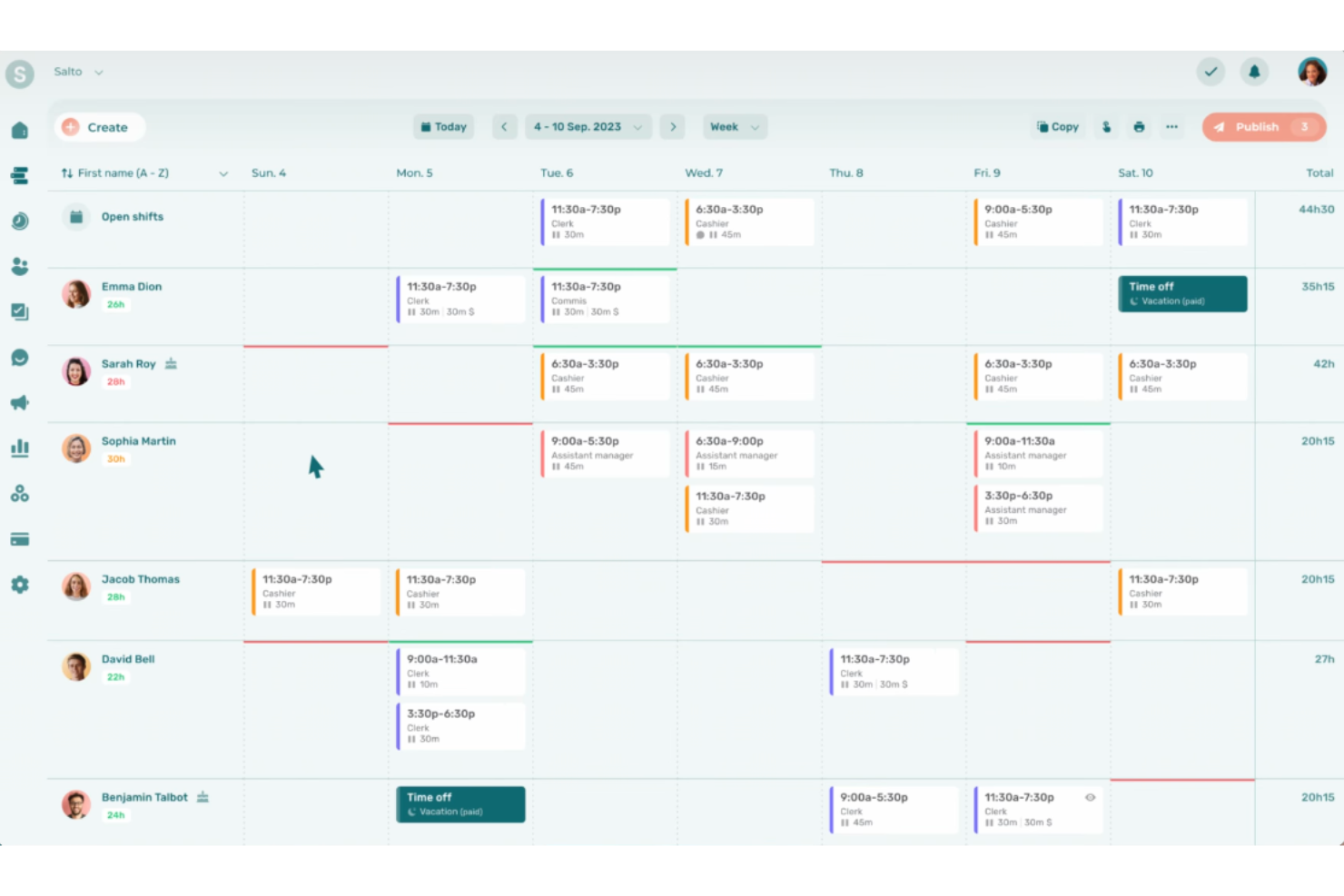
Agendrix is a shift scheduling and workforce management platform that combines employee scheduling, time and attendance tracking, team messaging, and HR tools for frontline and deskless teams.
Who Is Agendrix Best For?
Agendrix is a strong fit for Canadian businesses in hospitality, retail, and healthcare that need scheduling built around provincial labor standards and compliance.
Why I Picked Agendrix
Agendrix earns its spot on my shortlist because of how deliberately it's built around Canadian labor law. Its conflict detection engine automatically flags missing rest periods and excessive consecutive shifts based on provincial standards, which saves managers from compliance headaches before a schedule ever goes live. I also like the open shift marketplace, which lets employees self-select available shifts with seniority prioritization baked in, a setup that's genuinely hard to find in most scheduling tools.
Agendrix Key Features
- Drag-and-drop scheduling: Build and edit shifts visually, with employee availability, time-off requests, and role requirements visible in a single scheduling view.
- Multiple clock-in methods: Employees can punch in via mobile GPS, tablet kiosk, RFID, barcode, or landline phone, giving you flexibility across diverse work environments.
- News feed with read receipts: Post announcements to your whole organization or targeted groups and track exactly who has seen each message.
- Tip pooling automation: Automatically calculate and distribute tips across staff according to your defined rules, built directly into the platform for hospitality teams.
Agendrix Integrations
Agendrix offers a smaller set of native integrations weighted toward Canadian payroll and HR systems, including ADP Workforce Now, Ceridian Powerpay, QuickBooks, Nethris, Payworks, Sage 50, Acomba, Folks HR, and Lightspeed POS. An open API is available for custom integrations, and CSV export supports payroll systems not directly connected.
Pros and Cons
Pros:
- AI-powered schedule and staff import tools
- Multiple flexible clock-in methods offered
- Built around Canadian labor law compliance
Cons:
- Task management only within scheduled shifts
- Training tools limited to shift attachments

actiTIME
Best for customizable work breakdown structure
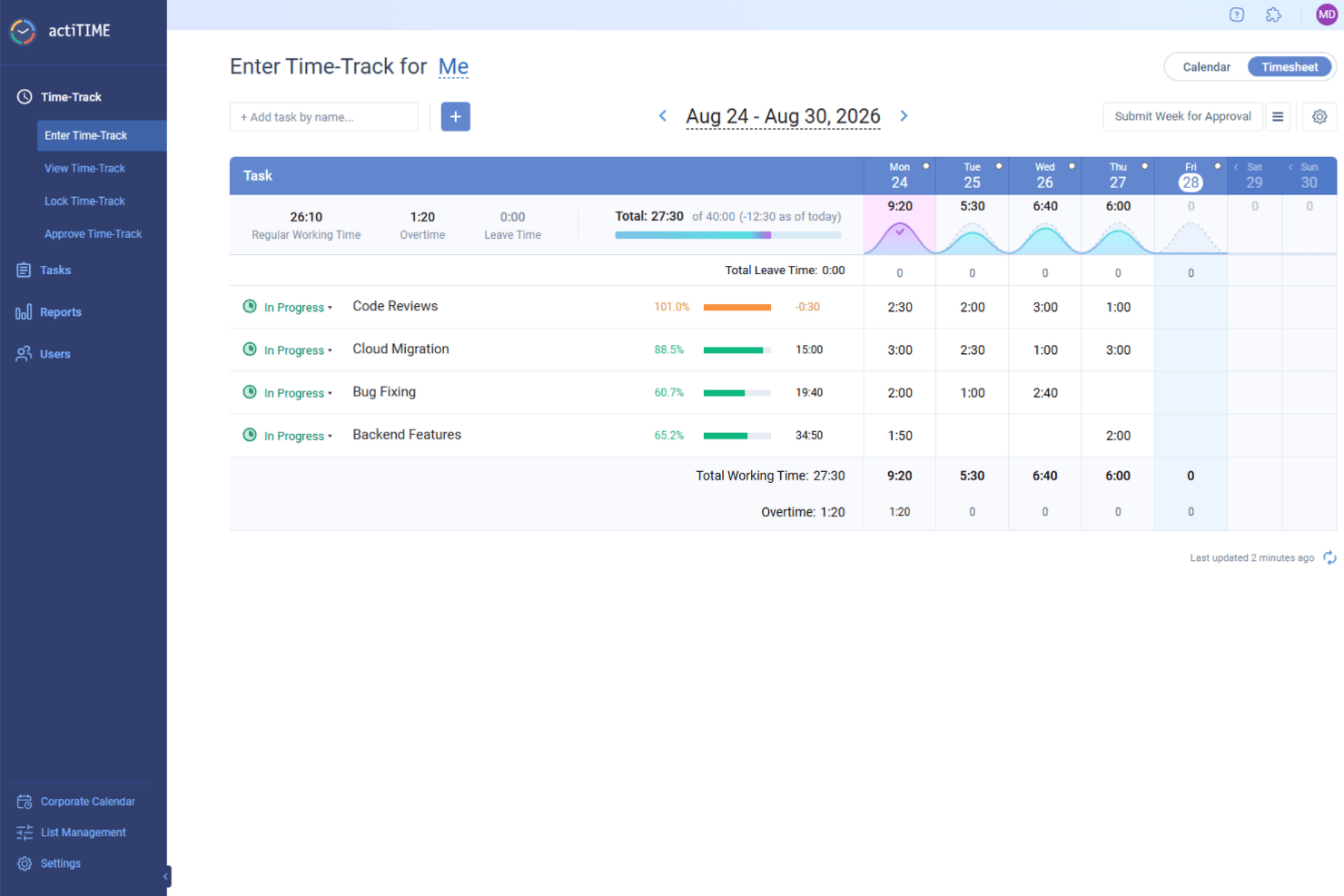
actiTIME is a time tracking and project management platform that brings together timesheet logging, task tracking, project budget monitoring, leave management, and client billing in one place.
Who Is actiTIME Best For?
actiTIME is a strong fit for small to mid-sized teams that bill clients by the hour and need detailed project cost tracking with time logging.
Why I Picked actiTIME
I've included actiTIME in my top picks because of how much control it gives you over the way work is structured. You can set custom names for each level of your work hierarchy, so instead of a generic "project/task" setup, your structure can mirror exactly how your team actually operates. On top of that, custom fields let you attach additional information to any task in whatever format you need, and custom work types let you define exactly which activities are billable versus not. That level of task-level granularity is hard to find in most Connecteam alternatives.
actiTIME Key Features
- Weekly timesheet interface: Log time across tasks directly in a weekly grid view, and add comments to individual time entries.
- Leave management: Track time off requests, balances, and accruals for multiple leave types with configurable rules for each employee or team.
- Project budget tracking: Set time and cost budgets at the project level and monitor actual and estimated figures as work progresses.
- Role-based access controls: Assign different permission levels to users, managers, and admins to control who can view or edit time and project data.
actiTIME Integrations
actiTIME offers a smaller set of native integrations, such as QuickBooks and actiPLANS. Most other connections, including Jira, Trello, Salesforce, Outlook, GitHub, Evernote, Todoist, and BambooHR, are accessible through Zapier. An API is available for custom integrations.
Pros and Cons
Pros:
- Supports custom leave types with accrual rules
- Offers a self-hosted deployment option
- Tracks billable and non-billable hours separately
Cons:
- Lacks advanced shift scheduling tools
- Lacks GPS tracking or geofencing
New Product Updates from actiTIME

actiTIME Visual Hour Indicator and Time-Track Report Redesign
actiTIME adds a wave-style hour indicator to the Timesheet and Calendar views and refreshes the Time-Track report for smoother navigation and clearer visuals. For more information, visit actiTIME's official site.
Blink
Best for enterprise frontline communication
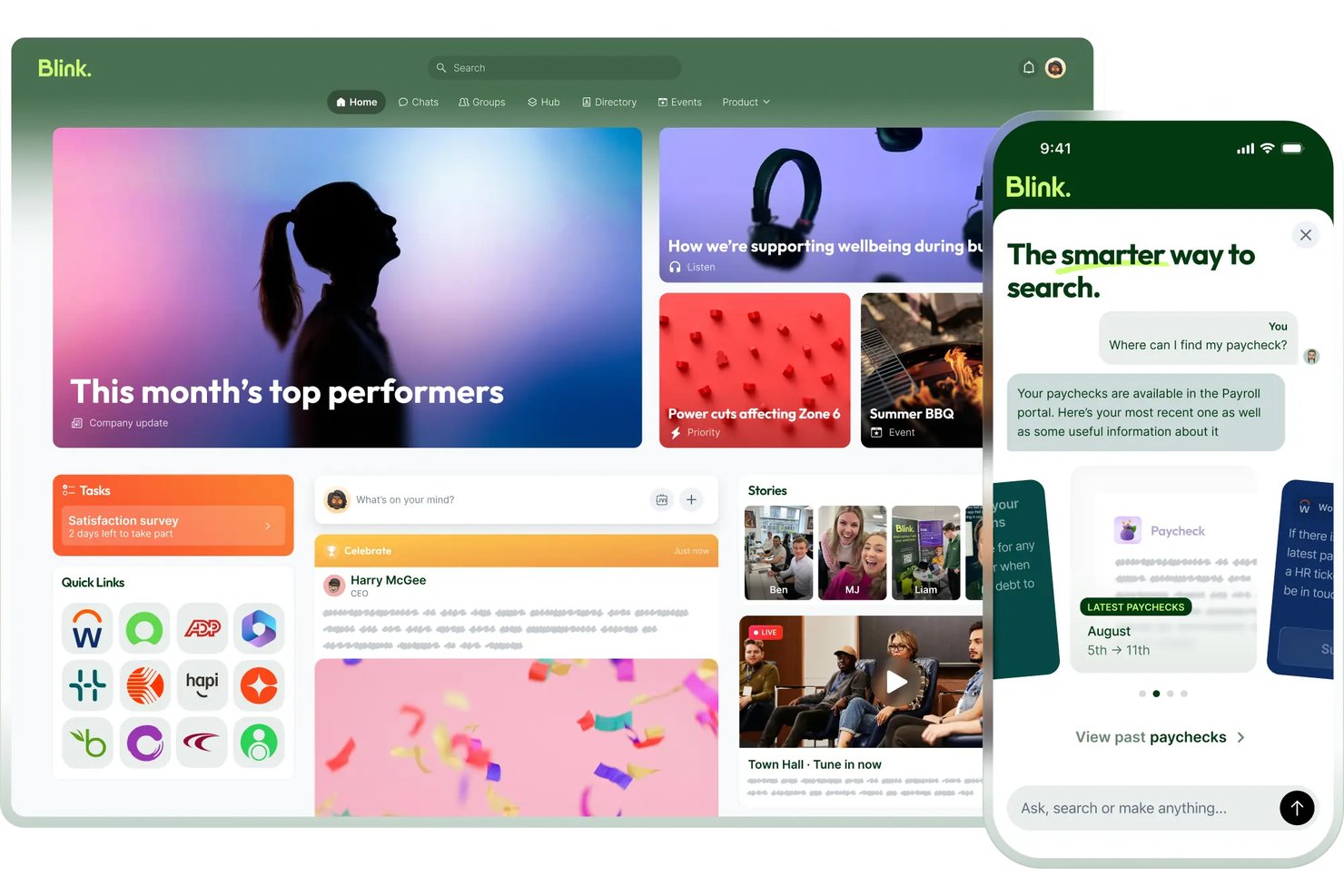
Blink is a frontline employee communication platform built for deskless workforces, offering a mobile social feed, secure chat, digital forms, employee recognition, and content hub.
Who Is Blink Best For?
Blink is a strong fit for mid-market and enterprise organizations with large frontline workforces—think retail chains, hospitality groups, or healthcare networks—that already run Workday, UKG, or ADP and need a mobile-first layer to actually reach those workers.
Why I Picked Blink
Blink earns its spot on my shortlist because it's purpose-built for enterprise frontline communication in a way most Connecteam alternatives simply aren't. I'm particularly drawn to its social feed with mandatory reads and read-receipt tracking, which lets large organizations confirm that shift workers actually saw a critical update. Its AI-powered translation across 100+ languages means a single announcement reaches a multilingual workforce instantly, no manual localization needed.
Blink Key Features
- Employee Journeys: Delivers sequenced onboarding content paths that guide new hires through milestones directly from the mobile app.
- Digital forms builder: Lets teams create and distribute incident reports, checklists, and inspection forms across the frontline workforce.
- Employee recognition: Enables peer-to-peer kudos and customizable awards that appear on the company news feed for all staff to see.
- Micro-apps: Mini-programs built within Blink that surface custom workflows—like leave requests or payslip views—without leaving the app.
Blink Integrations
Blink integrates with Workday, ADP Workforce Now, UKG, ServiceNow, Microsoft 365, Google Workspace, Microsoft Entra ID, and Okta. Enterprise plans include API access for custom integrations.
Pros and Cons
Pros:
- No email required for employee access
- AI translation supports over 100 languages
- Social feed with mandatory reads for updates
Cons:
- No built-in GPS time tracking
- Lacks native drag-and-drop scheduling

Deputy
Best for shift scheduling with timesheet automation
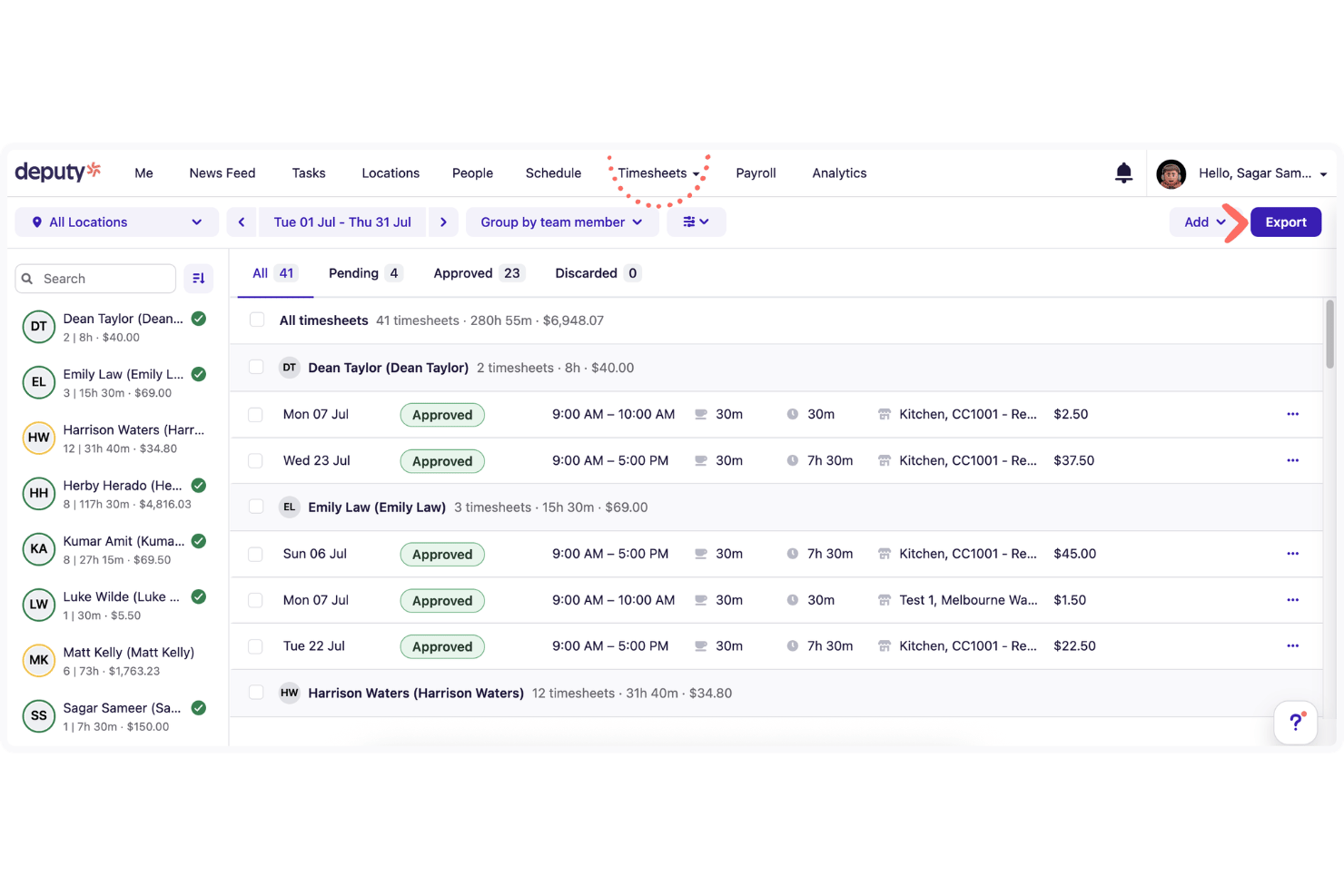
Deputy is a workforce management platform built for shift-based and deskless teams, offering employee scheduling, time and attendance tracking, team communication, task management, and payroll integrations.
Who Is Deputy Best For?
Deputy is a strong fit for operations managers and HR teams running shift-based, multi-location businesses where scheduling accuracy and time tracking are the top priorities.
Why I Picked Deputy
Deputy earns its spot on my shortlist because its scheduling and time tracking tools go deeper than almost anything else I've seen in this category. The AI auto-scheduling engine builds compliant rosters by factoring in employee availability, skills, and labor cost targets simultaneously, which is a real advantage when you're juggling a multi-location shift operation. I also rely on its GPS clock-in with geofencing to keep attendance accurate without micromanaging, and the real-time attendance dashboard means I can see exactly who's on shift, who's late, and who's on break at a glance.
Deputy Key Features
- Shift swapping: Employees can swap shifts directly in the mobile app, with manager approval built into the workflow.
- Fair Workweek compliance: Automated alerts and scheduling rules enforce predictive scheduling laws for applicable locations.
- News feed with read receipts: Managers can post location-specific announcements and confirm which employees have seen them.
- Payroll integration: One-click timesheet export connects to major payroll providers, including ADP, Gusto, Xero, and QuickBooks.
Deputy Integrations
Deputy offers native integrations with payroll and POS providers most relevant to shift-based teams, including ADP, Gusto, Paychex, QuickBooks, Xero, Square, Clover, Lightspeed, BambooHR, and Rippling. It connects with Zapier and provides an open REST API for custom integrations.
Pros and Cons
Pros:
- Fair Workweek compliance built into scheduling
- Real-time attendance dashboard for onsite visibility
- AI auto-scheduling handles complex shift rules
Cons:
- No offline mode for mobile users
- No built-in LMS or training courses

Best for shift scheduling with payroll sync
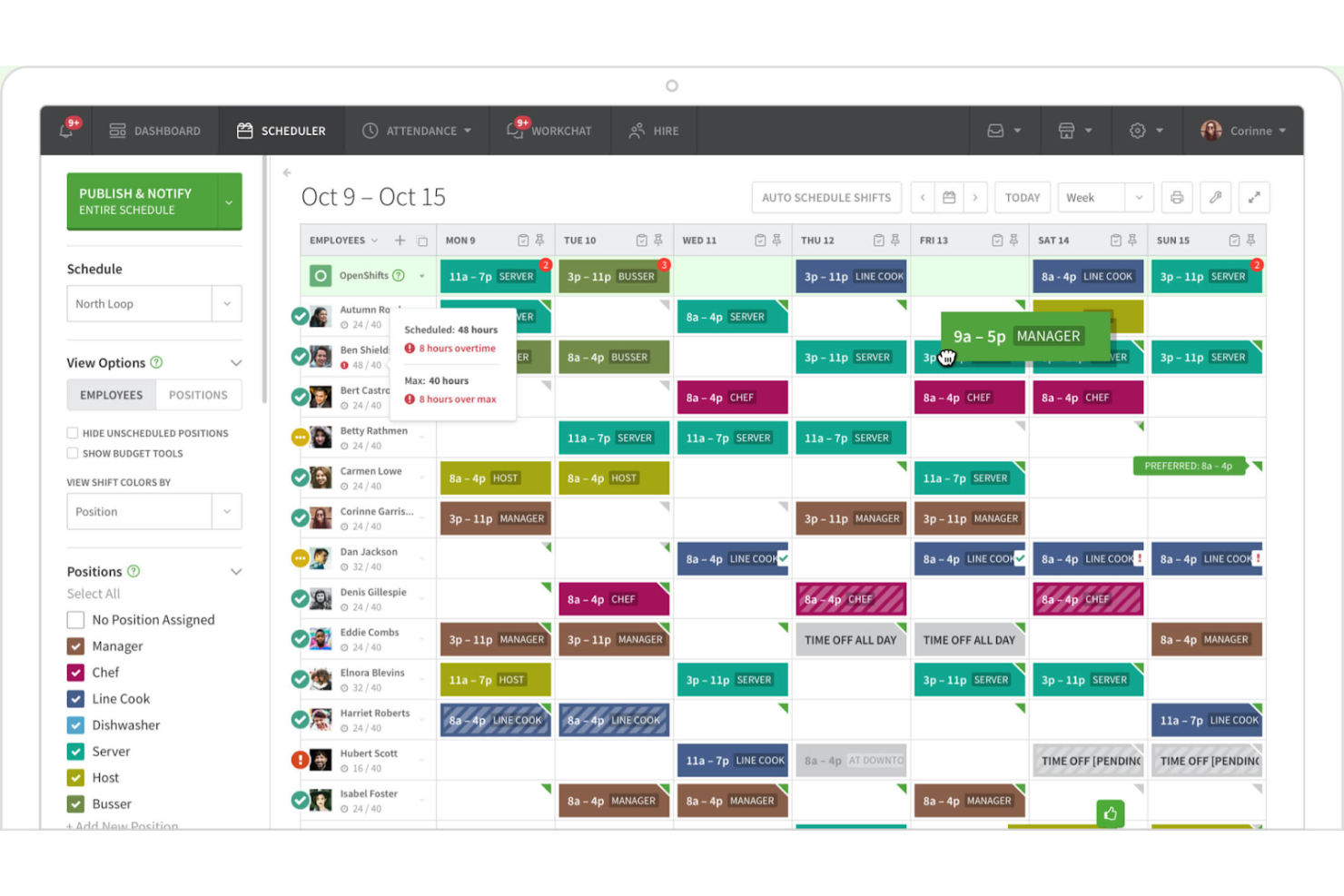
When I Work is a shift scheduling and workforce management platform built for hourly and deskless teams, combining drag-and-drop scheduling, mobile time tracking with GPS clock-in, and integrated team messaging.
Who Is When I Work Best For?
When I Work is a strong fit for managers overseeing hourly and shift-based teams across multiple locations, like retail, hospitality, and food service.
Why I Picked When I Work
When I Work earns its spot on my shortlist because shift scheduling is genuinely where it excels above most alternatives to Connecteam. I love how auto-scheduling fills an entire week's roster in one click using employee availability and qualifications, and OpenShifts lets staff claim uncovered slots without manager back-and-forth. The GPS-restricted mobile clock-in means employees can only punch in from the actual job site, which closes a real gap for multi-location teams managing hourly workers across several sites.
When I Work Key Features
- Shift swap management: Employees can request shift swaps directly in the app, with manager approval required before any change takes effect.
- Labor cost tracking: Real-time visibility into scheduled hours versus budgeted targets helps managers stay within labor spend before the week closes.
- Multi-location dashboard: Managers can build and monitor schedules across unlimited sites and departments from a single centralized view.
- Payroll integration: When I Work syncs approved timesheets directly to payroll providers like Gusto, QuickBooks, Rippling, and Paychex.
When I Work Integrations
When I Work offers native integrations with Rippling, Gusto, QuickBooks, Paychex, Square Payroll, OnPay, GoCo, PeopleHR, and Square POS, and it connects with Zapier. An API, webhooks, and SAML/SSO are available on the Premium plan for custom integrations.
Pros and Cons
Pros:
- Mobile GPS clock-in for location control
- Auto-scheduling fills rosters in one click
- Drag-and-drop shift scheduling for hourly teams
Cons:
- Task tracking limited to basic checklists
- No training or onboarding features available
7shifts
Best for restaurant shift scheduling
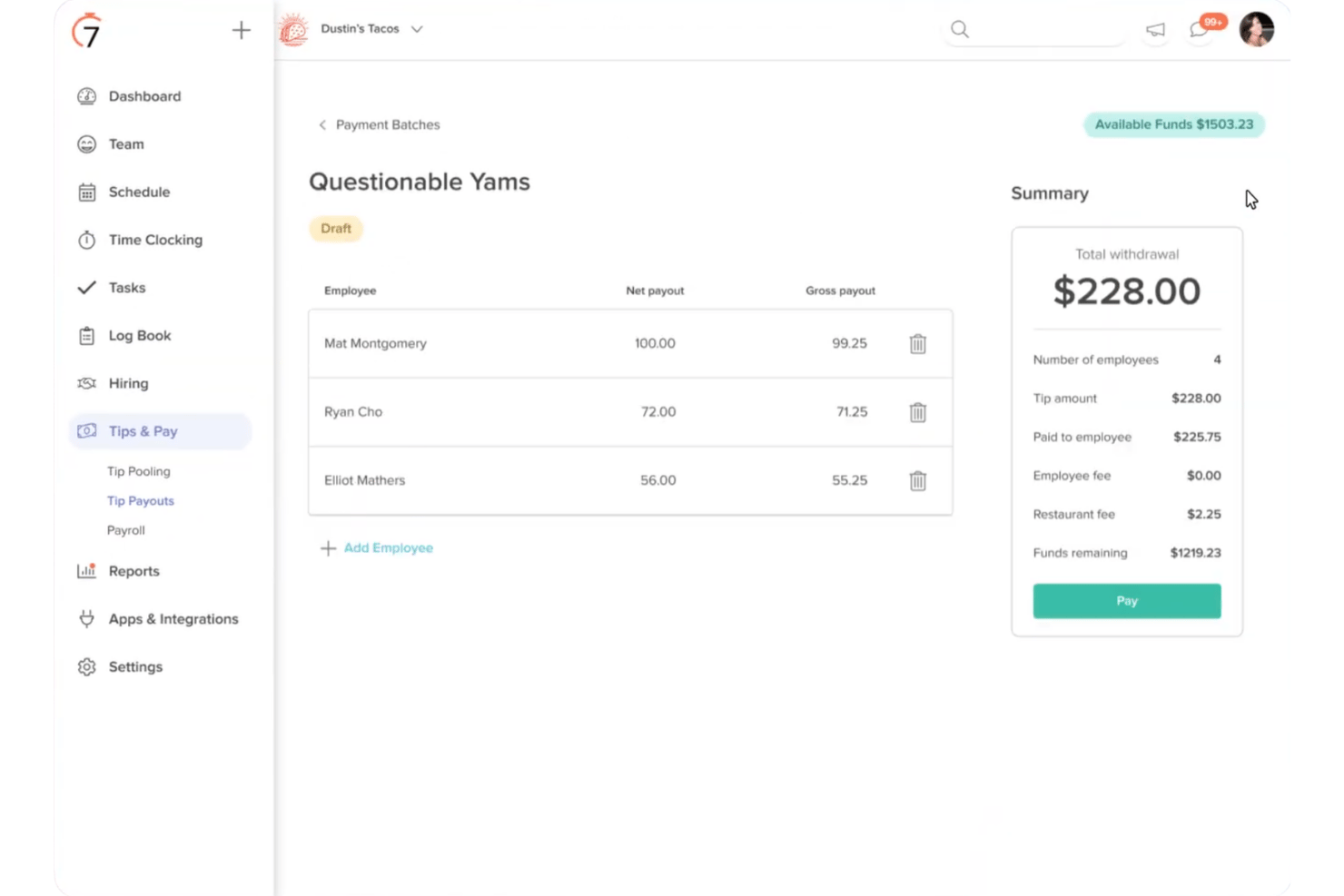
7shifts is a restaurant workforce management platform that combines shift scheduling, time tracking, team communication, tip management, and employee training tools built specifically for food service operations.
Who Is 7shifts Best For?
7shifts is a strong fit for restaurant owners and managers who need scheduling, team communication, and labor cost tools built around how food service actually operates.
Why I Picked 7shifts
I picked 7shifts as one of the best because it's the only tool on this list built specifically for restaurant scheduling, and that focus runs deep. I love that it pulls live sales data from your POS system (Toast, Square, and 50+ others) directly into the schedule builder, so you can see projected labor costs per shift before you publish. It also handles FOH/BOH split scheduling, close shifts with variable end times, and open shift pools natively, covering restaurant-specific scenarios that Connecteam simply isn't designed for.
7shifts Key Features
- Auto-scheduling: Automatically builds shifts based on employee availability, roles, and conflict rules to reduce manual scheduling work.
- Manager Log Book: A shared digital shift log where managers record notes and pass key information across shifts.
- In-app shift feedback: Employees can submit post-shift sentiment responses, giving managers a real-time read on team engagement.
- Earned wage access: Employees can draw on wages they've already earned before payday through the On-Demand Pay feature.
7shifts Integrations
7shifts offers 50+ native integrations, including Toast, Square, Lightspeed, Aloha, Micros, ADP, Gusto, QuickBooks, HigherMe, and MarginEdge, with an API also available for custom integrations.
Pros and Cons
Pros:
- Training and tip management combine in one platform
- POS-integrated labor forecasting supports wage control
- Built for restaurant scheduling and operations
Cons:
- Restaurant-specific features exclude other industries
- Time clocking requires a separate companion app
factoHR
Best for mobile-first HCM solutions
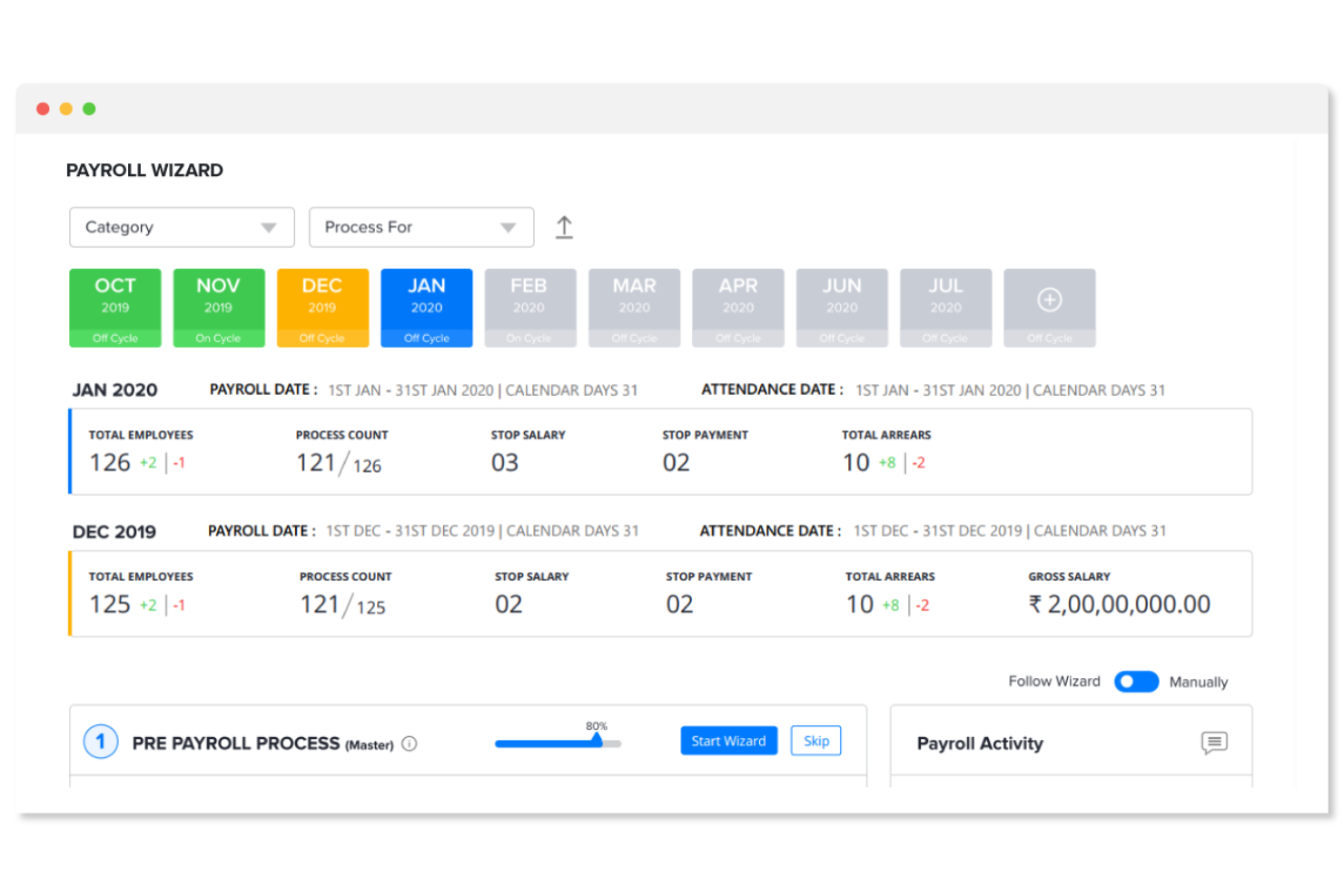
factoHR is a mobile-first HCM platform that covers the full employee lifecycle, including attendance tracking, shift scheduling, payroll, onboarding, performance management, and a built-in LMS.
Who Is factoHR Best For?
factoHR suits HR teams at small and mid-sized businesses that need a full hire-to-retire HCM platform with strong mobile access, built-in payroll, and an integrated LMS.
Why I Picked factoHR
factoHR earns its spot on my shortlist because it's one of the few Connecteam alternatives built around a genuinely mobile-first HCM experience rather than a standalone app. I'm particularly impressed by the breadth of what employees can do from their phones: selfie punch with real-time geo-tagging, shift change requests with manager approvals, and full payslip access are all native to the app. The built-in LMS with SCORM/xAPI support and digital certifications is also a standout, making it easy to assign, track, and complete training without a separate platform.
factoHR Key Features
- Multi-level attendance approval workflows: Managers can review and approve overtime, comp-off, and attendance corrections through configurable multi-step approval chains.
- Employee mood tracker: HR teams can run real-time sentiment surveys to capture how employees are feeling on any given day.
- Automated shift allowance calculation: The platform calculates shift-based allowances and incentives and syncs them directly into payroll without manual input.
- Digital onboarding checklists: HR can build custom onboarding task lists and assign individual steps to specific managers or team members to complete.
factoHR Integrations
factoHR offers native integrations with QuickBooks, Tally, SAP, Oracle, ESSL, ZKTeco, Matrix, BioMax, Secureye, and Time Office, along with support for 200+ biometric devices and SCORM/xAPI standards for LMS content. Native integrations with Western payroll and productivity tools like Gusto, ADP, Slack, or Microsoft Teams aren't documented, and Zapier support isn't clearly available.
Pros and Cons
Pros:
- Multi-level attendance workflows with geo-tagging
- Mobile app covers onboarding and payroll tasks
- Built-in LMS with SCORM and xAPI support
Cons:
- Task management requires paid add-on module
- No employee chat or group messaging

Best for AI-driven labor forecasting
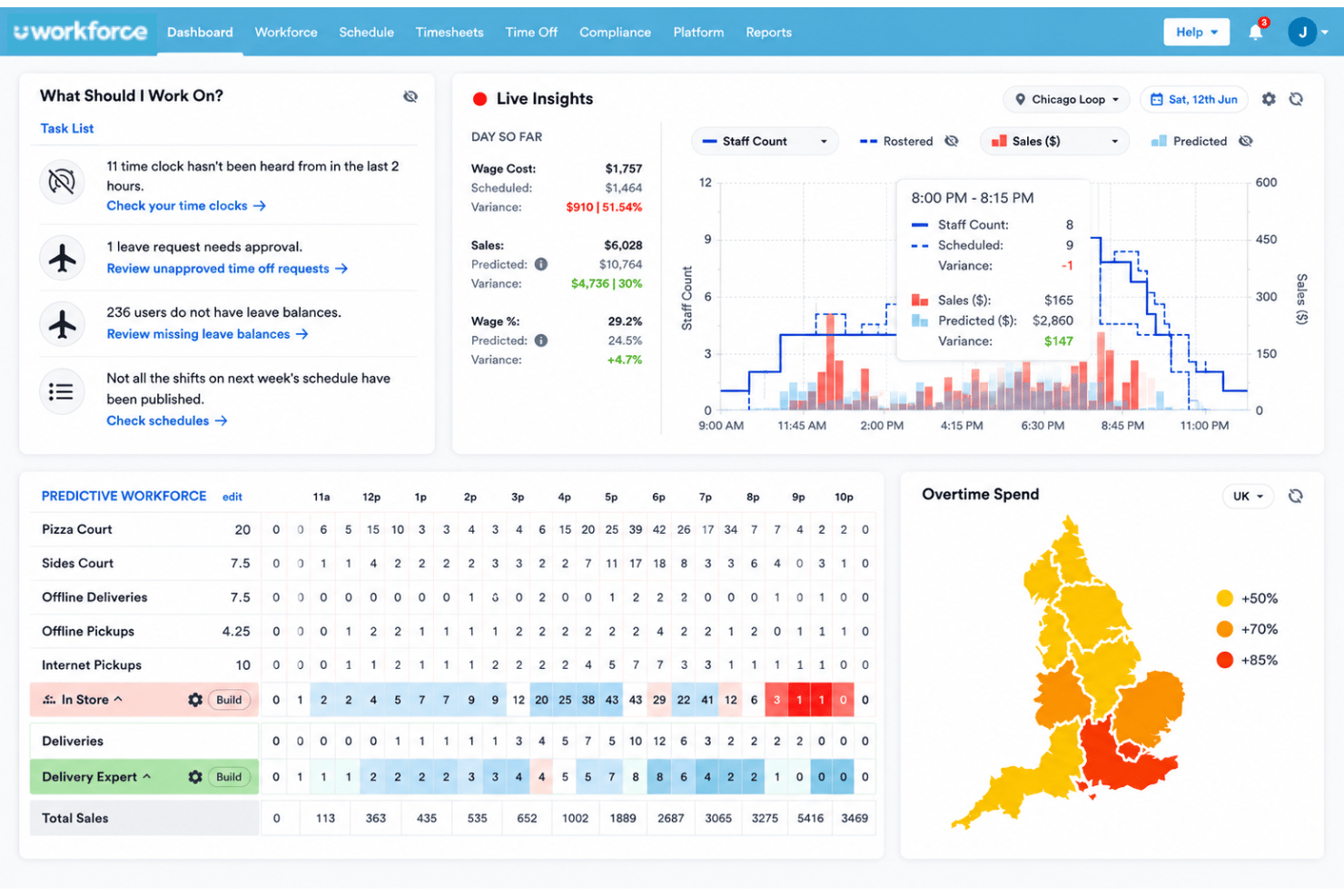
Workforce.com is a workforce management platform built for hourly and shift-based teams, combining AI-driven scheduling, time and attendance, HRIS, payroll, task management, and team communication in one system.
Who Is Workforce.com Best For?
Workforce.com is a strong fit for hospitality, retail, and multi-location businesses that need scheduling, payroll, and HR to work together in one place.
Why I Picked Workforce.com
I picked Workforce.com as one of the best because its AI labor forecasting is genuinely unlike what Connecteam offers. It pulls in POS data, foot traffic patterns, and weather to predict staffing needs and auto-generate optimized schedules before you're ever short-handed. Pair that with a native Attendance Points System that automatically tracks infractions, and you've got a scheduling and compliance engine built specifically for hospitality and retail teams managing variable demand.
Workforce.com Key Features
- Shift bidding: Employees can claim open shifts directly from the mobile app, reducing the back-and-forth of manual shift coverage.
- Biometric face scanning: Verifies employee identity at clock-in using facial recognition to prevent buddy punching.
- Attendance Points System: Automatically tracks and assigns points for attendance infractions based on your custom policy rules.
- Fair Workweek compliance automation: Flags scheduling conflicts with predictive scheduling laws before a shift is published.
Workforce.com Integrations
Workforce.com offers documented integrations with Toast, Square, Lightspeed, Shopify, Clover, ADP, Gusto, QuickBooks, Workday, and Xero. It also provides an open API and SFTP support for custom connections.
Pros and Cons
Pros:
- Strong POS data sync for hospitality scheduling
- Real-time compliance checks for Fair Workweek laws
- AI-driven labor forecasting improves shift accuracy
Cons:
- Mobile app performance can be inconsistent
- No free plan for small teams
Jolt
Best for food ops checklist compliance
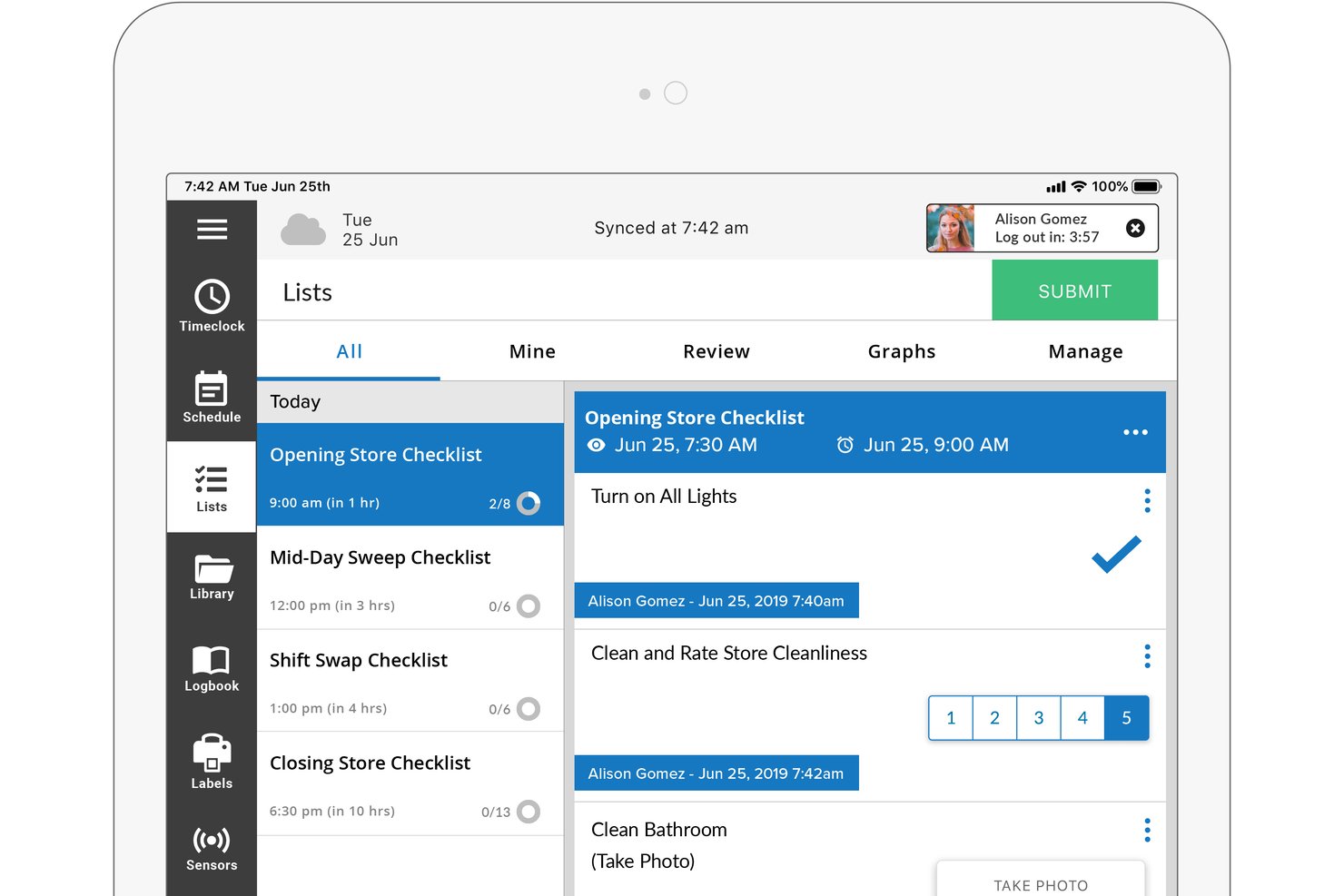
Jolt is a frontline workforce management platform built for shift-based and multi-location operations, combining employee scheduling, time and attendance, task and checklist management, and team communication tools.
Who Is Jolt Best For?
Jolt is a strong fit for multi-location food service operators and franchise owners who need airtight operational accountability alongside scheduling and time tracking.
Why I Picked Jolt
I picked Jolt as one of the best Connecteam alternatives because its task and checklist management goes deeper than anything else in this category. Where Connecteam handles checklists as a supporting feature, Jolt builds its entire platform around them: 18+ item types, photo-verified completions, geo-tagged timestamps, and real-time exception alerts when tasks are missed. For multi-location food service operators and franchise owners, that level of operational accountability is genuinely hard to replicate elsewhere.
Jolt Key Features
- Drag-and-drop scheduling: Build and copy weekly shift schedules with reusable templates, labor cost forecasting, and automatic overtime conflict warnings.
- Photo verification clock-in: Employees clock in using a photo capture to prevent buddy punching, with timestamps and payroll export to ADP, Gusto, and Paychex.
- Multi-location dashboard: Manage schedules, tasks, and team activity across all sites from a single centralized view with role-based access controls.
- Offline task completion: Employees can complete checklists and tasks on mobile even without an active internet connection, syncing automatically when connectivity resumes.
Jolt Integrations
Jolt offers a smaller set of native integrations, including Square, Toast, ADP, Gusto, Paychex, Google Calendar, and Outlook, plus SSO via SAML 2.0 and OAuth 2.0. A RESTful API is available for custom integrations on Enterprise plans, though payroll connections function as data exports rather than two-way syncs.
Pros and Cons
Pros:
- Multi-location dashboard centralizes operational oversight
- Photo-verified time clock prevents buddy punching
- Exception alerts for missed or late tasks
Cons:
- Training module lacks interactive course features
- No auto-scheduling or AI-driven schedules

Homebase
Best for free hourly team scheduling and payroll
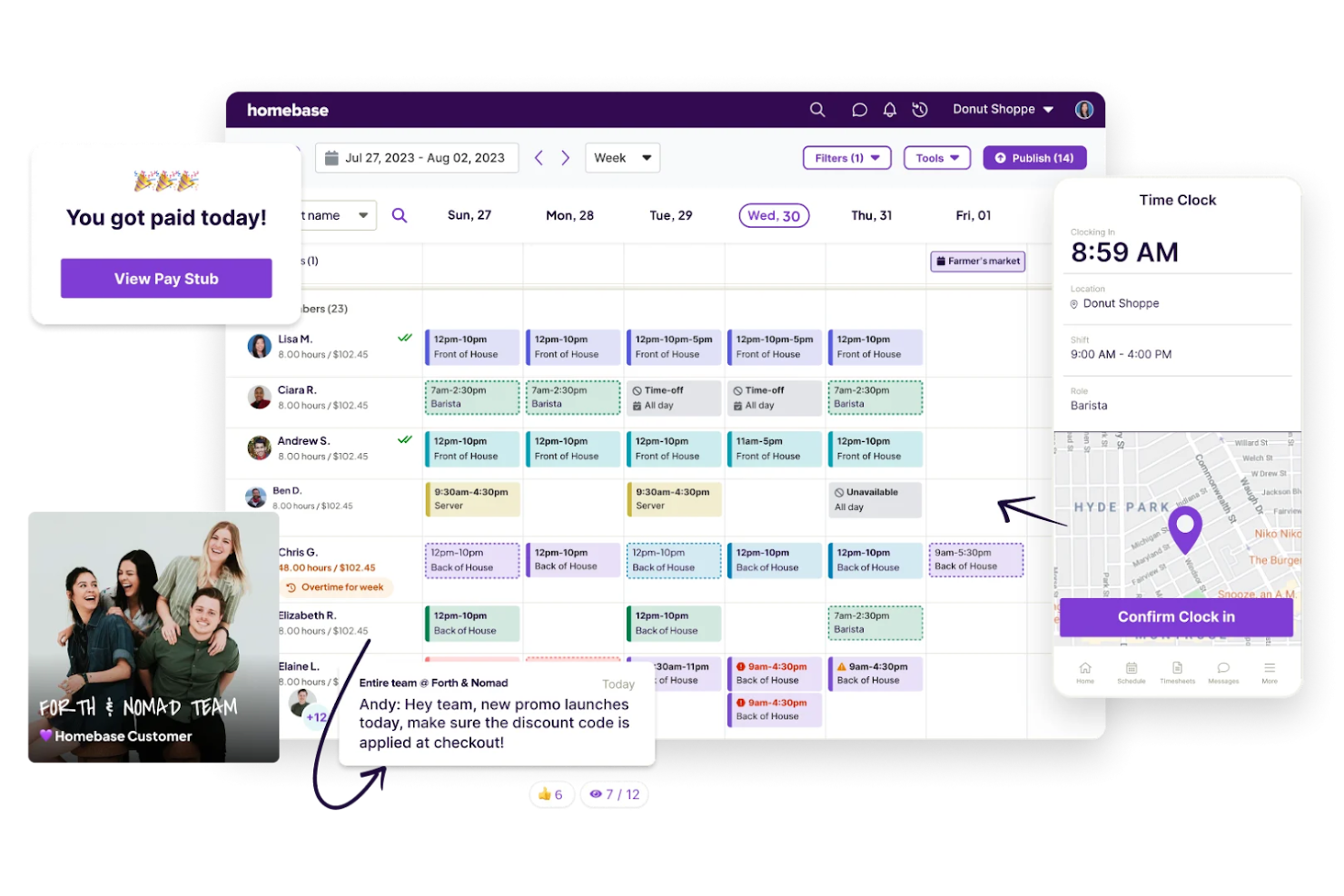
Homebase is an all-in-one workforce management platform for hourly and shift-based teams that combines employee scheduling, time tracking, payroll, hiring, HR tools, and team messaging in a single app.
Who Is Homebase Best For?
Homebase is a natural fit for small business owners managing hourly and shift-based teams in industries like retail, restaurants, and hospitality.
Why I Picked Homebase
Homebase earns its spot on my shortlist because it's one of the few Connecteam alternatives that pairs free shift scheduling with fully native payroll in a single app. I love that hours flow directly from the mobile time clock into payroll calculations, so there's no manual re-entry before running payroll. The per-location pricing model also means a restaurant or retail shop with 25+ hourly employees pays the same as one with 10, which is a genuinely rare advantage.
Homebase Key Features
- AI scheduling assistant: Auto-generates optimized shift schedules based on employee availability and labor cost targets.
- Open shift marketplace: Employees can claim uncovered shifts directly from the mobile app without manager intervention.
- Earned wage access: Employees can access wages they've already earned before their scheduled payday via the Cash Out feature.
- POS labor cost integration: Syncs with POS systems like Square, Toast, and Clover to compare scheduled labor costs against real-time sales data.
Homebase Integrations
Homebase offers native integrations with Square, Toast, Clover, Shopify, Lightspeed, Gusto, and ADP RUN. It also supports timesheet exports for QuickBooks Online, Paychex Flex, and SurePayroll, but no open API or Zapier integration is documented.
Pros and Cons
Pros:
- POS labor tracking connects schedules to sales
- Free scheduling supports small hourly teams
- Native payroll reduces manual timesheet entry
Cons:
- Geofencing offers only three preset zones
- No built-in training courses or certifications
Other Connecteam Alternatives
Below is a list of additional Connecteam alternatives that I shortlisted, but did not make it to the top list. It’s worth checking them out.
- Skedulo
For AI-driven field workforce scheduling
- Rippling
For HR, payroll, and scheduling in one system
- BambooHR®
For HR-first SMB people management
- Buddy Punch
For simple time clock solutions
- ClockShark
For GPS time tracking in field services
- Xenia
For frontline workforce operations
- Beekeeper
For multilingual frontline communication
- Sling
For labor cost visibility during scheduling
- Workyard
For construction payroll and job costing
- Crew
For frontline team messaging at scale


Related HR Software Reviews
If you still haven't found what you're looking for here, check out these other related tools that we've tested and evaluated:
- HR Software
- Payroll Software
- Recruiting Software
- Employer of Record Services
- Applicant Tracking Systems
- Workforce Management Software
How I Evaluate Connecteam Alternatives
I split my evaluation into baseline requirements—like mobile scheduling and GPS time tracking—and the differentiators that separate a capable tool from the right one for your team.
Core Functionality (Table Stakes For This List)
When I'm selecting tools for my list, I rank each one on a scale from 0 (does not offer the functionality) to 5 (excels in this area) for each core functionality listed below. Then, I calculate the tool's total score into a percentage. Each tool needs to achieve a minimum total score of 65% to be considered for inclusion.
- Employee Scheduling: I check for drag-and-drop shift creation, template reuse, and shift swap support—things a restaurant manager needs when building weekly rosters across multiple roles.
- Time & Attendance: Each tool should offer mobile clock-in with GPS or geofencing so field crews and distributed teams can punch in from job sites with location verification.
- Team Communication: I look for in-app chat and announcement channels that let managers reach floor staff who don't have company email addresses.
- Mobile-First Access: The app needs to deliver full scheduling, messaging, and task features on iOS and Android since most frontline workers rely solely on their phones.
- Task & Checklist Management: Assigning opening duties, safety inspections, or delivery checklists with due dates and completion tracking is what I evaluate here.
- Training & Onboarding: I look at whether the platform lets you build onboarding courses, attach quizzes, and track completion—useful for high-turnover teams onboarding new hires regularly.
Once I have a list of tools that meet this criteria, I consider what sets each platform apart.
Differentiating Factors (What Sets Vendors Apart)
Here's how I compare and contrast different vendors:
Standout Features
Payroll integration is a big differentiator—I look at whether tracked hours flow directly into providers like Gusto or ADP without manual CSV exports. Multi-location controls also carry weight for franchise operators who need site-specific scheduling and role-based manager dashboards. Digital forms and reports round things out; a cleaning crew that can submit photo-verified inspection checklists from the field instead of paper forms gets real operational value from the platform.
Beyond Features
Pricing structure matters a lot here. Some platforms charge per user while others offer flat-rate plans, and the difference adds up fast when you're onboarding a 50-person warehouse crew. I also evaluate industry fit—a hospitality team needs tip tracking and split shifts, while a construction outfit cares more about safety certifications and job-site check-ins. Integration support with payroll and POS systems rounds out my evaluation since most buyers in this space already have an established tech stack they need to connect.
Why Use A Connecteam Alternative?
You might be looking for an alternative to Connecteam if you have:
- Pricing Concerns: Connecteam's pricing may not fit your budget
- Feature Limitations: You require specific features that Connecteam lacks
- User Interface Issues: You find Connecteam's interface difficult to navigate or not user-friendly enough for your team
- Customer Support Challenges: You need more responsive or comprehensive customer support
- Integration Needs: You need better integration with other software and tools
Connecteam alternatives offer various features and benefits that may align better with your needs. They can provide more tailored solutions, better pricing options, and enhanced customer support, addressing some limitations you might face with Connecteam.
Features
Here are the core features any great Connecteam alternatives software should have:
- Employee Communication: Keeps employees informed and connected with announcements, surveys, and polls
- Employee Time Clock: Allows employees to clock in and out from anywhere with integrated GPS tracking
- Employee Scheduling: Simplifies shift scheduling and management, including recurring shifts and overtime
- Checklists & Forms: Enables employees to complete reports, forms, and checklists, streamlining workflows
- Employee Task Management: Facilitates task delegation, real-time updates, and task-related communication
- HR & People Management: Streamlines employee engagement, compliance, and training with customizable courses and quizzes
- Mobile App: Provides access to all features on both desktop and mobile platforms for on-the-go management
- Customizable Interface: Offers a highly customizable user interface to fit specific business needs
- Security: Adheres to high-security standards, including ISO 27001 compliance and SSL encryption
- Customer Support: Provides 24/7 customer support via email and live chat, known for its responsiveness and helpfulness