

10 Best Enterprise Intranet Software in 2026

Best Enterprise Intranet Software Shortlist


Enterprise intranet software gives you a private, company-wide space to connect your workforce, centralize communications, and share resources at scale. HR professionals managing dispersed, multilingual, or frontline teams need tools that go beyond basic file storage and chat—they need ways to deliver updates, recognize achievements, and ensure every employee has access to what matters.
Choosing the right system lets you support collaboration, align with compliance requirements, and get more value from the platforms your business already relies on. Below, I break down the top options so you can compare features, integration strengths, and fit for your organization’s needs.
Why Trust Our Software Recommendations
Our team has been testing and reviewing software since 2012. As HR experts ourselves, we know how difficult—and important—it is to choose the right software.
For this guide, we evaluated tools using hands-on testing and independent research, scoring tools using our selection criteria. We also draw on insights from industry thought leaders and practicing HR experts.
Our reviews reflect our human editorial judgment, not a sales pitch.
Expert reviewers:
Enterprise Intranet Software Comparison Table
Compare pricing and key specs for my top enterprise intranet software selections in the table below.
| Tool | Best For | Trial Info | Price | ||
|---|---|---|---|---|---|
| 1 | Best for recognition-driven employee engagement | Free demo available | Pricing upon request | Website | |
| 2 | Best for Workday-connected frontline intranets | Free trial + free demo available | From $3.75/user/month (billed annually) | Website | |
| 3 | Best for multilingual frontline workforce comms | Free demo available | Pricing upon request | Website | |
| 4 | Best for on-premise intranet with compliance controls | Free demo available | Pricing upon request | Website | |
| 5 | Best for knowledge-worker intranet with AI search | Free trial available | From $12/user/month | Website | |
| 6 | Best for Zoom-native social intranet at scale | Free demo available | Pricing upon request | Website | |
| 7 | Best for analyst-recognized intranet adoption | Free demo available | Pricing upon request | Website | |
| 8 | Best for global orgs on M365 and Google Workspace | Free demo available | Pricing upon request | Website | |
| 9 | Best for HITRUST and FedRAMP-certified intranet | 14-day free trial + free demo available | From $9/user/month (billed annually) | Website | |
| 10 | Best for AI-native employee journeys at scale | Free demo available | Pricing upon request | Website |
Best Enterprise Intranet Software Reviews
Below are my detailed summaries of the best enterprise intranet software that made it onto my shortlist. My reviews offer a detailed look at the features, integrations, and best use cases of each platform to help you find the best one for you.

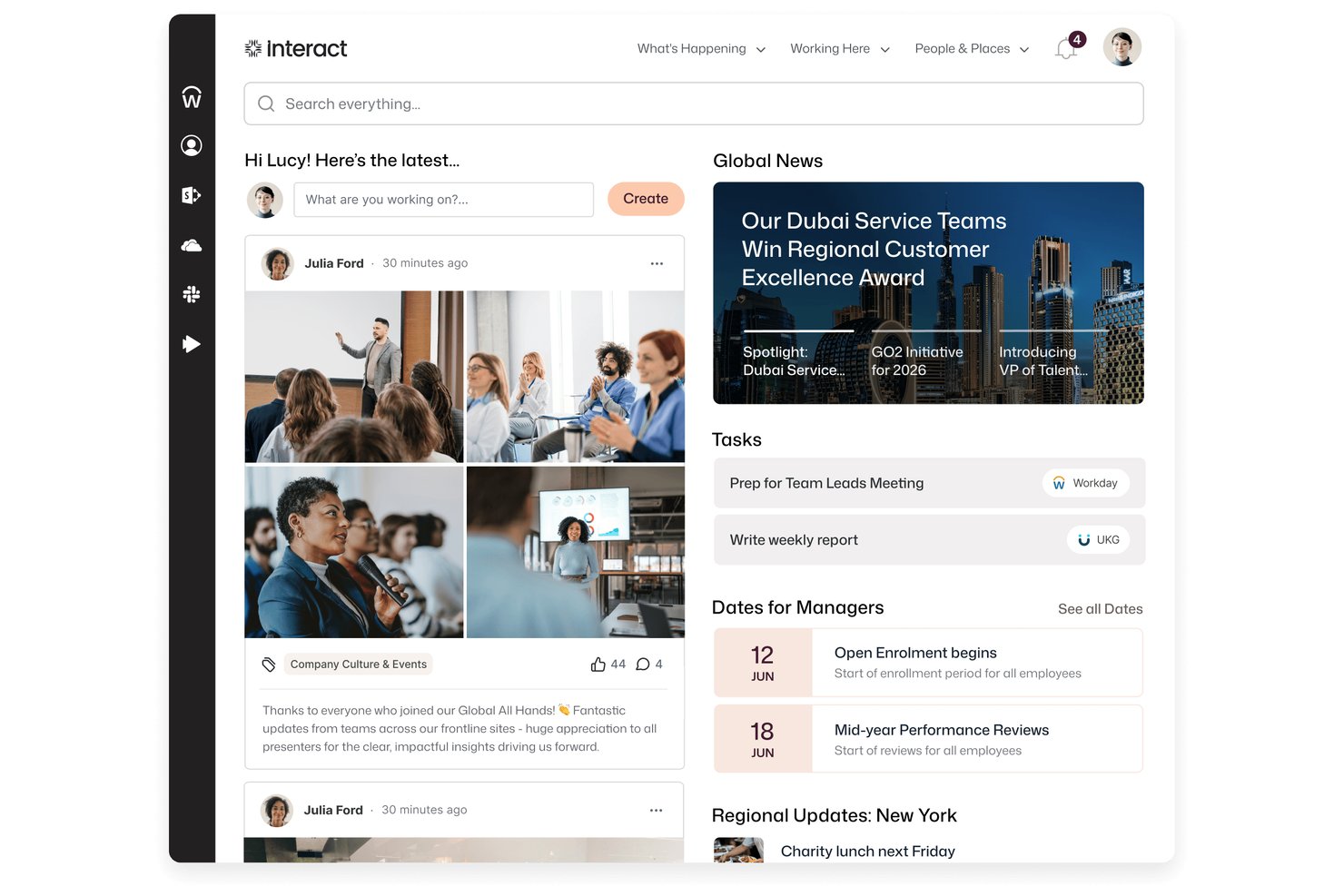
Interact Software is an enterprise intranet platform that brings together personalized content, AI-powered search, employee recognition, pulse surveys, and communications tools into a single employee experience hub.
Who Is Interact Software Best For?
Interact Software is a strong fit for HR and internal communications teams at large enterprises that want employee recognition and engagement built into the same platform as their intranet.
Why I Picked Interact Software
I picked Interact Software as one of the best because its built-in recognition engine does something most intranets leave to a separate tool: it actively surfaces kudos and positive sentiment through an AI Recognition Agent, then ties that visibility directly into the intranet experience. One Capterra reviewer noted that recognition drove intranet traffic and reached 98% of their organization. Pair that with persona-based content targeting and pulse surveys with real-time sentiment dashboards, and you get a platform where engagement isn't an afterthought.
Interact Software Key Features
- Omnichannel broadcasts: Send employee communications across multiple channels simultaneously and track read and response rates from a single source.
- Workplace Search: Search across both the intranet and connected third-party systems like SharePoint, Google Drive, and ServiceNow in one unified results view.
- Governance workflows: Route content through configurable approval and lifecycle workflows before it reaches employees.
- People directory with org chart: Browse searchable employee profiles and an interactive org chart with reporting lines and profile drill-down.
Interact Software Integrations
Interact lists over 100 integrations, including native connections across Microsoft 365, SharePoint, Microsoft Teams, Microsoft Entra ID, Google Workspace, ServiceNow, Workday, UKG, and SAP SuccessFactors. Its REST API, open API framework, and Application Developer Kit support custom integrations.
Pros and Cons
Pros:
- Targeted communications reach relevant employee groups
- Company news and resources share one hub
- Recognition can drive broad intranet participation
Cons:
- Search results can feel inconsistent
- Complex pages can take time to maintain
Blink
Best for Workday-connected frontline intranets
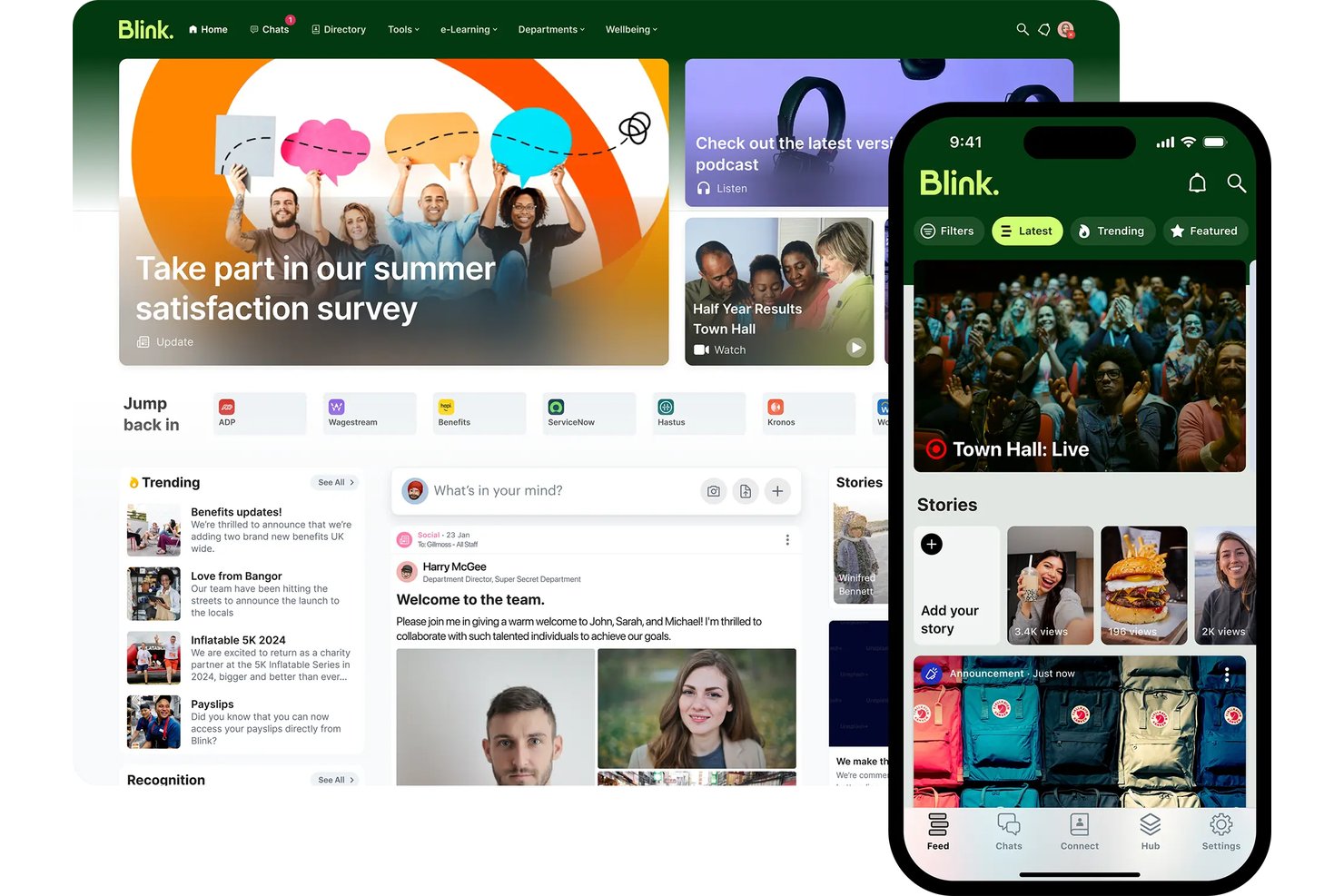
Blink is a mobile-first intranet platform built for frontline and deskless workforces, combining a social news feed, knowledge Hub, employee directory, pulse surveys, and AI-powered search.
Who Is Blink Best For?
Blink is a strong fit for mid-market and enterprise organizations with large frontline or deskless workforces—especially those already running Workday as their HRIS.
Why I Picked Blink
I picked Blink as one of the best because its Workday Platinum-certified, two-way integration goes far beyond basic provisioning. I've seen it surface Workday payslips, time-off requests, and learning reminders directly inside the Blink feed, so frontline workers get self-service HR access without ever logging into Workday separately. Blink's Employee Journeys then tie this together, automating onboarding content paths triggered by Workday start dates across populations that may never touch a desk.
Blink Key Features
- Blink IQ analytics: Real-time dashboards tracking reach, read receipts, engagement, and sentiment across the Feed, Chat, and Hub, with filtering by department, location, and job title.
- Mandatory Read: Pins critical announcements to the top of the Feed until employees acknowledge them, with read receipts tracked in real time.
- Communities: Dedicated virtual spaces organized around teams, ERGs, or initiatives, with flexible visibility and membership controls.
- Blink Lens: An AI analytics assistant within Blink IQ that answers data queries in plain language and flags metric changes without requiring a data analyst.
Blink Integrations
Blink offers native integrations with Workday, Microsoft SharePoint and M365, ServiceNow, Okta, Microsoft Entra ID, Google Workspace, Vimeo, and YouTube. Enterprise customers can use its Open API for custom integrations.
Pros and Cons
Pros:
- Multilingual publishing and AI translation included
- Workday-certified integration surfaces HR workflows natively
- Exceptional mobile access for frontline employees
Cons:
- No built-in task or workflow automation
- Knowledge management depth limited for heavy DMS needs

Haiilo
Best for multilingual frontline workforce comms
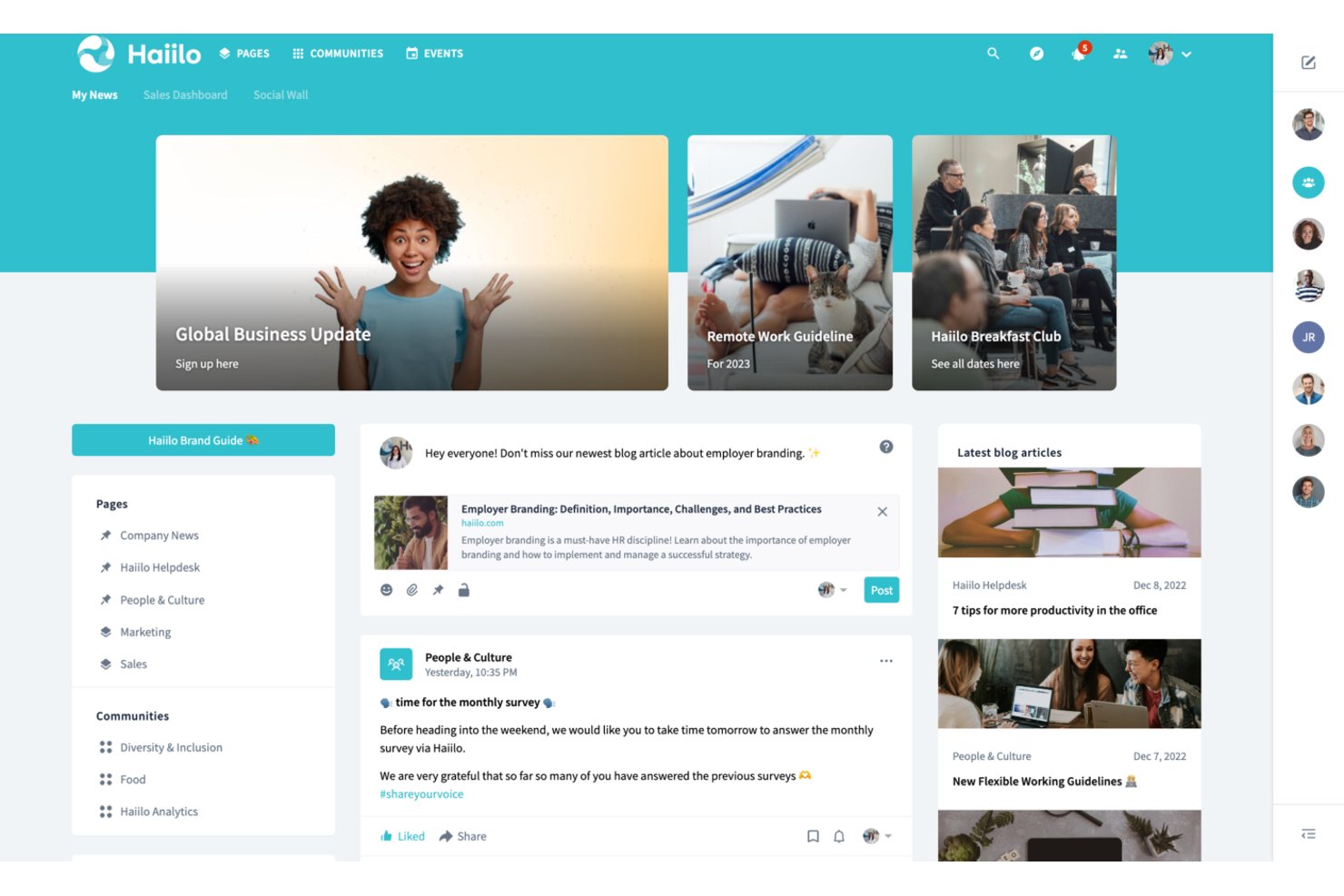
Haiilo is an enterprise intranet platform that brings together AI-powered content publishing, employee communications, knowledge management, social engagement tools, and a branded mobile app for frontline and desk-based workers alike.
Who Is Haiilo Best For?
Haiilo is a strong fit for mid-to-large enterprises with distributed or frontline workforces that need to reach employees across multiple languages and locations.
Why I Picked Haiilo
I picked Haiilo as one of the best because its native auto-translation across 28 languages genuinely sets it apart for companies with distributed, multilingual workforces. I've seen it remove a real barrier: a frontline worker in one country reads the same announcement as a colleague in another, each in their own language, with one-click translation handling the gap. The branded mobile app with push notifications and AI-spoken article summaries means deskless workers in retail, healthcare, or manufacturing stay connected without needing a desktop.
Haiilo Key Features
- Employee advocacy module: Share company content to external social channels with one-tap posting, AI-guided writing, and attribution analytics including LinkedIn impressions and UTM tracking.
- Pulse checks and polls: Collect real-time employee feedback directly within the intranet feed using built-in pulse surveys and poll tools.
- Enterprise Search Connector: Index Haiilo content in third-party search tools like Microsoft Search, and surface external content within Haiilo, with permissions respected throughout.
- Digital signage output: Publish internal communications to physical screens in locations like retail stores, hospitals, and warehouses directly from the content publishing workflow.
Haiilo Integrations
Haiilo offers 130+ pre-built integrations, including Workday, SAP SuccessFactors, Personio, HiBob, Okta, ServiceNow, and Jira. It also connects with Microsoft 365, Google Workspace, and Slack, with an open API for custom integrations.
Pros and Cons
Pros:
- AI assistant drafts, summarizes, and translates content
- Branded mobile app supports frontline workers
- Multilingual auto-translation covers 28 languages
Cons:
- Platform design customization options are limited
- Document search receives mixed user feedback

Best for on-premise intranet with compliance controls
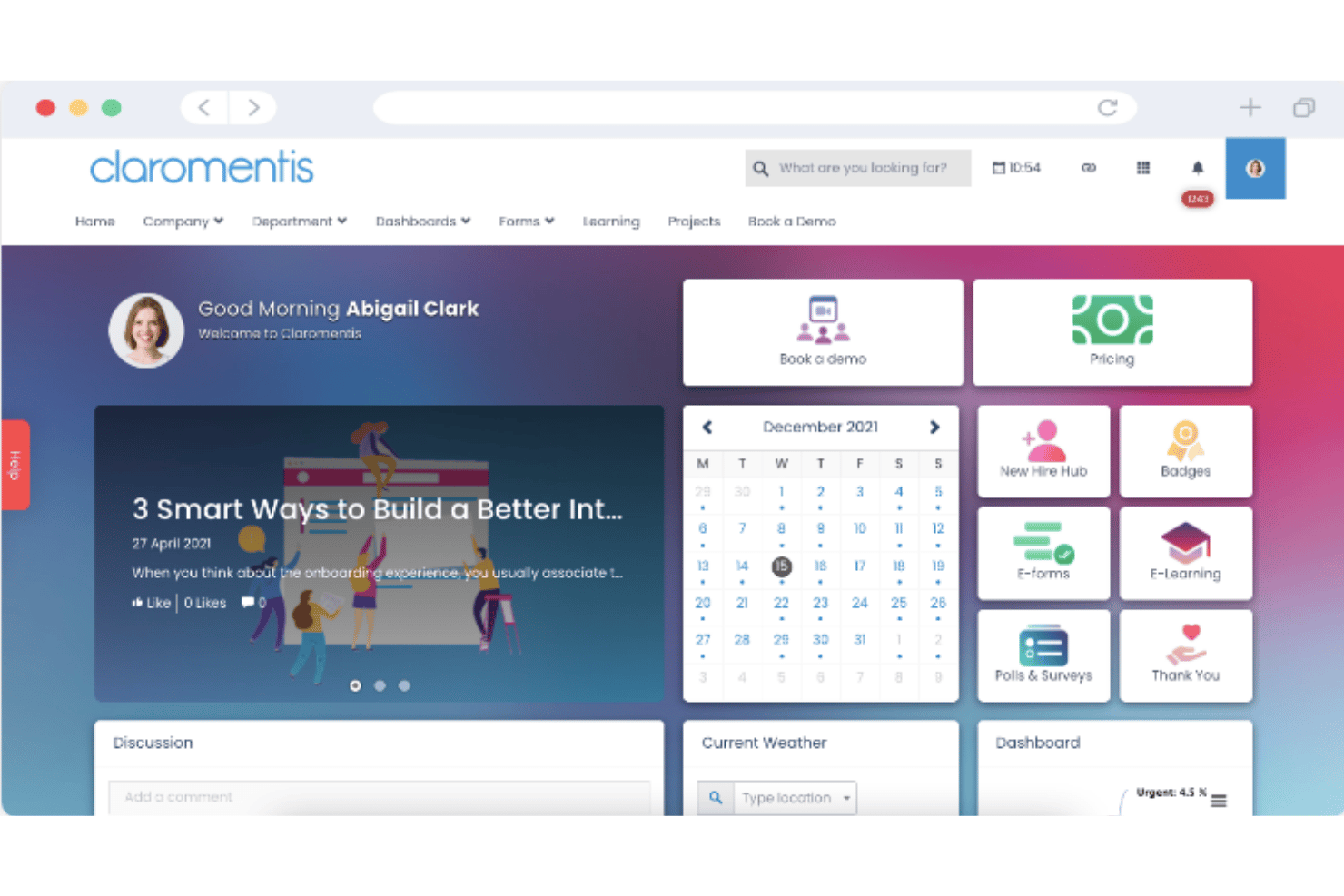
Claromentis is an enterprise intranet platform that brings together content publishing, document management, knowledge base, business process automation, an SCORM-compliant LMS, and social engagement tools in a single, deployable-on-premise or cloud environment.
Who Is Claromentis Best For?
Claromentis is a strong fit for mid-market organizations in regulated industries—healthcare, finance, or legal—that need on-premise deployment options alongside strict access controls and compliance tracking.
Why I Picked Claromentis
I've included Claromentis in my top picks because it's one of the few intranet platforms that genuinely supports on-premise deployment alongside cloud, which matters enormously if your organization operates in healthcare, finance, or legal. I particularly like the mandatory "read and accept" Announcements feature, which blocks intranet access until employees acknowledge a message, and the AI Policy Manager, which tracks policy acknowledgment and answers employee questions via chatbot. Pair those with ISO 27001:2022 certification, HIPAA compliance, and granular audit logs, and you have a compliance posture that most intranet vendors simply don't match.
Claromentis Key Features
- No-code drag-and-drop page builder: Build and edit intranet pages using 40+ widgets without writing any code, giving non-technical admins full control over layout and design.
- SCORM-compliant LMS: Create and deliver onboarding pathways, compliance training courses, and certifications directly within the platform, with training analytics and completion tracking.
- Business process automation (InfoCapture): Design e-forms and automated workflows with conditional logic, SLA timers, and status tracking to manage HR processes like expense submissions and time-off requests.
- Employee recognition and badges: Send peer-to-peer thank-you messages, shout-outs, and award badges to colleagues directly within the intranet's social engagement layer.
Claromentis Integrations
Claromentis integrates with Microsoft Active Directory, Okta, Microsoft Teams, Google Drive, OneDrive, Box, Jira, Trello, and Slack. An open API and custom development services support additional integrations.
Pros and Cons
Pros:
- AI-driven policy manager with acknowledgment tracking
- Mandatory read-and-accept for critical messages
- On-premise deployment option for compliance needs
Cons:
- Admin interface complexity requires setup expertise
- Limited built-in HRIS integrations available

Best for knowledge-worker intranet with AI search
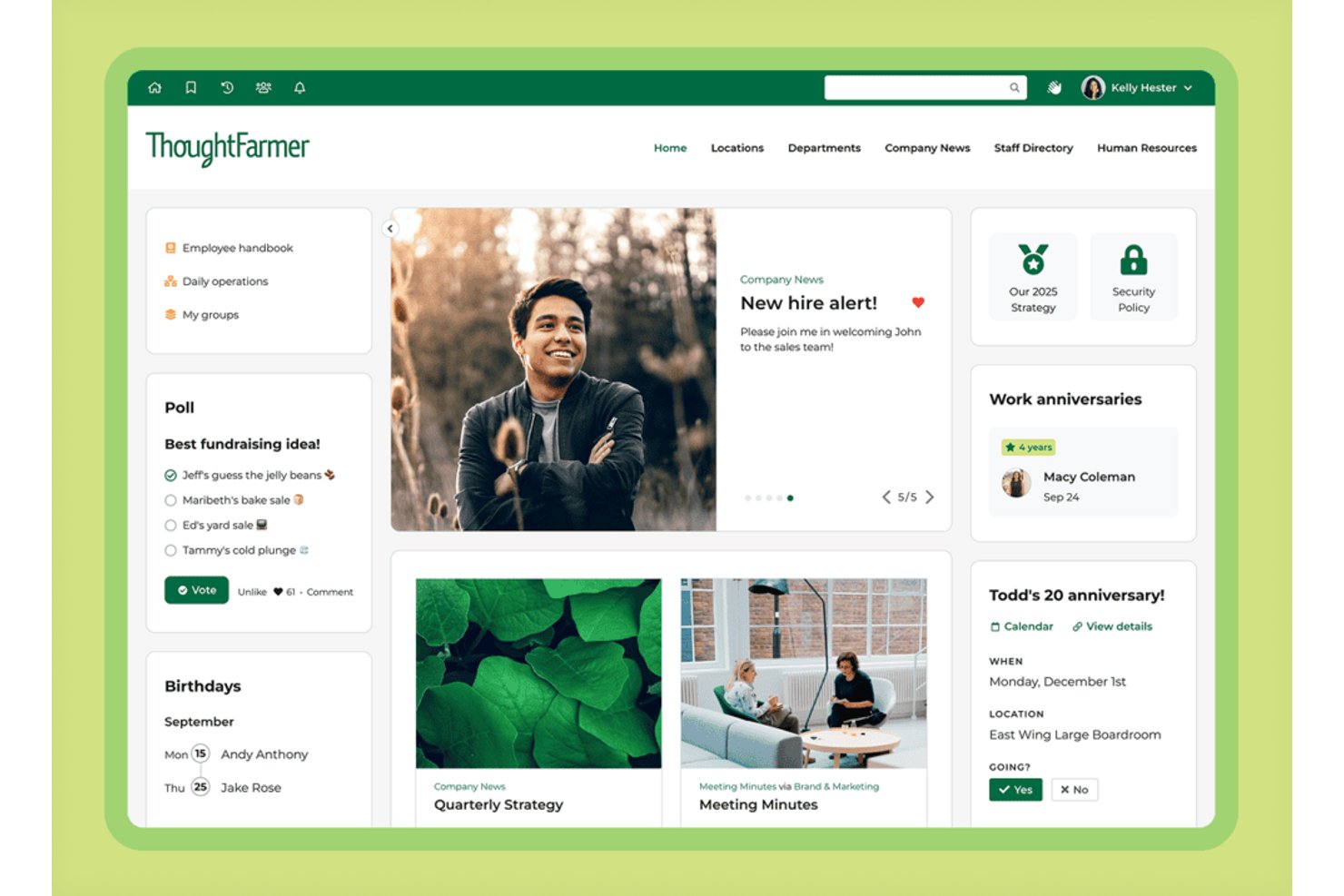
ThoughtFarmer is an intranet platform built for knowledge workers that brings together content management, employee directories, AI-powered search, document management, and social engagement tools in one environment.
Who Is ThoughtFarmer Best For?
ThoughtFarmer is a strong fit for knowledge-worker organizations in sectors like financial services, legal, and engineering that need a centralized intranet with AI-powered search.
Why I Picked ThoughtFarmer
ThoughtFarmer earns its spot on my shortlist because of how well its AI search actually works in practice. The Universal Smart Search pulls results from the intranet alongside connected cloud drives like Google Drive, OneDrive, and SharePoint in a single query, so employees aren't hunting across multiple systems. On top of that, the AI Assistant surfaces direct answers from existing policies and documents, which cuts down on repetitive HR and IT requests significantly.
ThoughtFarmer Key Features
- FormFlow form builder: A drag-and-drop tool for creating HR forms, service requests, and approval workflows with due dates, status tracking, and overdue notifications.
- Content lifecycle management: Schedule content reviews, assign ownership, and run content audit reports to track freshness and engagement across your intranet pages.
- Employee recognition (shout-outs): A peer-to-peer recognition feature that lets employees publicly acknowledge colleagues, with visibility in activity streams and profiles.
- Broadcast messaging: Send targeted, high-priority announcements to specific employee groups via in-app alerts, desktop notifications, email, and mobile push notifications.
ThoughtFarmer Integrations
ThoughtFarmer offers native integrations across the Microsoft ecosystem, including Microsoft 365 and Teams, plus Google Workspace, Google Drive, OneDrive, SharePoint Online, Box, Slack, Workday, ADP, and BambooHR. It also supports an open API and webhooks for custom connections.
Pros and Cons
Pros:
- Dedicated customer success manager for each client
- Built-in auto-translation for multilingual pages
- AI-powered search includes cloud drives content
Cons:
- No built-in instant messaging or chat
- Page template customization is limited
Workvivo
Best for Zoom-native social intranet at scale
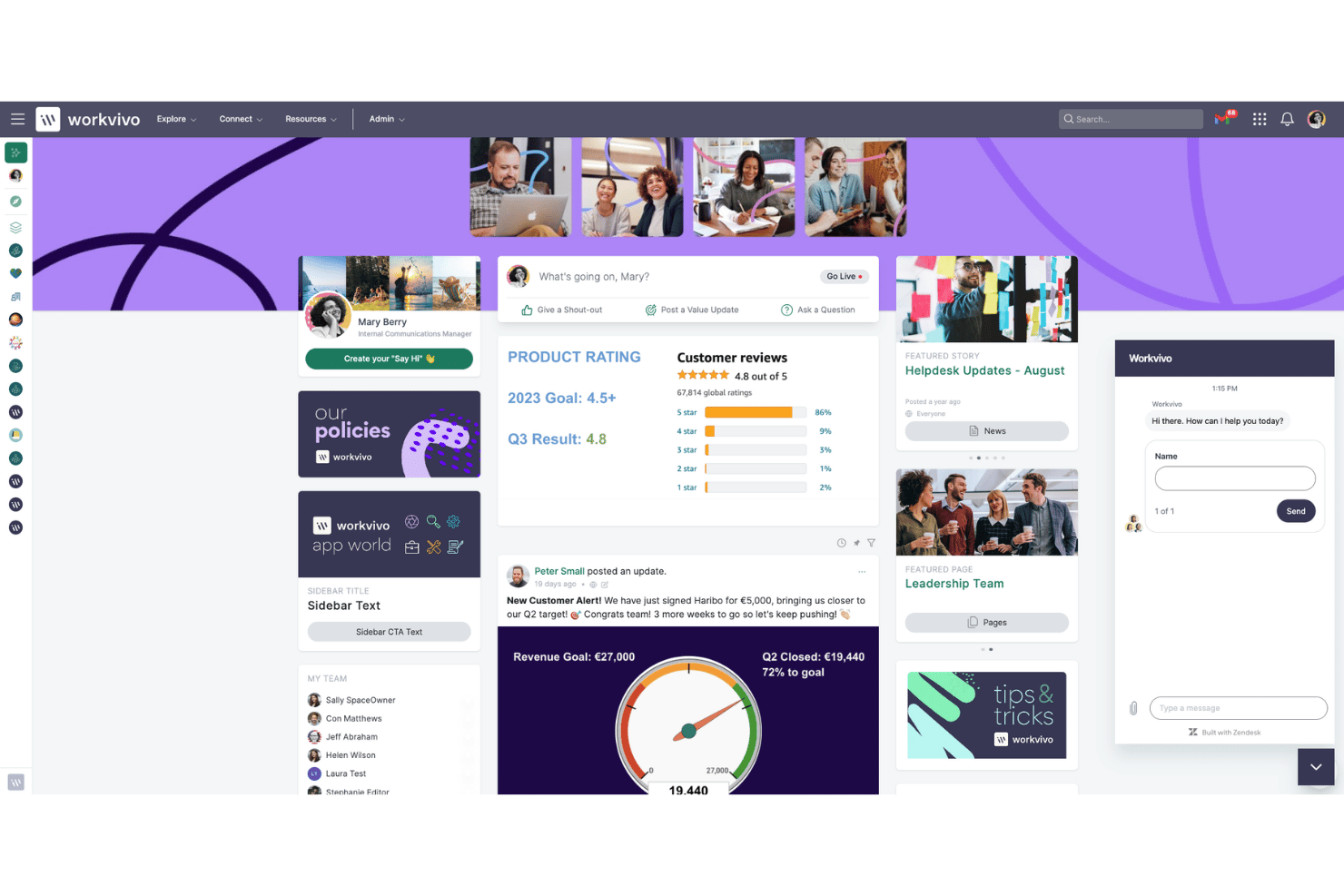
Workvivo is an enterprise intranet platform that brings together internal communications, employee engagement, knowledge management, and lifecycle automation in a social-media-style interface built for both desk-based and frontline workers.
Who Is Workvivo Best For?
Workvivo is a strong fit for large enterprises with significant frontline or deskless workforces that need a single platform to connect desk-based and field employees at scale.
Why I Picked Workvivo
I picked Workvivo as one of the best because it's the only enterprise intranet built natively inside the Zoom ecosystem, which means video, voice, and AI Companion aren't bolted on as afterthoughts. I love how Workvivo Journeys automates lifecycle moments like 30/60/90-day check-ins and onboarding without manual HR intervention, and Ask HQ lets employees search across SharePoint, Google Drive, and Workday in plain language from a single bar.
Workvivo Key Features
- Smart Activity Feed: A dynamic, personalized content feed that surfaces company news, posts, and updates based on each employee's role, team, and location.
- Workvivo Journeys: An automated workflow engine that triggers personalized content, tasks, and surveys for employees based on lifecycle stage, department, or start date.
- Seer engagement surveys: A people intelligence add-on with a 12-factor engagement model, pulse surveys, AI comment analysis, and manager dashboards with recommended next steps.
- Workvivo TV: A digital signage add-on that displays company communications on shared workplace screens, reaching frontline workers without requiring individual device logins.
Workvivo Integrations
Workvivo offers 40+ integrations, including Microsoft 365 and Entra ID, Google Workspace, Zoom, Slack, Salesforce, Workday, UKG, and ServiceNow. It also provides an open API, SDK, and webhooks for custom integrations.
Pros and Cons
Pros:
- Automates onboarding, check-ins, and policy rollouts
- AI-powered search spans all connected repositories
- Social-media-style engagement surpasses typical intranets
Cons:
- Search performance can lag in large organizations
- Some features require separate paid add-ons

Simpplr
Best for analyst-recognized intranet adoption
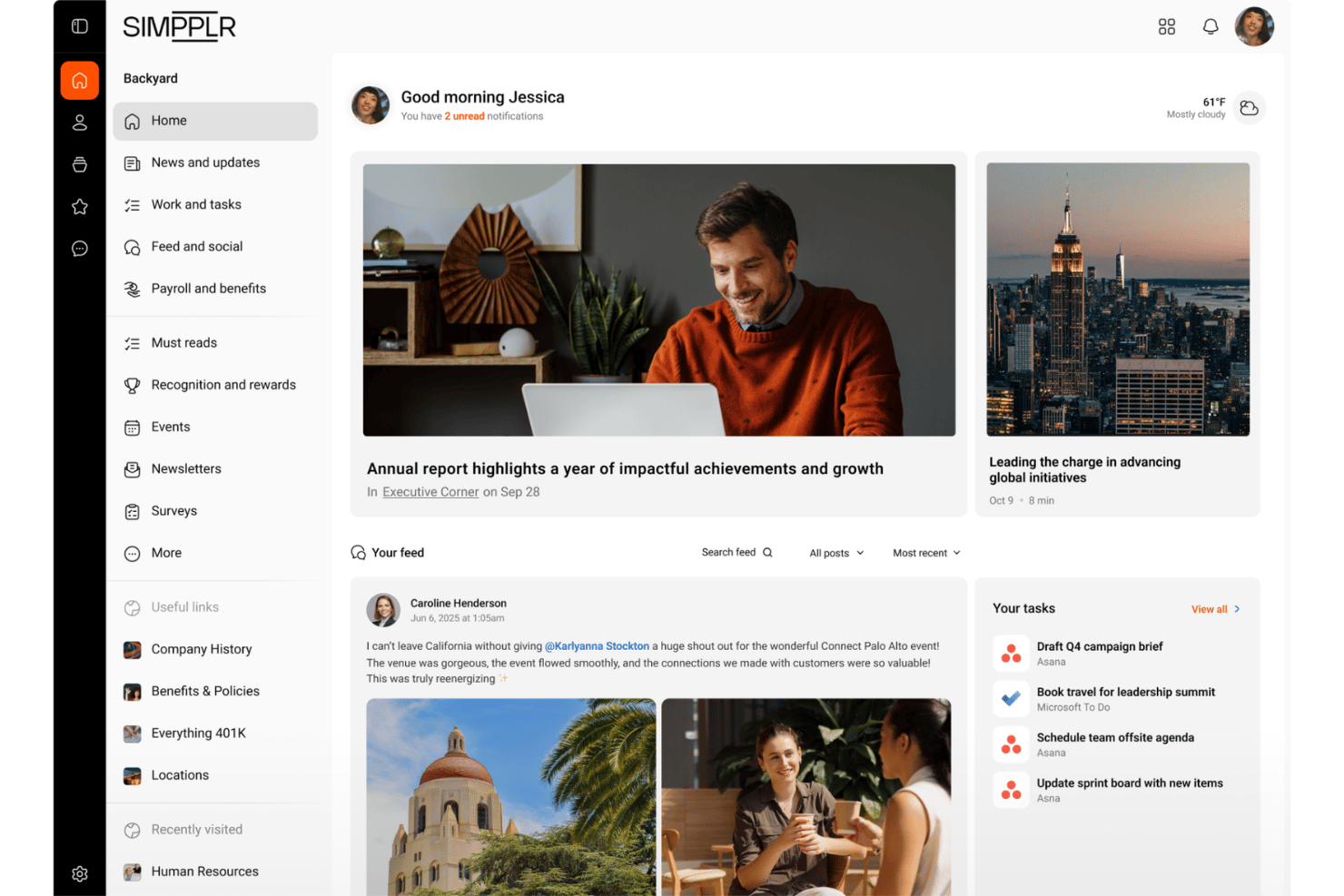
Simpplr is an AI-powered enterprise intranet platform that combines multichannel content publishing, federated knowledge search, employee directory management, pulse surveys, and sentiment analytics in a single Digital Work Hub.
Who Is Simpplr Best For?
Simpplr is a strong fit for enterprise HR and internal communications teams that need analyst-validated proof points to drive leadership buy-in for a new intranet investment.
Why I Picked Simpplr
Simpplr earns its spot on my shortlist because it's the only intranet vendor recognized as a leader across Gartner Magic Quadrant, Forrester Wave, G2, and IDC MarketScape simultaneously. I find that kind of cross-analyst validation genuinely useful when you're building a business case internally, since skeptical stakeholders are harder to push back against verified third-party recognition. The Auto-Governance Engine™ keeps content fresh automatically, and the EX Knowledge Graph personalizes homepages by role, tenure, and behavior without manual configuration.
Simpplr Key Features
- Comms AI workspace: A dedicated AI environment for internal communications teams that drafts channel-specific content matched to individual sender voice profiles and manages cross-channel publishing from a single interface.
- Recognition and rewards module: Employees can give peer-to-peer recognition tied to company values, with redeemable points, automated milestone awards, and nomination-based recognition options.
- AI-powered sentiment analysis: Captures emotional signals from both active and passive employee interactions over time, surfacing aggregated insights for HR and leadership via role-specific dashboards.
- ABAC-driven audience targeting: Attribute-based access control lets you segment and target content delivery by role, department, location, tenure, and lifecycle stage with granular precision.
Simpplr Integrations
Simpplr offers 200+ pre-built integrations, including Microsoft 365, Google Workspace, Workday, UKG, Oracle HCM, SAP SuccessFactors, Slack, Zoom, SharePoint, and Confluence. Its Extensibility Center provides open APIs for custom integrations.
Pros and Cons
Pros:
- Analyst leader in four major industry reports
- Auto-Governance Engine flags stale intranet content
- Industry-first AI-powered enterprise search
Cons:
- Surveys and analytics require premium add-ons
- Design flexibility limited by predefined templates

LumApps
Best for global orgs on M365 and Google Workspace
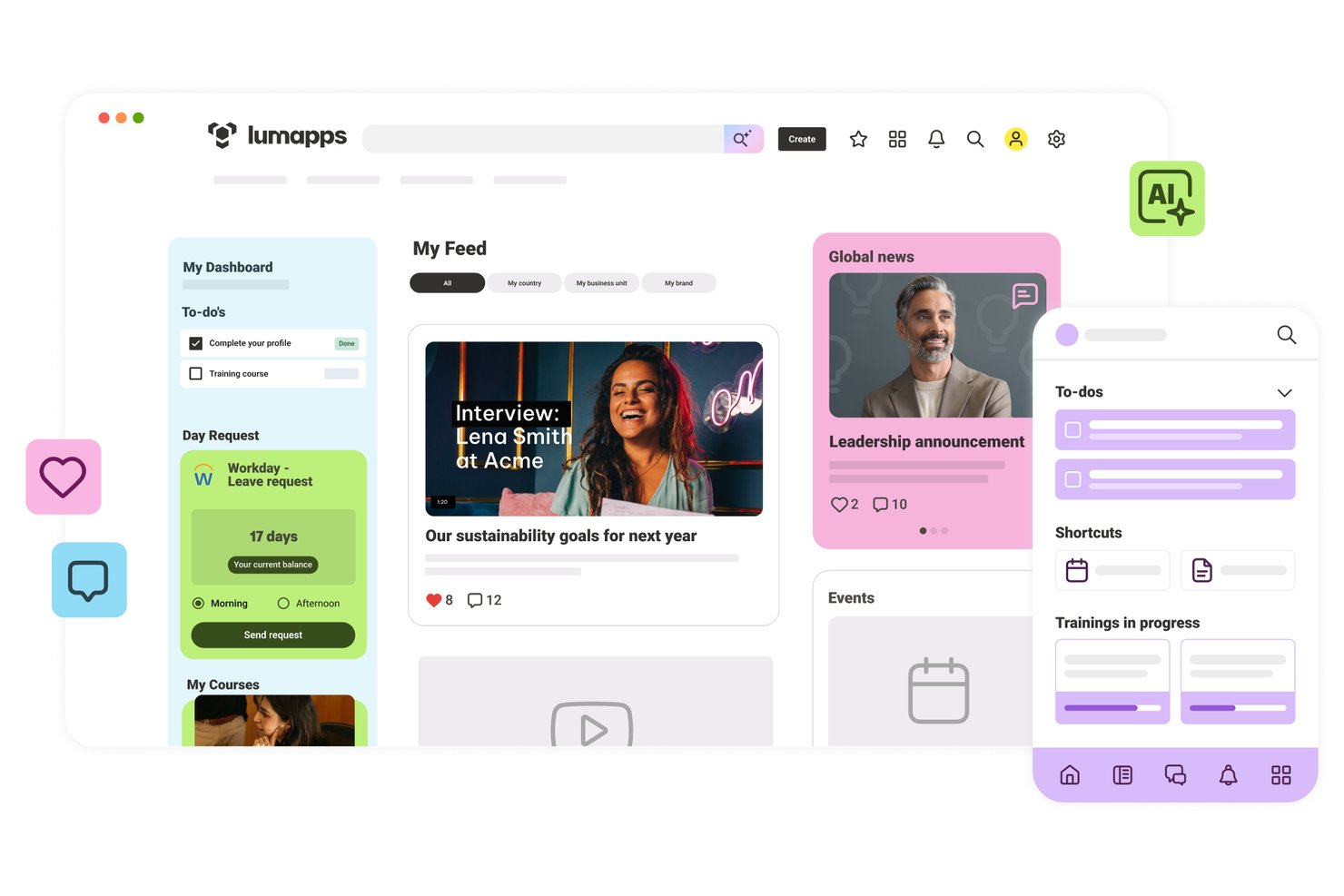
LumApps is an enterprise intranet platform built for global organizations, offering AI-powered content publishing, employee directories, knowledge management, pulse surveys, and deep integrations with Microsoft 365 and Google Workspace.
Who Is LumApps Best For?
LumApps is a strong fit for large, globally distributed organizations that run Microsoft 365 or Google Workspace and need a single intranet to connect desk-based and frontline employees across multiple languages and regions.
Why I Picked LumApps
LumApps earns its spot on my shortlist because it's one of the few intranet platforms built to run natively inside both Microsoft 365 and Google Workspace, not alongside them. I especially like its AI auto-translation across 200+ languages, which means a global communications team can publish once and reach frontline workers in dozens of regions without manual localization. The Agent Hub is also genuinely useful: employees can query HR policies or IT procedures in plain language and get answers sourced from governed company documents.
LumApps Key Features
- Mandatory-read tracking: Flag specific content as required reading and track which employees have confirmed they've seen it, with read-receipt data available to admins.
- Pulse surveys and sentiment analysis: Run built-in pulse surveys and collect anonymous feedback, with AI-driven sentiment analysis on comments and reactions to monitor workforce morale.
- Role-based homepage personalization: Deliver dynamically tailored homepages and content feeds based on each employee's department, location, role, and lifecycle stage.
- No-code Micro-App builder: Use the LumApps SDK and no-code builder to create custom widgets and mini-apps that surface data from third-party tools directly inside the intranet.
LumApps Integrations
LumApps offers 100+ integrations, including Microsoft 365, Google Workspace, Workday, SAP SuccessFactors, ServiceNow, Slack, and Microsoft Teams. It also supports custom connections through its open API and LumApps SDK.
Pros and Cons
Pros:
- Real-time employee sentiment analytics built in
- Auto-translates content to 200+ languages
- Strong AI tools for content and search
Cons:
- Frequent updates can confuse administrators
- Some analytics require premium add-ons

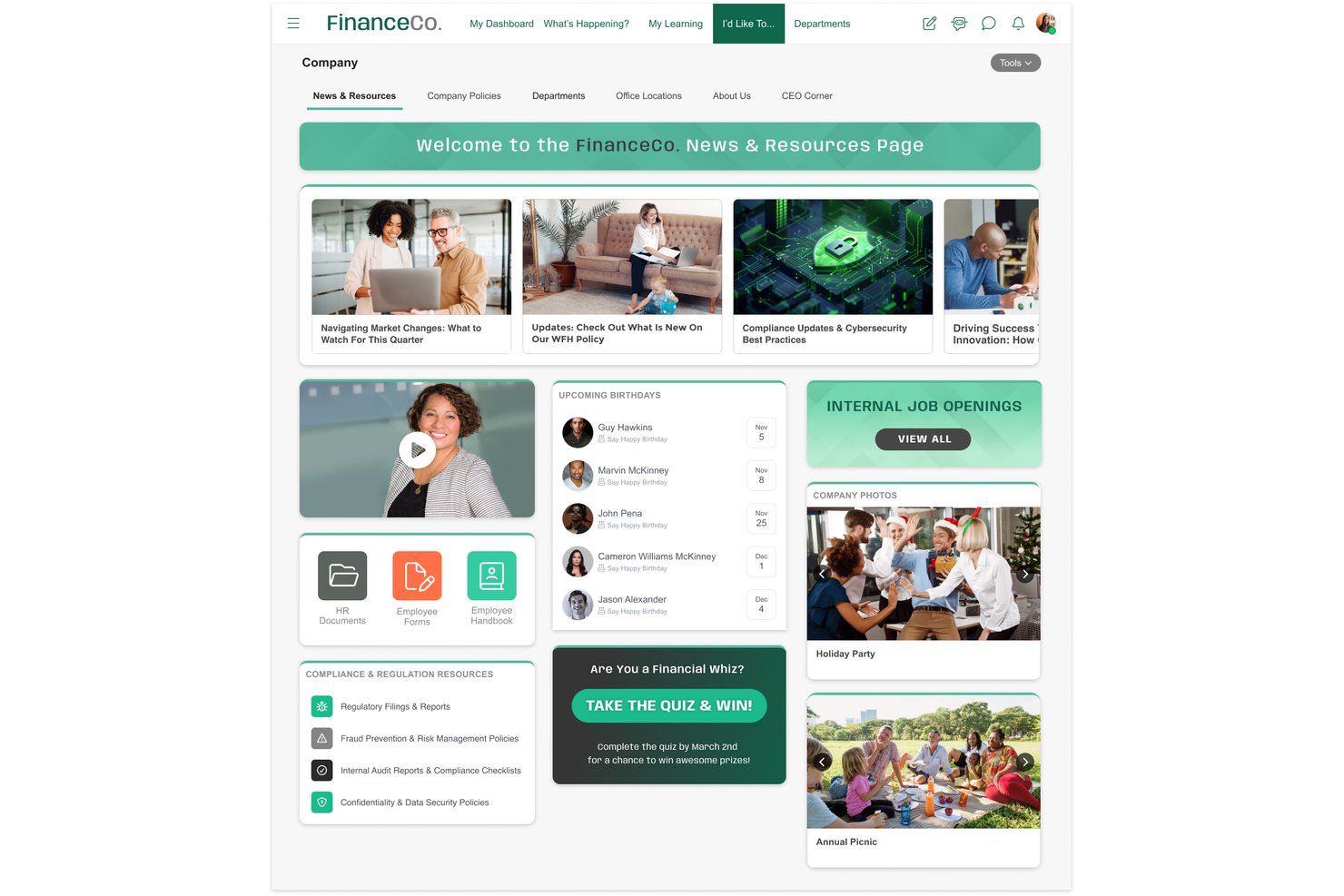
MangoApps is an enterprise intranet platform that combines a branded employee portal, AI-powered knowledge management, multi-channel content publishing, social engagement tools, and frontline workforce support across desk and deskless teams.
Who Is MangoApps Best For?
MangoApps is a strong fit for regulated industries like healthcare and government that need a certified, compliance-ready intranet for both desk and deskless employees.
Why I Picked MangoApps
MangoApps earns its spot on my shortlist because it's one of the only enterprise intranet platforms holding both HITRUST CSF and FedRAMP ATO certifications, which matters enormously if your organization operates in healthcare or the public sector. I particularly like that these aren't just checkboxes: the platform runs on single-tenant architecture with full data isolation, real-time audit logs, and DLP controls baked in at the platform level. Its AI assistants also inherit role-based permissions and never pull from the open internet, so governed knowledge delivery is built into the experience.
MangoApps Key Features
- Multi-channel content publishing: Publish a single piece of content simultaneously to the in-app feed, email, SMS, push notifications, and digital signage from one interface.
- Campaign and journey builder: Design multi-touch communication campaigns and employee lifecycle journeys with sequenced content delivery and scheduling.
- Pulse surveys and eNPS tracking: Run anonymous pulse surveys and eNPS polls with built-in analytics dashboards showing participation and sentiment by audience segment.
- Federated semantic search: Search across MangoApps and connected repositories like SharePoint, Google Drive, and ServiceNow in a single AI-powered query.
MangoApps Integrations
MangoApps offers 200+ native integrations, including Workday, UKG, ADP, BambooHR, SAP SuccessFactors, Microsoft 365, Google Workspace, Okta, ServiceNow, and Box. REST API and webhooks support custom integrations.
Pros and Cons
Pros:
- Supports frontline workers without corporate email
- Native AI tools with full governance
- Certified for HITRUST and FedRAMP compliance
Cons:
- Some users report mobile app inconsistencies
- Extensive features can feel overwhelming
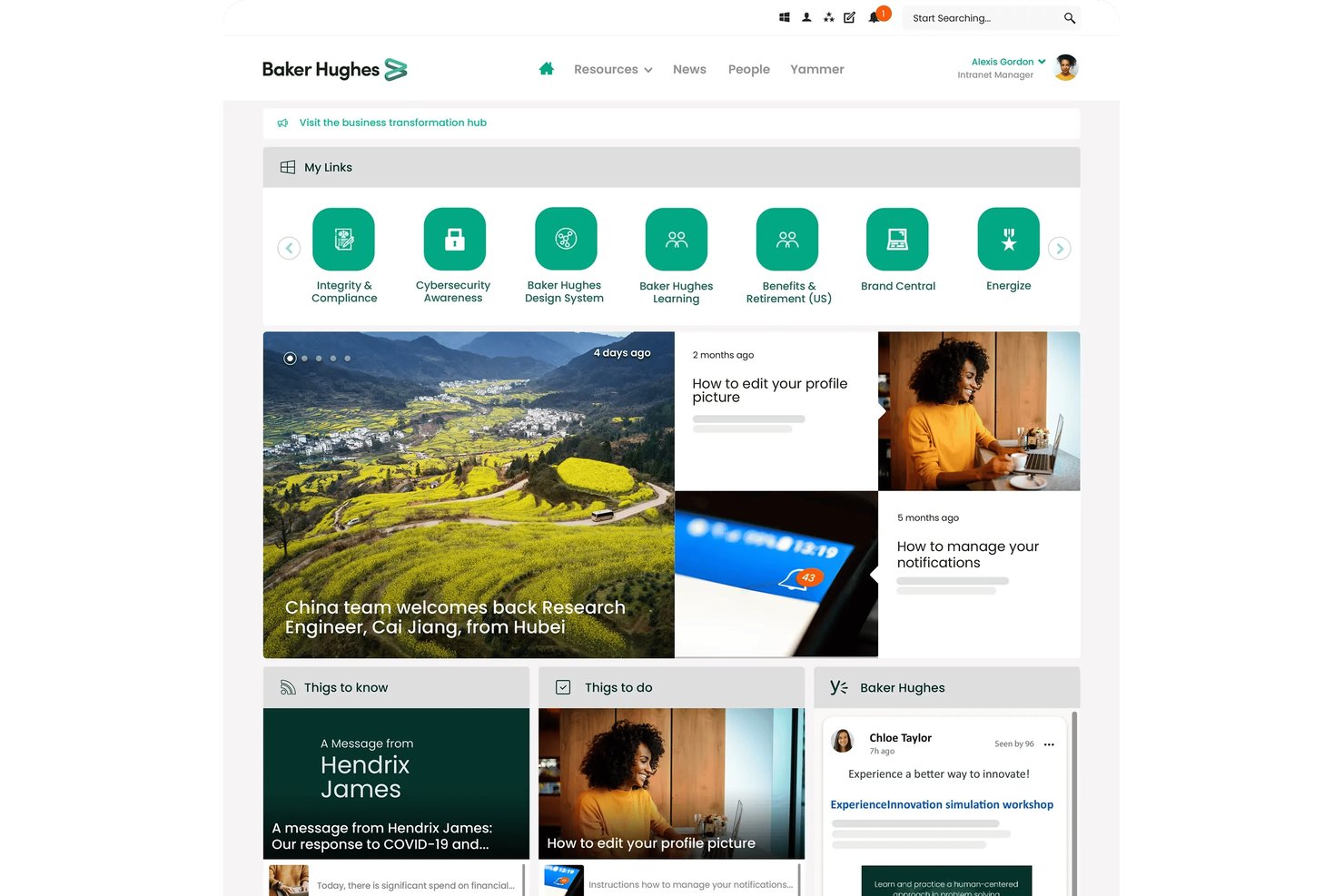
Unily is an AI-native enterprise intranet platform that combines multichannel content publishing, employee journey automation, unified enterprise search, social engagement tools, and conversational AI task execution across connected business systems.
Who Is Unily Best For?
Unily is built for large enterprises—typically 1,000+ employees—that need a centralized digital workplace with AI-driven personalization, lifecycle journey automation, and deep integrations across HR, IT, and productivity systems.
Why I Picked Unily
I picked Unily as one of the best because it's built from the ground up around AI, not retrofitted with it. What impresses me most is the Employee Journeys module, which automatically enrolls employees into sequenced, multichannel experiences (onboarding, parental leave, role transitions) based on live HRIS data synced from Workday or SAP. Pair that with Unily Glass, a conversational AI layer that lets employees complete HR requests or IT tickets without leaving the intranet, and you have a platform that genuinely operationalizes AI across the employee lifecycle.
Unily Key Features
- Unified enterprise search: Search across intranet content, people profiles, and connected external systems like SharePoint, Confluence, and ServiceNow from a single query interface.
- AI-powered content translation: Automatically publish content in multiple languages simultaneously, with protected-terms functionality that preserves brand names and acronyms across translations.
- Gamification tools: Award points, badges, and leaderboard rankings to employees, and let teams submit and upvote ideas through the built-in ideation hub.
- Broadcast email with analytics: Send targeted, scheduled email communications to segmented audiences and track delivery rates, open rates, and click-throughs from a single dashboard.
Unily Integrations
Unily supports 50+ integrations, including Microsoft 365, Google Workspace, Workday, SAP HR, HiBob, ServiceNow, Salesforce, Confluence, Slack, and Zoom. Platform Extensibility provides REST APIs and SDKs for custom integrations.
Pros and Cons
Pros:
- Conversational AI executes tasks across systems
- Advanced multi-language auto-translation support
- AI-native employee journey automation built-in
Cons:
- Key functions require add-on purchases
- Opaque enterprise pricing with no trial
Other Enterprise Intranet Software
Here are some additional enterprise intranet software options that didn’t make it onto my shortlist, but are still worth checking out:
- Staffbase
For IC teams managing multichannel reach
- Axero
For all-in-one intranet with on-prem option
- Hub
For all-in-one intranet with flat-rate licensing
- Jostle
For mid-market intranet with AI Q&A included
- Happeo
For Google Workspace-native intranet
- Microsoft SharePoint
For M365 document governance at enterprise scale
- Appspace
For omnichannel signage and intranet in one
- Firstup
For lifecycle-triggered intranet journeys
- Powell Intranet
For M365 intranet with grounded AI copilots
- Viva Connections
For M365 intranet across frontline and office


How I Evaluate Enterprise Intranet Software
I split my evaluation into baseline capabilities every tool must cover and the differentiators that separate a solid intranet from the right one for your workforce.
Core Functionality (Table Stakes For This List)
When I'm selecting tools for my list, I rank each one on a scale from 0 (does not offer the functionality) to 5 (excels in this area) for each core functionality listed below. I then calculate the tool's total score into a percentage, using 75% as a benchmark to help assess its overall fit for the list.
- Content & publishing: I check whether the platform supports drag-and-drop page building, scheduling, templates, and approval workflows—things IC teams need to keep company news timely and on-brand.
- Employee directory & profiles: A searchable directory with org chart navigation, skills tagging, and HRIS sync matters here, especially for orgs where new hires need to find the right person fast.
- Document & knowledge management: I evaluate how each tool handles versioning, permissions, and search across policies and knowledge base articles, since outdated or buried documents are a constant pain point for HR teams.
- Social engagement tools: Features like comments, reactions, polls, communities, and activity feeds show me whether employees can actually interact with content rather than just consume it.
- Permissions & access control: I look for granular role-based access, audience targeting, SSO, and SCIM provisioning so IT teams can manage who sees what without manual upkeep.
- Integrations & mobile access: The tool should connect with platforms like Microsoft 365, Google Workspace, Slack, and major HRIS systems, and offer a native mobile app with push notifications for frontline workers.
Once I have a list of tools that meet the criteria, I consider what sets each platform apart.
Differentiating Factors (What Sets Vendors Apart)
Here's how I compare and contrast different vendors:
Standout Features
I look for AI-powered search that goes beyond keyword matching—tools like Unily and Simpplr use generative AI to surface direct answers from policies and past posts, which cuts down repetitive questions hitting HR and IT. Multilingual auto-translation is essential for global workforces; I check whether platforms translate not just pages but also comments and push notifications. I also evaluate campaign analytics dashboards, since IC teams need read-receipt tracking and audience reach data to prove mandatory comms actually landed.
Beyond Features
I evaluate how well each platform supports deskless and frontline workers—things like shared-device login, QR-code onboarding, and offline mobile access matter when your workforce doesn't sit at a desk. HRIS integration depth is equally important; I check for pre-built connectors to systems like Workday, SAP SuccessFactors, or BambooHR that auto-sync org charts and trigger onboarding checklists from lifecycle events. I also consider total cost of ownership, since some vendors bundle AI and analytics into base pricing while others charge extra for each module as you scale.
How to Choose Enterprise Intranet Software
What should you focus on when narrowing down enterprise intranet software for your team’s real-world communication, security, and integration needs?
| If your priority is... | Look for... |
|---|---|
| Reaching non-desk or frontline workers | Shared-device sign-ins, offline mobile access, QR onboarding |
| Multilingual communications | Auto-translation for pages, notifications, and comments |
| HR system integration depth | Pre-built connectors for Workday, SAP, or BambooHR |
| Guaranteeing compliance or audit requirements | Audit logs, granular access controls, on-premises hosting |
| Measuring communications impact | Campaign analytics, read-receipt tracking tools |
How to Vet Your Shortlist
- Test frontline accessibility: Simulate a mobile login on a shared or offline device and document any barriers in under 30 minutes.
- Check multilingual support: Create a news post in one language, and verify auto-translation for comments and notifications within one live trial.
- Validate HRIS integration: Request a demo showing real-time sync from your HRIS (e.g., Workday) to the intranet's org chart within 2 business days.
- Request compliance proof: Ask for a recent audit log export and a copy of their SOC 2 or HITRUST certification before contract negotiations.
- Tradeoff: Decide whether deep integration with your HR tech stack or frontline usability matters more for your long-term intranet adoption.
What is Enterprise Intranet Software?
Enterprise intranet software is a digital platform that connects employees across an organization, centralizing company communications, resources, and collaboration tools in one secure space. You’ll use it to publish updates, store documents, manage internal knowledge, and foster employee engagement. This software plays a key role for HR and communications teams who need to reach dispersed, multilingual, or frontline workers while supporting compliance and aligning with existing workplace platforms.
Features
When selecting enterprise intranet software, keep an eye out for the following key features:
- Content and publishing: Create, manage, and schedule internal news, announcements, and updates using drag-and-drop page builders, customizable templates, and approval workflows. This keeps company information timely, consistent, and accessible to all employees.
- Employee directory and profiles: Give your team a searchable directory with detailed profiles, including skills, contact info, and org chart navigation. This makes it easier for employees to connect, find expertise, and understand reporting structures.
- Document and knowledge management: Organize policies, handbooks, and internal knowledge in one space with built-in version control, permission settings, and advanced search. You’ll ensure that everyone accesses accurate, up-to-date information without hassle.
- Social engagement tools: Enable comments, reactions, polls, and group communities that let employees interact with content and colleagues. This drives participation, surfaces feedback, and promotes company culture.
- Permissions and access control: Manage content visibility and editing rights through granular role-based permissions, audience targeting, SSO, and provisioning. This helps you protect sensitive data and ensure only the right people see the right information.
- Integrations and mobile access: Connect with tools like Microsoft 365, Google Workspace, Slack, and major HRIS systems. A native mobile app with push notifications helps you reach deskless or frontline workers as easily as office staff.
- Multilingual support: Translate updates, documents, comments, and notifications for global teams. This feature ensures everyone—regardless of language—stays informed and included.
- Campaign analytics: Track engagement with read receipts, click rates, and audience reach dashboards. These insights help HR and communications teams measure the impact of critical updates and compliance-related communications.
- HRIS integration: Sync employee data, org charts, and lifecycle events with systems like Workday, SAP SuccessFactors, or BambooHR. This automates updates and reduces manual work for your HR team.
- Frontline worker support: Offer shared-device login, QR-code onboarding, and offline mobile access to make the intranet practical for employees without regular computer access. This brings every team member into company communications, no matter where they work.
Benefits
Implementing enterprise intranet software provides several benefits for your team and your business. Here are a few you can look forward to:
- Centralized company communications: Bring news, updates, and policy changes together in one secure, searchable space using publishing tools and automated notifications.
- Improved employee connection: Help everyone find colleagues, skills, and teams quickly with directories, org charts, and profile search features.
- Simplified document and knowledge access: Make handbooks, policies, and internal knowledge easy to find and keep up to date with advanced search and version control.
- Enhanced engagement and feedback: Encourage company-wide participation through social features like commenting, reactions, and polls on internal posts.
- Stronger security and compliance: Control sensitive information with granular permissions, audit logs, and access controls aligned with compliance needs.
- Smooth integrations and mobile use: Connect Microsoft 365, Google Workspace, HRIS platforms, and more, plus reach deskless teams with mobile apps and push alerts.
- Global workforce inclusivity: Ensure all employees stay informed with multilingual support that includes auto-translation for updates, comments, and notifications.
Costs and Pricing
Selecting enterprise intranet software requires an understanding of the various pricing models and plans available. Costs vary based on features, team size, add-ons, and more. The table below summarizes common plans, their average prices, and typical features included in enterprise intranet software solutions:
Plan Comparison Table for Enterprise Intranet Software
| Plan Type | Average Price | Common Features |
|---|---|---|
| Free Plan | $0 | Basic content publishing, limited employee directory, document storage, and essential social engagement tools. |
| Personal Plan | $5–$10/user/month | Single user access, custom profiles, simple knowledge management, and limited integrations. |
| Business Plan | $8–$20/user/month | Multi-user access, advanced document control, team chat, analytics, SSO, integrations, and mobile access. |
| Enterprise Plan | $15–$40/user/month | Advanced permissions, HRIS sync, multilingual support, campaign analytics, compliance tools, and priority support. |
Enterprise Intranet Software FAQs
Here are some answers to common questions about enterprise intranet software:
How can I ensure our intranet supports deskless or frontline workers?
Start by looking for features like shared-device login, QR code onboarding, and offline mobile access. These features let frontline employees access resources and updates even without a dedicated work computer. During evaluation, ask vendors to demo a shared or offline login and test real-world scenarios, like accessing updates from a mobile app on a shop floor or warehouse.
Which HRIS integrations should I prioritize in an intranet platform?
Focus on pre-built connectors for your core HR system, like Workday, SAP SuccessFactors, or BambooHR. Prioritize platforms that offer real-time org chart sync and can trigger workflows from lifecycle events such as onboarding or transfers. This reduces manual updates and keeps data accurate for HR and IT teams.
How do campaign analytics help HR and communications teams?
Campaign analytics show you who’s opened, read, or ignored key messages and updates. Look for features like read receipts, click tracking, and audience breakdowns. This data helps you measure the impact of urgent updates, prove compliance with mandatory comms, and spot teams or locations that may need follow-up.
What’s the difference between permissions and access control in intranet software?
Permissions determine what users can do (edit, publish, view) within the intranet. Access control focuses on who can see specific content, often by audience, department, or user role. You’ll need both to keep sensitive information protected and ensure everyone sees what matters to their job.
Can enterprise intranet software handle multilingual communications automatically?
Yes, many platforms offer auto-translation for posts, comments, and notifications. This helps global teams stay informed and included, no matter what language they use day to day. Test this by creating updates and switching language settings during your trial.
Do most intranet platforms charge for every feature, or are some included?
It varies. Some vendors bundle AI, analytics, and multilingual support into standard pricing, while others charge extra for these modules as your usage grows. Review contracts closely and ask for a complete list of included and premium features before making a decision.