

10 Best Roofing Company Hiring Software in 2026

10 Best Roofing Company Hiring Software Shortlist


Roofing company hiring software helps you post jobs, screen applicants, and manage hiring tasks tailored for trade and construction teams. If you’re after tools that simplify finding, vetting, and onboarding reliable field crews, you’ll want options built for your fast-paced hiring needs. With turnover high and skilled labour in short supply, using the right software is crucial to filling roles quickly and keeping projects moving.
This guide breaks down the top platforms so you can choose the best fit for your roofing business, avoid common hiring slowdowns, and spend less time chasing paperwork.
Why Trust Our Software Recommendations
Our team has been testing and reviewing software since 2012. As HR experts ourselves, we know how difficult—and important—it is to choose the right software.
For this guide, we evaluated tools using hands-on testing and independent research, scoring tools using our selection criteria. We also draw on insights from industry thought leaders and practicing HR experts.
Our reviews reflect our human editorial judgment, not a sales pitch.
Expert reviewers:
Roofing Company Hiring Software Comparison Table
This comparison table summarizes pricing details for my top roofing company hiring software selections:
| Tool | Best For | Trial Info | Price | ||
|---|---|---|---|---|---|
| 1 | Best for construction trade job board reach | 14-day free trial + free demo available | From $15/user/month (billed annually) | Website | |
| 2 | Best workflow automation for recruitment tasks | 7-day free trial + free demo available | From $99/month (billed annually) | Website | |
| 3 | Best drag-and-drop candidate management | 14-day free trial | From $157/month (billed annually) | Website | |
| 4 | Best analytics dashboard for hiring insights | Free demo available | Pricing upon request | Website | |
| 5 | Best reputation management integrations | Free demo available | Pricing upon request | Website | |
| 6 | Best for high-volume hourly worker hiring | Free demo available | Pricing upon request | Website | |
| 7 | Best for modular workforce onboarding tools | Free trial available | Pricing upon request | Website | |
| 8 | Best customizable pipeline for skilled trades | 14-day free trial available + free demo available | From $29.99/month | Website | |
| 9 | Best for reaching candidates via automated texting | Free demo available | From $500/month (billed annually) | Website | |
| 10 | Best mobile-friendly application workflows | Free demo available | Pricing upon request | Website |
Best Roofing Company Hiring Software Reviews
Below are my detailed summaries of the best roofing company hiring software that made it onto my shortlist. My reviews offer a detailed look at the features, integrations, and best use cases of each platform to help you find the best one for you.

Manatal
Best for construction trade job board reach
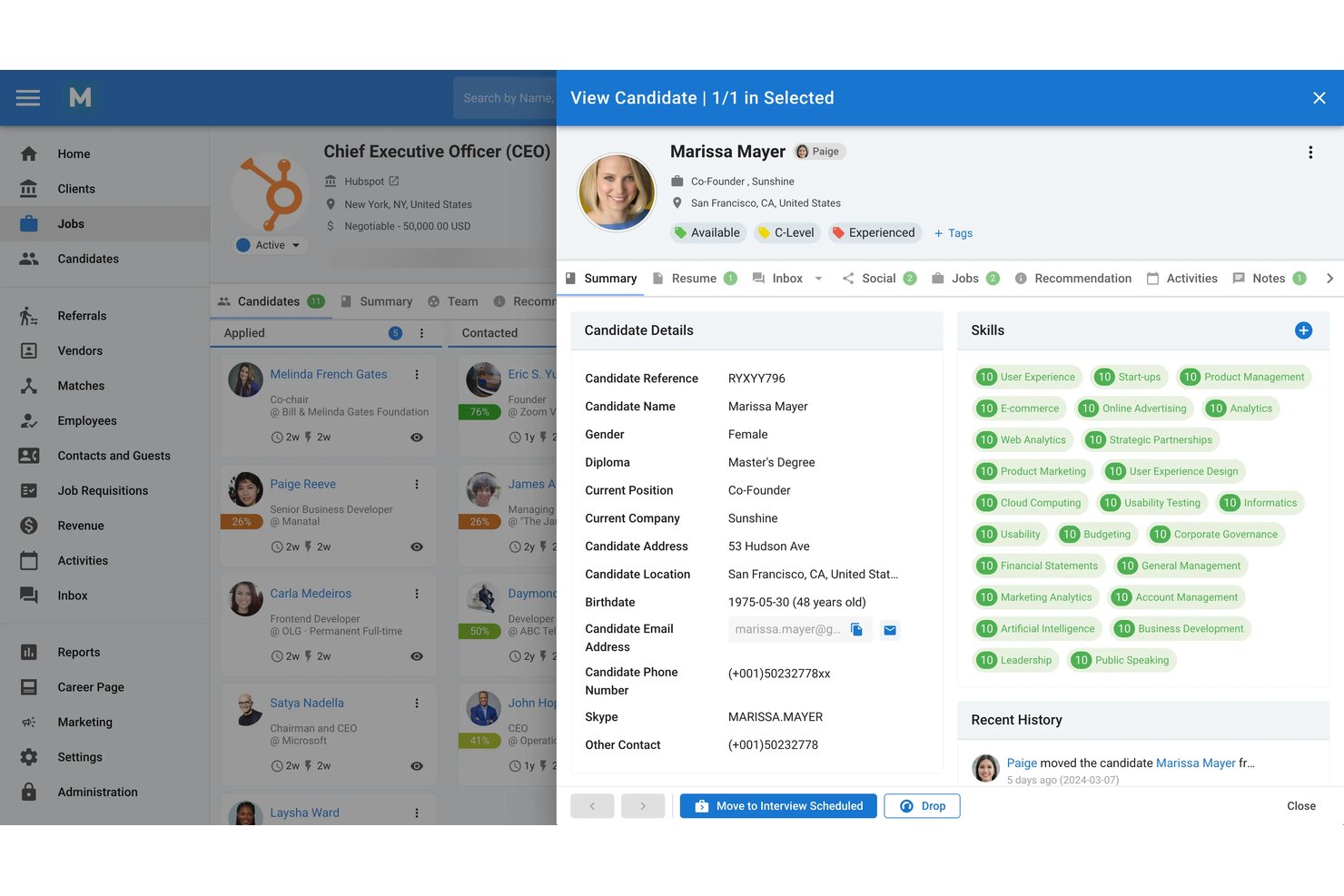
Manatal is a cloud-based ATS and recruitment CRM that covers job posting, applicant tracking, AI candidate scoring, and pipeline management, with a Construction Network integration for trade-specific job board distribution.
Who Is Manatal Best For?
Manatal suits small-to-mid-size roofing and construction businesses that want broad job board reach, including trade-specific boards, without a large per-seat budget.
Why I Picked Manatal
I picked Manatal as one of the best because its Construction Network integration lets you distribute job postings to trade-specific boards like iHireConstruction and AllConstructionJobs in one click, which is hard to replicate at this price point. I also like that Indeed Apply carries your Manatal screener questions directly into the application, so candidates hiring for roofing crews don't have to leave Indeed to apply.
Manatal Key Features
- AI candidate scoring: Automatically ranks applicants based on how well their profile matches the job description, so you can prioritize the strongest candidates faster.
- Bulk resume import: Upload multiple resumes at once and let Manatal parse and create candidate profiles automatically.
- Custom application forms: Build job-specific forms with required fields to capture the information you need from applicants upfront.
- Referral management system: Lets your existing employees submit candidate referrals directly through a dedicated referral portal.
Manatal Integrations
Manatal offers integrations with Construction Network, Indeed, ZipRecruiter, LinkedIn, Monster, Adobe Sign, Codility, TestTrick, Google Workspace, and Microsoft 365. Zapier, n8n, and an Open API support custom connections, with the API available on Enterprise Plus.
Pros and Cons
Pros:
- Referral tools support employee-led hiring
- Applications retain screener questions
- Construction board reach expands roofer visibility
Cons:
- Compliance document workflows require outside tools
- No license verification or knockout screening
New Product Updates from Manatal

Manatal Adds Candidate Login and Employee Portal to Career Pages
Manatal has added Candidate Login, Internal Employee Portal, and internal job visibility controls for Career Pages. These features help teams simplify applications, support employee mobility, and manage internal hiring workflows. For more information, visit Manatal’s official site.
 .
.
AvaHR
Best workflow automation for recruitment tasks

AvaHR is an applicant tracking system for small and mid-sized businesses that combines multi-board job posting, custom hiring pipelines, automated recruitment actions, candidate scoring, and built-in communication tools.
Who Is AvaHR Best For?
AvaHR works well for small and mid-sized businesses in trades and service industries that need a structured, end-to-end hiring process without a dedicated HR team.
Why I Picked AvaHR
I picked AvaHR as one of the best because of how well its automated actions handle the repetitive work that bogs down roofing recruiters. When a candidate moves through a pipeline stage, AvaHR can automatically fire off an email or SMS, send a questionnaire, or trigger a team feedback request—no manual follow-up needed. I also like that pipeline stage triggers connect directly to offer letter workflows, so once you're ready to extend an offer to a roofer, that step moves without extra admin work.
- Multi-board job posting: Distribute job listings to over 100 free and premium job boards from a single dashboard.
- Branded careers page: Create a custom careers page featuring photos, videos, and culture content to attract trade applicants.
- Candidate scorecards: Evaluate and compare applicants using structured scoring criteria shared with your hiring team.
- AI candidate scoring: Rank applicants based on how closely they match your open role criteria.
AvaHR Integrations
AvaHR connects with 860+ apps through Zapier, including tools like Google Calendar, Gusto, Slack, BambooHR, Checkr, Indeed, Calendly, Microsoft Teams, Google Drive, and ADP Workforce Now.
Pros and Cons
Pros:
- Pipeline triggers candidate actions at each stage
- Built-in SMS and email messaging
- Rank and sort applicants via AI resume scoring
Cons:
- Lacks complex Boolean logic search parameters
- Lacks a native mobile app
Best drag-and-drop candidate management
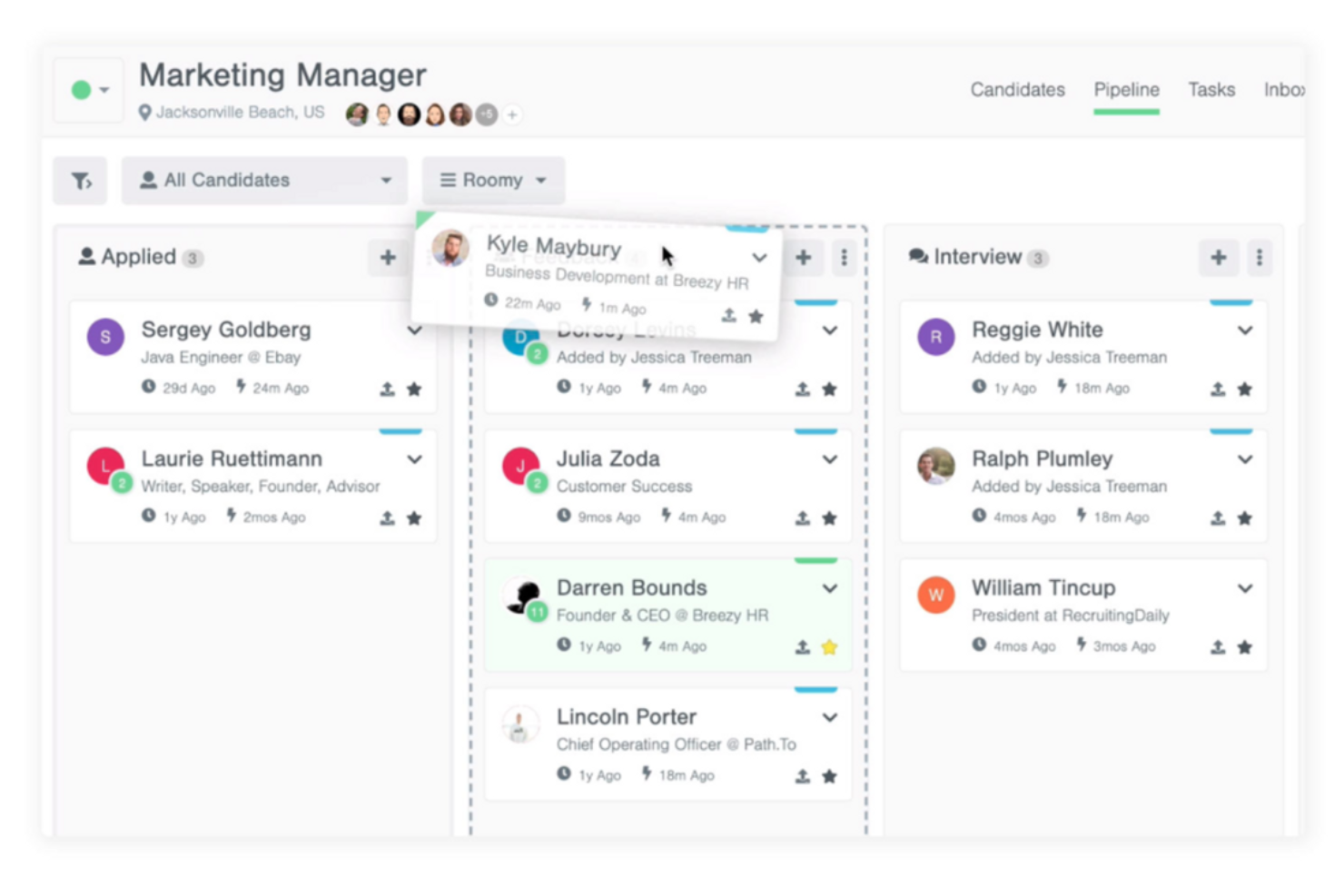
Breezy HR is a recruiting and applicant tracking system designed for roofing companies that want drag-and-drop pipeline management, resume parsing, interview scheduling, and automated candidate messaging in one platform.
Who Is Breezy HR Best For?
Breezy HR is a strong option for roofing companies that want hiring managers and team leads to easily review and advance candidates using a visual hiring pipeline.
Why I Picked Breezy HR
I picked Breezy HR because I can manage candidates by dragging and dropping them through pipeline stages, set up custom workflows for different roles, and use pipeline templates to support recurring hiring needs.
Breezy HR Key Features
- Job board posting: Publish job listings to Indeed, ZipRecruiter, and Google for Jobs.
- Automated interview scheduling: Allow candidates to self-book interviews directly from invitations.
- Video interviewing: Conduct and review video interviews within the platform.
- Candidate scorecards: Standardize candidate evaluations with customizable feedback forms.
Breezy HR Integrations
Integrations include Google Workspace, Slack, Zoom, Microsoft 365, LinkedIn, Indeed, Checkr, BambooHR, and Zapier. An API is available for custom integrations.
Pros and Cons
Pros:
- Self-service interview scheduling
- Mobile app supports hiring on the go
- Visual pipeline simplifies candidate tracking
Cons:
- Lacks granular data visualization
- Candidate search is limited to basic filters
iCIMS
Best analytics dashboard for hiring insights
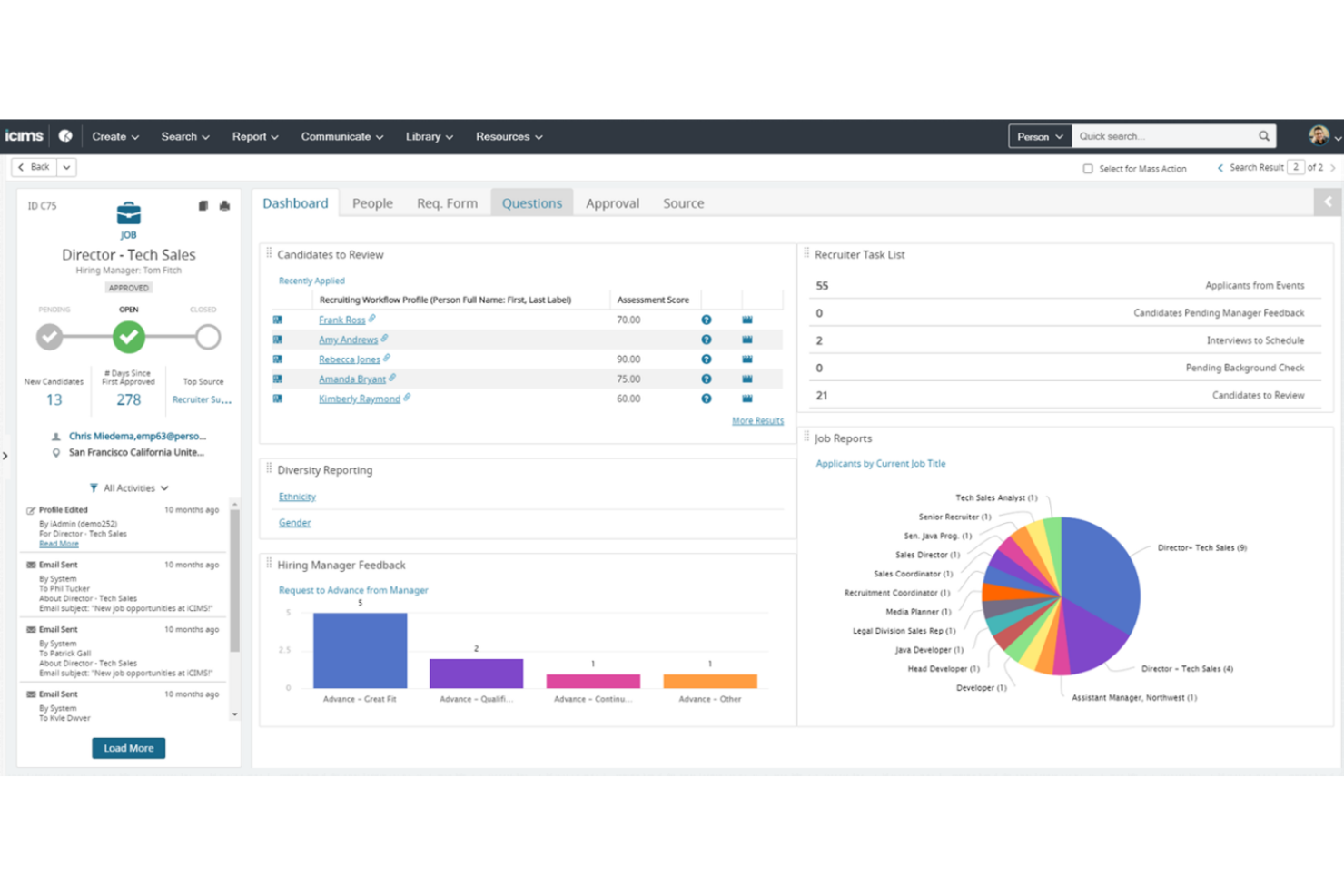
iCIMS is a talent acquisition suite used by roofing companies for managing job postings, applicant tracking, candidate communications, and interview workflows in one centralized platform.
Who Is iCIMS Best For?
iCIMS is well-suited for larger roofing companies and HR teams who need scalable recruiting and advanced analytics across multiple job sites or locations.
Why I Picked iCIMS
I picked iCIMS because I can build custom dashboards for recruiters and hiring managers, visualize time-to-hire across different roles, and identify hiring bottlenecks using advanced reporting and analytics tools.
iCIMS Key Features
- Job distribution tools: Post openings directly to job boards and social platforms.
- Automated candidate communications: Send branded messages and email updates throughout the hiring process.
- Mobile application management: Review applicants and manage tasks from any device.
- Configurable workflow automation: Set up hiring steps and automatic triggers to match your recruiting process.
iCIMS Integrations
Integrations include ADP, Dayforce, Workday, UKG, Oracle, Microsoft 365, and SAP. An API is available for custom integrations.
Pros and Cons
Pros:
- Automated applicant communication workflows
- Customizable dashboards for hiring teams
- Built-in analytics for workforce and job trends
Cons:
- Needs technical staff for setup
- Deployment cycle takes an extended duration

Best reputation management integrations
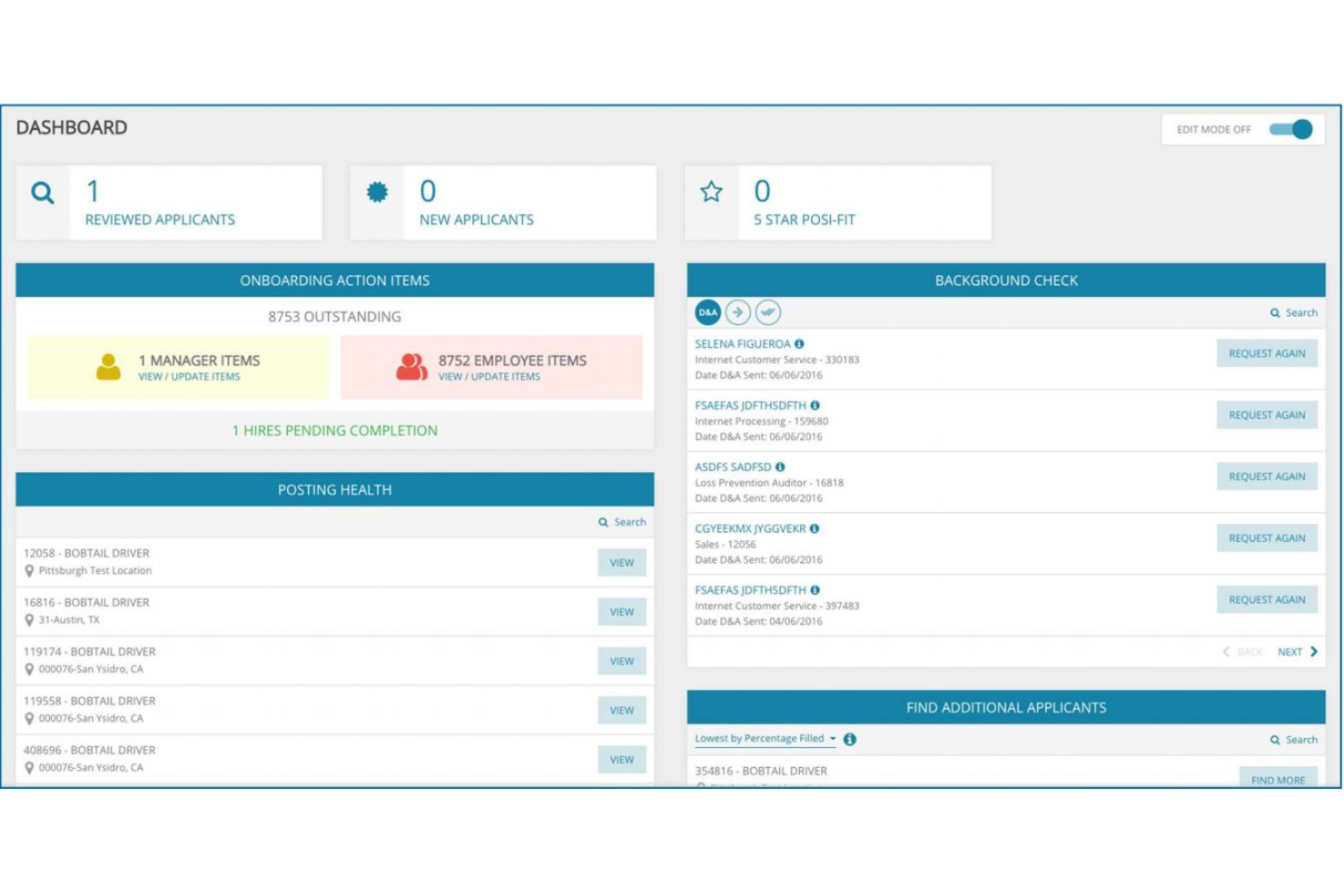
Mitratech TalentReef is a recruitment and talent management platform for hiring teams in skilled trades that brings together applicant tracking, onboarding, workflow automation, and communication in one place.
Who Is Mitratech TalentReef Best For?
Franchise
I picked Mitratech TalentReef because it combines applicant tracking, onboarding, and communication tools in a single platform. Its mobile-friendly hiring experience helps businesses engage hourly workers and manage recruiting across multiple locations.
Mitratech TalentReef Key Features
- Automated interview scheduling: Let candidates self-select interview slots from available times.
- Mobile-friendly job applications: Applicants can apply and submit documents from any device.
- Custom hiring workflows: Build and modify hiring stages to fit unique company processes.
- Centralized document management: Store and organize applicant and employee documents securely in one place.
Mitratech TalentReef Integrations
Integrations include Indeed, ADP, UKG, Oracle, and other HRIS platforms. An API is available for custom integrations.
Pros and Cons
Pros:
- Built-in onboarding and communication tools
- Supports remote candidate outreach
- Strong support for multi-location hiring
Cons:
- Limited automation beyond core recruiting workflow
- Reporting options are basic for multi-location teams
Fountain
Best for high-volume hourly worker hiring
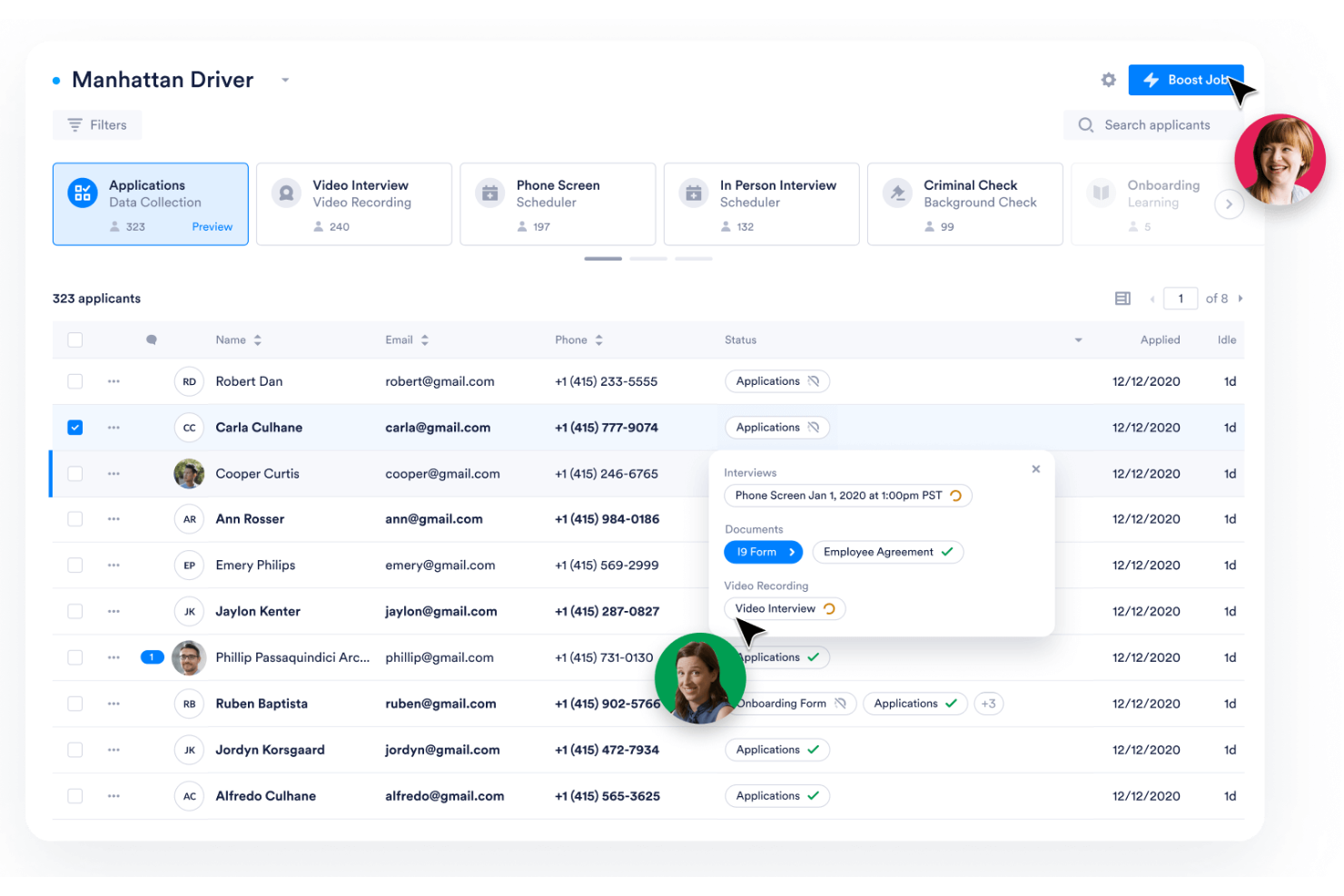
Fountain is a hiring platform for hourly roles that offers workflow automation, candidate sourcing, screening tools, and communication features designed to handle high applicant volumes for roofing and field service companies.
Who Is Fountain Best For?
Fountain suits HR teams at fast-growing roofing companies that need to manage high volumes of hourly field worker applications across multiple locations.
Why I Picked Fountain
I picked Fountain because I can handle thousands of roofing job applications with automated screening, text recruiting, and job board posting. My team can move qualified roofers through custom stages quickly without overwhelming our small HR staff.
Fountain Key Features
- Mobile application workflows: Applicants can complete every stage from their phone.
- Team management permissions: Assign user roles and restrict access for HR or hiring managers.
- Automated document collection: Gather licenses, certifications, and ID uploads directly in the system.
- On-demand reporting: Generate custom reports on hiring metrics, applicant stages, and process bottlenecks.
Fountain Integrations
Integrations include Checkr, Sterling, Accurate, DocuSign, and Salesforce. An API is available for custom integrations.
Pros and Cons
Pros:
- Location-based hiring workflows
- Automated candidate communication
- Mobile-friendly application process
Cons:
- Dashboard not optimized for tablet devices
- Requires extensive initial configuration
Arcoro
Best for modular workforce onboarding tools
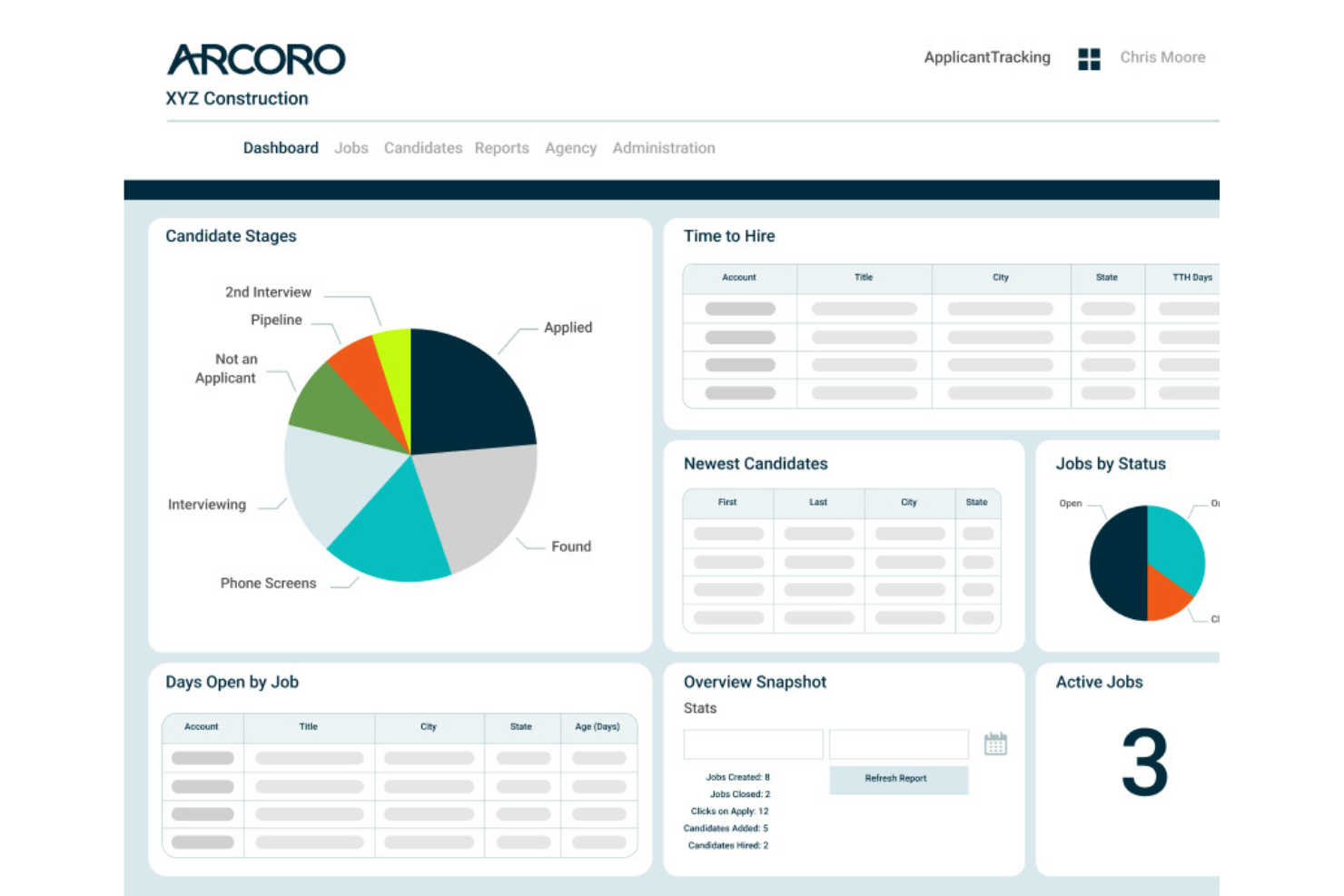
Arcoro is a hiring and onboarding platform designed for construction and trades businesses, offering applicant tracking, digital forms, and compliance management features for roofing company teams.
Who Is Arcoro Best For?
Arcoro suits roofing and construction companies looking to centralize hiring and onboarding processes across multiple workforce types and locations.
Why I Picked Arcoro
I picked Arcoro as one of the best because its modular workforce onboarding tools let me tailor checklists, forms, and compliance documents for different job types. I like how I can bundle onboarding workflows for permanent and seasonal roofing crews.
Arcoro Key Features
- Applicant tracking system: Track candidates through every hiring stage in a centralized dashboard.
- Job board distribution: Post open roofing positions to multiple job boards instantly.
- Mobile document management: Collect and manage new hire paperwork from any device.
- E-verify integration: Verify employment eligibility directly within your hiring workflow.
Arcoro Integrations
Arcoro offers native integrations with Sage 300 CRE, Sage 100 Contractor, Viewpoint Vista, Procore, Foundation Software, ADP, and QuickBooks. An API is available for custom integrations.
Pros and Cons
Pros:
- Automated applicant status updates
- Compliance workflows designed for construction hiring
- Modular onboarding adapts for field or office roles
Cons:
- Some advanced features require additional modules
- Needs expanded data visualization tools
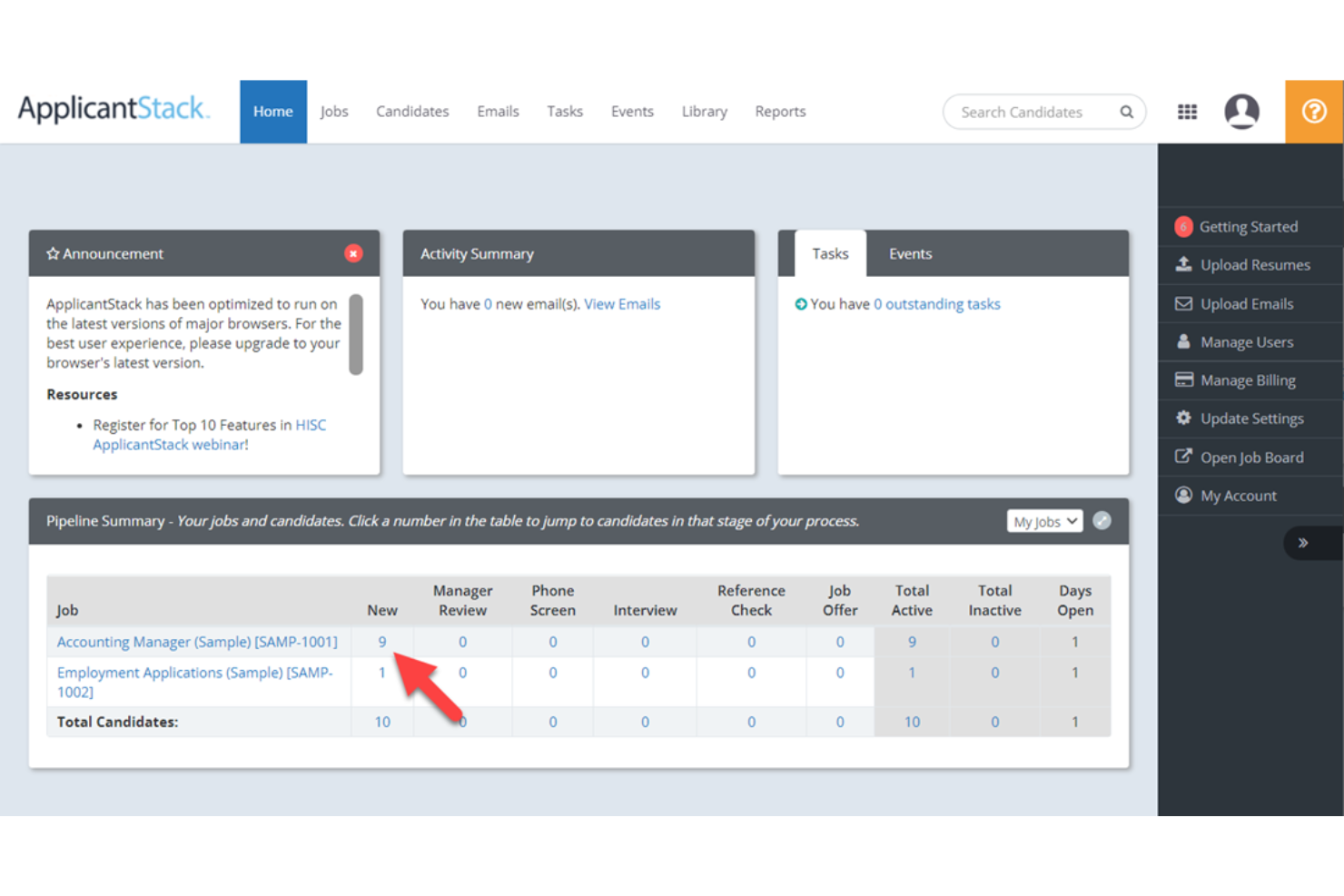
ApplicantStack is a recruitment platform for roofing companies that lets you build tailored hiring workflows, manage candidate pipelines, track applicants, and automate communications in one system.
Who Is ApplicantStack Best For?
ApplicantStack fits roofing companies or construction teams that need flexible candidate pipelines and want to automate skilled trades recruiting.
Why I Picked ApplicantStack
I picked ApplicantStack because I can map my entire skilled trades hiring process with customizable pipeline stages, custom screening questions, and automated job posting tools that help attract qualified candidates more efficiently.
ApplicantStack Key Features
- Integrated background checks: Order and manage candidate background reports within the platform.
- Custom-branded career sites: Create and edit career pages with your company logo and branding.
- Automated email templates: Send bulk communications to applicants at different stages.
- Onboarding checklist management: Track new hire paperwork and onboarding tasks directly in the system.
ApplicantStack Integrations
Integrations include Indeed, ZipRecruiter, CareerBuilder, and major background screening providers. An API is available for custom integrations.
Pros and Cons
Pros:
- Bulk applicant messaging via email and SMS
- Mobile-friendly job applications for field candidates
- Pipeline stages tailored for skilled trades hiring
Cons:
- Limited automation beyond core recruiting
- Custom report builder locks active job tracking data

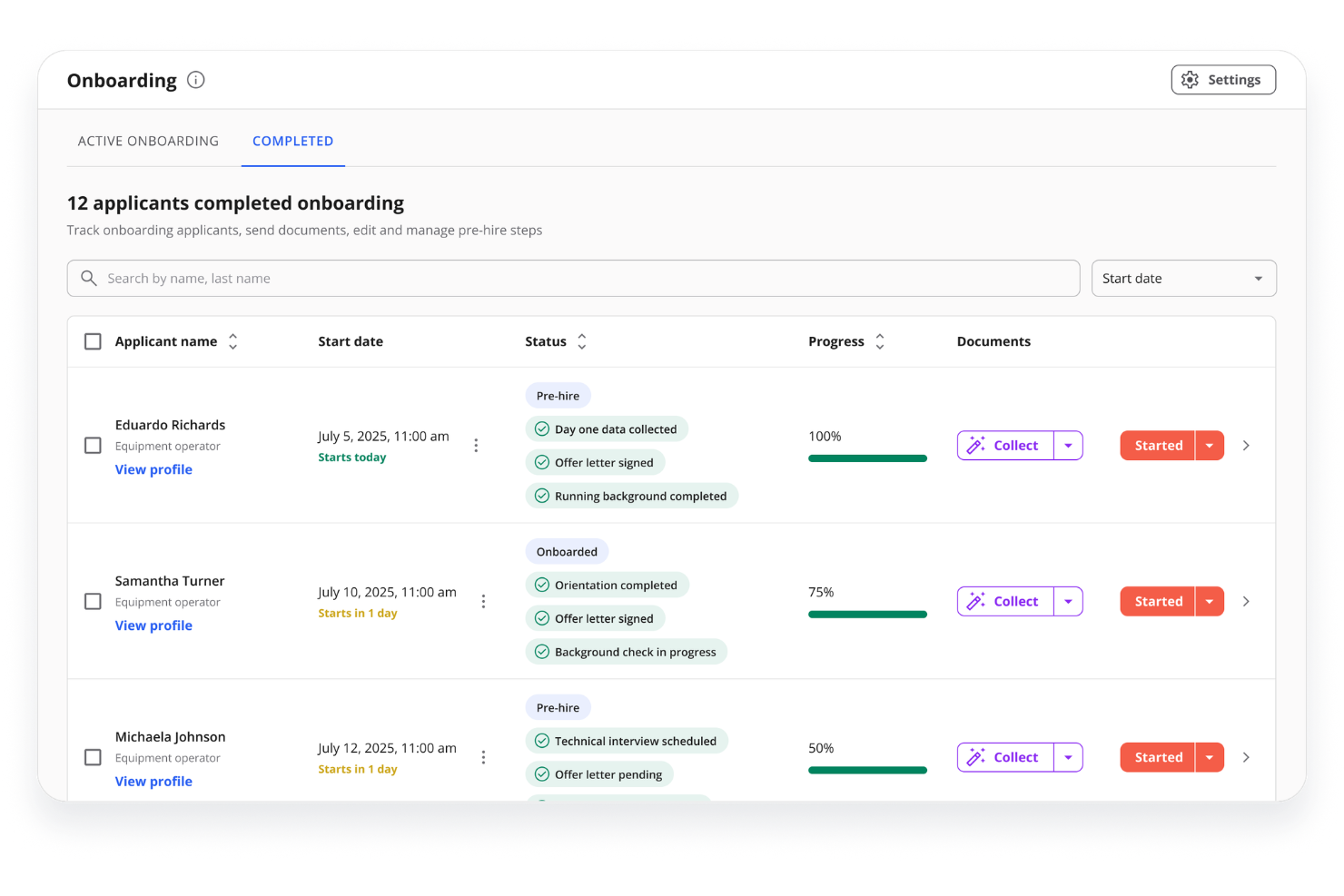
Team Engine is a recruiting and hiring automation platform for trades and field service companies that helps you screen candidates, manage job listings, and automate key communication steps in the hiring process.
Who Is Team Engine Best For?
Team Engine fits construction and roofing businesses that want to reach hourly workers and field staff directly on their mobile devices during the hiring process.
Why I Picked Team Engine
I picked Team Engine as one of the best because I can automate texting to candidates, schedule interviews using text-based prompts, and collect short application responses from job seekers who may not check email on job sites.
Team Engine Key Features
- Automated referrals: Employees can submit referrals through quick text or web links.
- Inbound call tracking: Track and log calls from applicants to your team.
- Job board posting: Post open roles automatically to major job sites from one dashboard.
- Custom screening questions: Set up application questions tailored for roofing and trades roles.
Team Engine Integrations
Integrations include Indeed, ADP, Workday, UKG, Greenhouse, Lever, and JazzHR.
Pros and Cons
Pros:
- Customizable applicant screening questions
- Built-in employee referral management
- Automated texting improves candidate engagement
Cons:
- No built-in job board syndication
- Limited advanced recruiting analytics

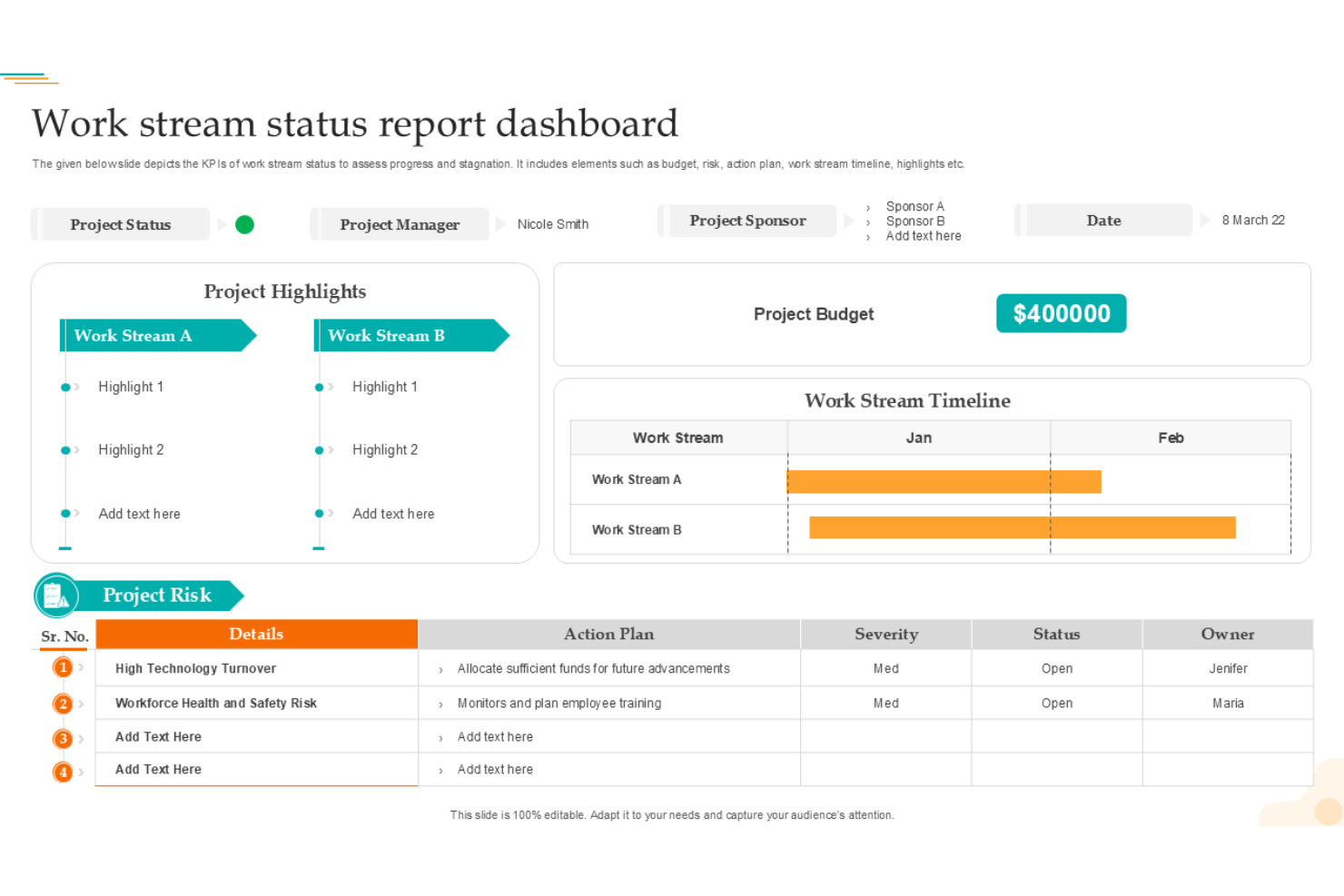

Workstream is an applicant tracking and recruiting platform that helps roofing companies create mobile-first applications, automate hiring workflows, collect candidate responses, and manage interview scheduling in one system.
Who Is Workstream Best For?
Workstream fits multi-location roofing businesses or hiring managers who need to attract and manage hourly field staff quickly through mobile-based recruiting workflows.
Why I Picked Workstream
I picked Workstream because its mobile-first application forms and text-based communication help teams connect with applicants quickly. Automated scheduling and mobile-friendly workflows make it easier to engage and move candidates through the hiring process.
Workstream Key Features
- Custom hiring stages: Build role-specific workflows for every job opening.
- Bulk candidate messaging: Send updates or reminders to multiple applicants at once.
- Offer letter templates: Generate and send digital offer letters for new hires.
- Document collection: Request and store onboarding documents directly in the platform.
Workstream Integrations
Integrations include ADP, Checkr, Indeed, Google Calendar, and Zapier. An API is available for custom integrations.
Pros and Cons
Pros:
- Role-based hiring workflows for multiple locations
- Automated interview scheduling via text message
- Mobile applications tailored for onsite job seekers
Cons:
- Best suited for high-volume hourly hiring
- Advanced features may require higher-tier plans
Other Roofing Company Hiring Software
Here are some additional roofing company hiring software options that didn’t make it onto my shortlist, but are still worth checking out:
- Manatal
For construction trade job board reach
- AvaHR
Workflow automation for recruitment tasks
- Breezy HR
Drag-and-drop candidate management
- iCIMS
Analytics dashboard for hiring insights
- Mitratech TalentReef
Reputation management integrations
- Fountain
For high-volume hourly worker hiring
- Arcoro
For modular workforce onboarding tools
- ApplicantStack
Customizable pipeline for skilled trades
- Team Engine
For reaching candidates via automated texting
- Workstream
Mobile-friendly application workflows
How I Evaluate Roofing Company Hiring Software
I split my evaluation into what a tool must have—like text-to-apply and trade board syndication—and what separates the right fit for a roofing crew from a generic ATS.
Core Functionality (Table Stakes For This List)
When I'm selecting tools for my list, I rank each one on a scale from 0 (does not offer the functionality) to 5 (excels in this area) for each core functionality listed below. Then, I calculate the tool's total score into a percentage. Each tool needs to achieve a minimum total score of 55% to be considered for inclusion.
- Trade-Focused Job Distribution: I check whether a platform syndicates to construction and blue-collar boards beyond just Indeed and ZipRecruiter, since reaching roofers means going where they actually look for work.
- Mobile-First Applications: Most roofers apply from a phone between jobs, so I look for text-to-apply, QR code support, and application flows that don't require uploading a resume.
- High-Volume ATS: Roofing companies often hire dozens of installers and laborers per season, so the ATS needs pipeline stages, bulk actions, and automated dispositioning built for volume.
- SMS/Text Recruiting: I evaluate whether the platform supports two-way texting with templates and scheduling, since trade candidates are far more likely to respond to a text than an email.
- Background & Credential Checks: Integrated background checks, drug screening, and MVR checks matter here because roofing crews drive company trucks and work on customer properties.
- Field Worker Onboarding: I look for digital I-9, W-4, and safety acknowledgment workflows that new hires can complete on a phone before their first day on the roof.
Once I have a list of tools that meet this criteria, I consider what sets each platform apart.
Differentiating Factors (What Sets Vendors Apart)
Here's how I compare and contrast different vendors:
Standout Features
Bilingual application support is a major differentiator. A platform offering Spanish-language job postings, texts, and screening questions reaches a much wider roofing labor pool. I also evaluate automated SMS sequences—not just basic two-way texting, but drip campaigns that re-engage candidates who went quiet after an initial application. Native E-Verify integration is another factor I weigh. Roofing operators who can verify work eligibility inside their onboarding flow avoid juggling a separate system during seasonal ramp-ups.
Beyond Features
Pricing structure matters a lot here. I look for flat-rate or per-user models rather than per-job-post pricing, which penalizes roofing companies that hire continuously throughout peak season. Integration with the roofing tech stack is another key factor—platforms that connect with tools like JobNimbus, AccuLynx, or QuickBooks Payroll save office managers from double data entry. I also evaluate how quickly a non-HR owner can get up and running, since most roofing companies don't have a dedicated recruiter configuring the system.
How to Choose Roofing Company Hiring Software
It’s easy to get bogged down in long feature lists and complex pricing structures. To help you stay focused as you work through your unique software selection process, here’s a checklist of factors to keep in mind:
| Factor | What to Consider |
| Scalability | Can the software handle your current hiring volume and support future growth? Will it work for crews of different sizes, from a small team to 100+ employees? |
| Integrations | Does the solution connect natively with your HR, payroll, and background check systems? Are you able to push candidate data where you need it without manual data entry? |
| Customizability | How customizable are hiring pipelines, applicant forms, and communications? Can workflows be tailored for specific roofing roles, field locations, or shift patterns? |
| Ease of use | Will your team—field managers, admins, and supervisors—get up to speed quickly? Is candidate review and scheduling straightforward enough for users with limited tech experience? |
| Implementation and onboarding | What support or resources are available to guide setup? Is onboarding self-serve, or does it require dedicated project managers or IT involvement? |
| Cost | Are costs predictable and transparent over time? Watch for extra charges for additional users, advanced reporting, or essential integrations. |
| Security safeguards | Does the software offer secure storage of applicant data and documents? Does it help you manage access and stay compliant with privacy regulations relevant to employee records? |
| Support availability | Is live support accessible during standard business hours? How fast are resolution times, and is there a clear process for escalating urgent hiring workflow issues? |
What Are Roofing Company Hiring Software?
Roofing company hiring software is a digital platform designed to help roofing businesses manage job postings, candidate applications, interview scheduling, and communication with applicants. These tools support the end-to-end hiring process, allowing office staff and field managers to efficiently track applicants, fill open roles faster, and maintain organized records tailored to the needs of the roofing industry.
Features
Here are the core features any great roofing company hiring software should have:
- Job posting management: Create, publish, and manage job openings across multiple job boards from one platform, making it easier to reach a wide pool of candidates with less manual work.
- Applicant tracking system: Track each candidate’s progress as they move through various hiring stages, helping your team keep organized records and avoid duplicate information.
- Customizable hiring workflows: Set up tailored hiring pipelines specific to different roles or teams so you can match your company’s needs and standardize the process.
- Interview scheduling tools: Automate and coordinate interview dates and times, often allowing candidates to self-select from available slots, which saves managers and admins time.
- Mobile access: Allow field supervisors and hiring managers to review candidates, communicate, and update hiring statuses directly from their smartphones or tablets, even while at job sites.
- Candidate communications: Centralize email, SMS, and in-app communications with applicants so all team members have a clear log of conversations.
- Digital document management: Collect, store, and manage important applicant documents such as resumes, certifications, and onboarding paperwork in a secure, centralized location.
- Reporting and analytics: Generate real-time reports on applications received, time-to-hire, source of hire, and other key metrics to make data-driven hiring decisions.
- Background check integration: Initiate and track background checks for candidates directly through the platform, reducing back-and-forth with third-party vendors.
- Team collaboration tools: Facilitate feedback sharing and evaluations among office staff and managers so everyone involved in hiring can easily weigh in and stay aligned.
Benefits
Implementing roofing company hiring software provides several benefits for your team and your business. Here are a few you can look forward to:
- Faster candidate screening: Simplified pipelines and applicant tracking help you quickly identify qualified candidates and move them through the hiring process.
- Improved team collaboration: Built-in communication tools and feedback features let managers and office staff coordinate on hiring decisions without lengthy email threads.
- Easier scheduling and communication: Automated interview scheduling and centralized messaging reduce phone tag and simplify connecting with candidates.
- Better document organization: Secure digital storage ensures all resumes, certifications, and onboarding forms are easily accessible and organized in one place.
- Enhanced hiring visibility: Custom reports and analytics provide insights into hiring sources, bottlenecks, and trends so you can optimize your process.
- More consistent candidate experience: Standardized workflows and templates ensure all applicants get timely updates and a clear hiring journey.
- Greater flexibility for field managers: Mobile access allows supervisors to track applicants and provide feedback while on job sites, keeping hiring on schedule. This ensures your talent acquisition matches the efficiency of your project management and operational needs.
Costs and Pricing
Selecting roofing company hiring software requires an understanding of the various pricing models and plans available. Costs vary based on features, team size, add-ons, and more. The table below summarizes common plans, their average prices, and typical features included in roofing company hiring software solutions:
Plan Comparison Table for Roofing Company Hiring Software
| Plan Type | Average Price | Common Features |
| Free Plan | $0 | Basic job postings, limited applicant tracking, and email communication. |
| Personal Plan | $30-$50/user/month | Unlimited postings, basic pipeline management, interview scheduling, and simple reports. |
| Business Plan | $70-$120/user/month | Custom workflows, mobile access, team collaboration tools, document management, and advanced analytics. |
| Enterprise Plan | $150-$300/user/month | Custom integrations, API access, premium support, compliance tools, role-based permissions, and dedicated onboarding. |
FAQs
Here are some answers to common questions about roofing company hiring software:
Can a roofing company's hiring software help manage high applicant volumes?
Yes, roofing company hiring software typically offers applicant tracking systems and automated workflows that make it easier to process large numbers of candidates, keep records organized, and filter applicants based on qualifications.
This helps the sales team and field crew recruiters quickly move qualified candidates through the sales process of hiring, leading to faster placements and better close rates for open positions. Adding these management tools reduces the reliance on messy spreadsheets and keeps recruitment for every active roofing project completely organized.
Is the roofing company hiring software suitable for field-based teams?
Yes, many tools offer a mobile roofing app and simple interfaces so field managers and crew supervisors can review applications, schedule interviews, and communicate with candidates directly from job sites.
This ensures that accurate job details flow between the office and the field, helping roofing contractors keep everyone on the same page. By combining field hiring tools with specialized field service management tools, teams can coordinate everything from the initial roofing estimate to final build delivery.
How secure is applicant data stored in these platforms?
Most all-in-one hiring platforms provide secure data storage, access controls, and compliance support to help protect sensitive customer data and applicant information, meeting privacy regulations specific to employment records. This level of protection gives peace of mind to both future employees and the homeowners you serve, keeping all personal files safe within your central roofing CRM.
What should I budget for a roofing company hiring software?
You should expect to pay between $30 and $120 per user, per month for business-grade plans. Pricing often depends on team size, specific business needs, and whether business owners require advanced CRM features or reporting capabilities.
Investing in the best roofing software setups for your hiring needs ultimately protects your company’s bottom-line profit by reducing turnover and cutting down the time it takes to staff your roofing sales division. Finding experienced estimators who can quickly build professional proposals and pull remote aerial measurements helps ensure you get a fast return on your software investment
Can I integrate roofing company hiring software with my existing HR or payroll software?
Yes, many solutions support integrations with HR, payroll, and accounting software platforms to help protect cash flow and automate back-office work. This ensures a smooth follow-up when onboarding new hires who are responsible for calculating precise roof measurements, though the availability and type of integrations will vary, so it’s best to confirm with the vendor’s support team early in your selection process.
Once integrated, you can also look into expanding your all-in-one platform to handle automated notifications, secure credit card processing, and specialized payment processing for your clients.