

10 Workforce Management Software UK Solutions for 2026

Workforce Management Software UK Shortlist


Workforce management software UK refers to digital tools designed to help UK businesses handle staff scheduling, attendance, payroll, and compliance in one place. If you’re searching for the right platform, you’re likely balancing complex shift patterns, evolving regulations, and the need to support both on-site and remote teams.
Choosing the right software can help you reduce manual admin, stay compliant, and keep your workforce engaged. In this list, you’ll find a clear comparison of leading UK workforce management solutions for 2026, so you can confidently select the best fit for your organisation’s needs.
Why Trust Our Software Reviews
Our team has been testing and reviewing software since 2012. As HR experts ourselves, we know how difficult—and important—it is to choose the right software.
For this guide, we evaluated tools using hands-on testing and independent research, scoring tools using our selection criteria. We also draw on insights from industry thought leaders and practicing HR experts.
Our reviews reflect our human editorial judgment, not a sales pitch.
Expert reviewers:
Best Workforce Management Software UK Summary
This comparison chart summarizes pricing details for my top workforce management software UK selections to help you find the best one for your budget and business needs.
| Tool | Best For | Trial Info | Price | ||
|---|---|---|---|---|---|
| 1 | Best for hiring in 150+ countries | Free demo available | From $5/employee/month | Website | |
| 2 | Best with AI-driven HR analytics and reporting | Free demo available | From $8/user/month | Website | |
| 3 | Best for rota management in hospitality | 14-day free trial + free demo available | From $5/user/month | Website | |
| 4 | Best for employee absence tracking automation | Free demo available | Pricing upon request | Website | |
| 5 | Best for unified HR and finance insights | Free demo available | Pricing upon request | Website | |
| 6 | Best for payroll and workforce data integration | Free demo available | Pricing upon request | Website | |
| 7 | Best for event staff scheduling | 14-day free trial + free demo available | From $100/user/month | Website | |
| 8 | Best for compliance in complex organisations | Free demo available | Pricing upon request | Website | |
| 9 | Best for contact centre workforce planning | Free demo available | Pricing upon request | Website | |
| 10 | Best for facilities and security service providers | Free demo available | Pricing upon request | Website |
Workforce Management Software UK Reviews
Below are my detailed summaries of workforce management software UK that made it onto my shortlist. My reviews offer a detailed look at the features, best use cases, and integrations of each platform to help you find the best one for you.

Deel HR
Best for hiring in 150+ countries
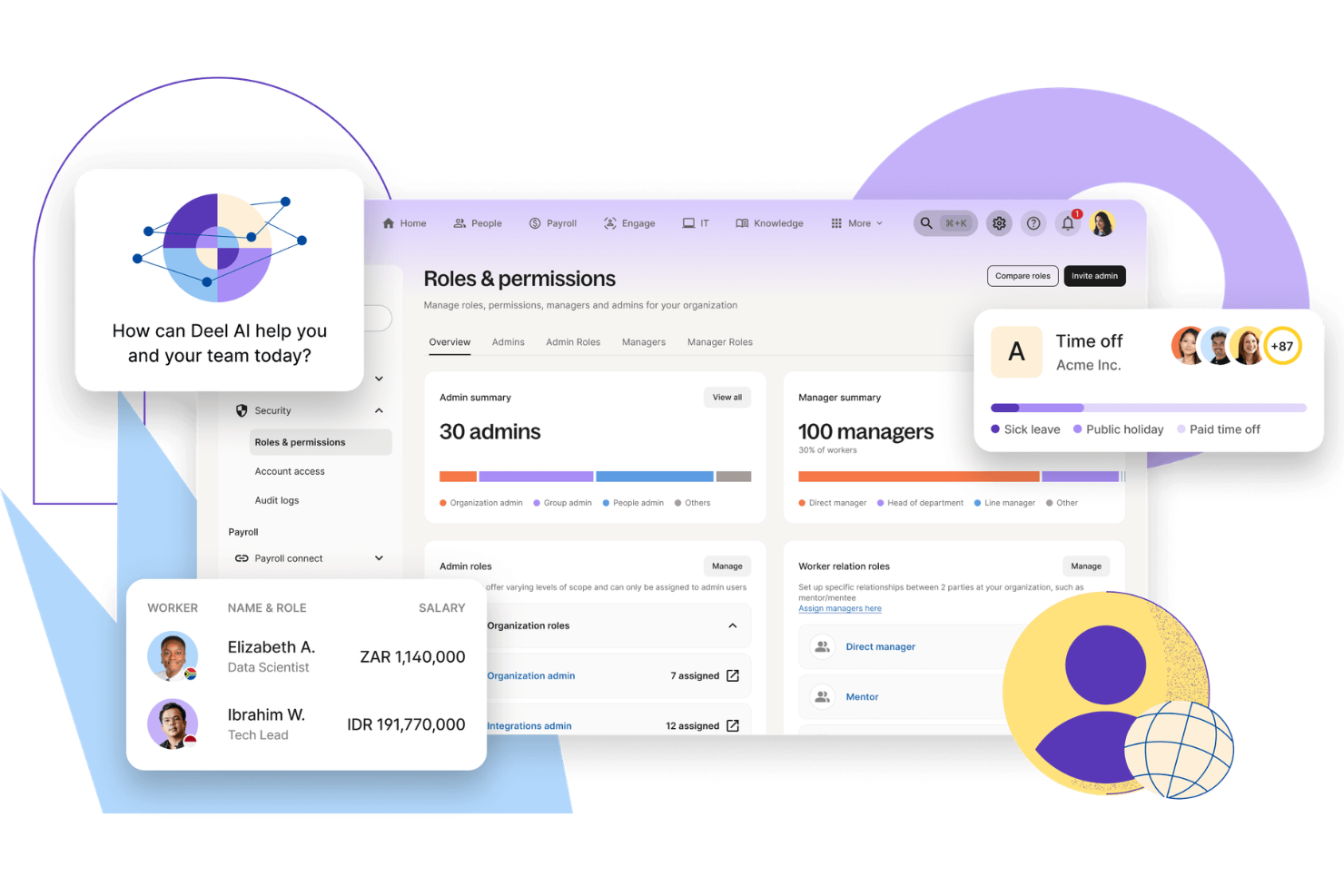
Deel HR is a workforce management platform for UK businesses that brings together global hiring, HRIS, compliance, payroll, and contractor management in one system.
Who Is Deel HR Best For?
HR teams at UK companies hiring or managing employees and contractors across multiple countries and regions.
Why I Picked Deel HR
I picked Deel HR as one of the best because I can hire employees or contractors in over 150 countries almost instantly. My team uses Deel’s automated contract generation and localized onboarding workflows to get new hires started right away. I also rely on Deel’s in-platform document management to handle country-specific compliance requirements during the hiring process.
Deel HR Key Features
- Global payroll processing: Run payroll for employees and contractors in multiple countries from a single dashboard.
- Time off management: Track and approve employee leave requests with customizable policies for each location.
- HRIS data management: Store and organize employee records, contracts, and documents in one secure platform.
- Expense management: Submit, review, and reimburse employee expenses directly within the system.
Deel HR Integrations
Native integrations are not clearly documented. Deel HR provides an API for custom integrations.
Pros and Cons
Pros:
- Payroll processing in multiple currencies
- Built-in performance tracking and review cycles
- Centralized HRIS for global workforce data
Cons:
- Some features require higher-tier plans
- Limited native integrations with HR platforms
New Product Updates from Deel HR

Deel Expands Stablecoin Wallet to 80+ Countries
Deel expands its Stablecoin Wallet to 80+ countries with dollar-backed balances and optional rewards. This gives eligible contractors more ways to hold and manage earnings inside Deel. For more information, visit Deel’s official site.
 .
.
Best with AI-driven HR analytics and reporting
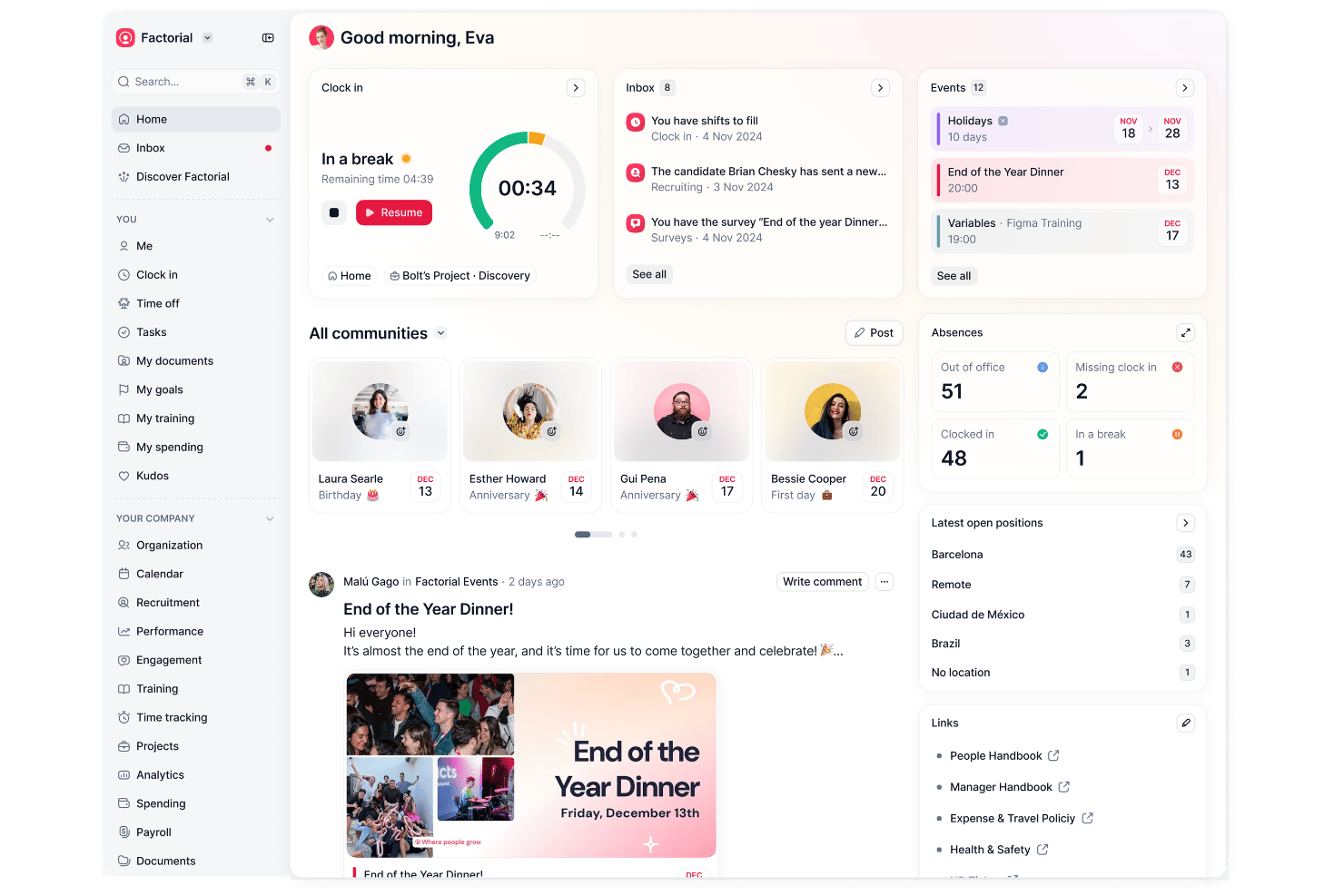
Factorial is a workforce management platform that brings together HR administration, time and attendance, shift scheduling, payroll processing, and analytics in a single system.
Who Is Factorial Best For?
HR teams at small to mid-sized UK businesses looking for an all-in-one workforce management and HR automation solution.
Why I Picked Factorial
I picked Factorial as one of the best because I can generate workforce reports with AI and quickly spot trends in absence, costs, and turnover. The platform’s analytics help me build custom dashboards and instantly answer complex people questions.
Factorial Key Features
- Shift scheduling: Assign shifts, manage rotas, and track coverage for teams in one place.
- Time-off management: Employees can request holiday or sick leave directly from the platform.
- Payroll preparation: Compile hours worked, overtime, and deductions to prep for payroll runs.
- Employee document storage: Securely store and organize HR documents with controlled access permissions.
Factorial Integrations
Factorial offers over 40 native integrations, including Slack, Microsoft Teams, Suprema, Zapier, Personio, Payflow, and more. An API is available for building custom integrations.
Pros and Cons
Pros:
- Mobile app makes shift tracking simple
- Simplifies UK-specific time-off and holiday requests
- AI assistant generates instant workforce analytics
Cons:
- Customer support response times can vary
- Limited advanced payroll features for enterprises

Deputy
Best for rota management in hospitality
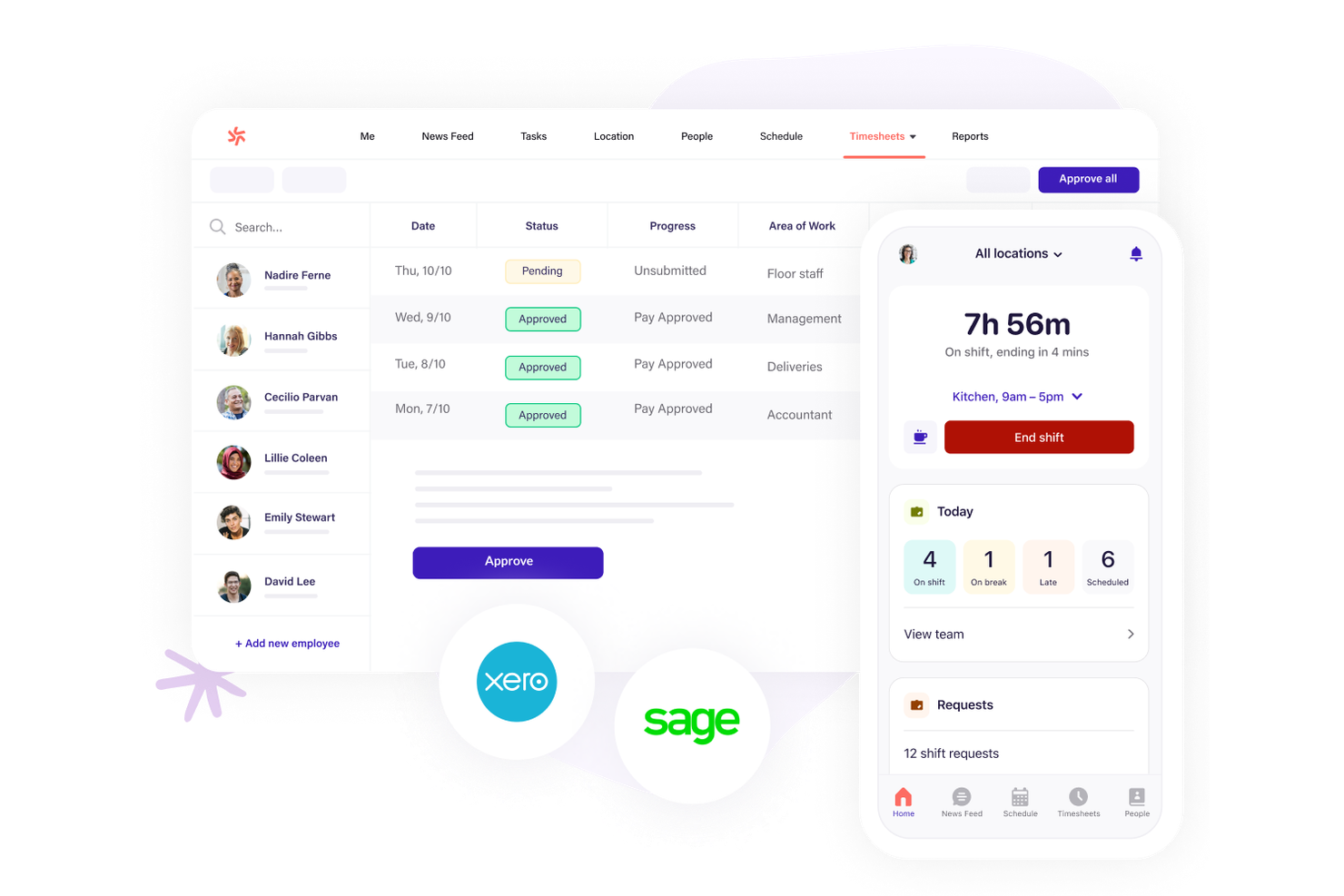
Hospitality businesses looking for precise rota management often turn to Deputy for its shift scheduling strengths. The platform is built for managers and team leads who need to coordinate hourly staff, handle last-minute changes, and ensure compliance with working time rules. Deputy helps you manage complex shift patterns, track attendance, and communicate updates instantly across locations.
Why I Picked Deputy
When it comes to rota management in hospitality, Deputy offers features that directly address the fast-paced, shift-driven nature of the industry. I picked Deputy because its drag-and-drop scheduling tool lets you quickly build and adjust rotas, even for large teams with varying availability.
The platform also includes automated shift notifications and real-time attendance tracking, which help managers stay on top of last-minute changes and no-shows. These features make Deputy a strong fit for hospitality businesses in the UK that need to keep operations running smoothly across multiple locations.
Deputy Key Features
In addition to its rota management strengths, Deputy offers several other useful features:
- Customizable Timesheets: Managers can review, edit, and approve digital timesheets before exporting to payroll.
- Leave Management: Employees can request leave, and managers can track balances and approve requests within the platform.
- Task Assignment: Assign specific tasks to team members and track completion alongside shift schedules.
- Reporting Tools: Generate reports on attendance, wage costs, and labor compliance for better workforce insights.
Deputy Integrations
Integrations include BambooHR, Box, Clover, Dropbox, Epos Now, HiBob, Lightspeed, QuickBooks, Sage, and more.
Pros and Cons
Pros:
- GPS clock-in helps prevent time fraud
- UK holiday pay calculations are built-in
- Shift swapping is automated for hourly staff
Cons:
- No built-in recruitment or applicant tracking
- Overtime rules setup can be confusing

edays
Best for employee absence tracking automation
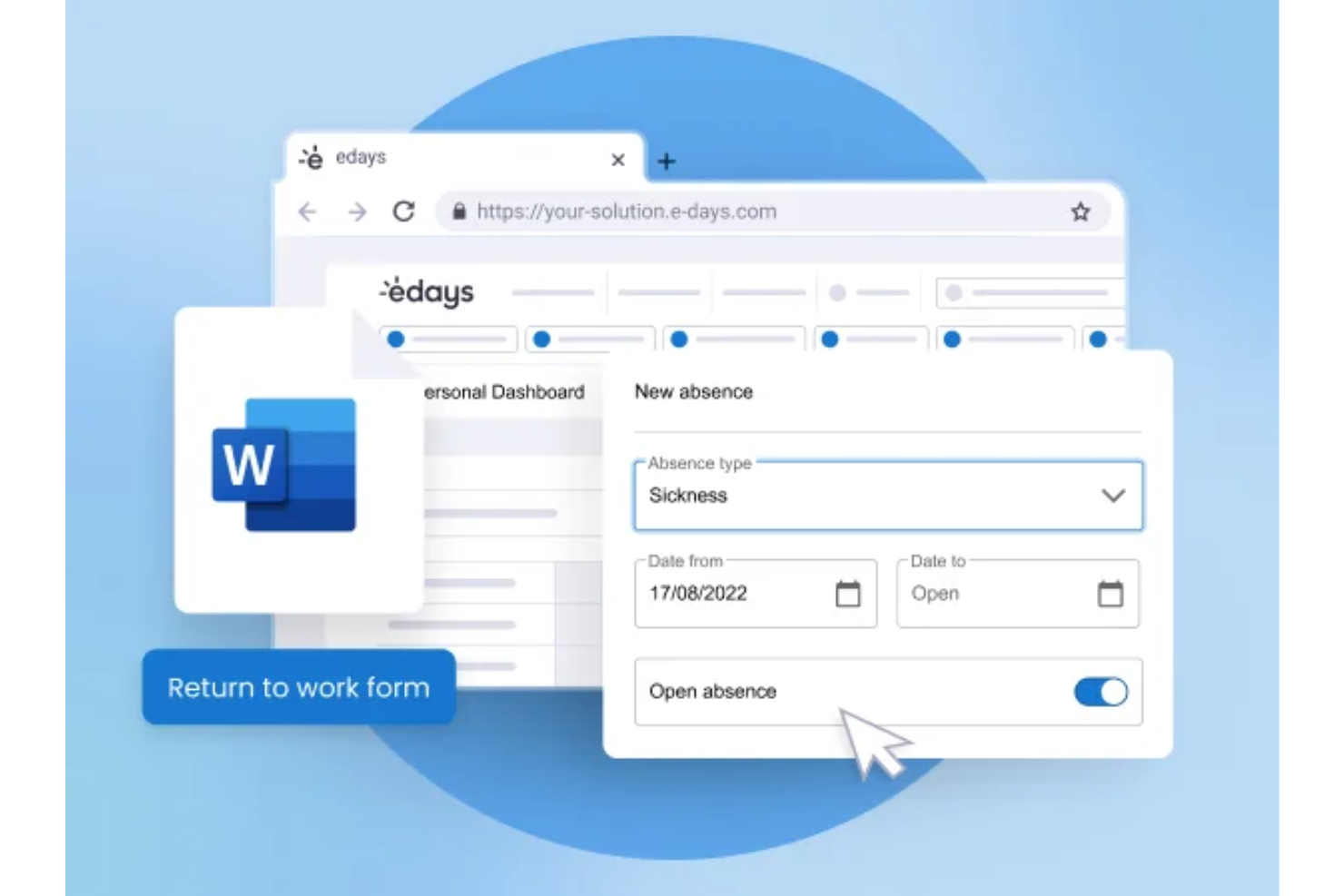
edays is a UK-based absence and workforce management platform that covers leave and holiday management, sickness tracking, time and attendance, employee scheduling, and core HR in one configurable system.
Who Is edays Best For?
edays is a good fit for mid-size to large UK and global organizations with complex leave policies, multiple locations, or high volumes of absence to manage.
Why I Picked edays
I've included edays in my top picks because its absence automation goes well beyond a simple request-and-approve workflow. What I find most useful is the configurable absence trigger system: you set the conditions, and edays automatically alerts the right managers the moment those thresholds are crossed, so nothing slips through. I also like that carryover and accruals are fully automated, which means no manual recalculations at year-end across different rota types. The Bradford Factor score updates in real time on each employee profile, giving managers a live view of absence patterns without any manual tracking.
edays Key Features
- Drag-and-drop rota builder: Create and manage employee schedules visually, with filters for skills, roles, and shift requirements.
- Online timesheets: Employees log hours, overtime, and TOIL directly in the platform for manager review and approval.
- Return-to-work forms: Automatically trigger customizable forms when an employee returns from a sickness absence.
- Custom report builder: Build tailored absence and workforce reports with scheduled delivery and data export options.
edays Integrations
edays offers out-of-the-box integrations with Cornerstone OnDemand, Cegid, IntelliHR, and ELMO, along with calendar syncing through Outlook, Gmail, and iCal. An API is available for custom integrations with HRIS, payroll, and physical clock-in devices.
Pros and Cons
Pros:
- Tracks sickness in days or hours
- Automated absence triggers alert managers early
- Handles multi-country leave rules in one system
Cons:
- Multi-country setup takes significant admin time
- Reporting visuals need manual tweaking

Workday
Best for unified HR and finance insights
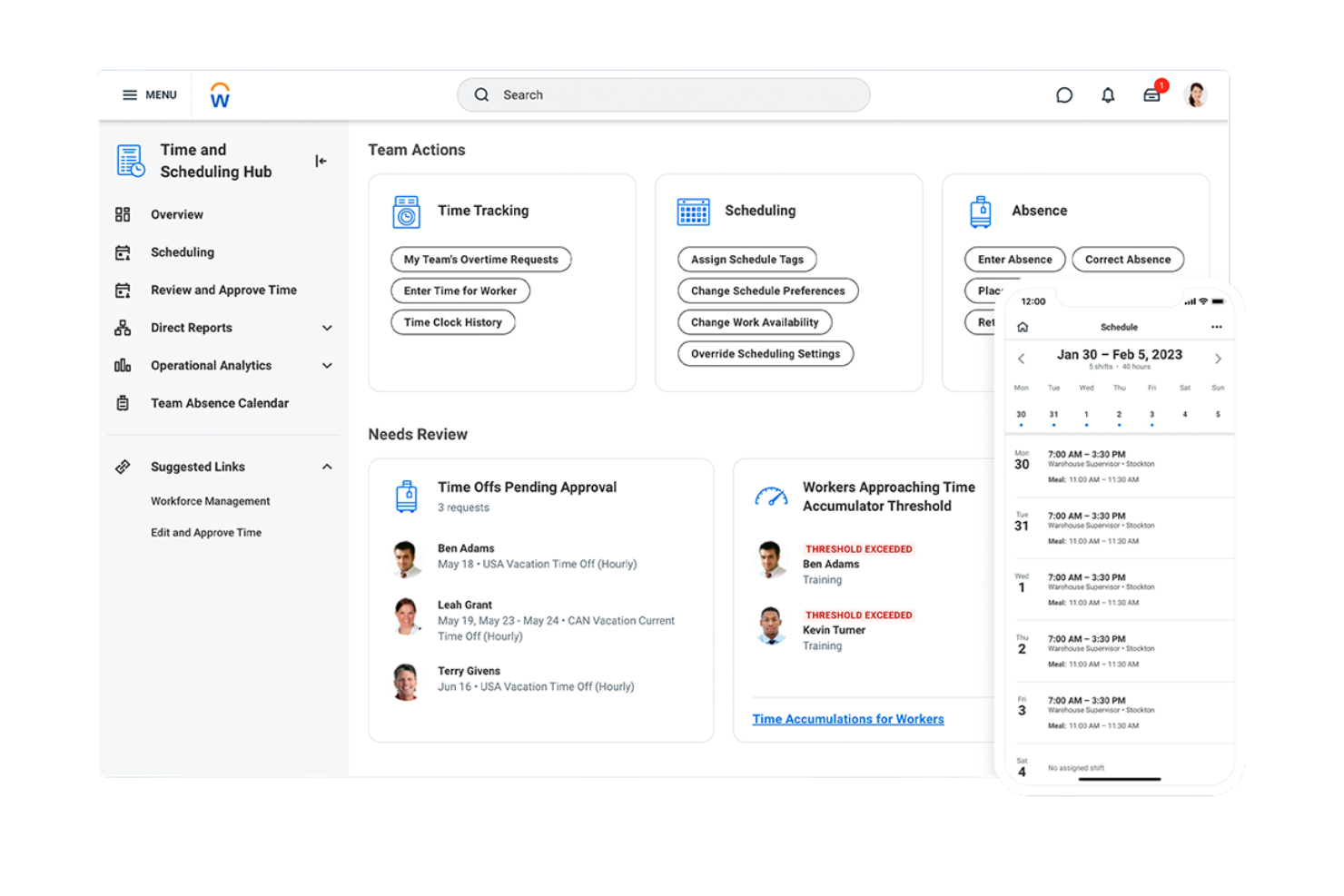
Workday brings HR and finance data together in one platform, making it a strong choice for UK organizations that want unified insights across people and budgets. It’s especially useful for larger businesses or those with complex reporting needs who want to connect workforce planning with financial forecasting. With Workday, HR and finance teams can collaborate on headcount, costs, and compliance from a single source of truth.
Why I Picked Workday
What sets Workday apart from workforce management software in the UK is its ability to unify HR and finance data in real time. I picked Workday because it lets you connect workforce planning, payroll, and financial forecasting in one platform, so HR and finance teams can make decisions based on the same data.
The platform’s analytics tools help you track headcount, labor costs, and budget variances without switching between systems. This unified approach is especially valuable for organisations that need to align people strategy with financial goals.
Workday Key Features
Some other features that make Workday useful for workforce management include:
- Automated Time Tracking: Employees can clock in and out, and managers can review hours directly in the platform.
- Talent Management Suite: Tools for recruiting, onboarding, performance reviews, and succession planning are all built in.
- Mobile Access: Staff and managers can access schedules, approve requests, and view reports from their phones.
- Compliance Monitoring: The system tracks regulatory changes and helps ensure HR processes meet UK employment standards.
Workday Integrations
Native integrations are not currently listed.
Pros and Cons
Pros:
- Customizable dashboards for workforce analytics
- Built-in talent management and succession tools
- Real-time HR and finance data integration
Cons:
- Implementation can take months with high cost overruns
- Lacks native CRM and full supply chain capabilities

ADP
Best for payroll and workforce data integration
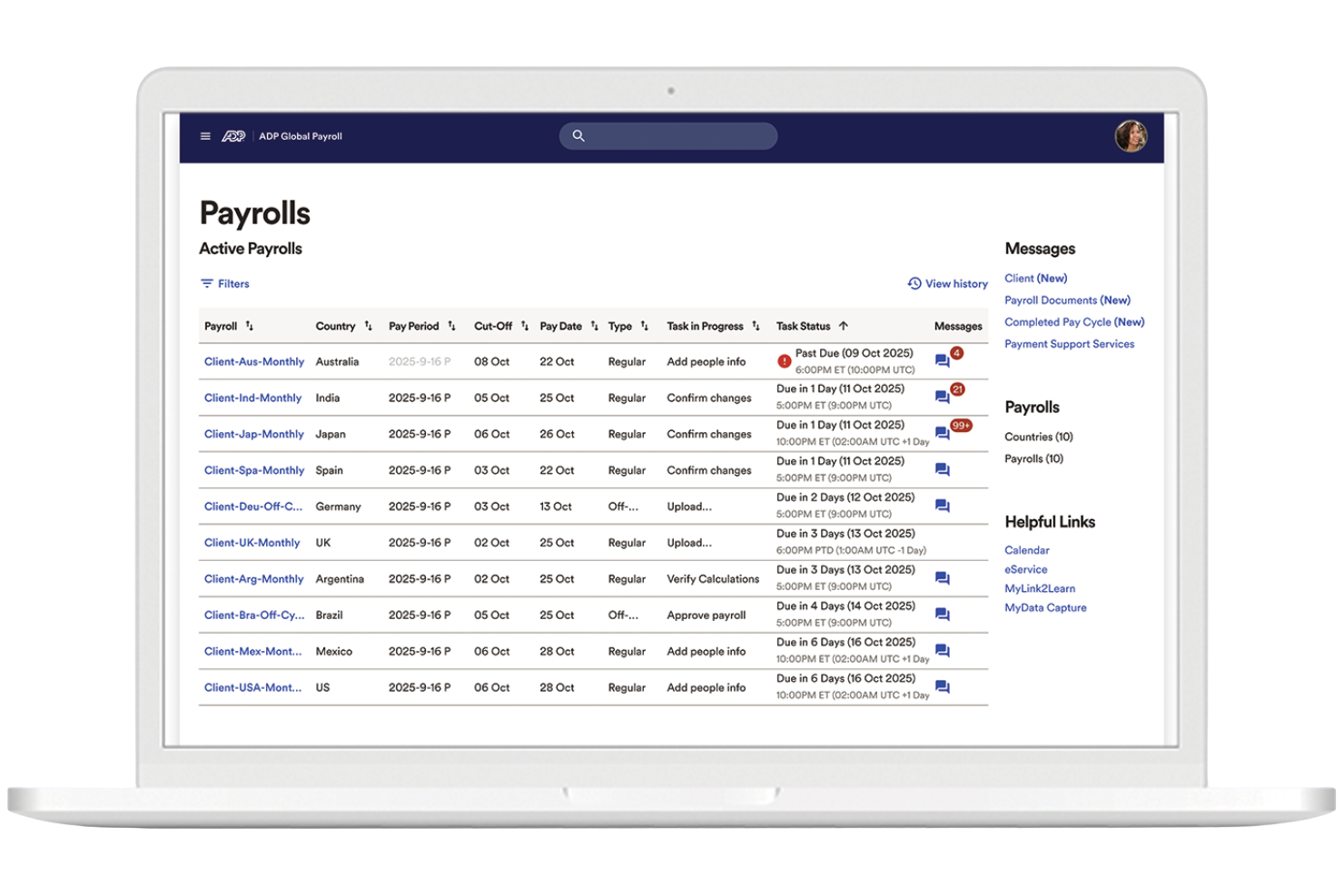
ADP is a workforce management solution that connects payroll and HR data in one system. It suits UK organizations that want to bring payroll, time tracking, and workforce analytics together in one place. ADP reduces manual data entry and keeps employee records aligned across systems.
Why I Picked ADP
For UK organizations that need payroll and workforce data to work together, ADP stands out for its integrated approach. I picked ADP because it connects payroll processing with time and attendance tracking, so HR teams can manage pay, hours, and compliance from a single platform.
The system also offers workforce analytics tools that help you monitor trends in labor costs and employee attendance. This makes ADP a strong choice for businesses that want to reduce manual data entry and keep workforce records accurate across HR and payroll.
ADP Key Features
Some other features that make ADP useful for workforce management include:
- Employee Self-Service Portal: Staff can view payslips, update personal details, and access tax documents online.
- Automated Leave Management: Track, approve, and record employee leave requests within the platform.
- Document Management: Store and organize HR documents securely for easy access and compliance.
- Mobile App: Employees and managers can access schedules, request time off, and review payroll information from their phones.
ADP Integrations
Native integrations are not currently listed.
Pros and Cons
Pros:
- Scalable for multi-site and large organizations
- Workforce analytics dashboard for labor insights
- Employee self-service for payslips and leave
Cons:
- Limited native integrations for UK-specific tools
- Custom report building requires technical knowledge
Best for event staff scheduling
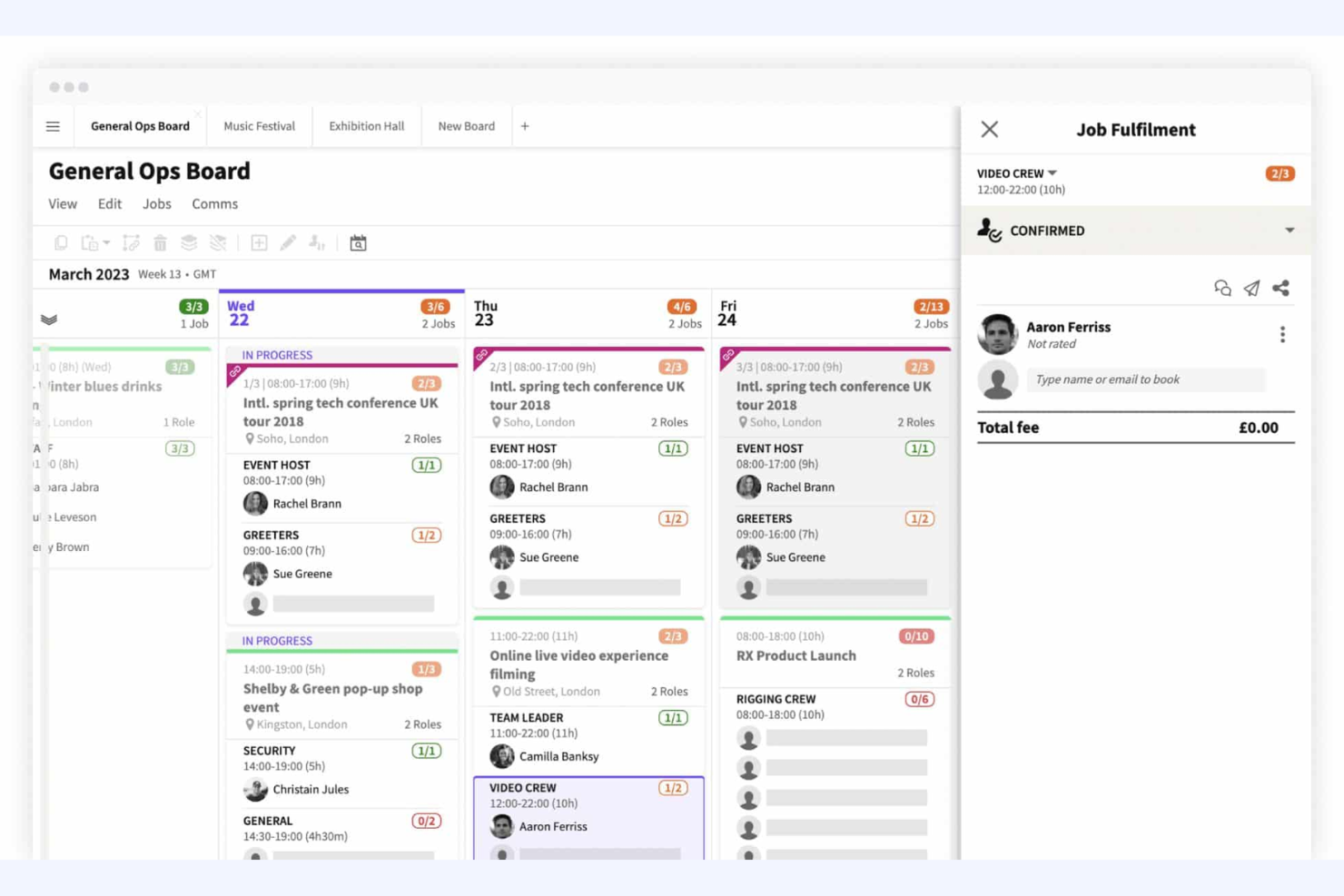
Liveforce is designed for agencies and organizations that need to schedule and manage event staff across multiple locations. It’s a strong fit for event planners, staffing agencies, and production companies looking to handle last-minute changes, shift assignments, and staff communications in one place. With Liveforce, you can quickly build rosters, track staff availability, and keep everyone updated in real time.
Why I Picked Liveforce
For organisations that need to coordinate event staff quickly and reliably, Liveforce stands out for its event-focused scheduling tools. I picked Liveforce because it lets you create and publish shifts, manage staff bookings, and handle last-minute changes from a single dashboard.
The platform’s availability tracking and instant messaging features help you fill roles and communicate updates without delays. This makes Liveforce a strong choice for UK teams managing temporary or freelance staff at events, festivals, or pop-up activations.
Liveforce Key Features
Some other features that make Liveforce useful for workforce management include:
- Customizable Staff Profiles: Store documents, certifications, and work history for each staff member.
- Automated Timesheets: Staff can submit hours worked, and managers can approve timesheets directly in the platform.
- Branded Staff Portal: Give staff access to a portal with your company’s branding for job offers and updates.
- Bulk Messaging: Send announcements or shift offers to selected groups of staff at once.
Liveforce Integrations
Native integrations are not currently listed.
Pros and Cons
Pros:
- Branded staff portal supports agency identity
- Bulk messaging reaches staff groups instantly
- Staff can upload documents and certifications
Cons:
- No public API for custom integrations
- Limited reporting options for shift analytics

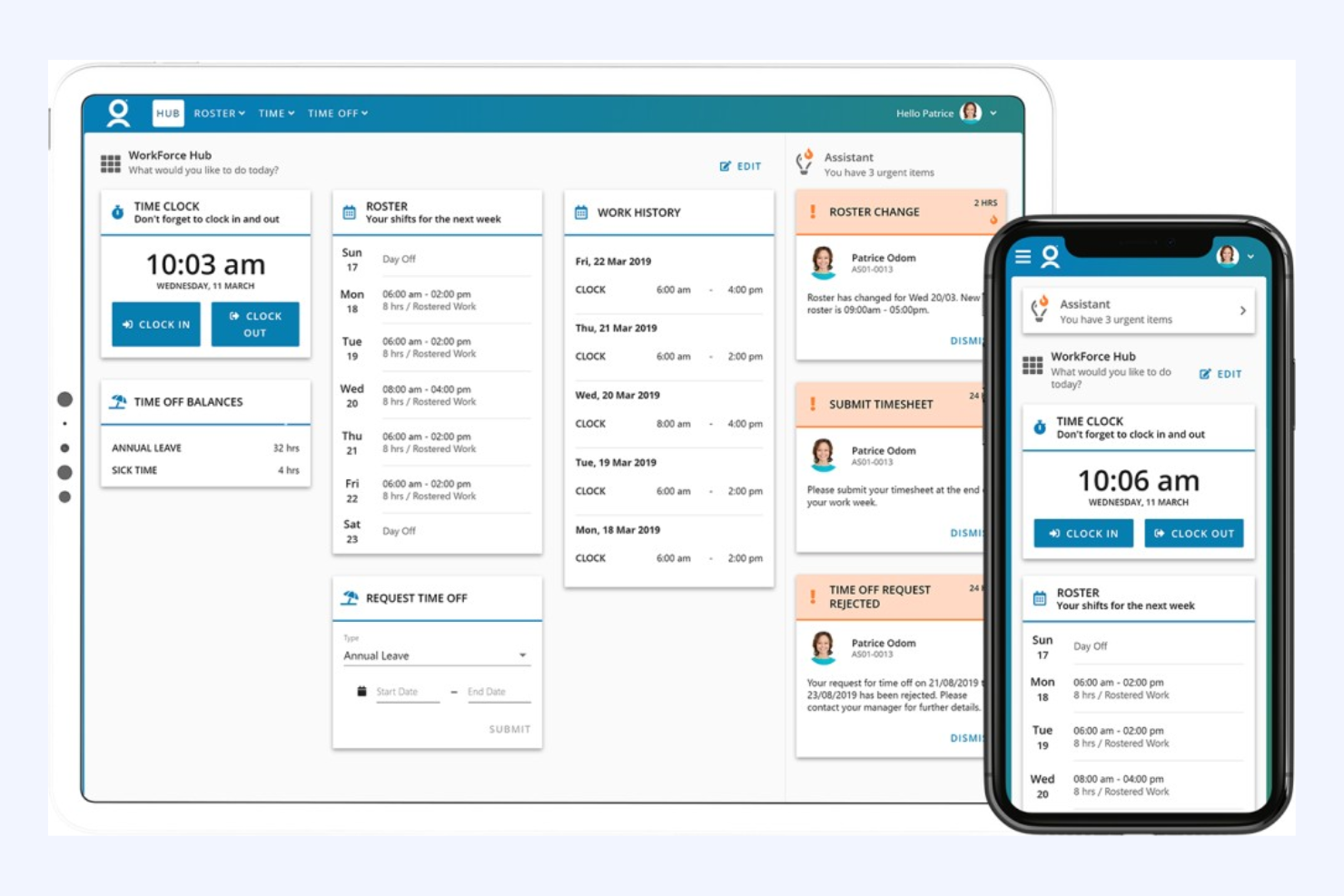
WorkForce Software is designed for large UK organisations that need to manage compliance and workforce complexity across multiple regions or business units. It’s a strong fit for HR leaders and operations teams in highly regulated industries like healthcare, manufacturing, and the public sector. The platform helps you automate compliance with UK labour laws, manage union agreements, and handle intricate scheduling rules at scale.
Why I Picked WorkForce Software
For organisations facing strict compliance requirements and complex workforce structures, WorkForce Software stands out as a purpose-built solution. I picked it because it offers advanced compliance automation, including real-time monitoring of UK labour law adherence and union agreement management.
The platform also supports configurable scheduling rules, so you can tailor shift patterns and overtime policies to meet both legal and operational needs. These features make it a strong choice for HR teams that need to reduce compliance risk while managing large, distributed workforces.
WorkForce Software Key Features
Some other features that make WorkForce Software valuable for UK organisations include:
- Mobile Self-Service Portal: Employees can request time off, swap shifts, and view schedules from their phones.
- Absence Management: Track and manage all types of leave, including statutory sick pay and holiday entitlements.
- Real-Time Analytics Dashboard: Access up-to-date workforce data and compliance metrics in a single view.
- Automated Notifications: Send alerts for schedule changes, compliance breaches, or required approvals.
WorkForce Software Integrations
Integrations include ADP, SAP SuccessFactors, Oracle HCM Cloud, UKG, Microsoft Azure Active Directory, ServiceNow, Kronos, Workday, and more.
Pros and Cons
Pros:
- Multi-language support for diverse teams
- Real-time analytics for workforce compliance
- Configurable union and local agreement rules
Cons:
- Occasional delays in customer support response
- Limited flexibility for small business needs

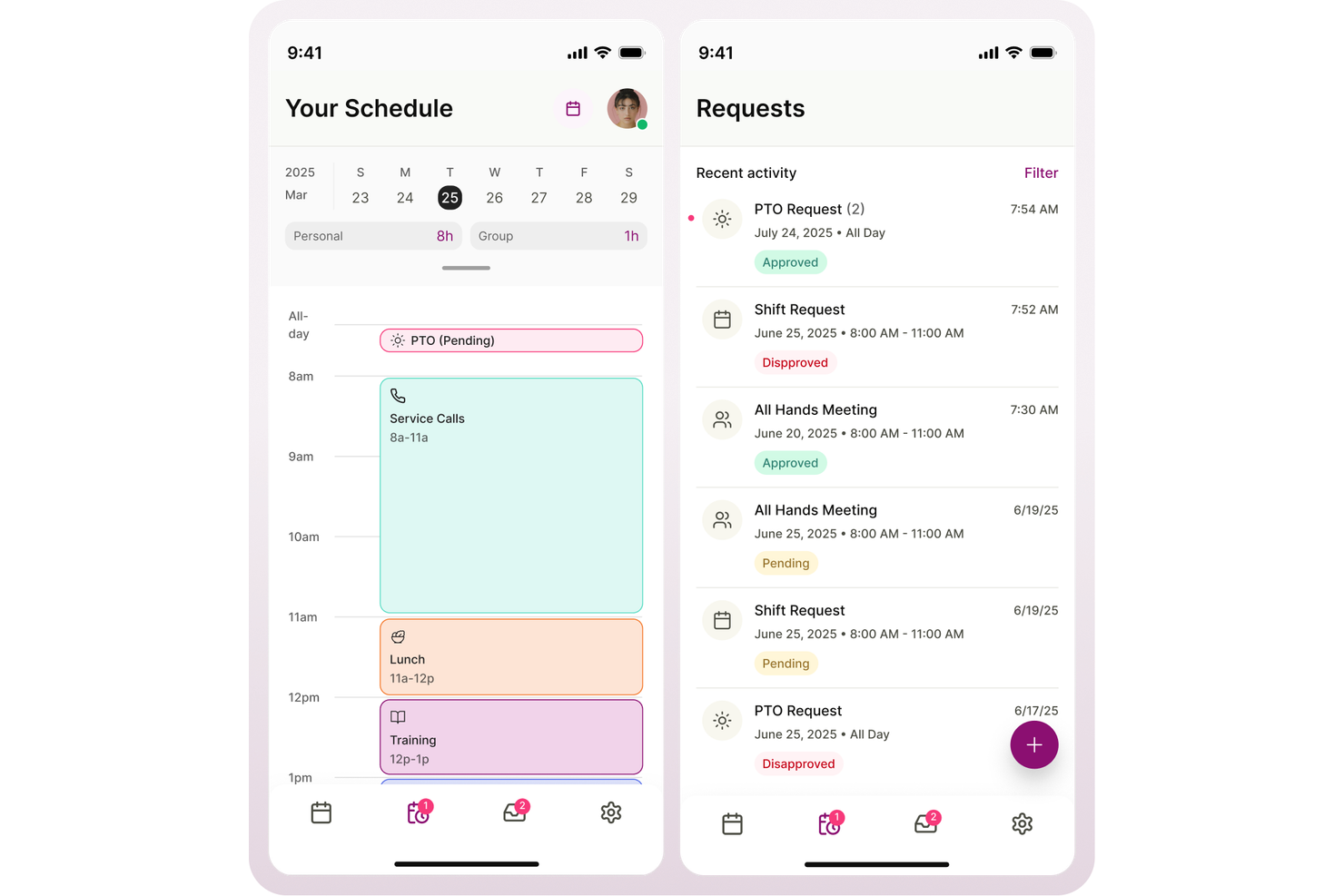
Aspect is purpose-built for contact centres in the UK that need to optimise workforce planning and scheduling. It’s especially useful for operations managers and workforce analysts handling high call volumes and fluctuating demand. The platform helps you forecast staffing needs, manage agent schedules, and maintain service levels in fast-paced environments.
Why I Picked Aspect
When it comes to contact centre workforce planning, Aspect offers specialised tools that address the unique challenges of this environment. I picked Aspect because it provides advanced forecasting and scheduling capabilities, allowing you to predict call volumes and align staffing accordingly.
The platform also includes real-time adherence monitoring, so you can track agent performance and make adjustments on the fly. These features help contact centre leaders maintain service levels and respond quickly to changing demand.
Aspect Key Features
Some other features that make Aspect useful for contact centre teams include:
- Automated Shift Bidding: Agents can bid for preferred shifts based on availability and business rules.
- Mobile Agent Access: Staff can view schedules, request time off, and receive notifications from their mobile devices.
- Intraday Management Tools: Managers can adjust staffing and break times in real time as call volumes fluctuate.
- Historical Reporting: Access detailed reports on past performance, schedule adherence, and staffing trends.
Aspect Integrations
Integrations include Amazon Connect, and native API options are available for custom integrations.
Pros and Cons
Pros:
- Real-time adherence monitoring for supervisors
- Automated shift bidding for agent flexibility
- Advanced forecasting for multi-channel contact centres
Cons:
- Complex configuration for multi-site operations
- Reporting exports can be slow at peak times
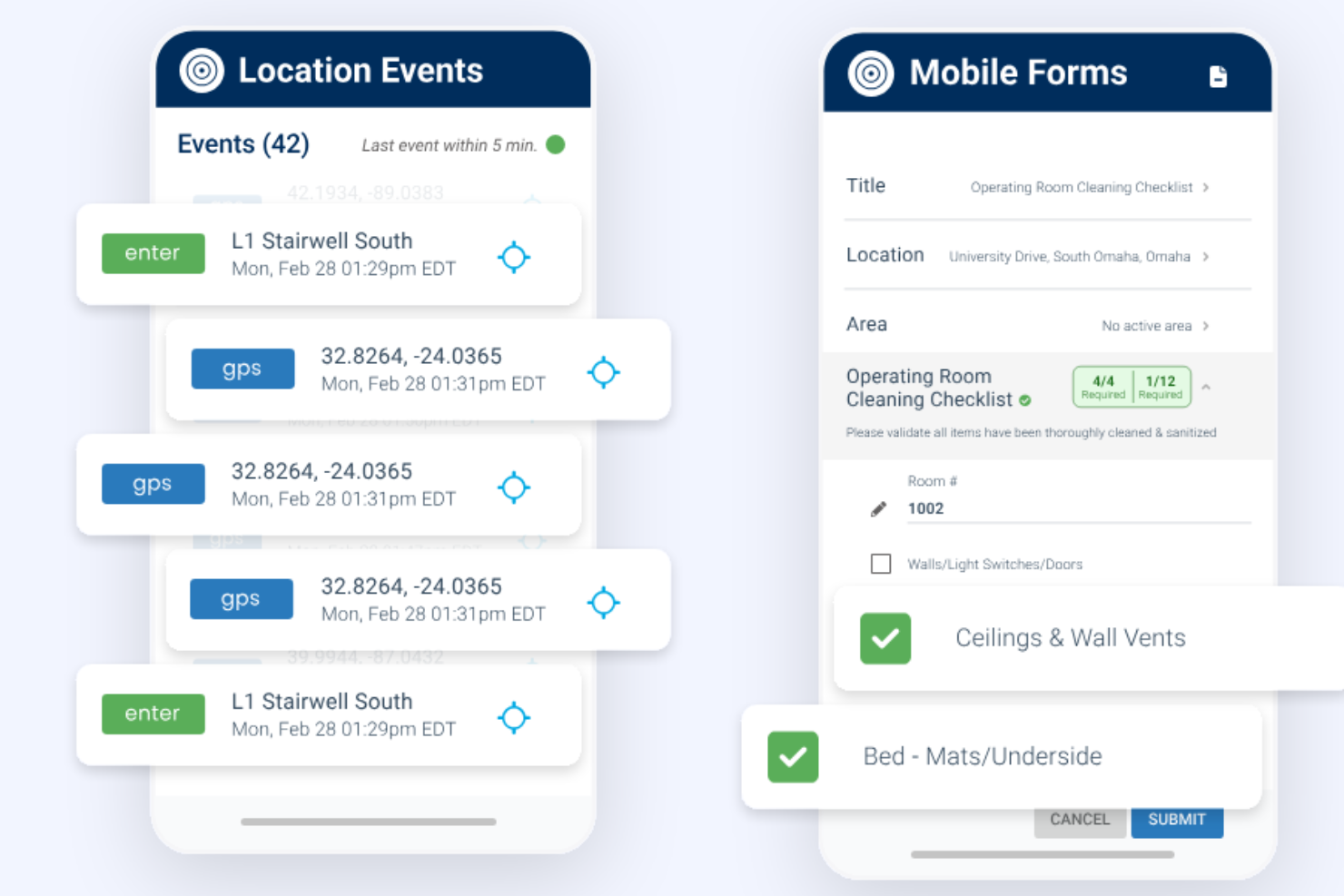
TEAM Software’s Lighthouse platform is designed for facilities management and security service providers who need to coordinate large, distributed teams. It’s a strong fit for operations managers and supervisors handling mobile workforces across multiple sites. The tool helps you manage scheduling, site compliance, and real-time workforce visibility in industries where accountability and coverage are essential.
Why I Picked TEAM Software
For facilities and security service providers, TEAM Software’s Lighthouse stands out because it’s built to handle the unique demands of managing dispersed, mobile teams. I picked this tool since it offers live location tracking and site attendance verification, which are essential for ensuring staff are present and compliant at every site.
The platform also supports incident reporting and automated shift scheduling, helping supervisors respond quickly to issues and maintain coverage. These features make it a strong choice for businesses that need to balance accountability, safety, and operational efficiency across multiple locations.
TEAM Software Features
In addition to its focus on mobile workforce management, I also found these features valuable:
- Automated Compliance Alerts: The system notifies managers when compliance requirements are at risk.
- Customizable Site Checklists: Supervisors can create and assign site-specific checklists for staff to complete.
- Mobile Incident Logging: Staff can report incidents directly from their mobile devices with photos and notes.
- Real-Time Messaging: Teams can communicate instantly through the platform’s built-in messaging tool.
TEAM Software Integrations
Native integrations are not currently listed.
Pros and Cons
Pros:
- GPS tracking verifies staff attendance at sites
- Automated compliance alerts reduce manual oversight
- Site-specific checklists improve task accountability
Cons:
- Limited support for non-security industry workflows
- Reporting features lack advanced data visualization
Other Workforce Management Software UK
Here are some additional workforce management software UK options that didn’t make it onto my shortlist, but are still worth checking out:
- BigChange
For mobile workforce job tracking
- Rippling
For automated onboarding workflows
- Workforce.com
For real-time scheduling in large teams
- UKG
For global workforce integration
- Parim
For shift management in multi-site operations
- MHR
For advanced payroll automation
- Zelt
For all-in-one HR and IT management


How I Evaluate Workforce Management Software
I look at workforce management tools through two lenses: the baseline capabilities a platform must have—scheduling, time tracking, forecasting—and the differentiators that make one stand out.
Core Functionality (Table Stakes For This List)
When I'm selecting tools for my list, I rank each one on a scale from 0 (does not offer the functionality) to 5 (excels in this area) for each core functionality listed below. Then, I calculate the tool's total score into a percentage. Each tool needs to achieve a minimum total score of 75% to be considered for inclusion.
- Employee Scheduling: I evaluate how each platform handles shift creation, template-based rostering, and multi-location assignments—like coordinating rotating schedules across retail stores or hospital units.
- Time & Attendance Tracking: Each tool's clock-in methods matter, whether that's geofenced mobile punches for field teams, kiosk mode for warehouses, or web-based timesheets for office staff.
- Labor Forecasting & Demand Planning: I look for tools that use historical data and business inputs to project headcount needs, such as anticipating seasonal staffing surges in hospitality or logistics.
- Absence & Leave Management: This covers how well a tool tracks PTO balances, handles overlapping leave requests, and supports approval workflows—especially for managers overseeing large hourly teams.
- Labor Compliance Management: I check whether the platform enforces overtime thresholds, mandatory rest periods, and break rules across different jurisdictions, which is essential for multi-region employers.
- Workforce Analytics & Reporting: Strong reporting means dashboards that surface labor cost trends, overtime patterns, and attendance outliers so HR teams can act on real data rather than gut instinct.
Once I have a list of tools that meet the criteria, I consider what sets each platform apart.
Differentiating Factors (What Sets Vendors Apart)
Here's how I compare and contrast different vendors:
Standout Features
AI-powered shift optimization is a major differentiator—I look for tools that auto-generate schedules based on employee skills, availability, and projected demand rather than just offering drag-and-drop templates. Mobile self-service also matters, especially for frontline teams who need to swap shifts or submit time-off requests without calling a manager. Built-in communication tools like in-app messaging and shift notifications reduce the need for separate chat apps, keeping workforce updates in one place.
Beyond Features
Integration depth is one of the first things I check—workforce management tools need to sync with your existing payroll and HRIS platforms so time data flows directly into pay runs without manual exports. Industry-specific fit also carries weight. A healthcare organization with rotating 12-hour shifts has very different needs than a retail chain managing part-time coverage. I also evaluate scalability, particularly whether a platform supports multi-location hierarchies and role-based access as your headcount grows from dozens to thousands.
How to Choose Workforce Management Software UK
It’s easy to get bogged down in long feature lists and complex pricing structures. To help you stay focused as you work through your unique software selection process, here’s a checklist of factors to keep in mind:
| Factor | What to Consider |
|---|---|
| Scalability | Will the software support your headcount growth, new locations, or changing team structures over time? |
| Integrations | Does the tool connect natively with your HR, payroll, IT, and communication systems already in use? |
| Customizability | Can you adapt workflows, permissions, and reporting to match your organization’s unique processes? |
| Ease of use | Will your HR team and managers be able to navigate and use the system with minimal training? |
| Implementation and onboarding | How long will it take to get up and running, and what resources or support will you need during rollout? |
| Cost | Are all costs clear—including setup, support, and add-ons—and do they fit your budget and growth plans? |
| Security safeguards | Does the vendor meet your data protection standards, including GDPR compliance and secure access controls? |
| Compliance requirements | Can the software help you stay current with UK employment law, recordkeeping, and audit needs? |
What is Workforce Management Software UK?
Workforce management software UK refers to WFM software and workforce optimization software designed to help organizations manage scheduling, attendance, payroll, and compliance with local regulations. Commonly used in environments like a contact center, these software solutions centralize workforce data and support the full employee lifecycle.
With AI-powered capabilities, they provide real-time data and real-time insights to track KPIs, manage staffing levels, and improve team performance and overall employee performance. These tools support performance management, quality management, and broader human resources functions.
By helping teams optimize operations, streamline workflows, and make informed decisions, workforce management platforms can boost productivity, improve employee engagement, improve retention, and support better work-life balance while driving workforce productivity and improving the overall customer experience.
Features
When selecting workforce management software UK, keep an eye out for the following key features:
- Time and attendance tracking: Monitors employee work hours, absences, and overtime, often with digital timesheets or clock-in/out systems to ensure accurate payroll and compliance.
- Employee scheduling: Allows managers to create, adjust, and share shift schedules, helping to prevent conflicts and ensure adequate coverage across teams.
- Payroll processing: Automates wage calculations, deductions, and payments, while staying up to date with UK tax and pension regulations.
- Leave and absence management: Lets employees request time off and tracks approvals, balances, and statutory leave entitlements in line with UK law.
- Document management: Stores contracts, policies, and HR documents securely, making it easy to access, update, and share files as needed.
- Compliance management: Helps organizations stay aligned with UK employment laws by tracking regulatory changes, generating audit trails, and flagging potential issues.
- Reporting and analytics: Provides customizable reports on workforce trends, attendance, costs, and other HR metrics to support data-driven decision-making.
- Employee self-service portal: Gives staff access to their schedules, payslips, and personal information, reducing HR admin and empowering employees.
- Integration capabilities: Connects with other business systems such as HR, payroll, and IT tools to centralize data and reduce manual entry.
Benefits
Implementing workforce management software in the UK provides several benefits for your team and your business. Here are a few you can look forward to:
- Improved compliance: Automated tracking and alerts help you stay aligned with UK employment laws and reduce the risk of costly errors.
- Centralized workforce data: All employee records, schedules, and payroll information are stored in one secure platform, making access and updates easier.
- Reduced administrative workload: Automated scheduling, payroll, and leave management minimize manual data entry and repetitive HR tasks.
- Greater accuracy: Digital time tracking and payroll processing reduce mistakes in wage calculations and attendance records.
- Improved employee experience: Self-service portals empower staff to manage their own information, view schedules, and request time off.
- Better decision-making: Built-in reporting and analytics provide insights into workforce trends, costs, and productivity for more informed planning.
- Scalability for growth: Flexible tools and integration options support your organization as it expands or adapts to new workforce needs.
Costs and Pricing
Selecting workforce management software in the UK requires an understanding of the various pricing models and plans available. Costs vary based on features, team size, add-ons, and more. The table below summarizes common plans, their average prices, and typical features included in workforce management software UK solutions:
Plan Comparison Table for Workforce Management Software UK
| Plan Type | Average Price | Common Features |
|---|---|---|
| Free Plan | £0 | Basic time tracking, limited scheduling, and simple employee records. |
| Personal Plan | £4–£10/user/month | Time and attendance tracking, leave management, and basic reporting. |
| Business Plan | £10–£25/user/month | Advanced scheduling, payroll processing, compliance tools, integrations, and employee self-service. |
| Enterprise Plan | £25–£40/user/month | Custom workflows, advanced analytics, dedicated support, improved security, and multi-location management. |
Workforce Management Software UK FAQs
Here are some answers to common questions about workforce management software UK:
Does workforce management software UK support remote and hybrid teams?
Yes, most workforce management software UK solutions include features for managing remote and hybrid teams. Look for cloud-based access, mobile apps, and digital scheduling tools that help you coordinate staff across multiple locations or work arrangements.
How does workforce management software UK help with UK employment law compliance?
Workforce management software UK often includes built-in compliance tools that track working hours, holiday entitlements, and payroll in line with UK regulations. Many platforms also provide alerts for regulatory changes and generate audit-ready reports.
Can workforce management software UK integrate with existing HR and payroll systems?
Yes, many workforce management software UK platforms offer integrations with popular HR, payroll, and IT systems. For organizations that need broader functionality beyond workforce management, HR software for UK businesses can also be worth considering. Check for native connectors or open APIs to ensure smooth data flow and reduce manual entry between platforms.
What should I consider when migrating to a new workforce management software uk solution in the UK?
Plan for data migration, user training, and process mapping. Review onboarding resources like product tours, templates, and support channels to help your team transition smoothly and start using the new system effectively.
Are there hidden costs with workforce management software in the UK?
Some vendors charge extra for advanced features, integrations, or support. Always review pricing details, contract terms, and any add-on fees before committing to a solution.