

10 Best AI Tools for Business Reviewed in 2026

10 Best AI Tools for Business Shortlist


Today’s business environments move quickly, and teams are expected to make decisions with clarity while managing increasing workloads. AI tools can support this by automating routine tasks, improving data accuracy, and delivering insights that help your organization operate more efficiently.
I have spent years testing and reviewing software across various business functions, focusing on identifying tools that genuinely improve workflows rather than add complexity.
In this article, you will find the top AI tools for business, along with a breakdown of their key capabilities. This will help you identify the options that align with your goals and can support your team’s work effectively.
Why Trust Our Software Reviews
Our team has been testing and reviewing software since 2012. As HR experts ourselves, we know how difficult—and important—it is to choose the right software.
For this guide, we evaluated tools using hands-on testing and independent research, scoring tools using our selection criteria. We also draw on insights from industry thought leaders and practicing HR experts.
Our reviews reflect our human editorial judgment, not a sales pitch.
Expert reviewers:
Comparison Table: AI Tools for Business
This comparison table summarizes pricing details for my top AI tools for business selections:
| Tool | Best For | Trial Info | Price | ||
|---|---|---|---|---|---|
| 1 | Best for expert-trained AI HR insights | Free demo available | From $5/employee/month | Website | |
| 2 | Best for customizable workflows | Free plan available | From $9/user/month (billed annually) | Website | |
| 3 | Best for automated AI policy monitoring | Free demo available | Pricing upon request | Website | |
| 4 | Best for automating customer inquiries | Free plan available; 7-day free trial | From $24.17/month (billed annually) | Website | |
| 5 | Best with multilingual support for global teams | 7-day free trial + free plan + free demo available | From $32/month (billed annually) | Website | |
| 6 | Best for AI-driven design tools | Free plan + 14-day free trial available | From $144/user/year (billed annually) | Website | |
| 7 | Best for AI-enhanced note-taking | Free plan available | From $10/user/month (billed annually) | Website | |
| 8 | Best for AI content creation | 7-day free trial available | From $59/month (billed annually) | Website | |
| 9 | Best for AI-driven sales insights | Free plan available | Pricing upon request | Website | |
| 10 | Best for conversational AI | Free plan available | From $8/month | Website |


Best AI Tools for Business Reviews
Below are my detailed summaries of the best AI tools for business that made it onto my shortlist. My reviews offer a detailed look at the key features, pros & cons, integrations, and ideal use cases of each tool to help you find the best one for you.

Deel HR
Best for expert-trained AI HR insights
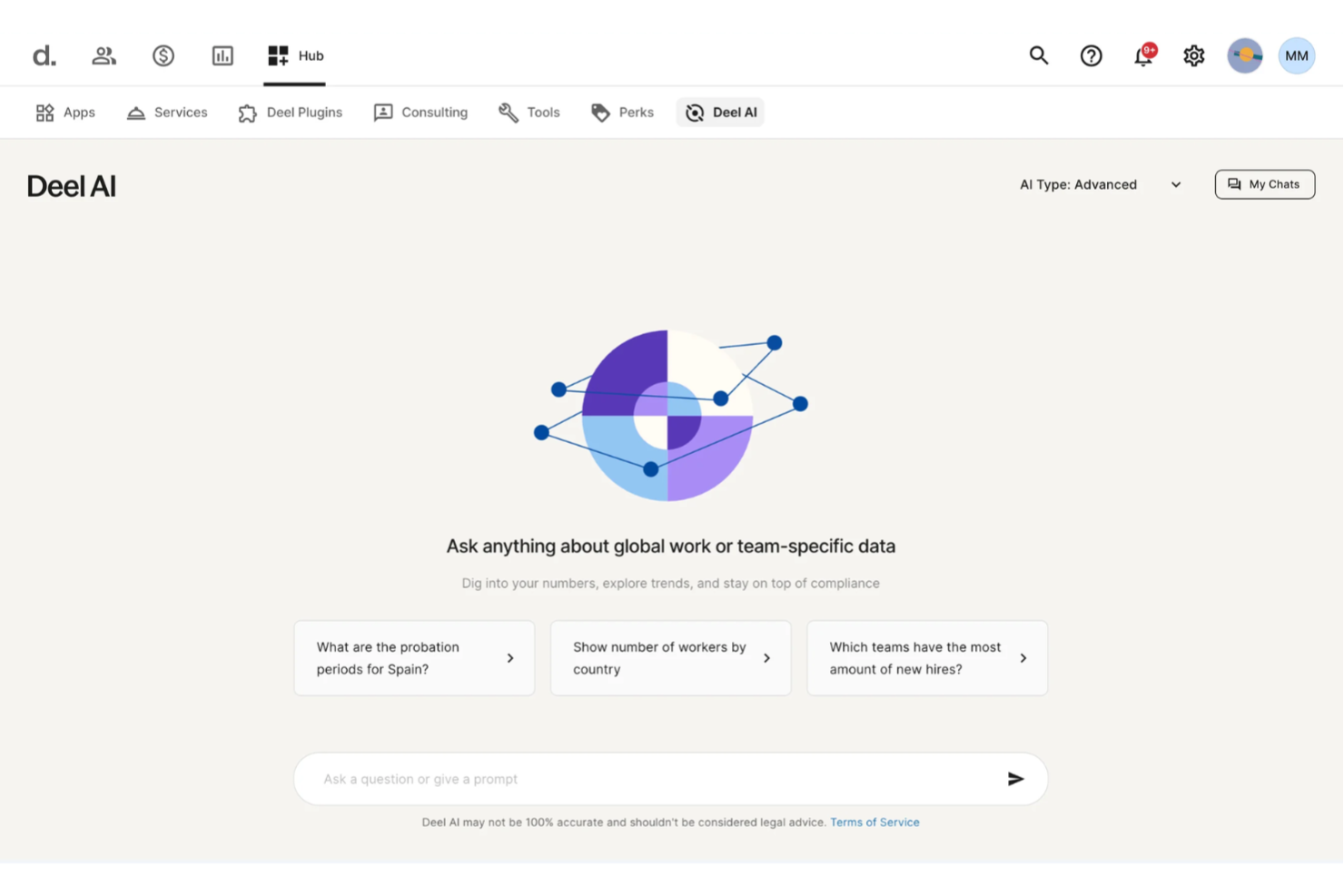
Businesses managing teams across different regions often need instant clarity on HR, payroll, and compliance questions, and Deel AI steps in as a built-in expert that helps you keep work moving without long searches or delays. You get an always-available assistant trained by legal and HR specialists in 150+ countries, giving you actionable insights drawn directly from your organization’s own data. If your team handles global operations, distributed workers, or recurring HR inquiries, Deel AI helps you find answers quickly so you can focus on higher-value work.
Why I Picked Deel
I picked Deel because it brings practical, expert-trained intelligence into everyday business workflows, making it more than a typical help bot. Its contextual AI shows insights based on the exact page you’re viewing — whether that’s payroll, people data, or compliance details — so you don’t have to switch tools or dig for information. I also appreciate how it responds to HR, legal, and policy questions using a Knowledge Hub built by experts across 150+ countries, giving teams guidance they would usually wait hours or days to access. For businesses scaling globally or managing distributed teams, this creates a dependable AI layer that supports fast, informed decisions.
Deel Key Features
In addition to the AI-powered global guidance I mentioned above, I also found several other noteworthy aspects of Deel:
- Deel Global Payroll: This feature enables businesses to manage payroll across multiple countries, supporting over 120 currencies and ensuring timely payments.
- Contractor Management: Allows seamless hiring and management of international contractors, complete with automated invoicing and payment processing.
- Employer of Record (EOR) Services: Deel acts as the legal employer for international employees, handling all local employment responsibilities.
- Immigration Support: Provides guidance and assistance for obtaining visas and work permits, streamlining the process for international hires.
Deel Integrations
Integrations include popular platforms such as QuickBooks, Xero, BambooHR, Greenhouse, Hibob, Workday, Lever, NetSuite, Salesforce, and SAP SuccessFactors. Additionally, Deel supports custom integrations through an available API.
Pros and Cons
Pros:
- AI answers talent and workforce questions using expert-sourced data
- Surfaces org insights and summaries directly from your team data
- Delivers guidance across 150+ country employment contexts
Cons:
- Heavy dependence on proprietary Knowledge Hub for accuracy
- AI guidance may require human review for complex legal scenarios
New Product Updates from Deel HR

Deel Expands Stablecoin Wallet to 80+ Countries
Deel expands its Stablecoin Wallet to 80+ countries with dollar-backed balances and optional rewards. This gives eligible contractors more ways to hold and manage earnings inside Deel. For more information, visit Deel’s official site.
 .
.
Best for customizable workflows
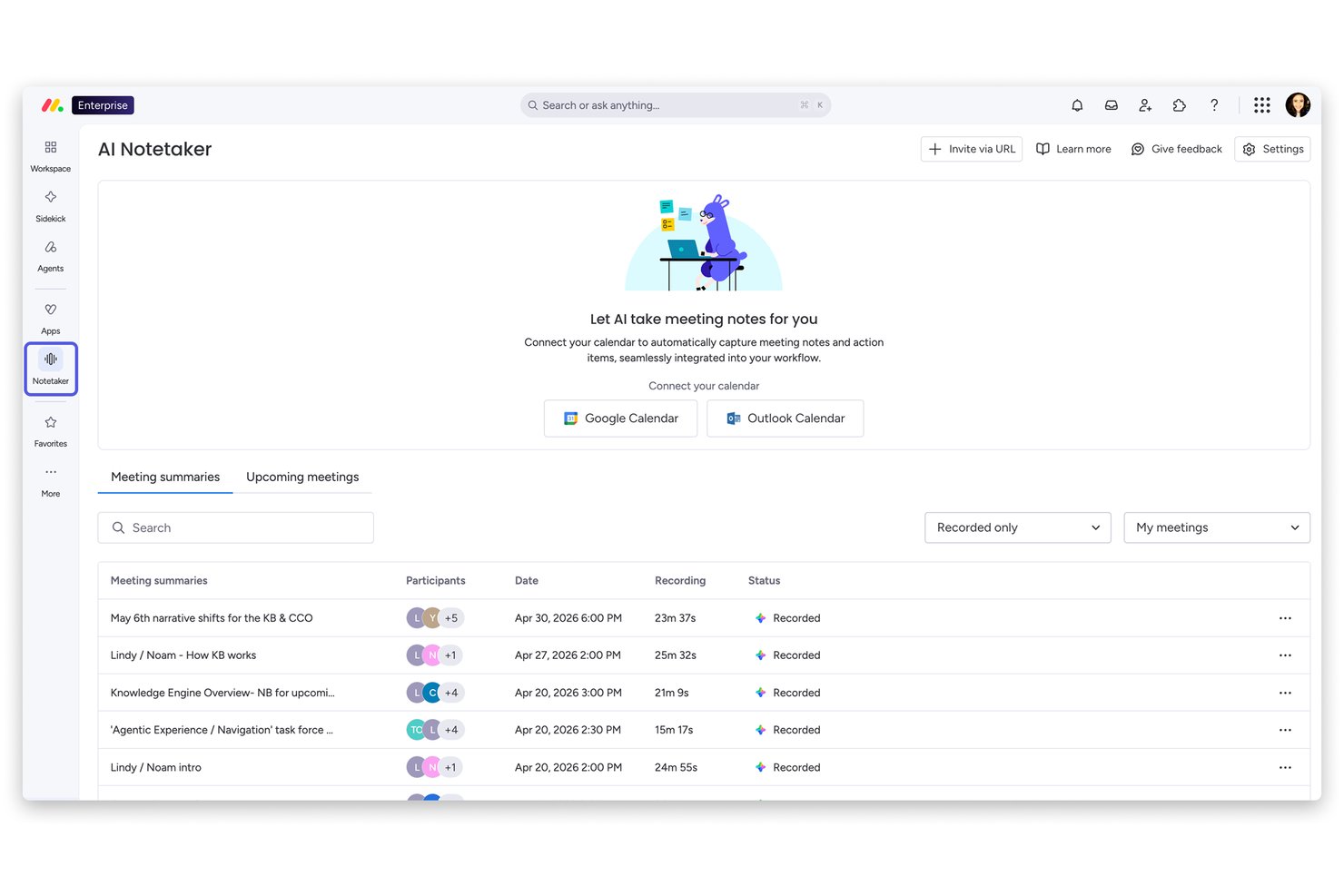
monday AI Workspace is an AI work management platform that combines project planning, workflow automation, AI agents, and cross-functional collaboration tools across work management, CRM, service, and development use cases.
Who Is monday AI Workspace Best For?
It's a strong fit for mid-sized and enterprise teams managing work across multiple departments who need one platform to replace several disconnected tools.
Why I Picked monday AI Workspace
monday AI Workspace earns its spot on my shortlist because of how far you can push its workflow customization without writing a single line of code. I use the AI Workflow Builder to create multi-step automations with logic-based triggers, and monday agents can execute tasks autonomously within those workflows. What sets it apart is the ability to connect external AI models like Claude or ChatGPT directly to boards, so the automation isn't just rule-based, it's genuinely intelligent.
monday AI Workspace Key Features
- Custom board views: Switch between timeline, Kanban, Gantt, and calendar views to visualize project data the way you prefer.
- AI-powered project insights: Get automated summaries and recommendations for project risk, dependencies, and milestones based on workspace data.
- Role-based permissions: Assign granular access to boards, workflows, and automations for specific team members or departments.
- Native integrations library: Connect with 200+ external apps including Slack, Salesforce, Google Drive, and Jira for seamless workflow connectivity.
monday AI Workspace Integrations
monday AI Workspace offers hundreds of native integrations, including Slack, Google Workspace, Microsoft 365, Salesforce, Jira, GitHub, Zoom, Dropbox, HubSpot, and Zendesk. It also supports Zapier and provides an API for custom integrations.
Pros and Cons
Pros:
- Supports multiple project views and boards
- AI agents handle multi-step tasks autonomously
- Highly customizable no-code workflow automation
Cons:
- Can feel overwhelming for smaller teams
- AI features locked to higher-tier plans
New Product Updates from monday AI Workspace
monday AI Workspace Adds Human Approval Routing
monday AI Workspace adds a human-in-the-loop approval block to AI Workflows, sending approval requests and routing workflow paths based on responses. For more information, visit monday AI Workspace's official site.

Best for automated AI policy monitoring

Trustible is an AI governance and compliance platform that lets organizations document, assess, and monitor AI use cases against a library of regulatory frameworks and internal policies.
Who Is Trustible Best For?
Trustible is a good fit for enterprise AI governance teams, risk officers, and compliance professionals managing multiple AI use cases across regulated industries.
Why I Picked Trustible
I picked Trustible as one of the best because its automated policy monitoring goes well beyond a static checklist. I like that it continuously tracks external regulatory signals and maps them against your existing controls, so when something like an EU AI Act guidance update drops, my team isn't scrambling to reconcile it manually. The platform's threshold-based alerts also automatically flag when approved AI systems breach review windows, which means overdue governance actions surface before an auditor does.
Trustible Key Features
- AI use case intake workflows: Submit, review, and approve new AI use cases through configurable intake forms with built-in routing and approval steps.
- Attributes-based risk scoring: Automatically score AI systems using a configurable risk engine that recommends governance next steps based on use case attributes.
- Vendor documentation analysis: Use AI-assisted analysis to review third-party vendor and model documentation against your governance requirements.
- Centralized AI inventory: Maintain a single, auditable registry of all AI systems in use across your organization, including ownership and review status.
Trustible Integrations
Trustible integrates directly with MLOps tools to connect developer workflows with risk management teams. The platform also offers an AI literacy and compliance training module that integrates with learning management systems (LMS). Specific native integration partners are not clearly documented, and the Enterprise tier adds integrations into existing systems beyond what's available in the Standard plan.
Pros and Cons
Pros:
- Automated risk scoring drives governance workflows
- Expert-curated AI risk and mitigation taxonomies
- Maps controls across 10+ regulatory frameworks
Cons:
- Limited third-party integration options documented
- Built for governance teams, not developers
Tidio
Best for automating customer inquiries

For businesses seeking to elevate their customer service game, Tidio emerges as a dynamic AI-powered solution tailored to enhance user engagement and operational efficiency. Its appeal spans various industries—from eCommerce to education and finance—providing tools like live chat and AI-driven agents to address common customer support challenges. By integrating seamlessly with platforms such as Shopify and WordPress, Tidio offers a versatile approach to improving customer interactions and streamlining support processes.
Why I Picked Tidio
I picked Tidio for its unique ability to harness AI in transforming customer service operations. With the Lyro AI Agent, Tidio automates repetitive inquiries, allowing your team to focus on more complex issues, thereby improving resolution rates. Additionally, Tidio's live chat feature provides real-time customer interaction, ensuring immediate support and fostering a more personalized experience. Together, these features align perfectly with the needs of businesses seeking efficient, AI-driven solutions to enhance their customer support strategies.
Tidio Key Features
In addition to its AI-driven capabilities, I also found several other features that make Tidio a compelling choice:
- In-App Chat: Facilitates seamless communication with customers directly within your app or website.
- Help Desk: Provides a centralized platform for managing customer inquiries and support tickets.
- Customizable Chatbots: Allows you to tailor automated responses to fit specific customer needs and scenarios.
- Multichannel Support: Enables interaction with customers across various platforms, including social media and email.
Tidio Integrations
Integrations include Shopify, WordPress, HubSpot, Google Analytics, Facebook Messenger, Instagram, Zapier, MailChimp, Zendesk, and Salesforce.
Pros and Cons
Pros:
- Multichannel inbox centralizes chat, email, and social
- Supports 120+ integrations including Shopify and HubSpot
- AI chatbot resolves routine inquiries automatically
Cons:
- Free tier lacks effectiveness due to feature restrictions
- AI usage limits apply on lower-tier plans

Chatbase
Best with multilingual support for global teams
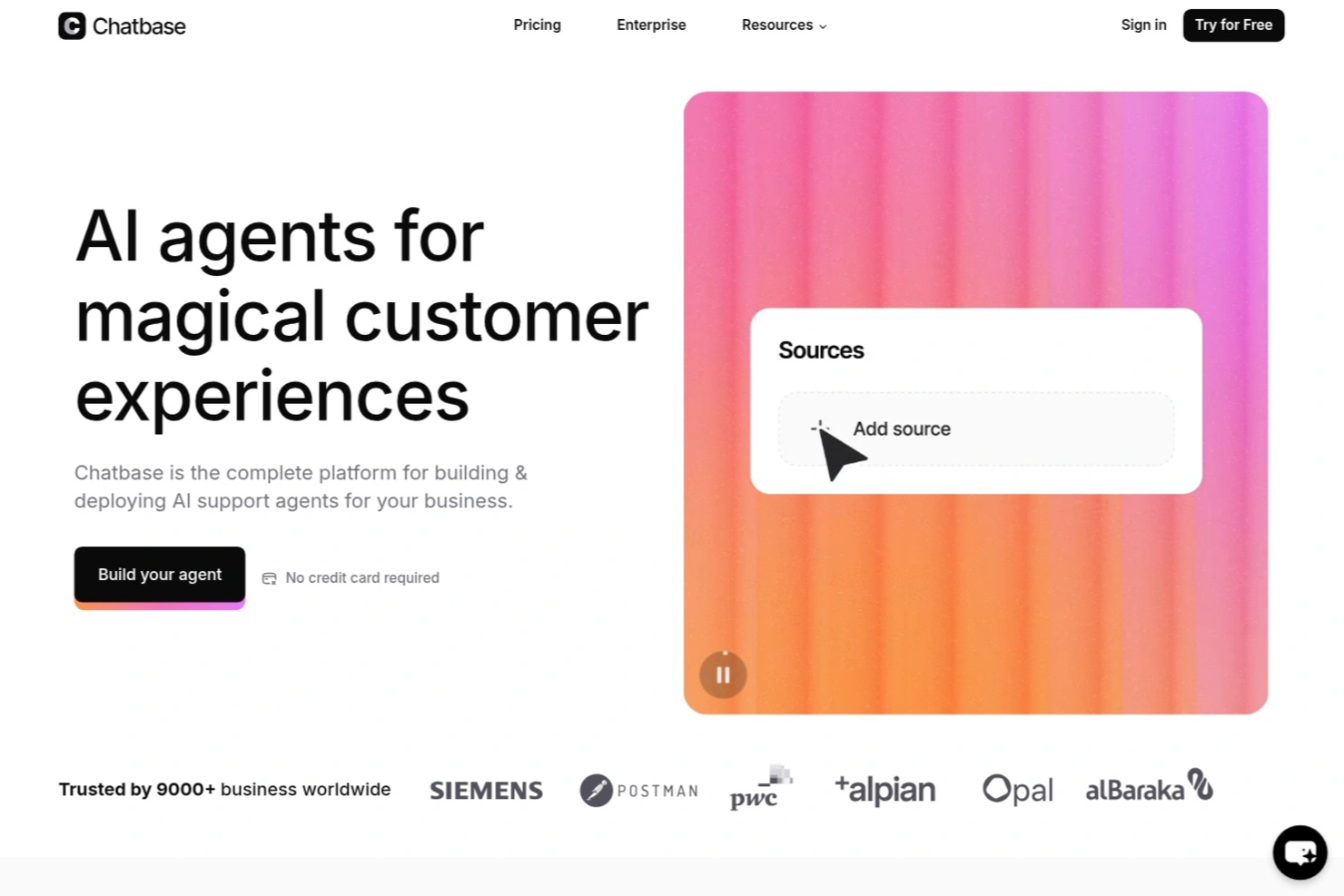
Chatbase is an AI chatbot platform designed for businesses that want to automate customer interactions, support, and lead generation with customizable, no-code chatbots that integrate into existing workflows.
Who Is Chatbase Best For?
Chatbase suits business teams and customer support functions looking to automate conversations and integrate AI chatbots into their digital channels.
Why I Picked Chatbase
I picked Chatbase as one of the best because I’ve seen how its multilingual support lets my team deploy chatbots that handle conversations in dozens of languages without extra setup. I like that I can upload documents in multiple languages and the chatbot responds accurately in the user’s preferred language. My team uses this to support global customers and internal teams across regions, making it easy to maintain consistent communication standards.
Chatbase Key Features
- No-code chatbot builder: Build and customize chatbots for your website without writing any code.
- Custom data source uploads: Import PDFs, text files, or website links to train your chatbot on business-specific content.
- Widget and API deployment: Add chatbots to your site with a widget or integrate via API for more advanced use cases.
- Conversation analytics: Track user interactions and chatbot performance with built-in analytics dashboards.
Chatbase Integrations
Chatbase offers native integrations with Slack, WhatsApp, Facebook Messenger, Telegram, and Zapier. An API is available for custom integrations with your business systems.
Pros and Cons
Pros:
- Includes analytics dashboard for conversation insights
- Enables chatbot training with custom data sources
- Provides API access for custom business workflows
Cons:
- Limited prebuilt templates for industry-specific bots
- Lacks advanced natural language understanding features

Canva
Best for AI-driven design tools
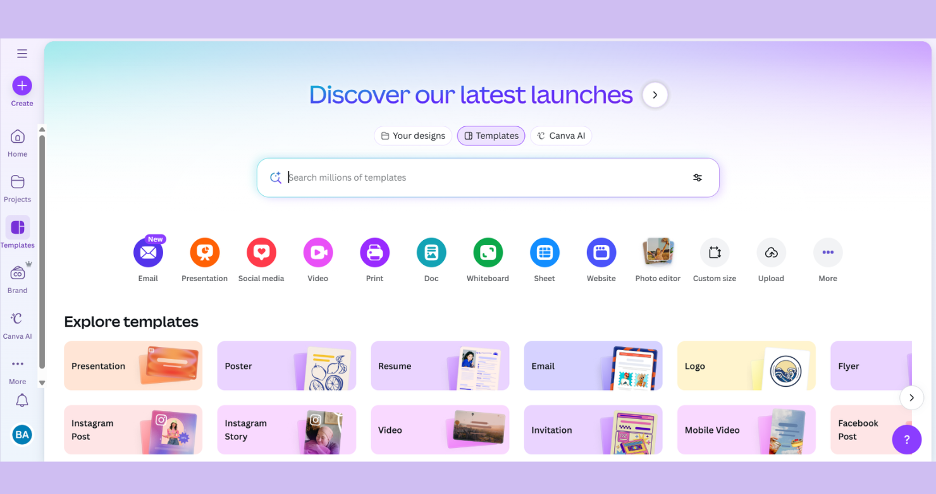
Canva is a leading visual design platform enabling businesses and content creators to develop professional-quality materials without needing design expertise. Its AI-powered design engine enhances the workflow for social media, marketing campaigns, and digital marketing materials.
Why I picked Canva: It leverages AI features to automate repetitive design steps and suggest optimal layouts. From templates for social media posts to presentation decks and ads, it allows teams to maintain a unified brand voice efficiently. By simplifying content creation, Canva supports marketing teams in meeting fast-paced deadlines.
Standout features & integrations:
Features include drag-and-drop editing, a vast library of templates, web pages, and AI image generation. You can create content using its extensive collection of design elements. The platform's drag-and-drop interface makes customizing templates straightforward and reduces dependency on complex design tools.
Integrations include Dropbox, Google Drive, Instagram, Facebook, Slack, HubSpot, Mailchimp, YouTube, WordPress, and LinkedIn.
Pros and Cons
Pros:
- AI-powered design suggestions
- Easy drag-and-drop interface
- Extensive template library
Cons:
- Requires internet access
- Limited advanced design features

Notion
Best for AI-enhanced note-taking
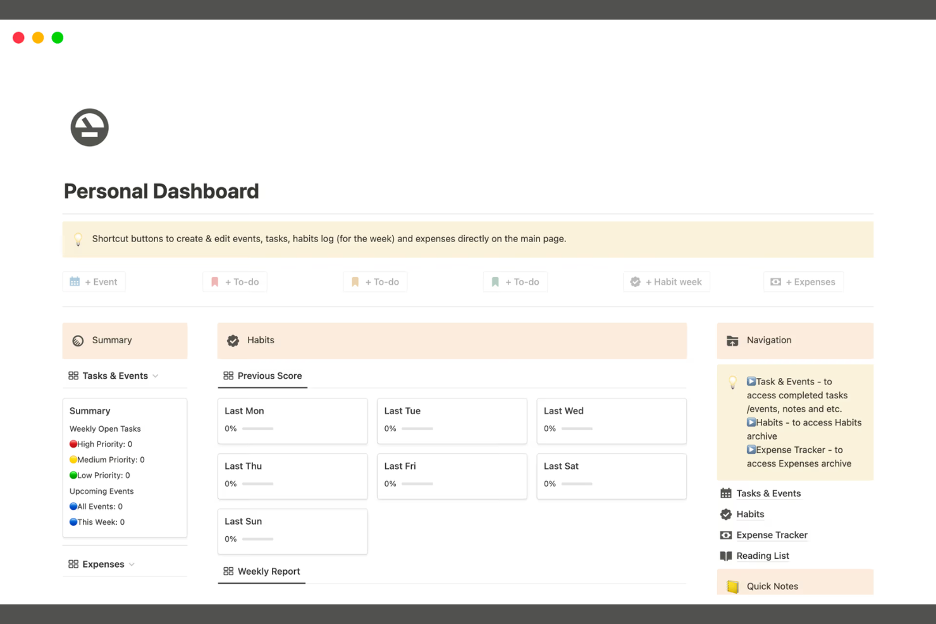
Notion AI is a versatile workspace intelligence tool popular among teams and individuals for organizing notes, managing projects, and collaborating on documents. It offers AI-enhanced features that help streamline note-taking and information management.
Why I picked Notion: Its AI-enhanced note-taking capabilities are a highlight, making it ideal for organizing and retrieving information. You can benefit from AI-assisted search functions that help you find content quickly. Notion's ability to automate repetitive tasks, like categorizing and tagging notes, saves you time. Its flexible workspace lets you tailor it to fit your team's specific needs.
Standout features & integrations:
Features include customizable templates, task management tools, and collaborative workspaces. You can create a personalized workspace that suits your workflow. The task management tools help keep your projects on track and organized.
Integrations include Slack, Google Drive, Trello, GitHub, Asana, Evernote, Microsoft Teams, Dropbox, Zoom, and Figma.
Pros and Cons
Pros:
- Efficient task management tools
- AI-assisted search functions
- Highly customizable workspace
Cons:
- Limited offline functionality
- Initial setup can be complex
Jasper
Best for AI content creation
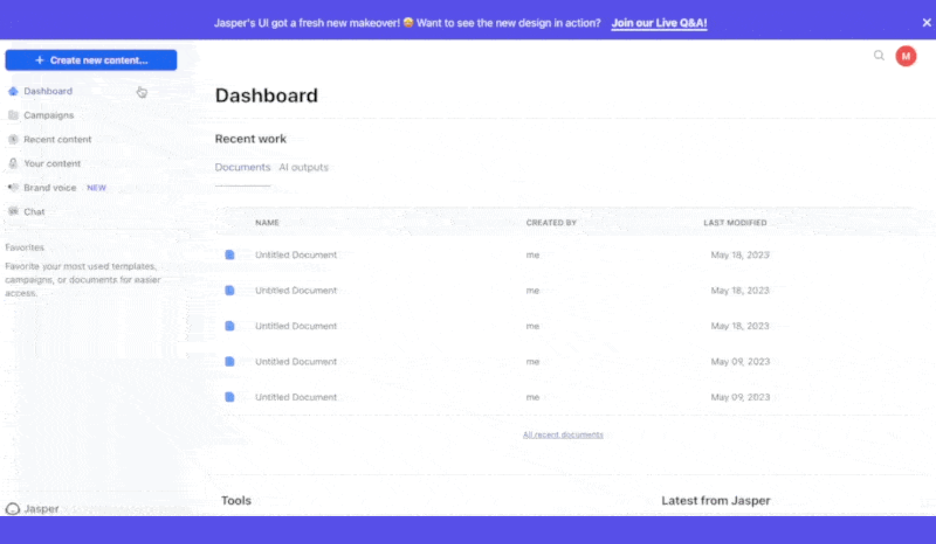
Jasper is an AI-powered content creation tool designed for marketers, writers, and businesses looking to generate high-quality written content quickly. It helps users create high-quality blog posts, social media content, and marketing copy using its advanced AI algorithms and generative AI capabilities.
Why I picked Jasper: Jasper’s templates and step-by-step workflows walk you through each section, helping you assemble everything in one place with greater clarity and oversight. Instead of worrying about crafting the perfect prompt or keeping track of every moving part, you can rely on purpose-built templates that are already optimized for different formats.
Jasper’s AI excels at understanding context and producing coherent, engaging copy across a wide range of content types. Its emphasis on brand voice and adaptable writing styles ensures the output feels tailored, consistent, and aligned with your messaging, making the entire content creation process smoother and more efficient.
Standout features & integrations:
Features include content templates, tone customization, and language translation. You can use AI templates to streamline content creation and optimizations that perform well on search engines, ensuring consistency across formats. The tool allows you to customize the tone to match your brand's voice effectively.
Integrations include Surfer SEO, Copyscape, Grammarly, Shopify, WordPress, HubSpot, Google Ads, Facebook Ads, LinkedIn, and Mailchimp.
Pros and Cons
Pros:
- Supports multiple languages
- Customizable writing tone
- Diverse content templates
Cons:
- Limited creative input control
- Learning curve for new users
6sense
Best for AI-driven sales insights
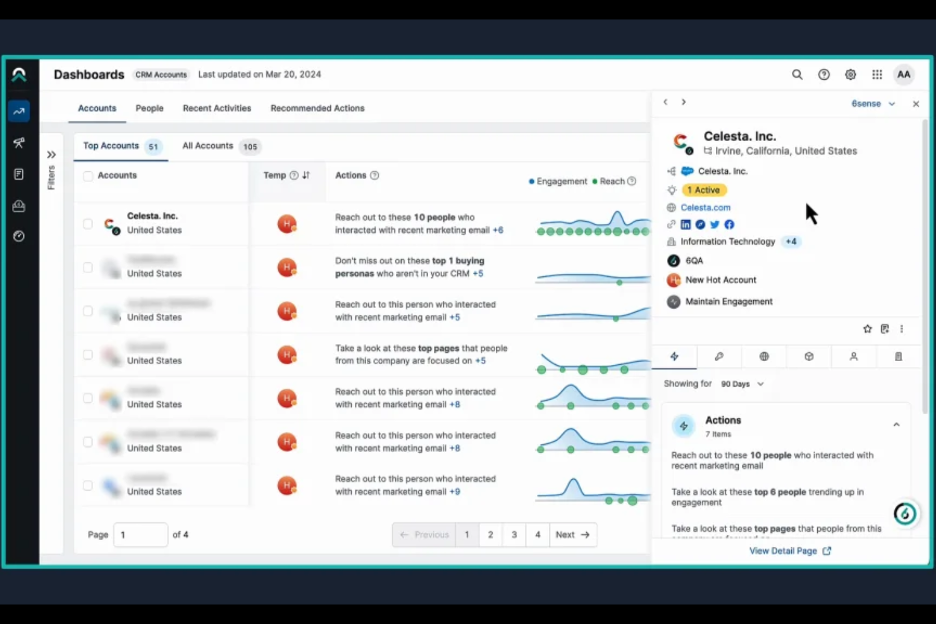
6sense is a predictive intelligence platform designed for sales and marketing teams to uncover potential leads and optimize their sales strategies. It leverages AI to analyze buyer intent and predict future sales opportunities, providing valuable insights for targeting the right prospects.
Why I picked 6sense: Its AI-driven sales insights help your team identify and prioritize leads effectively. You gain access to predictive analytics that highlight potential sales opportunities based on buyer behavior. The platform also provides intent data, enabling you to tailor your sales approach to meet customer needs.
Standout features & integrations:
Features include predictive analytics, intent data analysis, and lead scoring. You can use predictive analytics to forecast sales trends and opportunities. The intent data analysis helps you understand buyer behavior, while lead scoring prioritizes prospects based on their likelihood to convert.
Integrations include Salesforce, HubSpot, Marketo, Microsoft Dynamics, Spreadsheets, Oracle Eloqua, Google Ads, LinkedIn, Drift, Outreach, and Pardot.
Pros and Cons
Pros:
- Prioritizes leads with scoring
- Advanced intent data analysis
- Effective predictive analytics
Cons:
- Requires data integration setup
- High starting price

ChatGPT
Best for conversational AI
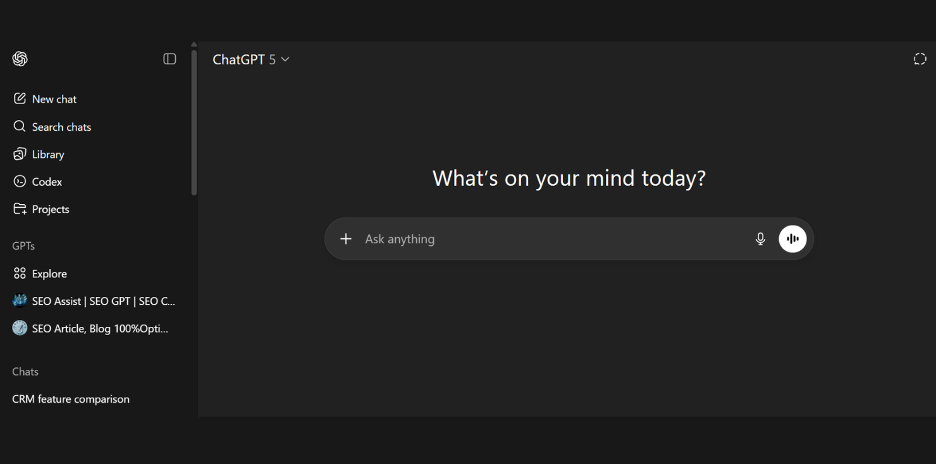
ChatGPT, developed by OpenAI, is a conversational AI platform used widely across professional industries and privately by individuals to automate tasks, answer questions, summarize documents and information, create written content, and more. Its AI agent can help businesses automate tedious tasks as well as generate and improve marketing and social media content through natural language understanding.
Why I picked ChatGPT: ChatGPT delivers powerful AI functionality by recognizing context and generating accurate, human-like replies. It assists in handling repetitive tasks, from answering common inquiries to supporting creative brainstorm sessions for blogs, emails, or podcast scripts.
Standout features & integrations:
Features include language understanding, context adaptation, and image generation. You can use ChatGPT to automate repetitive queries, ensuring your team focuses on more complex issues. Its contextual adaptability means it can handle diverse topics effectively.
Integrations include Slack, Microsoft Teams, Zendesk, Salesforce, Shopify, HubSpot, WordPress, Mailchimp, Google Workspace, and Trello.
Pros and Cons
Pros:
- Tailored outputs and prompt customization
- Easy to integrate with apps
- Accurate language understanding
Cons:
- Requires training for optimal use
- Limited factual accuracy may require manual verification
Other AI Tools for Business
Here are some additional AI tools for business options that didn’t make it onto my shortlist, but are still worth checking out:
- Fyxer
For virtual assistant services
- Dialpad AI
For AI call analysis
- Clari
For AI sales forecasting
- Booke AI
For AI bookkeeping tools
- Board Intelligence
For AI-powered board meeting management
- Trupeer
For centralized knowledge management
- Wrike
For AI task prioritization
- Midjourney
For AI-generated branding, visuals, and creative assets
- Teamwork
For client project collaboration
- Claude
For advanced AI reasoning and business analysis


How I Evaluate AI Tools for Business
Every tool on this list needs to deliver AI that actually moves the needle—whether that's cutting screening time in half or flagging attrition risk before it hits your team. I split my evaluation into core functionality every tool must have to qualify and differentiating factors that separate good options from great ones.
Core Functionality (Table Stakes For This List)
When I'm selecting tools for my list, I rank each one on a scale from 0 (does not offer the functionality) to 5 (excels in this area) for each core functionality listed below. Then, I calculate the tool's total score into a percentage. Each tool needs to achieve a minimum total score of 65% to be considered for inclusion.
- AI-Powered Talent Matching: I look for ML-driven candidate ranking that goes beyond keyword filters—tools should match on skills, experience, and role fit rather than just parsing resumes.
- Predictive People Analytics: The tool should surface forecasts like attrition risk or engagement dips, not just static dashboards that repackage data HR teams already have.
- Conversational HR Assistant: I evaluate whether the chatbot handles real employee queries—like PTO balance lookups or benefits questions—using NLP, not just scripted FAQ responses.
- Automated HR Workflows: AI should power actual process automation, such as triggering onboarding sequences or routing approval chains, beyond basic task reminders.
- Generative Content Support: I check whether the tool drafts usable HR content like job descriptions, review summaries, or offer letters with tone and context awareness baked in.
- Bias & Compliance Safeguards: Tools should include bias detection in hiring or performance workflows and offer audit trails that help HR teams stay aligned with regulations.
Once I have a list of tools that meet the criteria, I consider what sets each platform apart.
Differentiating Factors (What Sets Vendors Apart)
Here's how I compare and contrast different vendors:
Standout Features
A skills intelligence graph is a major differentiator—it maps your workforce's current capabilities and surfaces gaps that feed directly into hiring and internal mobility decisions. I also evaluate sentiment analysis features, where NLP parses survey responses and feedback to flag engagement shifts before they turn into turnover. Interview intelligence matters too, especially tools that generate role-specific questions and score candidate responses to help hiring panels reduce bias.
Beyond Features
Data privacy and AI governance top my list—I check whether a tool offers explainable AI outputs and audit trails, since HR teams handle sensitive employee data that falls under regulations like GDPR and the EU AI Act. Integration depth matters just as much. A tool that syncs bidirectionally with your HRIS, ATS, and payroll system saves hours of manual data reconciliation. I also evaluate implementation support, particularly onboarding resources and migration assistance that help HR teams adopt AI without disrupting existing workflows.
How to Choose AI Tools for Business
It’s easy to get bogged down in long feature lists and complex pricing structures. To help you stay focused as you work through your unique software selection process, here’s a checklist of factors to keep in mind:
| Factor | What to Consider |
| Scalability | Can the tool grow with your business? Consider future needs, like more users or data volume, and whether the tool can handle that without performance issues. |
| Integrations | Does it work with your current systems? Look for compatibility with existing software to avoid data silos and ensure smooth operations. |
| Customizability | Can you tailor the tool to your workflows? Check if it allows for adjustments to fit your processes without needing extensive technical expertise. |
| Ease of use | Is it user-friendly for your team? Assess the learning curve and whether your team can use it effectively with minimal training. |
| Implementation and onboarding | How quickly can you get started? Evaluate the setup time, resources needed, and support provided during the onboarding phase. |
| Cost | Does it fit your budget? Compare the pricing structure, including hidden fees, and ensure it aligns with the value it brings to your business. |
| Security safeguards | Are your data protected? Ensure the tool complies with industry standards for data protection, like encryption and access controls, to keep sensitive information safe. |
| Support availability | How accessible is help when needed? Consider the support channels offered, response time, and if 24/7 assistance is available for urgent issues. |
What Are AI Tools for Business?
AI tools for business are software solutions that leverage artificial intelligence to automate processes, analyze data, and enhance decision-making. These tools are generally used by professionals in roles like marketing, sales, and customer service, providing value by increasing efficiency and insights.
Rather than referring to a single category, “AI tools” encompasses many types, each designed for specific tasks, teams, or business goals.
These tools can take the form of predictive analytics engines, conversational agents, automation platforms, decision-support systems, creative-generation models, recommendation systems, and more. They vary significantly in complexity, from lightweight AI assistants embedded in common apps to enterprise-grade platforms that orchestrate entire workflows.
AI is now woven into almost every part of the modern workforce, from marketing, sales, HR, finance, product development, customer support, operations, cybersecurity, and executive strategy. Different functions rely on different kinds of AI:
- Marketing teams use AI for content generation, customer segmentation, and campaign optimization.
- Sales teams leverage AI for lead scoring, forecasting, and personalization.
- Customer service teams deploy chatbots, automated ticket routing, and sentiment analysis.
- HR uses AI for talent sourcing, skills mapping, and workforce analytics.
- Finance relies on anomaly detection, forecasting, and automated reporting.
- Operations integrate AI into supply chain modeling, demand planning, and quality control.
Key capabilities may include natural language processing (NLP), machine learning, computer vision, predictive modeling, and workflow automation. Overall, AI tools enhance productivity, support data-driven strategies, and enable teams to focus on higher-value work. But because the landscape of AI solutions is vast and constantly evolving, understanding the different types and how they map to specific business needs is a key pillar of AI learning and adoption.
Features
When selecting AI tools for business, keep an eye out for the following key features:
- Predictive analytics: Provides insights into future trends by analyzing current and historical data, helping you make informed decisions.
- Natural language processing: Enables the software to understand and respond to human language, improving customer interactions and support.
- Automated workflows: Automates repetitive tasks, saving time and allowing your team to focus on strategic activities.
- Real-time data processing: Offers immediate insights and updates, ensuring you have the latest information to act upon.
- Machine learning capabilities: Allows the tool to learn from data and improve its performance over time, enhancing accuracy and efficiency.
- Customizable AI models: Lets you tailor the AI to fit your specific business needs and objectives, providing flexibility.
- Integration capabilities: Ensures the tool can connect with your existing systems, facilitating smooth data flow and collaboration.
- AI-driven insights: Delivers actionable recommendations based on data analysis, supporting better decision-making.
- Security safeguards: Protects sensitive data with encryption and access controls, ensuring compliance with industry standards.
Benefits
Implementing AI tools for business provides several benefits for your team and your business. Here are a few you can look forward to:
- Enhanced decision-making: AI-driven insights and predictive analytics help you make more informed decisions by analyzing trends and data.
- Increased efficiency: Automated workflows and task management reduce manual work, allowing your team to focus on high-value activities.
- Improved customer interactions: Natural language processing enables better communication with customers, enhancing their experience and satisfaction.
- Cost savings: Automating repetitive tasks and optimizing resources lead to reduced operational costs over time.
- Scalability: Customizable AI models and integration capabilities ensure the tools grow with your business needs, supporting expansion.
- Data-driven strategies: Real-time data processing and machine learning capabilities provide up-to-date information, helping shape strategic initiatives.
- Security compliance: Advanced security safeguards protect sensitive information, ensuring compliance with industry regulations and standards.
Costs & Pricing
AI business tools vary greatly in both cost and functionality. Therefore, it may require a more nuanced understanding of the types of AI tools available for businesses and their various pricing models and plans. Overall, costs tend to vary based on features, team size, add-ons, and more. The table below summarizes common plans, their average prices, and typical features included in AI tools for business solutions:
Plan Comparison Table for AI Tools for Business
| Plan Type | Average Price | Common Features |
| Free Plan | $0 | Core functionality with limited automation, basic usage caps, and minimal customization. Ideal for individuals testing features or small teams exploring AI capabilities without commitment. |
| Personal Plan | $5-$100/user/month | Expanded automation options, higher usage limits, richer analytics, and access to a broader set of AI models. Includes standard integrations, moderate customization, and faster support response times. |
| Business Plan | $30-$500/user/month | Advanced AI capabilities such as predictive analytics, workflow orchestration, multi-tool integrations, and role-based access controls. Offers higher performance models, collaboration features, deeper reporting, and stronger security options. |
| Enterprise Plan | $100-$2000+/user/month | Full-scale customization, premium model access, dedicated infrastructure options, enhanced governance, and enterprise-grade compliance. Includes SLAs, dedicated support teams, advanced data controls, and integration with complex tech stacks for large or heavily regulated organizations. |
AI Tools for Business FAQs
Here are some answers to common questions about AI tools for business:
How do AI tools impact data privacy?
Yes, AI tools can impact data privacy, so it’s crucial to evaluate their security measures. Look for tools that offer encryption, access controls, and compliance with data protection regulations like GDPR. Ensure your team understands how the tool manages data and what safeguards are in place. Choose vendors that are transparent about their data handling practices and offer clear privacy policies.
Can AI tools integrate with existing software?
Yes, most AI tools are designed to integrate with existing software systems. Check the tool’s compatibility with your current platforms, like CRM or ERP systems. Integration enhances data flow and ensures consistent information across applications. Verify if the tool provides APIs or pre-built connectors for seamless connectivity.
What should I consider regarding the scalability of AI tools?
Consider whether the AI tool can grow with your business’s needs. Look for features that support increased data volume, user numbers, and complex processes. Evaluate if the vendor offers scalable pricing plans and how easy it is to expand the tool’s capabilities. Scalability ensures long-term usability and value.
How do I measure the ROI of AI tools?
Measure ROI by evaluating cost savings, increased efficiency, and improved decision-making. Track metrics like time saved on tasks, revenue growth, and customer satisfaction improvements. Compare these benefits against the tool’s costs to determine its value to your business. Regularly review performance data to ensure continued ROI.
Are AI tools difficult to implement?
No, many AI tools are designed for straightforward implementation. Evaluate the vendor’s onboarding support, such as training materials and customer service. Some tools offer step-by-step guides and interactive tours to help your team get started. Consider the technical expertise needed for setup and choose a tool that matches your team’s skill level.
What’s Next:
If you're in the process of researching AI tools for business, connect with a SoftwareSelect advisor for free recommendations.
You fill out a form and have a quick chat where they get into the specifics of your needs. Then you'll get a shortlist of software to review. They'll even support you through the entire buying process, including price negotiations.