

10 Best Cloud Payroll Software in 2026

Best Cloud Payroll Software Shortlist


Cloud payroll software lets you manage, automate, and track payroll in the cloud, so you can run payroll accurately and stay compliant in every location your team works. If you’re searching for the best cloud payroll software, you want tools that handle complex pay cycles, tax rules, and worker types—without manual headaches.
In this guide, you’ll find real-world picks for 2026 that address what matters most: unified HR and payroll data, global compliance, automation for accuracy, and flexible support for teams of any size or structure. Use this list to compare and choose the right fit for your business.
Why Trust Our Software Recommendations
Our team has been testing and reviewing software since 2012. As HR experts ourselves, we know how difficult—and important—it is to choose the right software.
For this guide, we evaluated tools using hands-on testing and independent research, scoring tools using our selection criteria. We also draw on insights from industry thought leaders and practicing HR experts.
Our reviews reflect our human editorial judgment, not a sales pitch.
Expert reviewers:
Cloud Payroll Software Comparison Table
Compare pricing and key specs for my top cloud payroll software selections in the table below.
| Tool | Best For | Trial Info | Price | ||
|---|---|---|---|---|---|
| 1 | Best for global payroll across all worker types | Free demo available | From $29/user/month | Website | |
| 2 | Best for embedded benefits tied to payroll runs | Free demo available | From $49/month + $6/month/user | Website | |
| 3 | Best for built-in time tracking | 30-day free trial | From $50/month (billed annually) | Website | |
| 4 | Best for enterprise global payroll at scale | Free demo available | Pricing upon request | Website | |
| 5 | Best for unified HR-to-payroll with global reach | Free demo available | From $8/user/month | Website | |
| 6 | Best for real-time payroll across global teams | Free demo available | Pricing upon request | Website | |
| 7 | Best for HCM-native payroll with global reach | Free demo available | Pricing upon request | Website | |
| 8 | Best for Workday-native global payroll ops | Not available | Pricing upon request | Website | |
| 9 | Best for payroll across 60-country compliance | 30-day free trial | Pricing upon request | Website | |
| 10 | Best for mid-market AI-assisted payroll audits | Free demo available | Pricing upon request | Website |


Best Cloud Payroll Software Reviews
Below are my detailed summaries of the best cloud payroll software that made it onto my shortlist. My reviews offer a detailed look at the features, compliance capabilities, and best use cases of each platform to help you find the best one for you.

Best for global payroll across all worker types
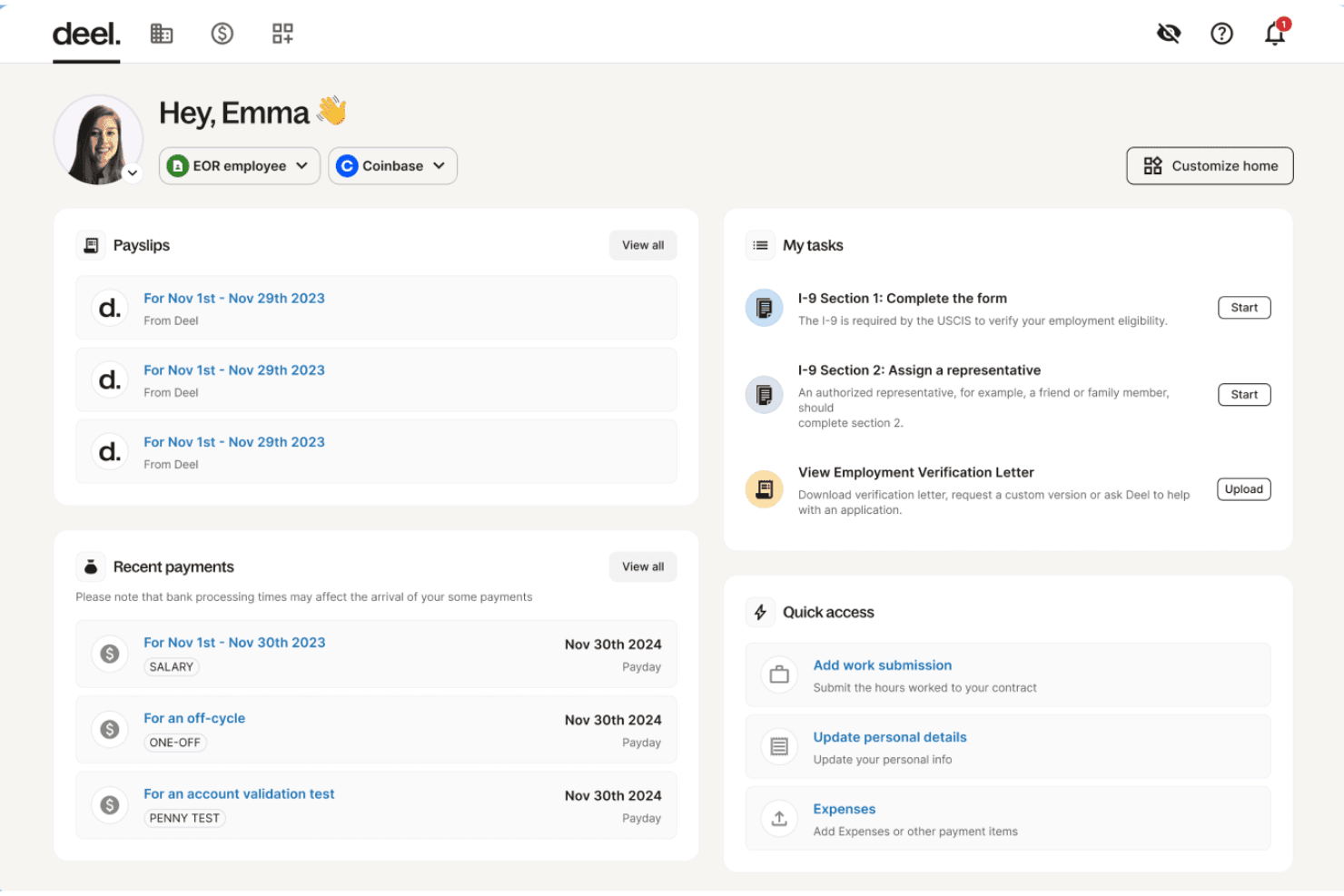
Deel Payroll is a cloud-native payroll platform that handles global payroll, US payroll, contractor payments, and employer of record services across 150+ countries and all 50 US states from a single system.
Who Is Deel Payroll Best For?
Deel Payroll is a strong fit for HR and payroll teams managing a mix of employees, contractors, and EOR workers across multiple countries from a single platform.
Why I Picked Deel Payroll
Deel Payroll earns its spot on my shortlist because no other platform I've seen handles employees, contractors, EOR workers, and PEO arrangements across 150+ countries from a single pay run. I particularly like the Payroll Detective feature, which uses AI to flag anomalies and unusual entries before a run closes, catching errors that manual review would likely miss. On top of that, Anytime Pay lets EOR employees draw up to 50% of earned wages before payday, with no fees or manager approvals required.
Deel Payroll Key Features
- Payroll Connect: View and manage Deel payroll alongside legacy third-party payrolls in a single consolidated dashboard during phased transitions.
- Worker misclassification tool: An AI-powered assessment that flags contractor vs. employee classification risk with reported 90% accuracy.
- Unlimited off-cycle payroll runs: Run additional pay cycles outside your standard schedule at no extra charge, with automatic recalculation triggered by last-minute adjustments.
- Compliance Hub: A real-time monitoring center that tracks changing labor and tax laws across jurisdictions and sends proactive alerts to administrators.
Deel Payroll Integrations
Deel Payroll offers 68+ native integrations, including Workday, SAP SuccessFactors, Oracle HCM, BambooHR, NetSuite, QuickBooks, Xero, Employee Navigator, Okta, and Expensify. It also provides an open API and Workflow Builder for custom connections and automations.
Pros and Cons
Pros:
- Unlimited off-cycle payroll runs included
- AI flags payroll errors before processing
- Manages global payroll for all worker types
Cons:
- Reported payroll issues in certain countries
- US payroll pricing lacks transparency

Gusto
Best for embedded benefits tied to payroll runs
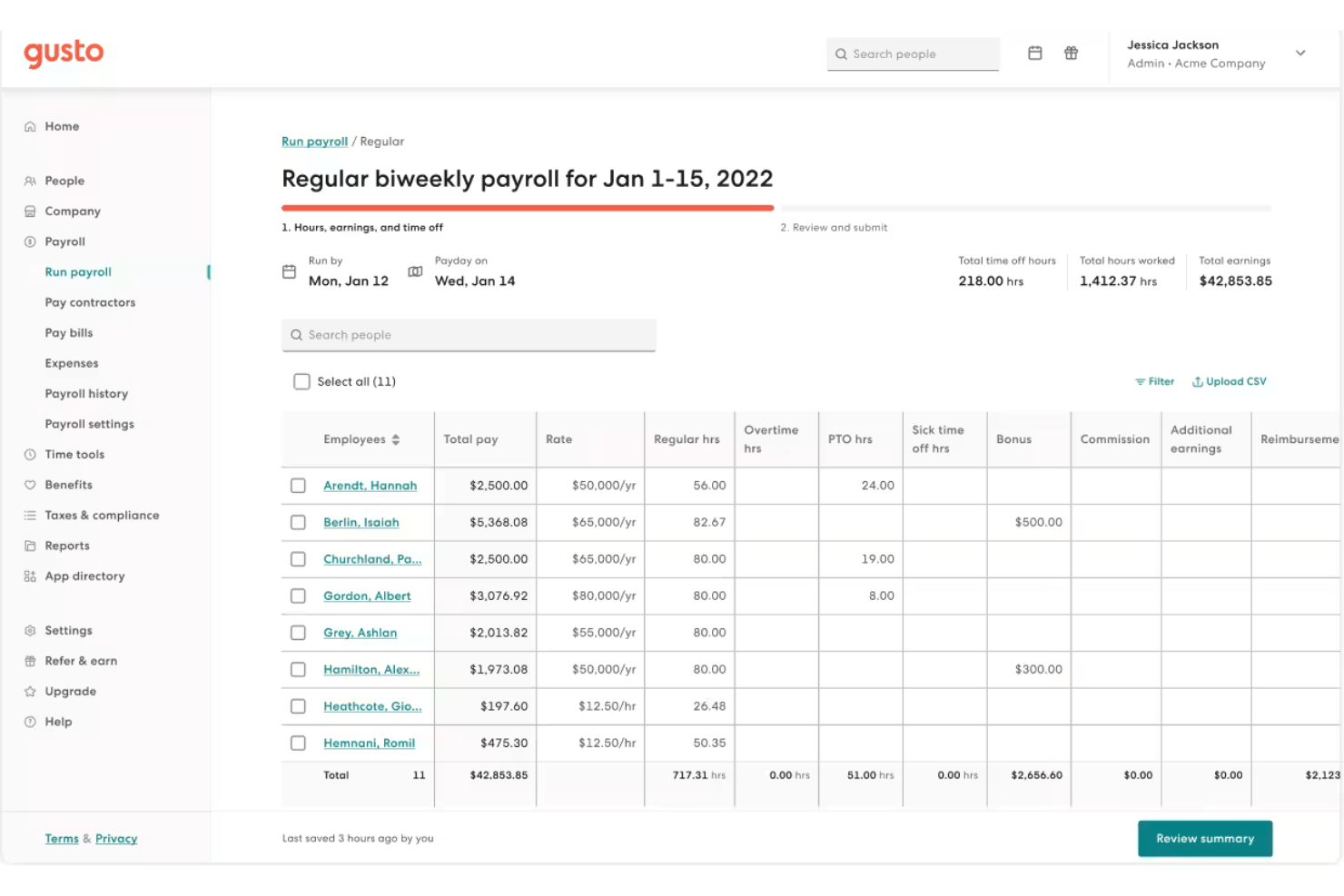
Gusto is a cloud payroll platform that combines automated payroll runs, full-service tax filing, employee self-service, and natively embedded benefits administration for small and mid-size businesses.
Who Is Gusto Best For?
Gusto is a strong fit for small and mid-size businesses that want health insurance, 401(k), and workers' comp enrollment managed in the same place as payroll.
Why I Picked Gusto
I picked Gusto as one of the best cloud payroll options because it natively embeds health insurance, 401(k), FSA/HSA, and workers' comp enrollment directly into the payroll run itself. When an employee changes their benefits election, the deduction updates automatically, with no manual syncing between separate systems. I also rate Gusto's AutoPilot highly: once configured, it executes recurring pay runs without any manual trigger, which is hard to replicate at this price point.
Gusto Key Features
- Full-service tax filing: Gusto automatically calculates, withholds, and files federal, state, and local payroll taxes in all 50 states, including year-end W-2 and 1099 forms.
- On-demand pay via Clair: Employees can access their earned wages between pay periods with no interest or fees through Gusto's Clair integration.
- Multi-state payroll support: The Plus and Premium plans handle payroll tax calculations and filings across all 50 U.S. states simultaneously, including local tax jurisdictions.
- Custom report builder: A drag-and-drop report builder lets you create tailored payroll summaries, workforce cost breakdowns, and tax liability reports exportable as CSV or PDF.
Gusto Integrations
Gusto offers 20+ software integrations, including QuickBooks Online, Xero, FreshBooks, Hubstaff, Homebase, Clover, and Expensify. It also provides an open API and Gusto Embedded Payroll for custom payroll integrations.
Pros and Cons
Pros:
- Employees get on-demand pay via Clair
- Embedded benefits deductions update with payroll changes
- AutoPilot fully automates recurring payroll runs
Cons:
- Customer support sometimes slow or inconsistent
- Multi-state payroll requires a higher tier
New Product Updates from Gusto
Gusto Adds Solo Advisory Tools and Mobile Money Features
Gusto adds Solo S-Corp Advisory Tools and Gusto Money on Mobile for tax guidance, invoicing, and bill payments. These updates help accountants advise solopreneurs and let users manage business finances from their phones. For more information, visit Gusto’s official site.

TimeTrex
Best for built-in time tracking
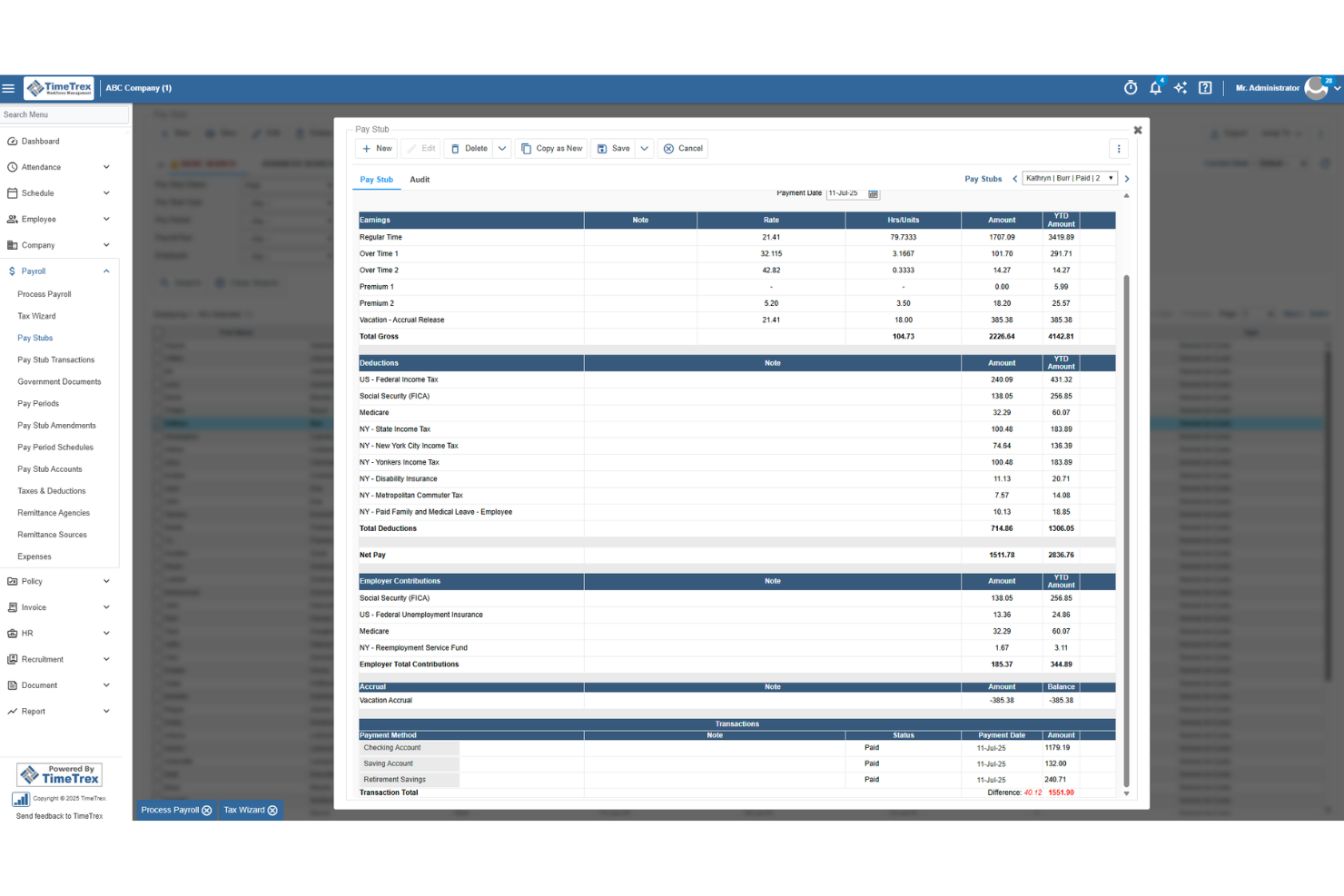
TimeTrex is a workforce management and cloud payroll platform that combines time tracking, scheduling, attendance, HR, and payroll processing in a single system.
Who Is TimeTrex Best For?
TimeTrex is a strong fit for small businesses managing hourly or shift-based teams who need time tracking and payroll to work as one system.
Why I Picked TimeTrex
TimeTrex earns its spot on my shortlist because the payroll run calculates directly from schedule and punch data, so there's no manual entry step between what your team worked and what they get paid. I particularly like how overtime, bonuses, and multi-state wages are all handled in the same engine that drives your shift schedules. Features like geofencing, biometric clock-ins, and job costing across multiple cost centers make it especially practical for businesses running crews across different sites or shifts.
TimeTrex Key Features
- Direct deposit notifications: Employees receive an email or SMS alert when funds are deposited, with a direct link to their pay stub.
- Audit trail with snapshots: Every payroll edit, view, or deletion is logged with before-and-after data snapshots for recordkeeping and compliance review.
- Job costing across cost centers: TimeTrex tracks labor costs across up to four cost-center levels, useful for businesses running multiple sites or crews.
- 1099-NEC contractor tracking: Contractors are tracked alongside W-2 employees in the same system, with 1099-NEC support built into the payroll engine.
TimeTrex Integrations
TimeTrex documents integrations with ADP, Intuit QuickBooks, Sage, Paychex, Surepay, Ceridian, CompuPay, Tyler Technologies, Vensure, Accero, Chris21, the IRS, and about 45 state revenue departments. A RESTful API supports custom integrations.
Pros and Cons
Pros:
- Reviewers frequently praise responsive customer support
- Real-time timesheets help verify employee hours
- Payroll calculates directly from shift punches
Cons:
- Reviewers report a dated, hard-to-navigate interface
- Employers handle payroll tax filing themselves
New Product Updates from TimeTrex
TimeTrex Adds Quick Punch App With Offline and QR Support
TimeTrex adds a new Quick Punch app, offline punching, QR code scanning, punch images, configurable messages, and punch warnings or lockouts to improve employee clock-ins across browsers and local computers. For more information, visit TimeTrex’s official site.
 .
.
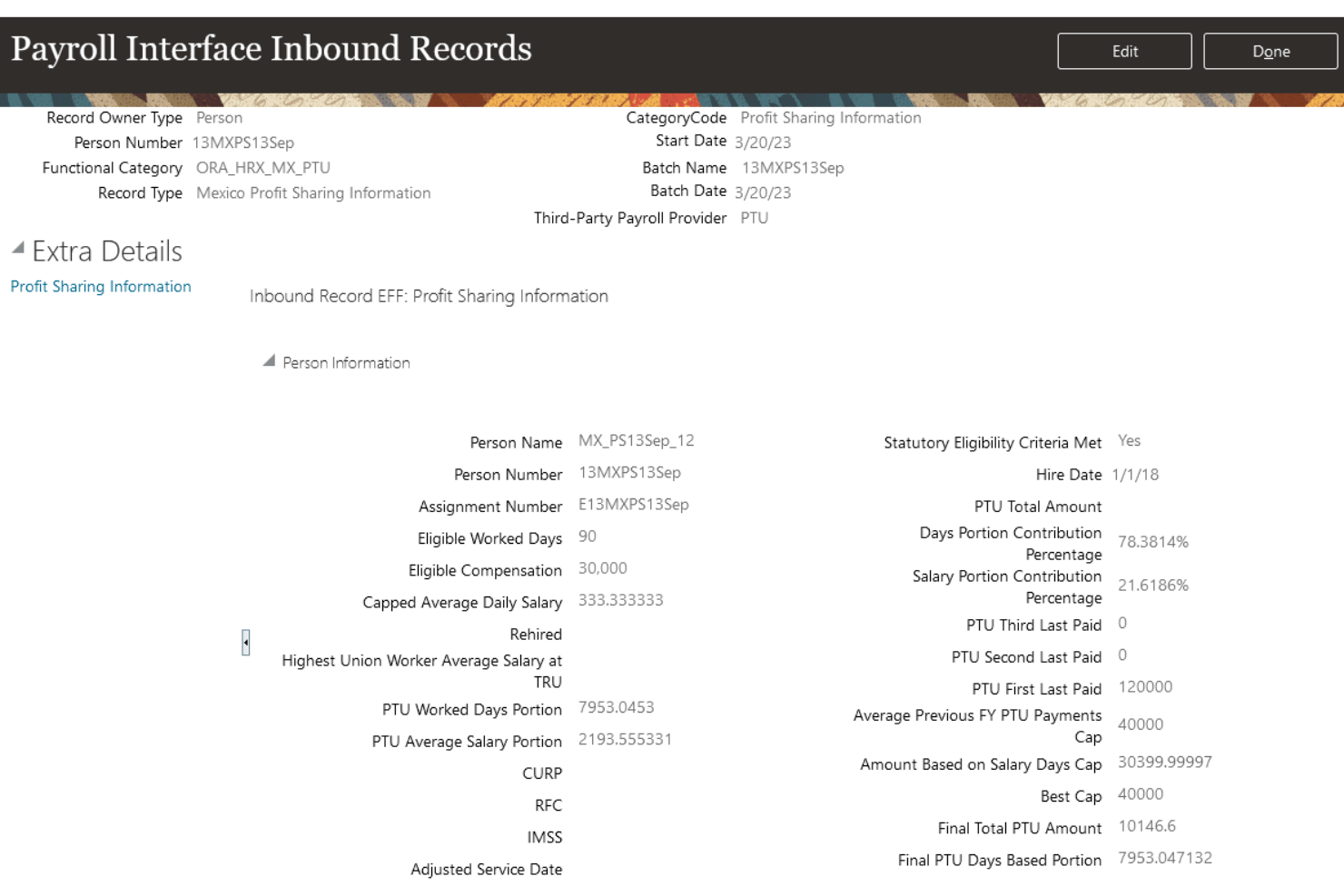
Oracle Fusion Cloud Payroll is a cloud-native payroll engine built into the Oracle Fusion HCM suite, offering gross-to-net processing, multi-jurisdiction tax compliance, employee self-service, and native payroll support across 60+ countries.
Who Is Oracle Fusion Cloud Payroll Best For?
Oracle Fusion Cloud Payroll is built for large enterprises running Oracle Fusion HCM that need to manage payroll across multiple countries and legal entities from a single platform.
Why I Picked Oracle Fusion Cloud Payroll
Oracle Fusion Cloud Payroll earns its spot on my shortlist because it's one of the only platforms that can run payroll natively across 60+ countries from a single, unified engine—no middleware, no reconciliation across disconnected systems. I particularly like the AI Payroll Run Analyst, which monitors active payroll runs, flags anomalies like duplicate payments or calculation errors, and surfaces fixes before a pay run is finalized. The platform also processes payroll for 16M+ employees monthly, so if your organization spans dozens of legal entities and countries, it's built for exactly that scale.
Oracle Fusion Cloud Payroll Key Features
- Retroactive pay processing: Handles retroactive pay calculations with effective-dated transactions, including controls for retroactive overpayment and recovery on earnings elements.
- Global Payroll Interface (GPI): A bi-directional integration framework that connects Oracle Fusion HCM data with third-party payroll processors for countries beyond the 60+ with native support.
- Payroll costing and GL integration: Posts payroll journals and cost distributions directly to Oracle Fusion Cloud ERP finance modules, including accounts payable, general ledger, and project costing.
- Court Order Processing Agent: An AI agent that automates the intake and processing of income withholding orders, reducing manual handling for payroll and HR teams.
Oracle Fusion Cloud Payroll Integrations
Oracle Fusion Cloud Payroll offers native integrations with Oracle Fusion Cloud HR, Time and Labor, Absence, Benefits, ERP, General Ledger, and Project Costing. It also connects with ADP, Dayforce, Neeyamo, and Ramco through Global Payroll Interface, plus DailyPay and Tapcheck through Oracle Cloud Marketplace, with REST APIs for custom integrations.
Pros and Cons
Pros:
- Deep HCM and ERP data unification
- Payroll natively supports 60+ countries
- Advanced AI for payroll anomaly detection
Cons:
- Implementation is lengthy and complex
- Not designed for small businesses

Rippling
Best for unified HR-to-payroll with global reach
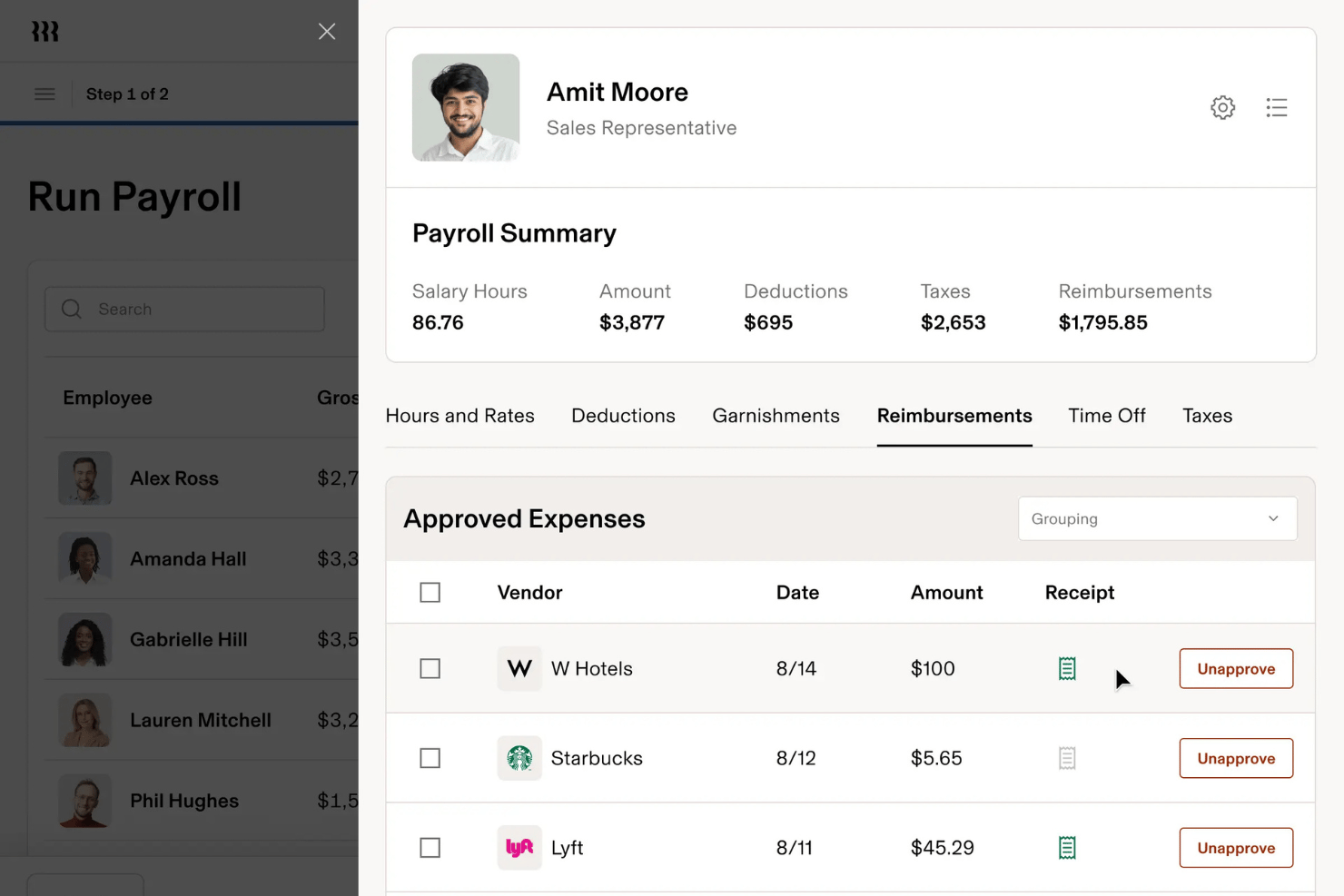
Rippling is a cloud payroll platform that combines automated pay runs, multi-jurisdiction tax filing, employee self-service, and built-in HR, benefits, and IT management in a single unified system.
Who Is Rippling Best For?
Rippling is a strong fit for growing and mid-market companies that need HR, IT, and payroll to operate from a single system—especially those managing employees across multiple countries.
Why I Picked Rippling
Rippling earns its spot on my shortlist because it's the only cloud payroll platform where HR and payroll genuinely share one data layer, not just a sync. When someone gets a promotion, their new salary, updated tax withholdings, and benefits deductions adjust automatically in the next pay run without any manual input. I also love the payroll comparison tool, which flags discrepancies in gross pay and deductions before a run is approved, and the AI anomaly detection, which catches overtime irregularities across a workforce running payroll in multiple countries simultaneously.
Rippling Key Features
- Workflow Studio: A no-code automation builder that lets you create custom triggers across payroll, HR, IT, and finance events—like auto-provisioning software access when a new hire's payroll is set up.
- Unlimited off-cycle payroll runs: Run bonus payments or corrections as often as needed in U.S. domestic jurisdictions at no extra charge.
- Custom report builder: Generate headcount, labor cost, and compensation reports using pre-built templates or build your own with no-code filters and formulas.
- Employer of Record (EOR) service: Rippling acts as the legal employer in 185+ countries, handling local employment contracts, payroll, tax filings, and in-country benefits compliance.
Rippling Integrations
Rippling offers 650+ native app integrations, including QuickBooks, NetSuite, Xero, Slack, Microsoft Teams, Google Workspace, Okta, and Tapcheck. It also provides an open API and Workflow Studio for custom connections and no-code workflows.
Pros and Cons
Pros:
- Unified HR, payroll, and IT system
- Employer of record in 185+ countries
- Built-in AI flags payroll anomalies pre-run
Cons:
- Employees cannot contact support directly
- Payroll module requires HRIS subscription
New Product Updates from Rippling

Rippling Expands Automated Compliance With AI Workflows
Rippling expands Automated Compliance with multi-framework support, AI workflows, an audit portal, and trust centers. These updates help GRC teams manage compliance work and audits. For more information, visit Rippling’s official site.
Dayforce
Best for real-time payroll across global teams
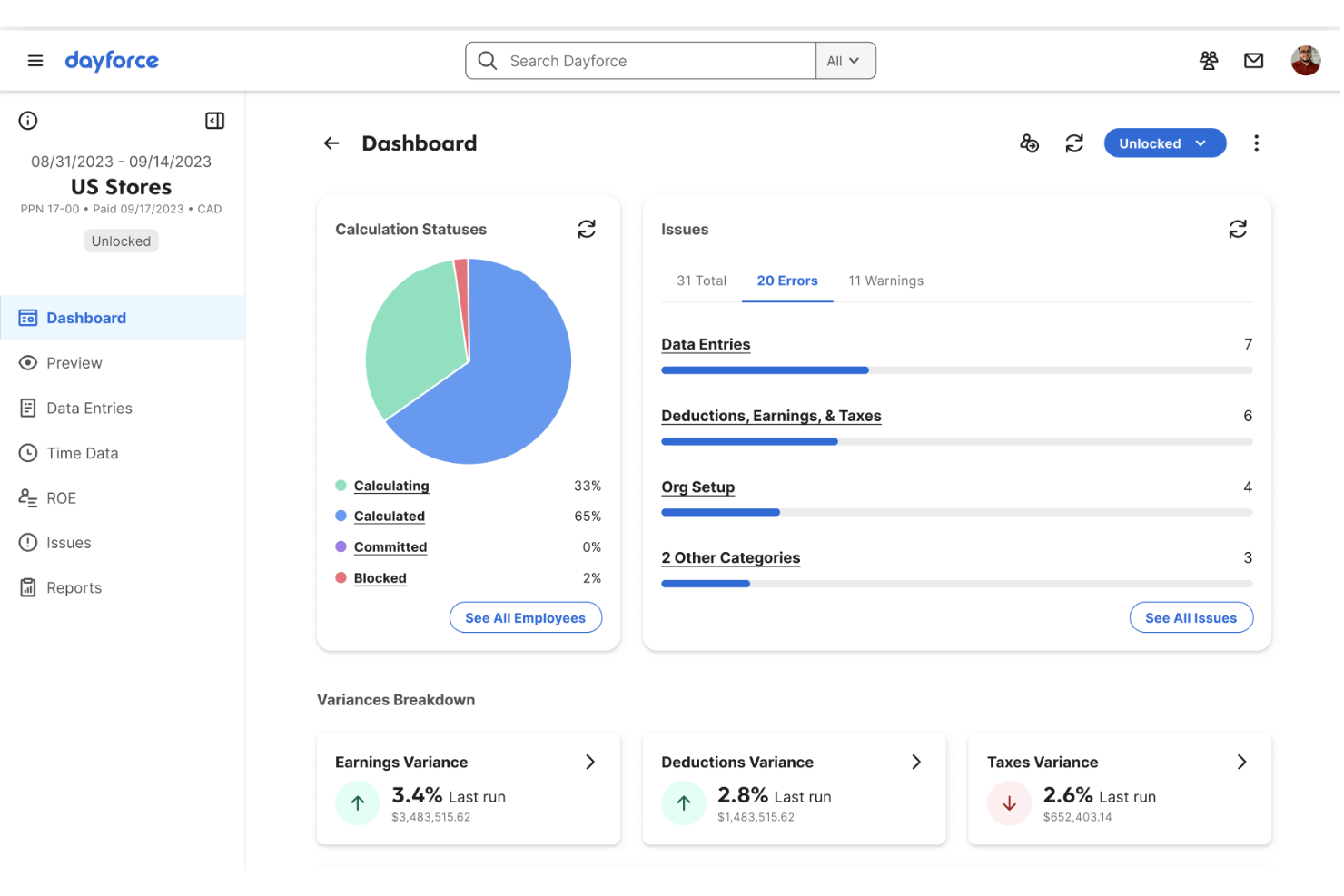
Dayforce is a cloud-native HCM and payroll platform that handles payroll processing, tax compliance, workforce management, benefits administration, and global multi-jurisdiction payroll across 200+ countries on a single unified data model.
Who Is Dayforce Best For?
Dayforce is a strong fit for mid-market and enterprise HR and payroll teams managing complex, multi-jurisdiction workforces across multiple countries.
Why I Picked Dayforce
I picked Dayforce as one of the best because its continuous calculation engine genuinely sets it apart for global payroll teams. Instead of batch-processing at period-end, it runs payroll simulations in real time throughout the pay period, so your team catches errors before they become pay run problems. Layer in Dayforce Co-Pilot's AI anomaly detection, which flags irregularities like duplicate entries or unusual hour spikes mid-cycle, and you get a level of real-time oversight that's rare across 200+ countries on a single contract.
Dayforce Key Features
- Dayforce Wallet: Employees can access earned wages before payday via a fee-free Mastercard-enabled pay card or direct transfer to a personal bank account.
- Integration Studio: A built-in, low-code integration tool with event-driven APIs and pre-built connectors for systems like Workday, SAP, Oracle, and Microsoft Dynamics 365.
- Pay Run Management: Tracks multi-state tax thresholds, generates compliance risk assessments, and produces audit-ready payroll reports across jurisdictions.
- Managed Payroll Services: Dayforce's team can run payroll operations on your behalf, handling end-to-end pay run execution for organizations that need operational support.
Dayforce Integrations
Dayforce offers native integrations with Workday, SAP SuccessFactors, Oracle HCM, ADP, UKG, Microsoft Dynamics 365, and Microsoft Azure Active Directory. Integration Studio and an open API support custom connections.
Pros and Cons
Pros:
- AI anomaly detection for payroll errors
- Global compliance support for 200+ countries
- Real-time payroll calculations across pay periods
Cons:
- Implementation process is lengthy and complex
- Customer support often slow to resolve issues
UKG Pro
Best for HCM-native payroll with global reach
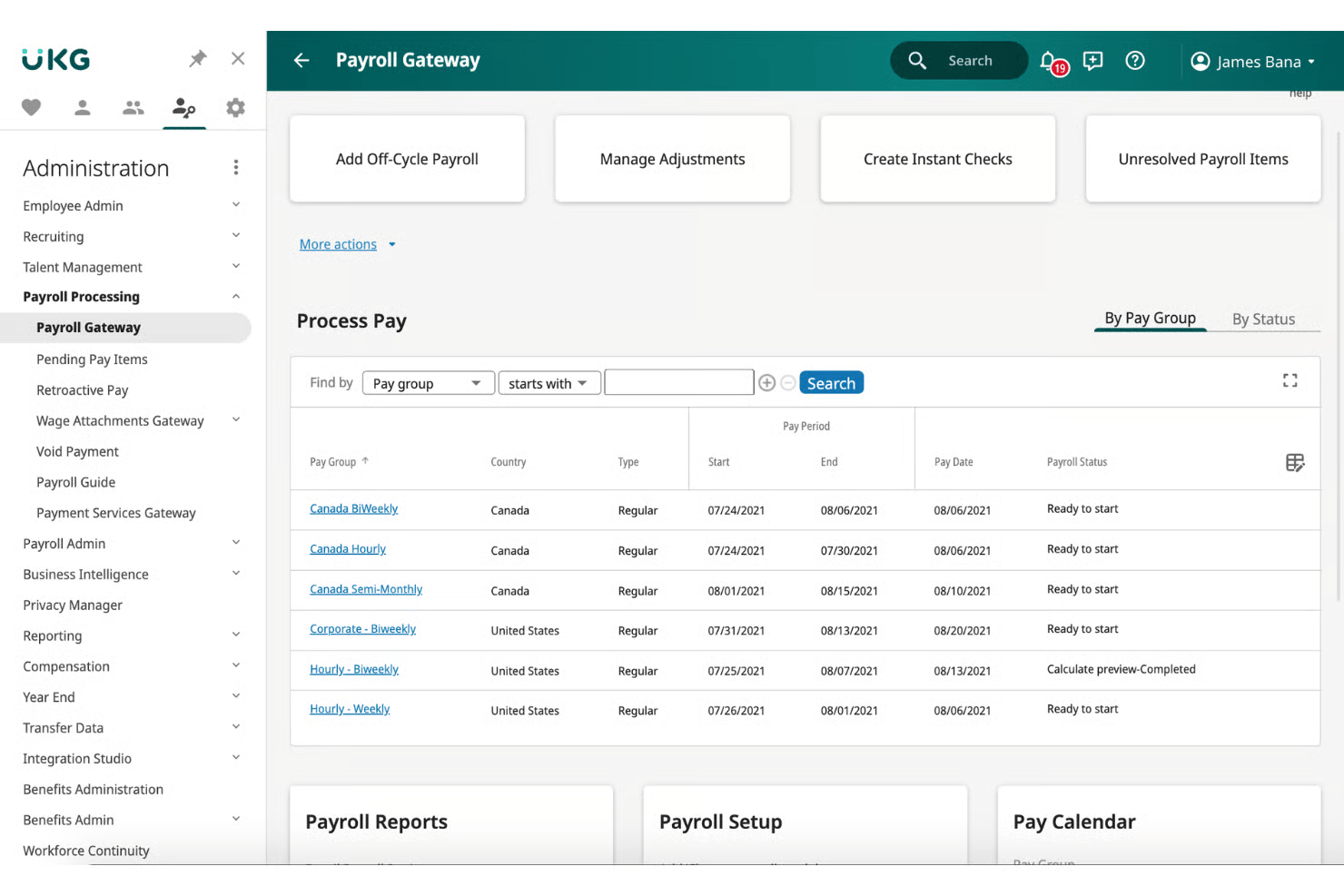
UKG Pro is a cloud-native HCM platform that combines payroll processing, tax filing, benefits administration, time tracking, and global payroll management across 160+ countries in a single system.
Who Is UKG Pro Best For?
UKG Pro is built for mid-market and enterprise organizations that need payroll, HR, benefits, time tracking, and global workforce management running on a single platform.
Why I Picked UKG Pro
I picked UKG Pro as one of the best because it's the rare payroll platform that lives fully inside a native HCM suite, meaning payroll deductions, benefits enrollment, and time data all flow together without a single manual sync. I especially like Bryte AI, which monitors every pay run in real time and flags anomalies before payroll is finalized. UKG One View extends that same payroll engine across 160+ countries without requiring you to replace local payroll providers.
UKG Pro Key Features
- Smart Tax Search: Automatically recommends the correct tax setup for employees based on their work and home jurisdictions, reducing multi-state filing errors.
- Garnishment deduction wizard: Guides payroll teams through wage garnishment processing within the same pay run workflow.
- Predict My Pay: A self-service paycheck modeling tool that lets employees estimate their take-home pay after taxes and deductions before payday.
- UKG Wallet earned wage access: Lets employees withdraw accrued wages before their scheduled payday via a dedicated mobile app, including a Visa payroll card option.
UKG Pro Integrations
UKG Pro offers Marketplace integrations through a 400+ partner network, including ADP, Workday, SAP, Oracle, Okta, ServiceNow, DocuSign, and Microsoft Teams. It also provides a REST API and general ledger export for custom payroll and accounting connections.
Pros and Cons
Pros:
- Global payroll coverage across 160+ countries
- Earned wage access through UKG Wallet
- Real-time AI payroll anomaly detection
Cons:
- Complex reporting tools need technical expertise
- Crowded interface requires frequent user guidance

CloudPay
Best for Workday-native global payroll ops
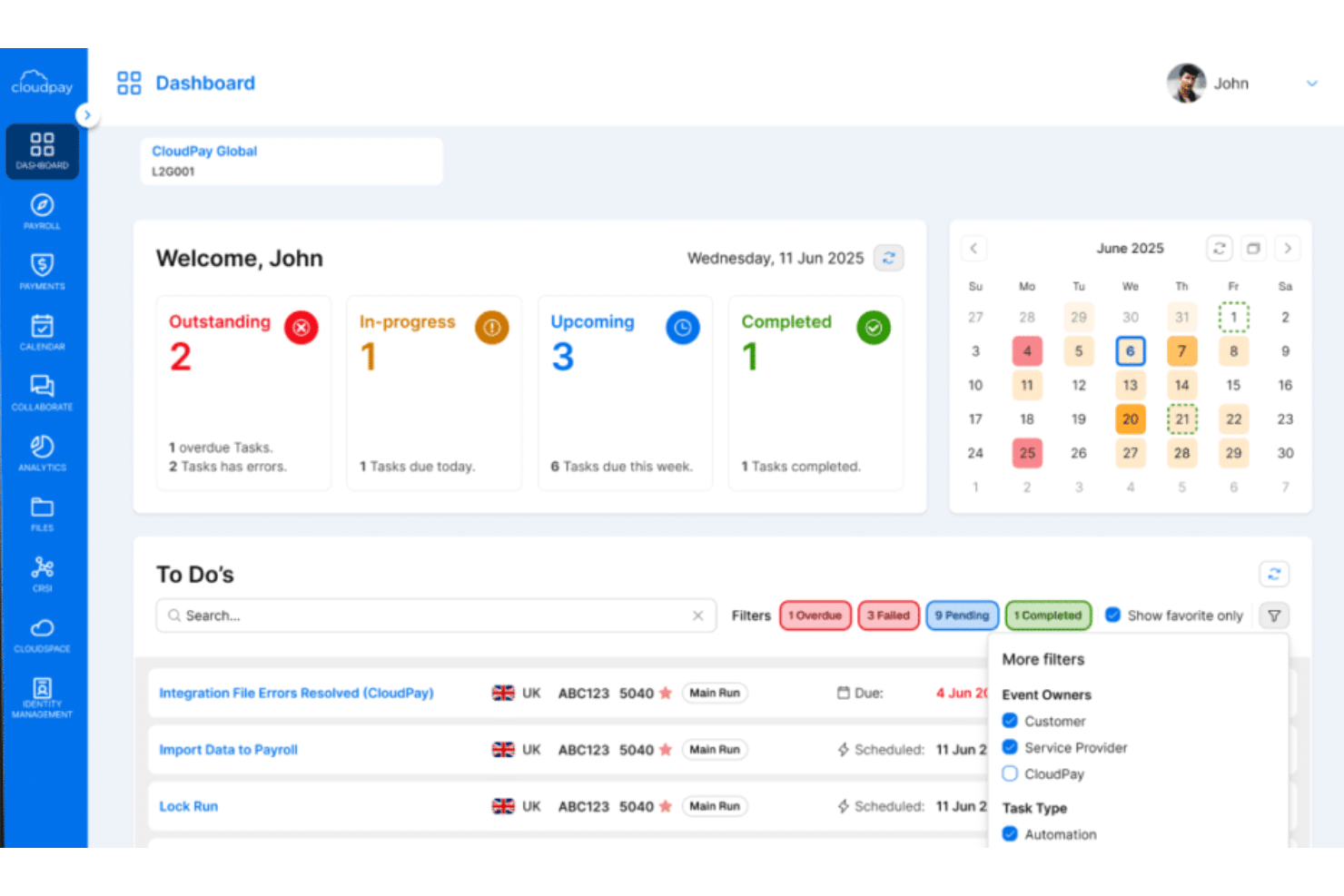
CloudPay is a managed global cloud payroll platform built around multi-country payroll processing, automated compliance, HCM integrations, and employee pay access across 130+ countries and 110+ currencies.
Who Is CloudPay Best For?
CloudPay is a strong fit for midmarket and enterprise teams running Workday as their HCM and needing a payroll layer that spans multiple countries without stitching together regional vendors.
Why I Picked CloudPay
I picked CloudPay as one of the best because it's the most mature Workday-native global payroll option I've come across. Its PECI-certified integration with Workday has been active since 2012, and the September 2024 Workday Global Payroll Connect launch tightens that relationship further, pushing bi-directional payroll data across 130+ countries without manual handoffs. CloudPai, its AI reconciliation layer, catches errors before pay runs finalize, which matters when you're managing payroll across dozens of entities simultaneously.
CloudPay Key Features
- Pay on-Demand: Employees can access earned wages before payday instantly via the CloudPay app, with payments delivered in approximately 30 seconds through Visa Direct.
- Robotic Data Validation: Automated RPA scans each payroll run for errors and omissions before pay is finalized, flagging issues across multi-country payrolls.
- Global payroll calendar: A multi-country workflow tool that syncs payroll deadlines and sends automated notifications to reduce missed cutoffs across jurisdictions.
- General ledger file automation: Post-payroll GL files are automatically generated and pushed to connected finance systems like NetSuite, Dynamics 365, and Sage.
CloudPay Integrations
CloudPay has native integrations with Workday, SAP SuccessFactors, Oracle HCM Cloud, HiBob, BambooHR, UKG Pro, ADP, NetSuite, Microsoft Dynamics 365, and Sage. It also offers an open API and general ledger file automation.
Pros and Cons
Pros:
- AI-powered error detection before pay runs
- On-demand pay with instant Visa Direct payments
- Workday-native payroll operations across 130+ countries
Cons:
- Limited self-service customization for employees
- Admin interface feels outdated for some users
Best for payroll across 60-country compliance
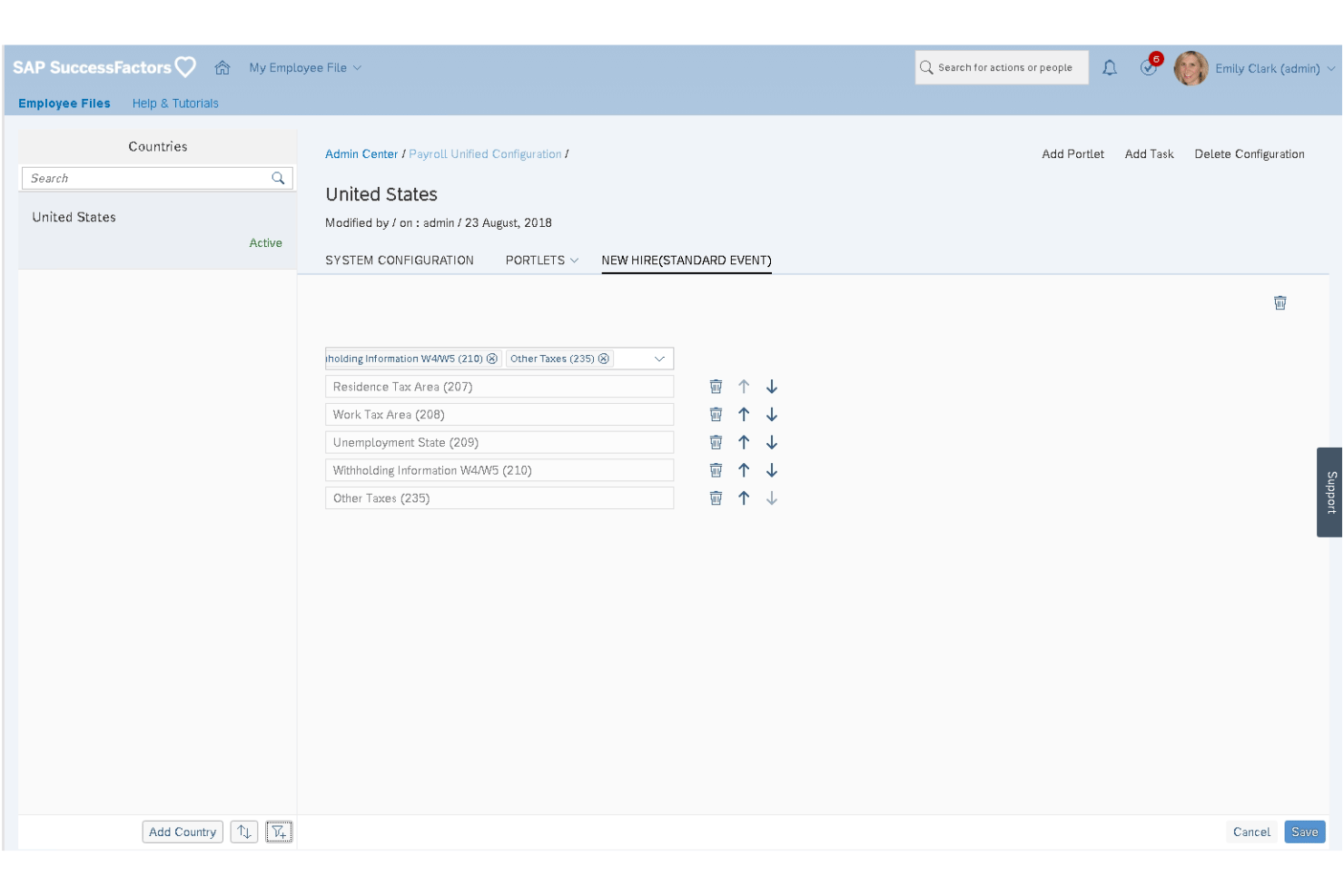
SAP SuccessFactors Employee Central Payroll is an enterprise cloud payroll platform that handles gross-to-net calculations, continuous payroll monitoring, multi-country tax compliance, and employee self-service across a globally localized payroll engine.
Who Is SAP SuccessFactors Employee Central Payroll Best For?
It's built for large, multinational enterprises that need a single payroll platform to manage compliance across dozens of countries simultaneously.
Why I Picked SAP SuccessFactors Employee Central Payroll
SAP SuccessFactors Employee Central Payroll earns its spot on my shortlist because no other platform I've seen handles payroll compliance at this scale, covering 60 countries with over 100 in-country product managers maintaining localized tax rules and statutory reporting. I particularly like the Payroll Control Center, which monitors payroll data continuously throughout the pay period, catching errors before a run finalizes rather than after. The built-in AI anomaly detection flags calculation inconsistencies in real time, which matters enormously when you're running payroll across dozens of jurisdictions simultaneously.
SAP SuccessFactors Employee Central Payroll Key Features
- Payroll simulation tools: Run pre-cycle simulations to validate pay calculations before committing to a live payroll run.
- Retroactive payroll calculation: Process late changes to prior pay periods without disrupting current or future pay cycles.
- Regulatory Change Manager: Tracks incoming compliance and regulatory updates and maps them to the affected business processes within your payroll setup.
- Alumni self-service access: Former employees can access their pay slips and tax documents through a configurable post-employment self-service portal.
SAP SuccessFactors Employee Central Payroll Integrations
SAP SuccessFactors Employee Central Payroll offers native integrations with Employee Central, Time Management, Benefits, Compensation, and SAP S/4HANA. SAP Business Accelerator Hub APIs, SAP BTP, and SAP Store marketplace integrations such as DailyPay and Payactiv support custom connectivity and earned wage access.
Pros and Cons
Pros:
- Continuous payroll monitoring before pay runs
- AI-powered anomaly detection for payroll errors
- Global payroll compliance for 60 countries
Cons:
- Long implementation and migration timelines
- Requires SAP Employee Central module

Paylocity
Best for mid-market AI-assisted payroll audits
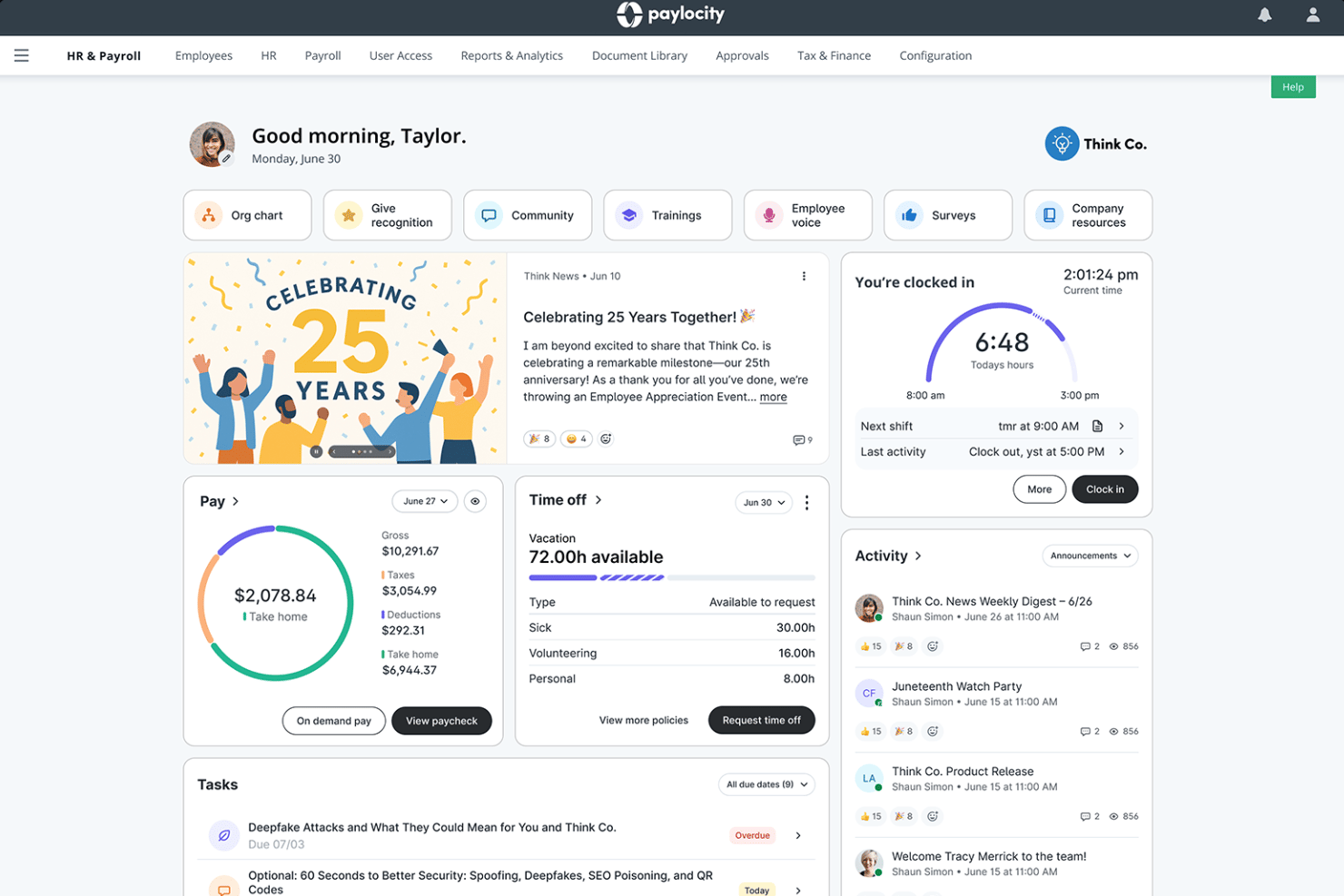
Paylocity is a cloud-native HCM platform that combines full-cycle payroll processing, multi-state and global tax compliance, benefits administration, time tracking, and AI-powered payroll auditing in one unified system.
Who Is Paylocity Best For?
Paylocity is a strong fit for mid-market HR and payroll teams managing complex, multi-state workforces who need AI-powered audit tools built directly into the pay run workflow.
Why I Picked Paylocity
Paylocity earns its spot on my shortlist because of how deeply its AI audit capabilities are woven into the pay run itself. The Payroll Analysis Agent, part of Paylocity's Ignite AI suite, flags anomalies and payroll variances before you finalize a run, not after. Paired with 30+ built-in pre-submission audits and a Payroll Readiness Dashboard, mid-market teams processing complex, multi-state payrolls get a structured safety net that catches errors before they become compliance issues.
Paylocity Key Features
- On-Demand Payment: Employees can request same-day access to earned wages directly through the platform, with no disruption to your existing payroll cycle.
- Tax geolocation audit: Automatically verifies that the correct state and local taxes are withheld based on each employee's work location, which is especially useful for remote and hybrid teams.
- Multi-state pay run consolidation: Processes payroll across all 50 U.S. states in a single unified pay run, with automated local tax rules applied per jurisdiction.
- Integration Marketplace: Connects Paylocity to hundreds of third-party tools—including QuickBooks, NetSuite, Okta, and LinkedIn—via pre-built connectors, API, and EDI.
Paylocity Integrations
Paylocity offers hundreds of marketplace integrations, including QuickBooks Online, NetSuite, Acumatica, Okta, Microsoft Entra, LinkedIn, Checkr, and DocuSign. An open API supports custom integrations, with API, EDI, and SFTP connectivity available.
Pros and Cons
Pros:
- #1-rated mobile app for HR tasks
- Multi-state payroll with real-time tax audits
- AI flags payroll errors before submission
Cons:
- Pricing requires custom sales consultations
- Customer support feedback is inconsistent
New Product Updates from Paylocity

Paylocity Expands Expense and Purchase Request Tools
Paylocity adds connected personal cards, smarter expense categorization, and a streamlined purchase request experience. This reduces manual entry and helps finance teams manage expenses and approvals more efficiently. For more information, visit Paylocity’s official site.
 .
.Other Cloud Payroll Software
Here are some additional cloud payroll software options that didn’t make it onto my shortlist, but are still worth checking out:
- Paychex Flex
For AI-driven payroll anomaly detection
- TriNet
For SMB payroll under PEO co-employment
- RUN Powered by ADP
For small business tax compliance guarantee
- BambooHR®
For HR-to-payroll on one employee record
- Papaya Global
For AI-driven global payroll compliance
- Paycor
For payroll automation with on-demand pay access
- Remote
For owned-entity payroll across 100+ countries
- QuickBooks Payroll
For QBO-native payroll and accounting sync
- Paycom
For employee-driven payroll error prevention
- isolved
For mid-market payroll with AI pre-run checks


How I Evaluate Cloud Payroll Software
I split my evaluation into baseline criteria every tool must meet—like automated tax filing and multi-jurisdiction support—and the differentiators, like AI anomaly detection and embedded benefits, that separate good from great.
Core Functionality (Table Stakes For This List)
When I'm selecting tools for my list, I rank each one on a scale from 0 (does not offer the functionality) to 5 (excels in this area) for each core functionality listed below. I then calculate the tool's total score into a percentage, using 75% as a benchmark to help assess its overall fit for the list.
- Cloud-based access: I check for full browser and mobile app access so admins and employees can run or review payroll from anywhere, not just a desktop.
- Automated payroll processing: Each tool should handle wage calculations, deductions, and pay runs with minimal manual input across multiple pay schedules and disbursement methods.
- Tax filing and compliance: I evaluate whether the platform automates tax withholdings, filings, and year-end forms like W-2s or regional equivalents, and keeps pace with changing tax law.
- Employee self-service portal: The portal should let employees view pay stubs, download tax documents, update direct deposit details, and access pay history on their own.
- HR and accounting integrations: I look for native connections to popular HRIS, time-tracking, benefits, and general ledger platforms, plus an open API for custom workflows.
- Multi-jurisdiction support: Tools need to handle payroll across multiple states, provinces, or countries with localized tax rules, multi-currency pay, and region-specific compliance built in.
Once I have a list of tools that meet the criteria, I consider what sets each platform apart.
Differentiating Factors (What Sets Vendors Apart)
Here's how I compare and contrast different vendors:
Standout Features
I look for AI anomaly detection that flags duplicate payments or misclassifications before a pay run finalizes—catching a ghost employee or a tax code mismatch after the fact is expensive. On-demand pay is another differentiator I evaluate, since letting employees access earned wages early directly reduces turnover in hourly workforces. I also check how each platform handles embedded benefits administration, where health insurance and retirement plan deductions sync natively with payroll so you're not reconciling two systems every cycle.
Beyond Features
I evaluate each vendor's total cost of ownership, including off-cycle pay run fees and multi-state filing charges that inflate the sticker price. Implementation speed matters too—I check whether a platform offers guided data migration and parallel payroll runs so you're not flying blind on your first live cycle. I also look for tax penalty guarantees, since vendors willing to reimburse filing errors signal real confidence in their compliance engine.
How to Choose Cloud Payroll Software
Here;s how to choose a cloud payroll solution that will deliver accuracy, compliance, and ease at the scale and speed your team needs:
| If your priority is... | Look for... |
|---|---|
| Running payroll in multiple regions | Automated multi-jurisdiction tax updates and filings |
| Avoiding payroll mistakes | Built-in anomaly detection and error flagging before pay runs |
| Fast employee onboarding | Self-service tools that minimize manual data entry |
| Managing complex worker types | Flexible pay rules for employees, contractors, and temps |
| Easy integration with HR and finance | Pre-built connectors for your HRIS and accounting systems |
How to Vet Your Shortlist
- Test the compliance engine: Request a demo showing live tax calculations across three different countries or regions.
- Validate anomaly detection: Ask for a sample pay run report that highlights how the system flags errors or duplicate entries.
- Check onboarding speed: Set up a trial and measure time to fully onboard five new hires, including direct deposit setup and tax forms.
- Confirm integration depth: Request documented workflows for syncing payroll with your HRIS and general ledger—ask for a real reference customer using both.
- Tradeoff filter: Decide if built-in global compliance (higher assurance, slower updates) or API-first extensibility (faster, more DIY) aligns better with your risk and speed tolerance.
What Is Cloud Payroll Software?
Cloud payroll software is a browser-based system for processing, managing, and tracking employee pay online. It handles wage calculations, tax filings, benefits deductions, and compliance updates automatically. Teams use it to pay employees in multiple locations, keep up with changing payroll laws, and give staff access to pay documents from anywhere. This helps reduce manual data entry, limits payroll errors, and minimizes compliance risk.
Features of Cloud Payroll Software
When selecting cloud payroll software, keep an eye out for the following key features:
- Cloud-based access: Lets you log in from any device with an internet connection. Payroll admins and employees can review, approve, and download pay info from any location, which supports hybrid and distributed workforces.
- Automated payroll processing: Calculates wages, deductions, and taxes for every pay run. This ensures paydays happen on schedule and reduces manual data entry for each cycle.
- Tax filing and compliance: Automatically collects, withholds, and files payroll taxes in every relevant jurisdiction. These updates keep pace with changing local, regional, and national tax laws, minimizing compliance risk.
- Employee self-service portal: Gives employees secure logins to view pay stubs, tax documents, and payment history. Staff can also update information like bank details, so HR teams spend less time on minor data changes.
- HR and accounting integrations: Directly connects with popular HRIS, time-tracking, benefits platforms, and accounting software. Syncs payroll data to general ledgers and employee records, which reduces reconciliation work and manual errors.
- Multi-jurisdiction support: Manages payroll for workers in different states, provinces, or countries, applying the correct tax rules, pay frequencies, and regulatory filings based on location.
- On-demand pay: Allows employees to access a portion of their earned wages before payday. This helps support hourly and contract workers who might need earlier access to their earnings.
- Anomaly detection and error flagging: Uses AI or rule-based systems to identify duplicate payments, unusual payroll entries, or classification mismatches. This reduces the risk of accidental overpayments or non-compliance.
- Embedded benefits administration: Syncs health insurance, retirement, and other benefit deductions directly with payroll so contributions and withholdings are calculated automatically alongside regular pay.
- Mobile app support: Provides a dedicated mobile application so both payroll admins and employees can approve, review, and access payroll data on the go, making pay management more accessible.
Benefits of Cloud Payroll Software
Implementing cloud payroll software provides several benefits for your team and your business. Here are a few you can look forward to:
- Access from any location: Cloud-based access lets payroll admins and employees review, approve, and download pay information from any device, supporting remote and distributed teams.
- Automated payroll runs: Automated wage calculations, deductions, and payslips reduce manual work for every pay cycle and help keep paydays on schedule.
- Built-in compliance: Tax filing and compliance features automatically keep up with changing local, regional, and national laws, minimizing compliance risks for multi-jurisdiction payrolls.
- Employee self-service: Secure employee portals allow staff to view pay stubs, tax forms, and update personal details without relying on HR for simple changes.
- Integrated HR and accounting: Pre-built connectors and API support let you sync payroll data directly with your HRIS, time tracking, benefits, and accounting systems, minimizing reconciliation work.
- Early wage access: With on-demand pay, employees can access part of their earned wages before payday, an option that supports hourly and contingent workforces.
- Error prevention and detection: AI-based anomaly detection flags duplicate payments, unusual entries, or classification mismatches before processing, lowering the risk of costly payroll errors.
Costs and Pricing
Selecting cloud payroll software requires an understanding of the various pricing models and plans available. Costs vary based on features, team size, add-ons, and more. The table below summarizes common plans, their average prices, and typical features included in cloud payroll software solutions:
Plan Comparison Table
| Plan Type | Average Price | Common Features |
|---|---|---|
| Free Plan | $0 | Basic payroll processing, limited employee self-service, basic tax calculations, and email support. |
| Personal Plan | $10-$25/user/month | Standard payroll processing, direct deposit, standard tax filing, self-service portal, and limited integrations. |
| Business Plan | $25-$50/user/month | Automated tax filing, multi-jurisdiction support, advanced integrations, on-demand pay, and mobile app access. |
| Enterprise Plan | $50-$100/user/month | Custom payroll workflows, dedicated account management, enhanced compliance, embedded benefits, and API access. |
Cloud Payroll Software FAQs
Here are some answers to common questions about cloud payroll software:
How secure is cloud payroll software?
Yes, cloud payroll software is designed with strong security controls like data encryption, role-based access, and regular vulnerability testing. Vendors are usually transparent about meeting standards such as SOC 2, ISO 27001, and GDPR. It’s a good idea to ask about their audit reports and confirm whether they offer features like single sign-on or multi-factor authentication for extra security.
Can cloud payroll software handle international payroll and compliance?
Yes, some cloud payroll platforms can fully support international payroll and compliance. Look for software with native multi-currency support, auto-updating tax rules for each country, and options for region-specific filings or forms. Not every solution covers every country—ask for an updated list of supported regions before picking a vendor.
Do I need IT support to implement cloud payroll software?
No, most cloud payroll platforms offer guided onboarding and don’t require deep IT expertise. Expect step-by-step setup checklists and data import tools. For larger implementations or integrations, you might still want IT involved, especially to connect custom HRIS, benefits, or general ledger systems.
How do cloud payroll tools integrate with other HR or accounting systems?
Most cloud payroll products connect through pre-built integrations or public APIs. You’ll usually find direct sync options for tools like HRIS, time tracking, benefits, and accounting platforms. Double-check which specific systems are supported out of the box versus what might need custom development or middleware.
What happens when payroll laws or tax rates change?
Cloud payroll software typically updates rates and forms behind the scenes, so you won’t need to monitor regulatory changes yourself. Leading platforms automatically apply new rules to pay runs, with alerts or change logs so you can stay informed. Always confirm how quickly updates are applied, especially if you have workers in multiple regions.
Can employees access their pay stubs and tax documents online?
Yes, employee self-service is a standard feature in cloud payroll products. Employees can log in from any device to view pay history, download tax forms, and update details like bank accounts or addresses. This cuts down on admin work and gives staff more control over their information.
What support options are available if I run into payroll issues?
Cloud payroll vendors usually offer multiple support channels—live chat, email, and phone are common, with some providing a dedicated specialist for business and enterprise plans. You’ll also have access to help centers, video guides, and community forums for troubleshooting without waiting in a queue.