

10 Best Multi-Country Payroll Software in 2026

Best Multi-Country Payroll Software Shortlist


Multi-country payroll software lets you manage payroll and compliance for employees and contractors in more than one country from a single platform. If you’re scaling teams across borders, it’s the only way to keep payments accurate, stay on top of tax rules, and work efficiently—no matter where your people are.
In this guide, you’ll find the best multi-country payroll software for 2026, weighing in on global coverage, compliance, integrations, and operating models so you can match the right system to your HR priorities and business growth.
Why Trust Our Software Recommendations
Our team has been testing and reviewing software since 2012. As HR experts ourselves, we know how difficult—and important—it is to choose the right software.
For this guide, we evaluated tools using hands-on testing and independent research, scoring tools using our selection criteria. We also draw on insights from industry thought leaders and practicing HR experts.
Our reviews reflect our human editorial judgment, not a sales pitch.
Expert reviewers:
Multi-Country Payroll Software Comparison Table
Compare pricing and specs, side by side, for the multi-country payroll software that made it onto my shortlist.
| Tool | Best For | Trial Info | Price | ||
|---|---|---|---|---|---|
| 1 | Best for Workday-native global payroll at scale | Not available | Pricing upon request | Website | |
| 2 | Best for Workday-native enterprise payroll | Not available | Pricing upon request | Website | |
| 3 | Best for long-tail payroll across 115+ countries | Free demo available | Pricing upon request | Website | |
| 4 | Best for native payroll across 50+ countries | Free demo available | Pricing upon request | Website | |
| 5 | Best for EOR-backed global payroll compliance | Free demo available | From $399/user/month | Website | |
| 6 | Best for owned-entity payroll across 100+ countries | Free demo available | From $29/user/month | Website | |
| 7 | Best for enterprise payroll on a single data model | Free demo available | Pricing upon request | Website | |
| 8 | Best for in-house payroll across 170+ countries | Free demo available | Pricing upon request | Website | |
| 9 | Best for enterprise HR and payroll on one data model | Free demo available | Pricing upon request | Website | |
| 10 | Best for consolidating existing in-country providers | Free demo available | Pricing upon request | Website |

Best Multi-Country Payroll Software Reviews
Below are my detailed summaries of the best multi-country payroll software that made it onto my shortlist. My reviews offer a detailed look at the features, capabilities, and best use cases of each platform to help you find the best one for you.

CloudPay
Best for Workday-native global payroll at scale
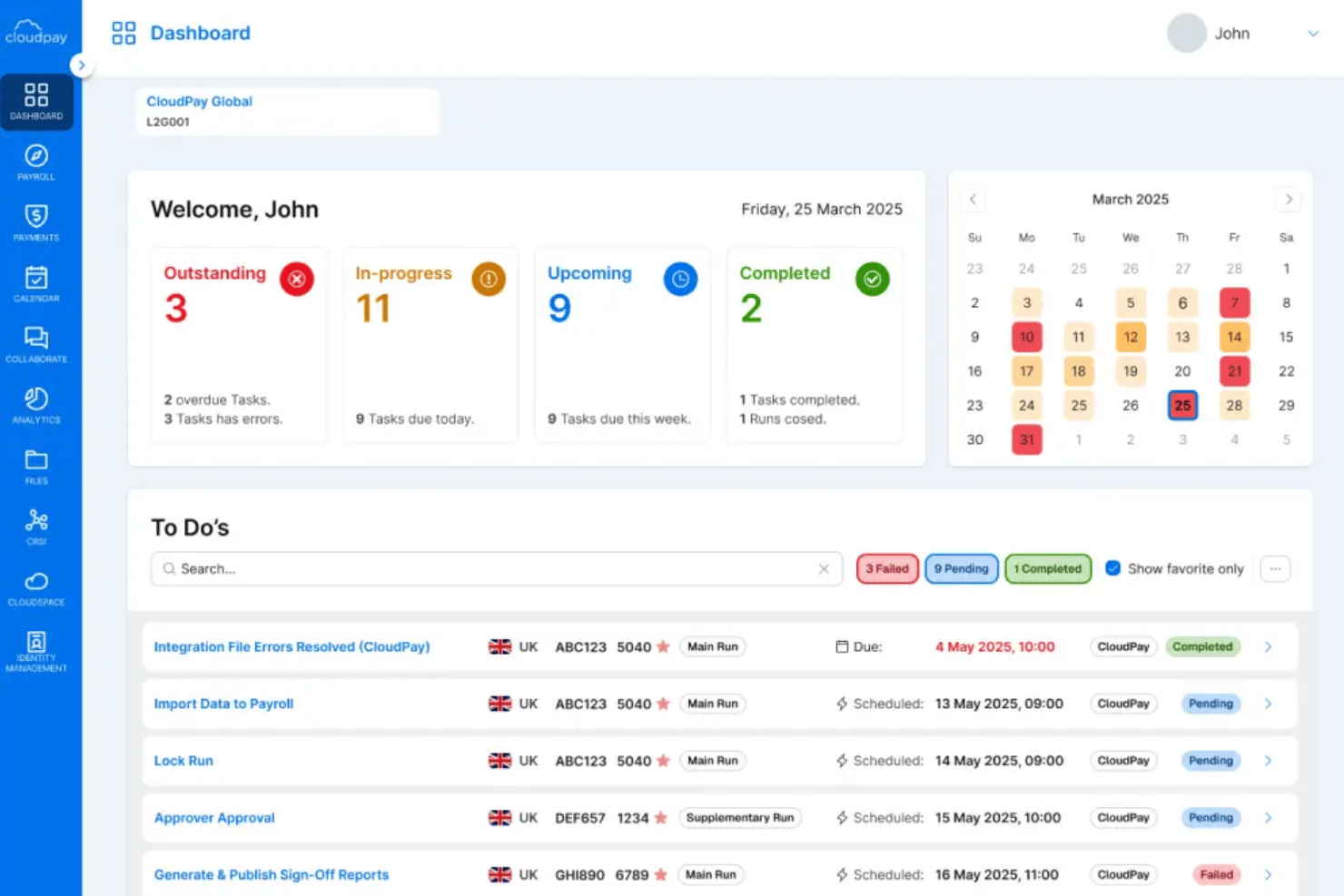
CloudPay is a managed global payroll and payments platform that handles multi-country payroll processing, local currency disbursements, compliance management, and HCM integrations across 130+ countries.
Who Is CloudPay Best For?
CloudPay is a strong fit for enterprise HR and payroll teams running Workday who need managed, multi-country payroll across 130+ countries without building local payroll infrastructure from scratch.
Why I Picked CloudPay
CloudPay earns its spot on my shortlist because its 5-star Workday Global Payroll Connect certification covers all five GPC features across 110+ countries, which I haven't seen matched elsewhere. I love that the CloudPay Navigator platform gives payroll teams a single governed workflow with real-time exception handling, replacing the usual mix of spreadsheets and country-by-country batch runs. Its owned payment rails via Visa Direct also mean employees get paid in local currencies in roughly 30 seconds, not days.
CloudPay Key Features
- Pay-to-card disbursements: Employees receive salary payments to any debit or credit card via Visa Direct in approximately 30 seconds, 24/7, across 110+ currencies.
- Local Payroll Information (LPI) module: Consolidates global pay data into a single reporting layer with cross-country currency conversion and entity-level breakdowns.
- Earned wage access via CloudPay NOW: Employees can withdraw a portion of already-earned pay instantly through the CloudPay app, with employer-configurable withdrawal limits and no credit checks required.
- SAP SuccessFactors pre-configured connector: Automates employee and organizational data transfers from SAP SuccessFactors into CloudPay, with country-specific validation controls applied at the point of transfer.
CloudPay Integrations
CloudPay offers certified Workday integrations, a pre-configured SAP SuccessFactors connector, and bi-directional Oracle HCM Cloud integration. It also supports native HiBob and UKG Pro integrations, plus API access for custom connections.
Pros and Cons
Pros:
- Embedded earned wage access for employees
- Real-time exceptions and global payroll dashboard
- Instant pay-to-card in 110+ currencies
Cons:
- Hybrid in-house and partner country support
- No native HR or talent modules

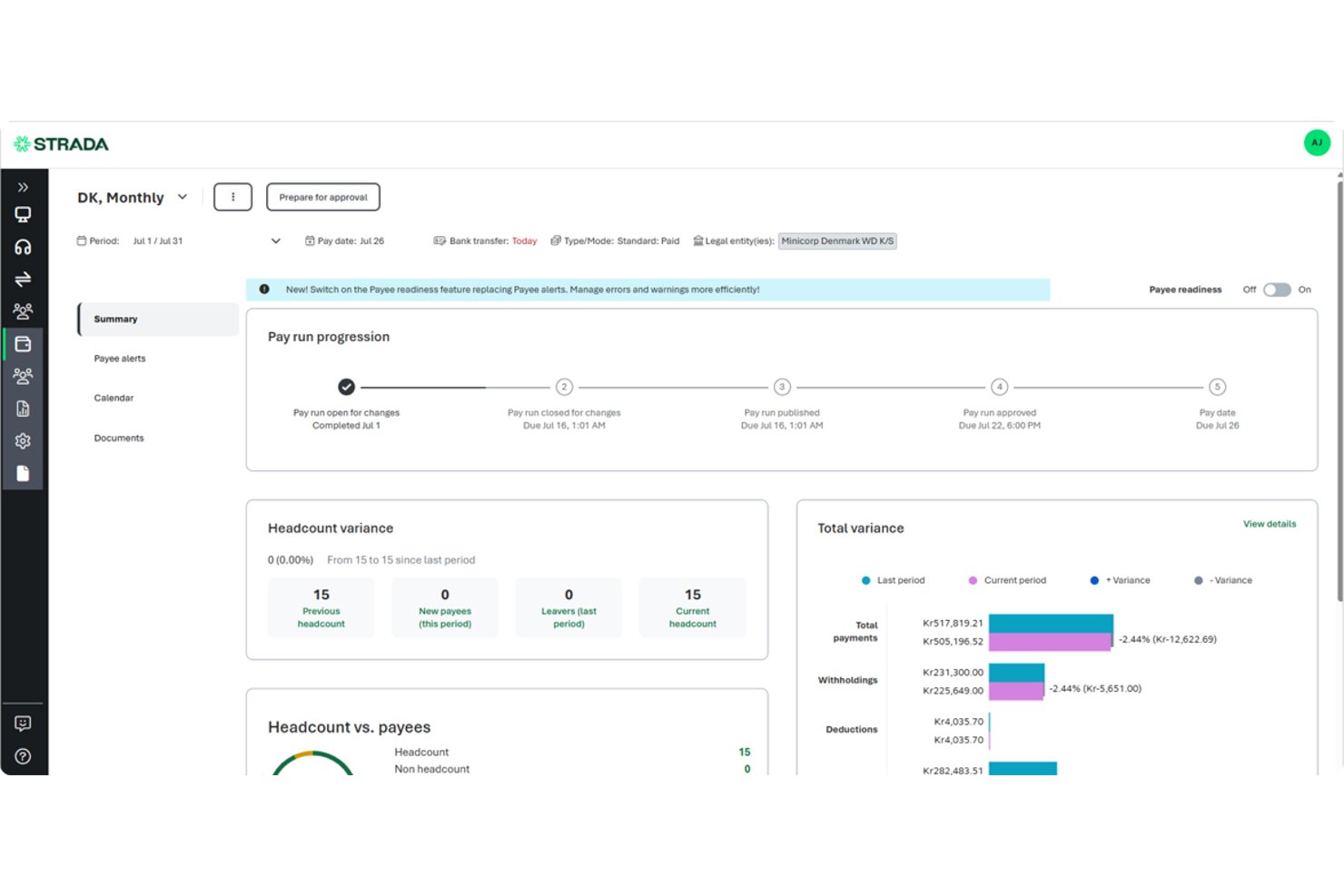
Strada is an enterprise multi-country payroll platform that combines a native global payroll engine, AI-powered anomaly detection, compliance management, and deep bidirectional integrations with Workday, SAP SuccessFactors, and Oracle HCM.
Who Is Strada Best For?
Strada is a strong fit for enterprise HR and payroll teams at organizations with 1,000+ employees that already run Workday, SAP SuccessFactors, or Oracle HCM and need multi-country payroll managed within that same ecosystem.
Why I Picked Strada
Strada earns its spot on my shortlist because of how deeply it embeds into Workday as a native payroll engine, not just a connected third-party. I'm particularly impressed by "Workday Payroll by Strada," a co-sold SKU available directly through the Workday marketplace that lets HR teams run global payroll without ever leaving their Workday tenant. Strada's continuous calculation engine and AI-powered anomaly detection also mean payroll errors get caught before they hit the payslip, which matters when you're processing pay across dozens of countries simultaneously.
Strada Key Features
- Defensive queries: Cross-engine checks that proactively enforce accuracy and consistency across multiple payroll engines before pay runs finalize.
- Data quality dashboard: Flags incoming payroll data issues by source, country, and timeframe so your team can catch problems before they enter the pay cycle.
- AI-powered case management: Auto-classifies payroll exceptions and routes escalations without manual triage.
- Compliance suite: Handles garnishment administration, overpayment recovery, severance workflows, and business travel tax tracking across supported countries.
Strada Integrations
Strada offers native, bidirectional integrations with Workday, SAP SuccessFactors, and Oracle, including Workday Payroll by Strada. It also provides a Workday Marketplace connector and a REST API library for custom connections.
Pros and Cons
Pros:
- Unified workflow for 180+ countries
- AI anomaly detection for payroll accuracy
- Native Workday payroll experience for enterprises
Cons:
- Dependent on partner network for most countries
- No EOR or contractor management features

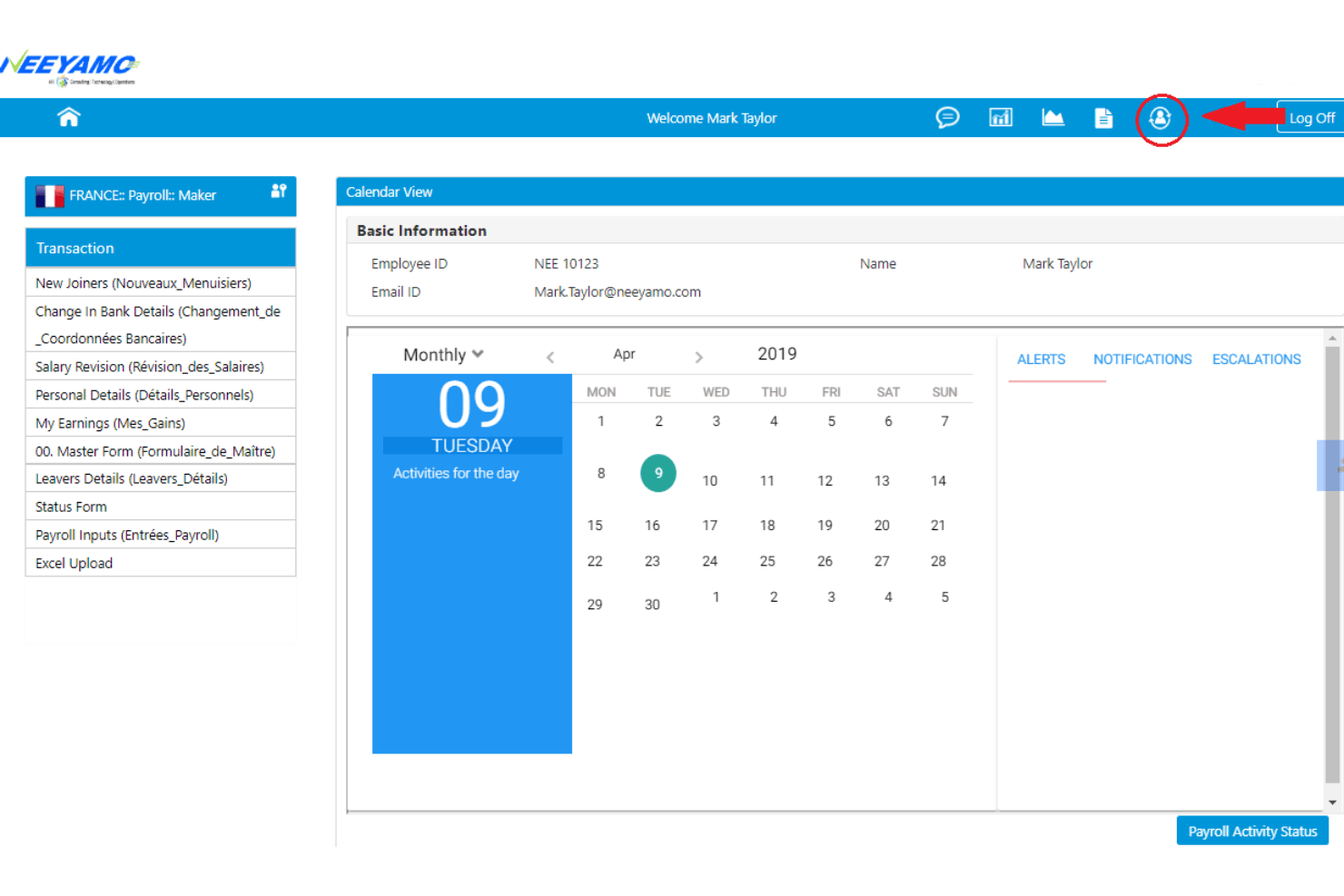
Neeyamo is a multi-country payroll platform built around a proprietary gross-to-net engine that natively processes payroll in 115 countries, with centralized reporting, an AI assistant (ARIA), and built-in employer of record services across 150+ countries.
Who Is Neeyamo Best For?
Neeyamo is a strong fit for large multinationals managing payroll in dozens of lower-headcount countries where local complexity is high but standard providers fall short.
Why I Picked Neeyamo
I picked Neeyamo as one of the best because its proprietary gross-to-net engine natively processes payroll in 115 countries, which is a rare technical distinction when most providers rely on partners for anything beyond their core markets. I find its long-tail payroll model particularly compelling: it brings low-headcount countries onto the same centralized platform as your major markets, so a company running payroll in Vietnam or Nigeria alongside Germany doesn't need separate local vendors. Neeyamo Payroll I.O. adds a governance layer on top of that, consolidating inputs and outputs across all geographies without replacing existing systems.
Neeyamo Key Features
- ARIA AI assistant: A generative AI agent that detects payroll anomalies, sends proactive compliance alerts, and handles natural-language payroll queries via chat and voice.
- Neeyamo Payroll I.O.: An overlay layer that consolidates, validates, and governs payroll inputs and outputs across existing internal and third-party payroll systems without replacing them.
- Neeyamo Compliance module: Tracks regulatory changes across supported countries and flags non-compliant payroll entries before a pay run is approved.
- GlobalWork EOR: An employer of record service covering 150+ countries, integrated directly into the same platform as core payroll processing.
Neeyamo Integrations
Neeyamo offers native integrations with Workday, SAP SuccessFactors, Oracle HCM Cloud, and HiBob. An Open API supports custom connections with other HRIS, ERP, and accounting systems.
Pros and Cons
Pros:
- Consolidates global payroll with validation layer
- AI assistant detects compliance and payroll anomalies
- Native payroll engine covers 115 countries
Cons:
- Limited direct payout currency selection
- No transparent or self-serve pricing options

Rippling
Best for native payroll across 50+ countries
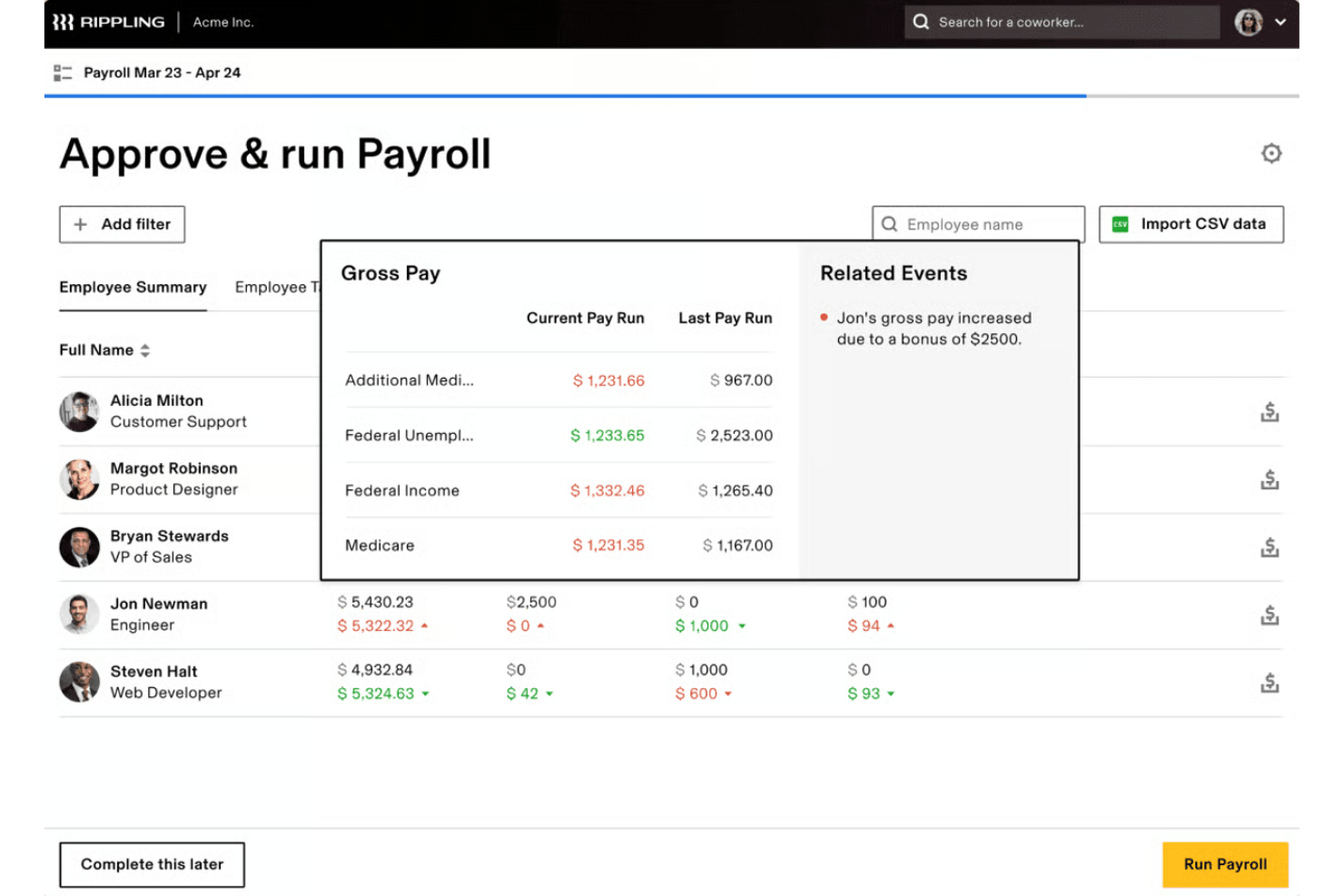
Rippling is a multi-country payroll platform that runs its own native payroll tax engine across 50+ countries, with built-in employer of record, global contractor management, and a unified HRIS on a single employee record.
Who Is Rippling Best For?
Rippling is a strong fit for mid-market and scale-up companies that need to pay full-time employees, EOR hires, and contractors across multiple countries from a single platform.
Why I Picked Rippling
I've included Rippling in my top picks because it runs its own native payroll tax engine across 50+ countries rather than routing calculations through third-party local vendors, which is what most so-called "global" payroll platforms actually do. That distinction matters: Rippling's in-house engine delivers payroll block periods as short as four days and instant gross-to-net previews, while contractors in 185+ countries get paid in local currency within two to four days of approval.
Rippling Key Features
- Employer of Record (EOR) hiring: Hire full-time employees in 80 countries without a local entity, with employment agreements, benefits enrollment, and software provisioning automated at onboarding.
- Global Contractor Hub: Manage contractors across 185+ countries with automated KYC verification, localized agreements, auto-invoice generation, and approval routing workflows.
- AI-generated workforce reports: Generate compensation trend reports, headcount analytics, and total compensation breakdowns across countries and currencies using live platform data.
- Bi-directional accounting sync: Push payroll data directly to QuickBooks, Xero, NetSuite, or Sage Intacct with custom GL mapping and automated journal posting.
Rippling Integrations
Rippling supports 600+ native integrations, including Carta, Jira, HubSpot, Slack, Zoom, Asana, Salesforce, Notion, Zendesk, and Gong. It supports an API for custom integrations.
Pros and Cons
Pros:
- Fast EOR onboarding and payroll processing
- Single dashboard for global pay runs
- Local tax compliance managed in-house across countries
Cons:
- Escalating costs as features are added
- Native payroll engine covers about 50 countries
New Product Updates from Rippling

Rippling AI Adds Plugins, Skills, and Automations
Rippling AI now supports plugins, skills, and automations so employees can connect approved third-party tools, package repeatable work into reusable AI instructions, and run recurring workflows under existing Rippling policies and permissions. For more information, visit Rippling's official site.

Pebl
Best for EOR-backed global payroll compliance
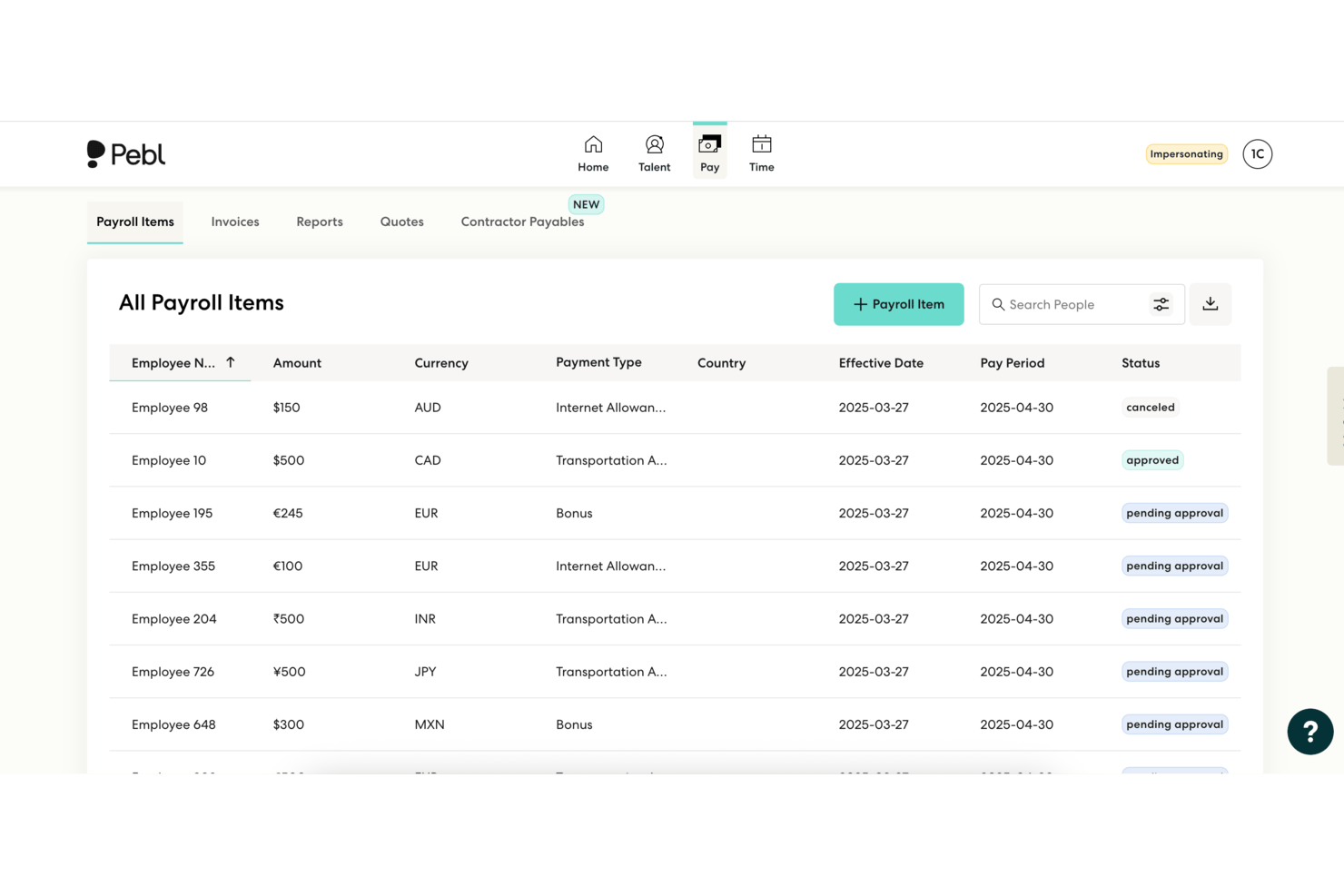
Pebl is an AI-powered employer of record and multi-country payroll platform that handles hiring, onboarding, statutory filings, payments, and compliance management across 185+ countries from a single interface.
Who Is Pebl Best For?
Pebl is a strong fit for mid-market and enterprise teams hiring across multiple countries who need EOR-backed compliance without setting up local legal entities.
Why I Picked Pebl
Pebl earns its spot on my shortlist because it's one of the few platforms where EOR infrastructure and payroll compliance are genuinely the same system, not bolted-together modules. I particularly value how Pebl backs its statutory calculations with Baker McKenzie legal vetting across every jurisdiction, giving payroll managers a defensible compliance position without maintaining in-house legal resources per country. The 90% owned-entity model across 65+ countries also means fewer partner handoffs when processing filings and disbursements in high-risk markets.
Pebl Key Features
- Alfie AI assistant: A built-in AI tool that answers compliance questions, flags regulatory changes, and supports payroll approvals in 50+ languages.
- Employee Cost Calculator: A free tool that estimates total employer payroll contributions and annual costs per country for up to five employees.
- Contractor management module: Handles onboarding, localized contracts, misclassification monitoring, and mass payouts for global contractors.
- 250+ platform integrations: Bi-directional sync with HRIS, ERP, ATS, and accounting tools including Workday, BambooHR, NetSuite, and Greenhouse via open API.
Pebl Integrations
Pebl offers 250+ integrations, including BambooHR, ADP Workforce Now, Workday, Greenhouse, NetSuite, QuickBooks, Sage Intacct, SAP Concur, Slack, and Expensify. An API is also available for custom integrations.
Pros and Cons
Pros:
- AI compliance assistant supports 50+ languages
- Statutory compliance legally vetted across jurisdictions
- Fast onboarding in 185+ countries
Cons:
- Security deposit required for every new hire
- 3% FX fee impacts multi-currency payroll

Best for owned-entity payroll across 100+ countries
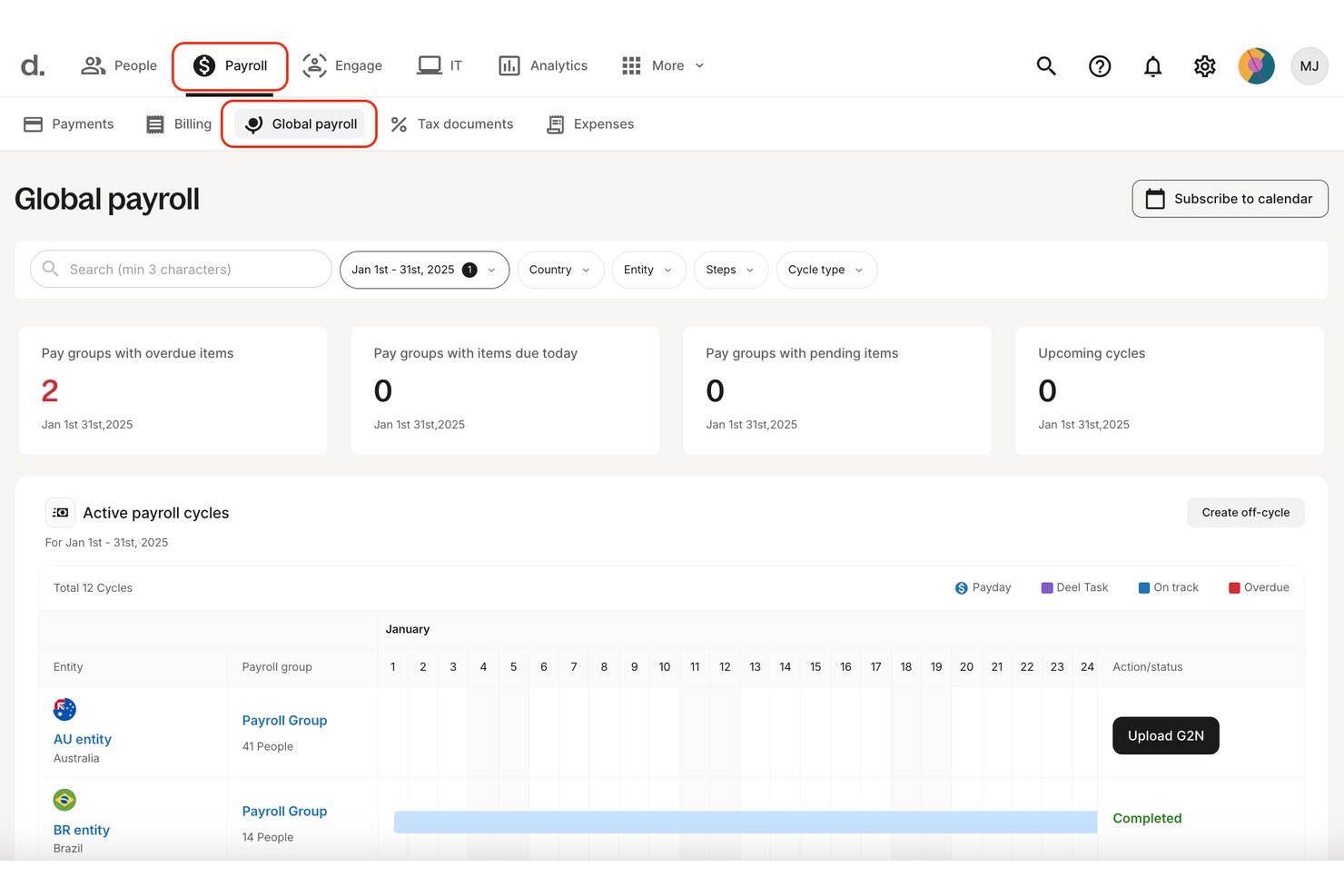
Deel is a multi-country payroll platform that combines global payroll processing, employer of record services, contractor management, and a built-in HRIS—all within a single dashboard covering 150+ countries.
Who Is Deel Payroll Best For?
Deel Payroll is a strong fit for companies running payroll across multiple countries through their own legal entities, particularly those that need to manage a mix of direct employees, EOR workers, and contractors from one platform.
Why I Picked Deel Payroll
I picked Deel Payroll as one of the best because it operates owned legal entities and payroll infrastructure in 100+ countries, which is a meaningful distinction from aggregator-model competitors that rely heavily on third-party in-country partners. In practice, that means my team can run payroll across multiple countries with tighter compliance control and fewer hand-offs. I also like that Deel AI runs pre-payroll anomaly detection before every pay run, flagging missing data or legal risks before approval rather than after.
Deel Payroll Key Features
- Payroll Connect: Consolidates Deel-run payroll and third-party payroll vendors into a single dashboard, giving your team unified visibility across all providers without requiring a full platform switch.
- Multi-currency payments: Disburses payroll in 120+ currencies via owned payment rails, with crypto and USDC payout options available in supported countries.
- Contractor management suite: Handles contractor onboarding, localized contract templates, automated invoicing, and mass payouts across 120+ currencies from the same platform as employee payroll.
- Flexible deployment model: Lets you run payroll self-serve in some countries while handing off others to Deel's in-country experts—configurable on a per-country basis.
Deel Payroll Integrations
Deel Payroll offers integrations with QuickBooks, Xero, BambooHR, Expensify, NetSuite, Sage Intacct, Greenhouse, Workday, SAP, and ADP, among others available through its app store. It also connects with Zapier and provides an API for custom integrations.
Pros and Cons
Pros:
- Mixes EOR, contractor, and payroll in one platform
- AI flags compliance risks before payroll approval
- Owns payroll infrastructure in 100+ countries
Cons:
- HRIS integrations require managed implementation
- EOR pricing frequently cited as expensive
Dayforce
Best for enterprise payroll on a single data model
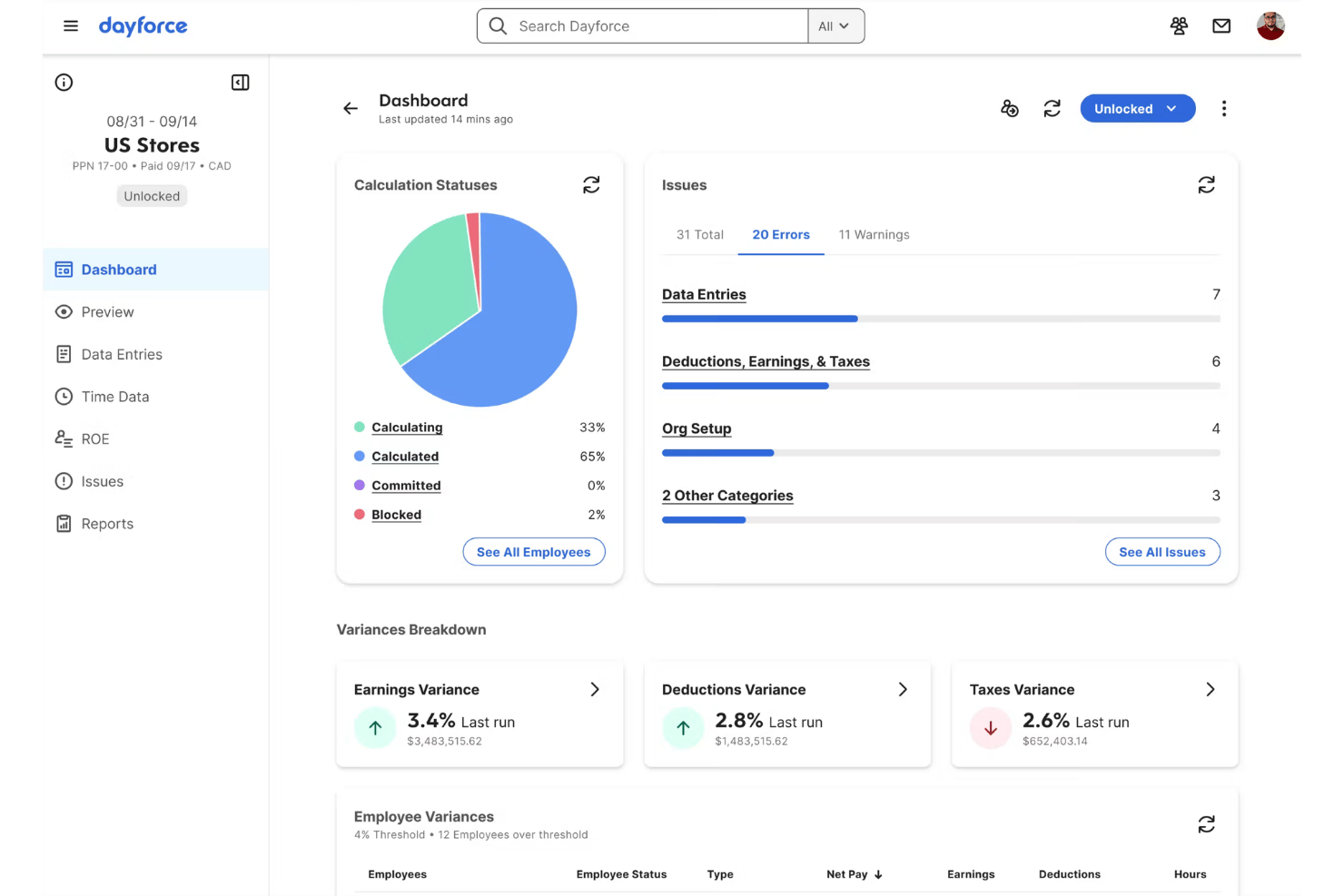
Dayforce is a single-database HCM platform that runs payroll, time, benefits, HR, and talent data on one unified system, with a continuous calculation engine and multi-country payroll coverage across 200+ countries and territories.
Who Is Dayforce Best For?
Dayforce is built for large enterprises that need HR, time, benefits, and payroll running on a single data model across multiple countries.
Why I Picked Dayforce
I picked Dayforce as one of the best because no other platform I've used runs payroll, time, benefits, and HR on a single data model the way it does. Its continuous calculation engine is what genuinely sets it apart: pay and tax figures recalculate in real time as time data flows in, so there's no scramble at period close. I also rely on its 300+ pre-built reports and People Analytics dashboards to track payroll variances and earnings trends across all entities from one place.
Dayforce Key Features
- Payroll audit reports: Pre-submission audit reports scan your pay run and flag compliance issues before you process, reducing the risk of errors reaching employees.
- Managed payroll services: Two-tier outsourced payroll processing (Base and Premium) lets your team offload payroll operations to Dayforce specialists across 150+ countries.
- Dayforce AI Agents: Task-oriented AI automations handle repetitive payroll, time off, and HR workflows while surfacing flagged regulatory changes in real time.
- Integration Studio: A low-code, in-platform environment for building and managing integrations with third-party systems via pre-built connectors, REST APIs, and event-driven webhooks.
Dayforce Integrations
Native integrations are not publicly listed. An API is available for custom integrations.
Pros and Cons
Pros:
- Global reporting with 300+ pre-built reports
- Real-time payroll recalculation as data flows in
- Runs payroll, HR, time, and benefits together
Cons:
- Native payroll engine limited to five countries
- No native employer of record option

iiPay
Best for in-house payroll across 170+ countries
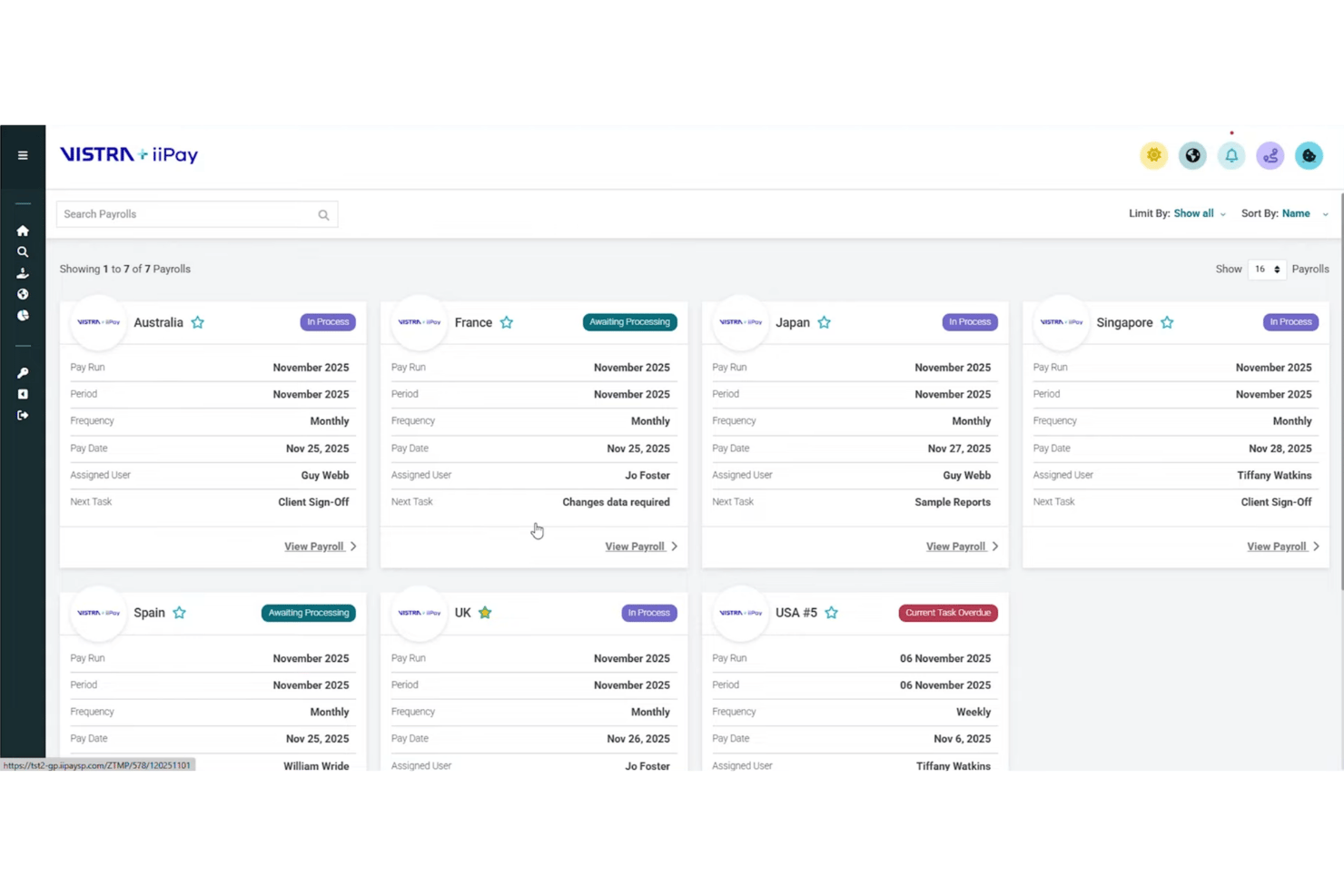
iiPay is a multi-country payroll platform that centralizes pay-run management, statutory compliance, multi-currency payments, and employee self-service across 170+ countries through a predominantly in-house delivery model.
Who Is iiPay Best For?
iiPay is a strong fit for enterprise organizations managing payroll across dozens of countries who need a single, predominantly in-house delivery model rather than a patchwork of local vendors.
Why I Picked iiPay
I picked iiPay as one of the best because its in-house delivery model genuinely sets it apart: 96% of payroll across 170+ countries is processed directly by iiPay's own team of 1,500+ local specialists, not routed through third-party partners. That translates to tighter compliance control and a single point of accountability when statutory filings are due. I especially like the Global Control Centre, which gives you live critical-path monitoring across every jurisdiction so nothing slips through unnoticed.
iiPay Key Features
- Global Employee Portal: A mobile-optimized self-service hub available in 20+ languages, giving employees encrypted access to payslips and payroll documents from any device.
- ContractorPay: A managed contractor payment framework that handles compliant payments across multiple currencies and countries, with built-in spend analytics for blended workforces.
- Single Currency Funding: A treasury feature that consolidates multi-country payroll funding into one currency, reducing foreign exchange complexity across global pay runs.
- Geni AI agent: An AI assistant embedded in both employee self-service and the analytics dashboard, providing 24/7 multi-language query support and proactive anomaly detection.
iiPay Integrations
iiPay integrates with Workday, HiBob, SAP SuccessFactors, and Oracle HCM. REST APIs, SFTP, and flat-file support enable connections with additional HCM, time, finance, ERP, and General Ledger systems.
Pros and Cons
Pros:
- Global Control Centre for live payroll oversight
- AI-driven compliance and payment monitoring
- In-house processing covers 170+ countries
Cons:
- No free trial or self-serve onboarding
- EOR coverage limited versus payroll coverage

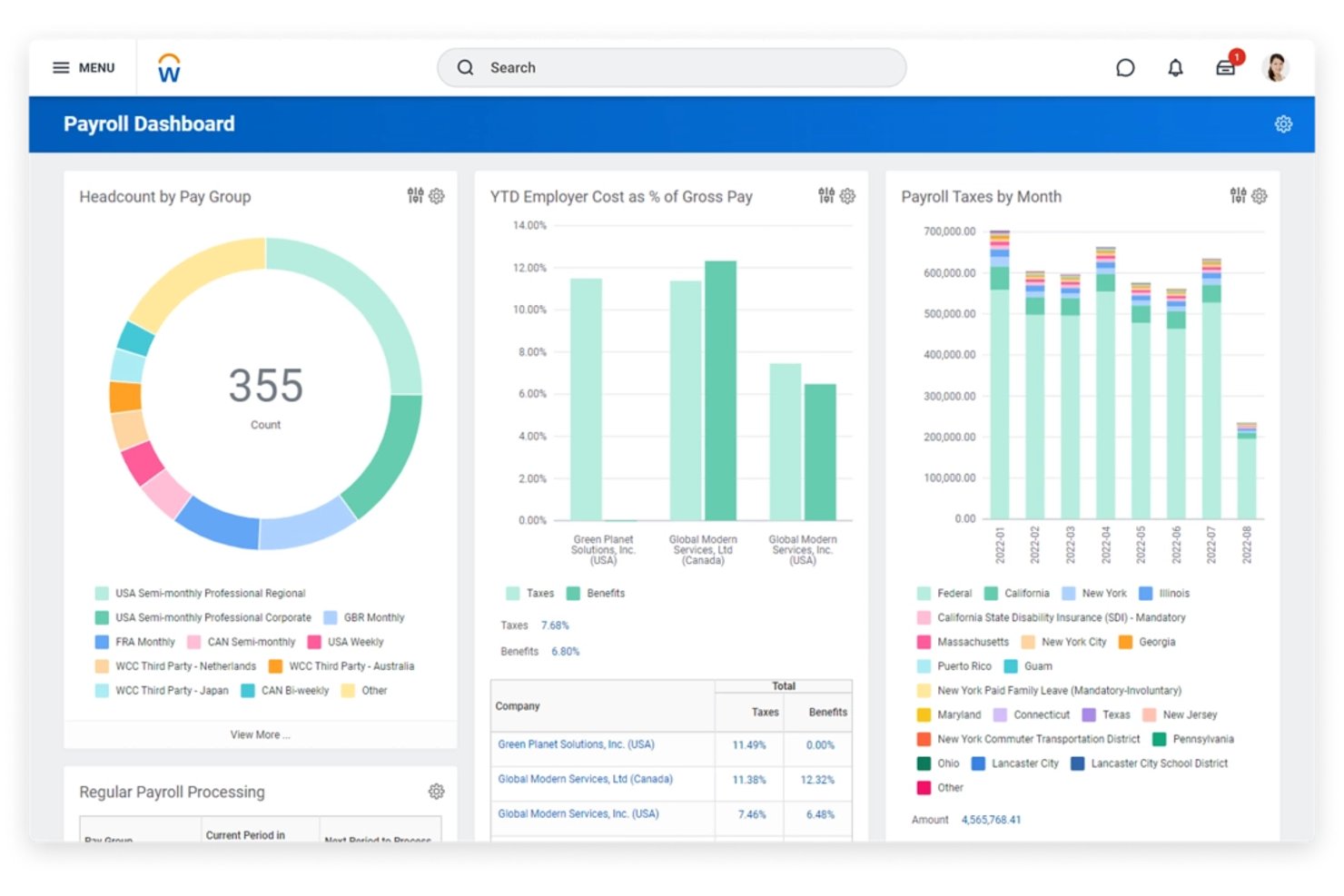
Workday Payroll is an enterprise-grade multi-country payroll solution built natively on the Workday HCM platform, combining in-house payroll processing, a global partner network, centralized pay run management, and AI-powered compliance monitoring across 100+ countries.
Who Is Workday Payroll Best For?
Workday Payroll is a strong fit for large enterprises already running Workday HCM that need to manage payroll across multiple countries from a single platform.
Why I Picked Workday Payroll
Workday Payroll earns its spot on my shortlist because HR and payroll live on the exact same data model, meaning a compensation change in Workday HCM hits the pay run immediately, with no sync, no middleware, and no reconciliation step. I've seen this matter most when managing retroactive pay across multiple countries, since the continuous payroll calculation engine handles backdated changes automatically. The AI Payroll Agent adds another layer I genuinely value: it scans each pay run against your tax policies and org structure, flagging minimum-wage gaps or missing configurations before payday, not after.
Workday Payroll Key Features
- Global Payroll Hub: A centralized interface for tracking pay run status, payroll results, and post-payroll documents across all countries and third-party vendors in one place.
- Global Payroll Connect (GPC) certified partner network: Pre-built, bidirectional REST API integrations with certified providers like ADP, Deel, CloudPay, and Remote covering 100+ countries.
- External Payroll Results (EXPR): Imports pay register data from third-party payroll providers directly into Workday, consolidating multi-vendor payroll outputs into a single record.
- Employee self-service agent: An AI-powered conversational tool that gives employees instant answers about their pay details, deductions, and HR data across all supported countries.
Workday Payroll Integrations
Workday Payroll has native integrations with Workday HCM, Workday Financial Management, and Workday Adaptive Planning, plus GPC-certified integrations with ADP, CloudPay, Deel, Strada, Payslip, and Neeyamo. Bidirectional REST APIs support custom integrations.
Pros and Cons
Pros:
- AI Payroll Agent flags compliance gaps
- Centralized payroll dashboard for 100+ countries
- Native HR and payroll on one platform
Cons:
- Extremely high implementation effort required
- Native payroll only in six countries

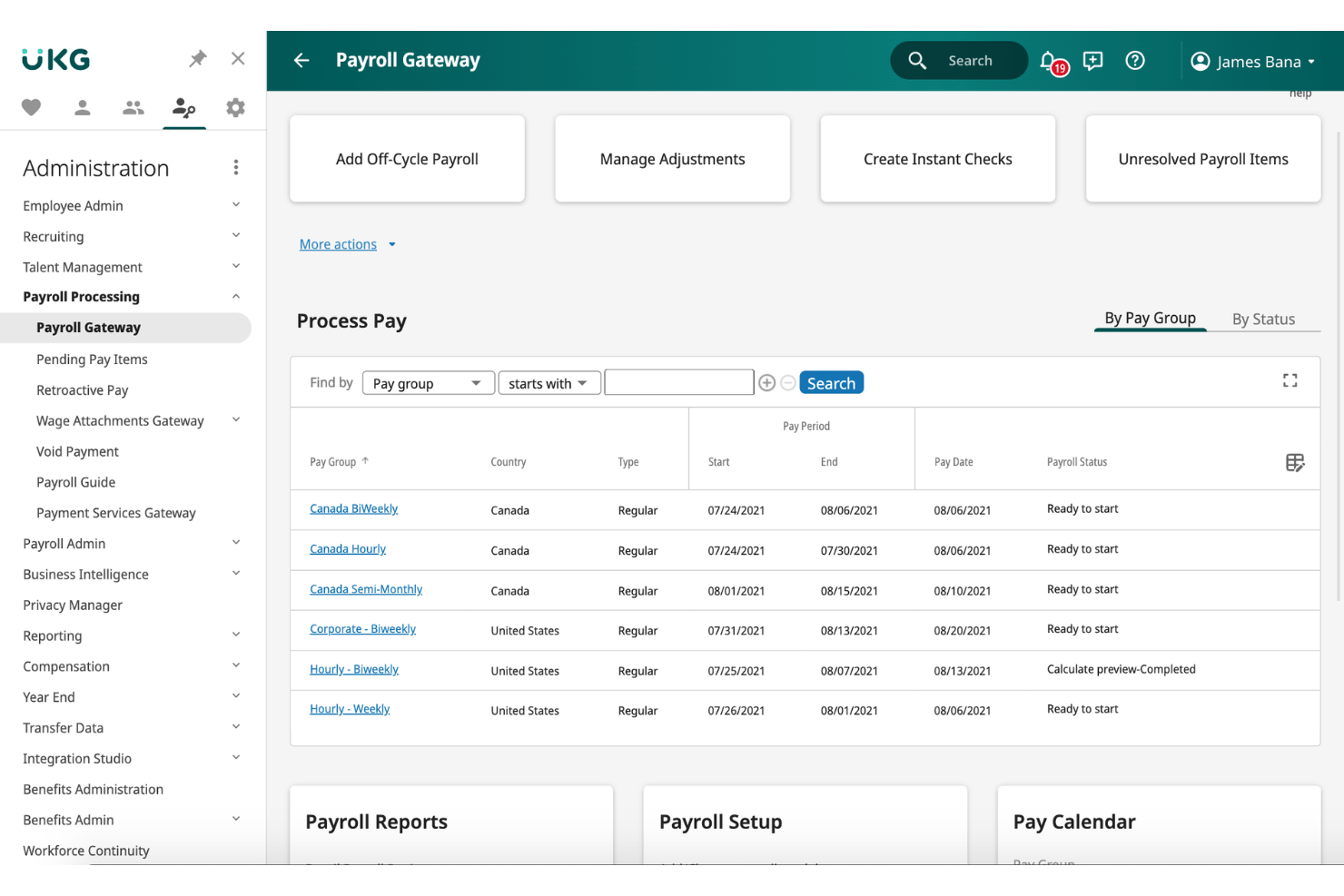
UKG Payroll is a multi-country payroll platform that centralizes payroll data from 160+ countries into a single dashboard, connecting existing in-country providers, managing cross-border payments in 120+ currencies, and automating tax compliance through AI-powered validation.
Who Is UKG Payroll Best For?
UKG Payroll works best for large, established multinationals that already have in-country payroll providers in place and need a single platform to centralize, validate, and report on payroll across 160+ countries without displacing existing local setups.
Why I Picked UKG Payroll
I picked UKG Payroll because it's genuinely built for multinationals that already have in-country providers locked in and don't want to rip them out. UKG One View layers on top of your existing local processors, pulling payroll data from 160+ countries into a single dashboard without forcing a migration. What I find most valuable is the perpetual validation engine, which continuously flags calculation errors before a payroll run is finalized, catching issues that would otherwise surface as costly corrections post-submission.
UKG Payroll Key Features
- One View Payments: Manages cross-border employee payments in 120+ currencies with real-time global payroll funding oversight.
- Bryte AI anomaly detection: Continuously flags payroll calculation errors and compliance risks before a payroll run is approved.
- Employee self-service portal: Gives employees mobile and web access to payslips and tax documents in 20+ languages.
- General ledger export: Automatically posts payroll journal entries to connected ERP and accounting systems.
UKG Payroll Integrations
UKG Payroll has native integrations with UKG Pro and UKG Ready, plus GL export and an open API. Its marketplace includes hundreds of integrations, including Globalization Partners and Flexspring connections to SAP, Oracle, ADP, and Workday.
Pros and Cons
Pros:
- Retains existing local payroll providers
- AI-powered compliance and error detection
- Centralizes payroll across 160+ countries
Cons:
- Business intelligence reporting requires technical training
- No native contractor payment tools
Other Multi-Country Payroll Software
Here are some additional multi-country payroll software options that didn’t make it onto my shortlist, but are still worth checking out:
- Papaya Global
For owned-rail payments across 180+ countries
- ADP GlobalView Payroll
For large-scale enterprise payroll compliance
- Ramco Global Payroll
For APAC-heavy enterprise payroll
- Remote
For AI-driven payroll across 100+ countries
- Atlas HXM
For direct-entity EOR payroll in 160+ countries
- Mercans
For single-codebase payroll across 160+ countries
- Lano
For orchestrating existing local payroll providers
- SAP SuccessFactors Employee Central Payroll
For SAP-native multi-country payroll at scale


How I Evaluate Multi-Country Payroll Software
I split my evaluation into baseline criteria every tool must meet and differentiating factors that separate the best from the rest.
Core Functionality (Table Stakes For This List)
When I'm selecting tools for my list, I rank each one on a scale from 0 (does not offer the functionality) to 5 (excels in this area) for each core functionality listed below. I then calculate the tool's total score into a percentage, using 65% as a benchmark to help assess its overall fit for the list.
- Multi-country coverage: I evaluate how many countries a platform supports and whether it processes payroll natively or through in-country partners across major regions.
- Local tax and compliance: Each tool needs to handle country-specific tax calculations, social contributions, and statutory filings with regular regulatory updates built in.
- Multi-currency payments: I look for native multi-currency pay runs with transparent FX rates and local payment rails, not just currency conversion bolted onto a single-currency system.
- Centralized payroll management: The platform should let you run, approve, and track payroll across all countries from one dashboard rather than toggling between separate country-level systems.
- Consolidated global reporting: I check whether the tool can generate cross-country reports with currency normalization, GL mapping, and entity-level breakdowns in a single view.
- HRIS and accounting integrations: Pre-built connectors with major HRIS, ERP, and accounting platforms matter here, along with API access for syncing employee data and posting payroll journals.
Once I have a list of tools that meet the criteria, I consider what sets each platform apart.
Differentiating Factors (What Sets Vendors Apart)
Here's how I compare and contrast different vendors:
Standout Features
I look for platforms with embedded global payment rails—ones that own the money movement rather than routing through third parties—since that directly affects payment speed, FX transparency, and traceability for finance teams. Employer of record capabilities bundled into the payroll platform matter when you're hiring in countries where you don't have an entity. I also evaluate each tool's AI compliance features, checking whether it can flag regulatory changes or auto-detect classification risks before a pay run goes through.
Beyond Features
I evaluate whether a vendor processes payroll through owned entities or in-country partners, since partner-heavy models often introduce inconsistent SLAs and data hand-offs that slow down pay runs. Implementation timelines matter just as much—some platforms go live in days for contractors, while enterprise rollouts with parallel runs can stretch past six months. I also check each vendor's security certifications, data residency options, and whether FX spreads and per-country minimums are transparent or buried in the contract.
How to Choose a Multi-Country Payroll Software
What should you focus on to pick a multi-country payroll solution that keeps your team compliant and your processes under control as you grow across borders:
| If your priority is... | Look for... |
|---|---|
| Fast onboarding in new countries | Pre-built employer of record (EOR) capabilities |
| Accurate, country-specific tax filings | Regularly updated, in-country compliance engine |
| Real-time payment visibility | Owned payment rails with live tracking |
| Minimizing manual data entry | Two-way sync integrations with your HRIS or ERP |
| Consolidated reporting for leadership | Currency-normalized, entity-level global reports |
How to Vet Your Shortlist
- Request sample payroll reports: Ask each vendor for anonymized, cross-country pay run and GL export files.
- Test FX transparency: Run a trial payroll in a secondary currency and compare the FX spread to market rates within 24 hours.
- File a compliance question: Submit a local statutory question to support and track response time and clarity.
- Ask for integration proof: Request a live demo of the HRIS or ERP integration syncing actual employee data.
- Decide entity vs. partner model: Owned-entity vendors reduce hand-offs and delays, but partner models may offer better country reach if you need coverage above all else.
What is Multi-Country Payroll Software?
Multi-country payroll software is a digital platform that lets you manage payroll, taxes, and compliance for employees and contractors in more than one country from a single dashboard. These tools handle pay calculations, local tax rules, and reporting across borders, helping HR teams pay people accurately while keeping up with different laws and requirements as their business grows internationally.
Features
When selecting multi-country payroll software, keep an eye out for the following key features:
- Multi-country coverage: Supports payroll processing across multiple countries, enabling your team to manage compliance, wage calculations, and pay runs for employees and contractors in various jurisdictions.
- Local tax and compliance management: Automates country-specific tax calculations, social contributions, and statutory filings, with built-in updates to reflect regulatory changes so you can meet all local requirements.
- Multi-currency payments: Lets you pay employees and contractors in their local currencies using real-time exchange rates and local banking infrastructure, reducing manual conversions and unexpected FX costs.
- Centralized payroll dashboard: Provides a unified workspace to schedule, approve, and review payroll runs for every country, eliminating the need to switch between siloed systems or regional platforms.
- Consolidated global reporting: Generates reports that aggregate payroll data from all countries, normalizing currencies and providing entity-level breakdowns for finance, HR, and leadership teams.
- HRIS and accounting integrations: Connects directly to major HRIS, ERP, and accounting systems, syncing employee data and automating general ledger postings to reduce manual data entry and reconciliation errors.
- Employer of record (EOR) capabilities: Offers legal hiring and payroll processing in countries where your business doesn’t have a local entity, allowing you to expand without establishing a legal presence.
- Embedded global payment rails: Owns the end-to-end payment infrastructure, speeding up payouts and offering real-time payment tracking instead of relying on third-party processors.
- Advanced security and data residency controls: Secures sensitive payroll data with certifications, user access controls, and options for storing data within specific countries or regions to support privacy requirements.
- Automated compliance alerts: Monitors for regulatory changes and risk factors, alerting you before running payroll if there are new statutory requirements or classification issues in any covered country.
Benefits
Implementing multi-country payroll software provides several benefits for your team and your business. Here are a few you can look forward to:
- Centralized management: Manage payroll, reporting, and approvals for employees and contractors in every country from a single dashboard.
- Accurate compliance: Automatically apply country-specific tax, social contribution, and statutory rules with built-in regulatory updates.
- Multi-currency payments: Pay your team in their local currencies using live exchange rates and local payment rails, with fewer manual conversions or hidden FX costs.
- Real-time global reporting: Generate normalized, cross-country payroll reports and entity-level breakdowns in one unified view.
- Streamlined data flow: Connect payroll to your HRIS, ERP, and accounting platforms to sync employee data and automate general ledger posting.
- Faster international onboarding: Hire and pay workers in new countries quickly with built-in employer of record (EOR) capabilities.
- Advanced security: Protect sensitive payroll data through certifications, user access controls, and options for storing information in required data regions.
Trends
Multi-country payroll software is becoming more automated, integrated, and compliance-focused as companies manage increasingly distributed workforces.
- AI and Payroll Automation: AI is increasingly used to identify payroll anomalies, validate data, answer payroll questions, and reduce manual processing.
- Real-Time Compliance Monitoring: Platforms are improving how they track changes to local tax, employment, and payroll regulations across countries.
- Unified Global Payroll: Businesses increasingly want one system for payroll data, reporting, payments, and workforce management across multiple countries.
- Deeper HR and Finance Integrations: Multi-country payroll platforms are connecting more closely with HRIS, ERP, accounting, time-tracking, and benefits systems.
- Greater Payroll Visibility: Consolidated dashboards and global payroll analytics are making it easier to compare payroll costs, headcount, and liabilities across countries.
- Flexible Global Workforce Support: Platforms are increasingly supporting combinations of direct employees, contractors, and employer-of-record (EOR) workers within the same global workforce strategy.
For buyers, the key shift is from simply processing payroll in multiple countries toward platforms that provide centralized data, local compliance support, automation, and global workforce visibility.
Costs and Pricing
Selecting multi-country payroll software requires an understanding of the various pricing models and plans available. Costs vary based on features, team size, add-ons, and more. The table below summarizes common plans, their average prices, and typical features included in multi-country payroll software solutions:
Plan Comparison Table for Multi-Country Payroll Software
| Plan Type | Average Price | Common Features |
|---|---|---|
| Free Plan | $0 | Basic payroll calculations for a limited number of countries, simple reporting, and basic compliance tools. |
| Personal Plan | $30–$60/user/month | Multi-country pay runs, core HRIS integration, localized tax compliance, and essential reporting features. |
| Business Plan | $60–$120/user/month | Additional country coverage, advanced compliance automation, multi-currency payments, consolidated global reporting, and support. |
| Enterprise Plan | $120–$250/user/month | Custom integrations, embedded global payment rails, in-country EOR options, data residency controls, and dedicated account support. |
Multi-Country Payroll Software FAQs
Here are some answers to common questions about multi-country payroll software:
How do multi-country payroll software platforms handle tax compliance in different countries?
Multi-country payroll software platforms automatically update local tax rules for every supported country. They calculate statutory deductions, handle filings, and keep up with regulatory changes. Most platforms pull in-country compliance data into each pay run to cut down on errors. If you’re managing payroll in high-risk or frequently changing jurisdictions, always ask vendors about the freshness and source of their compliance data.
What is the difference between native payroll processing and using in-country partners?
Native payroll processing means the platform handles payroll directly using its own legal entities or technology. Using in-country partners means the platform outsources payroll tasks to local providers. Native processing usually provides faster pay runs and clearer SLAs. Partner-heavy models can cover more countries but may cause inconsistent turnaround times, data hand-offs, or reporting formats.
Payroll Service vs. Payroll Software vs. PEO: What's the Difference?
Payroll services, payroll software, and PEOs can all manage payroll, but they differ mainly in who manages the work and how much HR responsibility is outsourced. PEOs are distinct because they typically operate under a co-employment arrangement.
| Payroll Service | Payroll Software | PEO | |
| What it is | Outsourced payroll provider | Software your team operates | Payroll + broader HR outsourcing |
| Who runs payroll? | Provider | Your internal team | PEO |
| Tax filing | Usually handled by provider | Automated or managed internally, depending on plan | Typically handled by PEO |
| HR support | Limited or optional | Limited or add-on | Extensive |
| Benefits administration | Sometimes available | Sometimes available | Typically included |
| Co-employment | No | No | Typically yes |
| Best for | Businesses wanting to outsource payroll | Businesses wanting control over payroll | Businesses wanting payroll plus HR, benefits, and compliance support |
Which should you choose? Choose payroll software if you want to manage payroll internally, a payroll service if you want to outsource payroll processing, or a PEO if you also want broader HR, benefits, and compliance support.
What is multistate payroll?
Multistate payroll is the process of paying employees who work in multiple U.S. states while complying with each state’s payroll tax, withholding, unemployment insurance, and reporting requirements.
Can I run payroll and pay contractors in countries where my company doesn’t have a local entity?
Yes, many multi-country payroll software solutions include employer of record (EOR) services. EOR functionality lets you legally hire, run payroll, and handle compliance for employees or contractors without establishing your own local entity. This is especially useful for fast expansions or hiring before setting up your own branch.
What is the most used payroll software?
ADP is one of the most widely used payroll software providers, serving businesses ranging from small companies to large enterprises. Other widely used payroll platforms include Deel Payroll, Papaya Global, Workday Payroll, and Rippling.
How long does it take to implement multi-country payroll software?
Implementation times vary by platform and number of countries. You can launch in days if you’re only hiring contractors or using pre-built EOR services. For direct employee payroll or complex integrations, expect timelines from several weeks to six months, especially for enterprise-level rollouts or parallel runs. Always discuss implementation milestones and vendor support up front.
This content is provided for general informational purposes only and does not constitute legal, tax, or other professional advice. It may not be complete, accurate, or current, and laws and practices may change without notice and vary by jurisdiction. You should not act on this information without obtaining advice from qualified legal or tax counsel in the relevant jurisdiction regarding your specific circumstances.