

I 10 migliori software per la gestione della conoscenza recensiti nel 2026

10 Migliori software per la gestione della conoscenza: selezione


Il miglior software per la gestione della conoscenza ti aiuta a raccogliere, organizzare e condividere il patrimonio di conoscenze della tua organizzazione, così il tuo team può accedere istantaneamente alle informazioni e lavorare in modo più efficiente.
Quando la conoscenza è dispersa tra documenti, e-mail o conversazioni in chat, la produttività rallenta e si duplicano gli sforzi. Lo strumento giusto centralizza queste informazioni, semplifica la collaborazione e trasforma gli spunti quotidiani in conoscenze ricercabili e utilizzabili, che favoriscono decisioni migliori.
Forte di anni di esperienza nella valutazione di software per le risorse umane e la collaborazione, ho esaminato le principali soluzioni per la gestione della conoscenza, intuitive, scalabili e progettate per aiutare i team a lavorare in modo più intelligente. In questa guida troverai strumenti che mantengono fluido il flusso di conoscenze all'interno dell'organizzazione, facendo risparmiare tempo e migliorando l'allineamento.
Perché fidarsi delle nostre recensioni sui software
Il nostro team testa e recensisce software dal 2012. In quanto esperti HR noi stessi, sappiamo quanto sia difficile — e importante — scegliere il software giusto.
Per questa guida, abbiamo valutato gli strumenti attraverso test pratici e ricerche indipendenti, assegnando un punteggio agli strumenti in base ai nostri criteri di selezione. Ci basiamo inoltre sulle competenze di leader di pensiero del settore e di professionisti HR attivi.
Le nostre recensioni riflettono il nostro giudizio editoriale umano, non un discorso di vendita.
Revisori esperti:
Tabella comparativa dei software per la gestione della conoscenza
La tabella seguente confronta i dettagli dei prezzi delle mie migliori selezioni di software per la gestione della conoscenza.
| Tool | Best For | Trial Info | Price | ||
|---|---|---|---|---|---|
| 1 | Ideale per l'assistenza clienti | Versione di prova gratuita di 14 giorni disponibile | Prezzo su richiesta | Website | |
| 2 | Ideale per funzionalità di deflessione dei ticket di supporto | Prova gratuita di 14 giorni + demo gratuita disponibile | Prezzi su richiesta | Website | |
| 3 | Ideale per portali self-service | Prova gratuita di 14 giorni + demo gratuita disponibile | Da $19/agente/mese (fatturato annualmente) | Website | |
| 4 | Ideale per l'integrazione della ricerca a livello aziendale | Demo gratuita disponibile | Prezzi su richiesta | Website | |
| 5 | Ideale per la gestione della conoscenza delle risorse umane con controlli sull'aggiornamento dei contenuti | Demo gratuita disponibile | Prezzi su richiesta | Website | |
| 6 | Ideale per la gestione della conoscenza in intranet | Demo gratuita disponibile | Prezzo su richiesta | Website | |
| 7 | Ideale per la formazione aziendale | Prova gratuita di 30 giorni + demo gratuita disponibile | Da $3.97/utente/mese | Website | |
| 8 | Ideale per la condivisione della conoscenza nelle squadre remote | Demo gratuita disponibile | Prezzo su richiesta | Website | |
| 9 | Ideale per profili ricercabili. | Prova gratuita disponibile | Da $1.50/utente/mese | Website | |
| 10 | Ideale per database di conoscenze interconnesse | Piano gratuito disponibile | A partire da $10/utente/mese (fatturato annualmente) | Website |


Recensioni dei migliori software per la gestione della conoscenza
Di seguito trovi i miei riepiloghi dettagliati dei migliori software per la gestione della conoscenza inclusi nella mia selezione. Le mie recensioni offrono un’analisi approfondita delle funzionalità principali, dei vantaggi e degli svantaggi, delle integrazioni e dei casi d’uso ideali di ogni strumento, per aiutarti a trovare quello più adatto a te.

Stonly
Ideale per l'assistenza clienti
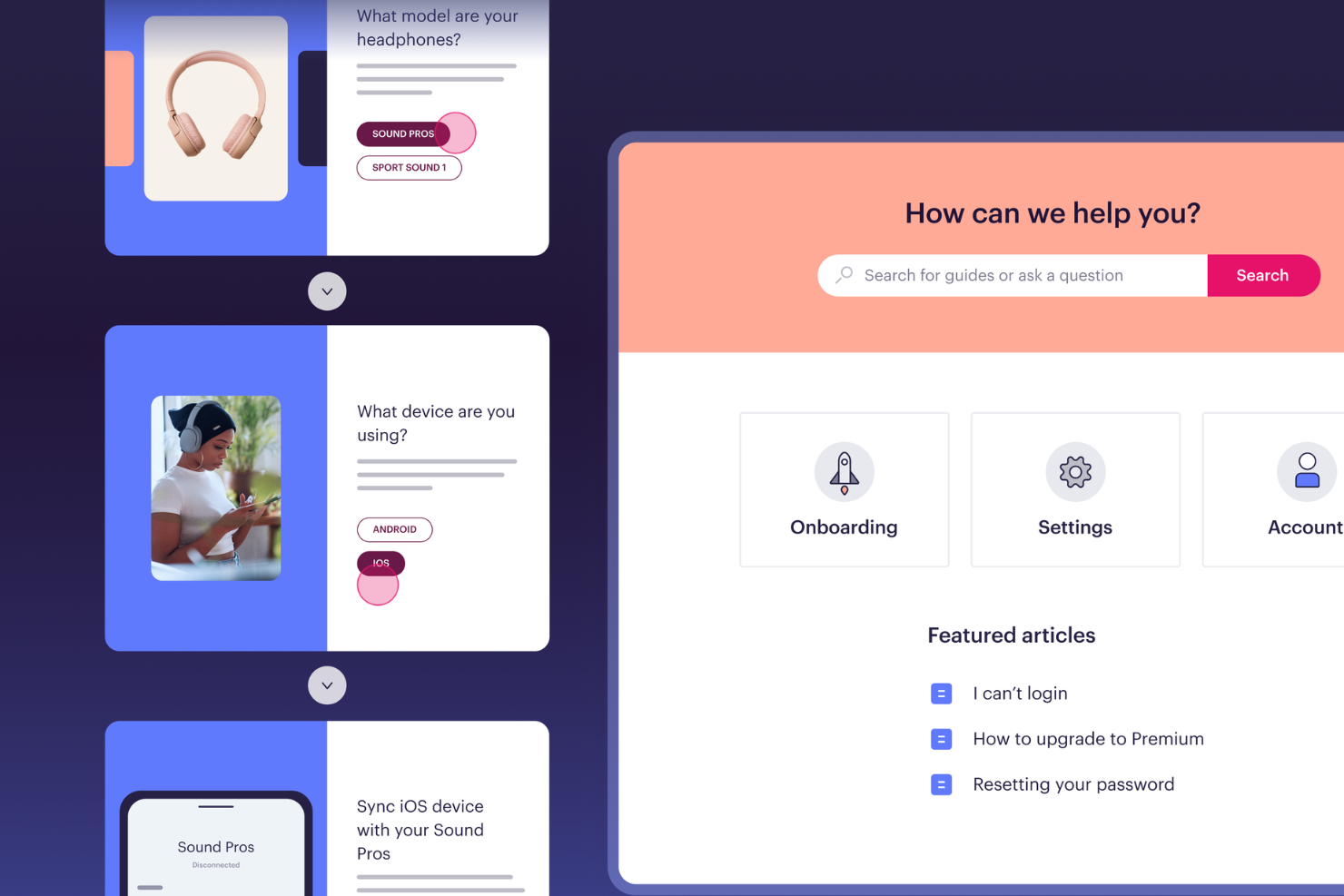
Stonly è una piattaforma di gestione della conoscenza che consente ai team di creare guide interattive, tutorial passo dopo passo e basi di conoscenza ricercabili per un uso sia interno che rivolto ai clienti.
Per chi è ideale Stonly?
Stonly è adatto ai team di assistenza clienti che devono fornire risposte coerenti e guidate ai clienti su più canali.
Perché ho scelto Stonly
Stonly ha conquistato un posto nella mia lista perché gestisce la distribuzione della conoscenza per i team di assistenza clienti in modo specifico. A differenza di una base di conoscenza standard, utilizza un formato di guide interattive—invece di indirizzare agenti o clienti verso un lungo articolo statico, Stonly li accompagna attraverso alberi decisionali ramificati che si adattano alla situazione. Gli agenti possono accedere a queste guide direttamente dal proprio help desk senza cambiare scheda, mantenendo così il flusso di lavoro focalizzato durante le richieste in tempo reale. La possibilità di compilare automaticamente i campi del ticket e attivare macro direttamente all'interno di una guida è una funzionalità che non ho visto gestita così bene altrove.
Funzionalità principali di Stonly
- Traduzione automatica: Traduce automaticamente i contenuti della base di conoscenza in più lingue per supportare clienti a livello globale.
- Segmentazione e targeting dei contenuti: Mostra contenuti diversi in base al contesto o al profilo degli utenti.
- Flussi di revisione: Configura processi strutturati di revisione e approvazione dei contenuti per mantenere la conoscenza precisa e aggiornata.
- Risposte guidate: Rileva l'intento dell'utente e propone la guida più pertinente, dandoti il controllo sul percorso di risoluzione.
Integrazioni Stonly
Stonly offre integrazioni native con Zendesk, Freshdesk, Intercom, Salesforce, HubSpot, LiveChat e Front. È disponibile una API per integrazioni personalizzate.
Pros and Cons
Pros:
- Le guide interattive adattano le istruzioni alla situazione di ogni utente.
- La ricerca AI individua i passaggi esatti invece degli interi articoli.
- L'aiuto contestuale porta la conoscenza direttamente nelle applicazioni web.
Cons:
- La creazione delle guide può risultare complessa per flussi condizionali molto articolati.
- Le risposte AI e le integrazioni con help desk sono limitate al piano enterprise.

Ideale per funzionalità di deflessione dei ticket di supporto
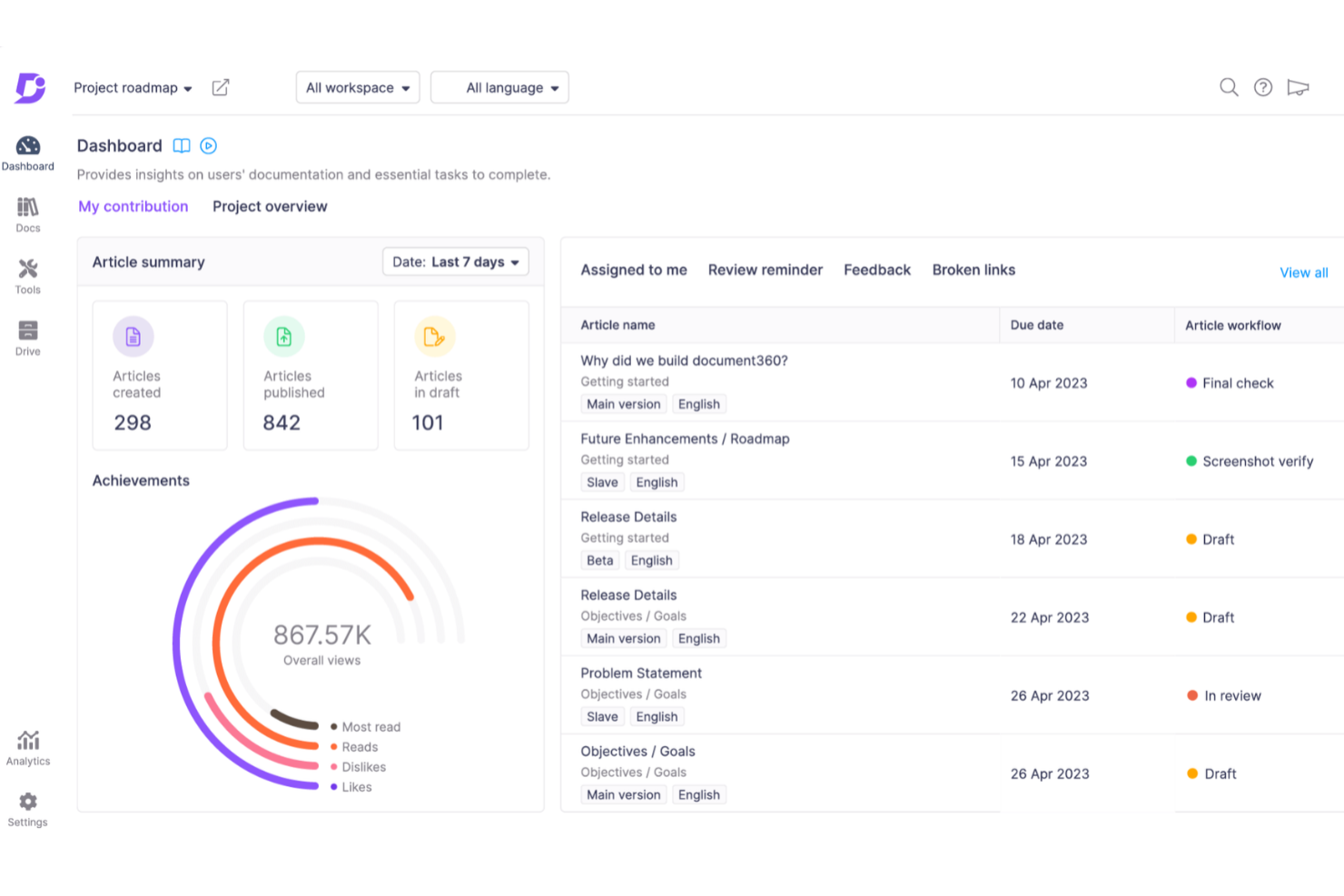
Document360 è una piattaforma software per la gestione della conoscenza che consente di creare, organizzare e pubblicare knowledge base interne ed esterne grazie a strumenti avanzati di redazione, categorizzazione e analisi.
Per Chi è Più Indicato Document360?
Document360 è ideale per i team di supporto clienti e prodotto nelle aziende SaaS che necessitano di una knowledge base self-service per aiutare gli utenti a trovare risposte senza dover contattare il supporto.
Perché Ho Scelto Document360
Ho inserito Document360 nella mia shortlist perché è stato progettato appositamente per tenere gli utenti lontani dalla coda di supporto. Mi piace in particolare la funzione Ticket Deflector, che mostra automaticamente gli articoli rilevanti della knowledge base quando un utente sta per inviare una richiesta di assistenza, intercettando il ticket prima che venga creato. Il chatbot Eddy AI si addestra con i contenuti della tua knowledge base e può gestire domande successive in tempo reale, passando a Zendesk o Freshdesk solo se non è in grado di risolvere il problema. Le analisi di ricerca mostrano quali query non restituiscono risultati, permettendomi di identificare le lacune nei contenuti e colmarle prima che diventino richieste ricorrenti.
Funzionalità Principali di Document360
- Gestione categorie: Organizza la knowledge base utilizzando un gestore di categorie drag-and-drop che supporta oltre sei livelli di categorie e sottocategorie annidate.
- Controllo delle versioni e ripristino: Visualizza la cronologia completa di qualsiasi articolo e ripristina una versione precedente per evitare sovrascritture accidentali.
- Albero decisionale interattivo: Crea flussi guidati passo passo che conducono l'utente attraverso processi complessi per aiutarlo a trovare la risposta giusta.
- Traduzione automatica con IA: Localizza la knowledge base in oltre 50 lingue grazie a traduzioni con intelligenza artificiale basate sul contesto.
Integrazioni di Document360
Document360 offre integrazioni native con Zendesk, Freshdesk, Intercom, Slack, Microsoft Teams, Google Analytics e Disqus. Mette inoltre a disposizione un'API per integrazioni personalizzate.
Pros and Cons
Pros:
- Garantisce un robusto controllo delle versioni con tracciamento delle modifiche
- Offre potenti report e analisi
- Funzionalità intelligenti di gestione dei file
Cons:
- Il supporto ai file multimediali di grandi dimensioni necessita di miglioramenti
- La maggior parte delle integrazioni è disponibile solo nei piani di livello superiore
New Product Updates from Document360

Document360 Adds Drive and Eddy AI Workflow Updates
Document360 adds Drive file renaming, Eddy AI email ticket notifications, and Drive image support in AI Capture. These updates simplify file management, support escalation, and visual content editing. For more information, visit Document360’s official site.
 .
.
Ideale per portali self-service
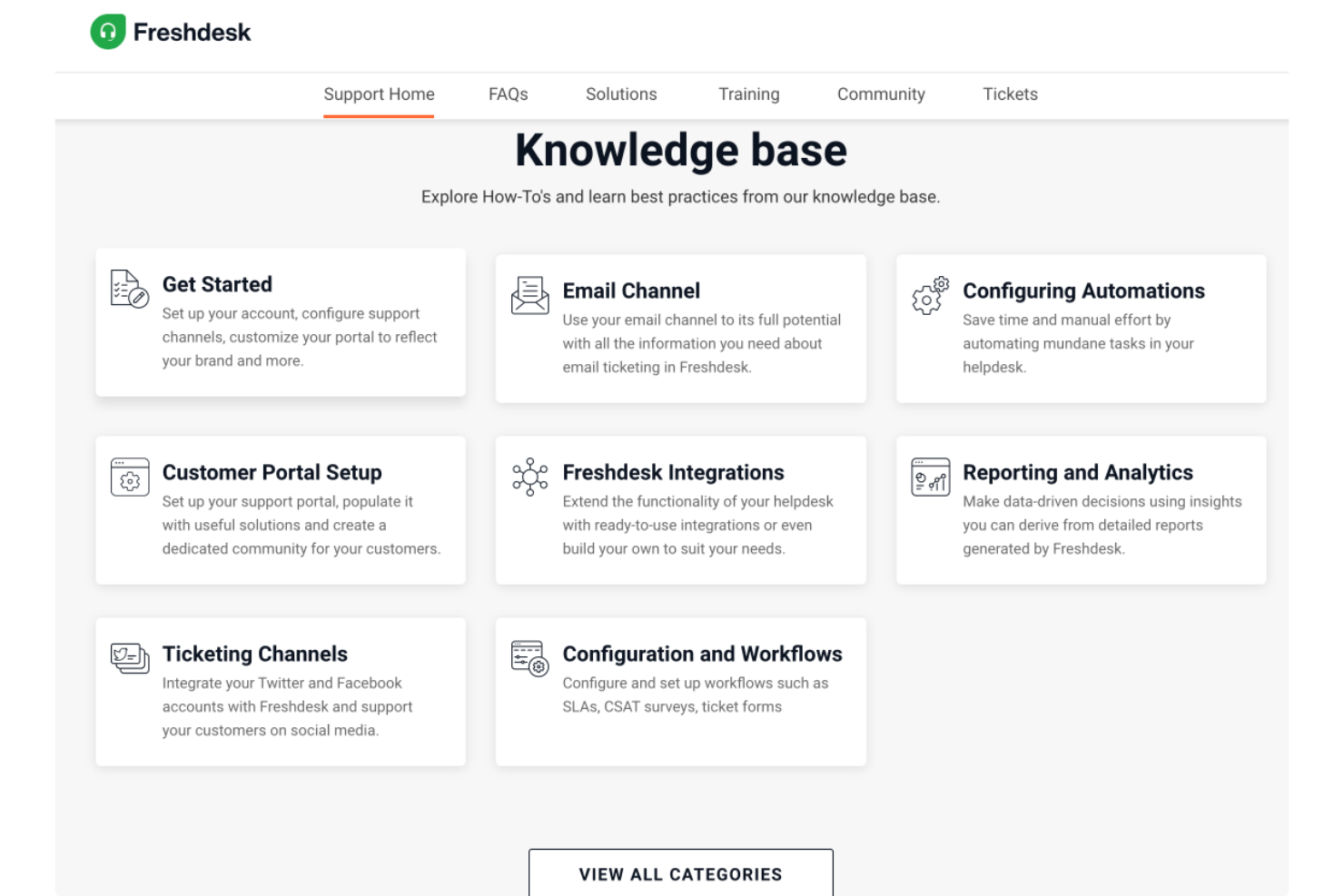
Freshdesk è una piattaforma di gestione della conoscenza basata sul cloud che permette ai team di creare basi di conoscenza, gestire contenuti di supporto e organizzare risorse self-service sia per i clienti che per gli utenti interni.
Per chi è ideale Freshdesk?
Freshdesk è particolarmente adatto ai team di assistenza clienti di piccole e medie imprese che necessitano di una modalità strutturata per gestire i contenuti di supporto e ridurre il volume dei ticket in arrivo.
Perché ho scelto Freshdesk
Ho inserito Freshdesk nella mia shortlist per la sua capacità di gestire in modo efficace, attraverso il portale self-service, sia i contenuti rivolti ai clienti che le esigenze di conoscenza interna, tutto in un unico luogo. Mi piace il fatto che sia possibile creare portali completamente personalizzati dove i clienti possono cercare nella base di conoscenza, navigare nei forum della community o inviare un ticket, il tutto senza coinvolgimento diretto degli operatori. La gerarchia flessibile della base di conoscenza consente al mio team di organizzare i contenuti per categoria e argomento, mentre il versionamento degli articoli mi permette di tracciare le modifiche e pubblicare aggiornamenti senza perdere le bozze precedenti. Il flusso di lavoro di approvazione aggiunge un ulteriore livello di controllo prima che qualsiasi contenuto venga pubblicato.
Caratteristiche principali di Freshdesk
- Base di conoscenza multilingue: Crea e gestisci contenuti di supporto in più lingue, con supporto integrato per la traduzione, pensato per clienti a livello globale.
- Forum della community: Costruisci uno spazio di supporto peer-to-peer dove i clienti possono porre domande, condividere risposte e interagire con i contenuti pubblicati dal tuo team.
- Freddy AI Copilot: Un assistente AI che aiuta gli operatori a redigere articoli per la base di conoscenza e suggerisce contenuti rilevanti durante la gestione dei ticket.
- Controllo degli accessi basato sui ruoli: Assegna diversi livelli di autorizzazione ad agenti ed editori per controllare chi può creare, modificare o pubblicare contenuti della base di conoscenza.
Integrazioni di Freshdesk
Freshdesk offre oltre 100 integrazioni native, tra cui Slack, Jira, Salesforce, HubSpot, Shopify, Mailchimp, Google Workspace, Microsoft Teams, Trello e Zoom. È disponibile un'API per integrazioni personalizzate.
Pros and Cons
Pros:
- AI Copilot suggerisce risposte e riassume i ticket per risparmiare tempo agli operatori
- Il portale self-service collega la base di conoscenza con il sistema di ticketing per un supporto più rapido
- Sistema di ticketing organizzato con più viste per monitoraggio e collaborazione
Cons:
- Gestione asset non integrata rispetto ad altri prodotti Freshworks
- Tempi di caricamento lenti nella gestione di grandi volumi di ticket

Glean
Ideale per l'integrazione della ricerca a livello aziendale
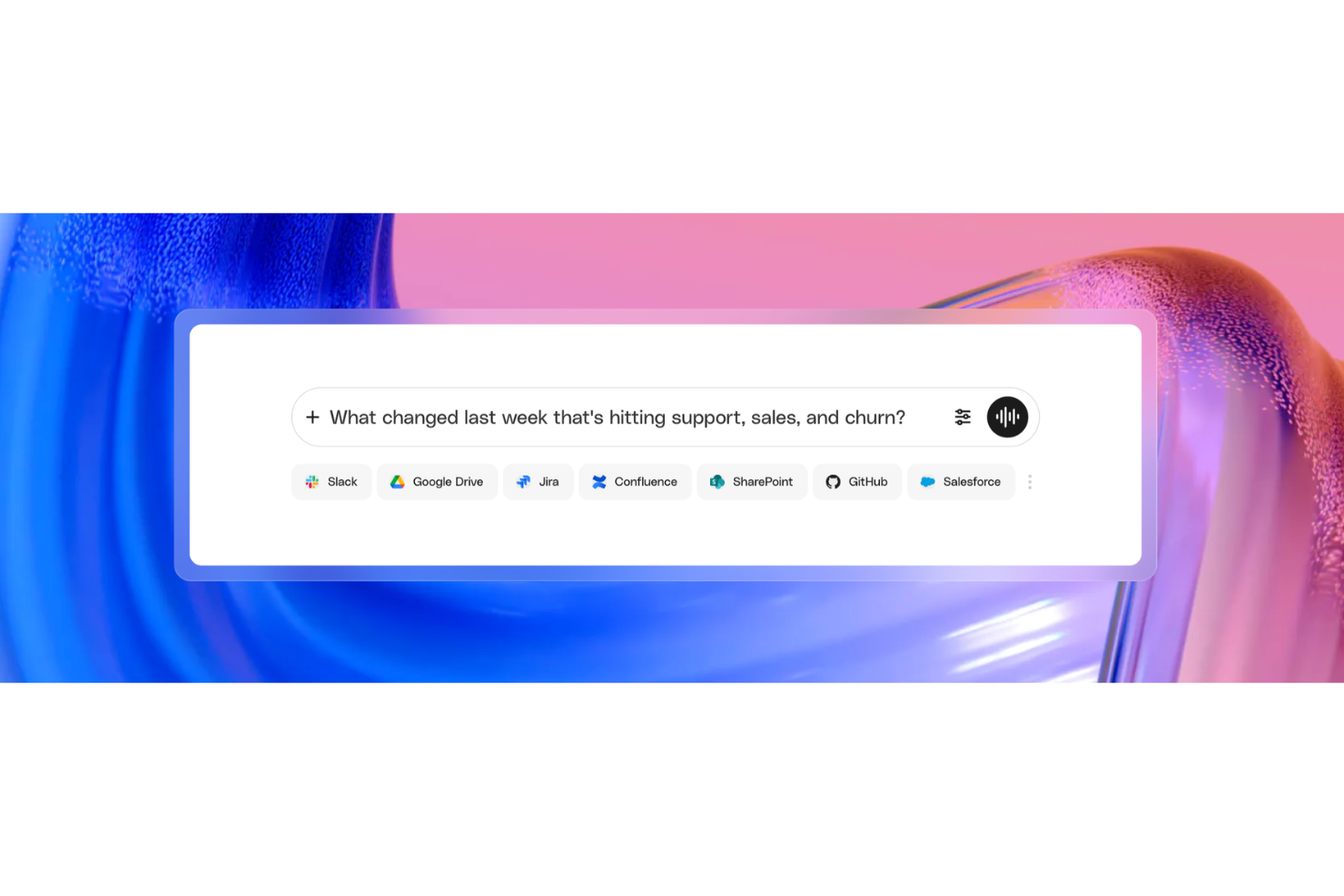
Glean è una piattaforma di gestione della conoscenza aziendale basata sull'intelligenza artificiale che indicizza le informazioni presenti nelle tue app connesse, consentendo una ricerca unificata, accesso conforme alle autorizzazioni e risposte assistite dall'IA da un'unica interfaccia.
Per chi è ideale Glean?
Glean è particolarmente adatto per grandi aziende con infrastrutture tecnologiche complesse e multi-app, in cui i dipendenti necessitano di un accesso rapido e centralizzato alle informazioni distribuite su dozzine di strumenti.
Perché ho scelto Glean
Ho scelto Glean tra i migliori per l'integrazione della ricerca a livello aziendale perché collega oltre 100 app tramite connettori nativi, da Slack e Google Drive a Jira e Salesforce, indicizzandole tutte in tempo reale da un'unica barra di ricerca. Quello che trovo particolarmente impressionante è che i risultati della ricerca riflettono automaticamente le autorizzazioni esistenti di ciascuna app, quindi non è necessario gestire separatamente gli accessi all'interno di Glean. Inoltre, Glean si aggiorna continuamente sulla terminologia e i contenuti specifici della tua azienda, il che significa che query come 'Q3 pricing deck' restituiscono risultati pertinenti senza alcuna messa a punto manuale.
Funzionalità principali di Glean
- Risposte: Crea e fissa risposte verificate e autorevoli alle domande frequenti, così i dipendenti trovano sempre le informazioni più accurate per prime.
- Raccolte: Raggruppa documenti, link e risorse correlati provenienti da app connesse in hub tematici o di progetto curati.
- Go Links: Crea URL interni brevi e facili da ricordare che indirizzano direttamente i dipendenti verso risorse, pagine o strumenti specifici all'interno della tua organizzazione.
- Assistente IA: Poni domande in linguaggio naturale e ricevi risposte sintetizzate e citate, tratte dai contenuti di tutte le fonti collegate.
Integrazioni Glean
Glean offre oltre 275 connettori nativi e basati su MCP, tra cui Confluence, Slack, Google Drive, Jira, Salesforce, GitHub, BambooHR, Dropbox, ServiceNow e Box. Si integra anche con Zapier e offre un'API per integrazioni personalizzate.
Pros and Cons
Pros:
- Risponde a domande in linguaggio naturale con fonti citate
- Ricerca simultanea su oltre 100 app connesse
- L'IA personalizza i risultati in base a ruolo e team
Cons:
- La ricerca può mostrare documenti obsoleti o datati
- Nessuna trasparenza sui prezzi senza contattare le vendite

Haystack
Ideale per la gestione della conoscenza delle risorse umane con controlli sull'aggiornamento dei contenuti
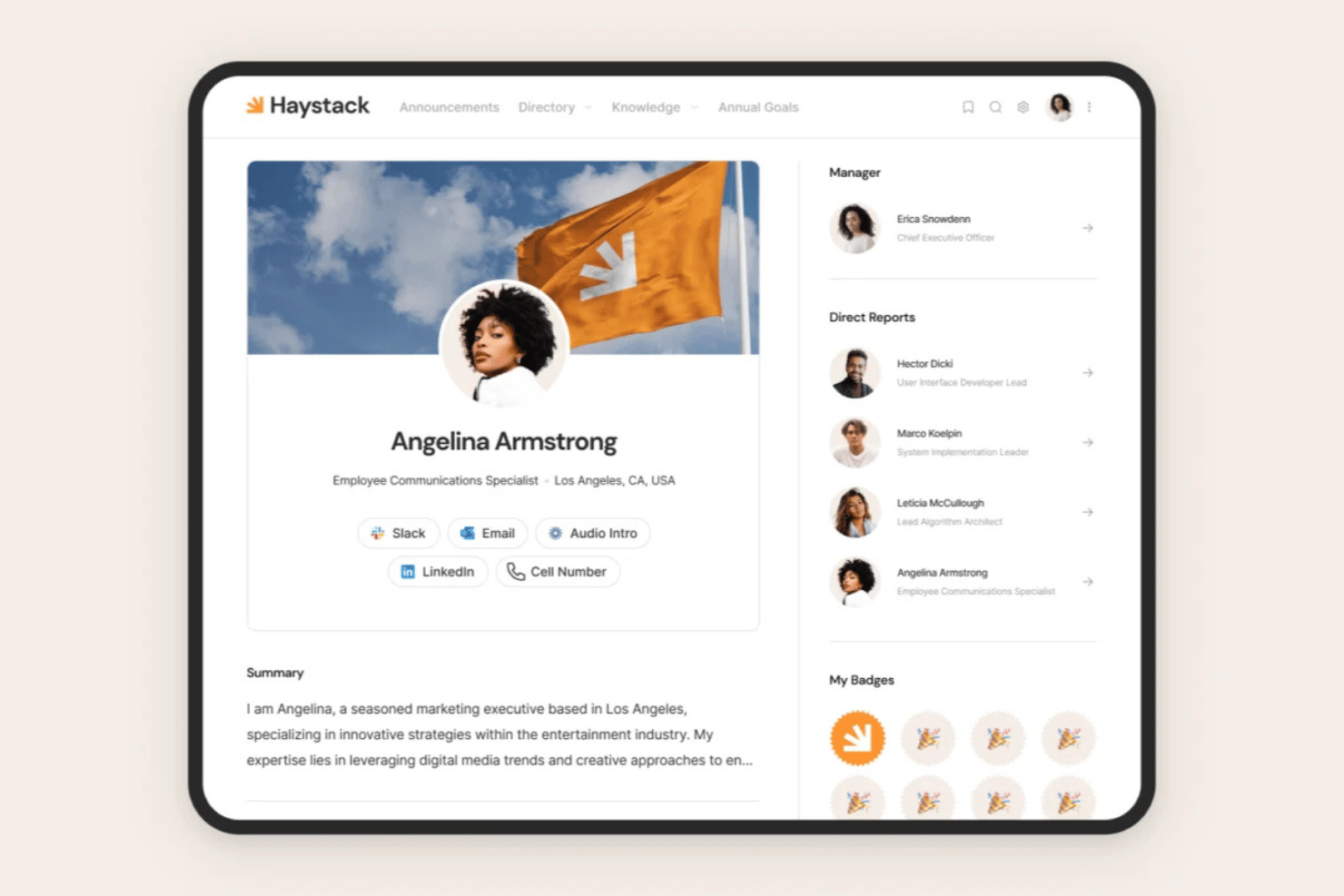
Haystack è una piattaforma intranet e di gestione della conoscenza per le risorse umane che centralizza policy, manuali e SOP insieme a comunicazioni ai dipendenti su più canali, ricerca basata sull'intelligenza artificiale e controlli sull'aggiornamento dei contenuti.
Per chi è più indicato Haystack?
Haystack è particolarmente adatto ai team delle risorse umane che gestiscono forze lavoro distribuite o in prima linea e hanno bisogno che i contenuti relativi alle policy rimangano aggiornati e raggiungano ogni dipendente, indipendentemente dal canale o dalla posizione.
Perché ho scelto Haystack
Ho scelto Haystack come una delle soluzioni migliori perché il suo motore di aggiornamento risolve direttamente un problema con cui la maggior parte dei team delle risorse umane si confronta in silenzio: le policy che diventano obsolete senza che nessuno se ne accorga. È possibile impostare date di scadenza per manuali o SOP, assegnare esperti dei contenuti per applicare badge verificati e ricevere promemoria automatici per la revisione prima che qualsiasi elemento diventi obsoleto. Mi piace anche il fatto che il monitoraggio dell'obbligo di lettura crei un registro chiaro di chi ha confermato di aver letto i documenti fondamentali.
Funzionalità principali di Haystack
- Ricerca universale: Esegue ricerche nei contenuti nativi e nelle piattaforme collegate, come Google Drive, SharePoint, Confluence e Guru, da un'unica barra di ricerca.
- Distribuzione su più canali: Invia i contenuti delle risorse umane tramite Slack, Microsoft Teams, SMS, e-mail, notifiche push e un portale web personalizzato, tutto in un unico flusso di lavoro.
- Elenco dei dipendenti: Offre un elenco delle persone self-service con organigramma e visualizzazione su mappa globale per cercare i colleghi.
- Traduzione affidabile: Utilizza l'intelligenza artificiale per tradurre dinamicamente i contenuti in decine di lingue per forze lavoro globali e distribuite.
Integrazioni di Haystack
Haystack offre oltre 40 integrazioni native con sistemi HRIS, oltre a Google Drive, Confluence, SharePoint, Guru, Slack e Microsoft Teams. Un'API pubblica supporta le integrazioni personalizzate.
Pros and Cons
Pros:
- Avvisi del motore di aggiornamento per le policy obsolete
- Il monitoraggio dell'obbligo di lettura conferma la presa visione dei documenti
- Accesso prioritario da dispositivi mobili per forze lavoro distribuite
Cons:
- Mancano opzioni avanzate per il ripristino delle versioni
- La ricerca a volte non trova i documenti pertinenti

Hub
Ideale per la gestione della conoscenza in intranet
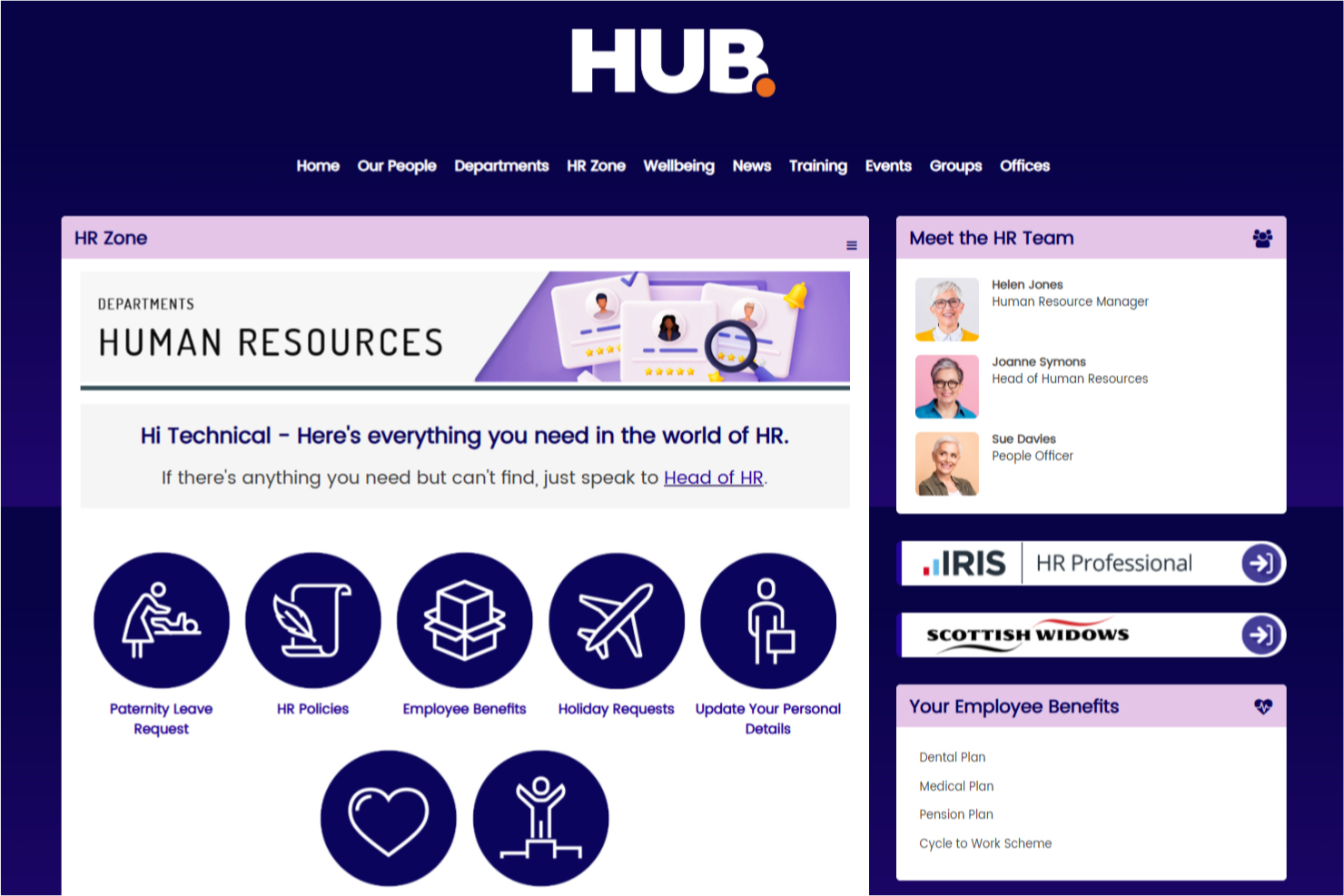
Hub è una piattaforma di gestione della conoscenza per intranet che unisce gestione documentale, condivisione dei contenuti, strumenti di collaborazione e ricerca avanzata per aiutare le organizzazioni a organizzare e accedere alle informazioni interne.
Per chi è consigliato Hub?
Hub è indicato per organizzazioni di medie e grandi dimensioni che necessitano di un'intranet centralizzata per gestire la conoscenza interna, i documenti aziendali e le comunicazioni tra dipendenti in un unico luogo.
Perché ho scelto Hub
Hub si è guadagnato un posto nella mia selezione perché affronta la gestione della conoscenza a partire dall'intranet stessa—significa che la knowledge base non è un'aggiunta, ma è integrata nello stesso ambiente in cui i dipendenti già comunicano e collaborano. Apprezzo in particolare la funzione di ricerca federata, che consente di effettuare ricerche su drive cloud collegati come SharePoint e Google Drive, e persino all'interno dei PDF, così i dipendenti non devono cercare tra più sistemi per trovare una policy o una procedura. Il controllo di versione su ogni pagina e documento offre una cronologia completa degli audit e consente di ripristinare una versione precedente con un solo clic, aspetto fondamentale per gestire contenuti sensibili alla conformità. L'assegnazione della responsabilità sui contenuti garantisce inoltre che membri specifici del team siano incaricati di mantenere aggiornate le pagine, con notifiche automatiche di revisione quando i contenuti stanno per scadere.
Funzionalità principali di Hub
- Sondaggi Pulse: Svolgi sondaggi anonimi tra i dipendenti con punteggi nascosti per quantificare le risposte e monitorare l'andamento del benessere nel tempo.
- Costruttore di valutazioni: Crea test di verifica della conoscenza con domande randomizzate, risposte valutabili e classifiche per testare la comprensione dei contenuti chiave da parte dei dipendenti.
- Flussi di approvazione: Instrada le bozze di pagine e articoli di notizie attraverso un processo di approvazione strutturato prima della pubblicazione, così che vengano pubblicati solo contenuti esaminati.
- Contenuti obbligatori da leggere: Contrassegna i contenuti come obbligatori e monitora chi ha confermato la lettura, con promemoria automatici inviati a chi non lo ha ancora fatto.
Integrazioni di Hub
Hub offre integrazioni native con Microsoft 365, SharePoint, Google Drive, OneDrive e Dropbox. È disponibile un'API per integrazioni personalizzate.
Pros and Cons
Pros:
- Funzionalità di ricerca avanzata
- Offre approfondimenti sull'interazione degli utenti
- Gestione e condivisione dei documenti efficiente
Cons:
- Le funzionalità complete potrebbero non essere ideali per aziende di piccole dimensioni
- Supporto linguistico limitato

Ideale per la formazione aziendale
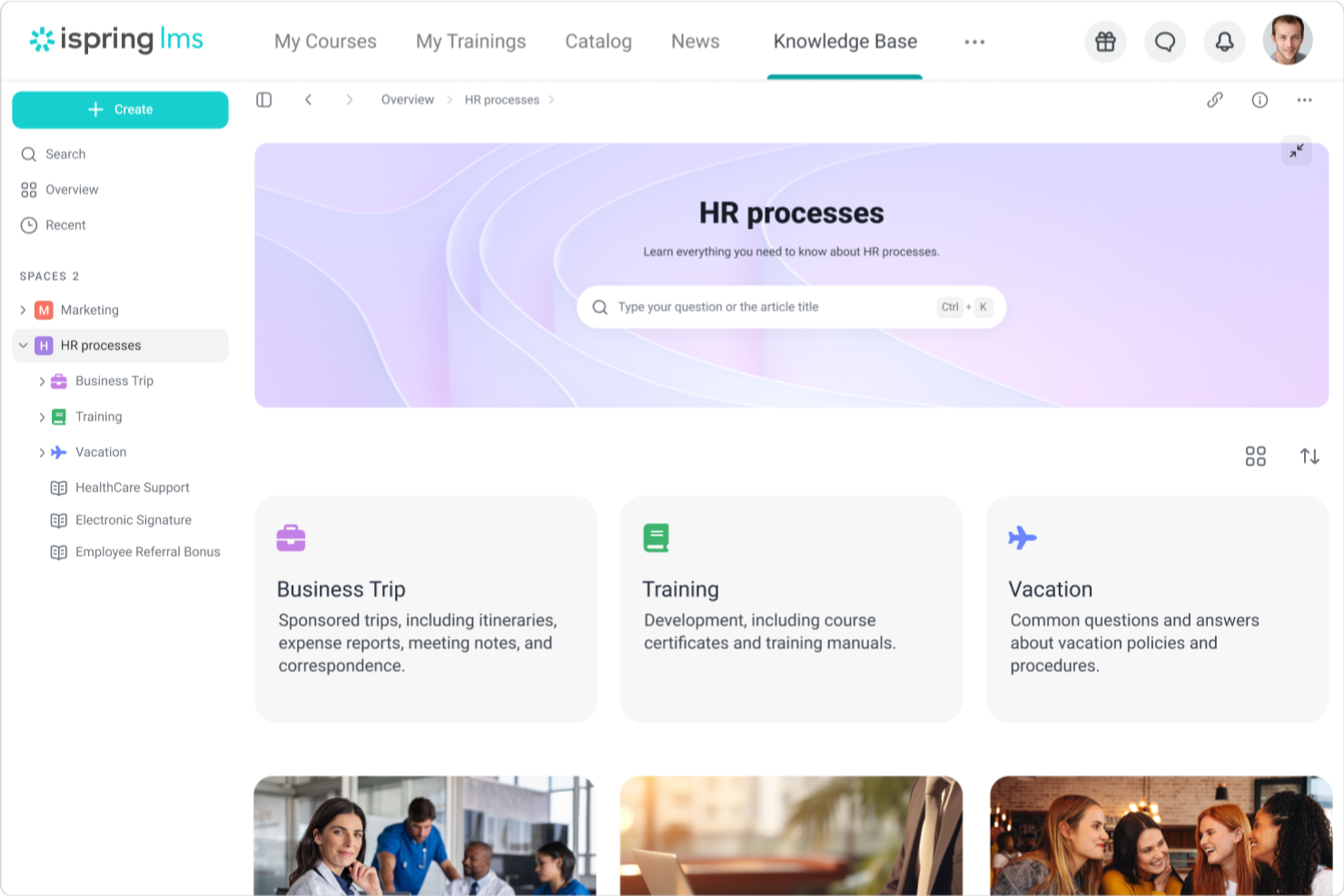
iSpring LMS è un sistema di gestione della conoscenza basato su cloud progettato per organizzare, distribuire e monitorare materiali di formazione aziendale, corsi e risorse.
Per chi è ideale iSpring LMS?
iSpring LMS è particolarmente adatto ai team HR e L&D in aziende di medie e grandi dimensioni che necessitano di una piattaforma strutturata per l'onboarding dei dipendenti, la formazione sulla conformità e lo sviluppo continuo delle competenze.
Perché ho scelto iSpring LMS
iSpring LMS si è guadagnato un posto nella mia lista ristretta perché è una delle poche piattaforme che considera la formazione aziendale come un vero e proprio ciclo di vita della conoscenza, e non solo come una libreria di corsi. Apprezzo in particolare il sistema di riassegnazione intelligente, che traccia automaticamente le date di scadenza delle certificazioni e riassegna la formazione prima che si verifichi una interruzione. Questo rappresenta un vero elemento distintivo per i team che gestiscono numerose certificazioni in aziende orientate alla conformità. Utilizzo inoltre le checklist di osservazione per verificare che i dipendenti non si limitino a completare i corsi, ma applichino effettivamente le conoscenze nel lavoro—un aspetto che la maggior parte delle piattaforme LMS non affronta affatto.
Caratteristiche principali di iSpring LMS
- Piani di sviluppo individuali: Crea percorsi di apprendimento personalizzati per ciascun dipendente che mappano corsi, traguardi e attività di sviluppo delle competenze legate al loro ruolo.
- Base di conoscenza: Archivia e organizza risorse aziendali, guide e FAQ in un hub accessibile dal cloud e basato sui ruoli, che gli esperti di settore e i responsabili possono aggiornare direttamente.
- Valutazione a 360 gradi: Raccogli feedback sulle prestazioni da più fonti per ottenere una visione completa delle competenze di ogni dipendente, andando oltre i semplici dati di completamento dei corsi.
- Gamification: Assegna punti e badge e mostra classifiche per offrire ai dipendenti una visione in tempo reale dei loro progressi di formazione.
Integrazioni di iSpring LMS
iSpring LMS offre integrazioni native con Zoom, Microsoft Teams e Salesforce. È disponibile un'API per integrazioni personalizzate.
Pros and Cons
Pros:
- Buon sistema di gestione dei contenuti
- Supporta diverse esigenze formative
- L'app mobile facilita l'apprendimento ovunque ci si trovi
Cons:
- La ricerca potrebbe essere più avanzata
- Alcune opzioni di reportistica sono limitate
New Product Updates from iSpring LMS

iSpring LMS Adds Multiple Observations to OJT Sessions
iSpring LMS now lets managers log multiple observations within one OJT session, grouping visits and auto-generating summary stats like averages, criterion results, and comparisons. For more information, visit iSpring LMS's official site.

SkyPrep
Ideale per la condivisione della conoscenza nelle squadre remote
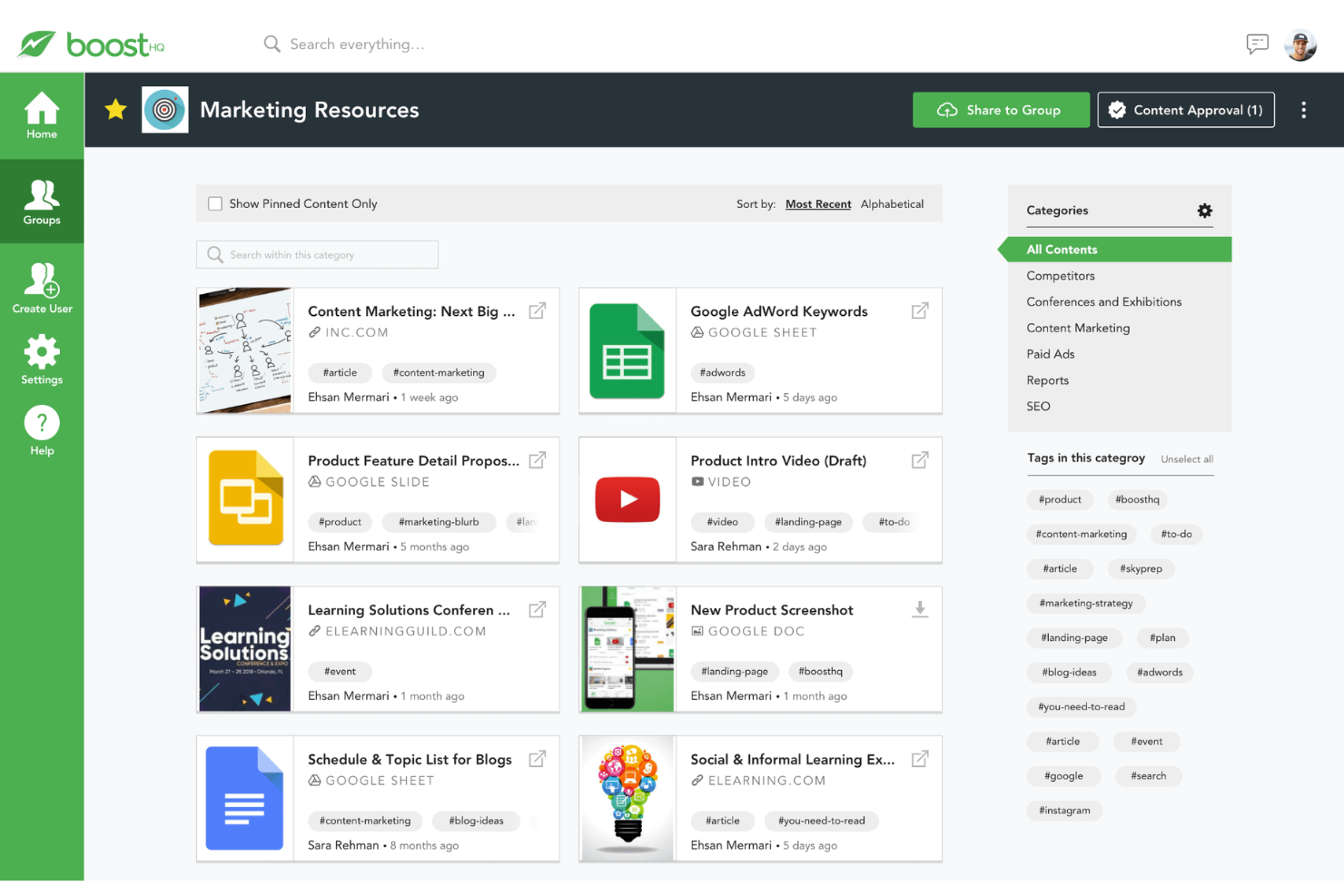
SkyPrep è una piattaforma di gestione della conoscenza che ti consente di organizzare, condividere e monitorare materiali di formazione, documenti e risorse in un hub centrale online.
Per chi è ideale SkyPrep?
SkyPrep è adatto ai team HR e Formazione e Sviluppo di organizzazioni di medie dimensioni che devono gestire e distribuire contenuti formativi a una forza lavoro distribuita o remota.
Perché ho scelto SkyPrep
SkyPrep gestisce la condivisione della conoscenza tra team distribuiti in modo particolarmente efficace. SkyPrep Unity, il modulo di apprendimento collaborativo della piattaforma, consente ai dipendenti remoti di partecipare a discussioni di gruppo, commentare i materiali di formazione e porre domande direttamente all'interno dei contenuti, così la conoscenza non scorre solo dall'alto verso il basso ma circola tra i membri del team. Apprezzo anche la gestione documentale basata su cartelle, che permette di archiviare materiali in cartelle pubbliche o private e assegnarli a utenti specifici, così le persone giuste hanno sempre accesso ai contenuti opportuni. La funzionalità di ricerca avanzata consente di cercare testi all'interno dei documenti così come tra i commenti e le discussioni, rendendo facile per i dipendenti remoti trovare ciò di cui hanno bisogno senza dover chiedere in giro.
Funzionalità principali di SkyPrep
- Generatore di corsi basato su IA: Genera automaticamente valutazioni, domande e contenuti visivi dai tuoi materiali utilizzando strumenti di authoring con intelligenza artificiale integrati.
- Automazione dei flussi di lavoro basata su trigger: Avvia iscrizioni, notifiche e aggiornamenti dei gruppi utenti in base a eventi come il completamento del corso, la scadenza o il cambiamento dello stato dell'utente.
- Report programmati e configurabili: Consente di creare report personalizzati con filtri e colonne e pianificarne l'invio automatico periodico alle parti interessate.
- Supporto SCORM e multimediale: Accetta pacchetti SCORM, video, PDF e contenuti multimediali interattivi, così puoi caricare e distribuire contenuti in diversi formati.
Integrazioni di SkyPrep
SkyPrep offre integrazioni native con Google Workspace, Microsoft 365, Zoom, Okta, BambooHR e Salesforce. È inoltre disponibile un'API per integrazioni personalizzate.
Pros and Cons
Pros:
- Funzionalità di coinvolgimento dei dipendenti
- Analisi solide
- Organizzazione dei contenuti semplice
Cons:
- Nessun accesso offline
- Personalizzazione limitata
Sift
Ideale per profili ricercabili.
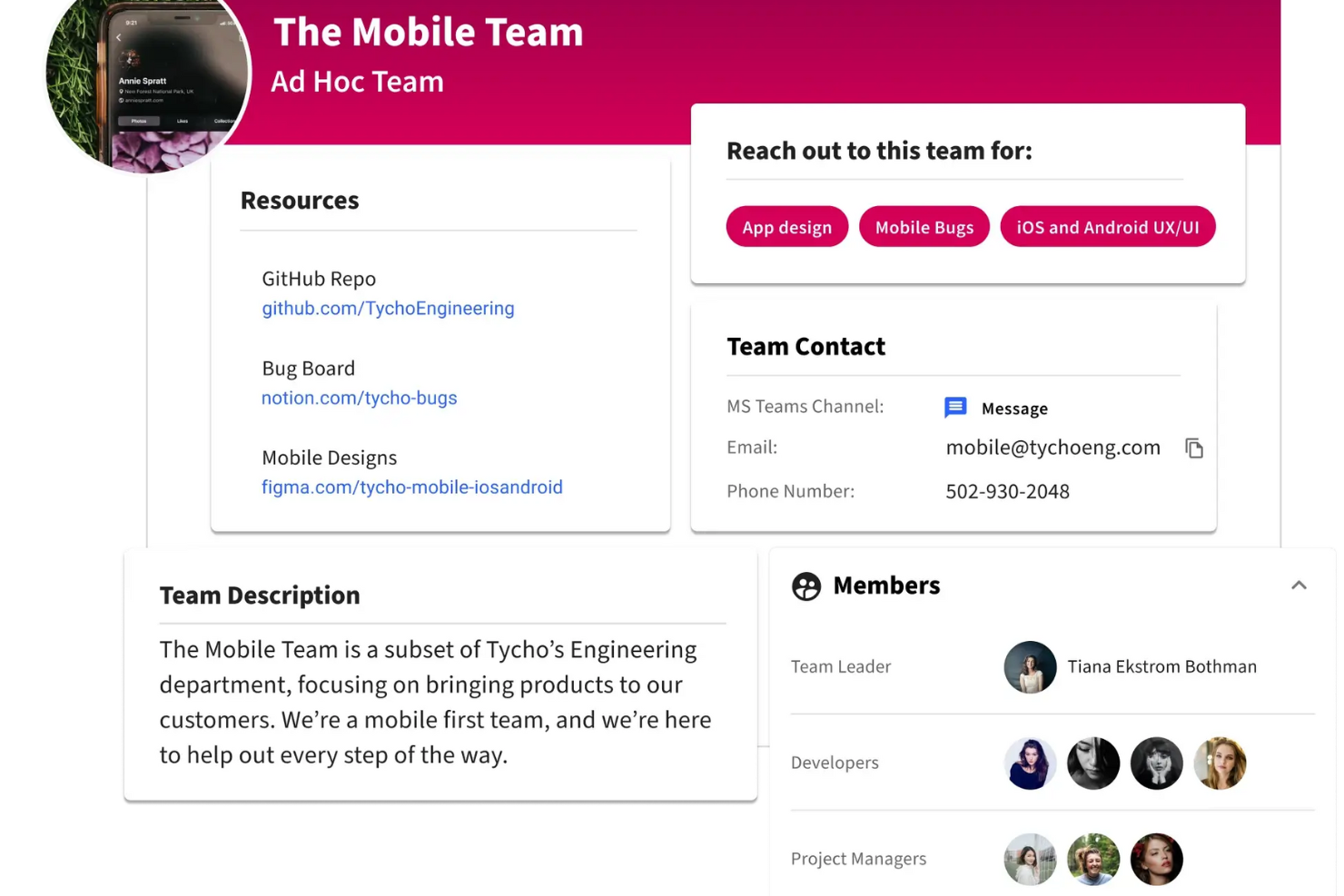
Sift è una piattaforma di gestione della conoscenza che aiuta le organizzazioni a costruire una directory ricercabile dei profili dei dipendenti, delle competenze e della struttura organizzativa.
Per chi è Sift?
Sift è adatto per organizzazioni di medie e grandi dimensioni dove trovare la persona giusta o l'esperienza giusta tra team e reparti è una sfida quotidiana.
Perché ho scelto Sift
Sift si merita un posto nella mia shortlist per la sua efficacia nell'affrontare il problema del 'chi sa cosa' che rallenta il lavoro nelle grandi organizzazioni. La funzione di ricerca restituisce risultati in meno di 100 millisecondi su ogni dato nella directory—competenze, esperienze, progetti, lingue e altro ancora—così il mio team può trovare un esperto in materia senza dover scavare negli organigrammi o interpellare i responsabili. Mi piace anche il fatto che i profili raccolgano dati da più fonti, tra cui sistemi HR, Active Directory e LinkedIn, così le informazioni trovate dai dipendenti sono sempre aggiornate e complete. Anche i livelli di competenza inseriti nei profili sono un dettaglio interessante, perché permettono di valutare non solo chi sa qualcosa, ma anche quanto bene la conosce.
Funzionalità principali di Sift
- Visualizzazione organigramma: Un organigramma interattivo che si aggiorna automaticamente, costruito dai dati dei sistemi HR e IT esistenti, con codici colore, viste a schede flessibili e visibilità dei ruoli aperti.
- Sift Pages: Pagine dedicate a dipartimenti, progetti, team remoti, ERG e community che vanno oltre la semplice directory per catturare la struttura informale della tua organizzazione.
- Dashboard analitica: Analisi visive delle competenze, degli interessi, delle località e di altri dati dei profili, con filtri per individuare gap di talento e supportare decisioni di mobilità interna.
- API aperta: Un’API GraphQL e REST che consente agli sviluppatori di integrare dati dei profili, foto e funzionalità di ricerca in altri strumenti e applicazioni interni.
Integrazioni Sift
Sift offre integrazioni native con Microsoft 365, Azure Active Directory, Google Workspace, Okta e Workday, e mette a disposizione un'API per integrazioni personalizzate.
Pros and Cons
Pros:
- Organigrammi visivi per maggiore chiarezza
- Trova esperti in pochi secondi
- Profili personalizzabili per un contesto ricco
Cons:
- Opzioni di analisi avanzata limitate
- Non ideale per team piccoli

Notion
Ideale per database di conoscenze interconnesse
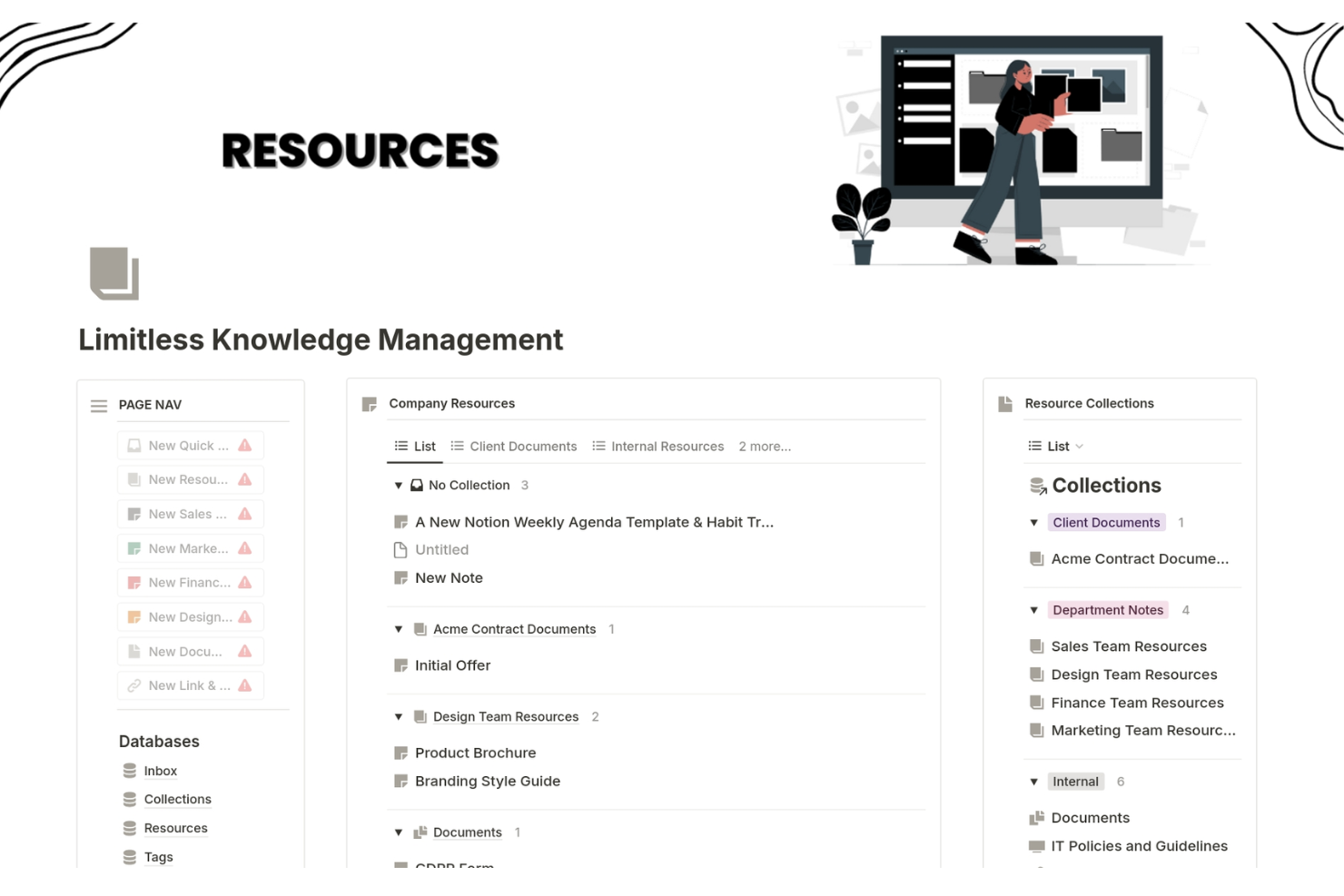
Notion è una piattaforma di gestione della conoscenza che consente ai team di organizzare, connettere e condividere informazioni utilizzando database personalizzabili, spazi di lavoro collaborativi e blocchi di contenuto flessibili.
Per chi è ideale Notion?
Notion è indicato per team di piccole e medie dimensioni che necessitano di uno spazio di lavoro flessibile e completo per documentare, organizzare e collegare la conoscenza tra progetti e reparti.
Perché ho scelto Notion
Notion si guadagna il suo posto tra i migliori della mia lista grazie a come gestisce le informazioni interconnesse tramite il suo sistema di database relazionali. Posso collegare un database di progetti a una wiki del team, a un database di note riunioni e a una libreria di policy HR—tutti attingendo dalla stessa fonte di verità. Apprezzo anche i collegamenti bidirezionali di Notion, che consentono al mio team di visualizzare contenuti correlati senza duplicarli tra le pagine.
Funzionalità chiave di Notion
- Blocchi sincronizzati: Scrivi un contenuto una volta sola e si aggiornerà automaticamente su ogni pagina in cui è incorporato.
- Verifica delle pagine: Contrassegna le pagine come verificate in modo che i membri del team sappiano di leggere informazioni accurate e aggiornate.
- Sezioni comprimibili: Organizza documenti lunghi con sezioni comprimibili che mantengono leggibili le pagine senza nascondere i contenuti.
- Note riunioni con IA: Cattura e riassumi automaticamente le note delle riunioni, collegandole poi direttamente alle pagine e ai progetti pertinenti.
Integrazioni di Notion
Notion offre integrazioni native con Slack, GitHub, Google Drive, Figma, Asana, Jira, Zoom e Typeform. Si collega anche a Zapier e fornisce una API per integrazioni personalizzate.
Pros and Cons
Pros:
- Il collegamento flessibile ai database migliora il recupero delle informazioni
- La ricca libreria di template supporta l’avvio rapido di sistemi di conoscenza
- Le interconnessioni in stile wiki delle pagine favoriscono la condivisione della conoscenza
Cons:
- Le prestazioni possono diminuire con database molto grandi o complessi
- La configurazione iniziale può essere lunga
Altri software per la gestione della conoscenza
Ecco alcune ulteriori opzioni di software per la gestione della conoscenza che non sono entrate nella mia selezione, ma che vale comunque la pena valutare:
- Slite
Ideale per risposte istantanee alimentate dall’IA
- Google Drive
Il migliore per uno storage cloud sicuro
- Nuclino
Ideale per la gestione unificata dei progetti
- Microsoft 365
Ideale per la condivisione integrata della conoscenza tramite la comunità
- Bloomfire
Ideale per la condivisione sociale della conoscenza
- Knowmax
Ideale per l'accesso centralizzato alla conoscenza
- Tettra
Ideale per la gestione interna della conoscenza
- XWiki
Ideale per wiki aziendali open source
- Guru
Ideale per ricerche contestuali guidate dall'IA
- Bit.ai
Ideale per opzioni di condivisione flessibili
- Papyrs
Ideale per piccoli team che necessitano di personalizzazione
- Kipwise
Ideale per integrazione con Slack
- SlimWiki
Ideale per wiki di team semplici
- Readin
Ideale per l’onboarding di nuovi dipendenti


Come Valuto il Software di Gestione della Conoscenza
Quando i team HR affogano tra politiche sparse e domande ripetitive dei dipendenti, valuto se uno strumento possa prima di tutto fungere da affidabile unica fonte di verità—e poi guardo a cosa lo distingue dagli altri.
Funzionalità Core (Requisiti Fondamentali per Questa Lista)
Quando seleziono gli strumenti per la mia lista, valuto ciascuno su una scala da 0 (non offre la funzionalità) a 5 (eccelle in quest'area) per ogni funzionalità core elencata di seguito. Successivamente, calcolo il punteggio totale dello strumento in percentuale. Ogni strumento deve raggiungere un punteggio minimo totale del 65% per essere considerato per l'inclusione.
- Archivio Centrale della Conoscenza: Valuto quanto bene uno strumento organizzi i contenuti HR in strutture logiche—come aree separate per benefit, politiche sui permessi e sicurezza sul lavoro—con tagging e collegamenti incrociati.
- Ricerca e Recupero AI: Una ricerca efficace è fondamentale quando i dipendenti necessitano risposte rapide, quindi verifico se uno strumento supporta query in linguaggio naturale come "come aggiorno il mio contatto di emergenza?"
- Controlli di Accesso e Permessi: I team HR gestiscono contenuti sensibili come fasce di retribuzione e procedure disciplinari, quindi cerco permessi granulati e basati sui ruoli a livello di articolo o sezione.
- Creazione e Collaborazione sui Contenuti: Controllo se i generalisti HR possono redigere, commentare e co-modificare aggiornamenti delle policy utilizzando un editor di testo ricco con modelli e media incorporati come video illustrativi.
- Controllo delle Versioni e Tracciabilità: Gli aggiornamenti alle policy necessitano di una chiara tracciabilità, quindi lo strumento dovrebbe tracciare la cronologia delle revisioni, supportare il rollback e registrare chi ha approvato le modifiche e quando.
- Portale di Self-Service per i Dipendenti: Cerco un portale personalizzato rivolto ai dipendenti o integrazioni native con strumenti come Slack o Microsoft Teams che permettono allo staff di trovare risposte HR senza dover aprire un ticket.
Una volta che ho una lista di strumenti che soddisfano i criteri, considero cosa distingue ogni piattaforma.
Fattori Differenzianti (Cosa Distingue i Fornitori)
Ecco come confronto e metto a confronto i diversi fornitori:
Funzionalità Distintive
Un assistente di conoscenza AI può trasformare una libreria di policy statica in qualcosa che i dipendenti utilizzano davvero—rispondendo a domande come "ho diritto al congedo parentale?" senza che l’HR debba intervenire. Cerco anche analisi che evidenziano le lacune nei contenuti, come ricerche fallite o articoli obsoleti, in modo che i team HR sappiano esattamente dove concentrarsi. Le revisioni programmate dei contenuti completano il quadro, segnalando automaticamente le policy da rinnovare e mantenendo così aggiornata la documentazione di conformità.
Oltre le Funzionalità
Le integrazioni con HRIS sono importanti perché una knowledge base che si collega con piattaforme come BambooHR o Workday può erogare contenuti contestualizzati in base a ruolo, sede o dipartimento. Standard di conformità e sicurezza sono altrettanto fondamentali—verifico la certificazione SOC 2 Type II e le opzioni di residenza dei dati, soprattutto per i team HR che gestiscono dati sensibili dei dipendenti. Anche la struttura dei prezzi incide sull’idoneità; i modelli per utente possono diventare molto costosi rapidamente se l’obiettivo è l’accesso esteso a tutta l’azienda, quindi valuto se uno strumento offre fasce più adatte ai soli visualizzatori.
Come scegliere un software per la gestione della conoscenza
È facile perdersi in lunghi elenchi di funzionalità e strutture di prezzo complesse. Per aiutarti a rimanere concentrato mentre affronti il tuo processo personalizzato di selezione del software, ecco una lista di controllo dei fattori da tenere a mente:
| Fattore | Cosa considerare |
|---|---|
| Scalabilità | Può crescere insieme al tuo team? Considera i limiti di utenti e la capacità dei dati. Assicurati che possa gestire la crescita prevista senza richiedere una revisione completa. |
| Integrazioni | Si connette agli strumenti che utilizzi già? Verifica la compatibilità con software essenziali come Slack, Google Workspace o Salesforce e valuta la facilità di configurazione. |
| Personalizzazione | Puoi adattarlo ai tuoi flussi di lavoro? Cerca impostazioni flessibili e la possibilità di creare campi o cruscotti personalizzati in linea con i tuoi processi. |
| Facilità d'uso | È intuitivo per tutti gli utenti? Prova l'interfaccia con un gruppo eterogeneo del tuo team per assicurarti che sia semplice da usare e non richieda una formazione approfondita. |
| Implementazione e inserimento | Quanto tempo occorrerà per iniziare? Valuta il tempo e le risorse necessari per la configurazione. Cerca soluzioni con guide rapide all'avvio e risorse di supporto. |
| Costo | Rientra nel tuo budget? Considera il costo totale di proprietà, inclusi abbonamenti, formazione ed eventuali componenti aggiuntivi. Evita le soluzioni con costi imprevisti. |
| Misure di sicurezza | I tuoi dati sono protetti? Verifica funzionalità come la crittografia, i controlli di accesso degli utenti e la conformità a standard come il GDPR o l'HIPAA, se applicabile. |
Tendenze per i software di gestione della conoscenza
Il software di gestione della conoscenza sta cambiando notevolmente, trasformando il modo in cui le aziende gestiscono le proprie risorse umane e le buste paga. Con l'avanzare della tecnologia, è essenziale rimanere informati sugli ultimi sviluppi. Ecco alcune tendenze chiave da monitorare attentamente, che potrebbero avere un impatto sulla tua organizzazione.
- Ricerca basata sull'intelligenza artificiale: la ricerca basata sull'intelligenza artificiale sta diventando sempre più diffusa. Aiuta gli utenti a trovare le informazioni più velocemente e con maggiore precisione. Questa tendenza è significativa perché migliora la produttività.
- Integrazione con gli strumenti di collaborazione: il software di gestione della conoscenza si integra sempre più con gli strumenti di collaborazione. Ciò consente una migliore condivisione delle informazioni e un lavoro di squadra più efficace. È interessante perché elimina i silos all'interno delle organizzazioni.
- Maggiore sicurezza dei dati: viene data priorità alle funzionalità avanzate di sicurezza dei dati. Queste funzionalità proteggono le informazioni sensibili dalle violazioni. Questa tendenza è importante a causa dell'aumento delle minacce informatiche.
- Accessibilità da dispositivi mobili: l'accessibilità da dispositivi mobili è in crescita. Gli utenti possono accedere ai sistemi di gestione della conoscenza da qualsiasi luogo. Questo è importante per i lavoratori da remoto e per quelli sempre in movimento.
- Esperienza utente personalizzata: le esperienze utente personalizzate stanno diventando uno standard. Il software si adatta alle esigenze e alle preferenze individuali degli utenti. Questa tendenza è interessante perché aumenta il coinvolgimento degli utenti.
Le aziende che sfruttano queste tendenze in evoluzione probabilmente acquisiranno un vantaggio competitivo con l'avanzare della tecnologia.
Che cos'è il software di gestione della conoscenza?
Il software di gestione della conoscenza è uno strumento che aiuta le organizzazioni a raccogliere, archiviare e condividere le informazioni in modo efficiente. Professionisti come i responsabili delle risorse umane, gli specialisti IT e i team di assistenza clienti utilizzano questi strumenti per migliorare la collaborazione e accedere rapidamente ai dati importanti.
Le funzioni di ricerca, gli strumenti di collaborazione e le funzionalità di gestione dei documenti supportano la gestione efficiente della conoscenza aziendale. Questi strumenti offrono un valore complessivo migliorando la produttività e garantendo che i membri del team possano trovare e utilizzare facilmente le informazioni di cui hanno bisogno.
Funzionalità
Quando scegli un software di gestione della conoscenza, è essenziale riconoscere le funzionalità chiave che ti permetteranno di gestire le attività relative alle risorse umane in modo più efficiente. Ecco le funzionalità più importanti da ricercare.
- Interfaccia intuitiva: un'interfaccia intuitiva garantisce che il software sia facile da implementare, configurare e utilizzare. Ciò consente di risparmiare tempo e ridurre la frustrazione, aumentando la produttività e la soddisfazione lavorativa.
- Funzionalità di ricerca efficace: un motore di ricerca efficace, come Google, consente agli utenti di trovare rapidamente le informazioni pertinenti. Questa funzionalità è essenziale per semplificare il processo di ricerca e raccolta delle informazioni.
- Compatibilità con più dispositivi: la compatibilità con più dispositivi garantisce che gli utenti possano accedere alla base di conoscenza da vari dispositivi, inclusi computer desktop, laptop, tablet e smartphone. Questo è essenziale per i team da remoto e per gli utenti sempre in movimento.
- Opzioni di personalizzazione: le opzioni di personalizzazione consentono alle organizzazioni di adattare la base di conoscenza alle proprie esigenze. Ciò include il branding, i temi e la possibilità di creare ruoli e autorizzazioni personalizzati.
- Strumenti di collaborazione del team: gli strumenti di collaborazione del team consentono a più utenti di lavorare insieme alla creazione, alla gestione e alla manutenzione della base di conoscenza. Questa funzionalità è essenziale per promuovere una cultura del lavoro di squadra e della condivisione della conoscenza.
- Creazione e modifica dei contenuti: uno strumento intuitivo per la creazione e la modifica dei contenuti consente agli utenti di creare e aggiornare facilmente i contenuti. Questa funzionalità è essenziale per mantenere la base di conoscenza aggiornata e pertinente.
- Integrazioni con strumenti di terze parti: l'integrazione impeccabile con strumenti di terze parti come software CRM, di assistenza e per sondaggi migliora le funzionalità del sistema di gestione della conoscenza. Questa funzionalità garantisce che la base di conoscenza possa fungere da hub centrale per diversi processi aziendali.
- Analisi integrata: l'analisi integrata fornisce informazioni sulle prestazioni della base di conoscenza. Ciò include metriche come il numero di articoli creati, i tassi di successo delle ricerche e il coinvolgimento degli utenti. Queste informazioni aiutano a prendere decisioni consapevoli per migliorare la base di conoscenza.
- Sistema di feedback: un solido sistema di feedback consente agli utenti di fornire commenti sui contenuti. Questa funzionalità è essenziale per mantenere la base di conoscenza pertinente e utile, incorporando i suggerimenti degli utenti e affrontando eventuali problemi.
- Scalabilità: la scalabilità garantisce che il sistema di gestione della conoscenza possa crescere all'interno dell'organizzazione. Questa funzionalità è essenziale per gestire la crescente quantità di dati e di utenti con l'espansione dell'azienda.
La scelta del software di gestione della conoscenza giusto implica concentrarsi su queste funzionalità chiave per assicurarsi che soddisfi le esigenze specifiche della tua organizzazione.
Vantaggi
Sfruttando il software di gestione della conoscenza, le aziende possono migliorare la produttività, perfezionare il processo decisionale e promuovere una cultura dell'apprendimento continuo. Di seguito sono riportati cinque vantaggi principali del software di gestione della conoscenza per gli utenti e le organizzazioni.
- Collaborazione migliorata: il software di gestione della conoscenza facilita una collaborazione efficiente tra i membri del team fornendo una piattaforma centralizzata per la condivisione di informazioni e risorse.
- Maggiore efficienza: il software organizza e categorizza le informazioni, riducendo il tempo che i dipendenti dedicano alla ricerca dei dati e portando a un aumento della produttività e dell'efficienza.
- Migliore processo decisionale: l'accesso a informazioni accurate e aggiornate consente ai dipendenti di prendere rapidamente decisioni informate, migliorando i risultati aziendali complessivi.
- Conservazione della conoscenza: il software documenta e archivia le informazioni per garantire che le conoscenze preziose rimangano all'interno dell'organizzazione, anche quando i dipendenti lasciano l'azienda.
- Soddisfazione dei clienti: grazie al facile accesso alle informazioni, i team del servizio clienti possono fornire risposte più rapide e accurate, portando a una maggiore soddisfazione e fidelizzazione dei clienti.
Investire in un software di gestione della conoscenza può trasformare il modo in cui le organizzazioni gestiscono le informazioni, portando numerosi vantaggi che migliorano le operazioni interne e le esperienze dei clienti.
Costi e prezzi
Questa sezione fornisce una stima dettagliata dei piani medi dei software di gestione della conoscenza e dei costi associati. I dati derivano da un'analisi dei livelli di prezzo standard e delle funzionalità che offrono.
Comprendendo queste strutture tariffarie, gli utenti possono valutare meglio le proprie esigenze e considerazioni di budget nella scelta di un software di gestione della conoscenza adatto ai loro requisiti.
Tabella di confronto dei piani per i software di gestione della conoscenza
| Tipo di piano | Prezzo medio | Funzionalità comuni |
|---|---|---|
| Piano gratuito | $0 | Archiviazione di base dei documenti, numero limitato di utenti e funzionalità di ricerca di base |
| Piano personale | $4 - $12/ utente/mese | Ricerca avanzata, analisi di base, integrazioni limitate e assistenza di base |
| Piano aziendale | $12 - $54/ utente/mese | Ricerca avanzata, analisi dettagliate, integrazioni multiple, controllo degli accessi basato sui ruoli e assistenza avanzata |
| Piano aziendale avanzato | $54/ utente/mese | Funzionalità personalizzabili, integrazioni estese, sicurezza avanzata, assistenza dedicata, utenti illimitati |
Domande frequenti sul software di gestione della conoscenza
Ecco alcune risposte alle domande comuni sul software di gestione della conoscenza:
Come posso garantire la sicurezza dei dati nel software di gestione della conoscenza?
Implementa solidi controlli degli accessi, la crittografia e audit di sicurezza regolari per garantire la sicurezza dei dati nel software di gestione della conoscenza. Utilizza l’autenticazione a più fattori (MFA) per aggiungere un ulteriore livello di protezione. Aggiorna regolarmente il software per correggere le vulnerabilità e garantire la conformità agli standard e alle normative del settore.
Quali sono le migliori pratiche per eseguire la migrazione dei dati verso un nuovo sistema di gestione della conoscenza?
Quando esegui la migrazione dei dati verso un nuovo sistema di gestione della conoscenza, inizia con un audit completo dei dati per identificare ciò che deve essere trasferito. Pulisci i dati per rimuovere duplicati e informazioni obsolete. Utilizza strumenti automatizzati per facilitare il processo di migrazione e garantire l’integrità dei dati. Testa la migrazione in un ambiente controllato prima della messa in produzione per identificare e risolvere eventuali problemi.
Come posso misurare il ROI di un sistema di gestione della conoscenza?
Misura il ROI di un sistema di gestione della conoscenza monitorando gli indicatori chiave di prestazione (KPI), come i tassi di adozione da parte degli utenti, il tempo risparmiato nel recupero delle informazioni e la riduzione del lavoro ridondante. Conduci sondaggi regolari per raccogliere il feedback degli utenti e valutare l’impatto del sistema sulla produttività e sul processo decisionale. Confronta queste metriche con i costi di implementazione e manutenzione del sistema per determinare il ROI.
Quali strategie posso utilizzare per incoraggiare l'adozione del software di gestione della conoscenza da parte degli utenti?
Per incoraggiare l’adozione da parte degli utenti, fornisci formazione e assistenza complete per aiutarli a comprendere i vantaggi e le funzionalità del software. Crea un’interfaccia intuitiva e integra il software con gli strumenti e i flussi di lavoro esistenti. Riconosci e premia gli utenti che contribuiscono attivamente alla base di conoscenza. Aggiorna regolarmente il sistema in base al feedback degli utenti per migliorare l’esperienza utente.
Come posso integrare il software di gestione della conoscenza con altri sistemi aziendali?
Integra il software di gestione della conoscenza con altri sistemi aziendali utilizzando API e soluzioni middleware. Assicurati che il software supporti protocolli di integrazione standard come REST o SOAP. Collabora con i fornitori per sviluppare integrazioni personalizzate, se necessario. Testa accuratamente le integrazioni per garantire il flusso dei dati e il funzionamento tra i sistemi.
Quali sono le difficoltà più comuni nella manutenzione di un sistema di gestione della conoscenza e come possono essere affrontate?
Le difficoltà più comuni nella manutenzione di un sistema di gestione della conoscenza includono mantenere aggiornati i contenuti, garantire il coinvolgimento degli utenti e gestire la qualità dei dati. Affronta queste difficoltà stabilendo politiche chiare di governance dei contenuti, esaminando e aggiornando regolarmente la base di conoscenza e incoraggiando i contributi degli utenti. Utilizza gli strumenti di analisi per monitorare l’utilizzo del sistema e identificare le aree di miglioramento.