

I 10 migliori software di gestione della conoscenza con IA recensiti nel 2026

10 Elenco dei migliori software di gestione della conoscenza basati sull'IA


Le organizzazioni generano più informazioni che mai e mantenerle organizzate, accessibili e utili rappresenta una sfida per i team di qualsiasi dimensione. Quando i documenti sono sparsi, la ricerca è lenta o la conoscenza è confinata in silos, la produttività ne risente. I software di gestione della conoscenza basati sull'IA aiutano a risolvere questo problema organizzando le informazioni, migliorando l'accuratezza della ricerca e rendendo più facile per i team trovare ciò di cui hanno bisogno, quando ne hanno bisogno.
Dopo aver testato un'ampia gamma di piattaforme, ho preparato una recensione imparziale degli strumenti che si distinguono. Ognuno utilizza l'IA per supportare attività come la scoperta dei contenuti, la ricerca intelligente, l'assegnazione automatica dei tag e il recupero delle informazioni, aiutando i team a lavorare in modo più efficace con le informazioni da cui dipendono.
In questo articolo troverai informazioni dettagliate sulle funzionalità, i punti di forza e i potenziali limiti di ogni strumento, così potrai scegliere la soluzione più adatta al tuo flusso di lavoro. Diamo un'occhiata agli strumenti di IA che possono migliorare il modo in cui il tuo team acquisisce, condivide e utilizza la conoscenza.
Perché fidarsi delle nostre recensioni sui software
Il nostro team testa e recensisce software dal 2012. In quanto esperti HR noi stessi, sappiamo quanto sia difficile — e importante — scegliere il software giusto.
Per questa guida, abbiamo valutato gli strumenti attraverso test pratici e ricerche indipendenti, assegnando un punteggio agli strumenti in base ai nostri criteri di selezione. Ci basiamo inoltre sulle competenze di leader di pensiero del settore e di professionisti HR attivi.
Le nostre recensioni riflettono il nostro giudizio editoriale umano, non un discorso di vendita.
Revisori esperti:
Tabella comparativa dei software di gestione della conoscenza basati sull'IA
Questa tabella comparativa riassume i dettagli sui prezzi delle mie migliori selezioni di software di gestione della conoscenza basati sull’IA:
| Tool | Best For | Trial Info | Price | ||
|---|---|---|---|---|---|
| 1 | Ideale per la centralizzazione globale delle conoscenze HR | Demo gratuita disponibile | A partire da $5/dipendente/mese | Website | |
| 2 | Ideale per le capacità di ricerca supportate dall'IA | Prova gratuita di 14 giorni + demo gratuita disponibile | Prezzo su richiesta | Website | |
| 3 | Ideale per la ricerca potenziata dall’IA | Demo gratuita disponibile | Prezzo su richiesta | Website | |
| 4 | Ideale per flussi di lavoro IA altamente personalizzabili | Piano gratuito disponibile | Da $9/utente/mese (fatturato annualmente) | Website | |
| 5 | Ideale per l'onboarding dei dipendenti | Demo gratuita disponibile | Prezzi su richiesta | Website | |
| 6 | Ideale per catturare e condividere conoscenze dalle riunioni | Prova gratuita di 14 giorni + demo gratuita disponibile | Da $10/utente/mese (fatturati annualmente) | Website | |
| 7 | Ideale per supporto clienti con AI | Demo gratuita disponibile | Prezzo su richiesta | Website | |
| 8 | Ideale per una gestione organizzata delle domande e risposte interne | Prova gratuita di 30 giorni disponibile | Da $8/utente/mese (fatturato annualmente) | Website | |
| 9 | Ideale per la gestione delle attività con IA | Piano gratuito + prova gratuita di 14 giorni + demo gratuita disponibile | Da $7/utente/mese (fatturazione annuale) | Website | |
| 10 | Ideale per la collaborazione sui documenti | Piano gratuito disponibile | Da $8/utente/mese | Website |

Recensione dei migliori software di gestione della conoscenza basati sull'IA
Di seguito trovi i miei riepiloghi dettagliati dei migliori software di gestione della conoscenza basati sull’IA inclusi nel mio elenco. Le mie recensioni offrono un’analisi approfondita delle funzionalità principali, dei pro \u0026 contro, delle integrazioni e dei casi d’uso ideali di ogni strumento, per aiutarti a trovare quello più adatto a te.

Deel HR
Ideale per la centralizzazione globale delle conoscenze HR
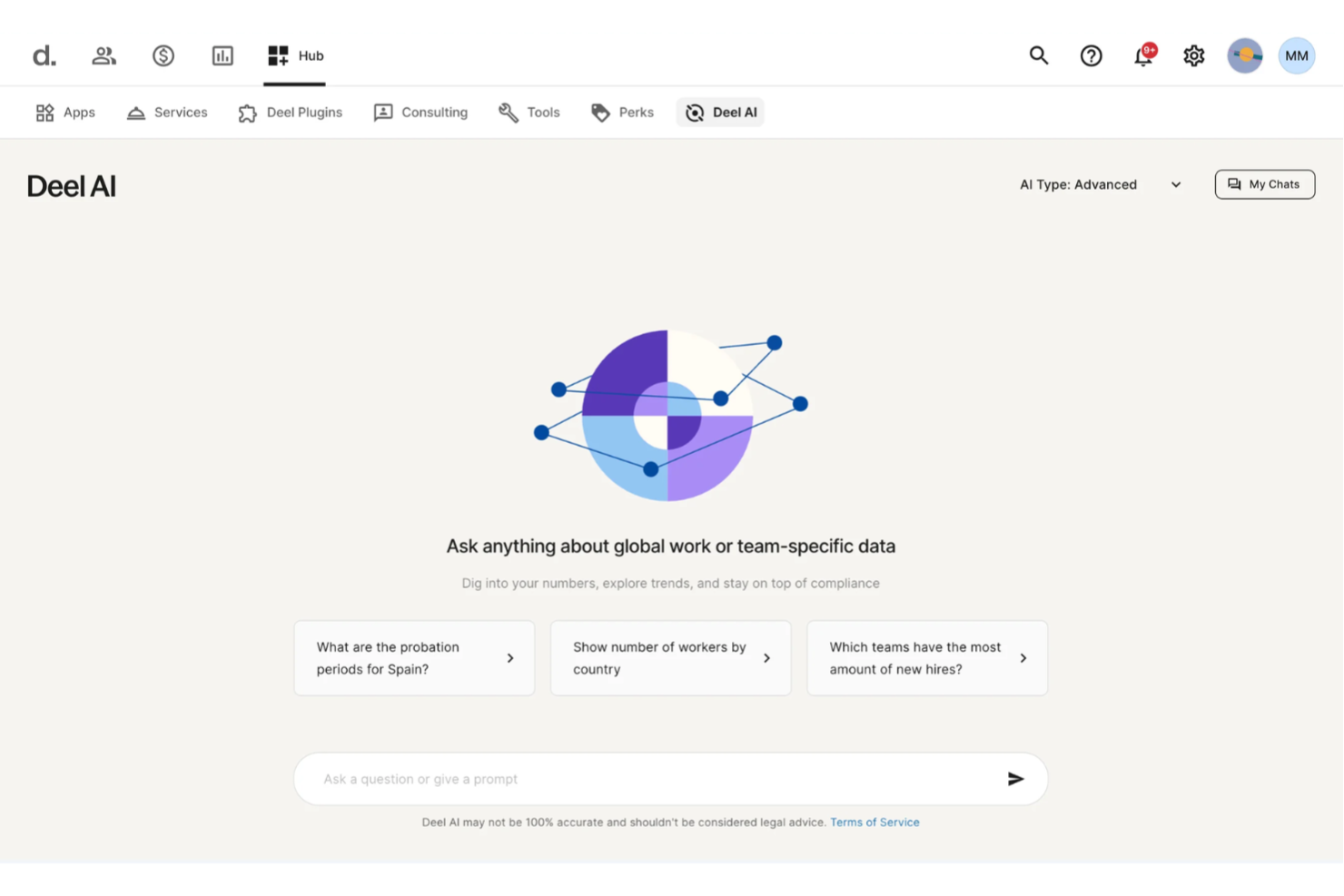
Con Deel AI ottieni un modo centralizzato per accedere alle conoscenze HR e legali, che unisce la consulenza di esperti con i dati in tempo reale del tuo team, permettendoti di affrontare domande complesse senza dover cercare tra più fonti. Se gestisci team distribuiti o supervisioni operazioni HR in diverse regioni, puoi reperire rapidamente le informazioni di cui hai bisogno—che si tratti di regole di conformità, dettagli sulle politiche o approfondimenti sull'organizzazione—esattamente quando ti servono.
Perché ho scelto Deel
Ho scelto Deel perché funziona come uno strato di conoscenza sempre disponibile, integrato direttamente nel tuo ecosistema HR, fornendoti risposte precise tratte da contenuti verificati da esperti in oltre 150 paesi. Ottieni approfondimenti contestuali che si adattano a qualsiasi parte della piattaforma in cui stai lavorando, così puoi visualizzare sintesi, dati o dettagli di conformità senza dover frugare tra la documentazione. Apprezzo anche il modo in cui Deel AI sfrutta i dati interni del personale per generare approfondimenti specifici per l'organizzazione, trasformando informazioni HR sparse in conoscenza attuabile. Per i team che necessitano di un sistema di gestione della conoscenza AI che si adatta al loro personale, questo approccio offre un vantaggio distintivo.
Funzionalità chiave di Deel
Oltre alle capacità di conoscenza contestuale supportate da esperti già menzionate, Deel offre:
- Gestione unificata delle paghe: Questa funzionalità consente di gestire le paghe per dipendenti e collaboratori in oltre 150 paesi, garantendo la conformità alle normative locali.
- Generazione di contratti localizzati: Genera contratti su misura per le leggi e le lingue locali, semplificando il processo di onboarding.
- Accesso self-service per i dipendenti: Consente ai dipendenti di accedere alle informazioni su pagamenti e contratti, aumentando la trasparenza e riducendo il carico di lavoro HR.
- Reportistica e Analytics: Offre approfondimenti su dati relativi a paghe e forza lavoro, aiutandoti a prendere decisioni informate sul tuo team globale.
Integrazioni di Deel
Le integrazioni includono SAP SuccessFactors, NetSuite, Slack, Google Workspace, QuickBooks, Xero, Workday, BambooHR, Greenhouse e Carta.
Pros and Cons
Pros:
- Fornisce consulenza in oltre 150 contesti nazionali di lavoro
- Offre approfondimenti e sintesi sull'organizzazione direttamente dai dati del team
- L'IA risponde a domande su talenti e forza lavoro utilizzando dati provenienti da esperti
Cons:
- La consulenza dell'IA può richiedere una revisione umana in scenari legali complessi
- Forte dipendenza dal Knowledge Hub proprietario per l'accuratezza
New Product Updates from Deel HR

Deel Expands Stablecoin Wallet to 80+ Countries
Deel expands its Stablecoin Wallet to 80+ countries with dollar-backed balances and optional rewards. This gives eligible contractors more ways to hold and manage earnings inside Deel. For more information, visit Deel’s official site.
 .
.
Ideale per le capacità di ricerca supportate dall'IA
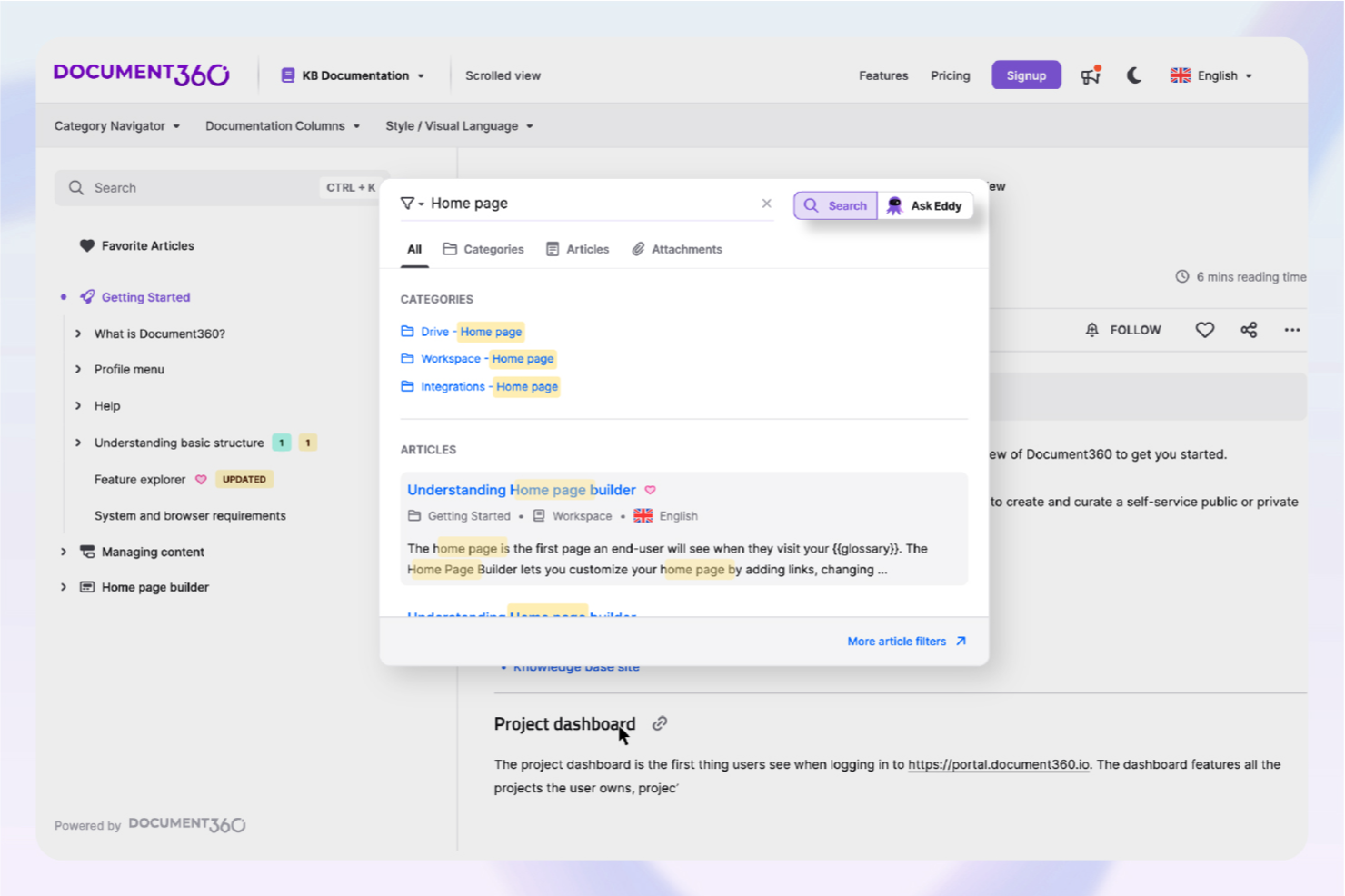
Per le aziende che desiderano rivoluzionare i propri processi di documentazione, Document360 offre una soluzione avanzata di gestione della conoscenza supportata dall'IA, particolarmente vantaggiosa per settori come SaaS, IT e sanità. Centralizzando la tua documentazione, aiuta a migliorare le capacità di self-service e ad alleggerire il carico dei team di supporto. Che tu operi nell'assistenza clienti o nella gestione dei prodotti, Document360 affronta le sfide relative all'organizzazione e all'accesso alle informazioni critiche, rendendolo uno strumento prezioso per i professionisti che puntano a perfezionare i propri sistemi di gestione della conoscenza.
Perché ho scelto Document360
Ho scelto Document360 per le sue eccezionali funzionalità intelligenti guidate dall'IA che lo distinguono nel panorama dei software per la gestione della conoscenza. La funzione di Ricerca IA recupera istantaneamente le informazioni rilevanti, facendo risparmiare tempo alla tua squadra e aumentando la produttività. Inoltre, l'Agente di Scrittura IA semplifica la creazione dei contenuti, assicurando che la tua documentazione sia sia completa che costantemente aggiornata. Queste funzioni rispondono direttamente alle esigenze delle organizzazioni che vogliono ottimizzare la loro gestione della conoscenza senza sovraccaricare i team con aggiornamenti manuali.
Funzionalità principali di Document360
Oltre a queste caratteristiche di spicco, ho riscontrato altre funzionalità che rendono Document360 una scelta interessante:
- Pro Analytics: Fornisce approfondimenti dettagliati sul coinvolgimento degli utenti e sulle prestazioni degli articoli, consentendo decisioni basate sui dati.
- Custom Workflow Builder: Permette di creare flussi di lavoro su misura che si adattano ai tuoi specifici processi aziendali, migliorando l'efficienza operativa.
- Support Ticket Deflector: Riduce il numero di richieste di supporto in entrata offrendo agli utenti accesso immediato alle informazioni pertinenti.
- AI Chatbot: Offre assistenza h24, assicurando agli utenti un supporto immediato senza bisogno di intervento umano.
Integrazioni di Document360
Le integrazioni includono Freshdesk, Salesforce, Zendesk, Intercom, Microsoft Teams, Slack, Google Analytics, Olark, Disqus e Segment.
Pros and Cons
Pros:
- Builder personalizzato per i workflow della documentazione
- La sintesi degli articoli consente di risparmiare tempo
- Chatbot IA integrato per il supporto
Cons:
- Le integrazioni native sono piuttosto limitate
- Le funzionalità avanzate richiedono apprendimento
New Product Updates from Document360

Document360 Adds Drive and Eddy AI Workflow Updates
Document360 adds Drive file renaming, Eddy AI email ticket notifications, and Drive image support in AI Capture. These updates simplify file management, support escalation, and visual content editing. For more information, visit Document360’s official site.
 .
.
Glean
Ideale per la ricerca potenziata dall’IA
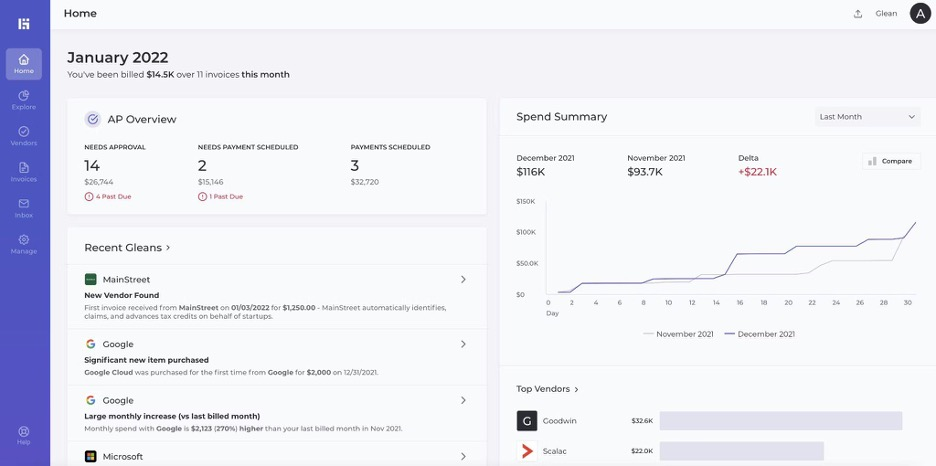
Glean aumenta la produttività sul posto di lavoro grazie a una ricerca più intelligente. Funziona come una piattaforma di gestione della conoscenza basata sull’IA, progettata per aiutare i team a trovare informazioni tra app, documenti e dati non strutturati. È adatta alle aziende che necessitano di ricerca e analisi intelligenti su tutte le informazioni aziendali.
Perché ho scelto Glean: Glean si distingue per la sua ricerca intelligente alimentata dall’IA, che permette ai team di recuperare rapidamente le informazioni giuste da più strumenti. I suoi assistenti personali basati sull’IA forniscono riepiloghi, suggerimenti e approfondimenti contestuali che supportano casi d’uso complessi, tra cui ricerca, onboarding e flussi di lavoro ricchi di dati. L’attenzione al trattamento sicuro dei dati lo rende adatto alle organizzazioni con esigenze di conformità rigorose. La capacità di Glean di integrarsi con oltre 100 applicazioni lo rende uno strumento versatile per le aziende che vogliono ottimizzare le strategie di gestione dei dati.
Funzionalità e integrazioni principali:
Funzionalità includono assistenti personali IA, ricerca intelligente a livello enterprise e analisi dei dati alimentata dall’IA che riassume contenuti da varie fonti. Queste funzionalità aiutano i team a organizzare, recuperare e comprendere più efficacemente grandi quantità di conoscenza aziendale.
Integrazioni includono Slack, Microsoft Teams, Zoom, Google Drive, Dropbox, Salesforce, Jira, Confluence, GitHub e Asana.
Pros and Cons
Pros:
- Rintraccia informazioni su più strumenti
- Fornisce risultati contestuali
- Velocizza la scoperta dei dati
Cons:
- L’IA a volte perde il contesto
- La reindicizzazione rallenta dopo gli aggiornamenti

Ideale per flussi di lavoro IA altamente personalizzabili
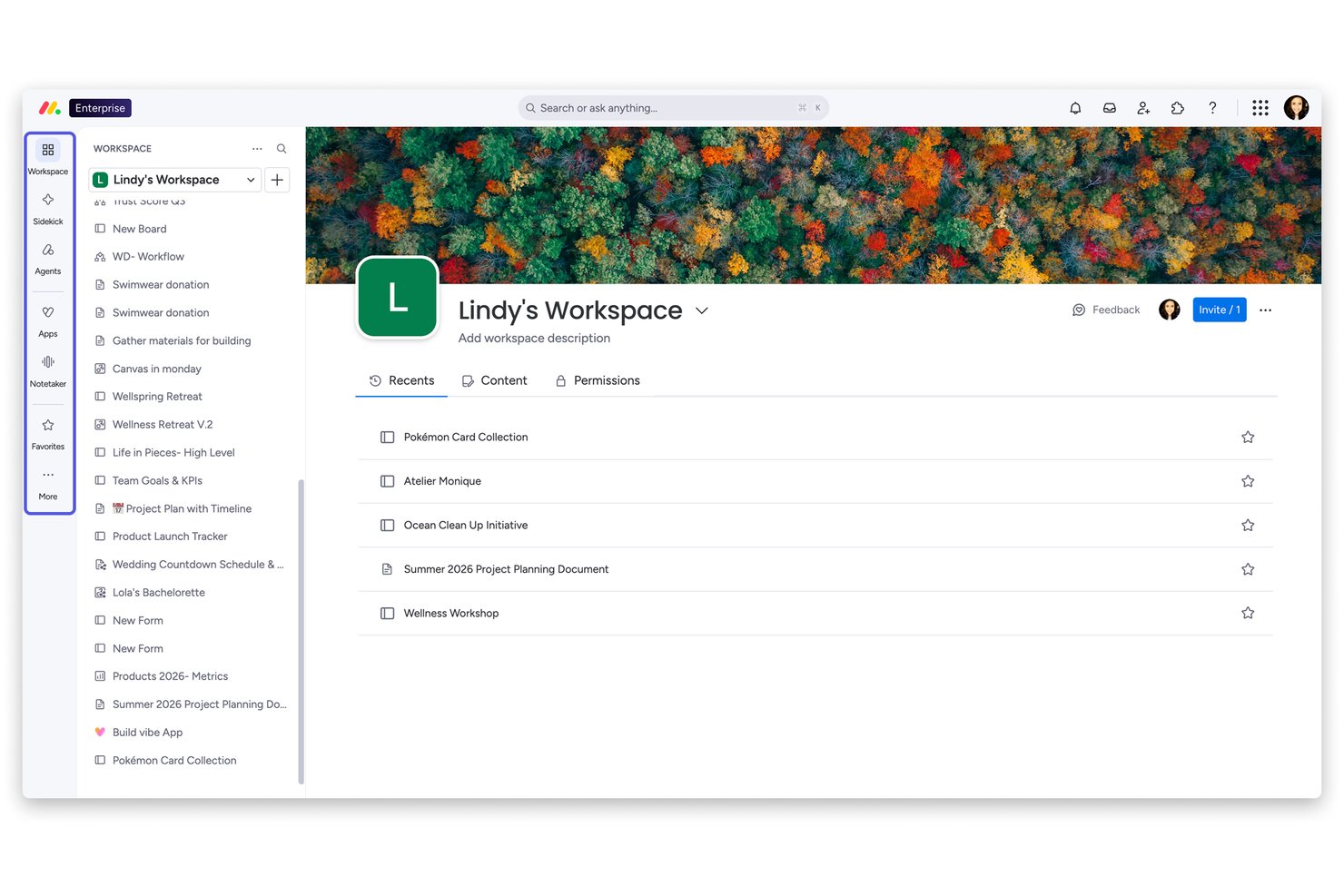
monday AI Workspace è una piattaforma orizzontale di lavoro basata sull'IA che integra la creazione e la gestione della conoscenza—tramite Workdocs collegati, un assistente AI (Sidekick) e flussi di lavoro automatizzati personalizzabili—direttamente nel livello operativo dove i team pianificano ed eseguono le attività.
Per chi è ideale monday AI Workspace?
È particolarmente adatto a team trasversali di aziende di medie e grandi dimensioni che desiderano funzionalità di documentazione e conoscenza assistita dall'IA integrate nella stessa piattaforma in cui si svolge il lavoro.
Perché ho scelto monday AI Workspace
Ho scelto monday AI Workspace perché nessun altro strumento mi permette di creare un workflow della conoscenza pienamente funzionale da un semplice comando in linguaggio naturale. monday magic genera board, dashboard e colonne IA in pochi minuti, e l'AI Workflow Builder collega queste strutture a trigger automatizzati, così la documentazione viene effettivamente instradata, aggiornata ed elevata invece di rimanere inattiva. Mi piace anche come Workdocs possa incorporare direttamente i dati live dalle board, mantenendo così la conoscenza legata al lavoro attivo invece che in una cartella separata.
Funzionalità chiave di monday AI Workspace
- Dati live delle board nei workdocs: Incorpora dettagli aggiornati di progetti e attività direttamente nelle pagine di documentazione.
- Permessi e ruoli granulari: Imposta livelli di accesso personalizzati per board, workdocs e spazi di lavoro per proteggere contenuti HR sensibili.
- SSO nativo e sincronizzazione directory: Collega provider SSO e abilita il provisioning utenti per una gestione delle identità a livello enterprise.
- Log di audit e tracciamento attività: Monitora le modifiche, traccia le attività degli utenti e mantieni la conformità su tutti i contenuti e i workflow.
Integrazioni di monday AI Workspace
monday.com offre centinaia di integrazioni tramite le funzioni incorporate e il marketplace, incluse Slack, Salesforce, HubSpot, Google Workspace, Microsoft Teams, Zoom e Dropbox. Supporta anche Zapier e fornisce un'API per integrazioni personalizzate.
Pros and Cons
Pros:
- AI Sidekick redige documenti da semplici comandi
- Workdocs collegati direttamente ai dati operativi in tempo reale
- Automazione di workflow IA personalizzabili per l'instradamento dei contenuti
Cons:
- Non è specificamente progettato per la gestione della conoscenza HR
- Le funzionalità IA sono disponibili solo nei piani superiori
New Product Updates from monday AI Workspace
monday AI Workspace Adds Human Approval Routing
monday AI Workspace adds a human-in-the-loop approval block to AI Workflows, sending approval requests and routing workflow paths based on responses. For more information, visit monday AI Workspace's official site.

Trainual
Ideale per l'onboarding dei dipendenti
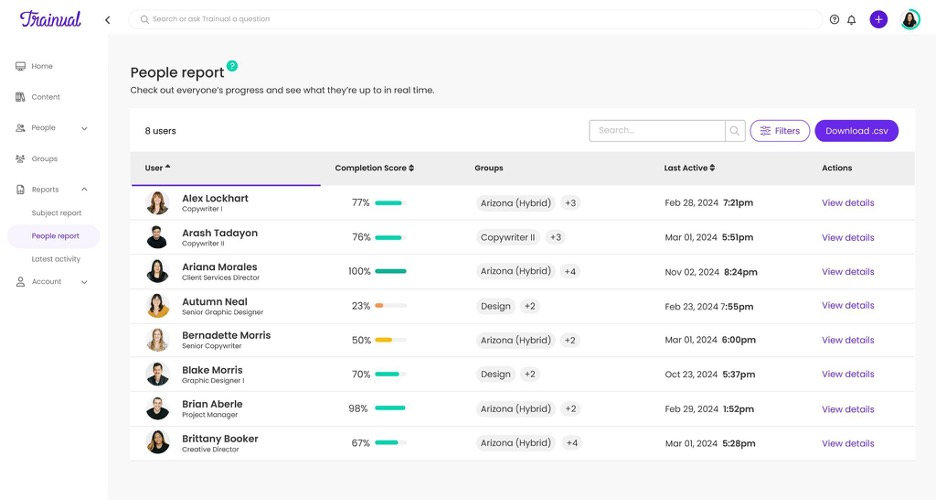
Trainual semplifica l'inserimento dei dipendenti e la documentazione dei processi. Si presenta come una soluzione strutturata per la gestione della conoscenza, utile per documentare flussi di lavoro, politiche e materiali formativi. I team lo utilizzano per mantenere linee guida coerenti per l'onboarding e le operazioni.
Perché ho scelto Trainual: Trainual offre suggerimenti di contenuto basati su intelligenza artificiale che aiutano i team a creare più rapidamente materiali per l'onboarding e le procedure operative standard. Le sue guide dettagliate e le checklist aiutano a standardizzare le procedure ricorrenti, riducendo la confusione e migliorando l'allineamento del team. L'analisi AI aiuta a misurare i tassi di completamento e il coinvolgimento, permettendo di adattare la formazione in base all'utilizzo reale. Queste funzionalità rendono Trainual efficace per team che si basano su processi ripetibili e ben documentati.
Funzionalità e integrazioni in evidenza:
Le funzionalità includono modelli personalizzabili, creazione guidata dei processi passo dopo passo e controlli di accesso basati sui ruoli per garantire che i dipendenti accedano solo alle informazioni di loro competenza. Queste caratteristiche supportano flussi di lavoro di onboarding organizzati e coerenti.
Le integrazioni includono Slack, Google Workspace, Zapier, QuickBooks, BambooHR, Gusto, Asana, monday.com, Box e Microsoft Teams.
Pros and Cons
Pros:
- Centralizza i materiali per l'onboarding
- Monitora i progressi della formazione del team
- Mantiene coerenti le procedure
Cons:
- Non dispone di funzionalità offline
- Richiede una struttura dei contenuti pianificata

Slite
Ideale per catturare e condividere conoscenze dalle riunioni
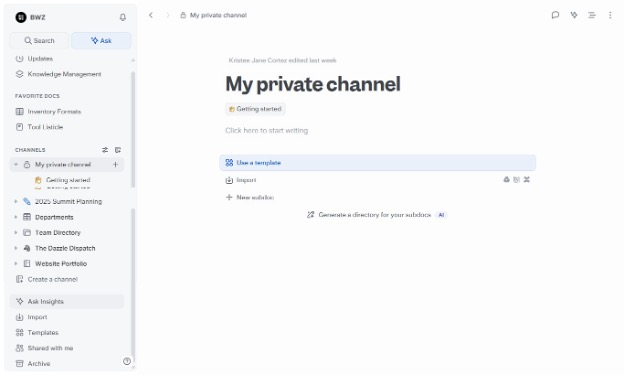
Slite è una base di conoscenza potenziata dall’IA progettata per migliorare la collaborazione tra team e la gestione della documentazione. È utile per i team che necessitano di un sistema centralizzato di gestione della conoscenza per organizzare le informazioni aziendali e migliorare l’accesso alle informazioni.
Perché ho scelto Slite: Slite si distingue nell’editing collaborativo perché consente la co-modifica in tempo reale su documenti condivisi, supportando i team che lavorano molto su app di documentazione condivisa. La funzione Ask usa l’IA per mostrare rapidamente le informazioni giuste, riducendo le domande ripetitive e migliorando l’efficienza operativa. La libreria di template e l’editor semplice aiutano i team a mantenere pratiche di documentazione coerenti, rendendo Slite adatto al lavoro collaborativo quotidiano sulla conoscenza.
Funzionalità e integrazioni di spicco:
Funzionalità includono la modifica collaborativa in tempo reale, una libreria di modelli per strutturare i documenti e una ricerca intelligente basata sull’IA tramite la funzione Ask. Queste aiutano i team a creare, aggiornare e recuperare documenti interni in modo efficiente.
Integrazioni includono Slack, Google Drive, Dropbox, Trello, Asana, Microsoft Teams, GitHub, Jira, Notion e Zapier.
Pros and Cons
Pros:
- Permette la co-modifica in tempo reale
- Trova informazioni tramite ricerca IA
- Facile per una collaborazione veloce
Cons:
- Accesso offline limitato per il lavoro da remoto
- Ha difficoltà con documenti lunghi

Knowmax
Ideale per supporto clienti con AI
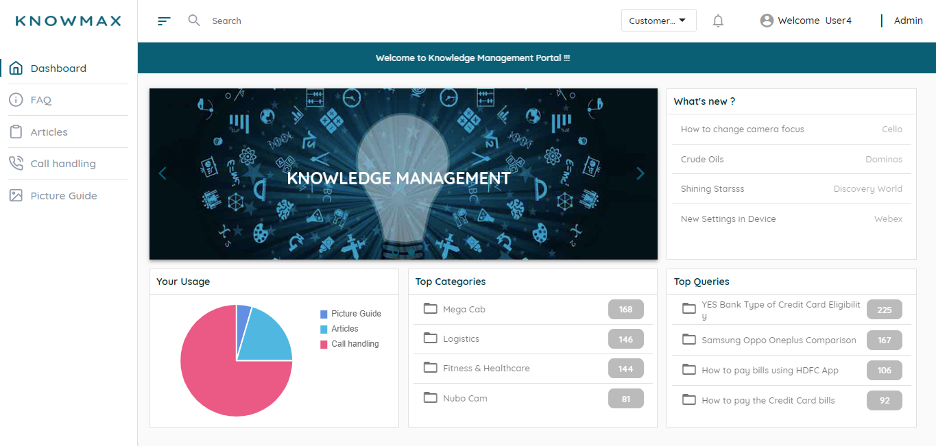
Knowmax potenzia il supporto clienti con un accesso più rapido alle informazioni. Si tratta di un sistema di gestione della conoscenza guidato dall'intelligenza artificiale, progettato per aiutare i team dei contact center e dell'assistenza clienti ad accedere rapidamente a informazioni accurate su tutti i canali. I suoi strumenti supportano flussi di lavoro strutturati e un'esperienza cliente coerente.
Perché ho scelto Knowmax: Knowmax si distingue nell'assistenza clienti perché i suoi alberi decisionali alimentati dall'IA guidano gli operatori attraverso passaggi complessi di risoluzione dei problemi con indicazioni chiare sui prossimi passi da compiere. Il sistema centralizzato di gestione dei contenuti aiuta a mantenere una conoscenza coerente e aggiornata su tutti i punti di contatto, riducendo errori e lacune informative. Le analisi basate sull'IA evidenziano anche schemi ricorrenti nei problemi dei clienti, aiutando i team a perfezionare i processi di self-service e supporto.
Caratteristiche e integrazioni di rilievo:
Funzionalità includono alberi decisionali guidati dall'IA, un sistema di gestione dei contenuti per una conoscenza strutturata e analisi che individuano le tendenze nelle interazioni con i clienti. Questi strumenti garantiscono risposte coerenti e migliori prestazioni degli operatori.
Integrazioni includono Salesforce, Zendesk, Freshdesk, Zoho Desk, Microsoft Dynamics, Genesys, NICE inContact, ServiceNow, Avaya e Cisco.
Pros and Cons
Pros:
- Guida gli operatori passo dopo passo
- Mantiene coerenza nelle risposte
- Migliora la precisione del supporto
Cons:
- La configurazione dei flussi di lavoro necessita aggiustamenti
- L'interfaccia a volte sembra datata
Tettra
Ideale per una gestione organizzata delle domande e risposte interne

Tettra aiuta i team a organizzare e aggiornare la conoscenza interna. Funziona come un sistema di gestione della conoscenza progettato per wiki interni strutturati e la documentazione della conoscenza aziendale. Le sue funzionalità AI supportano una migliore navigazione e manutenzione dei contenuti interni.
Perché ho scelto Tettra: Tettra eccelle nella gestione dei wiki interni offrendo suggerimenti di contenuto guidati dall'intelligenza artificiale che aiutano il team a mantenere le informazioni accurate e aggiornate. I suggerimenti di contenuto AI aiutano a identificare le lacune di conoscenza e suggeriscono aggiornamenti senza dipendere dal monitoraggio manuale. Il sistema di domande e risposte integrato utilizza l'intelligenza artificiale per mostrare risposte già esistenti, riducendo le domande ripetitive e migliorando l'esperienza degli utenti. Queste funzionalità AI rendono Tettra una scelta eccellente per i team che vogliono mantenere una base di conoscenza interna completa.
Funzionalità principali & integrazioni:
Funzionalità includono un sistema di domande e risposte con suggerimenti AI, flussi di lavoro per la verifica dei contenuti e una ricerca guidata dall'intelligenza artificiale per aiutare i dipendenti a trovare rapidamente le informazioni giuste. Queste funzioni aiutano i team a mantenere wiki interni organizzati.
Integrazioni includono Slack, Google Drive, Microsoft Teams, GitHub, Asana, Trello, Jira, Zapier, Confluence e Notion.
Pros and Cons
Pros:
- Mantiene puliti i wiki interni
- Suggerisce velocemente aggiornamenti ai contenuti
- Riduce le domande ripetute del team
Cons:
- Necessita di una revisione regolare dei contenuti
- La fase di onboarding richiede un impegno iniziale

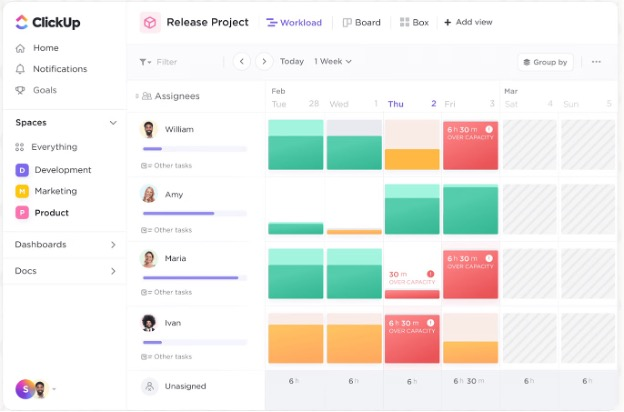
ClickUp aiuta i team ad automatizzare e gestire le attività in modo efficiente. È una piattaforma di gestione di progetti e attività che utilizza l'intelligenza artificiale generativa per supportare la creazione di attività, i riepiloghi e i flussi operativi. Si adatta a team che gestiscono tipologie di progetti variegati e applicazioni di documentazione.
Perché ho scelto ClickUp: Le capacità di IA di ClickUp supportano la gestione delle attività automatizzando il lavoro di routine, generando riepiloghi e aiutando i team a categorizzare le attività più velocemente. I dashboard personalizzati e le dipendenze tra attività offrono flessibilità per progetti complessi o per il coordinamento di più team. Poiché si adatta a diversi flussi di lavoro, funziona bene per i team che gestiscono sia progetti semplici che multilivello.
Funzionalità e integrazioni principali:
Funzionalità includono dashboard personalizzati, dipendenze tra attività e monitoraggio del tempo, tutte utili a garantire una perfetta esecuzione dei progetti. ClickUp AI può redigere descrizioni delle attività, riassumere documenti e velocizzare la pianificazione dei flussi di lavoro in diversi casi d'uso.
Integrazioni disponibili con Slack, Google Drive, Dropbox, GitHub, Microsoft Teams, Zoom, Trello, Asana, Salesforce e Zapier.
Pros and Cons
Pros:
- Automatizza le attività quotidiane del team
- Dashboard personalizzati in base agli obiettivi
- Tracciamento del progresso efficiente
Cons:
- Le funzionalità possono sopraffare i nuovi utenti
- Richiede tempo per la configurazione


Bit.ai è una piattaforma di collaborazione sui documenti progettata per consentire ai team di creare, gestire e condividere conoscenza in modo efficiente. È perfetta per le aziende che necessitano di uno spazio centralizzato per la creazione di contenuti e la collaborazione tra team, sfruttando l'IA per migliorare la gestione dei documenti.
Perché ho scelto Bit.ai: Bit.ai è adatto alla collaborazione sui documenti perché il suo editor in tempo reale supporta contenuti interattivi, inclusi media incorporati, documentazione tecnica e pagine di conoscenza interne. Il monitoraggio dei documenti guidato dall'IA e le analisi aiutano i team a comprendere il coinvolgimento e l'utilizzo dei contenuti, il che è utile quando si mantiene la conoscenza aziendale su larga scala.
Funzionalità e integrazioni principali:
Funzionalità includono un editor intelligente con supporto per contenuti multimediali, monitoraggio automatico dei documenti e analisi del coinvolgimento. Questi strumenti aiutano i team a gestire i documenti condivisi, misurare l'utilizzo e mantenere flussi di lavoro documentali chiari.
Integrazioni includono Google Drive, OneDrive, Dropbox, Box, Slack, Trello, Asana, GitHub, Microsoft Teams e Zapier.
Pros and Cons
Pros:
- Consente la modifica dei documenti in tempo reale
- Monitora facilmente il coinvolgimento dei lettori
- Incorpora contenuti multimediali
Cons:
- I file di grandi dimensioni potrebbero caricarsi lentamente
- Accesso limitato alla modifica dei documenti offline
Altri software di gestione della conoscenza basati sull'IA
Ecco alcune ulteriori opzioni di software di gestione della conoscenza basati sull’IA che non sono entrate nel mio elenco, ma che vale comunque la pena prendere in considerazione:
- Lucidworks Fusion
Ideale per insight guidati dall’IA
- Sinequa
Ideale per ricerca AI aziendale
- Kipwise
Ideale per la condivisione della conoscenza nel team


Come valuto il software di gestione della conoscenza con AI
Ogni strumento in questo elenco deve fare più che mettere un'etichetta AI su una semplice ricerca: dovrebbe realmente sintetizzare risposte da documenti di progetto sparsi, conversazioni su Slack e ticket così che i team non debbano più scavare. Ho suddiviso la mia valutazione tra funzionalità fondamentali che uno strumento deve avere per qualificarsi e fattori di differenziazione che distinguono le migliori opzioni dal resto.
Funzionalità fondamentali (Requisiti minimi per questa lista)
Quando seleziono gli strumenti per il mio elenco, li classifico ciascuno su una scala da 0 (non offre la funzionalità) a 5 (eccelle in quest'area) per ogni funzionalità fondamentale elencata di seguito. Successivamente, calcolo il punteggio totale dello strumento in percentuale. Ogni strumento deve raggiungere un punteggio minimo totale del 65% per essere preso in considerazione.
- Ricerca alimentata dall'AI: Verifico se un membro del team può chiedere "qual era il piano di rollback per la migrazione Q3?" e ricevere una risposta diretta e con fonte, non una lista di link.
- Q&A generativo: Lo strumento dovrebbe sintetizzare risposte da più documenti contemporaneamente e citare ogni fonte, così un responsabile PMO può fidarsi del risultato senza ulteriori ricerche.
- Integrazioni con fonti di conoscenza: Cerco connettori nativi a strumenti come Jira, Confluence, Slack, Google Drive e Notion affinché lo strato AI copra dove i team lavorano effettivamente.
- Acquisizione automatica della conoscenza: Gli strumenti migliori estraggono automaticamente conoscenza da trascrizioni di riunioni, risoluzioni di ticket e chat, invece di affidarsi all’inserimento manuale.
- Permessi e controlli di accesso: Valuto se l’AI rispetta i permessi a livello di fonte—come mantenere le note retrospettive di un progetto riservato nascoste ai team non coinvolti.
- Gestione dell’aggiornamento dei contenuti: Cerco rilevamento dei contenuti obsoleti che segnali runbook datati o documenti di processo deprecati, prima che l’AI li proponga come risposte aggiornate.
Una volta che ho una lista di strumenti che soddisfano questi criteri, considero cosa distingue ciascuna piattaforma.
Fattori di differenziazione (Cosa distingue i fornitori)
Ecco come confronto e metto a confronto i diversi fornitori:
Funzionalità eccezionali
La generazione automatica di articoli di conoscenza è un forte fattore distintivo—cerco strumenti che redigano nuovi documenti a partire da ticket risolti o trascrizioni di riunioni, così i team di progetto non devono scrivere tutto da zero. Analytics e rilevamento dei gap di conoscenza sono altrettanto importanti, soprattutto quando un responsabile PMO deve vedere quali domande di onboarding restano senza risposta o quali runbook non vengono aggiornati da mesi. Valuto inoltre la profondità dell’AI conversazionale, ad esempio se le domande di follow-up mantengono il contesto della risposta precedente.
Oltre le funzionalità
Il primo aspetto che considero è l’allineamento all’uso specifico—uno strumento creato per deflettere chiamate all’helpdesk IT non serve a un team PMO che vuole centralizzare le lezioni apprese in un portfolio di progetto. Sicurezza e governance dei dati hanno anch’esse molto peso, specie se il fornitore offre nessuna conservazione dei dati presso i provider LLM e permette agli amministratori di controllare esattamente quali repository vengono indicizzati. Valuto anche il time-to-value: quanto velocemente una piattaforma acquisisce contenuti da fonti esistenti come Confluence o Google Drive e inizia a restituire risposte accurate senza necessità di una radicale riorganizzazione dei contenuti.
Come scegliere un software di gestione della conoscenza basato sull'IA
È facile perdersi in lunghi elenchi di funzionalità e strutture di prezzo complesse. Per aiutarti a rimanere concentrato mentre affronti il tuo processo di selezione del software, unico per le tue esigenze, ecco un elenco di fattori da tenere a mente:
| Fattore | Cosa considerare |
| Scalabilità | Il software può crescere insieme alla tua squadra? Verifica che supporti volumi di dati e numeri di utenti crescenti senza compromettere le prestazioni. Considera esigenze future come l'espansione in nuovi reparti o regioni. |
| Integrazioni | Si connette agli strumenti che utilizzi attualmente? Assicurati che si integri con i sistemi esistenti come CRM, ERP o piattaforme di comunicazione per semplificare i flussi di lavoro. Cerca il supporto per le API, se sono necessarie integrazioni personalizzate. |
| Personalizzazione | Puoi adattare il software alle tue esigenze? Valuta se consente di modificare flussi di lavoro, pannelli di controllo e ruoli degli utenti. Considera se puoi aggiungere campi personalizzati o modificare i modelli per adattarli ai tuoi processi. |
| Semplicità d'uso | L'interfaccia è intuitiva? Valuta se la tua squadra può navigare e utilizzare il software con una formazione minima. Verifica la presenza di un design essenziale, una navigazione semplice e suggerimenti o guide utili. |
| Implementazione e inserimento | Quanto velocemente puoi iniziare? Cerca soluzioni con processi di inserimento chiari, risorse per la formazione e supporto dedicato. Considera il tempo e le risorse necessari per migrare i dati esistenti e formare gli utenti. |
| Costo | Rientra nel tuo budget? Confronta i piani tariffari e considera il costo totale di proprietà, comprese le commissioni di configurazione, i costi di supporto e qualsiasi costo nascosto. Cerca piani flessibili che corrispondano al tuo livello di utilizzo e alle previsioni di crescita. |
| Misure di sicurezza | I tuoi dati sono protetti? Verifica che il software sia conforme a standard di settore come GDPR o HIPAA. Controlla la presenza di crittografia, backup dei dati e controlli degli accessi degli utenti. Considera lo storico del fornitore in materia di violazioni dei dati. |
| Disponibilità del supporto | Puoi ricevere assistenza quando ne hai bisogno? Valuta se il fornitore offre supporto 24 ore su 24, 7 giorni su 7, diversi metodi di contatto e tempi di risposta rapidi. Considera la qualità delle risorse di assistenza, come domande frequenti, forum e comunità di utenti. |
Che cos'è il software di gestione della conoscenza basato sull'IA?
Il software di gestione della conoscenza basato sull'IA è uno strumento che utilizza l'intelligenza artificiale per organizzare, recuperare e gestire le informazioni all'interno di un'organizzazione. Professionisti come responsabili delle risorse umane, squadre dell'assistenza clienti e responsabili di progetto utilizzano questi strumenti per migliorare la collaborazione e il processo decisionale. Funzionalità come la ricerca basata sull'IA, l'elaborazione del linguaggio naturale e l'analisi supportano il recupero efficiente delle informazioni e forniscono dati utili. Nel complesso, questi strumenti aiutano le squadre ad accedere rapidamente alle informazioni giuste, migliorando produttività e comunicazione.
Funzionalità del software di gestione della conoscenza basato sull'IA
Quando scegli un software di gestione della conoscenza basato sull'IA, presta attenzione alle seguenti funzionalità chiave:
- Ricerca basata sull'IA: recupera rapidamente le informazioni pertinenti utilizzando algoritmi avanzati per comprendere ed elaborare le richieste degli utenti.
- Elaborazione del linguaggio naturale: consente agli utenti di interagire con il software utilizzando un linguaggio colloquiale, rendendo il recupero dei dati più intuitivo.
- Modelli di apprendimento automatico: personalizzano i contenuti e i risultati di ricerca apprendendo dal comportamento e dalle preferenze degli utenti.
- Analisi: fornisce informazioni sull'utilizzo dei contenuti e sulle interazioni degli utenti, aiutando le squadre a perfezionare le proprie strategie e migliorare l'efficienza.
- Gestione dei contenuti: organizza e mantiene un archivio centralizzato della conoscenza; alcune piattaforme funzionano come piattaforme wiki per aiutare a mantenere le informazioni aggiornate e facilmente accessibili.
- Strumenti di collaborazione: facilitano il lavoro di squadra consentendo a più utenti di modificare, condividere e discutere i documenti in tempo reale.
- Flussi di lavoro personalizzabili: consentono alle squadre di adattare processi e approvazioni alle proprie esigenze specifiche, migliorando la produttività.
- Sicurezza dei dati: protegge le informazioni sensibili tramite crittografia e controlli degli accessi, garantendo la conformità alle normative di settore.
- Funzionalità di integrazione: si connette agli strumenti e alle piattaforme esistenti, consentendo uno scambio fluido dei dati e la continuità dei flussi di lavoro.
- Guide interattive: forniscono assistenza passo passo e tutorial per aiutare gli utenti a navigare nel software e completare le attività in modo efficiente.
Vantaggi del software di gestione della conoscenza basato sull'IA
L'implementazione di un software di gestione della conoscenza basato sull'IA offre diversi vantaggi alla tua squadra e alla tua azienda. Ecco alcuni dei vantaggi che puoi aspettarti:
- Accesso migliorato alle informazioni: le funzionalità di ricerca basate sull'intelligenza artificiale consentono al tuo team di trovare rapidamente le informazioni pertinenti, riducendo il tempo dedicato alle ricerche manuali.
- Processo decisionale ottimizzato: i modelli di analisi e di apprendimento automatico forniscono informazioni utili sull'utilizzo dei dati, aiutando il tuo team a prendere decisioni consapevoli basate su informazioni in tempo reale.
- Maggiore collaborazione: gli strumenti di collaborazione e i flussi di lavoro personalizzabili consentono ai team di lavorare insieme in modo efficiente, migliorando produttività e comunicazione.
- Distribuzione personalizzata dei contenuti: l'apprendimento automatico personalizza i suggerimenti dei contenuti, garantendo che gli utenti ricevano le informazioni più pertinenti per le loro esigenze.
- Inserimento efficiente: le guide interattive e i tutorial offrono assistenza passo dopo passo, aiutando i nuovi utenti a imparare il software in modo rapido ed efficace.
- Maggiore sicurezza dei dati: le funzionalità di sicurezza avanzate proteggono le informazioni sensibili, garantendo la conformità agli standard del settore e salvaguardando i dati aziendali.
Costi e prezzi dei software di gestione della conoscenza basati sull'intelligenza artificiale
La scelta di un software di gestione della conoscenza basato sull'intelligenza artificiale richiede la comprensione dei vari modelli di prezzo e dei piani disponibili. I costi variano in base alle funzionalità, alle dimensioni del team, ai componenti aggiuntivi e ad altri fattori. La tabella seguente riassume i piani più comuni, i relativi prezzi medi e le funzionalità generalmente incluse nelle soluzioni software di gestione della conoscenza basate sull'intelligenza artificiale:
Tabella di confronto dei piani dei software di gestione della conoscenza basati sull'intelligenza artificiale
| Tipo di piano | Prezzo medio | Funzionalità comuni |
| Piano gratuito | $0 | Ricerca di base, spazio di archiviazione limitato e strumenti di collaborazione di base. |
| Piano personale | $5-$249/user/month | Ricerca avanzata, contenuti personalizzati e analisi di base. |
| Piano aziendale | $25-$600/user/month | Flussi di lavoro personalizzabili, funzionalità di integrazione e funzionalità di sicurezza migliorate. |
| Piano per grandi aziende | $50+/user/month | Pacchetto completo di analisi, informazioni utili basate sull'intelligenza artificiale e assistenza clienti dedicata. |
Domande frequenti sui software di gestione della conoscenza basati sull'intelligenza artificiale
Ecco alcune risposte alle domande comuni sui software di gestione della conoscenza basati sull’intelligenza artificiale:
Come posso valutare quanto viene effettivamente utilizzata la mia base di conoscenza?
Dovresti guardare oltre i semplici accessi degli utenti. Controlla metriche come il numero di ricerche senza risultati, quali articoli vengono modificati più spesso e con quale frequenza gli utenti chiedono nuovamente le stesse informazioni. In questo modo avrai un quadro più chiaro del fatto che il sistema stia aiutando attivamente il tuo team.
Cosa succede se l'intelligenza artificiale inizia a proporre informazioni obsolete o errate?
Anche gli strumenti basati sull’intelligenza artificiale possono recuperare informazioni obsolete o errate. Assicurati che il tuo team configuri flussi di revisione in cui gli esperti della materia segnalino i contenuti obsoleti e l’intelligenza artificiale impari da tali correzioni. In questo modo eviterai di fornire informazioni fuorvianti agli utenti.
Posso utilizzare un software di gestione della conoscenza basato sull'intelligenza artificiale sia per la conoscenza interna del team sia per i contenuti destinati ai clienti?
Sì, ma non sempre in modo automatico. Dovrai impostare autorizzazioni, tag e contesti affinché il pubblico giusto riceva i contenuti giusti. In caso contrario, rischi di esporre ai clienti le procedure interne o di mantenere le informazioni destinate agli utenti bloccate nel tuo sistema privato.
Quale tipo di governance dovrei creare per il sistema di gestione della conoscenza?
Dovrai stabilire regole su chi crea, modifica e approva i contenuti, su come vengono gestiti i metadati e su come vengono archiviati i contenuti obsoleti. Senza una governance, la tua base di conoscenza diventa disordinata e la fiducia diminuisce. Definisci ruoli chiari e svolgi controlli regolari.
Il mio team adotterà davvero il nuovo sistema o lo ignorerà continuando a seguire le vecchie abitudini?
L’adozione non è automatica. Crea un piano di lancio che includa formazione, sostenitori all’interno dei team e incentivi all’utilizzo del nuovo sistema, come la riduzione del tempo necessario per ottenere la “prima risposta” o un minor numero di domande ripetute. Monitora l’utilizzo e svolgi attività di follow-up per promuovere il cambiamento.