

10 migliori software per la ricerca di dirigenti del 2026: recensiti e confrontati &

10 Elenco dei migliori software per la ricerca di dirigenti


Il miglior software per la ricerca di dirigenti ti aiuta a identificare, coinvolgere e assumere più rapidamente leader di alto livello, senza dover ricorrere a fogli di calcolo, infinite email o monitoraggio manuale. Questi strumenti semplificano la ricerca dei candidati, la gestione delle relazioni e il monitoraggio del processo di selezione, così puoi concentrarti sulla costruzione di solidi team dirigenziali invece di perdere tempo a cercare curriculum.
Se sei frustrato dalla disorganizzazione dei dati dei candidati, dai mancati ricontatti o dalla lenta collaborazione tra selezionatori e responsabili delle assunzioni, aggiornare il tuo software può fare una grande differenza.
Dopo aver testato e confrontato personalmente le principali piattaforme per la ricerca di dirigenti nel mio lavoro come professionista delle risorse umane, ho selezionato questo elenco per aiutarti a trovare la soluzione giusta per gli obiettivi di assunzione specifici del tuo team.
Perché fidarsi delle nostre recensioni sui software
Il nostro team testa e recensisce software dal 2012. In quanto esperti HR noi stessi, sappiamo quanto sia difficile — e importante — scegliere il software giusto.
Per questa guida, abbiamo valutato gli strumenti attraverso test pratici e ricerche indipendenti, assegnando un punteggio agli strumenti in base ai nostri criteri di selezione. Ci basiamo inoltre sulle competenze di leader di pensiero del settore e di professionisti HR attivi.
Le nostre recensioni riflettono il nostro giudizio editoriale umano, non un discorso di vendita.
Revisori esperti:
Il miglior software per la ricerca di dirigenti: tabella comparativa
Questa tabella comparativa riassume i prezzi, i periodi di prova e i dettagli delle dimostrazioni delle mie migliori selezioni di software per la ricerca di dirigenti, per aiutarti a trovare il software più adatto al tuo budget e alle esigenze della tua azienda.
| Tool | Best For | Trial Info | Price | ||
|---|---|---|---|---|---|
| 1 | Ideale per l'acquisizione di talenti executive a livello globale | Demo gratuita disponibile | Da $599/dipendente/mese | Website | |
| 2 | Ideale per flussi di lavoro personalizzabili | Prova gratuita illimitata | A partire da $49/utente/mese (fatturazione annuale) | Website | |
| 3 | Ideale per flussi di lavoro di selezione scalabili | Demo gratuita disponibile | Prezzo su richiesta | Website | |
| 4 | Ideale per l'assunzione di dirigenti a livello globale | Demo gratuita disponibile | Da $199/utente/mese | Website | |
| 5 | Ideale per ricerca ed arricchimento dei candidati con IA | Prova gratuita di 14 giorni | Da $15/utente/mese | Website | |
| 6 | Ideale per il matching dei candidati | Prova gratuita di 14 giorni + demo gratuita | A partire da $30/utente/mese | Website | |
| 7 | Ideale per la gestione delle reti | Demo gratuita disponibile | Da $99/utente/mese (fatturato annualmente) | Website | |
| 8 | Ideale per il sourcing potenziato dall'IA | Piano gratuito + prova gratuita di 7 giorni | A partire da $169/utente/mese (fatturato annualmente) | Website | |
| 9 | Ideale per il recruiting ad alto volume | Demo gratuita disponibile | Da $14,995/anno | Website | |
| 10 | Ideale per l'assunzione alimentata dall'IA | Demo gratuita disponibile | Prezzo su richiesta | Website |

Recensioni dei migliori software per la ricerca di dirigenti
Questa analisi approfondita offre una panoramica di ciascun software per la ricerca di dirigenti, illustrandone vantaggi e svantaggi, funzionalità e casi d’uso più indicati. Scopri quale strumento soddisfa le tue esigenze e migliora il tuo processo di selezione dei dirigenti.
Ideale per l'acquisizione di talenti executive a livello globale

Deel è pensato per le aziende che vogliono assumere talenti senior a livello globale senza dover gestire in autonomia diverse società di ricerca executive. Mette in contatto con agenzie di selezione verificate in diverse regioni e gestisce contratti, conformità e onboarding tutto in un'unica piattaforma.
Perché ho scelto Deel
Ho scelto Deel perché consente di gestire ricerche executive a livello globale tramite agenzie senza dover coordinare email, contratti e fogli di calcolo. Si definiscono ruolo, budget e requisiti di assunzione direttamente sulla piattaforma, ricevendo così candidati da partner di selezione specializzati per area o ruolo.
Deel rende semplice confrontare le agenzie tracciando i flussi di candidati, i tempi di assunzione e le metriche di performance dei recruiter in una dashboard unica. Apprezzo anche che, una volta selezionato un candidato, Deel si occupa della conformità locale, dei contratti e dell'onboarding, evitando la necessità di fornitori separati per concludere l'assunzione. Questo lo rende particolarmente adatto per team che devono assumere figure senior in diversi paesi contemporaneamente.
Funzionalità principali di Deel
Ecco alcune funzionalità chiave da evidenziare:
- Accesso al marketplace di agenzie: Connessione con agenzie di selezione verificate per regione e specializzazione.
- Dashboard centralizzata per le assunzioni: Monitoraggio di ruoli, candidati, proposte delle agenzie e progresso delle assunzioni in un solo posto.
- Contratti a norma gestionati: Generazione automatica di accordi di assunzione o di collaborazione conformi alla normativa locale.
- Strumenti di onboarding globale: Gestione dal momento dell'offerta all'onboarding senza uscire dalla piattaforma.
Integrazioni di Deel
Le integrazioni comprendono Slack, Google Workspace, QuickBooks, Xero, NetSuite, BambooHR, Workday, Jira, Brex ed Expensify.
Pros and Cons
Pros:
- Solida gestione della compliance integrata
- Permette di assumere rapidamente in più paesi
- Ottima visibilità sulle performance dei recruiter
Cons:
- Occorre affidarsi totalmente alle agenzie partner di Deel
- Non c'è un database interno di candidati

Ideale per flussi di lavoro personalizzabili
Recruit CRM è pensato per le agenzie di ricerca di personale qualificato ed executive search che necessitano di un maggiore controllo sui propri flussi di lavoro di assunzione. Combina le funzionalità di ATS e CRM in un'unica piattaforma, permettendoti di gestire candidati, clienti e trattative senza cambiare strumento.
Perché ho scelto Recruit CRM
Ho scelto Recruit CRM perché ti consente di adattare il sistema al modo in cui il tuo team lavora davvero, invece di obbligarti a seguire un processo di selezione prestabilito. Puoi personalizzare pipeline, fasi e regole di automazione affinché ogni ricerca executive segua il flusso di lavoro che preferisci.
Ti aiuta inoltre a rimanere organizzato nella gestione di candidati e clienti, riunendo ATS e CRM in un'unica interfaccia, particolarmente utile per ricerche a mandato o basate sulle relazioni. Mi piace anche che la funzione di sourcing sia integrata direttamente nella piattaforma tramite l'estensione Chrome, così puoi acquisire i dati dei candidati da LinkedIn in pochi clic. Insieme, queste funzionalità semplificano la gestione di ricerche complesse senza aggiungere lavoro amministrativo manuale al team.
Funzionalità principali di Recruit CRM
Ecco alcune funzionalità principali da evidenziare:
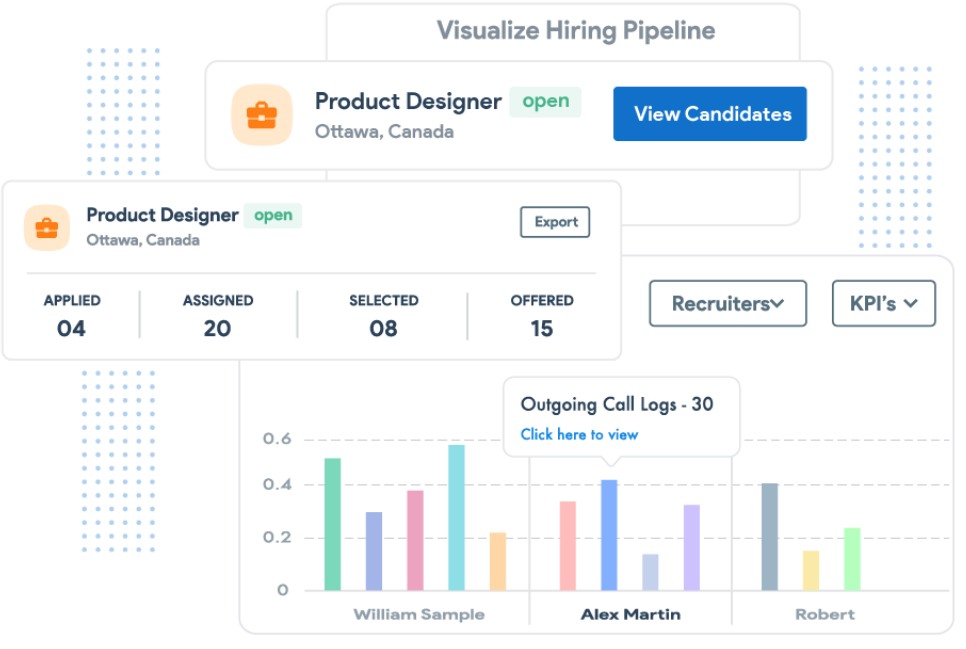
- Pipeline visive per trattative e candidati: Monitora ricerche, clienti e inserimenti usando viste pipeline personalizzabili.
- Estensione Chrome per il sourcing: Acquisisci profili dei candidati e dettagli di contatto direttamente da LinkedIn e dal web.
- Analisi automatica di email e CV: Estrai automaticamente i dati da CV ed email per ridurre l'inserimento manuale.
- Dashboard di reportistica avanzata: Monitora l’attività dei recruiter, la salute delle pipeline e l’efficacia degli inserimenti.
Integrazioni di Recruit CRM
Le integrazioni includono LinkedIn, Gmail, Microsoft Outlook, Google Calendar, Microsoft Outlook Calendar, Slack, Zoom, Zapier e Chrome.
Pros and Cons
Pros:
- Flussi di lavoro altamente personalizzabili
- Numerose opzioni di integrazione
- Funzionalità complete di ATS e CRM
Cons:
- Prezzo iniziale più alto rispetto ad alcuni concorrenti
- Curva di apprendimento leggermente ripida

Ideale per flussi di lavoro di selezione scalabili

Greenhouse è pensato per aziende che gestiscono ricerche executive complesse e ad alto rischio e che necessitano di una struttura senza però rallentare i team di selezione. È ideale per organizzazioni di medie e grandi dimensioni che gestiscono molte parti interessate, cicli di assunzione lunghi e grandi volumi di candidati.
Perché ho scelto Greenhouse
Ho scelto Greenhouse perché aiuta il tuo team a gestire le assunzioni a livello executive su larga scala attraverso flussi di lavoro chiaramente definiti e personalizzabili. Puoi standardizzare le fasi dei colloqui, le schede di valutazione e le approvazioni, adattando comunque ogni processo alle esigenze dei ruoli senior. I suoi strumenti strutturati per i colloqui aiutano a ridurre i pregiudizi, assicurando che ogni candidato sia valutato secondo gli stessi criteri.
Apprezzo anche il modo in cui i team di assunzione collaborano tramite feedback condivisi e flussi di approvazione, mantenendo il processo decisionale snello anche quando sono coinvolte molte parti. Per la ricerca di profili executive, questo equilibrio tra struttura e flessibilità è fondamentale.
Funzionalità principali di Greenhouse
Ecco alcune funzionalità da evidenziare:
- Kit di colloquio strutturati: Definisci domande specifiche per il ruolo e schede di valutazione per garantire valutazioni coerenti per i profili executive.
- Flussi di approvazione: Instrada offerte e decisioni di assunzione attraverso catene di approvazione predefinite.
- Monitoraggio attività dei candidati: Visualizza tutte le interazioni, i colloqui e le decisioni in un'unica timeline centralizzata.
- Report e approfondimenti sulle assunzioni: Monitora il time-to-hire, la partecipazione degli intervistatori e lo stato del funnel nelle ricerche executive.
Integrazioni di Greenhouse
Le integrazioni includono BambooHR, BrightHire, Calendly, Checkr, Codility, Crosschq Reference, DocuSign, GoodTime, Namely, Sterling e Starred.
Pros and Cons
Pros:
- Scalabile per gestire grandi volumi di candidature
- Report e analisi dettagliati
- Ottima esperienza per i candidati
Cons:
- La configurazione può essere complessa
- Sarebbe utile la logica condizionale nei moduli
New Product Updates from Greenhouse

Greenhouse Opens Candidate Insights and Talent Matching Assistants to Beta
Greenhouse opens Candidate Insights and Talent Matching assistants to beta for candidate questions and natural-language search. This helps recruiters review candidates and build searches faster. For more information, visit Greenhouse’s official site.
 .
.
Ideale per l'assunzione di dirigenti a livello globale
RemotePeople aiuta le aziende ad assumere, integrare ed impiegare talenti di livello esecutivo e altri talenti globali in oltre 150 paesi senza la necessità di costituire entità locali. La sua combinazione di servizi di recruiting internazionale e Employer of Record (EOR) lo rende una scelta solida per i team in crescita e per i responsabili HR che necessitano di supporto conforme per l'assunzione e la gestione delle buste paga oltre confine
Perché ho scelto RemotePeople
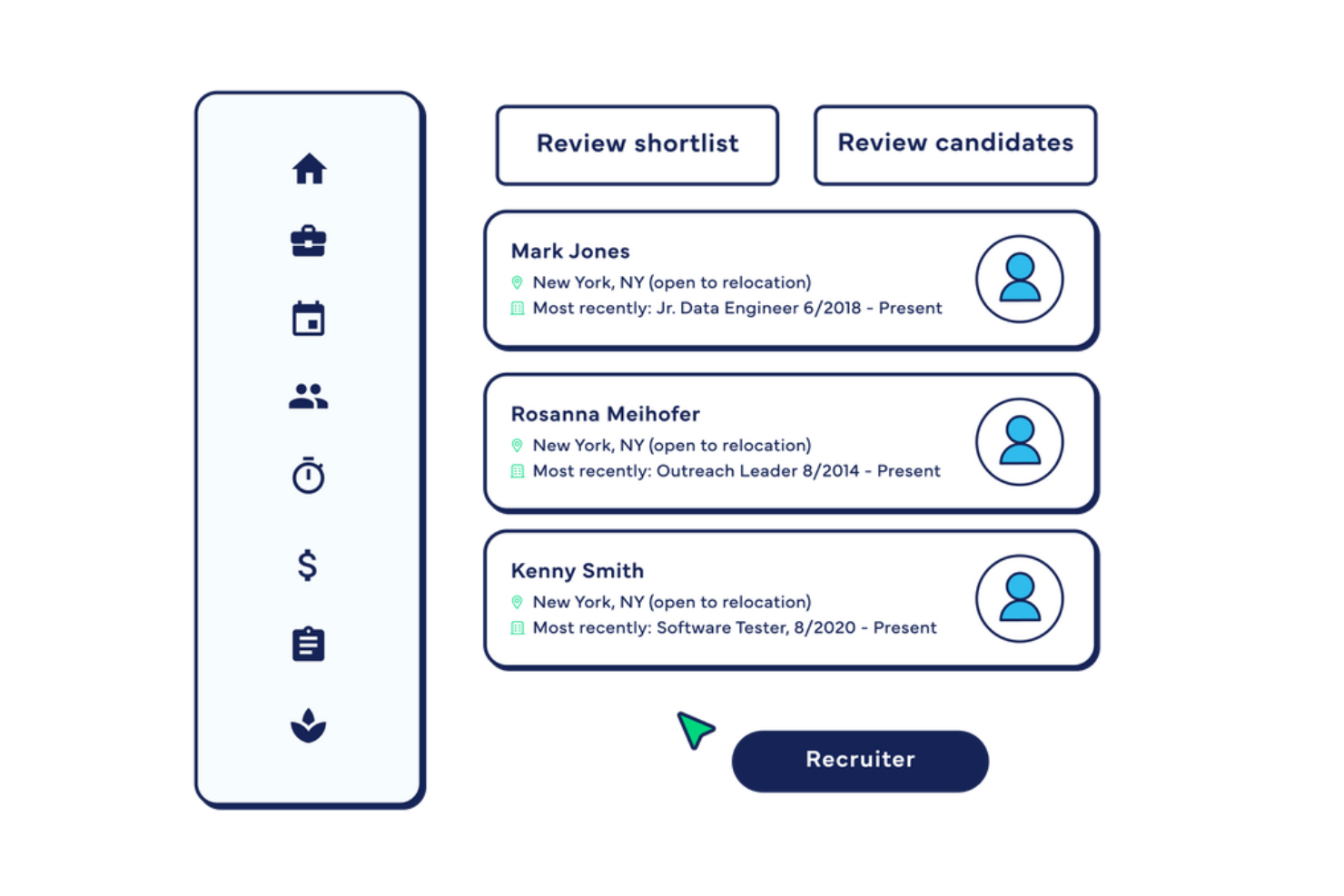
Ho scelto RemotePeople perché unisce la ricerca specializzata di dirigenti a servizi completi di assunzione globale, evitando così di dover gestire fornitori separati per il reperimento dei talenti e la conformità. Puoi accedere a un'ampia rete di candidati, inclusi ruoli di alto livello e di leadership, ricevendo shortlist selezionate in base alle tue esigenze.
Il suo servizio EOR assume e paga i talenti per conto tuo in oltre 150 paesi, gestendo contratti legali, paghe e conformità fiscale locale—significa che il tuo team rimane conforme senza dover creare entità estere. La piattaforma supporta l'onboarding e l'amministrazione dei benefit in valute locali, offrendo ai tuoi assunti un'esperienza fluida, e apprezzo anche il supporto dedicato che risponde a domande specifiche per regione, aspetto essenziale quando ci si confronta con normative del lavoro eterogenee.
Caratteristiche principali di RemotePeople
Ecco alcune delle caratteristiche principali da evidenziare:
- Servizi di Ricerca di Dirigenti: Accesso a candidati selezionati per ruoli di leadership in diversi settori a livello globale.
- Employer of Record (EOR): Assumi legalmente lavoratori in oltre 150 paesi mentre RemotePeople si occupa di contratti e conformità.
- Gestione Paghe e Benefit Globali: Gestione delle retribuzioni in valute locali e dei benefit specifici per regione.
- Gestione dei Collaboratori: Assunzione e pagamento a norma di legge di collaboratori internazionali dalla stessa piattaforma.
Integrazioni di RemotePeople
Le integrazioni includono BambooHR, Rippling, Google Workspace, ADP Workforce Now, Deel, Paycom, Zoho People e Microsoft Entra ID, tra gli altri — consentendo collegamenti per HRIS, buste paga e gestione identità.
Pros and Cons
Pros:
- Servizi integrati di EOR e payroll globale per la conformità
- Referente dedicato per assistenza personalizzata alle assunzioni
- Strumenti per la gestione dei collaboratori inclusi
Cons:
- Per personalizzazioni profonde e automazione possono essere necessari strumenti aggiuntivi
- Analisi avanzate limitate

Manatal
Ideale per ricerca ed arricchimento dei candidati con IA

Manatal è progettato per i team di reclutamento che vogliono trovare e qualificare talenti esecutivi più rapidamente senza aggiungere complessità al loro processo di assunzione.
Perché ho scelto Manatal
Ho scelto Manatal perché aiuta a individuare più velocemente candidati esecutivi di alta qualità grazie alle raccomandazioni di candidati basate sull’IA. La piattaforma analizza curriculum, descrizioni delle posizioni e dati storici sulle assunzioni per suggerire candidati che corrispondono ai requisiti di livello senior, riducendo il tempo speso nelle ricerche manuali.
Apprezzo anche la funzione di arricchimento dei profili, che recupera automaticamente dati pubblici da LinkedIn e altre fonti, offrendo al team profili più completi senza ulteriori ricerche. Per la ricerca di figure executive, questo contesto è fondamentale e Manatal lo fornisce direttamente all’interno dell’ATS. È particolarmente indicato per team snelli che desiderano funzioni avanzate di sourcing senza dover gestire più strumenti.
Funzionalità principali di Manatal
Ecco alcune funzionalità da evidenziare:
- Punteggio AI dei candidati: Classifica i candidati in base alla pertinenza per il ruolo attraverso l’analisi di curriculum e descrizione della posizione.
- Recruitment CRM: Monitora e cura la relazione con candidati executive durante lunghi cicli di assunzione.
- Pipeline di assunzione personalizzate: Configura fasi che riflettano il workflow e le approvazioni tipici della ricerca esecutiva.
- Costruttore di pagine carriera: Crea pagine carriera personalizzate per sostenere gli sforzi di employer branding.
Integrazioni di Manatal
Le integrazioni includono LinkedIn, Indeed, ZipRecruiter, Google Calendar, Microsoft Outlook, Microsoft 365, Gmail, Zapier e Facebook Lead Ads.
Pros and Cons
Pros:
- Funzionalità IA e pipeline personalizzabili
- Pagine carriera personalizzabili
- Filtri avanzati di ricerca
Cons:
- Alcune funzionalità possono risultare difficili da trovare nell’interfaccia
- I report sulle pipeline potrebbero essere più approfonditi
New Product Updates from Manatal

Manatal Adds Candidate Login and Employee Portal to Career Pages
Manatal has added Candidate Login, Internal Employee Portal, and internal job visibility controls for Career Pages. These features help teams simplify applications, support employee mobility, and manage internal hiring workflows. For more information, visit Manatal’s official site.
 .
.
Ideale per il matching dei candidati
iSmartRecruit è un software per la ricerca di dirigenti progettato per semplificare il processo di assunzione per posizioni di alto livello. Si distingue per migliorare l'efficienza e l'efficacia del reclutamento esecutivo.
Perché ho scelto iSmartRecruit: Ho scelto iSmartRecruit per le sue robuste capacità di assunzione guidate dall'IA, che lo distinguono da altri software per la ricerca di dirigenti. L'utilizzo dell'IA da parte della piattaforma per l'abbinamento tra candidati e posizioni migliora in modo significativo la qualità e la rapidità del processo di assunzione.
Inoltre, la sua vasta gamma di funzionalità, tra cui il tracciamento dei candidati, il CRM per il reclutamento e il marketing del reclutamento, lo rende uno strumento versatile per differenti esigenze di selezione.
Funzionalità principali e integrazioni:
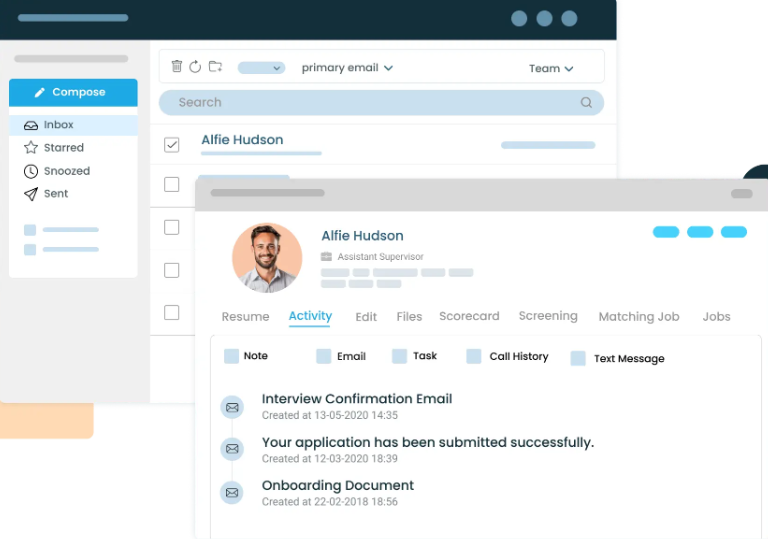
Le funzionalità includono l'abbinamento tra candidati e posizioni tramite IA e un parser di CV che estrae automaticamente i dettagli chiave per creare profili esecutivi. Il software offre anche metodi di ricerca avanzati nel database come Fuzzy, Proximity, Boolean e Semantic Search, migliorando la capacità di trovare i migliori talenti dirigenziali.
Le integrazioni includono LinkedIn Recruiter, Xing, Gmail, Outlook, Slack, Zoom, Microsoft Teams, Google Calendar, Indeed e Monster.
Pros and Cons
Pros:
- Matching dei candidati guidato dall'IA
- Metodi di ricerca avanzati
- Vaste integrazioni
Cons:
- La disponibilità dei prezzi non è visibile
- Opzioni di personalizzazione limitate

Crelate
Ideale per la gestione delle reti

Crelate è progettato per aiutare i recruiter a gestire in modo efficace le loro reti e le relazioni. Come software per l'executive search, si distingue grazie alle sue funzionalità dettagliate che consentono ai recruiter di costruire, coinvolgere e far crescere le loro reti professionali in modo intuitivo.
Perché ho scelto Crelate: Ho scelto Crelate per l'eccezionale capacità di gestire ed espandere le reti professionali, un grande vantaggio per i professionisti dell'executive search o per le organizzazioni che assumono. A differenza di altri strumenti, offre una combinazione unica di tracciamento delle interazioni, categorizzazione dei contatti e organizzazione accurata dei dati. Credo che Crelate sia la scelta migliore per la gestione delle reti.
Funzionalità e Integrazioni principali:
Le funzionalità includono il tracciamento di candidati, contratti e incarichi, tipi di attività personalizzabili e sofisticate capacità di ricerca. Queste caratteristiche permettono ai recruiter di gestire efficacemente interazioni e dati, contribuendo alla costruzione di relazioni migliori e all'espansione della rete.
Le integrazioni comprendono ZoomInfo, hireEZ, CareerBuilder, Seekout, Glassdoor, Monster, JobInventory, Dice, CareerJet, Google Workspace e Microsoft Outlook.
Pros and Cons
Pros:
- Gestione avanzata della rete
- Tipi di attività personalizzabili
- Sofisticate capacità di ricerca
Cons:
- I campi delle candidature non sono personalizzabili
- Template limitati

Loxo
Ideale per il sourcing potenziato dall'IA

Loxo è una piattaforma di talent intelligence progettata per supportare l'intero ciclo di vita del recruiting. Aiuta i recruiter a trovare i migliori candidati in modo efficiente.
Perché ho scelto Loxo: Ho scelto Loxo per il suo sourcing avanzato basato sull'intelligenza artificiale, che lo distingue dagli altri software per la ricerca di dirigenti. La capacità della piattaforma di automatizzare il sourcing dei candidati e fornire aggiornamenti in tempo reale la rende altamente efficiente. L'approccio guidato dall'IA di Loxo garantisce che i recruiter possano identificare e coinvolgere rapidamente i migliori talenti, rendendolo la scelta migliore per il sourcing potenziato dall'IA.
Funzionalità principali e integrazioni:
Le funzionalità includono sourcing automatizzato con intelligenza artificiale, un CRM per il recruiting completo e una vasta directory di talenti con oltre 1,2 miliardi di profili. La piattaforma offre inoltre pubblicazione programmatica degli annunci di lavoro, sequenze di contatto automatizzate e aggiornamenti in tempo reale del database.
Le integrazioni includono LinkedIn, Indeed, Glassdoor, Gmail, Outlook, Slack, Zoom, Microsoft Teams, Salesforce e HubSpot.
Pros and Cons
Pros:
- Sourcing candidati con intelligenza artificiale
- Vasta directory di talenti
- Sequenze di contatto automatizzate
Cons:
- Informazioni sui prezzi non facilmente disponibili
- Opzioni di personalizzazione limitate

Ideale per il recruiting ad alto volume

SmartRecruiters è una piattaforma di recruiting moderna e tutto-in-uno progettata per rendere il processo di assunzione collaborativo per tutti gli interessati. Si distingue per la sua capacità di gestire in modo efficiente ed efficace assunzioni su larga scala.
Perché ho scelto SmartRecruiters: Ho scelto SmartRecruiters per il suo approccio unico al recruiting ad alto volume. A differenza di altre piattaforme, offre una soluzione flessibile e personalizzabile che può essere adattata alle esigenze specifiche delle grandi organizzazioni. La sua capacità di consolidare varie funzioni di recruiting in un'unica piattaforma la fa distinguere.
Funzionalità principali & integrazioni:
Le funzionalità includono flussi di lavoro personalizzabili, recruiting tramite intelligenza artificiale e recruiting via SMS. Queste funzionalità permettono alle organizzazioni di automatizzare regole e processi aziendali complessi, rendendo il processo di assunzione più efficiente.
Le integrazioni includono LinkedIn, Indeed, Glassdoor, Google for Jobs, SAP SuccessFactors, Workday, ADP, BambooHR, Greenhouse e Lever.
Pros and Cons
Pros:
- Flussi di lavoro personalizzabili
- Recruiting con intelligenza artificiale
- Recruiting tramite SMS
Cons:
- Leggera curva di apprendimento
- Supporto limitato per le organizzazioni più piccole
iCIMS
Ideale per l'assunzione alimentata dall'IA
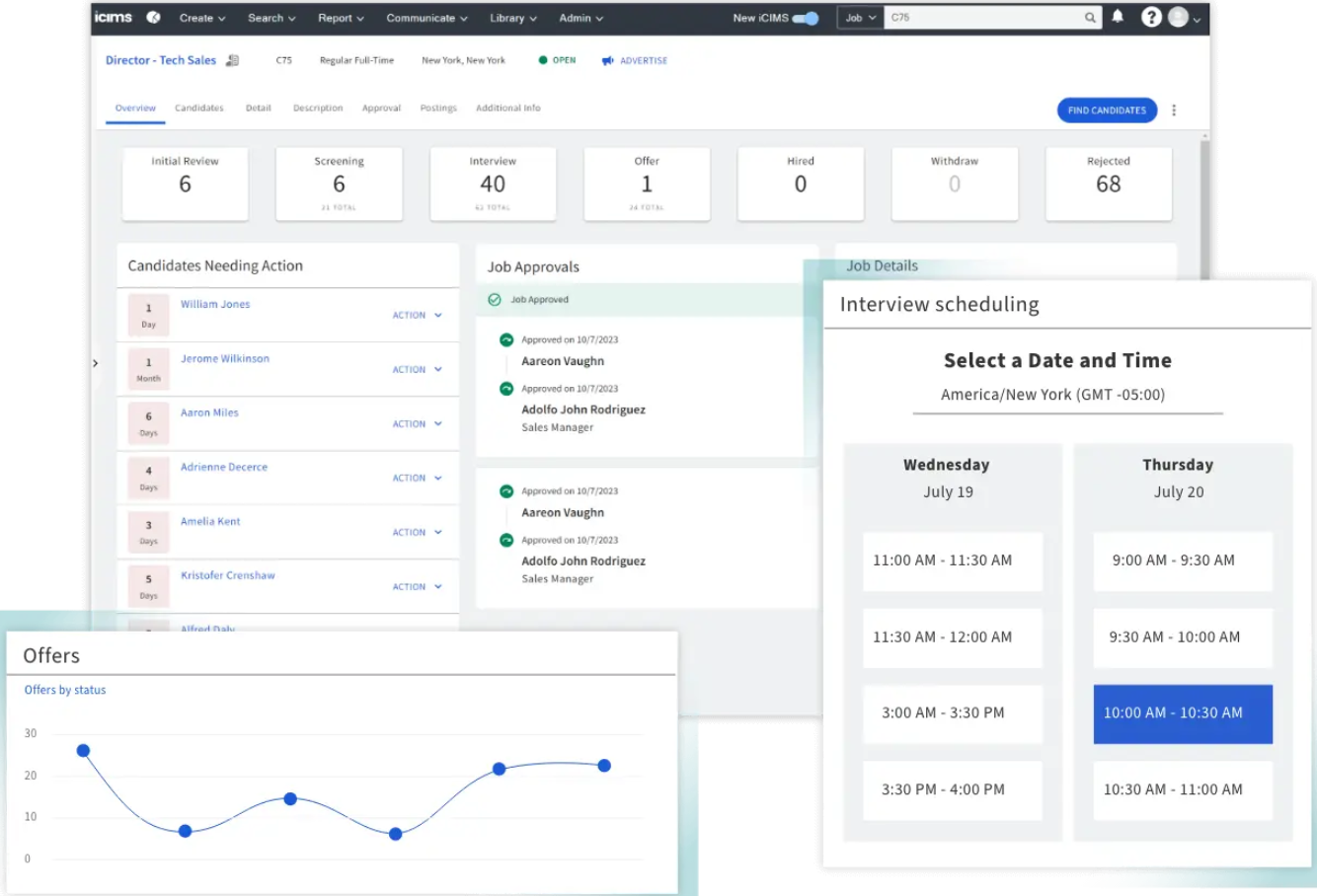
iCIMS è uno dei principali software per la ricerca di dirigenti e offre una suite variegata di strumenti e risorse per l'acquisizione e la gestione di talenti di alto livello. Semplifica il processo di selezione e migliora il processo decisionale.
Perché ho scelto iCIMS: Ho selezionato iCIMS per questa lista grazie alle sue robuste funzionalità basate sull'IA che semplificano e accelerano il processo di assunzione. Ciò che distingue iCIMS è l'attenzione alla riduzione del time-to-fill fino al 50%, rendendolo una scelta eccellente per le organizzazioni che desiderano sfruttare l'IA nelle proprie strategie di recruiting.
Caratteristiche e integrazioni salienti:
Le caratteristiche includono l'abbinamento delle offerte di lavoro guidato dall'IA, il coinvolgimento automatico dei candidati e un assistente digitale per il self-service e la programmazione dei colloqui. Queste funzionalità migliorano collettivamente l'efficienza e l'efficacia del processo di selezione.
Le integrazioni includono ADP, Infor, Microsoft, UKG, LinkedIn, Indeed, Glassdoor, Monster, SAP SuccessFactors e Workday.
Pros and Cons
Pros:
- Abbinamento delle offerte di lavoro guidato dall'IA
- Coinvolgimento automatico dei candidati
- Assistente digitale per la programmazione
Cons:
- Prezzo su richiesta
- Opzioni di personalizzazione limitate
Altri software per la ricerca di dirigenti
Di seguito trovi un elenco di altri software per la ricerca di dirigenti che ho selezionato, ma che non sono entrati nell’elenco principale. Vale sicuramente la pena dar loro un’occhiata.
- Jobvite
Ideale per il marketing del reclutamento
- Vincere
Ideale per il sourcing su LinkedIn
- Tracker RMS inc
Ideale per l'integrazione con LinkedIn
- Clockwork
Ideale per la collaborazione con il cliente
- Invenias by Bullhorn
Ideale per l'integrazione con Microsoft Office
- Zoho Recruit
Ideale per capacità di integrazione
- Wisemonk
Ideale per dirigenti del settore tech in India


Recensioni correlate sui software per le risorse umane
Se non hai ancora trovato quello che cerchi, dai un'occhiata a questi altri strumenti correlati che abbiamo testato e valutato:
- Software per le risorse umane
- Software per la gestione delle paghe
- Software per il reclutamento
- Servizi di gestione del lavoro per conto terzi
- Sistemi di monitoraggio dei candidati
- Software per la gestione della forza lavoro
Come Valuto il Software di Executive Search
Divido la mia valutazione in due livelli: la base che una piattaforma deve coprire—come il tracciamento degli off-limits e la reportistica ai clienti—e i fattori distintivi che elevano le migliori opzioni.
Funzionalità Essenziali (Requisiti Minimi per Questa Lista)
Quando seleziono gli strumenti per la mia lista, ne valuto ciascuno su una scala da 0 (non offre la funzionalità) a 5 (eccelle in quest'area) per ogni funzionalità essenziale elencata di seguito. Successivamente, calcolo il punteggio totale dello strumento in percentuale. Ogni strumento deve ottenere un punteggio totale minimo del 65% per essere considerato nell'inclusione.
- Database dei Candidati Executive: Cerco profili strutturati che vadano oltre le semplici informazioni di contatto per includere affiliazioni a board, storia delle retribuzioni e relazioni con i segnalatori—dettagli fondamentali quando si ricoprono ruoli C-suite.
- Gestione dei Progetti di Ricerca: Ogni strumento dovrebbe supportare i flussi di lavoro delle ricerche con fasi longlist/shortlist, tracciamento dello stato dei candidati e la possibilità di gestire più incarichi attivi contemporaneamente.
- Tracciamento di Clienti e Incarichi: Valuto quanto bene una piattaforma colleghi i contatti del cliente, le strutture tariffarie e gli accordi di off-limits alle ricerche attive, così i consulenti possono evitare costosi errori di conformità.
- Sourcing e Ricerca dei Candidati: Buoni strumenti di sourcing permettono ai ricercatori di costruire liste di target tramite integrazioni con LinkedIn, mappatura organizzativa, o flussi di generazione dei nomi, invece di affidarsi solo all'inserimento manuale dei dati.
- Report e Presentazioni per il Cliente: Verifico se una piattaforma può produrre dossier sui candidati e report di avanzamento brandizzati e sufficientemente raffinati da poter essere inviati direttamente a un consiglio di assunzione o a un comitato di ricerca.
- Sviluppo Commerciale e CRM: Il layer CRM dovrebbe tracciare prospect, segnalatori e attività pipeline BD insieme al lavoro di recruiting in modo che i partner possano gestire le relazioni senza passare da un sistema all'altro.
Una volta stilata la lista degli strumenti che soddisfano i criteri, considero cosa distingue ciascuna piattaforma.
Fattori Differenzianti (Cosa Distingue i Fornitori)
Ecco come confronto e metto a confronto diversi fornitori:
Funzionalità Distintive
I portali di collaborazione per i clienti sono un grande elemento distintivo—quando una commissione di ricerca può visionare le shortlist, lasciare feedback sui candidati e monitorare i progressi senza catene di email, fa risparmiare ore di scambio ai consulenti. Analizzo anche l'automazione degli off-limits, poiché incrociare manualmente i candidati protetti tra diversi incarichi attivi è soggetto a errori e rischioso. L’intelligenza relazionale è un altro elemento che valuto, soprattutto nelle aziende dove le segnalazioni calde alimentano la maggior parte delle posizioni e i partner devono avere visibilità su chi conosce già un candidato target.
Oltre le Funzionalità
La sicurezza dei dati conta più qui che nella maggior parte dei software di recruiting—le ricerche di executive coinvolgono transizioni di leadership riservate, quindi verifico la presenza di controlli sui permessi granulari e registri di audit. Anche la copertura delle integrazioni è una priorità, in particolare con LinkedIn Recruiter e le piattaforme email che i consulenti utilizzano quotidianamente. Valuto anche come il fornitore gestisce la migrazione dei dati, dato che la maggior parte delle aziende sta abbandonando sistemi legacy o piattaforme datate e non può permettersi di perdere anni di storia delle relazioni con i candidati.
Come scegliere un software per la ricerca di dirigenti
Durante il processo di selezione del software più adatto alle tue esigenze, tieni a mente i seguenti punti:
- Capacità di integrazione: Assicurati che il software possa integrarsi con i sistemi esistenti, come il tuo CRM o ATS attuale. Questa integrazione è utile per mantenere la coerenza dei dati e migliorare l'efficienza del flusso di lavoro. Ad esempio, se il nuovo software per la ricerca di dirigenti può integrarsi con il CRM per il recruiting già in uso, ti aiuterà a gestire in modo più efficace i dati di clienti e candidati, riducendo la necessità di inserire manualmente i dati e minimizzando gli errori.
- Personalizzazione e flessibilità: Il software dovrebbe essere personalizzabile in base alle tue esigenze specifiche e sufficientemente flessibile da crescere insieme alla tua azienda. Ogni società di ricerca ha flussi di lavoro e requisiti dei clienti unici, quindi una soluzione standardizzata potrebbe non essere efficace. Un software personalizzabile ti consente di adattare il sistema ai tuoi processi, assicurandoti che supporti anziché ostacolare le tue attività. Ad esempio, una soluzione software flessibile può adattarsi alla crescita della tua azienda, consentendoti di gestire una quantità maggiore di dati, aggiungere più utenti o ampliare le funzionalità secondo necessità.
- Compatibilità con i dispositivi mobili: Nel mondo digitale di oggi, disporre di un software compatibile con i dispositivi mobili è essenziale. Questa funzionalità ti consente di accedere al sistema da qualsiasi luogo e in qualsiasi momento, utilizzando il tuo dispositivo mobile. Ad esempio, se devi aggiornare un cliente su un candidato mentre sei bloccato in aeroporto, un'app mobile ti permette di farlo in modo rapido ed efficiente. Un software compatibile con i dispositivi mobili facilita inoltre la collaborazione con i team remoti, assicurando che tutti siano aggiornati e possano condividere facilmente note, aggiornamenti e profili dei candidati.
- Assistenza e formazione del fornitore: Assicurati di valutare la qualità della formazione dal vivo e dell'assistenza clienti offerte dal fornitore del software. Una formazione efficace garantisce che il tuo team possa sfruttare appieno le funzionalità del software, mentre un'assistenza clienti dedicata può velocizzare la risoluzione di eventuali problemi. Ad esempio, le sessioni di formazione dal vivo possono essere utili nelle prime fasi dell'implementazione, mentre l'assistenza continua può includere supporto tecnico, risoluzione dei problemi e aggiornamenti del prodotto. Cerca fornitori che offrano diversi canali di assistenza, come telefono, email e chat, oltre a risorse online come guide per gli utenti e tutorial video.
- Gestione e sicurezza dei dati: Il software dovrebbe essere aggiornato in linea con gli standard di settore relativi alla gestione dei dati, alla sicurezza e alle misure di riservatezza, per proteggere i dati sensibili dei dirigenti. Ciò include l'archiviazione sicura dei dati, la crittografia, i controlli degli accessi e la conformità alle normative sulla privacy dei dati come il GDPR. Ad esempio, una gestione inadeguata dei dati sensibili può causare violazioni della privacy e danneggiare la reputazione della tua società. L'implementazione delle migliori pratiche per la gestione dei dati garantisce il corretto trattamento delle informazioni sui dirigenti, proteggendo sia la tua società sia i tuoi clienti.
Tendenze del software per la ricerca di dirigenti
Il software per la ricerca di dirigenti sta migliorando con l'emergere di nuove tecnologie e integrazioni, che portano a una migliore qualità e a una maggiore rapidità nell'abbinamento dei candidati, oltre a una maggiore efficienza. Ecco alcune tendenze chiave da tenere d'occhio nel prossimo anno.
- Abbinamento dei candidati basato sull'intelligenza artificiale: Gli algoritmi di intelligenza artificiale vengono ora utilizzati per abbinare con maggiore precisione i candidati ai requisiti delle posizioni. Questa tendenza è importante perché riduce il tempo dedicato alla selezione manuale. Inoltre, migliora la qualità delle assunzioni.
- Analisi predittiva: Gli strumenti di analisi predittiva aiutano i recruiter a prevedere le esigenze di assunzione. Questa tendenza è interessante perché consente alle aziende di pianificare meglio e allocare le risorse in modo efficiente. Aiuta inoltre a individuare potenziali carenze di talenti.
- Maggiore sicurezza dei dati: Le funzionalità di sicurezza dei dati stanno diventando più solide nei software per la ricerca di dirigenti. Questo è fondamentale a causa della natura sensibile dei dati dei dirigenti. Misure di sicurezza avanzate aiutano a mantenere la fiducia e la conformità.
- Integrazione con i social media: Il software si integra sempre più con le piattaforme di social media per la ricerca dei candidati. Questa tendenza è significativa perché amplia il bacino di talenti. Consente inoltre un coinvolgimento dei candidati più dinamico e in tempo reale.
- Accessibilità da dispositivi mobili: I software per la ricerca di dirigenti compatibili con i dispositivi mobili sono sempre più diffusi. Questa tendenza è importante perché consente ai recruiter di gestire le ricerche mentre sono in movimento. Aumenta inoltre la flessibilità e la reattività del processo di selezione.
Le tendenze del software per la ricerca di dirigenti mostrano come nuove tecnologie e integrazioni stiano migliorando sia la velocità sia la qualità dell'abbinamento dei candidati. Gli algoritmi basati sull'intelligenza artificiale consentono ora abbinamenti più accurati tra candidati e posizioni, mentre gli strumenti di analisi predittiva aiutano i recruiter a prevedere le esigenze di assunzione, permettendo una pianificazione e un'allocazione delle risorse migliori.
Tieni d'occhio queste tendenze mentre valuti gli strumenti software per la ricerca di dirigenti, per assicurarti di ottenere il massimo dal tuo software.
Che cos'è il software per la ricerca di dirigenti?
Il software per la ricerca di dirigenti è uno strumento progettato per aiutare le organizzazioni a individuare, monitorare e reclutare dirigenti di alto livello e candidati per posizioni manageriali senior. Viene comunemente utilizzato dalle società di ricerca di dirigenti, dai dipartimenti HR aziendali e dai team di acquisizione dei talenti per semplificare il processo di ricerca e assunzione di talenti di leadership altamente qualificati.
Funzionalità del software per la ricerca di dirigenti
Quando selezioni un software per la ricerca di dirigenti, può essere utile orientare la ricerca su funzionalità specifiche che ti aiutino a individuare e reclutare efficacemente talenti di alto livello. Ecco le funzionalità che abbiamo stabilito essere le più importanti da considerare:
- Ricerca dei candidati: Questa funzionalità consente di accedere a un'ampia gamma di potenziali candidati provenienti da vari database e piattaforme di social media, garantendo la disponibilità di un gruppo diversificato tra cui scegliere.
- Monitoraggio dei candidati: Un sistema di monitoraggio dei candidati aiuta a gestire e controllare i progressi dei candidati durante il processo di selezione, rendendo più semplice rimanere organizzati ed efficienti.
- Analisi dei curriculum: Questa funzionalità estrae automaticamente le informazioni rilevanti dai curriculum, facendoti risparmiare tempo e riducendo gli errori di inserimento manuale dei dati.
- Strumenti di collaborazione: Questi strumenti consentono ai membri del team di condividere note, feedback e valutazioni dei candidati, favorendo una migliore comunicazione e un processo decisionale più efficace.
- Analisi e report: Le analisi forniscono informazioni sul processo di selezione, aiutandoti a individuare le aree di miglioramento e a prendere decisioni basate sui dati.
- Funzionalità di integrazione: La possibilità di integrarsi con altri strumenti e sistemi HR garantisce un flusso di lavoro fluido e riduce la necessità di trasferire manualmente i dati.
- Flussi di lavoro personalizzabili: I flussi di lavoro personalizzabili consentono di adattare il processo di selezione alle tue esigenze specifiche, migliorando l'efficienza e l'esperienza dei candidati.
- Gestione delle relazioni con i candidati (CRM): Un sistema CRM aiuta a costruire e mantenere i rapporti con i potenziali candidati, garantendo la disponibilità di un bacino di talenti per le esigenze future.
- Accesso da dispositivi mobili: L'accesso da dispositivi mobili consente di gestire il processo di selezione ovunque ti trovi, assicurandoti di rimanere connesso e reattivo.
- Sicurezza e conformità: Assicurarsi che il software sia conforme alle normative sulla protezione dei dati e disponga di solide misure di sicurezza è essenziale per proteggere le informazioni dei candidati.
Scegliere il software di ricerca e selezione dei dirigenti più adatto, dotato di queste funzionalità, ti aiuterà a semplificare il processo di selezione e a trovare i candidati migliori per la tua organizzazione.
Vantaggi del software per la ricerca e selezione dei dirigenti
Il software per la ricerca e selezione dei dirigenti offre numerosi vantaggi alle organizzazioni che desiderano coprire in modo efficiente ed efficace posizioni di alto livello. Di seguito sono riportati cinque vantaggi principali che evidenziano il valore dell'utilizzo di questo tipo di software.
- Miglioramento della ricerca dei candidati: Il software consente di accedere a un vasto database di potenziali candidati, rendendo più semplice trovare la persona giusta per i ruoli dirigenziali.
- Collaborazione migliorata: Consente ai membri del team di collaborare senza difficoltà, assicurando che tutti coloro che partecipano al processo di assunzione siano allineati.
- Decisioni basate sui dati: Sfruttando le funzionalità di analisi e report, le organizzazioni possono prendere decisioni più consapevoli basate sui dati anziché sull'intuizione.
- Efficienza in termini di tempo: L'automazione di attività ripetitive, come la selezione dei curriculum e la pianificazione dei colloqui, consente ai professionisti delle risorse umane di risparmiare tempo prezioso.
- Migliore esperienza per i candidati: Il software garantisce ai candidati un'esperienza fluida e professionale, contribuendo a migliorare la reputazione dell'organizzazione e ad attirare i talenti migliori.
Investire in un software per la ricerca e selezione dei dirigenti può migliorare significativamente l'efficienza e l'efficacia del processo di assunzione, portando in definitiva a risultati organizzativi migliori.
Costi e prezzi del software per la ricerca e selezione dei dirigenti
Questa sezione fornisce una stima dei piani e dei costi medi del software per la ricerca e selezione dei dirigenti. I prezzi variano in base alle funzionalità e al livello di personalizzazione richiesto.
Tabella di confronto dei piani per il software sull'equità retributiva
| Tipo di piano | Prezzo medio | Funzionalità comuni |
| Piano gratuito | $0 | ATS di base, numero limitato di utenti, pubblicazione essenziale degli annunci di lavoro e gestione dei candidati |
| Piano personale | $50 - $100 al mese | ATS avanzato, funzionalità CRM, automazione delle e-mail e report di base |
| Piano aziendale | $150 - $400 al mese | ATS avanzato, CRM completo, automazione del reclutamento, strumenti di analisi e report |
| Piano Enterprise | $400 - $1000+ al mese | ATS personalizzabile, CRM completo, automazione basata sull'intelligenza artificiale, integrazioni estese, assistenza globale e funzionalità di conformità |
Domande frequenti sul software per la ricerca di dirigenti
In che modo il software per la ricerca di dirigenti può integrarsi con i nostri sistemi HR esistenti?
Il software per la ricerca di dirigenti spesso offre funzionalità di integrazione che gli consentono di funzionare senza problemi con i sistemi HR esistenti. Ciò può includere API che si collegano ai sistemi di tracciamento dei candidati (ATS), ai sistemi informativi delle risorse umane (HRIS) e ad altri database. È importante verificare la compatibilità del software con i sistemi attuali e accertarsi che supporti i formati di dati e i protocolli utilizzati.
Quali misure di sicurezza dei dati sono previste per il software di ricerca di dirigenti?
La sicurezza dei dati è una preoccupazione fondamentale per il software di ricerca di dirigenti. È consigliabile scegliere un software che offra solidi metodi di crittografia per i dati archiviati e in transito. Inoltre, il software dovrebbe essere conforme alle normative pertinenti sulla protezione dei dati, come il GDPR o il CCPA. Anche funzionalità come l’autenticazione a più fattori, i controlli degli accessi basati sui ruoli e i controlli di sicurezza periodici sono essenziali per garantire la sicurezza delle informazioni sensibili.
Il software per la ricerca di dirigenti può contribuire a ridurre il tempo di assunzione per le posizioni senior?
Sì, il software per la ricerca di dirigenti può ridurre significativamente il tempo di assunzione per le posizioni senior. Il software automatizza molte delle attività dispendiose in termini di tempo coinvolte nel processo di ricerca, come la ricerca dei candidati, la selezione dei curriculum e la pianificazione dei colloqui. Anche gli algoritmi avanzati e l’IA possono aiutare a identificare più rapidamente i candidati più adatti, accelerando così l’intero processo di assunzione.
Quali funzionalità di analisi e reportistica sono disponibili nel software per la ricerca di dirigenti?
Il software per la ricerca di dirigenti offre generalmente una serie di funzionalità di analisi e reportistica. Queste possono includere pannelli di controllo che forniscono informazioni in tempo reale sul processo di assunzione, come il numero di candidati nel processo, le metriche relative al tempo di copertura delle posizioni e le statistiche sulla diversità. I report personalizzabili possono aiutare a monitorare gli indicatori chiave di prestazione (KPI) e a prendere decisioni basate sui dati per migliorare la strategia di assunzione.
In che modo il software per la ricerca di dirigenti supporta le iniziative di diversità e inclusione?
Molte soluzioni software per la ricerca di dirigenti includono funzionalità progettate per supportare le iniziative di diversità e inclusione. Queste possono comprendere opzioni di assunzione anonima che nascondono le informazioni sui candidati potenzialmente fonte di pregiudizi, analisi della diversità per monitorare la diversità del gruppo di candidati e algoritmi di IA che promuovono una selezione imparziale dei candidati. Questi strumenti contribuiscono a garantire un processo di assunzione equo e inclusivo.
È possibile personalizzare il software per la ricerca di dirigenti in base alle nostre esigenze specifiche?
La maggior parte dei software per la ricerca di dirigenti offre un elevato grado di personalizzazione per adattarsi alle esigenze specifiche della propria organizzazione. Ciò può includere flussi di lavoro, modelli e interfacce utente personalizzabili. Alcune soluzioni software offrono anche servizi di sviluppo personalizzato per creare funzionalità o integrazioni uniche, su misura per i propri requisiti.
Quale supporto e formazione sono disponibili per i nuovi utenti del software per la ricerca di dirigenti?
Il supporto e la formazione sono fondamentali per l’implementazione efficace del software per la ricerca di dirigenti. È consigliabile scegliere fornitori che offrano programmi di inserimento completi, incluse sessioni di formazione dal vivo, seminari online e documentazione dettagliata. Anche opzioni di supporto continuo, come il servizio clienti 24 ore su 24, 7 giorni su 7, responsabili dedicati e centri di assistenza online, possono essere molto utili.
Come posso misurare il ROI dell'implementazione di un software per la ricerca di dirigenti?
La misurazione del ROI del software per la ricerca di dirigenti comporta il monitoraggio di diverse metriche prima e dopo l’implementazione. Tra le metriche chiave da considerare figurano il tempo di assunzione, il costo per assunzione, la qualità dell’assunzione e i tassi di fidelizzazione dei dipendenti. Confrontando queste metriche, è possibile determinare l’efficacia del software nel migliorare il processo di assunzione e il suo impatto complessivo sull’organizzazione.
E adesso?
Se stai valutando un software per la ricerca di dirigenti, contatta gratuitamente un consulente SoftwareSelect per ricevere consigli.
Compili un modulo e partecipi a una breve conversazione in cui vengono analizzate nel dettaglio le tue esigenze. In seguito riceverai una selezione ristretta di software da valutare. Ti supporteranno anche durante l'intero processo di acquisto, comprese le negoziazioni sul prezzo.