

10 beste enkle lønnsprogrammer vurdert i 2026

10 Beste enkle lønnsprogramvare – kortliste


Det kan være et hodebry å håndtere lønn for statsautoriserte regnskapsførere og HR-team, særlig når man må håndtere flere oppgaver samtidig. Du trenger nøyaktighet og effektivitet, men manuelle prosesser fører ofte til feil og bortkastet tid. Det er her enkel lønnsprogramvare kommer inn, og tilbyr en måte å lette arbeidsbelastningen på og forbedre lønnshåndteringen.
Etter min erfaring kan riktig programvare spare deg for tid og gi deg større trygghet. Jeg har testet og vurdert ulike alternativer uavhengig for å gi deg de beste tilgjengelige valgene. Du kan stole på at innsiktene mine er grundig undersøkt og upartiske.
I denne artikkelen finner du mine beste anbefalinger for enkle lønnsløsninger, der hver løsning er vurdert med teamets behov i tankene. La oss se nærmere på hvordan disse verktøyene kan gjøre lønnsarbeidet mindre belastende for deg.
Why Trust Our Software Recommendations
Our team has been testing and reviewing software since 2012. As HR experts ourselves, we know how difficult—and important—it is to choose the right software.
For this guide, we evaluated tools using hands-on testing and independent research, scoring tools using our selection criteria. We also draw on insights from industry thought leaders and practicing HR experts.
Our reviews reflect our human editorial judgment, not a sales pitch.
Expert reviewers:
Sammenligningstabell for enkel lønnsprogramvare
Denne sammenligningstabellen oppsummerer prisopplysningene for mine beste utvalgte løsninger innen enkel lønnsprogramvare:
| Tool | Best For | Trial Info | Price | ||
|---|---|---|---|---|---|
| 1 | Best for multi-currency payroll and payments | Free demo available | From $29/user/month | Website | |
| 2 | Best for customizable payroll packages | 3-month free trial | Pricing upon request | Website | |
| 3 | Best for payment integration | Not available | From $35/month + $6/person/month | Website | |
| 4 | Best for freelancers | Free plan available | From $19/month | Website | |
| 5 | Best for scalable payroll | Free demo available | Pricing upon request | Website | |
| 6 | Best for small businesses | 30-day free trial | From $17/month | Website | |
| 7 | Best for household employers | 6-month free promotion available | From $29/month | Website | |
| 8 | Best for team communication | 14-day free trial available | From $9/user/month (billed annually) | Website | |
| 9 | Best for offline use | 60-day free trial available | Pricing upon request | Website | |
| 10 | Best for tailored solutions | Free demo available | Pricing upon request | Website |
Anmeldelser av den beste enkle lønnsprogramvaren
Nedenfor finner du mine detaljerte sammendrag av den beste enkle lønnsprogramvaren som kom med på kortlisten min. Anmeldelsene mine gir en detaljert oversikt over de viktigste funksjonene, fordelene og ulempene, integrasjonene og ideelle bruksområdene for hvert verktøy, slik at du kan finne det som passer best for deg.
Best for multi-currency payroll and payments
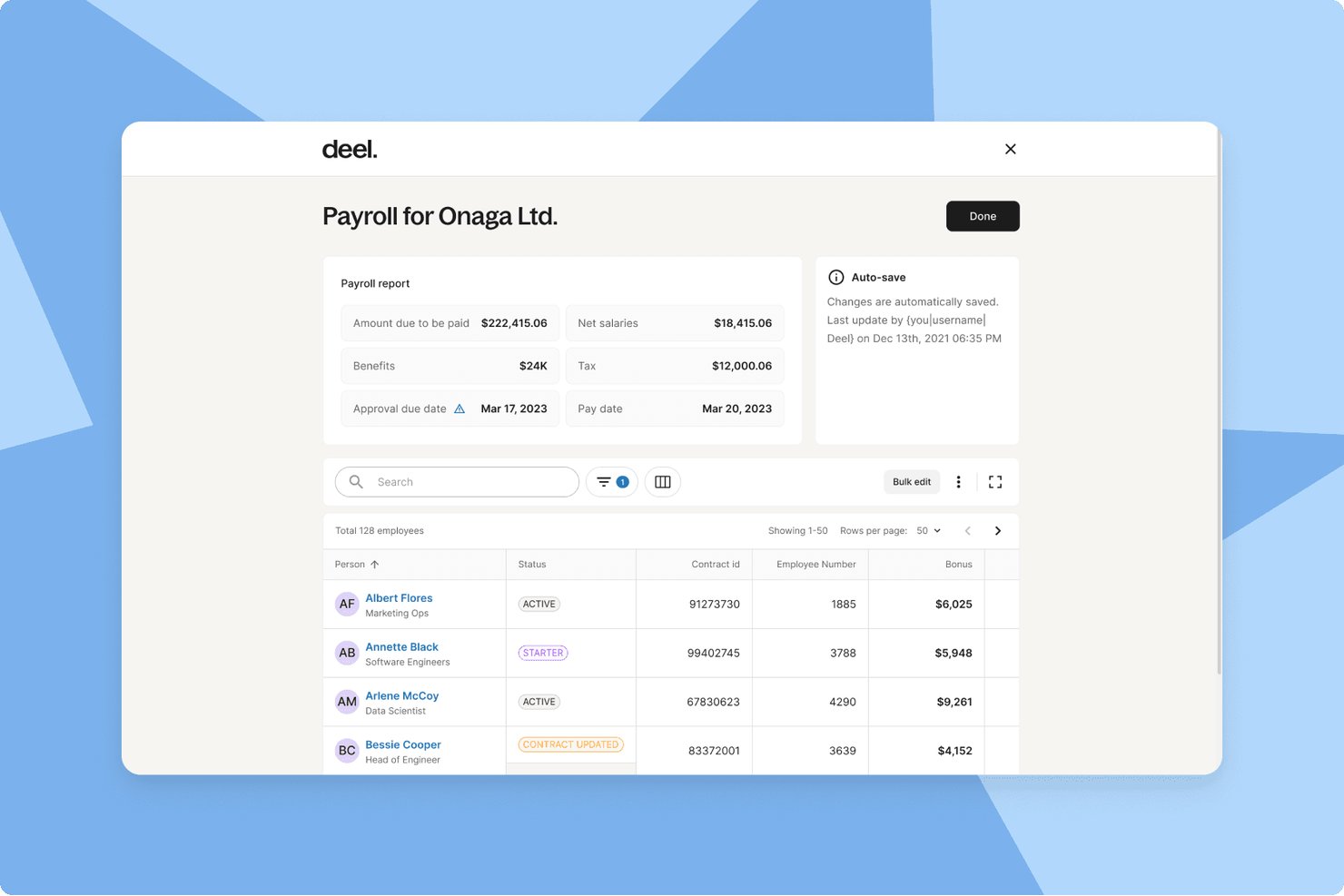
Deel Payroll is a global payroll platform that handles multi-currency payments, automated tax filings, contractor management, and compliance across 130+ countries from a single dashboard.
Who Is Deel Payroll Best For?
Deel Payroll is a strong fit for startups and growing companies that pay employees or contractors across multiple countries in different currencies.
Why I Picked Deel Payroll
Deel Payroll earns its spot on my shortlist because it handles something most payroll tools simply don't: paying workers in 120+ currencies without requiring manual wire transfers or separate FX tools. I particularly like that its 55+ native payroll engines handle tax filings and statutory deductions automatically, regardless of where your team is based. If you're running a single payroll cycle that covers a contractor in Brazil and a salaried employee in Germany, Deel keeps both compliant.
Deel Payroll Key Features
- Employee self-service portal: Lets employees and contractors access pay stubs, tax forms, and banking details online.
- HRIS capabilities: Centralizes employee records, organizational charts, and document management alongside payroll.
- Automated compliance updates: Continuously updates contracts, wage rates, and workflows to match local labour laws in 130+ countries.
- Payroll analytics and reporting: Provides built-in dashboards and exportable reports for payroll, taxes, and workforce costs.
Deel Payroll Integrations
Deel Payroll offers native integrations with QuickBooks, Xero, NetSuite, BambooHR, and Greenhouse, and provides an API for custom integrations.
Pros and Cons
Pros:
- Built-in compliance tools across 150+ countries
- Handles contractor and employee payroll together
- Pays workers in 120+ currencies automatically
Cons:
- Overkill for single-country payroll needs
- Setup complexity for small domestic-only teams
Best for customizable payroll packages
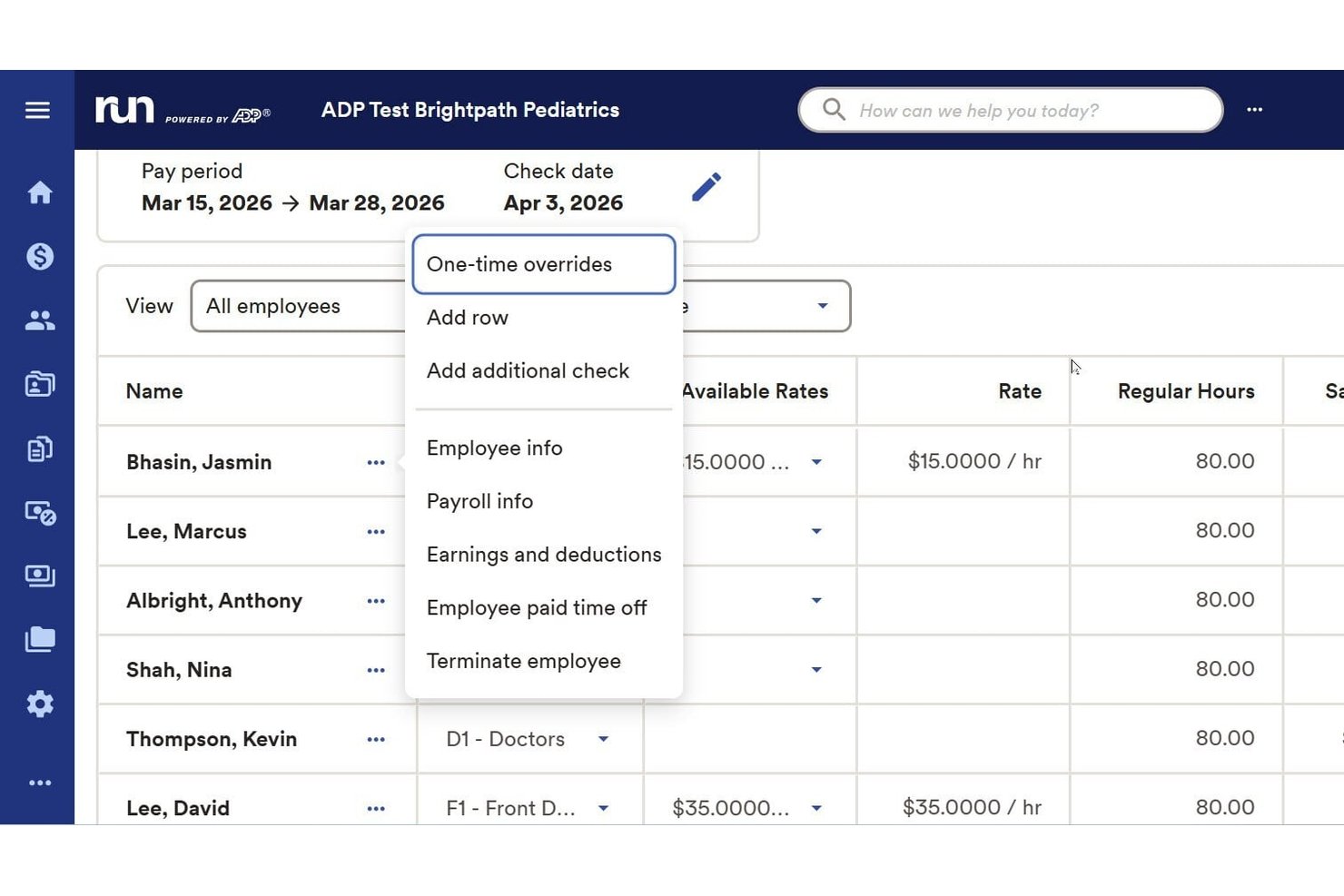
RUN Powered by ADP is a payroll software platform built for small businesses that simplifies recurring payroll, handles tax filing, manages employee and contractor payments, and supports benefits and compliance requirements.
Who Is RUN Powered by ADP Best For?
Small business owners and HR teams looking for an all-in-one payroll solution with flexible setup and support for both employees and contractors.
Why I Picked RUN Powered by ADP
I picked RUN Powered by ADP as one of the best because I can tailor payroll packages to specific business needs, including advanced deductions and garnishments. The platform adapts as staffing needs change, letting my team manage hourly, salaried, and contract workers easily.
RUN Powered by ADP Key Features
- Automated payroll tax filing: The platform automatically calculates, files, and pays federal, state, and local payroll taxes.
- Employee self-service portal: Employees can access pay stubs, tax forms, and update personal information online.
- Mobile payroll processing: Run payroll and manage employee data from a dedicated mobile app.
- Multi-jurisdiction compliance management: Stay up to date with changing labor laws and tax rates across multiple states.
RUN Powered by ADP Integrations
RUN Powered by ADP offers native integrations with QuickBooks, Xero, Wave, When I Work, and Slack. An API is available for custom integrations.
Pros and Cons
Pros:
- Supports multistate compliance for small businesses
- Includes built-in tax filing and reporting
- Handles payroll for both employees and contractors
Cons:
- Some users encounter unexpected processing fees
- Inconsistent customer support experiences
Best for payment integration
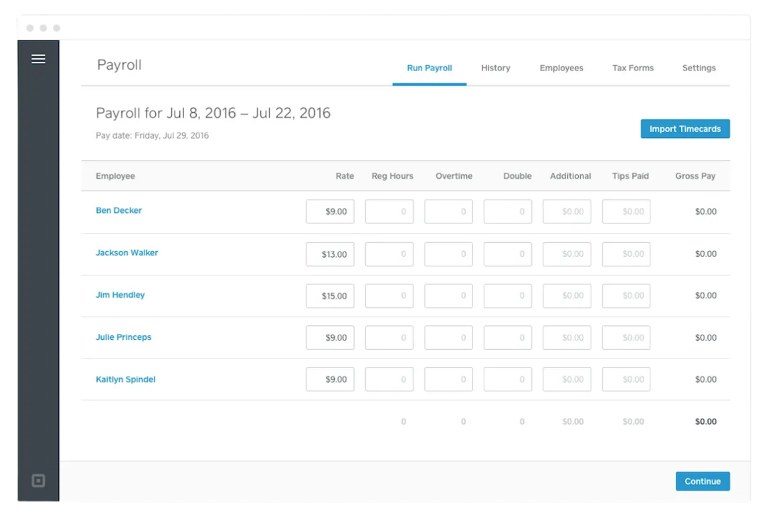
Square Payroll is an online payroll service designed for small businesses, providing payroll processing and compliance support. It serves businesses that need easy payroll management and integration with payment systems.
Why I picked Square Payroll: The tool integrates with Square's payment systems, making it perfect for businesses already using Square for transactions. It supports automatic payroll tax calculations and filings, reducing manual tasks for your team. Square Payroll also offers benefits management, including health insurance and retirement plans, which adds value for businesses wanting to offer full employee benefits. This integration with payment processing sets Square Payroll apart from other payroll solutions.
Standout features and integrations:
Features include automatic payroll tax calculations, which keep your business compliant with tax regulations. The platform also provides benefit management options, allowing you to offer health insurance and retirement plans to your employees. Additionally, Square Payroll supports both W-2 employees and 1099 contractors, giving you flexibility in managing different types of workers.
Integrations include QuickBooks, Xero, FreshBooks, Homebase, Deputy, When I Work, TSheets, Zapier, and more.
Pros and Cons
Pros:
- Benefits management included
- Automatic tax calculations
- Supports both regular employees and independent contractors
Cons:
- Requires a Square account for full features
- Limited to U.S. businesses
Wave
Best for freelancers
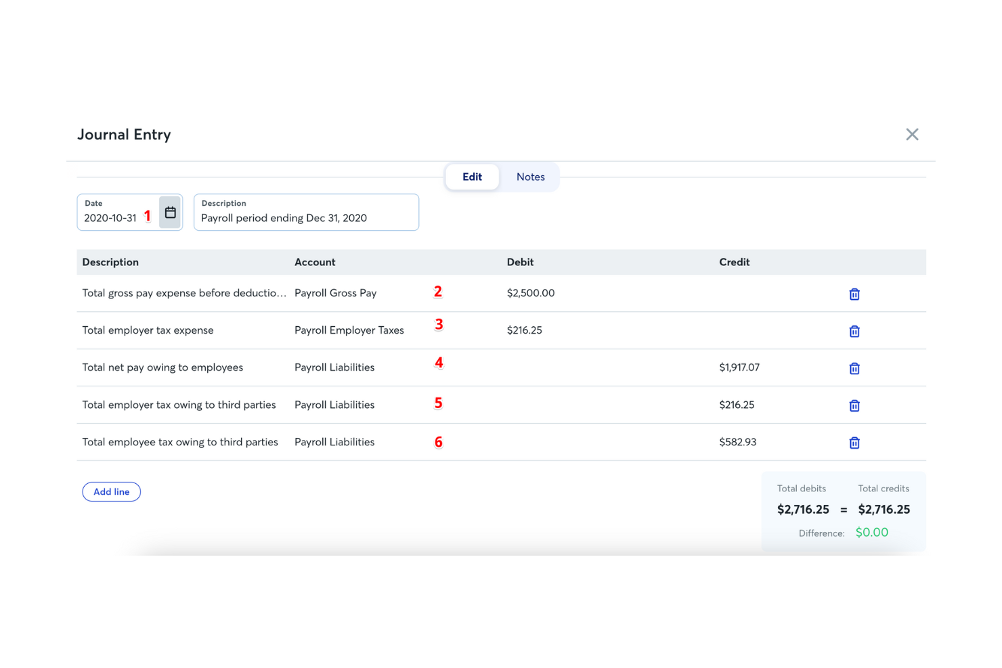
Wave is an online service designed for small businesses and freelancers, offering payroll processing and tax management. It serves individuals and small teams who need an efficient way to manage payroll and stay compliant with tax regulations.
Why I picked Wave: This tool is particularly suited for freelancers who need straightforward payroll management. It offers automatic payroll tax calculations and filings to reduce your administrative burden. Wave also provides direct deposit and employee self-service features, making payment and information access simple. Its focus on ease of use and essential features makes it a great choice for freelancers managing their own payroll.
Standout features and integrations:
Features include automatic tax calculations and filings, ensuring your compliance with tax laws. The platform provides direct deposit for paying you and your team. Wave also offers employee self-service, so your team can access their pay stubs and tax forms online.
Integrations include Xero, ADP, and more.
Pros and Cons
Pros:
- Employee self-service portal
- Direct deposit options
- Ideal for freelancers and small teams
Cons:
- Limited advanced features
- Basic reporting capabilities
Paychex
Best for scalable payroll
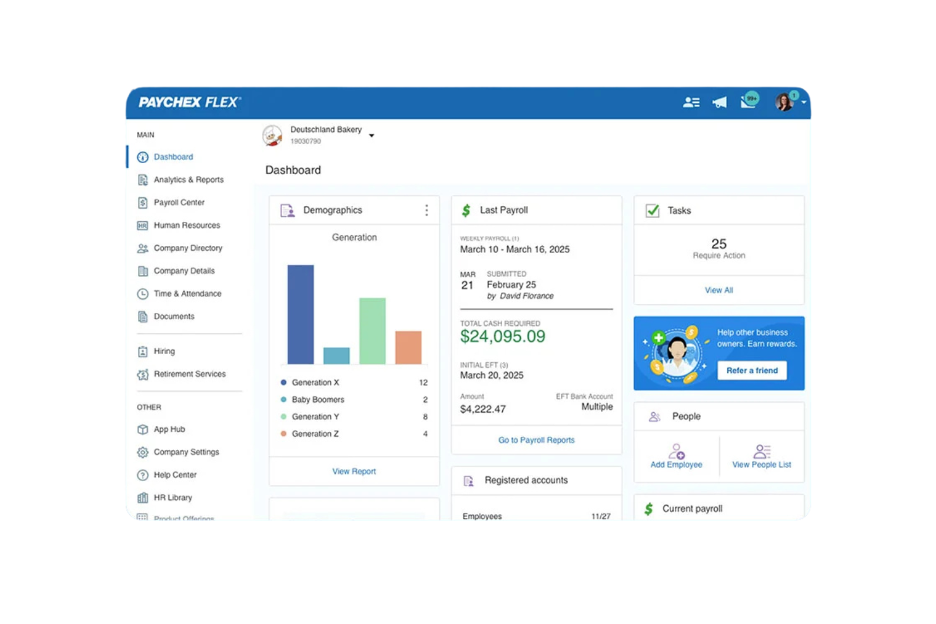
Paychex offers a payroll service designed for small to medium-sized businesses that need a scalable solution. It handles payroll processing, tax compliance, and HR support, making it suitable for businesses anticipating growth.
Why I picked Paychex: The tool is ideal for businesses that plan to expand and require a scalable payroll solution. It offers flexible payroll processing options, allowing you to run payroll on your schedule. Paychex also provides HR support, which is valuable for growing businesses needing additional resources. Its scalability means you can adjust your payroll system as your business grows.
Standout features and integrations:
Features include payroll tax administration, which helps you stay compliant with tax regulations. The employee self-service feature allows your team to access their pay information and benefits easily. Paychex also offers a mobile app, so you can manage payroll on the go.
Integrations include QuickBooks, Xero, Sage Intacct, Microsoft Dynamics, NetSuite, BambooHR, Salesforce, Indeed, and more.
Pros and Cons
Pros:
- Mobile app for payroll management
- Employee self-service options
- Scalable for growing businesses
Cons:
- Additional fees for add-ons
- Limited customization options

Best for small businesses
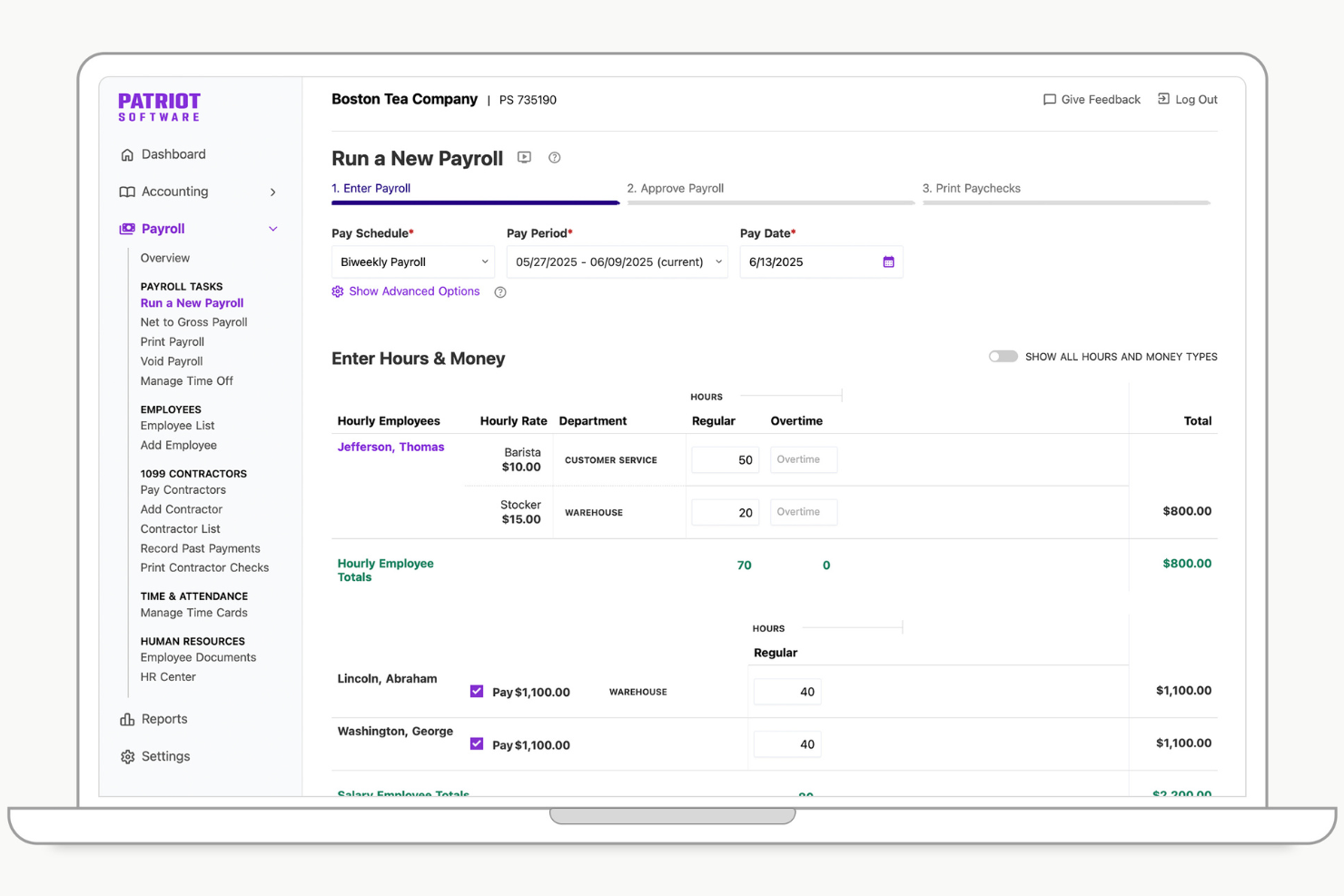
Patriot Software provides a payroll solution tailored for small businesses, offering customizable payroll options and automated processes. It typically serves small business owners and managers by handling payroll calculations and tax filings efficiently.
Why I picked Patriot Software: This tool is designed with small businesses in mind, offering features such as unlimited payroll runs and easy setup assistance. It simplifies payroll management with accurate tax calculations and provides secure access to pay information through a free employee portal. The integration of health benefits and workers' compensation adds value for small businesses looking to manage additional employee benefits. These features make Patriot Software a practical small business payroll software for those looking to simplify their payroll processes.
Standout features and integrations:
Features include customizable payroll options that allow you to tailor payroll settings to your business needs. The automated payroll processes save you time by handling calculations and tax filings. This product also allows you to manage employee benefits and workers' comp. The free employee portal offers secure access for employees to view their pay information.
Integrations include Vestwell, SimplyInsured, NEXT, QuickBooks, TSheets, and more.
Pros and Cons
Pros:
- Free employee portal
- Accurate tax calculations
- Unlimited payroll runs
Cons:
- Limited custom reporting
- No support for IRS Form 943 (for agricultural employees)

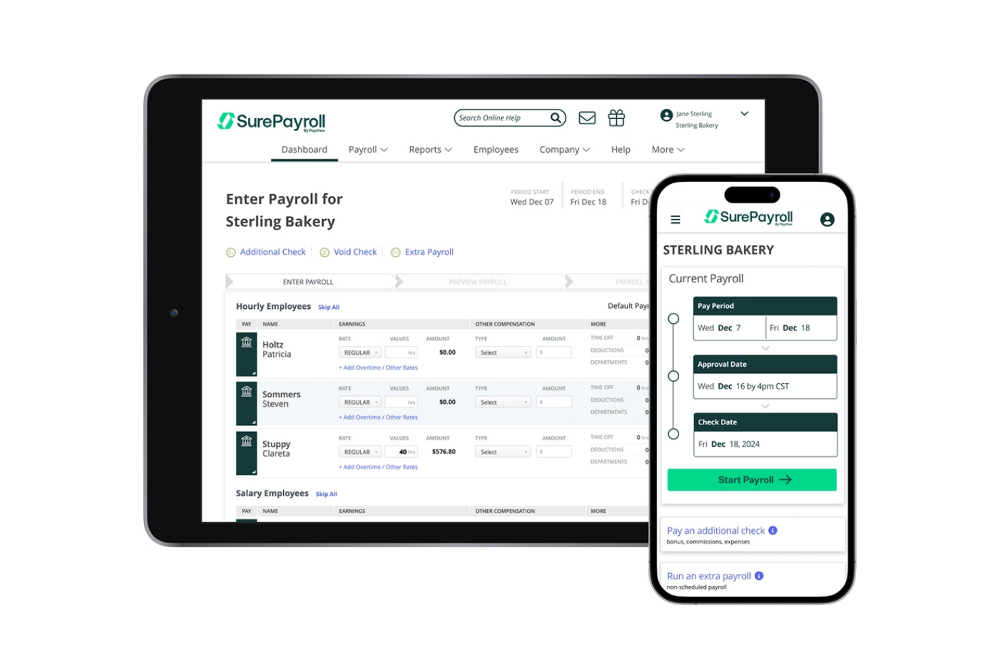
SurePayroll is an online payroll service tailored for small businesses, especially those managing household employees such as nannies and caregivers. It offers payroll processing, tax filing, and compliance support to ease the burden of managing household payroll.
Why I picked SurePayroll: This tool simplifies payroll for household employers by handling tax filings and compliance with ease. Its automatic payroll scheduling and free direct deposit features reduce manual workload. SurePayroll provides unlimited payroll runs, ensuring you can process payroll as often as needed without extra charges. Its specialized focus on households makes it a practical choice for payroll providers managing payments to domestic employees and independent contractors.
Standout features and integrations:
Features include automatic payroll scheduling that ensures timely payment processing for your household employees. The free direct deposit feature provides a convenient option for transferring salaries directly to your employees' bank accounts on payday. With unlimited payroll runs, you can process payroll as frequently as necessary without additional fees.
Integrations include QuickBooks, Xero, FreshBooks, Sage 50, Paychex, and more.
Pros and Cons
Pros:
- Free direct deposit
- Unlimited payroll runs
- Specialized for household employers
Cons:
- No multi-state payroll support
- No mobile app

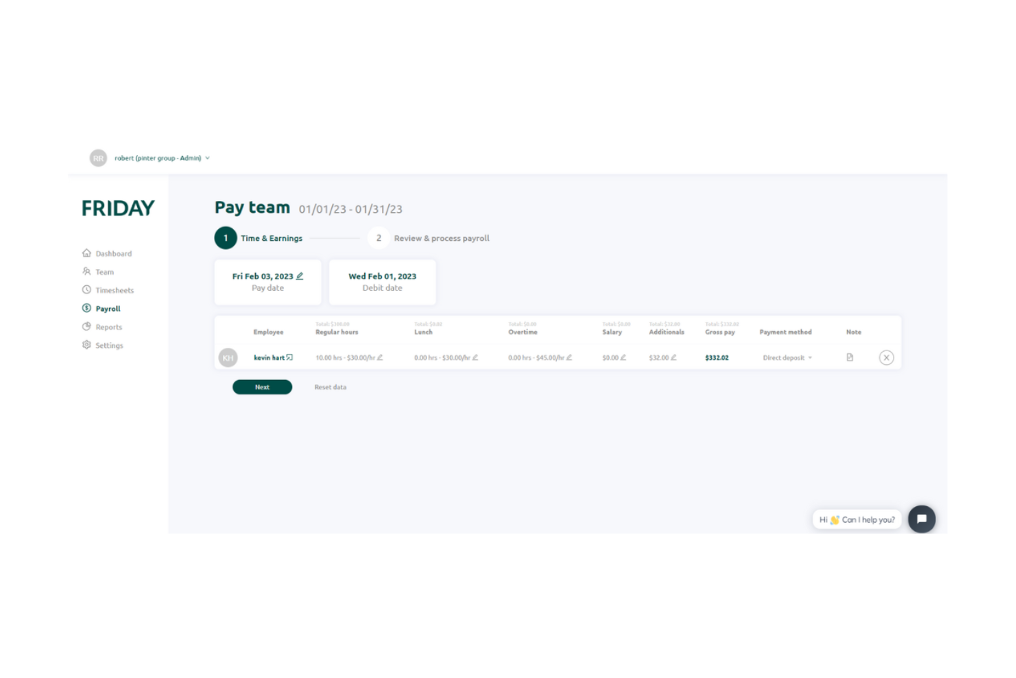
FRIDAY is a payroll and team communication tool designed for small businesses, offering a user-friendly interface and efficient payroll processing. It serves businesses with one to 100 employees by enhancing payroll management and facilitating team interactions.
Why I picked FRIDAY: The tool focuses on communication within teams, providing integrated collaboration tools. It features real-time employee time tracking and a management system for time-off requests. The AI-powered clock-in/out kiosk app accurately tracks employee work time, which is a helpful tool for effective team management. FRIDAY's features for team communication make it valuable for small businesses aiming to keep their teams connected.
Standout features and integrations:
Features include real-time employee time tracking, allowing your team to log hours accurately. The platform also manages time-off requests and PTO, providing a streamlined way to handle employee absences. Additionally, FRIDAY offers a secure environment with end-to-end encryption to protect your business's data.
Integrations include QuickBooks, QuickBooks Desktop, Xero, Slack, Trello, Asana, Zapier, Microsoft Teams, Google Workspace, and more.
Pros and Cons
Pros:
- Secure with end-to-end encryption
- Real-time tracking
- Enhances team communication
Cons:
- Limited customization options
- Limited to small businesses
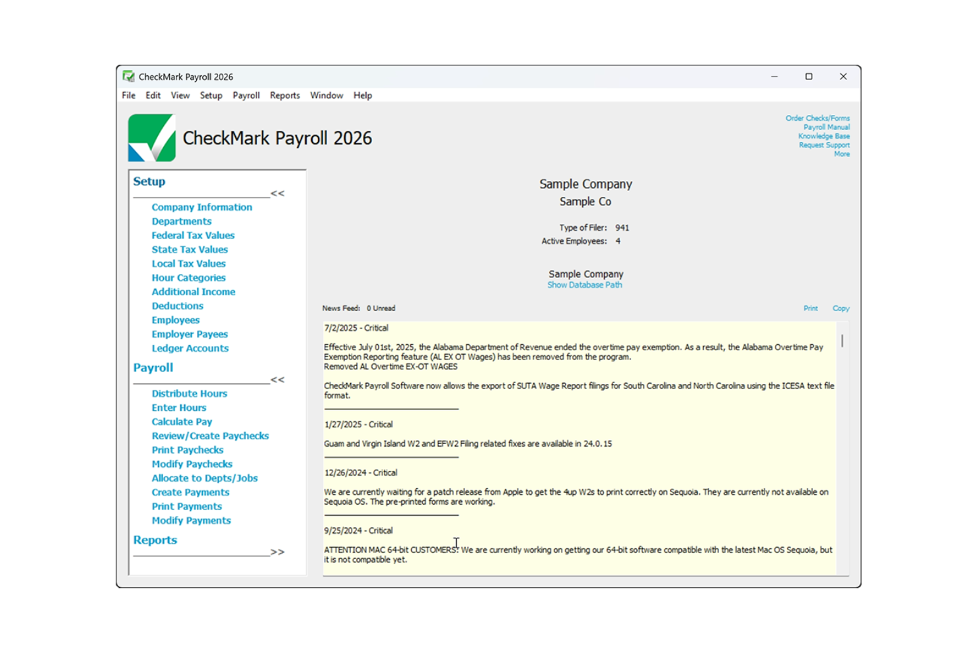
CheckMark Payroll is a payroll software solution designed for small to medium-sized businesses that offers offline capabilities and extensive payroll processing. It caters to companies that need payroll management without relying solely on internet connectivity.
Why I picked CheckMark Payroll: This tool offers offline functionality, allowing you to manage payroll without an internet connection. It provides multi-state payroll processing, which is essential for businesses operating across state lines. CheckMark Payroll includes features such as customizable payroll reports and tax filing assistance. Its offline capability makes it a practical choice for businesses in areas with unreliable internet access.
Standout features and integrations:
Features include customizable payroll reports that allow you to tailor information to your business needs. The software offers tax filing assistance, helping you stay compliant with federal and state regulations. Additionally, CheckMark Payroll supports direct deposit, providing an easy payroll solution.
Integrations include QuickBooks, Sage 50, AccountEdge, MYOB, Xero, ADP, and more.
Pros and Cons
Pros:
- Customizable payroll reports
- Multi-state payroll processing
- Offline functionality available
Cons:
- Limited customer support hours
- No mobile app available
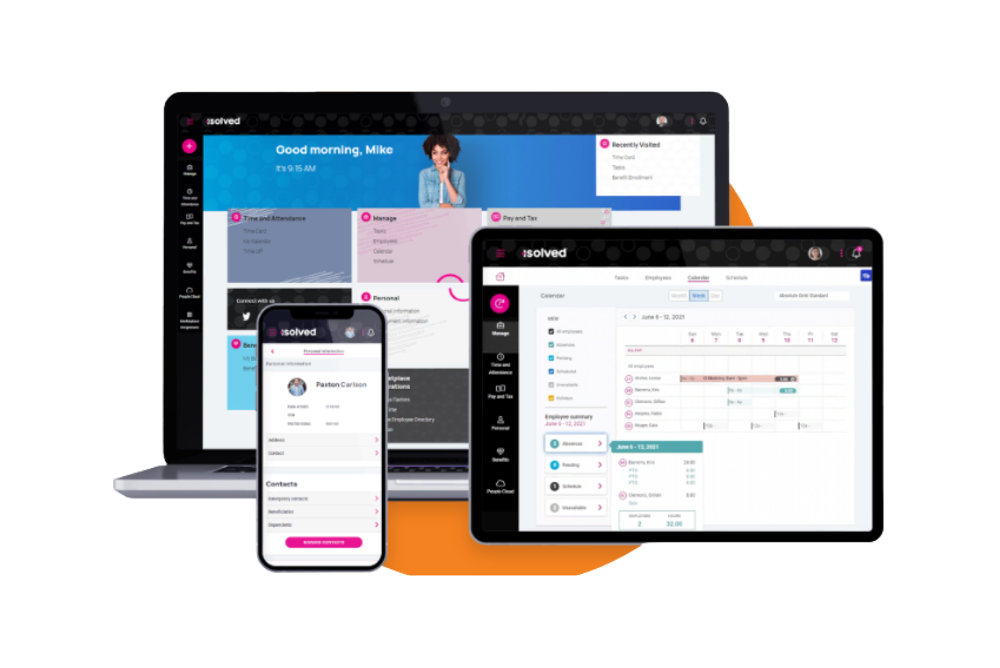
Payroll People caters to businesses seeking customized payroll, tax compliance, and HR solutions. It serves companies looking for personalized support.
Why I picked Payroll People: The tool offers tailored solutions to meet the unique needs of your business. It provides personalized support and flexible payroll processing options, and also offers complete tax services to help you manage compliance. Its focus on customization makes it a strong choice for businesses needing more than a one-size-fits-all solution.
Standout features and integrations:
Features include customizable payroll processing that allows your business to adapt payroll operations to its specific needs. The platform offers detailed reporting options, giving you insights into payroll data that could help you understand metrics such as your payroll costs. Payroll People also provides compliance management, ensuring you meet all federal and state tax regulations.
Integrations include QuickBooks, Microsoft Dynamics, and more.
Pros and Cons
Pros:
- Personalized customer support
- Detailed reporting capabilities
- Flexible processing options
Cons:
- Requires regular updates
- Limited online resources
Annen enkel lønnsprogramvare
Her er noen andre alternativer innen enkel lønnsprogramvare som ikke kom med på kortlisten min, men som likevel er verdt å se nærmere på:
- Keka HR
For linking project hours to payroll
- Homebase
For shift scheduling
- QuickBooks Online
For accounting integration
- Rippling
For IT and device management
- Paylocity
For employee engagement tools
- TriNet
For small business HR needs
- Gusto
For integrated benefits management
- Justworks
For startups and remote teams
- OnPay
For agricultural businesses


How I Evaluate Simple Payroll Software
I approach this in two layers—baseline criteria every tool must meet, and differentiators that matter for an office manager running payroll solo or a founder paying their first batch of contractors.
Core Functionality (Table Stakes For This List)
When I'm selecting tools for my list, I rank each one on a scale from 0 (does not offer the functionality) to 5 (excels in this area) for each core functionality listed below. Then, I calculate the tool's total score into a percentage. Each tool needs to achieve a minimum total score of 65% to be considered for inclusion.
- Automated Payroll Processing: I look for tools that handle gross-to-net calculations for both salaried and hourly workers across standard pay schedules without requiring manual math each cycle.
- Tax Filing & Compliance: Each tool should calculate, withhold, and file payroll taxes at the federal, state, and local level—covering everything from quarterly filings to year-end W-2 and 1099 generation.
- Direct Deposit Payments: Funding speed matters, so I check whether direct deposit is standard or costs extra, and whether faster options like next-day or same-day deposits are available.
- Employee Self-Service Portal: Workers should be able to pull up their own pay stubs and tax documents without pinging HR—something like an employee downloading a W-2 at tax time without submitting a request.
- Contractor & W-2 Support: I evaluate whether the platform handles both worker types in one workflow or splits them into separate modules, since many small businesses pay a mix of full-time staff and freelancers.
- Guided Setup & Simple UI: A bookkeeper switching from spreadsheets should be able to set up the system and run a first payroll without calling support, so I look at onboarding wizards, data import options, and overall workflow clarity.
Once I have a list of tools that meet this criteria, I consider what sets each platform apart.
Differentiating Factors (What Sets Vendors Apart)
Here's how I compare and contrast different vendors:
Standout Features
Built-in time tracking is a big one—when hourly employees' hours flow directly into payroll, you skip a whole layer of manual data entry and error-prone imports. I also check for native accounting sync, especially two-way connections with tools like QuickBooks or Xero that post journal entries automatically. For teams spread across multiple states, multi-state payroll support saves real headaches by handling reciprocity rules and local tax requirements behind the scenes.
Beyond Features
Pricing transparency matters a lot here. I look for clear base-plus-per-employee pricing with no surprise fees for tax filing or year-end forms—small businesses need predictable costs. Customer support is another factor I weigh carefully, because when you're an office manager running payroll for the first time, reaching a live payroll specialist beats digging through a help center. I also check whether a vendor backs its tax calculations with an accuracy guarantee that covers penalties if their system makes a filing error.
Slik velger du enkel lønnsprogramvare
Det er lett å gå seg vill i lange lister over funksjoner og kompliserte prisstrukturer, særlig når du sammenligner ulike typer lønnsprogramvare. For å hjelpe deg med å holde fokus mens du går gjennom valget av lønnsprogramvare, finner du her en sjekkliste over faktorer du bør ha i tankene:
| Faktor | Hva du bør vurdere |
| Skalerbarhet | Vurder om programvaren kan vokse sammen med virksomheten din. Vil den håndtere et økende antall ansatte og mer komplekse lønnsbehov? Se etter trinnvis prising eller funksjoner. |
| Integrasjoner | Kontroller om programvaren integreres med verktøyene du allerede bruker, for eksempel regnskaps- eller HR-systemer. Manglende integrasjon kan føre til manuell dataregistrering og feil. |
| Tilpasningsmuligheter | Vurder hvor godt du kan tilpasse programvaren til arbeidsflyten din. Kan du tilpasse rapporter og dashbord? Denne fleksibiliteten kan spare deg for tid. |
| Brukervennlighet | Finn ut om programvaren er brukervennlig for teamet ditt. En bratt læringskurve kan kreve mer opplæring og støtte, særlig for nyansatte. |
| Implementering og innføring | Vurder hvor mye tid og hvilke ressurser som kreves for oppsettet. Tilbyr leverandøren støtte eller ressurser, for eksempel veiledninger, som kan gjøre overgangen enklere? |
| Kostnad | Sammenlign prisplanene og hva som er inkludert. Finnes det skjulte gebyrer? Sørg for at kostnaden er i tråd med budsjettet ditt og gir god verdi. |
| Sikkerhetstiltak | Sammenlign prisplanene og hva som er inkludert. Finnes det skjulte gebyrer? Sørg for at kostnaden er i tråd med budsjettet ditt og gir god verdi. |
Hva er enkel lønnsprogramvare?
Enkel lønnsprogramvare er et verktøy som er utviklet for å automatisere og effektivt administrere lønnsprosesser for ansatte. Den brukes vanligvis av HR-medarbeidere, eiere av små bedrifter og regnskapsførere som trenger å håndtere lønnsoppgaver uten mye bryderi.
Funksjoner som automatiske skatteberegninger, direkte innskudd, selvbetjeningsportaler for ansatte og integrert lønns- og tidsregistrering bidrar til å redusere feil, spare tid og forbedre lønnsnøyaktigheten. Alt i alt gjør disse verktøyene det enkelt å administrere lønn, sikre overholdelse av regelverket og frigjøre tid til andre oppgaver i virksomheten.
Funksjoner
Når du velger en enkel plattform med komplett tjenestetilbud, bør du se etter følgende viktige funksjoner i lønnsprogramvare:
- Automatiske skatteberegninger og innleveringer: Sikrer overholdelse av nasjonale og delstatlige skattelover ved å beregne og rapportere lønnsskatt automatisk, noe som reduserer risikoen for feil og gebyrer når du leverer skattemeldinger.
- Direkte innskudd: Gjør det mulig for ansatte å motta lønnen sin som direkte innskudd, noe som sparer tid og reduserer bryderiet med fysiske sjekker.
- Selvbetjeningsportal for ansatte: Gir ansatte tilgang til lønnsslipper, skattedokumenter og personopplysninger, slik at de kan administrere sine egne data.
- Tilpassbar rapportering: Gir mulighet til å generere skreddersydde rapporter, som gir innsikt i lønnsdata og bidrar til økonomiske analyser.
- Integrasjon med tidsregistrering: Registrerer de ansattes arbeidstimer sømløst, sikrer nøyaktig lønnsbehandling og bidrar til å administrere arbeidskostnader.
- Tilgang via mobilapp: Gjør det mulig å få tilgang til nettbaserte lønnsverktøy fra smarttelefoner eller nettbrett, slik at det blir enklere å administrere lønn mens du er på farten.
- Regelverksoverholdelse: Holder programvaren oppdatert med de nyeste arbeidslovene og forskriftene, slik at lønnsbehandlingen alltid er i samsvar med lovverket.
- Integrasjon med regnskapssystemer: Synkroniserer med regnskapsprogramvare for å sikre at økonomiske opplysninger er nøyaktige og oppdaterte, og reduserer manuell dataregistrering.
- Administrasjon av personalgoder: Administrerer personalgoder som helseforsikring og pensjonsordninger, og gir en helhetlig oversikt over de ansattes kompensasjon.
- Kundestøtte: Gir tilgang til hjelp og veiledning ved behov, slik at eventuelle lønnsproblemer løses raskt og effektivt.
Fordeler
Implementering av enkel lønnsprogramvare gir flere fordeler for teamet og virksomheten din. Her er noen av fordelene du kan se frem til:
- Tidsbesparelser: Automatisering av lønnsoppgaver som skatteberegninger og direkte innskudd sparer timer med manuelt arbeid hver lønningsperiode.
- Færre feil: Automatiske beregninger og oppdateringer av regelverket bidrar til å minimere feil, sikrer nøyaktig lønnsbehandling og unngår kostbare gebyrer.
- Forbedret etterlevelse: Programvaren holder oversikt over juridiske krav og hjelper deg med å overholde skatte- og arbeidslovgivningen uten ekstra innsats.
- Styrking av ansatte: Selvbetjeningsportaler gir ansatte tilgang til lønnsinformasjonen sin, reduserer administrative henvendelser og gir dem mulighet til å administrere egne data.
- Kostnadseffektivitet: Reduserte manuelle prosesser og færre feil kan senke administrative kostnader og forbedre den generelle økonomiske effektiviteten.
- Datasikkerhet: Sikre systemer beskytter sensitive lønnsdata og sørger for at informasjon om ansatte og virksomheten forblir konfidensiell.
- Skalerbarhet: Riktig programvare kan tilpasses for å håndtere flere ansatte og mer komplekse lønnsbehov etter hvert som virksomheten vokser, slik at ekspansjonen kan støttes uten avbrudd.
Kostnader og priser
Valg av enkel lønnsprogramvare krever en forståelse av de ulike prismodellene og tilgjengelige abonnementene. Kostnadene varierer basert på funksjoner, teamstørrelse, tillegg og mer. Tabellen nedenfor oppsummerer vanlige abonnementer, gjennomsnittsprisene deres og typiske funksjoner som er inkludert i enkle lønnsløsninger:
Sammenligningstabell for enkel lønnsprogramvare
| Abonnementstype | Gjennomsnittspris | Vanlige funksjoner |
| Gratisabonnement | $0 | Grunnleggende lønnsbehandling, selvbetjeningsportal for ansatte og direkte innskudd. |
| Personlig abonnement | $5-$25/bruker/måned | Automatiske skatteberegninger, direkte innskudd, selvbetjening for ansatte og grunnleggende rapportering. |
| Bedriftsabonnement | $25-$50/bruker/måned | Avansert rapportering, håndtering av regelverksetterlevelse, administrasjon av personalgoder og integrasjon med tidsregistrering. |
| Abonnement for større virksomheter | $50-$100/bruker/måned | Tilpassbar rapportering, dedikert kontostøtte, avanserte sikkerhetsfunksjoner og full HR-integrasjon. |
Vanlige spørsmål om enkel lønnsprogramvare
Her er noen svar på vanlige spørsmål om enkel lønnsprogramvare:
Kan enkel lønnsprogramvare håndtere lokale skatteregler og etterlevelse automatisk?
Et godt lønnssystem oppdaterer skattetabeller i bakgrunnen, noe som reduserer risikoen for manuelle feil. Det beregner vanligvis trekk automatisk basert på hvor du befinner deg. Dette hjelper teamet ditt med å overholde regelverket når reglene endres. Du trenger ikke å bekymre deg for å oppdatere skattesatser manuelt.
Kan enkel lønnsprogramvare integreres med de eksisterende systemene mine?
Ja, mange enkle lønnsløsninger tilbyr integrasjoner med populære regnskaps- og HR-systemer. Dette betyr at du kan synkronisere lønnsdata med verktøy som QuickBooks, Xero eller HR-administrasjonssystemet ditt. Integrasjoner reduserer manuell dataregistrering, sparer tid og reduserer feil. Før du kjøper, bør du kontrollere om programvaren støtter de spesifikke systemene du bruker. Denne kompatibiliteten sikrer en smidigere arbeidsflyt og bidrar til å opprettholde datakonsistens på tvers av virksomhetens verktøy.
Hvor nøyaktige er beregningene fra enkel lønnsprogramvare?
Enkel lønnsprogramvare er utviklet for å eliminere feilberegninger som er vanlige ved manuelle prosesser. Den tar automatisk hensyn til arbeidede timer, fradrag, bidrag og skatter. Du kan gjennomgå rapporter før du ferdigstiller en lønnskjøring, slik at du kan kontrollere at alt ser riktig ut. Dette reduserer feil og bidrar til en jevn og nøyaktig lønnsbehandling.
Vil enkel lønnsprogramvare kunne skaleres etter hvert som teamet vårt vokser?
Enkle lønnsverktøy støtter vanligvis små team, inkludert virksomheter som kjører lønn for bare én ansatt, men kan også håndtere vekst over tid. Du kan legge til nye ansatte, oppdragstakere eller avdelinger uten å endre arbeidsflyten. Etter hvert som behovene dine øker, tilbyr mange plattformer oppgraderte funksjoner. Dette gir deg fleksibilitet uten at du må bytte system.