

10 Best Payroll and Timekeeping Software Reviewed in 2026

10 Best Payroll and Timekeeping Software Shortlist


Managing payroll and tracking time can be a headache for any team. You might find yourself buried in spreadsheets, struggling to keep everything accurate and on time. That's where payroll and timekeeping software comes in, offering a way to simplify these tasks and let you focus on what really matters: your people.
I've spent countless hours testing and reviewing these tools to find the best ones for you. My goal is to give you an honest, straightforward look at what each software offers.
In this article, I'll share my top picks, focusing on features that can make a real difference in your daily work. You'll find insights into what makes each tool unique and how it can help solve your specific challenges.
Why Trust Our Software Reviews
Our team has been testing and reviewing software since 2012. As HR experts ourselves, we know how difficult—and important—it is to choose the right software.
For this guide, we evaluated tools using hands-on testing and independent research, scoring tools using our selection criteria. We also draw on insights from industry thought leaders and practicing HR experts.
Our reviews reflect our human editorial judgment, not a sales pitch.
Expert reviewers:
Best Payroll and Timekeeping Software Summary
This comparison chart summarizes pricing details for my top payroll and timekeeping software selections to help you find the best one for your budget and business needs.
| Tool | Best For | Trial Info | Price | ||
|---|---|---|---|---|---|
| 1 | Best for employee self-service payroll entry | Not available | Pricing upon request | Website | |
| 2 | Best for geo-fencing | Not available | From $79/employee/month | Website | |
| 3 | Best for hourly workforce management | Free plan available | From $30/location/month | Website | |
| 4 | Best for automated payroll processing | Free demo available | From $49/month + $6/month/user | Website | |
| 5 | Best with AI-powered expense management | Free demo available | Pricing upon request | Website | |
| 6 | Best for customizable punch rules | 14-day free trial + free demo available | From $4.99/user/month + $19/month base fee (billed annually) | Website | |
| 7 | Best for automated tax filing | 3-month free trial | Pricing upon request | Website | |
| 8 | Best for biometric time clock integration | 30-day free trial | From $50/month | Website | |
| 9 | Best for budget-friendly time tracking | Free plan available | From $4.99/user/month | Website | |
| 10 | Best for construction teams | 14-day free trial + free demo + free plan available | From $9.99/user/month (billed annually) | Website |


Best Payroll and Timekeeping Software Review
Below are my detailed summaries of the best payroll and timekeeping software that made it onto my shortlist. My reviews offer a detailed look at the key features, pros & cons, integrations, and ideal use cases of each tool to help you find the best one for you.

Paycom
Best for employee self-service payroll entry

Paycom is a single-database HCM platform that combines employee self-service payroll, time and attendance tracking, scheduling, and automated tax filing in one system.
Who Is Paycom Best For?
Paycom is a strong fit for mid-to-large-sized organizations that need a unified payroll and HR system and want to reduce manual admin by shifting more ownership to employees.
Why I Picked Paycom
Paycom earns its spot on my shortlist because of Beti, its employee-guided payroll feature. Rather than relying on HR to catch errors after the fact, Beti alerts employees to missing punches, unapproved expenses, or deduction changes throughout the pay period, then guides them to fix issues before payroll is ever submitted. Payroll also self-starts each period, pulling live timecard, PTO, and benefits data automatically, so there's no manual data entry involved by the time submission rolls around.
Paycom Key Features
- Time and attendance tracking: Employees clock in and out via web-based time clocks or the mobile app, with geofencing and microfencing to restrict punches to approved locations.
- Automated scheduling: Build and publish employee schedules, and let employees request shift swaps or pickups directly within the platform.
- GONE® time-off automation: Automatically approves or denies time-off requests based on rules you configure, so managers aren't bottlenecking the process.
- Labor allocation: Track and categorize labor costs by department, location, or role in real time for more accurate payroll distribution.
Paycom Integrations
The platform is built as a single-database HCM system, so it relies on its own built-in tools rather than offering a wide library of native integrations.
Pros and Cons
Pros:
- Automated tax and garnishment filing included
- Self-service updates reflect instantly across all modules
- Employees review and fix paycheck errors pre-payday
Cons:
- Implementation process is lengthy and complex
- Custom reporting often requires extra Excel work

Best for geo-fencing
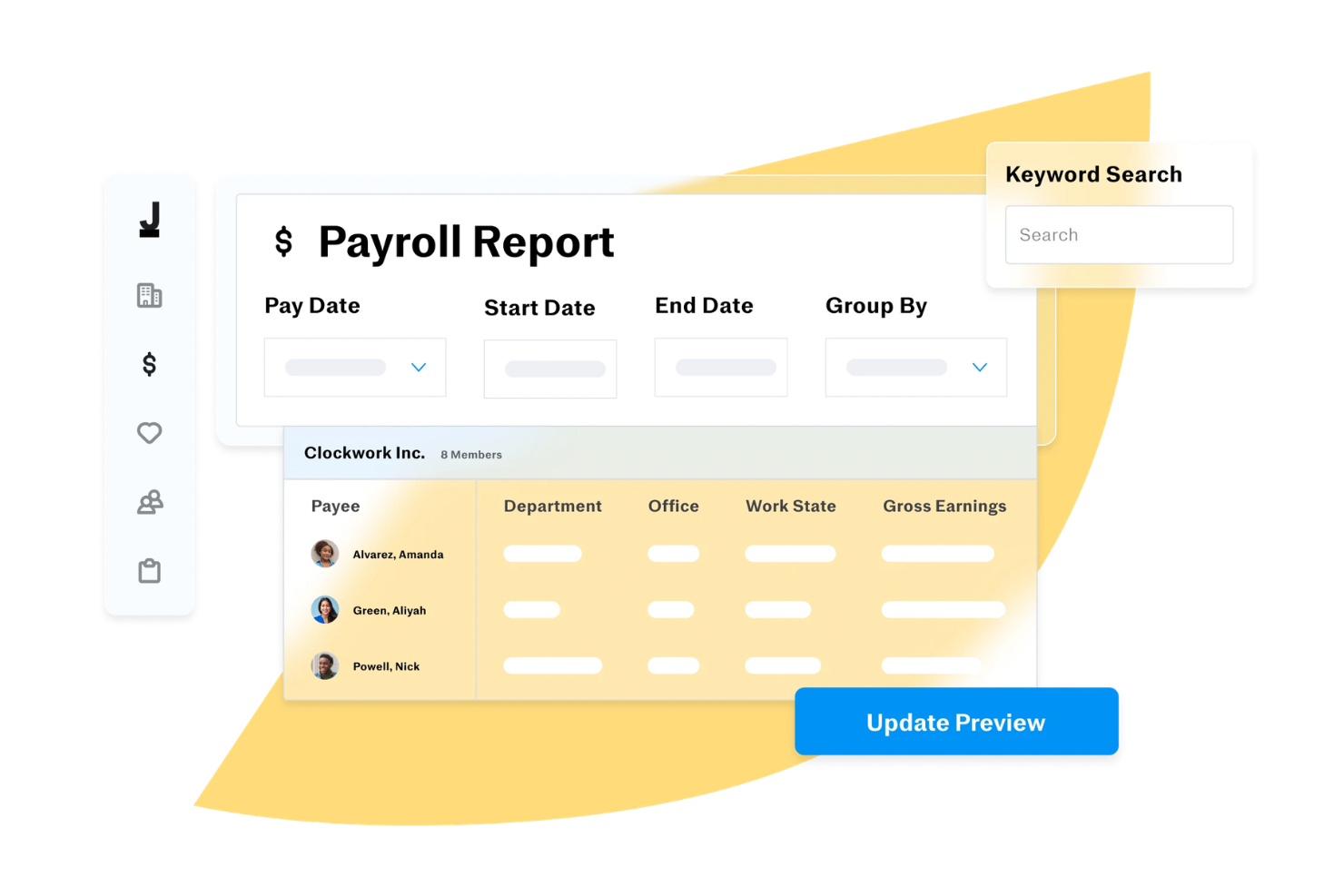
Justworks is a payroll and timekeeping platform that combines payroll processing, time tracking, compliance management, and benefits administration for businesses managing distributed teams.
Who Is Justworks Best For?
Justworks is a strong fit for small to mid-sized businesses that need to manage payroll, benefits, and compliance across remote or geographically dispersed teams.
Why I Picked Justworks
Justworks earns its spot on my shortlist because of how well its geo-fencing feature handles the real-world complexity of location-based timekeeping. I like that admins can set the geofence radius anywhere from 250 feet to 10 miles, and apply it to check-in only or both check-in and check-out. That flexibility matters when you have field teams who start their day at a job site but wrap up somewhere else. You can also assign specific locations to specific employees, so the geofence applies only where it makes sense. Additionally, Justworks Time Tracking syncs approved shifts directly to payroll, which reduces the manual reconciliation step that often creates errors.
Justworks Key Features
- Automated payroll tax filing: Justworks files your 940s, 941s, W-2s, and 1099s automatically at no additional charge.
- Custom overtime alerts: Set overtime thresholds that trigger alerts before employees exceed their scheduled hours.
- PTO management: Set up vacation and sick leave policies, track accruals, and approve PTO requests from within the platform.
- Shift notes and reporting: Employees can add notes to individual shifts, and admins can generate detailed timesheet and payroll reports.
Justworks Integrations
Justworks offers native integrations with QuickBooks Online and Xero for accounting, and provides an API for custom integrations.
Pros and Cons
Pros:
- Combines payroll, HR, benefits
- Automated tax filings and compliance
- QuickBooks integration for syncing
Cons:
- Limited customization for payroll workflows
- Some features require higher-tier plans

Homebase
Best for hourly workforce management

Homebase is a payroll and timekeeping platform designed for businesses that need integrated employee scheduling, time tracking, and payroll processing in one system.
Who Is Homebase Best For?
Homebase is a good fit for small to mid-sized businesses in retail, hospitality, and food service that rely heavily on hourly workers.
Why I Picked Homebase
Homebase earns its spot on my shortlist because it's one of the few platforms built from the ground up for hourly workforce management—not adapted from a salaried-employee model. I like how the time clock automatically flags late clock-ins, takes a photo at clock-in to prevent buddy punching, and syncs hours directly to payroll without any manual data transfer. The labor cost controls are also genuinely useful: you can set labor-to-sales targets and see real-time cost projections right on the schedule, which matters when managing shift workers across multiple roles. The payroll add-on then handles wages, tips, overtime, and breaks after timesheets and files taxes on your behalf.
Homebase Key Features
- Employee self-onboarding: New hires complete and e-sign their W-4, I-9, direct deposit, and W-9 forms digitally before their first shift.
- PTO and time-off controls: Set blackout dates, manage time-off requests, and automatically track PTO balances and accruals against your policies.
- Built-in team messaging: Send shift reminders, notes, and direct messages to employees through the app without needing a separate communication tool.
- HR compliance alerts: Homebase's HR Pro team sends alerts for upcoming labor law changes—like minimum wage increases—and gives you access to certified HR advisors.
Homebase Integrations
Homebase offers native integrations with QuickBooks, Square, Toast, Gusto, ADP, Paychex, Shopify, Clover, and Heartland. An API is available for custom integrations.
Pros and Cons
Pros:
- Mobile app lets employees clock in/out from anywhere
- Real-time schedule visibility helps reduce confusion
- Time tracking integrates with schedules to reduce errors
Cons:
- Integrations with niche POS systems can be inconsistent
- Best for hourly workers — less tailored for salaried teams

Gusto
Best for automated payroll processing

Gusto offers a practical solution for small- to mid-sized businesses to manage payroll and timekeeping. Its intuitive platform addresses the challenges of payroll and time tracking by automating tasks and reducing manual effort and potential errors. Whether you're in retail, tech, or any industry with diverse scheduling needs, Gusto's integration of payroll and timekeeping functionalities helps you maintain accuracy and compliance, freeing you up to focus on growing your business.
Why I Picked Gusto
I picked Gusto for its automated payroll processing, which is crucial for those seeking to improve payroll and timekeeping efficiency. With Gusto's Payroll on AutoPilot®, you can run payroll automatically each pay period, minimizing manual intervention. It also supports flexible payment schedules and multiple pay rates, catering to both hourly and salaried employees. These features are particularly beneficial for businesses looking to manage operations and ensure accurate payroll management without the hassle of manual calculations.
Gusto Key Features
In addition to its automated payroll capabilities, Gusto offers:
- Time Kiosk: Allows employees to clock in and out using a tablet, making it easy to track hours worked.
- AI-Assisted Scheduling: Helps managers create and share schedules, reducing the likelihood of conflicts and overtime.
- Automated Time-Off Requests: Simplifies the process of requesting and managing PTO, ensuring compliance with state laws.
- Project Tracking: Enables tracking of hours spent on specific projects, offering insights into workforce costs and productivity.
Gusto Integrations
Integrations include Brightwheel, ClockShark, Hubstaff, Deputy, eBillity, Homebase, QuickBooks Time, 7Shifts, AttendanceBot, and Hour Timesheet.
Pros and Cons
Pros:
- Handles federal, state, and local tax compliance
- Built-in time tracking syncs directly with payroll
- Has employee self-service for pay stubs and tax documents
Cons:
- Pricing increases as headcount and features grow
- Reporting options are less flexible for custom analysis
New Product Updates from Gusto
Gusto Adds Solo Advisory Tools and Mobile Money Features
Gusto adds Solo S-Corp Advisory Tools and Gusto Money on Mobile for tax guidance, invoicing, and bill payments. These updates help accountants advise solopreneurs and let users manage business finances from their phones. For more information, visit Gusto’s official site.

Best with AI-powered expense management
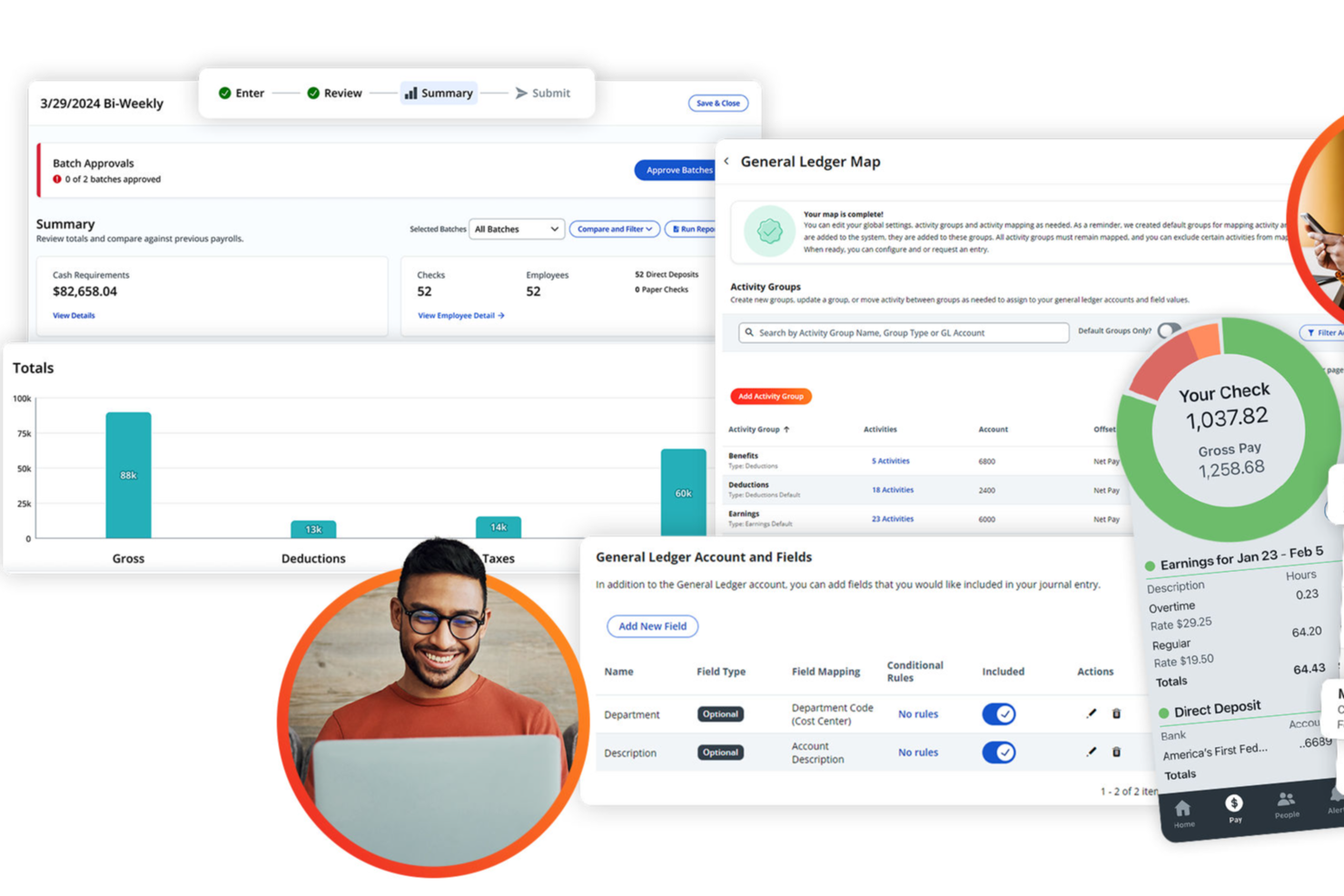
Paylocity is a payroll and timekeeping platform for HR teams that combines automated payroll processing, time tracking, expense management, and compliance tools in one system.
Who Is Paylocity Best For?
Paylocity is a good fit for mid-sized businesses looking for an all-in-one HR and payroll platform with built-in time tracking and expense management.
Why I Picked Paylocity
I picked Paylocity as one of the best because of how far its AI-powered expense management goes beyond basic receipt tracking. The Touchless Expense Reports feature uses AI to capture and categorize expenses from a photo snap—no manual entry, no coding. I also like the Direct Card Expenses feature, which automatically links Visa and Mastercard corporate card transactions to expense reports with real-time categorization and automated receipt matching. The built-in policy enforcement tools let you set budget limits by role and expense type, and include blocking and warning rules that flag non-compliant submissions before they reach an approver.
Paylocity Key Features
- Payroll Readiness Dashboard: Highlights outstanding tasks before processing day and runs 40+ audits to flag potential errors like unexpected pay spikes before payroll is submitted.
- AI-powered shift recommendations: Generates shift suggestions based on historical company trends and employee data to reduce manual scheduling work.
- Time card approval workflow: Lets managers review, edit, and approve time cards from mobile or desktop, with data flowing directly into payroll for accurate paychecks.
- Labor compliance rule configuration: Lets you set overtime, break, and premium rules aligned to specific state and federal labor laws, with automatic rate and overtime calculations.
Paylocity Integrations
Paylocity offers native integrations with QuickBooks, NetSuite, ADP, and SAP Concur, and provides an API for custom integrations.
Pros and Cons
Pros:
- AI-powered expense management within payroll workflows
- Automated payroll tax calculations and filings
- Customizable general ledger mapping for payroll exports
Cons:
- Time-off accrual setup can be confusing
- Reporting customization options are limited
New Product Updates from Paylocity

Paylocity Expands Expense and Purchase Request Tools
Paylocity adds connected personal cards, smarter expense categorization, and a streamlined purchase request experience. This reduces manual entry and helps finance teams manage expenses and approvals more efficiently. For more information, visit Paylocity’s official site.
 .
.
Best for customizable punch rules

Buddy Punch is a cloud-based time and attendance platform that brings together employee time clocking, automated timesheet generation, scheduling, leave tracking, and built-in payroll in one place.
Who Is Buddy Punch Best For?
Buddy Punch is a strong fit for small to mid-sized businesses with hourly or shift-based workforces that need time tracking and payroll in one tool.
Why I Picked Buddy Punch
I picked Buddy Punch as one of the best because of how much control it gives you over how and when employees can punch in. The punch limiting feature restricts clock-ins outside of scheduled windows, so you're not paying for unplanned early arrivals. Pair that with automatic punch-outs and punch rounding, and you have a system that enforces your time policies automatically rather than relying on manager intervention after the fact.
Buddy Punch Key Features
- Built-in payroll processing: Run payroll directly within Buddy Punch, including direct deposit, federal and state tax filings, and W-2/1099 generation.
- Timesheet approval workflow: Managers can review, edit, and approve employee timesheets before payroll is processed.
- Break tracking: Log paid and unpaid breaks automatically or manually to support state labor law compliance.
- Overtime calculations: Buddy Punch flags and calculates daily and weekly overtime based on configurable pay rules.
Buddy Punch Integrations
Buddy Punch offers native integrations focused on payroll providers, including QuickBooks Online, QuickBooks Desktop, ADP Workforce Now, Gusto, Paychex, Paycor, Paylocity, Rippling, Workday, and SurePayroll. It also connects with Zapier and provides an API for custom integrations, along with single sign-on support through Google, Apple, Okta, and OneLogin.
Pros and Cons
Pros:
- Configurable PTO accrual rules
- Automatic overtime detection and alerts
- Multiple punch-in methods including SMS
Cons:
- GPS tracking costs extra on lower plans
- No offline mode for field workers
Best for automated tax filing

RUN (by ADP) is a payroll and timekeeping platform for small businesses that combines automated payroll processing, tax filing, and time tracking in one system.
Who Is RUN Best For?
RUN is a strong fit for small business owners who need a dedicated payroll solution with built-in tax compliance support.
Why I Picked RUN
I picked RUN as one of the best because it handles tax filing with minimal effort on your part. RUN calculates, deposits, and files your federal, state, and local payroll taxes automatically—and if ADP makes a filing error, they cover the resulting fines and penalties. I also like that it handles W-2 and 1099 creation and e-files those forms directly with the IRS on your behalf. The multi-jurisdiction payroll feature means you can pay employees who work across multiple states in the same pay period, with tax filing handled for each jurisdiction automatically.
RUN Key Features
- RUN & DONE automated payroll: Schedule recurring payroll runs to process automatically on a set cadence without manual input each pay period.
- AI-enabled error flagging: RUN scans payroll data before processing and surfaces potential errors so you can catch and fix mistakes before they affect your employees.
- Employee self-service mobile app: Employees can access pay history, personal information, and HR documents directly from the RUN mobile app.
- Salary benchmarking: Pull data-driven salary insights to compare your compensation against market rates when hiring or reviewing pay.
RUN Integrations
RUN offers native integrations with QuickBooks Online, Xero, Wave, and Clover, and provides an API for custom integrations.
Pros and Cons
Pros:
- Flexible service package options
- Scales with business growth
- Strong payroll tax compliance
Cons:
- Limited report customization
- Higher starting monthly cost

TimeTrex
Best for biometric time clock integration
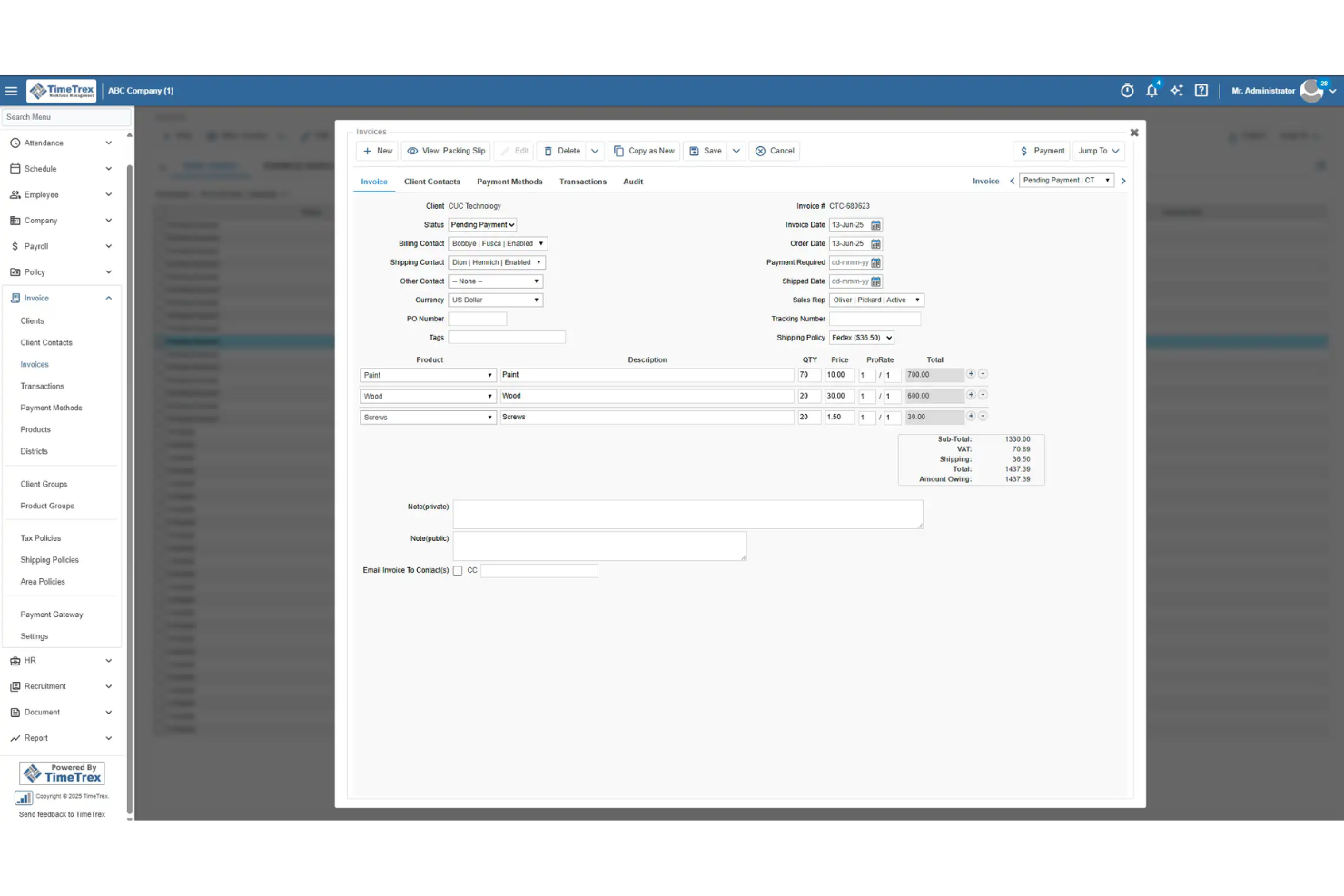
TimeTrex is a payroll and timekeeping platform that combines employee scheduling, attendance tracking, payroll processing, and support for biometric time clocks in one system.
Who Is TimeTrex Best For?
TimeTrex is a good fit for mid-sized businesses in industries like manufacturing, retail, and healthcare that need to track hourly workers across multiple locations.
Why I Picked TimeTrex
I chose TimeTrex because it handles biometric time clock integration without requiring expensive proprietary hardware. I like that it turns any off-the-shelf tablet or phone into a facial recognition time clock—so if you're managing a warehouse floor or a healthcare facility with multiple entry points, you're not locked into costly dedicated devices. The facial recognition handles hats, glasses, and facial hair, which matters in real-world environments where workers' appearances vary. It also captures GPS location and an optional photo with each punch, giving you a clear, timestamped record that's hard to dispute.
TimeTrex Key Features
- Payroll processing: Automate wage calculations, tax filings, direct deposit, and deductions including garnishments and 401(k) contributions.
- AI-powered shift scheduling: Build and adjust employee schedules based on availability, skills, and demand, with real-time conflict detection.
- Leave management: Employees submit time-off requests through a self-service portal, and approvals automatically update schedules and payroll records.
- Multi-state and multi-country payroll: Process payroll across different states and countries while automatically applying the relevant tax laws and labor regulations.
TimeTrex Integrations
TimeTrex's native integrations include ADP, QuickBooks, Sage, Paychex, and Surepay. TimeTrex provides an API for custom integrations.
Pros and Cons
Pros:
- Allows employee self-service for time off, schedules, timesheets
- Allows for real-time attendance monitoring to reduce errors
- Offers comprehensive payroll processing with automated tax calculations
Cons:
- User interface may feel dated or cluttered
- Limited number of native integrations compared with leading HR platforms
New Product Updates from TimeTrex
TimeTrex Adds Quick Punch App With Offline and QR Support
TimeTrex adds a new Quick Punch app, offline punching, QR code scanning, punch images, configurable messages, and punch warnings or lockouts to improve employee clock-ins across browsers and local computers. For more information, visit TimeTrex’s official site.
 .
.
Clockify
Best for budget-friendly time tracking

Clockify is a timekeeping and attendance platform that lets teams track work hours, manage timesheets, monitor attendance, and generate reports for payroll processing.
Who Is Clockify Best For?
Clockify is a strong fit for growing businesses and agencies that need to track time across large or expanding teams without paying per seat.
Why I Picked Clockify
Clockify earns its spot on my shortlist because it's one of the few timekeeping tools that supports unlimited users on its free plan—no seat caps, no per-user fees at the base tier. I've used the kiosk feature with larger field teams, where employees clock in using a personal PIN or QR code from a shared device, removing the need for individual logins across a large workforce. I also like the timesheet approval workflow, where team members submit their hours and managers approve them on a weekly or monthly basis before payroll runs. That approval trail is useful when managing time data for large teams.
Clockify Key Features
- Time off management: Create time off policies, define holidays, and let employees submit leave requests that managers can approve directly in the platform.
- GPS location tracking: Monitor visited job sites and review team routes, with screenshot capture and privacy controls over what data is collected.
- Expense tracking: Record billable and non-billable expenses by sum or unit, attach receipts, and export expense reports for payroll or client billing.
- Invoicing: Pull tracked time directly into invoices, customize them with your company logo, and export as PDF to send to clients.
Clockify Integrations
Clockify offers native integrations with QuickBooks, Jira, Google Calendar, Outlook, Pumble, Asana, Trello, GitHub, GitLab, and Salesforce, and connects with Zapier. An API is available for custom integrations.
Pros and Cons
Pros:
- Helpful calendar day view
- Good multi-device flexibility
- Strong project time charts
Cons:
- Project setup can take time
- Limited offline use

BusyBusy
Best for construction teams

BusyBusy is a payroll and timekeeping software platform designed for construction and field service teams, offering mobile time tracking, GPS location verification, job costing, and payroll reporting tools.
Who Is BusyBusy Best For?
BusyBusy is a strong fit for construction companies and field service businesses that need to track time, labor costs, and crew locations across multiple job sites.
Why I Picked BusyBusy
BusyBusy earns its spot on my shortlist because it's built specifically for construction, not adapted from a generic time tracking tool. I particularly like the job costing features—you can filter labor data by project, cost code, employee, and equipment, then compare estimated hours against actual hours in real time. The GPS breadcrumbing is another feature I find genuinely useful: it tracks crew movement throughout the day without draining phone batteries, so I can verify that workers are on the right job site without micromanaging. The geofencing "Required Onsite" feature also means employees can only clock in once they're physically within the job site boundary, which cuts down on early clock-ins.
BusyBusy Key Features
- Scheduling: Create and publish crew schedules with location pins and job instructions that employees receive directly on their phones.
- Custom overtime calculations: Set weekly, daily, and weekend overtime rates at 1.5x or 2x pay, with the ability to assign different settings per individual employee.
- Timecard signatures: Send employees a notification to sign their timecard from their phone, with supervisors able to co-sign from their own device.
- Offline mode: Track time without cell service, with all data automatically syncing to the cloud once a connection is restored.
BusyBusy Integrations
BusyBusy offers native integrations with QuickBooks Online, QuickBooks Desktop, Sage Intacct, Sage 100, Sage 300, Viewpoint Spectrum, Viewpoint Vista, Procore, ADP, Paychex, Foundation Software, ComputerEase, Explorer, FreshBooks, Ceridian, CMIC, Microsoft Dynamics, and Protiv. It also connects with Zapier and provides an API for custom integrations.
Pros and Cons
Pros:
- Helpful equipment use logs
- Strong photo clock proofs
- Great for job-site tracking
Cons:
- Most teams will need training time to get started
- App is heavy on data
Other Payroll and Timekeeping Software
Here are some additional payroll and timekeeping software options that didn’t make it onto my shortlist, but are still worth checking out:
- OnTheClock
For simple time tracking
- QuickBooks
For accounting teams
- Workday
For global operations
- Paychex
For HR integration
- ADP
For large enterprises
- Patriot Software
For cost efficiency
- Workforce
For employee scheduling
- TCP Software
For compliance tracking
- Timesheets
For small businesses
- Rippling
For automating time tracking and payroll runs


How I Evaluate Payroll and Timekeeping Software
I split my evaluation into baseline criteria every tool must clear—like automating tax filing and syncing approved timesheets to payroll—and differentiators that separate the best from the rest.
Core Functionality (Table Stakes For This List)
When I'm selecting tools for my list, I rank each one on a scale from 0 (does not offer the functionality) to 5 (excels in this area) for each core functionality listed below. Then, I calculate the tool's total score into a percentage. Each tool needs to achieve a minimum total score of 75% to be considered for inclusion.
- Payroll Processing: I check whether a tool handles multi-schedule runs, direct deposit, and off-cycle payments—like issuing a bonus or final check mid-period.
- Time & Attendance Tracking: Capture methods matter here—I evaluate options like mobile clock-in, kiosk mode for shared workstations, and geofenced punches for field crews.
- Tax Filing & Compliance: Each tool should calculate, withhold, and file payroll taxes at every applicable level—and auto-generate year-end forms like W-2s or equivalents.
- Timesheet-to-Payroll Sync: Approved hours should flow into payroll without CSV exports or manual re-entry, so I look for native sync with built-in error flagging.
- Overtime & Wage Rules Engine: I evaluate how each platform handles layered rules—stacked overtime tiers, shift differentials, and region-specific wage thresholds.
- Employee Self-Service Portal: Your team should be able to view pay stubs, download tax forms, submit time-off requests, and review hours logged without HR intervention.
Once I have a list of tools that meet the criteria, I consider what sets each platform apart.
Differentiating Factors (What Sets Vendors Apart)
Here's how I compare and contrast different vendors:
Standout Features
On-demand pay is a feature I pay close attention to, especially for teams with hourly workers who value access to earned wages between pay cycles. Scheduling and shift management also makes a real difference—when shift swaps and labor forecasting live alongside time tracking, it cuts down on the manual back-and-forth that eats into an HR team's day. I also look at how tightly benefits administration ties into payroll, since keeping deductions for health and retirement plans in sync with each pay run reduces reconciliation headaches.
Beyond Features
Integrations matter a lot here—I check whether a platform connects natively to your accounting software, HRIS, and benefits providers so payroll data doesn't live in a silo. Compliance and security certifications like SOC 2 Type II also weigh into my evaluation, since payroll data is some of the most sensitive information a company handles. Pricing transparency is another factor I look at closely, especially whether vendors clearly disclose per-employee costs and any add-on fees for things like year-end filing or off-cycle runs.
How to Choose Payroll and Timekeeping Software
It’s easy to get bogged down in long feature lists and complex pricing structures. To help you stay focused as you work through your unique software selection process, here’s a checklist of factors to keep in mind:
| Factor | What to Consider |
| Scalability | Will the software grow with your business? Consider if it can handle more employees or locations without extra costs or technical headaches. |
| Integrations | Does it work with your current systems? Check for compatibility with existing payroll, HR, or accounting software to avoid data silos and manual entry. |
| Customizability | Can you tailor the software to your processes? Look for options to customize reports, dashboards, and user permissions to fit your team’s needs. |
| Ease of use | Is it intuitive for your team? Evaluate the interface and user feedback to ensure it won’t require extensive training or support. |
| Implementation and onboarding | How quickly can you get up and running? Consider the time and resources required for setup, including data migration and training for your team. |
| Cost | Are there hidden fees? Analyze the pricing structure, including user fees and any extra charges for add-ons or support, to fit your budget. |
| Security safeguards | Does it protect your data? Look for encryption, access controls, and compliance with data protection regulations to safeguard sensitive information. |
| Compliance requirements | Does it meet industry standards? Ensure it adheres to relevant labor laws and regulations to avoid penalties and legal issues. |
What Is Payroll and Timekeeping Software?
Payroll and timekeeping software is a tool that automates the process of tracking employee hours and managing payroll. HR professionals, accountants, and managers generally use these tools to ensure accurate pay calculations and compliance with labor laws. Time tracking, automated payroll processing, and compliance management features help reduce with reducing manual errors, saveing time, and ensure ing legal compliance. Overall, these tools simplify workforce management and enhance organizational efficiency.
Features of Payroll and Timekeeping Software
When selecting payroll and timekeeping software, keep an eye out for the following key features:
- Time tracking: Automatically records employee hours to ensure precise payroll calculations.
- Payroll processing: Calculates and distributes employee payments efficiently, reducing manual effort.
- Compliance management: Monitors adherence to labor laws and regulations to avoid legal issues.
- Customizable reporting: Generates tailored reports to provide insights into workforce data and performance.
- Mobile access: Allows employees to clock in and out remotely, offering flexibility and convenience.
- Automated tax calculations: Ensures accurate tax deductions and filings, minimizing errors.
- Employee self-service: Lets employees access pay stubs, request time off, and manage personal information.
- Scheduling tools: Helps create and manage employee shifts, optimizing workforce allocation.
- Integration capabilities: Connects with existing HR, accounting, or payroll systems to streamline processes.
- Security safeguards: Protects sensitive employee data with encryption and access controls.
Benefits of Payroll and Timekeeping Software
Implementing payroll and timekeeping software provides several benefits for your team and your business. Here are a few you can look forward to:
- Time savings: Automates time tracking and payroll processing, freeing up valuable hours for your team.
- Increased accuracy: Reduces manual errors in timekeeping and payroll calculations, ensuring employees are paid correctly.
- Compliance assurance: Helps maintain compliance with labor laws and tax regulations, minimizing legal risks.
- Improved efficiency: Streamlines scheduling and workforce management, optimizing resource allocation.
- Enhanced data insights: Offers detailed reporting and analytics, providing valuable insights into workforce performance.
- Employee empowerment: Provides self-service options for employees to manage their own information and requests.
- Flexibility: Allows remote access and mobile clock-ins, accommodating diverse work environments.
Costs and Pricing of Payroll and Timekeeping Software
Selecting payroll and timekeeping software requires an understanding of the various pricing models and plans available. Costs vary based on features, team size, add-ons, and more. The table below summarizes common plans, their average prices, and typical features included in payroll and timekeeping software solutions:
Plan Comparison Table for Payroll and Timekeeping Software
| Plan Type | Average Price | Common Features |
| Free Plan | $0 | Basic time tracking, employee self-service, and limited reporting. |
| Personal Plan | $3-$49/user/month | Time tracking, payroll processing, mobile access, and basic reporting. |
| Business Plan | $7-$80/user/month | Advanced scheduling, compliance management, integration capabilities, and analytics. |
| Enterprise Plan | $11-$180/user/month | Customizable dashboards, global payroll, premium support, and enhanced security features. |
Payroll and Timekeeping Software FAQs
Here are some answers to common questions about payroll and timekeeping software:
How does payroll and timekeeping software handle corrections to past pay periods?
Most tools let you fix old time entries or pay runs, but the way you do it varies. Some create adjustment entries, while others rerun payroll with corrected data. If your team often fixes past mistakes, make sure the system lets you edit previous periods without breaking reports. You’ll want a workflow that’s simple enough that managers don’t avoid making corrections.
Can I control who sees payroll data inside payroll and timekeeping software?
You can usually limit access so that only certain people can view pay rates, hours, and sensitive records. The best setups let you assign permissions by role, department, or location. This helps you protect personal data while still giving supervisors what they need to approve hours. Before choosing a tool, check how flexible the permission settings are.
How does payroll and timekeeping software handle complex approval chains?
If your team has multiple layers of managers, you’ll want software that can match that structure. Some tools allow multi-step approvals, while others only support a single reviewer. When you have shift swaps, overtime requests, or job-costed hours, you’ll need clear routing rules. Make sure the approval setup fits how your team actually works—not just how the software prefers you to work.
Does payroll and timekeeping software support job costing or project-based tracking?
Many tools let you tag hours to projects, jobs, or cost codes, but the level of detail differs. If your team bills clients or tracks internal budgets, you’ll want reliable ways to assign time and pull accurate totals later. Some systems support multiple layers of codes, while others only allow basic tagging. Pick a tool that matches the way you already track work.
How does payroll and timekeeping software help prevent buddy punching?
Some systems include PIN codes, photo capture, geofencing, or device restrictions to stop employees from clocking in for each other. These tools give you proof that the right person clocked in from the right place. If buddy punching is a problem for you, ask vendors what identity checks they support. A small feature like this can save you a lot of payroll mistakes.
Can payroll and timekeeping software support seasonal or short-term workers?
Most tools can handle temporary staff, but flexibility varies by plan. You may need to add or remove users frequently, so check how billing works for seasonal teams. Some systems charge monthly for every active worker, while others only bill for workers processed in payroll. This matters if your workforce changes throughout the year.
What’s Next:
If you're in the process of researching payroll and timekeeping software, connect with a SoftwareSelect advisor for free recommendations.
You fill out a form and have a quick chat where they get into the specifics of your needs. Then you'll get a shortlist of software to review. They'll even support you through the entire buying process, including price negotiations.