

10 Best Payroll Companies of 2026: Reviewed & Compared

10 Best Payroll Companies Shortlist


The best payroll company takes complex, error-prone work off your plate. You can spend less time calculating wages, correcting mistakes, and managing tax compliance. That leaves you with more time to focus on your people. Whether you’re dealing with spreadsheets, clunky legacy software, or a new payroll setup, the right partner can reduce manual work. It can also automate filings, improve accuracy, and keep your team paid on time. As an HR software reviewer and former payroll support specialist, I’ve reviewed hundreds of HR service providers. I know how much of a difference the right provider can make. This guide will help you choose a payroll company that fits your needs and scales with your business. It will also help you leave ongoing payroll headaches behind.
Why Trust Our Software Reviews
Our team has been testing and reviewing software since 2012. As HR experts ourselves, we know how difficult—and important—it is to choose the right software.
For this guide, we evaluated tools using hands-on testing and independent research, scoring tools using our selection criteria. We also draw on insights from industry thought leaders and practicing HR experts.
Our reviews reflect our human editorial judgment, not a sales pitch.
Expert reviewers:
Best Payroll Companies: Comparison Chart
This comparison chart summarizes pricing details for the best payroll companies that made my shortlist to help you find the best payroll company for you.
| Service | Best For | Trial Info | Price | ||
|---|---|---|---|---|---|
| 1 | Best for employee-driven payroll | Not available | Pricing upon request | Website | |
| 2 | Best for hiring without local entities | Free demo available | From $199/employee/month | Website | |
| 3 | Best for global employees and contractors | Free demo available | From $29/employee/month | Website | |
| 4 | Best for managing international teams | Free plan available | From $199/user/month | Website | |
| 5 | Best for HR, payroll, and integrations in one | Free demo available | Pricing upon request | Website | |
| 6 | Best for low-cost global contractor payroll | Free demo available | From $19/user/month | Website | |
| 7 | Best for multi-state payroll | Not available | From $79/employee/month | Website | |
| 8 | Best for unlimited payroll flexibility | Free demo available | From $49/month + $6/month/user | Website | |
| 9 | Best for mobile-friendliness | Free demo available | Pricing upon request | Website | |
| 10 | Best for 24/5 dedicated support | Free demo available | Pricing upon request | Website |


Best Payroll Company Reviews
Here’s a brief description of the top 10 payroll companies that made it into my shortlist, including their main service offerings and other noteworthy features. I’ve also included screenshots to give you a snapshot of their software’s user interface.
Plus, I’ve included 10 more worthwhile companies below, if you’d like some extra options to consider.


Paycom is an online payroll and human-capital-management (HCM) platform designed to cover payroll processing, HR tasks, tax filings and more. It centralizes your payroll, tax and employee-data workflows in one system aimed at automating many of the repetitive tasks.
Why I picked Paycom: I selected Paycom because of how its payroll module handles core payroll duties with automation and employee-empowerment features. For example, its automated payroll tool “Beti®” notifies the employees if something is off so that they can fix it. Also, Paycom’s payroll tax-management service helps you submit payroll taxes, file returns and remit amounts automatically when payroll is submitted.
Paycom Standout Services:
Paycom offers a daily-pay option (“Everyday®”) so you can pay employees each day worked rather than sticking strictly to weekly or bi-weekly payroll cycles. It also provides garnishment administration to manage wage garnishments, deductions and payments according to legal requirements.
There’s even a general ledger export tool (“GL Concierge”) which helps you map payroll data into your accounting system for reconciliation.
Paycom Target Industries and Specializations:
Target industries: Small, medium, and enterprise businesses across industries like education, manufacturing, and hospitality.
Specialties: Payroll processing, payroll tax management, employee self-service payroll, daily pay option, and garnishment administration.
Pros and Cons
Pros:
- Automates tax withholding and remittance
- Lets employees approve their own pay data
- Cuts payroll corrections significantly
Cons:
- Global payroll support is limited (mainly U.S.)
- Onboarding may be complex for smaller firms

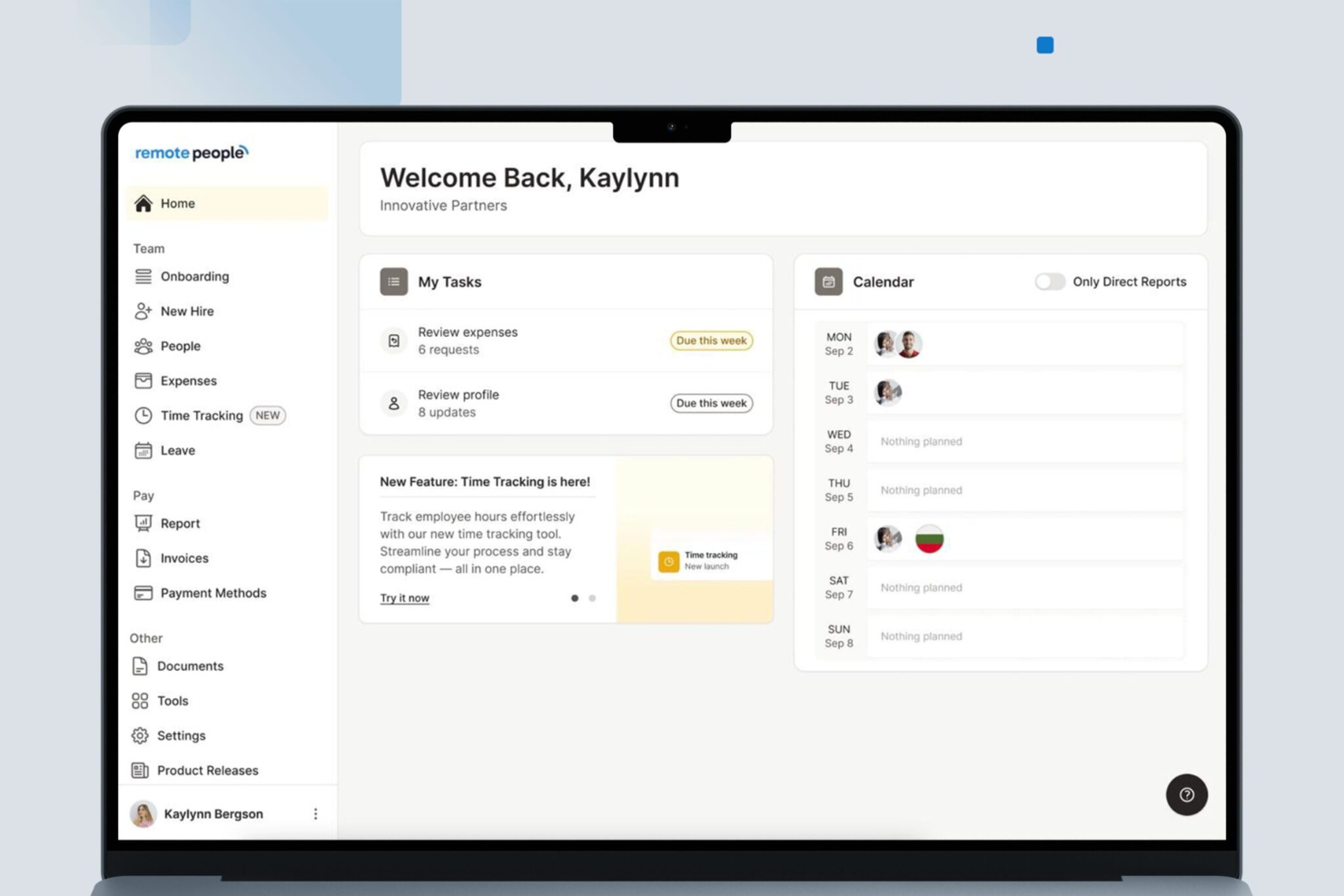
RemotePeople offers global payroll and compliance services, focusing on simplifying international hiring, payments, and contractor management. They serve businesses of all sizes looking to manage distributed teams across 150+ countries.
Why I Picked RemotePeople: Managing international payroll can be challenging, but Remote People streamlines the process by handling compliance, taxes, and payments in over 150 countries. Their Employer of Record (EOR) service allows you to hire full-time employees abroad without setting up local entities, saving time and reducing costs. With intuitive tools, transparent pricing, and a dedicated support team, RemotePeople makes global workforce management seamless.
RemotePeople Standout Services:
RemotePeople's Employer of Record (EOR) services allow companies to hire employees internationally while ensuring compliance with local labor laws and tax regulations. Their global payroll solutions automate payments for employees and contractors, and the contractor management system simplifies onboarding, invoicing, and cross-border payments. Additionally, they offer background checks, global salary insights, relocation assistance, and HR compliance tools to reduce administrative burdens and minimize risk.
Software integrations aren't presently listed by RemotePeople.
RemotePeople Target Industries and Specializations
Target industries: technology, finance, marketing, education, healthcare, and professional services.
Specialties: global payroll, compliance, contractor management, employer of record services, international hiring, and workforce expansion.
Pros and Cons
Pros:
- Access to a vetted global talent pool
- Includes Employer of Record and PEO services
- Provides global payroll, contractor, and relocation support
Cons:
- No listed software integrations
- Limited publicly available customer reviews

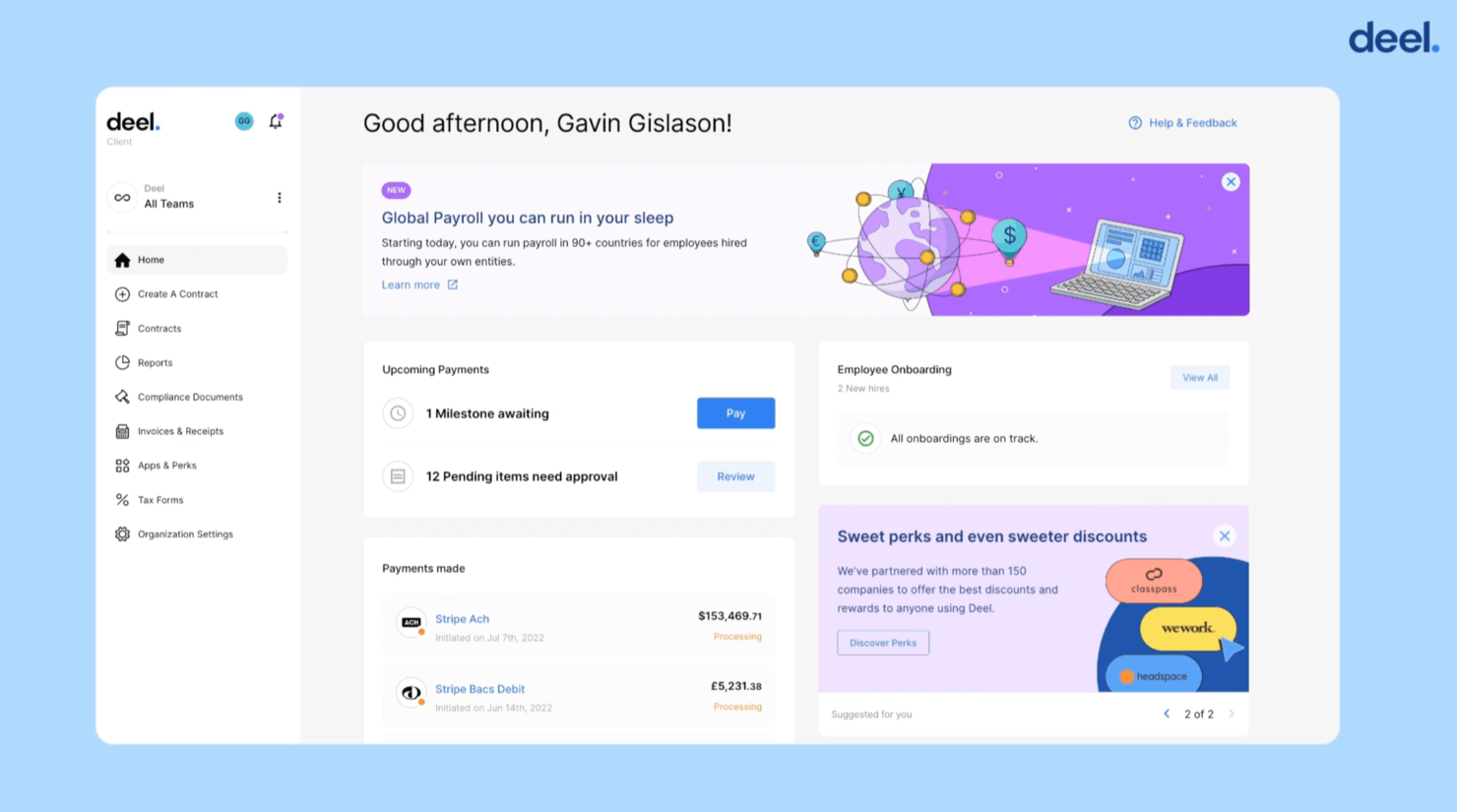
Deel is built for companies hiring and paying global employees or contractors without needing to set up local entities. It’s a strong fit for teams managing distributed workforces that need compliant payroll, localized contracts, and timely cross-border payments.
Why I Picked Deel
I picked Deel because it removes the operational barriers that usually come with managing payroll across multiple countries. You can hire in over 150 countries through its employer-of-record (EOR) service, giving your team full-time talent without creating legal entities.
Deel also helps you stay compliant by generating locally valid contracts, calculating country-specific taxes, and automating required filings. I like that your team can run international payroll and contractor payments from one dashboard, with transparent pricing and 24/7 support when questions come up. For companies expanding globally or managing mixed workforces, Deel makes cross-border hiring far less risky and far more predictable.
Deel Key Services
Here are some key services worth highlighting:
- Localized Compliance Engine: Applies country-specific tax rules and labor requirements automatically.
- Global Payroll Hub: Centralizes employee and contractor payments across countries and currencies.
- In-App Contract Generator: Creates locally compliant employment and contractor agreements.
- Document & Visa Support: Manages right-to-work documents, visa processing, and ongoing deadlines.
Deel Integrations
Integrations include NetSuite, HiBob, Xero, Ashby, Greenhouse, BambooHR, Okta, Personio, QuickBooks Online, and Zoho.
Pros and Cons
Pros:
- Auto-applies local tax and labor rules to reduce compliance risk
- Fast contractor payments via ACH, SWIFT, Wise, or crypto
- Built-in contract templates aligned with local regulations
Cons:
- Not all features available in every country
- Pricing may be high for small businesses

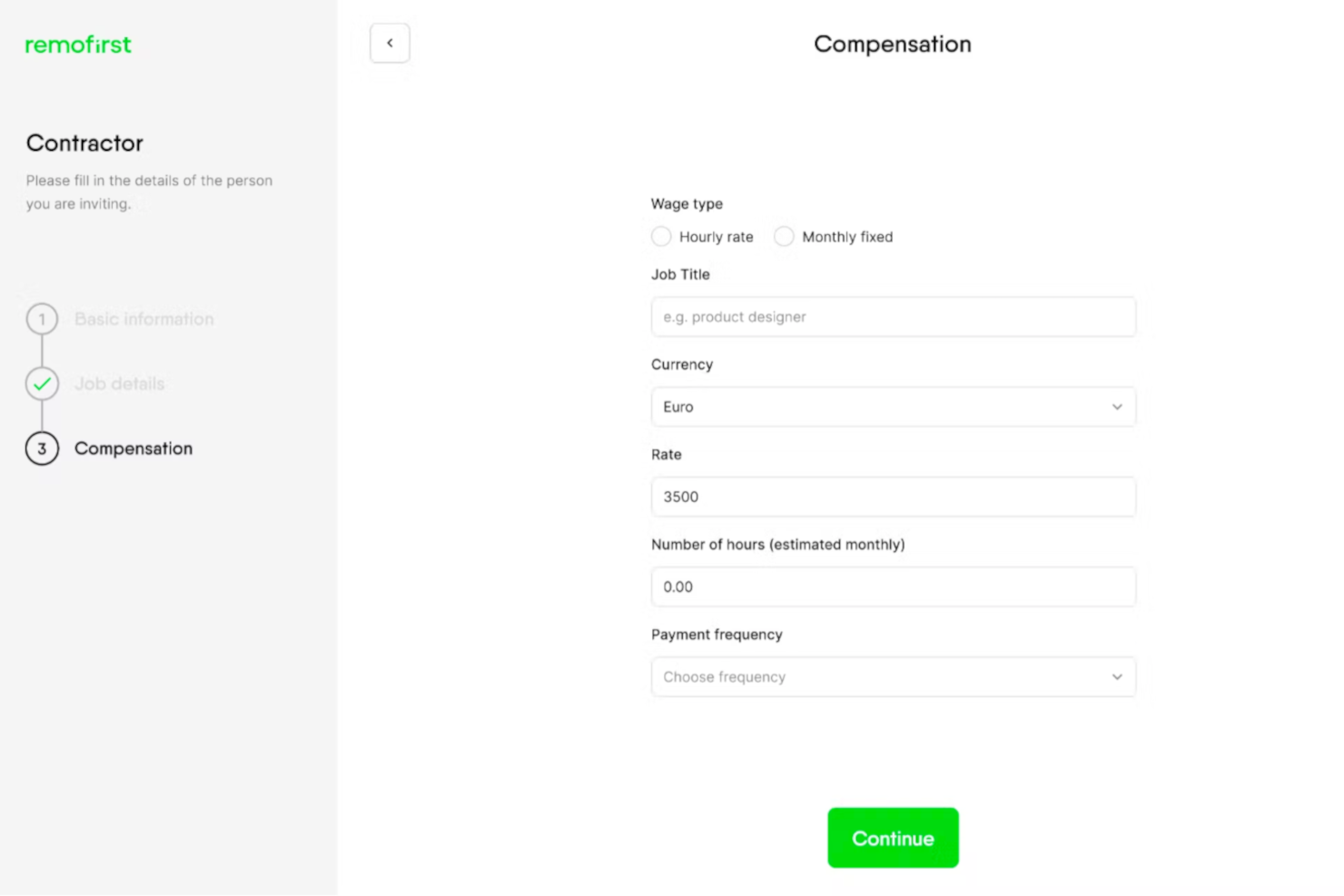
RemoFirst offers payroll services designed to support businesses in managing international teams. Their solutions focus on simplifying global payroll processes while ensuring compliance with local regulations.
Why I picked RemoFirst: Their platform makes it easy to manage payroll for employees across multiple countries. You can rely on their automated tools to handle compliance, payments, and reporting in one place. It’s especially useful for organizations that need to ensure accurate, timely payments to a diverse international workforce.
RemoFirst Standout Services:
Their automated compliance management helps you navigate the complexities of international payroll by keeping your team compliant with local tax and labor laws. They also provide multi-currency payment processing, so you can pay employees in their local currency without dealing with conversion headaches.
RemoFirst Target Industries and Specializations:
Target industries: technology, healthcare, retail, education, and consulting
Specialties: international payroll, compliance, tax management, reporting, and payment processing
Pros and Cons
Pros:
- Easy to use for non-technical teams
- Responsive customer support team
- Offers multi-currency payment options
Cons:
- Lacks platform integration options
- May not suit small businesses with limited budgets

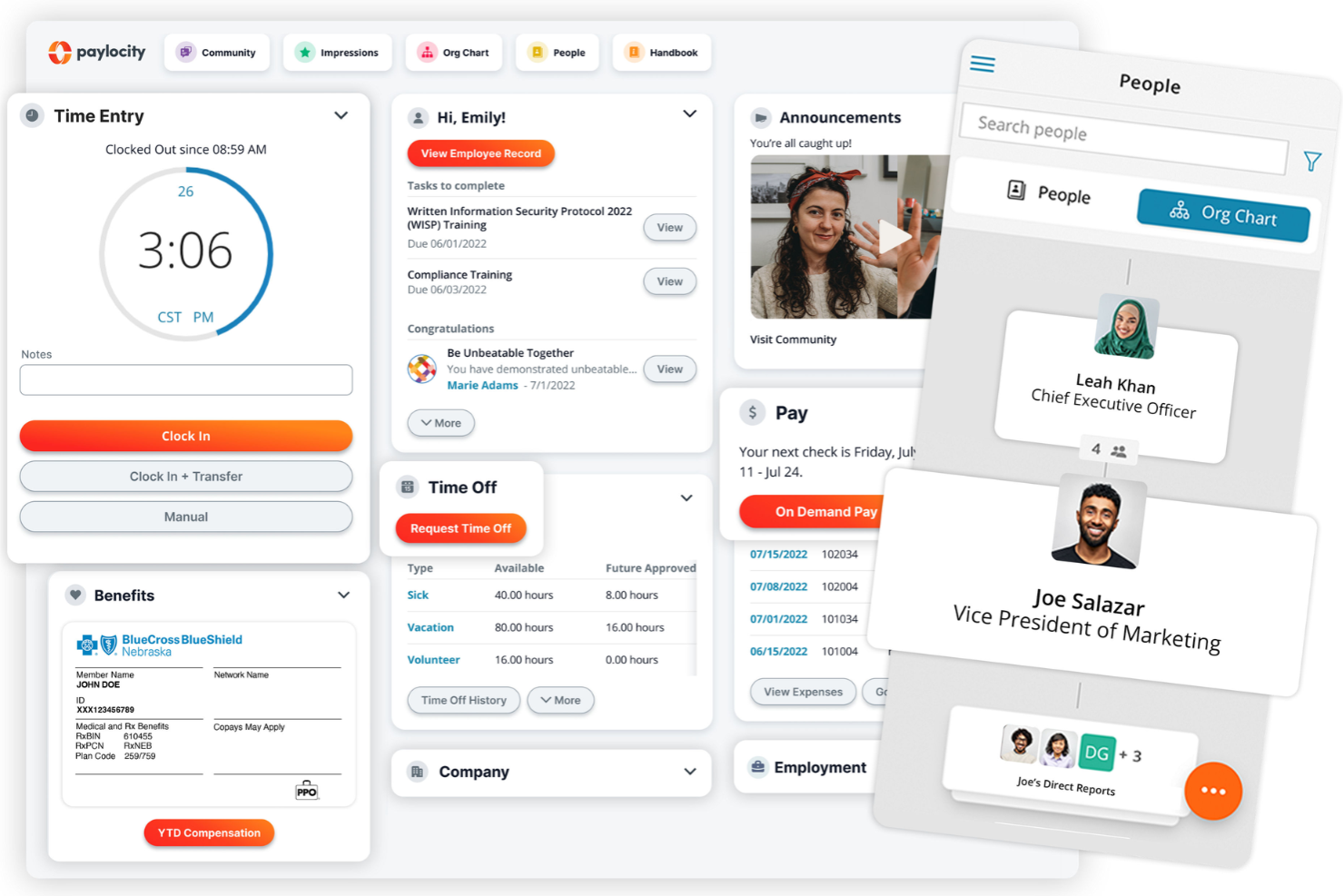
Paylocity offers payroll services that help midsized businesses manage and scale pay processing, tax filings, and employee payment options.
Why I picked Paylocity: I chose Paylocity because it combines powerful HR and payroll features into a single platform, making it easy to manage everything from benefits and compliance to employee pay and time tracking. Its extensive integration options, with over 400 third-party tools ranging from applicant tracking to collaboration tools, ensure it fits into your broader tech stack.
Paylocity Standout Services:
Their on-demand payment feature lets employees access wages early, solving cash flow challenges for your team. The automated tax filing system handles payroll taxes, reducing the risk of errors and keeping your business compliant with changing regulations.
Software integrations include ClearStar, Microsoft Dynamics 365, 7shifts, AirMason, APA Benefits, Azure, Atlassian, Asana, Box, ClearCompany, Dropbox, Freshdesk, Google Workspace, Greenhouse, HubSpot, Slack, Salesforce, Trakstar, and Zoho People.
Paylocity Target Industries and Specializations:
Target industries: retail, healthcare, manufacturing, education, and technology
Specialties: tax compliance, payroll flexibility, time tracking, benefits integration, and employee self-service
Pros and Cons
Pros:
- Easy integration with other HR solutions
- Customizable reporting features
- Flexible pay options for employees
Cons:
- Limited international payroll options
- Occasional issues with mobile app functionality
New Product Updates from Paylocity

Paylocity Expands Expense and Purchase Request Tools
Paylocity adds connected personal cards, smarter expense categorization, and a streamlined purchase request experience. This reduces manual entry and helps finance teams manage expenses and approvals more efficiently. For more information, visit Paylocity’s official site.
 .
.

HireGlobal is a global payroll and workforce management platform by Toptal that handles contractor payments, agent of record services, employer of record, and compliance across 180+ countries in 50+ currencies.
Who Is HireGlobal Best For?
HireGlobal is a strong fit for growing companies that need to pay contractors across multiple countries without taking on the cost and complexity of traditional EOR providers.
Why I Picked HireGlobal
HireGlobal earns its spot on my shortlist because it brings global contractor payroll down to a price point that most platforms don't come close to matching, starting at just $19 per contractor per month. I particularly like the Virtual EOR model, which lets you pay contractors with the speed of a gig platform (same-day, contract-to-payment) while backing each worker with up to $1 million in compliance indemnification. Coverage spans 180+ countries and 50+ currencies, so if your contractor roster crosses multiple regions, HireGlobal handles the local tax filings and social contributions without you needing to manage each jurisdiction separately.
HireGlobal Key Features
- $1 million compliance indemnification: The Virtual EOR plan covers up to $1 million per worker in legal defense and financial liability from compliance errors.
- Multi-worker-type support: Manage contractors, agent of record, Virtual EOR, and traditional EOR workers all within a single platform.
- Automated tax filing and social contributions: HireGlobal calculates and remits local, national, and international taxes across supported jurisdictions on your behalf.
- Centralized HRIS: A built-in HRIS consolidates hiring workflows, pay history, payout preferences, and workforce cost tracking in one place.
HireGlobal Integrations
HireGlobal's native integrations are not clearly documented, and no public API documentation is available.
Pros and Cons
Pros:
- Fast onboarding with same-day payment option
- $1 million compliance indemnification for contractors
- Global payroll and compliance across 180+ countries
Cons:
- Few third-party integrations or API options
- No free trial or free plan available

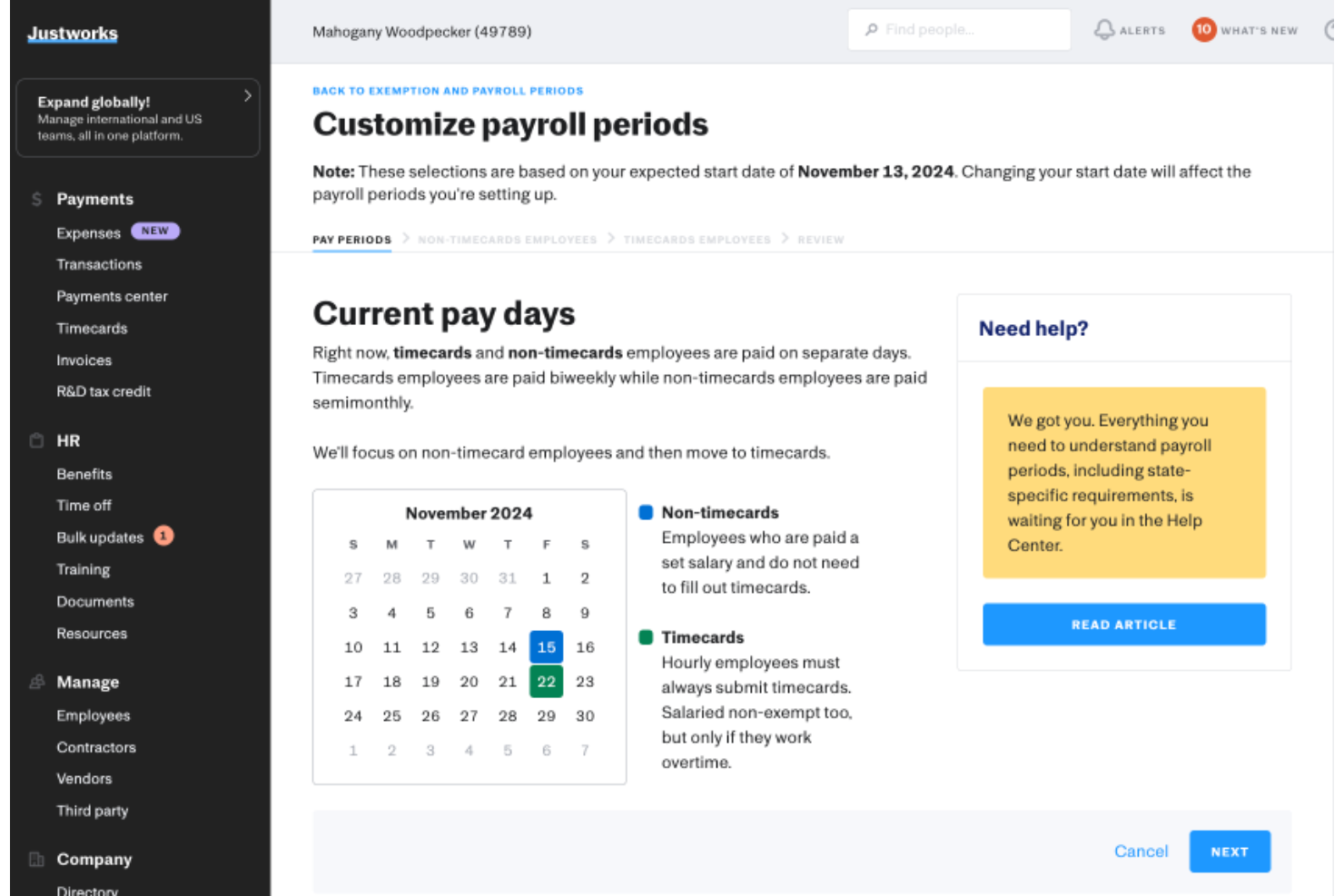
When you're managing a growing business, keeping up with payroll and compliance can be a demanding task. Justworks serves as a payroll partner built for small to mid-sized businesses, with strong support for multi-state payroll requirements. It appeals to business owners and HR professionals who need to manage payroll across different states while staying aligned with evolving regulations.
Why I Picked Justworks
I picked Justworks for its support of multi-state payroll, helping businesses manage employees across different state tax and compliance requirements in one system. The platform handles payroll calculations and filings based on varying state rules, reducing the risk of errors as teams expand geographically. It also supports contractor payments and automated tax processing, making it practical for companies with both employees and freelancers.
Justworks Key Features
In addition to multi-state payroll, Justworks offers:
- Direct Deposit: Provides a hassle-free way for employees to receive their salaries directly into their bank accounts.
- Time Tracking: Enables integration with time-tracking tools to accurately calculate hours worked and ensure accurate payroll processing.
- Employee Self-Service: Empowers employees to access their pay stubs, W-2s, and benefits information online, reducing administrative overhead.
- Compliance Tools: Helps businesses stay compliant with federal and state payroll regulations through regular updates and alerts.
Justworks Integrations
Integrations include QuickBooks, NetSuite, Xero, Sage Intacct, 15Five, Culture Amp, JazzHR, Leapsome, Electric AI, and other HR and accounting tools, with options to build custom connections via API or integration platforms.
Pros and Cons
Pros:
- Straightforward onboarding workflow for new hires
- Clear employee dashboard for benefits and pay information
- Centralizes payroll, HR, and health insurance administration
Cons:
- Limited customization for complex team structures
- Reporting tools offer limited in-depth business insights


If you run a small-to-mid-size business and want a payroll solution that makes paying your people — employees or contractors — as painless as possible, you might appreciate what Gusto offers. It bundles full-service payroll with built-in HR, benefits, compliance, and time-tracking tools so you don’t need to cobble together several systems. For teams that value simplicity, unified employee management, and reducing the overhead around paychecks and tax filings, Gusto can feel like a solid all-in-one choice.
Why I Picked Gusto
I picked Gusto because its core payroll engine supports unlimited payroll runs — so you can flexibly run regular payrolls, off-cycle bonuses, or contractor payments without worrying about extra fees. It also automatically calculates and files payroll taxes and necessary forms (W-2s, 1099s) — a big relief if you want payroll compliance handled with minimal manual work. And I like that it supports both employees and contractors, which makes it flexible for teams that mix full-time staff with freelance/contract-based contributors.
Gusto Key Features
In addition to its payroll and tax-filing core, you also get several other useful features that support small and growing businesses:
- Employee Benefits Management: This feature allows you to manage health benefits, retirement plans, and workers' compensation effortlessly.
- Hiring and Onboarding Tools: Gusto simplifies the hiring process with offer letters, checklists, and software setup.
- Global Solutions: Lets you expand globally (hire, pay, and manage employees) using Remote's infrastructure within Gusto's platform.
- Mobile Access: Payroll can be managed on-the-go via smartphone or tablet.
Gusto Integrations
Integrations include Amalgam, Aplos, Asana, ApplicantPro, AttendanceBot, Betterment, QuickBooks, Xero, FreshBooks, and Clover.
Pros and Cons
Pros:
- Employee self-service portal empowers staff to access pay and forms.
- Automatic tax filings and direct deposit simplify payroll compliance.
- Payroll, benefits, and HR in one unified platform.
Cons:
- Great for simple pay and HR management but not customizable enough to handle large, complex orgs
- SMBs that need advanced compliance or niche industry-specific HR modules may find Gusto limiting.
New Product Updates from Gusto
Gusto Adds Solo Advisory Tools and Mobile Money Features
Gusto adds Solo S-Corp Advisory Tools and Gusto Money on Mobile for tax guidance, invoicing, and bill payments. These updates help accountants advise solopreneurs and let users manage business finances from their phones. For more information, visit Gusto’s official site.

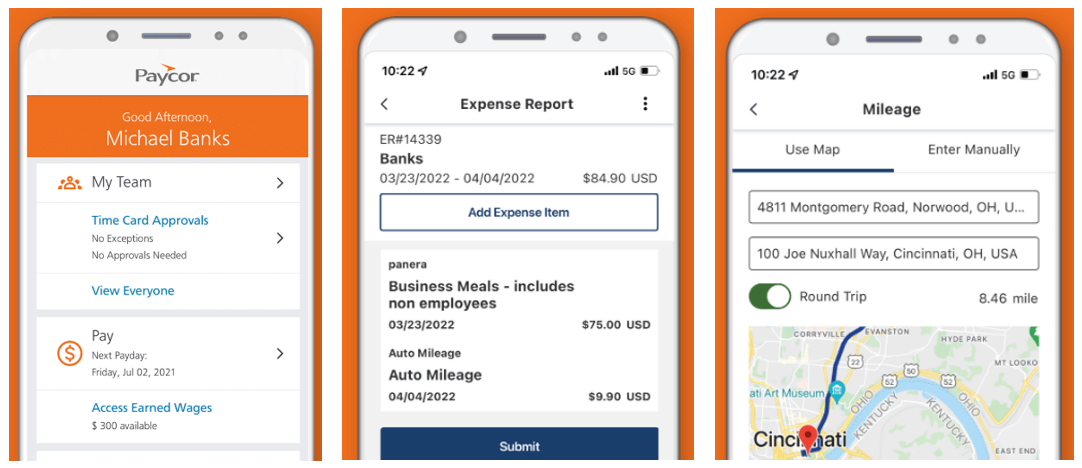
Paycor is a payroll and workforce-management tools designed for small to mid-sized businesses that need mobile-friendly access and simplified processes. With features built for mobile expense tracking, time-card approval, and payroll processing, it’s a solid choice if your team is distributed or on the move.
Why I Picked Paycor
I picked Paycor because it puts your team’s payroll and mobile workflows into one place. You can approve timecards, process payroll and track expenses right from its mobile app, and it gives you access to a marketplace of over 140 integrations so your payroll flows into tools you already use.
It supports industries like retail, healthcare, nonprofits and manufacturing, so it’s suited if your business has hourly workers or multiple locations. You also get helpful compliance tools built in, which take off the burden of staying current with tax-filings and regulations.
Paycor Key Services
Here are some standout services worth highlighting:
- Mobile payroll & approvals: Process payroll, approve timecards and access reports on the go from the app.
- Expense management built-in: Track mileage and upload receipts in the same system your payroll runs on.
- Industry-tailored workflows: Templates and settings for sectors like retail, healthcare and nonprofits reduce the need for heavy customization.
- Wide integration marketplace: Connect with accounting, HR and expense-tools to keep data aligned across your systems.
Paycor Integrations
Integrations include QuickBooks, Xero, Certify by Emburse, Netspend, Payfactors, CloudPay, Instant Pay, Rapid Disbursements.
Pros and Cons
Pros:
- Large selection of native integrations keeps your existing tools connected
- Mobile app with payroll processing
- Strong payroll compliance features help reduce tax-filing and regulatory burden
Cons:
- Some integrations require additional setup
- Customer support response times vary

TopSource Worldwide is built for companies hiring across multiple countries without setting up local entities. It’s a strong fit if your business needs compliant global payroll, localized HR support, and help navigating country-specific employment rules.
Why I Picked TopSource Worldwide
I picked TopSource Worldwide because it helps you hire and manage employees in 180+ countries without establishing local legal entities. Its EOR service gives you compliant contracts, localized benefits, and payroll handled by in-country experts, so you don’t have to navigate foreign employment laws alone.
You also get multi-country payroll processing backed by local tax compliance, which reduces your admin burden and risk. I like that your team can access 24/5 dedicated HR advisory support for country-specific questions, helping you stay aligned with local labor requirements. Plus, its hiring cost calculators make it easier to plan budgets when expanding into new markets.
TopSource Worldwide Key Services
Here are some key services worth highlighting:
- Global Employment Calculator: Estimates hiring costs across different countries in one place.
- HR Advisory Support: Provides guidance on local labor laws and best practices.
- Contractor Management: Helps you manage global contractors with compliant agreements.
- Payroll Consolidation: Centralizes multi-country payroll into a single view for easier oversight.
TopSource Worldwide Integrations
Integrations include Salesforce, NetSuite, SAP, eCommerce platforms, financial systems, CRM and ERP tools, EDI systems, and order-management solutions.
Pros and Cons
Pros:
- Legal employer of record in each location
- Includes global payroll and tax management
- Salary estimator tool helps plan ahead
Cons:
- Pricing not publicly listed
- No public list of software integrations
Other Payroll Companies
Here are a few more worthwhile options that didn’t make the best payroll companies list:
- RUN Powered by ADP®
For automated payroll and tax filing
- OnPay
For industry-specific payroll services
- Paychex Flex
For enhanced US customer support
- Homebase
For mobile-friendly hourly payroll
- QuickBooks Online
For small businesses
- Patriot Payroll
For US companies
- Workday
For large enterprise payroll operations
- TriNet HR Plus
For entrepreneurs and SMBs
- Remunance
For payroll in India
- HSP Group
For global payroll with built-in advisory


Related HR Software Reviews
If you still haven't found what you're looking for here, check out these other related tools that we've tested and evaluated:
- HR Software
- Recruiting Software
- Applicant Tracking Systems
- Workforce Management Software
- Learning Management Systems
- Business Management Software
Selection Criteria for Payroll Companies
When selecting the best payroll companies to include in this list, I considered common business needs and pain points that these providers address. This included things like streamlining complex payroll processes and reducing compliance risks. I also used the following framework to keep my evaluation structured and fair:
Core Services (25% of total score):
To be considered for inclusion in this list, each provider had to offer these basic services:
- Payroll processing and wage calculation for hourly and salaried workers
- Direct deposit and payment distribution into employee bank accounts
- Employee self-service portal with digital pay statements (pay stubs)
- Tax filing and compliance management, including automatic withholding and remittances to tax authorities such as the IRS or CRA
Additional Standout Services (25% of total score):
To help further narrow down the competition, I also looked for unique or especially valuable services, such as:
- Global payroll processing in multiple currencies
- Multi-country compliance monitoring
- Contractor payments and classification support
- Integrated time tracking or scheduling tools
- Benefits administration and deductions handling
- Real-time analytics and payroll reporting
- Modern services, like same-day pay access for employees (also known as pay-on-demand or earned wage access)
- Additional support, such as global HR or EOR services
Industry Experience (10% of total score):
To assess each provider’s industry experience, I considered the following:
- Years in business and market presence
- Number and type of clients served
- Expertise in regional labor laws
- Specialization in specific business sizes
- Recognition or certifications in the payroll industry
Onboarding (10% of total score):
To evaluate each provider’s onboarding experience, I considered the following:
- Availability of guided setup or account manager
- Clarity and speed of implementation process
- Access to onboarding resources or tutorials
- Ease of data migration and integrations
- Customer support during initial setup
Customer Support (10% of total score):
To assess each provider’s customer support, I considered the following:
- Availability of live chat or phone support
- Quality of support documentation or help center
- Responsiveness to urgent payroll issues
- Dedicated account manager availability
- Access to ongoing training or support resources
This framework helped me identify providers that go beyond basic payroll requirements. I prioritized advanced services, relevant industry experience, straightforward onboarding, reliable support, and overall value for money.
What is a Payroll Company?
A payroll company is a third-party service that handles employee pay processing, tax filings, and compliance on behalf of businesses. HR teams and business owners use these providers to save time and reduce manual errors. They also help businesses follow tax laws and pay employees accurately and on time.
Key Services
When selecting a payroll company, look for the following key services:
- Payroll processing and payslip generation: The provider manages the payroll process from start to finish. This can include collecting employee data, calculating wages and deductions, producing payslips, and issuing payments. These services help ensure employees are paid correctly and on time.
- Tax withholding and filings: Payroll companies calculate and deduct income taxes, social contributions, and other required withholdings. Many also prepare and submit the related filings. This reduces administrative work and the risk of non-compliance.
- Statutory and benefits compliance: Providers help manage minimum wage requirements, overtime calculations, statutory leave pay, and benefit deductions. They also help ensure these processes follow applicable employment laws.
- Employee data management and recordkeeping: Payroll providers maintain secure records of employee information, payroll history, tax codes, and employment changes. Accurate records improve transparency and make audits and other HR processes easier to manage.
Payroll Technology and Service Options
Payroll companies also differ in the technology, integrations, and service options they provide to support your changing needs. Take a look here:
- Scalable payroll solutions: Many payroll companies can support both small teams and growing workforces. They can add or remove employees, adjust pay cycles, and accommodate more complex requirements as your business changes.
- Cloud-based access and self-service portals: Modern payroll platforms allow employers and employees to access payroll information online. Employees may be able to view payslips, update personal details, and manage certain tax or benefits information themselves.
- Payroll reporting and analytics: Reporting tools can provide wage summaries, overtime breakdowns, labor cost reports, and tax deduction details. These insights help businesses track payroll expenses, manage budgets, and improve financial planning.
- Compliance and risk management: Payroll companies monitor changes to tax laws, contribution requirements, and payroll legislation. Their expertise can reduce errors, compliance risks, fines, and administrative work.
- Integrations with business systems: Many providers connect with HR, time-tracking, benefits, and accounting systems. These integrations improve data flow and reduce duplicate data entry.
- Support and service flexibility: Providers may offer fully managed payroll, partially managed services, or payroll software for internal teams. This flexibility lets you choose the level of control and support your business needs.
Common Payroll Company AI Features
Modern payroll companies are beginning to use AI to automate work and identify potential problems. Common capabilities include:
- Automated data entry and validation: AI can collect and validate information such as hours worked, deductions, tax codes, bonuses, and payslip details. This reduces manual entry and the risk of calculation errors.
- Real-time payroll processing: AI-powered systems can process high volumes of payroll data more quickly. This may support more frequent or on-demand payroll runs.
- Smart compliance monitoring: AI can track changes to tax laws, contribution requirements, and labor regulations. It may also apply updates or flag potential compliance risks for review.
- Anomaly detection and fraud prevention: AI can analyze historical payroll data to identify unusual activity. This could include duplicate payments, suspicious entries, unexpected overtime, or potential fraud.
- Predictive analytics and cost forecasting: AI can forecast labor costs, bonuses, overtime, holiday pay, and other payment obligations. These insights help businesses plan budgets and anticipate future expenses.
- Employee self-service and chatbot support: AI-powered chatbots can answer common payroll questions. They may also help employees find information about payslips, deductions, and leave balances.
- Support for complex payrolls: AI can help process large amounts of data across multiple locations or jurisdictions. This can make complex and multinational payroll operations easier to manage.
- Connected reporting: AI can support data sharing between payroll, HR, attendance, and accounting systems. This creates more consistent reports and reduces manual administration.
Frequently Asked Questions about Payroll Companies
Still curious about payroll companies and what they have to offer? Take a look through these answers to popular FAQs to get you grounded.
What are the best payroll options for small business owners?
Small business owners need payroll providers that are affordable, easy to use, and scalable as you grow. Look for solutions with flexible pricing, top-notch support, and all-in-one capabilities for payroll, taxes, and compliance. Comparing features, integrations, and customer service will help you choose the right fit for your company.
To save you time, take a look at my list of the best small business payroll options instead. Or, if you’re running a startup or operating on a very tight budget, I recommend browsing my list of the best free payroll software too.
How can payroll companies help with local and international payroll compliance?
Payroll companies help you stay compliant by handling automated tax calculations, filings, and updates for changing regulations. Many providers have compliance experts who keep up with local and international labor laws—including statutory deductions and reporting—so you’re less likely to face errors or penalties. International payroll specialists can help if your team works across borders.
What integrations are the most important to have with payroll software?
The most important payroll software integrations are with your HRIS, accounting software (like QuickBooks or Xero), and benefits administration tools. These integrations help your team keep data accurate, reduce manual work, and ensure payroll, tax, and benefits data flow smoothly.
Look for payroll providers that support native or API integrations with the key tools in your HR and finance stack to streamline your processes.
Can payroll providers integrate with my HRIS, benefits, or accounting tools?
Yes, most payroll software supports direct or API integrations with leading HRIS, benefits platforms, and accounting software. Confirm with your provider which integrations are included, since this can accelerate onboarding and reduce manual data entry for your HR and finance team.
How do payroll services support changing workforce needs, like contractors and remote employees?
Payroll services are designed to handle a mix of employee types, including contractors, part-timers, and full-timers. Many solutions let you automate payments for remote employees, manage compliance across state or country lines, and offer self-service access for workers to view pay slips and update personal details.
What should I consider when switching to a new payroll company?
Before switching payroll providers, plan for data migration, check compatibility with your current systems, and review service contracts. Ask about onboarding support and ensure the new platform can manage your compliance and integration needs. A parallel test run helps catch issues early.
How quickly can I implement a new payroll provider?
Most payroll providers can get you up and running in 1–2 weeks for simple needs, or 4–6 weeks if you have a large team or complex requirements. Prepare your payroll data and documentation in advance to speed up the process.
Other Payroll Resources
With so many different payroll providers out there, we couldn’t possibly fit them all into one article! If you’re still interested in considering other options, I recommend reviewing these other payroll solutions too:
- Automated Payroll Software
- Online Payroll Software
- HR Software for Payroll
- Payroll Services for Small Businesses
If you’re looking for payroll software specifically for internationally-based staff, you’ll want to check out these other types of payroll and HR services as well:
- Best Global Payroll Service Providers
- Best PEO Companies (Professional Employer Organizations)
Stay Connected
If you found this article useful, I recommend subscribing to our People Managing People newsletter as well. You'll learn about the latest trends in HR leadership, tricks and tips to help you process payroll more efficiently, and how-to guides for any HR topic you can think of. Plus, it's delivered to your inbox for free each week.

