

38 Best Payroll Services for Small Businesses in 2026

10 Best Payroll Services for Small Businesses Shortlist


Navigating payroll can be a headache for small businesses. You juggle compliance, tax deadlines, and employee satisfaction. Payroll services can ease these burdens, helping you focus on what matters most—growing your business.
In my experience as someone who's run payroll, the right payroll service makes a world of difference. I test and review these tools independently to provide you with an unbiased perspective. My goal is to help you find a solution that fits your team’s needs and budget.
In this article, you’ll find a well-researched shortlist of the best payroll services for small businesses. I’ll highlight their unique features and how they can address your specific challenges. Let’s make payroll stress a thing of the past.
Why Trust Our Software Reviews
We’ve been testing and reviewing HR software systems since 2019. As HR experts ourselves, we know how critical and difficult it is to make the right decision when selecting software.
We invest in deep research to help our audience make better software purchasing decisions. We’ve tested more than 2,000 tools for different HR management use cases and written over 1,000 comprehensive software reviews. Learn how we stay transparent & our software review methodology.
Best Payroll Service Providers for Small Businesses Summary
This comparison chart summarizes pricing details for my top payroll services for small businesses to help you find the best one for your budget and business needs.
| Tool | Best For | Trial Info | Price | ||
|---|---|---|---|---|---|
| 1 | Best global payroll with free HR tools | Free demo available | From $29/employee/month | Website | |
| 2 | Best for payroll and benefits administration | Free demo available | Pricing upon request | Website | |
| 3 | Best for real-time payroll insights | Free demo available | Pricing upon request | Website | |
| 4 | Best for 24/5 dedicated support | Free demo available | Pricing upon request | Website | |
| 5 | Best for unlimited payroll runs | Free demo available | From $49/month | Website | |
| 6 | Best for automated payroll and tax filing | Not available | From $599/employee/month | Website | |
| 7 | Best for automating payroll processing | 90-day free trial + free demo available | Pricing upon request | Website | |
| 8 | Best for tax filing documentation | Free demo available | Pricing upon request | Website | |
| 9 | Best for hourly-based businesses | 14-day free trial available | From $24/location/month | Website | |
| 10 | Best for global payroll and EOR services | Free demo available | From $199/user/month | Website |


-

Remote People
Visit WebsiteThis is an aggregated rating for this tool including ratings from Crozdesk users and ratings from other sites.5 -
Checkr
Visit WebsiteThis is an aggregated rating for this tool including ratings from Crozdesk users and ratings from other sites.4.5 -
Paycor
Visit WebsiteThis is an aggregated rating for this tool including ratings from Crozdesk users and ratings from other sites.4.3




Best Payroll Service for Small Businesses Reviews
Below are my detailed summaries of the best payroll services for small businesses that made it onto my shortlist. My reviews offer a detailed look at the key features, pros & cons, integrations, and ideal use cases of each tool to help you find the best one for you.

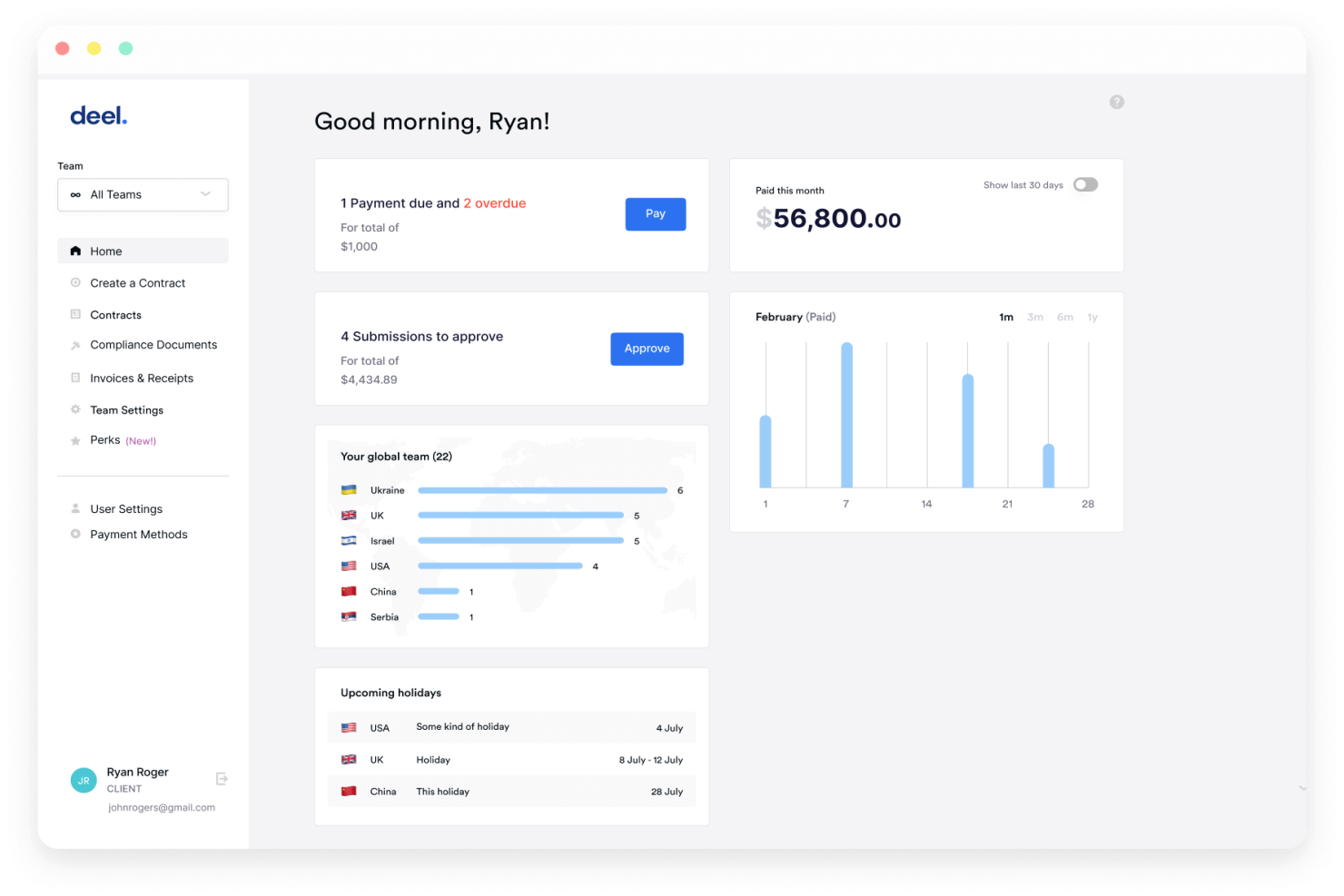
Deel is built for companies hiring across multiple countries that need payroll, tax compliance, and payments handled in one place. It centralizes global payroll operations so you can pay teams accurately in their local currencies while staying compliant with regional laws. If you manage international employees or contractors and want fewer manual processes, Deel could a fit.
Why I Picked Deel
I picked Deel because it helps you run global payroll without needing to understand each country’s regulations yourself. You get automated compliance checks that flag risks before payroll runs, helping you stay aligned with local labor and tax rules.
I also like that you can pay your team in more than 100 currencies through Deel’s built-in payment infrastructure, which removes the need for multiple banking tools. Its in-house payroll teams handle region-specific filings so your payroll stays accurate even in complex markets. For companies scaling internationally, these features reduce admin work while keeping payroll reliable month after month.
Deel Key Features
Here are some key features worth highlighting:
- Localized tax filing: Handles region-specific filings so you don’t need external providers.
- Global document management: Stores compliance forms, contracts, and payroll records for each country.
- Employee self-service hub: Lets team members download payslips, update details, and review payment history.
- Custom role-based permissions: Gives finance, HR, and local managers controlled access to payroll data.
Deel Integrations
Integrations include QuickBooks, Xero, NetSuite, BambooHR, Workday, Gusto, ADP, SAP SuccessFactors, Oracle, and Rippling.
Pros and Cons
Pros:
- Automated compliance checks
- In-house payroll support
- Local tax filing capabilities
Cons:
- Requires setup for custom reports
- Limited self-service options

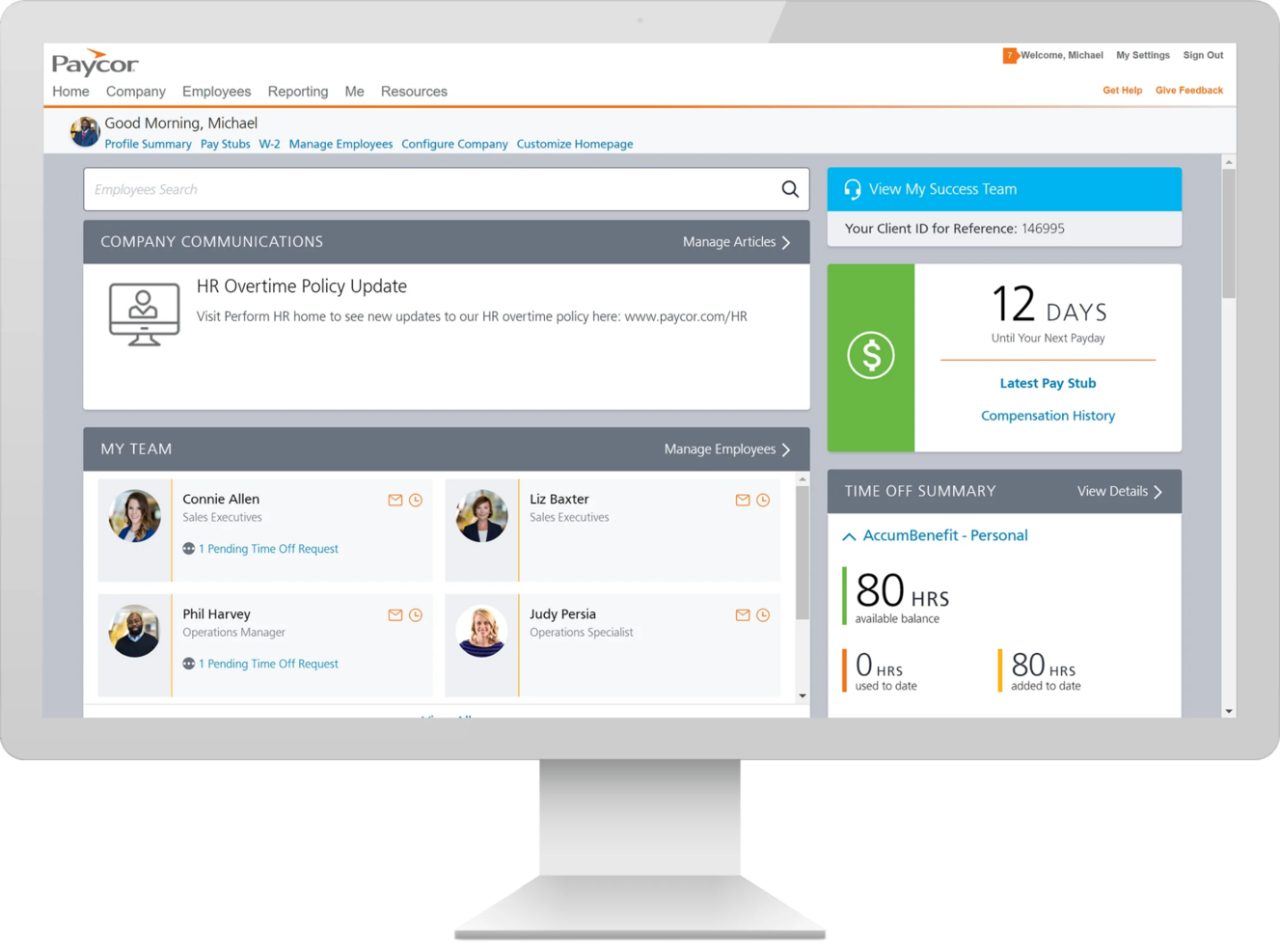
Paycor is designed for small and mid-sized businesses that want payroll and benefits administration in one place. It gives your team tools to run payroll accurately, manage employee benefits, and view workforce costs through built-in reporting.
Why I Picked Paycor
I picked Paycor because it helps you handle payroll and benefits together, reducing the back-and-forth between multiple systems. You can run payroll with automated tax calculations while your team manages enrollment, deductions, and eligibility from the same dashboard.
Its reporting tools show real-time labor and benefits costs, helping you make clearer financial decisions. I also like that employees can update their information and review pay details themselves, reducing administrative requests. For small businesses that want more control and visibility over payroll and benefits, Paycor offers the right mix of convenience and structure.
Paycor Key Features
Here are some key features worth highlighting:
- Benefits Administration: Manage open enrollment, eligibility, and deductions within your payroll workflow.
- Payroll Tax Management: Automates federal, state, and local tax calculations and filings.
- Custom Reporting: Build reports on labor costs, payroll runs, and deductions for better financial tracking.
- Employee Self-Service: Lets staff access pay stubs, update information, and review benefits details.
Paycor Integrations
Integrations include QuickBooks, Xero, Indeed, Glassdoor, LinkedIn, Microsoft Teams, Slack, Google Workspace, and Outlook.
Pros and Cons
Pros:
- Scalable for growing businesses
- Employee self-service portal
- Comprehensive HR management
Cons:
- Can be costly for smaller teams
- May need additional setup


Paylocity is a comprehensive payroll and HR platform designed for small to medium-sized businesses. It manages payroll processing, benefits administration, and employee engagement.
Why I picked Paylocity: Paylocity excels in fostering employee engagement, making it ideal for businesses looking to enhance workplace culture. It offers tools to facilitate communication and collaboration among your team.
The software's payroll processing ensures accuracy and timeliness in payments. With its benefits administration features, you can effectively manage employee benefits.
Standout features & integrations:
Features include communication tools that enhance team collaboration and engagement. The payroll processing feature ensures accurate and timely employee payments. Paylocity also offers benefits administration to help you manage and administer employee benefits efficiently.
Integrations include QuickBooks, Xero, Salesforce, BambooHR, ADP, Workday, Oracle, Microsoft Dynamics, NetSuite, and Gusto.
Pros and Cons
Pros:
- Enhances workplace communication
- Accurate payroll processing
- Strong employee engagement tools
Cons:
- Requires internet connection
- Takes time to learn report builder


TopSource is built for businesses that run payroll across multiple countries and need dependable support to stay compliant. It’s a strong fit for teams managing global workers who want accurate payroll delivery, country-specific compliance handling, and access to human support rather than automated ticketing.
Why I Picked TopSource
I picked TopSource because it gives you hands-on guidance for managing payroll in regions with complex regulations. Its 24/5 support team helps you handle compliance questions, onboarding requirements, and regional employment rules so your payroll stays accurate across countries.
You can manage multi-country payroll from one system, which reduces the manual work typically required when juggling local vendors. I also like that its reporting tools show meaningful payroll insights, helping you identify trends or exceptions across regions. For companies expanding globally or consolidating international payroll, TopSource offers a clear operational advantage.
TopSource Key Features
Here are some key features worth highlighting:
- Multi-country payroll processing: Run payroll for employees across different regions from a single platform.
- Compliance guidance: Get country-specific regulatory support to ensure payroll follows local employment and tax rules.
- Employee HR information access: Let employees view payslips, benefits, absences, and personal data through self-service tools.
- Workforce analytics dashboard: Track headcount changes, onboarding and offboarding activity, and contract timelines.
TopSource Integrations
Integrations include SAP SuccessFactors, Workday, Oracle, QuickBooks, BambooHR, Xero, NetSuite, Salesforce, Microsoft Dynamics, and Gusto.
Pros and Cons
Pros:
- Offers 24/5 support for payroll and compliance
- Contractor and entity management
- Advisory for HR and benefits
Cons:
- Limited performance management tools
- No built-in employee self-service


Gusto is a cloud-based payroll service designed for small businesses and growing teams. It lets you pay employees and contractors, handles tax filings, and manages payroll tasks in one place. The tool is built so you don’t have to spend hours wrestling with spreadsheets or tracking down tax forms.
Why I picked Gusto: I picked Gusto because it covers many payroll responsibilities that usually trip up small business owners. For example, it supports unlimited payroll runs so you can run off-cycle pay, multiple pay schedules or bonus payments without extra cost.
It also automates tax filings for federal, state and local agencies — including W-2s and 1099s — which means you’re less likely to make a costly compliance error. And if you have employees across states, Gusto handles payroll in all 50 states, so you don’t need to cobble together separate systems.
Standout features & integrations:
Features include time tracking, which helps you monitor the hours your team works and ensures accurate payroll calculations. The insights reporting feature provides valuable data on your business operations, helping you make informed decisions. Additionally, Gusto supports contractor-only businesses, offering a tailored solution for those who work with freelancers and independent contractors, ensuring they are paid promptly and correctly.
Integrations include QuickBooks, FreshBooks, Xero, Hubstaff, Accelo, Buildertrend, Carta, Dext Prepare, Expensify, ApplicantPro, Breezy HR, and Greenhouse.
Pros and Cons
Pros:
- Direct deposit with next-day/2-day options
- Automated federal/state/local tax filing and payments
- Unlimited payroll runs with no extra fees
Cons:
- Global payroll beyond contractors is limited
- Time-tracking and PTO tools not included in base plan
New Product Updates from Gusto

Gusto Enhances Benefits Renewals with Personalized Insights
Gusto introduces a smarter benefits renewal process with personalized insights and benchmarking. This update helps businesses make more informed decisions when renewing coverage. For more information, visit Gusto’s official site.

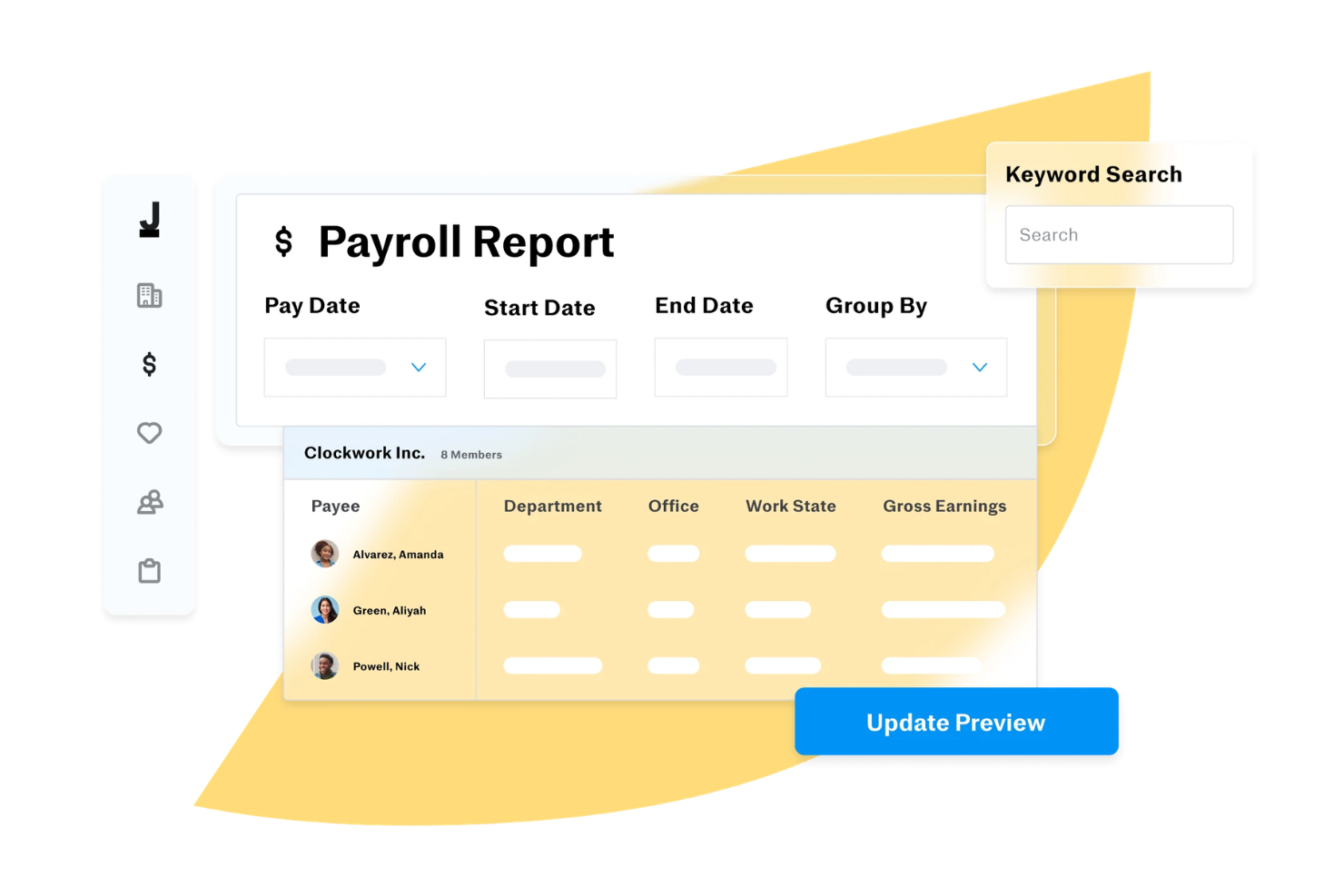
Designed for small business owners, Justworks provides payroll software that can reduce the administrative workload that often comes with paying employees and managing taxes. It is a practical option if you want to run payroll accurately, pay employees on time, and stay aligned with tax regulations without handling manual calculations or filings yourself.
Why I Picked Justworks
I picked Justworks because its automated payroll and tax filing features can help you reduce errors while saving time. If you manage a small team, you can set up recurring payroll for both salaried and hourly employees, and the platform calculates wages, withholdings, and payroll taxes on your behalf. Justworks also files federal and state payroll taxes, which can help you maintain compliance and avoid common filing mistakes.
Justworks Key Features
In addition to its automation capabilities:
- Direct Deposit: Allows you to seamlessly transfer salaries into employees' bank accounts, eliminating the need for physical checks.
- Contractor Payments: Facilitates easy payments to freelancers and contractors, which is crucial for businesses with diverse staffing needs.
- QuickBooks Integration: Syncs with QuickBooks Online, helping you maintain accurate financial records.
- Time Tracking: Offers tools to track employee hours, ensuring accurate payroll processing.
Justworks Integrations
Native integrations include QuickBooks, Sage Intacct, Xero, NetSuite, and others, which help your accounting and payroll processes.
Pros and Cons
Pros:
- Multi-factor authentication security
- Employee self service portal access
- Built-in tax filing and compliance
Cons:
- No built in shift scheduling
- Limited third party HR integrations
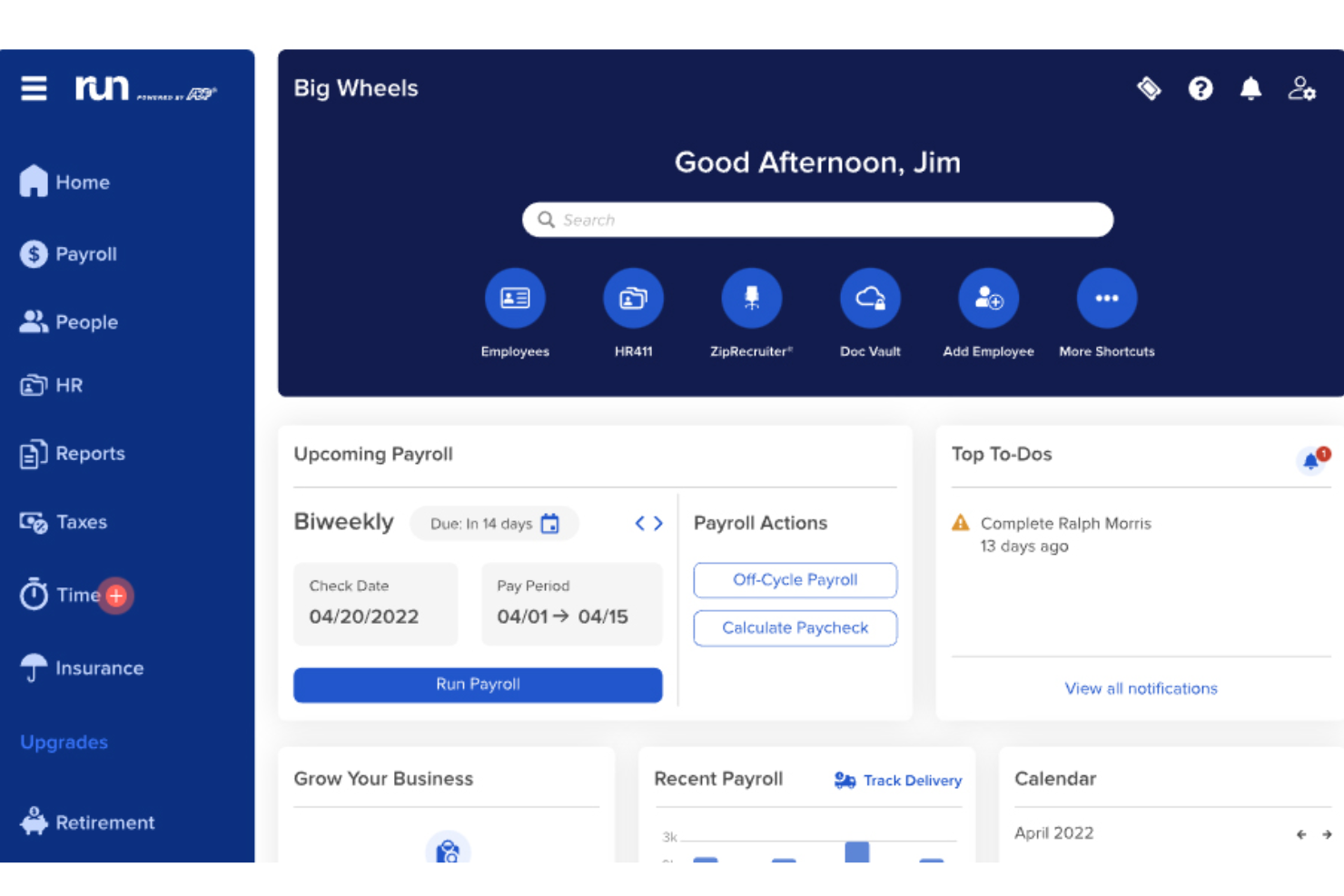
RUN Powered by ADP® is a payroll and HR solution tailored for small businesses. It offers payroll processing, tax filing, and employee management functions.
Why I picked RUN Powered by ADP®: RUN Powered by ADP® provides an accessible solution for small businesses looking to manage payroll efficiently. Its automated tax filing helps you stay compliant with tax regulations.
The platform's employee management tools allow you to track time and attendance. With its user-friendly interface, you can easily navigate payroll tasks.
Standout features & integrations:
Features include automated tax filing, which ensures compliance with tax laws. The time and attendance tracking feature helps you monitor employee hours. RUN Powered by ADP® also provides employee management tools to streamline HR tasks.
Integrations include QuickBooks, Xero, Wave, TSheets, Sage, BambooHR, ZipRecruiter, Slack, Square, and Gusto.
Pros and Cons
Pros:
- Efficient time and attendance tracking
- User-friendly interface
- Automated tax filing
Cons:
- Can be complex for beginners
- Requires internet connection

TriNet is a comprehensive HR and payroll service tailored for small to medium-sized businesses across various industries. It offers payroll processing, benefits administration, and compliance support.
Why I picked TriNet: TriNet offers industry-specific solutions, which are crucial for businesses with specialized industry needs. It provides customizable HR services to fit the specific requirements of your industry.
TriNet's compliance support ensures your business adheres to industry regulations. With its benefits administration tools, you can efficiently manage employee benefits.
Standout features & integrations:
Features include customizable HR services that allow you to tailor solutions to your industry needs. The compliance support feature helps you navigate industry-specific regulations. TriNet also provides benefits administration tools to streamline the management of employee benefits.
Integrations include QuickBooks, Xero, NetSuite, BambooHR, Gusto, Salesforce, Microsoft Dynamics, Sage, ADP, and Workday.
Pros and Cons
Pros:
- Efficient benefits administration
- Strong compliance support
- Industry-specific HR solutions
Cons:
- Hard to track PTO by location setup
- Delays happen with off-cycle checks
New Product Updates from TriNet
TriNet HR Plus Adds Vestwell 401(k) Connect Integration
TriNet integrates with Vestwell for 401(k) Connect, streamlining deferrals and contributions via TriNet Payroll to Vestwell. For more information, visit TriNet's official site.
 .
.

Homebase gives you a way to move beyond juggling separate apps for scheduling, time tracking, and payroll by letting you handle employee hours and pay all in the same place, which can make life easier for owners and managers of small, hourly-based businesses who want to spend less time on payroll work and more time with their teams.
Why I Picked Homebase
I picked Homebase because its tight integration between scheduling, time tracking, and payroll means you don’t have to manually transfer hours worked into pay runs — the system uses approved timesheets to calculate wages, overtime, tips, and deductions before you run payroll. It also handles payroll tax calculations, filings, and payments as part of its full-service payroll option, so you aren’t left managing separate tax requirements on your own. With direct deposit and printable checks included, you can pay your team in the way that works best for your business.
Homebase Key Features
In addition to the payroll integration, Homebase provides several other features that cater to small business needs:
- Smart Time Clocks: This feature allows you to track employee hours accurately, reducing the risk of time theft and ensuring precise payroll calculations.
- Built-in Messaging: With this feature, you can communicate shift reminders and updates directly to your team, enhancing coordination and reducing scheduling conflicts.
- Automated Scheduling: This tool helps you create schedules that align with labor laws and business needs, minimizing manual scheduling errors.
- Labor Cost Insights: Access real-time data on labor costs and sales, allowing you to make informed decisions about staffing and budgeting.
Homebase Integrations
Integrations include Square, Restaurant365, Wells Fargo, Indeed, TipHaus, Clover, Toast, Paychex, Gusto, and ADP.
Pros and Cons
Pros:
- Mobile app lets employees access pay details and documents anytime
- Automated tax filings reduce administrative work for small operators
- Accurate wage calculations thanks to synced timesheets from scheduling
Cons:
- Payroll only supports US businesses, restricting international use
- Limited advanced reporting compared to enterprise payroll platforms
New Product Updates from Homebase

Homebase Adds AI Scheduling Assistant for Faster Shift Planning
Homebase introduces Scheduling Assistant, AI-optimized shift creation, and automated conflict resolution. These updates reduce manual scheduling work while keeping teams aligned and shifts fully staffed. For more information, visit Homebase's official site.
 .
.

RemoFirst is a global payroll platform designed to help businesses manage international teams and contractors. It supports payroll processing, compliance, and contractor management in multiple countries.
Why I picked RemoFirst: RemoFirst excels in managing global contractors, making it ideal for businesses that hire internationally. It offers automated payroll processing to ensure timely payments.
The platform’s compliance features help you adhere to local laws and regulations. With its contractor management tools, you can efficiently oversee your global workforce.
Standout features & integrations:
Features include automated payroll processing, ensuring your team receives timely payments. The compliance management feature helps you stay updated with local regulations. RemoFirst also offers contractor management tools, allowing you to handle international hires efficiently.
Integrations include QuickBooks, Xero, BambooHR, Gusto, ADP, Paycor, SAP SuccessFactors, Workday, Oracle, and Rippling.
Pros and Cons
Pros:
- Supports multiple countries
- Compliance with local regulations
- Efficient contractor management
Cons:
- Limited advanced reporting options
- May need setup for customization
New Product Updates from RemoFirst

RemoFirst Launches BambooHR Integration
RemoFirst has launched a BambooHR integration for enhanced global hiring and HR management. For more details, visit RemoFirst's official site.
 .
.Other Payroll Services for Small Businesses
Here are some additional payroll service for small businesses options that didn’t make it onto my shortlist, but are still worth checking out:
- OnPay
For automated tax filings
- Paychex Flex
For mobile accessibility
- Bambee
With a dedicated HR manager
- TimeTrex
For linking time data to payroll
- Patriot Payroll
For US-based businesses
- Rippling
For workflow and payment templates
- Xero
For businesses looking for simple features
- Workday
For AI-powered payroll automation
- PrimePay
For remote access to payroll information
- WAVE
For payroll reporting
- Justworks Payroll
For managing payroll, bonuses, and commissions
- Payworks
For Canadian small businesses
- myHR Partner
For personalized payroll administration
- Buddy Punch
For multi-state tax registration
- Papaya Global
For expanding internationally
- Oyster HR
For international payroll compliance
- UKG
For continuous payroll accuracy
- QuickBooks Payroll
For unlimited payroll runs
- Paycom
For small businesses scaling payroll
- ADP Workforce Now
For scalable payroll
- QuickBooks Online
For payroll and general accounting
- ADP GlobalView Payroll
For a robust mobile app
- Square
Online payroll service that helps you offer direct deposit payments for hourly workers.
- SurePayroll
Payroll provider that enables you to set up and automate your payroll process.
- Wagepoint
Payroll software that enables you to simplify your payroll with automation and an employee self-service portal.
- Heartland
On-demand payroll service provider that connects you with payroll specialists to solve important issues.
- Payroll4Free
Free payroll service that helps businesses with 25 employees or less run their payroll and calculate their taxes.
- Alliance Payroll Services
Localized payroll service that helps you set up a paperless payroll and handles your taxes.


Payroll Services Selection Criteria
When selecting the best payroll services for small businesses to include in this list, I considered common buyer needs and pain points like managing tax compliance and ensuring timely employee payments. I also used the following framework to keep my evaluation structured and fair:
Core Functionality (25% of total score)
To be considered for inclusion in this list, each solution had to fulfill these common use cases:
- Process payroll accurately
- Calculate and withhold taxes
- Generate payroll reports
- Direct deposit payments
- Manage employee records
Additional Standout Features (25% of total score)
To help further narrow down the competition, I also looked for unique features, such as:
- Customizable payroll options
- Compliance with international regulations
- Advanced reporting capabilities
- Integration with HR tools
- Mobile access for payroll management
Usability (10% of total score)
To get a sense of the usability of each system, I considered the following:
- Intuitive user interface
- Ease of navigation
- Minimal learning curve
- Clear instructions and help resources
- Consistent performance across devices
Onboarding (10% of total score)
To evaluate the onboarding experience for each platform, I considered the following:
- Availability of training videos
- Access to interactive product tours
- Usage of templates for easy setup
- Presence of chatbots for instant help
- Hosting of webinars for guidance
Customer Support (10% of total score)
To assess each software provider’s customer support services, I considered the following:
- Availability of 24/7 support
- Access to live chat assistance
- Comprehensive help center resources
- Responsiveness to inquiries
- Quality of support documentation
Value For Money (10% of total score)
To evaluate the value for money of each platform, I considered the following:
- Competitive pricing against features offered
- Availability of tiered pricing plans
- Flexibility in contract terms
- Inclusion of essential features in base price
- Discounts for annual subscriptions
Customer Reviews (10% of total score)
To get a sense of overall customer satisfaction, I considered the following when reading customer reviews:
- Consistency of positive feedback
- Frequency of reported issues
- Satisfaction with customer support
- User testimonials about ease of use
- Overall rating compared to competitors
How to Choose a Payroll Service
It’s easy to get bogged down in long feature lists and complex pricing structures. To help you stay focused as you work through your unique software selection process, here’s a checklist of factors to keep in mind:
| Factor | What to Consider |
|---|---|
| Scalability | Can the tool grow with your business? Look for options that accommodate increasing employee numbers without a steep price increase. |
| Integrations | Does it connect with your existing systems? Check for compatibility with your accounting software and HR tools. |
| Customizability | Can you tailor the payroll processes to fit your needs? Avoid rigid systems that don't allow adjustments to workflows. |
| Ease of use | Is the interface intuitive? Ensure it doesn’t require extensive training for your team to start using it effectively. |
| Implementation and onboarding | How quickly can you get started? Look for platforms that offer guided setups or support to minimize transition time. |
| Cost | Does the pricing fit your budget? Be wary of hidden fees and ensure the cost aligns with the features you actually need. |
| Security safeguards | How does it protect your data? Ensure it has strong encryption and complies with data protection laws to safeguard sensitive information. |
| Compliance requirements | Does it help you stay compliant with regulations? Make sure it supports tax filings and adherence to employment laws in your location. |
Trends in Payroll Services for Small Businesses
Being aware of trends in payroll services for small businesses is crucial for HR professionals and payroll specialists to ensure effective payroll management and compliance with evolving regulations.
By staying informed about the latest trends, professionals can adopt modern tools and technologies that streamline payroll processes, enhance accuracy, and boost operational efficiency. This awareness enables small businesses to stay competitive in attracting and retaining top talent by offering efficient and accurate payroll services, contributing to employee satisfaction and overall business success. Here are four key trends for 2025:
Automation and AI-Driven Payroll Processing
Automation in payroll processing, utilizing Artificial Intelligence (AI) not only minimizes time-consuming tasks, such as manual data entry, but also enhances accuracy in payroll management. Other benefits include:
- Compliance: AI algorithms can handle complex calculations and tax withholdings, ensuring accuracy and compliance.
- Time Efficiency: AI automates routine tasks like payroll scheduling, freeing up HR professionals to focus on strategic initiatives.
- Error Reduction: AI can help reduces human errors in data entry, enhancing overall payroll accuracy.
By implementing AI-driven payroll systems, you can significantly reduce your manual workload and repetitive tasks, allowing you the time and resources to concentrate on more value-added activities. This can be especially beneficial if you work in small business, as your time and resources are particularly limited and valuable.
Cloud-Based Payroll Solutions
The shift towards cloud-based payroll solutions is a response to the need for data security and confidentiality. These systems offer enhanced security features, regular backups, and the ability to access payroll data securely from anywhere. This trend is particularly crucial for businesses with remote or hybrid work models, providing HR teams the flexibility to manage payroll remotely while ensuring data security. This trends can also be extremely beneficial to small businesses, which likely do not have the resources necessary to deal with a data leak.
On-Demand Pay and Flexible Payment Options
On-demand pay and flexible payment options have emerged as a response to the growing demand for employee-centric benefits. While it is certainly non-traditional, this trend offers a variety of benefits, including:
- Immediate Access to Wages: Allows employees to access a portion of their earned wages before the scheduled payday.
- Employee Satisfaction: Increases morale and loyalty by providing financial flexibility and autonomy.
- Retention Tool: Acts as a competitive advantage in attracting and retaining talent, especially in a dynamic workforce.
Implementing on-demand pay systems can be a strategic move for HR Managers to boost employee engagement and loyalty, making it a valuable addition to employee benefits packages. Moreover, while it may seem like a risk for small businesses, its impact on employee satisfaction and retention still make it a worthwhile strategy to consider.
Enhanced Compliance Features
With constantly changing payroll and labor laws, enhanced compliance features in payroll services are a must. Modern payroll systems are equipped to stay updated with the latest tax laws and regulations, ensuring businesses remain compliant. This is particularly crucial for small businesses, who cannot necessarily afford the legal fees associated with making tax mistakes.
For People Ops professionals, HR managers, and business leaders in small businesses, these emerging trends in payroll services offer strategic solutions to their most pressing challenges. Adopting these trends can not only make your job easier, but can also help position your small business for success in a competitive landscape.
What are Payroll Services?
Payroll services are third-party providers that can process payroll on your behalf. They can help you with a range of payroll-related tasks, like basic payroll processing and bookkeeping, and submitting direct deposits into employee bank accounts.
The primary purpose of payroll services is to free you from time-consuming tasks around navigating compensation management, deductions, and location-specific tax compliance.
Features And Services
When selecting payroll services for small businesses, keep an eye out for the following key features:
- Automated payroll processing: Payroll services automate wage calculations, deductions, and payment distribution to ensure employees are paid accurately and on time. Many providers support direct deposit, printed checks, and sometimes even on-demand pay options to give employees flexibility and reduce manual errors.
- Tax filing services: Your payroll provider handles local, state/provincial, and federal tax filings—whether with the IRS, CRA, or other governing bodies. This includes calculating taxes, submitting payments, filing required forms, and managing year-end tax documentation so you stay compliant and avoid penalties.
- Tax compliance: Payroll laws change often. A payroll service keeps you up to date with the latest regulations, ensuring your business follows all wage, payroll tax, and reporting requirements in your jurisdiction.
- Garnishment services: Providers manage legally mandated wage garnishments (such as child support, tax levies, or court-ordered deductions) to ensure accurate payments and full compliance with legal requirements.
- Employee self-service portal: Employees can access pay stubs, tax forms, direct deposit settings, and personal information any time. This reduces administrative workload and increases transparency for your team.
- Time and attendance tracking: Many payroll companies offer integrated tools that capture work hours, overtime, and PTO—automatically syncing the data into payroll for faster, more accurate processing and easier compliance tracking.
- Benefits administration: Payroll services help manage employee benefits such as health insurance, retirement plans, life and disability insurance, and other perks. This includes accurate deductions, employer contributions, and streamlined record keeping.
- Payroll reporting: Providers generate detailed reports on payroll expenses, tax liabilities, deductions, overtime, and more. These insights help you maintain clean financial records and make informed operational decisions.
- Bookkeeping and record management: Payroll companies maintain accurate payroll records for audits, year-end reconciliation, and compliance purposes, ensuring your documentation is always organized and up to date.
- Customer support: Responsive support teams help troubleshoot payroll issues, answer tax questions, and guide you through regulatory requirements—giving small businesses peace of mind.
- Software integrations: The best payroll providers integrate seamlessly with HRIS systems, time-tracking tools, accounting platforms, and benefits software. This reduces manual entry, eliminates errors, and keeps employee data synchronized across your tech stack.
Common Payroll Services AI Features
Many payroll service providers are incorporating AI features to improve the customer experience, for example:
- Automated payroll error detection: AI scans payroll data for anomalies such as duplicate entries, unexpected overtime spikes, incorrect tax deductions, or missed payments—catching issues before payroll is processed.
- Smart tax compliance monitoring: AI continuously tracks updates to federal, state/provincial, and local tax laws, automatically applying changes and alerting you to potential compliance risks.
- Predictive payroll forecasting: AI analyzes historical trends to forecast future payroll costs, bonuses, overtime, and tax obligations—helping small businesses budget more effectively and avoid surprises.
- Automated data entry and validation: AI extracts, verifies, and syncs employee information, time-tracking data, and benefits deductions to reduce manual input and eliminate human error.
- AI-driven time and attendance insights: By analyzing work patterns, AI can detect irregular punches, flag attendance risks, and identify potential scheduling or productivity issues.
- Chatbot-driven employee support: AI-powered chatbots answer common payroll questions 24/7—such as paycheck details, tax form requests, or deduction explanations—reducing the burden on HR and payroll administrators.
- Fraud detection and risk alerts: AI identifies suspicious payroll behavior or anomalies, such as falsified hours or unauthorized changes to employee profiles, increasing security and reducing financial risk.
- Automated form generation: AI can automatically create tax forms, compliance documents, and payroll summaries, saving time and ensuring completeness and accuracy.
Benefits
Implementing payroll services for small businesses provides several benefits for your team and your business. Here are a few you can look forward to:
- Time savings: Automated payroll processing reduces the time spent on manual calculations and paperwork.
- Accuracy: Features like tax calculation ensure precise payment and compliance, minimizing errors.
- Employee satisfaction: Direct deposit and self-service portals offer convenience, boosting employee morale and satisfaction.
- Compliance assurance: Compliance management helps you adhere to labor laws, avoiding potential fines and legal issues.
- Scalability: The ability to grow with your business means you won't outgrow your payroll solution as you expand.
- Cost efficiency: Streamlined processes and reduced errors can lead to cost savings over time.
- Data insights: Reporting tools provide valuable insights into payroll expenses, aiding in better financial planning.
Costs & Pricing
Selecting payroll services for small businesses requires an understanding of the various pricing models and plans available. Costs vary based on features, team size, add-ons, and more. The table below summarizes common plans, their average prices, and typical features included in payroll services for small businesses:
Plan Comparison Table for Payroll Services for Small Businesses
| Plan Type | Average Price | Common Features |
|---|---|---|
| Free Plan | $0 | Basic payroll processing, limited support, and employee self-service. |
| Personal Plan | $5-$25/user/month | Payroll processing, tax calculations, direct deposit, and basic reporting. |
| Business Plan | $26-$50/user/month | Advanced reporting, compliance management, integrations, and benefits administration. |
| Enterprise Plan | $51-$100/user/month | Customizable payroll options, dedicated support, advanced analytics, and multi-country support. |
Payroll Services FAQs
Here are some answers to common questions about payroll services for small businesses:
How do payroll services differ from payroll software?
Payroll software is a tool you use yourself; payroll services are run by specialists who do the work for you. They often use their own technology but provide hands-on support, tax filing, and compliance management.
Can payroll services handle multi-state or remote employees?
Yes. Most established providers can manage payroll taxes for employees working in multiple states or locations, applying the correct local and state withholdings automatically.
Do payroll services handle contractors and freelancers?
Yes. Most established providers can manage payroll taxes for employees working in multiple states or locations, applying the correct local and state withholdings automatically.
How secure are payroll services?
Good providers use encryption, secure data centers, and strict access controls to protect sensitive information. Always review their data privacy and security certifications before signing up.
Can payroll services integrate with my accounting system?
Yes, many can sync with tools like QuickBooks, Xero, or NetSuite. Integration helps keep financial records accurate and reduces manual data entry.
Who is responsible if payroll is wrong?
If the provider guarantees accuracy, they’ll correct and cover the cost of any errors. Without such a guarantee, responsibility may still fall on the employer, so always clarify this in your service agreement.
What’s Next:
If you're in the process of researching payroll services for small businesses, connect with a SoftwareSelect advisor for free recommendations.
You fill out a form and have a quick chat where they get into the specifics of your needs. Then you'll get a shortlist of software to review. They'll even support you through the entire buying process, including price negotiations.