

10 Best Benefits Administration Software of 2026

10 Best Benefit Administration Software List


The best benefits administration software helps you streamline everything from enrollment and eligibility to compliance and reporting—so you can manage employee benefits with confidence and ease.
When you’re handling health insurance, retirement plans, and voluntary perks across a growing team, it’s easy for errors, missed deadlines, or compliance issues to creep in. The right platform automates eligibility tracking, simplifies open enrollment, and centralizes all carrier data—saving you time and reducing errors.
With features like employee self-service, integrated plan comparisons, and automated reminders, these tools boost satisfaction and reduce support tickets.
After evaluating a variety of platforms used by small and mid-sized businesses, I’ve curated a list of top-tier options that are intuitive, scalable, and designed to make benefits management seamless and stress-free.
Why Trust Our Software Reviews
Our team has been testing and reviewing software since 2012. As HR experts ourselves, we know how difficult—and important—it is to choose the right software.
For this guide, we evaluated tools using hands-on testing and independent research, scoring tools using our selection criteria. We also draw on insights from industry thought leaders and practicing HR experts.
Our reviews reflect our human editorial judgment, not a sales pitch.
Expert reviewers:
Best Benefits Administration Software Summary
This comparison chart summarizes pricing details for my top benefits administration software selections to help you find the best one for your budget and business needs.
| Tool | Best For | Trial Info | Price | ||
|---|---|---|---|---|---|
| 1 | Best for all-in-one benefits administration | Not available | From $79/employee/month | Website | |
| 2 | Best for offering localized benefits for international employees | Free demo available | From $5/employee/month | Website | |
| 3 | Best for flexible and personalized employee healthcare benefits | Free demo available | From $45/user/month | Website | |
| 4 | Best for COBRA compliance management | No free trial available | Pricing upon request | Website | |
| 5 | Best for automated benefit deductions | Free demo available | From $49/month + $6/month/user | Website | |
| 6 | Best for syncing benefit deduction costs directly with payroll | One month free trial | From $49/month + $6/user/month | Website | |
| 7 | Best for offering global healthcare benefits to international teams | Free plan available | From $199/user/month | Website | |
| 8 | Best for direct integrations with benefit providers | Free demo available | Pricing upon request | Website | |
| 9 | Best for AI-guided benefits decisions | Free demo available | Pricing upon request | Website | |
| 10 | Best HCM software suite for integrated benefits management and easy employee self-service | Not available | Pricing upon request | Website |


Best Benefits Administration Software Reviews
Below are my detailed summaries of the best benefits administration software that made it onto my shortlist. My reviews offer a detailed look at the key features, pros & cons, integrations, and ideal use cases of each tool to help you find the best one for you.

Best for all-in-one benefits administration
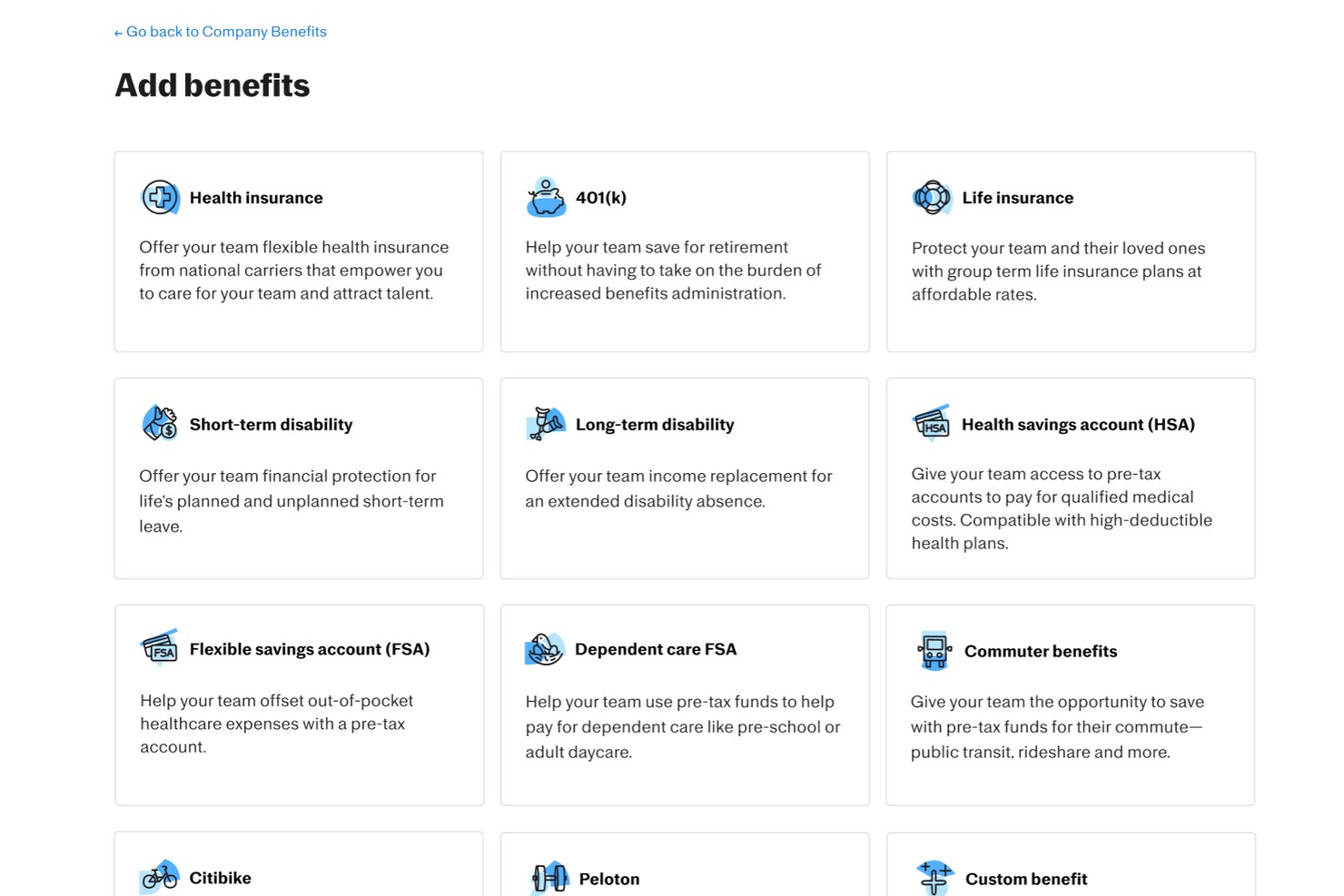
Justworks is a benefits administration software platform that unifies payroll, HR, compliance, and employee benefits enrollment for organizations looking to manage employee plans, onboarding, and regulatory requirements in one system.
Who Is Justworks Best For?
Small and midsize companies that want an all-in-one platform to manage payroll, HR, and benefits administration with built-in compliance support.
Why I Picked Justworks
I picked Justworks as one of the best because I value being able to reach live human support 24/7, especially when handling urgent benefits or payroll questions. I can manage benefits enrollment and life events anytime, knowing their team is available to troubleshoot complex issues in real time.
Justworks Key Features
- Automated ACA reporting: The platform generates and files ACA forms for eligible employees.
- Online open enrollment workflows: Employees use guided workflows to select and change benefits plans online.
- COBRA administration: Justworks manages COBRA enrollment and communications for terminated employees.
- Built-in payroll processing: Payroll runs alongside benefits with synced deductions and employee changes.
Justworks Integrations
Justworks offers native integrations with QuickBooks, Xero, and QuickBooks Time. An API is available for custom integrations.
Pros and Cons
Pros:
- Offers a wide selection of national benefit plans
- Automated ACA and COBRA administration included
- 24/7 live human support for employees
Cons:
- No advanced decision support tools for employees
- You must use Justworks’ chosen insurance carriers

Deel HR
Best for offering localized benefits for international employees
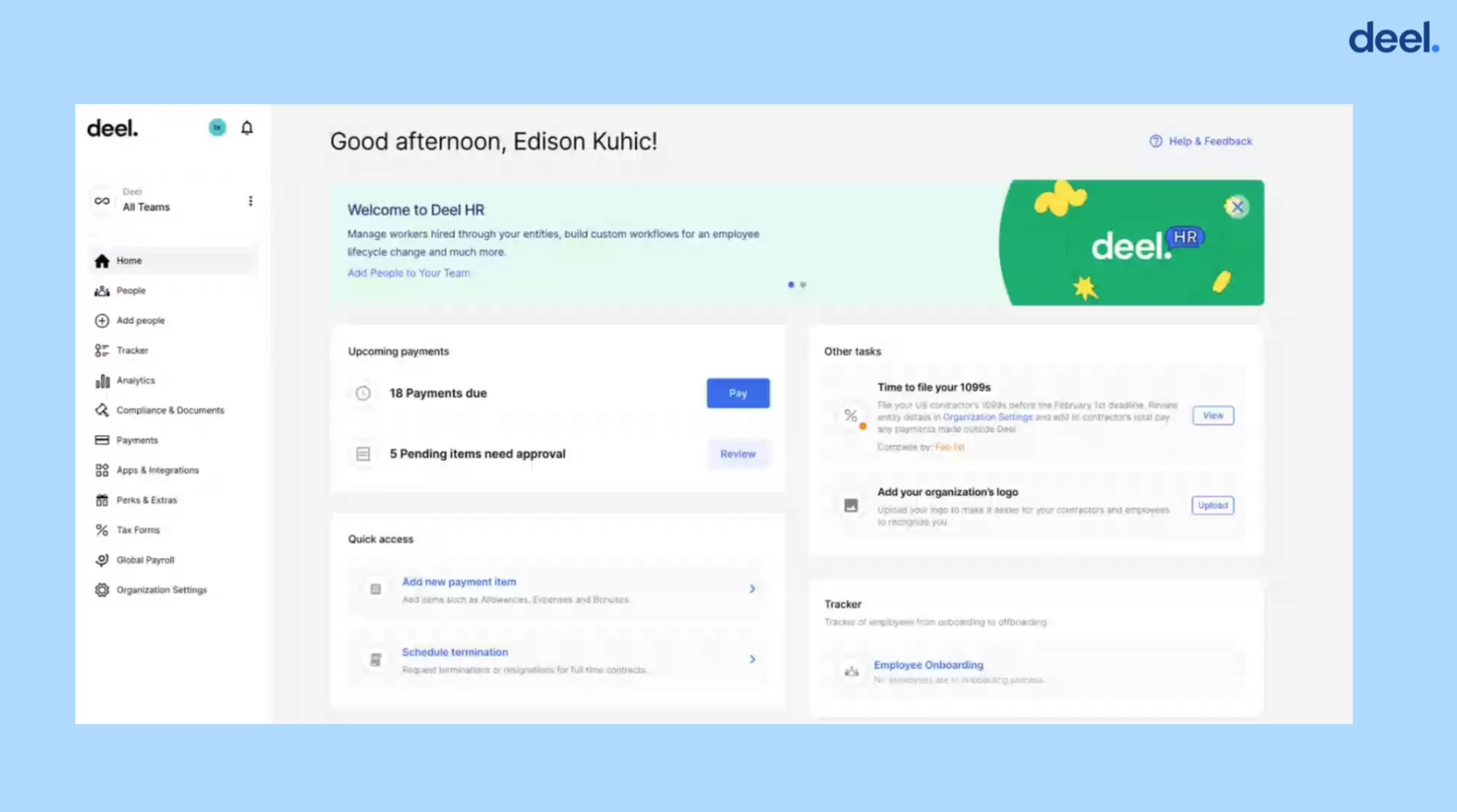
Deel is a benefits administration software designed for businesses managing employees across multiple countries. It focuses on global payroll and benefits management, providing tools to handle complex international compliance and payroll tasks.
Why I picked Deel: Deel excels in global payroll capabilities, making it ideal for companies with international teams. It offers features like customizable benefit plans and seamless integrations with HR tools.
The tool also supports various employment models, ensuring compliance and efficient payroll processes. Its user-friendly interface simplifies global benefits management, making it the best option for global payroll.
Standout features & integrations:
Features include customizable benefit plans, guided enrollment experiences, and automatic payroll deductions. Deel supports open enrollment management, allowing HR teams to manage plans and track employee participation efficiently. The software also supports various pre-tax programs, enhancing its global payroll capabilities.
Integrations include QuickBooks, Xero, NetSuite, BambooHR, Gusto, Greenhouse, Lever, Slack, Microsoft Teams, and Workable.
Pros and Cons
Pros:
- Provides automatic payroll deductions
- Maintains existing broker relationships
- Offers guided enrollment experiences
Cons:
- May not fit all industry needs
- Limited offline support options
New Product Updates from Deel HR

Deel Expands Stablecoin Wallet to 80+ Countries
Deel expands its Stablecoin Wallet to 80+ countries with dollar-backed balances and optional rewards. This gives eligible contractors more ways to hold and manage earnings inside Deel. For more information, visit Deel’s official site.
 .
.
Thatch
Best for flexible and personalized employee healthcare benefits
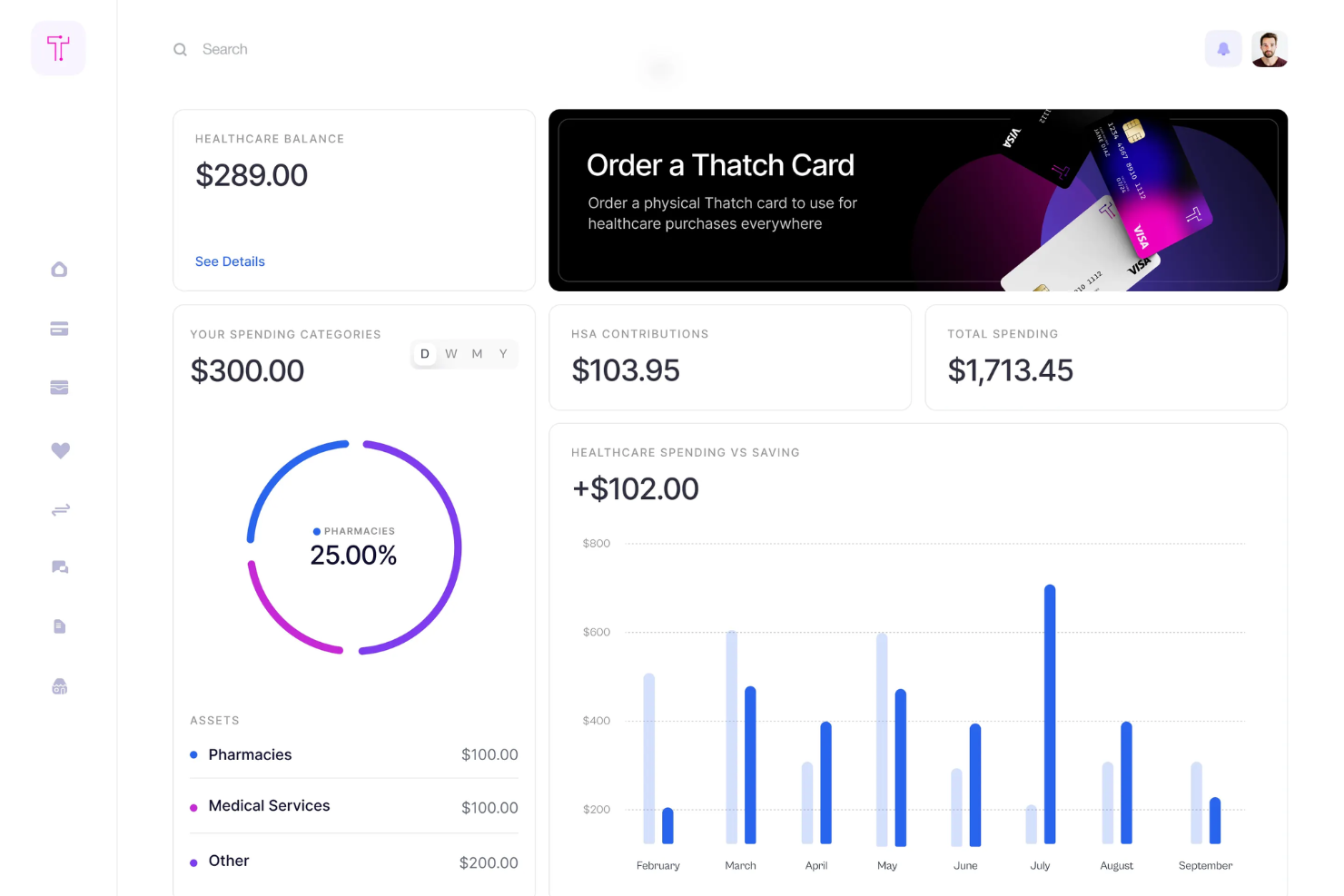
Thatch is a health benefits platform designed for businesses aiming to provide flexible healthcare options to employees. It offers employers tools to manage health benefits through an Individual Coverage Health Reimbursement Arrangement (ICHRA), allowing employees to select their preferred health, dental, and vision plans.
Why I picked Thatch: Thatch provides AI-driven analytics that help your team understand healthcare usage and costs. It offers a curated marketplace for health and wellness services, enhancing employee satisfaction. The platform's budget-based healthcare spending model allows employees to choose plans that suit their needs. Its tools for designing and implementing ICHRA make it a standout choice for personalized benefits management.
Thatch runs enrollment, compliance, carrier payments, and payroll deductions for employee health budgets, replacing manual admin work end to end.
Standout features & integrations:
Features include budget-based healthcare spending, a curated marketplace for health services, and the Thatch Visa debit card for unspent budgets. Employees can select from a variety of insurance plans, ensuring personalized healthcare. The platform also simplifies management for employers with its ICHRA tools.
Integrations include compatibility with all payroll providers and insurance plans, requiring minimal setup.
Pros and Cons
Pros:
- Excellent customer support
- Simplified management for employers
- Personalized healthcare experience
Cons:
- May not cover all state QHPs
- Requires proactive employee engagement
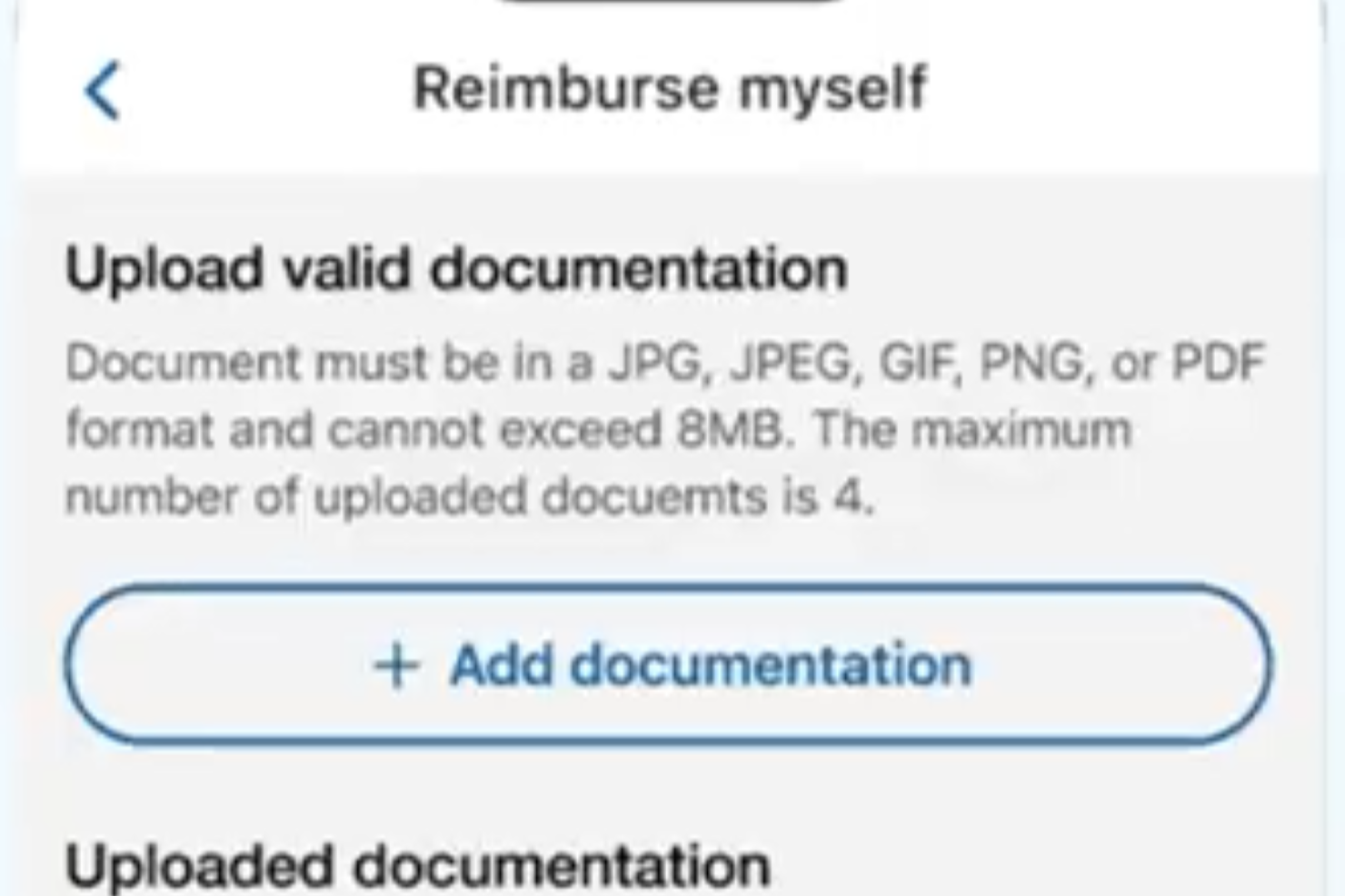
WEX Benefits offers a versatile solution for businesses aiming to simplify their employee benefits management. With features like Health Savings Accounts (HSAs), Flexible Spending Accounts (FSAs), and COBRA compliance, it caters to a wide range of industries, including healthcare and public sectors. This platform is particularly appealing to HR professionals and benefits administrators seeking customizable solutions to optimize operations and ensure compliance.
Why I Picked WEX Benefits
I picked WEX Benefits because of its focus on simplifying complex benefits administration tasks, which is crucial for businesses of all sizes. The software's standout feature is its COBRA compliance management, which ensures that your organization remains compliant with regulations while managing employee benefits. Additionally, the integration with Health Savings Accounts (HSAs) and Flexible Spending Accounts (FSAs) offers a streamlined approach to managing various benefits accounts, addressing the common challenge of juggling multiple systems.
WEX Benefits Key Features
In addition to its standout features, I also found several other key functionalities that enhance its appeal:
- Customizable Solutions: Tailor the platform to meet the specific needs of your organization, ensuring that the software fits seamlessly into your existing processes.
- Advanced Analytics: Gain insights into benefits usage and trends, helping you make data-driven decisions to optimize your benefits offerings.
- Real-Time Payments: Manage payments efficiently with real-time processing, reducing the administrative burden on your team.
- Extensive Resources: Access a wealth of resources, including blogs, reports, and podcasts, to stay informed and make the most of the platform.
WEX Benefits Integrations
Integrations include payroll and benefits vendors, ensuring seamless data management and enhancing user experience. Native integrations are not specifically listed by WEX Benefits, but the platform supports various benefits accounts and professional services.
Pros and Cons
Pros:
- Advanced reporting and analytics tools
- Strong COBRA compliance capabilities
- Comprehensive HSA and FSA support
Cons:
- Limited publicly listed integrations
- Pricing not publicly available

Gusto
Best for automated benefit deductions

For growing businesses seeking an all-in-one platform to manage payroll, benefits, and HR, Gusto is a great option. It is tailored for small to medium-sized businesses across various industries that need a streamlined approach to administering employee benefits. Gusto addresses the challenge of managing multiple benefits offerings while ensuring compliance, making it a valuable tool for HR professionals and business owners alike.
Why I Picked Gusto
I picked Gusto for its seamless integration of benefits administration with payroll and HR functions. The platform's ability to automate payroll deductions for benefits like dental, vision, and 401(k) plans simplifies management tasks. Moreover, its employee self-service feature empowers team members to manage their benefits independently, fostering a more engaging user experience. Gusto's comprehensive compliance support also ensures that businesses remain aligned with regulations, reducing administrative burdens.
Gusto Key Features
In addition to the features mentioned above, Gusto offers several other capabilities that enhance its benefits administration functions.
- Open Enrollment Management: Provides tools to manage open enrollment periods, allowing employees to select or waive benefits efficiently.
- Life Event Management: Facilitates changes in benefits due to qualifying life events, ensuring that employee coverage is always up-to-date.
- Multi-State Payroll Management: Handles payroll for teams across different states, accommodating the geographic diversity typical in trucking.
- COBRA Administration: Offers guidance and support for managing COBRA coverage for departing employees, ensuring compliance with federal regulations.
Gusto Integrations
Integrations include QuickBooks, Xero, Freshbooks, Hubstaff, Expensify, Greenhouse, Breezy HR, JazzHR, Carta, and Shopify.
Pros and Cons
Pros:
- Provides COBRA administration support for departing employees.
- Integrated employee self-service enhances user engagement.
- Automated payroll deductions simplify benefits management.
Cons:
- Premium benefits availability may be limited in certain U.S. states.
- Limited global reach compared to some competitors.
New Product Updates from Gusto
Gusto Adds Solo Advisory Tools and Mobile Money Features
Gusto adds Solo S-Corp Advisory Tools and Gusto Money on Mobile for tax guidance, invoicing, and bill payments. These updates help accountants advise solopreneurs and let users manage business finances from their phones. For more information, visit Gusto’s official site.
OnPay
Best for syncing benefit deduction costs directly with payroll
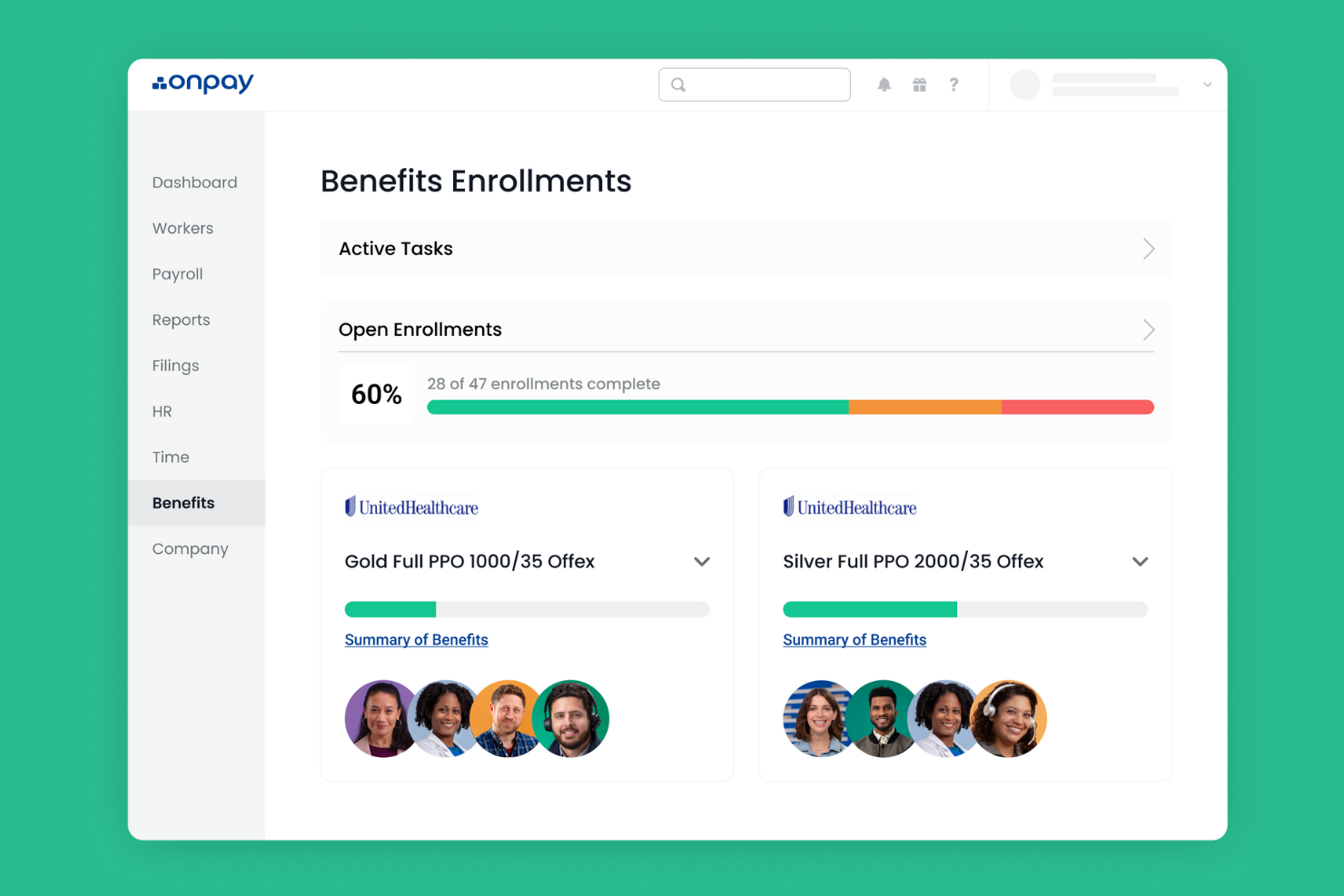
OnPay is payroll and HR software tailored for small businesses, offering key functions such as payroll processing, tax filing, and benefits administration. It supports small teams with straightforward tools to manage employee benefits and compliance requirements.
Why I picked OnPay: OnPay is designed to meet the needs of small businesses with its simple interface and essential features. It offers automated tax filings, allowing your team to save time on compliance tasks.
OnPay's benefits administration tools include easy plan setup and management, making it accessible for smaller teams. The software is priced competitively, making it ideal for small businesses.
Standout features & integrations:
Features include automated payroll tax filings, employee self-service portals, and flexible pay schedules. OnPay also provides direct deposit options, simplifying payment processes for your team. You can track and manage PTO to ensure accurate leave management.
Integrations include QuickBooks, Xero, TSheets, Mineral, Guideline, Vestwell, Kabbage, Humanity, Deputy, and When I Work.
Pros and Cons
Pros:
- Direct deposit options
- Flexible pay schedules
- Automated tax filings
Cons:
- No advanced HR tools
- Basic reporting features

Best for offering global healthcare benefits to international teams
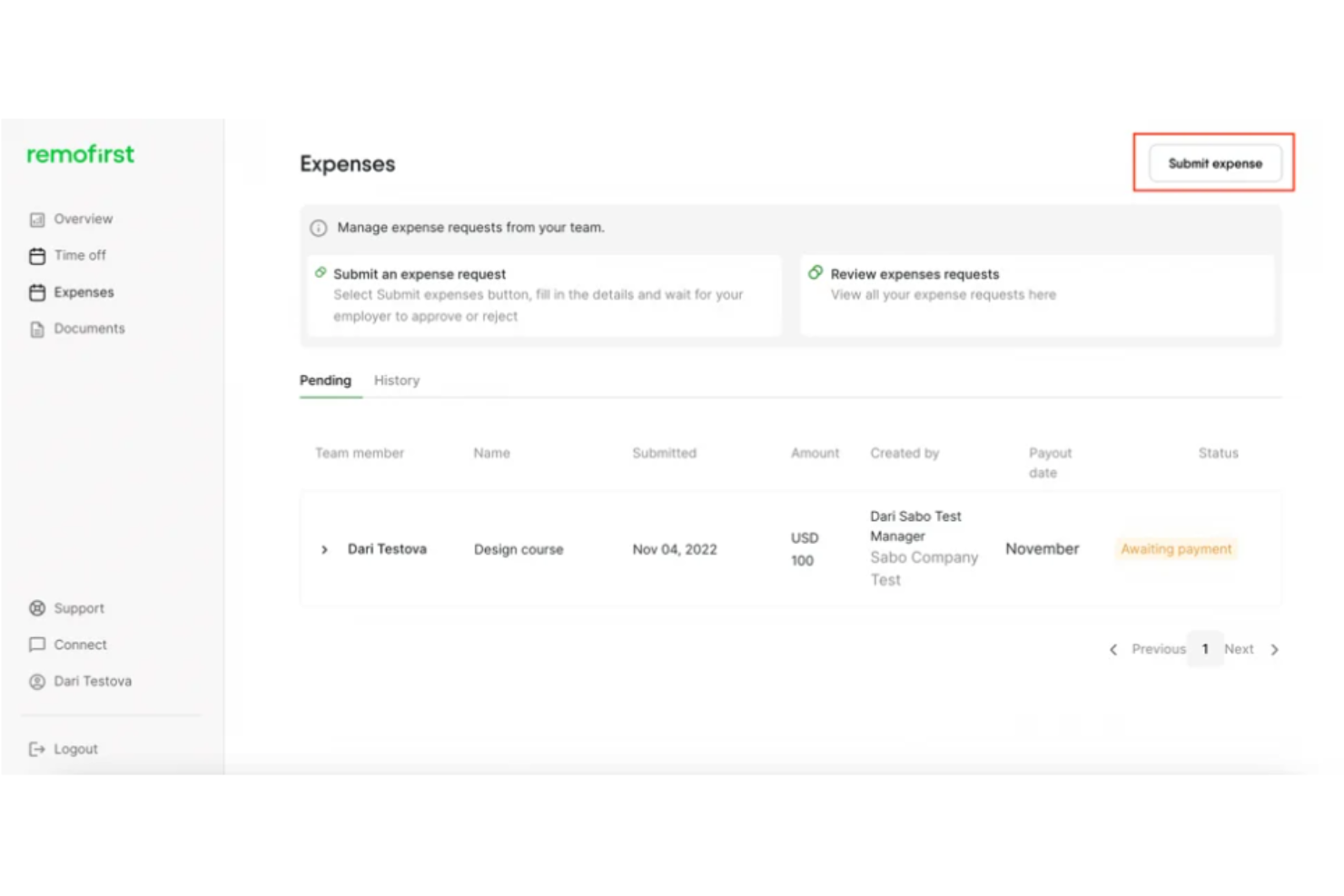
RemoFirst is a global Employer of Record solution, ideal for businesses looking to hire and manage international contractors without setting up local entities. It offers services like global payroll, onboarding, and health insurance to support companies in over 185 countries.
Why I picked RemoFirst: RemoFirst is tailored for international contractor management, offering fast onboarding and payroll processing across multiple currencies. It provides visa and work permit support, making it easier for your team to manage compliance.
The platform’s health insurance through RemoHealth ensures your contractors are covered globally. Its cost-effective employment solutions suit businesses expanding worldwide.
Standout features & integrations:
Features include support for over 185 countries, tailored health coverage, and efficient payroll processing. RemoFirst assists with visas and work permits, ensuring compliance with local regulations. You can manage time off and bonuses, enhancing the overall employment experience for your global team.
Integrations include QuickBooks, Xero, BambooHR, Slack, Microsoft Teams, Gusto, Greenhouse, Lever, Asana, and Trello.
Pros and Cons
Pros:
- Cost-effective solutions
- Visa and permit support
- Tailored health insurance
Cons:
- May need initial training
- Requires setup for each region
Best for direct integrations with benefit providers
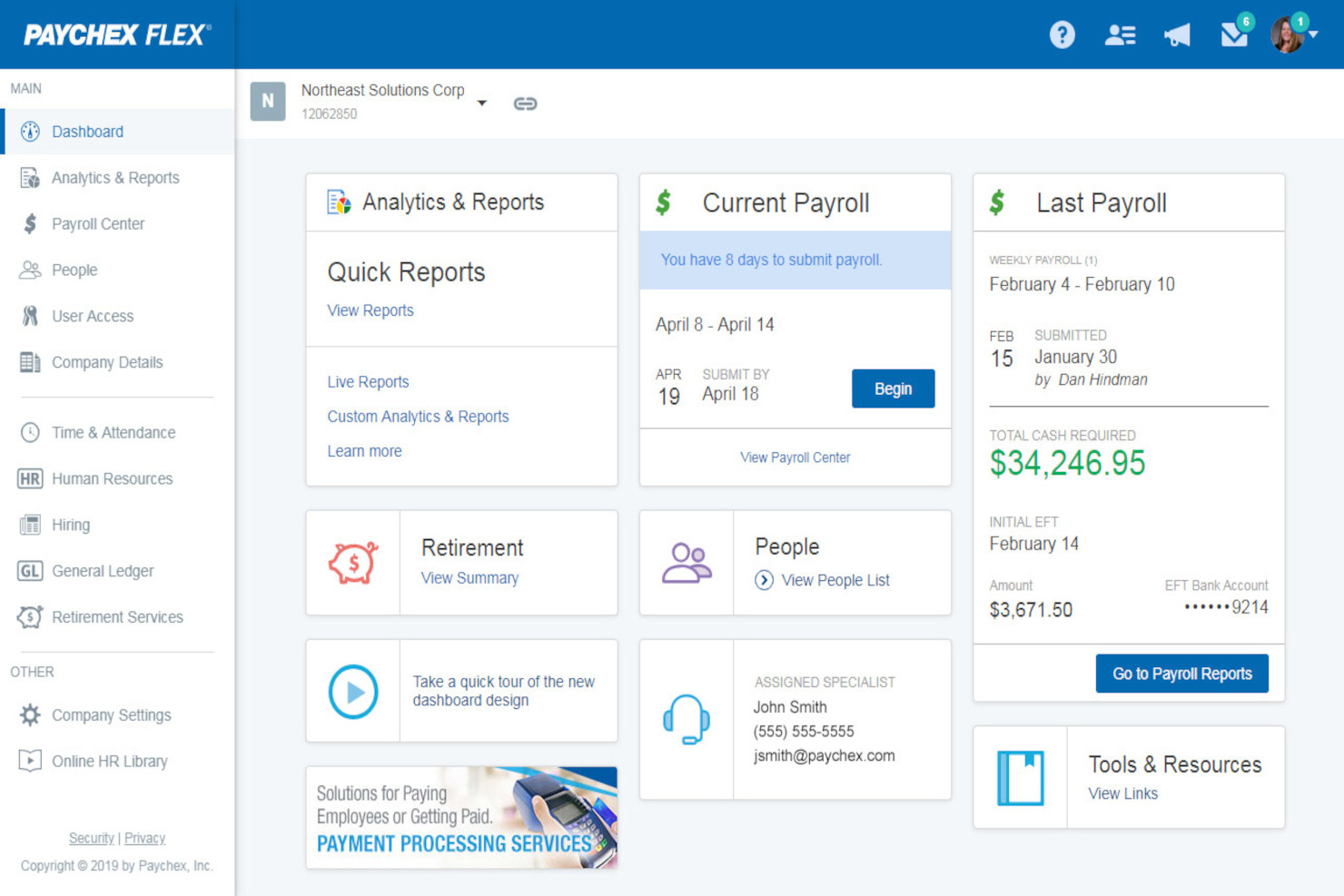
Paychex Flex is a cloud-based HR and payroll solution designed for businesses of all sizes. It offers payroll management, benefits administration, and human resources services, making it easier for teams to manage their employee data efficiently.
Why I picked Paychex Flex: Paychex Flex simplifies payroll management with its user-friendly interface and automated processes. It offers features such as direct deposit and mobile access, enabling your team to manage payroll on the go. Paychex Flex also provides tax compliance support, reducing the burden of regulatory tasks. Its scalability makes it suitable for businesses that anticipate growth.
Standout features & integrations:
Features include customizable reporting, employee self-service, and mobile app access. Paychex Flex allows you to create detailed reports tailored to your business needs. The employee self-service portal empowers your team to manage their own information and access pay stubs.
Integrations include QuickBooks, Xero, Indeed, BambooHR, TSheets, Google Workspace, Microsoft Teams, Salesforce, Slack, and ADP.
Pros and Cons
Pros:
- Employee self-service portal
- Customizable reporting options
- Mobile access for payroll management
Cons:
- Some features need manual updates
- Occasional customer support delays
Healthee
Best for AI-guided benefits decisions
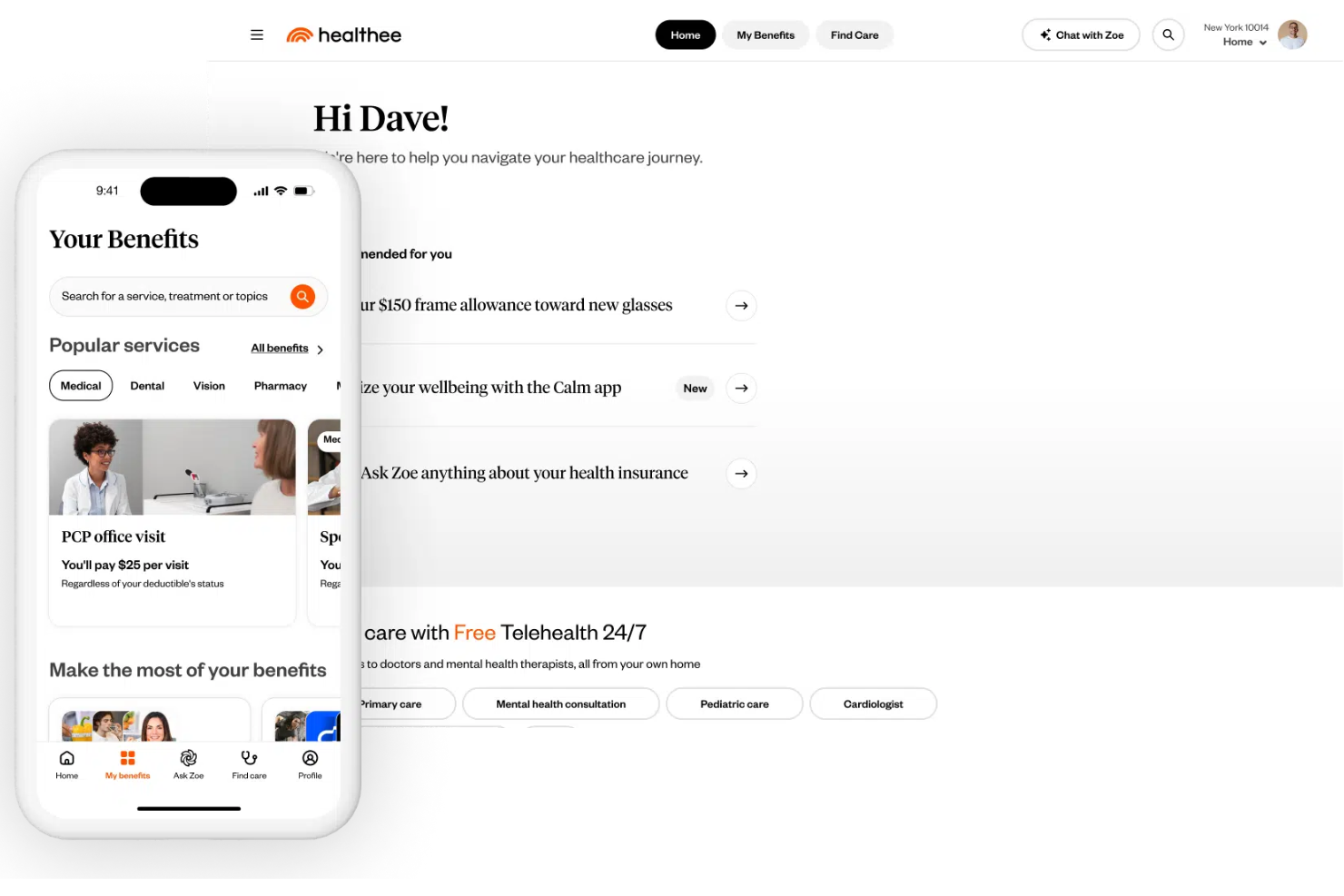
Healthee helps teams cut through the complexity of health benefits by using AI-assisted guidance to make benefits selection and coverage clearer for employees and administrators alike, especially during open enrollment and year-round care navigation. It appeals to HR leaders, finance teams, brokers, PEOs, and third-party administrators who want to reduce repetitive questions and help employees understand their plans and access care with confidence.
Why I Picked Healthee
I picked Healthee because its AI-powered benefits decision support and navigation directly assist benefits administrators and HR teams in simplifying complex health coverage information for employees. Its AI-driven plan comparison tool gives personalized recommendations that help employees choose the right benefits during open enrollment, reducing confusion and questions.
The built-in AI assistant “Zoe” can answer benefits and coverage questions in real time, taking routine inquiries off your team’s plate. These features support your goals of improving benefits utilization and reducing administrative workload.
Healthee Key Features
In addition to the features already mentioned, I also found the following useful:
- Provider Search and Ratings: Enables your team to easily find and evaluate in-network healthcare providers.
- Preventive Care Reminders: Encourages proactive health management with in-app reminders and suggestions.
- Fraud Detection: Uses AI to identify and mitigate instances of fraud, waste, and abuse in claims processing.
- Telehealth Services: Provides access to 24/7 telehealth visits with licensed physical and mental health professionals without submitting claims.
Healthee Integrations
While Healthee does not publish a catalog of native integrations, the platform supports a flexible API and embeddable UI widgets so you can add its personalized benefits experience to your HR tech environment.
Pros and Cons
Pros:
- AI virtual assistant Zoe enhances benefits navigation efficiency.
- Cost transparency tools help users make informed decisions.
- 24/7 telehealth access provides immediate medical consultation.
Cons:
- Limited benefits to select providers may restrict options.
- Some users wish for support for non-medical benefits for a more all-in-one system.
Best HCM software suite for integrated benefits management and easy employee self-service
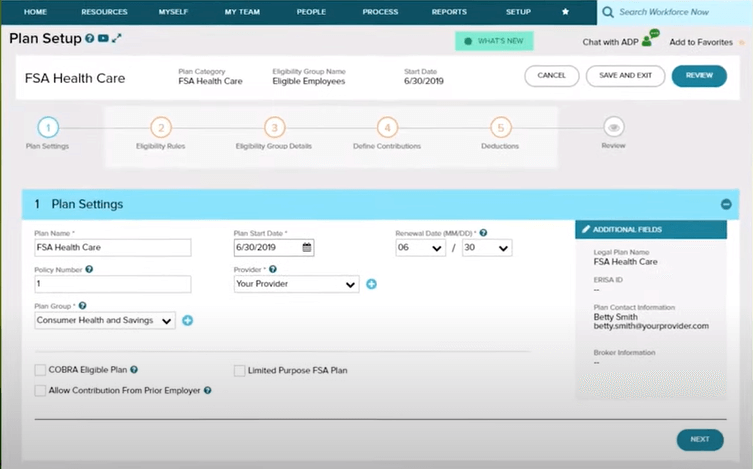
ADP Vantage HCM is a human capital management solution designed for large U.S. enterprises. It provides services like payroll, benefits administration, and talent management to streamline HR operations for big organizations.
Why I picked ADP Vantage HCM: ADP Vantage HCM is tailored for large businesses, offering extensive payroll and benefits management features. It supports complex organizational structures with its customizable reporting tools.
The platform's talent management capabilities help your team recruit and retain top talent. Its compliance support ensures your business meets regulatory requirements efficiently.
Standout features & integrations:
Features include advanced analytics, mobile access, and employee self-service options. ADP Vantage HCM's analytics help you track workforce trends and make data-driven decisions. The mobile app allows your team to access HR functions from anywhere, enhancing flexibility.
Integrations include QuickBooks, Microsoft Dynamics, Workday, Oracle, SAP, Salesforce, Kronos, NetSuite, BambooHR, and Slack.
Pros and Cons
Pros:
- Customizable reporting tools
- Strong compliance features
- Advanced analytics for decision making
Cons:
- Occasional system updates needed
- Learning curve for advanced features
Other Benefits Administration Software
Here are a few more that didn’t make the top list. If you need additional suggestions for handy benefits administration software, check these out, and feel free to comment with your recommendations for other tools:
- GoCo
For self-service benefits enrollment
- BenefitFocus
For an extensive catalog of industry-leading benefit products that are pre-vetted
- Trinet
For managing ACA compliance and COBRA administration
- SAP SuccessFactors
For collecting feedback on benefit programs
- Abenity
Platform for offering employee savings programs
- Insperity
For an employee benefits administration outsourcing solution
- Infor CloudSuite HCM
For retirement programs
- Peoplekeep
For offering health savings accounts and healthcare reimbursement stipends
- Rippling
For automatically enrolling new hires in health plans
- BambooHR®
For easy-to-use benefits administration and mobile app-based vacation requests
- Justworks
For its flexibility in changing benefit packges
- Papaya Global
Workforce management platform for simplifying the complex world of global benefits
- Paycor
For employee self-service
- ADP Workforce Now
For managing the entire employee lifecycle
- TriNet HR Plus
For simplifying the benefits enrollment process from healthcare plans to perks like commuter benefits
- APS
For automating the benefits enrollment process from a user-friendly dashboard
- Namely
Benefits packages to help small and mid-sized companies attract and retain top talent
- BerniePortal
All-in-one HR software solution with benefits administration processes designed for small businesses
- UZIO
HR solution for benefits brokers and employers working together to build comprehensive benefit packages
- Collage HR
HRIS platform to streamline your people processes such as payroll and benefits
- Employment Hero
Employee benefits platform for Canadian organizations
- Cleo
Family benefits platform with a personalized mobile app
- Justworks Payroll
For on-demand access to high-quality primary medical care services at no extra charge
- Buck
Benefits solution for employee self-service, plan sponsor access, and case management
- Criterion
Integrated HRIS benefits management module for an open enrollment process


How I Evaluate Benefits Administration Software
I evaluate on two layers: non-negotiables like carrier EDI feeds, ACA reporting, and open enrollment workflows, then differentiators like decision-support tools and broker portals.
Core Functionality (Table Stakes For This List)
When I'm selecting tools for my list, I rank each one on a scale from 0 (does not offer the functionality) to 5 (excels in this area) for each core functionality listed below. Then, I calculate the tool's total score into a percentage. Each tool needs to achieve a minimum total score of 65% to be considered for inclusion.
- Plan Setup & Management: I evaluate how flexibly a platform handles plan configuration across medical, dental, vision, life, disability, and voluntary lines, including eligibility rules and multi-tier contribution structures.
- Open & Life-Event Enrollment: Guided enrollment workflows matter here, so I look for platforms that support both annual open enrollment and qualifying life events like marriage, birth, or job status changes.
- Carrier Connections & EDI Feeds: I check whether the platform maintains a broad library of pre-built carrier connections and manages ongoing EDI feed maintenance, error alerts, and reconciliation.
- Compliance Management: ACA reporting (1094-C/1095-C generation), COBRA administration, and ERISA/HIPAA support all factor in, along with how proactively the platform updates for regulatory changes.
- Payroll & HRIS Integration: The platform should sync deductions, demographics, and status changes with major payroll and HCM systems like ADP, UKG, Workday, or Paylocity through native or API-based connections.
- Employee Self-Service Portal: I look for portals where employees can compare plans side by side, manage dependents, upload documents, and access benefits information year-round—not just during enrollment windows.
Once I have a list of tools that meet this criteria, I consider what sets each platform apart.
Differentiating Factors (What Sets Vendors Apart)
Here's how I compare and contrast different vendors:
Standout Features
Decision-support tools are a major differentiator. I look for platforms that recommend plans based on an employee's household size, expected care needs, and financial profile. Benefits analytics dashboards also carry weight when HR directors need to track enrollment trends and cost share heading into renewal season. Broker and TPA collaboration portals round out my evaluation, since many teams rely on outside advisors who need their own access to manage renewals and pull reporting.
Beyond Features
Implementation support matters here. Migrating historical enrollment data and building EDI feeds from scratch is complex, so I check whether a vendor provides a dedicated implementation manager. I also evaluate market fit, since a platform built for 50-person companies often struggles at 2,000 employees, and vice versa. Security and compliance posture round things out. I look for SOC 2 Type II and HIPAA certifications, plus role-based access controls that let you limit what brokers, admins, and managers can each see.
How to Choose Benefits Administration Software
It’s easy to get bogged down in long feature lists and complex pricing structures. To help you stay focused as you work through your unique software selection process, here’s a checklist of factors to keep in mind:
| Factor | What to Consider |
|---|---|
| Scalability | Can the software grow with your business? Consider if it'll handle increased employee numbers and expanded benefits offerings without a hitch. |
| Integrations | Does it work with your current systems? Look for seamless connections with payroll, HR, and accounting software. |
| Customizability | Can you tailor it to your needs? Ensure the platform lets you modify workflows and reports to match your processes. |
| Ease of use | Is it user-friendly for all team members? Choose a tool with a simple interface that minimizes training time and maximizes productivity. |
| Implementation and onboarding | How long will it take to get up and running? Evaluate the setup process, required resources, and available support for a smooth transition. |
| Cost | Does it fit your budget? Compare pricing plans and check for hidden fees. Consider both upfront costs and long-term value. |
| Security safeguards | Are your data and transactions secure? Verify the software's compliance with data protection standards and its ability to handle sensitive information. |
| Compliance requirements | Does it meet your industry standards? Ensure the tool supports compliance with relevant regulations, especially if dealing with healthcare or financial data. |
Latest Trends in Benefits Administration Software
Benefits administration technology is developing at a steady rate. Here are some of the latest trends to look out for:
- AI-Powered Decision Support: Personalized plan recommendations based on employee data and usage patterns to simplify selection and improve benefit utilization.
- Integrated Wellbeing and Financial Wellness Tools: Access to mental health resources, fitness programs, financial coaching, and student loan assistance built into the platform.
- Advanced Compliance Automation: Real-time tracking and alerts for ACA, COBRA, HIPAA, and other regulations, with automated reporting to avoid costly penalties.
- Mobile-First Experience: Mobile apps and responsive portals that let employees manage benefits from anywhere, ideal for remote or deskless teams.
- Real-Time Integrations with HR Systems: Seamless syncing with payroll, HRIS, and insurance carriers to eliminate manual data entry and reduce errors.
- Employee Engagement Features: Gamification, nudges, educational content, and targeted communications to boost participation and understanding.
- Support for Global and Remote Teams: Features that accommodate international benefits administration and integrate with Employer of Record (EOR) services.
What is Benefits Administration Software?
Benefits administration software is a tool designed to help organizations manage employee benefits programs efficiently. HR professionals and benefits managers typically use these tools to ensure accurate benefits enrollment and regulatory compliance.
Automated enrollment, compliance tracking, and reporting features help reduce administrative burdens and improve data accuracy. Overall, these tools simplify the management of complex benefits plans, saving time and reducing errors.
Features
When selecting benefits administration software, keep an eye out for the following key features:
- Automated enrollment: Streamlines the process of enrolling employees in benefits plans, saving time and reducing errors.
- Compliance tracking: Ensures that your organization meets regulatory requirements, minimizing the risk of penalties.
- Employee self-service portal: Allows employees to manage their benefits information and make changes independently, increasing engagement and reducing administrative workload.
- Customizable plans: Enable you to tailor benefits packages to meet the unique needs of your workforce.
- Reporting and analytics: Provides insights into benefits usage and trends, helping you make informed decisions.
- Mobile access: Offers employees the convenience of accessing their benefits information on the go.
- Integration capabilities: Connects with existing HR, payroll, and accounting systems to ensure data consistency and streamline processes.
- Security safeguards: Protects sensitive employee data with robust security measures, ensuring privacy and compliance.
- Budget management: Helps track and manage costs associated with employee benefits, aiding in financial planning.
Benefits
Implementing benefits administration software provides several benefits for your team and your business. Here are a few you can look forward to:
- Time savings: Automating enrollment and payroll processes reduces manual tasks, allowing your team to focus on strategic work.
- Improved accuracy: Automated features minimize human errors in benefits administration, ensuring employees receive the correct benefits.
- Enhanced compliance: Compliance tracking features help your business meet regulatory requirements, reducing the risk of fines.
- Increased employee satisfaction: Self-service portals empower employees to manage their benefits, leading to higher engagement and satisfaction.
- Data-driven decisions: Reporting and analytics provide valuable insights into benefits usage, helping you make informed decisions.
- Cost management: Budget management tools help track and control benefits expenses, aiding in financial planning.
- Flexibility: Customizable plans allow you to tailor benefits packages to fit the unique needs of your workforce.
Costs & Pricing
Selecting benefits administration software requires an understanding of the various pricing models and plans available. Costs vary based on features, team size, add-ons, and more. The table below summarizes common plans, their average prices, and typical features included in benefits administration software solutions:
Plan Comparison Table for Benefits Administration Software
| Plan Type | Average Price | Common Features |
|---|---|---|
| Free Plan | $0 | Basic enrollment, limited reporting, and self-service portal. |
| Personal Plan | $5-$25/user/month | Automated enrollment, compliance tracking, and basic analytics. |
| Business Plan | $30-$60/user/month | Customizable plans, integration capabilities, and advanced reporting. |
| Enterprise Plan | $65-$120/user/month | Full analytics suite, dedicated support, and enhanced security features. |
Benefits Administration Software FAQs
Here are some answers to common questions about benefits administration software:
How does benefits administration software help you set up employee benefit systems?
Benefits administration software lets you structure and manage employee benefits in one place. You can set up benefit options based on company size, location, and budget. The platform typically walks you through plan design, helps connect benefits to payroll, and makes enrolling staff much easier for HR and employees alike.
How does benefits admin software compare to benefits administration outsourcing services?
Benefits administration software keeps control in your hands but requires more day-to-day management. Outsourcing shifts compliance and admin work to a third party but gives you less flexibility and can be costlier long-term. With software, you control provider choices and keep sensitive data in-house.
Is data security a concern with benefits administration software?
Yes, data security is vital when handling employee information. Choose software that offers encryption, strict access controls, and compliance with GDPR, HIPAA, or other privacy rules. Always ask vendors about their security audits, breach response plans, and how they safeguard sensitive data.
What features should I prioritize in benefits administration software for a growing team?
Look for software with scalable enrollment tools, easy onboarding, strong reporting, and robust integration options. Automated compliance tools, mobile accessibility, and self-service portals are essentials for growing HR teams that want to stay nimble.
How do I ensure compliance with ACA, COBRA, and other regulations using benefits software?
Leading benefits administration systems automate compliance tracking and filing for laws like ACA and COBRA. They flag deadlines, generate reports, and offer reminders to keep your company current. Always confirm the vendor updates its compliance features with regulatory changes.
Can benefits administration tools integrate with my payroll or HRIS system?
Yes, most top platforms offer smooth integrations with payroll, HRIS, and accounting software. Before you buy, ask for a list of supported integrations and request a demo to see how data flows between systems to avoid manual entry.
How does self-service enrollment benefit my HR team and employees?
Self-service enrollment reduces manual data entry for HR and empowers employees to review and update their own benefits. This cuts down on paperwork, minimizes errors, and lets HR focus on higher-impact tasks instead of chasing forms.
What’s the best way to evaluate ROI when switching to new benefits administration software?
Calculate ROI by measuring time saved in processes like open enrollment, error reductions, compliance risk, and fewer support tickets. Ask vendors for case studies. Track costs against administrative workload and improvements to your employee experience.
What’s Next:
If you're in the process of researching benefits administration software, connect with a SoftwareSelect advisor for free recommendations.
You fill out a form and have a quick chat where they get into the specifics of your needs. Then you'll get a shortlist of software to review. They'll even support you through the entire buying process, including price negotiations.