

10 Best Payroll Software for One Employee in 2026

Best Payroll Software for One Employee Shortlist


The best payroll software for one employee helps you pay yourself or a single team member accurately, stay compliant, and file taxes on time—without the complexity or cost of enterprise tools.
If you’re a solopreneur, consultant, or small business owner, payroll should be simple—not a source of stress. The right solution handles pay runs, tax calculations, filings, and pay stubs automatically, so you don’t need a full HR team or hours of manual work.
Because many payroll tools are built for larger organizations, finding something affordable and easy to use for a team of one can be challenging. After researching dozens of payroll platforms, I’ve curated the best options designed specifically for solo operators and micro-businesses. In this guide, you’ll find payroll software that saves time, reduces risk, and makes paying yourself (or one employee) effortless.
Why Trust Our Software Reviews
Our team has been testing and reviewing software since 2012. As HR experts ourselves, we know how difficult—and important—it is to choose the right software.
For this guide, we evaluated tools using hands-on testing and independent research, scoring tools using our selection criteria. We also draw on insights from industry thought leaders and practicing HR experts.
Our reviews reflect our human editorial judgment, not a sales pitch.
Expert reviewers:
Best Payroll Software for One Employee: Comparison Chart
This comparison chart summarizes pricing, trial, and demo details for my top payroll software selections for managing one employee to help you find the best software for your budget and business needs.
| Tool | Best For | Trial Info | Price | ||
|---|---|---|---|---|---|
| 1 | Best for self-service paycheck access | 30-day free trial | From $88/month | Website | |
| 2 | Best for tax filing assistance | Not available | From $79/employee/month | Website | |
| 3 | Best for employee self-service | Free demo available | From $49/month + $6/month/user | Website | |
| 4 | Best for automated payroll calculations and tax filings | 3-month free trial | Pricing upon request | Website | |
| 5 | Best for affordable and flexible payroll options | 30-day free trial | From $17/month + $4/employee/month | Website | |
| 6 | Best for integrated accounting and payroll features | 30-day free trial | From $40/month | Website | |
| 7 | Best for integrations with POS systems | Not available | From $35/month + $6/person/month | Website | |
| 8 | Best for compliance and support for small businesses | Free demo available | Pricing upon request | Website | |
| 9 | Best user-friendly payroll for small businesses | Free trial available | From $4/employee/month + $20/month | Website | |
| 10 | Best for responsive customer support | Free demo available | Pricing upon request | Website |


Best Payroll Software for One Employee Reviews
Here are my detailed summaries of the best payroll software and services that are suitable for paying a single employee. For each system, I’ve included pros and cons, features, and notes on why I included them in this list.
Best for self-service paycheck access
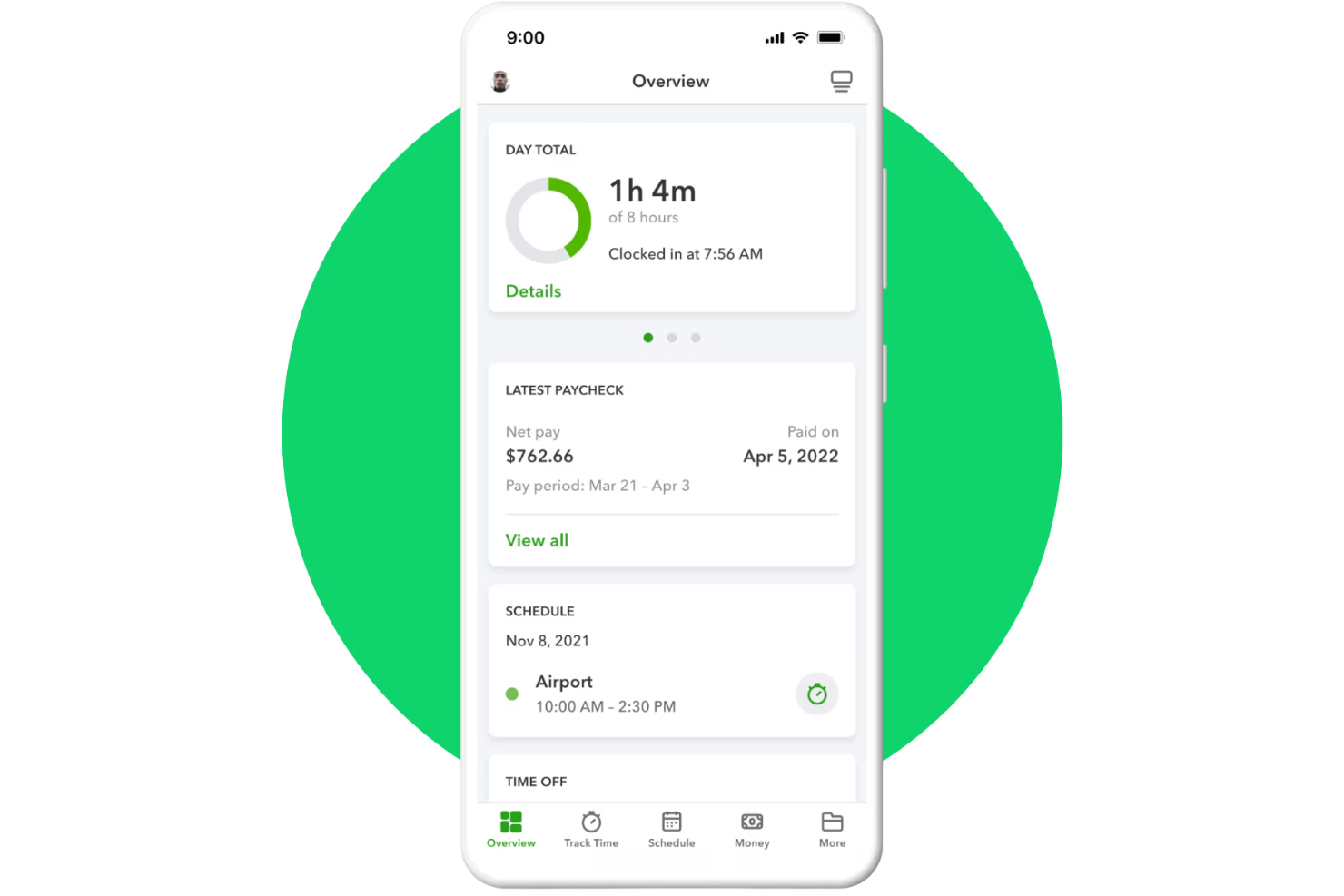
QuickBooks Workforce is Intuit's full-service payroll platform that handles automated tax calculations, direct deposit, paystub delivery, and year-end tax forms, with an employee-facing portal for pay and document access.
Who Is QuickBooks Workforce Best For?
QuickBooks Workforce is a strong fit for small business owners and solopreneurs who already use QuickBooks Online and need to add a single employee to their payroll.
Why I Picked QuickBooks Workforce
I picked QuickBooks Workforce because it makes payroll management easier for small teams with only one employee. Employees can access their pay stubs and payroll details through the QuickBooks Workforce app without needing paper records. I also like that Auto Payroll supports recurring pay runs for eligible salaried employees, reducing manual payroll work each cycle.
QuickBooks Workforce Key Features
- Automated tax filing: Calculate, file, and pay federal and state payroll taxes on your behalf.
- Direct deposit: Support next-day and same-day direct deposit options, depending on the selected plan.
- Payroll tax forms: Generate W-2s and 1099 forms that employees and contractors can access digitally.
- Time tracking integration: Sync employee hours from QuickBooks Time into payroll calculations.
QuickBooks Workforce Integrations
Integrations include QuickBooks Online, QuickBooks Time, QuickBooks Payroll, QuickBooks Online Accountant, Guideline 401(k), Allstate Health Solutions, Checkr, and SimplyInsured. Custom integrations are available through Intuit’s developer APIs.
Pros and Cons
Pros:
- Employees self-serve paystubs and W-2s
- Automated federal and state tax filing
- Payroll syncs directly with QuickBooks accounting
Cons:
- Requires QuickBooks ecosystem for best use
- Extra fees for multi-state payroll filing

Best for tax filing assistance
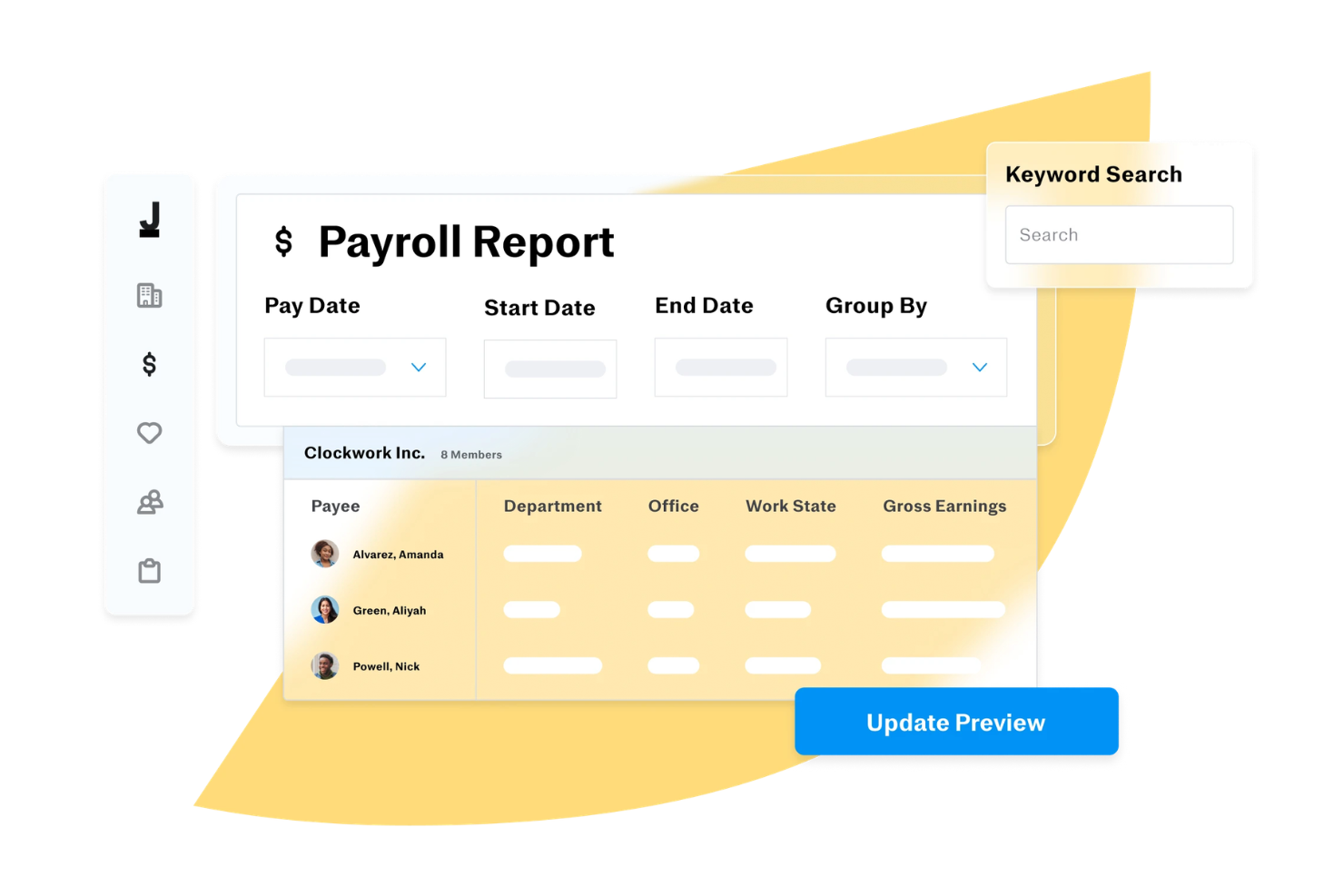
Justworks is a payroll and HR platform designed for small businesses and solo operators, offering automated payroll, tax filing, compliance support, and benefits administration in one system.
Who Is Justworks Best For?
Justworks is a strong fit for small business owners and solo operators who want a single platform to handle payroll, HR, and compliance without needing a dedicated HR team.
Why I Picked Justworks
Tax filing is one of those areas where a single mistake can mean IRS notices, penalties, and hours of back-and-forth—so I picked Justworks because it handles W-2s, 1099s, and payroll taxes (940s and 941s) automatically, at no additional charge. I really like that this isn't a bolt-on service you pay extra for; it's built into the platform. For a solo business owner paying one employee or a contractor, that means federal and state payroll tax filings happen without you having to track deadlines or manually submit forms. Justworks also gives you access to a support team for compliance questions, so if something does come up around tax season, you're not left figuring it out alone.
Justworks Key Features
- Direct deposit and multi-account payments: Employees can split pay across multiple bank accounts and receive push notifications when payments land.
- PTO management: Set up vacation and sick leave policies, track accruals, approve requests, and manage a holiday calendar from one place.
- Employee onboarding: Onboard new hires and contractors online, including direct deposit setup, document storage, and e-signatures.
- Expense reimbursement: Review, approve, and pay out employee expenses with automated workflows built directly into the payroll platform.
Justworks Integrations
Native integrations include 15Five, Accurate, Brex, Carta, Checkr, Lattice, JazzHR, Leapsome, and more.
Pros and Cons
Pros:
- Combines payroll, HR, benefits
- Automated tax filings and compliance
- QuickBooks integration for syncing
Cons:
- Limited customization for payroll workflows
- Some features require higher-tier plans

Gusto
Best for employee self-service

Gusto is a payroll software platform for small teams and solo employers, offering automated payroll runs, tax filings, direct deposit, and employee onboarding tools.
Who Is Gusto Best For?
Gusto is a great fit for small business owners and solo employers in the US who need a straightforward way to manage payroll and HR admin in one place.
Why I Picked Gusto
I've included Gusto in my top picks because I love how much it puts in the hands of the employee. Once you hire someone, they enter their own personal details directly into Gusto, which means you're not manually keying in bank account numbers or tax withholding info. Employees get lifetime access to their own Gusto account, where they can view pay stubs and W-2s anytime, submit vacation requests, and update their personal information without needing to contact you. Gusto Wallet gives employees direct access to their pay through a debit card, savings goals, and even on-demand pay advances between paydays.
Gusto Key Features
- Automated tax filing: Gusto calculates, files, and pays your federal, state, and local payroll taxes automatically every time you run payroll.
- AutoPilot payroll: Set up recurring payroll to run automatically on your schedule.
- Workers' compensation insurance: Set up and manage a pay-as-you-go workers' comp policy directly within Gusto, with no lump-sum payments required.
- Mobile payroll app: Run payroll, add new hires, and manage your team from the Gusto mobile app on iOS or Android.
Gusto Integrations
Gusto offers native integrations with QuickBooks, Xero, FreshBooks, Clover, Trainual, and Expensify. An API is available for custom integrations.
Pros and Cons
Pros:
- Automatic tax filings and direct deposit simplify payroll compliance.
- Payroll, benefits, and HR in one unified platform.
- Employee self-service portal empowers staff to access pay and forms.
Cons:
- Great for simple pay and HR management but not customizable enough to handle large, complex orgs.
- SMBs that need advanced compliance or niche industry-specific HR modules may find Gusto limiting.
New Product Updates from Gusto
Gusto Adds Solo Advisory Tools and Mobile Money Features
Gusto adds Solo S-Corp Advisory Tools and Gusto Money on Mobile for tax guidance, invoicing, and bill payments. These updates help accountants advise solopreneurs and let users manage business finances from their phones. For more information, visit Gusto’s official site.
Best for automated payroll calculations and tax filings

RUN by ADP is a payroll software platform designed for small businesses that need automated payroll processing, tax filing, and compliance management for a single employee.
Who Is RUN Best For?
RUN suits small business owners and sole proprietors who need a trusted, established platform to handle payroll for one employee.
Why I Picked RUN
I picked RUN as one of the best because of how much it takes off your plate when it comes to tax compliance. The tax filing feature handles everything from calculating and depositing payroll taxes to responding to agency inquiries on your behalf. The error accountability is notable: if ADP makes a tax filing mistake, they cover the resulting fines and penalties. The RUN & DONE feature lets you automate recurring payroll, so you don't have to run the same payroll cycle manually every pay period.
RUN Key Features
- Direct deposit and flexible pay options: Pay your employee via direct deposit, ADPCheck, or the Wisely Direct debit card, all from within the platform.
- AI-enabled error flagging: RUN scans your payroll for common mistakes before you submit, catching issues like incorrect hours or duplicate entries.
- Employee self-service mobile app: Your employee can access pay history, personal information, and HR details through the ADP mobile app without needing to contact you.
- W-2 and 1099 creation and e-filing: RUN generates and delivers year-end tax forms and e-files them directly with the IRS on your behalf.
RUN Integrations
RUN offers native integrations with Quickbooks, Xero, Wave, Clover, 7Shifts, Microsoft Teams, Slack, and more. The tool supports integrations via API for custom connections.
Pros and Cons
Pros:
- Robust mobile app
- Most HR functions are only available on higher-tier plans
- Setup can be complex
Cons:
- Good reporting capabilities
- Employee self-service feature

Best for affordable and flexible payroll options
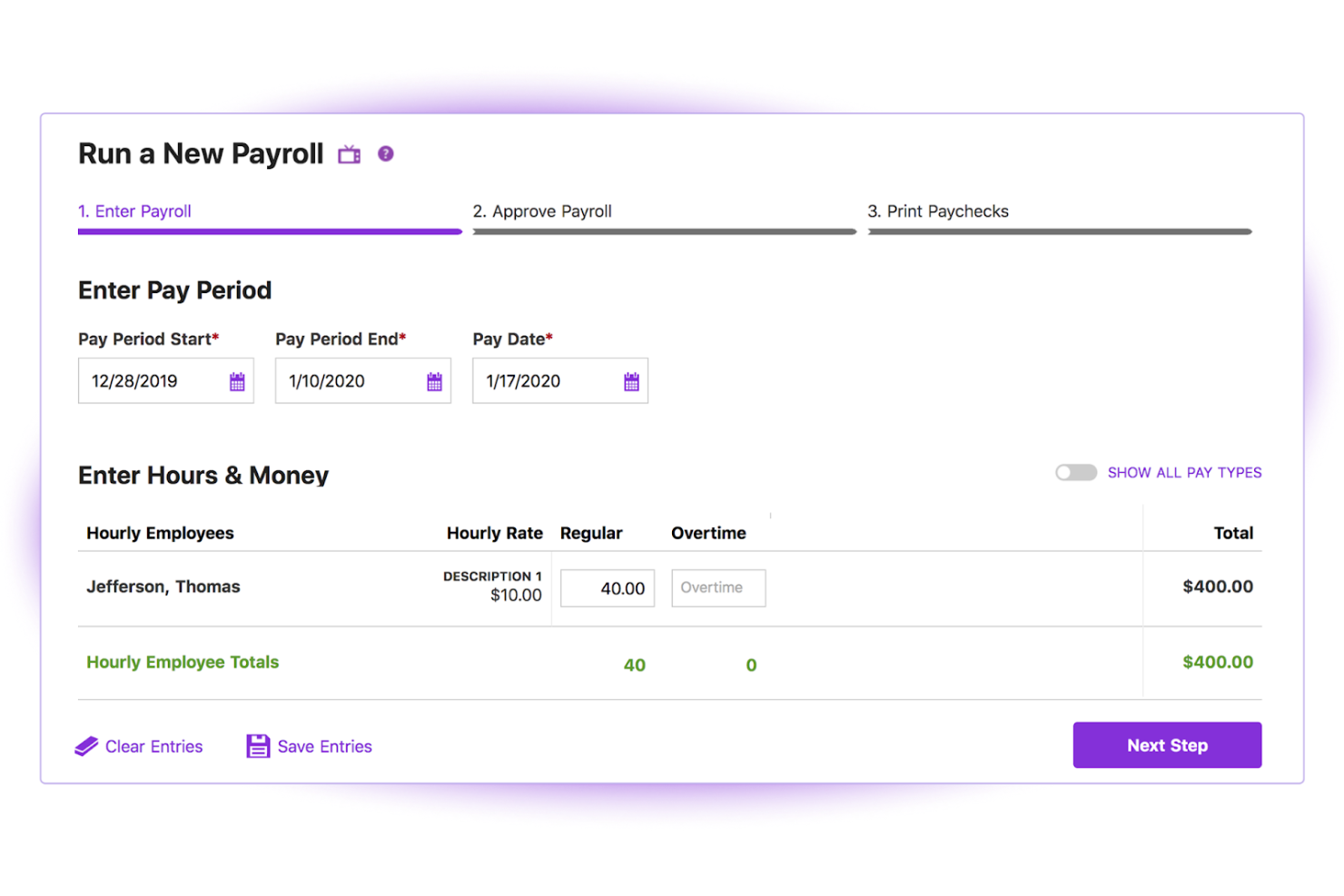
Patriot Payroll is a payroll software platform for small businesses that lets you run payroll, handle tax filings, and manage payments for a single employee or small team.
Who Is Patriot Payroll Best For?
Patriot Payroll is a good fit for small business owners and sole proprietors in the US who need a straightforward, low-cost way to pay one or a few employees.
Why I Picked Patriot Payroll
Patriot Payroll earns its spot on my shortlist because of how well its two-tier pricing model works for a business with just one employee. I like that you can start with Basic Payroll to handle tax calculations and direct deposit yourself, then upgrade to Full Service Payroll when you want Patriot to handle federal, state, and local tax filings and deposits on your behalf. That flexibility means you're not locked into paying for services you don't need yet. The auto payroll feature is also a nice touch—once you set up a recurring pay run for your one employee, Patriot handles it automatically so payday never slips through the cracks.
Patriot Payroll Key Features
- Employee self-service portal: Employees can access pay stubs, W-2s, and tax forms, update personal info, and manage direct deposit settings through a dedicated portal or mobile app.
- Unlimited payroll runs: Run payroll as often as needed across any pay frequency, including off-cycle payrolls, with no per-run fees.
- Payroll reporting: Generate and export reports including payroll details, tax liabilities, and tax deposit summaries directly from the platform.
- Free payroll setup assistance: Patriot's US-based onboarding team can enter your employee data and year-to-date payroll information at no extra cost.
Patriot Payroll Integrations
Patriot Payroll offers native integrations with QuickBooks Online, Stripe, Vestwell, Stride, and more. An API is available for custom integrations.
Pros and Cons
Pros:
- Free setup assistance
- Unlimited payroll runs
- Affordable pricing
Cons:
- No mobile app
- Limited to US-based companies
Wave
Best for integrated accounting and payroll features
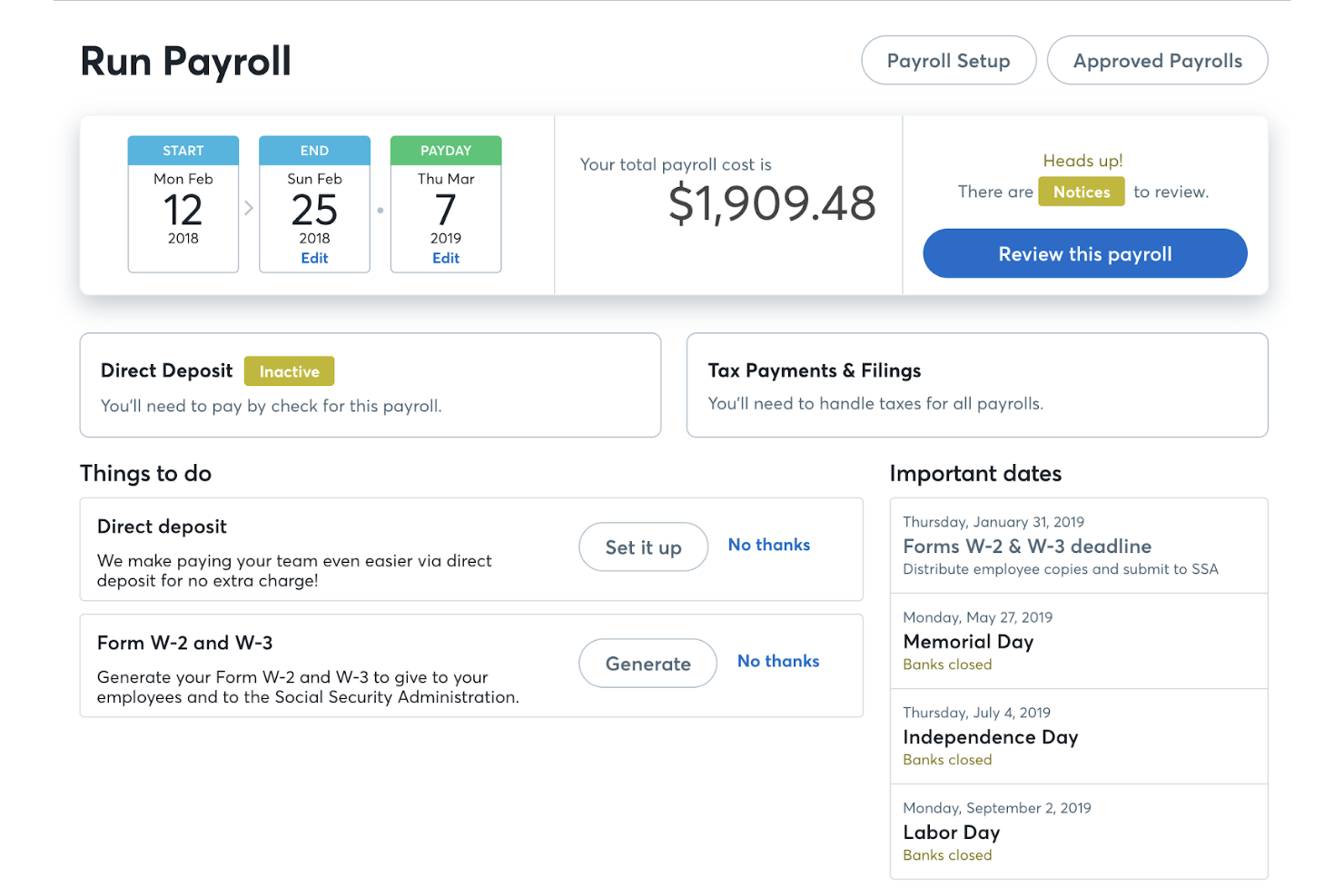
Wave is a cloud-based payroll and accounting platform that lets you manage payroll runs, tax forms, direct deposit, and bookkeeping from a single dashboard.
Who Is Wave Best For?
Wave is a strong fit for freelancers and self-employed business owners who need to handle both payroll and accounting without managing multiple tools.
Why I Picked Wave
Wave earns its spot on my shortlist because payroll and accounting are genuinely connected inside the platform, not just loosely linked. When I run payroll, Wave automatically creates the corresponding journal entries in the accounting ledger, so my books stay current without any manual input. I also like that W-2 and 1099 forms are generated directly from the same system where I track income and expenses, which cuts out a lot of back-and-forth at tax time. For a one-person operation, having payroll tax filings, direct deposit, and cash flow reporting all feeding into one dashboard is a real advantage.
Wave Key Features
- Employee self-service portal: Employees can log in to access pay stubs, W-2s, and manage their own banking and contact information.
- Contractor payments and 1099 generation: Pay independent contractors and automatically generate 1099-NEC forms for tax season.
- Leave time tracking: Track employee leave time and accruals directly within payroll to keep records accurate at pay time.
- Payroll expense reporting: View a breakdown of payroll expenses by employee and expense type to monitor labor costs.
Wave Integrations
Native integrations are not currently listed.
Pros and Cons
Pros:
- Employee self-service
- Automatic tax filings
- Integrated accounting
Cons:
- No mobile app
- Limited to certain states
Best for integrations with POS systems
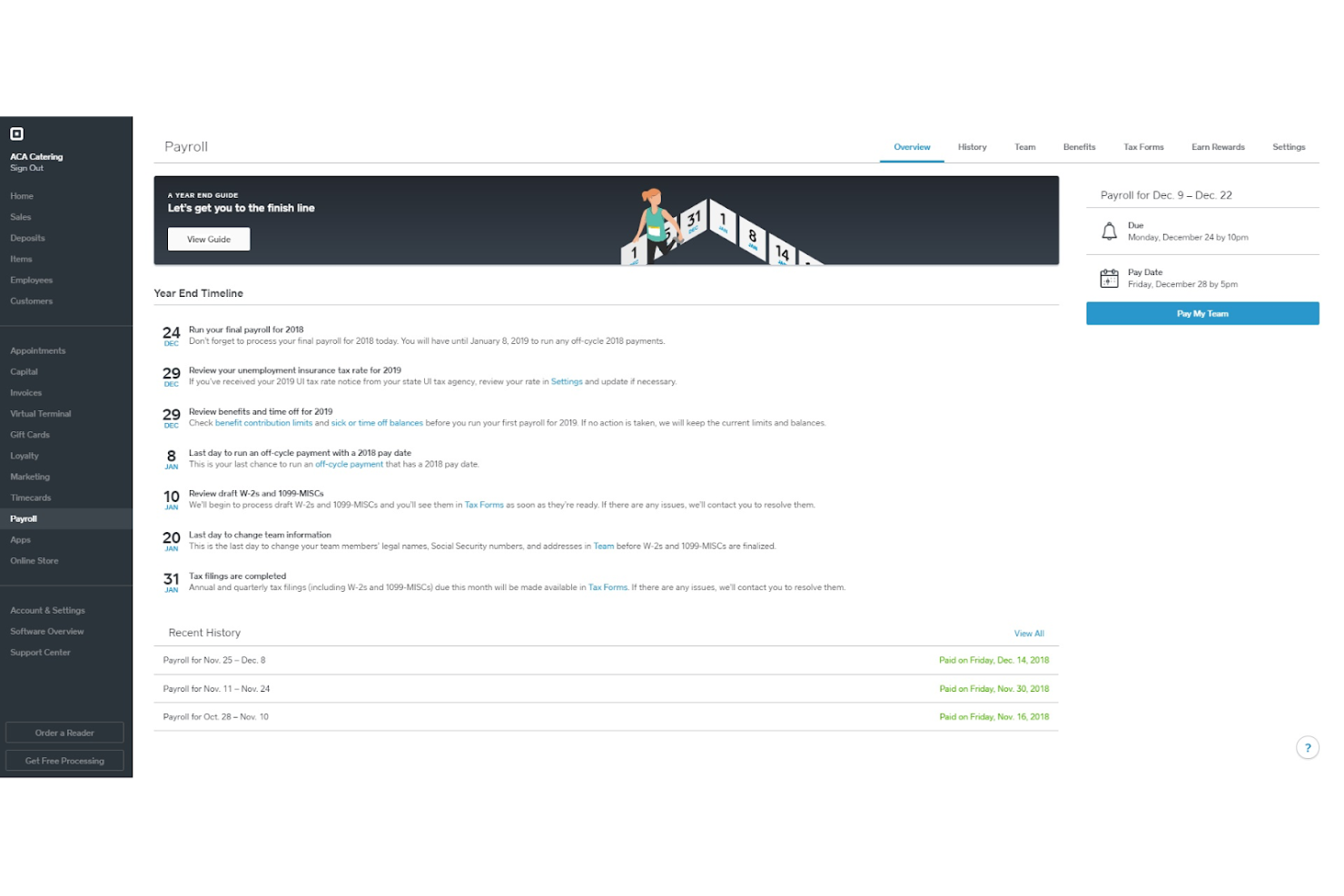
Square Payroll is a payroll software platform designed for small businesses and solo operators, offering payroll processing, tax filings, direct deposit, and integration with timecards and point-of-sale systems.
Who Is Square Payroll Best For?
Square Payroll is a strong fit for small business owners in retail, food service, or hospitality who already use Square's POS ecosystem.
Why I Picked Square Payroll
Square Payroll is notable for how tightly it connects with Square's POS ecosystem. You can import timecards and tips directly from Square POS into payroll—so if you're running a café or a boutique with a single employee, there's no manual data entry between systems. For retail, it even pulls commission rates automatically from the POS. You can run payroll from the Square Dashboard or the Square Team App, so you don't have to switch platforms to pay a single employee on time.
Square Payroll Key Features
- Automatic tax filing: Square Payroll calculates, files, and pays federal and state payroll taxes on your behalf at no extra charge.
- Multiple pay rate support: Pay a single employee at different rates depending on their role or shift type within the same pay run.
- Instant Payments: Use your Square balance to run payroll as little as one day before your employee's pay date.
- 1099-NEC filing: Square Payroll generates, prepares, and files Form 1099-NEC for contractor payments automatically.
Square Payroll Integrations
Square Payroll offers native integrations with Square POS, Square Timecards, and QuickBooks Online. An API is available for custom integrations.
Pros and Cons
Pros:
- Next business day payroll
- Automated tax filings
- Easy POS integration
Cons:
- No free plan available
- Base fee required

ADP
Best for compliance and support for small businesses
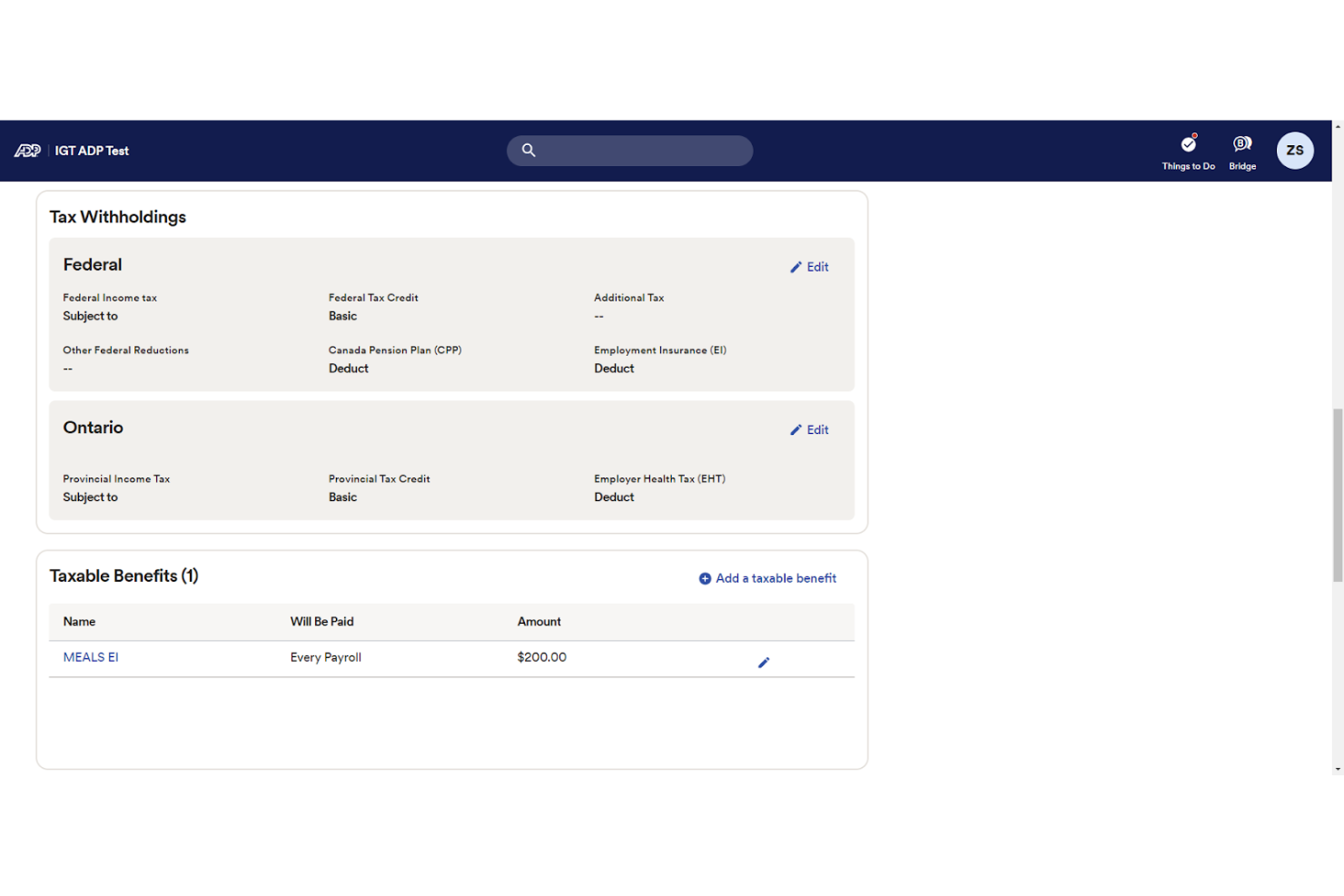
ADP offers comprehensive payroll services tailored for small businesses, ensuring compliance and providing robust support. It automates payroll tasks, including tax calculations and filings, to save time and reduce errors.
Why I picked ADP: I chose ADP for its strong focus on compliance and support, which are critical for small businesses. ADP stands out due to its extensive experience and resources dedicated to helping businesses navigate complex payroll regulations.
Standout features and integrations:
Features include automated tax calculations, direct deposit, and compliance tools.
Integrations are available with various HR and accounting systems, including QuickBooks, Xero, and more.
Pros and Cons
Pros:
- Scalable solutions
- Strong customer support
- Comprehensive compliance tools
Cons:
- Limited customization options
- Higher cost for additional features
Best user-friendly payroll for small businesses
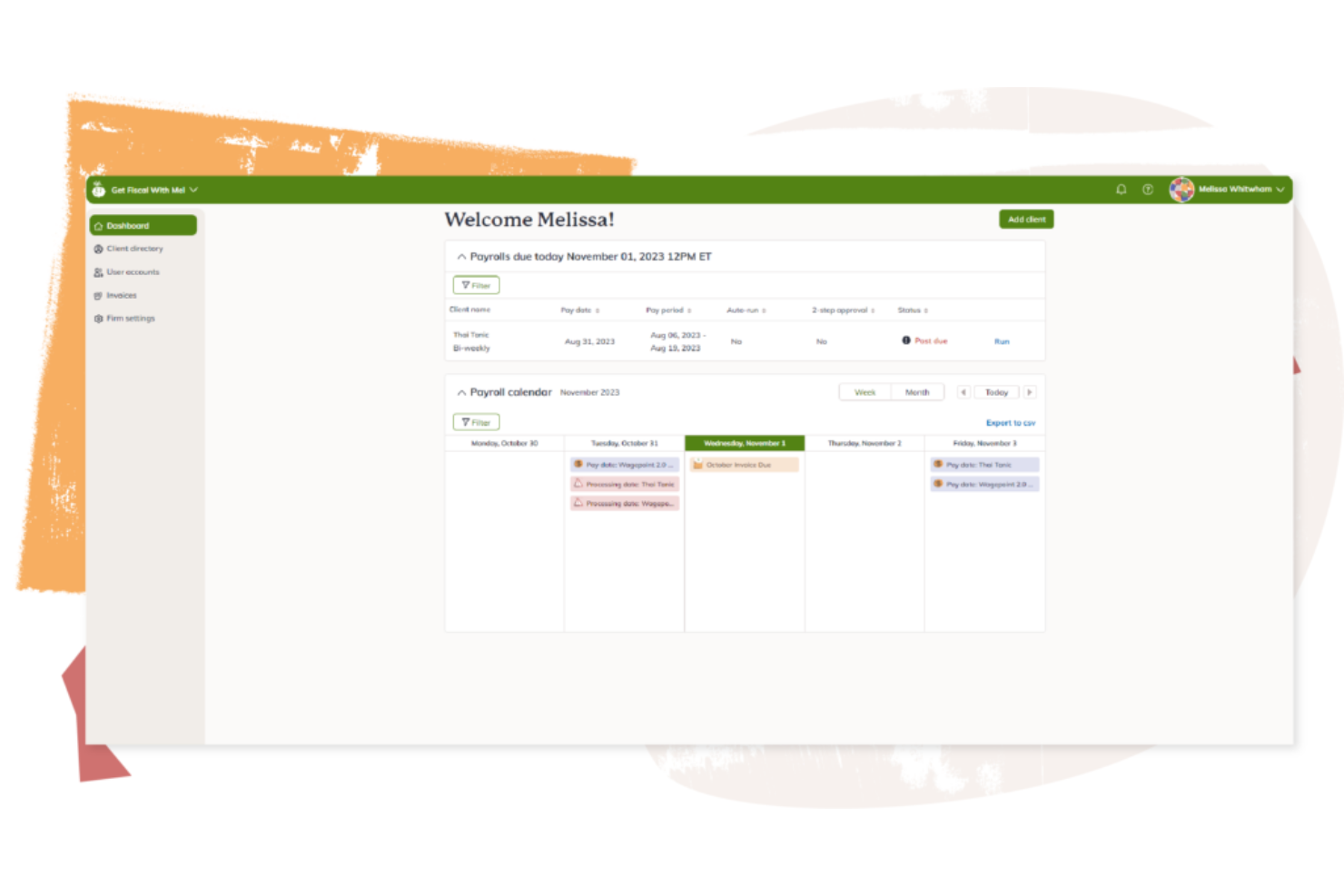
Wagepoint is a payroll software platform for small businesses that handles payroll processing, tax calculations, direct deposit, and year-end reporting for single-employee setups.
Who Is Wagepoint Best For?
Wagepoint is a good fit for small business owners, freelancers, and solo operators in Canada and the US who need a simple way to run payroll without a dedicated HR team.
Why I Picked Wagepoint
Wagepoint earns its spot on my shortlist because it's purpose-built for small Canadian businesses that need payroll to just work—without a learning curve. I particularly like the Auto-run feature, which keeps payroll running on schedule even when you're heads-down in other work. The payroll preview is another thing I rely on—you can review everything before submitting, catch any unexpected amounts, and make adjustments without stress. For a single-employee setup, the self-serve employee portal also means your one hire can access their own paystubs, T4s, and TD1 forms without you having to track anything down manually.
Wagepoint Key Features
- Direct deposit: Pay employees and contractors directly to their bank accounts as part of every payroll run.
- Automatic tax calculations and remittances: Wagepoint calculates and remits federal, provincial, and territorial taxes, CPP, and EI automatically.
- Custom pay codes: Set up codes for bonuses, expense reimbursements, or recurring benefits so every pay type is handled accurately.
- In-app reminders and alerts: Get real-time flags for stat holidays, year-end deadlines, and unexpected payroll amounts before you submit.
Wagepoint Integrations
Wagepoint offers native integrations with QuickBooks Online, Xero, and FreshBooks.
Pros and Cons
Pros:
- Comprehensive support
- Automated tax handling
- Easy to use
Cons:
- Occasional errors when you run payroll
- Limited advanced features
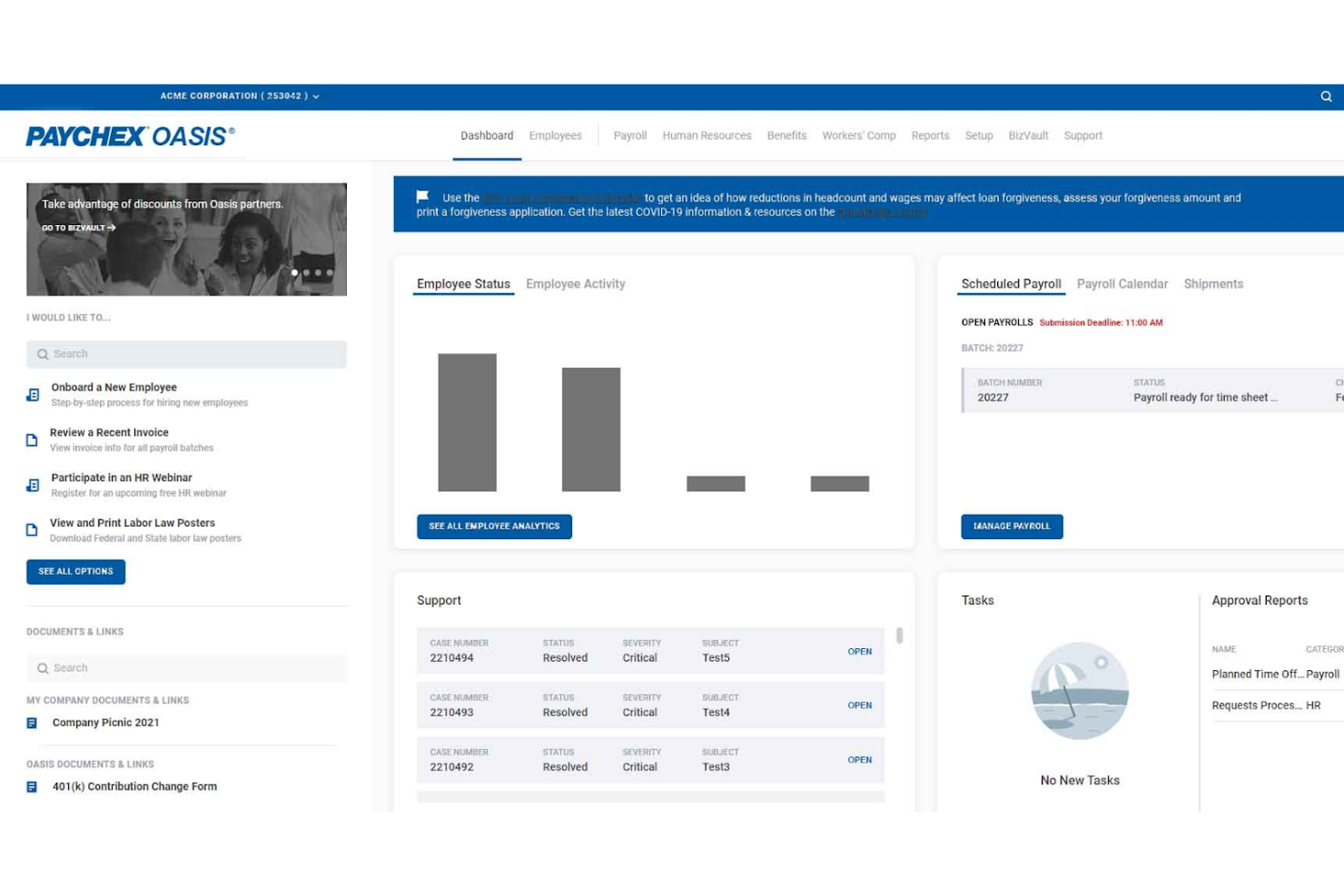
Paychex is a payroll and HR software platform designed for small businesses that need payroll processing, tax filing, and employee self-service tools for managing a single employee.
Who Is Paychex Best For?
Paychex is a strong fit for small business owners and solo employers who want guided payroll support backed by accessible, responsive customer service.
Why I Picked Paychex
I've included Paychex in my top picks because the level of support access it offers is genuinely hard to find in payroll software aimed at small employers. Paychex gives you three distinct support tiers: self-service access, on-demand support with an available representative, and an assigned payroll specialist who proactively guides you through compliance and processing. That last option is particularly valuable when you're running payroll for one employee and don't have an HR team to catch mistakes. I also like the Paychex Pre-check feature, which lets your employee review their own paycheck before it's processed, so errors get flagged before payday rather than after.
Paychex Key Features
- Automated tax administration: Paychex automatically calculates, files, and pays federal, state, and local payroll taxes on your behalf.
- Compliance monitoring: The platform tracks employment law changes and sends automated email alerts when federal or state regulations are updated.
- Paychex Flex® mobile app: Employees can view pay stubs, request time off, and update personal information directly from their smartphones.
- Direct deposit: Paychex processes direct deposit payments as part of payroll, so your employee gets paid on time without manual bank transfers.
Paychex Integrations
Paychex offers native integrations with QuickBooks, Xero, Clover, and more. An API is available for custom integrations.
Pros and Cons
Pros:
- 24/7 support
- Automated tax payments
- Offers comprehensive HR services
Cons:
- Limited to US-based businesses
- Additional HR features are only available as add-ons
Other Payroll Software for One Employee
- Payworks
For Canadian businesses needing compliance support
- Agile HRO
For remote payroll processing
- Knit
For Canadian small businesses and solo entrepreneurs
- Rippling
For global and US-based payroll
- Deel Payroll
For compliant single-hire global payroll
- Paylocity
For comprehensive payroll and HR management
- OnPay
For flexible payroll and tax automation


Related HR Software Reviews
If you still haven't found what you're looking for here, check out these other related tools that we've tested and evaluated:
- HR Software
- Payroll Software
- Recruiting Software
- Employer of Record Services
- Applicant Tracking Systems
- Workforce Management Software
How I Evaluate Payroll Software for One Employee
I split my evaluation into baseline criteria—like automated tax filing and year-end W-2 generation—and differentiators that separate tools worth recommending for solo operators paying themselves.
Core Functionality (Table Stakes For This List)
When I'm selecting tools for my list, I rank each one on a scale from 0 (does not offer the functionality) to 5 (excels in this area) for each core functionality listed below. Then, I calculate the tool's total score into a percentage. Each tool needs to achieve a minimum total score of 65% to be considered for inclusion.
- Single-Employee Payroll Processing: I check whether the tool handles gross-to-net calculations, deductions, and withholdings smoothly for a solo W-2 employee on flexible pay schedules.
- Automated Tax Filing: Each vendor gets evaluated on how well it calculates, withholds, and remits federal, state, and local payroll taxes without manual intervention.
- Year-End Tax Form Generation: I look for tools that generate and file W-2s and 1099s automatically, so a solo operator isn't scrambling during tax season.
- Direct Deposit & Pay Stubs: Processing speed matters here. I evaluate whether direct deposit turnaround is competitive and whether digital pay stubs are accessible to employees.
- Compliance Management: Tools should keep pace with changing wage, tax, and labor laws, including new-hire reporting and multi-state support for remote business owners.
- Affordable Single-Employee Pricing: I evaluate whether the vendor offers a pricing tier that makes financial sense when you're only running payroll for one person.
Once I have a list of tools that meet the criteria, I consider what sets each platform apart.
Differentiating Factors (What Sets Vendors Apart)
Here's how I compare and contrast different vendors:
Standout Features
Auto-payroll is a big deal for solo operators who don't want to manually trigger each run. I look for tools that let you set a schedule and walk away. Accounting integrations matter just as much—if payroll entries sync directly to QuickBooks or Xero, that's one less thing to reconcile at month-end. I also evaluate whether a platform offers S-Corp-specific features like reasonable compensation tracking and owner distribution management, since many one-employee businesses operate under this structure.
Beyond Features
Tax accuracy guarantees carry real weight here—I check whether a vendor backs its filings and covers penalties if something goes wrong. For first-time employers, setup speed also matters. I evaluate how quickly someone can go from signup to running their first payroll without needing to call a specialist. Scalability is worth considering too. A solo owner today might hire a second employee next quarter, so I look at whether the platform grows with you or forces a painful migration down the road.
How to Choose Payroll Software for One Employee
As you work through your own unique payroll software selection process, keep the following points in mind:
- Ease of Use: The software should be user-friendly and intuitive, especially if you’re managing payroll yourself in-house.
- Cost-Effectiveness: Ensure the software fits within your budget while offering the necessary features. Some payroll providers also offer contractor-only plans, which are an affordable option for small businesses.
- Tax Compliance: The software should automatically calculate and file payroll taxes to ensure compliance with federal, state, and local regulations.
- Integration Capabilities: The ability to integrate with other business tools like accounting software can streamline your operations and cut down on data exporting or manual data entry requirements.
- Scalability: Choose software that can grow with your business easily. You’ll want to keep your options open in case you need to onboard more new hires in the near future.
Trends in Payroll Software
The landscape of payroll software for small businesses and sole proprietors is evolving rapidly. Below, I’ve summarized several key trends that are emerging and shaping the future of payroll management for single-employee setups and larger workforces:
- AI and Automation in Payroll Processing: AI and automation are revolutionizing payroll processing by streamlining routine tasks and enhancing accuracy. Automated data entry, tax calculations, and compliance management reduce errors and free up valuable time for strategic activities. This trend is crucial as it makes payroll functions faster, more cost-effective, and less prone to human error.
- Real-Time Payroll Analytics and Insights: The demand for real-time insights into payroll data is increasing. Modern payroll software now incorporates analytics tools that offer instant access to critical payroll metrics. This empowers businesses to make data-driven decisions, track labor costs, and adapt payroll strategies promptly, enhancing overall financial planning and resource allocation.
- Integration with Accounting Software: Integrating payroll software with accounting systems is becoming a must-have feature. This integration allows for seamless data transfer between systems, eliminating manual data entry and reducing errors. It provides a comprehensive view of financials, making it easier to track expenses and stay on top of budgeting.
- Mobile Payroll Solutions: As remote work becomes more prevalent, demand is rising for online payroll solutions that provide mobile access. Employees can now view their pay stubs, make changes to personal information, and submit time-off requests through mobile apps. This flexibility is essential for maintaining efficiency in non-traditional work settings.
- Financial Wellness Programs Integrated with Payroll: Recognizing the importance of employee well-being, financial wellness programs are being integrated with payroll systems. These programs offer tools for budgeting, saving, and investment planning, helping employees manage their financial resources better. This integration promotes financial literacy and stability, contributing to employee satisfaction and retention.
Collectively, these trends emphasize automation, real-time analytics, integration, mobility, and employee well-being, making payroll management more efficient and effective overall.
What is Payroll Software for One Employee?
Payroll software for one employee is a digital tool that automates payroll processing for businesses with just one worker. It calculates wages, withholds taxes, files payroll taxes, and helps ensure legal compliance—without needing a full HR team.
Freelancers, solopreneurs, and small business owners use this software to save time, reduce errors, and stay compliant with labor laws—especially when manual payroll feels overwhelming.
Features of Payroll Software for One Employee
When managing payroll for a single employee, it's essential to choose software that simplifies the process and ensures accuracy. Here are the most important features to look for in payroll software designed for one employee:
- User-Friendly Interface: A simple and intuitive interface makes it easy to navigate and manage payroll tasks without extensive training.
- Automated Calculations: The software should automatically calculate taxes, deductions, and net pay to reduce errors and save time.
- Direct Deposit: This feature allows you to pay your employee directly into their bank account, ensuring timely and secure payments.
- Tax Filing Assistance: The software should help you prepare and file payroll taxes, ensuring compliance with federal and state regulations.
- Customizable Pay Schedules: Flexibility in setting pay schedules allows you to align payroll with your business needs and employee preferences.
- Reporting Capabilities: Access to detailed payroll reports helps you track expenses and maintain accurate records for audits and financial planning.
- Employee Self-Service: This feature allows your employee to access their pay stubs and tax forms online, reducing administrative workload.
- Compliance Management: The software should stay updated with the latest labor laws and tax regulations to ensure your payroll practices are compliant.
- Customer Support: Reliable customer support is crucial for resolving any issues or questions that arise during payroll processing.
- Integration with Accounting Software: Seamless integration with your existing accounting software helps maintain accurate financial records and simplifies bookkeeping.
Choosing payroll software with these features ensures that managing payroll for a single employee is efficient, accurate, and compliant with regulations. This allows you to focus on other important aspects of your business.
Benefits of Payroll Software for One Employee
Payroll software can be a valuable tool even for businesses with just one employee. It simplifies payroll processes, ensures compliance, and saves time, making it an essential investment for small businesses. Here are several benefits you can expect to gain by using payroll software for a single employee:
- Improved Accuracy: Payroll software reduces the risk of human error, ensuring that calculations for wages, taxes, and deductions are precise.
- Increased Time-Saving: Automating payroll tasks frees up time that can be better spent on other business activities, increasing overall productivity.
- Improved Compliance: The software helps ensure that all payroll processes comply with current tax laws and regulations, reducing the risk of legal issues.
- Reliable Record-Keeping: It provides a reliable way to store and manage payroll records, making it easy to access historical data when needed.
- More Cost-Effective: Investing in payroll software can be more economical than hiring a payroll service or dedicating significant time to manual payroll processing.
Using payroll software for a single employee can bring significant advantages, from improved accuracy to cost savings. It allows small business owners to focus on growing their business while ensuring that payroll is handled efficiently and correctly.
If you're running a solo operation and looking for additional software to improve your operations and set your business up for long term growth, you'll find other useful options in my list of the best HR software for start-up companies too.
Costs & Pricing for Payroll Software
When considering payroll software for a single employee, it's essential to understand the different pricing models and plans that are available. Below, I’ve summarized the most common plan options for payroll software, in general. However, please note that if you are only paying one employee, you can most likely make due with a Basic plan to start.
Plan Comparison Table for Payroll Software
| Plan Type | Average Price | Common Features |
| Free Plan | $0 | Basic payroll processing, direct deposit, employee self-service, and tax calculations |
| Basic Plan | $17/month + $4/employee | Paychecks, direct deposit, printable W-2s, setup, and expert support |
| Standard Plan | $39/month + $6/employee | Full-service payroll, tax filing, employee self-service, and direct deposit |
| Premium Plan | $80/month + $12/employee | Advanced HR tools, next-day direct deposit, PTO management, and performance tracking |
| All-Inclusive Plan | $40/month + $6/employee | Full-service payroll, onboarding, support, and unlimited payroll runs |
When selecting a payroll software plan, consider the specific needs of your business and the features that will provide the most value. Free plans are suitable for minimal needs, while growing businesses may want to compare payroll software options with more extensive features. Evaluate each plan's features and pricing to find the best fit for your payroll requirements.
Payroll Software for One Employee FAQs
Here are some answers to frequently asked questions you may have about payroll software and how it works:
How much does payroll software typically cost for one employee?
The cost of payroll software for one employee can vary widely. Basic plans can start as low as $10 per month, while more comprehensive solutions may cost upwards of $40 per month. Some providers also offer pay-per-use models, which can be cost-effective for very small businesses.
Can payroll software handle tax filings for a single employee?
Yes, most payroll software can handle tax filings for a single employee. Software like Gusto and QuickBooks Payroll automatically calculate, file, and pay federal, state, and local payroll taxes, ensuring compliance with tax regulations.
Is it easy to set up payroll software for just one employee?
Setting up payroll software for one employee is generally straightforward. Most platforms offer step-by-step guides and customer support to help you through the process. You’ll need to input basic information such as employee details, pay rates, and tax information.
Can I switch payroll software easily if I only have one employee?
Switching payroll software with only one employee is usually a simple process. Most payroll software providers offer support for data migration and setup. Ensure you have all necessary employee and payroll data ready for a smooth transition.
Do I need customer support for payroll software if I only have one employee?
Even if you only have one employee, having access to customer support can be crucial. Issues like tax filings, compliance questions, or software glitches can arise, and having reliable customer support can help resolve these problems quickly.
What’s Next?
To remain up to date on all the latest in people management, subscribe to our newsletter for leaders and managers. You'll receive insights and offerings tailored to leaders and HR professionals straight to your inbox.