


ADP vs. QuickBooks Payroll: Comparison and Expert Reviews for 2026



Payroll often ends up being more complex than it needs to be. From handling tax calculations and staying compliant to ensuring employees are paid on time and correcting mistakes, the whole process can quickly take over a big chunk of your week. If you’re looking at QuickBooks Payroll versus ADP, chances are you’re trying to make things easier. You need a system that’s dependable, saves you time, and doesn’t add extra stress during tax season or on payday.
This guide walks through the practical pros and cons, along with expert insights, so you can choose the right payroll software with confidence.
ADP Workforce Now vs. QuickBooks Payroll: An Overview
ADP Workforce Now

QuickBooks Payroll
Why Trust Our Software Recommendations
Our team has been testing and reviewing software since 2012. As HR experts ourselves, we know how difficult—and important—it is to choose the right software.
For this guide, we evaluated tools using hands-on testing and independent research, scoring tools using our selection criteria. We also draw on insights from industry thought leaders and practicing HR experts.
Our reviews reflect our human editorial judgment, not a sales pitch.
Expert reviewers:
ADP Workforce Now vs. QuickBooks Payroll Pricing Comparison
| ADP Workforce Now | QuickBooks Payroll | |
|---|---|---|
| Free Trial | Free demo available | 30-day free trial |
| Pricing | Pricing upon request | From $50/month |
ADP vs. QuickBooks Payroll Pricing & Hidden Costs
ADP offers custom pricing based on factors such as your company’s size, how often you run payroll, and the features you need. While this allows for a more tailored solution, it can also make costs less predictable. Many advanced capabilities—like enhanced HR tools, benefits management, or recruiting support—are available as add-ons that can increase the overall price.
QuickBooks Payroll follows a straightforward, tiered pricing structure. Most plans include a fixed monthly fee along with a per-employee charge, and higher tiers unlock additional features like same-day direct deposit, HR assistance, and tax penalty protection. This setup makes it relatively easy to forecast costs as your team expands.
When deciding between QuickBooks Payroll and ADP, think about your company’s size, how important cost predictability is, the level of HR and payroll functionality you need, and how well each option can adapt as your workforce becomes more complex.
ADP Workforce Now vs. QuickBooks Payroll Feature Comparison
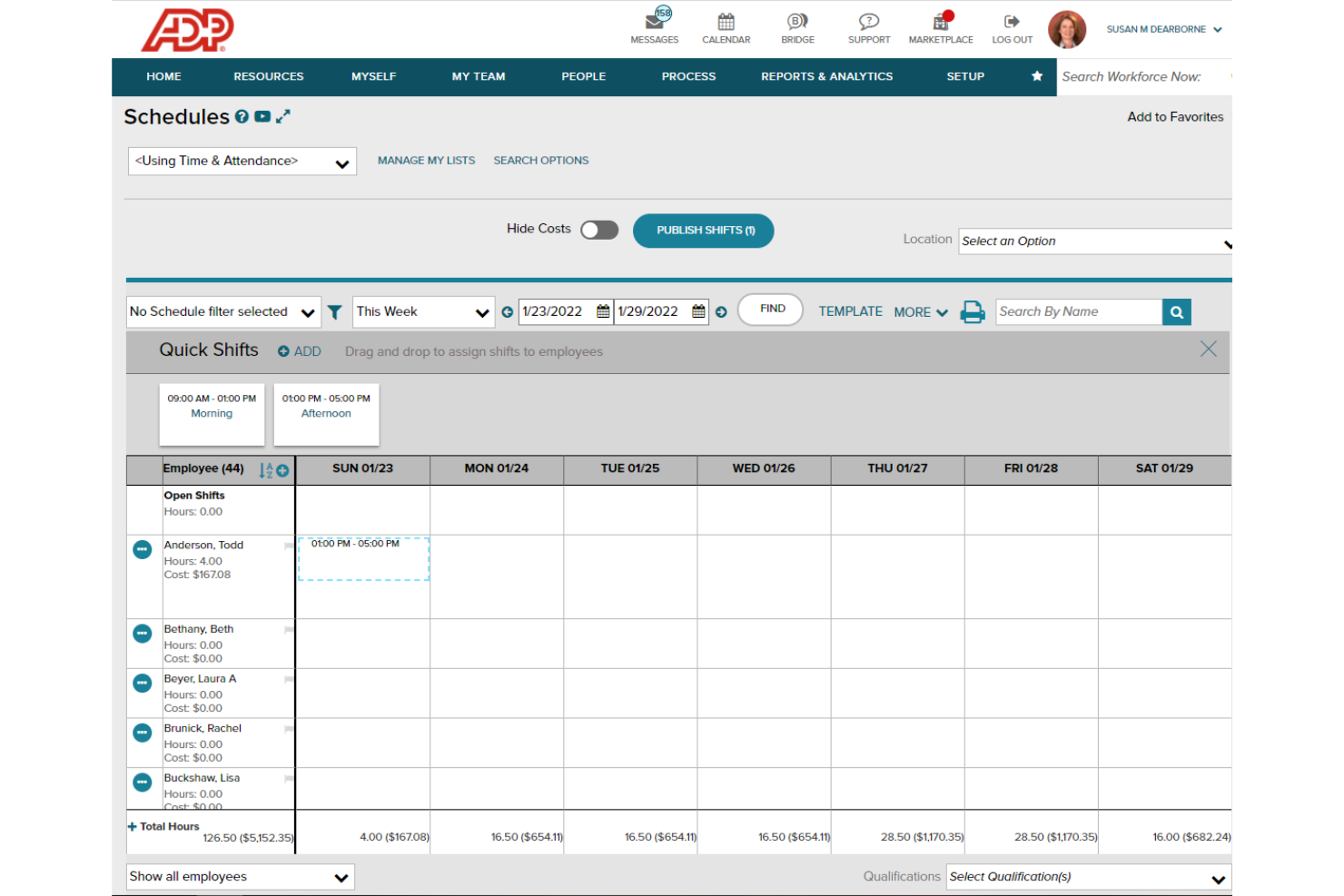
QuickBooks Payroll and ADP share many essential payroll features. Both platforms handle automated payroll runs, calculate wages and deductions, manage tax filing and payments, and support paying employees by direct deposit or check. They also include employee self-service portals, reporting tools, and support for forms like W-2s and 1099s—giving businesses a single place to manage everyday payroll tasks.
The differences show up in how each platform builds on those key features. QuickBooks Payroll stands out with perks like unlimited payroll runs, quicker direct deposit speeds, and seamless integration with QuickBooks Online (Intuit’s accounting software) for automatic syncing with your accounting. ADP, on the other hand, leans into more advanced HR and workforce management features—such as recruiting, onboarding, benefits administration, and compliance support—making it a better fit for companies that need more robust HR capabilities as they scale.
| ADP Workforce Now | QuickBooks Payroll | |
|---|---|---|
| 2-Factor Authentication | ||
| 360 Degree Feedback | ||
| API | ||
| Application Tracking | ||
| Attendance Tracking | ||
| Batch Permissions & Access | ||
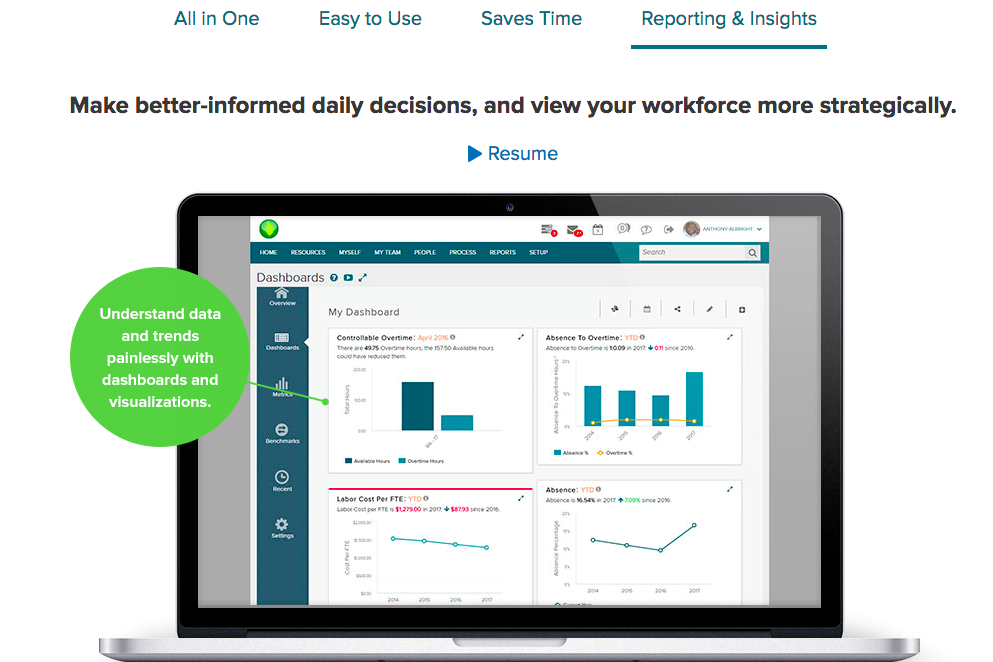
| Dashboard | ||
| Data Export | ||
| Data Import | ||
| Data Visualization | ||
| Employee Database | ||
| Employee Engagement | ||
| Employee Incentive Management | ||
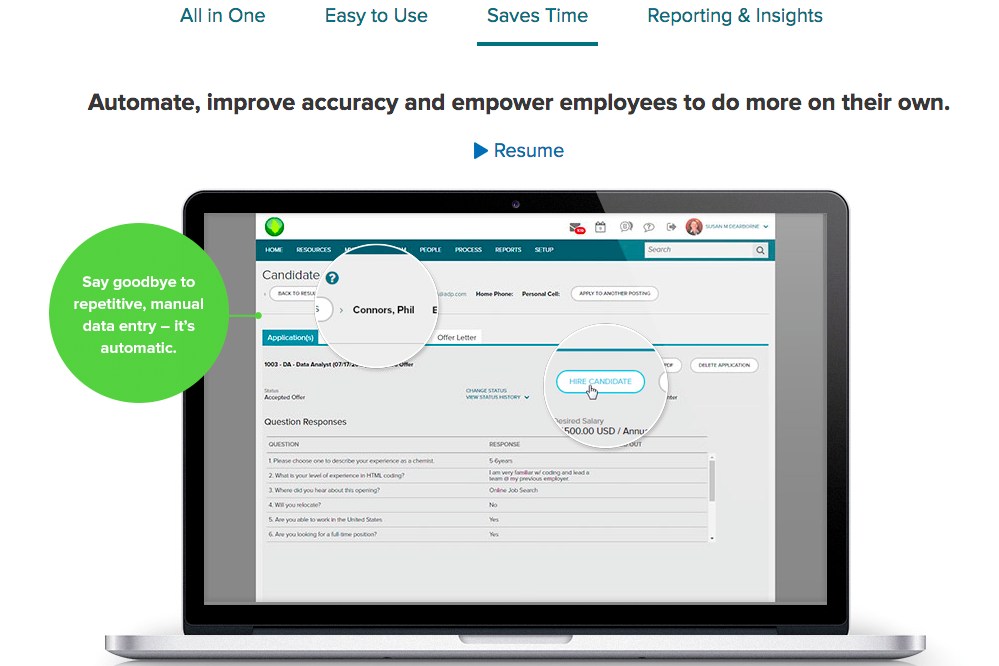
| Employee Onboarding | ||
| Expense Tracking | ||
| External Integrations | ||
| Feedback Management | ||
| Multi-User | ||
| Notifications | ||
| Payroll | ||
| Scheduling | ||
| Time Management | ||
| Timesheets | ||
| Travel Management | ||
| Vacation & Absence Calendar |
ADP vs. QuickBooks Payroll Integrations
| Integration | ADP | QuickBooks Payroll |
| QuickBooks Online | ✅ | ✅ |
| Xero | ✅ | ❌ |
| Sage Intacct | ✅ | ❌ |
| ADP Run | ✅ | ❌ |
| TSheets (QuickBooks Time) | ❌ | ✅ |
| Gusto | ✅ | ✅ |
| Deputy | ✅ | ✅ |
| BambooHR | ✅ | ❌ |
| API | ✅ | ✅ |
| Zapier | ✅ | ✅ |
QuickBooks Payroll and ADP both integrate with common accounting and time-tracking tools, covering the essentials most businesses need. However, ADP provides a wider selection of native integrations—particularly when it comes to HR and workforce management systems.
That said, QuickBooks Payroll shines when used within the Intuit ecosystem, offering smooth, built-in connections with tools like QuickBooks Online and QuickBooks Time. Both platforms also support APIs and Zapier, making it possible to bridge most integration gaps.
ADP vs. QuickBooks Payroll Security, Compliance & Reliability
| Factor | ADP | QuickBooks Payroll |
| Data Encryption | Uses advanced encryption methods along with layered security measures to safeguard data. | Protects payroll and employee data in transit using 256-bit SSL encryption. |
| Regulatory Compliance | Follows formal compliance programs with certifications like SOC 1 Type 2, SOC 2 Type 2, and ISO standards (including ISO 27001 and ISO 27701 for certain services and regions). | Built on Intuit’s cloud security framework, which includes industry standards and third-party audits such as SOC 2 Type II, ISO/IEC 27001, and PCI DSS. |
| Access Controls | Supports customizable user roles and multi-factor authentication. | Supports customizable user roles along with two-factor authentication. |
| Uptime & Reliability | Provides enterprise-level reliability with disaster recovery systems and continuous, real-time monitoring. | Runs on a cloud-based system with redundancy and monitoring to support consistent uptime and dependable payroll processing. |
| Audit Trails | Maintains detailed logs of all payroll activities and changes. | Tracks payroll changes and user actions for transparency. |
Each payroll platform offers solid security fundamentals, including encrypted data transmission, role-based permissions, multi-factor authentication, and detailed audit trails. Each platform also meets recognized compliance standards—QuickBooks through Intuit’s broader security program (including SOC 2 Type II and ISO/IEC 27001), and ADP through certifications like SOC 1 Type 2, SOC 2 Type 2, and various ISO standards.
ADP vs. QuickBooks Payroll Ease of Use
| Factor | QuickBooks Payroll | ADP |
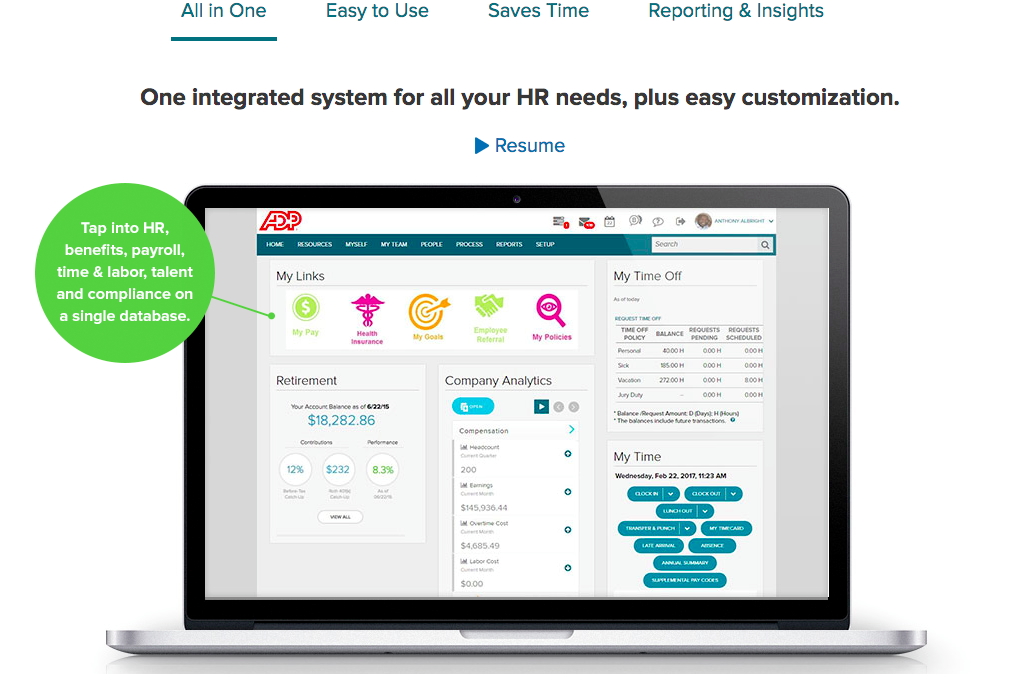
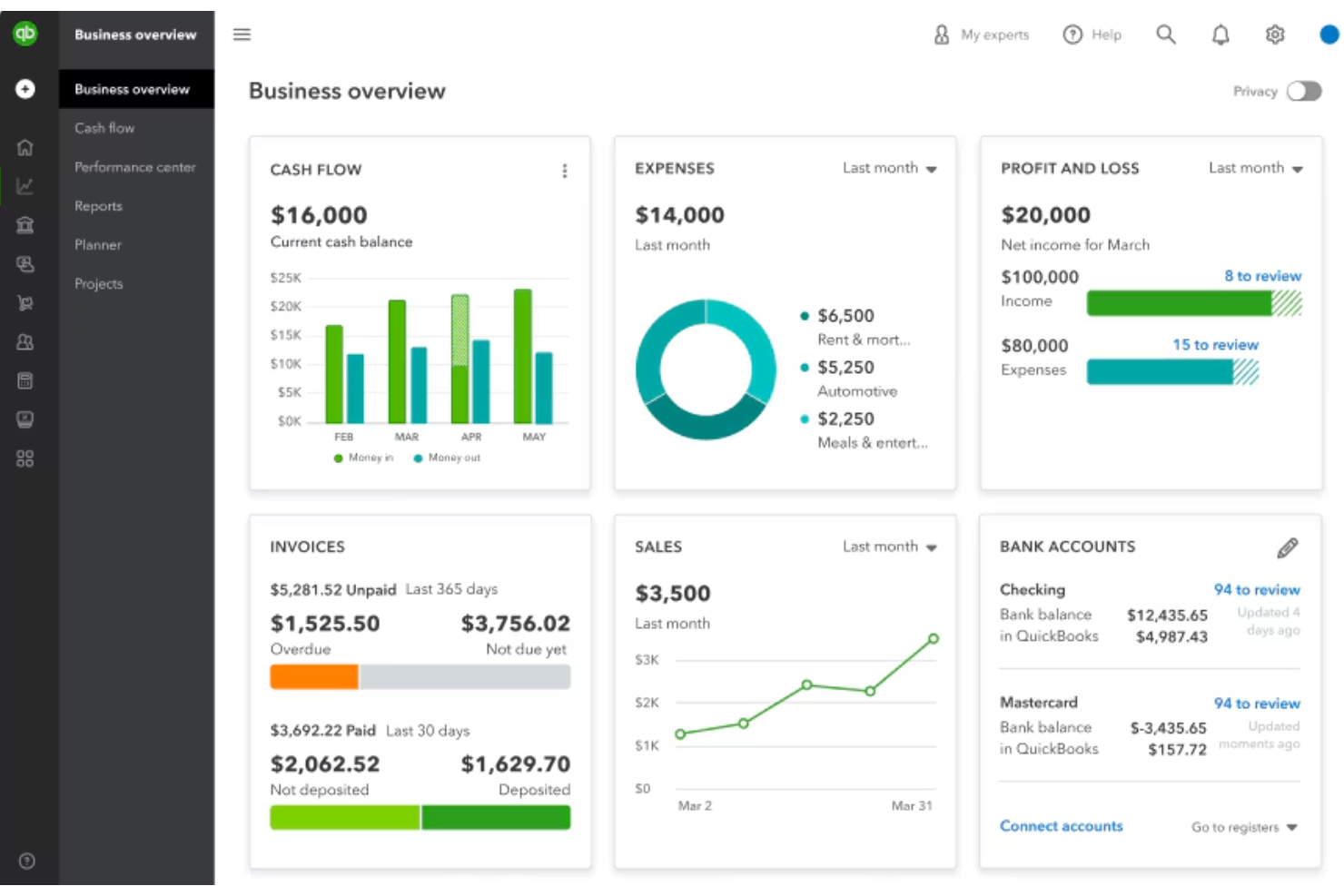
| User Interface | Offers a streamlined, easy-to-navigate dashboard with clear prompts and minimal clutter. | Provides a more feature-rich interface, which can feel overwhelming for first-time users. |
| Onboarding | Includes guided setup with step-by-step instructions to help you get started quickly. | Offers tailored onboarding support, though setup can take longer due to added complexity. |
| Day-to-Day Tasks | Simplifies routine tasks like payroll runs and tax filings through automation and fewer steps. | Supports more complex payroll processes but may require additional steps to complete tasks. |
| Customer Support | Provides access to live chat and phone support, along with useful in-app help resources. | Offers round-the-clock support and dedicated account managers for larger businesses. |
| Mobile Access | Comes with an easy-to-use mobile app (iOS and Android) for managing payroll on the go. | Features a more advanced mobile app (iOS and Android) with expanded employee self-service capabilities. |
QuickBooks Payroll is generally easier to learn and use, making it a strong fit for small to mid-sized teams. Its familiarity is an added advantage if you’re already using QuickBooks Online, helping speed up onboarding. ADP, while more complex upfront, offers greater depth and customization. That added sophistication—along with its support options—makes it a better choice for organizations with more intricate payroll requirements.
ADP Workforce Now vs QuickBooks Payroll: Pros & Cons
ADP Workforce Now
- It simplifies payroll with efficient processing and error prevention alerts.
- It offers a user-friendly self-service portal for employees to manage their details.
- It provides excellent recruiting tools with integration to major job boards.
- It lacks advanced customization options for workflows and reports.
- Performance management features are scattered and less cohesive.
- Advanced HR functions require add-ons, which can increase costs.
QuickBooks Payroll
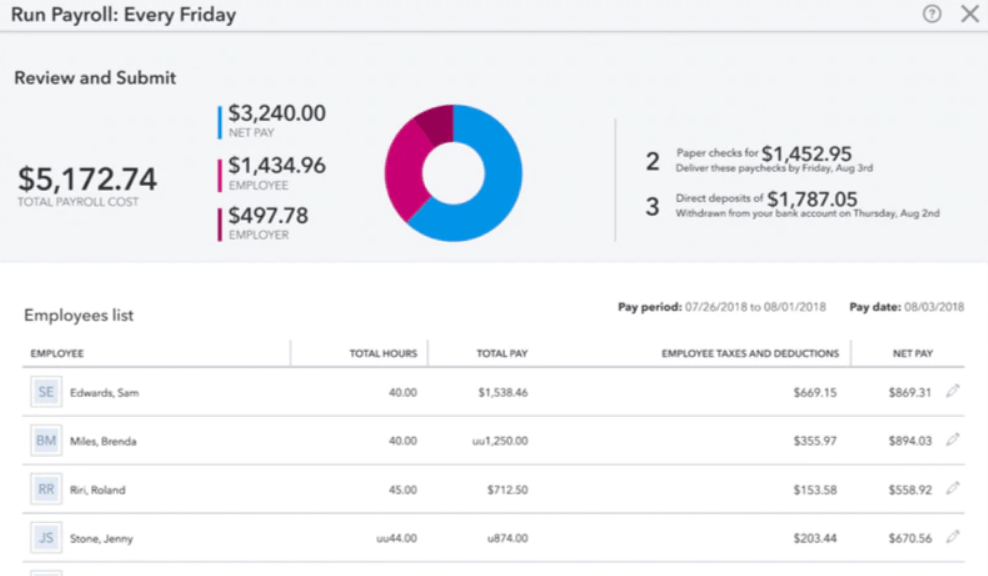
- You can run payroll in just a few clicks.
- It calculates and files your payroll taxes for you.
- You get automatic pay reminders so you don’t miss deadlines.
- You can't easily customize reports to fit your needs.
- It struggles with handling complex pay structures.
- You might wait a while to get help from support.
Best Use Cases for ADP Workforce Now and QuickBooks Payroll
ADP Workforce Now
- Retail Companies ADP Workforce Now handles high employee turnover and scheduling needs effectively.
- Healthcare Providers It manages complex compliance requirements and diverse staffing needs seamlessly.
- Finance Departments It offers robust payroll solutions that ensure accuracy and compliance.
- Recruitment Teams Its excellent recruiting tools simplify job posting and candidate management.
- Human Resources HR teams benefit from its user-friendly interface and efficient onboarding features.
- Small Businesses It provides essential HR functions without overwhelming smaller teams with unnecessary complexity.
QuickBooks Payroll
- Small Businesses It handles pay, taxes, and filings without needing a dedicated payroll team.
- Remote Teams It offers direct deposit and online access so everyone gets paid on time.
- Accountants It syncs with QuickBooks, helping you keep payroll and books in one place.
- Retail Stores It supports hourly workers, time tracking, and quick tax filing.
- Freelancer Clients It works well for contractors, handling 1099 filings with ease.
- Growing Teams It’s simple to scale payroll as you add more employees over time.
Who Should Use ADP, and Who Should Use QuickBooks Payroll?
QuickBooks Payroll is often a strong choice for small businesses and mid-sized organizations that want a solution they can set up and manage on their own. It’s particularly convenient if you’re already using QuickBooks Online, since payroll and accounting/bookkeeping data sync seamlessly. With its clear pricing, user-friendly interface, and built-in automation, it’s well-suited for teams that want to run payroll efficiently without relying on a dedicated HR or payroll specialist.
ADP, on the other hand, is better aligned with businesses that prioritize scalability, manage larger teams, or navigate more complex HR and compliance requirements. It offers a wider range of all-in-one HR capabilities—including ADP payroll, recruiting, onboarding, employee benefits management, and compliance support—making it a more comprehensive workforce solution. While it comes with a steeper learning curve, it provides the flexibility and support needed as operations grow more complex.
Differences Between ADP Workforce Now and QuickBooks Payroll
| ADP Workforce Now | QuickBooks Payroll | |
|---|---|---|
| Accounting Integration | Built for seamless use with QuickBooks Online and other Intuit tools. | Connects with a broader range of accounting, HR, and business platforms. |
| Automation | Streamlines payroll processing with basic payroll automation suited for standard needs. | Also automates payroll, with added flexibility for handling more complex configurations. |
| HR & Compliance | QuickBooks Payroll offers essential HR features and basic compliance support geared toward smaller teams. | Provides more advanced HR tools, ongoing compliance support, and dedicated resources. |
| Pricing Model | Uses a clear, tiered structure with a base monthly fee plus a per-employee cost. | Pricing is customized based on business size, features, and payroll complexity. |
| User Interface | Designed to be simple and easy to navigate, with a clean layout. | Includes more features and customization, which can make the interface feel more complex. |
| Read ADP Workforce Now ReviewOpens new window | Read QuickBooks Payroll ReviewOpens new window |
Similarities Between ADP Workforce Now and QuickBooks Payroll
| Audit Trails | Both platforms keep detailed records of payroll activity and system changes to support payroll management and audits. |
|---|---|
| Cloud-Based Access | Each solution is fully cloud-based, allowing secure access to payroll data from anywhere. |
| Compliance Updates | Both stay current with federal and state regulations, automatically updating tax rates and required forms. |
| Employee Self-Service | Each offers employee portals where users can view paychecks, access tax documents, and update their information. |
| Payroll Tax Filing | Both can handle payroll tax calculations, filings, and payments on your behalf, depending on the plan you choose. |
| Read ADP Workforce Now ReviewOpens new window Read QuickBooks Payroll ReviewOpens new window | |