

Managing the complexities of workforce management can be daunting, especially when your current human resources (HR) software doesn't quite fit your needs. If Bambee isn't addressing your team's unique challenges, you're not alone. Many HR professionals seek alternatives that better align with their business goals.
In my experience, the right HR software can make all the difference. Whether you're looking for specialized features, greater scalability, or refined compliance options, there are plenty of choices out there. I've independently tested and reviewed a range of Bambee alternatives to help you find your best fit.
In this article, I'll share my top picks, focusing on what sets each tool apart. Let's find the HR solution that truly supports your team.
What Is Bambee?
Bambee is an HR software designed to help small- to medium-sized businesses manage their HR needs. It's typically used by HR professionals and business owners who want to ensure compliance with employment regulations while optimizing their HR processes. Features such as HR audits, dedicated HR managers, and compliance tracking can help you manage HR tasks more efficiently and keep your business compliant. Overall, Bambee offers valuable support for handling the HR challenges that small businesses face.
Bambee Alternatives Comparison Table
This comparison table summarizes pricing details for my top Bambee alternative selections:
Score legend (out of 5)
- Excellent4.5–5
- Good4–4.4
- Average3–3.9
- Below average2–2.9
- Poor1–1.9
Sorted by: Default
| Tool | Starting Price | Website | |||||||
|---|---|---|---|---|---|---|---|---|---|
Best for HR outsourcing services | 3.3 out of 5 | 2 | 4 | 4 | 4 | 3 | 3 | Pricing upon request Not available | Website |
Best for small- to mid-size businesses | Not rated | 3 | 3 | 2 | 3 | Not rated | 2 | $10/user/month Free demo available | Website |
Best for scalable HR services | 3.3 out of 5 | 3 | 4 | 3 | 4 | 3 | 3 | Pricing upon request Free demo available | Website |
Best for all-in-one HR platform | 2.5 out of 5 | 2 | 4 | 3 | 2 | 2 | 2 | Pricing upon request Free demo available | Website |
Best for real-time HR insights | Not rated | Not rated | 3 | 2 | 3 | 2 | 2 | Pricing upon request Free demo available | Website |
Best for flexible HR solutions | 2.5 out of 5 | 2 | 3 | 3 | 3 | 3 | 1 | Pricing upon request Not available | Website |
Best for global workforce management | Not rated | 2 | 3 | Not rated | 2 | Not rated | Not rated | $8/user/month 14-day free trial + free demo available | Website |
Best for international payroll solutions | Not rated | Not rated | Not rated | 1 | Not rated | Not rated | Not rated | $14/worker/month Free demo available | Website |
Best for integrated HR and payroll | 2.7 out of 5 | 3 | 3 | 2 | 3 | 2 | 3 | Pricing upon request Free demo available | Website |
Best for extensive HR automation | 2.8 out of 5 | 2 | 4 | 3 | 3 | 2 | 3 | Pricing upon request Free demo available | Book Demo |


Why Trust Our Software Recommendations
6,700+
Reviews
20
Industry experts
16+
Evaluation factors
14
Years
Our team has been testing and reviewing software since 2012. As HR experts ourselves, we know how difficult—and important—it is to choose the right software.
For this guide, we evaluated tools using hands-on testing and independent research, scoring tools using our selection criteria. We also draw on insights from industry thought leaders and practicing HR experts.
Our reviews reflect our human editorial judgment, not a sales pitch.
Expert reviewers:
- Phil GrayCOO
 Kim BehnkeHR Tech Editor & Analyst
 Josh BarkerPeople Ops Manager

Best Bambee Alternatives Reviews
Below are my detailed summaries of the best Bambee alternatives that made it onto my shortlist. My reviews offer a detailed look at the key features, pros and cons, integrations, and ideal use cases of each tool to help you find the best one for you.

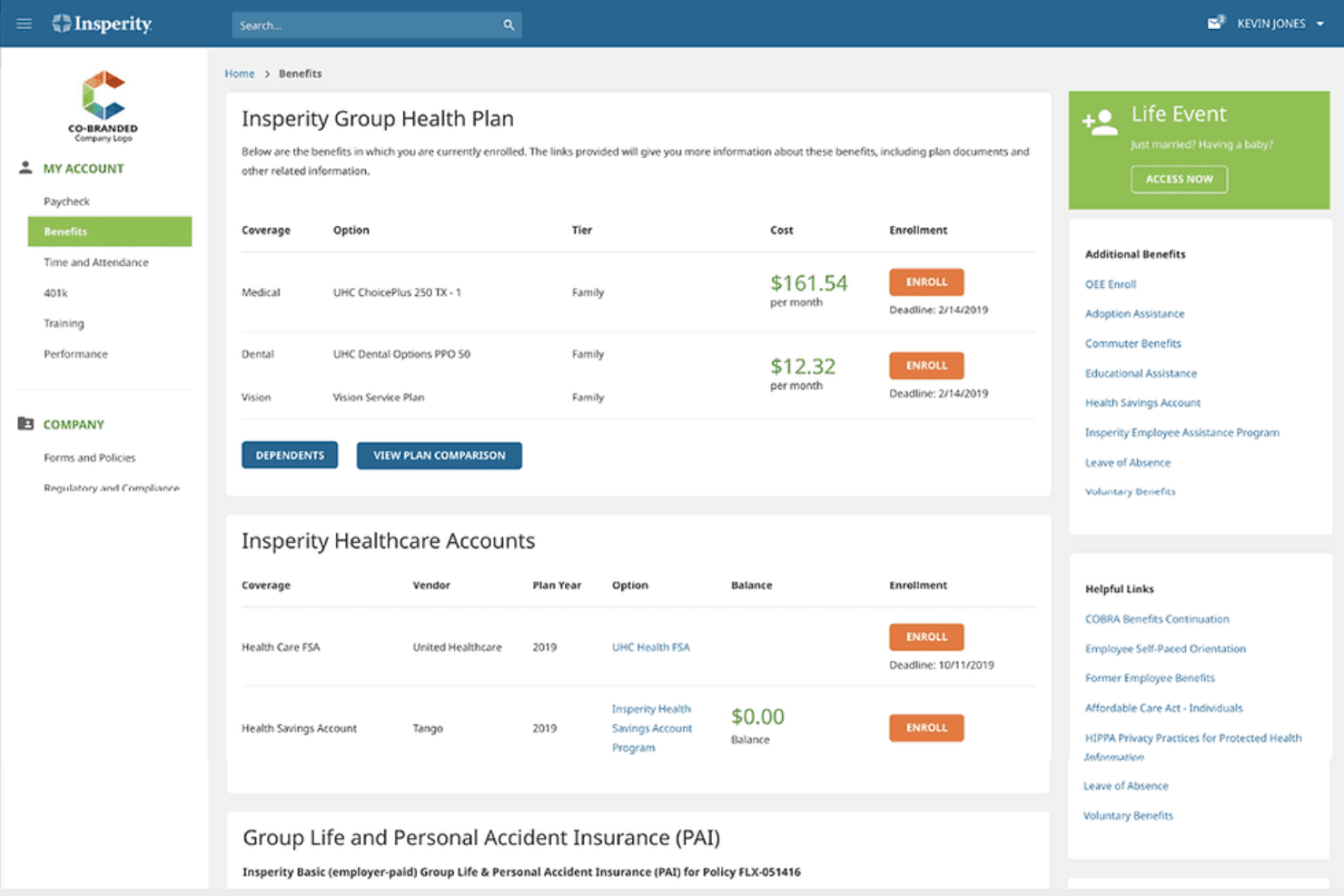
Insperity's employee portal lets workers review enrolled health, dental and vision plans and their monthly costs. Insperity HR 360 is a full-service PEO solution that bundles HR expertise, payroll, and employee benefits under one co-employment arrangement, making it a strong fit for small and midsize businesses that want to offload HR administration without building an in-house HR team.
Who Is Insperity Best For?
Insperity HR 360 is a strong fit for small and midsize businesses that want to hand off payroll, benefits, and HR compliance to a single PEO partner rather than build an in-house HR team.
Why I Picked Insperity
I picked Insperity as one of the best because it's one of the few HR outsourcing providers that bundles payroll, benefits administration, and dedicated HR expertise into a single co-employment arrangement. I particularly appreciate the dedicated HR service team, which gives you access to tenured HR professionals for ongoing compliance guidance, including multistate support and state-specific law-update alerts. The handbook builder is another standout: the Professional option is created by an HR Pro and reviewed for federal and state compliance requirements.
Insperity Key Features
- Co-employment arrangement: HR 360 operates as a PEO, sharing certain employer responsibilities between Insperity and your business so you're not managing HR liability alone.
- Employee self-service portal: Employees can access pay stubs, W-2s, timesheets, PTO balances, and benefits elections through the platform at any time.
- Learning and development library: HR 360 clients get access to more than 6,500 self-paced courses across HR compliance, leadership, safety, and technology topics.
- Employment practices liability insurance: Insperity offers this coverage as an added layer of protection, supplementing the compliance guidance your team receives.
Insperity Integrations
Native integrations are not clearly documented for Insperity HR 360. Insperity offers public REST APIs for custom integrations, but no supported payroll, ATS, time-tracking, or Zapier connections are identified.
Pros and Cons
Pros:
- Helpful guidance for multistate compliance
- Payroll, benefits, and HR support together
- Experienced HR guidance for employee issues
Cons:
- Support responses and contact continuity vary
- HR audit lacks scored risk follow-through

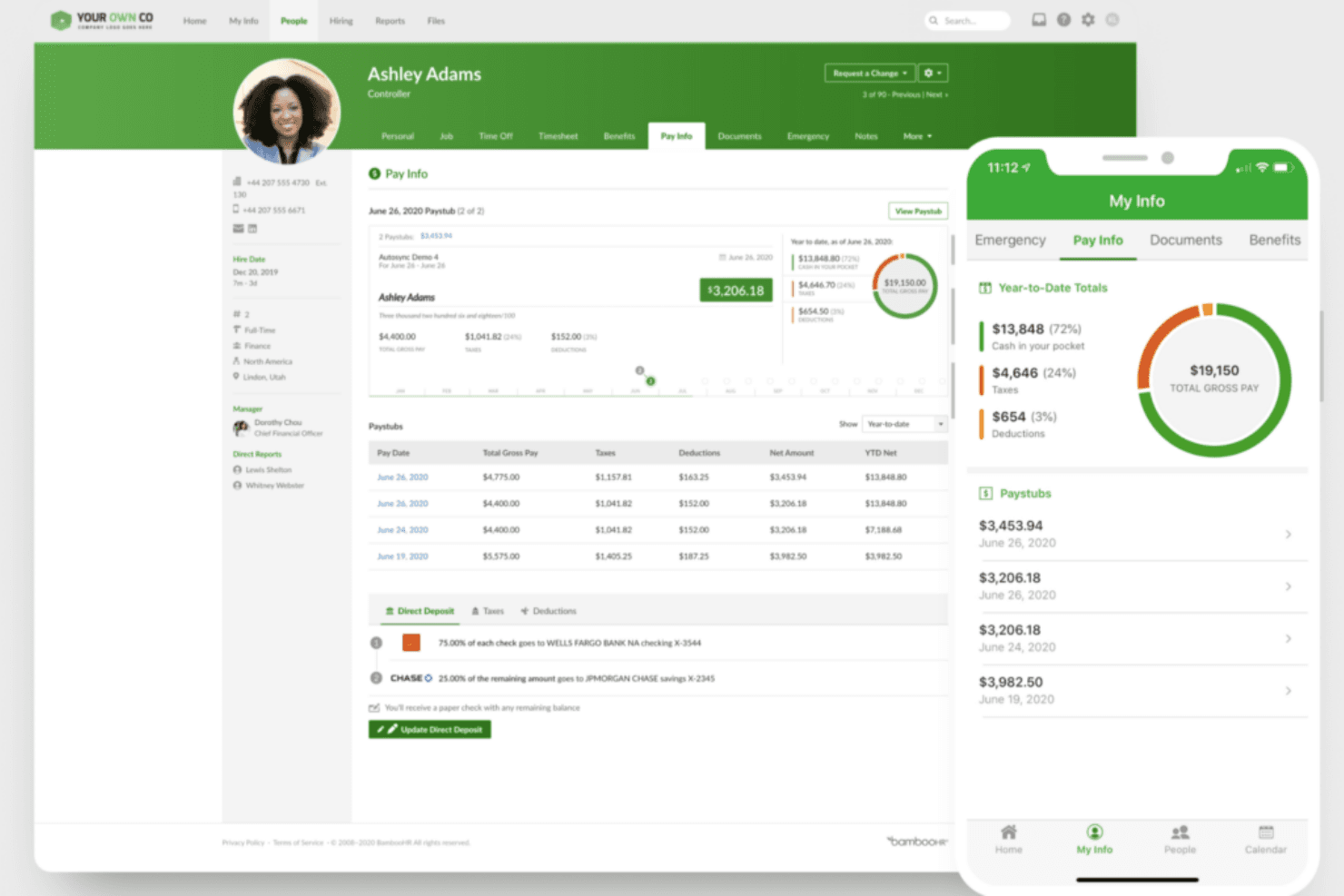
BambooHR's Pay Info tab shows paystubs, year-to-date totals and direct deposit splits on desktop and mobile. BambooHR is an HR platform that centralizes employee records, compliance tools, payroll, and performance management for small- to mid-size businesses that want to bring their people data and HR workflows into one place.
Who Is BambooHR Best For?
BambooHR is a strong fit for HR managers at small- to mid-size companies who need a central place to manage employee records, compliance, and people workflows.
Why I Picked BambooHR
I picked BambooHR as one of the best because it brings employee records, compliance tools, and payroll into a single platform built specifically for small- to mid-size businesses. I especially appreciate Compliance Intelligence, powered by VirgilHR, which tracks employment law changes across multiple states and surfaces alerts directly in the platform. Combined with native payroll and benefits administration, BambooHR keeps people data connected across the full employee lifecycle without requiring separate tools.
BambooHR Key Features
- Applicant tracking system: Post jobs to leading job boards, manage candidate records, and move applicants through hiring stages with collaborative review tools and automated offer letters.
- Time and attendance tracking: Record employee timesheets, manage shift scheduling, automate timesheet approvals, and sync hours directly with payroll.
- Employee self-service portal: Lets employees submit time-off requests, access pay stubs, update personal information, and complete HR tasks from web or mobile.
- 360-degree performance reviews: Collect self, manager, peer, and skip-level feedback through customizable review cycles with built-in reporting and goal tracking.
BambooHR Integrations
BambooHR offers 150+ marketplace integrations, including QuickBooks Online, Xero, Slack, Microsoft, EasyLlama, VirgilHR, Mitratech, and Remote. Its API supports REST, webhooks, and an SDK for custom integrations.
Pros and Cons
Pros:
- Onboarding checklists track paperwork and signatures
- Self-service simplifies leave requests and document access
- Centralizes records otherwise scattered across spreadsheets
Cons:
- Consultant guidance is scoped, not on-demand
- No employee-level help for sensitive cases
Learn more about BambooHR:
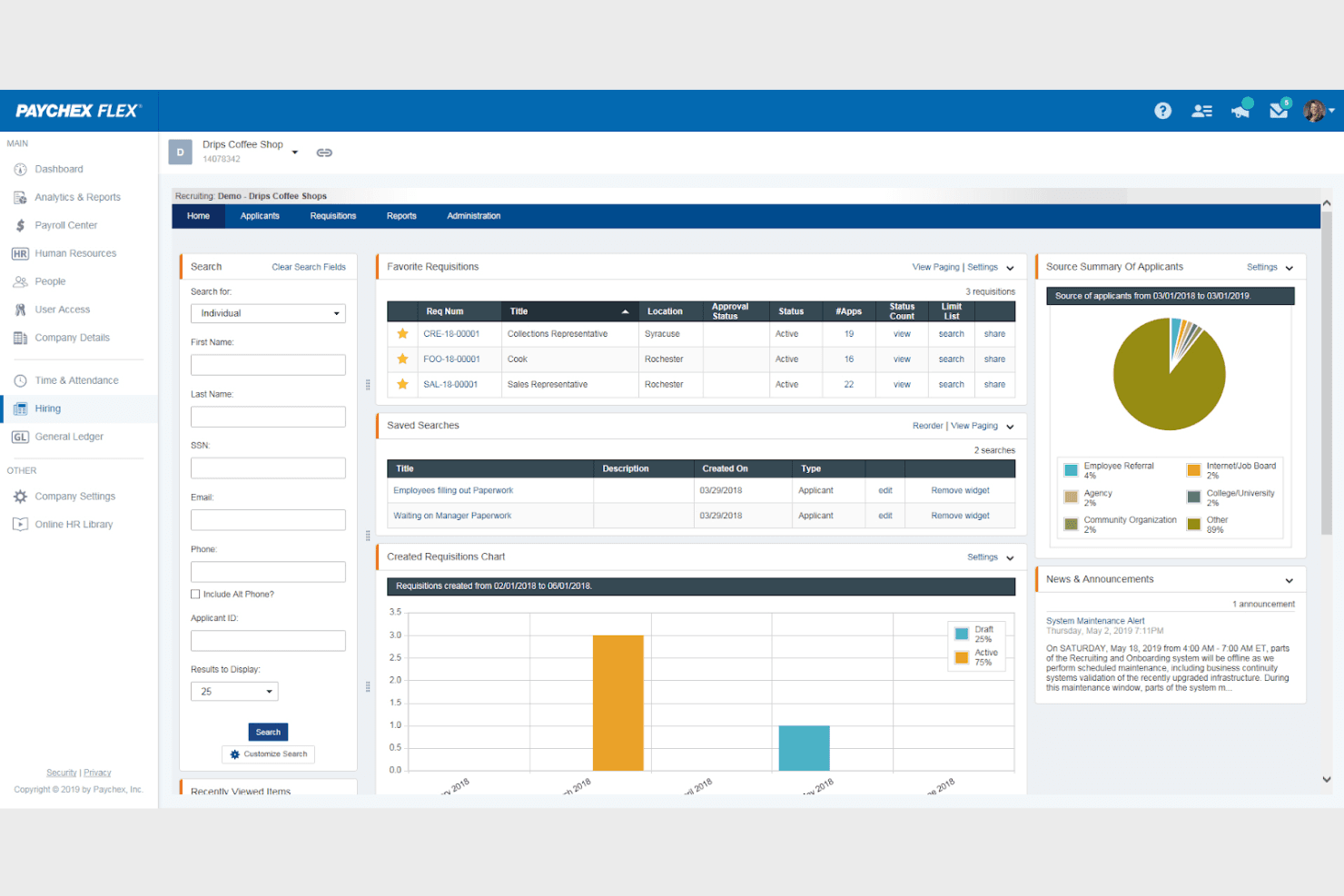
The Paychex Flex recruiting dashboard tracks open requisitions, saved applicant searches, and where candidates come from. Paychex is an HR outsourcing platform built for small and growing businesses that need compliance monitoring, policy management, and expert HR guidance without maintaining a full in-house HR team.
Who Is Paychex Best For?
Paychex is a strong fit for small and growing businesses that want to scale HR support gradually—starting with compliance basics and adding payroll, benefits, or dedicated HR guidance as headcount grows.
Why I Picked Paychex
I've included Paychex in my top picks because it's built to grow with your business, letting you start with basic compliance monitoring and layer in payroll, benefits, or a dedicated HR Business Partner as your headcount expands. I particularly like its SixFifty-powered compliance engine, which tracks federal, state, and major local law changes and flags exactly what needs updating in your documents. The attorney-reviewed handbook builder, included with most packages, automatically surfaces policy updates so your team isn't manually hunting for regulatory changes.
Paychex Key Features
- Dedicated HR Business Partner: Pairs your business with a named HR expert who provides one-to-one guidance on compliance, employee issues, and HR strategy.
- Learning management system (LMS): Gives employees and managers access to 300+ courses covering HR compliance, workplace safety, leadership development, and business skills.
- Job board distribution: Posts open roles across a network that includes LinkedIn, Indeed, and ZipRecruiter from a single submission.
- HR analytics dashboard: Tracks turnover, headcount trends, compensation, and retention with customizable views and over 160 report templates.
Paychex Integrations
Paychex offers 193 marketplace integrations, including QuickBooks, Sage Intacct, Xero, NetSuite, When I Work, Employee Navigator, and BambooHR. Its API supports REST and webhooks for custom integrations.
Pros and Cons
Pros:
- HR support scales with business needs
- Attorney-reviewed handbooks flag policy updates
- Users praise payroll tax administration
Cons:
- Some users report tax-filing errors and billing disputes
- Users report inconsistent advisor access
Learn more about Paychex :
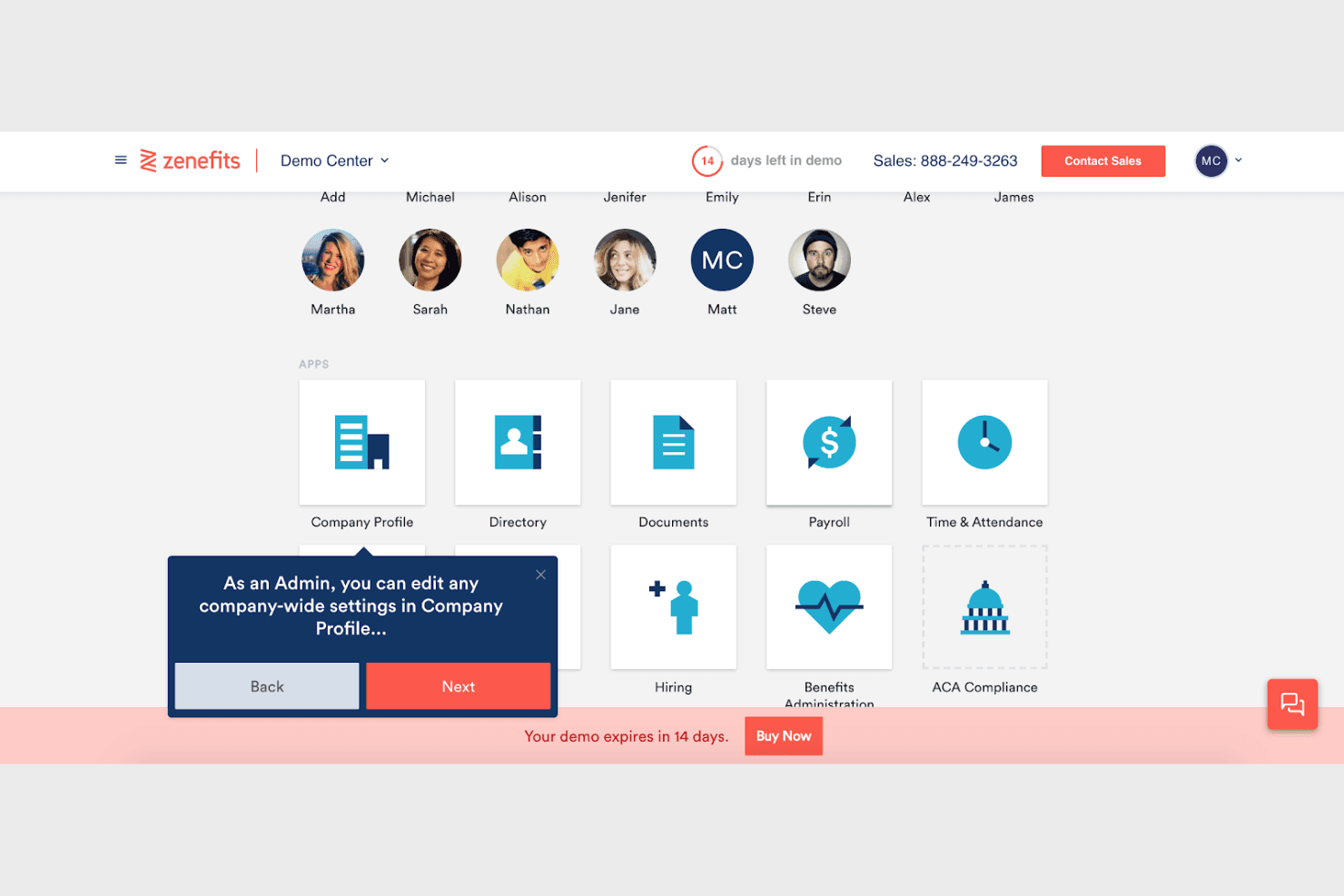
Zenefits demo dashboard showing HR apps such as payroll, time tracking, and benefits administration. TriNet is a full-service PEO built for small businesses and startups that want to offload payroll, benefits administration, and multi-state HR compliance without hiring an in-house HR team.
Who Is TriNet Best For?
TriNet is a strong fit for small businesses and startups that want to hand off payroll, benefits, and multi-state compliance to a full-service PEO rather than build an in-house HR team.
Why I Picked TriNet
I picked TriNet as one of the best because it functions as a true all-in-one HR platform, bundling payroll, benefits administration, and 50-state compliance tracking into a single PEO. I especially like that HR experts are assigned to your account and available on-demand to guide you through terminations, disciplinary actions, and multi-state regulatory changes as they happen. The platform also connects HR lifecycle events, from recruiting through offboarding, in one login.
TriNet Key Features
- 50-state compliance tracking: TriNet monitors employment law changes across all 50 states and sends proactive alerts with location-specific guidance as regulations update.
- Workers' compensation administration: TriNet handles workers' compensation insurance processes and claims handling as part of the PEO service.
- Learning management: The platform lets you assign training courses and track employee development, with premium courses available as an add-on.
- Time and attendance tracking: Built-in time and scheduling tools sync directly with payroll to keep hours and pay aligned.
TriNet Integrations
Marketplace integrations include QuickBooks Online, Greenhouse Recruiting, Lever, Slack, Salesforce, and Okta. TriNet also offers HTTP APIs with OAuth 2.0 authorization for custom data flows.
Pros and Cons
Pros:
- Experts guide discipline and termination decisions
- Payroll, benefits, and HR share one platform
- Reviewers praise multi-state payroll support
Cons:
- Dated navigation adds clicks to tasks
- Difficult HR cases may take longer
Learn more about TriNet:
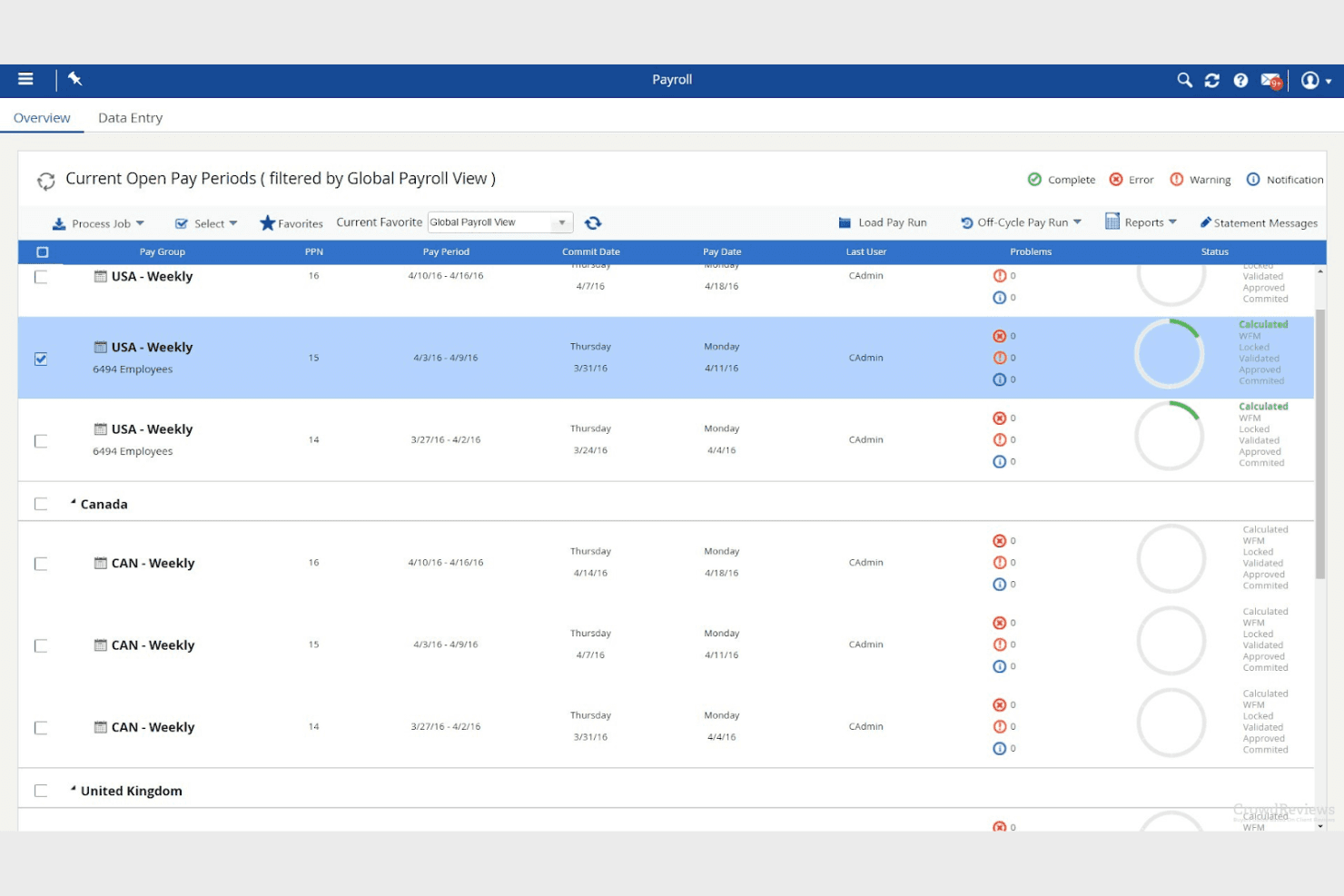
Dayforce payroll overview showing open pay periods, commit and pay dates, and calculation status by pay group. Dayforce is an HCM platform that unifies HR, payroll, time, talent, and workforce analytics in one system, making it a strong fit for mid-sized organizations that want to consolidate people operations and reduce reliance on disconnected tools.
Who Is Dayforce Best For?
Dayforce suits HR managers and operations leaders at mid-sized organizations who need payroll, time, and workforce data unified in one platform.
Why I Picked Dayforce HCM
I've included Dayforce HCM in my top picks because it gives HR teams a live view of workforce data across payroll, time, and scheduling, all updating in real time rather than after a payroll run closes. I particularly like how the continuous payroll calculations flag compliance issues as they occur, so your team can catch an overtime violation or a tax rule conflict before it becomes a problem. The workforce intelligence layer ties scheduling coverage and labor costs together in one view, which is genuinely useful when you're managing headcount against tight labor budgets.
Dayforce HCM Key Features
- Employee self-service portal: Lets employees update personal information, view pay details, check schedules, and complete HR forms without contacting HR directly.
- HR case management: Employees submit cases to HR personnel, track status, and exchange messages, while HR teams assign, manage, and log internal notes on each case.
- Managed payroll and benefits services: Dayforce professionals handle payroll processing, tax filing, wage attachments, and benefits administration on behalf of your team.
- Talent acquisition and onboarding: Connects recruiting workflows and candidate data directly to the employee record as new hires move from offer acceptance through onboarding.
Dayforce HCM Integrations
Dayforce lists 130 marketplace integrations, including DocuSign, HireRight, AdminaHealth, Go1, Emburse, Okta, and Microsoft 365. It also provides REST and OpenAPI support for custom integrations.
Pros and Cons
Pros:
- Scheduling connects coverage with labor budgets
- Unified HR and payroll reduce separate systems
- Real-time payroll flags overtime and tax risks
Cons:
- Implementation demands significant setup and training
- No assigned HR advisor or consultation SLA
Learn more about Dayforce HCM:
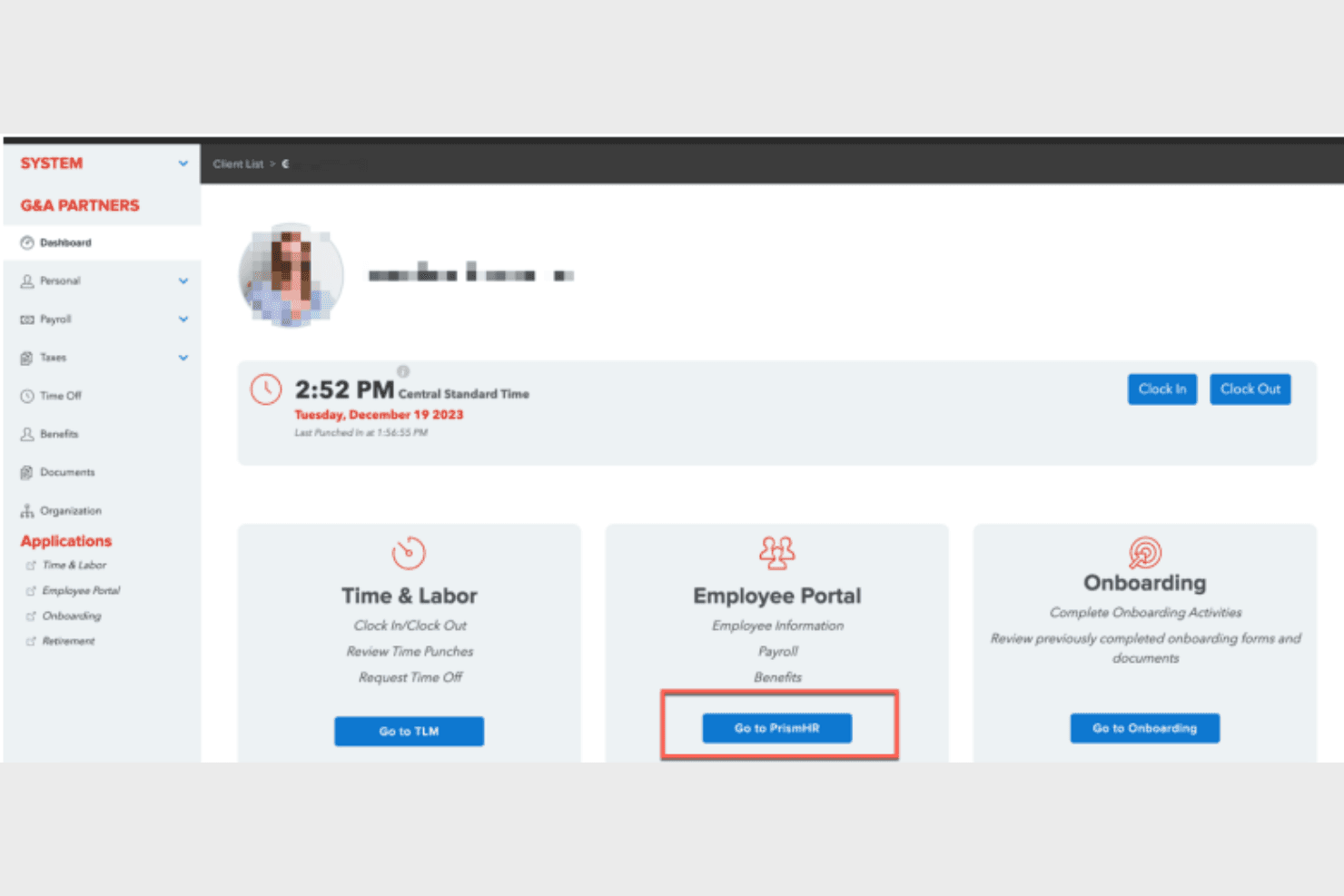
The G&A Partners dashboard links to time and labor, the employee portal, and onboarding. G&A Partners is an HR outsourcing service that lets established small and midsized businesses combine payroll, benefits administration, and HR support in a single, flexible package—without entering a co-employment arrangement.
Who Is G&A Partners Best For?
G&A Partners is a strong fit for established small and midsized businesses that already have some HR leadership in place and want to offload payroll, benefits, and compliance administration without entering a co-employment arrangement.
Why I Picked G&A Partners
I picked G&A Partners because it lets established businesses build an HR outsourcing package around what they actually need, combining payroll, benefits administration, and HR support without locking into a co-employment arrangement. I appreciate that the Payroll + HR Support package includes daily compliance help and direct consultation on performance management and terminations, so you're getting real advisor input, not just templated guidance. The ability to layer in benefits administration and 401(k) capabilities within the same package is what sets it apart for businesses that want one provider handling multiple HR functions.
G&A Partners Key Features
- Flexible ASO package combinations: Mix and match payroll, benefits administration, and HR support into a package that fits your organization's current needs.
- Employee lifecycle management: Handles new hire onboarding, life events, and ACA compliance tracking within the benefits administration package.
- Self-service portal: Gives both managers and employees direct access to payroll and HR data through a self-service tool.
- Issue tracking through AccessHR: Routes HR questions through a CRM-supported system that documents and tracks each request from initial contact to resolution.
G&A Partners Integrations
G&A Partners doesn't have any clearly documented native integrations for ASO Services. The vendor describes time-tracking connections with payroll and scheduling systems, but names no systems and doesn't state API availability.
Pros and Cons
Pros:
- Handbook and policy support aids compliance
- Payroll and onboarding reduce admin workload
- Practical HR advice for employee issues
Cons:
- ASO leaves compliance responsibility with employer
- AccessHR routing can delay answers
Learn more about G&A Partners: Best for global workforce management
- 14-day free trial + free demo available
- From $8/user/month (billed annually)
Visit WebsiteCustomer Rating:4.9/5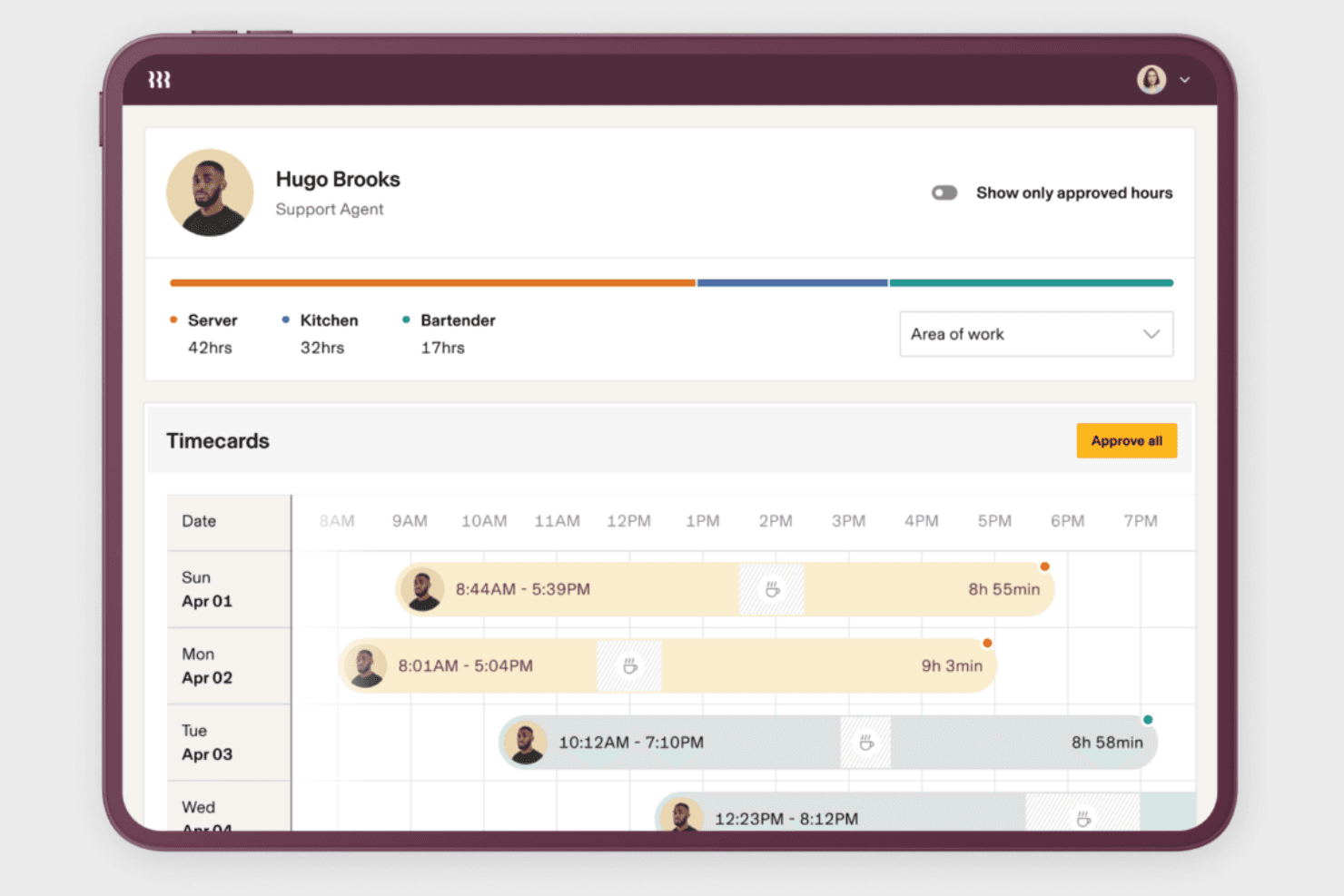
Rippling's timecard view lets managers review shift times and approve hours by work area. Rippling is an HRIS platform that centralizes employee data, automates HR workflows, and monitors compliance across multiple jurisdictions—making it a strong fit for HR teams managing employees across states or countries.
Who Is Rippling Best For?
Rippling is a strong fit for HR teams managing employees across multiple states or countries who need centralized data, automated workflows, and compliance monitoring in one platform.
Why I Picked Rippling
I picked Rippling as one of the best because it's the only platform I've seen that genuinely centralizes domestic and international employee data in one place, making it a strong pick for HR teams managing people across multiple countries or states. I appreciate how its compliance monitoring flags labor-law changes across all 50 U.S. states and 180+ countries, surfacing risks like missed breaks with suggested fixes before they become real problems. Its automated onboarding workflows handle everything from offer letters to device shipping without manual handoffs.
Rippling Key Features
- Role-based permissions: Restrict employee access to data based on their role, so sensitive records stay visible only to the right people.
- Custom reporting: Build, edit, and share HR reports and dashboards directly from your employee data.
- AI-assisted workflows: Use AI to trigger automated HR tasks, such as making employee-data updates or processing time-off requests.
- Employee self-service portal: Let employees view pay stubs, request PTO, and manage their own information without going through HR.
Rippling Integrations
Rippling lists 650+ integrations, including marketplace integrations for Google Workspace, Microsoft 365, Slack, Zoom.us, and Checkr. Its REST API supports authenticated custom integrations and automations, with permissions, scopes, and rate limits.
Pros and Cons
Pros:
- Employee self-service reduces routine HR requests
- Cross-geography compliance alerts surface labor-law risks
- Automates onboarding and routine HR administration
Cons:
- Implementation setup can burden larger teams
- No dedicated HR advisor for employee issues
 Best for international payroll solutions
- Free demo available
- From $14/worker/month
Visit WebsiteCustomer Rating:4.9/5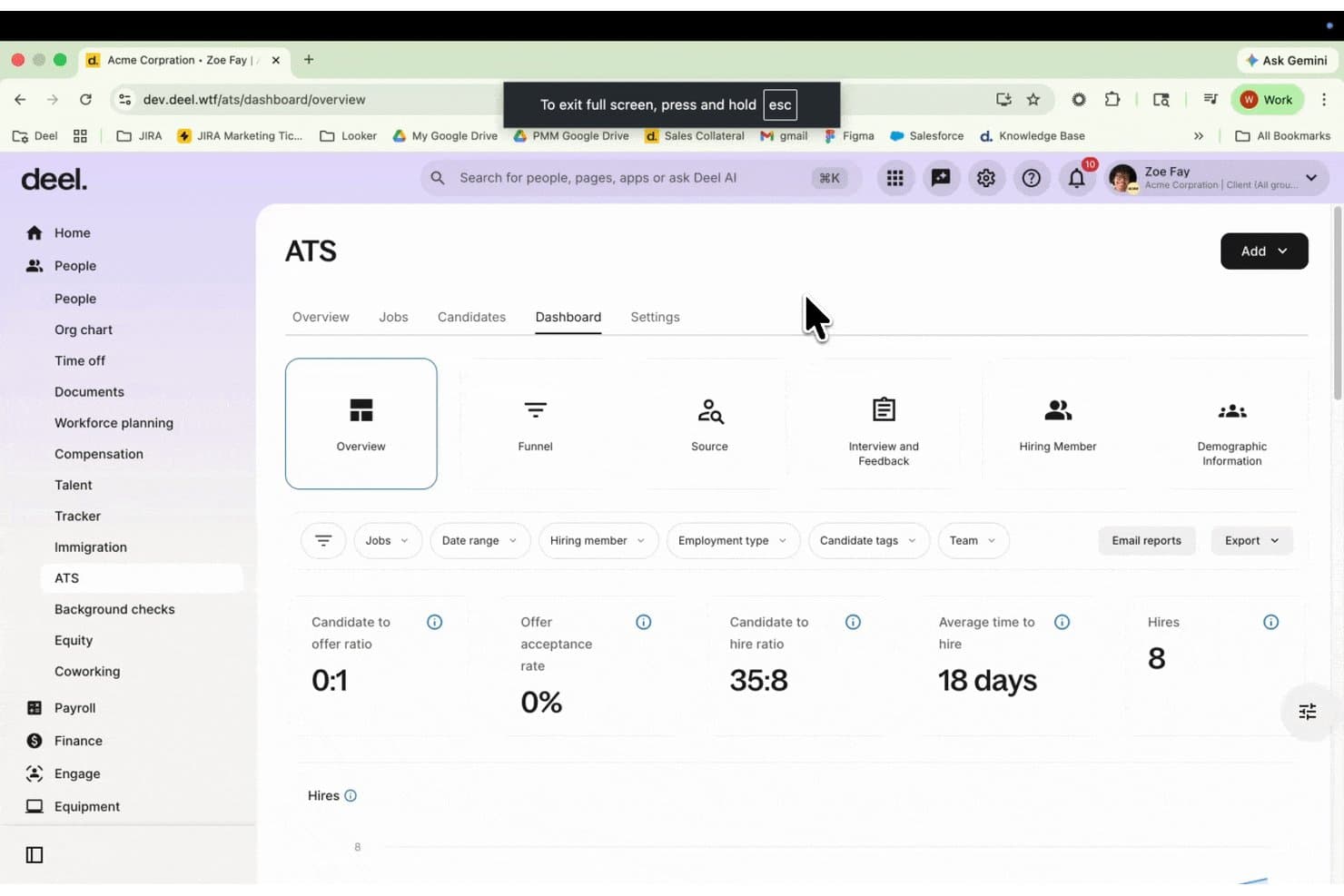
Deel's ATS dashboard tracks hiring metrics like time to hire, offer acceptance, and filtered hires by team. Deel Hire is a global recruiting and talent-sourcing platform built for companies that need to find, hire, and onboard workers across multiple countries without juggling separate tools or local intermediaries.
Who Is Deel Hire Best For?
Deel Hire is a strong fit for companies hiring across multiple countries that need a single platform to source, screen, and onboard international talent.
Why I Picked Deel Hire
I've included Deel Hire in my top picks because it's one of the few platforms that handles global recruiting and onboarding end-to-end, making it a natural fit for companies navigating international payroll complexity. I appreciate how Deel Hire's AI-powered ATS connects directly to its broader payroll infrastructure, so a candidate hired in Germany or Brazil moves into payroll without manual re-entry. Its Talent Marketplace also surfaces pre-vetted candidates across 150+ countries, which cuts the sourcing legwork considerably when hiring across borders.
Deel Hire Key Features
- Job board distribution: Post open roles to more than 1,000 connected job boards in a single click from the ATS.
- AI interview assistant: Records, transcribes, and summarizes candidate interviews to support structured hiring decisions.
- Role-based ATS permissions: Controls what each hiring team member can view or action, including offer details, compensation, and candidate feedback.
- Vetted talent marketplace: Surfaces up to 20 instant candidate suggestions from a pool of 1.5M+ pre-screened professionals across 150+ countries.
Deel Hire Integrations
Deel Hire offers native integrations with Greenhouse, Ashby, Lever, Workable, Google Workspace, and Microsoft Teams, plus third-party ATS integrations with JazzHR and JobAdder. Its ATS API and webhooks support custom integrations.
Pros and Cons
Pros:
- Recruitment partners expand sourcing reach
- Connects candidate records to onboarding
- Supports cross-border hiring workflows
Cons:
- No documented handbook or employee-relations tools
- Doesn’t provide Bambee-style HR guidance
Learn more about Deel Hire: Best for integrated HR and payroll
- Free demo available
- Pricing upon request
Visit WebsiteCustomer Rating:4.3/5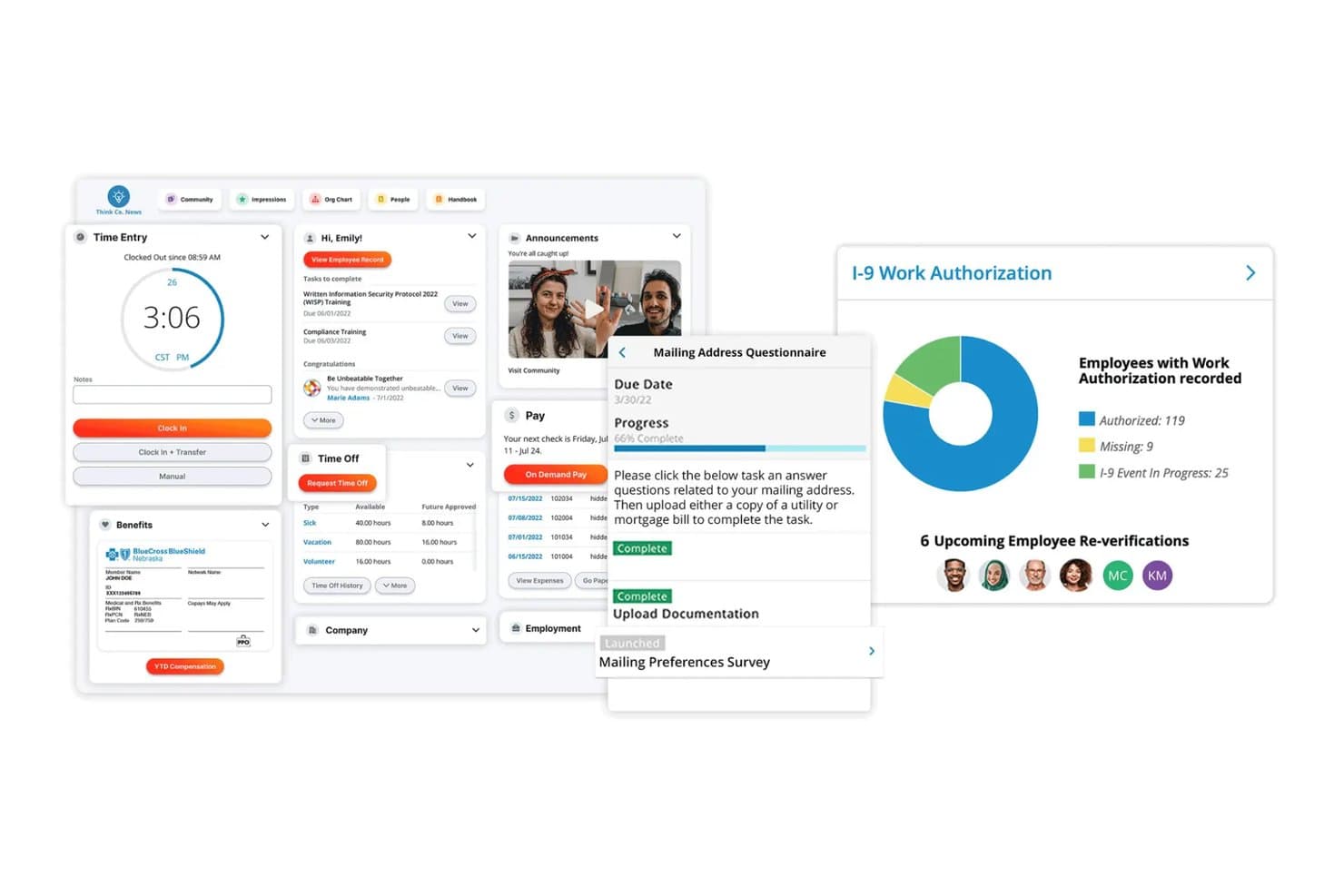
Paylocity's employee dashboard combines time entry, pay, benefits, time off, and I-9 compliance tracking in one view. Paylocity is an HCM platform that brings payroll, benefits administration, and HR management into a single system, making it a strong fit for HR teams and small business owners who need to manage the full employee lifecycle without juggling separate tools.
Who Is Paylocity Best For?
Paylocity works well for HR managers and small business owners who want payroll, benefits, and HR management in one connected platform.
Why I Picked Paylocity
I picked Paylocity because it genuinely connects payroll and HR in one place rather than bolting them together as an afterthought. I especially appreciate how payroll data flows directly into benefits enrollment, so when an employee has a qualifying life event, their benefits eligibility updates without manual re-entry. The built-in Compliance Dashboard also gives my team a live view of ACA status, I-9 work authorization, and EEO data alongside a real-time feed of tax and compliance law updates.
Paylocity Key Features
- On-Demand Pay: Employees can access earned wages before payday, with administrator controls and automated payroll deductions built in.
- Talent assessments: Pre-made assessment templates let HR teams evaluate candidates and employees using structured, consistent criteria.
- 360-degree feedback: Managers and HR teams can collect multi-source feedback on employees to support performance reviews and development planning.
- Interactive compliance training: Assignable courses on topics like sexual harassment and cybersecurity are tracked through a built-in LMS.
Paylocity Integrations
Paylocity offers 350+ Marketplace integrations, including Checkr, AccuSourceHR, Mitratech AssureHire, Go1, and Benefits in a Card. APIs and webhooks support custom integrations, while partners handle ongoing maintenance.
Pros and Cons
Pros:
- Employee self-service reduces routine HR requests
- New hires complete paperwork before day one
- Reviewers value connected payroll and benefits records
Cons:
- Support continuity varies across account contacts
- Advisory services don’t replace in-house HR
 10Best for extensive HR automation
Paycom
- Free demo available
- Pricing upon request
Visit WebsiteCustomer Rating:4.5/5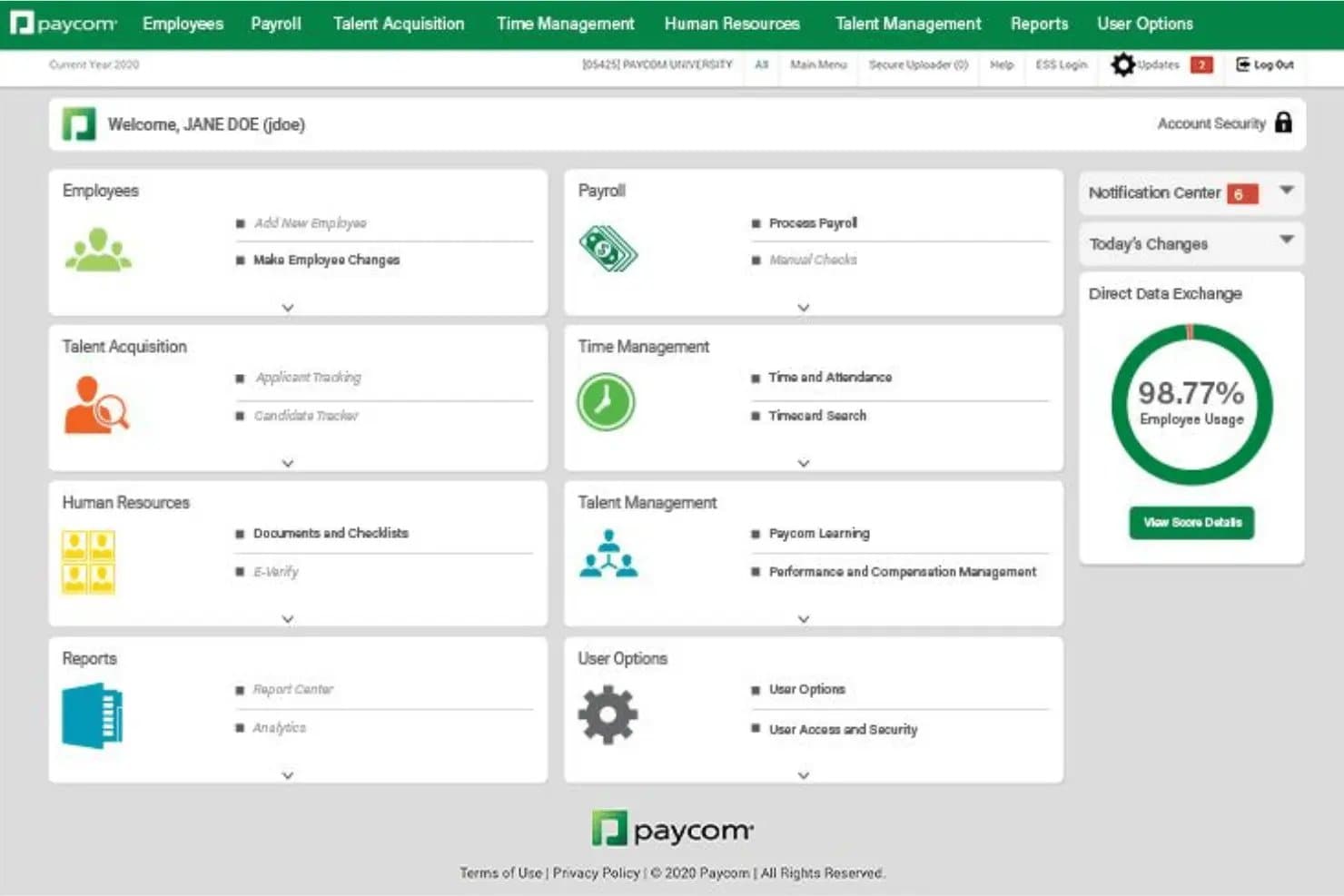
Paycom's admin dashboard, with module tiles for payroll, time, HR, and talent management. Paycom is a full-suite HCM platform built for HR teams that need to manage compliance, payroll, benefits, and workforce data in one place—without juggling multiple disconnected tools.
Who Is Paycom Best For?
Paycom suits mid-sized to larger organizations with dedicated HR teams that need to manage compliance, payroll, and workforce data in one place.
Why I Picked Paycom
I picked Paycom as one of the best because its HR automation goes deeper than most platforms I've evaluated. Its Government and Compliance tool automatically maps rules by employee work location, adjusting withholding, leave accrual, and garnishment caps across states, cities, and counties without manual intervention. I also appreciate how Personnel Action Forms automate the entire change workflow, from promotions to terminations, with approval routing, notifications, and a full audit trail built in.
Paycom Key Features
- Government and Compliance tool: Automatically maps federal, state, and local rules to each employee's work location, covering withholding, leave accrual, garnishment caps, and agency-format reporting.
- Beti payroll error identification: Identifies payroll errors and notifies employees so they can correct them before payroll is submitted.
- Ask Here inquiry routing: Routes employee workplace questions to designated HR responders based on organization-set rules, with a dashboard tracking open questions and response times.
- Paycom Learning: Lets administrators assign required training courses, build learning paths by role or location, and track completion status across the workforce.
Paycom Integrations
Paycom doesn't have any native integrations with third-party tools. Its terms describe API, SFTP, EDI, and Custom File Converter services for data feeds, but no public API documentation or named integrations are provided.
Pros and Cons
Pros:
- HR, payroll, and benefits share workforce records
- Work-location rules automate multistate compliance tasks
- Dedicated specialists earn positive customer feedback
Cons:
- Setup and administrator workflows require substantial input
- Employee-relations cases lack hands-on expert support
Other Bambee Alternatives
Here are some additional Bambee alternatives that didn’t make it onto my shortlist but are still worth checking out:
Related Reviews
How I Evaluate Bambee Competitors
When a founder faces a sudden termination or harassment claim, I evaluate whether a tool delivers real HR advisory depth—then weigh the differentiators that separate the best options from the rest.
Core Functionality (Table Stakes For This List)
When I'm selecting tools for my list, I rank each one on a scale from 0 (does not offer the functionality) to 5 (excels in this area) for each core functionality listed below. Then, I calculate the tool's total score into a percentage. Each tool needs to achieve a minimum total score of 65% to be considered for inclusion.
- Dedicated HR Advisor Access: I look for whether you get a named, certified HR professional or just a shared support queue when a real workplace issue comes up.
- Policy & Handbook Creation: Each vendor is evaluated on how it helps you build and maintain a custom employee handbook that reflects your company's specific policies.
- Compliance Monitoring & Alerts: I check whether the platform actively tracks regulatory changes and flags risks before you find out about them from an employee complaint.
- Employee Relations Support: Handling a termination or a harassment concern requires real guidance, so I evaluate how hands-on each vendor's support is for sensitive situations.
- HR Document Library: A good library goes beyond a handful of generic PDFs. I look for templates covering offer letters, PIPs, separation agreements, and similar everyday HR needs.
- HR Training Resources: I evaluate whether the vendor offers usable training content for managers and employees on topics like workplace harassment and safety compliance.
Once I have a list of tools that meet this criteria, I consider what sets each platform apart.
Differentiating Factors (What Sets Vendors Apart)
Here's how I compare and contrast different vendors:
Standout Features
Multi-state compliance coverage matters when your team is spread across regions with different labor laws. I check whether a vendor handles that complexity or only covers a single jurisdiction. Payroll integration is another factor I evaluate—connecting HR advisory output to platforms like Gusto or ADP saves small teams from manual data entry errors. I also look at how accessible the HR advisor is day-to-day. Mobile chat or SMS access means you can get guidance on a floor conversation without scheduling a call.
Beyond Features
Pricing structure is one of the first things I evaluate. A flat monthly fee works well for a 10-person team, but per-employee pricing can catch growing businesses off guard. I also look at advisor credentials—whether the HR professional assigned to your account holds certifications like SHRM-CP or PHR and has hands-on management experience. Time-to-value matters too. Some vendors run an HR audit within the first week, while others take a month before you're fully set up with policies and handbook in place.
Why Look for a Bambee Alternative?
While Bambee is a good choice of HR software, there are a number of reasons why some users may seek out alternative solutions. You might be looking for a Bambee alternative because…
- You need features for a larger team
- Your business operates in multiple countries
- You require more customization options
- You need advanced reporting capabilities
- Your team requires a mobile-friendly solution
- You need better integration with existing tools
If any of these sound like you, you’ve come to the right place. My list contains several HR software options that are suited for teams facing these challenges with Bambee and looking for alternative solutions.
Bambee Key Features
Here are some of the key features of Bambee to help you contrast and compare them with what alternative solutions offer:
- HR management support: Provides dedicated HR managers for personalized assistance to your team.
- Onboarding and offboarding: Automates the onboarding process and supports smooth transitions for new hires.
- Employee records storage: Organizes employee documents and ensures compliance with regulations.
- HR policies: Assists in creating and editing HR policies to meet legal requirements.
- Time and attendance tracking: Allows employers to log employee hours directly into the system.
- Performance management: Offers tools for user reviews and feedback to improve workplace morale.
- Learning and development: Provides access to training courses and tracks employee progress.
- Payroll services: Manages payroll with quick turnaround for employee payments.
- Benefits administration: Assists with compliance and setup of employee benefits.
- User-friendly platform: Accessible via web browsers, though it lacks a mobile app.