

10 Best HR Software for Nonprofits Reviewed in 2026

Best HR Software for Nonprofits Shortlist


Managing HR can be a tough gig, and for a nonprofit, it can be even harder. You're juggling limited resources, compliance management, and finding the right talent. That's where HR software comes in. It helps simplify tasks, from payroll to employee management, so you can focus on your nonprofit's mission.
In my experience, selecting the right software can make a world of difference for your team. I've independently tested and reviewed various options to bring you a well-researched shortlist of the best HR tools for nonprofits.
In this article, you'll find my unbiased reviews of the best HR software for nonprofits, highlighting features that will suit your unique needs. Let's find a solution that fits your team and helps you achieve your goals.
Why Trust Our Software Recommendations
Our team has been testing and reviewing software since 2012. As HR experts ourselves, we know how difficult—and important—it is to choose the right software.
For this guide, we evaluated tools using hands-on testing and independent research, scoring tools using our selection criteria. We also draw on insights from industry thought leaders and practicing HR experts.
Our reviews reflect our human editorial judgment, not a sales pitch.
Expert reviewers:
Comparison Table: HR Software for Nonprofits
This comparison table summarizes pricing details for my top HR software for nonprofits selections:
| Tool | Best For | Trial Info | Price | ||
|---|---|---|---|---|---|
| 1 | Best for integrated learning management | Free demo available | Pricing upon request | Website | |
| 2 | Best for recruitment features | 14-day free trial | From $157/month (billed annually) | Website | |
| 3 | Best for large-scale organizations | 30-day free trial + demo available | Pricing upon request | Website | |
| 4 | Best for payroll integration | Free demo available | Pricing upon request | Website | |
| 5 | Best for custom workflows | 30-day free trial + free demo available | From $1.25/user/month (billed annually) | Website | |
| 6 | Best for employee self-service | Free trial + free demo available | Pricing upon request | Website | |
| 7 | Best for benefits administration | Free demo + free plan available | From $49/month + $6/user/month | Website | |
| 8 | 30-day free trial | From $3/employee/month | Website | ||
| 9 | Best for midsize teams | Free demo available | From $9/employee/month | Website | |
| 10 | Best for small nonprofits | Free plan + free demo available | From $2/user/month (billed annually) | Website |
Best HR Software for Nonprofit Reviews
Below are my detailed summaries of the best HR software for nonprofits that made it onto my shortlist. My reviews offer a detailed look at the key features, pros and cons, integrations, and ideal use cases of each tool to help you find the best one for you.

Best for integrated learning management
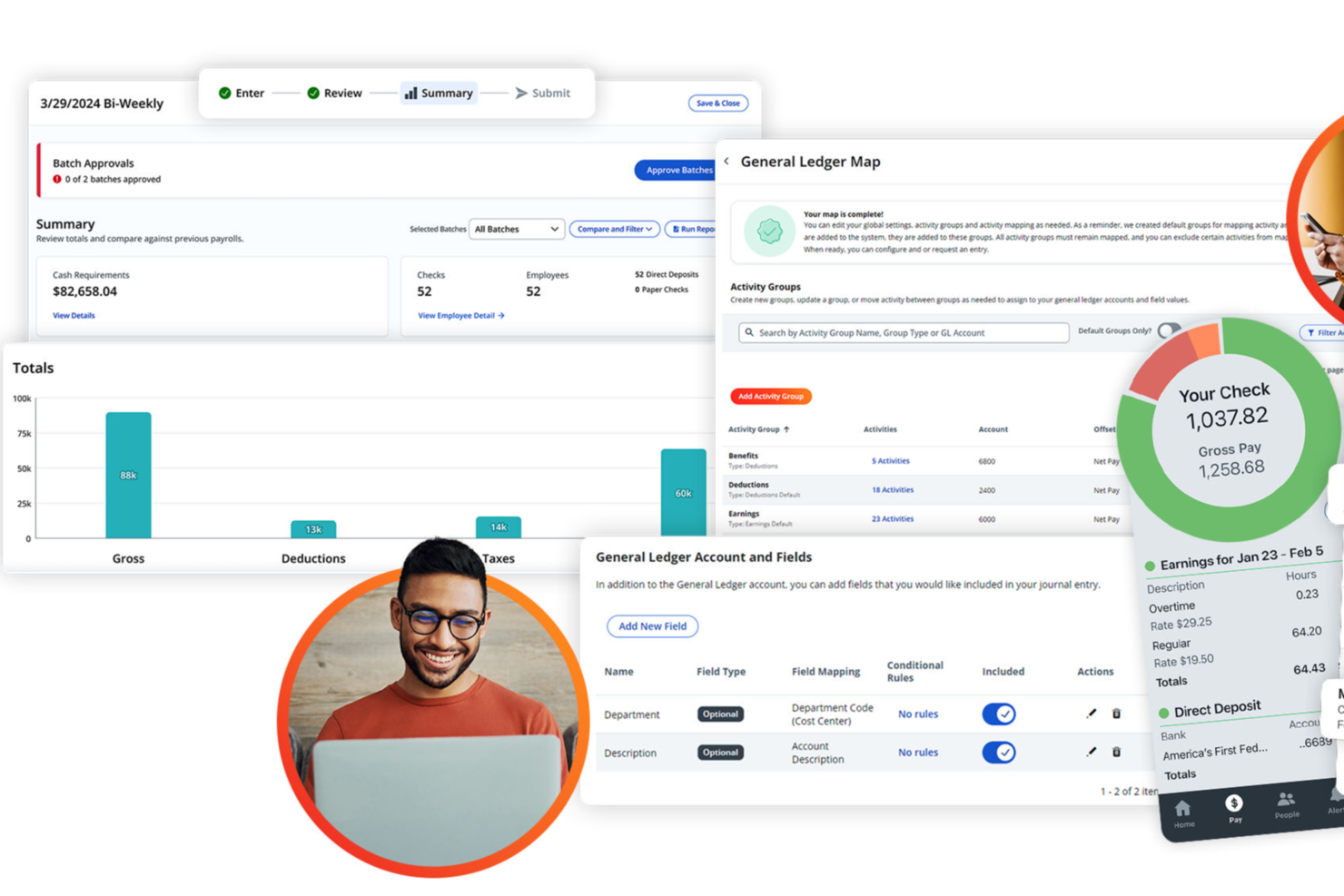
Paylocity is a cloud-based HR and payroll platform built for nonprofits, covering payroll processing, benefits administration, time tracking, talent management, learning, and employee engagement in a single system.
Who Is Paylocity Best For?
Paylocity is a good fit for mid-sized nonprofits that need a unified HR and payroll system to manage a mix of salaried staff, hourly workers, and volunteers.
Why I Picked Paylocity
I picked Paylocity as one of the best because its LMS is built directly into the same platform your nonprofit already uses for payroll and HR, so there's no separate tool to manage or sync. I particularly like that you can automate new hire training from day one, with bulk course assignments and recurring learning paths that keep staff and volunteers on track without manual follow-up. The course library is also genuinely useful out of the box, covering compliance, safety, and professional development, and you can connect to Go1 for access to over 95,000 additional trainings if your needs go beyond what's included natively.
Paylocity Key Features
- Grant labor allocation tracking: Assign employee pay and hours across multiple funding sources or grants directly within the payroll system.
- Benefits administration: Manage benefits enrollment, carrier connections, and ACA tracking for both full-time staff and part-time employees in one place.
- Time and attendance tracking: Capture clock-ins, PTO requests, and volunteer hours with configurable rules for different worker types and pay classifications.
- On-demand pay: Let employees access earned wages before payday, available directly through the platform without third-party setup.
Paylocity Integrations
Paylocity offers hundreds of marketplace integrations across HR, payroll, benefits, accounting, and IT categories, including tools like Checkr, Greenhouse, Salesforce, QuickBooks, NetSuite, Sage Intacct, Slack, Google Workspace, Microsoft 365 (Entra ID), and Okta. An API and developer portal are also available for building custom integrations.
Pros and Cons
Pros:
- Includes built-in LMS and recruiting modules
- Top-rated mobile app across software categories
- Built-in payroll audit flags catch errors early
Cons:
- Support quality varies by assigned account rep
- Implementation can take longer than expected
New Product Updates from Paylocity

Paylocity Adds Candidate Engagement and Talent Rediscovery Agents
Paylocity adds Candidate Engagement and Talent Rediscovery Agents to automate candidate outreach, scheduling, and re-engagement. This helps recruiting teams move candidates through hiring faster. For more information, visit Paylocity’s official site.
 .
.
Best for recruitment features
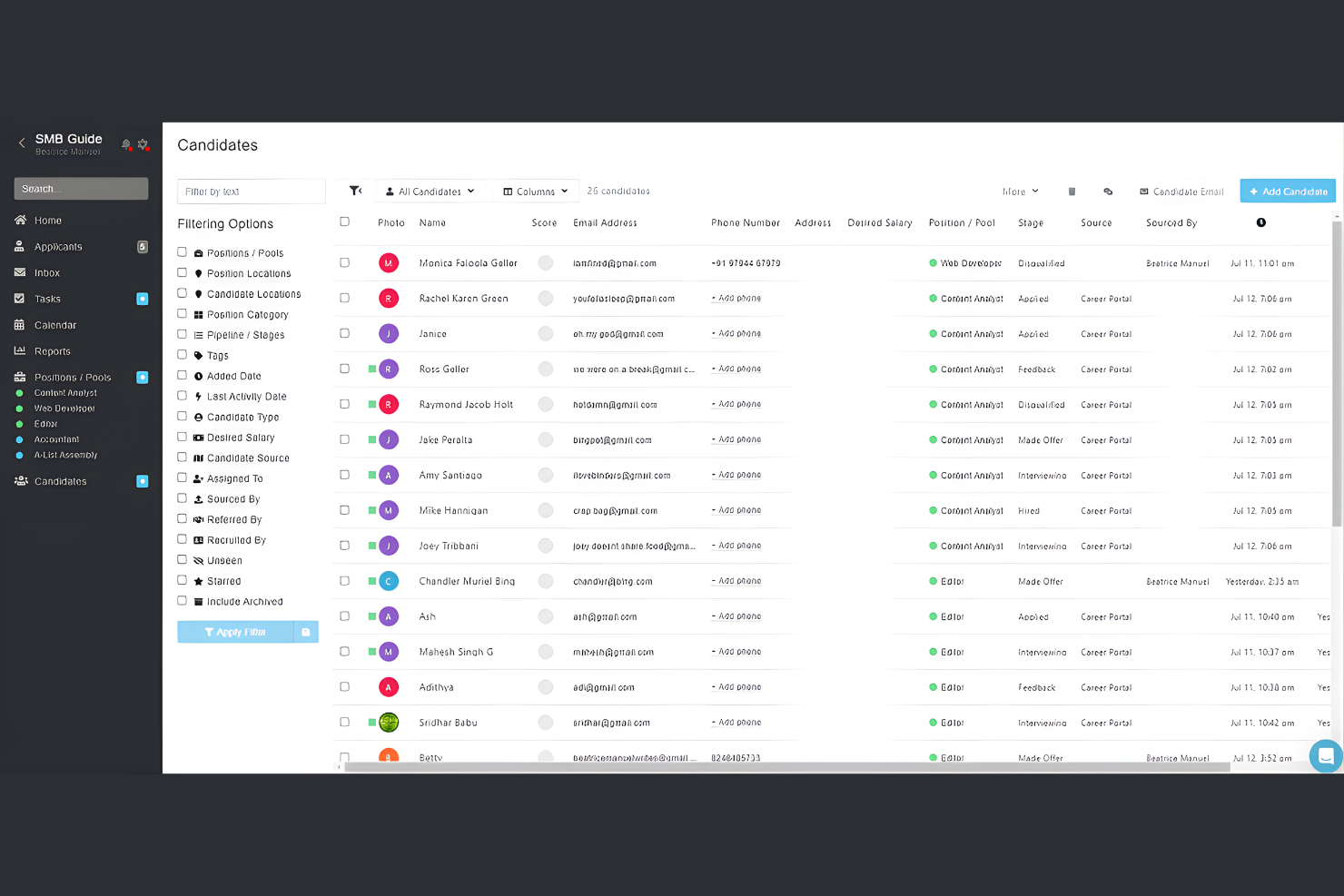
Breezy HR is a recruitment-focused HR software designed for businesses seeking to optimize their hiring processes. It serves small to medium-sized organizations, offering tools to optimize candidate sourcing, tracking, and management.
Why I picked Breezy HR: Breezy HR excels in recruitment features, providing tools such as email templates and job descriptions that support your hiring process. The drag-and-drop pipeline management makes it easy to track candidates through different stages of the recruitment process. Automated interview scheduling saves your team time, ensuring a smooth interview process. Customizable career pages help you attract candidates who fit your nonprofit's culture and values.
Standout features and integrations:
Features include candidate scoring to help you evaluate applicants effectively. The video interviewing features allow you to screen candidates remotely. Team collaboration tools ensure your hiring team remains aligned.
Integrations include LinkedIn, HubSpot, WordPress, Slack, Google Calendar, Microsoft 365, Zoom, BambooHR, Salesforce, and QuickBooks
Pros and Cons
Pros:
- Efficient interview scheduling
- Customizable hiring workflows
- Intuitive drag-and-drop interface
Cons:
- Basic analytics options
- Lacks some core HR functions

Workday
Best for large-scale organizations
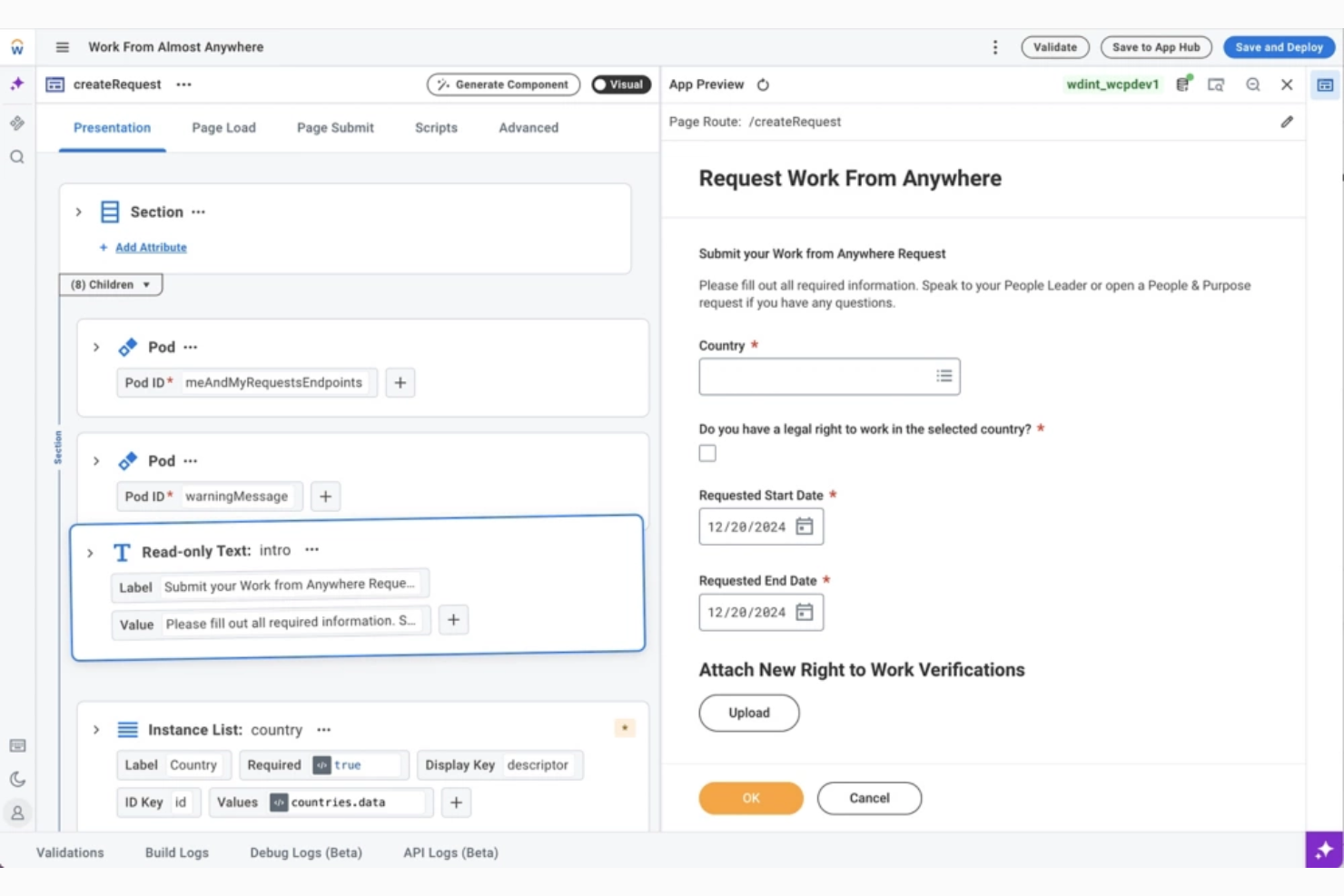
Workday is an HR management tool tailored for large-scale organizations, focusing on enterprise-level HR functions. It helps large teams manage payroll, talent, and workforce planning efficiently.
Why I picked Workday: Workday caters to large-scale organizations, offering a complete suite of cloud-based tools for managing complex HR needs. Its workforce planning feature allows you to forecast and manage staffing effectively. Its talent management software helps you attract and retain top talent to achieve your organization's goals. Payroll management ensures accurate and timely compensation for your team.
Standout features and integrations:
Features include analytics that provide insights into workforce trends. Performance management helps you evaluate and improve employee productivity. The learning management system supports continuous employee development.
Integrations include Salesforce, Microsoft Azure, Slack, Google Cloud, Adobe Sign, Docusign, SAP, Oracle, IBM, and more.
Pros and Cons
Pros:
- Detailed workforce analytics
- Strong talent management
- Scalable for large teams
Cons:
- Not ideal for small orgs
- Requires technical expertise
ADP
Best for payroll integration

ADP is an HR management tool focused on payroll integration for all types of organizations. It serves businesses looking to automate all or part of their payroll processes and helps to manage employee benefits efficiently.
Why I picked ADP: ADP excels in payroll integration, making it ideal for organizations needing efficient payroll management. It offers tools for automated payroll processing, reducing manual errors and saving your team time. Employee benefits administration provides a centralized way to manage and deliver benefits. The reporting capabilities give you insights into payroll and HR metrics, supporting informed decision-making.
Standout features and integrations:
Features include time and attendance software to help you manage employee hours. Talent acquisition tools support recruitment and onboarding processes. ADP's Workforce Manager helps your organization comply with regulations and laws.
Integrations include Sage, SAP, Oracle, Microsoft Dynamics, Salesforce, Xero, BambooHR, Workday, Slack, and Google Workspace, and more.
Pros and Cons
Pros:
- Scalable for growing teams
- Extensive reporting options
- Strong payroll capabilities
Cons:
- The outdated interface and navigation can be frustrating
- Complex setup process

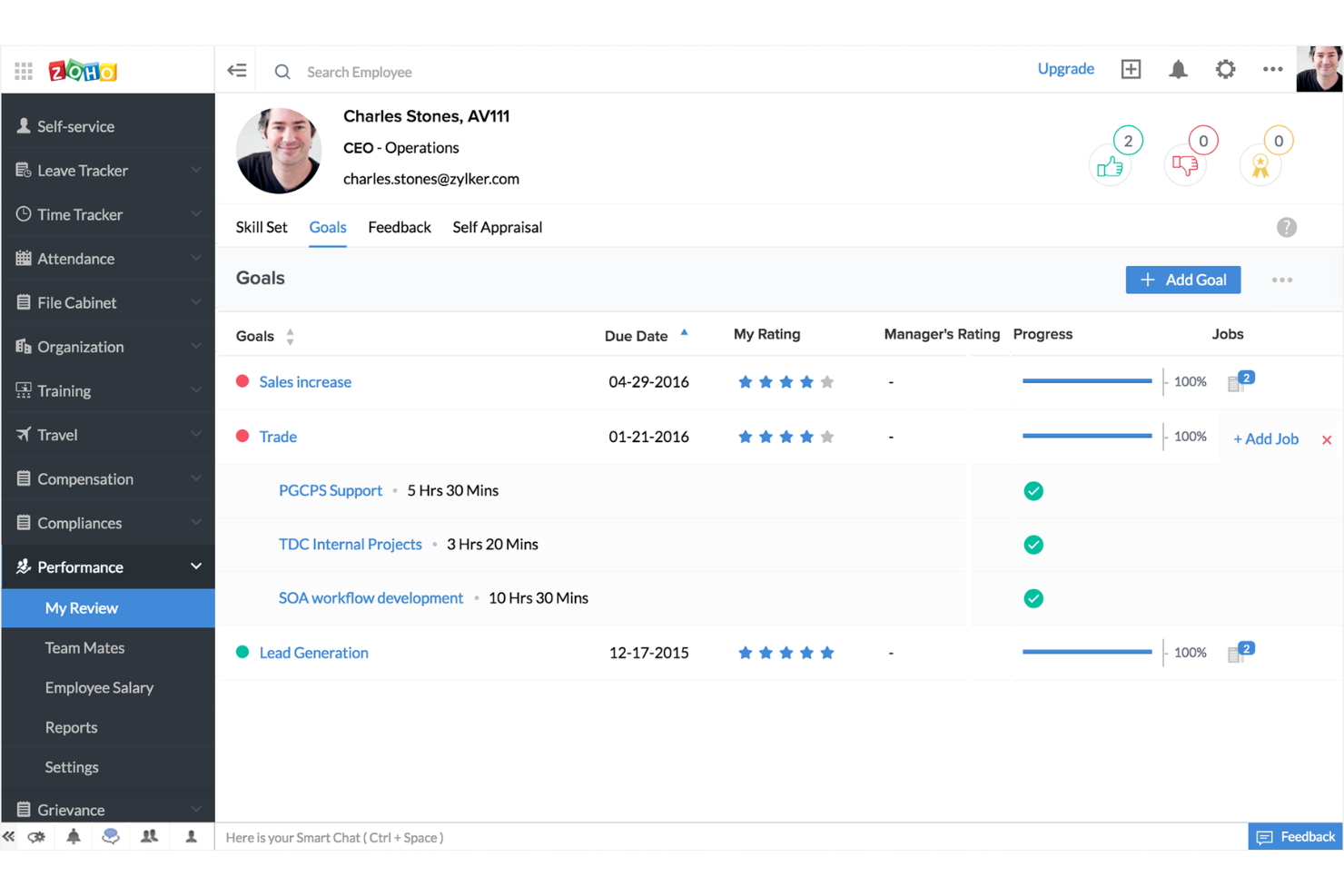
Zoho People is an HR management software designed for businesses that require customizable workflows. It serves organizations of all sizes, automating HR tasks such as leave management and performance reviews.
Why I picked Zoho People: Zoho People offers custom workflows, allowing you to tailor HR processes to your nonprofit's needs. The leave management feature lets your team handle time-off requests efficiently. Performance appraisal tools help you assess and improve employee performance. Additionally, the self-service portal allows employees to manage their own HR-related tasks.
Standout features and integrations:
Features include a time tracker to monitor employee hours through automated timesheets. The onboarding feature simplifies the process of integrating new hires. Document management software helps you organize and store important HR files securely.
Integrations include Zoho CRM, Google Workspace, Paybooks, QuickBooks, Slack, Zapier, Adobe Sign, Docusign, Microsoft Teams, and Xero.
Pros and Cons
Pros:
- Secure document storage
- Efficient leave management
- Highly customizable workflows
Cons:
- Lacks advanced recruiting tools
- Some initial setup complexity

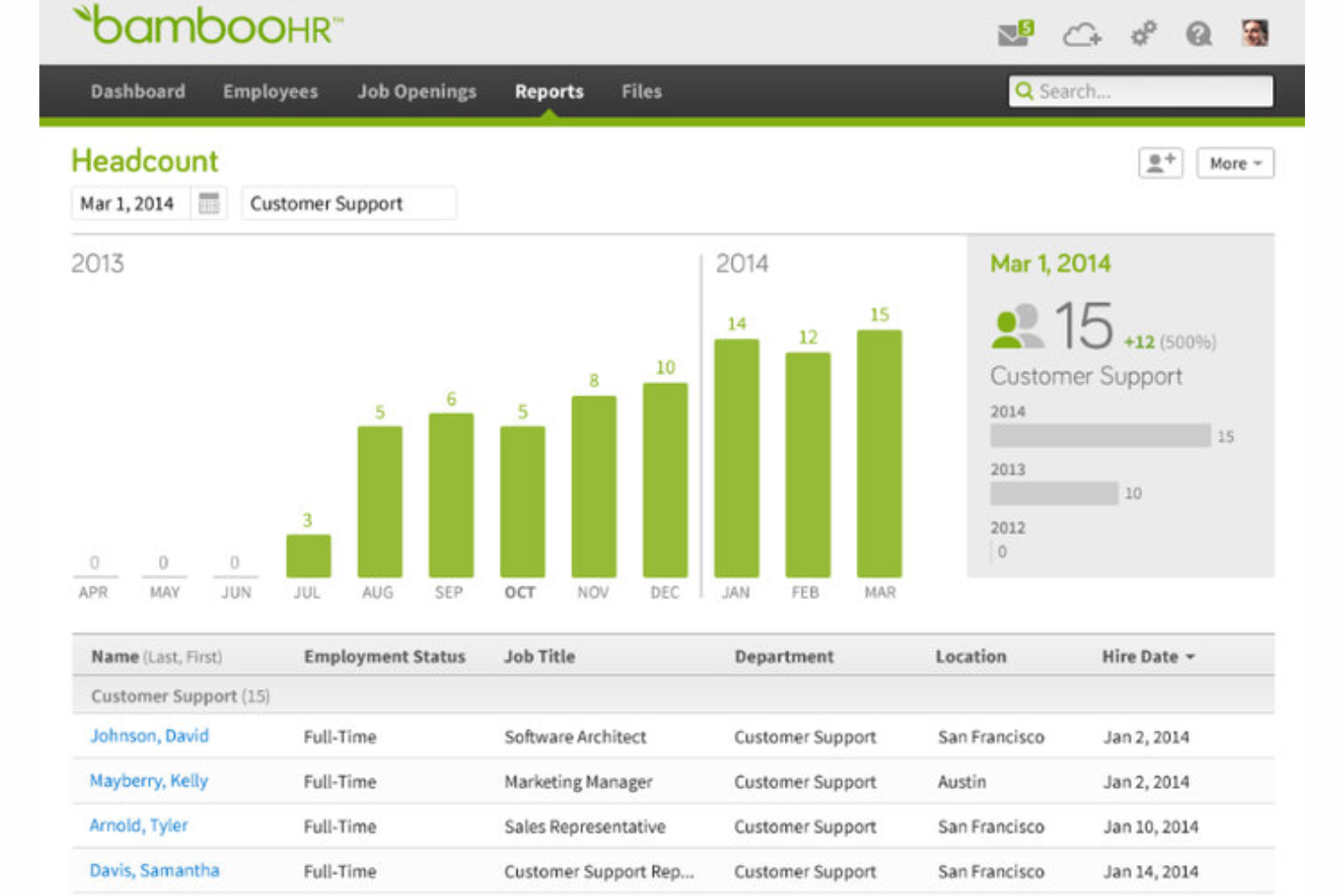
BambooHR is an HR management software designed for small to medium-sized organizations, focusing on employee self-service and HR automation. It helps teams manage time-off requests, employee records, and performance reviews efficiently.
Why I picked BambooHR: BambooHR excels in providing employee self-service features, making it easier for your team to manage their own HR tasks. The time-off management tool lets employees request leave directly, reducing administrative tasks. Employee record management centralizes all personnel data, making it accessible and organized. Performance management tools help you track and enhance employee performance with ease.
Standout features and integrations:
Features include an applicant tracking system that manages the core recruitment lifecycle. The reporting feature gives insights into HR metrics and trends. Onboarding tools help new hires integrate smoothly into your organization.
Integrations include Slack, QuickBooks, Google Workspace, Microsoft 365, Xero, Zapier, Okta, Indeed, Zendesk, and LinkedIn, and more.
Pros and Cons
Pros:
- Centralized employee database
- Intuitive and user-friendly interface
- Easy onboarding process
Cons:
- Limited advanced reporting
- Occasional system downtime


Gusto is an HR and payroll platform designed for small to medium-sized businesses, focusing on benefits administration. It helps manage payroll, employee benefits, and compliance, making HR tasks easier for your team to deal with.
Why I picked Gusto: Gusto excels in benefits administration, providing a thorough solution for managing employee benefits. The platform offers easy-to-use tools for health insurance, retirement plans, and more, helping to ensure your team gets the coverage they need. Payroll processing is integrated with benefits management, simplifying the overall HR workflow. Compliance support helps you adhere to regulations, reducing the risk of errors.
Standout features and integrations:
Features include automated payroll that calculates and files taxes for you. Time-tracking tools help you manage employee hours efficiently. The onboarding feature gives new hires a smooth start with your company.
Integrations include QuickBooks, Xero, FreshBooks, Box, When I Work, Deputy, Clover, Expensify, Trainual, JazzHR, and more.
Pros and Cons
Pros:
- Beginner-friendly interface
- Efficient onboarding tools
- Strong compliance support
Cons:
- Limited customization options
- Customer support can be slow

PurelyHR is an HR management platform tailored for small to medium-sized businesses, focusing on leave management. It helps teams efficiently manage employee time-off requests, attendance, and performance tracking without complicated spreadsheets.
Why I picked PurelyHR: PurelyHR is dedicated to leave management, offering a straightforward solution for tracking and approving employee time off. The platform's leave management feature simplifies the process of submitting and approving leave requests, saving your team time. Attendance tracking provides insights into employee punctuality and attendance patterns. Additionally, the performance tracking tool helps you monitor and evaluate employee productivity effectively.
Standout features and integrations:
Features include a time clock tool that captures employee working hours accurately. The document management system helps you store and organize important HR documents. Customizable alerts keep users informed of critical HR deadlines and tasks such as time-off requests.
Integrations are not publicly listed.
Pros and Cons
Pros:
- Provides customizable alerts
- Accurate attendance tracking
- Efficient leave management
Cons:
- Not ideal for large enterprises
- Some core functionality can feel outdated
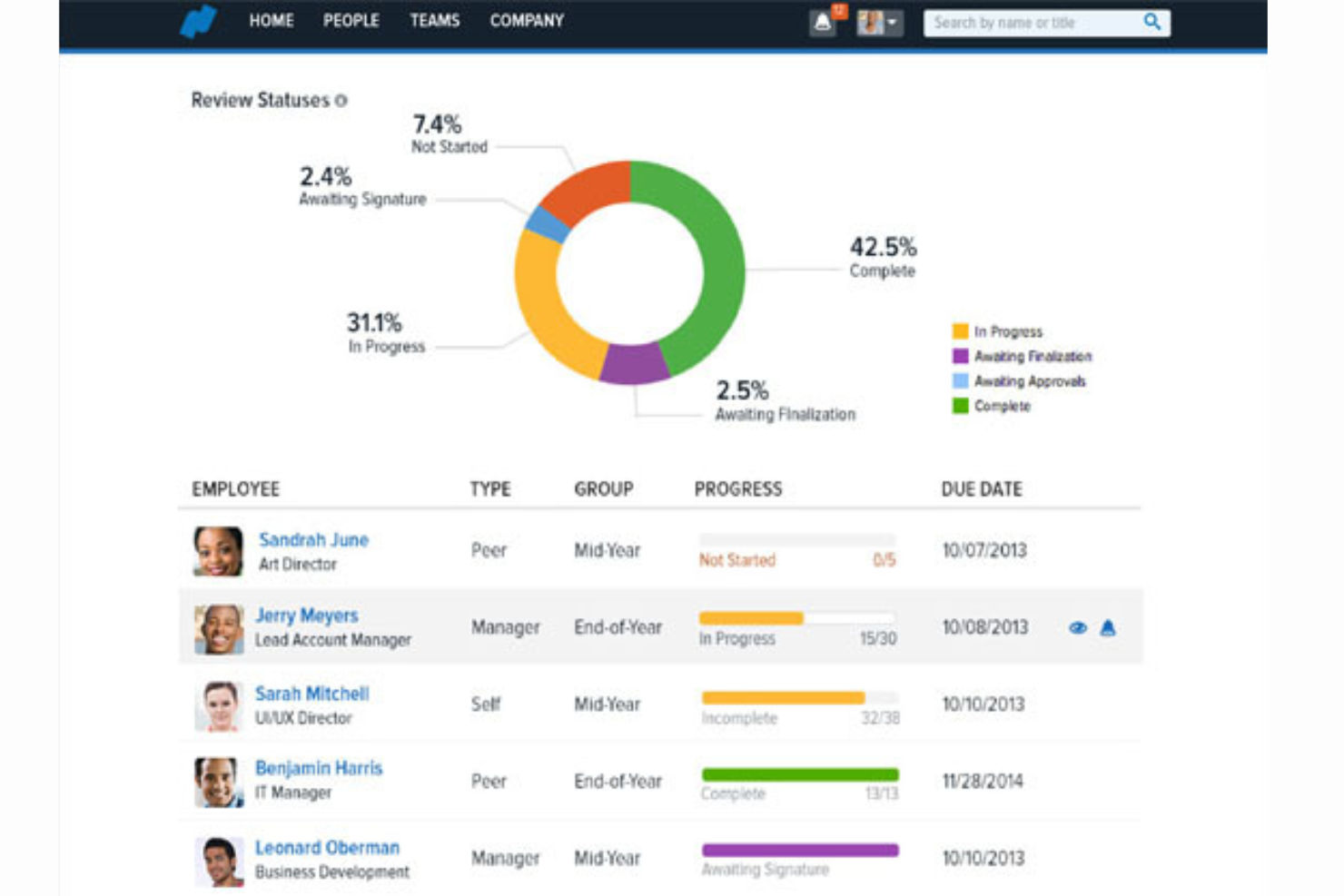
Namely is an HR software solution tailored for midsize businesses, offering an extensive suite for HR management. It helps manage payroll, benefits, and performance reviews, catering to the needs of growing teams.
Why I picked Namely: The payroll management feature ensures accurate and timely compensation for your team. Benefits administration simplifies the process of managing employee benefits. The performance review system helps you evaluate and enhance employee performance in order to align with your nonprofit's goals.
Standout features and integrations:
Features include customizable dashboards that let you organize HR tasks efficiently. Its time-off tracking software simplifies leave management for your team. Compliance management helps your organization adhere to regulations and standards.
Integrations include Slack, Zapier, Adobe Sign, Okta, and more.
Pros and Cons
Pros:
- Scalable for growing teams
- Strong onboarding features
- Efficient time-off tracking
Cons:
- Requires technical support
- Limited advanced analytics
TalentHR
Best for small nonprofits
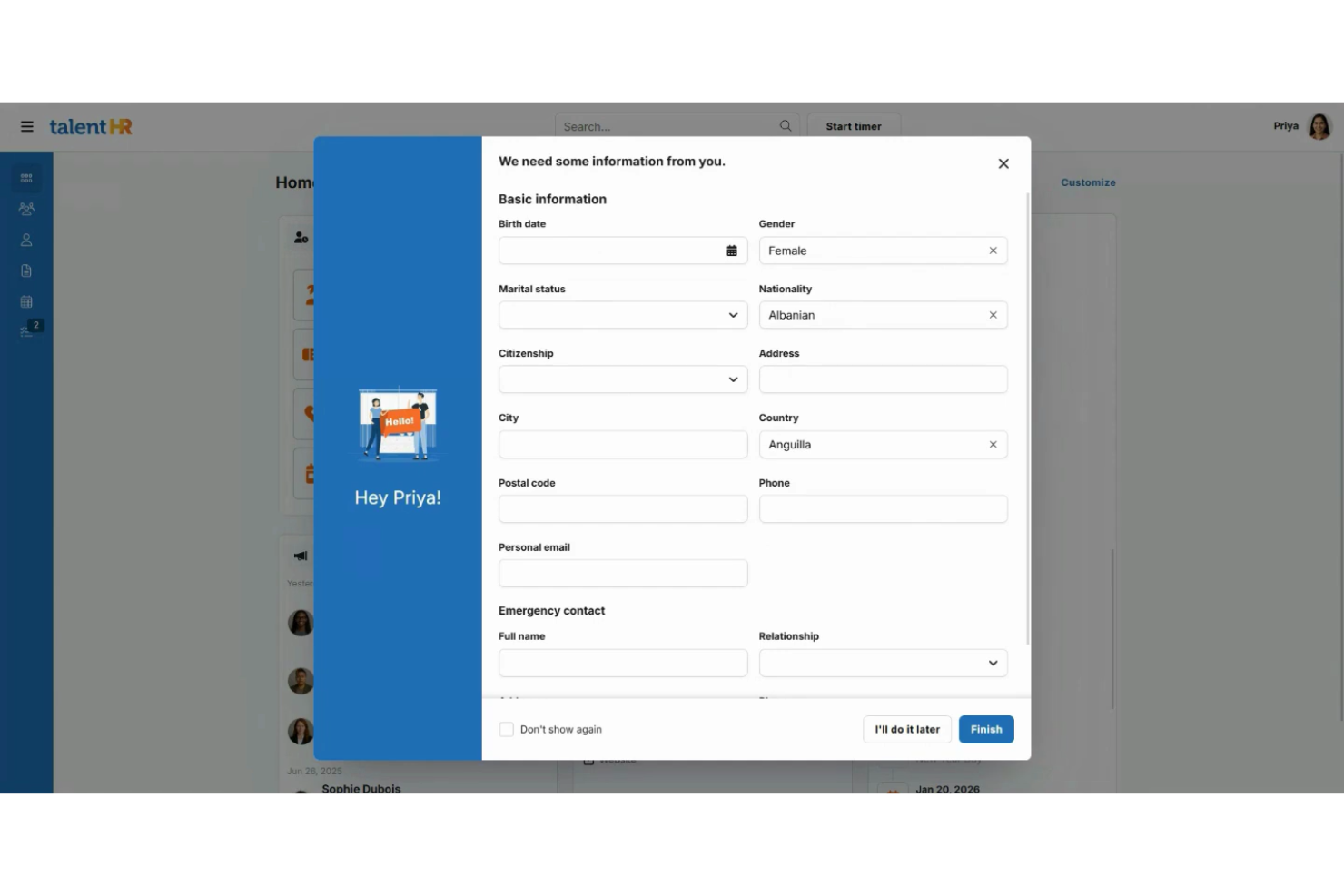
TalentHR is a versatile HR tool designed for small nonprofits, focusing on simplifying HR processes. It caters to small business teams by providing key functions such as time-off and attendance tracking.
Why I picked TalentHR: TalentHR is user-friendly and tailored for small nonprofits, making it easy for you to manage HR tasks without the hassle. Its standout features include AI-powered tools, employee management, and people analytics, all of which help you efficiently handle HR operations. The tool's customization options let you adapt it to your nonprofit's specific needs. Additionally, its mobile accessibility ensures you can manage HR tasks on the go.
Standout features and integrations:
Features include time-off tracking that simplifies leave requests and approvals. Its employee management system helps you organize staff and optimize operations. People analytics provides insights to support decision-making.
Integrations include Google Calendar, Slack, Microsoft Office 365, WordPress, Zapier, and more.
Pros and Cons
Pros:
- Centralizes core HR tasks
- Affordable, transparent pricing
- User-friendly design
Cons:
- Limited advanced features
- Occasional lag or performance issues
Other HR Software for Nonprofits
Here are some additional HR solutions for nonprofits that didn’t make it onto my shortlist but are still worth checking out:


How I Evaluate HR Software for Nonprofits
I evaluate each tool against two layers: the core functionality every nonprofit HR team needs—like payroll, grant cost allocation, and volunteer tracking—and the differentiators that set vendors apart.
Core Functionality (Table Stakes For This List)
When I'm selecting tools for my list, I rank each one on a scale from 0 (does not offer the functionality) to 5 (excels in this area) for each core functionality listed below. Then, I calculate the tool's total score into a percentage. Each tool needs to achieve a minimum total score of 65% to be considered for inclusion.
- Employee & Volunteer Management: I look for a unified people database that handles both paid staff and unpaid volunteers, so your team can track roles, certifications, and contact details without maintaining separate spreadsheets.
- Payroll & Benefits Administration: Each tool's payroll module should account for nonprofit-specific tax scenarios like FUTA exemptions and 501(c)(3) statuses rather than forcing workarounds built for for-profit employers.
- Grant & Fund Cost Allocation: I check whether labor costs can be split across multiple grants or programs per timesheet entry, since restricted-fund reporting is a constant reality for nonprofits managing government or foundation funding.
- Recruiting & Onboarding: The platform should offer applicant tracking paired with digital onboarding workflows that cover background checks, e-signatures, and policy acknowledgments for mission-driven hiring.
- Time, Attendance & PTO: I evaluate whether time tracking ties hours to specific programs or cost centers with approval workflows, which matters when field staff and case workers log time across multiple funded initiatives.
- Compliance & Reporting: Strong tools provide ready-made reports for EEO, ACA, I-9, and Form 990 supporting data rather than requiring your team to build compliance reports from scratch.
Once I have a list of tools that meet this criteria, I consider what sets each platform apart.
Differentiating Factors (What Sets Vendors Apart)
Here's how I compare and contrast different vendors:
Standout Features
A volunteer engagement portal is a big differentiator. I look for self-service tools where volunteers can sign up for shifts, log hours, and access training without burdening your HR team. Board and stakeholder reporting matters too, since platforms that generate board-ready dashboards and Form 990 supporting exports save hours of manual prep each quarter. I also evaluate mobile access for field staff and case workers who need to clock in or request PTO from program sites.
Beyond Features
Nonprofit pricing is one of the first things I check. Many nonprofits operate under grant overhead caps, so I evaluate whether a vendor offers verified nonprofit rates and flexible pricing that won't spike during volunteer surges. Integration with the nonprofit tech stack is equally important—I look for native connections to fund accounting tools like Sage Intacct or QuickBooks and donor CRMs like Salesforce NPSP. Implementation support also matters, since most nonprofit HR teams are small. Vendors that offer guided onboarding without requiring dedicated IT resources tend to be a much better fit.
How To Choose HR Software for Nonprofits
It’s easy to get bogged down in long feature lists and complex pricing structures. To help you stay focused as you work through your unique software selection process, here’s a checklist of factors to keep in mind:
| Factor | What to Consider |
|---|---|
| Scalability | Will the software grow with your organization? Consider future staff increases and whether the tool can handle more users without a hitch. |
| Integrations | Does it work with your current systems? Check if it connects with your existing tools such as payroll, accounting, and communication platforms. |
| Customizability | Can you tailor the software to your needs? Look for flexible settings and options to match your organization's workflows and preferences. |
| Ease of use | Is it user-friendly for all staff? Ensure the interface is simple enough for everyone to navigate without extensive training. |
| Implementation and onboarding | How smooth is the transition? Evaluate the vendor's support during setup and the resources they offer, such as tutorials and onboarding help, to make the switch easier. |
| Cost | Does the pricing fit your budget? Compare the total cost, including hidden fees or additional charges, and look for nonprofit discounts. |
| Security safeguards | Are your data protected? Verify the software's security measures, such as encryption and access controls, to keep sensitive information safe. |
| Compliance requirements | Does it meet regulatory standards? Ensure the tool complies with nonprofit-specific regulations and reporting requirements to avoid legal issues. |
What Is HR Software for Nonprofits?
HR software for nonprofits is a tool designed to help nonprofit organizations manage their human resources tasks efficiently. These tools are generally used by HR professionals, managers, and administrators in nonprofit settings to handle tasks such as payroll, benefits, and compliance. Time tracking, employee record management, and reporting features help with organizing staff data, ensuring compliance, and managing day-to-day HR operations. Overall, these tools provide nonprofits with the ability to focus more on their mission by reducing the time spent on administrative HR tasks.
Features
Here are the core features any great HR software for nonprofits should have:
- Payroll management: Automates payroll processing to ensure accurate and timely compensation for staff, saving time and reducing errors.
- Time tracking: Monitors employee hours and attendance, helping with scheduling and ensuring compliance with labor laws.
- Benefits administration: Manages employee benefits such as health insurance and retirement plans, making it easier to provide complete packages.
- Compliance tracking: Keeps your organization aligned with regulatory standards, reducing the risk of legal issues.
- Volunteer management: Organizes volunteer information and schedules, enhancing engagement and efficiency in nonprofit operations.
- Customizable workflows: Allows tailoring of HR processes to fit your nonprofit's specific needs and preferences.
- Employee self-service: Empowers employees to manage their own HR tasks, such as updating personal information and requesting time off.
- Document management: Stores and organizes important HR documents securely, ensuring easy access and compliance.
- Performance management: Facilitates employee evaluations and goal setting, aiding in performance improvement and development.
- Integration capabilities: Connects with other tools such as accounting and communication platforms to create a unified system.
Benefits
Implementing HR software for nonprofits provides several benefits for your team and your business. Here are a few you can look forward to:
- Time savings: Automating tasks such as nonprofit payroll processing and benefits administration reduces the time spent on manual processes, allowing your team to focus on more strategic initiatives.
- Improved compliance: Compliance tracking features help ensure your organization meets regulatory requirements, reducing the risk of penalties and legal issues tied to employee data management.
- Enhanced employee engagement: Employee self-service portals empower staff to manage their own HR tasks, increasing engagement and satisfaction.
- Better decision-making: Access to real-time dashboards, benchmarking tools, and detailed reports and analytics provides insights that support informed decision-making and strategic planning.
- Increased efficiency: Features such as time tracking and attendance management streamline workforce management, improving overall organizational efficiency.
- Cost-effectiveness: By automating routine tasks, HR software helps reduce administrative costs, making it a cost-effective solution for nonprofits.
- Scalability: Customizable workflows and integration capabilities ensure the software can grow with your organization, adapting to changing needs.
Costs and Pricing
Selecting HR software for nonprofits requires an understanding of the various pricing models and plans available. Costs vary based on features, team size, add-ons, and more. The table below summarizes common plans, their average prices, and typical features included in HR software for nonprofit solutions:
Plan Comparison Table for HR Software for Nonprofits
| Plan Type | Average Price | Common Features |
|---|---|---|
| Free Plan | $0/user/month | Basic employee management, time tracking, and limited reporting. |
| Personal Plan | $5-$25/user/month | Employee self-service, payroll processing, and basic compliance tools. |
| Business Plan | $25-$50/user/month | Advanced reporting, benefits administration, and integration capabilities. |
| Enterprise Plan | $50-$100/user/month | Customizable workflows, dedicated support, and full compliance tracking. |
FAQs
Here are some answers to common questions about HR software for nonprofits:
What is the typical implementation time for HR software for nonprofits?
Implementation time varies but typically takes a few weeks to a couple of months. It depends on factors such as the size of your organization, the complexity of your current systems, and the level of customization needed. To speed up the process, prepare your data in advance and work closely with the software provider’s support team. They can guide you through the setup and help troubleshoot any issues that arise.
Do HR software solutions for nonprofits offer data migration services?
Yes, many HR software solutions offer data migration services to help you transition from your existing systems. These services can include transferring employee records, payroll data, and other critical information. It’s essential to verify if the software provider offers this service and if it’s included in the pricing plan. Some providers may charge additional fees, so clarify this before purchasing.
Can HR software for nonprofits help with volunteer management?
Yes, some HR software for nonprofits includes features to assist with volunteer management. These features can help you track volunteer hours, manage schedules, and store contact information. If volunteer management is a significant part of your operations, look for a solution that offers these capabilities. It can save your team time and improve your overall volunteer program.
Are there specific compliance features for nonprofits in HR software?
Yes, many HR software solutions include compliance features tailored for nonprofits. These features help you adhere to labor laws, tax regulations, and reporting requirements specific to the nonprofit sector. When evaluating software, ensure it offers compliance tools relevant to your organization’s needs. Staying compliant reduces the risk of legal issues and penalties. Nonprofits that need more hands-on guidance can also work with HR service providers for compliance support.
Can HR software for nonprofits integrate with fundraising or donor management tools?
Yes, some HR software solutions can integrate with donor or fundraising platforms. This helps nonprofits keep employee, volunteer, and donor data aligned across systems. Make sure the software offers integrations that match the tools your organization already uses.
Does HR software for nonprofits support grant reporting needs?
Many HR systems provide reporting tools that help track labor hours, staffing costs, and compliance data needed for grant reporting. This makes it easier to provide accurate information to funders. Look for a platform with customizable reports so that you can meet specific grant requirements.