

10 Best EOR Platforms for Software Companies in 2026

Best EOR Platforms for Software Companies Shortlist


EOR platforms for software companies are global employment platforms that help you hire, pay, and manage international teams without setting up local legal entities. These EOR solutions act as the legal employer, handling contracts, payroll, compliance, and employee benefits so your team can focus on building products. Many tools offer an all-in-one approach to global HR, combining hiring, onboarding, and workforce management in a single system. This makes it easier to support outsourcing, access a broader talent pool, and scale internationally with a user-friendly platform. In this list, you’ll find trusted EOR platforms that handle contracts, payroll, local regulations, and benefits—so your company can hire top developers anywhere and keep HR operations simple and secure.
Why Trust Our Software Reviews
Our team has been testing and reviewing software since 2012. As HR experts ourselves, we know how difficult—and important—it is to choose the right software.
For this guide, we evaluated tools using hands-on testing and independent research, scoring tools using our selection criteria. We also draw on insights from industry thought leaders and practicing HR experts.
Our reviews reflect our human editorial judgment, not a sales pitch.
Expert reviewers:
Best EOR Platforms for Software Companies Summary
This comparison chart summarizes pricing details for my top EOR platforms for software companies’ selections to help you find the best one for your budget and business needs.
| Tool | Best For | Trial Info | Price | ||
|---|---|---|---|---|---|
| 1 | Best for bundled HR and compliance support | Not available | From $599/employee/month | Website | |
| 2 | Best for fast global onboarding | Free demo available | From $599/employee/month | Website | |
| 3 | Best for indemnification-backed hiring | Free demo available | From $19/user/month | Website | |
| 4 | Best with integrated contractor management | Free demo available | From $599/employee/month | Website | |
| 5 | Best with Human and local compliance expertise | Not available | Pricing upon request | Website | |
| 6 | Best for IP protection in global hiring | Free demo available | From $699/user/month | Website | |
| 7 | Best for tech-focused EOR services | Free demo available | From $199/employee/month | Website | |
| 8 | Best for automated international compliance | Free demo available | From $459/user/month (billed annually) | Website | |
| 9 | Best for payroll and benefits management | Free demo available | From $99/employee/month | Website | |
| 10 | Best for AI-driven global hiring | Free demo available | From $579/month | Website |


Best EOR Platforms for Software Companies Reviews
Below are my detailed summaries of the EOR platforms for software companies that made it onto my shortlist. My reviews offer a detailed look at the features, global compliance capabilities, and integrations of each platform to help you find the best one for you.

Best for bundled HR and compliance support
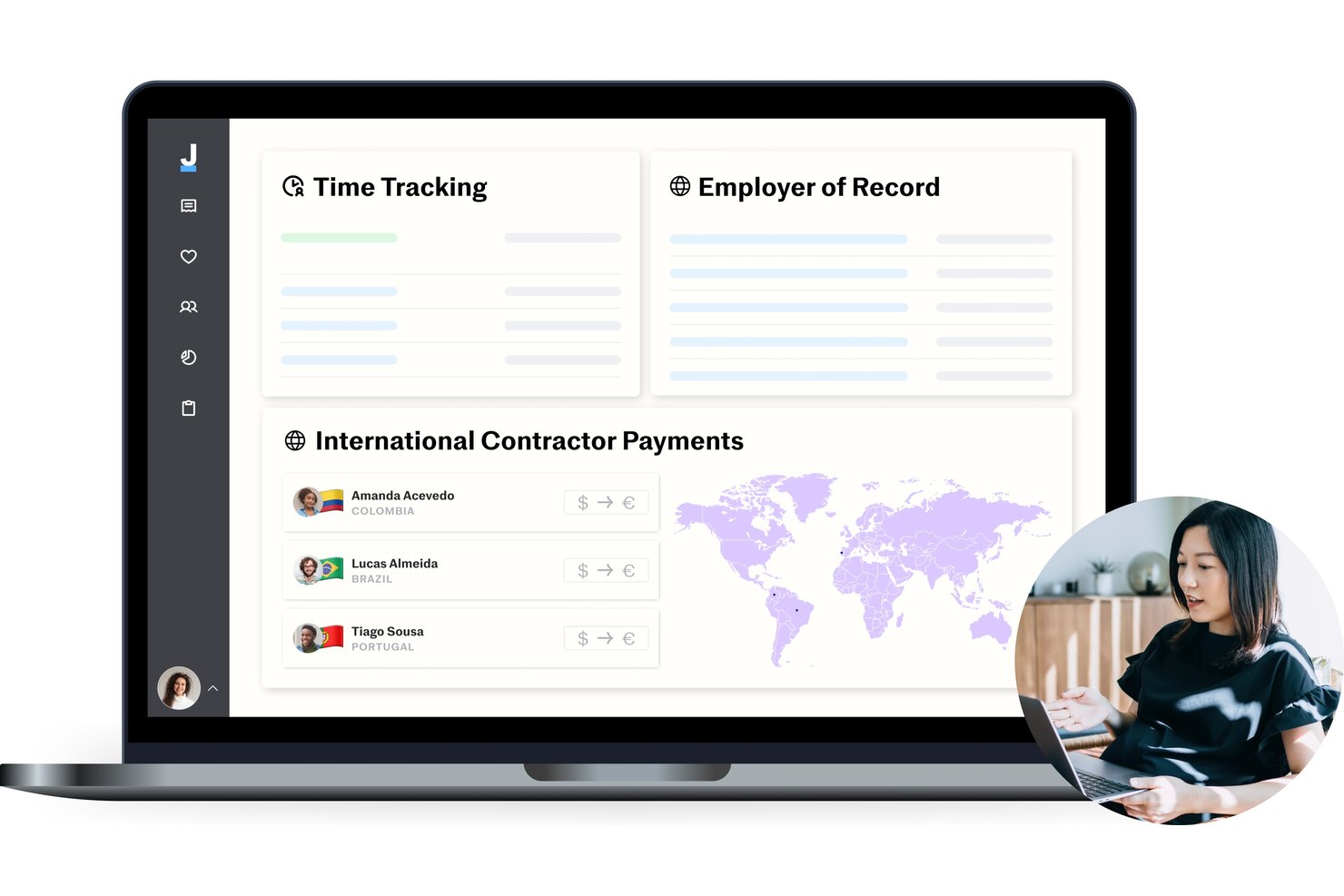
Justworks is an employer of record platform that brings together global payroll, HR compliance management, advisor access, and international onboarding in a single solution tailored for software companies hiring abroad.
Who Is Justworks Best For?
Small and midsize tech companies looking to centralize international payroll and HR compliance in one platform.
Why I Picked Justworks
I picked Justworks because I can bundle global EOR, payroll, and HR compliance support for software teams expanding fast. The platform gives me direct access to HR advisors and manages international onboarding and labor law requirements in one place.
Justworks Key Features
- Global payroll dashboard: View and process payments for employees and contractors in multiple countries from one system.
- Country-specific contract templates: Generate compliant employment agreements tailored to local legal requirements.
- Integrated time tracking: Track international employee hours and time off directly within the platform.
- Employee self-service portal: Allow team members to access pay stubs, benefits information, and onboarding tasks online.
Justworks Integrations
Justworks offers native integrations with 15Five, Carta, Brex, Accurate, Expensify, QuickBooks, Xero, Greenhouse, and more. An API is available for custom integrations.
Pros and Cons
Pros:
- 24/7 human customer support
- Compliance support for multiple countries
- Global payroll and HR in one platform
Cons:
- Immigration support costs extra
- Limited advanced reporting options

G-P
Best for fast global onboarding
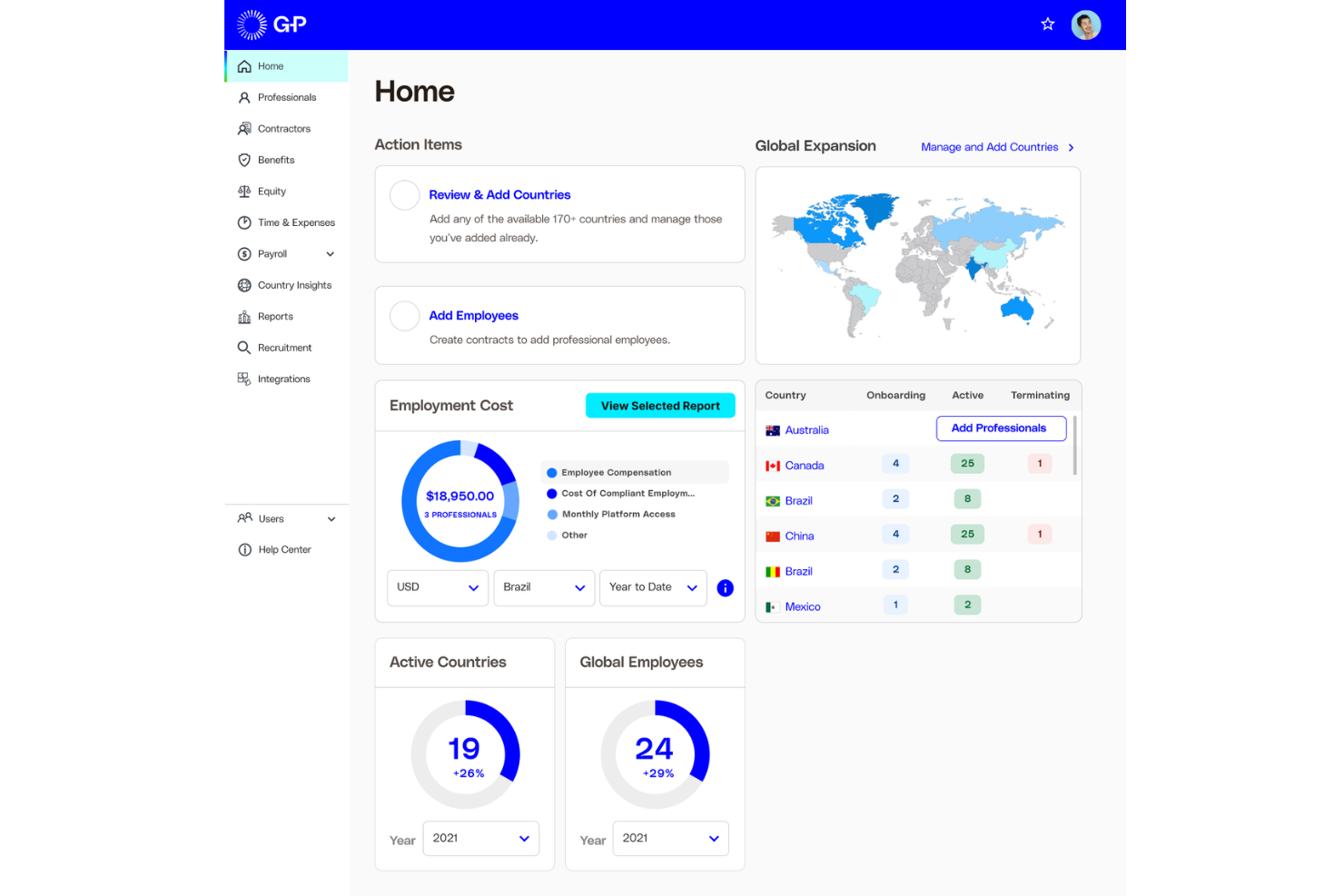
G-P is a global employer of record platform for software companies that lets you onboard, pay, and manage distributed teams with integrated HR, payroll, compliance, and onboarding features.
Who Is G-P Best For?
HR and operations teams at rapidly scaling software companies hiring in multiple countries.
Why I Picked G-P
I picked G-P as one of the best because my team can quickly onboard software engineers worldwide while the platform handles everything related to built-in compliance. I rely on G-P’s centralized dashboard to get up-to-date legal guidance and for automated employment contract generation that matches local regulations. I also use their in-country HR support when managing multiple operational questions across different locations.
G-P Key Features
- Automated payroll calculations: Handles gross-to-net pay and statutory deductions across global locations.
- Multi-currency payments: Supports salary disbursement in local currencies for international employees.
- Time off tracking: Lets managers and employees log, approve, and track leave requests in one place.
- Expense reimbursement workflows: Offers built-in processes to submit and manage employee reimbursements.
G-P Integrations
G-P offers native integrations with ADP Workforce Now, Paylocity, TriNet, UKG Pro, Workday, and more. An API is also available for custom integrations.
Pros and Cons
Pros:
- Local compliance alerts and legal updates
- Multi-country payroll with real-time tracking
- Built-in HR document storage and e-signatures
Cons:
- No equity plan management functionality
- Some user roles lack granular permissions

Best for indemnification-backed hiring
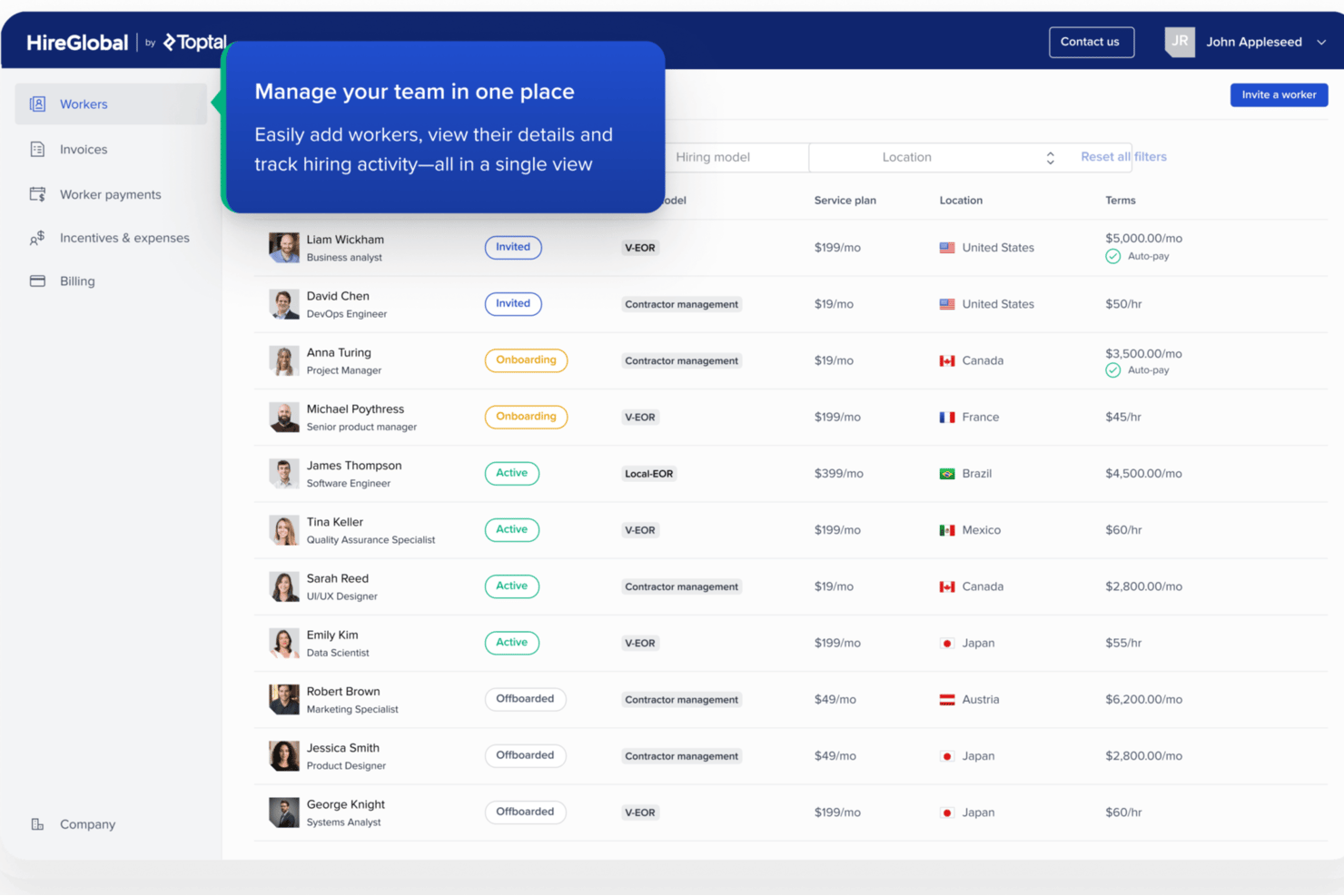
HireGlobal is a global workforce platform built by Toptal that unifies contractor management, agent of record, virtual EOR, and traditional EOR services across 180+ countries under a single agreement and HRIS.
Who Is HireGlobal Best For?
HireGlobal is a strong fit for early-stage SaaS companies and technical founders scaling a distributed engineering team across borders without a legal entity in place.
Why I Picked HireGlobal
HireGlobal earns its spot on my list because it's the only platform I've seen offer $1M indemnification per worker, covering misclassification claims, permanent establishment risk, and legal defence costs. For a SaaS company running mixed contractor and engineering teams across borders, that's a concrete safeguard. I also like how its Virtual EOR model lets teams move a contractor to covered status immediately, without the weeks-long wait of traditional EOR setup.
HireGlobal Key Features
- Agent of record onboarding: Brings contractors onto compliant AOR agreements in minutes, with consolidated invoicing across all workers.
- Four-tier engagement model: Moves workers across contractor, AOR, Virtual EOR, and traditional EOR under a single master agreement without renegotiation.
- Free managed migration: Transfers worker data, contracts, and tax records from an incumbent provider in 1–2 days with no migration fee.
- Isolated virtual environments: Gives each client a dedicated, segregated data environment with custom server management and full data portability.
HireGlobal Integrations
HireGlobal doesn't have any native integrations. Its HRIS provides internal workforce management, while migration from incumbent providers functions as a one-time data import rather than a persistent integration.
Pros and Cons
Pros:
- Onboarding for global dev teams in minutes
- Contractor to EOR migration managed in 1–2 days
- $1M indemnification specifically for SaaS misclassification
Cons:
- EOR coverage uses partner entities, not owned
- No equity or RSU administration offered

Best with integrated contractor management

Deel Hire is an employer-of-record platform designed for software companies to manage global hiring, payroll, compliance, contractor onboarding, and employee benefits in one unified system.
Who Is Deel Hire Best For?
Deel Hire is a strong fit for fast-growing software companies that need to hire and pay international employees and contractors without setting up local legal entities.
Why I Picked Deel Hire
I've included Deel Hire in my top picks because it handles both contractors and full-time employees in one platform—something that genuinely sets it apart for software companies with mixed workforce models. I like that you can convert contractors to employees in 110+ countries directly within the platform, without starting from scratch. The contractor side includes built-in classification safeguards that apply local labor law guidance, which matters a lot when you're hiring engineers across different jurisdictions. Deel also automates contractor invoicing based on contract terms, so your team isn't chasing down paperwork or manually reconciling payments.
Deel Hire Key Features
- Global payroll processing: Run payroll for full-time employees across 100+ countries with local tax calculations and currency support.
- Localized employment contracts: Generate locally compliant employment agreements tailored to the laws of each hire's country.
- Benefits administration: Offer and manage country-specific benefits packages, including health insurance and pension plans.
- Dedicated compliance support: Access a team of local legal and HR experts to navigate country-specific employment regulations.
Deel Hire Integrations
Deel Hire offers native integrations with platforms like Greenhouse, BambooHR, QuickBooks, Xero, NetSuite, HiBob, and Okta. An API is available for custom integrations.
Pros and Cons
Pros:
- Automated tax documentation for multiple jurisdictions
- Native integrations with leading HR platforms
- Strong compliance with local labor regulations
Cons:
- Visa and immigration features have extra fees
- Support response times can vary by region

Best with Human and local compliance expertise
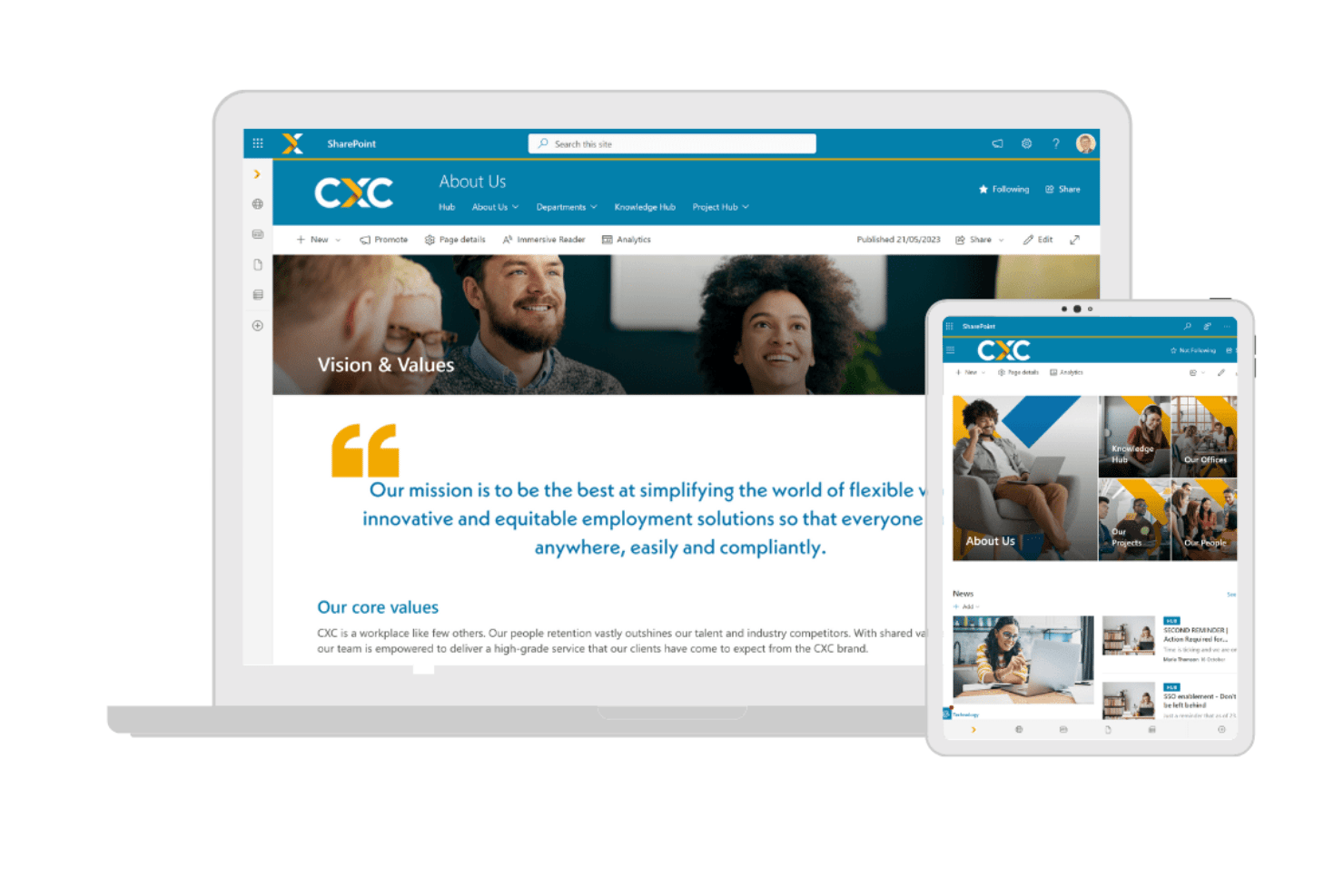
CXC Global is an EOR and contingent workforce management platform that combines employer of record services, contractor and agent of record management, and global payroll across 100+ countries.
Who Is CXC Global Best For?
CXC Global is a strong fit for enterprise software companies managing large, mixed workforces of contractors and full-time employees across multiple countries.
Why I Picked CXC Global
CXC Global earns its spot on my shortlist because of its Human+ model, which pairs automation with in-country compliance experts rather than a generic help center. I particularly like CXC Comply, the proprietary contractor classification tool that proactively flags misclassification risk before it becomes a legal problem. That distinction matters when your engineering team mixes full-time employees and contractors across Poland, Portugal, and Brazil at the same time.
CXC Global Key Features
- In-country employment contracts: CXC Global drafts and maintains localized, compliant employment agreements for each supported region.
- Multi-country payroll processing: The platform manages currency conversion, payroll calculations, and tax filings across more than 100 countries.
- Statutory and supplemental benefits administration: CXC administers region-specific health insurance, pensions, and leave benefits according to local regulation.
- Dedicated account management: Each client is assigned a dedicated account manager for ongoing program oversight and support.
CXC Global Integrations
CXC Global offers native integrations with SAP Fieldglass and Beeline, other integrations are not currently listed.
Pros and Cons
Pros:
- 99% payroll accuracy across 100+ countries
- Runs MSP and EOR under one provider
- Deep contractor classification expertise across regulated markets
Cons:
- No self-serve dashboard for routine HR tasks
- Onboarding takes a longer time period
Remote
Best for IP protection in global hiring
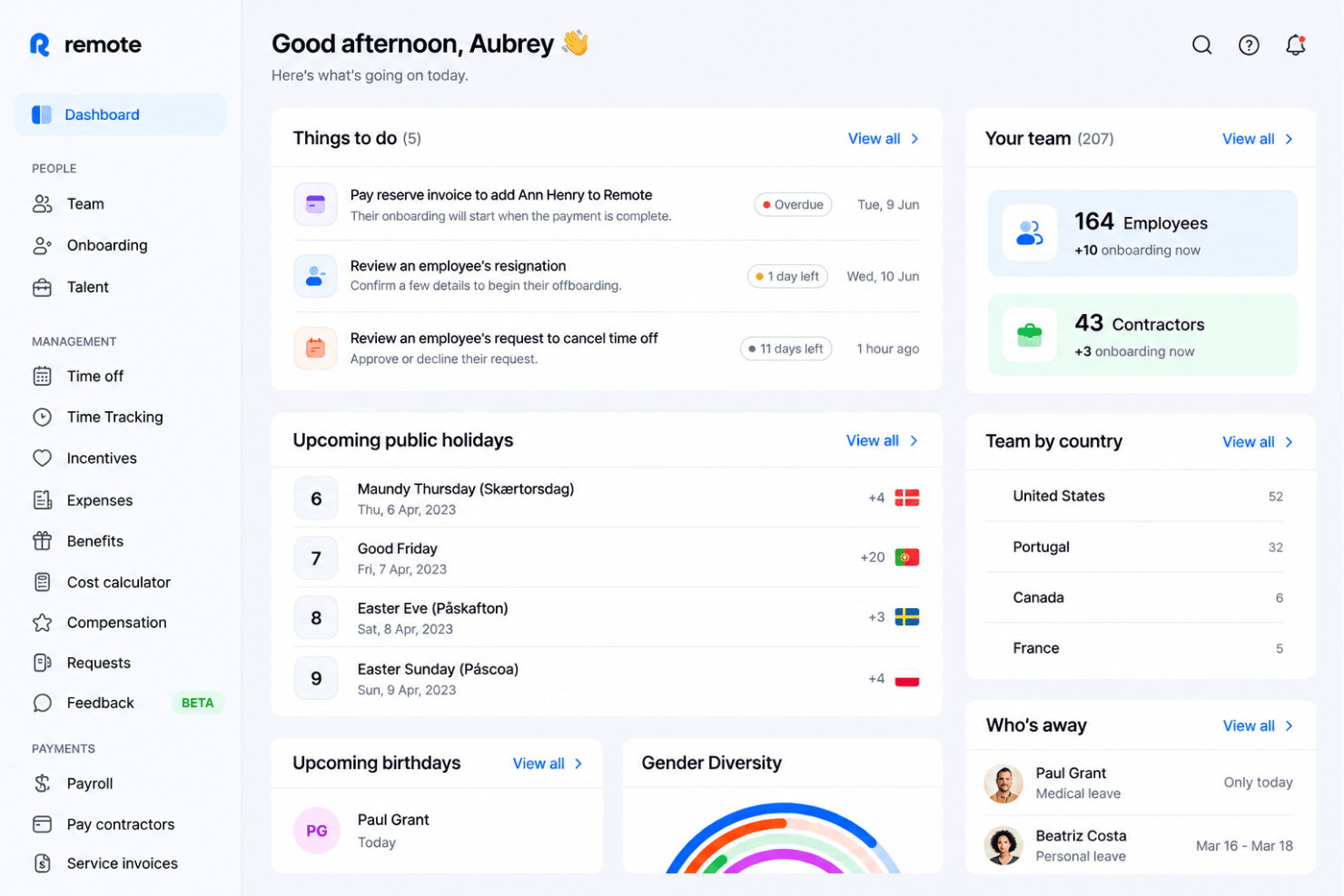
Remote is an employer of record platform that covers hiring, payroll, benefits, compliance, IP assignment, and equity management for distributed teams across 90+ countries through fully owned local entities.
Who Is Remote Best For?
Remote is a strong fit for SaaS companies and software startups hiring engineers across borders who need airtight IP ownership and equity administration built into their EOR workflow.
Why I Picked Remote
Remote earns its spot on my shortlist because no other EOR handles IP ownership for distributed engineering teams with the same rigor. I'm particularly impressed by Remote IP Guard, which uses a documented two-step transfer chain, lawyer-drafted country-specific IP agreements, and an external law-firm assurance letter, so your codebase stays legally yours regardless of where a developer is hired. On top of that, Remote's built-in equity management supports stock options, RSUs, and phantom shares for EOR employees across borders, with cap table sync and taxable-event workflows included.
Remote Key Features
- Compliance Watchtower: Monitors labor, tax, and immigration law changes across 90+ countries and sends actionable alerts to keep your employment contracts current.
- Contractor Management Plus: Provides up to $100K per-contractor indemnity coverage against misclassification penalties, with a full Contractor of Record tier for uncapped protection.
- Equity Management: Supports stock options, RSUs, and phantom shares for EOR employees and contractors of Delaware C-Corps, with cap table sync and taxable-event workflows.
- Remote API and MCP: Lets engineering-led teams connect Remote directly to their own tools and AI workflows via a developer API and Remote Connect integration layer.
Remote Integrations
Remote offers 20+ integrations, including Greenhouse, BambooHR, HiBob, Workday, Okta, Slack, Vanta, and Easop. It also offers an API for custom integrations, flexible HRIS field mapping, and Zapier.
Pros and Cons
Pros:
- Two-day average onboarding for engineers
- Unlimited indemnity on EOR employment contracts
- Best-in-class IP and equity protections
Cons:
- Slow or inconsistent customer support reported
- Security deposits often required for new hires

Best for tech-focused EOR services
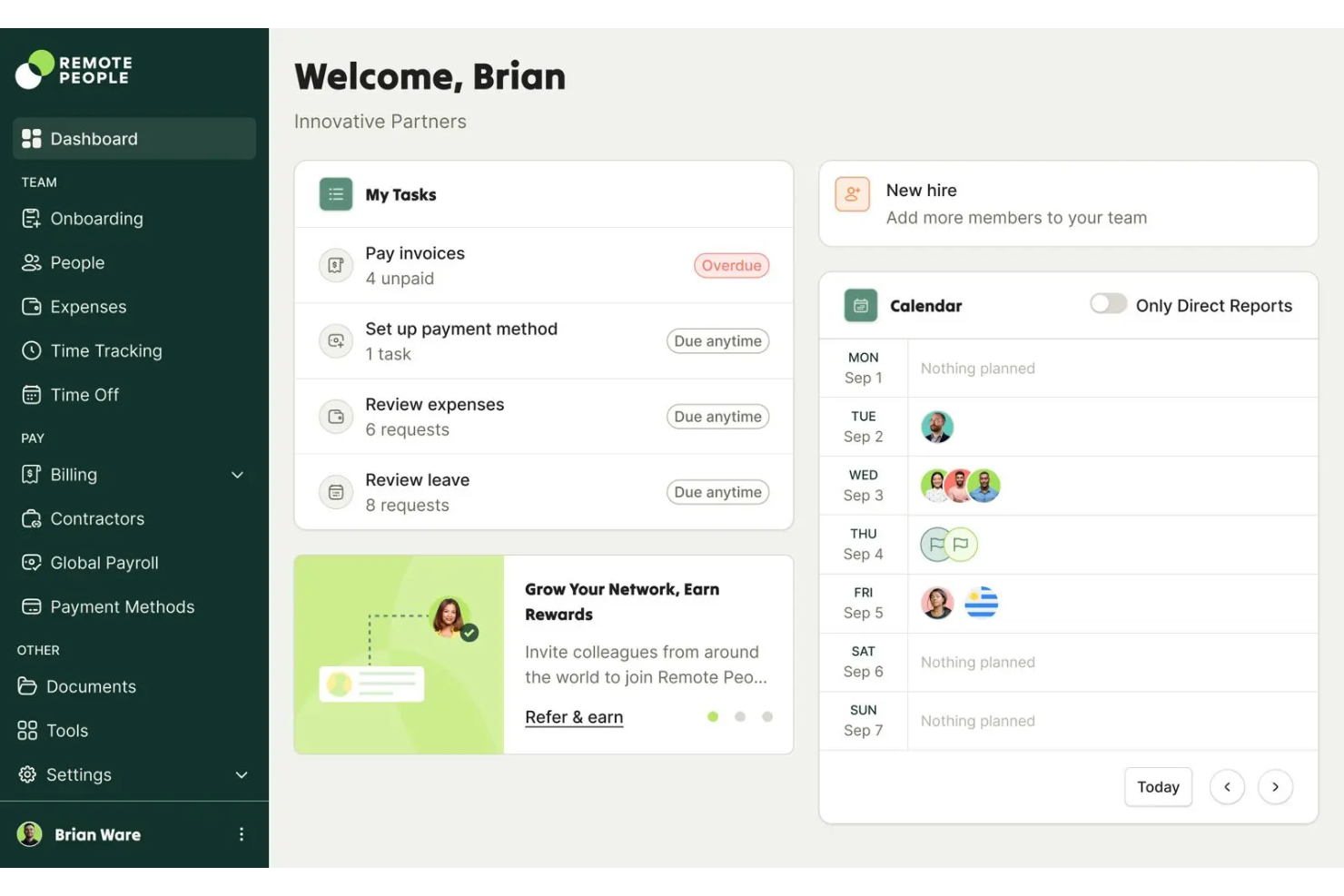
RemotePeople is an employer of record software platform for global software companies that centralizes onboarding, document management, compliance, and global payroll in a single interface.
Who Is RemotePeople Best For?
International HR and operations teams at SaaS companies scaling distributed teams across multiple countries.
Why I Picked RemotePeople
I picked RemotePeople as one of the best because I can manage onboarding, employment contracts, and payroll in dozens of countries from a single interface. The unified workforce management dashboard lets me view compliance status and payment timelines without switching tools. I also rely on their responsive in-app support when hiring or terminating employees globally.
RemotePeople Key Features
- Employee self-service portal: Lets staff securely access their contracts, payslips, and personal data online.
- Automated employment document generation: Creates compliant offer letters and agreements for each country.
- Multi-country benefits administration: Manages health, pension, and equity plans in different regions.
- Live compliance monitoring: Tracks changes in local employment laws and alerts HR teams in real time.
RemotePeople Integrations
Native integrations are not currently listed. An API is available for custom integrations.
Pros and Cons
Pros:
- Automated end-of-employment processes for HR
- Online dashboard for live HR updates
- Standardized onboarding for global software teams
Cons:
- Limited benefits available outside major markets
- No digital wallet or payout options
Best for automated international compliance
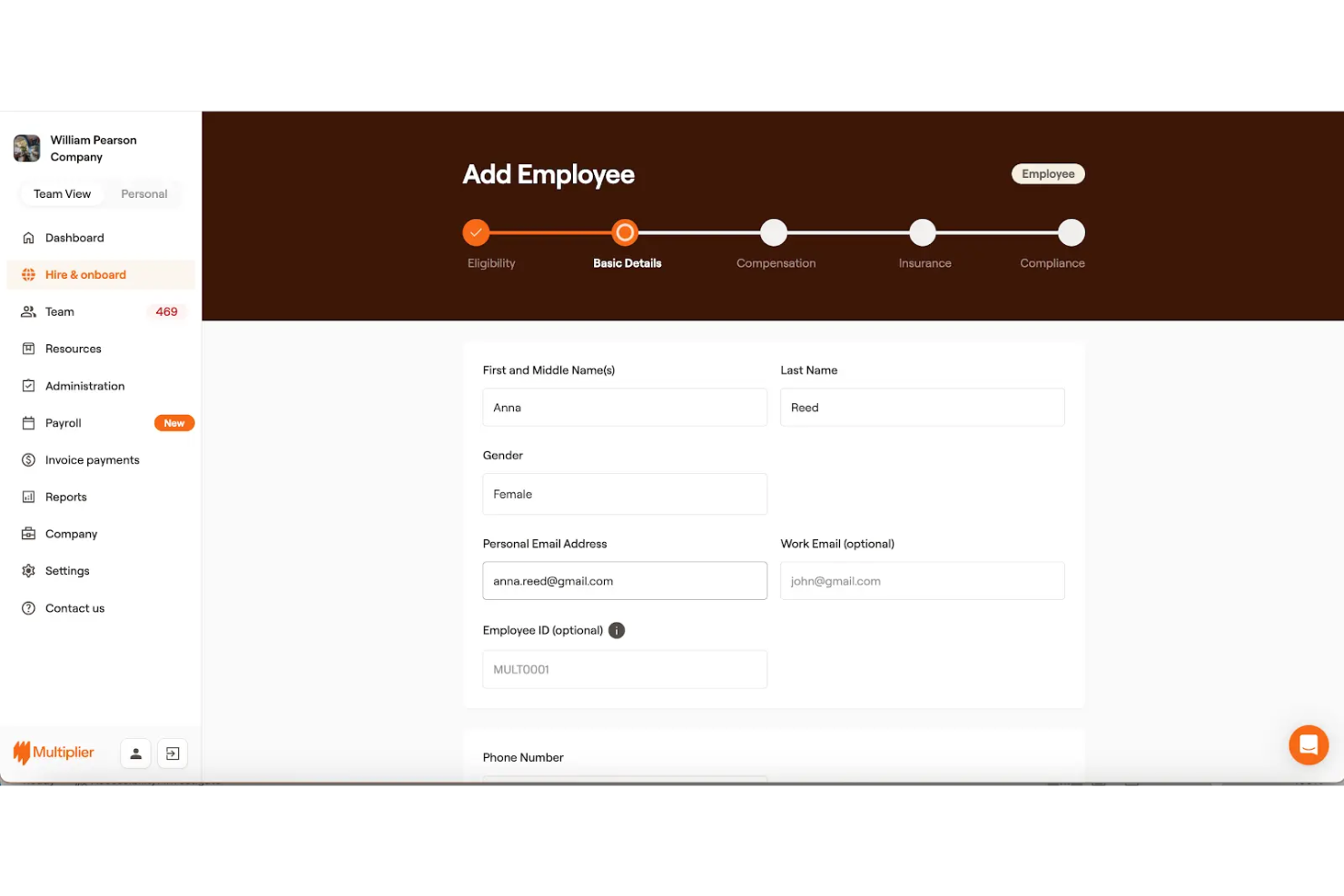
Multiplier is an employer of record platform for software companies that lets you onboard employees, manage global payroll, administer multi-country compliance, and handle contracts from a single dashboard.
Who Is Multiplier Best For?
HR and finance teams at software companies needing full-featured employer of record services for international hiring and payroll.
Why I Picked Multiplier
I picked Multiplier as one of the best because my team is able to process multi-country payroll and stay locally compliant using just one dashboard. I like that I can generate compliant employment contracts tailored to each country. I also use the built-in IP protection features when onboarding software engineering talent in new markets.
Multiplier Key Features
- Equity management: Lets you set up and administer employee equity grants globally.
- Benefits administration: Offers access to local benefits packages for global employees.
- Automated invoicing: Creates and manages payroll and contractor invoices in-platform.
- Expense claims management: Enables employees to submit and track expense reimbursements.
Multiplier Integrations
Multiplier offers native integrations with BambooHR, Workday, HiBob, and more. The tool also supports integrations via API for custom workflows.
Pros and Cons
Pros:
- In-app HR document management and e-signatures
- Customizable benefit packages for global teams
- Provides local contracts compliant with country laws
Cons:
- Lacks automated tax filing in all regions
- Limited country-specific reporting features

Best for payroll and benefits management

Native Teams is an employer of record platform for software companies that manages international payroll, local contracts, invoicing, and compliance for remote employees and contractors.
Who Is Native Teams Best For?
Startups and growing software companies hiring employees or contractors across multiple countries.
Why I Picked Native Teams
I picked Native Teams as one of the best because I use its employer of record platform to draft and manage local employment contracts in over 65 countries. I like that I can onboard remote software engineers with compliant contracts specific to each jurisdiction. My team relies on its in-country tax registration and payroll calculations to handle compliance in new regions.
Native Teams Key Features
- Multi-currency payroll processing: Processes payments in local currencies for global team members.
- Ready-to-use invoice generator: Lets contractors generate and manage invoices for services.
- Automated tax deduction tools: Applies required local tax rates and deductions automatically.
- Digital onboarding portal: Enables remote workers to complete onboarding and documentation online.
Native Teams Integrations
Native integrations are not currently listed. The tool supports integrations via API for custom workflows.
Pros and Cons
Pros:
- Localized expertise in emerging European markets
- Customizable workflow templates for onboarding
- Built-in digital wallet for global payments
Cons:
- Limited equity or share plan support
- No U.S. employer of record coverage

Best for AI-driven global hiring
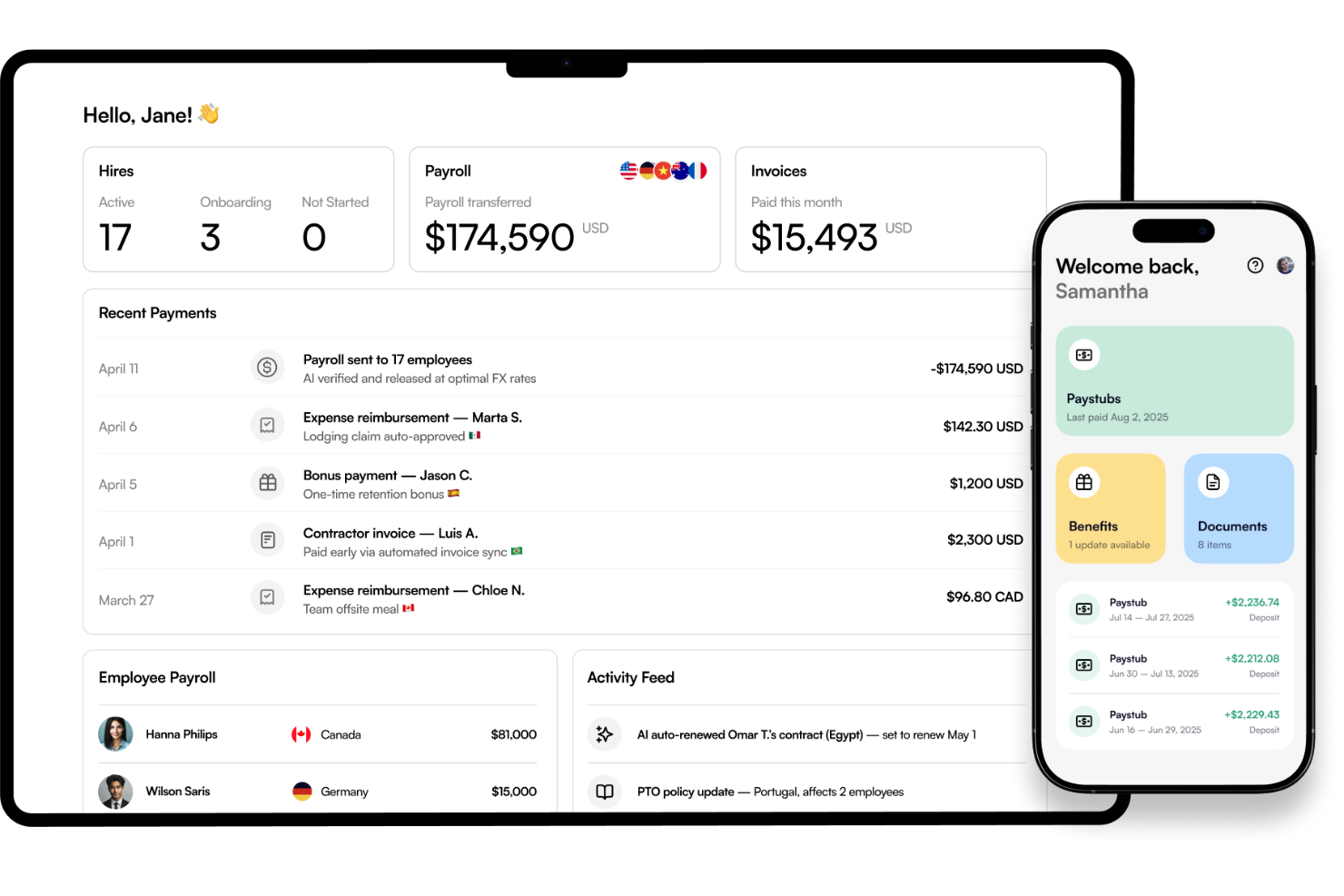
Borderless AI is an employer of record platform for software companies that combines automated compliance, onboarding, and AI-driven global workforce management features.
Who Is Borderless AI Best For?
HR and people teams at tech companies managing compliance and global hiring.
Why I Picked Borderless AI
I picked Borderless AI as one of the best because I use its employer of record platform with an AI agent to manage global onboarding and compliance conversations. When my team hires in new countries, the AI-powered agent provides instant guidance on local labor laws and compliance tasks. I like that I can automate document collection and process employment agreements faster with the onboard AI workflows.
Borderless AI Key Features
- Multi-country payroll processing: Handles payments in multiple currencies across supported countries.
- Compliance document management: Stores and manages compliance documents for each employee.
- Employee self-service portal: Lets international employees update personal info and access pay records.
- Automated invoice generation: Creates and organizes contractor invoices within the platform.
Borderless AI Integrations
Native integrations are not currently listed. An API is available for custom integrations.
Pros and Cons
Pros:
- Real-time currency conversion for payroll
- Employee support chatbot available 24/7
- Quick turnarounds for contract generation
Cons:
- Limited in-person account management options
- AI support may miss complex regulations
New Product Updates from Borderless AI
Borderless AI Enhances Nium Onboarding and Payroll Workflows
Borderless AI enhances Nium onboarding, payroll adjustment requests, Cayman Islands payroll support, and actionable document workflows to simplify onboarding and payroll management. For more information, visit Borderless AI's official site.
 .
.Other EOR Platforms for Software Companies
Here are some additional EOR platforms for software companies options that didn’t make it onto my shortlist, but are still worth checking out:
- Rippling
For dedicated local HR experts
- WorkMotion
For rapid compliant onboarding
- Pebl
For simple EOR setup
- RemoFirst
For affordable EOR services
- Payoneer Workforce Management
For cross-border payments
- Papaya Global
For global payroll automation
- Rivermate
For multi-country payroll management
- Atlas HXM
For self-service global employment
- FoxHire
For staffing-focused EOR
- Safeguard Global
For agile workforce deployment
- Plane
For equity management in EOR
- INS Global
For cross-border recruitment
- Lano
For automated EOR workflows
- Playroll
For distributed payroll management
- Gloroots
For transparent global hiring
- Boundless
For locally compliant global hiring
- TopSource
For country-specific hiring support
- Teamed
For end-to-end onboarding
- Oyster
For distributed team management


How I Evaluate EOR Platforms for Software Companies
I split my evaluation into two layers: baseline requirements every EOR must meet—like owned entities and IP clauses—and the differentiators that set platforms apart for software teams hiring globally.
Core Functionality (Table Stakes For This List)
When I'm selecting tools for my list, I rank each one on a scale from 0 (does not offer the functionality) to 5 (excels in this area) for each core functionality listed below. Then, I calculate the tool's total score into a percentage. Each tool needs to achieve a minimum total score of 65% to be considered for inclusion.
- Global Entity Coverage: I check how many countries each platform covers and whether it relies on owned entities or third-party partners, since this affects onboarding speed and compliance quality.
- Compliant Payroll & Tax: Multi-currency payroll with automated local tax withholding and statutory filings matters—especially when you're paying engineers across different jurisdictions each cycle.
- Localized Employment Contracts: Each platform should generate country-specific contracts that reflect local labor law, including probation periods, notice clauses, and working-hour standards.
- Equity & IP Protection: Software companies issuing stock options to remote engineers need enforceable IP assignment clauses and equity grant support baked into the employment structure.
- Benefits Administration: I evaluate whether statutory and supplemental benefits like health coverage and pensions are offered and tailored to local market expectations, not just baseline compliance.
- Contractor & EOR Management: Many software teams mix contractors and full-time hires, so I look for a single platform that handles both and supports converting contractors to employees when needed.
Once I have a list of tools that meet the criteria, I consider what sets each platform apart.
Differentiating Factors (What Sets Vendors Apart)
Here's how I compare and contrast different vendors:
Standout Features
Onboarding speed matters when you're racing to secure an engineer before a competing offer lands. I look for platforms that get a new hire under contract within 48 hours through automated workflows and e-signatures. Misclassification protection is another key differentiator—software teams often start with contractors, and built-in risk flagging plus indemnification coverage helps avoid costly audits down the road. I also check how well each platform integrates with tools like BambooHR, NetSuite, or SSO providers your engineering org already relies on.
Beyond Features
Pricing structure is one of the first things I evaluate—flat per-employee fees versus percentage-of-salary models can shift your costs dramatically as headcount grows. Scalability also matters. A platform should support your team from early-stage hiring through entity setup and even M&A scenarios where you're absorbing international staff from an acquisition. I also check for SOC 2 Type II and ISO 27001 compliance, since your EOR will handle sensitive employee data alongside proprietary hiring details.
How to Choose EOR Platforms for Software Companies
It’s easy to get bogged down in long feature lists and complex pricing structures. To help you stay focused as you work through your unique software selection process, here’s a checklist of factors to keep in mind:
| Factor | What to Consider |
| Scalability | Can the platform support your expansion plans and headcount projections in existing and new markets without switching vendors in 12–24 months? |
| Integrations | Which HR, payroll, or accounting systems does it need to connect with? Check for native, API, or middleware integrations before committing. |
| Customizability | Does it let you set up workflows, roles, or document templates that fit your hiring and payroll processes across all countries you plan to operate in? |
| Ease of use | Is the interface intuitive for both admins and employees? Conduct hands-on demos with your HR and finance teams to catch friction points or bottlenecks. |
| Implementation and onboarding | How long does setup usually take, and what in-house support or resources are needed? Ask about expected migration timelines and onboarding support offered. |
| Cost | What’s included in the monthly employee fee? Probe for hidden fees, minimums, or extra charges for countries, currencies, or employee actions. |
| Security safeguards | Does the platform meet your organization’s expectations for data privacy, encryption, access controls, and audit trails in every country you plan to hire in? |
| Compliance requirements | Are country-specific compliance processes and documentation up to date, and do they fit your legal risk tolerance? Ask for sample policies and reporting. |
What are EOR Platforms for Software Companies?
EOR platforms for software companies are digital solutions that help you hire, pay, and manage employees legally in countries where your business isn’t incorporated. These platforms handle compliance, payroll, contracts, and benefits administration for distributed teams. They’re essential for scaling global tech operations while reducing legal risk and administrative burdens.
Features
When selecting EOR platforms for software companies, keep an eye out for the following key features:
- Global payroll processing: Accurately calculates pay, taxes, and deductions for every employee across multiple countries in local currencies, ensuring on-time payments.
- Local compliance management: Automatically applies country-specific laws, labor regulations, and statutory benefits, so your company remains legally compliant as you scale.
- Employment contract creation: Generates compliant, localized contracts for every new hire, reducing legal risk for teams expanding internationally.
- Employee onboarding workflows: Guides new staff through digital onboarding steps, document collection, and orientation, streamlining the hiring experience for both HR and employees.
- Benefits administration: Delivers health insurance, retirement, and other local benefits tailored to the requirements of each country and employee type.
- Document management: Centralizes the storage and tracking of contracts, tax forms, and onboarding materials for secure, organized access by both HR and employees.
- Multi-currency support: Enables payments and expense reimbursements in employees’ local currencies, avoiding currency conversion delays or errors.
- End-to-end tax management: Calculates, withholds, and remits income tax and social contributions for every jurisdiction in which employees work.
- Time off and leave tracking: Lets employees request vacations or sick leave while ensuring compliance with local leave entitlements and accrual rules.
- Self-service employee portals: Gives employees secure access to payslips, benefits, time-off requests, and personal data from anywhere, reducing HR’s manual workload.
Benefits
Implementing EOR platforms for software companies provides several benefits for your team and your business. Here are a few you can look forward to:
- Faster global hiring: Simplifiess onboarding and local contract management so you can add talent in new countries without administrative delays.
- Reduced compliance risk: Automates tax, labor law, and benefits administration to keep you aligned with local regulations in every country where you employ staff.
- Simplified payroll management: Centralizes payroll calculations, multi-currency payments, and tax withholding, cutting down on manual work and potential payroll errors.
- Effortless benefits administration: Handles country-specific benefits setup and management, giving your team competitive packages with less administrative effort.
- Secure document handling: Stores contracts, onboarding records, and compliance documents in a centralized, secure platform that’s easy for HR and employees to access.
- Improved employee experience: Offers self-service portals for onboarding, payroll, time off, and benefits, making life simpler for distributed teams.
- Scalable operations: Enables you to enter new markets quickly and support headcount growth with infrastructure that’s built for global expansion.
Costs and Pricing
Selecting EOR platforms for software companies requires an understanding of the various pricing models and plans available. Costs vary based on features, team size, add-ons, and more. The table below summarizes common plans, their average prices, and typical features included in EOR platforms for software companies solutions:
Plan Comparison Table
| Plan Type | Average Price | Common Features |
| Free Plan | $0 | Basic compliance resources, onboarding checklists, and limited document storage. |
| Personal Plan | $200-$300/employee/mo | Global payroll processing, contract creation, localized compliance management, and self-service portals. |
| Business Plan | $300-$500/employee/mo | Multi-country support, in-depth reporting, benefits administration, time off tracking, and integrations with HR systems. |
| Enterprise Plan | $500+/employee/mo | Advanced compliance automation, dedicated account management, custom workflow setup, enterprise security, and API access. |
EOR Platforms for Software Companies FAQs
Here are some answers to common questions about EOR platforms for software companies:
How do EOR platforms help software companies expand internationally?
EOR platforms make it possible to hire and pay employees abroad without setting up local entities. They manage compliance, contracts, payroll, and benefits, letting software companies quickly enter new markets while staying legally protected.
Can an EOR platform handle payroll in multiple currencies?
Yes, most EOR platforms process payroll in multiple local currencies. This means you can pay team members in their home currency, handle withholdings and deductions, and avoid manual currency conversions.
What compliance risks do these platforms take care of?
EOR platforms handle labor law compliance, statutory benefits, mandatory paperwork, and tax filings in each country. They keep your business protected from misclassification, fines, and changing legal requirements as you scale.
Are EOR platforms only for large companies?
No, small and growing software companies can benefit too. EOR platforms are designed to support hiring needs for startups, scale-ups, and enterprise organizations that need fast, compliant international hiring
How long does it take to onboard a new employee with an EOR provider?
Most platforms offer digital onboarding that can take as little as a few days to a couple of weeks, depending on the country, documentation, and employee availability. Employers and new hires get guided workflows to speed up setup.
Do these platforms integrate with existing HR or payroll systems?
Many EOR platforms offer integrations with popular HR, payroll, and accounting tools. It’s important to check that any platform you consider supports the systems you already use or need for your workflow.
How does an EOR handle IP transfer upon termination?
EOR platforms include IP assignment clauses in employment contracts so any software, code, or related work created by the employee is owned by your company. When the employee leaves, the platform helps ensure all code, access, and assets are securely transferred and compliant with local laws.