
Remote employee engagement software helps HR teams gather feedback, recognize contributions, and build connection across distributed teams. The right tool can surface differences between teams and help managers respond, but feedback only builds trust when employees see follow-through.
This list compares options for surveys, recognition, manager action, talent processes, workforce insights, and social connection so you can find a fit for your organization.
Why Trust Our Software Recommendations
6,700+
Reviews
20
Industry experts
16+
Evaluation factors
14
Years
Our team has been testing and reviewing software since 2012. As HR experts ourselves, we know how difficult—and important—it is to choose the right software.
For this guide, we evaluated tools using hands-on testing and independent research, scoring tools using our selection criteria. We also draw on insights from industry thought leaders and practicing HR experts.
Our reviews reflect our human editorial judgment, not a sales pitch.
Expert reviewers:
- Phil GrayCOO
 Kim BehnkeHR Tech Editor & Analyst
 Josh BarkerPeople Ops Manager

Comparison Table: Remote Employee Engagement Software
Compare pricing and specs side by side for the remote employee engagement software that made it onto my shortlist.
Score legend (out of 5)
- Excellent4.5–5
- Good4–4.4
- Average3–3.9
- Below average2–2.9
- Poor1–1.9
Sorted by: Default
| Tool | Starting Price | Website | |||||||
|---|---|---|---|---|---|---|---|---|---|
Best for comparing engagement by industry | 3.2 out of 5 | 1 | 3 | 3 | 5 | 3 | 4 | Pricing upon request Free demo available | Website |
Best for candid feedback in standard surveys | 3.2 out of 5 | 2 | 4 | 1 | 4 | 4 | 4 | $11/user/month Free demo available | Website |
Best for adaptive, science-led pulse checks | 3.2 out of 5 | 3 | 4 | 1 | 4 | 2 | 5 | $4,999/year + $32/manager/month Free demo available | Website |
Best for closing the employee feedback loop | 3.7 out of 5 | 4 | 4 | 2 | 4 | 4 | 4 | Pricing upon request Free demo available | Website |
Best for Slack-native connection and onboarding | 3.2 out of 5 | 4 | 4 | 4 | 3 | 2 | 2 | $74/month Free plan + 14-day free trial + free demo available | Website |
Best for recognition at employee milestones | 4.0 out of 5 | 5 | 4 | 4 | 4 | 3 | 4 | Pricing upon request Free demo available | Website |
Best for linking surveys to talent processes | Not rated | 3 | 4 | Not rated | 4 | 4 | 4 | $7/employee/month 14-day trial + free demo available | Website |
Best for recognition inside Slack and Teams | 3.7 out of 5 | 5 | 5 | 4 | 4 | 1 | 3 | Pricing upon request Free demo available | Book Demo |
Best for spotting cross-team silos | 3.2 out of 5 | 4 | 4 | 2 | 4 | 2 | 3 | $3/user/month 30-day free trial + free demo available | Website |
Best for turning feedback into manager action | 3.5 out of 5 | 3 | 4 | 3 | 4 | 3 | 4 | $5/user/month Free demo available | Website |





Remote Employee Engagement Software Reviews
Below are my reviews of the best remote employee engagement software on my shortlist. Each review covers features, use cases, and pricing to help you choose the right tool.
 Best for comparing engagement by industry
- Free demo available
- Pricing upon request
Visit WebsiteCustomer Rating:4.8/5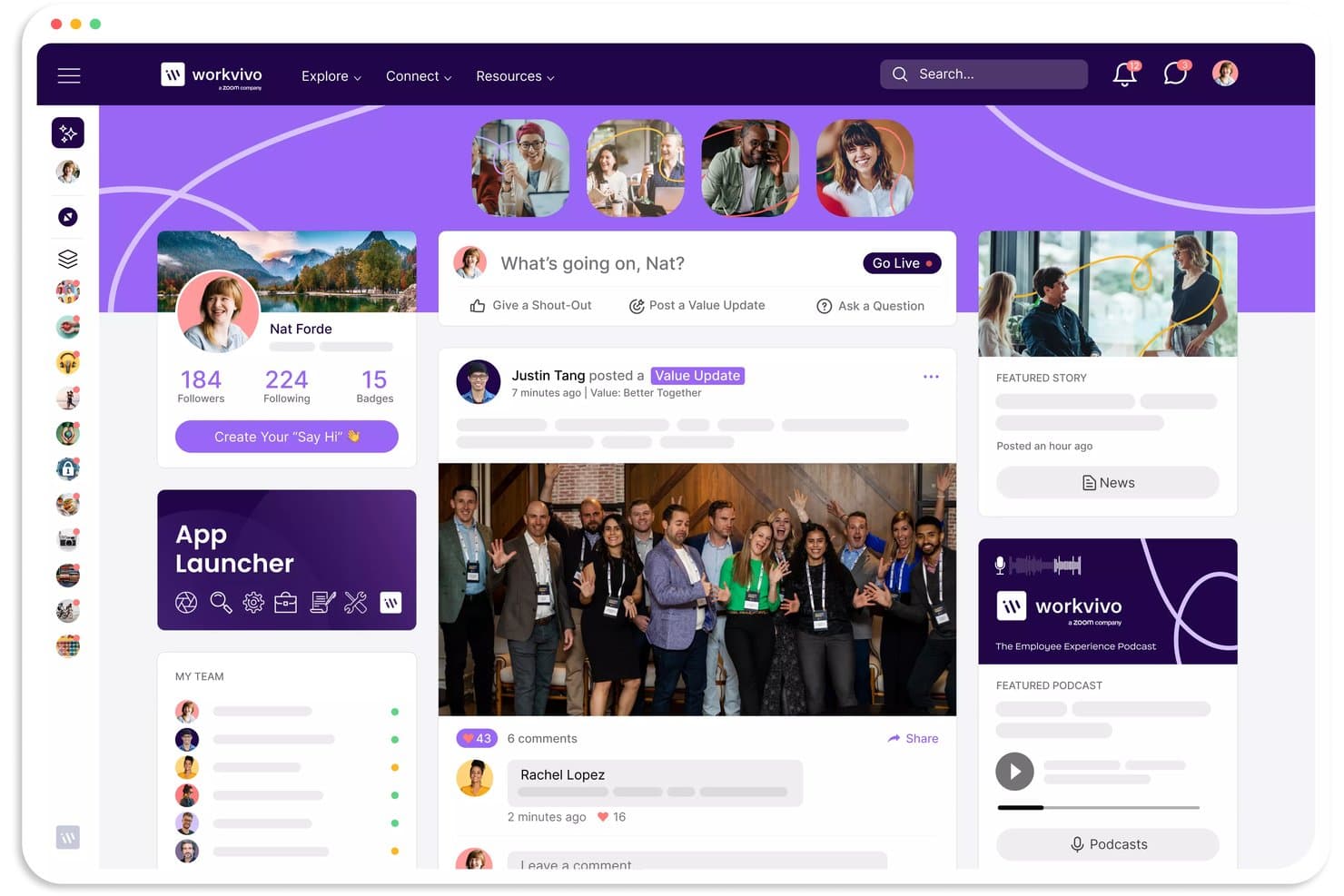
Workvivo keeps employees connected through an activity feed. Workvivo is an employee experience and communication platform. Seer is a paid add-on that provides engagement surveys, feedback analysis, benchmarking, and manager follow-up tools. It is purchased separately from the base platform.
Who Is Workvivo Best For?
Workvivo's Seer is a strong fit for people analytics teams that need to benchmark engagement scores against industry peers across 15 sectors.
Why I Picked Workvivo
I picked Workvivo as one of the best because its Seer platform lets you benchmark engagement scores against 15 industry sectors at Global, Country, and Top 5–25% performance cuts—something most engagement tools simply don't offer at that level of granularity. I also like that the AI Comment Analysis surfaces sentiment themes and flags areas to watch across segmented groups, so you're not just comparing scores but understanding what's driving them relative to your peers.
Workvivo Key Features
- 12-factor engagement model: Survey questions map to 12 named drivers—including wellbeing, career development, communication, and teamwork—giving you a structured framework for measuring what's actually shaping engagement.
- Radar Heat Map: Visualizes promoter, passive, and detractor bands across teams, locations, and employee groups to surface where focus is needed.
- Manager Action Taking Journey: A prebuilt 10-step template guides managers through reviewing survey results, discussing findings with their team, and following up at 30, 45, and 60 days post-survey.
- Pulse surveys: Launch focused, shorter surveys on any topic to capture employee feedback at a specific moment, accessible on desktop or mobile via direct link or QR code.
Workvivo Integrations
Workvivo integrates with Microsoft Teams, Slack, Zoom, Google Drive, SharePoint, OneDrive, Box, and Confluence. APIs support custom connections.
Pros and Cons
Pros:
- Spaces and shout-outs support social connection
- Mobile access connects dispersed employees
- Industry benchmarks span 15 sectors
Cons:
- Seer surveys and benchmarking require a paid add-on.
- Adoption needs ongoing communication effort
 Best for candid feedback in standard surveys
- Free demo available
- From $11/user/month (billed annually)
Visit WebsiteCustomer Rating:4.6/5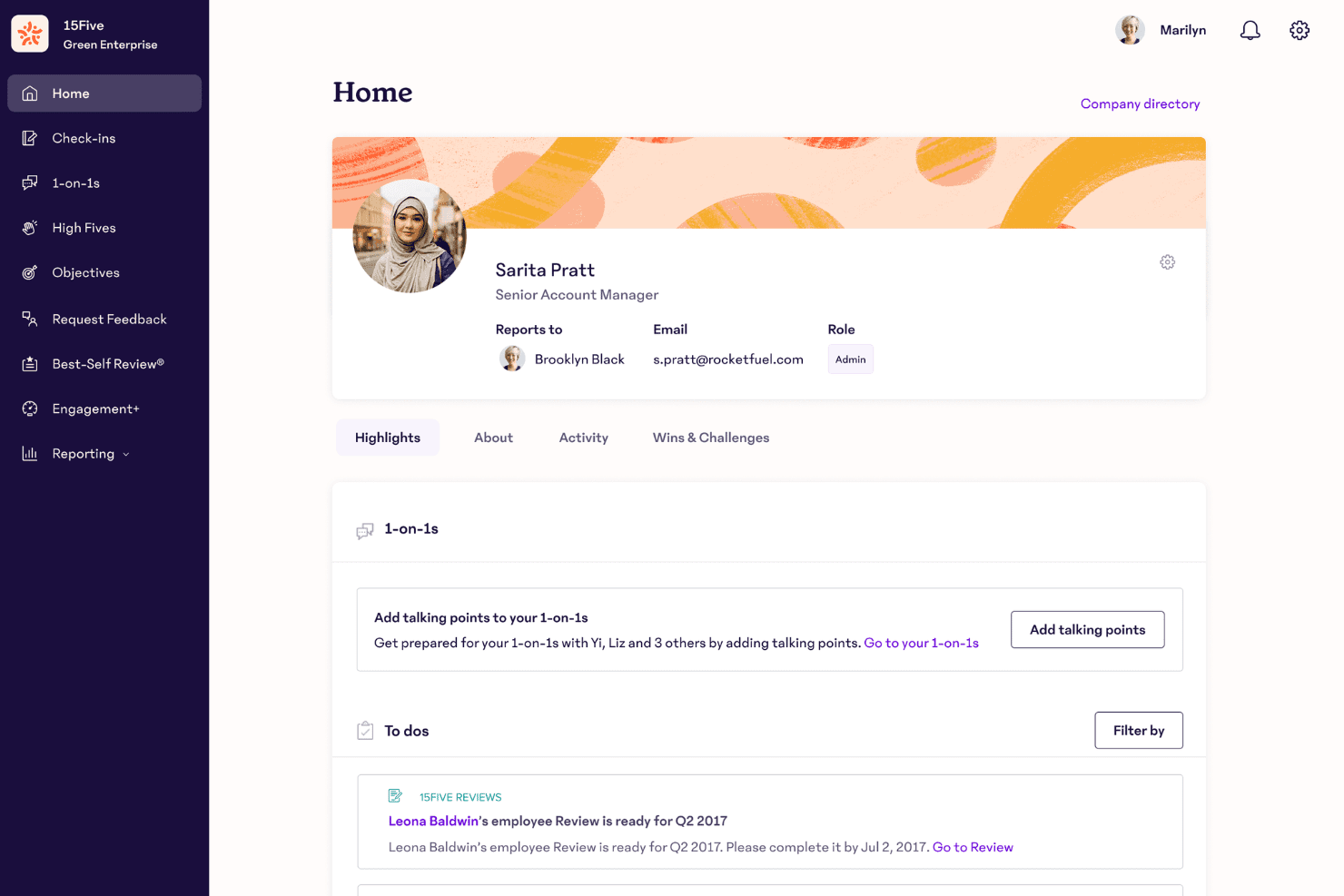
15Five centralizes employee profiles, 1-on-1s, and to-dos in one dashboard. 15Five’s Engage package provides employee engagement measurement and reporting. The wider platform also offers performance management, manager tools, and employee recognition, with capabilities depending on the selected package.
Who Is 15Five Best For?
15Five Engage is a strong fit for HR and people ops teams that need science-backed surveys and structured action planning to manage engagement across distributed organizations.
Why I Picked 15Five
I've included 15Five in my top picks because its psychometrically validated surveys are built to get honest responses, which matters when you're trying to measure engagement across a distributed team. Standard surveys aggregate results and withhold individual responses unless a minimum respondent threshold is met, so employees can answer candidly without worrying about being identified. I also like the AI-synthesized feedback feature, which distills open-text responses into prioritized themes so you're not wading through hundreds of comments to find what's actually surfacing across your remote workforce.
15Five Key Features
- Lifecycle surveys: Collect feedback at key employee journey moments—onboarding, milestones, and exit—with automated delivery and a built-in seven-day completion reminder.
- Engagement benchmarking: Compare your results against industry, company size, and regional benchmarks using anonymized data from other 15Five customers.
- High Fives peer recognition: Let employees recognize colleagues directly from the 15Five feed, Slack, or Microsoft Teams using company-value hashtags.
- Action planning from survey results: Build structured plans with assigned owners, tasks, and due dates directly from closed campaign results using the Predictive Impact Model.
15Five Integrations
15Five supports Slack and Microsoft Teams integrations. Microsoft Teams connections cover features including meeting assistance, AI insights, and legacy High Fives.
Pros and Cons
Pros:
- Connects engagement results with action planning
- Provides industry, size, and regional benchmarks
- Applies confidentiality thresholds to engagement reporting
Cons:
- Small-group reporting is restricted by response thresholds
- Cross-filtered reporting can require spreadsheet exports
 Best for adaptive, science-led pulse checks
- Free demo available
- From $4,999/year + $32/manager/month (billed annually)
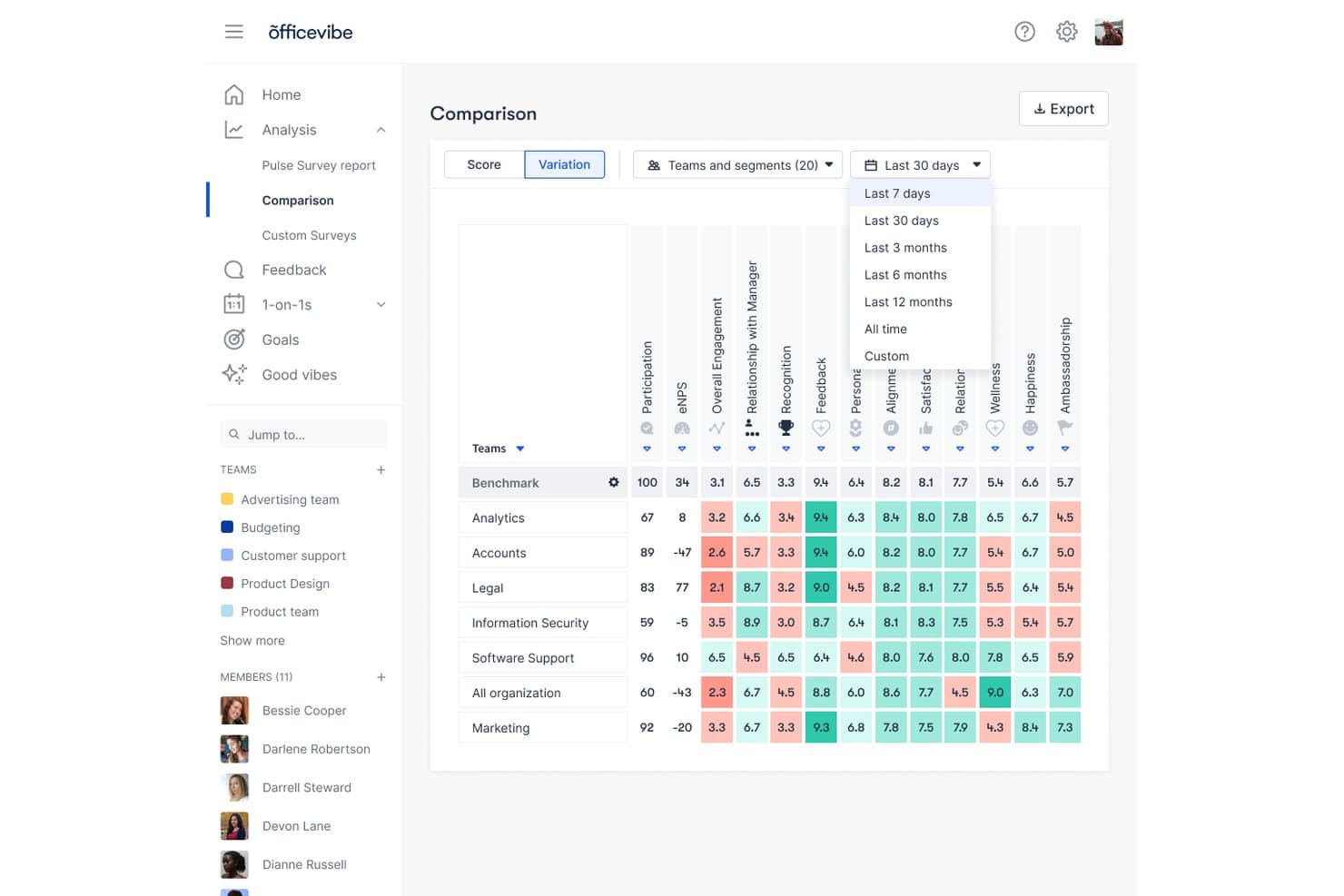
Officevibe lets users compare team engagement scores side by side. Officevibe is an employee engagement platform built around science-backed pulse surveys, anonymous feedback, peer recognition, and AI-driven analytics for distributed and remote teams.
Who Is Officevibe Best For?
Officevibe is a strong fit for HR teams and people managers in mid-sized organizations who need a science-backed, low-friction way to run continuous pulse surveys and act on engagement data.
Why I Picked Officevibe
I've included Officevibe in my top picks because its pulse survey methodology is genuinely science-backed, drawing on Self-Determination Theory and the Job Demands-Resources model, with questions validated by organizational psychologists and personalized based on each employee's prior responses. What I find compelling is that the platform adapts which questions each person receives depending on which engagement metrics need more data, so you're never just blasting the same five questions to everyone each week. The AI analysis layer then surfaces what's driving score changes and recommends concrete next steps for managers to act on those signals.
Officevibe Key Features
- Good Vibes recognition cards: Send peer-to-peer appreciation cards publicly or privately, linked to company values, with delivery through Slack, Teams, or the in-app Good Vibes wall.
- Pulse Survey Heatmap: View color-coded engagement scores, eNPS, and participation across teams or segments, with benchmark comparisons and CSV export.
- Onboarding and exit surveys: Automatically trigger structured surveys for new hires in their first 30 days or for departing employees based on a recorded termination date.
- Role-based access controls: Scope engagement data visibility by role, giving executives org-wide access while limiting team managers and direct managers to their own teams.
Officevibe Integrations
Officevibe supports Slack, Microsoft Teams, BambooHR, HiBob, Personio, and ADP Workforce Now. Pro includes API access.
Pros and Cons
Pros:
- Connects engagement with broader people-management tools
- Supports survey delivery through several channels
- Uses adaptive questions across engagement metrics
Cons:
- No virtual events or employee interest groups
- No assignable, trackable survey action plans
Learn more about Officevibe: Best for closing the employee feedback loop
- Free demo available
- Pricing upon request
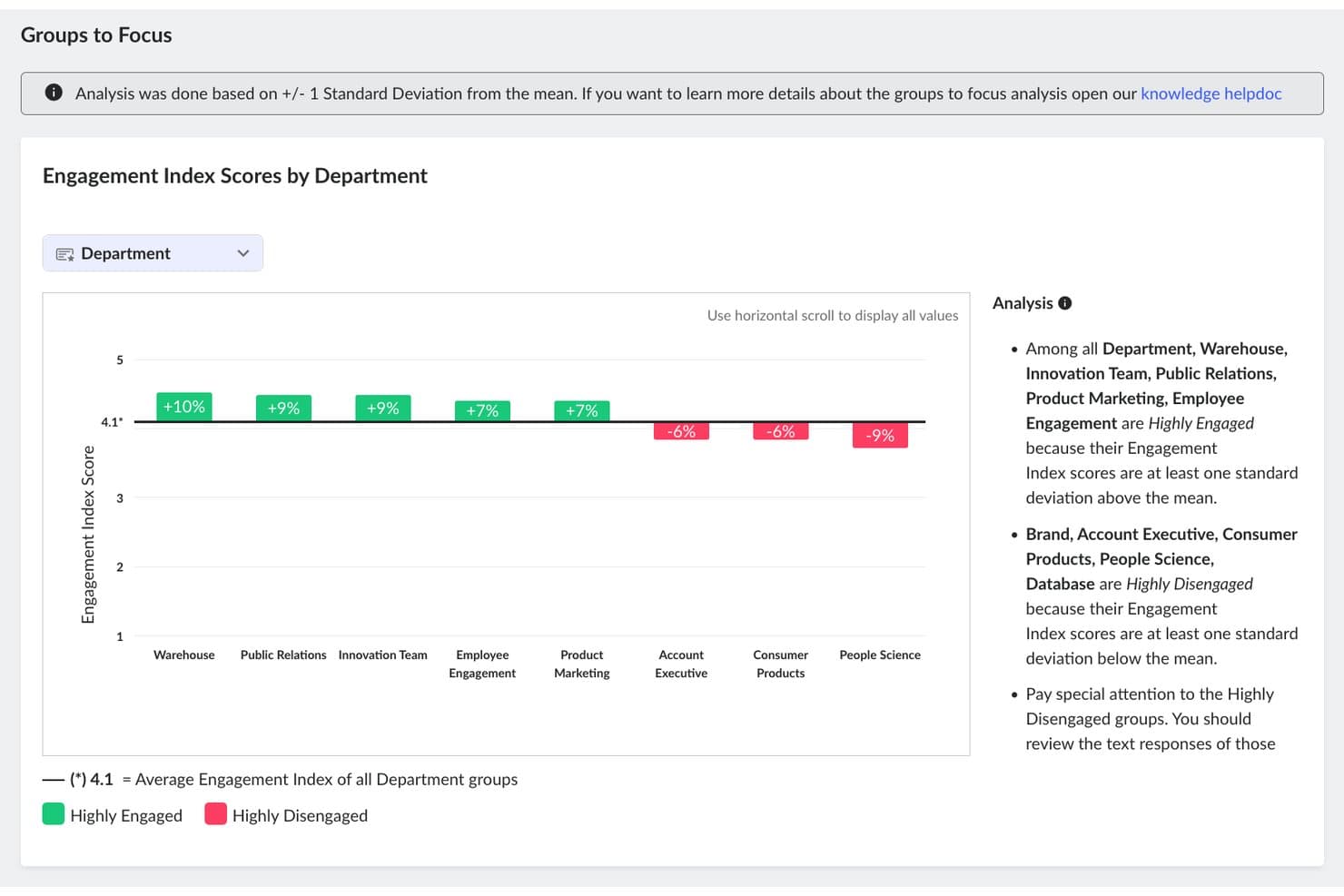
TINYpulse highlights highly engaged and disengaged departments by score. TINYpulse is an employee feedback and engagement platform that combines pulse surveys, anonymous two-way communication, peer recognition, and sentiment analysis to help organizations measure and act on workforce feedback.
Who Is TINYpulse Best For?
TINYpulse is a strong fit for HR and people ops teams that need to act on employee feedback—not just collect it.
Why I Picked TINYpulse
I've included TINYpulse in my top picks because it's one of the few tools that treats closing the feedback loop as a first-class feature, not an afterthought. I particularly like Progress Plans, which let you group surveys around a specific improvement objective and track a Primary Metric across repeated survey cycles. Pair that with the Wins Board, where admins move initiatives through statuses like Under Consideration and In Progress, and you get a clear, documented trail from employee feedback to organizational action.
TINYpulse Key Features
- Cheers for Peers: Employees can send peer recognition messages directly through Slack, Gmail, or the mobile app.
- Text Analytics: Machine learning analyzes open-text survey responses line by line, assigning sentiment labels and themes that administrators can filter and correct.
- Onboard surveys: New hires automatically receive four targeted check-in surveys during their first 90 days, on a fixed weekly schedule.
- Hierarchy reports: Managers can view team-level data including TINYpulse scores, suggestions, and Cheers sent and received in the past 30 days.
TINYpulse Integrations
TINYpulse integrates with Slack and Microsoft Teams. SFTP synchronization supports employee-data updates.
Pros and Cons
Pros:
- Makes initiative progress visible through the Wins Board
- Connects surveys through measurable Progress Plans
- Supports anonymous feedback and two-way conversations
Cons:
- Slack connectivity depends on the subscription’s add-ons
- Anonymous and confidential reporting requires minimum group sizes
Learn more about TINYpulse: Best for Slack-native connection and onboarding
- Free plan + 14-day free trial + free demo available
- From $74/month (billed annually)
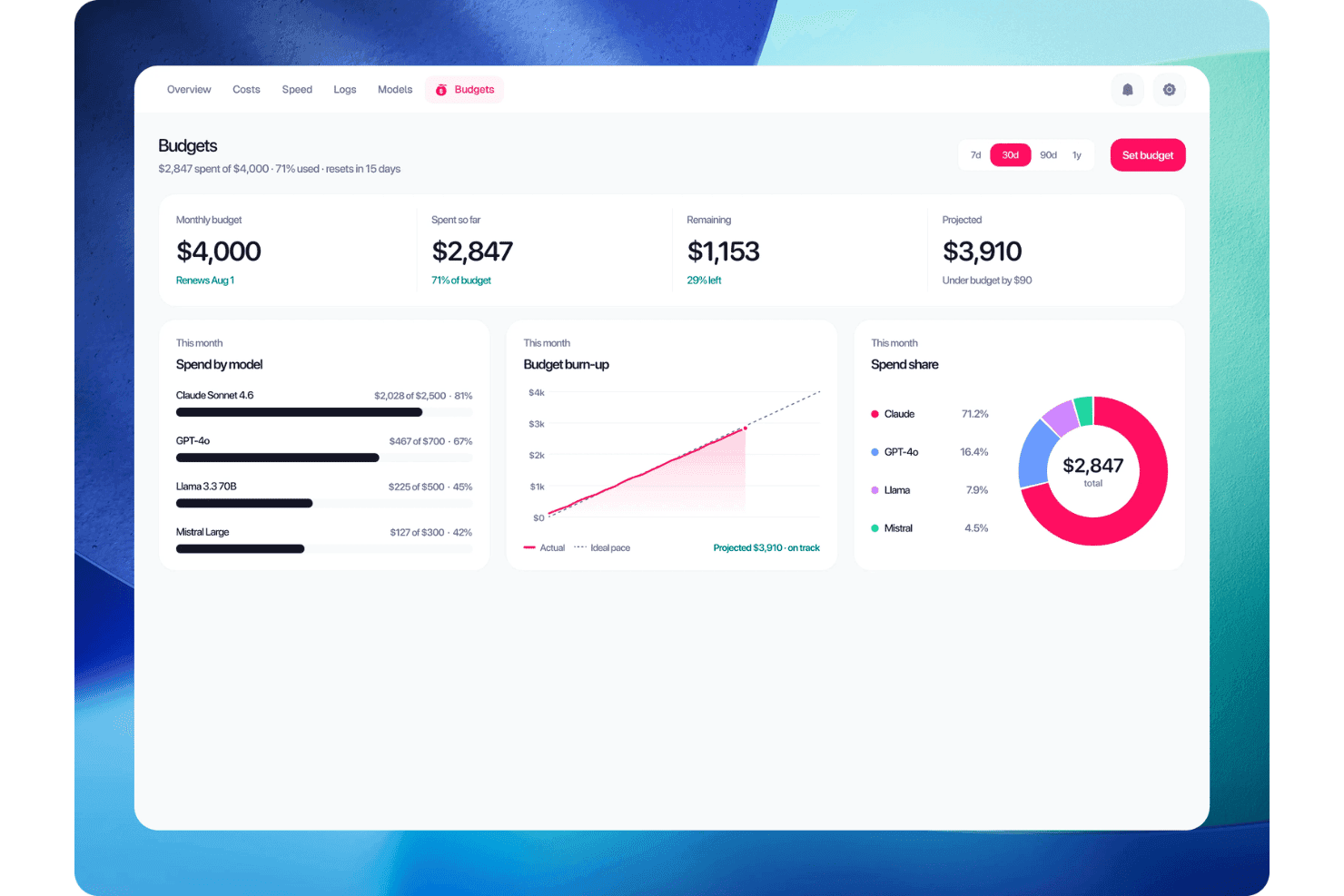
Donut tracks AI model spending against monthly budget limits. Donut is a Slack-native employee experience platform that automates people programs across onboarding, peer recognition, social connection, and team celebrations.
Who Is Donut Best For?
Donut is a strong fit for remote and hybrid teams that already run on Slack and want to automate peer connection, onboarding check-ins, and recognition without adding a separate platform.
Why I Picked Donut
Donut earns its spot on my shortlist because it's the only tool here that runs entirely inside Slack, so employees participate in connection programs without ever leaving the app they're already in. I especially like Donut Intros, which automatically pairs teammates for virtual coffee chats, and Watercooler, which drops async conversation prompts into a Slack channel on a set schedule. For remote teams that have struggled to get employees to actually use a separate engagement platform, that frictionless delivery makes a real difference in participation.
Donut Key Features
- Donut Journeys: Schedule onboarding messages, tasks, and feedback polls at set intervals—one week, 30 days, and 90 days—through Slack or email.
- Donut Shoutouts: Let teammates recognize colleagues in Slack using a team emoji, with points redeemable for gift cards from a catalog of 2,500+ options across 200+ countries.
- Team Pulse: An AI-powered dashboard that tracks participation patterns, responsiveness, and channel-level sentiment trends in Slack channels where Donut is installed.
- HRIS sync: Connect Donut to 50+ HRIS platforms through Merge to automatically trigger onboarding workflows and keep employee data current.
Donut Integrations
Donut integrates with Slack, Microsoft Teams, Google Calendar, Microsoft calendars, Zoom, Google Meet, and Greenhouse. It also connects with more than 50 HRIS platforms.
Pros and Cons
Pros:
- Uses HRIS data to trigger relevant workflows
- Automates messages across employee programs
- Delivers recurring introductions and prompts through Slack
Cons:
- Team Pulse access is restricted to account admins and owners
- Security reviews require an Enterprise plan
- Standard Journeys are limited to six messages
Learn more about Donut: Best for recognition at employee milestones
- Free demo available
- Pricing upon request
Visit WebsiteCustomer Rating:4.8/5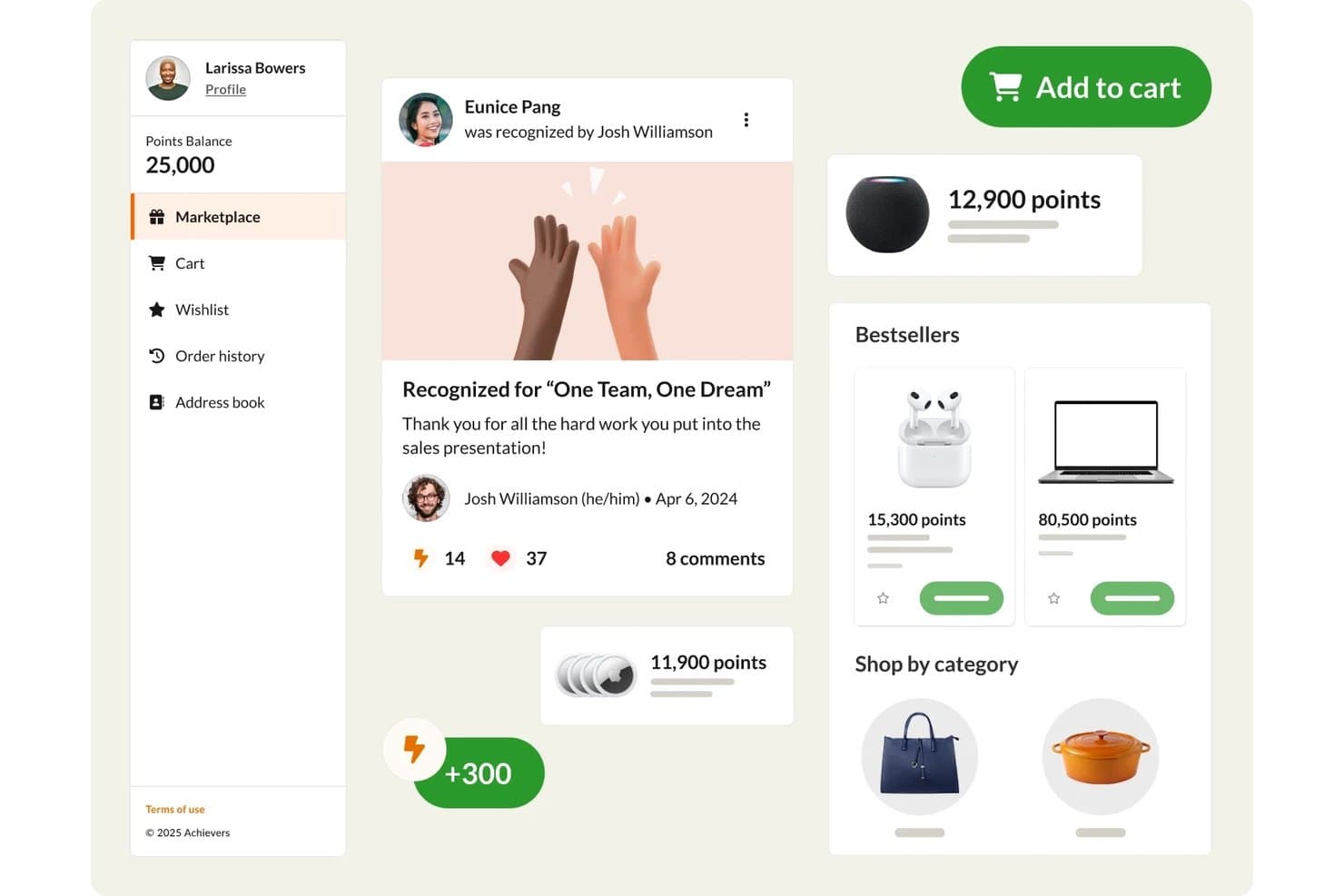
Achievers lets users redeem recognition points in a rewards marketplace. Achievers is an employee recognition and engagement platform that combines peer-to-peer and monetary recognition, a global rewards marketplace, milestone celebrations, pulse surveys, and employee connection tools.
Who Is Achievers Best For?
Achievers is a strong fit for mid-to-large enterprises that need a structured way to celebrate employee milestones, run peer-to-peer recognition, and gather engagement feedback across global or distributed teams.
Why I Picked Achievers
I picked Achievers as one of the best because milestone recognition is where it genuinely shines: the Celebrate module runs a structured onboarding sequence from Day 1 through 90-day check-ins, and automates service anniversaries with personalized cards, keepsakes, and reward points. I also like that external recognition is built in, so customers or patients can recognize employees directly through a QR code, with submissions flowing into the same shared recognition feed the whole team sees.
Achievers Key Features
- Pulse surveys with benchmarking: Research-backed surveys with flexible cadence, heatmaps, and company-wide benchmarks help you track team engagement over time.
- Voice of Employee feedback tools: Collect continuous feedback through 100+ customizable survey templates, polls, quizzes, and lifecycle surveys, with self-serve reporting and HRIS sync.
- Employee connection pairing: A smart-pairing algorithm matches new hires for one-to-one chats, connects leaders with small groups, and pairs employees with ERG representatives.
- Global rewards marketplace: Employees redeem points across approximately 190 countries, with options including merchandise, gift cards, experiences, charitable donations, and cash rewards.
Achievers Integrations
Achievers integrates with Slack, Microsoft Teams, Google Workspace, Zoom, Workday, UKG Pro, and ADP. An open API supports custom connections.
Pros and Cons
Pros:
- Global rewards support dispersed employee populations
- Peer recognition helps remote colleagues feel noticed
- Milestone check-ins span onboarding through anniversaries
Cons:
- Navigation and mobile use draw complaints
- Reward points can feel poor value
Learn more about Achievers: Best for linking surveys to talent processes
- 14-day trial + free demo available
- From $7/employee/month
Visit WebsiteCustomer Rating:4.8/5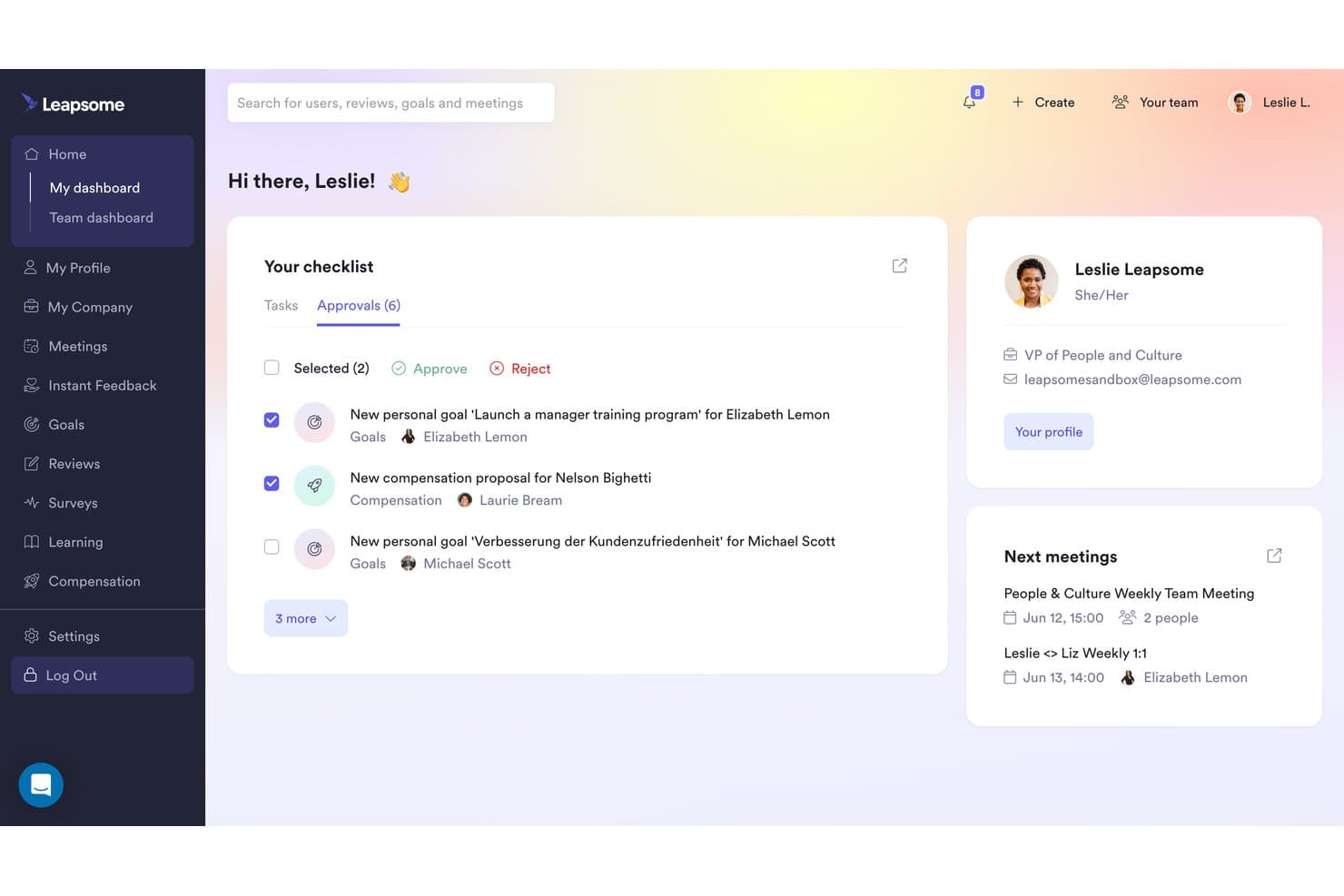
Leapsome lets managers approve goals and track team tasks centrally. Leapsome is a talent suite that combines engagement surveys, performance reviews, goals and OKRs, continuous feedback, learning, and compensation management on a connected employee record.
Who Is Leapsome Best For?
Leapsome is a strong fit for HR and People Ops teams that want engagement surveys connected directly to performance reviews, goals, and compensation in a single platform.
Why I Picked Leapsome
I've included Leapsome in my top picks because it's the only tool here that ties engagement surveys directly into performance reviews, goals, and compensation on a single connected employee record. When a pulse survey flags low scores on a particular team, I can pull that data into a post-survey action plan with an assigned owner and due date, then track it alongside that team's OKR progress. Resilience Signals also surfaces team-level patterns by combining survey results with HRIS data, giving managers early visibility into where engagement is slipping.
Leapsome Key Features
- Anonymous conversation threads: Survey admins can open anonymous conversations with employees directly tied to survey responses, without revealing individual identities.
- Slack-based survey responses: Employees can answer surveys in a Slack modal without leaving Slack, with responses feeding into the same analytics pipeline as web submissions.
- eNPS tracking: Admins can designate eNPS questions within surveys and monitor eNPS scores and trends over time across the organization.
- Multi-entity survey scoping: Surveys and analytics can be scoped or filtered by legal entity, supporting organizations with multiple business units in one workspace.
Leapsome Integrations
Leapsome integrates with Slack, Microsoft Teams, BambooHR, HiBob, Deel, and Jira. It also supports API and SFTP connections and an MCP connector.
Pros and Cons
Pros:
- Combines HRIS and survey data in people analytics
- Assigns owners and deadlines to survey actions
- Connects engagement with broader talent processes
Cons:
- Platform and module selection affect the total price
- Current contracts have a one-year minimum term
 Best for recognition inside Slack and Teams
- Free demo available
- Pricing upon request
Visit WebsiteCustomer Rating:4.7/5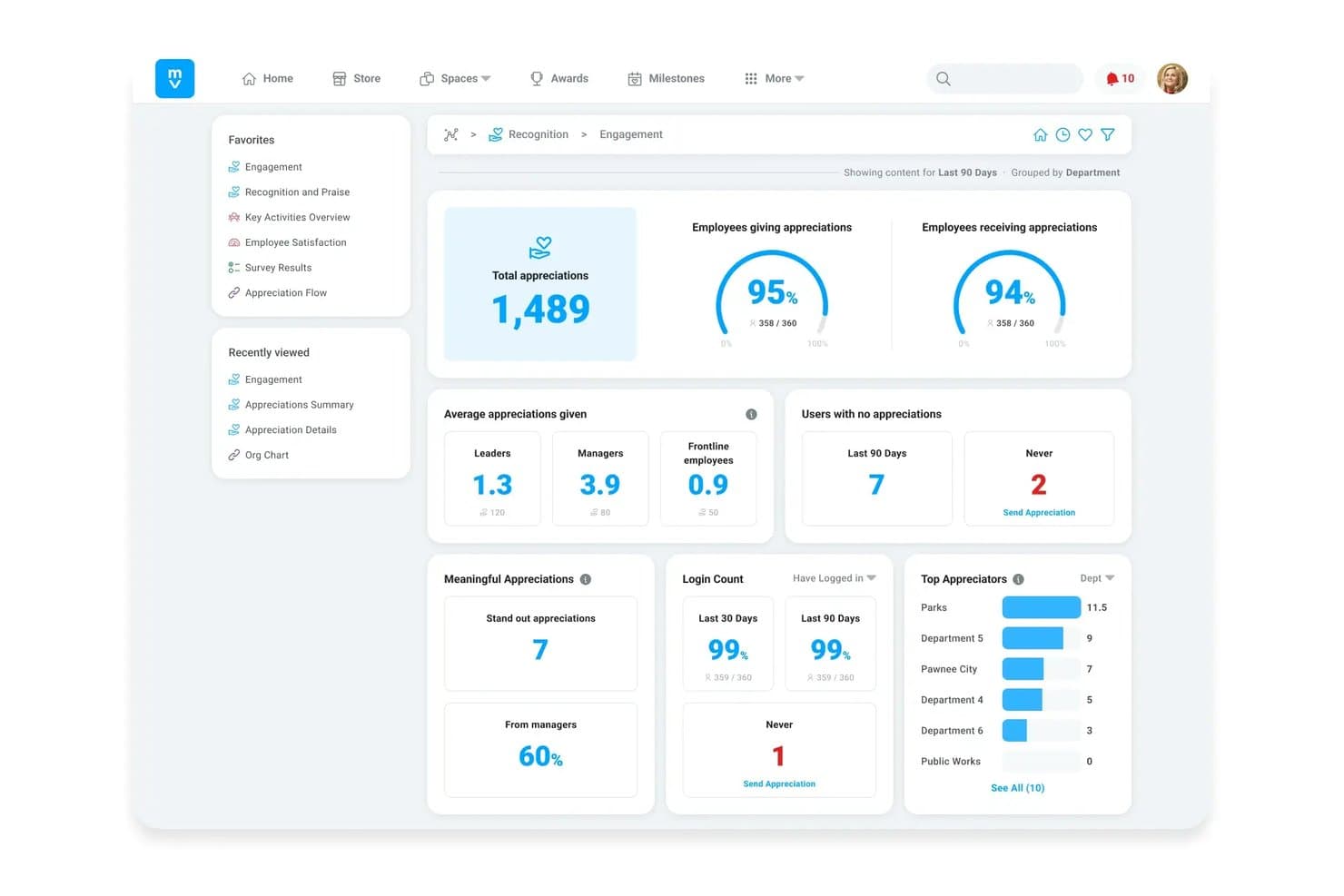
Motivosity tracks employee appreciation and engagement metrics by department. Motivosity is an employee recognition and rewards platform that combines peer-to-peer appreciation, milestone celebrations, pulse surveys, and a global rewards marketplace with native Slack and Microsoft Teams integrations.
Who Is Motivosity Best For?
Motivosity is a strong fit for mid-sized companies that want to make peer recognition a daily habit without pulling employees out of Slack or Teams to do it.
Why I Picked Motivosity
I picked Motivosity as one of the best because it brings peer recognition directly into Slack and Teams, so remote employees can send appreciations with a simple
/mvcommand without leaving the tool they're already in. Slack thread replies sync back as Motivosity comments, and reactions carry over as likes, keeping recognition activity connected across both platforms. The global rewards marketplace and automated milestone celebrations round out what is genuinely one of the strongest recognition-first engagement setups I've seen for distributed teams.Motivosity Key Features
- Spot bonuses: Managers can set up customizable bonus pools with approval workflows and department-level budget allocations to reward employees directly.
- Employee Spaces: Create private or company-wide spaces for onboarding, interest groups, and employee resource groups, with scheduled posts and event management.
- Pulse surveys and eNPS: Run the prebuilt MV6 Satisfaction Survey for eNPS scoring or build custom one-off pulse surveys to collect employee feedback.
- Reporting dashboards: Access real-time dashboards with drill-downs by team, department, or location, plus turnover trend reporting and sentiment trends over time.
Motivosity Integrations
Motivosity integrates with Slack, Microsoft Teams, Google Chat, BambooHR, ADP, Dayforce, and Gusto. An open API supports custom connections.
Pros and Cons
Pros:
- Dashboards track team-level sentiment trends
- Milestone celebrations make remote contributions visible
- Peer recognition keeps dispersed teams visible
Cons:
- Busy feeds can bury team-relevant posts
- Surveys lack deeper listening workflows
Learn more about Motivosity: Best for spotting cross-team silos
- 30-day free trial + free demo available
- From $3/user/month
Visit WebsiteCustomer Rating:4.6/5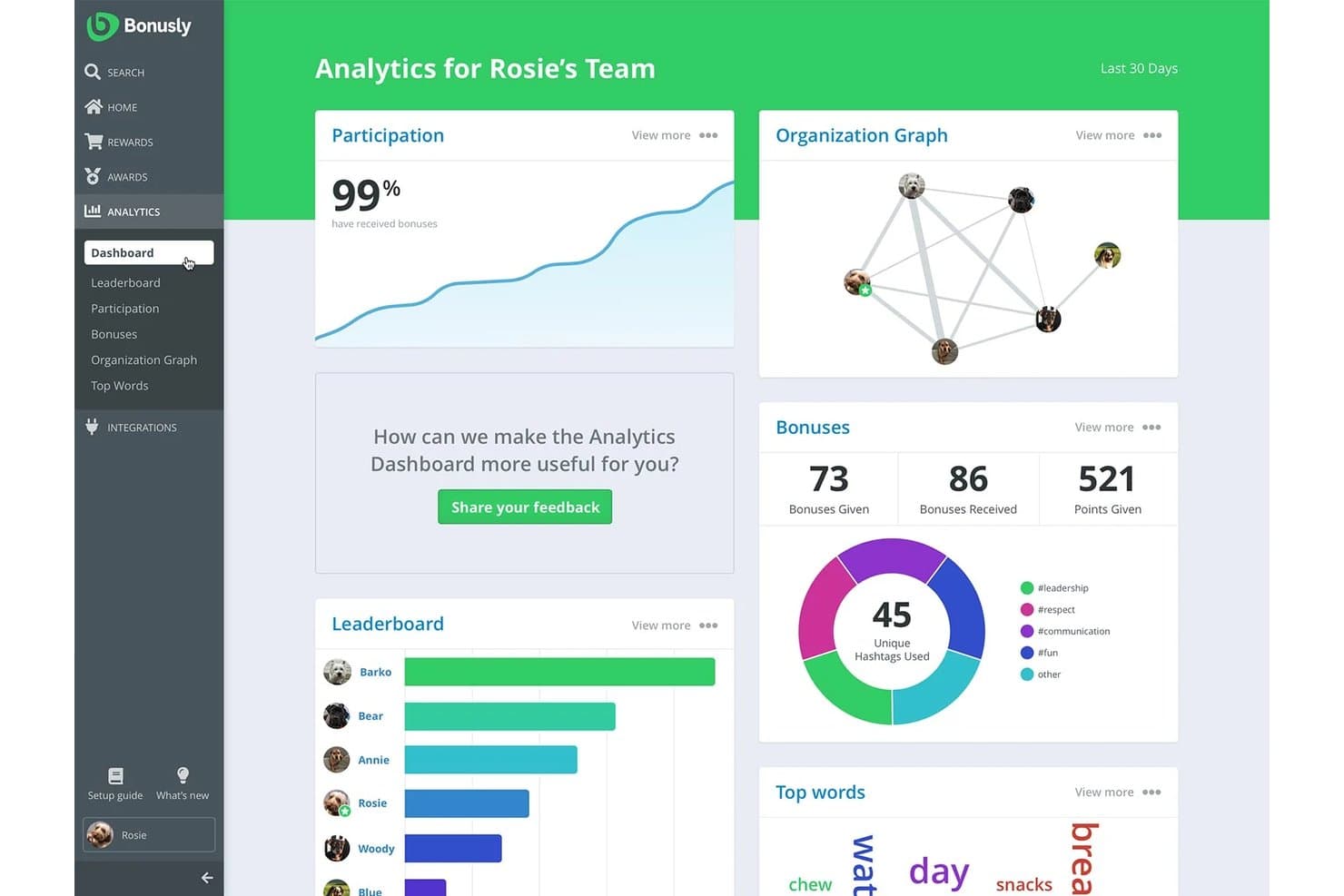
Bonusly tracks team engagement with analytics and leaderboards. Bonusly is an employee recognition and rewards platform that pairs peer-to-peer recognition, a global rewards catalog, pulse check-ins, and org-wide collaboration analytics.
Who Is Bonusly Best For?
Bonusly is a strong fit for people ops teams and managers who want to combine peer recognition with org-level collaboration analytics to surface team connection gaps.
Why I Picked Bonusly
I picked Bonusly as one of the best because its Collaboration Map is genuinely useful for spotting which teams aren't recognizing each other, making cross-team silos visible in a way most recognition tools don't attempt. I like how it pulls org data from your HRIS to map recognition flows between groups, so you can drill down from department level to individual employees and watch how those patterns shift month over month. The Team Hub adds another layer, flagging direct reports with falling pulse scores or missing check-ins so managers can act before quiet disconnection becomes a bigger problem.
Bonusly Key Features
- Peer recognition with value tagging: Employees can publicly recognize colleagues and tie each recognition post to specific company values, with points attached to each message.
- Global rewards catalog: Employees redeem earned points from a catalog of 1,200+ rewards spanning gift cards, charitable donations, cash cards, and branded swag across 200+ countries.
- Automated milestone celebrations: Bonusly automatically posts birthday, work anniversary, and new-hire welcome messages at 8:00 a.m. in each recipient's local timezone.
- Continuous feedback and goal tracking: Employees can request or give feedback outside formal review cycles and set personal goals that surface directly in 1:1 meeting agendas.
Bonusly Integrations
Bonusly integrates with Slack, Microsoft Teams, Workday, ADP, UKG Ready, UKG Pro, Rippling, and BambooHR. Its API supports custom connections.
Pros and Cons
Pros:
- Combines recognition with celebrations and check-ins
- Compares recognition patterns across completed months
- Maps recognition between teams and individuals
Cons:
- Free plan is limited to eight users
- Rewards spending is additional to subscription fees
- Collaboration Map requires Organization or an eligible legacy plan
Learn more about Bonusly: Best for turning feedback into manager action
- Free demo available
- From $5/user/month (billed annually)
Visit WebsiteCustomer Rating:4.3/5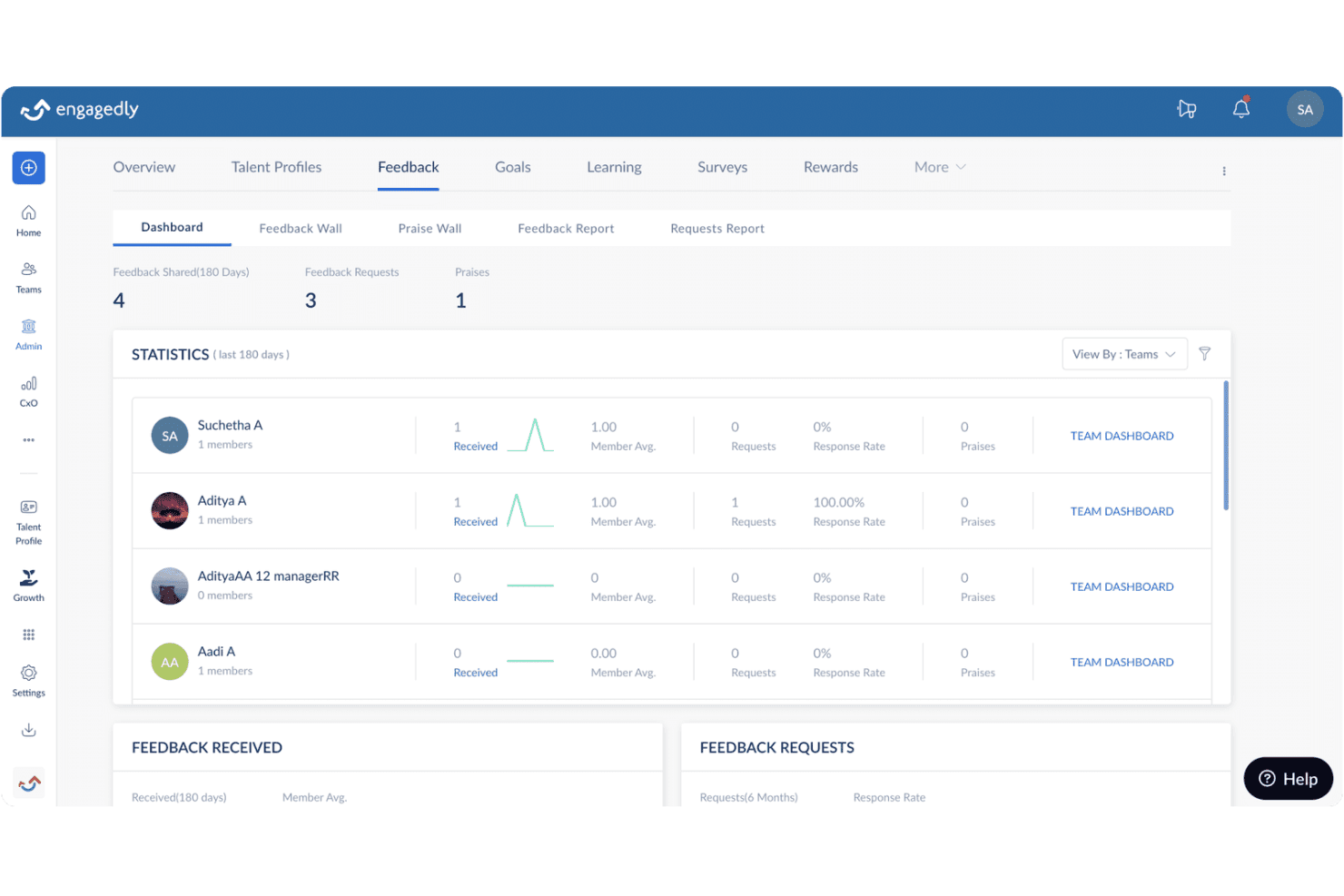
Engagedly tracks team feedback statistics across a 180-day period. Engagedly is an employee engagement platform that combines pulse surveys, engagement surveys, AI-driven sentiment analysis, social recognition, and an intranet to help organizations gather and act on feedback across distributed teams.
Who Is Engagedly Best For?
Engagedly is a strong fit for mid-sized organizations where managers are expected to follow up on employee feedback directly.
Why I Picked Engagedly
I've included Engagedly in my top picks because it's one of the few tools that actually closes the loop between pulse feedback and manager response. Team Pulse sends recurring questions to employees via email, Slack, or Teams, then surfaces AI-generated summaries that highlight key themes and concerns directly for managers, so nothing gets buried. From those summaries, managers can initiate conversations and assign goals tied to specific responses.
Engagedly Key Features
- Engagement Survey heat maps: View survey results filtered by department, business unit, or location to spot patterns across your organization.
- Intranet document repository: Store and share organizational documents, announcements, and quick links in a centralized hub accessible to all employees.
- Social Wall posts and reactions: Employees can share updates, upload files, and interact through likes, comments, and reactions across the organization.
- Global default time zone and language settings: Admins can set organization-wide defaults for time zone and language to support distributed teams.
Engagedly Integrations
Engagedly integrates with BambooHR, ADP Workforce Now, Gusto, HiBob, Personio, Paylocity, Microsoft Teams, Slack, and Okta. An API supports custom connections.
Pros and Cons
Pros:
- Combines survey, intranet, and social features
- Summarizes open-ended Team Pulse responses
- Gives managers recurring feedback to review
Cons:
- Dashboard charts cannot be rearranged or renamed
- Survey analytics wait until surveys conclude
Learn more about Engagedly:
Other Remote Employee Engagement Software
Here are a few additional options that didn’t make my shortlist but are still worth checking out:
- 11Qualtrics Employee ExperienceBest for linking sentiment to customer outcomes
- 12StaffbaseBest for engaging staff without corporate email
- 13LatticeBest for rollout help from customer success
- 14Culture AmpBest for measuring remote-work experience
- 15KudosBest for structured employee award nominations
- 16SimpplrBest for culture in the everyday intranet
- 17WorkhumanBest for engagement signals from recognition
- 18Quantum WorkplaceBest for tying engagement to retention risk
- 19MatterBest for free peer kudos and Feedback Friday
- 20HeyTacoBest for pay-as-you-participate recognition
How I Evaluate Remote Employee Engagement Software
I split my evaluation into three parts. Core functionality carries the most weight: a tool must run recurring pulse surveys and deliver them to remote employees via web, mobile, or Slack. Next, I look for standout features like manager coaching nudges. Finally, I consider support quality and onboarding resources.
Core Functionality (Table Stakes for This List)
When I'm selecting tools for my list, I score each one on a scale from 0 (does not offer the functionality) to 5 (excels in this area) for each core functionality listed below. I then convert the total into a percentage to help assess each tool's overall fit, with extra weight on any functionalities I've deemed essential.
- Surveys & Pulse Checks (Essential): I look for recurring pulse surveys, eNPS, and customizable question frameworks with automated scheduling and benchmark data baked in.
- Remote-Accessible Delivery (Essential): The tool should let employees respond from Slack, Teams, mobile, or email so participation doesn't depend on opening a separate app.
- Analytics & Reporting Dashboards: I evaluate whether dashboards segment scores by team, tenure, or location and flag trends like declining sentiment before they become retention problems.
- Recognition & Rewards: Structured peer-to-peer and manager recognition tied to company values matters more than one-off shoutouts. Tools like Bonusly and Motivosity handle this differently, so I compare how recognition data feeds back into engagement reporting.
- Action Planning & Follow-Up: I check whether managers can create and track action items directly from survey results, closing the gap between collecting feedback and acting on it.
- Social Connection Features: For remote teams, informal interaction needs intentional design. I look for features like virtual coffee matching, interest-based groups, or icebreaker prompts that give distributed employees regular touchpoints outside of project work.
Once I have a list of tools that meet the criteria, I consider what sets each platform apart.
Differentiating Factors (What Sets Vendors Apart)
Here's how I compare and contrast different vendors:
Standout Features
I look for AI sentiment analysis that goes beyond scores to flag tone shifts in open-text comments—helpful when a remote team won't raise concerns on a call. Manager coaching nudges also matter: tools like 15Five and Leapsome can prompt a manager to check in after a dip, turning data into a conversation. I evaluate lifecycle check-ins too, since onboarding and role-change moments are where remote employees most often disengage quietly.
Beyond Features
I check whether anonymity safeguards and minimum response thresholds actually protect employees on small remote sub-teams, since candid feedback depends on psychological safety. Integration depth matters too—tools like Leapsome and Lattice sync with your HRIS so engagement scores map to tenure and team structure without manual cleanup. I also evaluate rollout support, looking for vendor-provided playbooks and dedicated customer success managers who help HR teams design survey cadences across dispersed groups.
How to Choose Remote Employee Engagement Software
Choose a platform by testing whether its data practices protect candid feedback and whether managers can follow through without exposing small teams.
| If Your Priority Is | Look For |
|---|---|
| If Your Priority IsCandid feedback from small remote teams | Look ForWritten anonymity rules and minimum-response thresholds |
| If Your Priority IsFair comparisons across teams and locations | Look ForConsistent definitions and documented segmentation rules |
| If Your Priority IsParticipation across schedules and access needs | Look ForA participation plan that covers shifts, devices, and accessibility |
| If Your Priority IsVisible follow-through after surveys | Look ForClear ownership, deadlines, and employee updates in the action process |
How to Vet Your Shortlist
- Test anonymity rules: Request the written suppression policy and ask how results appear for a team of five.
- Run a participation check: During a two-week trial, ask employees on different shifts and devices to complete the same survey; record access barriers.
- Validate reporting definitions: Request a sample report and data dictionary, then check how small groups are handled and how scores are calculated.
- Check follow-through: Ask two managers to assign an owner and deadline to one pilot finding, then review the action log and employee update after five working days.
- Use the tradeoff as a filter: Choose broader team-level comparisons only if the reporting rules still protect small groups; otherwise, prioritize stricter suppression over finer segmentation.
What Is Remote Employee Engagement Software?
Remote employee engagement software is a digital platform that helps organizations collect employee feedback, recognize contributions, and support connection across distributed teams. It can include pulse surveys, reporting dashboards, recognition tools, and manager action plans to help teams respond to employee needs.
Features
Here are the main features I look for in remote employee engagement software:
- Surveys and pulse checks: Create recurring surveys, eNPS questions, and custom questionnaires to gather feedback at regular intervals. Automated scheduling helps HR teams monitor changes in employee sentiment over time.
- Remote-friendly survey delivery: Let employees respond through channels such as email, mobile apps, Slack, or Teams. Multiple access options make it easier for distributed employees to participate across devices and schedules.
- Analytics and reporting: View response patterns by factors such as team, location, or tenure, where group sizes allow. Dashboards can help HR and managers spot changes in sentiment and decide where to follow up.
- Anonymity safeguards: Apply response thresholds and suppression rules to prevent reports from exposing individual feedback in small groups. Clear safeguards help employees understand when their answers will remain confidential.
- Action planning: Turn survey findings into assigned actions with owners and deadlines. Managers can track progress and share updates so employees can see how the organization responds.
- Recognition and rewards: Give peers and managers a way to recognize contributions, often with links to company values or rewards. Recognition records can help teams understand where appreciation is happening.
- Social connection tools: Offer features such as virtual coffee matching, interest groups, or conversation prompts. These create structured opportunities for remote colleagues to connect outside day-to-day work.
- Lifecycle check-ins: Schedule feedback or check-ins around moments such as onboarding, role changes, or team transitions. HR and managers can use responses to identify support needs at key points in an employee’s experience.
- HRIS integrations: Connect engagement data with employee records, such as team structure or tenure, when supported by the platform. This can reduce manual data entry and give HR teams added context when reviewing results.
Benefits
Here are a few common benefits you can expect from remote employee engagement software:
- More regular feedback: Scheduled pulse surveys and eNPS questions help you gather employee input at consistent intervals.
- Easier participation: Delivery through email, mobile apps, Slack, or Teams gives remote employees more ways to respond.
- Earlier insight into sentiment: Analytics segmented by team, location, or tenure can help you spot changing trends and decide where to follow up.
- More protected feedback: Anonymity safeguards and response thresholds can help prevent reports from revealing individual responses in small groups.
- Clearer follow-through: Action plans with owners and deadlines help managers turn survey findings into trackable next steps.
- More employee connection: Recognition features, virtual coffee matching, and conversation prompts create ways for distributed colleagues to connect.
- Support at key moments: Lifecycle check-ins around onboarding or role changes help you identify employee needs during transitions.
Pricing
Pricing varies by employee count, features, billing terms, and add-ons. Some providers offer limited free plans. Paid plans may require minimum annual purchases or separate fees for rewards and additional modules.
Plan Comparison Table for Remote Employee Engagement Software
| Plan Type | Average Price | Common Features |
|---|---|---|
| Plan TypeFree Plan | Average Price$0 | Common FeaturesLimited recognition or connection features, with user or usage limits. |
| Plan TypeStandard Plan | Average PricePricing upon request | Common FeaturesCore surveys, recognition, or employee connection features, depending on the provider. |
| Plan TypePremium Plan | Average PricePricing upon request | Common FeaturesAdditional analytics, integrations, workflow automation, or customization. |
| Plan TypeEnterprise Plan | Average PriceCustom pricing | Common FeaturesOrganization-wide administration, advanced access controls, implementation support, and negotiated service terms. |
FAQs
Some answers to common questions about remote employee engagement software:
How often should remote teams run engagement surveys?
There’s no universal schedule. A short pulse every four to six weeks is a practical starting point for many remote teams. Use a longer annual or semiannual survey for broader topics, then reserve pulses for a few timely questions. Avoid asking the same questions every week; frequent requests can lower response rates and make trends harder to interpret. Keep a stable set of questions for comparisons, and rotate a small number of topic-specific items. After each cycle, share what you heard and what happens next. This makes the cadence feel purposeful rather than routine.
Can engagement software replace one-on-ones?
No, engagement software can’t replace one-on-ones. Surveys can surface patterns across a team, while private conversations give employees space to explain context and discuss individual needs. Treat a low score as a prompt to listen, not as a diagnosis or performance judgment. Managers can review team-level results, ask open questions, and agree on follow-up without trying to identify anonymous respondents. For remote employees, offer more than one way to talk, such as a video call or written check-in. Use survey themes to shape conversations, not script them.
How do you measure whether engagement software is working?
Measure whether the software supports useful feedback and follow-through, rather than judging it by logins alone. Track response rates by channel, completion gaps across shifts, and whether reports follow promised privacy rules. Also monitor how many findings receive an owner, deadline, and employee update. Compare sentiment trends over time, but interpret changes alongside workforce events and survey wording. Set a baseline before rollout and review these measures quarterly. If participation rises but actions stall, focus on manager follow-through, not another survey.