

10 Best Healthcare Workforce Management Software In 2026

Best Healthcare Workforce Management Software Shortlist


Healthcare workforce management software helps you schedule staff, track hours, and handle compliance in hospitals, clinics, and care facilities. If you’re searching for ways to improve staffing, control labour costs, and reduce scheduling headaches, the right workforce management platform makes all the difference. Below, you’ll find my picks for the best healthcare workforce management software, so you can compare top options, spot unique strengths, and decide which tool fits your workforce planning needs to optimize patient care.
Why Trust Our Software Reviews
Our team has been testing and reviewing software since 2012. As HR experts ourselves, we know how difficult—and important—it is to choose the right software.
For this guide, we evaluated tools using hands-on testing and independent research, scoring tools using our selection criteria. We also draw on insights from industry thought leaders and practicing HR experts.
Our reviews reflect our human editorial judgment, not a sales pitch.
Expert reviewers:
Healthcare Workforce Management Software Comparison Table
This comparison table summarizes pricing details for my top healthcare workforce management software selections:
| Tool | Best For | Trial Info | Price | ||
|---|---|---|---|---|---|
| 1 | Best for managing mobile and deskless teams | 14-day free trial | From $29/month (billed annually) | Website | |
| 2 | Best for unified HR, payroll, and shift data | Free demo available | Pricing upon request | Website | |
| 3 | Best for custom HR scheduling and payroll sync | Free demo available | From $8/user/month | Website | |
| 4 | Best for tiered internal-to-agency labor sourcing | Free demo available | Pricing upon request | Website | |
| 5 | Best for fast healthcare shift scheduling | 14-day free trial + free demo available | From $5/user/month | Website | |
| 6 | Best for integrated HR and payroll workflows | Free demo available | Pricing upon request | Website | |
| 7 | Best for credentialing and staff training | Free demo available | Pricing upon request | Website | |
| 8 | Best for healthcare staffing agency support | Free demo available | From $99/user/month | Website | |
| 9 | Best for high-volume workforce scheduling flexibility | Free demo available | Pricing upon request | Website | |
| 10 | Best for system-wide resource optimization | Free demo available | Pricing upon request | Website |

Best Healthcare Workforce Management Software Reviews
Below are my detailed summaries of the best healthcare workforce management software that made it onto my shortlist. My reviews offer a detailed look at the features, best use cases, and integrations of each platform to help you find the best one for you.

Best for managing mobile and deskless teams
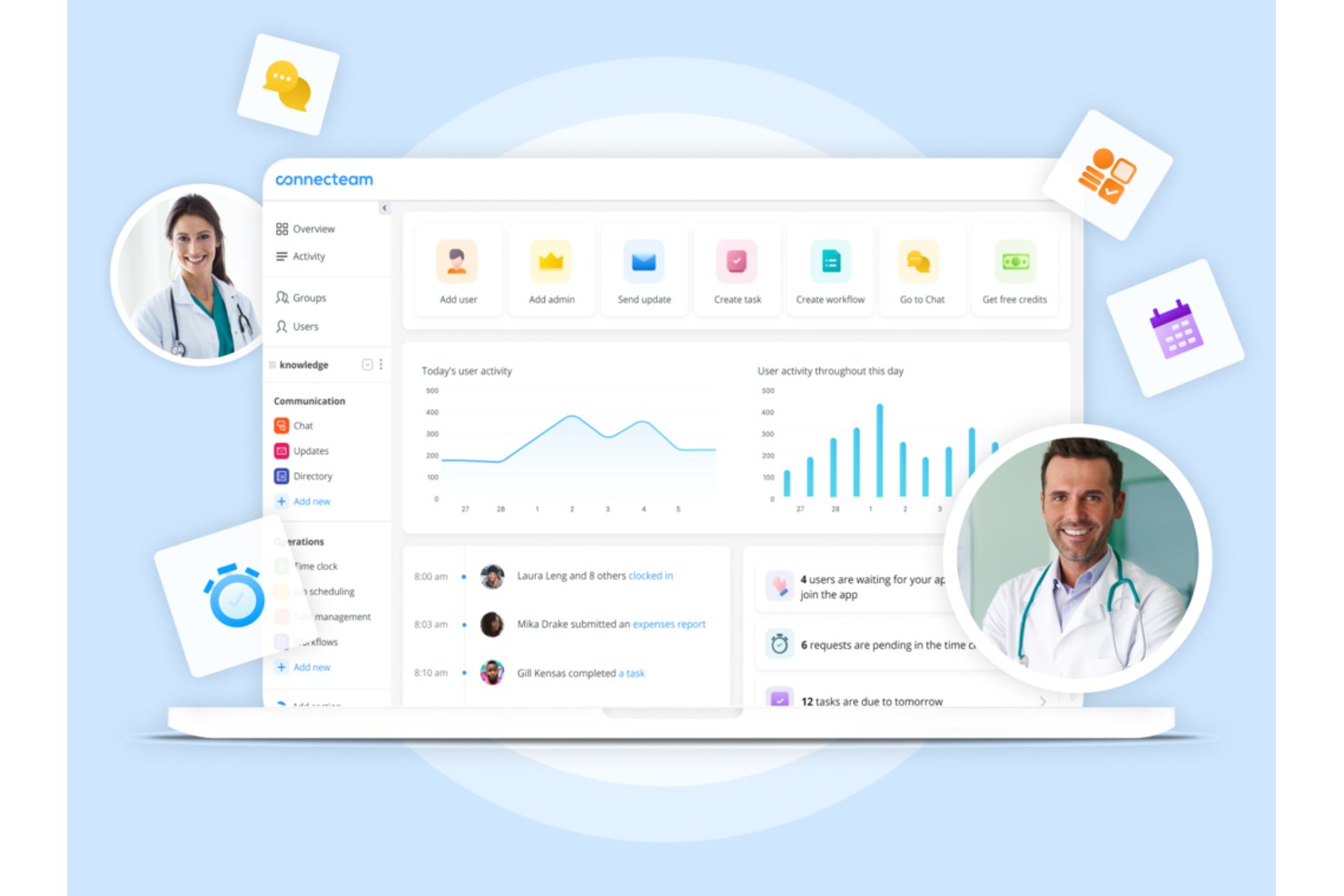
Connecteam is a mobile-first workforce management platform that combines shift scheduling, time tracking, team communication, and HR tools for frontline and deskless healthcare staff.
Who Is Connecteam Best For?
It's a strong fit for small-to-mid-sized healthcare operations, like home care agencies and clinics, that need a simple mobile app to manage non-clinical staff.
Why I Picked Connecteam
I picked Connecteam because its mobile-first design genuinely solves the coordination problem that home care agencies and small clinics face daily. Scheduling a home care worker, confirming their GPS clock-in at a patient's address, and sending a HIPAA-compliant message about a shift change all happen inside one app. I especially like the auto-scheduling feature, which builds full shift schedules around staff availability and roles without manual back-and-forth.
Connecteam Key Features
- Custom forms and checklists: Build digital forms and checklists for staff to complete via mobile.
- HIPAA-compliant messaging: Exchange sensitive team or scheduling information securely within the app.
- Document management: Store, share, and update policy documents, certificates, and onboarding files in one place.
- Task management: Assign tasks to individuals or teams with real-time status tracking for better coordination.
Connecteam Integrations
Connecteam offers native integrations with Gusto, QuickBooks, Paychex, ADP, and Xero for payroll, and provides an API for custom integrations.
Pros and Cons
Pros:
- Built-in HIPAA-compliant team messaging included
- GPS-verified clock-ins confirm remote staff locations
- Mobile-first scheduling suits deskless clinical staff
Cons:
- Lacks credential and license expiration tracking
- No acuity-based staffing or census forecasting
New Product Updates from Connecteam

Connecteam Expands Break and Timesheet Controls
Connecteam adds flexible break thresholds, personalized policies, auto-end options, a centralized exceptions report, and improved timesheet issue visibility to help teams manage breaks and timesheets more effectively. For more information, visit Connecteam’s official site.
 .
.
Rippling
Best for unified HR, payroll, and shift data
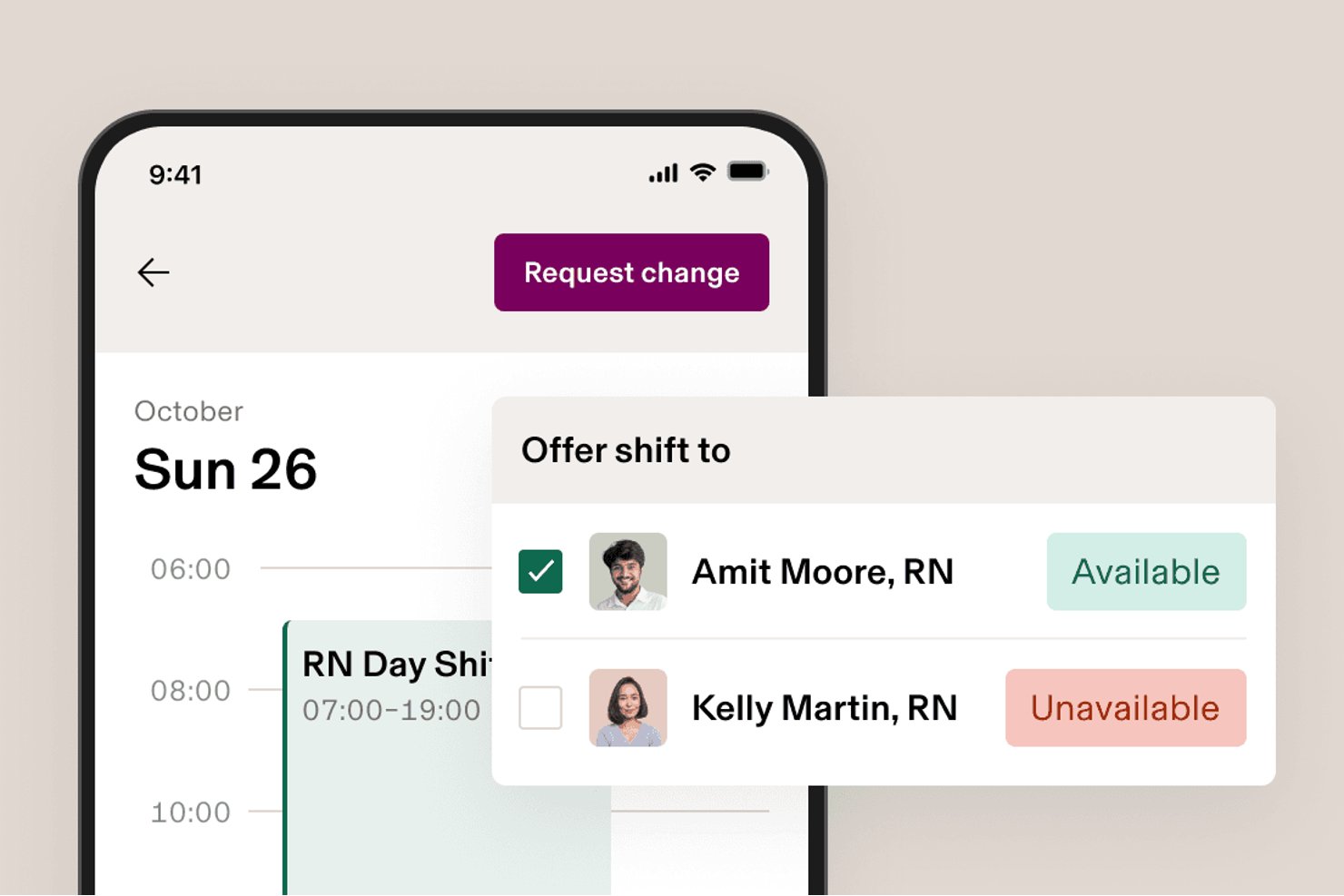
Rippling is a modular HR, payroll, and workforce management platform that combines scheduling, time and attendance, benefits, and compliance tools in a single unified system.
Who Is Rippling Best For?
Rippling is a strong fit for healthcare-adjacent or mixed-workforce organizations that want HR, payroll, and scheduling unified in one system without managing multiple platforms.
Why I Picked Rippling
I've included Rippling in my top picks because it's one of the few platforms that keeps HR, payroll, and scheduling data in a single system, so there's no reconciling records across separate tools. I particularly like how its AI-drafted scheduling pulls live certification and availability data to build shift assignments, which matters when you're managing staff with specific credential requirements. Location-based labor law rules apply automatically by work site, reducing manual compliance checks across mixed workforces.
Rippling Key Features
- Mobile clock-in and clock-out: Employees can punch in and out from iOS or Android devices, with automated checks that catch missed clock-outs and duplicate punches.
- Job costing by task or project: Staff can log hours against specific jobs or tasks, giving managers a clearer view of labor costs across work types.
- Custom reporting dashboards: Build dashboards that surface labor cost trends, overtime patterns, and retention data across your workforce.
- Rippling Chat: A built-in messaging tool that lets managers share schedules and communicate with staff without leaving the platform.
Rippling Integrations
Rippling supports more than 650 integrations, including Slack, Microsoft Teams, and Salesforce, plus a public API for custom connections.
Pros and Cons
Pros:
- Location rules flag payroll compliance issues
- Certification checks guide shift assignments
- Unified payroll, scheduling, and time records
Cons:
- No healthcare credential verification workflows
- No acuity-based staffing forecasts
New Product Updates from Rippling

Rippling AI Adds Plugins, Skills, and Automations
Rippling AI now supports plugins, skills, and automations so employees can connect approved third-party tools, package repeatable work into reusable AI instructions, and run recurring workflows under existing Rippling policies and permissions. For more information, visit Rippling's official site.

Best for custom HR scheduling and payroll sync
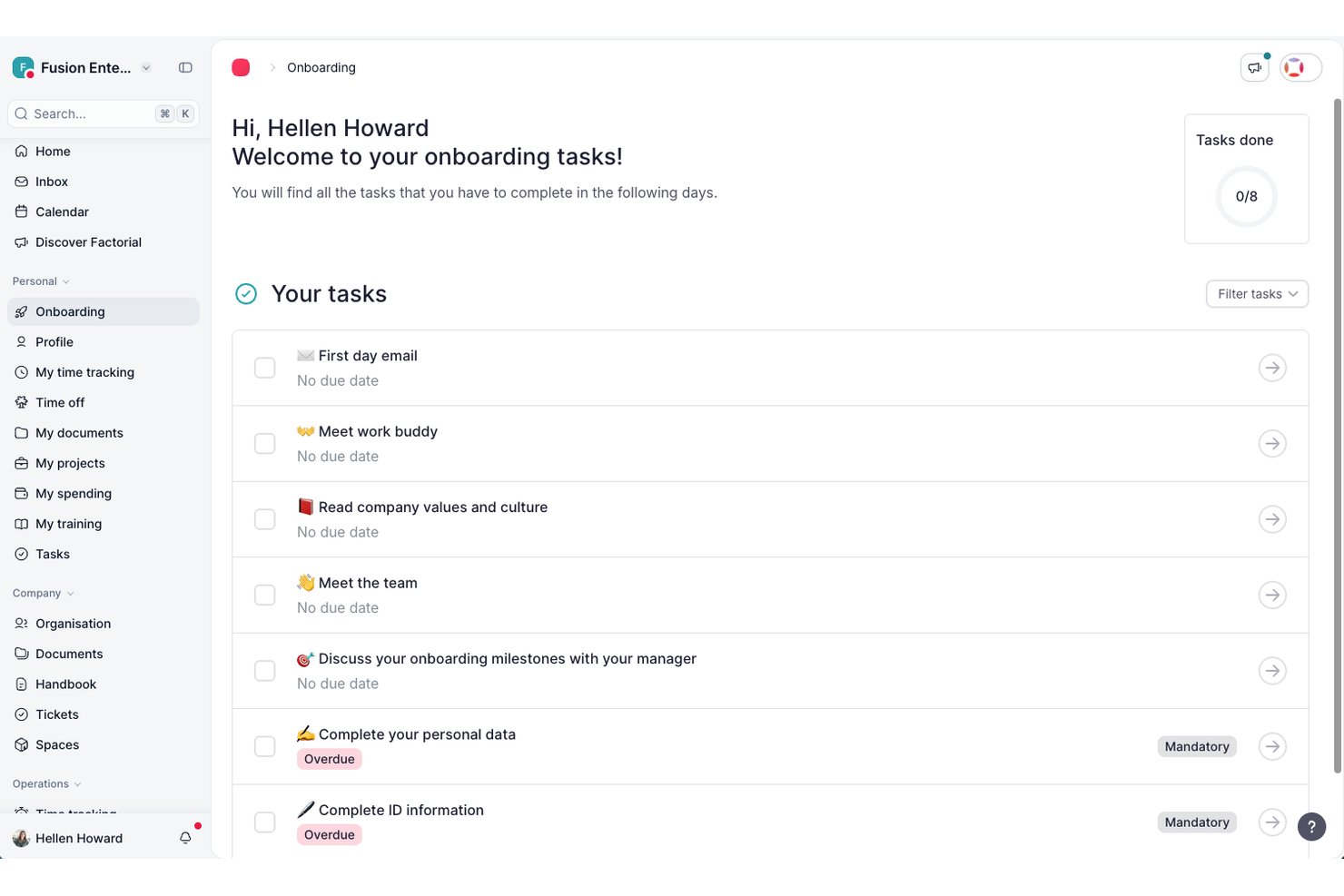
Factorial is an all-in-one HR and payroll software designed for healthcare organizations to manage scheduling, time tracking, payroll, and employee data from a single platform.
Who Is Factorial Best For?
Healthcare HR teams at small to midsize organizations that want to unify employee records, compliance, scheduling, and payroll in one platform.
Why I Picked Factorial
I picked Factorial as one of the best because my team can set up custom HR and payroll integrations to sync scheduling and payroll data with our other systems, and automate shift compliance using healthcare-specific time tracking and document workflows.
Factorial Key Features
- Employee self-service portal: Staff can update personal data, request time off, and access pay slips directly online.
- Digital document management: Store, organize, and share employee records, contracts, and compliance documentation securely.
- Custom workflows: Create approval chains for requests like leave, certifications, and onboarding tasks.
- AI-powered HR assistant: Use built-in AI to answer HR questions, surface key insights, and automate administrative tasks.
Factorial Integrations
Factorial offers native integrations with Slack, Google Calendar, Microsoft Outlook, Sage HR, Teamtailor, and QuickBooks. An API is available for custom integrations.
Pros and Cons
Pros:
- Custom approval workflows for healthcare compliance
- Mobile app supports remote time tracking
- Automated scheduling adapts to shift changes
Cons:
- Occasional system slowdowns during peak usage
- Reporting features lack advanced customization

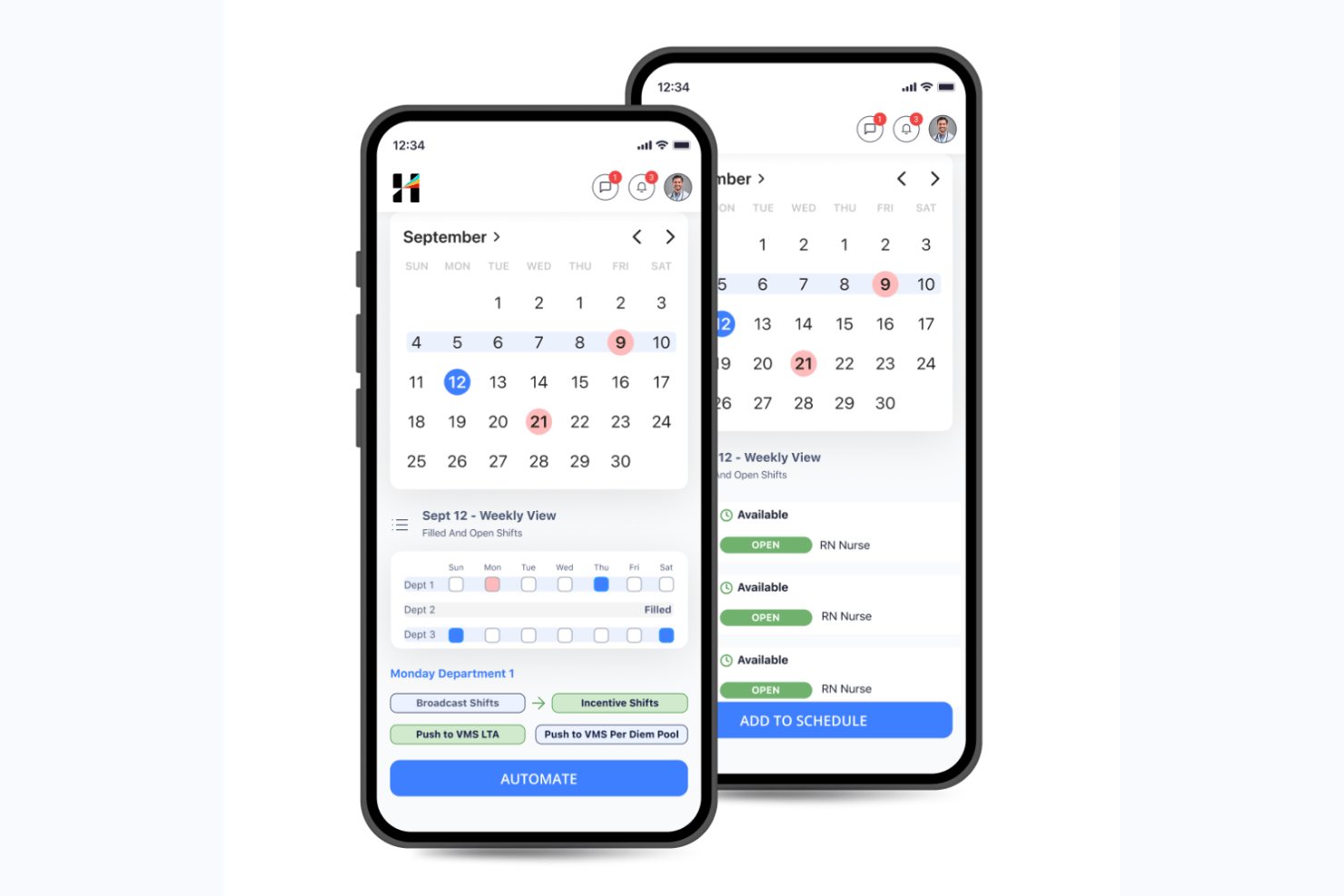
Hallmark Health Care Solutions is an AI-native healthcare workforce management platform that combines clinical staff scheduling, demand forecasting, float pool management, a built-in vendor management system, and credential tracking in a single suite.
Who Is Hallmark Health Care Solutions Best For?
Hallmark Health Care Solutions is a strong fit for large hospital systems and health networks that need to manage complex, multi-tier staffing workflows across internal float pools, agency vendors, and on-demand labor channels.
Why I Picked Hallmark Health Care Solutions
I picked Hallmark Health Care Solutions because its tiered labor sourcing workflow is unlike anything else I've seen in this category. The Internal Resource Pool (IRP) module prioritizes your own float staff first, then escalates to its built-in VMS (connected to 750+ agencies), and finally routes to CareRev's on-demand nurse marketplace. One client grew their IRP to 110+ nurses and avoided $2.3M in agency spend using exactly this structure.
Hallmark Health Care Solutions Key Features
- AI-enabled shift matching: Automatically assigns open shifts to qualified staff based on credentials, availability, cost, and compliance rules.
- Demand forecasting: Projects staffing needs at the unit and service line level using census, length-of-stay, callout, and seasonal trend data.
- AI bill rate intelligence: Predicts and compares contract labor bill rates across vendors, units, and regions to support rate negotiation and cost control.
- Executive insights dashboard: Translates workforce data into C-suite-level visibility, connecting compensation decisions to margin, attrition risk, and patient outcomes.
Hallmark Health Care Solutions Integrations
Hallmark Health Care Solutions integrates with Epic, Workday, UKG, Oracle PeopleSoft, Paycom, OnBase, Imprivata OneSign, symplr Payer, and CareRev. Software Advice lists 24 integration providers in total.
Pros and Cons
Pros:
- Dedicated credentialing support for healthcare compliance
- AI-powered demand forecasting and cost controls
- Tiered internal-to-agency labor sourcing workflow
Cons:
- Minimal public user reviews available
- Custom pricing requires direct sales contact

Deputy
Best for fast healthcare shift scheduling
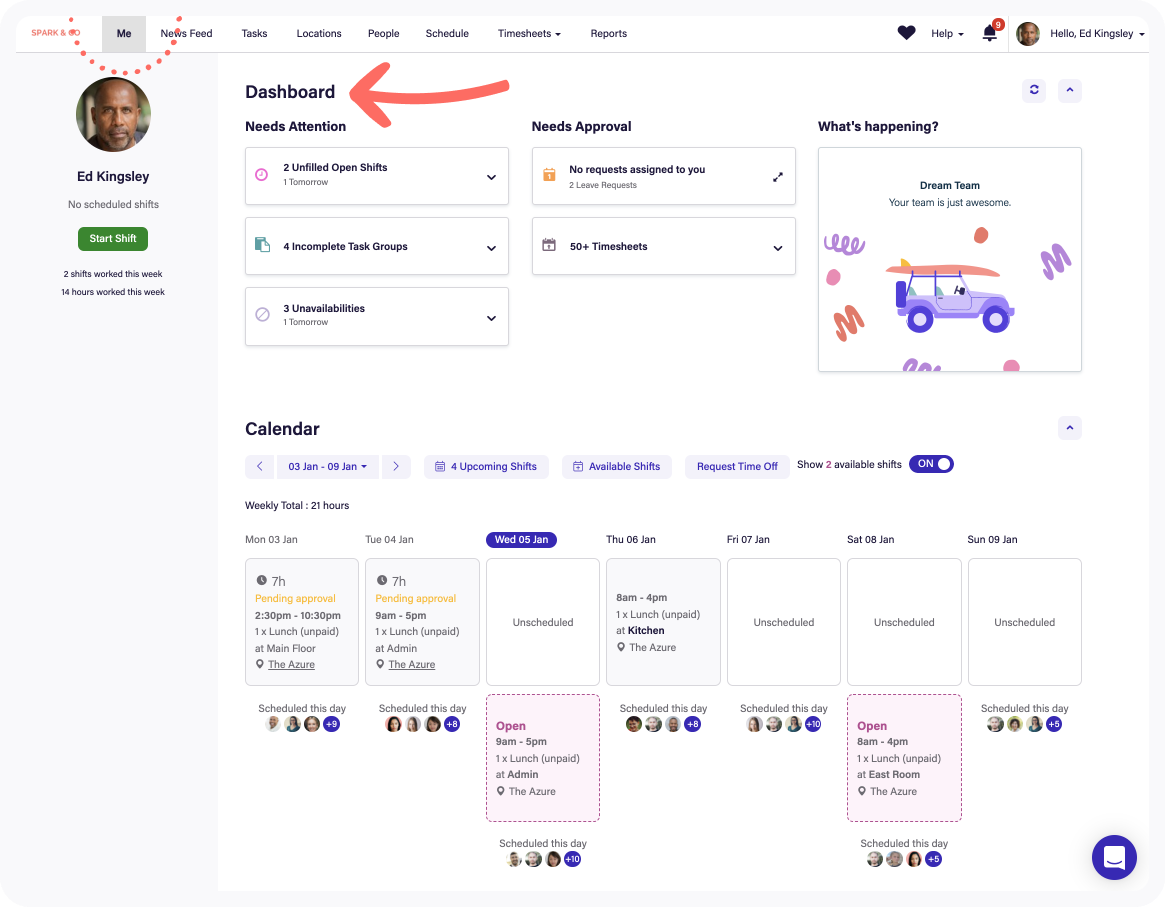
Deputy is a healthcare workforce management software that provides employee scheduling, shift allocation, timesheets, leave management, and mobile app access tools designed for fast-paced healthcare environments.
Who Is Deputy Best For?
Nurse managers and healthcare facility operators need a user-friendly system to manage large shift-based teams across multiple locations.
Why I Picked Deputy
I picked Deputy as one of the best because I can build and publish shift schedules for my hospital in minutes, notify caregivers instantly with mobile alerts, and use built-in compliance management checks that flag potential staffing violations as I schedule.
Deputy Key Features
- Task management: Assign and track daily responsibilities for staff during shifts.
- Fatigue and break planning: Plan required breaks and monitor compliance with healthcare labour rules.
- Time clock with biometric verification: Secure staff check-ins using facial recognition or PIN on kiosk devices.
- Leave management: Submit, approve, and track vacation or sick leave requests digitally.
Deputy Integrations
Integrations include Square, ADP, Gusto, BambooHR, QuickBooks, Clover, Dropbox, EdApp, Epos Now, and HiBob.
Pros and Cons
Pros:
- Built-in timesheets with biometric verification
- Auto-fills shifts using AI demand forecasting
- Support shift swapping in mobile app
Cons:
- No built-in enterprise resource planning tools
- Limited support for complex hospital hierarchies

Oracle
Best for integrated HR and payroll workflows
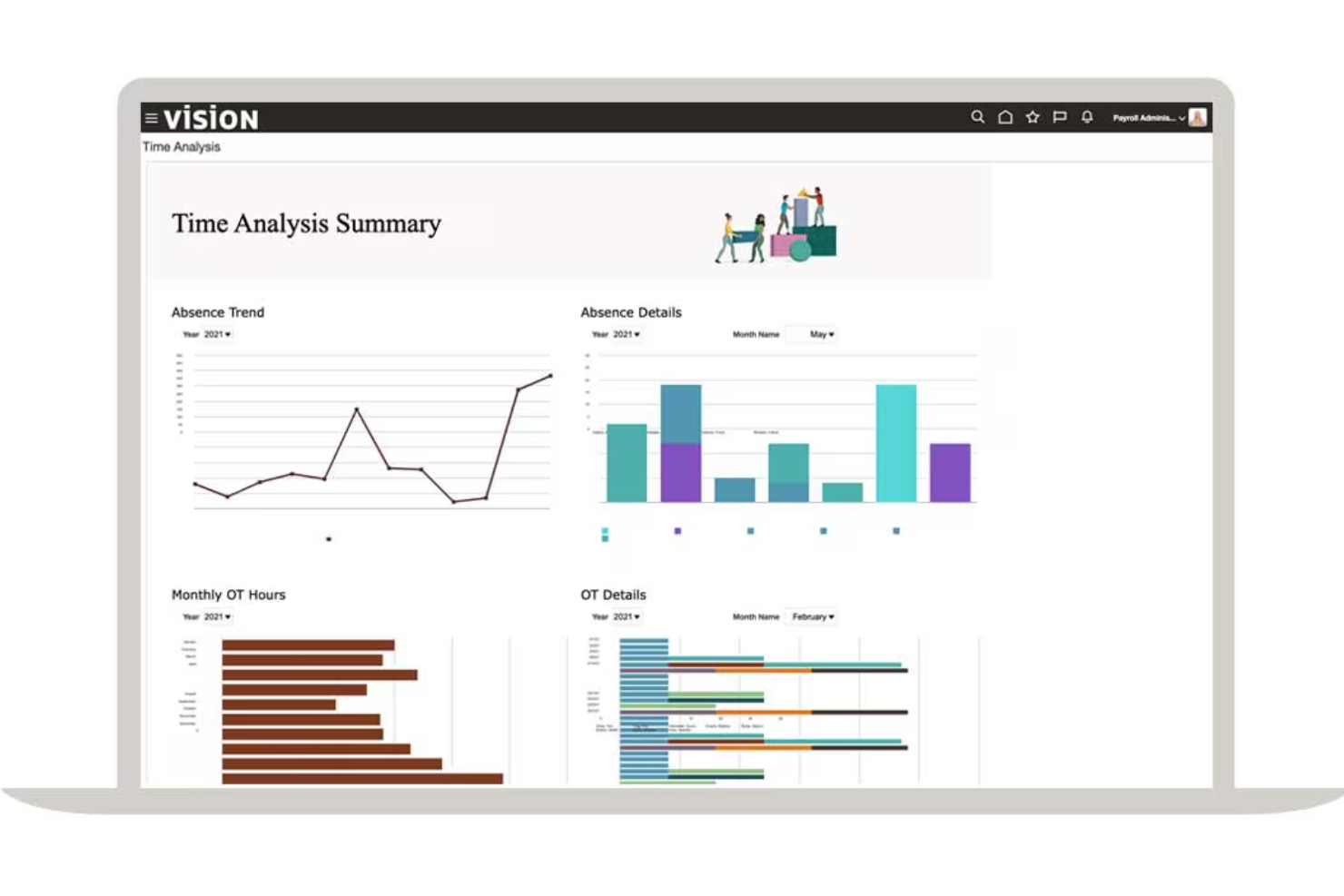
Oracle is a cloud-based healthcare workforce management software offering HR, payroll, time tracking, scheduling, and workforce analytics in a single unified platform.
Who Is Oracle Best For?
Large healthcare provider organizations need centralized HR, payroll, and workforce management on an enterprise scale.
Why I Picked Oracle
I picked Oracle because I can connect HR, payroll, and workforce scheduling in one platform, run unified workflows for healthcare roles, and use prebuilt compliance and payroll features for hospitals and clinics.
Oracle Key Features
- Mobile access: Staff and managers can handle scheduling and approvals from mobile devices.
- Advanced analytics: Access dashboards and reports on workforce trends and productivity.
- Shift bidding: Employees can view and bid for open shifts directly in the platform.
- Absence management: Track time off, sick leave, and FMLA compliance in one system.
Oracle Integrations
Integrations include Accu-Time Systems, dormakaba Workforce Solutions, Grosvenor Technology, and TCP Software.
Pros and Cons
Pros:
- Global financial and payroll data consolidation
- Flexible workforce analytics and reporting tools
- Centralized control of HR, payroll, and scheduling
Cons:
- Requires ongoing system maintenance
- User interface lacks healthcare-specific terminology
Best for credentialing and staff training
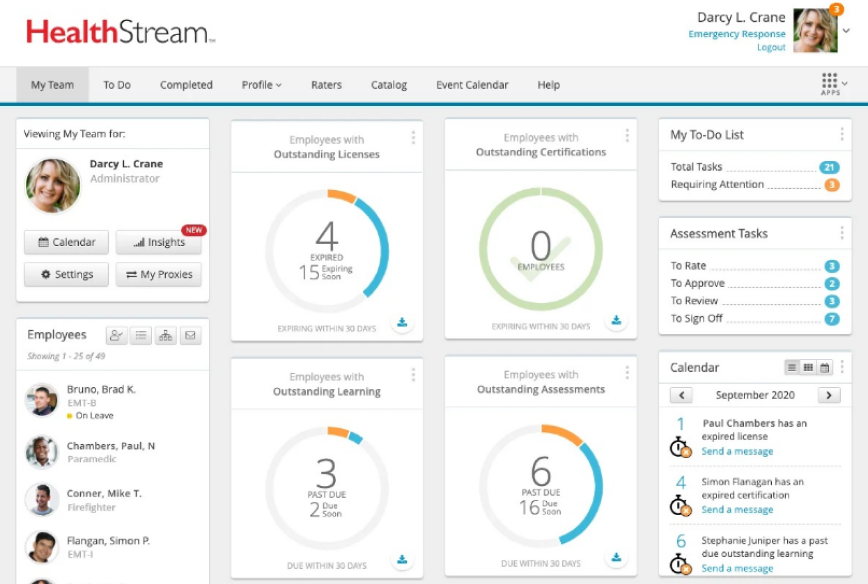
HealthStream is a healthcare workforce management platform with tools for credentialing, regulatory compliance management, learning management, policy tracking, and employee competency management.
Who Is HealthStream Best For?
Hospitals, health systems, and clinics need to centralize staff training, certifications, and ongoing compliance for their healthcare workforce.
Why I Picked HealthStream
I picked HealthStream as one of the best because I rely on its dedicated modules for verifying staff credentials, managing mandatory healthcare training, and tracking licenses and certifications in real time.
HealthStream Key Features
- Course authoring tool: Create and customize online training modules for healthcare staff.
- Competency assessment platform: Measure and document workforce competencies in clinical and non-clinical roles.
- Policy management module: Distribute, track, and attest to critical workplace policies and procedures.
- Mobile learning app: Allow employees to access coursework and assignments on smartphones and tablets.
HealthStream Integrations
Integrations include ADP, Cornerstone OnDemand, HireRight, AvoMD, EBSCO DynaMed, Workday, Adobe Sign, DocuSign, Zoom, and Instamed.
Pros and Cons
Pros:
- Customizable assessments for healthcare competencies
- Automated tracking of staff continuing education
- Clinical course library for healthcare staff
Cons:
- No test environment for training configurations
- Limited self-service options
Bullhorn
Best for healthcare staffing agency support
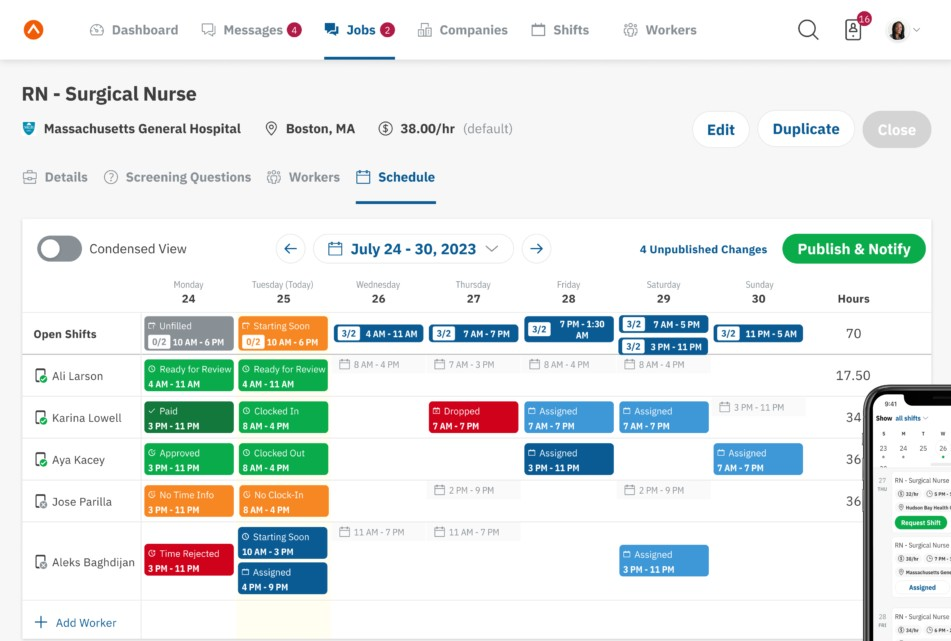
Bullhorn is a healthcare staffing and workforce management platform that lets agencies handle candidate sourcing, credential tracking, shifts, time capture, and client engagement in one system.
Who Is Bullhorn Best For?
Healthcare staffing agencies manage temporary clinical and allied staff placements across multiple organizations.
Why I Picked Bullhorn
I picked Bullhorn as one of the best because I can track credentials, manage placements, and automate candidate engagement—all tailored for healthcare staffing agencies juggling high-volume temp roles and client site coordination.
Bullhorn Key Features
- Shift scheduling dashboard: Lets you visualize, assign, and update shift rosters in real time.
- Mobile app access: Staffing teams and candidates can manage placements from any device.
- Custom reporting tools: Build reports on workforce activity and agency KPIs.
- Integrated time capture: Staff use digital tools for logging and verifying shift hours.
Bullhorn Integrations
Integrations include Xero, LinkedIn, 1218 Global, 3B for Salesforce, Actonomy, and ADP WOTC.
Pros and Cons
Pros:
- Support for per diem workforce management
- Built-in shift fulfillment and vacancy management
- Unified recruitment and placement pipeline management
Cons:
- Complex onboarding for administrators
- No offline data entry mode
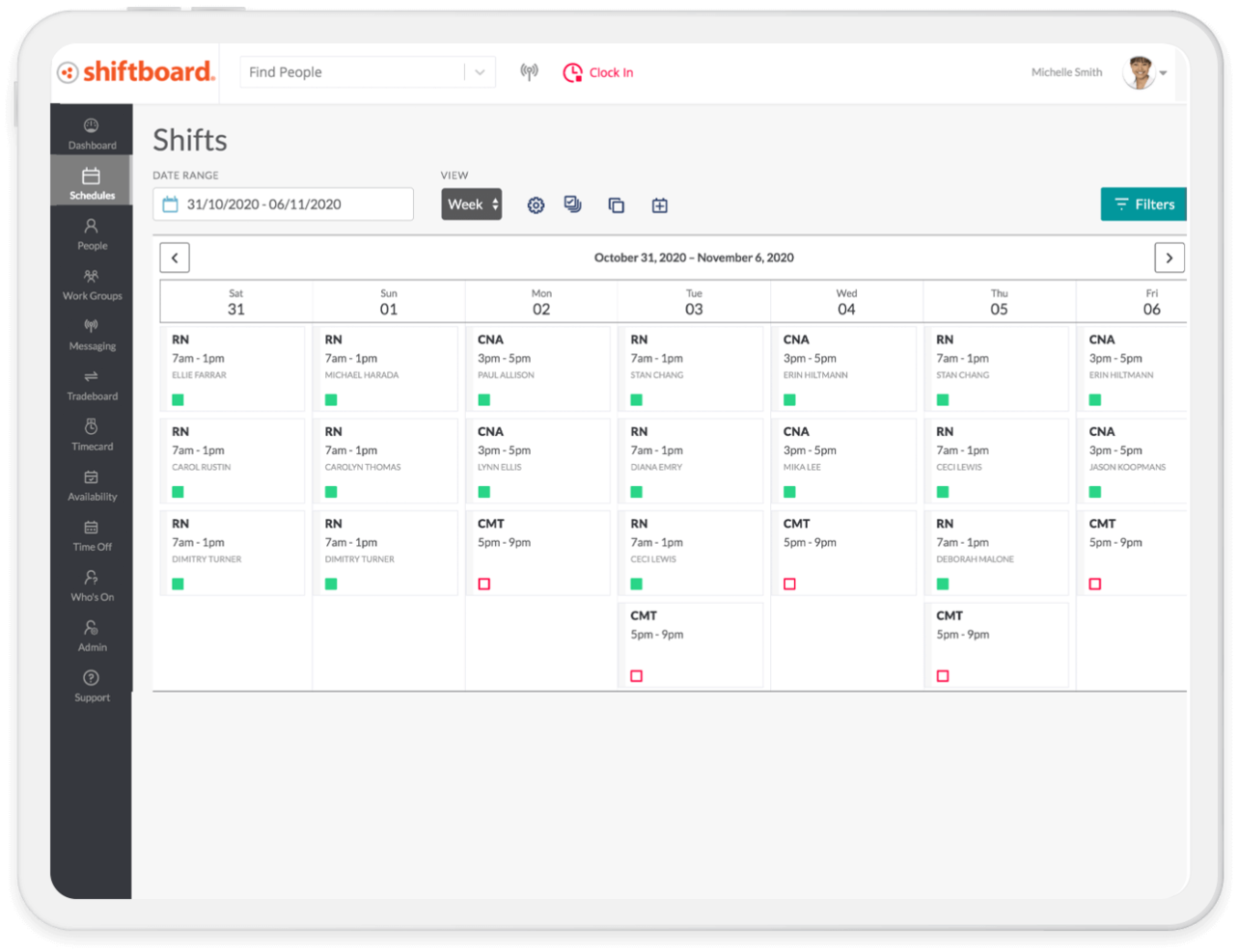
Shiftboard is a cloud-based healthcare workforce management software that provides flexible employee scheduling, shift management, communication tools, and real-time staffing oversight for organizations with large, dynamic workforces.
Who Is Shiftboard Best For?
Large healthcare organizations and staffing agencies that need complex shift management and mobile-friendly scheduling for variable, high-volume workforces.
Why I Picked Shiftboard
I picked Shiftboard because I can set complex rules for open shifts, last-minute changes, and overtime restrictions all in one interface. In my experience, its high-volume staffing capabilities handle fluctuating demand and dynamic schedule changes effectively.
Shiftboard Key Features
- Credential tracking: Track staff certifications, credentials, and renewal dates directly in the platform.
- Mobile shift notifications: Notify employees of new shifts, changes, and approvals via mobile alerts.
- Automated shift assignments: Fill open shifts automatically based on qualifications, preferences, and availability.
- Time-off management: Enable employees to request, view, and manage time-off from the self-service portal.
Shiftboard Integrations
Integrations include UKG, Workday, ADP, Oracle PeopleSoft, SAP, Infor, Microsoft Dynamics, Salesforce, Workato, and PlanetTogether.
Pros and Cons
Pros:
- Real-time mobile notifications for shift updates
- Self-service shift bidding for hourly workers
- Flexible shift patterns for fluctuating staffing needs
Cons:
- Limited automated reporting options
- Interface is not optimized for mobile

Infor is an integrated healthcare workforce management platform designed to help organizations handle labour forecasting, scheduling, time tracking, resource allocation, and analytics in complex health systems.
Who Is Infor Best For?
Mid-to-large healthcare networks looking to manage workforce resources, optimize scheduling, and coordinate staffing across multiple care sites.
Why I Picked Infor
I picked Infor as one of the best because I can coordinate healthcare professionals and float pools across multiple hospital departments, use data-driven analytics for workforce planning, and manage the labour costs and resource allocation system-wide from a single all-in-one interface.
Infor Key Features
- Clinical mobility tools: Mobile tools that enable staff to view schedules and manage tasks remotely.
- Time and attendance tracking: Automated capture of employee work hours and attendance data.
- Compliance management: Monitors license expirations and regulatory requirements for staff.
- Self-service employee portal: Allows staff to request time off, update availability, and view pay statements.
Infor Integrations
Integrations include Shopify, DocuSign, Salesforce, Marketo, ServiceNow, Zoom, ShipEngine, Twilio, Microsoft Dynamics 365, and ADP.
Pros and Cons
Pros:
- Supports compliance and credential tracking
- Integrates staffing and supply management
- Advanced labour forecasting and analytics features
Cons:
- High hardware requirements
- System setup can be time-consuming
Other Healthcare Workforce Management Software
Here are some additional healthcare workforce management software options that didn’t make it onto my shortlist, but are still worth checking out:
- Symplr
For overseeing contingent healthcare talent
- Workforce Software
For real-time data visualization
- PerfectServe
For clinical team collaboration
- Qgenda
For physician scheduling automation
- Hubstaff
For real-time activity and location tracking
- Paycor
For talent acquisition automation
- Legion
For AI-powered labour forecasting
- Paychex
For customizable payroll and HR bundles
- Sling
For multi-location shift coordination
- UKG
For optimizing clinical and operational staffing


How I Evaluate Healthcare Workforce Management Software
I evaluate these platforms on two levels: the baseline requirements a tool must meet—like 24/7 clinical scheduling and credential tracking—and the differentiators that make one the right fit.
Core Functionality (Table Stakes For This List)
When I'm selecting tools for my list, I rank each one on a scale from 0 (does not offer the functionality) to 5 (excels in this area) for each core functionality listed below. Then, I calculate the tool's total score into a percentage. Each tool needs to achieve a minimum total score of 65% to be considered for inclusion.
- Clinical Shift Scheduling: I look for scheduling tools built around 24/7 healthcare operations, including self-scheduling, shift swaps, and role-based rules that match RNs to specific units or departments.
- Credential & License Tracking: Each tool should track clinical licenses, certifications, and training expirations so managers can spot gaps before a nurse with a lapsed BLS cert gets scheduled.
- Time & Attendance Management: I evaluate how well a platform handles complex healthcare pay scenarios like shift differentials, weekend premiums, and overtime calculations across variable shift lengths.
- Demand-Based Staffing Forecasts: Forecasting tools should tie staffing recommendations to real patient demand signals like census counts or acuity levels rather than relying on static templates alone.
- Healthcare Compliance Rules: I check whether the platform can enforce specific labor rules like mandated nurse-to-patient ratios, rest-between-shift requirements, and union contract provisions.
- Float Pool & Open Shift Management: The tool should support internal float pool deployment and open shift bidding so staffing coordinators can fill gaps from within before turning to external agencies.
Once I have a list of tools that meet the criteria, I consider what sets each platform apart.
Differentiating Factors (What Sets Vendors Apart)
Here's how I compare and contrast different vendors:
Standout Features
EMR/EHR integration is a major differentiator. Platforms that pull patient census and acuity data from systems like Epic or Cerner give staffing coordinators real-time demand signals instead of guesswork. I also look for a built-in vendor management system, which lets teams manage agency and travel nurse contracts alongside internal staff in one place. Predictive analytics dashboards add another layer, surfacing overtime trends and turnover risk before they become costly problems.
Beyond Features
HIPAA compliance and HITRUST certification matter here because these platforms often handle sensitive employee health data alongside patient-linked scheduling information. I also evaluate how well a tool scales across facility types—a platform that works for a single hospital may struggle in a multi-site health system with centralized and unit-level scheduling needs. Implementation support is another key factor. Migrating from legacy systems like Kronos or homegrown spreadsheets requires healthcare-specific consultants who understand clinical workflows.
How to Choose Healthcare Workforce Management Software
It’s easy to get bogged down in long feature lists and complex pricing structures. To help you stay focused as you work through your unique software selection process, here’s a checklist of factors to keep in mind:
| Factor | What to Consider |
|---|---|
| Scalability | Can the software grow with your facility or system—handle more staff, locations, or roles without breaking workflows or becoming cost-prohibitive? |
| Integrations | Does it connect smoothly with your payroll, HRIS, EHR, or time clock systems? Are any key healthcare tools unsupported or require manual workarounds? |
| Customizability | How easily can you adjust workflows, scheduling rules, and reporting to fit your internal protocols and union or legal requirements? |
| Ease of use | Can managers and staff quickly learn and reliably use the system without excessive training or support tickets? Try demos or trials to test this. |
| Implementation and onboarding | What’s the typical onboarding timeline? Are migration, staff training, and policy setup included, or do you need to handle these yourself? |
| Cost | Beyond list price, what are the per-employee or add-on costs? Are there minimums, support fees, or lock-ins that might change your ROI calculation? |
| Security safeguards | How does the tool protect PHI, maintain data privacy, and enforce access controls? Look for HIPAA or other relevant certifications. |
| Compliance requirements | Does the platform help you meet state and federal labour laws, union mandates, scheduling regulations, and internal audit needs? |
What Is Healthcare Workforce Management Software?
Healthcare workforce management software is a digital tool that helps healthcare organizations schedule staff, track attendance, manage time off, and maintain compliance with labour laws and industry standards. These systems centralize workforce data and use automation to handle routine administrative tasks. By using a workforce management platform, it becomes easier for healthcare facilities to deploy the right people at the right time, helping providers uphold high patient care standards.
Features
When selecting healthcare workforce management software, keep an eye out for the following key features:
- Scheduling and shift planning: Build, automate, and manage complex staff schedules while accounting for coverage, credentials, and shift preferences.
- Time and attendance tracking: Capture exact clock-in and clock-out times, monitor shift adherence, and sync timesheets with payroll for accurate pay.
- Leave and absence management: Automate requests, approvals, and accruals for vacation, sick leave, and other absences, ensuring sufficient coverage and better workforce planning.
- Compliance management: Enforce labour laws, credential checks, and union rules by flagging violations and providing real-time warnings during scheduling.
- Mobile access: Give healthcare staff access to schedules, swap shifts, and messaging on a mobile app, improving communication and employee engagement.
- Payroll integration: Link workforce data to payroll systems to calculate wages, track overtime, and speed up payroll processing.
- Credential and certification tracking: Record, monitor, and alert when licenses, credentials, or training are expiring to keep staff in compliance.
- Analytics and reporting: Use data-driven dashboards to track metrics like labour costs, turnover, and forecasting trends.
- Secure messaging: Enable direct, HIPAA-compliant communication between managers and frontline staff within the software.
- Task management: Assign and verify completion of daily clinical functions or administrative workflows within each shift.
Benefits
Implementing healthcare workforce management software provides several benefits for your team and your business. Here are a few you can look forward to:
- Improved schedule accuracy: Automated shift planning ensures the right clinicians are scheduled while reducing manual errors and coverage gaps.
- Stronger compliance: Built-in rules and alerts help you follow labour laws, union regulations, and credential requirements without routine manual checks.
- Faster payroll processing: Integrated time tracking and payroll connections reduce administrative work and speed up pay cycles.
- Better resource allocation: Real-time analytics and reporting help leaders make data-driven staffing decisions and control labour costs.
- Increased employee satisfaction: Self-service features allow caregivers to request open shifts or view schedules on demand.
- Reduced overtime and fatigue: Smart scheduling tools distribute shifts fairly, monitor hours, and help prevent staff burnout.
- Centralized credential monitoring: Automated alerts and tracking reduce the risk of lapses in licensure or certifications among team members.
Costs & Pricing
Selecting healthcare workforce management software requires an understanding of the various pricing models and plans available. Costs vary based on features, team size, add-ons, and more. The table below summarizes common plans, their average prices, and typical features included in healthcare workforce management software solutions:
Plan Comparison Table for Healthcare Workforce Management Software
| Plan Type | Average Price | Common Features |
|---|---|---|
| Free Plan | $0 | Basic scheduling, limited staff access, and mobile viewing only. |
| Personal Plan | $5-$10/user/month | Advanced scheduling, mobile clock-in, absence management, and basic reporting. |
| Business Plan | $10-$25/user/month | Compliance management, integrations, payroll exports, credential tracking, analytics, and secure messaging. |
| Enterprise Plan | $25+/user/month | Custom workflows, API access, unlimited support, advanced security, and tailored onboarding and implementation. |
Healthcare Workforce Management Software FAQs
Here are some answers to common questions about healthcare workforce management software:
What types of healthcare organizations use workforce management software?
Hospitals, clinics, long-term care facilities, home health agencies, and ambulatory centers all use a workforce management solution to manage staff scheduling, payroll, and compliance management. These tools help healthcare organizations maintain high standards of quality care by ensuring the right healthcare professionals are in place at all times.
Can healthcare workforce management software integrate with other HR or payroll systems?
Yes, most solutions are built to offer integrations with HRIS, EHR, and payroll tools. This allows healthcare facilities to sync data-driven insights and reduce manual data entry or reporting errors, improving overall operational efficiency.
How does workforce management software help with compliance?
These systems flag conflicts in the staffing schedule, monitor overtime to control labour costs, and track certifications and credentialing. By maintaining audit-ready logs, providers can stay compliant with labour laws and union agreements while focusing on patient care.
Are there mobile apps available for managers and staff?
Yes, almost all platforms offer a user-friendly mobile app. These tools provide self-service features for team members, making it easy for caregivers to view schedules, swap shifts, and update availability in real-time. This flexibility improves the employee experience and supports better retention across the healthcare staff.
How quickly can a new organization get set up with a workforce management platform?
Setup usually takes anywhere from a week for smaller teams to several months for large health systems. The timeline depends on onboarding needs, data migration, and the complexity of existing workflows.
What security standards should I look for in healthcare workforce software?
You should look for an all-in-one platform in the healthcare industry that uses strong encryption, offers role-based access controls, and complies with HIPAA or other relevant data protection regulations to protect the sensitive information of healthcare providers.