

OfficeSpace vs. Kadence: Comparison & Expert Reviews For 2026



Managing hybrid workplaces can quickly become overwhelming—from coordinating who’s in the office to keeping track of desks, rooms, and resources. That’s where the right workplace management software makes all the difference. OfficeSpace helps you bring order and visibility to your workplace, keeping teams connected to the spaces they use every day. Kadence, on the other hand, focuses on simplifying hybrid work by syncing people, spaces, and schedules. While both support flexible work environments, OfficeSpace offers more depth in facility management compared to Kadence’s emphasis on hybrid coordination tools. In this guide, we’ll compare their features, pros and cons, pricing, and more to help you choose the best fit for your workplace and office space management.
OfficeSpace vs. Kadence: An Overview
OfficeSpace


Kadence


Why Trust Our Software Reviews
Our team has been testing and reviewing software since 2012. As HR experts ourselves, we know how difficult—and important—it is to choose the right software.
For this guide, we evaluated tools using hands-on testing and independent research, scoring tools using our selection criteria. We also draw on insights from industry thought leaders and practicing HR experts.
Our reviews reflect our human editorial judgment, not a sales pitch.
Expert reviewers:
OfficeSpace vs. Kadence Pricing Comparison
| OfficeSpace | Kadence | |
|---|---|---|
| Free Trial | Free demo available | Free demo available |
| Pricing | Pricing upon request | Pricing upon request |
OfficeSpace vs. Kadence Pricing & Hidden Costs
OfficeSpace pricing requires a quote and follows a tiered model based on the modules you need, with costs scaling by features and team size—extra fees can apply for advanced integrations or implementation support. Kadence pricing uses a per-user subscription with plan-based feature access, and you might pay more for add-ons like visitor management or analytics tools. To find the right fit, compare how each vendor’s pricing scales with your growth—run a quick scenario based on your team size, the features you’ll actually use, and any extras you might add later.
OfficeSpace vs. Kadence Feature Comparison
With OfficeSpace’s scenario planning, you can simulate seating changes before renovations, while its desk & meeting booking, visitor management, maintenance/asset tracking, analytics, and wayfinding tools let you run daily operations smoothly. Kadence also offers desk reservations, room booking, visitor check-in, and analytics—but distinguishes itself with coordination tools like “who’s in/near you” maps and scheduling nudges to help your team align. In environments where operations control is critical, OfficeSpace gives you deep tooling. Where team collaboration matters more, Kadence’s coordination features shine.
| OfficeSpace | Kadence | |
|---|---|---|
| Calendar Management | ||
| Contact Management | ||
| Customer Management | ||
| Dashboard | ||
| Data Export | ||
| Data Import | ||
| Data Visualization | ||
| Email Integration | ||
| External Integrations | ||
| Forecasting | ||
| Google Apps Integration | ||
| Multi-User | ||
| Notifications | ||
| Scheduling |
OfficeSpace vs. Kadence Integrations
| Integration | OfficeSpace | Kadence |
| Microsoft Teams | ✅ | ✅ |
| Slack | ✅ | ✅ |
| Google Calendar | ✅ | ✅ |
| Outlook | ✅ | ✅ |
| Okta | ✅ | ✅ |
| Azure Active Directory | ✅ | ✅ |
| Envoy | ❌ | ✅ |
| Kisi | ✅ | ❌ |
| Zoom | ✅ | ❌ |
| Google Meet | ✅ | ✅ |
| API | ✅ | ✅ |
| Zapier | ❌ | ❌ |
Both platforms integrate with key workplace tools that streamline communication, scheduling, and access management. Their integrations make it easier to connect daily workflows, reduce manual tasks, and keep your workplace data in sync across systems. Overall, both offer strong flexibility for teams that rely on multiple tools to manage space and collaboration.
OfficeSpace vs. Kadence Security, Compliance & Reliability
| Factor | OfficeSpace | Kadence |
| Data Privacy | Uses strict access controls and role-based permissions to protect employee and facility data within its platform. | Stores limited personal data and applies GDPR-aligned privacy controls with user consent management. |
| Encryption | Encrypts all data in transit and at rest using industry-standard protocols like TLS and AES-256. | Uses end-to-end encryption with TLS and AES-256 for data in transit and at rest. |
| Compliance | Adheres to GDPR, SOC 2, and other relevant workplace data regulations for secure data handling. | Complies with GDPR and ISO 27001 frameworks for data protection and operational security. |
| Reliability | Runs on secure, monitored infrastructure with uptime guarantees and data backups across regions. | Hosts on AWS with redundancy, backups, and continuous monitoring for high uptime and resilience. |
| Access Management | Integrates with identity providers like Okta and Azure AD for single sign-on and centralized authentication. | Offers SSO and SCIM provisioning for secure, centralized identity management. |
Both tools offer strong, modern security foundations built around compliance and reliability, giving peace of mind to teams managing sensitive workplace data. When comparing them, review each vendor’s certifications, uptime record, and authentication options to see which best aligns with your company’s risk tolerance and IT policies.
OfficeSpace vs. Kadence Ease of Use
| Factor | OfficeSpace | Kadence |
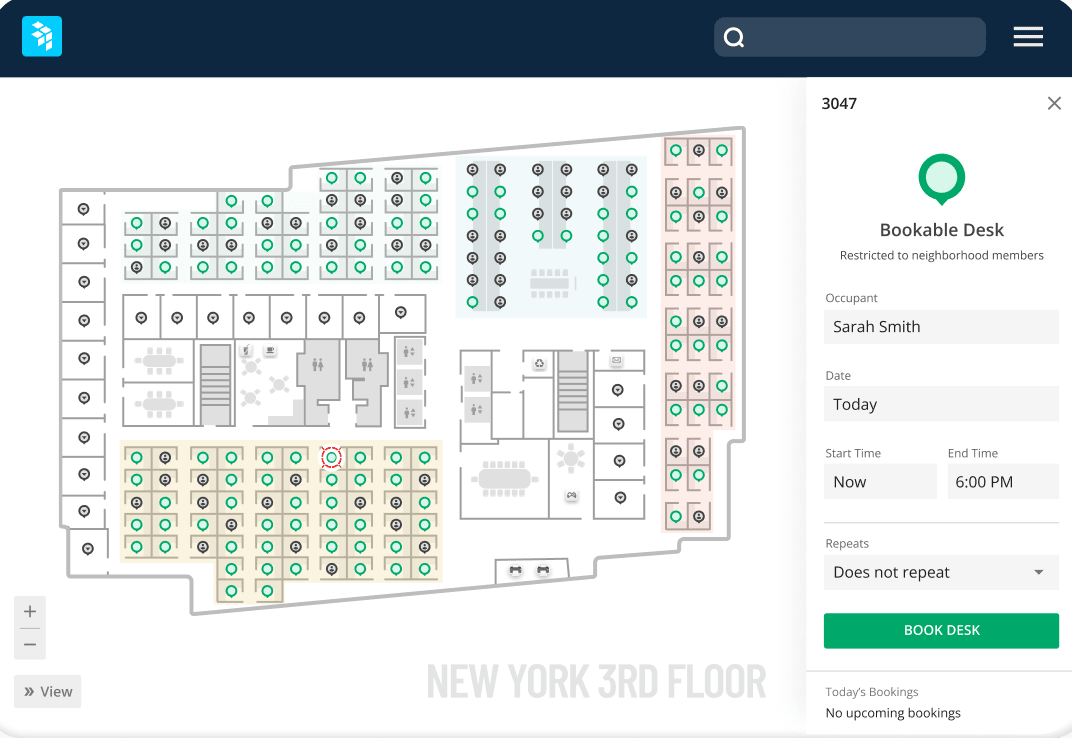
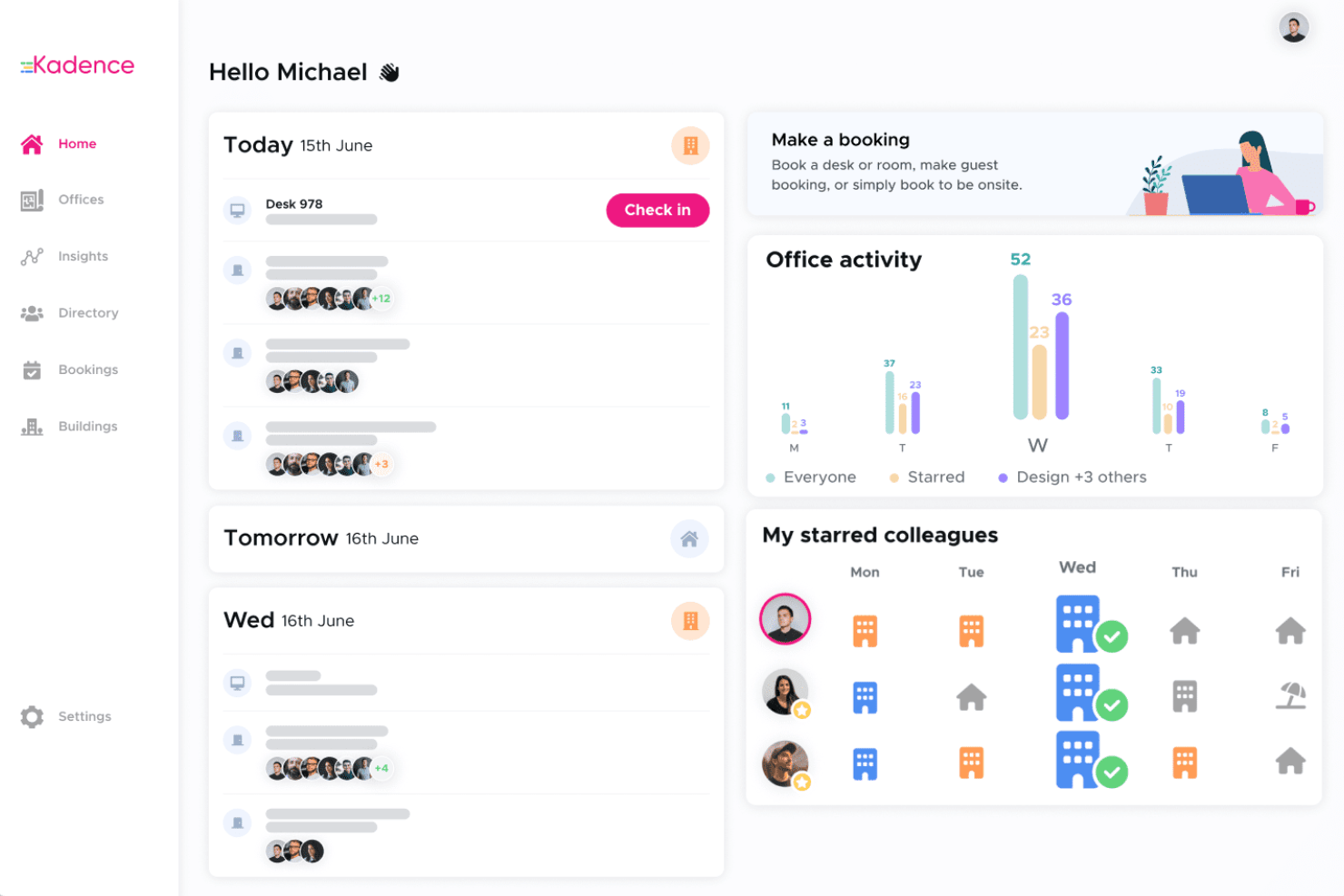
| User Interface | Uses an intuitive visual floorplan with drag-and-drop tools that make managing desks, moves, and assets straightforward. | Features a clean, modern dashboard with maps and team views that simplify hybrid scheduling and coordination. |
| Onboarding | Offers 35-day implementations with integrations set up in weeks, not months, and hands-on support throughout the process. | Provides an easy setup and admin experience that helps you launch desk and room booking quickly with minimal training. |
| Navigation | Keeps functions logically grouped and visually organized, so it’s easy to move between planning, booking, and analytics. | Streamlines navigation with a simple layout focused on booking and team coordination. |
| Support & Help | Provides 24/7 live support plus an AI agent (Ossie) for quick answers and proactive client success programs. | Offers in-app help, knowledge base resources, and responsive support for day-to-day guidance. |
| Product Updates | Delivers new features every two weeks with consistent improvements and innovation across its platform. | Updates frequently to enhance hybrid scheduling and user experience capabilities. |
OfficeSpace feels powerful and structured, with standout speed to value, proactive support, and steady updates that make it easy to maintain momentum once you’re set up. Kadence is lighter and simpler to navigate, ideal when you need quick adoption and straightforward hybrid scheduling without heavy setup.
OfficeSpace vs Kadence: Pros & Cons
OfficeSpace
- You get clear, visual floor plans and maps so your team can see where desks and rooms are.
- Wayfinding features help staff and visitors find rooms, desks, or people easily.
- Scenario planning and move management let you test layout options before committing.
- The mobile app can feel limited compared to the desktop version.
- May offer more features than necessary for super small business needs
- You can’t always customize dashboards or workflows for very niche needs.
Kadence
- Real-time desk availability updates reduce booking conflicts.
- Kadence offers a user-friendly interface that makes managing workspaces simple for your team.
- The software enhances team collaboration by streamlining desk booking processes.
- Limited customization for booking rules across multiple locations.
- No advanced visitor or guest management features are built in.
- Lack of offline functionality for booking when the internet is down.
Best Use Cases for OfficeSpace and Kadence
OfficeSpace
- Corporate Offices It helps your team manage seating, room bookings, and floor plans all in one place.
- Hybrid Teams You can manage desk sharing and remote schedules easily with OfficeSpace’s desk booking and space planning tools.
- Business Services You can streamline operations and maintain flexibility with visual planning and analytics that cut down wasted space.
- Enterprise Companies It scales well across multiple floors, teams, and even global locations.
- HR and Facilities Leaders It gives clear visibility into who’s working where and includes maintenance management.
Kadence
- Hybrid Office Environments Kadence’s real-time booking, usage analytics, and mobile app make it easy to manage rotating in-office schedules.
- Rapidly Growing Startups The platform’s scalable plans and fast onboarding help teams expand without complicated setup or IT overhead.
- HR and People Ops Kadence empowers HR teams with desk usage data and self-serve admin controls for policy enforcement.
- Multi-Location Companies With support for multiple floor plans and location-based controls, Kadence makes managing offices in several cities effortless.
- Technology Departments Tech teams appreciate the API access and advanced security options offered in higher-tier plans.
- Consulting Agencies Kadence’s flexible booking and guest policies suit firms that need to coordinate client visits and fluctuating team members.
Who Should Use OfficeSpace, and Who Should Use Kadence?
OfficeSpace is ideal for organizations that need day-to-day desk and room management while handling complex operations and multiple sites. It’s a good fit for teams that need deep control over space strategy, asset management, and scenario modelling at scale. Kadence is also a strong option for larger businesses, especially if you want to unify space, policy, and people coordination under one platform with agile execution and hybrid-first features. If your priority is powerful operational depth, I would lean toward OfficeSpace. If you want a modern, coordinated, people-centric approach that still scales, Kadence is a good option.
Differences Between OfficeSpace and Kadence
| OfficeSpace | Kadence | |
|---|---|---|
| Core Focus | Centers on combining day-to-day space management with operational control and facilities oversight. | Emphasizes team visibility, scheduling, and coordination to improve hybrid collaboration. |
| Pricing Model | Tiered pricing based on features, with options for custom enterprise packages. | Subscription-based pricing per user, scaled by plan and included features. |
| Setup and Onboarding | Provides 35-day implementations with guided onboarding and integration setup. | Delivers fast setup with a lightweight configuration process for quick rollout. |
| Space Management | Offers advanced floorplan tools, scenario planning, and asset tracking for large or complex workplaces. | Focuses on flexible desk and room booking with simple, visual scheduling for hybrid teams |
| Support | Includes 24/7 live support, AI assistance, and feature updates every two weeks. It also includes a robust help center. | Offers responsive support within specified hours, with more support available through a help center. |
| Read OfficeSpace ReviewOpens new window | Read Kadence ReviewOpens new window |
Similarities Between OfficeSpace and Kadence
| Desk & Room Booking | Each lets you reserve desks and meeting rooms easily. |
|---|---|
| Hybrid Work | Both platforms help you manage flexible work arrangements. |
| Integrations | Both connect with major tools like Microsoft Teams, Slack, Google Calendar, and identity providers to streamline daily workflows. |
| Reporting & Analytics | Each provides analytics for understanding space use and planning decisions. |
| Scalability | Both scale from small teams to large enterprises, offering flexible plans and integrations that fit growing workplace needs. |
| Read OfficeSpace ReviewOpens new window Read Kadence ReviewOpens new window | |