

O iCIMS é um software abrangente de aquisição de talento que ajuda as empresas a gerir os seus processos de recrutamento. No entanto, alguns utilizadores podem procurar concorrentes devido a requisitos específicos de funcionalidades ou a limitações orçamentais. Aqui, partilho as minhas sugestões para os melhores concorrentes do iCIMS.
O que é o iCIMS?
O iCIMS é um software premiado de aquisição de talento, concebido para simplificar o processo de contratação de empresas de todas as dimensões. É utilizado principalmente por profissionais de recursos humanos, recrutadores e responsáveis pela contratação para gerir ofertas de emprego, acompanhar candidatos e integrar novos colaboradores.
A plataforma disponibiliza um conjunto de ferramentas que ajudam a encontrar candidatos, realizar entrevistas e automatizar tarefas administrativas, sendo essencial para organizações que pretendem melhorar a eficiência e a eficácia do seu recrutamento. Os utilizadores escolhem o iCIMS pelas suas funcionalidades robustas, que os ajudam a atrair, envolver e contratar o talento adequado, mantendo a conformidade e melhorando a experiência dos candidatos.
Por que motivo procurar um concorrente do iCIMS
O preço do iCIMS pode ser um pouco elevado, sobretudo se for uma pequena empresa ou uma startup. Existem vários motivos pelos quais pode estar à procura de um concorrente do iCIMS, incluindo:
- Implementação complexa: O processo de implementação pode ser complexo e demorado, exigindo um esforço significativo para a sua configuração.
- Personalização limitada: O iCIMS pode não disponibilizar opções de personalização abrangentes, tornando-o menos flexível para necessidades empresariais específicas.
- Problemas com a interface do utilizador: Alguns utilizadores consideram a interface difícil de navegar, o que pode prejudicar a eficiência.
- Problemas na gestão de currículos: Os utilizadores relataram problemas frequentes com a funcionalidade de gestão de currículos, o que pode constituir uma desvantagem crítica.
Os concorrentes do iCIMS oferecem funcionalidades que podem faltar ao iCIMS, como uma melhor relação custo-benefício, uma implementação mais simples e interfaces mais fáceis de utilizar. Estes concorrentes podem estar mais alinhados com necessidades empresariais específicas, proporcionando maior flexibilidade e eficiência no processo de recrutamento.
Porque pode confiar nas nossas recomendações de software
6,700+
Reviews
20
Industry experts
16+
Evaluation factors
14
Years reviewing software
A nossa equipa testa e analisa software desde 2012. Como especialistas em RH, sabemos o quão difícil — e importante — é escolher o software certo.
Para este guia, avaliámos as ferramentas através de testes práticos e pesquisa independente, pontuando-as de acordo com os nossos critérios de seleção. Recorremos também a contributos de líderes de opinião do setor e de especialistas em RH no ativo.
As nossas análises refletem o juízo da nossa equipa editorial, e não um discurso de vendas.
Revisores especialistas:
- Phil GrayCOO
 Kim BehnkeHR Tech Editor & Analyst
 Josh BarkerPeople Ops Manager

Tabela de comparação dos concorrentes do iCIMS
Esta tabela de comparação resume os detalhes de preços dos meus principais concorrentes do iCIMS:
Score legend (out of 5)
- Excellent4.5–5
- Good4–4.4
- Average3–3.9
- Below average2–2.9
- Poor1–1.9
Sorted by: Default
| Tool | Starting Price | Website | |||||||
|---|---|---|---|---|---|---|---|---|---|
Best for scalable and structured hiring | 4.0 out of 5 | 4 | 4 | 4 | 4 | 4 | 4 | Pricing upon request Free demo available | Website |
Best for AI-powered ATS and recruitment CRM | 3.7 out of 5 | 4 | 4 | 3 | 4 | 4 | 3 | $15/user/month 14-day free trial + free demo available | Website |
Best for iCIMS migration without a hiring freeze | 4.5 out of 5 | 5 | 4 | 5 | 4 | 5 | 4 | Pricing upon request Free demo available | Book Demo |
Best for small business recruiting | 3.3 out of 5 | 4 | 3 | 3 | 3 | 4 | 3 | $1,000/year Not available | Website |
Best for AI-driven recruitment automation | 3.8 out of 5 | 4 | 4 | 3 | 4 | 4 | 4 | Pricing upon request Not available | Website |
Best for comprehensive talent lifecycle management | 3.7 out of 5 | 4 | 3 | 4 | 4 | 3 | 4 | Pricing upon request Free demo available | Website |
Best for all-in-one HR solutions | 2.0 out of 5 | 3 | 2 | 1 | 2 | 2 | 2 | Pricing upon request Free demo available | Website |
Best for recruitment agencies | 3.5 out of 5 | 4 | 2 | 3 | 5 | 3 | 4 | $95/user/month 30-day free trial + free demo available | Website |
Best for collaborative hiring and onboarding | 3.5 out of 5 | 4 | 5 | 4 | 2 | 3 | 3 | $10/employee/month Free trial + free demo available | Website |
Best for robust analytics and reporting | 3.7 out of 5 | 4 | 4 | 3 | 4 | 4 | 3 | Pricing upon request Free demo available | Website |


Avaliações dos melhores concorrentes do iCIMS
Nesta análise, apresentarei as vantagens e desvantagens de cada concorrente do iCIMS. Abordarei as suas funcionalidades e os casos de utilização mais adequados para o ajudar a tomar uma decisão informada.
 Best for scalable and structured hiring
- Free demo available
- Pricing upon request
Visit WebsiteCustomer Rating:4.4/5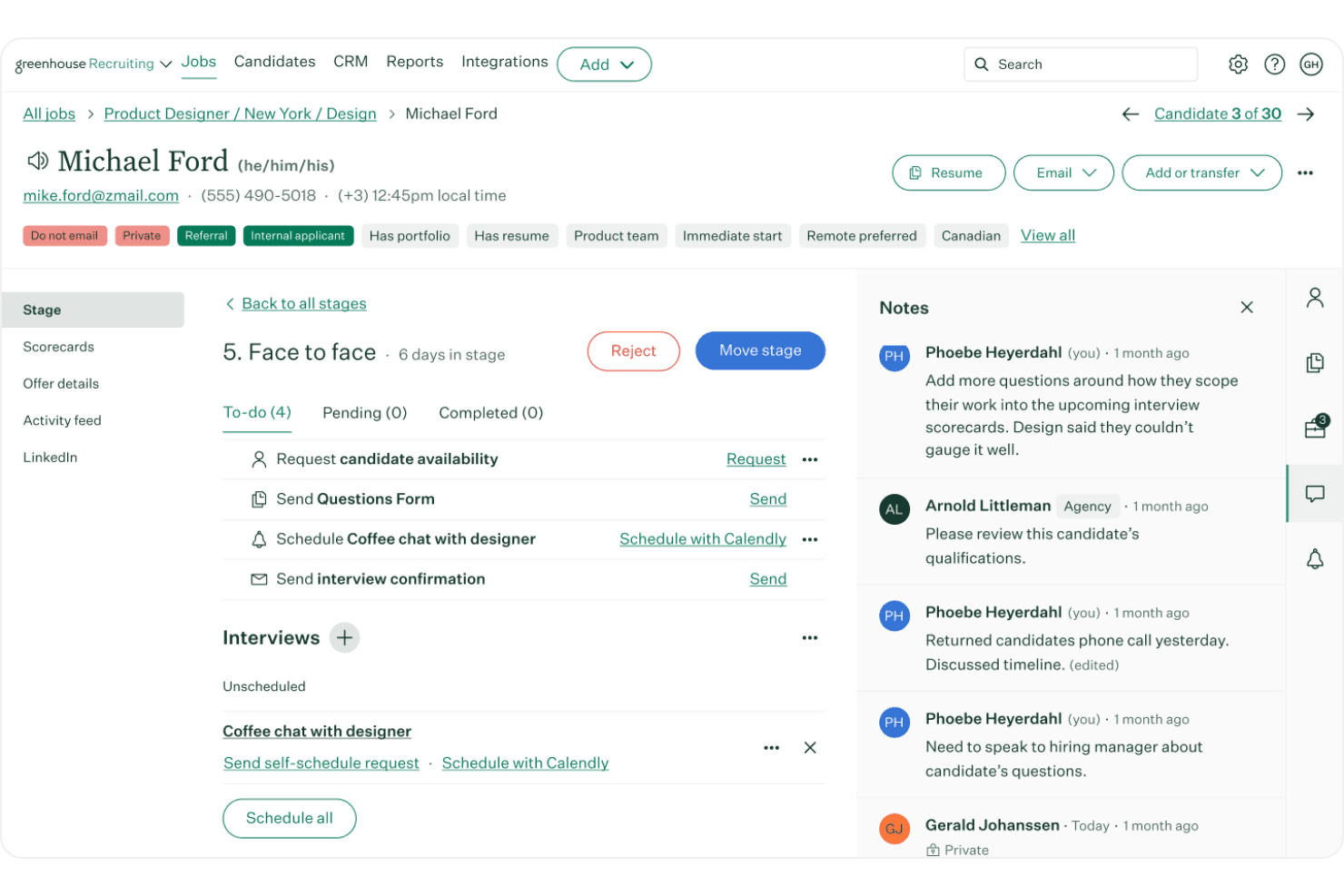
Greenhouse centralizes candidate tracking, notes, and interview scheduling. Greenhouse is an applicant tracking system for talent teams that need to manage candidate pipelines, hiring-team collaboration, and recruiting workflows as their organization grows.
Who Is Greenhouse Best For?
Greenhouse suits recruiting teams at growing organizations that need consistent hiring processes across roles and hiring teams.
Why I Picked Greenhouse
I include Greenhouse among iCIMS competitors because it supports scalable and structured hiring through role-specific interview kits and scorecards. I like how recruiters can give interviewers consistent questions and a shared way to assess candidates, then coordinate feedback across the hiring team. That structure helps keep evaluation consistent as hiring expands across roles.
Greenhouse Key Features
- Interview scheduling: Candidates can self-schedule using links, while recruiters set interviewer preferences and limits.
- Reporting and analytics: Build dashboards, use prebuilt reports, and create custom reports.
- Onboarding: Send automated tasks and reminders, collect e-signatures, and provide a branded welcome portal.
- Fraud detection: Greenhouse Real Talent flags potential fraud and supports candidate identity verification.
Greenhouse Integrations
Greenhouse offers 400+ pre-built integrations, including LinkedIn Recruiter System Connect and Google Calendar. It also provides an open API for custom integrations.
Pros and Cons
Pros:
- Custom stages support role-specific hiring workflows
- Shared candidate pipelines replace scattered tracking
- Standardized scorecards keep interviewer feedback aligned
Cons:
- Routine setup and updates can feel click-heavy
- Deeper reporting often requires spreadsheet exports
 Best for AI-powered ATS and recruitment CRM
- 14-day free trial + free demo available
- From $15/user/month (billed annually)
Visit WebsiteCustomer Rating:4.8/5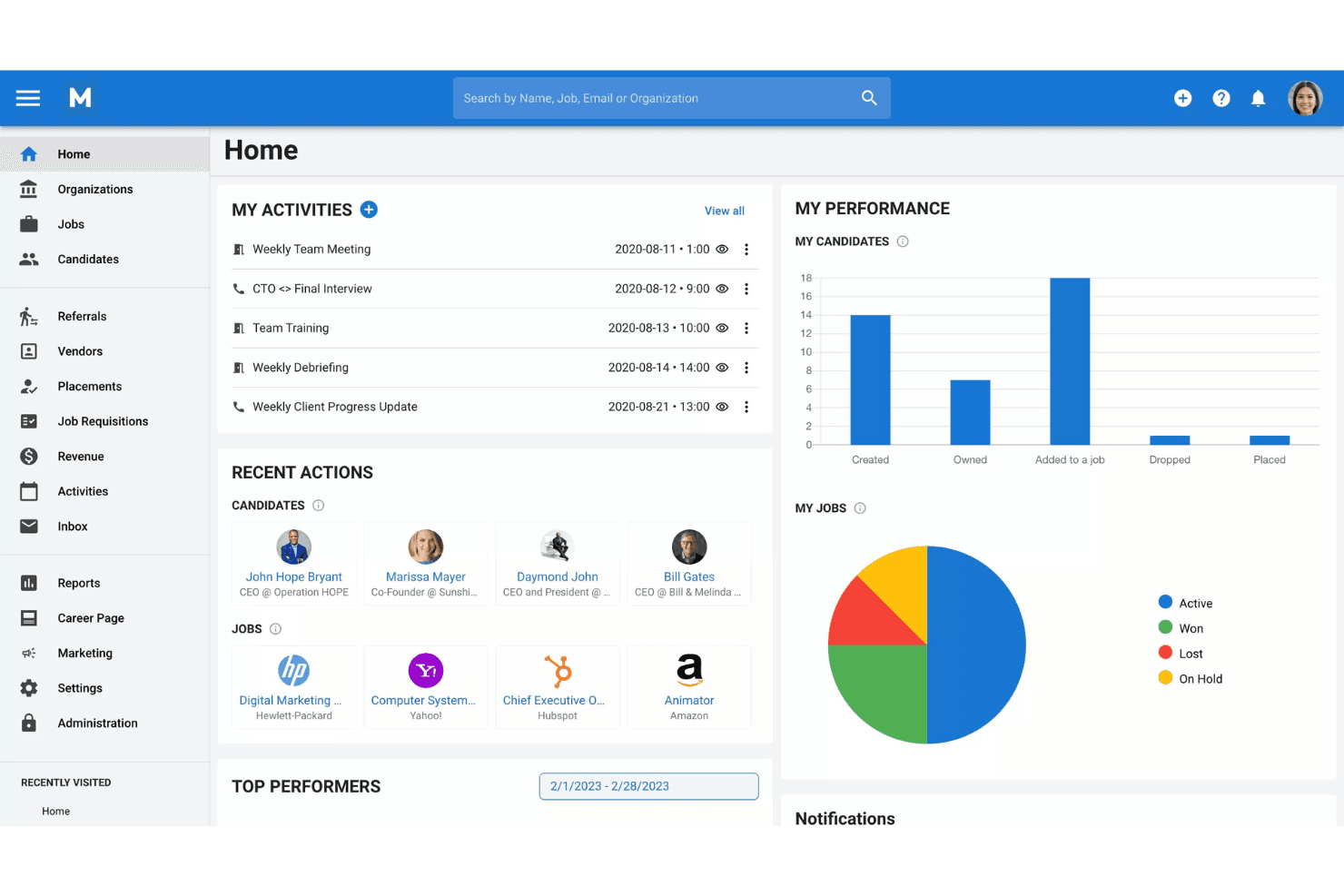
Manatal centralizes recruiting tasks, jobs, and candidate performance on one dashboard. Manatal gives staffing agencies and in-house HR teams one workspace for managing candidate relationships, applications, and hiring workflows, offering an alternative to complex enterprise ATS platforms such as iCIMS.
Who Is Manatal Best For?
Recruiters at staffing agencies can use Manatal to manage candidate pipelines and recruitment relationships across multiple client searches.
Why I Picked Manatal
I picked Manatal, my choice for Best for AI-powered ATS and recruitment CRM, because it brings candidate relationships, applications, and hiring workflows into one workspace. I like that recruiters can track prospects across multiple client searches while managing each search’s pipeline.
Manatal Key Features
- Job board posting: Publish openings across more than 2,500 organic and premium channels.
- Resume parsing: Extract candidate details from resumes into structured profile fields.
- Interview scheduling: Sync calendars, send invitations and reminders, and assign interviewers.
- Branded career pages: Build a no-code careers page with custom forms and a company domain.
Manatal Integrations
Manatal lists integrations with Google Workspace, Microsoft 365, Mailchimp, Codility, Adobe Sign, LinkedIn, Indeed, Monster, Humaans, and Zapier. It also offers an OpenAPI for custom integrations.
Pros and Cons
Pros:
- AI summaries speed initial candidate reviews
- Quick setup supports collaborative pipelines
- Centralizes candidates with duplicate detection
Cons:
- Resume loading can lag during reviews
- Recruiter-performance reporting remains limited
 Best for iCIMS migration without a hiring freeze
- Free demo available
- Pricing upon request
Customer Rating:4.7/5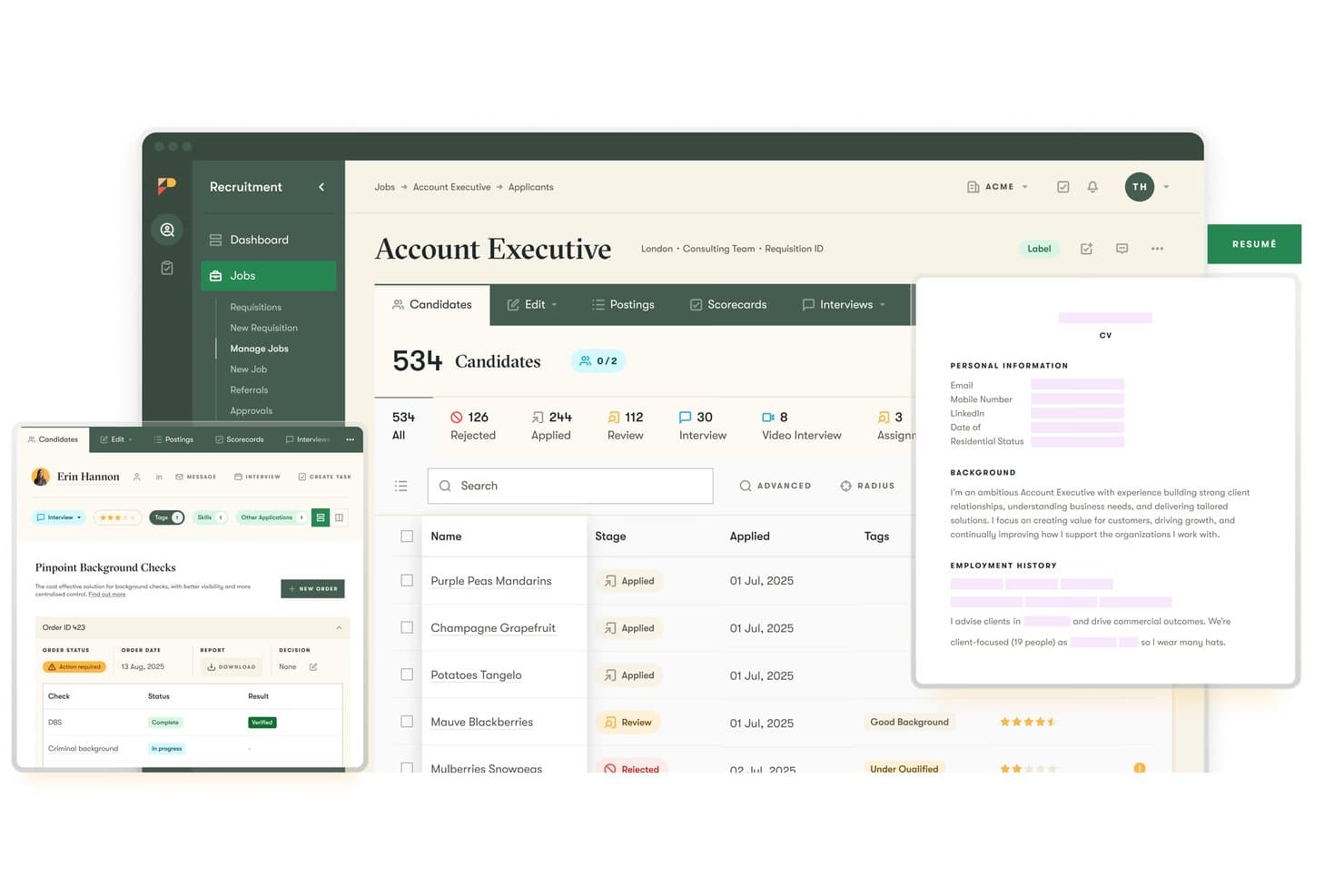
Pinpoint centralizes candidate tracking, CV review, and background checks in one ATS. Pinpoint is an applicant tracking system for in-house recruiting teams that need to coordinate hiring workflows, organize candidate communication, and give hiring managers a clearer view of open roles.
Who Is Pinpoint Best For?
Pinpoint suits recruiting teams replacing iCIMS that need to migrate systems without pausing active hiring.
Why I Picked Pinpoint
I picked Pinpoint as an iCIMS competitor for iCIMS migration without a hiring freeze. Its migration team can transfer candidate records, pipeline stages, resumes, and notes, then remap and test integrations before go-live. I like that you can run both ATSs in parallel, so active candidates finish in iCIMS while new applications enter Pinpoint.
Pinpoint Key Features
- Branded careers site: Create a careers site that reflects your organization’s brand.
- Interview self-scheduling: Let candidates choose from available interview times.
- Candidate scorecards: Collect structured feedback from interviewers.
- Offer management: Manage offers within the hiring workflow.
Pinpoint Integrations
Pinpoint offers 100+ native integrations, including Workday, Oracle, UKG, ADP, BambooHR, Indeed, LinkedIn, Zoom, Microsoft Teams, and Google Meet. It also supports Zapier and provides an open API for custom integrations.
Pros and Cons
Pros:
- Configurable workflows fit varied hiring processes
- Candidate records and stages migrate with support
- Parallel ATS operation keeps active hiring moving
Cons:
- Finding rejected candidates after role closure takes time
- Large reports can fail with volume
Learn more about Pinpoint: Best for small business recruiting
- Not available
- From $1,000/year (billed annually)
Visit WebsiteCustomer Rating:4.4/5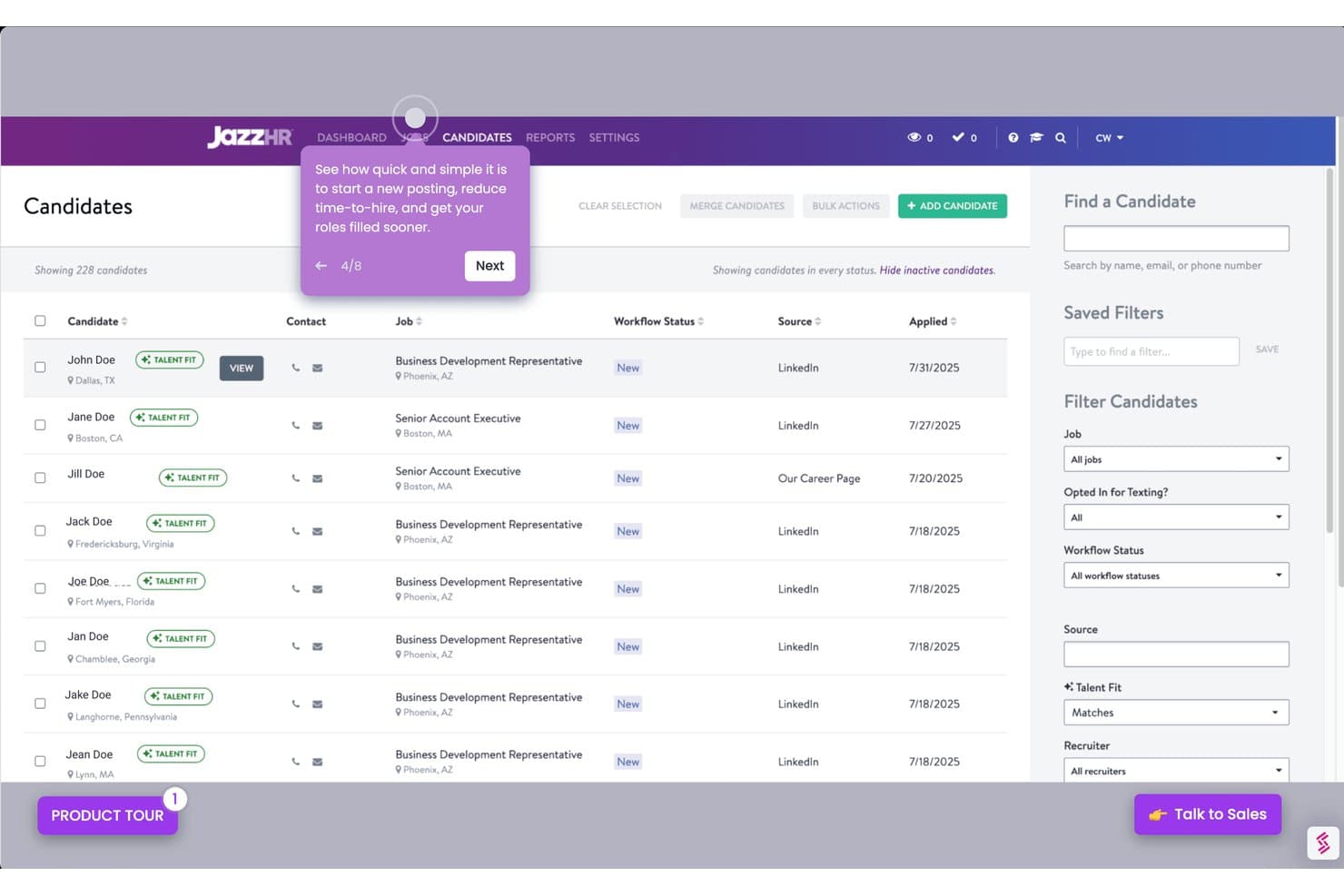
JazzHR centralizes candidate tracking with filters and AI Talent Fit scoring. JazzHR is an applicant tracking system that helps growing businesses manage job postings, candidates, and hiring workflows without the complexity of an enterprise-focused platform.
Who Is JazzHR Best For?
JazzHR is a good fit for small-business recruiters and lean HR teams that need a dedicated system to coordinate hiring across open roles.
Why I Picked JazzHR
JazzHR is my pick for Best for small business recruiting among iCIMS competitors. I like its job-post distribution and customizable hiring stages, which let a lean HR team publish an opening and track applicants through review and interviews. Interview kits help hiring managers assess candidates against consistent criteria.
JazzHR Key Features
- Email templates: Save reusable messages for candidate outreach and updates.
- Resume parsing: Extract candidate details from resumes into profiles.
- Knockout questions: Add screening questions to identify applicants who meet job requirements.
- Candidate database search: Search stored candidate profiles to find potential applicants.
JazzHR Integrations
JazzHR’s partner marketplace lists integrations with tools such as LinkedIn Recruiter, BambooHR, ADP Workforce Now, Calendly, Checkr, and Criteria. Its candidate-export framework supports sending data to Zapier, and an API is available for custom integrations.
Pros and Cons
Pros:
- Resume parsing and candidate search aid screening
- Custom stages and knockout questions support lean teams
- Multi-board posting centralizes applicant intake
Cons:
- Workflow setup and maintenance can feel cumbersome
- Reporting offers less depth for complex hiring
 Best for AI-driven recruitment automation
- Not available
- Pricing upon request
Visit WebsiteCustomer Rating:4.1/5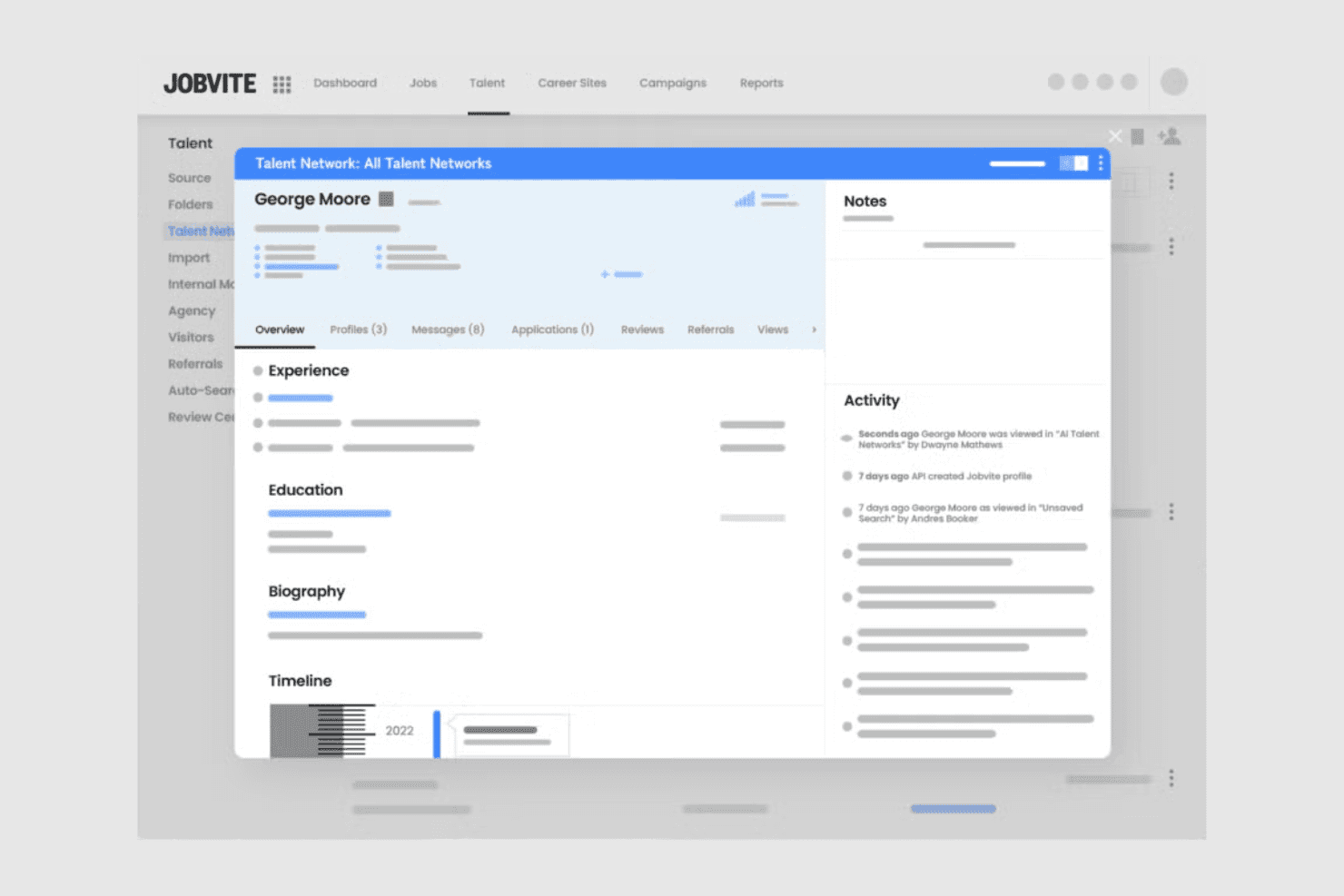
Jobvite displays a candidate profile panel with experience, education, biography, and activity tracking within its Talent Network interface. Jobvite is a talent acquisition platform for HR and recruiting teams that combines applicant tracking, candidate engagement, and hiring workflows to help manage roles and reduce manual coordination.
Who Is Jobvite Best For?
Jobvite suits recruiting teams that want AI-assisted automation to handle repetitive hiring tasks across multiple open roles.
Why I Picked Jobvite
I picked Jobvite as an iCIMS competitor for “Best for AI-driven recruitment automation” because its AI can screen candidates and match applicants to roles based on skills. I also like that its chatbots ask screening questions and its scheduling automation coordinates interviews around candidate and hiring-team availability.
Jobvite Key Features
- Branded career sites : Create mobile-optimized pages to showcase roles and your employer brand.
- Talent CRM : Build candidate audiences and send targeted email and SMS campaigns.
- Job distribution : Post openings across job boards and other recruitment channels.
- Recruiting analytics : Track source of hire, campaign performance, and hiring metrics in dashboards.
Jobvite Integrations
Jobvite documents pre-built HRIS integrations with ADP, Oracle, Workday, UKG, Infor, SAP, and BambooHR, plus integrations with LinkedIn Recruiter System Connect, Microsoft Teams, and Zoom. It also offers an API for custom integrations.
Pros and Cons
Pros:
- Candidate CRM supports ongoing nurture campaigns
- Automated interview scheduling cuts coordination
- AI screening and skills-based role matching
Cons:
- Support follow-up can be inconsistent
- Custom reports require extra effort
 Best for comprehensive talent lifecycle management
- Free demo available
- Pricing upon request
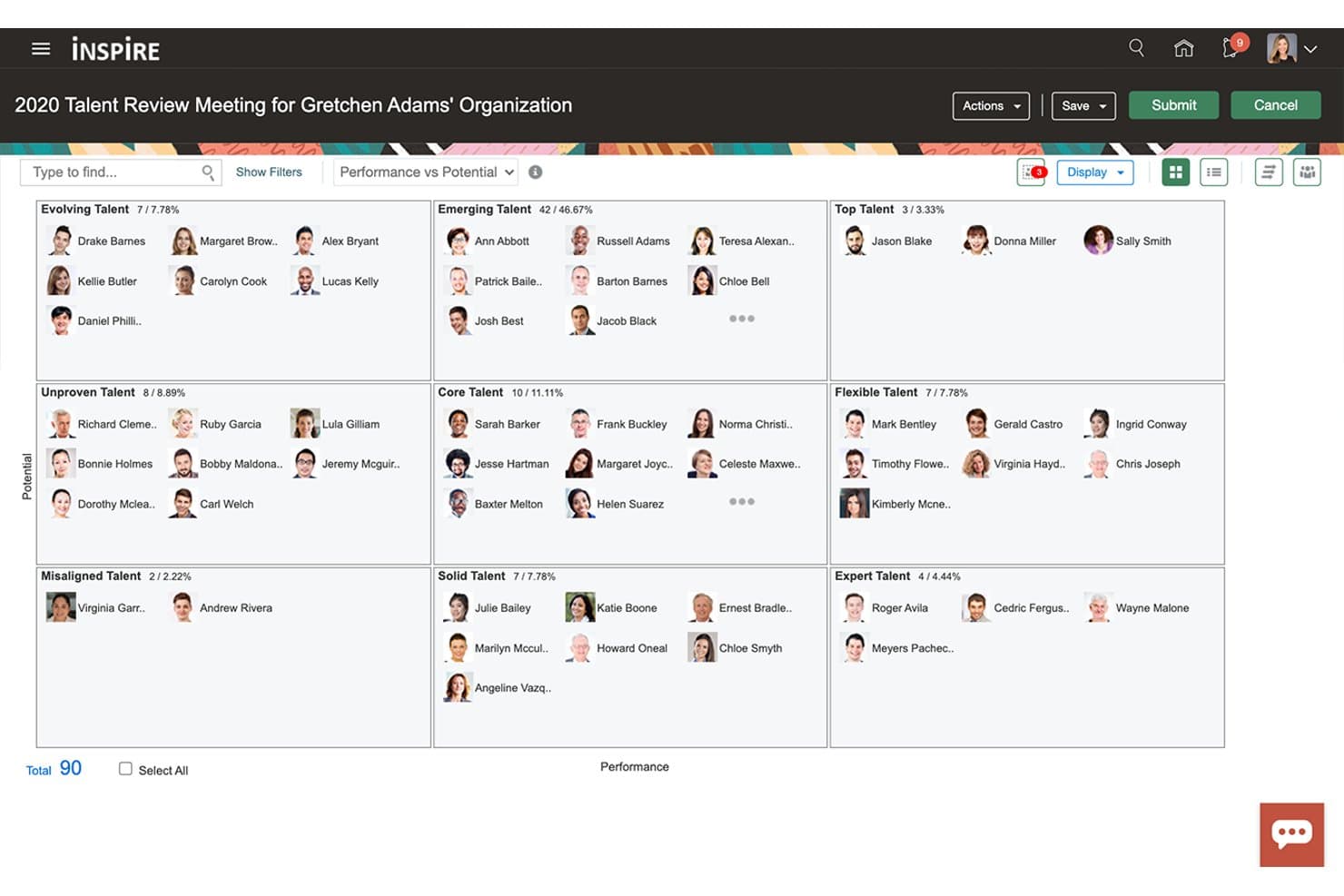
Oracle Talent Management visualizes employee talent across a 9-box grid. Oracle Talent Management connects recruiting with employee development in Oracle HCM, giving larger HR teams a shared way to manage hiring, skills, performance, and career growth across the employee journey.
Who Is Oracle Talent Management Best For?
HR leaders at large organizations who need to coordinate talent processes across multiple business units and employee groups.
Why I Picked Oracle Talent Management
Oracle Talent Management is one of my iCIMS alternatives because it connects recruiting with employee development across Oracle HCM. I like how teams can link hiring to skills, performance, and career growth, supporting its “Best for comprehensive talent lifecycle management” use case.
Oracle Talent Management Key Features
- Job requisition management: Create and manage job requisitions through recruiting workflows.
- Candidate pools: Organize candidate profiles into searchable pools.
- Interview scheduling: Coordinate interview schedules with hiring teams and candidates.
- Offer management: Prepare and manage job offers within the recruiting process.
Oracle Talent Management Integrations
Oracle Talent Management supports partner integrations for recruiting services such as assessments, background checks, job distribution, and profile import, with partner solutions available through the Oracle Cloud Marketplace. Oracle also provides HCM REST APIs and other integration methods for custom connections.
Pros and Cons
Pros:
- Internal mobility alongside applicant tracking
- Strong analytics and hiring reports
- Links recruiting with performance and career growth
Cons:
- Less external candidate nurturing than iCIMS
- Outdated interface slows recruiter workflows
Learn more about Oracle Talent Management:
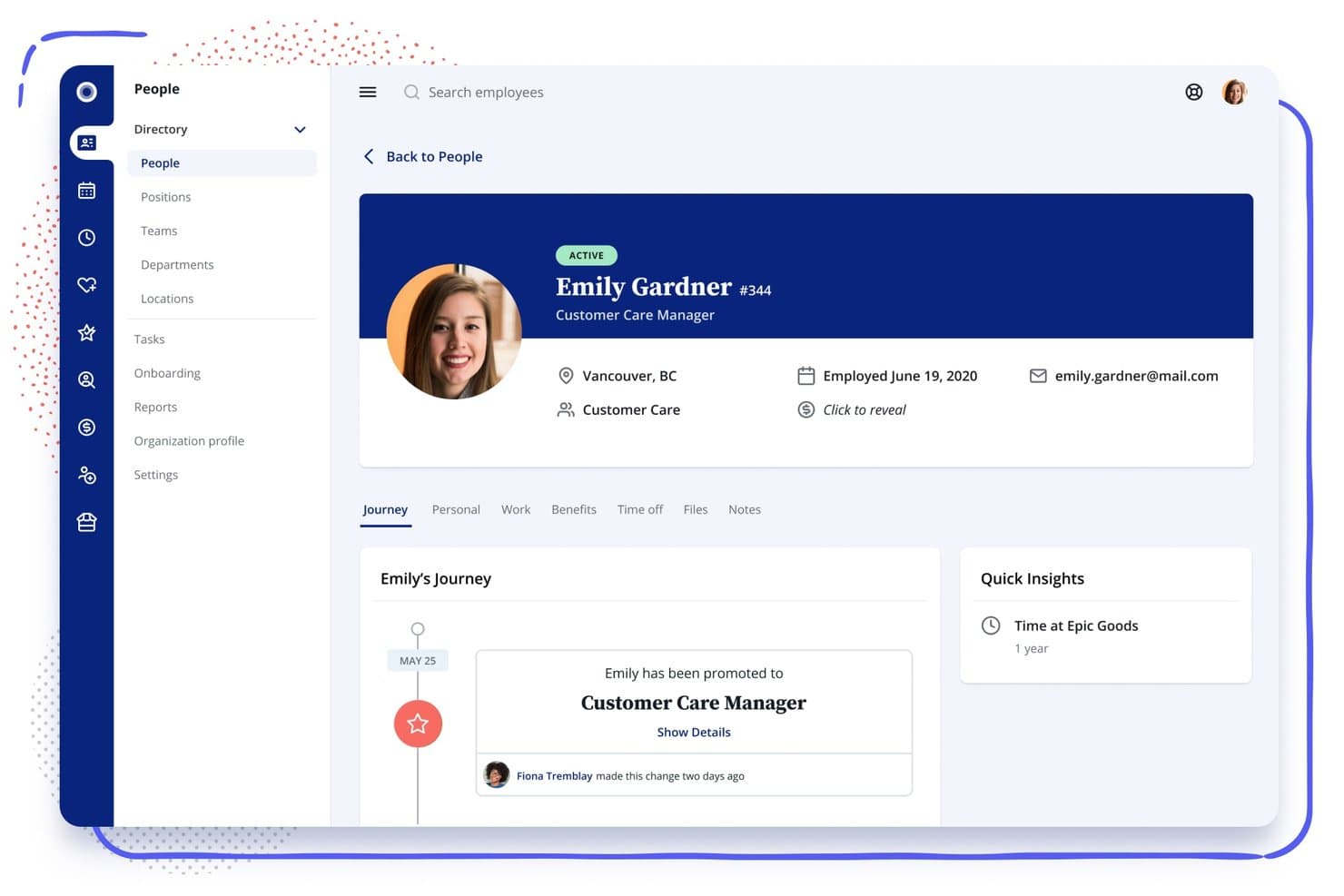
Rise People centralizes employee profiles with career journey tracking. Rise People connects recruiting and onboarding with payroll, benefits, and time management, helping HR teams at growing organizations reduce handoffs from hiring through the employee lifecycle.
Who Is Rise People Best For?
Rise People suits HR generalists at growing businesses who need one platform for payroll, benefits, employee records, and time management.
Why I Picked Rise People
I picked Rise People as an iCIMS competitor because its recruiting and onboarding connect with payroll, benefits, employee records, and time management. I like that connection for teams moving a new hire from onboarding into payroll and ongoing employee administration without switching between separate HR systems.
Rise People Key Features
- Custom candidate pipelines: Set hiring stages such as phone screens, interviews, and skills tests.
- Branded careers page: Publish job postings on a page featuring your logo and company colors.
- Screening questions: Add role-specific questions to application forms to qualify candidates.
- Interview notes: Share candidate notes with hiring team members and review status-change history.
Rise People Integrations
Rise People offers documented integrations with QuickBooks Online for payroll expense syncing and journal entries, and Xero through the Xero App Store for payroll data syncing. Its public API supports custom integrations.
Pros and Cons
Pros:
- Custom pipelines and screening questions qualify applicants
- Shared interview notes support team decisions
- New-hire details flow into onboarding and payroll
Cons:
- Less suited to complex enterprise hiring workflows
- Advanced sourcing tools aren't highlighted
Learn more about Rise People: Best for recruitment agencies
- 30-day free trial + free demo available
- From $95/user/month (billed annually)
Visit WebsiteCustomer Rating:4.9/5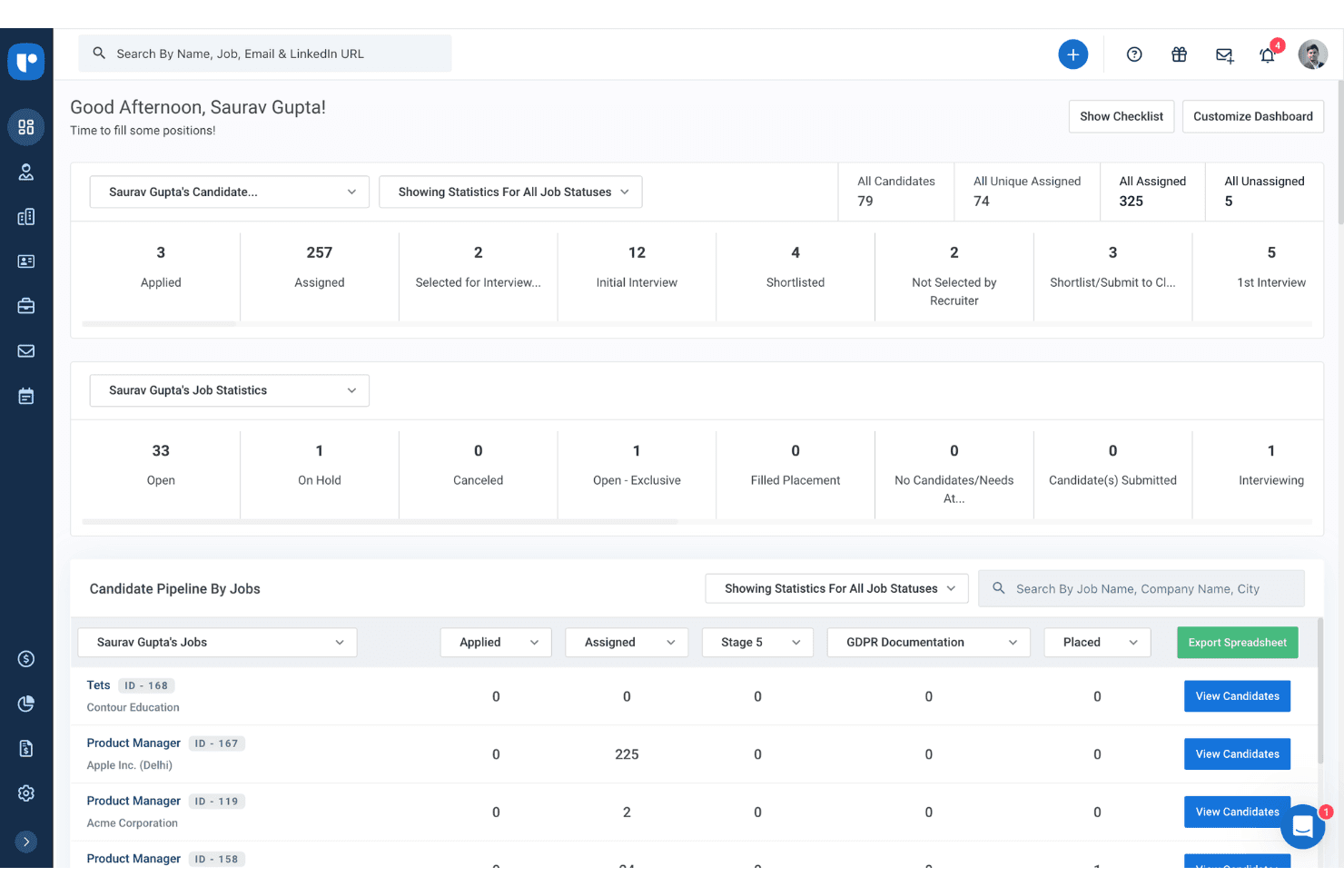
Recruit CRM's dashboard tracks candidate pipelines and job statistics. Recruit CRM combines applicant tracking and recruitment CRM tools for staffing firms, helping agency recruiters manage candidate pipelines, client relationships, and placement workflows in one platform.
Who Is Recruit CRM Best For?
Recruit CRM suits agency recruiters and recruitment business owners who need software tailored to hiring and placement work.
Why I Picked Recruit CRM
I picked Recruit CRM as an iCIMS competitor because its USP is “Best for recruitment agencies.” I like that it combines applicant tracking with recruitment CRM tools, so agency recruiters can manage candidate pipelines alongside client relationships and placement workflows.
Recruit CRM Key Features
- Chrome sourcing extension: Add candidate profiles from LinkedIn, Xing, and other web pages.
- AI resume parsing: Extract candidate details from resumes into searchable records.
- Email sequences: Schedule outreach messages and follow-ups for candidates and contacts.
- Boolean search: Find candidates with targeted search terms and operators.
Recruit CRM Integrations
Direct connections include Gmail, Outlook, LinkedIn, Zoom, Google Meet, Microsoft Teams, Google Calendar, and Outlook Calendar; Recruit CRM also lists 51 partner integrations and provides an API for custom connections. Its Workflow Automation connects with 1,000+ apps, and supported automation platforms include Pabbly Connect, Integrately, and Zapier.
Pros and Cons
Pros:
- Unifies candidate, client, and placement pipelines
- Responsive support helps with migration and onboarding
- AI parsing and sourcing support agency desks
Cons:
- Search filters and dashboards need more control
- Email triggers remain limited per candidate stage
Learn more about Recruit CRM: Best for collaborative hiring and onboarding
- Free trial + free demo available
- From $10/employee/month
Visit WebsiteCustomer Rating:4.5/5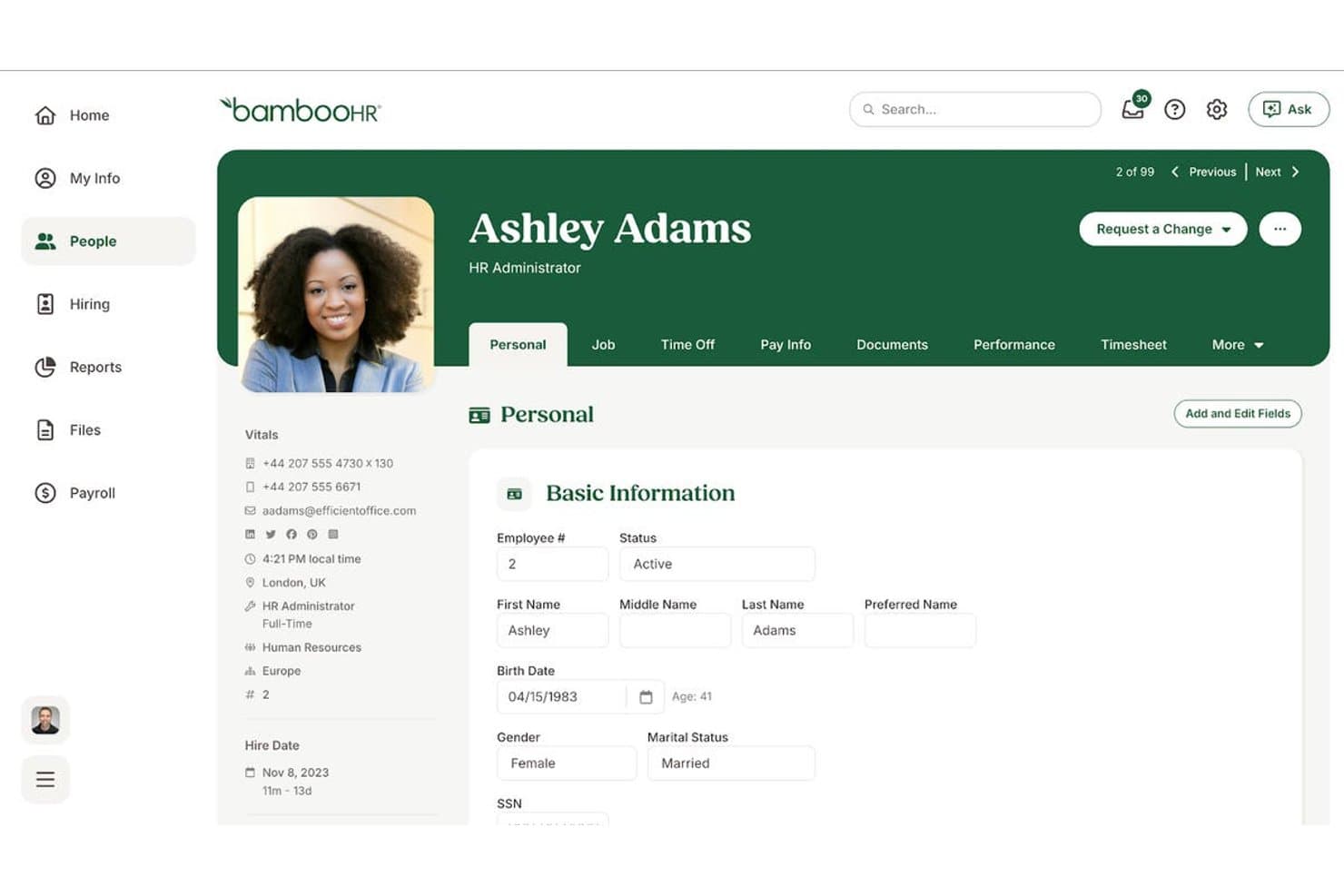
BambooHR centralizes employee personal data in one profile view. BambooHR is an HR platform for growing organizations that combines applicant tracking and employee data to help HR teams manage recruiting and new-hire workflows, making it Best for collaborative hiring and onboarding.
Who Is BambooHR Best For?
BambooHR suits HR generalists at growing organizations who need one place to manage recruiting workflows and employee information.
Why I Picked BambooHR
I picked BambooHR as an iCIMS alternative for its collaborative hiring and onboarding. Recruiters can share candidate profiles and collect hiring-team feedback, then move selected applicants into onboarding tasks and electronic signature workflows for new-hire paperwork.
BambooHR Key Features
- Job board posting: Publish openings to job boards, including Indeed, ZipRecruiter, and LinkedIn.
- Interview self-scheduling: Let candidates select interview times from your team’s available slots.
- Candidate email automation: Send candidates automated, personalized email messages.
- Background checks: Order, track, and review candidate screenings in BambooHR.
BambooHR Integrations
BambooHR offers 150+ Marketplace integrations, including Indeed and LinkedIn Premium Job Ads for recruiting and Checkr for background checks, and connects with Zapier. Its open API supports custom integrations.
Pros and Cons
Pros:
- New hires move directly into onboarding tasks
- Candidates can self-schedule interviews
- Hiring teams can review candidates collaboratively
Cons:
- Limited customization for complex hiring workflows
- No proactive candidate sourcing
 10Best for robust analytics and reporting
ClearCo
- Free demo available
- Pricing upon request
Visit WebsiteCustomer Rating:4.5/5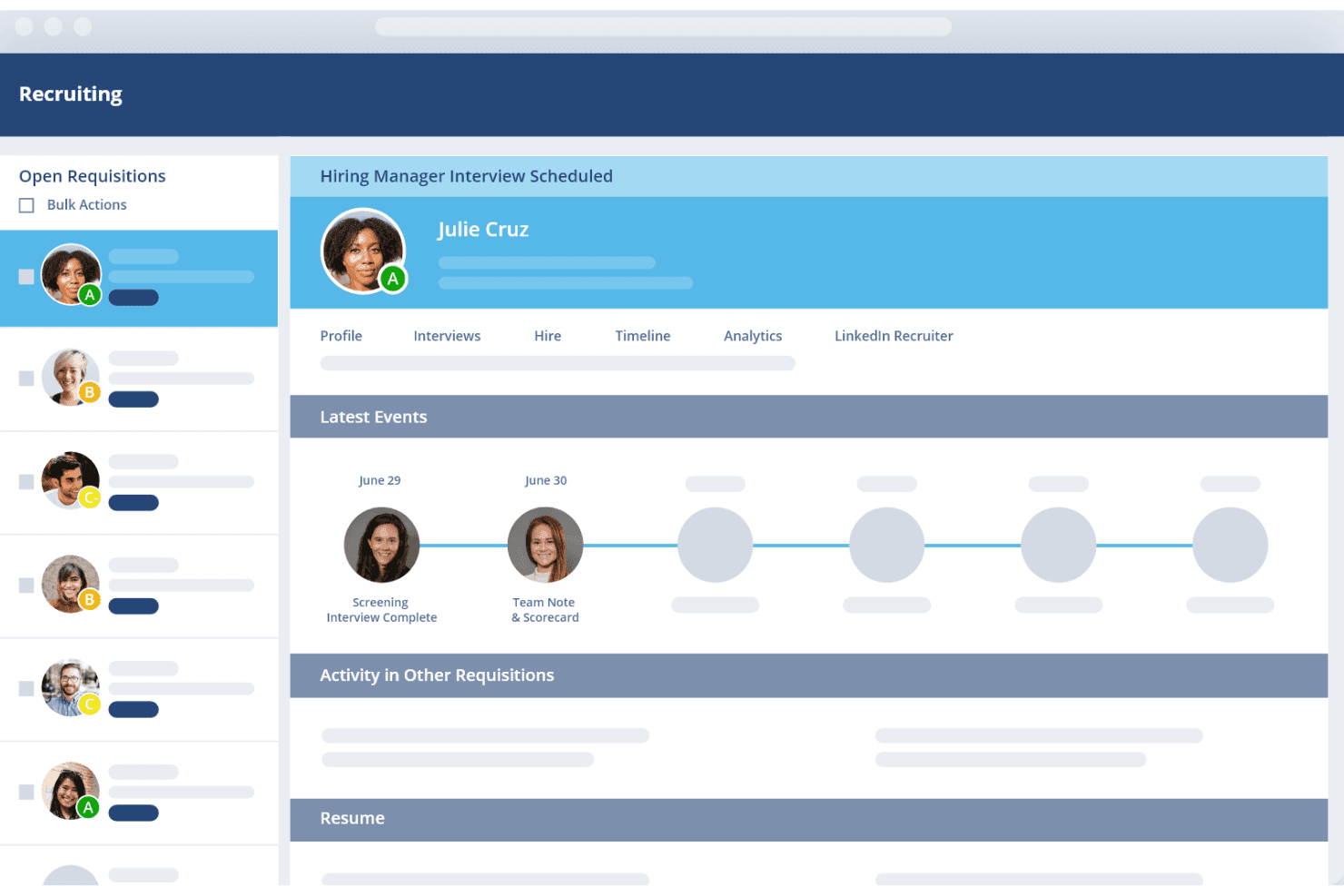
ClearCompany centralizes candidate tracking and interview scheduling in one view. ClearCompany connects applicant tracking with onboarding and talent management, helping HR teams coordinate hiring handoffs and employee transitions in one platform.
Who Is ClearCo Best For?
ClearCo suits HR teams that need reporting to guide recruiting and talent management decisions across the employee lifecycle.
Why I Picked ClearCo
I picked ClearCo because its analytics and reporting support recruiting decisions across the employee lifecycle. Its applicant tracking connects with onboarding and talent management, helping HR coordinate hiring handoffs and review recruiting alongside later talent management activity.
ClearCo Key Features
- Candidate attraction: Supports efforts to attract candidates to open roles.
- Recruiting workflows: Gives recruiters, hiring managers, and candidates workflows for hiring.
- Background checks and screens: Supports background checks and candidate screening.
- Mobile access: Provides a mobile platform for talent management.
ClearCo Integrations
ClearCo lists integrations with Indeed, UKG, LinkedIn, ADP, Paylocity, and BambooHR, among others. It also supports APIs for connecting HR, payroll, IT, and business systems.
Pros and Cons
Pros:
- Hiring managers gain candidate-status visibility
- Configurable pipelines support distinct hiring stages
- Recruiting and onboarding share one platform
Cons:
- Candidate filtering gets cumbersome at volume
- Recruiting reports need cleanup or exports
Learn more about ClearCo:
Outros concorrentes do iCIMS
Segue-se uma lista de concorrentes adicionais do iCIMS que selecionámos, mas que não chegaram à lista principal. Vale definitivamente a pena conhecê-los.
- 11Zoho RecruitBest for customizable recruitment solutions
- 12CeipalBest for AI-driven recruitment
- 13WorkableBest for AI-powered candidate sourcing
- 14SmartRecruitersBest for enterprise-level recruitment
- 15LeverBest for integrated ATS + CRM
- 16BullhornBest for staffing agencies
- 17NamelyBest for mid-sized businesses
- 18WorkdayBest for enterprise-level talent management
- 19Keka HRBest for integrated HR and recruitment
- 20FountainBest for hourly and gig workers
- 21LinkedIn Talent SolutionsBest for leveraging professional networks
- 22AvatureBest for customizable workflows
Avaliações relacionadas de software de RH
Se ainda não encontrou aqui o que procura, consulte estas outras ferramentas relacionadas que testámos e avaliámos:
- Software de RH
- Software de processamento salarial
- Software de recrutamento
- Serviços de empregador legal
- Sistemas de acompanhamento de candidatos
- Software de gestão da força de trabalho
How I Evaluate iCIMS Competitors
I evaluate these platforms across two layers: the ATS and sourcing fundamentals every tool must nail, and the differentiators that matter for enterprise hiring teams.
Core Functionality (Table Stakes For This List)
When I'm selecting tools for my list, I rank each one on a scale from 0 (does not offer the functionality) to 5 (excels in this area) for each core functionality listed below. Then, I calculate the tool's total score into a percentage. Each tool needs to achieve a minimum total score of 75% to be considered for inclusion.
- Applicant Tracking System: I look at how each tool handles requisition workflows, pipeline stages, and candidate movement—especially for teams managing hundreds of open roles at once.
- Multi-Channel Job Distribution: Each platform should let you push listings to major boards like Indeed and LinkedIn, plus niche sites, from one central hub.
- Career Site Builder: I evaluate whether the tool offers branded, mobile-responsive career pages with customizable application flows—not just a basic hosted job list.
- Candidate Sourcing & CRM: Strong platforms give recruiters a searchable talent database with segmentation and nurture campaigns to re-engage silver medalists from past searches.
- Interview & Collaboration Tools: I check for self-scheduling links, structured scorecards, and panel coordination features that keep hiring managers aligned throughout the process.
- Compliance & Reporting: The tool should support EEO and OFCCP data collection, audit trails, and configurable dashboards that make it easy to pull hiring metrics by department or region.
Once I have a list of tools that meet this criteria, I consider what sets each platform apart.
Differentiating Factors (What Sets Vendors Apart)
Here's how I compare and contrast different vendors:
Standout Features
AI-powered candidate matching is a major differentiator—I look for platforms that automatically rank applicants against requisition criteria so recruiters spend less time manually screening. Built-in onboarding modules matter too, especially ones that bridge the gap between offer acceptance and Day One with digital paperwork and task workflows. I also evaluate conversational AI chatbots that pre-screen and schedule candidates around the clock, which gives high-volume teams a real edge during peak hiring surges.
Beyond Features
Integration ecosystem is a big one—I check whether a platform has prebuilt connectors to HRIS tools like Workday, SAP SuccessFactors, or ADP, since a disconnected ATS creates manual data entry for people ops teams. Implementation timelines also matter. Enterprise migrations from a legacy ATS can take months, so I evaluate whether vendors offer dedicated support and data migration tooling. Pricing structure rounds it out: I look at whether licensing is per-recruiter or per-requisition, and whether seasonal hiring spikes are handled without forcing a contract upgrade.
Funcionalidades dos concorrentes do iCIMS
Eis algumas funcionalidades essenciais do iCIMS que o software concorrente deverá conseguir replicar ou melhorar para se adequar.
- Site de carreiras: Site de emprego personalizável com testemunhos em vídeo e adaptação a dispositivos móveis.
- Sistema de acompanhamento de candidatos: Fluxos de trabalho configuráveis, cadeias de aprovação automatizadas e distribuição nas redes sociais.
- Correspondência de candidatos: Correspondência baseada em IA para identificar os candidatos mais qualificados.
- Mercado de oportunidades: Mercado interno de talentos para recomendar funções com base nas competências e interesses.
- Gestão da relação com os candidatos: Comunicação multicanal (mensagens de texto, e-mail, WhatsApp) e campanhas personalizadas.
- SkillSurvey: Verificação automatizada de referências e inquéritos aos colaboradores com perguntas personalizáveis.
- Ferramentas de entrevista: Entrevistas por vídeo integradas para candidatos.
- Integração: Tarefas de integração personalizadas e acompanhamento do progresso através de computador ou dispositivo móvel.
- Relatórios e análises: Painéis configuráveis e análises avançadas para previsões preditivas.
- Automação de marketing: Campanhas automatizadas de marketing de recrutamento.