Fetcher Review: Pros, Cons, Features and Pricing



Fetcher is a talent acquisition software that automates candidate sourcing and outreach for recruiting teams. It continuously searches candidate databases and delivers curated profiles directly to your pipeline, without manual boolean searches or hours spent on LinkedIn. I'd consider it if your team is losing too much time at the top of the funnel and not enough time talking to candidates. Compared to a tool like LinkedIn Recruiter, where sourcing is still largely a manual effort, Fetcher takes more of that work off your plate by automating both discovery and initial outreach sequences.
Fetcher Evaluation Summary
- From $115/month (billed annually)
- Free demo available
Why Trust Our Software Recommendations
Our team has been testing and reviewing software since 2012. As HR experts ourselves, we know how difficult—and important—it is to choose the right software.
For this guide, we evaluated tools using hands-on testing and independent research, scoring tools using our selection criteria. We also draw on insights from industry thought leaders and practicing HR experts.
Our reviews reflect our human editorial judgment, not a sales pitch.
Expert reviewers:
Fetcher Overview
In my opinion, Fetcher is a solid choice for teams looking to automate candidate sourcing. Its standout features and ease of use make it appealing for tech startups and mid-sized businesses. Compared to its competitors, Fetcher excels in providing a user-friendly interface and reliable customer support. However, it might not offer as many integrations as some other tools. If your team prioritizes ease of use and efficient sourcing, Fetcher could be a great fit. Its pricing is competitive, making it a valuable option for companies with limited budgets.
pros
-
Automates candidate sourcing, saving your team time.
-
User-friendly interface makes it easy for your team to navigate.
-
Reliable customer support helps resolve your issues quickly.
cons
-
Limited integrations might not fit all your tech stack needs.
-
Some users find the customization options lacking.
-
May not be ideal for very large enterprises with complex requirements.
-

Justworks
Visit WebsiteThis rating combines scores from multiple user review sites to reflect overall customer sentiment about the product.4.6 -
Eletive
Visit WebsiteThis rating combines scores from multiple user review sites to reflect overall customer sentiment about the product.4.6 -
Prevue Assessments
Visit WebsiteThis rating combines scores from multiple user review sites to reflect overall customer sentiment about the product.4.6



How We Test & Score Our Tools
We’ve spent years building, refining, and improving our software testing and scoring system. The rubric is designed to capture the nuances of software selection and what makes a tool effective, focusing on critical aspects of the decision-making process.
Below, you can see exactly how our testing and scoring works across seven criteria. It allows us to provide an unbiased evaluation of the software based on core functionality, standout features, ease of use, onboarding, customer support, integrations, customer reviews, and value for money.
Core Functionality (25% of final score)
The starting point of our evaluation is always the core functionality of the tool. Does it have the basic features and functions that a user would expect to see? Are any of those core features locked to higher-tiered pricing plans? At its core, we expect a tool to stand up against the baseline capabilities of its competitors.
Standout Features (25% of final score)
Next, we evaluate uncommon standout features that go above and beyond the core functionality typically found in tools of its kind. A high score reflects specialized or unique features that make the product faster, more efficient, or offer additional value to the user.
We also evaluate how easy it is to integrate with other tools typically found in the tech stack to expand the functionality and utility of the software. Tools offering plentiful native integrations, 3rd party connections, and API access to build custom integrations score best.
Ease of Use (10% of final score)
We consider how quick and easy it is to execute the tasks defined in the core functionality using the tool. High scoring software is well designed, intuitive to use, offers mobile apps, provides templates, and makes relatively complex tasks seem simple.
Onboarding (10% of final score)
We know how important rapid team adoption is for a new platform, so we evaluate how easy it is to learn and use a tool with minimal training. We evaluate how quickly a team member can get set up and start using the tool with no experience. High scoring solutions indicate little or no support is required.
Customer Support (10% of final score)
We review how quick and easy it is to get unstuck and find help by phone, live chat, or knowledge base. Tools and companies that provide real-time support score best, while chatbots score worst.
Customer Reviews (10% of final score)
Beyond our own testing and evaluation, we consider the net promoter score from current and past customers. We review their likelihood, given the option, to choose the tool again for the core functionality. A high scoring software reflects a high net promoter score from current or past customers.
Value for Money (10% of final score)
Lastly, in consideration of all the other criteria, we review the average price of entry level plans against the core features and consider the value of the other evaluation criteria. Software that delivers more, for less, will score higher.
Core Features
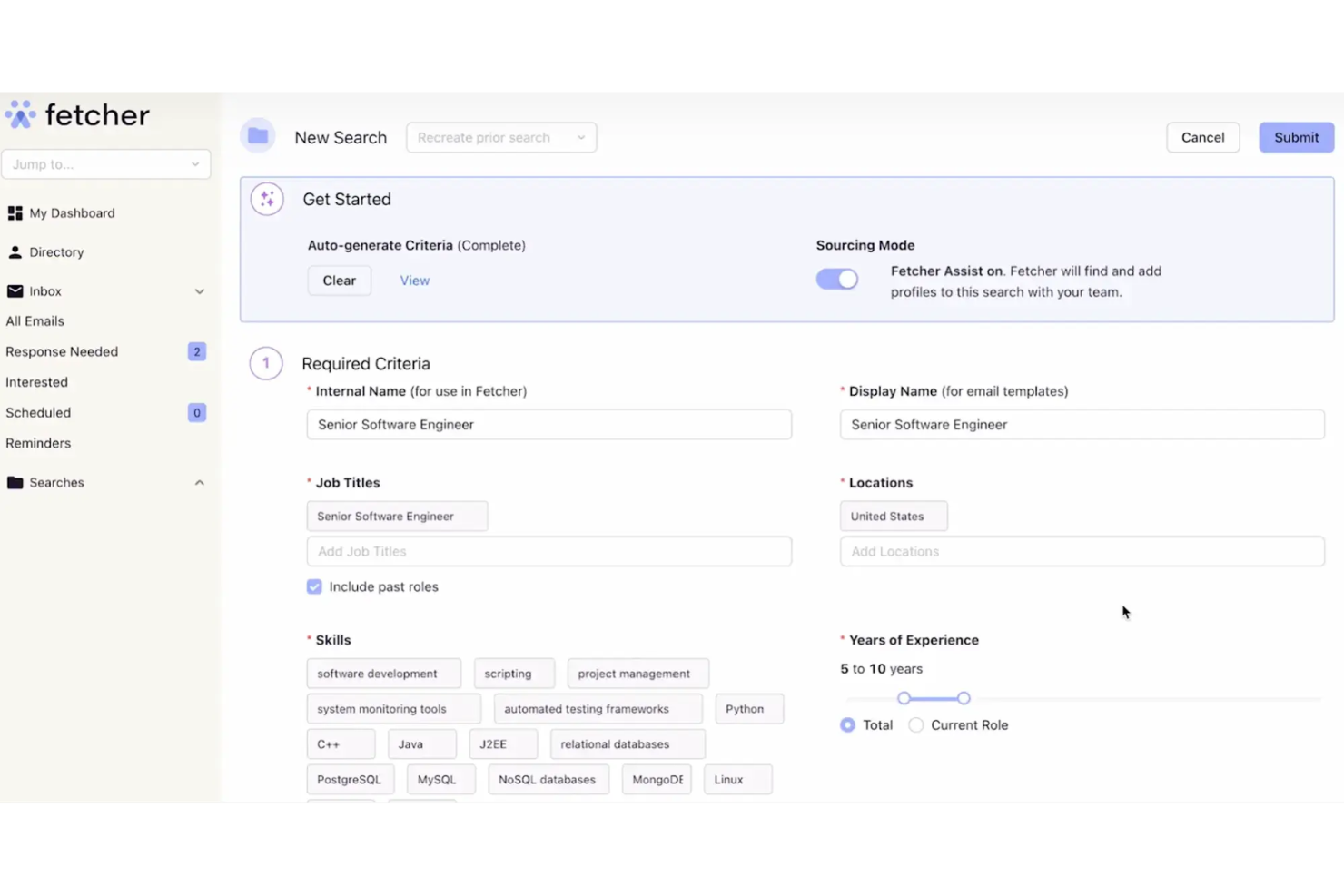
AI-Powered Sourcing: Fetcher uses AI to automate the candidate sourcing process, saving your recruitment team time. It helps you find qualified candidates without manual effort.
Email Automation: You can schedule and send personalized emails to candidates, making outreach and follow-up consistent without manual effort.
Candidate Tracking: Fetcher provides tools to track your candidates throughout the hiring process. This helps you keep an organized view of your recruitment pipeline.
Analytics Dashboard: Fetcher offers an easy-to-read dashboard with insights into your recruitment metrics. This helps your team make data-driven hiring decisions.
Collaborative Hiring: Your team can collaborate easily with shared notes and feedback. This feature ensures everyone stays on the same page.
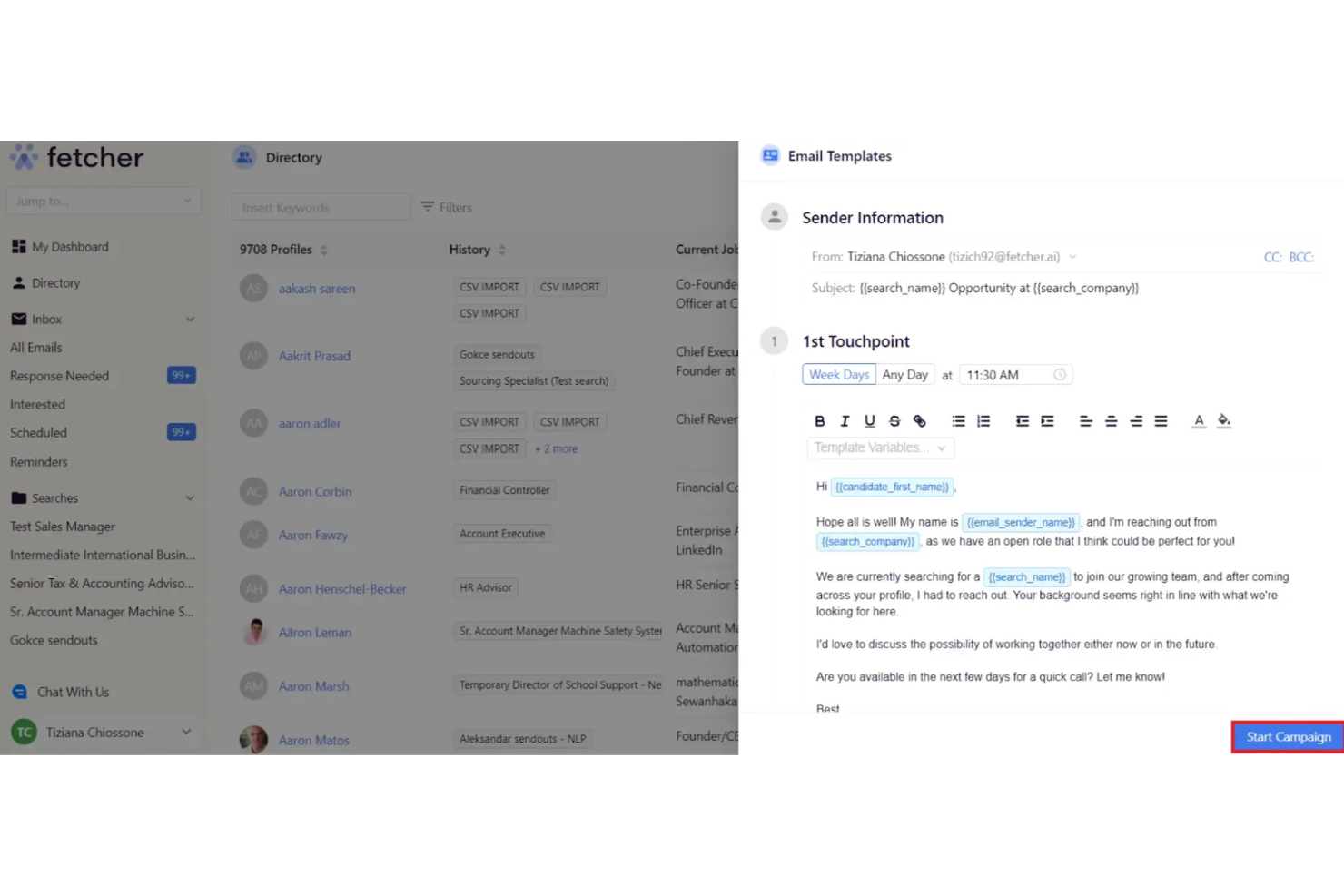
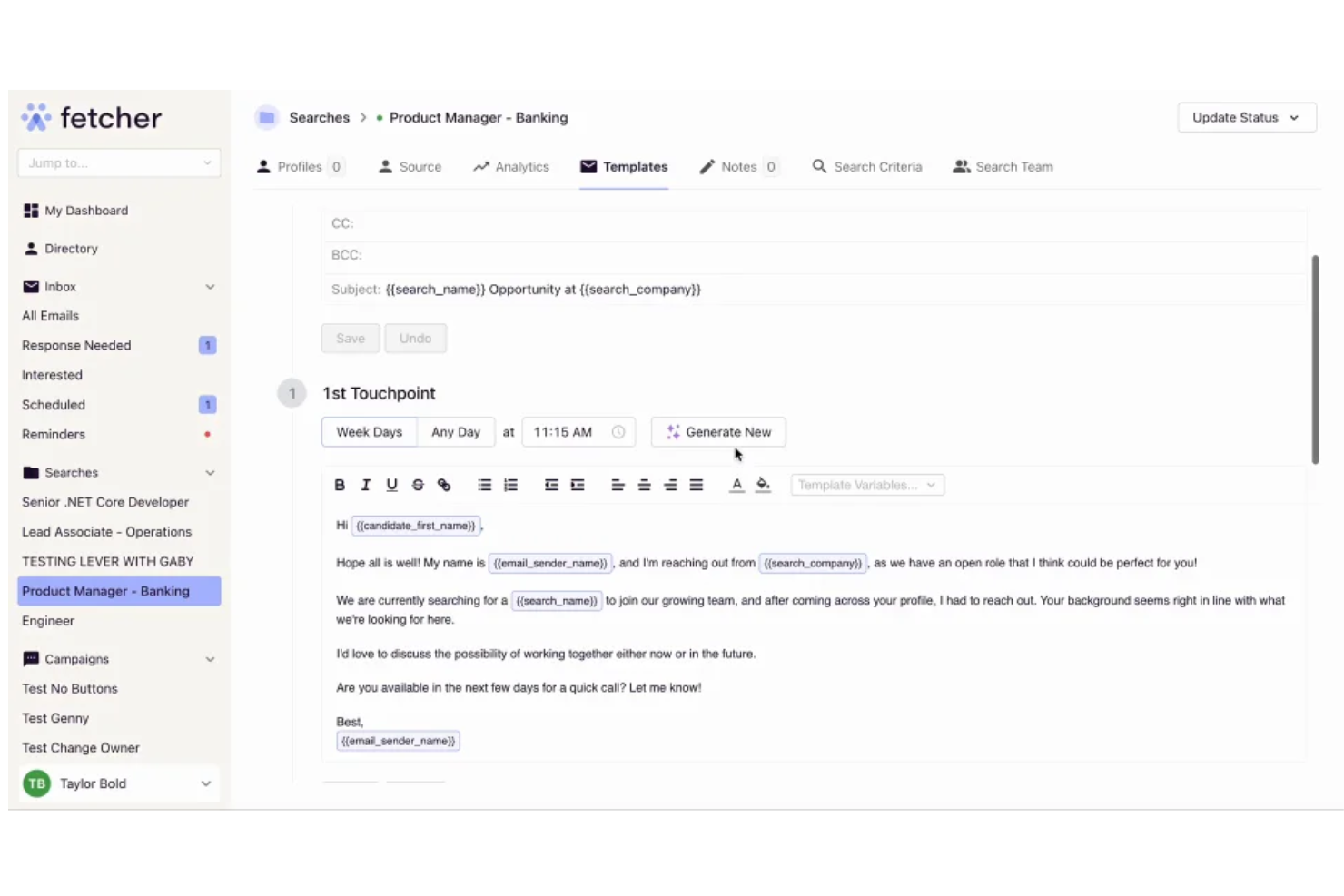
Customizable Templates: Fetcher allows you to use and customize email templates. It speeds up your communication and maintains your brand voice.
Ease of Use
Fetcher is user-friendly, making it easy for your team to navigate and use daily. Its clean interface and intuitive design mean you won't spend much time on training. Users appreciate how quickly they can set up and start using the system. With features like customizable templates and an analytics dashboard, your team can manage recruitment tasks without hassle. Fetcher provides a smooth experience, even for those new to recruiting software.
Integrations
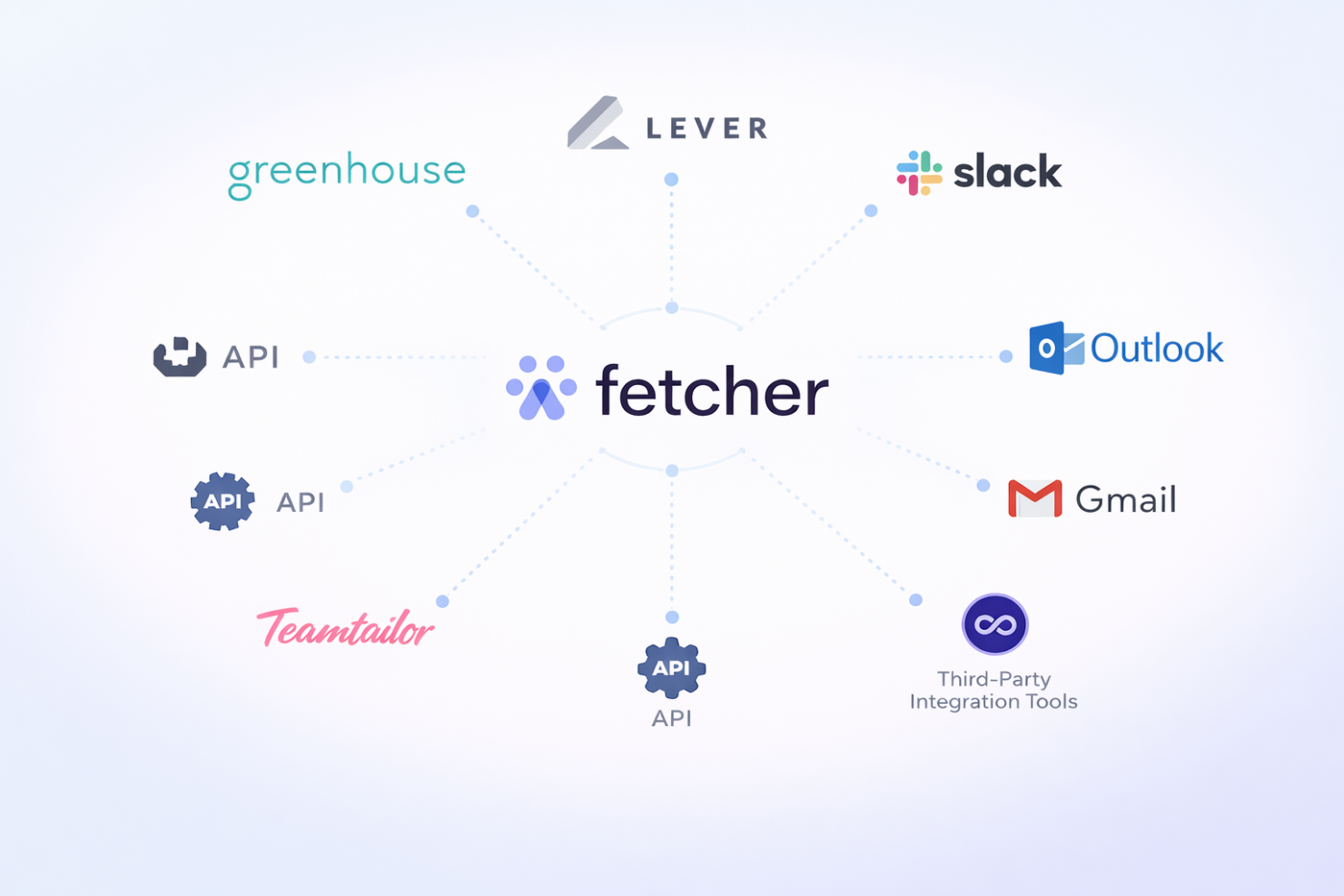
Fetcher integrates with Greenhouse, Lever, Slack, Gmail, Outlook, and Teamtailor. It also has an API for additional integrations and can connect with third-party integration tools.
Fetcher Specs
- 360 Degree Feedback
- API
- Application Tracking
- Batch Permissions & Access
- Behavioral Testing
- Budgeting
- Calendar Management
- Candidate Database
- Cognitive Testing
- Compliance Tracking
- Dashboard
- Data Export
- Data Import
- Data Visualization
- Email Integration
- Employee Database
- Employee Engagement
- Employee Incentive Management
- Employee Onboarding
- External Integrations
- Feedback Management
- Forecasting
- Interview Scheduling
- Multi-User
- Notifications
- Onboarding
- Personality Testing
- Psychometric Testing
- Referral Tracking
- Scheduling
- Soft Skill Testing
- Softphone
- Status Notifications
- Travel Management