Small Improvements Review 2026: Pros, Cons, Features, and Pricing



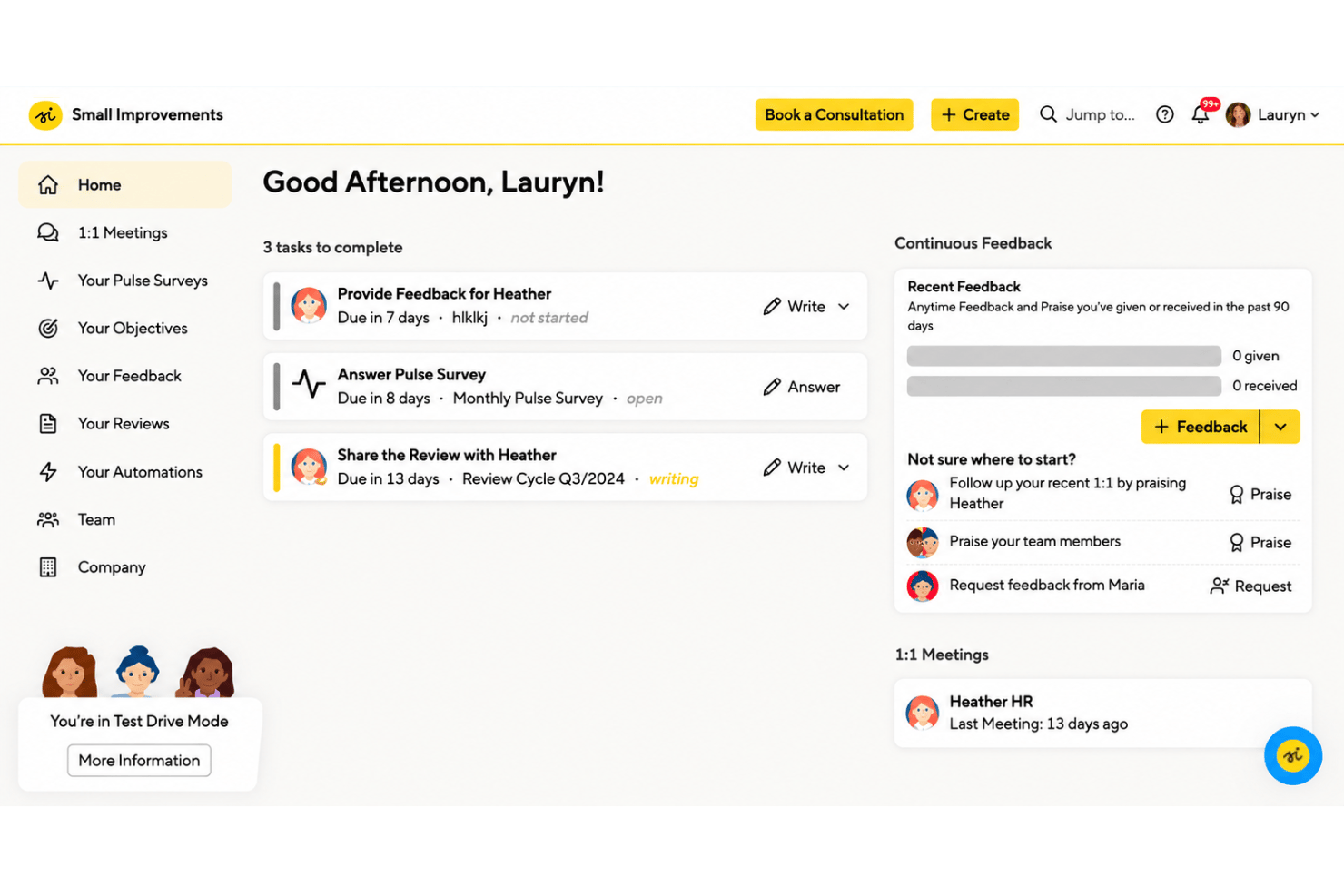
Small Improvements is performance management software that connects performance reviews with ongoing feedback, objectives, and 1:1 meetings. For HR teams building regular review cycles that also support conversations between reviews, it’s a lighter, lower-cost alternative to Lattice, with integrations included on every plan.
Small Improvements Evaluation Summary
- From $3/user/month (billed annually)
- 30-day free trial
Why Trust Our Software Recommendations
Our team has been testing and reviewing software since 2012. As HR experts ourselves, we know how difficult—and important—it is to choose the right software.
For this guide, we evaluated tools using hands-on testing and independent research, scoring tools using our selection criteria. We also draw on insights from industry thought leaders and practicing HR experts.
Our reviews reflect our human editorial judgment, not a sales pitch.
Expert reviewers:
Small Improvements Overview
I’d shortlist Small Improvements for teams seeking a people-first performance management platform. Performance reviews, 360-degree feedback, objectives, 1:1s, praise, and pulse surveys share a configurable interface. A 30-day trial and HRIS integrations help teams assess fit, while Slack integration is available on Grow and additional integrations and customization options on Elevate. Compared with broader performance suites, it’s easier to scope, though advanced analytics and full customization require higher-tier plans. I’d choose it for growing teams of 50–750 employees.
pros
-
Review templates and workflows support repeatable performance cycles.
-
Reviews, feedback, goals, and 1:1s connect development conversations.
-
Reviewers praise responsive support during setup and ongoing use.
cons
-
Reviewers request more control over forms and review workflows.
-
Multiple objective views can make navigation and tracking confusing.
-
Goal tracking lacks deeper OKR alignment and compensation planning.
-

Justworks
Visit WebsiteThis rating combines scores from multiple user review sites to reflect overall customer sentiment about the product.4.6 -
Eletive
Visit WebsiteThis rating combines scores from multiple user review sites to reflect overall customer sentiment about the product.4.6 -
Prevue Assessments
Visit WebsiteThis rating combines scores from multiple user review sites to reflect overall customer sentiment about the product.4.6



How We Test & Score Our Tools
We’ve spent years building, refining, and improving our software testing and scoring system. The rubric is designed to capture the nuances of software selection and what makes a tool effective, focusing on critical aspects of the decision-making process.
Below, you can see exactly how our testing and scoring works across seven criteria. It allows us to provide an unbiased evaluation of the software based on core functionality, standout features, ease of use, onboarding, customer support, integrations, customer reviews, and value for money.
Core Functionality (25% of final score)
The starting point of our evaluation is always the core functionality of the tool. Does it have the basic features and functions that a user would expect to see? Are any of those core features locked to higher-tiered pricing plans? At its core, we expect a tool to stand up against the baseline capabilities of its competitors.
Standout Features (25% of final score)
Next, we evaluate uncommon standout features that go above and beyond the core functionality typically found in tools of its kind. A high score reflects specialized or unique features that make the product faster, more efficient, or offer additional value to the user.
We also evaluate how easy it is to integrate with other tools typically found in the tech stack to expand the functionality and utility of the software. Tools offering plentiful native integrations, 3rd party connections, and API access to build custom integrations score best.
Ease of Use (10% of final score)
We consider how quick and easy it is to execute the tasks defined in the core functionality using the tool. High scoring software is well designed, intuitive to use, offers mobile apps, provides templates, and makes relatively complex tasks seem simple.
Onboarding (10% of final score)
We know how important rapid team adoption is for a new platform, so we evaluate how easy it is to learn and use a tool with minimal training. We evaluate how quickly a team member can get set up and start using the tool with no experience. High scoring solutions indicate little or no support is required.
Customer Support (10% of final score)
We review how quick and easy it is to get unstuck and find help by phone, live chat, or knowledge base. Tools and companies that provide real-time support score best, while chatbots score worst.
Customer Reviews (10% of final score)
Beyond our own testing and evaluation, we consider the net promoter score from current and past customers. We review their likelihood, given the option, to choose the tool again for the core functionality. A high scoring software reflects a high net promoter score from current or past customers.
Value for Money (10% of final score)
Lastly, in consideration of all the other criteria, we review the average price of entry level plans against the core features and consider the value of the other evaluation criteria. Software that delivers more, for less, will score higher.
Core Features
Performance Reviews
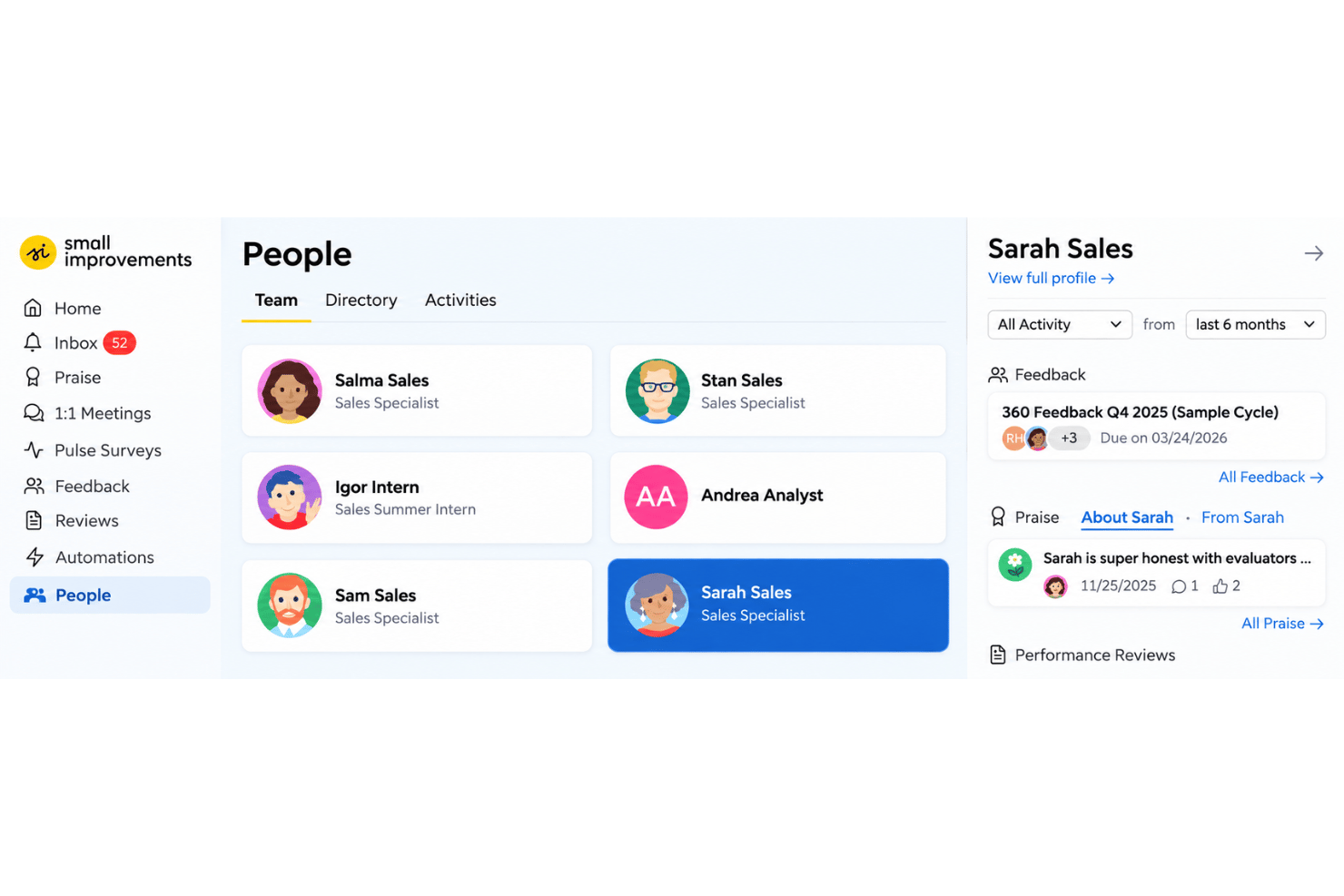
Configure formal reviews or lightweight check-ins with custom questions, participants, and schedules. Review forms link to feedback, objectives, and 1:1 notes, giving managers context when assessing performance.
360-Degree Feedback
Employees can nominate reviewers, with managers able to approve nominations, and admins can set feedback visibility and anonymity. Responses appear by question, with charts for scale answers, helping teams compare perspectives and spot development needs.
Ongoing Feedback Requests
Employees or managers can request feedback at any time, choosing reviewers, questions, and who can see responses. Editable templates give employees a starting point for asking for targeted feedback after a project or role change.
Objectives
Employees document objectives and track progress with options such as key results, status, completion percentages, and cascading links to broader goals. Teams can configure objective cycles for different groups, making it easier to monitor milestones and how individual work supports shared priorities.
1:1 Meetings
Employees and managers can build agendas, record shared notes, and assign follow-up actions; unresolved topics carry into the next meeting. Searchable notes also provide useful context for performance reviews, reducing reliance on memory.
Pulse Surveys
Send frequent, short surveys with open-text questions, then use anonymous responses, heatmaps, and trends to examine engagement over time. Teams can compare results across groups and identify issues that warrant follow-up.
Ease of Use
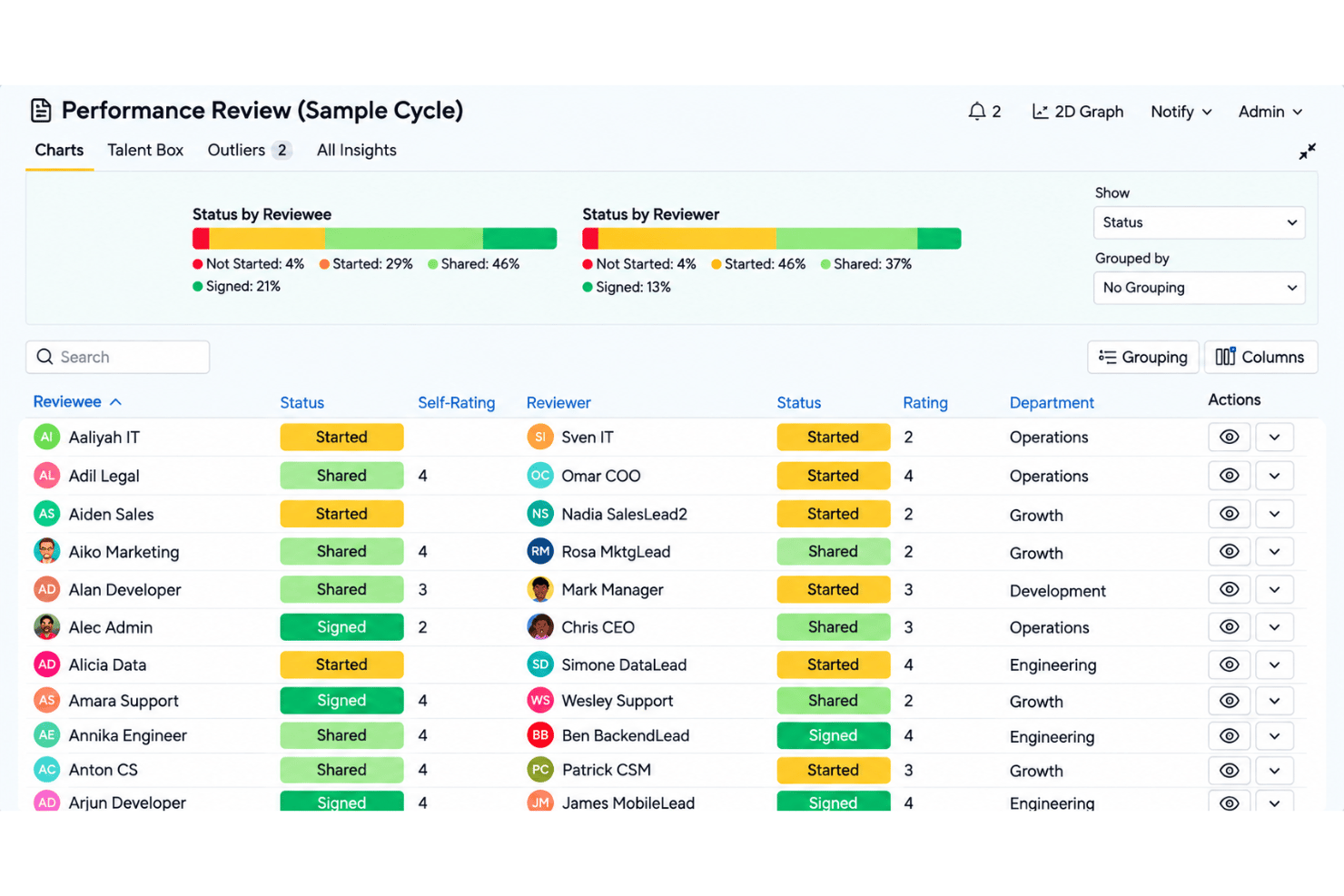
Small Improvements feels easier to navigate than broader performance suites because reviews, feedback, objectives, and 1:1 notes connect in one configurable interface. Reviewers also praise responsive support during setup and ongoing use. Still, usability isn’t consistent across every workflow: users ask for more control over forms and review processes, and multiple objective views can make goal tracking confusing. It’s approachable for regular review cycles, but expect some friction as you customize workflows or track goals.
Integrations
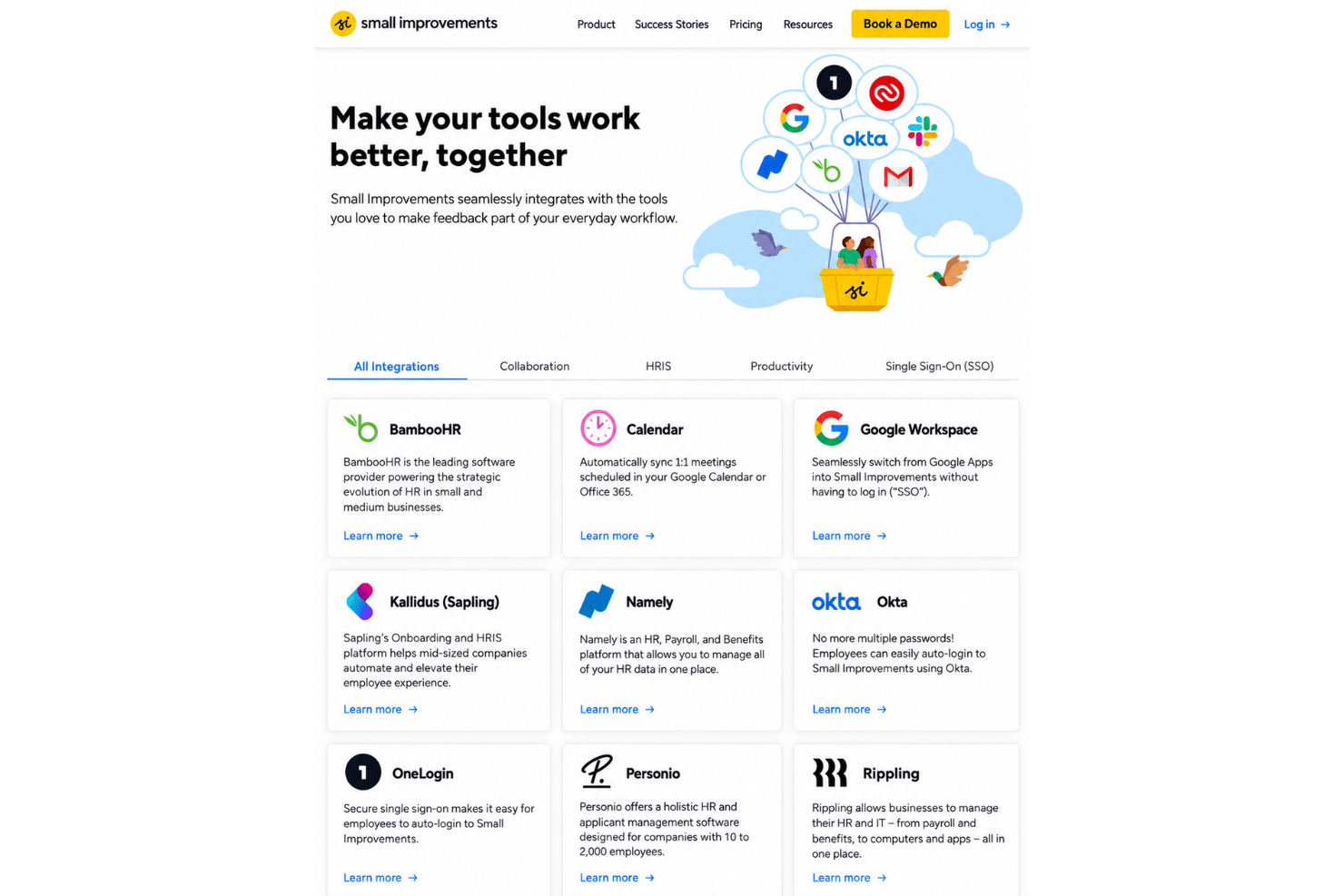
Small Improvements integrates with Slack, BambooHR, Google Workspace, Google Calendar, Microsoft 365 Calendar, Workday, Rippling, Personio, Namely, Okta, and OneLogin, among others.
Small Improvements also offers a REST API for custom integrations and supports embedding selected performance reviews, objectives, and 360-degree feedback data in third-party applications using iFrames.
Small Improvements Specs
- 360 Degree Feedback
- API
- Application Tracking
- Attendance Tracking
- Budgeting
- Calendar Management
- Dashboard
- Data Export
- Data Import
- Data Visualization
- Employee Database
- Employee Engagement
- Employee Incentive Management
- Employee Onboarding
- External Integrations
- Feedback Management
- Forecasting
- Multi-User
- Notifications
- Onboarding
- Scheduling
- Timesheets
- Vacation & Absence Calendar