

I 10 migliori software intranet per piccole imprese recensiti nel 2026

10 Selezione dei migliori software intranet per piccole imprese


Gestire una piccola impresa comporta una serie di sfide specifiche, soprattutto quando si tratta di mantenere il gruppo di lavoro connesso e informato. Il software intranet può essere fondamentale per migliorare la comunicazione e la collaborazione all'interno della propria organizzazione.
Capisco quanto possa essere difficile scegliere lo strumento giusto, considerando la miriade di opzioni disponibili. Per questo ho testato e recensito in modo indipendente diverse soluzioni software intranet, concentrandomi su quelle che rispondono davvero alle tue esigenze.
In questo articolo troverai le mie scelte migliori, ciascuna valutata in base alle funzionalità, alla facilità d'uso e al rapporto qualità-prezzo. Alla fine, avrai una visione chiara di quale software potrebbe supportare al meglio il successo del tuo gruppo di lavoro.
Perché fidarsi delle nostre recensioni sui software
Il nostro team testa e recensisce software dal 2012. In quanto esperti HR noi stessi, sappiamo quanto sia difficile — e importante — scegliere il software giusto.
Per questa guida, abbiamo valutato gli strumenti attraverso test pratici e ricerche indipendenti, assegnando un punteggio agli strumenti in base ai nostri criteri di selezione. Ci basiamo inoltre sulle competenze di leader di pensiero del settore e di professionisti HR attivi.
Le nostre recensioni riflettono il nostro giudizio editoriale umano, non un discorso di vendita.
Revisori esperti:
Riepilogo dei migliori software intranet per piccole imprese
Questa tabella comparativa riassume i dettagli dei prezzi delle mie migliori scelte di software intranet per piccole imprese, per aiutarti a trovare quello più adatto al tuo budget e alle esigenze della tua attività.
| Tool | Best For | Trial Info | Price | ||
|---|---|---|---|---|---|
| 1 | Ideale per comunicazioni e riconoscimento HR tutto-in-uno | Demo gratuita disponibile | Prezzi su richiesta | Website | |
| 2 | Ideale per la gestione dei contenuti | Prova gratuita di 14 giorni | Da $6utente/mese | Website | |
| 3 | Ideale per checklist di onboarding automatizzate | Prova gratuita di 30 giorni | Prezzo su richiesta | Website | |
| 4 | Ideale per coinvolgimento dei dipendenti | Demo gratuita disponibile | Prezzo su richiesta | Website | |
| 5 | Ideale per l'integrazione di un portale clienti | Prova gratuita di 10 giorni + demo gratuita disponibile | Da $239/mese (fatturato annualmente) | Website | |
| 6 | Ideale per interfaccia facile da usare | Demo gratuita disponibile | Prezzo su richiesta | Website | |
| 7 | Ideale per gli utenti di Google Workspace | Prova gratuita disponibile | Prezzo su richiesta | Website | |
| 8 | Ideale per la scalabilità | Prova gratuita di 30 giorni disponibile | Da $5.00/utente/mese (fatturato annualmente) | Website | |
| 9 | Ideale per lo scambio di file contabili | Demo gratuita disponibile | Da £96/mese | Website | |
| 10 | Ideale per la collaborazione di team remoti | Demo gratuita disponibile | Prezzi su richiesta | Website |
Recensione dei migliori software intranet per piccole imprese
Di seguito trovi i miei riepiloghi dettagliati dei migliori software intranet per piccole imprese inclusi nella mia selezione. Le mie recensioni offrono un’analisi approfondita delle funzionalità principali, dei pro e dei contro, delle integrazioni e dei casi d’uso ideali di ogni strumento, per aiutarti a trovare quello più adatto a te.

Hub
Ideale per comunicazioni e riconoscimento HR tutto-in-uno
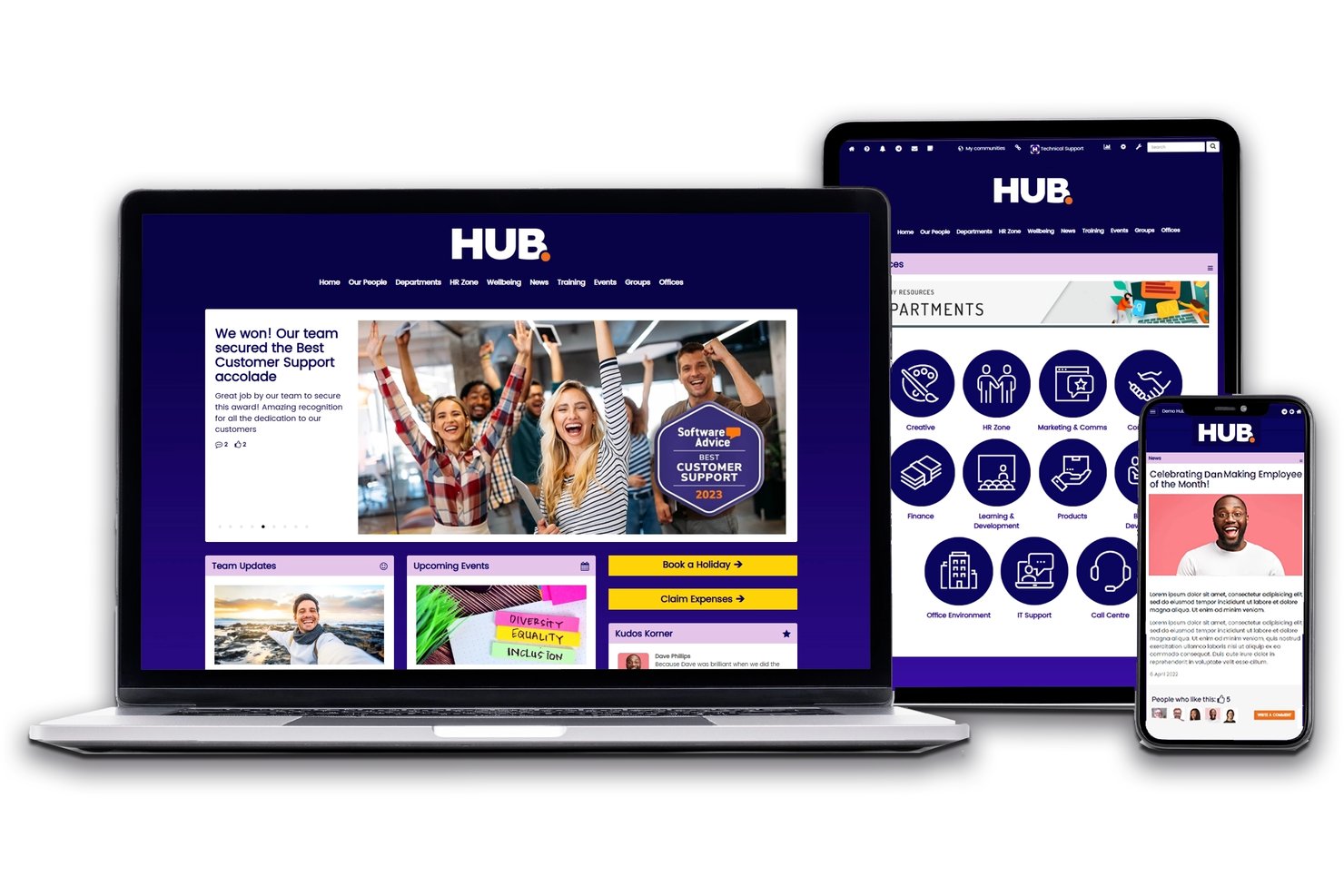
Hub è una piattaforma intranet per piccole imprese che riunisce comunicazioni interne, gestione dei documenti, riconoscimento dei dipendenti, inserimento dei nuovi assunti e flussi di lavoro delle risorse umane in un unico ambiente.
Per chi è più adatto Hub?
Hub è adatto a piccole imprese e organizzazioni non profit che desiderano riunire le comunicazioni interne, i documenti delle risorse umane e il riconoscimento dei dipendenti in un'unica piattaforma, senza dover gestire più strumenti.
Perché ho scelto Hub
Hub si è guadagnato un posto nella mia lista ristretta perché riunisce comunicazioni interne, gestione dei documenti delle risorse umane e riconoscimento dei dipendenti in un'unica piattaforma, senza chiederti di pagare per più strumenti. Apprezzo particolarmente la funzionalità di complimenti e riconoscimento tra colleghi, che consente ai membri del team di celebrare pubblicamente i successi senza dover ricorrere a un'app separata per il coinvolgimento. Anche il monitoraggio delle letture obbligatorie è un elemento di spicco: puoi pubblicare un aggiornamento delle politiche e vedere esattamente chi l'ha letto, eliminando le consuete incertezze relative alla conformità.
Funzionalità principali di Hub
- Ricerca federata: Cerca nei contenuti di Hub e nelle unità cloud collegate, come SharePoint, Google Drive e Box, con un'unica query.
- Sondaggi e questionari Pulse: Crea sondaggi, questionari e quiz con punteggio per raccogliere i riscontri dei dipendenti e misurare il coinvolgimento.
- Aree private: Archivia e condividi file personalizzati e sicuri, come i documenti individuali delle risorse umane, visibili solo al dipendente interessato.
- Gestione di ferie e assenze: Monitora le richieste di ferie dei dipendenti e gli aggiornamenti in tempo reale dei saldi direttamente all'interno della piattaforma.
Integrazioni di Hub
Hub offre integrazioni native con Microsoft 365, Google Workspace, SharePoint, Box, Confluence, Slack, Jira, Zendesk, Eventbrite e BambooHR. La sincronizzazione degli utenti con Microsoft Entra ID e l'accesso singolo con Okta e OneLogin sono disponibili tramite componenti aggiuntivi a pagamento.
Pros and Cons
Pros:
- Ricerca federata su tutte le unità cloud collegate
- Complimenti e sondaggi Pulse inclusi per il coinvolgimento
- Monitoraggio delle letture obbligatorie per conformità e policy
Cons:
- Nessuna co-creazione in tempo reale delle pagine
- La prova è subordinata a una chiamata dimostrativa

Ideale per la gestione dei contenuti
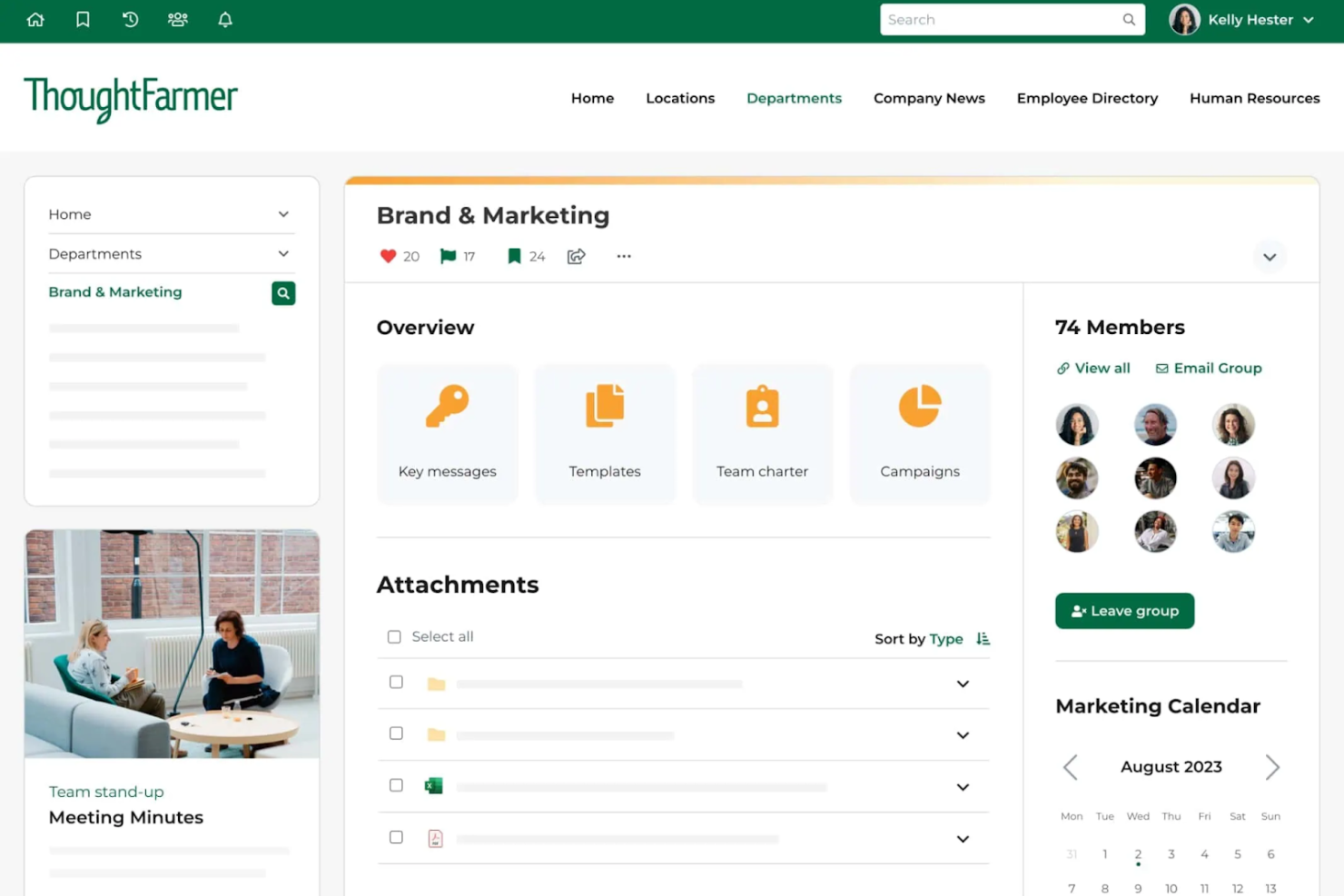
ThoughtFarmer è una piattaforma intranet progettata per migliorare la comunicazione interna e la gestione dei contenuti nelle aziende. Serve alle organizzazioni che desiderano aumentare la collaborazione e semplificare la condivisione delle informazioni tra i team.
Perché ho scelto ThoughtFarmer: ThoughtFarmer si distingue nella gestione dei contenuti, offrendo ai team strumenti semplici per creare, organizzare e condividere informazioni. Le dashboard personalizzabili ti permettono di adattare l'intranet alle esigenze del tuo team, aumentando la produttività complessiva. Gli strumenti di analisi integrati aiutano inoltre a monitorare il coinvolgimento con i contenuti, così puoi vedere cosa interessa di più al tuo team.
Funzionalità e integrazioni principali:
Le funzionalità includono dashboard personalizzabili che offrono la flessibilità di progettare la propria intranet, strumenti di analisi che danno informazioni sulle prestazioni dei contenuti e funzionalità social per favorire la collaborazione e l'interazione del team.
Le integrazioni includono Microsoft 365, Google Workspace, Slack, Okta, Azure AD, SAML e altri ancora.
Pros and Cons
Pros:
- Homepage personalizzate con possibilità di seguire le pagine
- Include analisi sul coinvolgimento dei contenuti
- Archiviazione cloud integrata
Cons:
- Mancanza di dettagli nelle funzionalità di gestione documentale
- Opzioni di disposizione di tabelle e testo incoerenti

Jostle
Ideale per checklist di onboarding automatizzate

Jostle è una piattaforma intranet per piccole imprese che riunisce comunicazioni interne, riconoscimento dei dipendenti, una libreria documentale, un directory delle persone e strumenti di collaborazione in team in un unico posto.
Per chi è più indicato Jostle?
Jostle è particolarmente adatto ai team HR e alle unità risorse umane di aziende di piccole e medie dimensioni che cercano un'intranet facile da implementare, senza bisogno di supporto IT.
Perché ho scelto Jostle
Jostle si guadagna un posto tra i migliori nella mia shortlist grazie alla modalità con cui il suo modulo Task gestisce i workflow di onboarding già pronti all’uso. Apprezzo la possibilità di creare una checklist strutturata per l’onboarding, assegnare i passaggi a dipendenti specifici e monitorarne l’avanzamento senza necessità di configurazioni personalizzate. Se a ciò si aggiunge la funzione di Conferma Lettura della Library, che permette ai nuovi assunti di prendere visione delle policy mentre io posso verificare chi ha letto cosa, si ottiene una soluzione di onboarding davvero pratica per un piccolo team.
Funzionalità principali di Jostle
- Shout-Outs e riconoscimento dipendenti: Strumenti integrati per celebrare i colleghi e valorizzare i contributi all’interno dell’azienda.
- Libreria con tracciamento delle conferme lettura: Gestisci policy e manuali con la possibilità di richiedere e monitorare le conferme da parte dei dipendenti.
- 'Fai una domanda' con AI: Ricerca contestuale che offre risposte immediate dalla knowledge base aziendale in base al ruolo o al reparto.
- App mobile e desktop: App dedicate per iOS, Android e desktop tengono tutti i dipendenti connessi ovunque si trovino.
Integrazioni di Jostle
Jostle offre integrazioni native con ADP, Dayforce, Azure Active Directory, Okta, Google Workspace e supporta SFTP per il provisioning utenti. È disponibile una API per integrazioni personalizzate.
Pros and Cons
Pros:
- Checklist di onboarding strutturate già incluse
- Il feed di notizie incentiva la partecipazione aziendale
- Implementazione rapida senza bisogno di risorse IT dedicate
Cons:
- Funzionalità limitate di editing pagine in stile wiki
- Analytics dell’engagement inferiori rispetto ai concorrenti principali

Workvivo
Ideale per coinvolgimento dei dipendenti
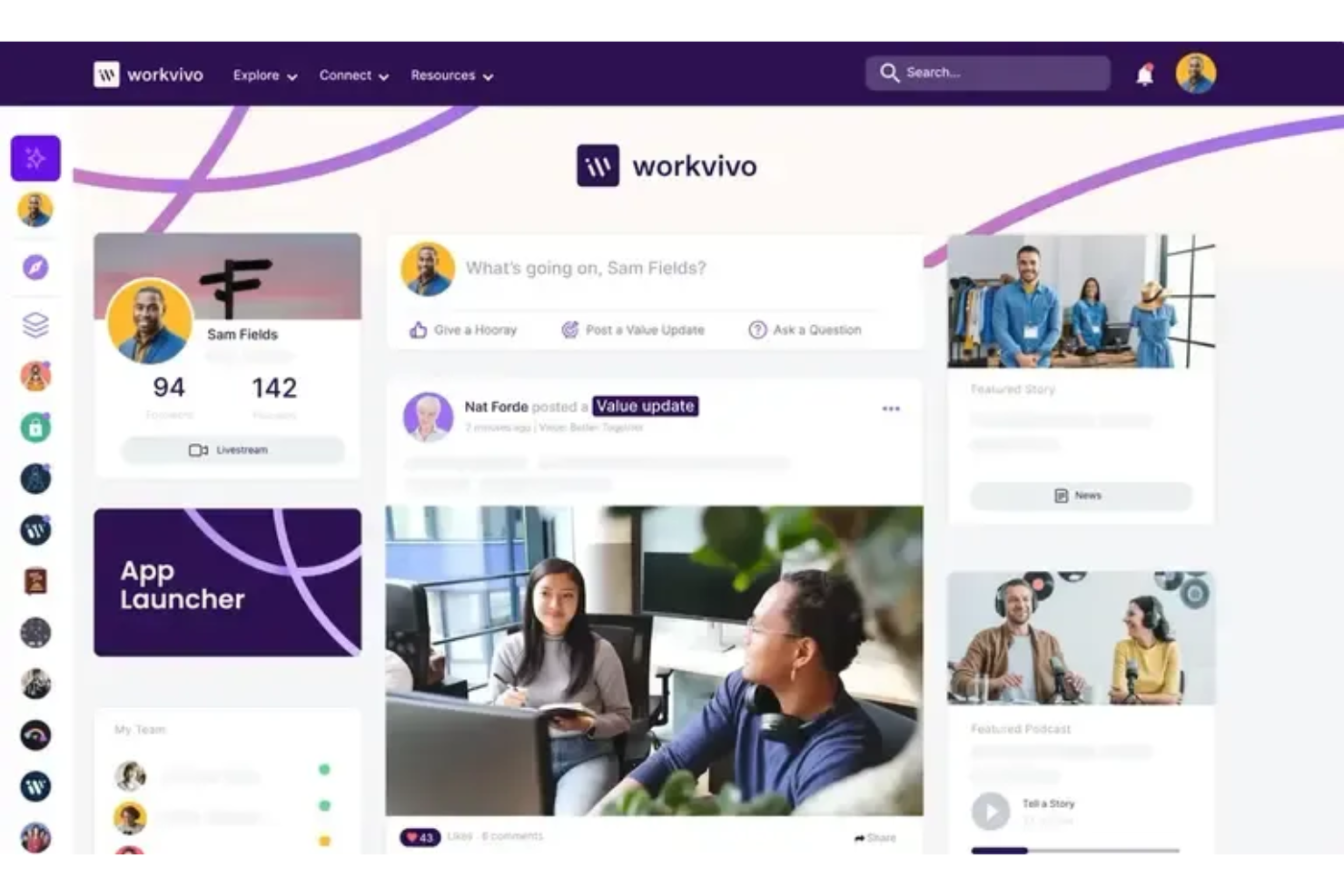
Workvivo è una piattaforma dedicata all’esperienza dei dipendenti, pensata per aiutare le organizzazioni a mantenere la propria forza lavoro connessa e aggiornata. Centralizza annunci, interazioni sociali e discussioni di comunità in un’interfaccia familiare ispirata ai social media di consumo.
Perché ho scelto Workvivo: Rafforza il coinvolgimento dei dipendenti grazie a un feed sociale e a strumenti di interazione che rendono la comunicazione naturale e familiare. I dipendenti possono condividere aggiornamenti, partecipare a discussioni e riconoscere i risultati degli altri, aiutando i team a mantenere il contatto tra diverse sedi. Il design consente agli utenti di contribuire facilmente con contenuti e restare informati, supportando le aziende che desiderano migliorare la comunicazione interna e la costruzione della comunità.
Caratteristiche distintive & integrazioni:
Funzionalità includono un feed centralizzato per aggiornamenti aziendali, strumenti di riconoscimento che mettono in risalto i successi individuali e di team, e spazi comunitari dove i dipendenti possono partecipare a discussioni e condividere contenuti. La piattaforma supporta anche annunci interni e post multimediali, aiutando i team a restare coinvolti.
Integrazioni includono Microsoft Teams, Slack, Zoom, Office 365, Google Workspace, Salesforce, SharePoint, BambooHR, Okta e Workday.
Pros and Cons
Pros:
- Interfaccia simile ai social media
- Condivisione di contenuti semplice
- Reportistica avanzata e analisi del coinvolgimento dei dipendenti
Cons:
- L’app mobile è spesso lenta e presenta bug frequenti
- Analisi e video richiedono componenti aggiuntivi separati

Clinked
Ideale per l'integrazione di un portale clienti
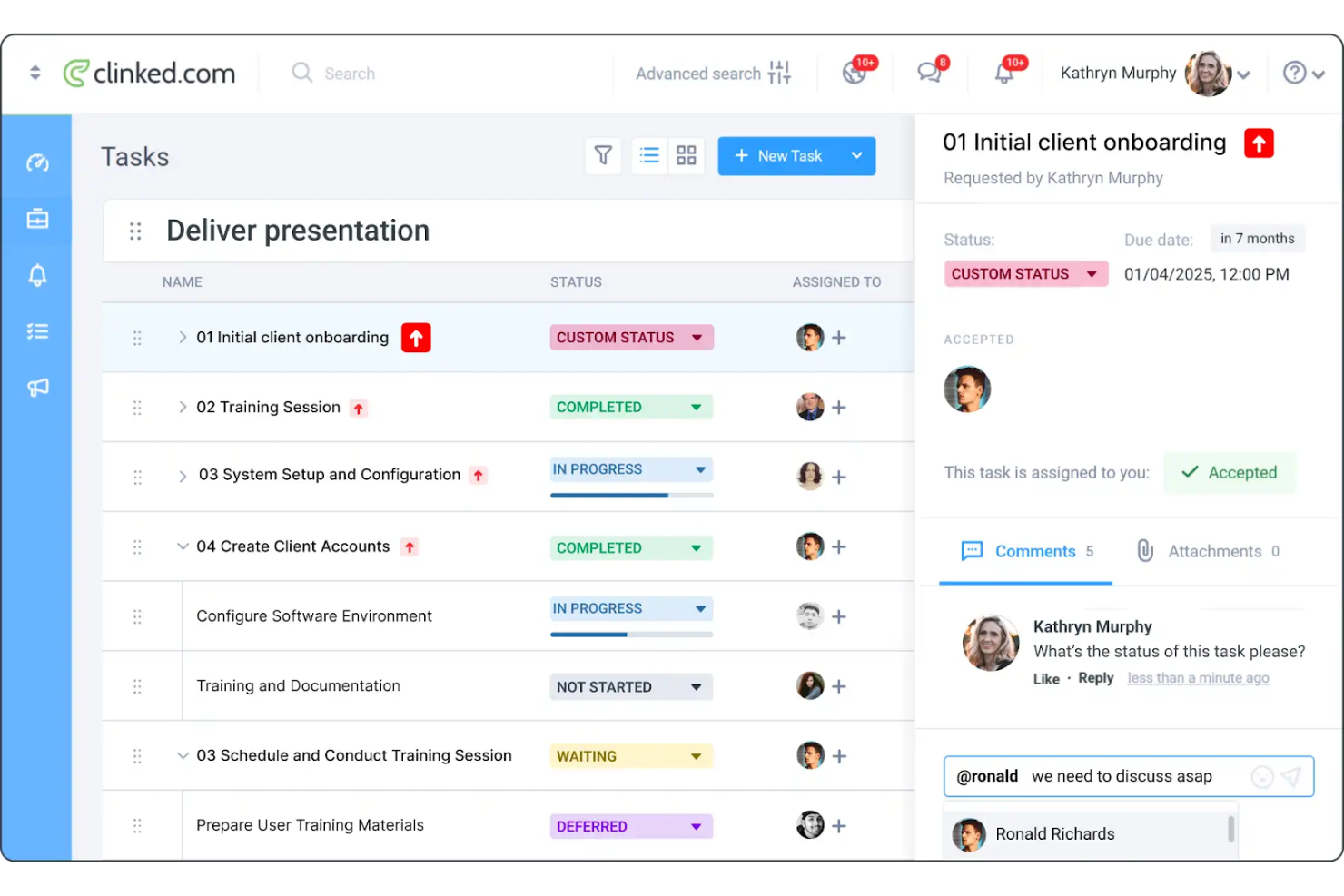
Clinked è una soluzione per la collaborazione e il portale clienti progettata per migliorare la condivisione dei documenti e la comunicazione con i clienti. Offre un portale intranet dedicato ai dipendenti e si rivolge a piccole e medie imprese, fornendo strumenti sicuri per la condivisione dei file e la collaborazione finalizzati a rafforzare le relazioni con i clienti.
Perché ho scelto Clinked: Clinked si distingue per l'integrazione dei portali clienti offrendo ai team uno spazio protetto per condividere documenti e comunicare con i clienti. I portali personalizzati aiutano a mantenere l'identità aziendale offrendo al contempo ai clienti un accesso pratico alle risorse di cui hanno bisogno. Clinked offre anche una piattaforma centralizzata dove i dipendenti possono accedere a novità, documenti e risorse dell'azienda da un'unica posizione sicura. Con l'obiettivo di ridurre i silos informativi e garantire una comunicazione aperta e trasparente, Clinked fornisce un'unica piattaforma sia per la collaborazione interna tra dipendenti che per la comunicazione con i clienti.
Funzionalità e integrazioni principali:
Funzionalità includono portali clienti personalizzati che rafforzano l'immagine dell'azienda, condivisione sicura dei documenti per proteggere le informazioni sensibili e strumenti di gestione delle attività che aiutano a monitorare l'avanzamento dei progetti.
Integrazioni includono Google Workspace, Microsoft Office 365, Dropbox, Salesforce, QuickBooks, Xero, Slack, Trello, Asana e Box.
Pros and Cons
Pros:
- Supporta portali clienti personalizzati
- Impostazioni di permessi personalizzabili
- Funzionalità di gestione delle attività
Cons:
- Numero limitato di dipendenti per fascia
- Manca di funzionalità mobile

Simpplr
Ideale per interfaccia facile da usare

Simpplr è una piattaforma intranet basata su intelligenza artificiale progettata per migliorare l'esperienza dei dipendenti attraverso una comunicazione e un coinvolgimento più efficaci. Serve aziende di tutte le dimensioni, offrendo strumenti per la gestione dei contenuti e la collaborazione sociale per favorire un ambiente di lavoro connesso.
Perché ho scelto Simpplr: Simpplr offre un'interfaccia facile da usare che la rende accessibile anche ai team senza conoscenze tecniche approfondite. I suoi dashboard personalizzabili permettono di adattare la piattaforma alle esigenze specifiche del tuo team, migliorando i flussi di lavoro quotidiani. Gli strumenti di analisi forniscono informazioni sul coinvolgimento dei dipendenti, aiutandoti a capire come il team interagisce con i contenuti.
Funzionalità e integrazioni principali:
Funzionalità includono analisi avanzate per monitorare il coinvolgimento dei dipendenti, dashboard personalizzabili per esperienze utente su misura e strumenti di collaborazione sociale che incentivano l'interazione e la comunicazione all'interno del team.
Integrazioni includono Microsoft 365, Google Workspace, Slack, Salesforce, Box, OneDrive, Okta, ServiceNow, Zendesk e Workday.
Pros and Cons
Pros:
- Sicurezza certificata tramite ISO 27001, SOC 2
- Analisi avanzate
- Ricerca unificata che utilizza agenti IA per fornire risposte più velocemente
Cons:
- Funzionalità di base mancanti richiedono componenti aggiuntivi
- Design restrittivo che limita personalizzazione e branding

Happeo
Ideale per gli utenti di Google Workspace

Happeo è una piattaforma intranet progettata per migliorare la comunicazione interna e la collaborazione, specificamente per gli utenti di Google Workspace. Si rivolge ad aziende di tutte le dimensioni, offrendo strumenti per semplificare la condivisione delle informazioni e favorire un ambiente di lavoro connesso.
Perché ho scelto Happeo: Happeo è pensato appositamente per i team che utilizzano Google Workspace, offrendo un'integrazione immediata con strumenti Google come Drive e Calendar. Le sue pagine personalizzabili ti permettono di creare un'esperienza intranet su misura per le esigenze del tuo team. Offre inoltre analisi statistiche per monitorare il coinvolgimento, aiutandoti a capire come il tuo team interagisce con i contenuti. Queste caratteristiche lo rendono ideale per gli utenti di Google Workspace, assicurando una collaborazione e comunicazione fluide.
Funzionalità principali & integrazioni:
Funzionalità includono pagine personalizzabili che consentono di adattare l'intranet ai bisogni del tuo team, analisi avanzate che forniscono informazioni sull'engagement degli utenti e strumenti di gestione dei contenuti che semplificano l'organizzazione e la condivisione delle informazioni.
Integrazioni includono Google Workspace, Slack, Microsoft Teams, Salesforce, Trello, Asana, Jira, HubSpot, OneLogin e Okta.
Pros and Cons
Pros:
- Hub centrale di conoscenza con ricerca aziendale
- Integrazioni con Trustpilot, Freshdesk e Zendesk incorporate
- Modifica sicura dei file Google all'interno della piattaforma
Cons:
- Poche opzioni per layout o personalizzazione
- L'accesso API è limitato solo al piano Enterprise

Ideale per la scalabilità

Microsoft SharePoint è una piattaforma versatile che consente alle organizzazioni di gestire contenuti, conoscenze e applicazioni per migliorare il lavoro di squadra. È ampiamente utilizzata da aziende di ogni dimensione per facilitare la collaborazione e aumentare la produttività attraverso la gestione dei documenti e spazi di lavoro condivisi.
Perché ho scelto Microsoft SharePoint: SharePoint è ideale per la scalabilità, permettendo alle organizzazioni di espandere le capacità dell'intranet man mano che crescono. Offre modelli di siti personalizzabili che ti consentono di adattare la piattaforma alle esigenze specifiche del tuo team. Il suo solido sistema di gestione documentale assicura che il tuo team possa archiviare, organizzare e accedere alle informazioni in modo efficiente. Queste caratteristiche rendono SharePoint una scelta adatta per le aziende che desiderano espandere efficacemente le proprie operazioni.
Caratteristiche principali & integrazioni:
Caratteristiche includono un sistema completo di gestione documentale che organizza e archivia i file, modelli di siti personalizzabili che ti permettono di progettare la tua intranet e strumenti di collaborazione che migliorano il lavoro di squadra e la condivisione delle informazioni.
Integrazioni includono Microsoft Teams, Microsoft Office, OneDrive, Power BI, Yammer, Dynamics 365, PowerApps, Azure, Outlook e Planner.
Pros and Cons
Pros:
- Gestione di identità e accessi avanzata
- Gestione documentale estesa
- Altamente personalizzabile, compresa email personalizzata
Cons:
- Flessibilità limitata fuori dall'ecosistema Microsoft
- Può richiedere molte risorse

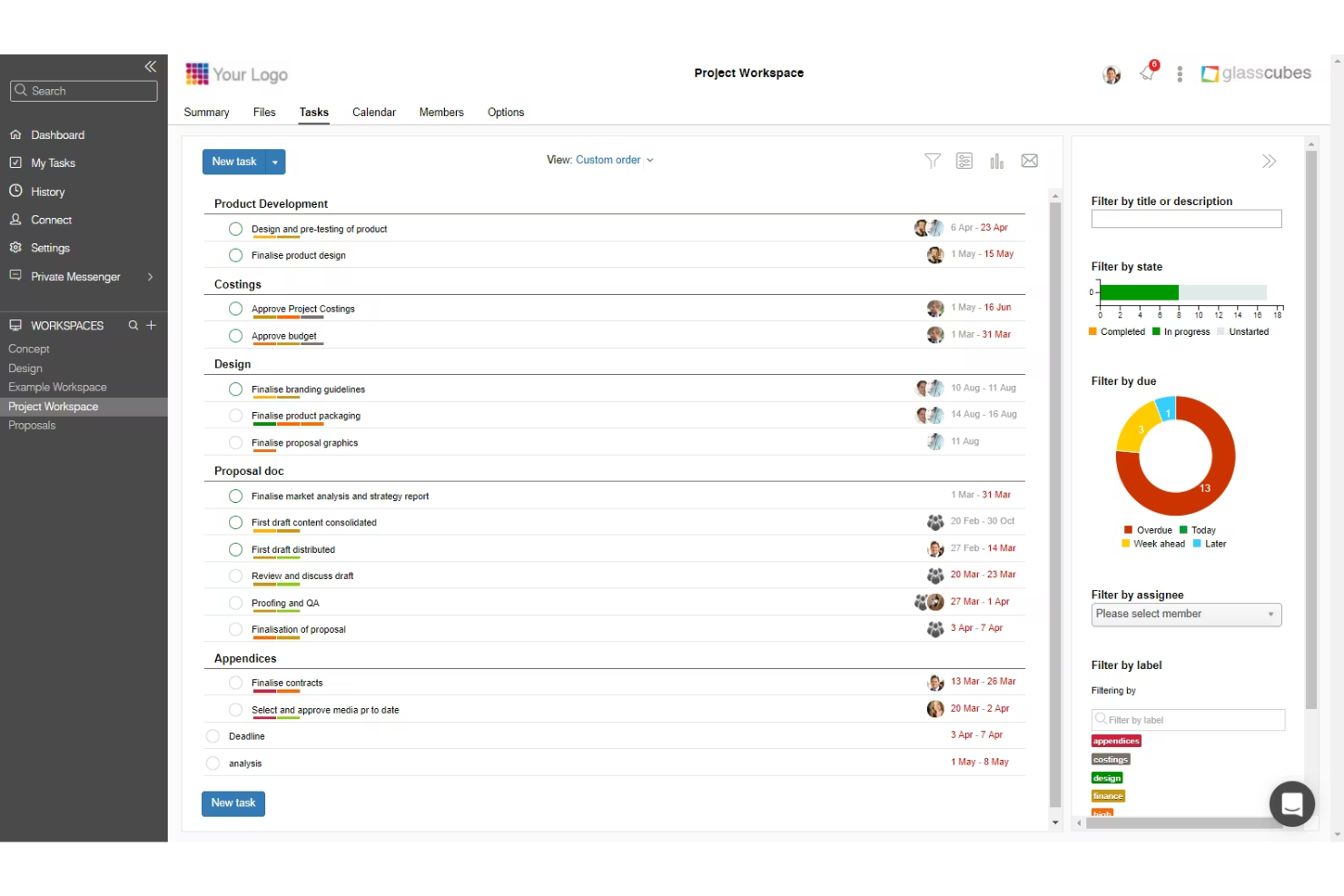
Glasscubes è una piattaforma sicura per lo scambio di file e la collaborazione, ampiamente utilizzata dagli studi contabili. Fornisce condivisione controllata dei documenti, flussi di lavoro per le attività dei clienti e strumenti di comunicazione che supportano la gestione delle informazioni conforme e pronta per l'audit.
Perché ho scelto Glasscubes: Con una forte attenzione alla condivisione sicura dei file, Glasscubes supporta gli studi contabili che necessitano di una piattaforma affidabile per lo scambio di documenti con i clienti. L'accesso basato sui permessi assicura che solo gli utenti autorizzati possano visualizzare o caricare file, mentre il controllo delle versioni e i registri di audit sono utili per gli studi che devono gestire informazioni finanziarie sensibili. Utilizza l'AI per convertire le informazioni non strutturate in registri verificati e conformi, riducendo il tempo di revisione manuale e aiutando a non trascurare dettagli importanti.
Funzionalità e integrazioni di rilievo:
Funzionalità includono condivisione dei file con controllo dei permessi, archiviazione sicura dei documenti, controllo delle versioni, assegnazione delle attività ai clienti e reportistica delle attività che aiuta gli studi a monitorare lo stato dei documenti e le azioni dei clienti. Gli spazi di lavoro consentono ai team di organizzare la comunicazione e i file di ogni cliente in un hub centralizzato.
Integrazioni includono Microsoft 365, Google Workspace e opzioni di single sign-on come SAML/ADFS.
Pros and Cons
Pros:
- Controlli di accesso basati sui permessi
- Monitoraggio in tempo reale tramite AI
- Comunicazione centralizzata e gestione confidenziale dei dati
Cons:
- Supporto limitato per app di terze parti
- Navigazione difficoltosa e discussioni delle richieste confusionarie


Talkspirit è una piattaforma collaborativa progettata per le aziende che hanno bisogno di migliorare la comunicazione e la collaborazione tra team remoti. Offre strumenti per la gestione dei progetti, la comunicazione e la governance per garantire che tutti rimangano connessi e produttivi.
Perché ho scelto Talkspirit: Talkspirit è una piattaforma di intranet e collaborazione costruita per supportare i team remoti con strumenti di comunicazione, condivisione delle risorse e organizzazione degli spazi di lavoro. Fornisce messaggistica, videochiamate, documenti condivisi e gestione delle attività per aiutare le piccole imprese a mantenere i dipendenti distribuiti connessi e informati.
Funzionalità e integrazioni principali:
Funzionalità includono strumenti di messaggistica e comunicazione video, spazi documenti condivisi e bacheche di attività che supportano l'organizzazione di base dei progetti per i team distribuiti. La piattaforma include inoltre controlli di amministrazione per le autorizzazioni e l'accesso ai contenuti, aiutando i team a rimanere allineati quando lavorano da remoto.
Integrazioni includono Microsoft 365, Google Workspace, Slack, Trello, Zoom, Dropbox, Salesforce, Asana, Jira e GitHub.
Altri software intranet per piccole imprese
Ecco alcune altre opzioni di software intranet per piccole imprese che non sono entrate nella mia selezione, ma che vale comunque la pena considerare:
- Staffbase
Ideale per la comunicazione interna
- Connecteam
Ideale per team orientati al mobile
- ShortPoint
Ideale per semplificare la progettazione di SharePoint
- Udext
Ideale per la collaborazione su documenti
- Agility Portal
Ideale per le piccole imprese


Come Valuto il Software Intranet per le Piccole Imprese
Valuto gli strumenti intranet per le piccole imprese su due livelli: se possono davvero servire come hub HR (risorse umane)—politiche interne, elenco dipendenti, annunci—e cosa rende ognuno adatto.
Funzionalità Chiave (Requisiti Minimi per Questa Lista)
Quando seleziono gli strumenti per la mia lista, valuto ciascuno su una scala da 0 (la funzionalità non è presente) a 5 (eccellente in quest'area) per ogni funzionalità chiave elencata di seguito. Poi, converto il punteggio totale in percentuale. Ogni strumento deve raggiungere un punteggio minimo totale del 65% per essere preso in considerazione.
- Archivio Documentale Centralizzato: Controllo che i team HR possano organizzare politiche, manuali aziendali e guide ai benefit in una libreria ricercabile invece di seppellirli in drive condivisi.
- Strumenti di Comunicazione Interna: Gli annunci aziendali, gli aggiornamenti della leadership e i promemoria per le iscrizioni devono raggiungere tutto il team tramite un feed di notizie o una funzione di broadcast.
- Elenco Dipendenti & Profili: Cerco directory che vadano oltre una semplice lista di contatti, con organigrammi e filtri per reparto che aiutino i nuovi assunti a capire chi fa cosa.
- Collaborazione e Pagine di Contenuti: I team dovrebbero poter creare e modificare insieme pagine in stile wiki per checklist di onboarding, procedure interne di reparto e risorse FAQ.
- Controlli di Accesso & Permessi: Valuto se gli amministratori possano limitare la visibilità dei contenuti HR sensibili in base a ruolo o reparto, così che i documenti del payroll siano accessibili solo alle persone autorizzate.
- Implementazione Adatta alle PMI: I piccoli team raramente hanno un reparto IT dedicato, quindi cerco setup self-service, template predefiniti e prezzi che crescano proporzionalmente al numero di utenti.
Una volta ottenuta una lista di strumenti che soddisfano i criteri, considero cosa distingue ogni piattaforma.
Fattori Differenzianti (Cosa Rende Unico Ogni Fornitore)
Ecco come metto a confronto i diversi fornitori:
Funzionalità Distintive
Un'app mobile dedicata è essenziale quando la forza lavoro include dipendenti senza postazione fissa o sul campo, che non leggeranno un aggiornamento delle policy dal desktop. Anche i flussi di onboarding integrati sono un fattore che valuto: i team HR devono poter assegnare checklist di attività e mettere in evidenza risorse chiave, così che i nuovi assunti possano orientarsi autonomamente fin dal primo giorno. Verifico anche la presenza di sondaggi e rilevazioni native, che permettono di misurare il sentiment dei dipendenti dopo una riorganizzazione o un cambiamento nei benefit senza aggiungere uno strumento extra.
Oltre le Funzionalità
Le integrazioni con piattaforme HRIS come BambooHR o Gusto sono importanti, perché i piccoli team HR non dovrebbero aggiornare manualmente l'elenco dipendenti ogni volta che qualcuno entra o se ne va. Valuto anche il time-to-value: un'azienda di 20 persone non può permettersi un rollout di tre mesi, quindi cerco fornitori che offrano template HR precompilati e configurazione guidata. Un altro aspetto è la sicurezza: un'intranet gestisce dati sensibili del personale, quindi controllo la conformità SOC 2, il supporto SSO, e standard di crittografia adeguati alla crescita dell'azienda.
Come scegliere un software intranet per una piccola impresa
È facile perdersi in lunghi elenchi di funzionalità e strutture tariffarie complesse. Per aiutarti a rimanere concentrato mentre affronti il tuo processo di selezione del software, unico per le tue esigenze, ecco un elenco di fattori da tenere a mente:
| Fattore | Cosa considerare |
|---|---|
| Scalabilità | Il software crescerà insieme alla tua attività? Considera se è in grado di gestire un numero maggiore di utenti o dati con l'espansione del gruppo di lavoro. Cerca soluzioni che offrano piani tariffari scalabili o che consentano di aggiungere facilmente altre funzionalità. |
| Integrazioni | Si collega agli strumenti che già utilizzi? Verifica se si integra con piattaforme come Google Workspace o Microsoft 365 per evitare di interrompere i flussi di lavoro attuali. |
| Personalizzazione | Puoi adattare il software alle tue esigenze? Cerca opzioni di personalizzazione che consentano di modificare la struttura visiva, l'identità del marchio e i flussi di lavoro in base ai processi aziendali. |
| Facilità d'uso | Il software è intuitivo per il tuo gruppo di lavoro? Valuta l'interfaccia utente e la navigazione. Una curva di apprendimento ripida può rallentare l'adozione, quindi dai priorità agli strumenti facili da usare fin dall'inizio. |
| Implementazione e configurazione iniziale | Con quale rapidità il tuo gruppo di lavoro può iniziare a utilizzarlo? Considera la formazione e il supporto disponibili durante la configurazione. Cerca fornitori che offrano guide, modelli e supporto dedicato per la configurazione iniziale, così da garantire una transizione senza intoppi. |
| Costo | Il prezzo rientra nel tuo budget? Confronta il costo con il tuo budget e considera quali funzionalità sono incluse in ogni fascia di prezzo. Verifica la presenza di costi nascosti o addebiti per utenti aggiuntivi. |
| Misure di sicurezza | Quanto sono sicuri i tuoi dati? Assicurati che il software sia conforme agli standard di protezione dei dati e offra crittografia, controlli degli accessi e aggiornamenti di sicurezza regolari per proteggere le tue informazioni. |
| Disponibilità del supporto | Che tipo di supporto offre il fornitore? Verifica se mette a disposizione assistenza 24 ore su 24, 7 giorni su 7, responsabili dedicati o più canali di assistenza. Questo può essere fondamentale quando si verificano problemi imprevisti. |
Che cos'è il software intranet per le piccole imprese?
Il software intranet è una piattaforma digitale che facilita la comunicazione interna, la collaborazione e la condivisione delle informazioni all'interno di un'organizzazione. Solitamente utilizzati dai professionisti delle risorse umane, dai manager e dai responsabili dei team, questi strumenti aiutano a semplificare i flussi di lavoro e a mantenere i team connessi. La condivisione dei documenti, la messaggistica interna e gli elenchi dei dipendenti favoriscono una comunicazione efficiente e un facile accesso alle informazioni. Nel complesso, questi strumenti migliorano la produttività del team e promuovono un ambiente di lavoro più connesso.
Funzionalità del software intranet per le piccole imprese
Quando scegli un software intranet per una piccola impresa, presta attenzione alle seguenti funzionalità chiave:
- Messaggistica interna: facilita una comunicazione rapida e semplice tra i membri del team, aiutando a mantenere tutti aggiornati.
- Condivisione dei documenti: consente ai team di caricare, condividere e collaborare sui documenti, assicurando che tutti abbiano accesso alle informazioni più recenti.
- Dashboard personalizzabili: offre la possibilità di adattare l'interfaccia alle esigenze specifiche del team, migliorando l'esperienza utente e la produttività.
- Elenchi dei dipendenti: forniscono un elenco completo dei membri del team e delle loro informazioni di contatto, facilitando la ricerca e il contatto con i colleghi.
- Gestione delle attività: aiuta a organizzare e stabilire le priorità del lavoro, assicurando che i progetti procedano secondo i piani e che le scadenze vengano rispettate.
- Accesso da dispositivi mobili: assicura che i membri del team possano accedere alle informazioni importanti e comunicare in modo efficace anche quando sono in movimento.
- Funzionalità di integrazione: consente al software di connettersi agli strumenti e alle piattaforme esistenti, riducendo al minimo le interruzioni dei flussi di lavoro attuali.
- Misure di sicurezza: protegge i dati aziendali sensibili tramite crittografia e controlli degli accessi, garantendo la conformità agli standard di protezione dei dati.
- Analisi e report: fornisce informazioni sull'utilizzo e sul coinvolgimento, aiutando i team a prendere decisioni basate sui dati.
- Funzionalità sociali: incoraggia l'interazione e il coinvolgimento del team, favorendo un senso di comunità all'interno dell'organizzazione.
Vantaggi del software intranet per le piccole imprese
L'implementazione di un software intranet per le piccole imprese offre diversi vantaggi al team e all'azienda. Ecco alcuni dei vantaggi che puoi aspettarti:
- Comunicazione migliorata: la messaggistica interna e le funzionalità sociali migliorano l'interazione del team e assicurano che tutti siano informati.
- Maggiore produttività: la gestione delle attività e le dashboard personalizzabili aiutano a organizzare il lavoro e a stabilire le priorità in modo efficace.
- Collaborazione migliorata: la condivisione dei documenti e le funzionalità di integrazione consentono ai team di lavorare insieme in modo efficace utilizzando strumenti diversi.
- Maggiore accessibilità: l'accesso da dispositivi mobili assicura che i membri del team possano connettersi e accedere alle informazioni da qualsiasi luogo.
- Migliore sicurezza dei dati: le misure di sicurezza proteggono le informazioni sensibili, garantendo la conformità agli standard relativi ai dati.
- Processo decisionale più consapevole: le analisi e i report forniscono informazioni sul coinvolgimento del team e sull'utilizzo del software, orientando le decisioni strategiche.
- Maggiore connessione tra i membri del team: gli elenchi dei dipendenti e le funzionalità sociali favoriscono un senso di comunità all'interno dell'organizzazione.
Costi e prezzi del software intranet per le piccole imprese
La scelta di un software intranet per una piccola impresa richiede la comprensione dei diversi modelli di prezzo e dei piani disponibili. I costi variano in base alle funzionalità, alle dimensioni del team, ai componenti aggiuntivi e ad altri fattori. La tabella seguente riassume i piani più comuni, i relativi prezzi medi e le funzionalità tipicamente incluse nelle soluzioni software intranet per le piccole imprese:
Tabella comparativa dei piani del software intranet per le piccole imprese
| Tipo di piano | Prezzo medio | Funzionalità comuni |
|---|---|---|
| Piano gratuito | $0/user/month | Condivisione di documenti di base, spazio di archiviazione limitato e semplici strumenti di comunicazione. |
| Piano personale | $9-$95/month | Messaggistica avanzata, analisi di base e opzioni di personalizzazione di base. |
| Piano aziendale | $20-$239//month | Strumenti di collaborazione avanzati, integrazione con app di terze parti e funzionalità di sicurezza avanzate. |
| Piano aziendale avanzato | $40-$479/month | Personalizzazione completa, analisi dettagliate, assistenza dedicata e protocolli di sicurezza avanzati. |
Domande frequenti sul software intranet per piccole imprese
Ecco alcune risposte alle domande comuni sul software intranet per piccole imprese:
Il software intranet può integrarsi con gli strumenti esistenti?
Sì, la maggior parte dei software intranet può integrarsi con strumenti esistenti come Google Workspace, Microsoft 365 e Slack. Verifica le funzionalità di integrazione del software per assicurarti che supporti le app già utilizzate dal tuo team. Questo aiuterà a mantenere i flussi di lavoro attuali e a migliorare la produttività senza interruzioni significative.
Quanto è sicuro il software intranet?
La sicurezza varia a seconda del fornitore, ma la maggior parte dei software intranet affidabili offre crittografia, controlli degli accessi e aggiornamenti di sicurezza regolari. Cerca un software conforme agli standard di protezione dei dati pertinenti al tuo settore. Chiedi sempre al fornitore informazioni sui suoi protocolli di sicurezza per assicurarti che soddisfino i requisiti della tua organizzazione.
Sono necessarie competenze tecniche per configurare il software intranet?
No, molte soluzioni intranet sono progettate per essere facili da usare e non richiedono competenze tecniche avanzate. I fornitori spesso mettono a disposizione guide alla configurazione, modelli e assistenza per aiutarti a iniziare. Tuttavia, possedere alcune conoscenze tecniche di base può essere utile per personalizzare la piattaforma in base alle tue esigenze specifiche.
Qual è il prossimo passo:
Se stai cercando un software intranet per una piccola impresa, contatta gratuitamente un consulente SoftwareSelect per ricevere consigli.
Compili un modulo e fai una breve conversazione durante la quale il consulente approfondirà le tue esigenze specifiche. Poi riceverai una selezione ristretta di software da valutare. Ti assisterà anche durante l'intero processo di acquisto, comprese le trattative sul prezzo.